# Security audit reports (/audit-reports)
| Auditor | Audit date (MM/DD/YYY) | Audited code | View report |
| ----------------------- | ---------------------- | ----------------------------------------------------------------------------------------- | ---------------------------------------------------------------------------------------------------------------------------- |
| **Trail of Bits** | 10/19/2026 | Glamsterdam Gas Parameters | [view](/audit-reports/2026_10_19_trail_of_bits_glamsterdam_gas_parameters_summary_report.pdf) |
| **Trail of Bits** | 09/15/2026 | OSP Soundness Guard | [view](/audit-reports/2026_09_15_trail_of_bits_osp_soundness_guard_summary_report.pdf) |
| **Trail of Bits** | 08/14/2026 | Tip Collection Toggler | [view](/audit-reports/2026_08_14_trail_of_bits_tip_collection_toggler_final_summary_report.pdf) |
| **Trail of Bits** | 08/07/2026 | Yield Bearing Bridge | [view](/audit-reports/2026_08_07_trail_of_bits_yield_bearing_bridge_summary_report_with_fix_review.pdf) |
| **Trail of Bits** | 07/31/2026 | Upgrade Action Contract | [view](/audit-reports/2026_07_31_trail_of_bits_arbitrum_upgrade_action_contract_summary_report.pdf) |
| **Trail of Bits** | 07/31/2026 | Sequencer Feed Ticketing | [view](/audit-reports/2026_07_31_sequencer_feed_ticketing_summary_report.pdf) |
| **Trail of Bits** | 07/10/2026 | ArbOS 60 & 61 | [view](/audit-reports/2026_07_10_trail_of_bits_arbitrum_arbos_60_61_code_review_final_comprehensive_report.pdf) |
| **Trail of Bits** | 06/16/2026 | Reward Distributor Fixes | [view](/audit-reports/2026_06_16_trail_of_bits_security_audit_reward_distributor_fixes_summary_report.pdf) |
| **Trail of Bits** | 02/18/2026 | Delegated Voting Power (DVP) Quorum & Proposal Cancellation | [view](/audit-reports/2026_02_18_trail_of_bits_arbitrum_quorum_changes_with_feb_extension_security_review.pdf) |
| **Trail of Bits** | 01/12/2026 | Nitro External DA & Nitro Contracts v3.2.0 | [view](/audit-reports/2026_01_12_trail_of_bits_nitro_external_da_security_review.pdf) |
| **Open Zeppelin** | 12/19/2025 | Arbitrum Stylus SDK Pull Request #370 Audit | [view](/audit-reports/2025_12_19_open_zeppelin_stylus_sdk_pull_request_370_audit.pdf) |
| **Open Zeppelin** | 12/10/2025 | Arbitrum Stylus SDK v0.10 Audit | [view](/audit-reports/2025_12_10_open_zeppelin_stylus_sdk_v0_10_audit.pdf) |
| **Trail of Bits** | 12/01/2025 | ArbOS 50 & 51 Security Review | [view](/audit-reports/2025_12_01_trail_of_bits_arbos_50_and_51_security_review.pdf) |
| **Trail of Bits** | 12/01/2025 | Genesis File Generator | [view](/audit-reports/2025_12_01_trail_of_bits_genesis_file_generator_security_review.pdf) |
| **Trail of Bits** | 09/15/2025 | Security Council Update | [view](/audit-reports/2025_09_15_trail_of_bits_security_council_update_code_review_summary_report_with_fix_review.pdf) |
| **Trail of Bits** | 07/30/2025 | Upgrade Executor | [view](/audit-reports/2025_07_30_trail_of_bits_upgrade_executor_report.pdf) |
| **Trail of Bits** | 06/02/2025 | Block Hash Pusher | [view](/audit-reports/2025_06_02_trail_of_bits_block_hash_pusher_security_review.pdf) |
| **Trail of Bits** | 06/02/2025 | Mint/Burn Precompile | [view](/audit-reports/2025_06_02_trail_of_bits_mint_burn_precompile_security_review.pdf) |
| **Trail of Bits** | 05/06/2025 | ArbOS 40 Nitro | [view](/audit-reports/2025_05_06_trail_of_bits_arbos_40_nitro_summary_report.pdf) |
| **Trail of Bits** | 04/18/2025 | Reward Distributor Fixes | [view](/audit-reports/2025_04_18_trail_of_bits_reward_distributor_fixes_security_review.pdf) |
| **Trail of Bits** | 03/11/2025 | Sequencer Liveness Review | [view](/audit-reports/2025_03_11_trail_of_bits_sequencer_liveness_security_review.pdf) |
| **Trail of Bits** | 02/28/2025 | Security Council Key Rotation Update | [view](/audit-reports/2025_02_28_trail_of_bits_security_council_rotation_security_review.pdf) |
| **Trail of Bits** | 02/28/2025 | Disable Gateway Action | [view](/audit-reports/2025_02_28_trail_of_bits_disable_gateway_action_security_review.pdf) |
| **Trail of Bits** | 02/14/2025 | Custom Fee Token Exchange Rate | [view](/audit-reports/2025_02_14_trail_of_bits_custom_fee_token_exchange_rate_security_review.pdf) |
| **Trail of Bits** | 02/14/2025 | Geth 14.4 Changes for Pectra | [view](/audit-reports/2025_02_14_trail_of_bits_geth_14_4_security_review.pdf) |
| **Trail of Bits** | 02/02/2025 | ERC-20 Bridge Upgrade for Custom Fee Token & EIP-7702 Fixes | [view](/audit-reports/2025_02_02_trail_of_bits_custom_fee_erc20_bridge_security_review.pdf) |
| **Trail of Bits** | 12/26/2024 | BoLD Proposal Payload & Upgrade Actions + Misc Changes for Nitro Contracts v3.0.0 | [view](/audit-reports/2024_12_26_trail_of_bits_bold_fixes_security_review.pdf) |
| **Trail of Bits** | 10/30/2024 | Changes to BoLD Solidity contracts to support EIP7702 & Fast Withdrawals | [view](/audit-reports/2024_10_30_trail_of_bits_security_audit_nitro_contracts_with_bold.pdf) |
| **Trail of Bits** | 10/23/2024 | ArbOS 32 Bianca: Emergency Stylus Fixes | [view](/audit-reports/2024_10_23_trail_of_bits_security_audit_arbos32_emergency_fixes.pdf) |
| **Trail of Bits** | 10/07/2024 | Optimizations to BoLD history commitments | [view](/audit-reports/2024_10_07_trail_of_bits_security_audit_bold_optimized_history_commitments.pdf) |
| **Trail of Bits** | 09/25/2024 | Timeboost Auction Contracts | [view](/audit-reports/2024_09_25_trail_of_bits_security_audit_timeboost_auction_contracts.pdf) |
| **Open Zeppelin** | 09/05/2024 | Initial Stylus Rust SDK audit | [view](/audit-reports/2024_09_05_open_zeppelin_security_audit_stylus_rust_sdk.pdf) |
| **Trail of Bits** | 08/29/2024 | Arbitrum Chains & Governance Upgrade Actions Contracts v2.1 | [view](/audit-reports/2024_08_29_trail_of_bits_security_audit_orbit_and_governance_upgrade_actions_v2_1.pdf) |
| **Trail of Bits** | 08/29/2024 | USDC Custom Gateway & ArbOS Timestamp Upgrade Action contract | [view](/audit-reports/2024_08_29_trail_of_bits_security_audit_usdc_custom_gateway_and_arbos_upgrade_at_timestamp_action.pdf) |
| **Trail of Bits** | 08/05/2024 | BoLD contract fixes from the May 2024 audit & DAC reward updates | [view](/audit-reports/2024_08_05_trail_of_bits_security_audit_bold_and_dac_rewards_updates.pdf) |
| **Trail of Bits** | 08/01/2024 | Custom fee token | [view](/audit-reports/2024_08_01_trail_of_bits_security_audit_custom_fee_token.pdf) |
| **Trail of Bits** | 07/26/2024 | ArbOS 31 Bianca: Nitro Upgrade | [view](/audit-reports/2024_07_26_trail_of_bits_security_audit_arbos_31.pdf) |
| **Trail of Bits** | 07/26/2024 | ArbOS 30 Atlas: Nitro Upgrade | [view](/audit-reports/2024_07_26_trail_of_bits_security_audit_arbos30_nitro_upgrade.pdf) |
| **Code4rena** | 06/17/2024 | Arbitrum BoLD: Public Audit Competition Report | [view](/audit-reports/2024_06_17_code4rena_security_audit_arbos30_nitro_upgrade.pdf) |
| **Trail of Bits** | 06/10/2024 | Arbitrum Stylus | [view](/audit-reports/2024_06_10_trail_of_bits_security_audit_stylus.pdf) |
| **Trail of Bits** | 05/02/2024 | BoLD contract fixes from the Aug 2023 audit & Delay Buffer changes to the sequencer inbox | [view](/audit-reports/2024_05_02_trail_of_bits_security_audit_bold_delay_buffer.pdf) |
| **Chainsecurity** | 03/20/2024 | Nova Fee Router Updates (ArbOS 31) | [view](/audit-reports/2024_08_20_chainsecurity_security_audit_nova_fee_router_update_arbos_31.pdf) |
| **Trail of Bits** | 03/18/2024 | l1-l3-teleporter | [view](/audit-reports/2024_03_18_trail_of_bits_security_audit_l1_l3_teleporter.pdf) |
| **Trail of Bits** | 08/02/2023 | Arbitrum BoLD—initial audit (then called challenge protocol v2) | [view](/audit-reports/2023_08_02_trail_of_bits_security_audit_challenge_protocol_v2.pdf) |
| **Trail of Bits** | 01/06/2023 | Governance & Token Bridge | [view](/audit-reports/2023_06_23_trail_of_bits_security_audit_governance_report_governance_token_bridge.pdf) |
| **Trail of Bits** | 10/10/2022 | Nitro Node & Core Contracts, 2 of 2 | [view](/audit-reports/2022_10_22_trail_of_bits_security_audit_nitro_2_of_2.pdf) |
| **ConsenSys Diligence** | 06/24/2022 | Nitro Node & Core Contracts | [view](/audit-reports/2024_06_24_consensys_diligence_security_audit_nitro_contracts.pdf) |
| **Trail of Bits** | 03/14/2022 | Nitro Node & Core Contracts, 1 of 2 | [view](/audit-reports/2022_03_14_trail_of_bits_security_audit_nitro_1_of_2.pdf) |
| **ConsenSys Diligence** | 11/05/2021 | Core Contracts, Token Bridge | [view](/audit-reports/2021_11_05_consensys_diligence_security_audit_core_contracts_token_bridge.pdf) |
# Arbitrum chain information (/chain-info)
## Arbitrum public RPC endpoints [#arbitrum-public-rpc-endpoints]
Use these public RPC endpoints to connect to Arbitrum One, Arbitrum Nova, and Arbitrum Sepolia.
> **Warning**
>
> - Unlike the RPC URLs, the sequencer endpoints support only `eth_sendRawTransaction` and `eth_sendRawTransactionConditional` calls.
> - The Arbitrum public RPC endpoints do not support WebSocket.
> - The Arbitrum public RPC endpoints do not support IPv6.
| Name | RPC URL | Chain ID | Block explorer | Underlying chain | Tech stack | Sequencer feed URL | Sequencer endpoint |
| ------------------------------ | ---------------------------------------- | -------- | ------------------------------------------------------------------------------------------------ | ---------------- | ---------------- | --------------------------------------- | -------------------------------------------------- |
| **Arbitrum One** | `https://arb1.arbitrum.io/rpc` | 42161 | [Arbiscan](https://arbiscan.io/), [Blockscout](https://arbitrum.blockscout.com/) | Ethereum | Nitro (Rollup) | `wss://arb1-feed.arbitrum.io/feed` | `https://arb1-sequencer.arbitrum.io/rpc` |
| **Arbitrum Nova** | `https://nova.arbitrum.io/rpc` | 42170 | [Blockscout](https://arbitrum-nova.blockscout.com/) | Ethereum | Nitro (AnyTrust) | `wss://nova-feed.arbitrum.io/feed` | `https://nova-sequencer.arbitrum.io/rpc` |
| **Arbitrum Sepolia (Testnet)** | `https://sepolia-rollup.arbitrum.io/rpc` | 421614 | [Arbiscan](https://sepolia.arbiscan.io/), [Blockscout](https://arbitrum-sepolia.blockscout.com/) | Sepolia | Nitro (Rollup) | `wss://sepolia-rollup.arbitrum.io/feed` | `https://sepolia-rollup-sequencer.arbitrum.io/rpc` |
> **More RPC endpoints**
>
> Chain Connect lists more RPC endpoints for [Arbitrum One](https://www.alchemy.com/chain-connect/chain/arbitrum-one) and [Arbitrum Nova](https://www.alchemy.com/chain-connect/chain/arbitrum-nova).
## Third-party RPC providers [#third-party-rpc-providers]
You can also connect to public Arbitrum chains through many of the node providers that you use on Ethereum.
> **Add your project to this list**
>
> To add your project to this list and to the [Arbitrum portal](https://portal.arbitrum.one/), complete the [portal application form](https://docs.google.com/forms/d/e/1FAIpQLSc_v8j7sc4ffE6U-lJJyLMdBoIubf7OIhGtCqvK3cGPGoLr7w/viewform).
> **Get support for Nova third-party tools**
>
> To request support for a Nova third-party tool, complete the [Nova support form](https://docs.google.com/forms/d/e/1FAIpQLSfL1SlycJDyeRQJg-izdFZgN0eqLLAuzHkOr4TIEAZlcuBfSg/viewform).
| Provider | Arbitrum One | Arbitrum Nova | Arbitrum Sepolia | WebSocket | Stylus tracing |
| ------------------------------------------------------------------------------------------ | ------------ | ------------- | ---------------- | --------- | ------------------------------ |
| **[1RPC](https://docs.1rpc.io/overview/supported-networks#arbitrum)** | ✅ | | | | |
| **[Alchemy](https://dashboard.alchemy.com/?utm_source=chain_partner&utm_medium=referral)** | ✅ | | ✅ | ✅ | Available on paid plans |
| **[Allnodes](https://arbitrum.publicnode.com)** | ✅ | ✅ | | ✅ | |
| **[All That Node](https://allthatnode.com)** | ✅ | | ✅ | ✅ | |
| **[Ankr](https://www.ankr.com/docs/rpc-service/chains/chains-list/#arbitrum)** | ✅ | | | ✅ | Available on paid plans |
| **[BlockPi](https://docs.blockpi.io/build/api-reference/arbitrum)** | ✅ | ✅ | | | |
| **[Chainbase](https://docs.chainbase.com/introduction/about)** | ✅ | | | ✅ | |
| **[Chainnodes](https://www.chainnodes.org/chains/arbitrum)** | ✅ | | | | |
| **[Chainstack](https://chainstack.com/build-better-with-arbitrum/)** | ✅ | | | ✅ | Available on paid plans |
| **[dRPC](https://drpc.org/public-endpoints/arbitrum)** | ✅ | ✅ | ✅ | ✅ | |
| **[Dwellir](https://www.dwellir.com/networks/arbitrum)** | ✅ | | ✅ | ✅ | |
| **[GetBlock](https://getblock.io/nodes/arb/)** | ✅ | | | ✅ | |
| **[Infura](https://www.infura.io/networks/ethereum/arbitrum)** | ✅ | | ✅ | ✅ | Enabled on request |
| **[Lava](https://docs.lavanet.xyz/iprpc#arbitrum)** | ✅ | ✅ | | | |
| **[Moralis](https://docs.moralis.io/reference/introduction)** | ✅ | | | | |
| **[Nirvana Labs](https://nirvanalabs.io)** | ✅ | ✅ | ✅ | ✅ | |
| **[NodeReal](https://nodereal.io/meganode/api-marketplace/arbitrum-nitro-rpc)** | ✅ | ✅ | | | |
| **[NOWNodes](https://nownodes.io/nodes/arbitrum-arb)** | ✅ | | | | |
| **[Pocket Network](https://docs.pocket.network/)** | ✅ | | | | |
| **[PublicNode](https://arbitrum.publicnode.com/)** | ✅ | ✅ | ✅ | | |
| **[Quicknode](https://www.quicknode.com/chains/arb)** | ✅ | ✅ | ✅ | ✅ | Testnet supported in free tier |
| **[SwiftNodes](https://swiftnodes.io/arbitrum-rpc)** | ✅ | | | ✅ | |
| **[Tenderly](https://tenderly.co/)** | ✅ | | ✅ | ✅ | Testnet supported in free tier |
| **[Unifra](https://unifra.io/)** | ✅ | | | | |
| **[Validation Cloud](https://www.validationcloud.io/arbitrum)** | ✅ | | ✅ | ✅ | Testnet supported in free tier |
### Compare provider latency [#compare-provider-latency]
To compare the live latency of the public Arbitrum endpoints that need no API key, use the [OpenChainBench Arbitrum RPC benchmark](https://openchainbench.com/benchmarks/arbitrum-rpc). OpenChainBench probes each endpoint every minute from three regions. It publishes the p50, p95, and p99 latency under an open methodology and the CC BY 4.0 license.
## Sequencer endpoint behavior [#sequencer-endpoint-behavior]
Arbitrum One has two public endpoints with different roles. The public RPC URL is for general use. The direct sequencer endpoint accepts only `eth_sendRawTransaction` and `eth_sendRawTransactionConditional`. The table compares their purpose and operational guarantees.
### The two endpoints at a glance [#the-two-endpoints-at-a-glance]
| Endpoint | Purpose | Operational guarantees |
| ----------------------------------------------------------------- | ------------------------------------------------------------------------------------------------------------------------------------------------- | ---------------------------------------------------------------------------------------------------------------------------------------------------------- |
| **`https://arb1.arbitrum.io/rpc` (public RPC URL)** | General-purpose read/write endpoint, useful for development and low-volume reads. | **No uptime, latency, or rate-limit guarantees.** If your decentralized app depends on availability, use a third-party node provider or run your own node. |
| **`https://arb1-sequencer.arbitrum.io/rpc` (sequencer endpoint)** | Direct submission path to the chain's sequencer for write traffic. Accepts only `eth_sendRawTransaction` and `eth_sendRawTransactionConditional`. | Has the queueing and timeout behavior described below. It is still a best-effort public endpoint with no formal service-level agreement (SLA). |
### Latency and timeout behavior [#latency-and-timeout-behavior]
Under normal load, the sequencer endpoint accepts a transaction in less than a second. The sequencer puts each submission in a bounded in-memory queue. By default, the queue holds 1,024 transactions.
The queue timeout is 12 seconds by default. It limits how long a transaction can wait in the queue before the sequencer picks it up or rejects it. The timeout is **not** an end-to-end inclusion latency guarantee. If the sequencer does not pick up the transaction before the timeout, `eth_sendRawTransaction` returns `context deadline exceeded`. In that case, the sequencer did **not** accept the transaction, and you can safely retry it.
### Recommended fallback patterns [#recommended-fallback-patterns]
- Use a third-party node provider as your primary endpoint, or as a fallback when a direct sequencer submission fails.
- Retry only on transient errors. You can safely retry `context deadline exceeded` and network or connection errors with backoff. Do not retry terminal errors, such as `nonce too low` or contract reverts.
### Monitoring and alerting [#monitoring-and-alerting]
A successful `eth_sendRawTransaction` response means that the sequencer has already put your transaction in an L2 block. The call returns only after the sequencer creates the block, not when it adds the transaction to the queue. Treat this response as the sequencer's soft confirmation: the sequencer has ordered and executed your transaction.
The response does **not** mean that the transaction is posted in a batch to the parent chain, or final there. If your app needs parent-chain finality, track it separately. For monitoring, alert on submission calls that return errors or take longer than your latency limit. Do not assume a pending-but-unconfirmed state.
## Chain parameters [#chain-parameters]
| Parameter | Description | Arbitrum One | Arbitrum Nova | Arbitrum Sepolia |
| ------------------------ | ------------------------------------------------------------------------------------------------------------------------------------------------ | --------------------------------------------------------------------------------------------------------- | ----------------------------------------------------------------------------------------------------- | ----------------------------------------------------------------------------------------------------------- |
| **Dispute window** | Period in which a validator can challenge an assertion before the assertion is confirmed | 45818 blocks (about 6.4 days) | 45818 blocks (about 6.4 days) | 20 blocks (about 4.0 minutes) |
| **Minimum bond amount** | Funds that a proposer must bond to propose an assertion on the parent chain | 3600 ETH | 1 ETH | 1 Sepolia ETH |
| **Force-include period** | Time after which a delayed message can enter the inbox without the sequencer | 7200 blocks / 24 hours | 7200 blocks / 24 hours | 5760 blocks / 24 hours |
| **Gas target** | Gas per second above which the congestion mechanism starts | [See child chain gas fees](/how-arbitrum-works/deep-dives/gas-and-fees#child-chain-gas-fees) | [See child chain gas fees](/how-arbitrum-works/deep-dives/gas-and-fees#child-chain-gas-fees) | [See child chain gas fees](/how-arbitrum-works/deep-dives/gas-and-fees#child-chain-gas-fees) |
| **Gas price floor** | Minimum gas price | 0.02 gwei | 0.02 gwei | 0.2 gwei |
| **Block gas limit** | Maximum total gas that the transactions in one block can use | 32,000,000 | 32,000,000 | 32,000,000 |
## Current gas targets [#current-gas-targets]
### Arbitrum One [#arbitrum-one]
| Gas target (Mgas/s) | Adjustment window (seconds) |
| ------------------- | --------------------------- |
| **60** | 9 |
| **41** | 52 |
| **29** | 329 |
| **20** | 2,105 |
| **14** | 13,485 |
| **10** | 86,400 |
### Arbitrum Nova [#arbitrum-nova]
Arbitrum Nova uses a single gas target of 7,000,000 gas/s (7 Mgas/s) and no adjustment windows.
### Arbitrum Sepolia [#arbitrum-sepolia]
| Gas target (Mgas/s) | Adjustment window (seconds) |
| ------------------- | --------------------------- |
| **60** | 9 |
| **41** | 52 |
| **29** | 329 |
| **20** | 2,105 |
| **14** | 13,485 |
| **10** | 86,400 |
For more about the gas target, see [Gas and fees deep dive](/how-arbitrum-works/deep-dives/gas-and-fees#the-gas-target).
To configure the gas target for your Arbitrum chain, see [Dynamic pricing for Arbitrum chains](/launch-arbitrum-chain/chain-config/costs/dynamic-pricing). To calculate the values, see [How to calculate the values for your chain](/launch-arbitrum-chain/chain-config/costs/dynamic-pricing#how-to-calculate-the-values-for-your-chain).
## Faucet list [#faucet-list]
| Name | Network | Tokens |
| :------------------------------------------------------------------ | :------ | :---------------------------- |
| **[PK910 PoW Faucet](https://sepolia-faucet.pk910.de/)** | Sepolia | Ethereum Sepolia |
| **[Faucet aggregator](https://arbitrum.faucet.dev/)** | Sepolia | Ethereum Sepolia, Arb Sepolia |
| **[Alchemy’s Sepolia Faucet](https://sepoliafaucet.com/)** | Sepolia | Ethereum Sepolia, Arb Sepolia |
| **[Infura's Sepolia Faucet](https://www.infura.io/faucet/sepolia)** | Sepolia | Ethereum Sepolia |
| **[ethfaucet.com](https://ethfaucet.com/networks/arbitrum)** | Sepolia | Arb Sepolia |
## Arbitrum smart contract addresses [#arbitrum-smart-contract-addresses]
The following information may be useful to those building on Arbitrum. We list the addresses of the smart contracts related to the protocol, the token bridge and precompiles of the different Arbitrum chains.
## Protocol smart contracts [#protocol-smart-contracts]
### Core contracts [#core-contracts]
The following contracts are deployed on Ethereum (L1)
| | Arbitrum One | Arbitrum Nova | Arbitrum Sepolia |
| ------------------- | ---------------------------------------------------------------------------------------------- | ---------------------------------------------------------------------------------------------- | ----------------------------------------------------------------------------------------------------- |
| **Rollup** | [0x4DCeB440657f21083db8aDd07665f8ddBe1DCfc0](https://etherscan.io/address/0x4DCeB440657f21083db8aDd07665f8ddBe1DCfc0) | [0xE7E8cCC7c381809BDC4b213CE44016300707B7Bd](https://etherscan.io/address/0xE7E8cCC7c381809BDC4b213CE44016300707B7Bd) | [0xd80810638dbDF9081b72C1B33c65375e807281C8](https://sepolia.etherscan.io/address/0xd80810638dbDF9081b72C1B33c65375e807281C8) |
| **Sequencer Inbox** | [0x1c479675ad559DC151F6Ec7ed3FbF8ceE79582B6](https://etherscan.io/address/0x1c479675ad559DC151F6Ec7ed3FbF8ceE79582B6) | [0x211E1c4c7f1bF5351Ac850Ed10FD68CFfCF6c21b](https://etherscan.io/address/0x211E1c4c7f1bF5351Ac850Ed10FD68CFfCF6c21b) | [0x6c97864CE4bEf387dE0b3310A44230f7E3F1be0D](https://sepolia.etherscan.io/address/0x6c97864CE4bEf387dE0b3310A44230f7E3F1be0D) |
| **CoreProxyAdmin** | [0x554723262467F125Ac9e1cDFa9Ce15cc53822dbD](https://etherscan.io/address/0x554723262467F125Ac9e1cDFa9Ce15cc53822dbD) | [0x71D78dC7cCC0e037e12de1E50f5470903ce37148](https://etherscan.io/address/0x71D78dC7cCC0e037e12de1E50f5470903ce37148) | [0x1ed74a4e4F4C42b86A7002e9951e98DBcC890686](https://sepolia.etherscan.io/address/0x1ed74a4e4F4C42b86A7002e9951e98DBcC890686) |
### Cross-chain messaging contracts [#cross-chain-messaging-contracts]
The following contracts are deployed on Ethereum (L1)
| | Arbitrum One | Arbitrum Nova | Arbitrum Sepolia |
| ------------------------ | ---------------------------------------------------------------------------------------------------------------------------------------------------------------------------------------------------- | ---------------------------------------------------------------------------------------------- | ----------------------------------------------------------------------------------------------------- |
| **Delayed Inbox** | [0x4Dbd4fc535Ac27206064B68FfCf827b0A60BAB3f](https://etherscan.io/address/0x4Dbd4fc535Ac27206064B68FfCf827b0A60BAB3f) | [0xc4448b71118c9071Bcb9734A0EAc55D18A153949](https://etherscan.io/address/0xc4448b71118c9071Bcb9734A0EAc55D18A153949) | [0xaAe29B0366299461418F5324a79Afc425BE5ae21](https://sepolia.etherscan.io/address/0xaAe29B0366299461418F5324a79Afc425BE5ae21) |
| **Bridge** | [0x8315177aB297bA92A06054cE80a67Ed4DBd7ed3a](https://etherscan.io/address/0x8315177aB297bA92A06054cE80a67Ed4DBd7ed3a) | [0xC1Ebd02f738644983b6C4B2d440b8e77DdE276Bd](https://etherscan.io/address/0xC1Ebd02f738644983b6C4B2d440b8e77DdE276Bd) | [0x38f918D0E9F1b721EDaA41302E399fa1B79333a9](https://sepolia.etherscan.io/address/0x38f918D0E9F1b721EDaA41302E399fa1B79333a9) |
| **Outbox** | [0x0B9857ae2D4A3DBe74ffE1d7DF045bb7F96E4840](https://etherscan.io/address/0x0B9857ae2D4A3DBe74ffE1d7DF045bb7F96E4840) | [0xD4B80C3D7240325D18E645B49e6535A3Bf95cc58](https://etherscan.io/address/0xD4B80C3D7240325D18E645B49e6535A3Bf95cc58) | [0x65f07C7D521164a4d5DaC6eB8Fac8DA067A3B78F](https://sepolia.etherscan.io/address/0x65f07C7D521164a4d5DaC6eB8Fac8DA067A3B78F) |
| **Classic Outbox\*\*\*** | [0x760723CD2e632826c38Fef8CD438A4CC7E7E1A40](https://etherscan.io/address/0x760723CD2e632826c38Fef8CD438A4CC7E7E1A40) [0x667e23ABd27E623c11d4CC00ca3EC4d0bD63337a](https://etherscan.io/address/0x667e23ABd27E623c11d4CC00ca3EC4d0bD63337a) | | |
\*\*\*Migrated Network Only
### Fraud proof contracts [#fraud-proof-contracts]
The following contracts are deployed on Ethereum (L1)
| | Arbitrum One | Arbitrum Nova | Arbitrum Sepolia |
| ----------------------- | ---------------------------------------------------------------------------------------------- | ---------------------------------------------------------------------------------------------- | ----------------------------------------------------------------------------------------------------- |
| **ChallengeManager** | [0xA5565d266c3c3Ee90B16Be8A5b13d587ef559fB0](https://etherscan.io/address/0xA5565d266c3c3Ee90B16Be8A5b13d587ef559fB0) | [0xFE66b18Ef1B943F8594A2710376Af4B01AcfA688](https://etherscan.io/address/0xFE66b18Ef1B943F8594A2710376Af4B01AcfA688) | [0xC60b56Ff6aAb3FE8B9Bd70040Fe9E95A26258B4C](https://sepolia.etherscan.io/address/0xC60b56Ff6aAb3FE8B9Bd70040Fe9E95A26258B4C) |
| **OneStepProver0** | [0x35FBC5F03d86E88973B06Fb9C5a913D54AbdF731](https://etherscan.io/address/0x35FBC5F03d86E88973B06Fb9C5a913D54AbdF731) | [0x35FBC5F03d86E88973B06Fb9C5a913D54AbdF731](https://etherscan.io/address/0x35FBC5F03d86E88973B06Fb9C5a913D54AbdF731) | [0x3Fe73F959C44e04d660dBFBbeffd51FD2c091377](https://sepolia.etherscan.io/address/0x3Fe73F959C44e04d660dBFBbeffd51FD2c091377) |
| **OneStepProverMemory** | [0xe0ba77e0E24de5369e3B268Ea79fDe716e2EC48b](https://etherscan.io/address/0xe0ba77e0E24de5369e3B268Ea79fDe716e2EC48b) | [0xe0ba77e0E24de5369e3B268Ea79fDe716e2EC48b](https://etherscan.io/address/0xe0ba77e0E24de5369e3B268Ea79fDe716e2EC48b) | [0x6268Fc8dB1b5083b405b2C51808Df3619783ec2d](https://sepolia.etherscan.io/address/0x6268Fc8dB1b5083b405b2C51808Df3619783ec2d) |
| **OneStepProverMath** | [0xaB9596a0aaF28bc798c453434EC2DC0F8F0bF921](https://etherscan.io/address/0xaB9596a0aaF28bc798c453434EC2DC0F8F0bF921) | [0xaB9596a0aaF28bc798c453434EC2DC0F8F0bF921](https://etherscan.io/address/0xaB9596a0aaF28bc798c453434EC2DC0F8F0bF921) | [0x42f58c90583eC3fA0E0b724dEDF755AE1068e8Fa](https://sepolia.etherscan.io/address/0x42f58c90583eC3fA0E0b724dEDF755AE1068e8Fa) |
| **OneStepProverHostIo** | [0xa07cD154340CC74EcF156FFB9fb378Ee29Ca71Cf](https://etherscan.io/address/0xa07cD154340CC74EcF156FFB9fb378Ee29Ca71Cf) | [0xa07cD154340CC74EcF156FFB9fb378Ee29Ca71Cf](https://etherscan.io/address/0xa07cD154340CC74EcF156FFB9fb378Ee29Ca71Cf) | [0xdB2c541e20Bd1830c8a050341Fca0Af51489C165](https://sepolia.etherscan.io/address/0xdB2c541e20Bd1830c8a050341Fca0Af51489C165) |
| **OneStepProofEntry** | [0x4397fE1E959Ba81B9D5f1A9679Ddd891955A42d6](https://etherscan.io/address/0x4397fE1E959Ba81B9D5f1A9679Ddd891955A42d6) | [0x4397fE1E959Ba81B9D5f1A9679Ddd891955A42d6](https://etherscan.io/address/0x4397fE1E959Ba81B9D5f1A9679Ddd891955A42d6) | [0xB9cf664A1beD8F74f4B893a18c86eCe876CdAE80](https://sepolia.etherscan.io/address/0xB9cf664A1beD8F74f4B893a18c86eCe876CdAE80) |
## Token bridge smart contracts [#token-bridge-smart-contracts]
### Core contracts [#core-contracts-1]
The following contracts are deployed on Ethereum (L1)
| | Arbitrum One | Arbitrum Nova | Arbitrum Sepolia |
| ------------------------- | ---------------------------------------------------------------------------------------------- | ---------------------------------------------------------------------------------------------- | ----------------------------------------------------------------------------------------------------- |
| **L1 Gateway Router** | [0x72Ce9c846789fdB6fC1f34aC4AD25Dd9ef7031ef](https://etherscan.io/address/0x72Ce9c846789fdB6fC1f34aC4AD25Dd9ef7031ef) | [0xC840838Bc438d73C16c2f8b22D2Ce3669963cD48](https://etherscan.io/address/0xC840838Bc438d73C16c2f8b22D2Ce3669963cD48) | [0xcE18836b233C83325Cc8848CA4487e94C6288264](https://sepolia.etherscan.io/address/0xcE18836b233C83325Cc8848CA4487e94C6288264) |
| **L1 ERC20 Gateway** | [0xa3A7B6F88361F48403514059F1F16C8E78d60EeC](https://etherscan.io/address/0xa3A7B6F88361F48403514059F1F16C8E78d60EeC) | [0xB2535b988dcE19f9D71dfB22dB6da744aCac21bf](https://etherscan.io/address/0xB2535b988dcE19f9D71dfB22dB6da744aCac21bf) | [0x902b3E5f8F19571859F4AB1003B960a5dF693aFF](https://sepolia.etherscan.io/address/0x902b3E5f8F19571859F4AB1003B960a5dF693aFF) |
| **L1 Arb-Custom Gateway** | [0xcEe284F754E854890e311e3280b767F80797180d](https://etherscan.io/address/0xcEe284F754E854890e311e3280b767F80797180d) | [0x23122da8C581AA7E0d07A36Ff1f16F799650232f](https://etherscan.io/address/0x23122da8C581AA7E0d07A36Ff1f16F799650232f) | [0xba2F7B6eAe1F9d174199C5E4867b563E0eaC40F3](https://sepolia.etherscan.io/address/0xba2F7B6eAe1F9d174199C5E4867b563E0eaC40F3) |
| **L1 Weth Gateway** | [0xd92023E9d9911199a6711321D1277285e6d4e2db](https://etherscan.io/address/0xd92023E9d9911199a6711321D1277285e6d4e2db) | [0xE4E2121b479017955Be0b175305B35f312330BaE](https://etherscan.io/address/0xE4E2121b479017955Be0b175305B35f312330BaE) | [0xA8aD8d7e13cbf556eE75CB0324c13535d8100e1E](https://sepolia.etherscan.io/address/0xA8aD8d7e13cbf556eE75CB0324c13535d8100e1E) |
| **L1 Weth** | [0xC02aaA39b223FE8D0A0e5C4F27eAD9083C756Cc2](https://etherscan.io/address/0xC02aaA39b223FE8D0A0e5C4F27eAD9083C756Cc2) | [0xC02aaA39b223FE8D0A0e5C4F27eAD9083C756Cc2](https://etherscan.io/address/0xC02aaA39b223FE8D0A0e5C4F27eAD9083C756Cc2) | [0x7b79995e5f793A07Bc00c21412e50Ecae098E7f9](https://sepolia.etherscan.io/address/0x7b79995e5f793A07Bc00c21412e50Ecae098E7f9) |
| **L1 Proxy Admin** | [0x9aD46fac0Cf7f790E5be05A0F15223935A0c0aDa](https://etherscan.io/address/0x9aD46fac0Cf7f790E5be05A0F15223935A0c0aDa) | [0xa8f7DdEd54a726eB873E98bFF2C95ABF2d03e560](https://etherscan.io/address/0xa8f7DdEd54a726eB873E98bFF2C95ABF2d03e560) | [0xDBFC2FfB44A5D841aB42b0882711ed6e5A9244b0](https://sepolia.etherscan.io/address/0xDBFC2FfB44A5D841aB42b0882711ed6e5A9244b0) |
The following contracts are deployed on the corresponding L2 chain
| | Arbitrum One | Arbitrum Nova | Arbitrum Sepolia |
| ------------------------- | -------------------------------------------------------------------------------------------------- | -------------------------------------------------------------------------------------------------- | --------------------------------------------------------------------------------------------------- |
| **L2 Gateway Router** | [0x5288c571Fd7aD117beA99bF60FE0846C4E84F933](https://arbiscan.io/address/0x5288c571Fd7aD117beA99bF60FE0846C4E84F933) | [0x21903d3F8176b1a0c17E953Cd896610Be9fFDFa8](https://nova.arbiscan.io/address/0x21903d3F8176b1a0c17E953Cd896610Be9fFDFa8) | [0x9fDD1C4E4AA24EEc1d913FABea925594a20d43C7](https://sepolia.arbiscan.io/address/0x9fDD1C4E4AA24EEc1d913FABea925594a20d43C7) |
| **L2 ERC20 Gateway** | [0x09e9222E96E7B4AE2a407B98d48e330053351EEe](https://arbiscan.io/address/0x09e9222E96E7B4AE2a407B98d48e330053351EEe) | [0xcF9bAb7e53DDe48A6DC4f286CB14e05298799257](https://nova.arbiscan.io/address/0xcF9bAb7e53DDe48A6DC4f286CB14e05298799257) | [0x6e244cD02BBB8a6dbd7F626f05B2ef82151Ab502](https://sepolia.arbiscan.io/address/0x6e244cD02BBB8a6dbd7F626f05B2ef82151Ab502) |
| **L2 Arb-Custom Gateway** | [0x096760F208390250649E3e8763348E783AEF5562](https://arbiscan.io/address/0x096760F208390250649E3e8763348E783AEF5562) | [0xbf544970E6BD77b21C6492C281AB60d0770451F4](https://nova.arbiscan.io/address/0xbf544970E6BD77b21C6492C281AB60d0770451F4) | [0x8Ca1e1AC0f260BC4dA7Dd60aCA6CA66208E642C5](https://sepolia.arbiscan.io/address/0x8Ca1e1AC0f260BC4dA7Dd60aCA6CA66208E642C5) |
| **L2 Weth Gateway** | [0x6c411aD3E74De3E7Bd422b94A27770f5B86C623B](https://arbiscan.io/address/0x6c411aD3E74De3E7Bd422b94A27770f5B86C623B) | [0x7626841cB6113412F9c88D3ADC720C9FAC88D9eD](https://nova.arbiscan.io/address/0x7626841cB6113412F9c88D3ADC720C9FAC88D9eD) | [0xCFB1f08A4852699a979909e22c30263ca249556D](https://sepolia.arbiscan.io/address/0xCFB1f08A4852699a979909e22c30263ca249556D) |
| **L2 Weth** | [0x82aF49447D8a07e3bd95BD0d56f35241523fBab1](https://arbiscan.io/address/0x82aF49447D8a07e3bd95BD0d56f35241523fBab1) | [0x722E8BdD2ce80A4422E880164f2079488e115365](https://nova.arbiscan.io/address/0x722E8BdD2ce80A4422E880164f2079488e115365) | [0x980B62Da83eFf3D4576C647993b0c1D7faf17c73](https://sepolia.arbiscan.io/address/0x980B62Da83eFf3D4576C647993b0c1D7faf17c73) |
| **L2 Proxy Admin** | [0xd570aCE65C43af47101fC6250FD6fC63D1c22a86](https://arbiscan.io/address/0xd570aCE65C43af47101fC6250FD6fC63D1c22a86) | [0xada790b026097BfB36a5ed696859b97a96CEd92C](https://nova.arbiscan.io/address/0xada790b026097BfB36a5ed696859b97a96CEd92C) | [0x715D99480b77A8d9D603638e593a539E21345FdF](https://sepolia.arbiscan.io/address/0x715D99480b77A8d9D603638e593a539E21345FdF) |
## Precompiles [#precompiles]
The following precompiles are deployed on every L2 chain and always have the same address
| | Arbitrum One | Arbitrum Nova | Arbitrum Sepolia |
| -------------------- | -------------------------------------------------------------------------------------------------- | -------------------------------------------------------------------------------------------------- | --------------------------------------------------------------------------------------------------- |
| **ArbAddressTable** | [0x0000000000000000000000000000000000000066](https://arbiscan.io/address/0x0000000000000000000000000000000000000066) | [0x0000000000000000000000000000000000000066](https://nova.arbiscan.io/address/0x0000000000000000000000000000000000000066) | [0x0000000000000000000000000000000000000066](https://sepolia.arbiscan.io/address/0x0000000000000000000000000000000000000066) |
| **ArbAggregator** | [0x000000000000000000000000000000000000006D](https://arbiscan.io/address/0x000000000000000000000000000000000000006D) | [0x000000000000000000000000000000000000006D](https://nova.arbiscan.io/address/0x000000000000000000000000000000000000006D) | [0x000000000000000000000000000000000000006D](https://sepolia.arbiscan.io/address/0x000000000000000000000000000000000000006D) |
| **ArbFunctionTable** | [0x0000000000000000000000000000000000000068](https://arbiscan.io/address/0x0000000000000000000000000000000000000068) | [0x0000000000000000000000000000000000000068](https://nova.arbiscan.io/address/0x0000000000000000000000000000000000000068) | [0x0000000000000000000000000000000000000068](https://sepolia.arbiscan.io/address/0x0000000000000000000000000000000000000068) |
| **ArbGasInfo** | [0x000000000000000000000000000000000000006C](https://arbiscan.io/address/0x000000000000000000000000000000000000006C) | [0x000000000000000000000000000000000000006C](https://nova.arbiscan.io/address/0x000000000000000000000000000000000000006C) | [0x000000000000000000000000000000000000006C](https://sepolia.arbiscan.io/address/0x000000000000000000000000000000000000006C) |
| **ArbInfo** | [0x0000000000000000000000000000000000000065](https://arbiscan.io/address/0x0000000000000000000000000000000000000065) | [0x0000000000000000000000000000000000000065](https://nova.arbiscan.io/address/0x0000000000000000000000000000000000000065) | [0x0000000000000000000000000000000000000065](https://sepolia.arbiscan.io/address/0x0000000000000000000000000000000000000065) |
| **ArbOwner** | [0x0000000000000000000000000000000000000070](https://arbiscan.io/address/0x0000000000000000000000000000000000000070) | [0x0000000000000000000000000000000000000070](https://nova.arbiscan.io/address/0x0000000000000000000000000000000000000070) | [0x0000000000000000000000000000000000000070](https://sepolia.arbiscan.io/address/0x0000000000000000000000000000000000000070) |
| **ArbOwnerPublic** | [0x000000000000000000000000000000000000006b](https://arbiscan.io/address/0x000000000000000000000000000000000000006b) | [0x000000000000000000000000000000000000006b](https://nova.arbiscan.io/address/0x000000000000000000000000000000000000006b) | [0x000000000000000000000000000000000000006b](https://sepolia.arbiscan.io/address/0x000000000000000000000000000000000000006b) |
| **ArbRetryableTx** | [0x000000000000000000000000000000000000006E](https://arbiscan.io/address/0x000000000000000000000000000000000000006E) | [0x000000000000000000000000000000000000006E](https://nova.arbiscan.io/address/0x000000000000000000000000000000000000006E) | [0x000000000000000000000000000000000000006E](https://sepolia.arbiscan.io/address/0x000000000000000000000000000000000000006E) |
| **ArbStatistics** | [0x000000000000000000000000000000000000006F](https://arbiscan.io/address/0x000000000000000000000000000000000000006F) | [0x000000000000000000000000000000000000006F](https://nova.arbiscan.io/address/0x000000000000000000000000000000000000006F) | [0x000000000000000000000000000000000000006F](https://sepolia.arbiscan.io/address/0x000000000000000000000000000000000000006F) |
| **ArbSys** | [0x0000000000000000000000000000000000000064](https://arbiscan.io/address/0x0000000000000000000000000000000000000064) | [0x0000000000000000000000000000000000000064](https://nova.arbiscan.io/address/0x0000000000000000000000000000000000000064) | [0x0000000000000000000000000000000000000064](https://sepolia.arbiscan.io/address/0x0000000000000000000000000000000000000064) |
| **ArbWasm** | [0x0000000000000000000000000000000000000071](https://arbiscan.io/address/0x0000000000000000000000000000000000000071) | [0x0000000000000000000000000000000000000071](https://nova.arbiscan.io/address/0x0000000000000000000000000000000000000071) | [0x0000000000000000000000000000000000000071](https://sepolia.arbiscan.io/address/0x0000000000000000000000000000000000000071) |
| **ArbWasmCache** | [0x0000000000000000000000000000000000000072](https://arbiscan.io/address/0x0000000000000000000000000000000000000072) | [0x0000000000000000000000000000000000000072](https://nova.arbiscan.io/address/0x0000000000000000000000000000000000000072) | [0x0000000000000000000000000000000000000072](https://sepolia.arbiscan.io/address/0x0000000000000000000000000000000000000072) |
| **NodeInterface** | [0x00000000000000000000000000000000000000C8](https://arbiscan.io/address/0x00000000000000000000000000000000000000C8) | [0x00000000000000000000000000000000000000C8](https://nova.arbiscan.io/address/0x00000000000000000000000000000000000000C8) | [0x00000000000000000000000000000000000000C8](https://sepolia.arbiscan.io/address/0x00000000000000000000000000000000000000C8) |
## Misc [#misc]
The following contracts are deployed on the corresponding L2 chain
| Function | Arbitrum One | Arbitrum Nova | Arbitrum Sepolia |
| ------------------------------- | -------------------------------------------------------------------------------------------------- | -------------------------------------------------------------------------------------------------- | --------------------------------------------------------------------------------------------------- |
| **L2 Multicall** | [0x842eC2c7D803033Edf55E478F461FC547Bc54EB2](https://arbiscan.io/address/0x842eC2c7D803033Edf55E478F461FC547Bc54EB2) | [0x5e1eE626420A354BbC9a95FeA1BAd4492e3bcB86](https://nova.arbiscan.io/address/0x5e1eE626420A354BbC9a95FeA1BAd4492e3bcB86) | [0xA115146782b7143fAdB3065D86eACB54c169d092](https://sepolia.arbiscan.io/address/0xA115146782b7143fAdB3065D86eACB54c169d092) |
| **`ResourceConstraintManager`** | [0x8F59C7A53b883563B34cbBb6fF021B03973e823a](https://arbiscan.io/address/0x8F59C7A53b883563B34cbBb6fF021B03973e823a) | [0x653e31e11769a9c6feE825E4BC822753DE2286B7](https://nova.arbiscan.io/address/0x653e31e11769a9c6feE825E4BC822753DE2286B7) | |
## Canonical factory contracts [#canonical-factory-contracts]
The following factory contracts are deployed on the corresponding chain and are used to deploy new Arbitrum chains (`RollupCreator`) and their token bridges (`TokenBridgeCreator`). For factory contracts on additional chains (Ethereum, Base, and testnets) and deployment instructions, see [Canonical factory contracts](/launch-arbitrum-chain/deploy/canonical-factory-contracts).
| | Arbitrum One | Arbitrum Nova | Arbitrum Sepolia |
| ------------------------ | -------------------------------------------------------------------------------------------------- | -------------------------------------------------------------------------------------------------- | --------------------------------------------------------------------------------------------------- |
| **`RollupCreator`** | [0xB90e53fd945Cd28Ec4728cBfB566981dD571eB8b](https://arbiscan.io/address/0xB90e53fd945Cd28Ec4728cBfB566981dD571eB8b) | [0xF916Bfe431B7A7AaE083273F5b862e00a15d60F4](https://nova.arbiscan.io/address/0xF916Bfe431B7A7AaE083273F5b862e00a15d60F4) | [0x5F45675AC8DDF7d45713b2c7D191B287475C16cF](https://sepolia.arbiscan.io/address/0x5F45675AC8DDF7d45713b2c7D191B287475C16cF) |
| **`TokenBridgeCreator`** | [0x2f5624dc8800dfA0A82AC03509Ef8bb8E7Ac000e](https://arbiscan.io/address/0x2f5624dc8800dfA0A82AC03509Ef8bb8E7Ac000e) | [0x8B9D9490a68B1F16ac8A21DdAE5Fd7aB9d708c14](https://nova.arbiscan.io/address/0x8B9D9490a68B1F16ac8A21DdAE5Fd7aB9d708c14) | [0x56C486D3786fA26cc61473C499A36Eb9CC1FbD8E](https://sepolia.arbiscan.io/address/0x56C486D3786fA26cc61473C499A36Eb9CC1FbD8E) |
## Nova-specific tooling [#nova-specific-tooling]
Since January 31, 2026 (23:59 UTC), these third-party tools no longer support Arbitrum Nova:
- Alchemy
- Nova Arbiscan ([nova.arbiscan.io](https://nova.arbiscan.io))
- Tenderly
This change applies only to Arbitrum Nova. It does not affect Arbitrum One or other Arbitrum chains.
The table lists some alternatives to these tools. Each alternative covers the core features, but its features can differ from the tool it replaces.
| Service | Alternative provider |
| ------------------ | ------------------------------------------------------------------------------------------------------------------------------------------------------------------------------------------- |
| **RPC** | - [Allnodes](https://arbitrum.publicnode.com/?nova) - [Quicknode](https://www.quicknode.com/chains/nova) - For more alternatives, see [chainlist.org](https://chainlist.org/) |
| **Block explorer** | - [Blockscout](https://arbitrum-nova.blockscout.com/) |
| **Webhooks** | - [Quicknode](https://www.quicknode.com/chains/nova) |
The FAQ below answers common questions from Nova builders and users. To ask another question, complete the [Nova support form](https://docs.google.com/forms/d/e/1FAIpQLSfL1SlycJDyeRQJg-izdFZgN0eqLLAuzHkOr4TIEAZlcuBfSg/viewform).
### FAQ [#faq]
#### What changed on January 31, 2026? [#what-changed-on-january-31-2026]
These third-party tools no longer support Arbitrum Nova:
- Alchemy
- Nova Arbiscan ([nova.arbiscan.io](https://nova.arbiscan.io))
- Tenderly
The change applies only to Arbitrum Nova. It does not affect Arbitrum One or other Arbitrum chains.
#### Does this change affect my funds or assets on Arbitrum Nova? [#does-this-change-affect-my-funds-or-assets-on-arbitrum-nova]
No. The change does not affect your funds or onchain assets on Arbitrum Nova. You can still access and withdraw all of your assets.
#### Do existing Nova apps still work? [#do-existing-nova-apps-still-work]
Yes, if you move off the deprecated tools and update your infrastructure dependencies. Review where your decentralized app uses these services, and move to alternative providers. The deadline for this move was January 31, 2026.
#### How do I get help? [#how-do-i-get-help]
Complete the [Nova support form](https://docs.google.com/forms/d/e/1FAIpQLSfL1SlycJDyeRQJg-izdFZgN0eqLLAuzHkOr4TIEAZlcuBfSg/viewform).
# Contribute docs (/contribute)
Thank you for considering to contribute to the Arbitrum documentation! We're excited to have you on board.
The [`docs.arbitrum.io`](/) docs portal is the **single source of truth** for documentation that supports Offchain Labs' product portfolio. Contributions are welcome from the entire Ethereum community.
This document shows you how to craft and publish Arbitrum documentation. Familiarity with [Markdown](https://www.markdownguide.org/basic-syntax/) syntax and Github is expected.
This page covers what to write. For how to set up the repository, fill in a page's frontmatter, and run the checks before you open a pull request, follow [the workflow guide](https://github.com/OffchainLabs/arbitrum-docs/blob/master/CONTRIBUTE.md).
### Add a new core document [#add-a-new-core-document]
If a document isn't in a `Third-party content` sidebar node, it's a **core document**. To contribute a new core doc:
1. Begin by creating a branch (internal) or fork (external) of the [Arbitrum docs repo](https://github.com/OffchainLabs/arbitrum-docs).
2. Issue a `Draft` pull request into master. A pull request from a branch in that repository gets a Vercel preview deployment of your changes, and the preview updates as you push commits. A pull request from a fork gets one once a maintainer authorizes the deployment.
3. Include answers to the following questions in your PR description:
- Audience: Who am I writing for?
- Problem: What specific problem are they trying to solve?
- Discovery: How are they looking for a solution to this problem? What search terms are they using?
- Document type: Which document type is most suitable?
- Policy acknowledgment (Third-party docs only): Do you agree to the third-party content policy outlined within "Contribute docs"?
4. As you craft your contribution, refer to the [document types](#document-type-conventions), [Style guidance](#style-conventions), and other conventions below.
5. Mark your PR as `Open` when it's ready for review.
### Add a new third-party document [#add-a-new-third-party-document]
**Third-party docs** are documents that help readers of Arbitrum docs use other products, services, and protocols (like the ones listed in the [Arbitrum portal](https://portal.arbitrum.io/)) with Arbitrum products.
See [Contribute third-party docs](/third-party-docs/contribute) for detailed instructions.
### Request an update [#request-an-update]
If you'd like to request an update or share a suggestion related to an **existing document** without submitting a pull request to implement the improvement yourself, click the `Request an update` button located at the top of each published document. This button will lead you to a prefilled Github issue that you can use to elaborate on your request or suggestion.
### Document type conventions [#document-type-conventions]
Every document should be a specific _type_ of document, set in its frontmatter as `content_type`. Each type has its own purpose:
| Document type | Frontmatter value | Purpose |
| --------------- | ----------------- | ----------------------------------------------------------------------------------- |
| How-to | `how-to` | Provide task-oriented procedural guidance |
| Concept | `concept` | Explain what things are and how they work |
| Quickstart | `quickstart` | Onboard a specific reader audience with step-by-step "learn by doing" instructions |
| Tutorial | `tutorial` | Walk a specific reader audience through a comprehensive, guided learning experience |
| Reference | `reference` | Lists and tables of things, such as API endpoints and developer resources |
| Troubleshooting | `troubleshooting` | List common troubleshooting scenarios and solutions |
| FAQ | `faq` | Address frequently asked questions |
`content_type` must be exactly one of the seven frontmatter values above, spelled in lowercase, or the build fails. See [Document type conventions](https://github.com/OffchainLabs/arbitrum-docs/blob/master/CONTRIBUTE.md#document-type-conventions) in CONTRIBUTE.md for more on what each type owes the reader.
> **About Promotional Content**
>
> While it is acceptable to include conceptual and how-to content that links to products, services, and protocols in the third party section, we do not accept promotional content in our core docs.
> Feature pieces that are primarily promotional and do not provide actionable guidance to readers are not accepted as third-party docs, either.
### Style conventions [#style-conventions]
The following style guidelines provide a number of loose recommendations that help us deliver **a consistent content experience** across our docs:
#### 1. Casing [#1-casing]
Sentence-case "content labels": document titles, sidebar titles, menu items, section headers, etc.
#### 2. Linking [#2-linking]
Avoid anchoring links to words like "here" or "this". Descriptive anchor text can help set expectations for readers who may hesitate to click on ambiguous links. When linking to docs, try to link to the document's title verbatim.
#### 3. Titling [#3-titling]
Titles should balance brevity with precision—_Node running overview_ is preferred to _Overview_. This helps with SEO and reader UX.
#### 4. Separate procedural from conceptual (most of the time) [#4-separate-procedural-from-conceptual-most-of-the-time]
Within procedural docs like how-tos and quickstarts, avoid including too much conceptual content. Provide only the conceptual information that the target reader _needs_ in order to complete the task at hand. Otherwise, organize conceptual information within conceptual docs, and link to them "just in case" from other docs.
#### 5. Voice [#5-voice]
- Address the reader as "you".
- Write like you'd speak to a really smart friend who's in a rush.
- Opt for short, clear sentences that use translation-friendly, plain language.
- Use contractions wherever it feels natural—this can help convey a friendly and conversational tone.
#### 6. Formality [#6-formality]
- Don't worry too much about formality. The most valuable writing is writing that provides value to readers, and readers generally want to "flow" through guidance.
- Aim at "informal professionalism" that prioritizes **audience-tailored problem-solving** and **consistent style and structure**.
#### 7. Targeting [#7-targeting]
- Don't try to write for everyone; write for a _specific reader persona_ (also referred to as "audience" in this document) who has a _specific need_.
- Make assumptions about prior knowledge (or lack thereof) and make these assumptions explicit in the beginning of your document.
#### 8. Flow [#8-flow]
- Set expectations: Begin documents by setting expectations. Who is the document for? What value will it provide to your target audience? What assumptions are you making about their prior knowledge? Are there any prerequisites?
- Value up front: Lead with what matters most to the reader persona you're targeting. Then, progressively build a bridge that carries them towards task completion as efficiently as possible.
#### 9. Cross-linking [#9-cross-linking]
We want to maintain both **high discoverability** and **high relevance**. As a general rule of thumb, links to other docs should be "very likely to be useful for most readers". Every link is a subtle call to action; we want to avoid CTA overload.
#### 10. Things to avoid [#10-things-to-avoid]
- Symbols where words will do: Minimize usage of `&` and `/`—spell out words like "_and_" and "_or_".
- Jargon: Using precise technical terminology is ok, as long as your target audience is likely to understand the terminology. When in doubt, opt for clear, unambiguous, _accessible_ language.
Don't stress too much about checking off all of these boxes; we periodically review and edit our most heavily-trafficked docs, bringing them up to spec with the latest style guidelines.
Some important disclaimers:
- This isn't an exhaustive list. These are just the min-bar guidelines that will be applied to all new content moving forward.
- Many of our docs don't yet follow this guidance. Our team is working on it! If you notice an obvious content bug, feel free to submit an [issue](https://github.com/OffchainLabs/arbitrum-docs/issues) or [PR](https://github.com/OffchainLabs/arbitrum-docs/pulls).
### Banner conventions [#banner-conventions]
Use banners to set expectations for your readers or emphasize an important callout, but use them conservatively, since they interrupt the flow of the document. This site renders a banner with the `` component; the same callout-syntax rule appears in [STYLE-GUIDE.md](https://github.com/OffchainLabs/arbitrum-docs/blob/master/STYLE-GUIDE.md#what-is-not-here). Docusaurus `:::` directives do not render here and fail the `content:lint` `docusaurus-directive` rule, so never write one. The `type` prop is one of `info` (the default), `idea`, `warn`, `error`, or `success`; pick the type that matches the message, not the page's subject. `title` is optional; without it the callout shows no heading, and its icon and color carry the type.
**Before writing a new banner, look through [`content/partials/`](https://github.com/OffchainLabs/arbitrum-docs/tree/master/content/partials) for one that already says what you need**, and reuse it instead of duplicating the prose. A partial is pulled into a page with an include directive:
```mdx
content/partials/launch-arbitrum-chain/_raas-providers-notice.mdx
```
The `cwd` flag anchors the path at the repo root, so moving your page later never breaks the include. Inside another partial, drop the flag and write the path relative to the file you are editing. CONTRIBUTE.md's [partial-reuse guide](https://github.com/OffchainLabs/arbitrum-docs/blob/master/CONTRIBUTE.md#reuse-a-partial-before-you-write-new-prose) covers both forms and how to add a partial of your own.
Two banners come up often enough to be worth naming directly.
#### Under construction banner [#under-construction-banner]
Use `type="warn"` when a page's steps are incomplete or likely to change soon, so readers know to expect gaps.
Example:
> **UNDER CONSTRUCTION**
>
> The following steps are under construction and will be updated with more detailed guidance soon. Stay tuned, and don't hesitate to click the **Request an update** at the top of this document if you have any feedback along the way.
Usage:
```mdx
The following steps are under construction and will be updated with more detailed guidance soon. Stay tuned, and don't hesitate to click the **Request an update** at the top of this document if you have any feedback along the way.
```
#### Community member contribution banner [#community-member-contribution-banner]
Use `type="info"` at the top of a third-party or community-submitted document to credit the author.
Example:
> **Community member contribution**
>
> Shoutout to [@handle](https://github.com/handle) for contributing the following [third-party document](/third-party-docs/contribute)!
Usage:
```mdx
Shoutout to [@handle](https://github.com/handle) for contributing the following [third-party document](/third-party-docs/contribute)!
```
### Frequently asked questions [#frequently-asked-questions]
#### Can I point to my product from core docs? For example—if my product hosts a public RPC endpoint, can I add it to your RPC endpoints and providers page? [#can-i-point-to-my-product-from-core-docs-for-exampleif-my-product-hosts-a-public-rpc-endpoint-can-i-add-it-to-your-rpc-endpoints-and-providers-page]
These types of contributions, such as adding an endpoint to the [RPC endpoints and providers](/arbitrum-essentials/reference/node-providers) page, are generally **not merged** unless they're submitted by employees of Offchain Labs.
Instead of opening a PR for this type of contribution, click the `Request an update` button at the top of the published document to create an issue. Generally, third-party services are included in core docs only if we can confidently assert that the services are "**trustworthy, highly relevant to the core document at hand, and battle-tested by Arbitrum developers**" under a reasonable scrutiny.
#### How long does it take for my third-party content contribution to be reviewed? [#how-long-does-it-take-for-my-third-party-content-contribution-to-be-reviewed]
Our team is continuously balancing competing priorities, so we can't guarantee a specific turnaround time for third-party docs PRs. They're processed in the order in which they're received, generally within a week or two.
#### Is there any way to expedite third-party content contribution reviews? [#is-there-any-way-to-expedite-third-party-content-contribution-reviews]
The most effective way to expedite processing is to ensure that your PR incorporates the conventions outlined in this document. Please don't ask for status updates—if you've submitted a PR, it's on our radar!
# Arbitrum glossary (/glossary)
# Arbitrum docs (/)
Welcome to the Arbitrum documentation. Start with the introduction below.
* [Get started with Arbitrum](/get-started): Find quickstarts, guides, and reference docs.
* [Arbitrum introduction](/get-started/arbitrum-introduction): FAQ-style overview of Arbitrum.
# Arbitrum bridge transaction traceability (/arbitrum-bridge/bridge-transaction-traceability)
> **Audience**
>
> This page is for developers building integrations against the bridge contracts and the [Arbitrum SDK](https://github.com/OffchainLabs/arbitrum-sdk). If you're an end user trying to figure out where your funds are, start with [Arbitrum bridge: Troubleshooting](/arbitrum-bridge/troubleshooting) and the [cross-chain dashboard](https://retryable-dashboard.arbitrum.io/tx). For protocol-level background, see [Parent-to-child messaging](/how-arbitrum-works/deep-dives/l1-to-l2-messaging) and [Child-to-parent messaging](/how-arbitrum-works/deep-dives/l2-to-l1-messaging).
## Tracing retryables from parent chain to child chain [#tracing-retryables-from-parent-chain-to-child-chain]
For the protocol-level model behind retryable tickets, see [Parent-to-child messaging](/how-arbitrum-works/deep-dives/l1-to-l2-messaging). If you only need to redeem a stuck retryable rather than trace it, use the [cross-chain dashboard](https://retryable-dashboard.arbitrum.io/tx).
If you want to trace the parent chain transaction to the child chain retryable ticket, the simplest way is to first create a provider using ethers via `providers.JsonRpcProvider(RPC)`. You should have one for both the parent and child chain. Then, using the parent chain provider, get the transaction via `parentProvider.getTransactionReceipt(Hash)`. Wrap the receipt in the `ParentTransactionReceipt` class, which allows you to call the class function `getParentToChildMessages(childProvider)`. This returns a parent-to-child message, in which one of the values is the `retryableCreationId` which is equivalent to the hash. You can then check if it has been submitted to the child chain by searching for that transaction either with the SDK (shown below) or a block explorer.
Once the retryable transaction is gathered, you need to check if the transaction has been redeemed or not since it will trigger a separate transaction hash. This can be done by wrapping the `childReceipt` in a `childTransactionReceipt` and then creating a new `ParentToChildMessageReader` (parameters below in the code) object which has the class function `getSuccessfulRedeem`. This returns the status and info of the redeemed message if it has been redeemed.
If it has been redeemed, then the `manualRedeemMessage` will have the transaction hash included.
The following code demonstrates how to trace a parent-to-child message:
```tsx
import { config } from 'dotenv';
import { providers } from 'ethers';
import { ChildTransactionReceipt, ParentToChildMessageStatus, ParentToChildMessageReader, ParentTransactionReceipt } from '@arbitrum/sdk';
const ParentTransactionHash = PARENT_TRANSACTION_HASH;
const sepoliaRPC = SEPOLIA_RPC_URL;
const arbSepoliaRPC = ARB_SEPOLIA_RPC_URL;
var sepoliaProvider = new providers.JsonRpcProvider(sepoliaRPC);
var arbSepoliaProvider = new providers.JsonRpcProvider(arbSepoliaRPC);
async function main() {
if (ParentTransactionHash == null) {
throw new Error('Parent transaction hash cannot be null');
}
const ParentReceipt = await sepoliaProvider.getTransactionReceipt(ParentTransactionHash);
const wrappedParentReceipt = new ParentTransactionReceipt(ParentReceipt);
const parentToChildMsg = (await wrappedParentReceipt.getParentToChildMessages(arbSepoliaProvider))[0];
if (parentToChildMsg.retryableCreationId == null) {
throw new Error('Child Transaction Hash is null');
}
console.log('Child RetryableHash is:', parentToChildMsg.retryableCreationId);
//this is the start of searching for the child ticket and its retryable transaction
const childReceipt = await arbSepoliaProvider.getTransactionReceipt(parentToChildMsg.retryableCreationId);
if (childReceipt == null) {
throw new Error('Retryable submission has not been sent to the child chain');
}
const retryableReceipt = new ChildTransactionReceipt(childReceipt);
const parentToChildMessageReader = new ParentToChildMessageReader(arbSepoliaProvider, arbSepoliaProvider.network.chainId, retryableReceipt.from, parentToChildMsg.messageNumber, parentToChildMsg.parentBaseFee, parentToChildMsg.messageData);
const manualRedeemMessage = await parentToChildMessageReader.getSuccessfulRedeem();
if (manualRedeemMessage.status === ParentToChildMessageStatus.REDEEMED) {
console.log('Message hash is: ', manualRedeemMessage.childTxReceipt.transactionHash);
} else {
console.log('Ticket has not been redeemed');
}
}
main();
```
It's also possible to use `ParentToChildMessage.calculateSubmitRetryableId()`, however that function takes many parameters, making this process simpler in most cases.
## Tracing `DepositEth` from parent chain to child chain [#tracing-depositeth-from-parent-chain-to-child-chain]
For a simple **ETH** deposit, the process is similar to finding a retryable ticket's hash on the child chain. Simply wrap the transaction receipt in the `ParentEthDepositTransactionReceipt` class, and then use the class function `getEthDeposits(childProvider)`, which returns an **ETH** deposit message containing the `childTxHash`. For the equivalent **ERC-20** flow at the higher level, see [Deposit tokens to Arbitrum](/arbitrum-essentials/bridging/deposit/tokens).
```tsx
import { providers } from 'ethers';
import { ParentEthDepositTransactionReceipt } from '@arbitrum/sdk';
var depositEthHash = DEPOSIT_ETH_HASH;
const sepoliaRPC = SEPOLIA_RPC_URL;
const arbSepoliaRPC = ARB_SEPOLIA_RPC_URL;
var sepoliaProvider = new providers.JsonRpcProvider(sepoliaRPC);
var arbSepoliaProvider = new providers.JsonRpcProvider(arbSepoliaRPC);
async function TraceDepositEth() {
if (depositEthHash == null) {
depositEthHash = '0';
}
const depositEthReceipt = await sepoliaProvider.getTransactionReceipt(depositEthHash);
const ParentEthDTR = new ParentEthDepositTransactionReceipt(depositEthReceipt);
const ParToChildEthDepMsg = (await ParentEthDTR.getEthDeposits(arbSepoliaProvider))[0];
console.log(ParToChildEthDepMsg.childTxHash);
}
TraceDepositEth();
```
You can also calculate the transaction hash using `EthDepositMessage.calculateDepositTxId`.
The transaction may not be sent to the child chain yet, but the transaction hash will be the one returned via `getEthDeposits()`.
## Tracing retryables from child chain to parent chain [#tracing-retryables-from-child-chain-to-parent-chain]
Tracing a retryable ticket from child chain to parent chain has multiple steps but is not too complicated. First, you need to create a contract for the [`ArbRetryableTx`](/arbitrum-essentials/precompiles/reference#arbretryabletx) precompile and take the hash of the retryable message and use it as a log query for the `RedeemScheduled` event. This is a unique value, so there will only be one log. Once that log is found, get the transaction hash of the log—this is the retryable ticket hash. Grab the transaction info of the retryable ticket and parse its information; it contains a value called `requestId`. This is a unique value given to each retryable ticket and is also an indexed value for the `MessageDelivered` log on the parent chain bridge contract. Query the logs using the `requestId`, and you'll get a single log, which will contain the transaction hash information.
If you have the hash of the actual ticket and not the message that is executed from the ticket, you can skip finding the `RedeemScheduled` event and go straight to getting the `requestId`.
```tsx
import { providers, Contract } from 'ethers';
import { constants } from '@arbitrum/sdk';
const childMessageHash = CHILD_TRANSACTION_HASH;
const sepoliaRPC = SEPOLIA_RPC_URL;
const arbSepoliaRPC = ARB_SEPOLIA_RPC_URL;
const bridgeContractAddress = BRIDGE_ADDRESS;
var sepoliaProvider = new providers.JsonRpcProvider(sepoliaRPC);
var arbSepoliaProvider = new providers.JsonRpcProvider(arbSepoliaRPC);
async function main() {
if (childMessageHash == null) {
throw new Error('Transaction hash cannot be empty');
}
if (bridgeContractAddress == null) {
throw new Error('Bridge address cannot be empty');
}
const retryableContract = new Contract(constants.ARB_RETRYABLE_TX_ADDRESS, arbRetryableABI, arbSepoliaProvider);
const redeemFilter = retryableContract.filters.RedeemScheduled(null, childMessageHash);
const redeemLog = (await retryableContract.queryFilter(redeemFilter))[0];
if (redeemLog == null) {
throw new Error('Could not find RedeemScheduled event in given range');
}
const retryableTicketID = redeemLog.transactionHash;
const retryableTransaction = await arbSepoliaProvider.getTransaction(retryableTicketID);
const parsedRetryableTransaction = retryableContract.interface.parseTransaction(retryableTransaction);
const retryableID = parsedRetryableTransaction.args.requestId;
const bridgeContract = new Contract(bridgeContractAddress, bridgeABI, sepoliaProvider);
const bridgeFilter = bridgeContract.filters.MessageDelivered(retryableID);
const log = (await bridgeContract.queryFilter(bridgeFilter))[0];
if (log == undefined) {
throw new Error('Original Transaction hash not found, logs may not be available anymore');
}
console.log('Original Transaction hash found: ', log.transactionHash);
}
main();
```
## Tracing `DepositEth` from child chain to parent chain [#tracing-depositeth-from-child-chain-to-parent-chain]
If you want to trace an `DepositEth` message from child to parent chain, it requires a bit more work and is not as efficient. Even though **ETH** deposit messages are given a `requestId`, the child chain transaction is not given that information, meaning you have no means of using it to query the parent chain bridge logs efficiently. Instead, you must rely on the `SequencerInbox` contract — see [The Sequencer](/how-arbitrum-works/deep-dives/sequencer) for how batches and `SequencerBatchDelivered` fit into the protocol.
The first thing to do is find which batch your child chain transaction is in. With that info, you can query the `SequencerInbox` contract to find the block number that the batch was posted in, giving you certainty that the original parent chain message was sent before the block with the posted batch. From there, search through the `Bridge` contract for their `MessageDelivered` logs. You can then wrap the transaction that was responsible for emitting those logs with `ParentEthDepositTransactionReceipt`. When wrapped, you can call `getEthDeposits`, and if the hash calculated matches the hash you have, then that is the original parent chain message.
```tsx
import { providers, Contract } from 'ethers';
import { ChildTransactionReceipt, ParentEthDepositTransactionReceipt } from '@arbitrum/sdk';
const depositEthHashChild = DEPOSIT_ETH_HASH_CHILD;
const sepoliaRPC = SEPOLIA_RPC_URL;
const arbSepoliaRPC = ARB_SEPOLIA_RPC_URL;
const sequencerInboxAddress = SEQUENCER_INBOX_ADDRESS;
const bridgeContractAddress = BRIDGE_ADDRESS;
var sepoliaProvider = new providers.JsonRpcProvider(sepoliaRPC);
var arbSepoliaProvider = new providers.JsonRpcProvider(arbSepoliaRPC);
async function main() {
if (depositEthHashChild == null) {
throw new Error('Transaction hash cannot be empty');
}
if (sequencerInboxAddress == null) {
throw new Error('Sequencer Inbox address cannot be empty');
}
if (bridgeContractAddress == null) {
throw new Error('Bridge address cannot be empty');
}
const childEthDepositTransaction = await arbSepoliaProvider.getTransactionReceipt(depositEthHashChild);
const ethDepositChildTransactionReceipt = new ChildTransactionReceipt(childEthDepositTransaction);
var ethDepositBatchNumber = await ethDepositChildTransactionReceipt.getBatchNumber(arbSepoliaProvider);
const sepoliaSequencerInboxContract = new Contract(sequencerInboxAddress, sepoliaSequencerInboxABI, sepoliaProvider);
const seqInboxFilter = sepoliaSequencerInboxContract.filters.SequencerBatchDelivered(ethDepositBatchNumber);
const batchDeliveredEvent = (await sepoliaSequencerInboxContract.queryFilter(seqInboxFilter))[0];
if (batchDeliveredEvent == null) {
throw new Error('Seq batch delivered event not found, log may be unavailable');
}
const bridgeContract = new Contract(bridgeContractAddress, bridgeABI, sepoliaProvider);
const bridgeFilter = bridgeContract.filters.MessageDelivered();
const bridgeLogs = await bridgeContract.queryFilter(bridgeFilter, batchDeliveredEvent.blockNumber - 100, batchDeliveredEvent.blockNumber);
for (let i = 0; i < bridgeLogs.length; i++) {
const transactionReceipt = await sepoliaProvider.getTransactionReceipt(bridgeLogs[i].transactionHash);
const transactionReceiptWrapped = new ParentEthDepositTransactionReceipt(transactionReceipt);
const ethDeposit = await transactionReceiptWrapped.getEthDeposits(arbSepoliaProvider);
if (ethDeposit.length == 0) continue;
if (depositEthHashChild == ethDeposit[0].childTxHash) {
console.log('Original Transaction hash found: ', transactionReceipt.transactionHash);
return;
}
}
throw new Error('Original Transaction hash not found, logs may not be available anymore or search window is too small');
}
main();
```
## Tracing withdrawals from child chain to parent chain [#tracing-withdrawals-from-child-chain-to-parent-chain]
For the protocol-level model behind withdrawals (assertions, outbox, dispute window), see [Child-to-parent messaging](/how-arbitrum-works/deep-dives/l2-to-l1-messaging). The equivalent **ERC-20** withdrawal flow at the higher level is described in [Withdraw tokens to parent chain](/arbitrum-essentials/bridging/withdraw/tokens).
To trace a withdrawal, you first need to wrap the transaction receipt in a `ChildTransactionReceipt` class. You then need to get the emitted log [`L2ToL1Tx`](https://github.com/OffchainLabs/nitro-precompile-interfaces/blob/f49a4889b486fd804a7901203f5f663cfd1581c8/ArbSys.sol#L114) — emitted by the [`ArbSys`](/arbitrum-essentials/precompiles/reference#arbsys) precompile — as it contains the parameter `position`, which is a unique value for each withdrawal and can be used for a search on the parent chain. To do this, you need to parse the log via the `arbSysABI` to check for the name of the log being `L2ToL1Tx`.
Then call `getChildToParentMessages` on the wrapped receipt to check the status of the withdrawal on the parent chain. If the status is not `EXECUTED`, then the withdrawal transaction has not been executed on the parent chain.
Since this is a withdrawal, the assertion containing the withdrawal needs to be confirmed, so there is no point in searching before that assertion has been confirmed. You can estimate this value by parsing the log for `ethBlockNum` and adding it to the `confirmPeriodBlocks` which can be retrieved from the parent chain Rollup contract by calling `confirmPeriodBlocks`.
Then start the search on the parent chain for the transaction that executed the withdrawal. To do so, search the outbox contract using two values from `ChildToParentEvent` (retrieved by calling `getChildToParentEvents` on a wrapped receipt) and use its `destination` and `caller` values as two search parameters. Then query the contract starting the search at the previous `ethBlockNum + confirmPeriodBlocks`. If the `transactionIndex` of the emitted log is equal to the position you grabbed before, then this is the transaction that was responsible for executing the withdrawal transaction.
```tsx
import { Contract, providers, BigNumber } from 'ethers';
import { ChildTransactionReceipt, ChildToParentMessageStatus } from '@arbitrum/sdk';
import { Interface, LogDescription } from 'ethers/lib/utils';
const childWithdrawHash = WITHDRAW_ETH_HASH;
const outboxAddress = OUTBOX_ADDRESS;
const rollupAddress = ROLLUP_ADDRESS;
const sepoliaRPC = SEPOLIA_RPC_URL;
const arbSepoliaRPC = ARB_SEPOLIA_RPC_URL;
var sepoliaProvider = new providers.JsonRpcProvider(sepoliaRPC);
var arbSepoliaProvider = new providers.JsonRpcProvider(arbSepoliaRPC);
async function main() {
if (childWithdrawHash == null) {
throw new Error('Withdraw hash cannot be null');
}
if (outboxAddress == null) {
throw new Error('Outbox Address cannot be null');
}
if (rollupAddress == null) {
throw new Error('Rollup Address cannot be null');
}
const withdrawalReceipt = await arbSepoliaProvider.getTransactionReceipt(childWithdrawHash);
const withdrawalReceiptWrapped = new ChildTransactionReceipt(withdrawalReceipt);
const childToParentMessages = await withdrawalReceiptWrapped.getChildToParentMessages(sepoliaProvider);
const status = await childToParentMessages[0].status(arbSepoliaProvider);
if (status != ChildToParentMessageStatus.EXECUTED) {
throw new Error('Message has not been executed on the parent chain');
}
const arbSysInterface = new Interface(arbSysABI);
let withdrawalPosition: BigNumber | undefined;
let parsedLog!: LogDescription;
for (let i = 0; i < withdrawalReceipt.logs.length; i++) {
parsedLog = arbSysInterface.parseLog(withdrawalReceipt.logs[i]);
if (parsedLog.name == 'L2ToL1Tx') {
withdrawalPosition = parsedLog.args.position;
break;
}
}
if (withdrawalPosition == undefined) {
throw new Error('Correct log not found');
}
const rollupContract = new Contract(rollupAddress, rollupABI, sepoliaProvider);
const confirmationLength: BigNumber = await rollupContract.confirmPeriodBlocks();
const startingBlock = confirmationLength.add(parsedLog.args.ethBlockNum);
const outboxContract = new Contract(outboxAddress, outboxABI, sepoliaProvider);
const eventFilter = outboxContract.filters.OutBoxTransactionExecuted(parsedLog.args.destination, parsedLog.args.caller);
const events = await outboxContract.queryFilter(eventFilter, startingBlock.toNumber());
console.log(events);
for (let i = 0; i < events.length; i++) {
const log = outboxContract.interface.parseLog(events[i]);
if (withdrawalPosition.eq(log.args.transactionIndex)) {
console.log('Parent chain transaction found: ', events[i].transactionHash);
return;
}
}
throw new Error('Parent chain transaction not found, log may be unavailable');
}
main();
```
## Tracing withdrawals from parent chain to child chain [#tracing-withdrawals-from-parent-chain-to-child-chain]
Tracing a withdrawal from parent to child chain is not that difficult. It's basically the inverse of the above, but since the parent chain transaction has been executed, you don't need to perform any checks. Since the position is indexed on the child chain, the process is much easier.
First, parse the logs. The correct one is emitted by the outbox contract and contains the value `transactionIndex`, which is a unique value given to each withdrawal. Even though this value is indexed, you can easily narrow down the log query even more by parsing the transaction and getting the child chain block. Then you can query the `L2ToL1Tx` log on the `ArbSys` contract, which will give you the transaction.
```tsx
import { Contract, providers, BigNumber } from 'ethers';
import { constants } from '@arbitrum/sdk';
import { Interface } from 'ethers/lib/utils';
const ParentWithdrawHash = PARENT_WITHDRAW_HASH;
const outboxAddress = OUTBOX_ADDRESS;
const sepoliaRPC = SEPOLIA_RPC_URL;
const arbSepoliaRPC = ARB_SEPOLIA_RPC_URL;
var sepoliaProvider = new providers.JsonRpcProvider(sepoliaRPC);
var arbSepoliaProvider = new providers.JsonRpcProvider(arbSepoliaRPC);
async function main() {
if (ParentWithdrawHash == null) {
throw new Error('Parent hash cannot be null');
}
const transactionReceipt = await sepoliaProvider.getTransactionReceipt(ParentWithdrawHash);
const outboxInterface = new Interface(outboxABI);
let withdrawPosition: BigNumber | undefined;
for (let i = 0; i < transactionReceipt.logs.length; i++) {
if (transactionReceipt.logs[i].address == outboxAddress) {
const parsedTransaction = outboxInterface.parseLog(transactionReceipt.logs[i]);
withdrawPosition = parsedTransaction.args.transactionIndex;
break;
}
}
if (withdrawPosition == undefined) {
throw new Error('Could not find correct log');
}
const transactionInfo = await sepoliaProvider.getTransaction(ParentWithdrawHash);
const parsedTransaction = outboxInterface.parseTransaction(transactionInfo);
const l2WithdrawBlock = parsedTransaction.args.l2Block.toHexString();
const arbSysContract = new Contract(constants.ARB_SYS_ADDRESS, arbSysABI, arbSepoliaProvider);
const eventFilter = arbSysContract.filters.L2ToL1Tx(null, null, null, withdrawPosition);
const event = (await arbSysContract.queryFilter(eventFilter, l2WithdrawBlock, l2WithdrawBlock))[0];
if (event == null) {
throw new Error('log not found, may be unavailable');
}
console.log('Transaction Hash found: ', event.transactionHash);
}
main();
```
## See also [#see-also]
- [Arbitrum bridge: Troubleshooting](/arbitrum-bridge/troubleshooting)
- [Parent-to-child messaging (retryables) — deep dive](/how-arbitrum-works/deep-dives/l1-to-l2-messaging)
- [Child-to-parent messaging (withdrawals) — deep dive](/how-arbitrum-works/deep-dives/l2-to-l1-messaging)
- [How token bridging works (deep dive)](/how-arbitrum-works/deep-dives/token-bridging)
- [Deposit tokens to Arbitrum](/arbitrum-essentials/bridging/deposit/tokens)
- [Withdraw tokens to parent chain](/arbitrum-essentials/bridging/withdraw/tokens)
- [Precompiles reference](/arbitrum-essentials/precompiles/reference) (`ArbSys`, `ArbRetryableTx`)
- [Arbitrum SDK on GitHub](https://github.com/OffchainLabs/arbitrum-sdk)
- [Retryable Tickets tool](https://portal.arbitrum.io/build/retryables) (check and redeem stuck retryables)
- [Bridge transaction history](https://portal.arbitrum.io/bridge?tab=tx_history) (search by transaction hash to claim withdrawals)
# Arbitrum embedded bridge widget (/arbitrum-bridge/embedded-bridge-widget)
The embedded bridge helps applications bring users and assets into markets built on the Arbitrum Platform. To see what the end-user bridge flow looks like outside the widget, see the [Arbitrum bridge quickstart](/arbitrum-bridge/quickstart).
You can embed the widget onto your webpage using a simple iframe and configure colors and window sizing by modifying the iframe code. Transactions are routed through [Li.fi's API](https://li.fi), which then requests quotes from various third-party bridging providers, such as Layer Zero, Across, or Relay. The fastest and cheapest paths are highlighted to users based on the quotes. Users can pick their preferred bridging option.
> **Bridging USDC through the widget**
>
> The widget routes **USDC** alongside other tokens. For background on Arbitrum One's two **USDC** forms (native vs `USDC.e`), see [USDC on Arbitrum One](/arbitrum-bridge/usdc-arbitrum-one).
## Functionalities [#functionalities]
### Core functionalities [#core-functionalities]
- Deposits from Base, Ethereum Mainnet, and other Arbitrum chains
- Withdrawals to Arbitrum One or other Arbitrum chains
- Configuration of supported chains for both deposits and withdrawals
- Batch transactions
- Long-tail assets on supported bridges and DEXes if liquidity is available
- Fiat on-ramps via Moonpay
### Visual features [#visual-features]
- Normal mode, widget mode
- Layout options
- Visual customization
### Arbitrum bridge playground [#arbitrum-bridge-playground]
You can experiment with Arbitrum bridge configurations in real-time using the [bridge playground](https://playground.arbitrum.io/bridge). This interactive tool allows you to:
- **Test different modes**: Switch between normal and widget modes to see how they differ
- **Configure feature flags**: Toggle network selection and batch transfers to understand their impact
- **Explore layout options**: Try vertical and horizontal layouts for the widget interface
- **Generate embed code**: Get ready-to-use iframe code for your integration
- **See live preview**: Watch changes reflect immediately in the embedded bridge interface
## Integration details [#integration-details]
The widget uses an `iframe` under the hood, enabling easy integration for any frontend. Visit the bridge playground to generate `iframe` code with your configured features.
## Support [#support]
Before integrating, review the current chain offerings to ensure that your desired routes are shown. The embedded bridge uses [Li.fi's](https://docs.li.fi/api-reference/fetch-all-known-tokens) token lists to populate supported routes and quotes. If you plan to use the on-ramp functionalities, notify [partnerships@offchainlabs.com](mailto:partnerships@offchainlabs.com) to facilitate support.
Contact [partnerships@offchainlabs.com](mailto:partnerships@offchainlabs.com) to discuss specific chain and token support.
For transaction support, users should [create a support ticket ](https://support.arbitrum.io/hc/en-gb/requests/new) with the Arbitrum Foundation and select the "Widget" option in the dropdown. For self-service troubleshooting of common bridging issues, see [Arbitrum bridge: Troubleshooting](/arbitrum-bridge/troubleshooting).
### Chain and bridge support [#chain-and-bridge-support]
The embedded bridge currently supports Arbitrum One, Base, Ethereum Mainnet, Ape Chain, and Superposition.
## Frequently asked questions [#frequently-asked-questions]
#### 1. If I'm a dApp on Arbitrum One (or an Arbitrum chain), what do I need to do to adopt? [#1-if-im-a-dapp-on-arbitrum-one-or-an-arbitrum-chain-what-do-i-need-to-do-to-adopt]
You can adopt the bridge functionality permissionlessly if your chain is already supported. If your chain is already supported, [visit the playground](https://playground.arbitrum.io/bridge) and accept the developer terms of service to generate code for the embedded bridge.
If you are interested in on-ramp support, please contact [partnerships@offchainlabs.com](mailto:partnerships@offchainlabs.com).
#### 2. If I'm an Arbitrum chain and I want support, how do I adopt? [#2-if-im-an-arbitrum-chain-and-i-want-support-how-do-i-adopt]
You'll need an integration with Li.fi and a minimum number of bridges to enable a good experience. Contact [partnerships@offchainlabs.com](mailto:partnerships@offchainlabs.com) to discuss adding support for your chain. To also be listed in the main bridge UI at [bridge.arbitrum.io](https://bridge.arbitrum.io/), see [How to add your Arbitrum chain to Arbitrum's bridge](/launch-arbitrum-chain/integrations/bridge-ui).
#### 3. Are there any fees associated with the embedded bridge? [#3-are-there-any-fees-associated-with-the-embedded-bridge]
The embedded bridge routes orders through Li.fi's route aggregator, which charges a 16-basis-point fee on all transactions.
## See also [#see-also]
- [Arbitrum bridge quickstart](/arbitrum-bridge/quickstart)
- [USDC on Arbitrum One](/arbitrum-bridge/usdc-arbitrum-one)
- [Arbitrum bridge: Troubleshooting](/arbitrum-bridge/troubleshooting)
- [How to add your Arbitrum chain to Arbitrum's bridge](/launch-arbitrum-chain/integrations/bridge-ui)
# Arbitrum bridge (/arbitrum-bridge)
The Arbitrum bridge moves `ETH` and `ERC-20` tokens between Ethereum and Arbitrum One, Arbitrum Nova, and other Arbitrum chains.
* [Quickstart](/arbitrum-bridge/quickstart): Transfer ETH or ERC-20 tokens between a parent and a child chain.
* [USDC on Arbitrum One](/arbitrum-bridge/usdc-arbitrum-one): The two kinds of USDC: Arbitrum-native and bridged from Ethereum.
* [Embedded bridge widget](/arbitrum-bridge/embedded-bridge-widget): Integrate and configure the bridge widget in your own dApp.
* [Trace a transaction](/arbitrum-bridge/bridge-transaction-traceability): Follow a transfer through each stage of the bridge.
* [Monitor withdrawals](/arbitrum-bridge/withdrawal-monitoring): Track child-to-parent withdrawals and diagnose stuck ones.
* [Troubleshooting](/arbitrum-bridge/troubleshooting): Answers to the questions users ask most often.
# Quickstart: Arbitrum bridge (/arbitrum-bridge/quickstart)
This quickstart is for users who want to deposit **ETH** or any **ERC-20** tokens from a parent chain to a child chain or vice versa, using [Arbitrum’s bridge](https://bridge.arbitrum.io/). For example, from Ethereum to Arbitrum One, or from Arbitrum One to a Layer 3 Arbitrum chain.
We will walk you through the entire process step by step, providing as much detail as possible. If you feel stuck at any step, see [Arbitrum bridge: Troubleshooting](/arbitrum-bridge/troubleshooting), or contact us through our [Discord](https://discord.gg/arbitrum), and we will be happy to help you complete the process.
> **Bridging USDC?**
>
> Arbitrum One supports two distinct forms of **USDC** (native and bridged). Before you deposit, see [USDC on Arbitrum One](/arbitrum-bridge/usdc-arbitrum-one) so you receive the form you intend.
The only prerequisite for this quickstart is to have a Web3 wallet installed, such as MetaMask or OKX Wallet. If you don’t have one installed, visit the [Arbitrum portal](https://portal.arbitrum.io/?categories=wallet) for a list of available wallets to download.
## Deposit **ETH** or **ERC-20** tokens (from parent chain to child chain) [#deposit-eth-or-erc-20-tokens-from-parent-chain-to-child-chain]
### Step 1: Get some native currency [#step-1-get-some-native-currency]
You’ll need the native currency of the parent chain to bridge your assets to the destination chain. For example, if you want to bridge assets from Ethereum to Arbitrum One, you’ll need **ETH** on Ethereum to initiate the process.
There are several ways to obtain the native currency:
- Using a [supported centralized exchange](https://portal.arbitrum.io/projects?chains=arbitrum-one_arbitrum-nova&subcategories=centralized-exchanges), which allows you to purchase **ETH** and withdraw it to your wallet. Most major centralized exchanges support direct withdrawals from your centralized exchange wallet to the Arbitrum network.
- Using an [on-ramp service](https://portal.arbitrum.io/projects?chains=arbitrum-one_arbitrum-nova&subcategories=fiat-on-ramp), which allows you to purchase **ETH** and send it directly to your wallet.
- If you are using a testnet, request funds from a Sepolia or Arbitrum Sepolia [faucet](/chain-info#faucet-list).
### Step 2: Add the preferred network to your wallet [#step-2-add-the-preferred-network-to-your-wallet]
You'll also need to add the desired chain's RPC endpoint to your wallet. Here, we provide an example of how to do this using MetaMask; however, the process should be relatively similar to any other wallet.
1. First, click the MetaMask extension in your browser.
2. Click the network selector drop-down in the top-right corner.
3. Click the **Add a custom network** and then provide the information corresponding to the chain you want to send your assets to (see below).
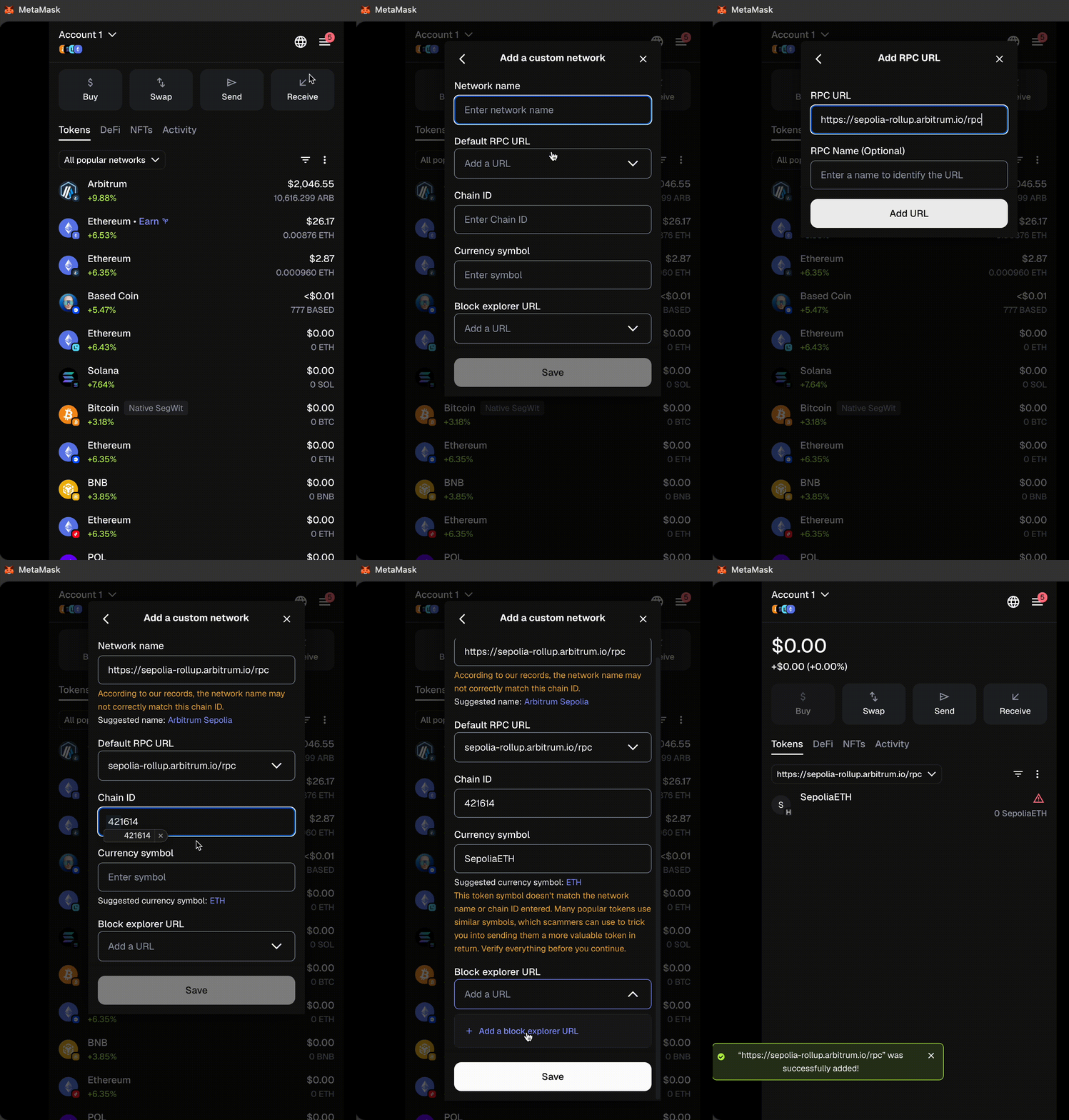
Below are the most common Arbitrum chains. For a more exhaustive list, please visit our [RPC endpoints and providers](/arbitrum-essentials/reference/node-providers) page.
| Parameter | Arbitrum One | Arbitrum Nova | Arbitrum Sepolia (testnet) |
| ------------------ | ---------------------------- | --------------------------------------------- | -------------------------------------- |
| Network name | Arbitrum One | Arbitrum Nova | Arbitrum Sepolia |
| RPC URL | https://arb1.arbitrum.io/rpc | https://nova.arbitrum.io/rpc | https://sepolia-rollup.arbitrum.io/rpc |
| Chain ID | 42161 | 42170 | 421614 |
| Currency symbol | **ETH** | **ETH** | SepoliaETH |
| Block explorer URL | https://arbiscan.io | https://nova.arbiscan.io/ | https://sepolia.arbiscan.io |
### Step 3: Initiate the deposit [#step-3-initiate-the-deposit]
To bridge your **ETH** or **ERC-20** tokens to a different chain, start by visiting [bridge.arbitrum.io](https://bridge.arbitrum.io/).
1. Connect your wallet to the bridge.
2. Ensure the **source** network is selected (from where you want to deposit your assets) at the top of the page.
3. Select the **destination** network (where you want your assets to go), e.g., Arbitrum One.
> **Warning**
>
> Note that testnets like Arbitrum Sepolia only appear if you have an established connection to the appropriate parent testnet network (Ethereum Sepolia).
>
> Also note, that when choosing the **source** or **destination** network, a pop up will appear where you can make your selection (illustrated below).
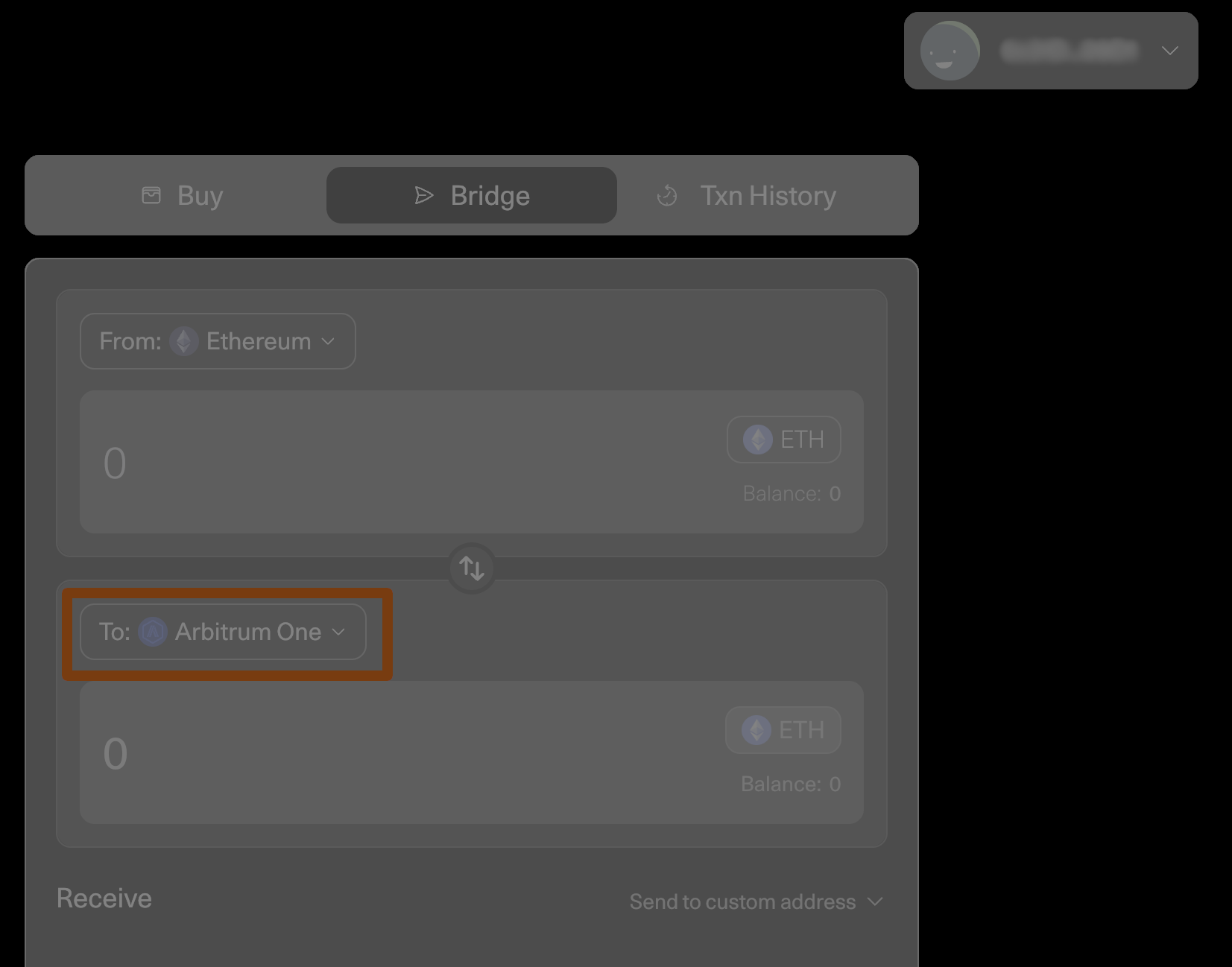
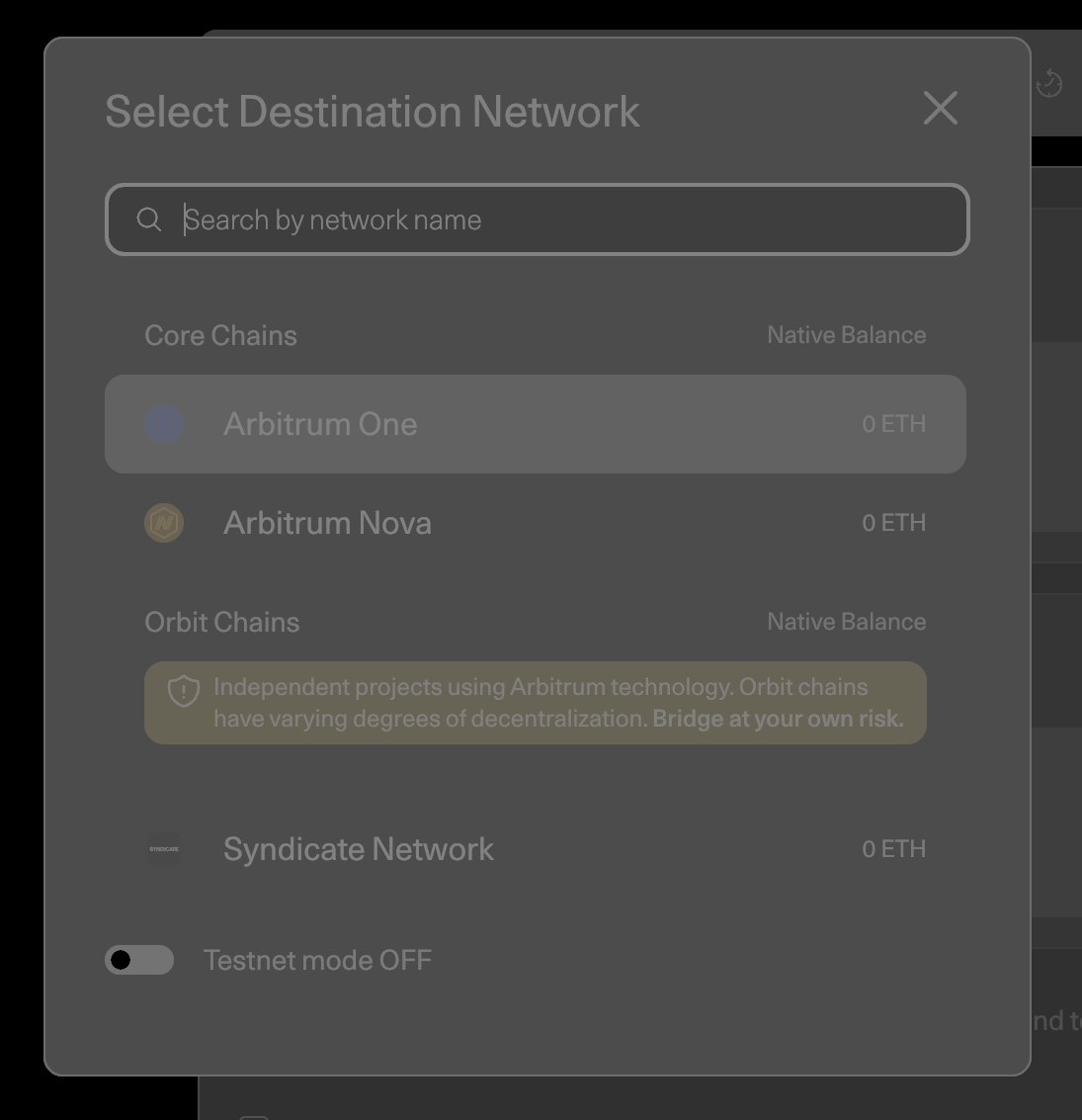
4. Select the token you want to bridge in the token drop-down menu.
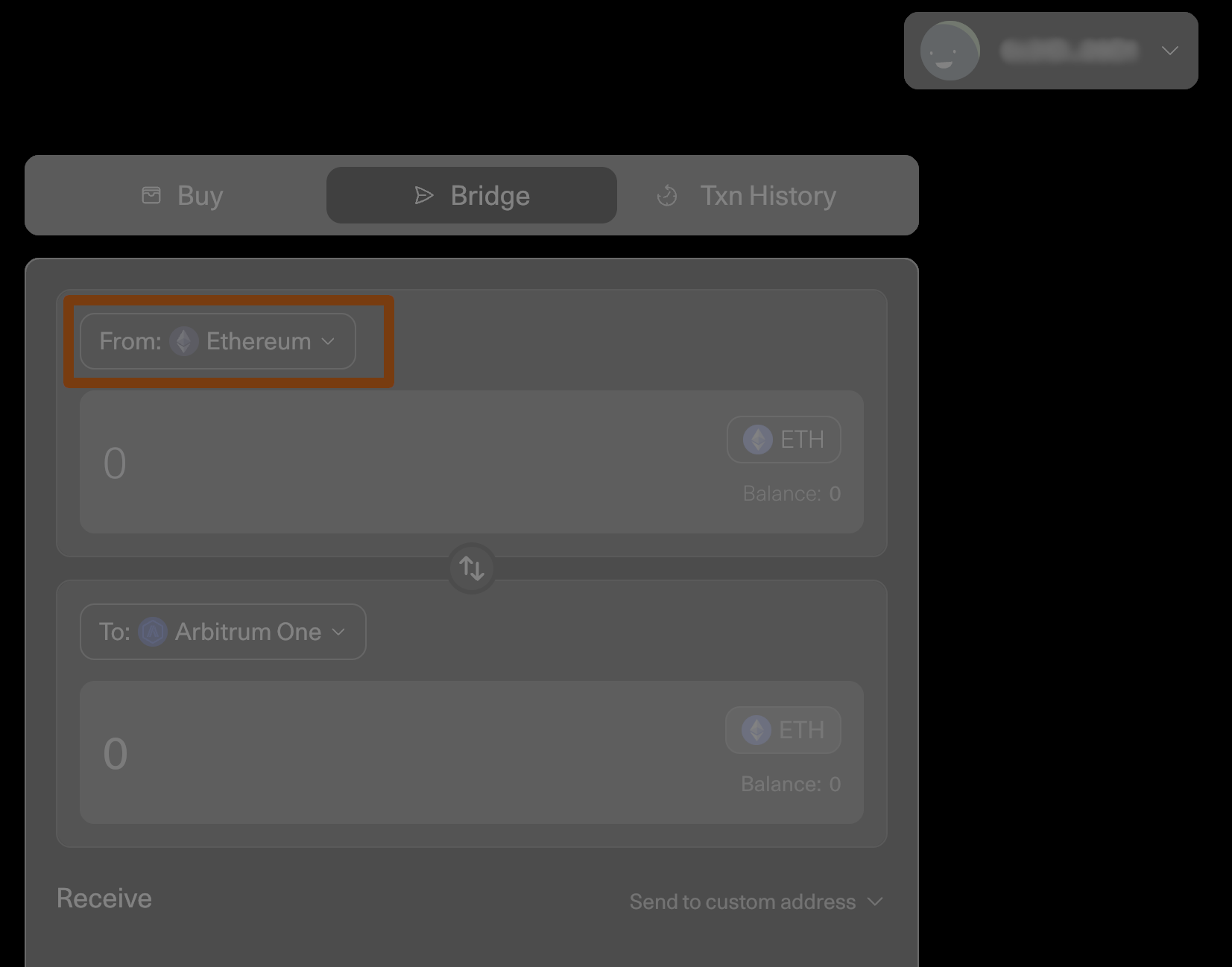
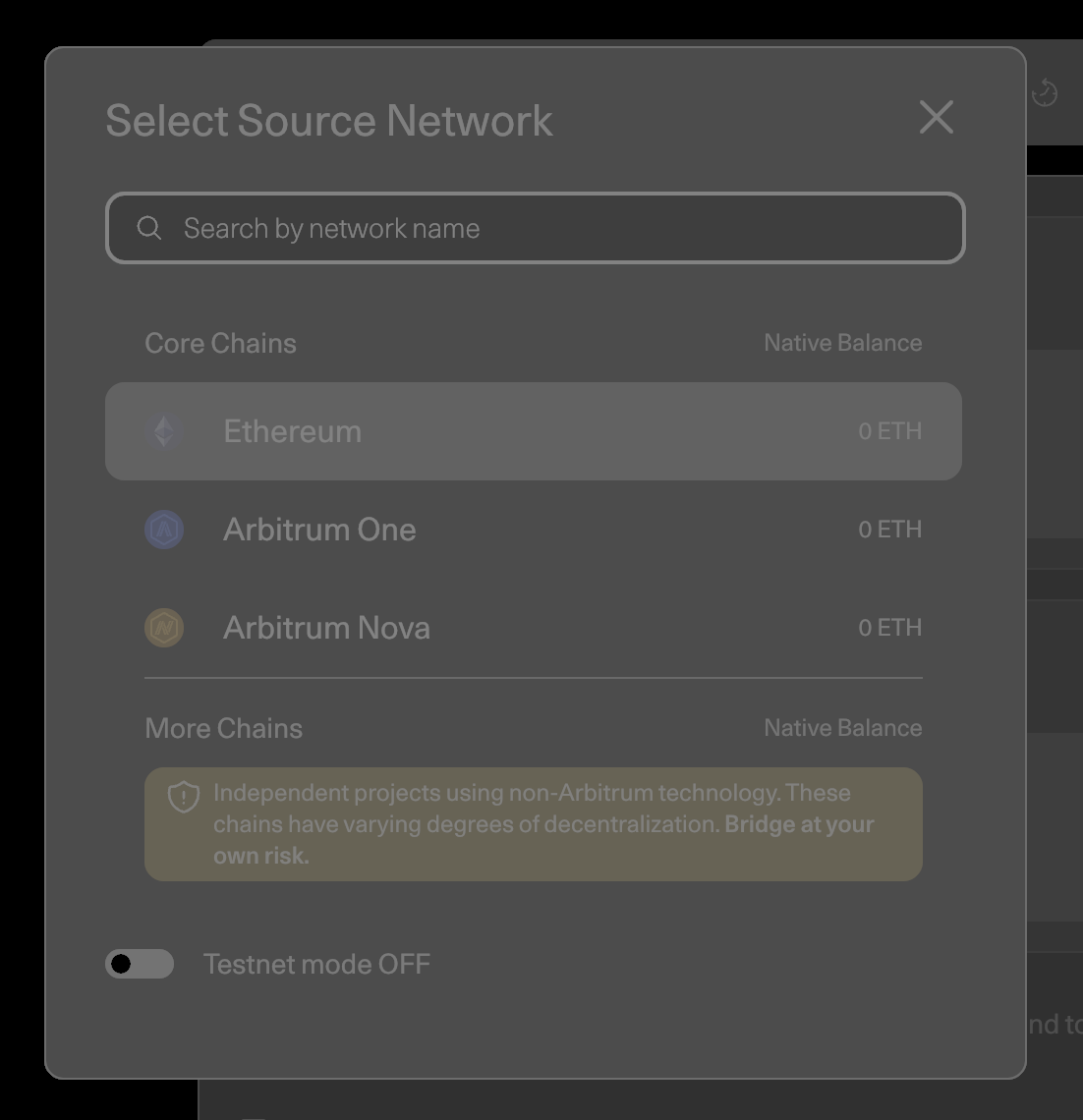
5. Enter the amount of **ETH** or **ERC-20** tokens you want to bridge over in the **From** box.
6. Press **Move** funds.
7. Follow the additional prompts from your Web3 wallet.
> **Ensure sufficient ETH balance**
>
> Please ensure you have sufficient **ETH** in your wallet to cover the transation costs; otherwise, the Web3 wallet pop-up will not appear.
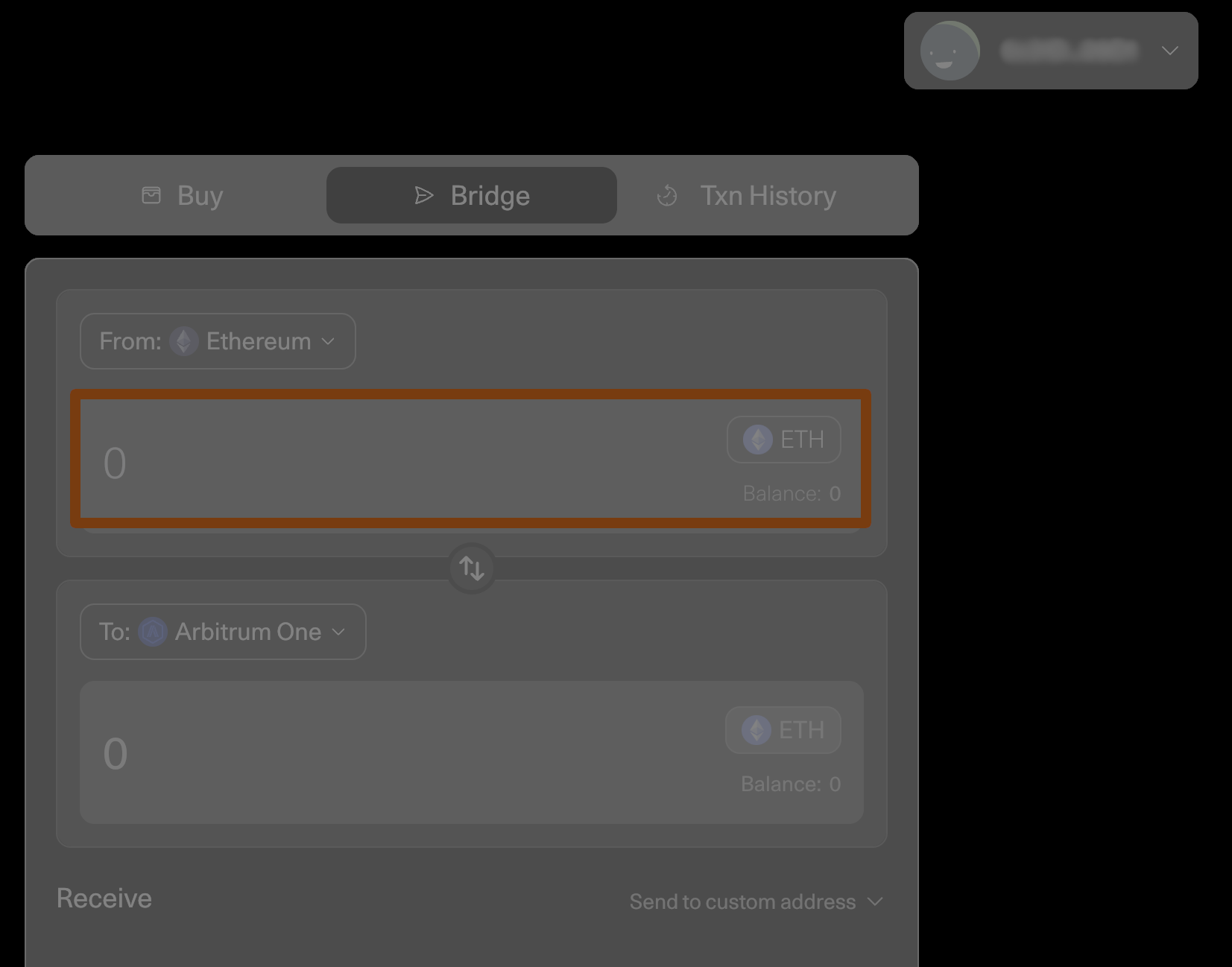
After you submit the transaction through your Web3 wallet, you can expect your funds to arrive on the destination chain within roughly 15-30 minutes (depending on chain congestion).
Also, ensure your wallet is set to the destination network so you can see when your funds arrive.
## Withdraw **ETH** or **ERC-20** tokens (from child chain to parent chain) [#withdraw-eth-or-erc-20-tokens-from-child-chain-to-parent-chain]
> **Seven day withdrawal period for Arbitrum One and Nova networks**
>
> Once you withdraw your funds from Arbitrum One or Nova through the Arbitrum bridge, you will have to wait for at least seven days to receive them on the Ethereum mainnet. For more details, see [Arbitrum Bridge: Troubleshooting](/arbitrum-bridge/troubleshooting#how-long-does-it-take-before-i-receive-my-funds-when-i-initiate-a-withdrawal-from-arbitrum-chains-one-and-nova). For the protocol-level reason behind the dispute window, see [Child-to-parent messaging](/how-arbitrum-works/deep-dives/l2-to-l1-messaging) and the FAQ entry on [why one week was chosen](/get-started/faq#why-was-one-week-chosen-for-arbitrum-ones-dispute-window).
To bridge your funds back to the parent chain, you must be connected to the [Arbitrum bridge](https://bridge.arbitrum.io/) with your wallet and ensure you establish a connection to the source network (from which you want to withdraw assets) at the top of the page. Then, select the destination network (where you want your assets to go), e.g., Ethereum mainnet.
> **Warning**
>
> Testnets like Arbitrum Sepolia only appear if you have an established connection to the appropriate parent testnet network (Ethereum Sepolia).
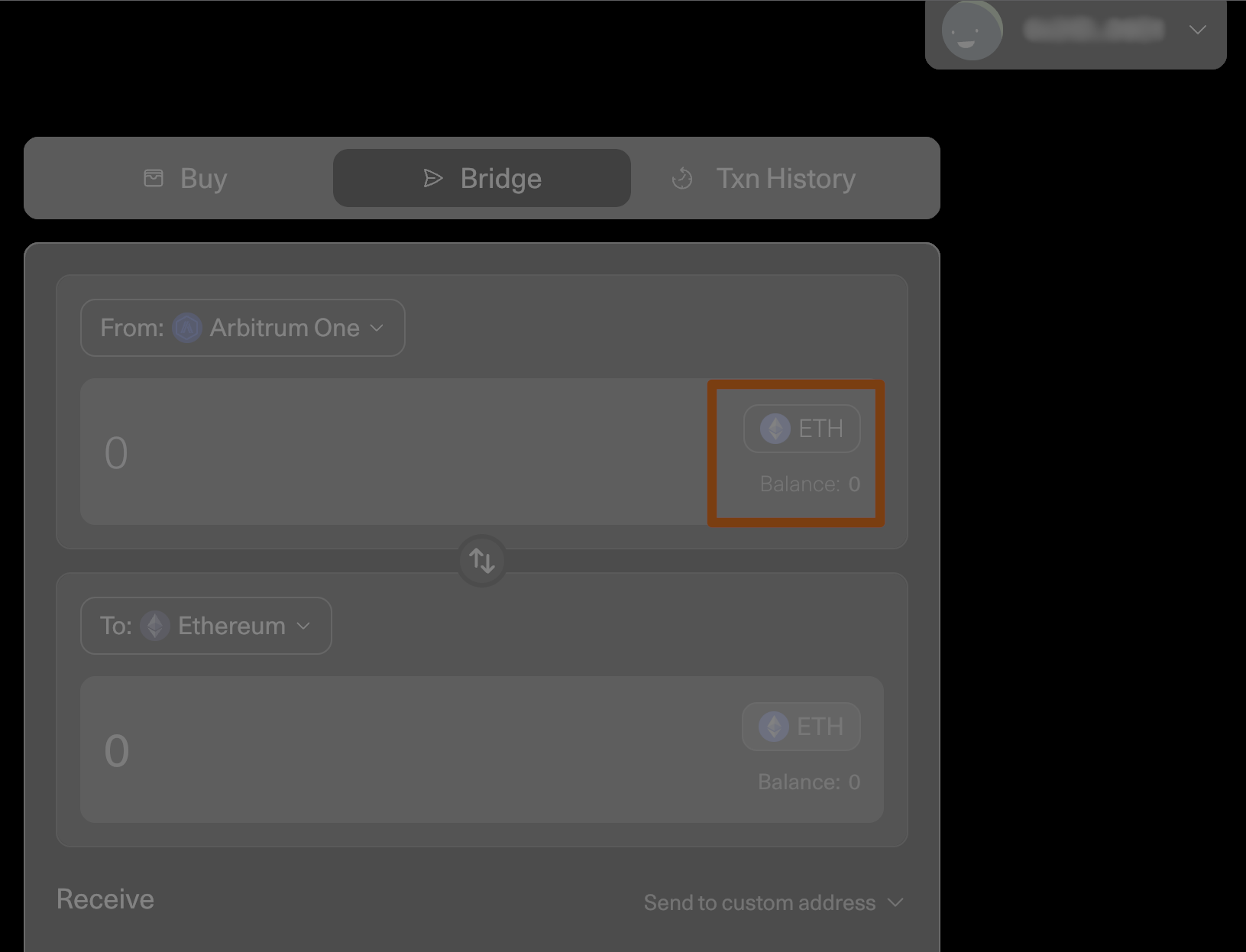
1. Select the token you want to bridge in the token drop-down menu.
2. Enter the amount of **ETH** or **ERC-20** tokens you want to bridge in the **From** box.
3. Press **Move funds**.
4. Follow the prompts from your Web3 wallet.
> **Ensure sufficient ETH balance**
>
> Please ensure you have sufficient **ETH** in your wallet to cover the transaction costs; otherwise, no Web3 wallet pop-up will appear.
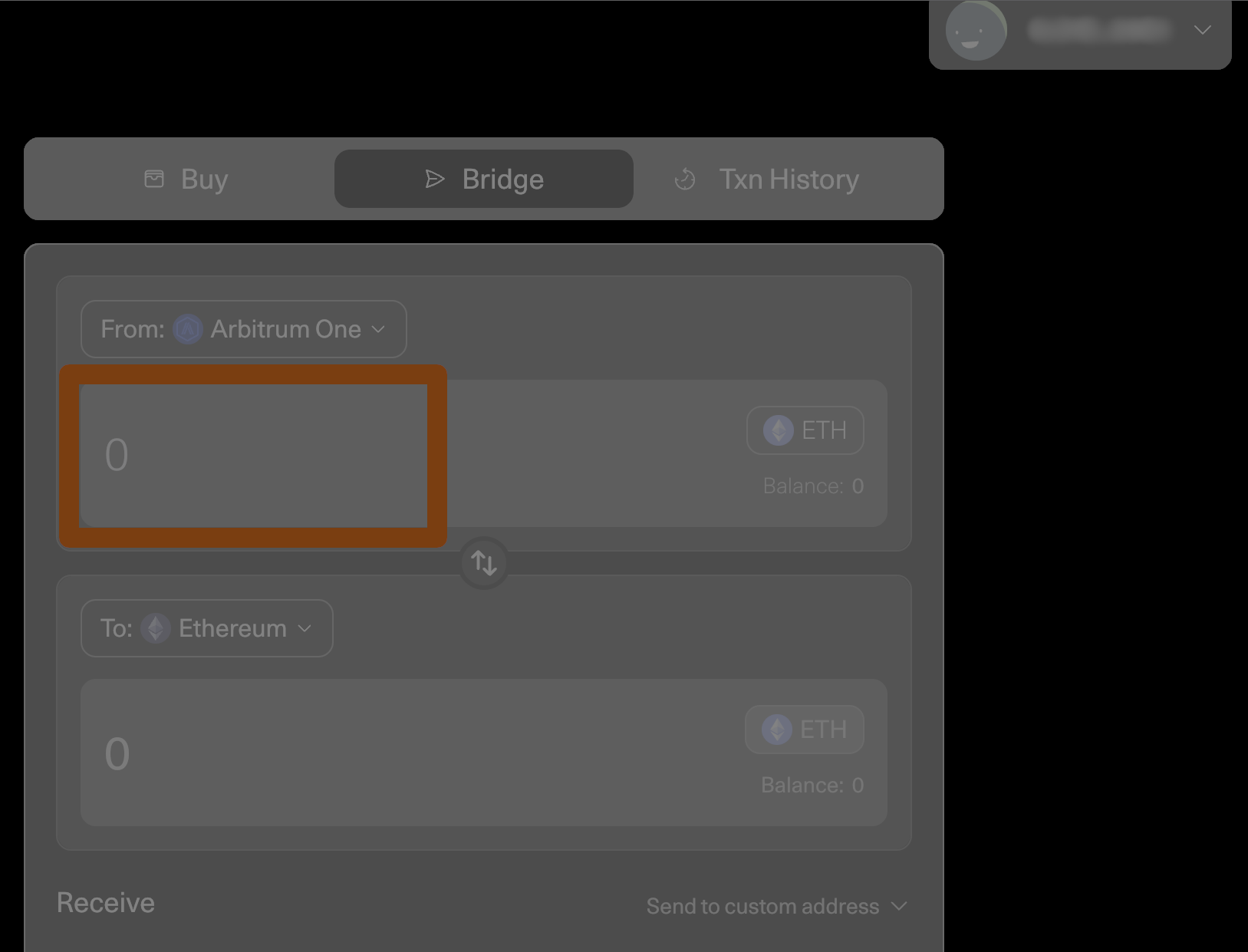
A countdown will appear stating that you'll receive your funds in 7-8 days.
You can check the status of your withdrawal by clicking on your profile in the top-right corner and opening the **Transactions** tab, where you can claim it when it's ready.
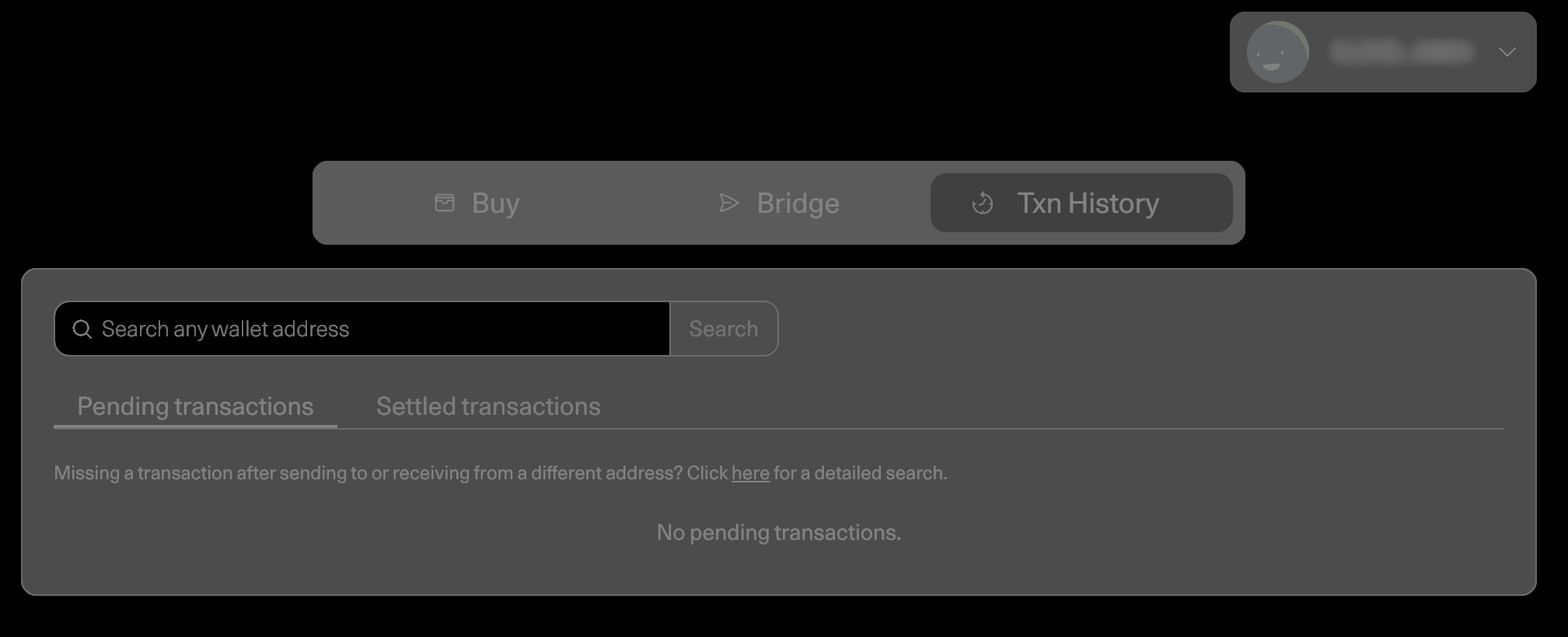
Once the countdown is complete, press the **Claim** button to receive your funds.
## See also [#see-also]
- [USDC on Arbitrum One](/arbitrum-bridge/usdc-arbitrum-one)
- [Arbitrum bridge: Troubleshooting](/arbitrum-bridge/troubleshooting)
- [Arbitrum embedded bridge widget](/arbitrum-bridge/embedded-bridge-widget)
- [Bridge transaction traceability](/arbitrum-bridge/bridge-transaction-traceability)
- [How token bridging works (deep dive)](/how-arbitrum-works/deep-dives/token-bridging)
- [Bridge tokens programmatically](/arbitrum-essentials/bridging/overview)
The team working on Arbitrum is always interested and looking forward to engaging with its users. Why not follow us on [X (Twitter)](https://x.com/arbitrum) or join our community on [Discord](https://discord.gg/arbitrum)?
# Troubleshooting: Arbitrum bridge (/arbitrum-bridge/troubleshooting)
### How do I move assets between One and Nova? [#how-do-i-move-assets-between-one-and-nova]
Both Arbitrum One and Arbitrum Nova run as layers on top of Ethereum. Thus, you can always move assets between the two chains in two steps by going "through" Ethereum. In other words: withdraw your assets from Arbitrum One to Ethereum and then deposit them onto Nova, or conversely, withdraw your assets from Nova to Ethereum and then deposit them to Arbitrum One. You can complete these steps using the [Arbitrum Bridge](https://bridge.arbitrum.io/); see the [bridge quickstart](/arbitrum-bridge/quickstart) for a step-by-step walkthrough.
### What fees do I have to pay when bridging funds from L1 to L2? [#what-fees-do-i-have-to-pay-when-bridging-funds-from-l1-to-l2]
When bridging over tokens from L1 to L2, you will have to sign one or two transactions with their corresponding fees:
1. If you are bridging a token for the first time, you'll sign one **approval transaction**.
2. In all cases, you'll sign a **deposit transaction** that will send your tokens to the Bridge.
Please note that the approval transaction needs to be executed at least once per token and wallet. This approval means that if you bridge the same token from the same wallet again, you probably won't have to pay for that transaction. However, if you bridge the same token from a different wallet, you will have to pay for that transaction again.
In any case, the Bridge and your wallet will guide you through the process, showing the transaction(s) that you need to sign to have your tokens bridged to Arbitrum.
### How long does it take before I receive my funds when I initiate a withdrawal from Arbitrum chains (One and Nova)? [#how-long-does-it-take-before-i-receive-my-funds-when-i-initiate-a-withdrawal-from-arbitrum-chains-one-and-nova]
Using the official Arbitrum Bridge, the process will take _roughly_ one week. However, some users opt to use third-party fast bridges, which often bypass this delay (remember that these bridges are created and maintained by third parties, so please DYOR!).
There's some variability in the exact wall-clock time of the dispute window, plus there's some expected additional "padding" time on both ends (no more than about an hour, typically).
The variability of the dispute window comes from the slight variance of block times. Arbitrum One's dispute window is 45818 blocks; this converts to about 6.4 days, assuming slightly more than 12 seconds per block, the average block time of Ethereum.
The "padding on both ends" involves three events that have to occur between a client receiving their transaction receipt from the Sequencer and their child-to-parent chain message being executable. After getting their receipt,
1. The sequencer posts their transaction in a batch (usually within a few minutes, though the sequencer will wait a bit longer if the parent chain is congested). Then,
2. A validator includes their transaction in an assertion (usually within the hour). Then, after the \~week long dispute window passes, the assertion is confirmable, and
3. Somebody (anybody) confirms the assertion on the parent chain (usually within \~15 minutes).
Additionally, in the rare and unlikely event of a dispute, this delay period will be extended for the dispute to resolve.
For the protocol-level explanation of these steps, see [Child-to-parent messaging](/how-arbitrum-works/deep-dives/l2-to-l1-messaging) and [The Sequencer](/how-arbitrum-works/deep-dives/sequencer).
### Is there a way to cancel a withdrawal from Arbitrum? [#is-there-a-way-to-cancel-a-withdrawal-from-arbitrum]
Once initiated, it is not possible to cancel a withdrawal. However, you can claim your funds on L1 and deposit them again on L2 once the [withdrawal period](/get-started/faq#why-was-one-week-chosen-for-arbitrum-ones-dispute-window) is past.
### Can I use a smart contract wallet in the bridge? [#can-i-use-a-smart-contract-wallet-in-the-bridge]
Support for Smart Contract Wallets is currently limited to token deposits and withdrawals. Keep in mind that when withdrawing funds, the withdrawal may not show up in your [bridge](https://portal.arbitrum.io/bridge) transaction history unless you also control that address on L1. In that case, you can search for the withdrawal transaction hash in the [bridge transaction history](https://portal.arbitrum.io/bridge?tab=tx_history) to claim your funds on L1. Developers debugging a stuck transaction in this flow may also find [Bridge transaction traceability](/arbitrum-bridge/bridge-transaction-traceability) useful.
**ETH** deposits and withdrawals using a Smart Contract Wallet are currently not supported, but will be available soon.
### What's the difference between USDC and USDC.e on Arbitrum One? [#whats-the-difference-between-usdc-and-usdce-on-arbitrum-one]
Arbitrum One supports both Circle-native **USDC** and bridged **USDC.e**. They are different tokens at different contract addresses. See [USDC on Arbitrum One](/arbitrum-bridge/usdc-arbitrum-one) for the details and which one you should hold.
### How can I claim withdrawn funds if I don't control on L1 the address that initiated the transaction on L2? [#how-can-i-claim-withdrawn-funds-if-i-dont-control-on-l1-the-address-that-initiated-the-transaction-on-l2]
Once the [withdrawal period](/get-started/faq#why-was-one-week-chosen-for-arbitrum-ones-dispute-window) is past, you can claim the funds on L1 from the [bridge transaction history](https://portal.arbitrum.io/bridge?tab=tx_history). Search for the transaction hash that initiated the withdrawal on L2, then claim it from the result.
## See also [#see-also]
- [Arbitrum bridge quickstart](/arbitrum-bridge/quickstart)
- [USDC on Arbitrum One](/arbitrum-bridge/usdc-arbitrum-one)
- [Arbitrum embedded bridge widget](/arbitrum-bridge/embedded-bridge-widget)
- [Bridge transaction traceability](/arbitrum-bridge/bridge-transaction-traceability) (for developers diagnosing stuck cross-chain transactions)
- [Retryable Tickets tool](https://portal.arbitrum.io/build/retryables) (check and redeem stuck retryable tickets)
- [Bridge transaction history](https://portal.arbitrum.io/bridge?tab=tx_history) (search by transaction hash to claim withdrawals)
# USDC on Arbitrum One (/arbitrum-bridge/usdc-arbitrum-one)
Arbitrum One supports two different types of **USDC**:
1. **Native USDC**: **USDC** tokens that are native to the Arbitrum One chain.
2. **Bridged USDC (**USDC.e**)**: Ethereum-native **USDC** tokens that have been bridged to Arbitrum One.
## Differences between USDC and USDC.e [#differences-between-usdc-and-usdce]
CEX Support, directly redeemable 1:1 for U.S. dollars
The Arbitrum Bridge will continue to facilitate transfers of all **USDC** tokens. When depositing Ethereum-native **USDC**, the option exists to receive Bridged **USDC** using Arbitrum's bridge (the canonical lock-and-mint flow described in the [token bridging deep dive](/how-arbitrum-works/deep-dives/token-bridging)) or Arbitrum-native **USDC** using Circle's [Cross-Chain Transfer Protocol](https://www.circle.com/en/cross-chain-transfer-protocol).
To start bridging on Arbitrum refer to the [Quickstart](/arbitrum-bridge/quickstart) or the [Embedded bridge widget](/arbitrum-bridge/embedded-bridge-widget). If you run into issues bridging **USDC**, see [Arbitrum bridge: Troubleshooting](/arbitrum-bridge/troubleshooting).
## For Arbitrum chain operators [#for-arbitrum-chain-operators]
If you're launching an Arbitrum chain and want to support **USDC** without locking users into the canonical bridged form, see [How to adopt the bridged USDC standard on your Arbitrum chain](/launch-arbitrum-chain/integrations/bridged-usdc). It explains the gateway implementation that lets Circle upgrade your chain's **USDC** to native issuance later.
## Historical context [#historical-context]
The Arbitrum Bridge will continue to facilitate transfers of all **USDC** tokens. When depositing **USDC** from Ethereum, the option exists to receive **USDC** using Circle's Cross-Chain Transfer Protocol or receive Bridged **USDC** using Arbitrum's lock-and-mint bridge.
In 2023, Circle launched **USDC** natively on Arbitrum One and added support for the Cross-Chain Transfer Protocol, which enabled direct minting and burning of **USDC** between Ethereum and Arbitrum One. Due to this, the token symbol for Bridged **USDC** has been renamed to **USDC.e** to accommodate an ecosystem-wide liquidity migration to native **USDC**. The expectation is that over time, the liquidity migration of **USDC.e** to **USDC** will continue.
## See also [#see-also]
- [Arbitrum bridge quickstart](/arbitrum-bridge/quickstart)
- [Arbitrum bridge: Troubleshooting](/arbitrum-bridge/troubleshooting)
- [Arbitrum embedded bridge widget](/arbitrum-bridge/embedded-bridge-widget)
- [How to adopt the bridged USDC standard on your Arbitrum chain](/launch-arbitrum-chain/integrations/bridged-usdc)
- [How token bridging works (deep dive)](/how-arbitrum-works/deep-dives/token-bridging)
# Monitor withdrawals programmatically (/arbitrum-bridge/withdrawal-monitoring)
This page is intended for chain operators and integration partners (exchanges, bridges, infrastructure providers) who need to track withdrawals programmatically and be alerted when one gets stuck. To trace a single transaction end to end, see [Tracing bridge transactions](/arbitrum-bridge/bridge-transaction-traceability). To initiate withdrawals from code, see [Withdraw ETH and messages](/arbitrum-essentials/bridging/withdraw/eth-and-messages). To learn the protocol-level background, see [Child-to-parent messaging](/how-arbitrum-works/deep-dives/l2-to-l1-messaging).
A withdrawal from an Arbitrum chain is a child chain-to-parent chain message that passes through several protocol stages before funds are claimable. Most "where is my withdrawal?" questions come down to not knowing which stage a withdrawal is in, or how long each stage is expected to take on a given chain. This guide maps the lifecycle to observable onchain state and to the [`@arbitrum/sdk`](https://github.com/OffchainLabs/arbitrum-sdk) status model, gives expected timelines per chain type, and provides tested code for monitoring one withdrawal or indexing many.
## The withdrawal lifecycle [#the-withdrawal-lifecycle]
Every withdrawal—whether a token withdrawal through the bridge UI or a raw `ArbSys.sendTxToL1` call—moves through the same stages:
| Stage | What happens onchain | SDK status |
| :--------------- | :------------------------------------------------------------------------------------------------------------------------------------------------------------------------------------------------------------------------------------------------------------------------------------- | :------------ |
| **1. Initiated** | The child chain transaction calls the [`ArbSys`](/arbitrum-essentials/precompiles/reference#arbsys) precompile (directly, or via a token gateway), which emits an `L2ToL1Tx` event containing the withdrawal's `position` | `UNCONFIRMED` |
| **2. Batched** | The sequencer posts the batch containing the transaction to the parent chain (typically within minutes) | `UNCONFIRMED` |
| **3. Asserted** | A validator posts an assertion covering the withdrawal's child chain block (`AssertionCreated` event on the Rollup contract) | `UNCONFIRMED` |
| **4. Confirmed** | After the challenge period passes without a successful challenge, the assertion is confirmed (`AssertionConfirmed` event); the Rollup contract registers the assertion's send root in the outbox (`SendRootUpdated` event) | `CONFIRMED` |
| **5. Executed** | Someone calls `Outbox.executeTransaction()` with a Merkle proof (obtained from a child chain node via `NodeInterface.constructOutboxProof()`);; the outbox marks the withdrawal spent (`OutBoxTransactionExecuted` event) and releases the funds | `EXECUTED` |
Two properties of this lifecycle cause most confusion:
- **Execution is manual.** Confirmation makes a withdrawal _claimable_; it doesn't deliver funds. Someone (the user through the bridge UI's **Claim** button, or your infrastructure) must execute the claim on the parent chain. A withdrawal can sit in `CONFIRMED` indefinitely. To learn why the protocol works this way, see [Why child to parent chain messages require manual execution](/how-arbitrum-works/deep-dives/l2-to-l1-messaging#why-child-to-parent-chain-messages-require-manual-execution).
- **Time-to-claimable is more than the challenge period.** The clock users care about includes batch posting (minutes) _plus_ waiting for the next assertion to cover their block (up to the chain's assertion posting interval, commonly up to an hour) _plus_ the challenge period after that assertion is created. On a chain with [fast withdrawals](/launch-arbitrum-chain/chain-config/validation/fast-withdrawals), the committee's confirmation frequency replaces the challenge period wait, but batch posting and assertion cadence still apply—which is why a "15-minute fast withdrawal chain" can legitimately take an hour or more to reach claimable.
### Mapping bridge UI phases to protocol states [#mapping-bridge-ui-phases-to-protocol-states]
The [Arbitrum bridge UI](https://bridge.arbitrum.io/) presents a withdrawal as three user-facing steps, and support conversations often reference them as "phases." They map to the lifecycle above as follows:
| Bridge UI step | Lifecycle stages | SDK status |
| :------------------------------------------------- | :--------------------------------------------- | :----------------------- |
| Phase 1 — withdrawal submitted | Initiated | `UNCONFIRMED` |
| Phase 2 — countdown or waiting | Batched → Asserted → challenge period elapsing | `UNCONFIRMED` |
| Phase 3 — **Claim** button available, then claimed | Confirmed → Executed | `CONFIRMED` → `EXECUTED` |
A withdrawal "stuck between phase 2 and phase 3" is a withdrawal that stayed `UNCONFIRMED` past its expected time-to-claimable: either no assertion covering its block exists yet, or the covering assertion hasn't been confirmed. The [diagnosis table](#diagnose-stuck-withdrawals) below separates those cases.
## Expected timelines by chain type [#expected-timelines-by-chain-type]
The dominant term in time-to-claimable is the challenge period, set by the chain's `confirmPeriodBlocks` parameter and measured in parent chain blocks. Values for Arbitrum's own chains:
| Chain configuration | Challenge period | Typical time-to-claimable |
| :---------------------------------------------------------------------------------------------------- | :---------------------------------------------------------------------------------------------------- | :------------------------------------------------------------------------------------------------------------ |
| Arbitrum One (Rollup) | 45818 blocks ≈ 6.4 days | ~7 days (batch + assertion cadence + challenge period) |
| Arbitrum Nova (AnyTrust) | 45818 blocks ≈ 6.4 days | ~7 days—AnyTrust changes data availability, **not** the challenge period |
| Arbitrum chain with fast withdrawals | Bypassed by unanimous committee confirmation | As low as ~15 minutes on BoLD-enabled chains, plus batch posting and assertion cadence |
| Arbitrum Sepolia (testnet) | 20 blocks ≈ 4.0 minutes | Minutes |
Additional timing facts your alerting thresholds should account for:
- **A challenged assertion takes longer.** If an assertion acquires a rival, confirmation waits for the challenge to resolve (bounded by the challenge period) plus a grace period (14,400 parent chain blocks ≈ 48 hours on Arbitrum One's configuration) before the winner can be confirmed. Under BoLD, an honest withdrawal is delayed by at most one additional challenge period even during a dispute—see [Assertions](/how-arbitrum-works/deep-dives/assertions).
- **Time-to-funds = time-to-claimable + execution.** Budget for the claim transaction separately; nothing executes it automatically.
- **Custom chains choose their own values.** Read `confirmPeriodBlocks()` from the chain's Rollup contract (shown [below](#query-assertion-and-outbox-state-onchain)) rather than assuming the defaults. To learn how operators configure this, see [Customizable challenge period](/launch-arbitrum-chain/chain-config/validation/challenge-period).
## Withdrawals from an L3 [#withdrawals-from-an-l3]
A withdrawal from an L3 (an Arbitrum chain that settles on Arbitrum One or another child chain) to Ethereum is **two sequential child-to-parent withdrawals**: L3 → L2, then L2 → L1. Each leg has its own challenge period—by default 45818 parent chain blocks (≈ 6.4 days) per leg on mainnet configurations—and each leg's claim must execute before the next leg can begin. The worst case with default settings is therefore roughly two weeks end to end.
Monitor each leg independently with the same code from this guide, pointing the provider pair at the relevant chains (L3 + L2 for the first leg, L2 + L1 for the second).
Chain operators have three options for reducing the delay:
| Option | Time-to-claimable | Trade-off |
| :----------------------------------------------------------------------------------------------- | :------------------------------------------------- | :---------------------------------------------------------------------------------------------------------------------------------------- |
| [Fast withdrawals](/launch-arbitrum-chain/chain-config/validation/fast-withdrawals) | Down to ~15 minutes per leg on BoLD-enabled chains | Adds a committee trust assumption (unanimous validator committee); recommended primarily for AnyTrust chains where the DAC already exists |
| [Customizable challenge period](/launch-arbitrum-chain/chain-config/validation/challenge-period) | Whatever `confirmPeriodBlocks` is set to | Shrinks the window in which fraud can be challenged; weakens the chain's security model |
| Third-party liquidity bridges | Minutes | Users receive funds from a liquidity provider rather than the canonical bridge; adds provider trust and fees; per-asset liquidity limits |
## Monitor withdrawals with the SDK [#monitor-withdrawals-with-the-sdk]
The [`@arbitrum/sdk`](https://github.com/OffchainLabs/arbitrum-sdk) (v4, ethers v5) exposes the lifecycle through `ChildToParentMessage` objects and the `ChildToParentMessageStatus` enum, whose three values match the lifecycle table above: `UNCONFIRMED` (0), `CONFIRMED` (1), and `EXECUTED` (2). The SDK handles both current (BoLD) and legacy assertion models automatically, so the same code works across chains.
Arbitrum One, Nova, and Arbitrum Sepolia are pre-registered in the SDK. For any other Arbitrum chain, register it first—all required parameters can be derived from the chain's Rollup contract address:
```ts
import { providers } from 'ethers';
import { registerCustomArbitrumNetwork, getArbitrumNetworkInformationFromRollup } from '@arbitrum/sdk';
const parentProvider = new providers.JsonRpcProvider(PARENT_RPC_URL);
const rollupData = await getArbitrumNetworkInformationFromRollup(ROLLUP_ADDRESS, parentProvider);
registerCustomArbitrumNetwork({
chainId: CHILD_CHAIN_ID,
name: 'my-arbitrum-chain',
parentChainId: rollupData.parentChainId,
ethBridge: rollupData.ethBridge,
confirmPeriodBlocks: rollupData.confirmPeriodBlocks,
isCustom: true,
isTestnet: false,
});
```
### Check the status of a withdrawal [#check-the-status-of-a-withdrawal]
Given the withdrawal's child chain transaction hash:
```ts
import { providers } from 'ethers';
import { ChildTransactionReceipt, ChildToParentMessageStatus } from '@arbitrum/sdk';
const withdrawalTxHash = WITHDRAWAL_TX_HASH;
const parentProvider = new providers.JsonRpcProvider(PARENT_RPC_URL);
const childProvider = new providers.JsonRpcProvider(CHILD_RPC_URL);
async function main() {
const receipt = await childProvider.getTransactionReceipt(withdrawalTxHash);
const childReceipt = new ChildTransactionReceipt(receipt);
const messages = await childReceipt.getChildToParentMessages(parentProvider);
const message = messages[0];
const status = await message.status(childProvider);
console.log('Status:', ChildToParentMessageStatus[status]);
if (status === ChildToParentMessageStatus.UNCONFIRMED) {
// Estimated parent chain block at which the withdrawal becomes executable
const firstExecutableBlock = await message.getFirstExecutableBlock(childProvider);
console.log('Estimated first executable parent chain block:', firstExecutableBlock.toString());
}
}
main();
```
`getFirstExecutableBlock()` returns an estimate of the parent chain block at which the message becomes claimable (based on the covering assertion's creation block plus the challenge period), or `null` once the message is already `CONFIRMED` or `EXECUTED`. Comparing it against the parent chain's current block number gives you a countdown you can surface to users—the same countdown the bridge UI shows.
### Wait for confirmation and execute the claim [#wait-for-confirmation-and-execute-the-claim]
`waitUntilReadyToExecute()` polls until the message leaves `UNCONFIRMED`, then returns the terminal status. A `ChildToParentMessageWriter` (obtained by passing a parent chain _signer_ instead of a provider) can then execute the claim:
```ts
import { providers, Wallet } from 'ethers';
import { ChildTransactionReceipt, ChildToParentMessageStatus } from '@arbitrum/sdk';
const withdrawalTxHash = WITHDRAWAL_TX_HASH;
const parentProvider = new providers.JsonRpcProvider(PARENT_RPC_URL);
const childProvider = new providers.JsonRpcProvider(CHILD_RPC_URL);
const parentSigner = new Wallet(PRIVATE_KEY, parentProvider);
async function main() {
const receipt = await childProvider.getTransactionReceipt(withdrawalTxHash);
const childReceipt = new ChildTransactionReceipt(receipt);
// Passing a signer yields ChildToParentMessageWriter instances, which can execute claims
const messages = await childReceipt.getChildToParentMessages(parentSigner);
const message = messages[0];
// Polls every 30 seconds until the message leaves UNCONFIRMED.
// On a chain with a live challenge period this call blocks for days —
// use it in a worker, or poll status() on your own schedule instead.
const status = await message.waitUntilReadyToExecute(childProvider, 30 * 1000);
if (status === ChildToParentMessageStatus.CONFIRMED) {
const executeTx = await message.execute(childProvider);
const executeReceipt = await executeTx.wait();
console.log('Claim executed on parent chain:', executeReceipt.transactionHash);
} else {
console.log('Message already executed');
}
}
main();
```
Under the hood, `execute()` fetches the Merkle proof from the [`NodeInterface`](/arbitrum-essentials/nodeinterface/reference) and calls `Outbox.executeTransaction()` on the parent chain. It throws if the message isn't `CONFIRMED` yet. If you need the proof itself (for example, to execute through your own contracts), call `message.getOutboxProof(childProvider)`.
### Index many withdrawals [#index-many-withdrawals]
To monitor every withdrawal on a chain (for example, all withdrawals initiated through your bridge frontend), fetch `L2ToL1Tx` events in bulk instead of tracking individual transaction hashes:
```ts
import { providers } from 'ethers';
import { ChildToParentMessage, ChildToParentMessageStatus } from '@arbitrum/sdk';
const parentProvider = new providers.JsonRpcProvider(PARENT_RPC_URL);
const childProvider = new providers.JsonRpcProvider(CHILD_RPC_URL);
const fromBlock = START_BLOCK;
const toBlock = 'latest';
async function main() {
const events = await ChildToParentMessage.getChildToParentEvents(childProvider, {
fromBlock,
toBlock,
});
console.log(`Found ${events.length} withdrawal(s)`);
for (const event of events) {
const message = ChildToParentMessage.fromEvent(parentProvider, event);
const status = await message.status(childProvider);
console.log(`position ${event.position.toString()} | ` + `child tx ${event.transactionHash} | ` + `destination ${event.destination} | ` + `${ChildToParentMessageStatus[status]}`);
}
}
main();
```
`getChildToParentEvents` also accepts optional `position`, `destination`, and `hash` filters (all indexed fields of the `L2ToL1Tx` event), so you can restrict the scan to withdrawals bound for addresses you care about.
For a production monitor, a practical pattern is:
1. **Ingest**: scan `L2ToL1Tx` events in block-range windows on a schedule; store each withdrawal's `position`, transaction hash, destination, and initiation timestamp.
2. **Track**: poll `status()` for stored withdrawals that aren't `EXECUTED` yet. Withdrawals in `UNCONFIRMED` only change state when an assertion is confirmed, so polling them more often than the chain's assertion cadence adds no information; hourly is plenty on a seven-day chain.
3. **Alert**: flag any withdrawal that is `UNCONFIRMED` past your chain's expected time-to-claimable (challenge period + assertion cadence + margin), and any withdrawal sitting in `CONFIRMED` longer than you expect users to leave claims unexecuted.
## Query assertion and outbox state onchain [#query-assertion-and-outbox-state-onchain]
If you prefer raw contract calls—or want to monitor the assertion pipeline itself rather than individual messages—the same lifecycle is observable from three contracts: the `ArbSys` precompile on the child chain, and the Rollup and Outbox contracts on the parent chain. The following snippet checks every stage for one withdrawal:
```ts
import { providers, Contract } from 'ethers';
const withdrawalTxHash = WITHDRAWAL_TX_HASH;
const rollupAddress = ROLLUP_ADDRESS;
const ARBSYS_ADDRESS = '0x0000000000000000000000000000000000000064';
const NODE_INTERFACE_ADDRESS = '0x00000000000000000000000000000000000000C8';
const arbSysAbi = ['event L2ToL1Tx(address caller, address indexed destination, uint256 indexed hash, uint256 indexed position, uint256 arbBlockNum, uint256 ethBlockNum, uint256 timestamp, uint256 callvalue, bytes data)'];
const rollupAbi = ['function outbox() view returns (address)', 'function confirmPeriodBlocks() view returns (uint64)', 'event AssertionConfirmed(bytes32 indexed assertionHash, bytes32 blockHash, bytes32 sendRoot)'];
const outboxAbi = ['function roots(bytes32) view returns (bytes32)', 'function isSpent(uint256 index) view returns (bool)'];
const nodeInterfaceAbi = ['function constructOutboxProof(uint64 size, uint64 leaf) view returns (bytes32 send, bytes32 root, bytes32[] proof)'];
const parentProvider = new providers.JsonRpcProvider(PARENT_RPC_URL);
const childProvider = new providers.JsonRpcProvider(CHILD_RPC_URL);
async function main() {
// 1. The L2ToL1Tx event from the withdrawal transaction identifies the message
const receipt = await childProvider.getTransactionReceipt(withdrawalTxHash);
const arbSys = new Contract(ARBSYS_ADDRESS, arbSysAbi, childProvider);
const l2ToL1TxTopic = arbSys.interface.getEventTopic('L2ToL1Tx');
const event = receipt.logs.filter((log) => log.topics[0] === l2ToL1TxTopic).map((log) => arbSys.interface.parseLog(log))[0];
const { position, arbBlockNum } = event.args;
console.log('position (outbox leaf index):', position.toString(), '| child block:', arbBlockNum.toString());
// 2. Latest confirmed assertion: its send root commits to all withdrawals up to
// the child chain block it covers
const rollup = new Contract(rollupAddress, rollupAbi, parentProvider);
const confirmed = await rollup.queryFilter(rollup.filters.AssertionConfirmed(), -100000);
const latestConfirmation = confirmed[confirmed.length - 1];
const { blockHash, sendRoot } = latestConfirmation.args;
// 3. sendCount of that block = how many withdrawals the confirmed assertion covers
const confirmedBlock = await childProvider.send('eth_getBlockByHash', [blockHash, false]);
const sendCount = Number(confirmedBlock.sendCount);
const isCovered = position.lt(sendCount);
console.log('confirmed sendCount:', sendCount, '| withdrawal covered by confirmed assertion:', isCovered);
// 4. The send root must be registered in the outbox for claims to succeed
const outboxAddress = await rollup.outbox();
const outbox = new Contract(outboxAddress, outboxAbi, parentProvider);
const registered = (await outbox.roots(sendRoot)) !== '0x' + '0'.repeat(64);
console.log('send root registered in outbox:', registered);
// 5. Already claimed?
console.log('outbox.isSpent(position):', await outbox.isSpent(position));
// 6. Merkle proof for a manual Outbox.executeTransaction call
const nodeInterface = new Contract(NODE_INTERFACE_ADDRESS, nodeInterfaceAbi, childProvider);
const proofData = await nodeInterface.constructOutboxProof(sendCount, position.toNumber());
console.log('proof root matches confirmed sendRoot:', proofData.root === sendRoot);
}
main();
```
How each check maps to the lifecycle:
- **`L2ToL1Tx`** (`ArbSys`, child chain): emitted at initiation. Its `position` is the withdrawal's leaf index in the send Merkle tree—the same `index` that `Outbox.executeTransaction()` and `Outbox.isSpent()` take, and the `leaf` argument to `NodeInterface.constructOutboxProof()`. The `destination`, `hash`, and `position` fields are indexed, so monitors can subscribe to them directly.
- **`AssertionCreated`** and **`AssertionConfirmed`** (Rollup contract, parent chain): the assertion pipeline. A withdrawal is covered once an assertion whose child chain block has `sendCount > position` exists; it is claimable once such an assertion is _confirmed_. `AssertionConfirmed` carries the confirmed `blockHash` and `sendRoot`. You can also read `latestConfirmed()` and `getAssertion()` on the Rollup contract for point-in-time checks. For an alerting-oriented view of this pipeline (assertion cadence, missed confirmations, validator health), run the [assertion monitor](/launch-arbitrum-chain/operate/monitoring#assertion-monitor).
- **`SendRootUpdated`** and **`roots`** (Outbox, parent chain): set by the Rollup contract at assertion confirmation. A claim can only succeed if the proof's root is registered in `roots`—this is the onchain meaning of "ready to execute."
- **`OutBoxTransactionExecuted`** and **`isSpent(position)`** (Outbox, parent chain): terminal state. The event's `transactionIndex` field equals the withdrawal's `position`.
- **`constructOutboxProof(size, leaf)`** (`NodeInterface`, child chain): builds the Merkle proof for a manual claim, where `size` is the confirmed block's `sendCount` and `leaf` is the withdrawal's `position`. The `NodeInterface` is a node-provided virtual contract—call it with `eth_call` against a child chain node; it doesn't exist onchain.
> **Chains on the legacy (pre-BoLD) protocol**
>
> On chains that haven't upgraded to BoLD, the Rollup contract identifies assertions by sequential node number instead of hash, and the corresponding events are `NodeCreated` and `NodeConfirmed(nodeNum, blockHash, sendRoot)`. The `ArbSys`, `Outbox`, and `NodeInterface` surfaces are unchanged, and the SDK abstracts the difference entirely.
If the parent chain is itself an Arbitrum chain (the L3 case), use the Rollup contract's `getAssertionCreationBlockForLogLookup(assertionHash)` getter to obtain block numbers suitable for event queries on the parent chain.
## Diagnose stuck withdrawals [#diagnose-stuck-withdrawals]
Work through the stages in order—each row's check assumes the previous rows passed. "Phase" refers to the [bridge UI mapping](#mapping-bridge-ui-phases-to-protocol-states) above.
| Symptom | Stuck at | What to check | Escalation |
| :---------------------------------------------------------------------------------------- | :----------------------------------- | :------------------------------------------------------------------------------------------------------------------------------------------------------------------------------------------------------------------------------------------------------------------------------------------------- | :----------------------------------------------------------------------------------------------------------------------------------------------------------------------------------------------- |
| `UNCONFIRMED`, and the transaction isn't in a posted batch yet | Batch posting (phase 2, early) | `NodeInterface.getL1Confirmations(blockHash)` returns `0`, or `findBatchContainingBlock(blockNum)` reverts, for the withdrawal's child chain block | Batch poster is down or backed up—chain operator; see [batch poster troubleshooting](/launch-arbitrum-chain/operate/batch-poster-troubleshooting) |
| `UNCONFIRMED`, batched, but no assertion covers the block | Assertion creation (phase 2) | Latest `AssertionCreated` on the Rollup contract: does the assertion's child chain block have `sendCount > position`? No recent `AssertionCreated` events at all means the active validator isn't posting | Chain operator (validator or proposer health); the [assertion monitor](/launch-arbitrum-chain/operate/monitoring#assertion-monitor) alerts on this automatically |
| `UNCONFIRMED`, assertion created, challenge period elapsed, still no `AssertionConfirmed` | Assertion confirmation (phase 2 → 3) | Whether the assertion has a rival (a challenge is in progress—confirmation waits for resolution plus a grace period); whether any validator is calling the confirmation function at all | Chain operator; on a challenged chain, monitor the challenge and expect up to one extra challenge period plus grace period |
| `CONFIRMED`, but the claim transaction reverts | Execution (phase 3) | `Outbox.isSpent(position)`—`true` means it was already claimed (find the claim via the `OutBoxTransactionExecuted` event with `transactionIndex == position`); for an L3 withdrawal, confirm you're claiming the correct leg on the correct chain; re-derive the proof with `constructOutboxProof` | If the proof root isn't in `Outbox.roots` despite `CONFIRMED` status, something is inconsistent—collect the position, child chain transaction hash, and chain ID, and contact the chain operator |
| "Withdrawal is claimable, but funds never arrived" | Execution (phase 3) | Nobody executed the claim—execution is manual. Check `isSpent(position)`; if `false`, execute via the SDK or the bridge UI's **Claim** button. For token withdrawals, funds are released by the parent chain gateway to the destination address once executed | End-user cases: [bridge troubleshooting](/arbitrum-bridge/troubleshooting) |
> **Historical data availability**
>
> Ethereum consensus nodes are required to serve blob data for only 4,096 epochs (≈18 days). Monitors that reconstruct old withdrawal history need archive access: an [archive beacon endpoint for historical blobs](/run-a-node/beacon-nodes-historical-blobs) to re-derive the chain from batch data, and an archive child chain node for the event logs that `constructOutboxProof` reads. On AnyTrust chains, the equivalent concern is the Data Availability Committee's retention window. Claiming a confirmed withdrawal itself is unaffected—proofs are built from child chain logs, not blobs.
## See also [#see-also]
- [Tracing bridge transactions](/arbitrum-bridge/bridge-transaction-traceability) — follow a single deposit or withdrawal end to end
- [Withdraw ETH and messages](/arbitrum-essentials/bridging/withdraw/eth-and-messages) and [Withdraw tokens](/arbitrum-essentials/bridging/withdraw/tokens) — initiating withdrawals
- [Child-to-parent messaging](/how-arbitrum-works/deep-dives/l2-to-l1-messaging) and [Assertions](/how-arbitrum-works/deep-dives/assertions) — protocol deep dives
- [Fast withdrawals](/launch-arbitrum-chain/chain-config/validation/fast-withdrawals) and [Customizable challenge period](/launch-arbitrum-chain/chain-config/validation/challenge-period) — chain owner configuration
- [Monitoring tools for your chain](/launch-arbitrum-chain/operate/monitoring) — the `arbitrum-monitoring` alerting suite
- [Exchange integration checklist](/launch-arbitrum-chain/integrations/exchange-integration-checklist) — deposit and withdrawal handling for exchanges
- [Precompiles reference](/arbitrum-essentials/precompiles/reference) (`ArbSys`) and [NodeInterface reference](/arbitrum-essentials/nodeinterface/reference) (`constructOutboxProof`)
# How to estimate gas in Arbitrum (/arbitrum-essentials/how-to-estimate-gas)
> **Looking for Stylus guidance?**
>
> Head over to [the Stylus gas docs](/stylus/reference/opcode-hostio-pricing) for Stylus-specific guidance.
This how-to covers how gas operates in Arbitrum, how it's calculated, and how to estimate it before submitting transactions. For a deeper understanding of the underlying pricing mechanisms, see the [Gas and Fees](/how-arbitrum-works/deep-dives/gas-and-fees) concept page.
## Quick start: use `eth_estimateGas` [#quick-start-use-eth_estimategas]
If you don't need to understand the formula, you can rely on the standard gas estimation process. Call an Arbitrum node's `eth_estimateGas` RPC, which returns a gas limit sufficient to cover the entire transaction fee at the current child chain gas price.
Multiplying the value from `eth_estimateGas` by the child chain gas price gives you the total **ETH** required for the transaction to succeed. Note that for a given operation, the `eth_estimateGas` value may vary over time as the parent chain calldata price fluctuates.
Alternatively, call `NodeInterface.gasEstimateComponents()` and use the first result (`gasEstimate`) as your gas limit. Multiply by the third result (`baseFee`) to get the total cost. For background on `NodeInterface` itself, see the [NodeInterface overview](/arbitrum-essentials/nodeinterface/overview).
Note that when working with [parent to child chain messages](/arbitrum-essentials/bridging/cross-chain-messaging) (also known as [retryable tickets](/how-arbitrum-works/deep-dives/l1-to-l2-messaging)), you can use the function [`ParentToChildMessageGasEstimator.estimateAll()`](https://github.com/OffchainLabs/arbitrum-sdk/blob/main/packages/sdk/src/lib/message/ParentToChildMessageGasEstimator.ts) of the Arbitrum SDK or [`NodeInterface.estimateRetryableTicket()`](https://github.com/OffchainLabs/nitro/blob/v3.12.2/execution/nodeinterface/node_interface.go) to get all the gas information needed to send a successful transaction.
## The fee formula [#the-fee-formula]
> **L1 fee "baked in"**
>
> The model below explains a two-dimensional fee model that captures both L1 and L2 costs. However, it is important to note that users will see a single fee—the L2 cost with the L1 fee "baked-in." This differs from other Rollups.
>
> Arbitrum converts L1 calldata costs into equivalent L2 gas, so the user sees a single fee rather than two (as explained in the model below). The formula detailed below is precisely how it is calculated—but just remember it is shown as a single fee to the user.
Arbitrum uses a [two-dimensional fee model](https://medium.com/offchainlabs/understanding-arbitrum-2-dimensional-fees-fd1d582596c9) where a transaction's total fee has two components: child chain execution costs and parent chain data posting costs. The total transaction fee is:
```
Transaction fees (TXFEES) = L2 Gas Price (P) * Gas Limit (G)
```
The gas limit includes the gas for child chain computation plus an additional buffer to cover the parent chain gas the Sequencer pays when [posting the batch](/how-arbitrum-works/deep-dives/sequencer):
```
Gas Limit (G) = Gas used on L2 (L2G) + Extra Buffer for L1 cost (B)
```
The buffer accounts for the cost of posting the transaction (batched and compressed) on the parent chain. The parent chain estimated posting cost is:
```
L1 Estimated Cost (L1C) = L1 price per byte of data (L1P) * Size of data to be posted in bytes (L1S)
```
Where:
- **L1P** estimates the current parent chain price per byte of data, dynamically adjusted by the child chain over time
- **L1S** estimates how many bytes the transaction will occupy in the batch by compressing it with Brotli
The buffer converts this cost into child chain gas units:
```
Extra Buffer (B) = L1 Estimated Cost (L1C) / L2 Gas Price (P)
```
Combining everything:
```
TXFEES = P * (L2G + ((L1P * L1S) / P))
```
## Where to get each variable [#where-to-get-each-variable]
You can use the [`NodeInterface`](/arbitrum-essentials/nodeinterface/reference) to retrieve the fee components:
- **P** (L2 Gas Price): Price per gas unit. Starts at a gas floor price and increases with demand.
- Call `NodeInterface.gasEstimateComponents()` and get the third element, `baseFee`.
- **B (Extra Buffer)**: The extra buffer is the amount of gas required for posting the transaction on L1, priced in L2 gas.
- Call `NodeInterface.gasEstimateComponents()` and get the second element, `gasEstimateForL1`.
- **L2G** (Gas used on L2): Gas consumed by child chain computation, excluding parent chain posting costs.
- Call `NodeInterface.gasEstimateComponents()` with the transaction data and subtract the second element (`gasEstimateForL1`) from the first (`gasEstimate`).
- **L1P** (L1 estimated price per byte of data): Estimated cost of posting 1 byte of data on the parent chain.
- Call `NodeInterface.gasEstimateComponents()`, get the fourth element `l1BaseFeeEstimate` and multiply it by 16.
- **L1S** (Size of data to be posted on L1, in bytes): Depends on the transaction data. Arbitrum adds a fixed amount (~140 bytes) for the static part of the transaction.
- Call `NodeInterface.gasEstimateComponents()`, take the second element `gasEstimateForL1` (this is `B` in the formula), multiply by `P` and divide by `L1P`.
- For Arbitrum Nova (AnyTrust), the data size is a fixed value since only the Data Availability Certificate (DAC) is posted on the parent chain, [as explained here](/how-arbitrum-works/deep-dives/anytrust-protocol#data-availability-certificates-dacert).
> **Note**
>
> For L1P and L1S, you can also call `NodeInterface.gasEstimateL1Component()` to get `l1BaseFeeEstimate` and `gasEstimateForL1`.
## Code example [#code-example]
Here's how to estimate gas using the [Arbitrum SDK](https://github.com/OffchainLabs/arbitrum-sdk) and `NodeInterface`:
First, instantiate the `NodeInterface`:
```ts
const { NodeInterface__factory } = require("@arbitrum/sdk/dist/lib/abi/factories/NodeInterface__factory");
const { NODE_INTERFACE_ADDRESS } = require("@arbitrum/sdk/dist/lib/dataEntities/constants");
...
// Instantiation of the NodeInterface object
const nodeInterface = NodeInterface__factory.connect(
NODE_INTERFACE_ADDRESS,
baseL2Provider
);
```
Call `gasEstimateComponents()` with your transaction's destination address and data:
```ts
// Getting the estimations from NodeInterface.gasEstimateComponents()
const gasEstimateComponents = await nodeInterface.callStatic.gasEstimateComponents(destinationAddress, false, txData, {
blockTag: 'latest',
});
```
Extract the formula variables:
```ts
// Getting useful values for calculating the formula
const parentChainGasEstimated = gasEstimateComponents.gasEstimateForL1;
const childChainGasUsed = gasEstimateComponents.gasEstimate.sub(gasEstimateComponents.gasEstimateForL1);
const childChainEstimatedPrice = gasEstimateComponents.baseFee;
const parentChainEstimatedPrice = gasEstimateComponents.l1BaseFeeEstimate.mul(16);
// Calculating some extra values to be able to apply all variables of the formula
// -------------------------------------------------------------------------------
// NOTE: parentChainGasEstimated (B in the formula) is calculated based on the child chain's gas price
const parentChainCost = parentChainGasEstimated.mul(childChainEstimatedPrice);
// Guard against zero parent-chain base-fee estimates (some AnyTrust/Orbit configs)
const parentChainSize = parentChainEstimatedPrice.eq(0) ? 0 : parentChainCost.div(parentChainEstimatedPrice);
// Setting the basic variables of the formula
const P = childChainEstimatedPrice;
const L2G = childChainGasUsed;
const L1P = parentChainEstimatedPrice;
const L1S = parentChainSize;
```
Calculate the total fee:
```ts
// L1C (L1 Cost) = L1P * L1S
const L1C = L1P.mul(L1S);
// B (Extra Buffer) = L1C / P
const B = L1C.div(P);
// G (Gas Limit) = L2G + B
const G = L2G.add(B);
// TXFEES (Transaction fees) = P * G
const TXFEES = P.mul(G);
```
Refer to [our tutorials repository](https://github.com/OffchainLabs/arbitrum-tutorials/tree/master/packages/gas-estimation) for a complete working example.
## Checking parent chain confirmations and batch information [#checking-parent-chain-confirmations-and-batch-information]
The `NodeInterface` also exposes methods for querying confirmation status and batch membership of child chain blocks. This is useful when you need to verify that a child chain block has been posted to the parent chain.
```ts
import { NodeInterface__factory } from '@arbitrum/sdk/dist/lib/abi/factories/NodeInterface__factory';
import { NODE_INTERFACE_ADDRESS } from '@arbitrum/sdk/dist/lib/dataEntities/constants';
const nodeInterface = NodeInterface__factory.connect(NODE_INTERFACE_ADDRESS, childProvider);
// Get parent chain confirmations for a child chain block
const { confirmations } = await nodeInterface.functions.getL1Confirmations(blockHash);
// Find which batch contains a specific block
const { batch } = await nodeInterface.functions.findBatchContainingBlock(blockNumber);
```
For a complete working example, see the [parent-chain-confirmation-checker tutorial](https://github.com/OffchainLabs/arbitrum-tutorials/tree/master/packages/parent-chain-confirmation-checker).
## Final note [#final-note]
Gas estimations from the above techniques are approximate and the actual gas fees may differ. We encourage developers to set this expectation explicitly wherever this information is shared with end-users.
# How to verify child chain state on the parent chain (/arbitrum-essentials/how-to-get-l2block-on-l1)
Arbitrum implements a **fraud proof** system that ensures that the state of any given child chain is safely maintained by its parent chain. In this system, a validator is responsible for periodically posting **assertions** about the child chain's state to its parent chain. See [Inside Arbitrum Nitro](/how-arbitrum-works/inside-arbitrum-nitro#resolving-disputes-using-interactive-fraud-proofs) to learn more about the Rollup protocol.
Each assertion is a _claim about the impact that a series of child chain blocks (containing transactions) ought to have on the chain's state_. When posted to the parent chain, assertions are recorded by the Rollup contract; once confirmed, the resulting state commitment (block hash + send root) is relayed to the `Outbox` contract. The primary purpose of this commitment is to **secure withdrawals**: it provides the trusted state against which child chain -> parent chain messages (such as withdrawals) are proven before they can be executed on the parent chain. The same committed state can also be reused by off-chain tools — for example, the off-chain state verification described in this guide.
Before we begin, we will introduce the key components: the assertion, its global state, and send roots.
## Assertions [#assertions]
The Rollup contract stores a chain of **assertions**. Each stored assertion is represented by an `AssertionNode` struct:
```solidity
struct AssertionNode {
// Block when the first child of this assertion was created
uint64 firstChildBlock;
// Block when the second child was created (non-zero => assertion was challenged)
uint64 secondChildBlock;
// The block number when this assertion was created
uint64 createdAtBlock;
// True if this assertion is the first child of its prev
bool isFirstChild;
// Status of the assertion: NoAssertion / Pending / Confirmed
AssertionStatus status;
// Hash of the environment config at creation time (e.g. wasmModuleRoot)
bytes32 configHash;
}
```
An assertion's validity is bound to its **assertion hash**; the struct above does not store the claimed state directly.
An assertion is created together with its **before** and **after** execution states, packaged as `AssertionInputs`:
```solidity
struct AssertionInputs {
BeforeStateData beforeStateData;
AssertionState beforeState;
AssertionState afterState;
}
struct AssertionState {
GlobalState globalState;
MachineStatus machineStatus;
bytes32 endHistoryRoot;
}
```
The key field is `afterState.globalState`: it contains the child chain **block hash** and **send root** that this assertion claims. We can extract them with the `GlobalStateLib` helpers `getBlockHash()` and `getSendRoot()`.
The assertion hash itself authenticates these values — it is computed as:
```solidity
assertionHash = keccak256(abi.encodePacked(
parentAssertionHash,
afterState.hash(), // keccak256(abi.encode(afterState))
inboxAcc
))
```
## Send roots [#send-roots]
The send root mapping is stored in the `Outbox` contract. It maps the Merkle root of each batch of child chain -> parent chain messages (the _send root_) to its corresponding child chain block hash.
When an assertion is confirmed, the Rollup contract records the send root to the outbox so that, when a user later triggers a child chain -> parent chain message on the parent chain, the request can be verified.
```solidity
mapping(bytes32 => bytes32) public roots; // maps root hashes => child chain block hash
```
Because this mapping stores the block hash, you can also recover the child chain block hash directly from the outbox.
## Verify child chain state on parent chain [#verify-child-chain-state-on-parent-chain]
Assume there is a contract called `foo` on the child chain at address `fooAddress`, and we want to prove its storage value at `slot`.
To verify the state, we need a Merkle Trie verifier contract — for example, a `Lib_MerkleTrie`-style library that exposes a `get(key, proof, root)` function.
> **Why we can trust an untrusted child chain RPC**
>
> The steps below query a child chain RPC several times (`eth_getBlockByHash`, `eth_getProof`). You do _not_ have to trust that RPC. Every value it returns is checked against the trust anchor established in step 1 — the block hash and send root taken from the assertion **confirmed on the parent chain**:
>
> - The block header is only accepted if its RLP hash reproduces the confirmed block hash.
> - The account and storage values are only accepted if their Merkle proofs verify against the state root inside that header.
>
> Because each link is bound to the confirmed parent chain commitment by a cryptographic hash, a malicious or buggy RPC **cannot forge data that passes verification**. The worst it can do is return wrong or missing data, which makes verification _fail_ (a denial of service) — it can never produce a false positive. This one-way guarantee is what makes the whole procedure sound.
### 1. Get a confirmed child chain block hash [#1-get-a-confirmed-child-chain-block-hash]
For security, we use the latest _confirmed_ assertion rather than the latest _proposed_ one. The `AssertionConfirmed` event emits the block hash and send root directly:
- Get the latest confirmed assertion hash: `assertionHash = rollup.latestConfirmed()`, which returns a `bytes32` assertion hash.
- Query the confirmation event for that hash: `AssertionConfirmed(bytes32 indexed assertionHash, bytes32 blockHash, bytes32 sendRoot)`. The event gives you `blockHash` and `sendRoot` directly.
- (Optional) You can cross-check by reading the global state from the `AssertionCreated` event for the same hash and extracting `blockHash = GlobalStateLib.getBlockHash(assertion.afterState.globalState)` and `sendRoot = GlobalStateLib.getSendRoot(assertion.afterState.globalState)`.
- (Optional) You can also look the block hash up in the outbox: `roots[sendRoot]`.
### 2. Prove the state root belongs to the block hash, using the block header [#2-prove-the-state-root-belongs-to-the-block-hash-using-the-block-header]
With the block hash, fetch the corresponding block from the child chain provider: `l2blockRaw = eth_getBlockByHash(blockHash)`.
Then re-derive the block hash by RLP-encoding and hashing the header fields:
```text
blockarray = [
l2blockRaw.parentHash,
l2blockRaw.sha3Uncles,
l2blockRaw.miner,
l2blockRaw.stateRoot,
l2blockRaw.transactionsRoot,
l2blockRaw.receiptsRoot,
l2blockRaw.logsBloom,
BigNumber.from(l2blockRaw.difficulty).toHexString(),
BigNumber.from(l2blockRaw.number).toHexString(),
BigNumber.from(l2blockRaw.gasLimit).toHexString(),
BigNumber.from(l2blockRaw.gasUsed).toHexString(),
BigNumber.from(l2blockRaw.timestamp).toHexString(),
l2blockRaw.extraData,
l2blockRaw.mixHash,
l2blockRaw.nonce,
BigNumber.from(l2blockRaw.baseFeePerGas).toHexString(),
];
```
- Compute `calculated_blockhash = keccak256(RLP.encode(blockarray))`.
- Check that it matches the value from step 1: `calculated_blockhash === blockHash`.
If they match, the header — and in particular the `stateRoot` — is proven correct.
> **Watch the header field set and zero-value encoding**
>
> The exact list of header fields (and their ordering) must match the block header schema of the chain you are proving against. The 16 fields above match current Arbitrum Nitro headers, but a chain running a different configuration may include additional fields. Additionally, RLP requires minimal integer encoding: a numeric field whose value is `0` must encode to an empty byte string, not `0x00`. Confirm your encoding reproduces the expected hash before relying on it.
### 3. Prove the account in the state root [#3-prove-the-account-in-the-state-root]
With a trusted state root, verify the account:
```js
proof = l2provider.send('eth_getProof', [fooAddress, [slot], { blockHash }]);
```
- Get account proof: `accountProof = RLP.encode(proof.accountProof)`
- Get proofKey: `proofKey = ethers.utils.keccak256(fooAddress)`
- Call the verifier contract to verify:
```js
[acctExists, acctEncoded] = verifier.get(proofKey, accountProof, stateRoot);
```
- Check for equality: `acctExists == true`
### 4. Prove the storage slot is in the account root [#4-prove-the-storage-slot-is-in-the-account-root]
- Get storage root: `storageRoot = RLP.decode(acctEncoded)[2]`
- Get storage slot key: `slotKey = ethers.utils.keccak256(slot)`
- Get storageProof: `storageProof = ethers.utils.RLP.encode(proof.storageProof.filter((x) => x.key === slot)[0].proof)`
- Call the Merkle verifier contract to verify:
```js
const [storageExists, storageEncoded] = await verifier.get(slotKey, storageProof, storageRoot);
```
- Check for equality: `storageExists == true`
- Obtain the value of the storage at `slot`: `storageValue = ethers.utils.RLP.decode(storageEncoded)`
You have now proven a specific storage value at a specific block height on the child chain, entirely through the parent chain.
### Cross-check the value directly on the child chain [#cross-check-the-value-directly-on-the-child-chain]
- Call the child chain RPC provider to get the value at the corresponding block number: `actualValue = l2provider.getStorageAt(fooAddress, slot, l2blockRaw.number)`
- Check for equality: `storageValue === BigNumber.from(actualValue).toHexString()`
## Security considerations and limitations [#security-considerations-and-limitations]
The procedure above is cryptographically sound — its trust is anchored in an assertion confirmed on the parent chain, and every value fetched from a child chain RPC is verified against that anchor. Keep the following caveats in mind:
- **You can only prove state at a confirmed block.** The block hash in an assertion's global state is for one specific block (the end of the assertion). To prove state at an arbitrary or more recent block, you must additionally link that block back to a confirmed block through the `parentHash` chain.
- **Confirmation depends on the parent chain's finality.** `latestConfirmed()` can change if the parent chain reorganizes. For maximum safety, read it at a finalized parent chain block.
- **"Confirmed" reflects the Rollup's trust model.** A confirmed assertion is one that survived its challenge period; its correctness rests on the Rollup's fraud-proof / BoLD security assumptions (at least one honest validator).
- **Zero / non-existent values need explicit handling.** The steps above check `acctExists == true` and `storageExists == true`. Proving that a slot's value _is_ zero requires handling the corresponding exclusion proof.
- **The Merkle Trie verifier must be correct.** The overall guarantee depends on the correctness of the verifier library you use; review and test it before relying on it in production.
# Arbitrum essentials (/arbitrum-essentials)
Core, language-agnostic guidance for building on Arbitrum: bridging, oracles, precompiles, the NodeInterface, RPC and provider references, networks, gas, and how Arbitrum differs from Ethereum. This guidance applies whether you write contracts in Solidity or Stylus.
* [Bridging](/arbitrum-essentials/bridging): Move ETH, tokens, and messages between parent and child chains.
* [Arbitrum vs Ethereum](/arbitrum-essentials/arbitrum-vs-ethereum): Where Arbitrum's behavior differs from Ethereum's.
* [Precompiles](/arbitrum-essentials/precompiles): Arbitrum-specific precompiled contracts and their interfaces.
* [NodeInterface](/arbitrum-essentials/nodeinterface): Query gas estimates and chain data through the NodeInterface.
* [Reference](/arbitrum-essentials/reference): Chain parameters, contract addresses, providers, and tooling.
* [Machine Payments Protocol](/arbitrum-essentials/machine-payments-protocol): Implement MPP for machine-to-machine payments.
# Machine Payments Protocol (MPP) (/arbitrum-essentials/machine-payments-protocol)
This quickstart will guide you through implementing an Arbitrum-specific payment method plugin for the `mppx` library, which implements the Machine Payments Protocol (MPP). MPP defines a generic **challenge → credential → settlement** flow for payments between two parties:
- **Server**: the merchant/payee (the one that wants to get paid)
- **Client**: the payer (a user or AI agent)
`mppx` itself is payment-method-agnostic. This plugin provides methods for settling payments on Arbitrum One or Arbitrum Sepolia with **ERC-20** stablecoins (currently **USDC**) through [EIP-3009](https://eips.ethereum.org/EIPS/eip-3009) `authorization`, and with almost any **ERC-20** via `permit2`.
## Core concepts [#core-concepts]
The client (payer) never broadcasts a transaction and never pays gas.
1. The merchant requests payment (issues a challenge).
2. The payer signs an EIP-712 typed-data authorization offchain—no gas, no prior onchain approval is needed.
3. The merchant's server submits the signature onchain, completing the fund transfer. The merchant pays for the gas.
This is exactly the "402 Payment Required" flow you'd want for machine/agent commerce: an HTTP request hits a paywalled endpoint, the agent signs a payment authorization, and the server settles it atomically before serving the response.
It supports two settlement mechanisms:
| Type | Onchain mechanism | Supports splits? | Need prior approval? |
| ------------- | --------------------------------------------------- | ----------------------------------------------- | --------------------------------------------------- |
| authorization | EIP-3009 transferWithAuthorization (native to USDC) | ❌ | ❌ |
| permit2 | Uniswap's Permit2 permitWitnessTransferFrom | ✅ (pay multiple recipients in one transaction) | ✅ payer must pre-approve Permit2 on the token once |
> **Other options**
>
> `transaction` and `hash` credential types are stubbed but intentionally not implemented—these have weaker challenge-binding and carry fraud risk.
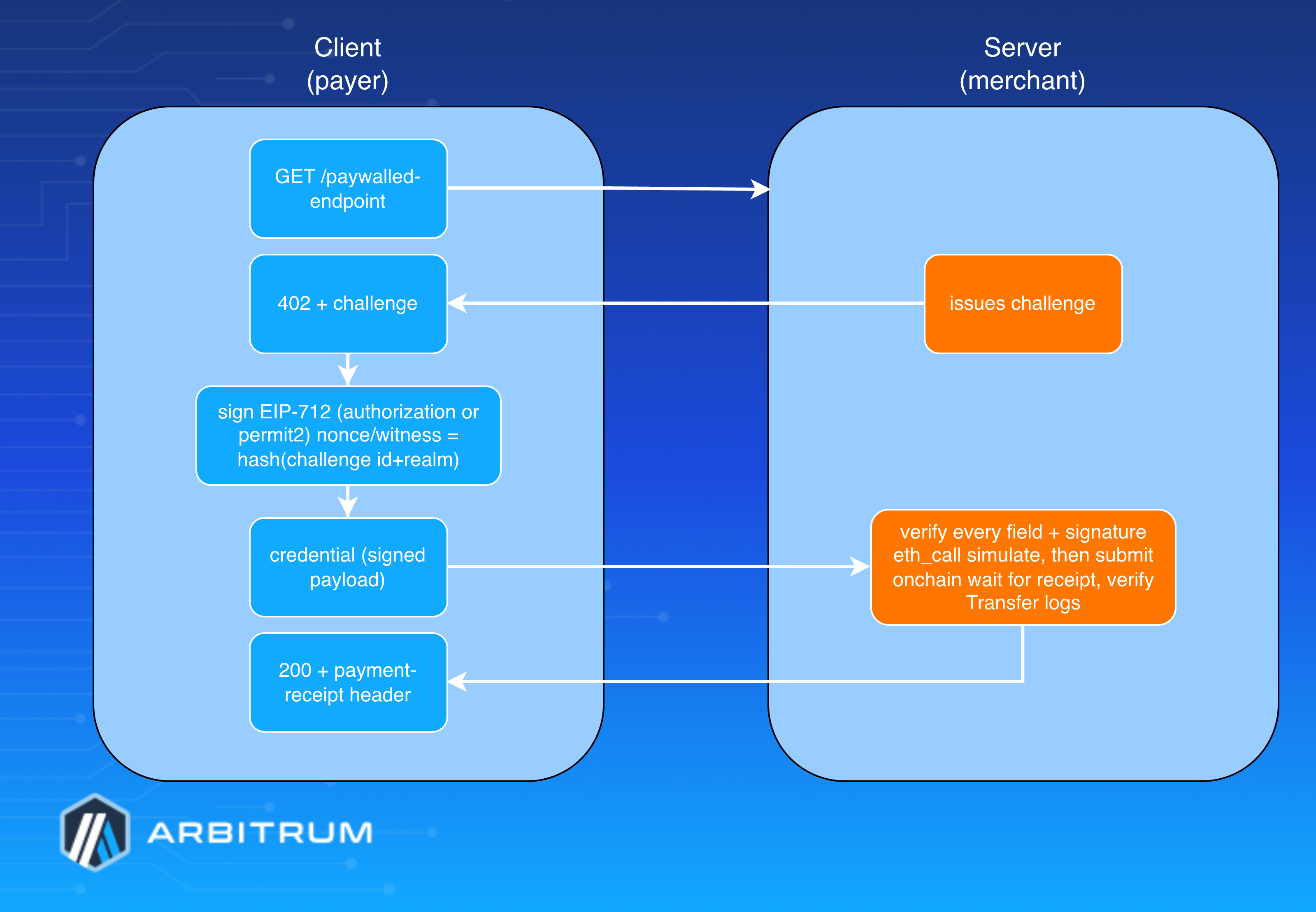
MPP Flow
## What the client does [#what-the-client-does]
`charge()` returns a `Method.toClient` handler. In `createCredential`:
1. Validates the challenge’s `chainId` is supported and unexpired.
2. Checks the payer’s token balance onchain (`balanceOf`).
3. Branches on `credentialTypes`:
- **permit2** (or undefined): builds permitted/`transferDetails` arrays (handling splits, with the primary recipient pushed to the front), derives the nonce from a challenge hash, and signs the Permit2 witness typed-data.
> **permit2 splits**
>
> The sum of the amounts in the split must be strictly lower than the total amount for the transaction. So if the total transaction is 10,000 and splits have two recipients that will receive 2,000 and 3,000—the main recipient will receive 5,000.
- **authorization**: derives nonce = `keccak256(challenge.id, challenge.realm)` for challenge-binding (anti-replay), looks up the token's EIP-712 domain from the local erc3009Tokens registry (not an onchain query), and signs the `TransferWithAuthorization` struct.
4. Returns `Credential.serialize(...)`. No transaction is broadcast.
## What the server does [#what-the-server-does]
`charge()` returns a `Method.toServer` handler. In `verify(credential, request)`, it independently re-derives and re-checks every value the client claimed (recipient, amount, deadline, nonce/challenge-hash, signature via `verifyTypedData`, `balance`, and, for permit2, the Permit2 allowance and split amounts). Then it:
1. Simulates the transaction with `eth_call` (so a bad credential doesn’t waste gas).
2. Submits `transferWithAuthorization` (authorization) or `permitWitnessTransferFrom` (permit2) from the merchant’s account.
3. `waitForTransactionReceipt`, then verifies the emitted Transfer logs match the expected recipients/amounts.
4. Returns an `mppx` Receipt: `method: "arbitrum", status: "success", timestamp, reference: txHash`.
## How to implement it — server (merchant) side [#how-to-implement-it--server-merchant-side]
`mppx` has an Express adapter:
```typescript
import express from 'express';
import { Mppx } from 'mppx/express';
import { privateKeyToAccount } from 'viem/accounts';
import { charge } from '@arbitrum/mpp/server';
import * as defaults from '@arbitrum/mpp/default';
const account = privateKeyToAccount(process.env.SERVER_PRIVATE_KEY as `0x${string}`);
const app = express();
const mppx = Mppx.create({
methods: [
charge({
recipient: account.address, // where funds land
currency: defaults.TOKEN_CONTRACTS.USDC_ARBITRUM_SEPOLIA, // which token
methodDetails: { chainId: 421614, decimals: 6 },
account, // pays gas to settle
}),
],
secretKey: process.env.SERVER_PRIVATE_KEY,
});
// Gate an endpoint behind a charge:
app.get(
'/authorization',
mppx.charge({
amount: '1000', // raw units: 1000 = 0.001 USDC (6 decimals)
description: 'My favorite food',
methodDetails: { chainId: 421614, credentialTypes: ['authorization'] },
}),
(req, res) => res.json({ data: 'authorization worked!' }), // only runs after payment settles
);
app.listen(3000);
```
- Set `credentialTypes` to `['permit2']` to use Permit2 instead, and add a `splits: [...]` array to pay multiple recipients in one transaction.
- ⚠️ `amount` uses raw token units — human-readable decimal conversion isn't supported yet.
## How to implement it - client (payer) side [#how-to-implement-it---client-payer-side]
```typescript
import { Mppx } from 'mppx/client';
import { privateKeyToAccount } from 'viem/accounts';
import { charge } from '@arbitrum/mpp/client';
const account = privateKeyToAccount(process.env.CLIENT_PRIVATE_KEY as `0x${string}`);
const mppx = Mppx.create({
methods: [charge({ account, chainId: 421614 })],
});
// mppx intercepts the 402, signs the challenge, retries automatically:
const response = await mppx.fetch('http://localhost:3000/authorization');
const data = await response.json();
console.log(`Response: ${data}`); // Payment response ('authorization worked!')
const receipt = response.headers.get('payment-receipt'); // base64-encoded mppx Receipt
console.log(Buffer.from(receipt!, 'base64').toString('binary')); // Transaction information including hash
```
## Run the bundled example locally [#run-the-bundled-example-locally]
```shell
pnpm install
# .env (copy from .env.example)
CLIENT_PRIVATE_KEY=0x... # this wallet needs USDC on Arbitrum Sepolia
SERVER_PRIVATE_KEY=0x... # this wallet needs ETH (gas) on Arbitrum Sepolia
# Terminal 1
pnpm run server # tsx test/server → listens on :3000
# Terminal 2
pnpm run client # tsx test/client → hits /authorization, signs, settles
```
### Funding requirements [#funding-requirements]
- Server needs **ETH** on the chain (it pays gas to submit the settlement transaction).
- Client needs **USDC** on the same chain (the funds being pulled).
- For Permit2, the client must first approve the Permit2 contract (`0x000000000022D473030F116dDEE9F6B43aC78BA3`) as a spender on the **USDC** token—Permit2 can’t move tokens it hasn’t been allowed to.
### Current limitations [#current-limitations]
- Only **USDC** on Arbitrum One/Sepolia is registered. To add a token, register its address and EIP-712 name/version/chainId.
- `amount` is raw units only—no human-readable decimal conversion yet.
- For authorization, the `validBefore` expiry is trusted from the server's challenge; a far-future expiry theoretically widens the window in which an unsubmitted authorization could be settled late. (**Note**: the EIP-3009 nonce is challenge-bound—`keccak256(id, realm)`—and single-use onchain, so a literal replay of an already-settled authorization is blocked once the nonce is consumed.)
- `transaction` and `hash` credential types are intentionally unimplemented (weak challenge-binding).
- Status is v0.1.0 — early/experimental.
### Reference links [#reference-links]
- [Protocol overview](https://mpp.dev/protocol)
- [Custom/first-party SDK](https://mpp.dev/payment-methods/custom#first-party-sdk)
- [Method.from](https://mpp.dev/sdk/typescript/Method.from)
- [Method.toServer](https://mpp.dev/sdk/typescript/core/Method.toServer)
- [Method.toClient](https://mpp.dev/sdk/typescript/core/Method.toClient)
- [Unified EVM Spec](https://github.com/tempoxyz/mpp-specs/blob/main/specs/methods/evm/draft-evm-charge-00.md)
- [EIP-3009 Transfer with Authorization](https://eips.ethereum.org/EIPS/eip-3009)
# Arbitrum chains overview (/arbitrum-essentials/public-chains)
Arbitrum chains are Child chain solutions built on top of the Ethereum Blockchain, designed to increase scalability and reduce Transaction costs. In this conceptual overview, we’ll learn about the different Arbitrum Chains and how they relate to each other. We’ll describe the available Arbitrum production and testnet chains, their differences, and the technology stacks that these chains use.
## What Arbitrum production chains are available? [#what-arbitrum-production-chains-are-available]
### Arbitrum One [#arbitrum-one]
**Arbitrum One** is a child chain Optimistic Rollup that implements the Arbitrum Rollup Protocol and settles to Ethereum's parent chain. It lets you build high-performance Ethereum dApps with [low transaction costs](/arbitrum-essentials/how-to-estimate-gas) and Ethereum-grade security guarantees, introducing no additional trust assumptions. This is made possible by the [Nitro](/how-arbitrum-works/reference/geth) technology stack, a "Geth-at-the-core" architecture that gives Arbitrum One (and Nova) advanced calldata compression, separate contexts for common execution and fault proving, Ethereum parent chain gas compatibility, and more.
### Arbitrum Nova [#arbitrum-nova]
**Arbitrum Nova** is a high-performance alternative to Arbitrum One's chain. While Arbitrum One implements the purely Trustless Rollup protocol, Arbitrum Nova implements the mostly trustless [AnyTrust](/how-arbitrum-works/deep-dives/anytrust-protocol) protocol. The key difference between Rollup and AnyTrust is that the AnyTrust protocol introduces an additional trust assumption in the form of a Data Availability Committee (DAC). This committee (detailed below) is responsible for expediting the process of storing, batching, and posting child chain transaction data to Ethereum's parent chain. This lets you use Arbitrum in scenarios that demand performance and affordability, while Arbitrum One is optimal for scenarios that demand Ethereum's pure trustlessness.
## What Arbitrum testnet chains are available? [#what-arbitrum-testnet-chains-are-available]
### Arbitrum Sepolia [#arbitrum-sepolia]
Arbitrum Sepolia serves as a testnet chain replicating the capabilities of Arbitrum One's main network. Linked to the Sepolia testnet, it offers developers a secure platform to experiment with and evaluate their smart contracts prior to actual deployment on the mainnet. To deploy your first contract to Arbitrum Sepolia, see the [Solidity quickstart](/build-decentralized-apps/quickstart-solidity-remix).
### Arbitrum Goerli [#arbitrum-goerli]
Arbitrum Goerli was a testnet chain that mirrored the functionality of the Arbitrum One mainnet and was connected to the Ethereum Goerli testnet. It was deprecated on November 18th 2023, and deactivated on March 18th, 2024.
> **Warning**
>
> The old testnet RinkArby was deprecated on December 20th, 2022.
### Stylus testnet (deprecated) [#stylus-testnet-deprecated]
Stylus is now available on Arbitrum One and Arbitrum Sepolia. The standalone Stylus testnet was deprecated as of June 17, 2024. For information about developing with Stylus, see the [Stylus documentation](/stylus/gentle-introduction).
## What are the differences between the available Arbitrum chains? [#what-are-the-differences-between-the-available-arbitrum-chains]
The main differences between the Arbitrum chains lie in their purpose and the environment they operate in.
Arbitrum One and Arbitrum Nova are production chains designed for real-world use. They're connected to the Ethereum mainnet and handle real, valuable transactions. They both use Arbitrum's Nitro technology stack under the hood, but Arbitrum One implements the Rollup protocol, while Nova implements the AnyTrust protocol. Arbitrum One is designed for general use, providing a scalable and cost-effective solution for running Ethereum-compatible smart contracts. On the other hand, Arbitrum Nova is designed for applications that require a higher transaction throughput and don’t require the full decentralization that rollups provide.
Finally, Arbitrum Sepolia is a testnet chain. It's designed for testing purposes and is connected to the Sepolia testnet, which uses test Ether with no real-world value.
## What technology stacks use the Arbitrum chains? [#what-technology-stacks-use-the-arbitrum-chains]
### Nitro [#nitro]
Nitro is the technology that powers Arbitrum One, Arbitrum Nova (with AnyTrust configuration), and Arbitrum Sepolia. It's designed to offer high throughput and low cost, making it ideal for building blockchain applications. Nitro is a major upgrade to the “Classic” stack, offering several improvements including advanced calldata compression, separate contexts for common execution and fault proving, Ethereum parent chain gas compatibility, and more. You can find more information about Nitro in [How Arbitrum works](/how-arbitrum-works/inside-arbitrum-nitro).
### AnyTrust (variant of Nitro) [#anytrust-variant-of-nitro]
AnyTrust is a variant of the Nitro technology stack that lowers costs by accepting a mild trust assumption. The AnyTrust protocol relies on an external Data Availability Committee (DAC) to store data and provide it on demand. The DAC has `N` members, of which AnyTrust assumes at least two are honest. Keeping the data offchain in the happy/common case means the system can charge the user significantly lower fees. You can find more information about AnyTrust in [Anytrust protocol](/how-arbitrum-works/deep-dives/anytrust-protocol).
### Classic (deprecated) [#classic-deprecated]
The Classic technology stack is the original version of Arbitrum. It has been deprecated and replaced by the Nitro technology stack.
## Conclusion [#conclusion]
Understanding the different Arbitrum chains and their technology stacks is crucial for developers working on blockchain and Web3 applications. Each chain offers a unique set of features and benefits, making them suitable for different use cases. By choosing the right chain and technology stack, developers can ensure their applications are secure, scalable, and cost-effective.
# Build apps with Solidity (/build-decentralized-apps)
Build decentralized apps on Arbitrum using Solidity. Arbitrum chains are fully EVM-compatible, so existing Solidity contracts, tooling, and workflows carry over with minimal changes.
* [Quickstart: Solidity](/build-decentralized-apps/quickstart-solidity-remix): Build and deploy your first contract using Remix.
* [Create a token](/build-decentralized-apps/quickstart-create-a-token): Set up Foundry and create a token on Arbitrum.
* [Troubleshooting](/build-decentralized-apps/troubleshooting-building): Answers to the questions developers ask most often.
# Create a token using Foundry (Quickstart) (/build-decentralized-apps/quickstart-create-a-token)
Deploying an **ERC-20** token on Arbitrum One is fully permissionless and uses the same tooling and workflows as Ethereum.
You can deploy directly to Arbitrum One using Foundry, and optionally configure [bridging](/arbitrum-essentials/bridging/overview), liquidity, and supporting smart contract infrastructure as part of your token creation.
This guide walks you through deploying a standard **ERC-20** token on Arbitrum One, from local setup to testnet and mainnet deployment.
## Prerequisites [#prerequisites]
1. **Install Foundry**:
````shell
curl -L https://foundry.paradigm.xyz | bash
foundryup
```bash
curl -L https://foundry.paradigm.xyz | bash
foundryup
````
2. **Get test ETH**: Obtain Arbitrum Sepolia **ETH** from a faucet like Alchemy's Arbitrum Sepolia Faucet, Chainlink's faucet, or QuickNode's faucet. You'll need to connect a wallet (for example, MetaMask) configured for Arbitrum Sepolia and request testnet funds.
> **Resources**
>
> A list of faucets is available on the [Chain Info page](/chain-info#faucet-list).
>
> Faucets may require certain actions, for example, bridging, use the official Arbitrum Bridge if the faucet requires it.
>
> All references to **ETH** on this document refers to test **ETH** on Sepolia.
3. **Set up development environment**: Configure your wallet and tools for Arbitrum testnet deployment. Sign up for an Etherscan account to get an API key for contract verification.
## Project setup [#project-setup]
1. **Initialize Foundry Project**:
```bash
# Create new project
forge init my-token-project
cd my-token-project
# Remove extra files
rm src/Counter.sol script/Counter.s.sol test/Counter.t.sol
```
2. **Install OpenZeppelin Contracts**:
```bash
# Install OpenZeppelin contracts library
forge install OpenZeppelin/openzeppelin-contracts
```
## Smart contract development [#smart-contract-development]
Create `src/MyToken.sol` (this is a standard **ERC-20** contract and works on any EVM chain like Arbitrum):
```solidity
// SPDX-License-Identifier: MIT
pragma solidity ^0.8.19;
import "@openzeppelin/contracts/token/ERC20/ERC20.sol";
import "@openzeppelin/contracts/access/Ownable.sol";
contract MyToken is ERC20, Ownable {
// Max number of tokens that will exist
uint256 public constant MAX_SUPPLY = 1_000_000_000 * 10**18;
constructor(
string memory name,
string memory symbol,
uint256 initialSupply,
address initialOwner
) ERC20(name, symbol) Ownable(initialOwner) {
require(initialSupply <= MAX_SUPPLY, "Initial supply exceeds max supply");
// Mints the initial supply to the contract deployer
_mint(initialOwner, initialSupply);
}
function mint(address to, uint256 amount) public onlyOwner {
require(totalSupply() + amount <= MAX_SUPPLY, "Minting would exceed max supply");
_mint(to, amount);
}
function burn(uint256 amount) public {
_burn(msg.sender, amount);
}
}
```
## Deployment script [#deployment-script]
Create `script/DeployToken.s.sol`:
```solidity
// SPDX-License-Identifier: MIT
pragma solidity ^0.8.19;
import {Script, console} from "forge-std/Script.sol";
import {MyToken} from "../src/MyToken.sol";
contract DeployToken is Script {
function run() external {
// Load contract deployer's private key from environment variables
uint256 deployerPrivateKey = vm.envUint("PRIVATE_KEY");
address deployerAddress = vm.addr(deployerPrivateKey);
// Token configuration parameters
string memory name = "My Token";
string memory symbol = "MTK";
uint256 initialSupply = 100_000_000 * 10**18;
// Initiates broadcasting transactions
vm.startBroadcast(deployerPrivateKey);
// Deploys the token contract
MyToken token = new MyToken(name, symbol, initialSupply, deployerAddress);
// Stops broadcasting transactions
vm.stopBroadcast();
// Logs deployment information
console.log("Token deployed to:", address(token));
console.log("Token name:", token.name());
console.log("Token symbol:", token.symbol());
console.log("Initial supply:", token.totalSupply());
console.log("Deployer balance:", token.balanceOf(deployerAddress));
}
}
```
## Environment configuration [#environment-configuration]
1. **Create `.env` file**:
```
PRIVATE_KEY=your_private_key_here
ARBITRUM_SEPOLIA_RPC_URL=https://sepolia.arbitrum.io/rpc
ARBITRUM_ONE_RPC_URL=https://arb1.arbitrum.io/rpc
ARBISCAN_API_KEY=your_arbiscan_api_key_here
```
> **Resources**
>
> A list of RPCs, and chain IDs are available on the [Chain Info page](/chain-info).
2. **Update `foundry.toml`** (add chain IDs for verification, as Arbiscan requires them for non-Ethereum chains):
```toml
[profile.default]
src = "src"
out = "out"
libs = ["lib"]
remappings = ["@openzeppelin/=lib/openzeppelin-contracts/"]
[rpc_endpoints]
arbitrum_sepolia = "${ARBITRUM_SEPOLIA_RPC_URL}"
arbitrum_one = "${ARBITRUM_ONE_RPC_URL}"
[etherscan]
arbitrum_sepolia = { key = "${ARBISCAN_API_KEY}", url = "https://api-sepolia.arbiscan.io/api", chain = 421614 }
arbitrum_one = { key = "${ARBISCAN_API_KEY}", url = "https://api.arbiscan.io/api", chain = 42161 }
```
> **Resources**
>
> A list of chain IDs is available on the [Chain Info page](/chain-info#arbitrum-public-rpc-endpoints).
## Testing [#testing]
1. **Create `test/MyToken.t.sol`**
```
// SPDX-License-Identifier: MIT
pragma solidity ^0.8.19;
import {Test, console} from "forge-std/Test.sol";
import {MyToken} from "../src/MyToken.sol";
contract MyTokenTest is Test {
MyToken public token;
address public owner = address(0x1);
address public user = address(0x2);
uint256 constant INITIAL_SUPPLY = 100_000_000 * 10**18;
function setUp() public {
// Deploy token contract before each test
vm.prank(owner);
token = new MyToken("Test Token", "TEST", INITIAL_SUPPLY, owner);
}
function testInitialState() public {
// Verify the token was deployed with the correct parameters
assertEq(token.name(), "Test Token");
assertEq(token.symbol(), "TEST");
assertEq(token.totalSupply(), INITIAL_SUPPLY);
assertEq(token.balanceOf(owner), INITIAL_SUPPLY);
}
function testMinting() public {
uint256 mintAmount = 1000 * 10**18;
// Only the owner should be able to mint
vm.prank(owner);
token.mint(user, mintAmount);
assertEq(token.balanceOf(user), mintAmount);
assertEq(token.totalSupply(), INITIAL_SUPPLY + mintAmount);
}
function testBurning() public {
uint256 burnAmount = 1000 * 10**18;
// Owner burns their tokens
vm.prank(owner);
token.burn(burnAmount);
assertEq(token.balanceOf(owner), INITIAL_SUPPLY - burnAmount);
assertEq(token.totalSupply(), INITIAL_SUPPLY - burnAmount);
}
function testFailMintExceedsMaxSupply() public {
// This test should fail when attempting to mint more than the max supply
uint256 excessiveAmount = token.MAX_SUPPLY() + 1;
vm.prank(owner);
token.mint(user, excessiveAmount);
}
function testFailUnauthorizedMinting() public {
// This test should fail when a non-owner tries to mint tokens
vm.prank(user);
token.mint(user, 1000 * 10**18);
}
}
```
2. **Run tests**:
````shell
# Runs all tests with verbose output
forge test -vv
```bash
# Runs all tests with verbose output
forge test -vv
````
## Deployment and verification [#deployment-and-verification]
1. **Deploy to Arbitrum Sepolia** (testnet):
```bash
# Load environment variables
source .env
# Deploy to Arbitrum Sepolia with automatic verification
forge script script/DeployToken.s.sol:DeployToken \
--rpc-url arbitrum_sepolia \
--broadcast \
--verify
```
- Uses `https://sepolia.arbitrum.io/rpc` (RPC URL).
- Chain ID: 421614.
- Verifies on [Sepolia Arbiscan](https://sepolia.arbiscan.io/).
2. **Deploy to Arbitrum One** (mainnet):
- Replace `arbitrum_sepolia` with `arbitrum_one` in the command.
- Uses `https://arb1.arbitrum.io/rpc` (RPC URL).
- Chain ID: 42161.
- Verifies on [Arbiscan](https://arbiscan.io/).
- Requires sufficient **ETH** on Arbitrum One for gas fees (bridge from Ethereum mainnet if needed).
3. **Example of verifying on Arbiscan**:
```bash
forge verify-contract :YourToken \
--verifier etherscan \
--chain-id 42161 \
--num-of-optimizations 200
```
## Arbitrum-specific configurations [#arbitrum-specific-configurations]
- **RPC URLs**:
- Arbitrum Sepolia: `https://sepolia.arbitrum.io/rpc`
- Arbitrum One: `https://arb1.arbitrum.io/rpc`
- **Chain IDs**: Arbitrum Sepolia: 421614; Arbitrum One: 42161.
- **Contract Addresses**: Logged in console output after deployment (e.g., `console.log("Token deployed to:", address(token));`).
- **Verification**: Uses Arbiscan API with your API key. The `--verify` flag enables automatic verification.
## Important notes [#important-notes]
- Always conduct security audits (e.g., via tools like Slither or other professional reviews) before mainnet deployment, as token contracts handle value.
- Ensure your wallet has enough **ETH** for gas on the target network. Arbitrum fees are low, but mainnet deployments still cost real **ETH**. See [How to estimate gas](/arbitrum-essentials/how-to-estimate-gas) to size your deployment funds.
- If you encounter verification issues, double-check your Arbiscan API key and foundry.toml configs. For more advanced deployments, refer to general Foundry deployment docs or Arbitrum developer resources.
## Bridging considerations [#bridging-considerations]
Two deployment paths are possible:
1. **Native deployment**
- Token is deployed directly on Arbitrum One
- Use cases: Token Generation Event (TGE), liquidity bootstrapping, airdrops, and L2-native user flows.
2. **Deployment on Ethereum and bridging to Arbitrum One**
- Use the [Arbitrum Token Bridge](https://bridge.arbitrum.io) to create an L2 counterpart. For a programmatic setup, see the [token bridging guides](/arbitrum-essentials/bridging/overview).
## Post-deployment considerations [#post-deployment-considerations]
After deploying a token contract on Arbitrum, you can complete additional setup steps depending on your project's needs. These may include:
- Verifying the contract on Arbiscan to improve transparency and readability
- Creating liquidity pools on Arbitrum-based DEXs
- Publishing token metadata to relevant indexing or aggregation services
- Ensuring wallet compatibility by submitting basic token information
- Configuring operational security components such as multisigs or timelocks
- Connecting to market infrastructure providers where applicable
- Setting up monitoring or observability tools for contract activity
# Build a decentralized app with Solidity (Quickstart) (/build-decentralized-apps/quickstart-solidity-remix)
> **Want to use Rust instead?**
>
> Head over to [the Stylus quickstart](/stylus/quickstart) if you'd like to use Rust instead of Solidity.
This quickstart is for web developers who want to start building **decentralized applications** using Arbitrum. It makes no assumptions about your prior experience with Ethereum, Arbitrum, or Solidity. Familiarity with Javascript and yarn is expected. If you're new to Ethereum, consider studying the [Ethereum documentation](https://ethereum.org/en/developers/docs/) before proceeding.
## What we'll learn [#what-well-learn]
In this tutorial we will learn:
1. The basics of Ethereum vs. client/server architecture
2. What is a Solidity smart contract
3. How to compile and deploy a smart contract
4. How to use an Ethereum wallet
We're going to build a digital cupcake vending machine using Solidity smart contracts[^1]. This vending machine will follow two rules:
1. The vending machine will distribute a cupcake to anyone who hasn't recently received one.
2. The vending machine's rules can't be changed by anyone.
Here's the vending machine implemented with Javascript.
To use it, enter a name in the form below and press the **Cupcake please!** button, you should see your cupcake balance go up.
We can assume that this vending machine operates as we expect, but it's largely up to the **centralized service provider** that hosts it.
In the case of a compromised cloud host:
1. Our centralized service provider can deny access to particular users.
2. A malicious actor can change the rules of the vending machine at any time, for example, to give their friends extra cupcakes.
Centralized third-party intermediaries represent a **single point of failure** that malicious actors can exploit. With a blockchain infrastructure such as Ethereum, we decentralize our vending machine's **business logic and data**, making this type of exploits nearly impossible.
This is Arbitrum's core value proposition to you, dear developer. Arbitrum makes it easy for you to deploy your vending machines to Ethereum's permissionless, trustless, decentralized network of nodes[^2] **while keeping costs low for you and your users**.
Let's implement the "Web3" version of the above vending machine using Arbitrum.
## Prerequisites [#prerequisites]
#### VS Code
VS Code is the IDE we'll use to build our vending machine. See [code.visualstudio.com](https://code.visualstudio.com/) to install.
#### Web3 wallet
We will use Metamask as the wallet to interact with our vending machine. See [metamask.io](https://metamask.io/) and click View MetaMask Web or [OKX Wallet](https://www.okx.com/web3) and click Connect Wallet to install.
#### Yarn
Yarn is the package manager we'll use to install dependencies. See [yarnpkg.com](https://yarnpkg.com/) to install.
#### Foundry
Foundry is the toolchain we'll use to compile and deploy our smart contract. See [getfoundry.sh](https://getfoundry.sh) to install.
We'll address any remaining dependencies as we go.
## Ethereum and Arbitrum in a nutshell [#ethereum-and-arbitrum-in-a-nutshell]
- **Ethereum**
- Ethereum is a decentralized network of [nodes](https://docs.prylabs.network/docs/concepts/nodes-networks) that use Ethereum's client software (like [Offchain's Prysm](https://www.offchainlabs.com/prysm/docs) to maintain a public blockchain data structure.
- The data within Ethereum's blockchain data structure changes one transaction at a time.
- Smart contracts are small programs that execute transactions according to predefined rules. Ethereum's nodes host and execute smart contracts.
- You can use smart contracts to build decentralized apps that use Ethereum's network to process transactions and store data. Think of smart contracts as your app's backend
- Apps let users carry their data and identity between applications without trusting centralized service providers.
- People who run Ethereum validator nodes[^3] can earn **ETH** for processing and validating transactions on behalf of users and apps.
- These transactions can be expensive when the network is under heavy load.
- **Arbitrum**
- Arbitrum is a finance-native platform providing infrastructure for building applications.
- Arbitrum One is a child chain that implements the
Arbitrum Rollup protocol. See the [Arbitrum chains overview](/arbitrum-essentials/public-chains) for a comparison of Arbitrum One, Nova, and the available testnets.
- You can use Arbitrum One to build user-friendly apps with high throughput, low latency, and low transaction costs while inheriting Ethereum's high-security standards[^4].
## Review the Javascript vending machine [#review-the-javascript-vending-machine]
Here's the vending machine implemented as a Javascript class:
#### VendingMachine.js
```js
class VendingMachine {
// state variables = internal memory of the vending machine
cupcakeBalances = {};
cupcakeDistributionTimes = {};
// Vend a cupcake to the caller
giveCupcakeTo(userId) {
if (this.cupcakeDistributionTimes[userId] === undefined) {
this.cupcakeBalances[userId] = 0;
this.cupcakeDistributionTimes[userId] = 0;
}
// Rule 1: The vending machine will distribute a cupcake to anyone who hasn't recently received one.
const fiveSeconds = 5000;
const userCanReceiveCupcake = this.cupcakeDistributionTimes[userId] + fiveSeconds <= Date.now();
if (userCanReceiveCupcake) {
this.cupcakeBalances[userId]++;
this.cupcakeDistributionTimes[userId] = Date.now();
console.log(`Enjoy your cupcake, ${userId}!`);
return true;
} else {
console.error('HTTP 429: Too Many Cupcakes (you must wait at least 5 seconds between cupcakes)');
return false;
}
}
getCupcakeBalanceFor(userId) {
return this.cupcakeBalances[userId];
}
}
```
The `VendingMachine` class uses _state variables_ and _functions_ to implement _predefined rules_. This implementation is useful because it automates cupcake distribution, but there's a problem: it's hosted by a centralized server controlled by a third-party service provider.
> **Working web2 version**
>
> To use the Vending Machine (web2), copy and paste the HTML code below into a text document, then open it in your web browser.
>
> #### VendingMachine.html
>
> ```html
>
>
>
>
>
> Cupcake Vending Machine - Arbitrum Quickstart
>
>
>
>
>
>
Cupcake Vending Machine
>
From the Arbitrum Solidity + Remix Quickstart
>
>
>
>
>
> Web2
>
Free Cupcakes
>
Pure JavaScript vending machine. Business logic runs in your browser — no blockchain involved.
>
>
>
>
>
>
>
>
>
>
>
>
> Cupcake balance for —:
> 0
>
>
>
>
>
>
>
>
>
>
>
>
>
> ```
Now, let's decentralize our vending machine's business logic and data by porting the above JavaScript implementation into a Solidity smart contract.
## Review the Solidity vending machine [#review-the-solidity-vending-machine]
Here is a Solidity implementation of the vending machine.
Solidity is a language that compiles to [EVM bytecode](https://blog.chain.link/what-are-abi-and-bytecode-in-solidity/). This means that it is deployable to any Ethereum-compatible blockchain, including Ethereum mainnet, Arbitrum One, and Arbitrum Nova.
#### VendingMachine.sol
```solidity
// SPDX-License-Identifier: MIT
// Specify the Solidity compiler version - this contract requires version 0.8.9 or higher
pragma solidity ^0.8.9;
// Define a smart contract named VendingMachine
// Unlike regular classes, once deployed, this contract's code cannot be modified
// This ensures that the vending machine's rules remain constant and trustworthy
contract VendingMachine {
// State variables are permanently stored in blockchain storage
// These mappings associate Ethereum addresses with unsigned integers
// The 'private' keyword means these variables can only be accessed from within this contract
mapping(address => uint) private _cupcakeBalances; // Tracks how many cupcakes each address owns
mapping(address => uint) private _cupcakeDistributionTimes; // Tracks when each address last received a cupcake
// Function to give a cupcake to a specified address
// 'public' means this function can be called by anyone
// 'returns (bool)' specifies that the function returns a boolean value
function giveCupcakeTo(address userAddress) public returns (bool) {
// Initialize first-time users
// In Solidity, uninitialized values default to 0, so this check isn't strictly necessary
// but is included to mirror the JavaScript implementation
if (_cupcakeDistributionTimes[userAddress] == 0) {
_cupcakeBalances[userAddress] = 0;
_cupcakeDistributionTimes[userAddress] = 0;
}
// Calculate when the user is eligible for their next cupcake
// 'seconds' is a built-in time unit in Solidity
// 'block.timestamp' gives us the current time in seconds since Unix epoch
uint fiveSecondsFromLastDistribution = _cupcakeDistributionTimes[userAddress] + 5 seconds;
bool userCanReceiveCupcake = fiveSecondsFromLastDistribution <= block.timestamp;
if (userCanReceiveCupcake) {
// If enough time has passed, give them a cupcake and update their last distribution time
_cupcakeBalances[userAddress]++;
_cupcakeDistributionTimes[userAddress] = block.timestamp;
return true;
} else {
// If not enough time has passed, revert the transaction with an error message
// 'revert' cancels the transaction and returns the error message to the user
revert("HTTP 429: Too Many Cupcakes (you must wait at least 5 seconds between cupcakes)");
}
}
// Function to check how many cupcakes an address owns
// 'public' means anyone can call this function
// 'view' means this function only reads data and doesn't modify state
// This makes it free to call (no gas cost) when called externally
function getCupcakeBalanceFor(address userAddress) public view returns (uint) {
return _cupcakeBalances[userAddress];
}
}
```
## Compile your smart contract with Remix [#compile-your-smart-contract-with-remix]
Smart contracts need to be compiled to bytecode to be stored and executed onchain by the EVM; we'll use Remix to do that.
Remix is a browser-based IDE for EVM development. There are other IDEs to choose from (Foundry, Hardhat), but Remix doesn't require any local environment setup, so we'll use it for this tutorial.
Let's first add our smart contract to Remix following these steps:
### 1. Load Remix: remix.ethereum.org [#1-load-remix-remixethereumorg]
### 2. Create a blank workspace in Remix: [#2-create-a-blank-workspace-in-remix]
#### File explorer > Workspaces > Create blank
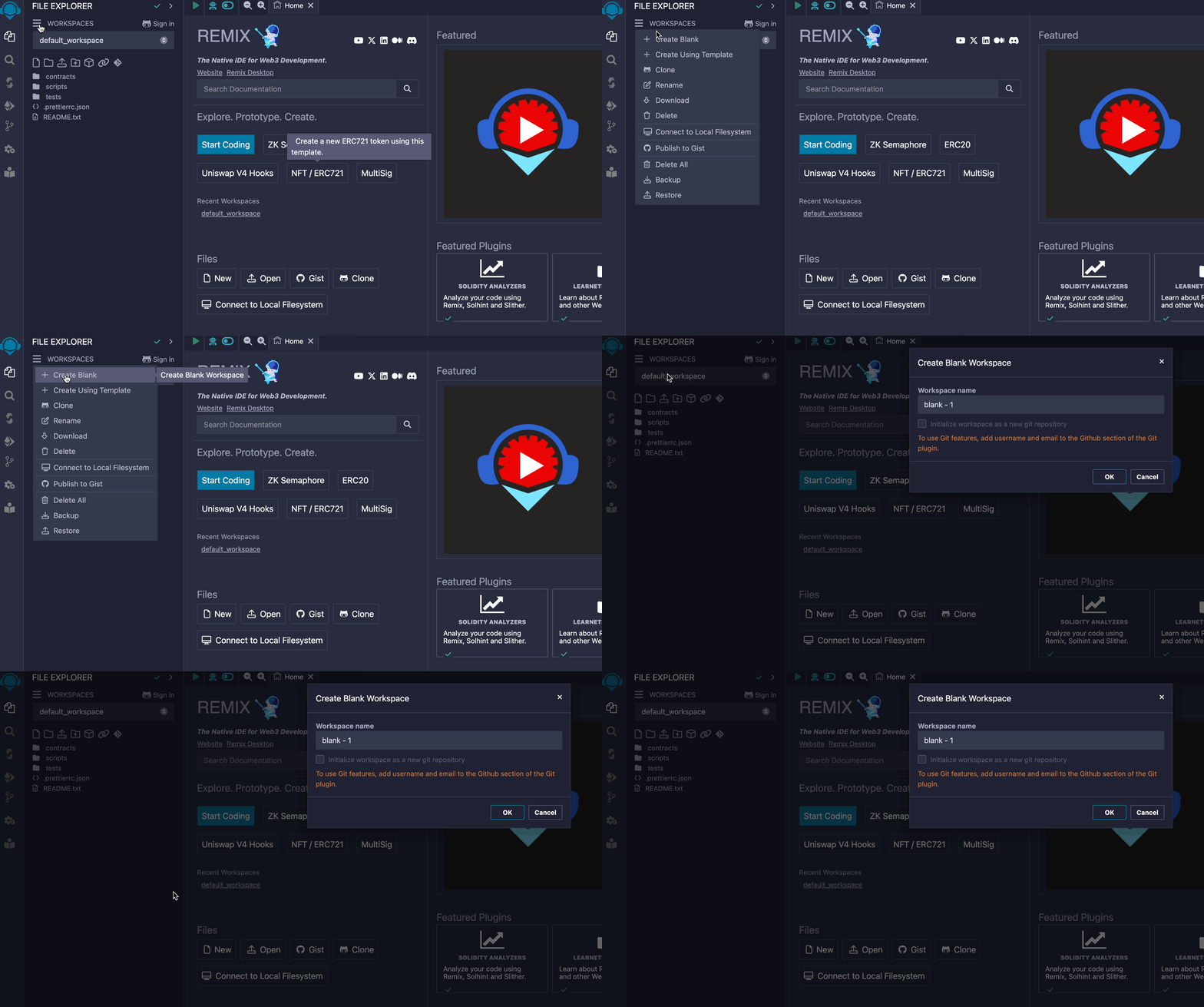
### 3. Copy your vending machine contract [#3-copy-your-vending-machine-contract]
### 4. Paste your contract in Remix [#4-paste-your-contract-in-remix]
#### Select vending machine contract > Click compile menu > Compile
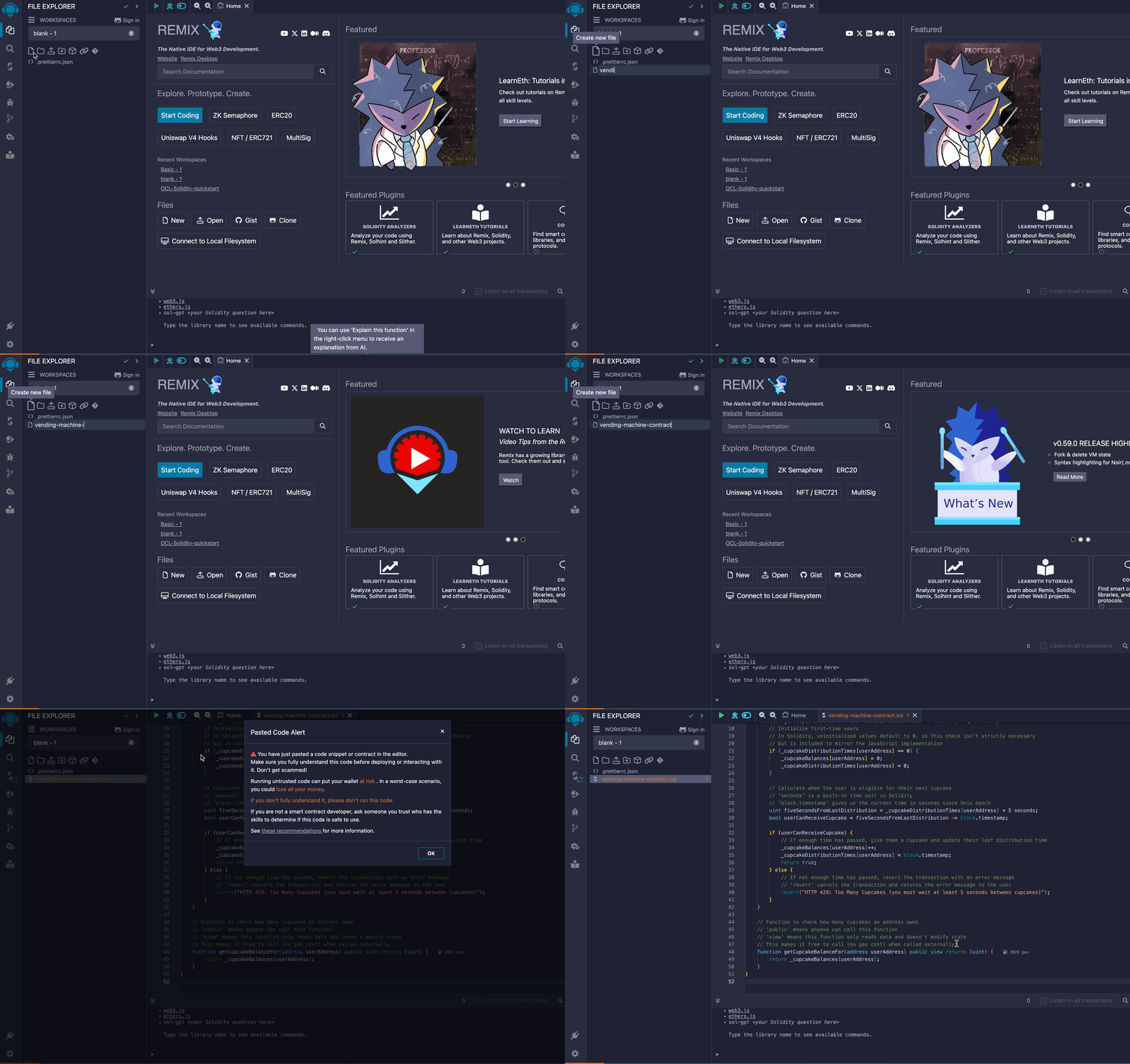
"File explorer > New file"
### 5. Compile your contract in Remix [#5-compile-your-contract-in-remix]
#### Select vending machine contract > Click compile menu > Compile
> **Note**
>
> Ensure that Remix's compiler version matches the one in your contract. You can find your contract's compiler version at the top of your contract's file. It looks like this:
>
> ```solidity
> pragma solidity ^0.8.2;
> ```
>
> You can easily select the right compiler version in Remix's the "Solidity compiler" menu.
## Deploy the smart contract to a local Ethereum chain [#deploy-the-smart-contract-to-a-local-ethereum-chain]
Once a smart contract gets compiled, it is deployable to a blockchain. The safest way to do this is to deploy it to a locally hosted chain, where you can test and debug your contract before deploying it to a public chain.
To deploy our `VendingMachine` smart contract locally, we will:
1. Run Foundry's local Ethereum node in a terminal window
2. Configure a wallet so we can interact with our smart contract after deployment (1)
3. Deploy our smart contract to (1)'s node using Remix
### Run a local chain [#run-a-local-chain]
Here, we'll use [Foundry's **anvil**](https://book.getfoundry.sh/anvil/) to run a local Ethereum network and node.
```shell
curl -L https://foundry.paradigm.xyz | bash && anvil
```
#### Once you've run the above commands, you should see a prompt showing what test accounts automatically were generated for you and other infos about your local Anvil testnet.
```shell
(_) | |
__ _ _ __ __ __ _ | |
/ _` | | '_ \ \ \ / / | | | |
| (_| | | | | | \ V / | | | |
\__,_| |_| |_| \_/ |_| |_|
0.2.0 (7f0f5b4 2024-08-08T00:19:07.020431000Z)
https://github.com/foundry-rs/foundry
# Available Accounts
(0) 0xf39Fd6e51aad88F6F4ce6aB8827279cffFb92266 (10000.000000000000000000 ETH)
(1) 0x70997970C51812dc3A010C7d01b50e0d17dc79C8 (10000.000000000000000000 ETH)
(2) 0x3C44CdDdB6a900fa2b585dd299e03d12FA4293BC (10000.000000000000000000 ETH)
(3) 0x90F79bf6EB2c4f870365E785982E1f101E93b906 (10000.000000000000000000 ETH)
(4) 0x15d34AAf54267DB7D7c367839AAf71A00a2C6A65 (10000.000000000000000000 ETH)
(5) 0x9965507D1a55bcC2695C58ba16FB37d819B0A4dc (10000.000000000000000000 ETH)
(6) 0x976EA74026E726554dB657fA54763abd0C3a0aa9 (10000.000000000000000000 ETH)
(7) 0x14dC79964da2C08b23698B3D3cc7Ca32193d9955 (10000.000000000000000000 ETH)
(8) 0x23618e81E3f5cdF7f54C3d65f7FBc0aBf5B21E8f (10000.000000000000000000 ETH)
(9) 0xa0Ee7A142d267C1f36714E4a8F75612F20a79720 (10000.000000000000000000 ETH)
# Private Keys
(0) 0xac0974bec39a17e36ba4a6b4d238ff944bacb478cbed5efcae784d7bf4f2ff80
(1) 0x59c6995e998f97a5a0044966f0945389dc9e86dae88c7a8412f4603b6b78690d
(2) 0x5de4111afa1a4b94908f83103eb1f1706367c2e68ca870fc3fb9a804cdab365a
(3) 0x7c852118294e51e653712a81e05800f419141751be58f605c371e15141b007a6
(4) 0x47e179ec197488593b187f80a00eb0da91f1b9d0b13f8733639f19c30a34926a
(5) 0x8b3a350cf5c34c9194ca85829a2df0ec3153be0318b5e2d3348e872092edffba
(6) 0x92db14e403b83dfe3df233f83dfa3a0d7096f21ca9b0d6d6b8d88b2b4ec1564e
(7) 0x4bbbf85ce3377467afe5d46f804f221813b2bb87f24d81f60f1fcdbf7cbf4356
(8) 0xdbda1821b80551c9d65939329250298aa3472ba22feea921c0cf5d620ea67b97
(9) 0x2a871d0798f97d79848a013d4936a73bf4cc922c825d33c1cf7073dff6d409c6
# Wallet
Mnemonic: test test test test test test test test test test test junk
Derivation path: m/44'/60'/0'/0/
# Chain ID
31337.
```
### Configure Metamask [#configure-metamask]
Next, open Metamask and create or import a wallet by following the displayed instructions.
By default, Metamask will connect to Ethereum's mainnet. To connect to our local "testnet," enable test networks for Metamask by clicking **Show/hide test networks**.
Next, click Metamask's network selector dropdown and click the **Add Network** button. Click **Add a network manually** and then provide the following information:
- Network Name: `localhost`
- New RPC URL: `http://127.0.0.1:8545`
- Chain ID: `31337`
- Currency Symbol: **ETH**
#### Add Localhost 8545 to Metamask
Your wallet won't have a balance on your local testnet's node, but you can import one of the test accounts into Metamask to access to 10,000 testnet **ETH**. Copy the private key of one of the test accounts (it works with or without the `0x` prefix, so e.g., `0xac0974bec39a17e36ba4a6b4d238ff944bacb478cbed5efcae784d7bf4f2ff80` or `ac0974bec39a17e36ba4a6b4d238ff944bacb478cbed5efcae784d7bf4f2ff80`) and import it into Metamask. Metamask will ask you if you want to connect this new account to Remix, to which you should answer "yes":
> **Never share your private keys**
>
> Your Ethereum Mainnet wallet's private key is the password to all of your tokens. Never share it with anyone; avoid copying it to your clipboard.
Note that in the context of this quickstart, "account" refers to an EOA (externally owned account), and its associated private key[^5].
You should see a balance of 10,000 **ETH**. Keep your private key handy; we'll use it again shortly.
As we interact with our cupcake vending machine, we'll use Metamask's network selector dropdown to choose which network our cupcake transactions get sent to. We'll leave the network set to `Localhost 8545` for now.
### Connect Remix to Metamask [#connect-remix-to-metamask]
In the last step, we'll connect Remix to Metamask so we can deploy our smart contract to the local chain using Remix.
#### Connect remix to Metamask
At this point, we're ready to deploy our smart contract to any chain we want.
### Deploy the smart contract to your local chain [#deploy-the-smart-contract-to-your-local-chain]
- In MetaMask, ensure that the `Localhost` network is selected.
- In Remix, deploy the `VendingMachine` contract to the `Localhost` network, then go to the "Deploy & Run Transactions" tab and click "Deploy."
#### Deploy the VendingMachine contract to the Localhost network
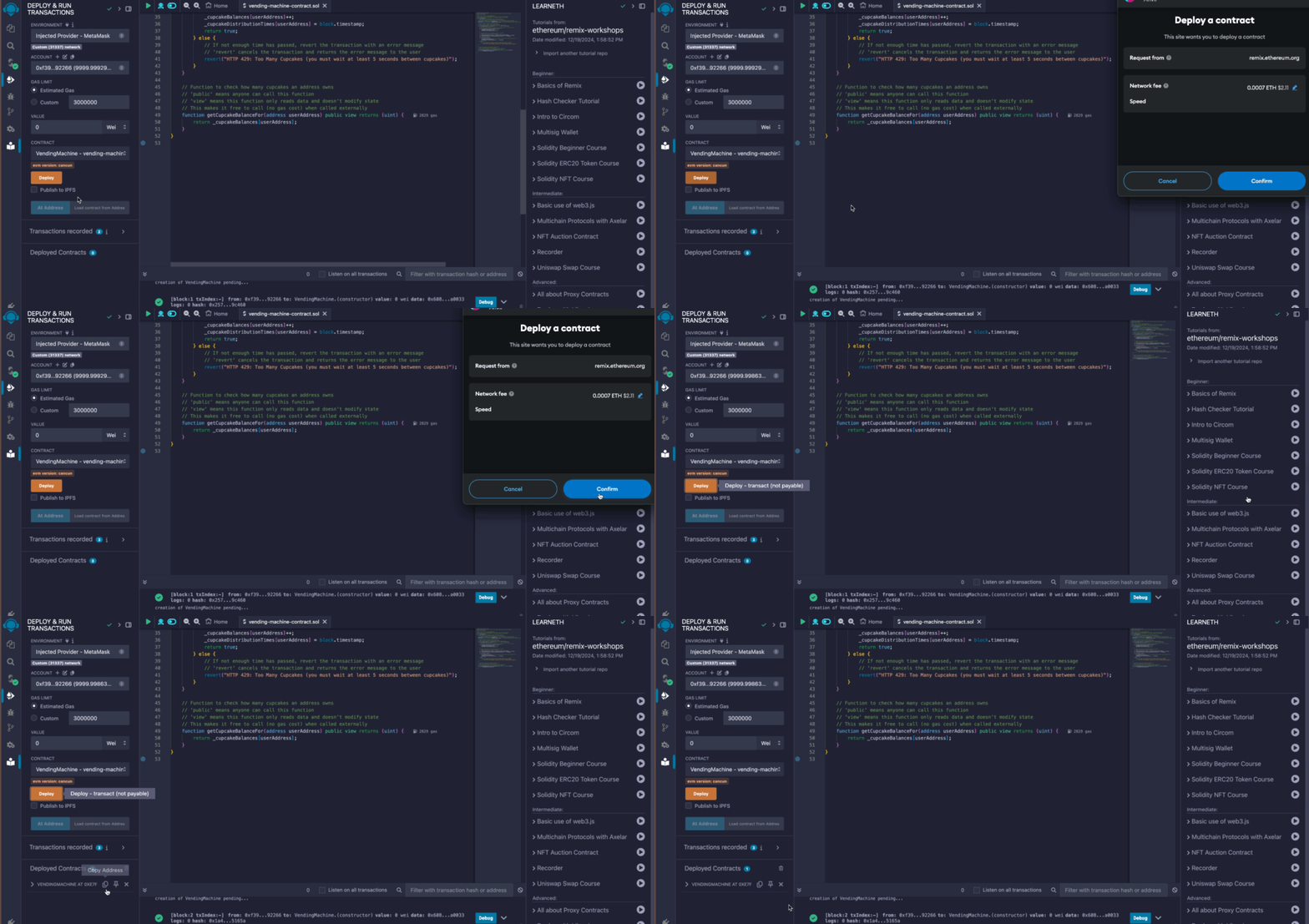
Then copy and paste your **contract address** below and click **Get cupcake!**. A prompt should ask you to sign a transaction that gives you a cupcake.
## What's going on, here? [#whats-going-on-here]
Our first `VendingMachine` is labeled "Web2" because it demonstrates traditional client-server web application architecture: the back-end lives in a centralized network of servers.
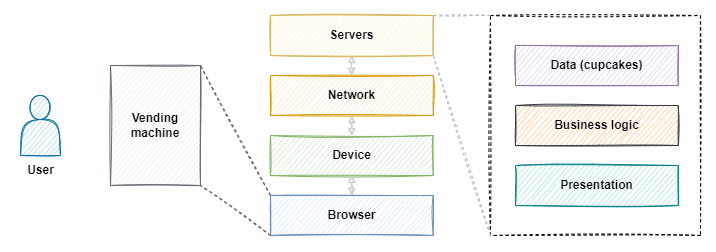
The "Web3" architecture is similar to the "Web2" architecture, with one key difference: with the "Web3" version, business logic and data are hosted by decentralized network of nodes
Let's take a closer look at the differences between our `VendingMachine` implementations:
| | `WEB2` (the first one) | `WEB3-LOCALHOST` (the latest one) | `WEB3-ARB-SEPOLIA` (the next one) | `WEB3-ARB-MAINNET` (the final one) |
| --------------------- | --------------------------------------------------------------------------------------- | ----------------------------------------------------------------------------------------- | -------------------------------------------------------------------------------------- | ----------------------------------------------------------------------------------------- |
| **Data** (cupcakes) | Stored only in your **browser**. (Usually, stored by centralized infrastructure.) | Stored on your **device** in an **emulated Ethereum network** (via smart contract). | Stored on Ethereum's **decentralized test network** (via smart contract). | Stored on Ethereum's **decentralized mainnet network** (via smart contract). |
| **Logic** (vending) | Served from **Offchain's servers**. Executed by your **browser**. | Stored and executed by your **locally emulated Ethereum network** (via smart contract). | Stored and executed by Arbitrum's **decentralized test network** (via smart contract). | Stored and executed by Arbitrum's **decentralized mainnet network** (via smart contract). |
| **Presentation** (UI) | Served from **Offchain's servers**. Rendered and executed by your **browser**. | ← same | ← same | ← same |
| **Money** | Devs and users pay centralized service providers for server access using fiat currency. | ← same, but only for the presentation-layer concerns (code that supports frontend UI/UX). | ← same, but devs and users pay **testnet ETH** to testnet validators. | ← same, but instead of testnet **ETH**, they use **mainnet ETH**. |
So far, we've deployed our "Web3" app to an emulated blockchain (Anvil), which is a normal step in EVM development.
Next, we'll deploy our smart contract to a network of real nodes: Arbitrum's Sepolia testnet.
## Deploy the smart contract to the Arbitrum Sepolia testnet [#deploy-the-smart-contract-to-the-arbitrum-sepolia-testnet]
We were able to deploy to a testnet for free because we were using Remix's built-in network, but now we'll deploy our contract to Arbitrum's Sepolia testnet.
Sepolia is powered by a network of nodes ran across the world by various participants, we'll need to compensate them with a small transaction fee in order to deploy our smart contract.
To be able to pay the transaction fee, we will:
- Use our MetaMask crypto wallet
- Obtain some Arbitrum Sepolia testnet's token called **ETH**.
Click Metamask's **Network selector** dropdown, and then click the **Add Network** button. Click **Add a network manually** and then provide the following information:
- Network Name: `Arbitrum Sepolia`
- New RPC URL: `https://sepolia-rollup.arbitrum.io/rpc`
- Chain ID: `421614`
- Currency Symbol: **ETH**
As we interact with the cupcake vending machine, we'll use Metamask's network selector dropdown to determine which network our cupcake transactions are sent to.
Next, let's deposit some **ETH** into the wallet corresponding to the private key we added to Remix. At the time of this quickstart's writing, the easiest way to acquire **ETH** is to bridge Sepolia **ETH** from Ethereum's parent chain Sepolia network to Arbitrum's child chain Sepolia network:
1. Use a parent chain Sepolia **ETH** faucet like [sepoliafaucet.com](https://sepoliafaucet.com/) to acquire some testnet **ETH** on parent chain Sepolia.
2. Bridge your parent chain Sepolia **ETH** into Arbitrum child chain using [the Arbitrum bridge](https://bridge.arbitrum.io/).
Once you've acquired some **ETH**, you'll be able to deploy your smart contract to Arbitrum's Sepolia testnet.
You can proceed exactly as with the local testnet.
1. Connect Remix to the Arbitrum Sepolia testnet
2. Compile your vending machine contract
3. Deploy your vending machine contract to the Arbitrum Sepolia testnet
In this last step, your compiled smart contract will be deployed through the RPC endpoint corresponding to "Arbitrum Sepolia" in MetaMask (MetaMask uses [INFURA](https://www.infura.io)'s nodes as endpoints).
Congratulations! You've just deployed **business logic and data** to Arbitrum Sepolia. This logic and data will be hashed and submitted within a transaction to Ethereum's parent chian Sepolia network, and then it will be mirrored across all nodes in the Sepolia network[^6].
To view your smart contract in a blockchain explorer, visit `https://sepolia.arbiscan.io/address/0x...B3`, but replace the `0x...B3` part of the URL with the full address of your deployed smart contract.
Select **Arbitrum Sepolia** from Metamask's dropdown, paste your contract address into the `VendingMachine` below, and click **Get cupcake!**. You should be prompted to sign a transaction that gives you a cupcake.
The final step is deploying our Cupcake machine to a production network, such as Ethereum, Arbitrum One, or Arbitrum Nitro.
The good news is: deploying a smart contract in production is exactly the same as for Sepolia Testnet.
The harder news: it will cost real money, this time. If you deploy on Ethereum, the fees can be significant and the transaction confirmation time 12 seconds on average.
Arbitrum, a child chain, reduces these costs about 10X and a confirmation time in the same order while maintaining a similar level of security and decentralization. For an in-depth look at how fees are calculated and estimated, see [How to estimate gas](/arbitrum-essentials/how-to-estimate-gas).
## Summary [#summary]
In this quickstart, we:
- Identified **two business rules**: 1) fair and permissionless cupcake distribution 2) immutable business logic and data.
- Identified a **challenge**: These rules are difficult to follow in a centralized application.
- Identified a **solution**: Using Arbitrum, we can decentralize business logic and data.
- Converted a vending machine's Javascript business logic into a **Solidity smart contract**.
- **Deployed our smart contract** to a local development network, and then Arbitrum's Sepolia testnet.
If you have any questions or feedback, reach out to us on [Discord](https://discord.gg/ZpZuw7p) and/or click the **Request an update** button at the top of this page—we're listening!
## Learning resources [#learning-resources]
For a list of learning resources, repositories, and useful information about Solidity, see the [Solidity references](/arbitrum-essentials/reference/solidity-references) page.
[^1]: The vending machine example was inspired by [Ethereum.org's "Introduction to Smart Contracts"](https://ethereum.org/en/developers/docs/smart-contracts/), which was inspired by [Nick Szabo's "From vending machines to smart contracts"](https://unenumerated.blogspot.com/2006/12/from-vending-machines-to-smart.html).
[^2]: Although application front-ends are usually hosted by centralized services, smart contracts allow the underlying logic and data to be partially or fully decentralized. These smart contracts are hosted and executed by Ethereum's public, decentralized network of nodes. Arbitrum has its own network of nodes that use advanced cryptography techniques to "batch process" Ethereum transactions and then submit them to the Ethereum parent chain, which significantly reduces the cost of using Ethereum. All without requiring developers to compromise on security or decentralization.
[^3]: There are multiple types of Ethereum nodes. The ones that earn **ETH** for processing and validating transactions are called _validators_. See [Nodes and Networks](https://docs.prylabs.network/docs/concepts/nodes-networks) for a beginner-friendly introduction to Ethereum's node types.
[^4]: When our `VendingMachine` contract is deployed to Ethereum, it'll be hosted by Ethereum's decentralized network of nodes. Generally speaking, we won't be able to modify the contract's code after it's deployed.
[^5]: To learn more about how Ethereum wallets work, see [Ethereum.org's introduction to Ethereum wallets](https://ethereum.org/en/wallets/).
[^6]: Visit the [Gentle Introduction to Arbitrum](/get-started/arbitrum-introduction) for a beginner-friendly introduction to Arbitrum's Rollup protocol.
# Troubleshooting: Building Arbitrum dApps (/build-decentralized-apps/troubleshooting-building)
### How does gas work on Arbitrum? [#how-does-gas-work-on-arbitrum]
Fees on Arbitrum chains are collected on L2 in the chains' native currency (**ETH** on both Arbitrum One and Nova).
A transaction fee is comprised of both an L1 and an L2 component:
The L1 component is meant to compensate the Sequencer for the cost of posting transactions on L1 (but no more). (See [L1 Pricing](https://developer.arbitrum.io/arbos/l1-pricing).)
The L2 component covers the cost of operating the L2 chain; it uses Geth for gas calculation and thus behaves nearly identically to L1 Ethereum. One difference is that, unlike on Ethereum, Arbitrum chains enforce a gas price floor. See the [chain info page](/chain-info#chain-parameters) for current values.
L2 Gas price adjusts responsively to chain congestion, ala EIP-1559.
### I tried to create a retryable ticket but the transaction reverted on L1. How can I debug the issue? [#i-tried-to-create-a-retryable-ticket-but-the-transaction-reverted-on-l1-how-can-i-debug-the-issue]
Creation of retryable tickets can revert with one of these custom errors:
1. `InsufficientValue`: not enough gas included in your L1 transaction's callvalue to cover the total cost of your retryable ticket; i.e., `msg.value < (maxSubmissionCost + l2CallValue + gasLimit * maxFeePerGas)`. Note that your L1 transaction's callvalue must cover this full cost. See [Retryable Tickets Lifecycle](/how-arbitrum-works/deep-dives/l1-to-l2-messaging#submission) for more information.
2. `InsufficientSubmissionCost`**:** The provided submission cost isn't high enough to create your retryable ticket.
3. `GasLimitTooLarge`**:** provided gas limit is greater than 2^64
4. `DataTooLarge`: provided data is greater than 117.964 KB (90% of Geth's 128 KB transaction size limit).
To figure out which error caused your transaction to revert, we recommend using Etherscan's Parity VM trace support (Tenderly is generally a useful debugging tool; however, it can be buggy when it comes to custom Geth errors).
Use the following link to view the Parity VM trace of your failed transaction (replacing the `tx-hash` with your own, and using the appropriate etherscan root url):
[https://etherscan.io/vmtrace?txhash=0x51a8088c9b319bbad649c36d9cf2b4e9b61a6099a158181676c8e79dbce2df58&type=parity#raw](https://etherscan.io/vmtrace?txhash=0x51a8088c9b319bbad649c36d9cf2b4e9b61a6099a158181676c8e79dbce2df58&type=parity#raw)
To find out the reversion error signature, go to the **Raw Traces** tab, and scroll down to find the last **Subtrace** where your transaction was reverted. Then find **Output** field of that subtrace.
(In the above example, the desirable **Output** is: `0xfadf238a0000000000000000000000000000000000000000000000000000c4df7e2903b00000000000000000000000000000000000000000000000000000a39a1d002808`)
The first four bytes of the output are the custom error signature; in our example, it is `0xfadf238a`.
To let's find out which custom error this signature represents, we can use this handy tool by Samzcsun: [https://sig.eth.samczsun.com/](https://sig.eth.samczsun.com/)
Checking `0xfadf238a` gives us `InsufficientSubmissionCost(uint256,uint256)`.
### How is the L1 portion of an Arbitrum transaction’s gas fee computed? [#how-is-the-l1-portion-of-an-arbitrum-transactions-gas-fee-computed]
The L1 fee that a transaction is required to pay is determined by compressing its data with Brotli and multiplying the size of the result (in bytes) by ArbOS's current calldata price. The calldata price value can be queried via the `getPricesInWei` method of the `ArbGasInfo` precompile. You can find more information about gas calculations in [Understanding Arbitrum: 2-Dimensional Fees](https://medium.com/offchainlabs/understanding-arbitrum-2-dimensional-fees-fd1d582596c9) and [How to Estimate Gas in Arbitrum](https://developer.arbitrum.io/devs-how-tos/how-to-estimate-gas).
### What is a retryable ticket’s “submission fee”? How can I calculate it? What happens if I the fee I provide is insufficient? [#what-is-a-retryable-tickets-submission-fee-how-can-i-calculate-it-what-happens-if-i-the-fee-i-provide-is-insufficient]
A [retryable's](https://developer.arbitrum.io/arbos/l1-to-l2-messaging) submission fee is a special fee a user must pay to create a retryable ticket. The fee is directly proportional to the size of the L1 calldata the retryable ticket uses. The fee can be queried using the `Inbox.calculateRetryableSubmissionFee`method. If insufficient fee is provided, the transaction will revert on L1, and the ticket won't get created.
### Which method in the Inbox contract should I use to submit a retryable ticket (aka L1 to L2 message)? [#which-method-in-the-inbox-contract-should-i-use-to-submit-a-retryable-ticket-aka-l1-to-l2-message]
The method you should (almost certainly) use is `Inbox.createRetryableTicket`. There is an alternative method, `Inbox.unsafeCreateRetryableTicket`, which, as the name suggests, should only be used by those who fully understand its implications.
There are two differences between `createRetryableTicket` and `unsafeCreateRetryableTicket`:
1. Method `createRetryableTicket` will check that provided L1 callvalue is sufficient to cover the costs of creating and executing the retryable ticket (at the specified parameters) and otherwise [revert directly at L1](/build-decentralized-apps/troubleshooting-building#i-tried-to-create-a-retryable-ticket-but-the-transaction-reverted-on-l1-how-can-i-debug-the-issue). `unsafeCreateRetryableTicket`, in contrast, will allow a retryable ticket to be created that is guaranteed to revert on L2.
2. Method `createRetryableTicket` will check if either the provided `excessFeeRefundAddress` or the `callValueRefundAddress` are contracts on L1; if they are, to prevent the situation where refunds are _guaranteed_ to be irrecoverable on L2, it will convert them to their [address alias](https://developer.arbitrum.io/arbos/l1-to-l2-messaging#address-aliasing), providing a _potential_ path for fund recovery. `unsafeCreateRetryableTicket` will allow the creation of a retryable ticket with refund addresses that are L1 contracts; since no L1 contract can alias to an address that is also itself an L1 contract, refunds to these addresses on L2 will be irrecoverable.
(Astute observers may note a third ticket creation method, `createRetryableTicketNoRefundAliasRewrite`; this is included only for backwards compatibility, but should be considered deprecated in favor of `unsafeCreateRetryableTicket`)
### Why do I get “custom tx type” errors when I use hardhat? [#why-do-i-get-custom-tx-type-errors-when-i-use-hardhat]
In Arbitrum, we use a number of non-standard [EIP-2718](https://eips.ethereum.org/EIPS/eip-2718) typed transactions. Feel free to consult the [full list of transaction types](https://developer.arbitrum.io/arbos/geth#transaction-types) and the rationale.
Note that if you're using Hardhat, [v2.12.2](https://github.com/NomicFoundation/hardhat/releases/tag/hardhat%402.12.2) added support for forking networks like Arbitrum with custom transaction types (find more information [in this HardHat GitHub issue](https://github.com/NomicFoundation/hardhat/issues/2995)).
### Why does it look like two identical transactions consume a different amount of gas? [#why-does-it-look-like-two-identical-transactions-consume-a-different-amount-of-gas]
Calling an Arbitrum node's `eth_estimateGas` RPC returns a value sufficient to cover both the L1 and L2 components of the fee for the current gas price; this is the value that, e.g., will appear in users' wallets in the **Gas Limit** field.
Thus, if the L1 calldata price changes over time, it will appear (in e.g., a wallet) that a transaction's gas limit is changing. In fact, the L2 gas limit isn't changing, merely the total gas required to cover the transaction's L1 + L2 fees.
See [2-D fees](https://medium.com/offchainlabs/understanding-arbitrum-2-dimensional-fees-fd1d582596c9) and [How to estimate gas in Arbitrum](https://developer.arbitrum.io/devs-how-tos/how-to-estimate-gas) for more.
### Why am I getting error "429 Too Many Requests” when using one of Offchain Labs’ Public RPCs? [#why-am-i-getting-error-429-too-many-requests-when-using-one-of-offchain-labs-public-rpcs]
Offchain Labs offers public RPCs for free, but limits requests to prevent denial of service (DoS) attacks. Hitting the rate limit can result from either the frequency of your requests or the resources required to process them. If you are hitting our rate limit, we recommend [running your own node](https://developer.arbitrum.io/node-running/how-tos/running-a-full-node) or [using a third-party node provider](https://developer.arbitrum.io/node-running/node-providers).
### How do block.number and block.timestamp work on Arbitrum? [#how-do-blocknumber-and-blocktimestamp-work-on-arbitrum]
Solidity calls to `block.number` on Arbitrum will return the block number/ timestamp of the underlying L1 with a slight delay; i.e., updated every few minutes. Note that L2 block numbers (i.e., as seen in block explorers / returned by RPCs) are different, and are typically updated roughly every second.
Solidity calls to `block.timestamp` on Arbitrum are not linked to the timestamp of the L1 block. It is updated every L2 block based on the Sequencer's clock. Furthermore, for transactions that are force-included from the L1 (bypassing the Sequencer) `block.timestamp` will be equal to the L1 timestamp when the transaction was put in the delayed inbox on L1 (not force-included), or the L2 timestamp of the previous L2 block (whichever is greater of the two timestamps).
For more information, see [the block numbers and time](/arbitrum-essentials/arbitrum-vs-ethereum/block-numbers-and-time).
### Do I need to download any special npm libraries in order to use web3.js, ethers.js or viem on Arbitrum? [#do-i-need-to-download-any-special-npm-libraries-in-order-to-use-web3js-ethersjs-or-viem-on-arbitrum]
Nope, web3.js, ethers.js and viem will work out of the box just like they do on L1 Ethereum.
Once upon a time, Arbitrum developers were required to download supplemental packages with names like "arb-provider-ethers" and "arb-ethers-web3-bridge", but these packages are deprecated and no longer required! Any guide that directs devs to use them should be considered outdated.
### How many block numbers must we wait for in Arbitrum before we can confidently state that the transaction has reached finality? [#how-many-block-numbers-must-we-wait-for-in-arbitrum-before-we-can-confidently-state-that-the-transaction-has-reached-finality]
Arbitrum's block intervals fluctuate with throughput, so relying on block numbers for finality isn't recommended. However, Arbitrum nodes support Ethereum's JSON RPC, enabling the use of [`eth_getBlockByNumber()`](https://ethereum.org/en/developers/docs/apis/json-rpc/#eth_getblockbynumber) to determine block finality. Here, we provide additional details on how to achieve this.
You can use [`eth_getBlockByNumber()`](https://ethereum.org/en/developers/docs/apis/json-rpc/#eth_getblockbynumber) with the string `"latest"`, `"safe"`, or `"finalized"`, each offering varying degrees of finality:
- `latest`: Provides you with the most recent Arbitrum block number, also known as the tip of the chain. This block is typically the last sequenced block and may not yet be posted on L1. As long as you trust the Sequencer to eventually post this information on L1, relying on the `latest` block should be fine.
- `safe`: Provides you with the most recent Arbitrum block number that has achieved attestations from a two-thirds majority of Ethereum's validator set. This occurs when the Sequencer's batch is posted as an L1 block on Ethereum and then the batch transactions achieve `safe` finality there. While safe blocks are typically resistant to re-orgs, they can still be re-orged in the event of a significant L1 re-org.
- `finalized`: Provides you with the most recent Arbitrum block number that is finalized on Ethereum. This means that the Sequencer's batch has been published as an L1 block on the Ethereum network and has reached a substantial depth, making it eligible for hard finality. Unlike `safe` blocks, `finalized` blocks are highly improbable to undergo re-orgs.
To learn more about the different phases of an Arbitrum transaction, from client initiation to Layer 1 confirmation, check out [The Lifecycle of an Arbitrum Transaction](/how-arbitrum-works/deep-dives/transaction-lifecycle).
### How can I list my token on the Arbitrum Bridge? [#how-can-i-list-my-token-on-the-arbitrum-bridge]
The L2 token list used in the Arbitrum bridge is generated from the L1 tokens that are part of the token lists of [Uniswap](https://tokenlists.org/token-list?url=https%3A%2F%2Ftokens.uniswap.org), [Gemini](https://tokenlists.org/token-list?url=https%3A%2F%2Fwww.gemini.com%2Funiswap%2Fmanifest.json), [Coinmarketcap](https://api.coinmarketcap.com/data-api/v3/uniswap/all.json), or [Coingecko](https://tokens.coingecko.com/uniswap/all.json). This generation is valid for L1-native tokens bridged to L2 and for L2-native tokens that have been bridged to L1, as long as they are part of either of those lists.
Currently, there isn't any L2-only token list.
### What is a testnet or a devnet? [#what-is-a-testnet-or-a-devnet]
Testnets (or devnets) primarily serve developers who want to test their applications without using real mainnet funds.
Arbitrum Sepolia is a testnet that offers the same full feature set as the mainnet network. It is also a "true" L2 that runs on top of the Sepolia testnet (L1), using it for security and settlement.
Users can bridge any asset from the Sepolia testnet (L1) into the Arbitrum Sepolia testnet (and back!), using the official [bridge](https://bridge.arbitrum.io/).
### Is there any testnet available on Arbitrum? [#is-there-any-testnet-available-on-arbitrum]
Yes, there's an Arbitrum Sepolia testnet (421614) that uses the Nitro tech stack and runs on top of Ethereum Sepolia. You can find more information [here](https://developer.arbitrum.io/public-chains).
### When was Arbitrum One upgraded from Classic to Nitro? [#when-was-arbitrum-one-upgraded-from-classic-to-nitro]
Arbitrum One [was upgraded](https://medium.com/offchainlabs/its-nitro-time-86944693bf29) on August 31st, 2022 (block [22207818](https://arbiscan.io/block/22207818)), from the Classic stack to the improved [Nitro](https://developer.arbitrum.io/inside-arbitrum-nitro/) tech stack, maintaining the same state.
### Do Arbitrum chains support precompiles that are present on Ethereum? [#do-arbitrum-chains-support-precompiles-that-are-present-on-ethereum]
Yes, all Arbitrum chains support all precompiles that Ethereum supports, as well as others that are not present on Ethereum. Check the [precompiles reference page](/arbitrum-essentials/precompiles/reference) for more information about Arbitrum specific precompiles.
### What’s the contract code size limit in Arbitrum chains? [#whats-the-contract-code-size-limit-in-arbitrum-chains]
As specified in [EIP-170](https://eips.ethereum.org/EIPS/eip-170), contracts of up to 24KB are deployable on Arbitrum chains.
### How can I find the L2 block(s) that corresponds to a given L1 block? [#how-can-i-find-the-l2-blocks-that-corresponds-to-a-given-l1-block]
First, you should be familiar with how block numbers behave on Arbitrum. You can find information about it in [Block numbers and time](/arbitrum-essentials/arbitrum-vs-ethereum/block-numbers-and-time).
When you query an RPC node for a transaction receipt or a block information, you obtain as part of the result the property `l1BlockNumber`, which is the L1 block number that the sequencer viewed when it processed the transaction.
With that, although it might be computationally complex, you can binary search the L1 block number you are looking for, and get all L2 blocks that have that `l1BlockNumber`.
If you want a more specific result, you can perform the same operation with the timestamp from the L1 block, instead of the actual block number.
### Why do some old transactions have extremely high gas prices when querying them? [#why-do-some-old-transactions-have-extremely-high-gas-prices-when-querying-them]
When Arbitrum One was running under the Arbitrum Classic stack (before Nitro), the gas price was an unbounded bid, so when requesting those transactions via RPC, you may obtain a very high amount in the `gasPrice` property.
Instead of that, it is recommended to look at the `effectiveGasPrice` property from the transaction receipt.
### What is the WASM module root? [#what-is-the-wasm-module-root]
The WASM module root is a 32-byte hash, which is a Merkelization of the Go replay binary and its dependencies.
The replay binary is much too large to post on-chain, so this hash is set in the L1 rollup contract to determine the correct replay binary during fraud proofs.
You can find more information in [How to Customize your Arbitrum chain's behavior](/launch-arbitrum-chain/extend-the-protocol/stf#step-4-enable-fraud-proofs).
### Why do I get a “gas required exceeds allowance” when trying to estimate the gas costs of a request? [#why-do-i-get-a-gas-required-exceeds-allowance-when-trying-to-estimate-the-gas-costs-of-a-request]
During an `eth_estimateGas` call, the request will go through a simulation on the node. Therefore, if the transaction reverts or if there aren't enough funds in the wallet that's making the call (usually the `from` parameter), the `eth_estimateGas` request will return an error stating: `gas required exceeds allowance`.
Ensure you have sufficient funds in your wallet, and that the gas fields of the request (if you're using them) are populated correctly.
### How can I verify that a child chain block has been processed as part of a specific assertion? [#how-can-i-verify-that-a-child-chain-block-has-been-processed-as-part-of-a-specific-assertion]
If you want to verify that the latest confirmed (or created) assertion has processed a specific child chain block, you can follow these steps:
1. From the rollup contract, obtain the latest confirmed (or created) assertion through the function `latestConfirmed` (or `latestNodeCreated`). In this context, we refer to assertions as "nodes".
2. Obtain the node information through `getNode`
3. Find the `NodeCreated` event emission that occurred upon that node's creation.
4. In that `NodeCreated` event, there's an `assertion` property that contains the state of the chain before processing the specified blocks, and after processing them. Get the `afterState.globalState` property
5. That value contains a `bytes32Vals` array with the latest child chain block hash processed in the first element.
You can find an example script in our [arbitrum-tutorials](https://github.com/OffchainLabs/arbitrum-tutorials/tree/master/packages/l2-block-verification-in-assertion) repository.
### Why is the fee of some Classic transactions slightly different than the multiplication of gasLimit and effectiveGasPrice? [#why-is-the-fee-of-some-classic-transactions-slightly-different-than-the-multiplication-of-gaslimit-and-effectivegasprice]
Gas prices in Classic transactions worked differently from those in Nitro transactions. Classic transactions handled four different prices: L1 fixed, L1 calldata, L2 computation, and L2 storage. You can view all these prices in the **Advanced TxInfo** tab on Arbiscan (see an [example](https://arbiscan.io/tx/0xecfe992adc408d1458d97b6e066ea7f4169bf048e84cb7a4beaea6e9c54f07da#txninfo) here).
When querying the receipt of a Classic transaction on a Nitro node, some calculation is needed to obtain an `effectiveGasPrice` that is close to (but not exactly) what those four prices represent. That's why if you multiply the `gasLimit` by the `effectiveGasPrice` you might end up with a transaction fee that is slightly different than the actual fee paid.
To get the exact fees paid, you can query a Classic node, which will return all the accurate information in an object called `feeStats`. That object will contain all the information, split into four different gas fields: `prices`, `unitsUsed`, and `paid` (`which is price * unitsUsed`).
### How can I update the information of my bridged token on Arbiscan? [#how-can-i-update-the-information-of-my-bridged-token-on-arbiscan]
If you have a native-L1 token that was bridged to L2 via the standard gateway, you might find that you can't claim ownership of the L2 contract of your token as it was generated by another contract.
To update its information on Arbiscan (logo, socials, etc.), you can open a ticket through [Arbiscan support system](https://arbiscan.io/contactus) and request them to replicate the information of your token on L1 to L2.
### Why does my transaction revert with InvalidFEOpcode when using Foundry? [#why-does-my-transaction-revert-with-invalidfeopcode-when-using-foundry]
Foundry and other similar development tools that enable chain forking, do not support Arbitrum precompiles. If your transaction is calling a precompile, it is likely that it will revert with `InvalidFEOpcode`.
To rule out that possibility, it is recommended to send the transaction with a different tool.
### Why do I receive an “intrinsic gas too low” error when sending a transaction even with a high gas price? [#why-do-i-receive-an-intrinsic-gas-too-low-error-when-sending-a-transaction-even-with-a-high-gas-price]
The error: `intrinsic gas too low` usually refers to not providing enough gas to pay for the L1 component of the transaction fees. This error typically occurs when a high enough gas limit is not set (instead of a gas price), due to how Arbitrum handles gas. You can find more information in the article [Understanding Arbitrum: 2-dimensional fees](https://medium.com/offchainlabs/understanding-arbitrum-2-dimensional-fees-fd1d582596c9) and the page [How to estimate gas](/arbitrum-essentials/how-to-estimate-gas).
### How can I interpret Arbitrum transaction traces? [#how-can-i-interpret-arbitrum-transaction-traces]
In Arbitrum, every block contains a system transaction of type [`ArbitrumInternalTxType`](/how-arbitrum-works/reference/geth#arbitruminternaltx), which the ArbOS itself creates for specific state updates, such as the L1 base fee and the block number. These transactions are distinct from typical Ethereum transactions. They are exclusively generated by the ArbOS state transition function, rather than by external entities such as externally owned accounts (EOAs) or smart contracts. Despite having an `INVALID` opcode, these transactions are represented in the trace API to signify their presence in the block, even though an opcode within EVM execution does not trigger them.
One of the key functionalities of `ArbitrumInternalTxType` involves managing value transfers related to acknowledging batch postings. When batches of transactions get submitted to Layer 1, a special cross-chain message is produced as a receipt, confirming the successful posting of the batch. The function `ApplyInternalTxUpdate` is responsible for processing and updating the system's state based on these crosschain messages, ensuring consistency and integrity across the Arbitrum network.
Another functionality of `ArbitrumInternalTxType` transactions is handling the value held in retryables if discarded. Retryable transactions are transactions that can be "resubmitted" if they fail to execute on the destination chain. However, in certain scenarios, these retryable transactions might get discarded, for instance, due to expiration or other conditions.
In such cases, the escrowed call value, which is the value associated with the retryable transaction, will be paid out to a specified `callValueRefundAddress` account. This address designation occurs during the initial submission of the transaction on the parent chain. The purpose of this mechanism is to ensure that funds associated with retryable transactions are not lost if they cannot be successfully executed, thereby maintaining the integrity and reliability of the Arbitrum network.
To accurately reflect the value transfers associated with these transactions, we employ a unique `callType` parameter: `invalid`. Unlike conventional EVM calls (such as `delegatecall`, `call`, etc.), this designation signifies a different system transaction. It denotes a straightforward value transfer from one account to another, with no inherent invocation of smart contract logic. While technically feasible to conduct this transfer within a conventional call type, our deliberate choice of **invalid** aims to enhance the clarity and distinctiveness of this transaction type within the EVM ecosystem.
Notably, the sender account remains consistent across all instances of this transaction type for the batch posting receipt version. However, it's important to note that for retryable transactions, the sender account differs as each retryable transaction escrows its value in a unique vault specific to that transaction. This unique vault ensures that funds associated with each retryable transaction are stored securely until either the transaction successfully executes or a refund is issued.
**Note that:**
- All pre-Nitro transactions are labeled as `ArbitrumLegacyTxType` by Nitro.
- Traces are not available for pre-Nitro (Classic) transactions.
### Why do some blocks have a total gas limit that’s over the standard block gas limit? [#why-do-some-blocks-have-a-total-gas-limit-thats-over-the-standard-block-gas-limit]
The execution gas block limit of Arbitrum chains is 32 million. However, when querying a block, we may find a `gasLimit` value that exceeds the specified number.
Finding it exceeds happens because this `gasLimit` field accounts for both execution gas and the corresponding gas limit of the L1 costs (you can find more information about the role of the L1 costs in a transaction's gas limit in [this article](https://medium.com/offchainlabs/understanding-arbitrum-2-dimensional-fees-fd1d582596c9)). The gas limit corresponding to L1 costs is practically unlimited, leading to the possibility of finding very high values on the gasLimit field of a block.
The effective block gas limit (32 million) only accounts for execution gas limit. We can check the actual gas used for execution on a specific block by checking the gasUsed field.
# Arbitrum introduction (/get-started/arbitrum-introduction)
## What is Arbitrum? [#what-is-arbitrum]
Arbitrum is a finance-native blockchain platform. It provides infrastructure for applications, tokenization, and dedicated blockchain environments.
You can build on the public chains Arbitrum One and Arbitrum Nova, or you can launch your own Arbitrum chain and configure its execution, data availability, fee model, governance, and validation.
Arbitrum runs on top of Ethereum. Your transactions cost less and the chain processes more of them per second, while Ethereum still settles the results and keeps the data available. This page explains the main parts of the platform: Arbitrum Rollup, AnyTrust, Nitro, Stylus, Arbitrum One, Arbitrum Nova, and Arbitrum chains.

Two pairs of names appear throughout this page. Ethereum is the parent chain, also called layer 1. An Arbitrum chain that settles to Ethereum is a child chain, also called layer 2.
## Why does Ethereum need help scaling? [#why-does-ethereum-need-help-scaling]
Nothing is wrong with Ethereum. Its limits follow from design choices that put decentralization and security first.
That tradeoff is the scalability trilemma: a chain cannot maximize decentralization, security, and scalability at the same time. Ethereum optimizes the first two, which caps the third.
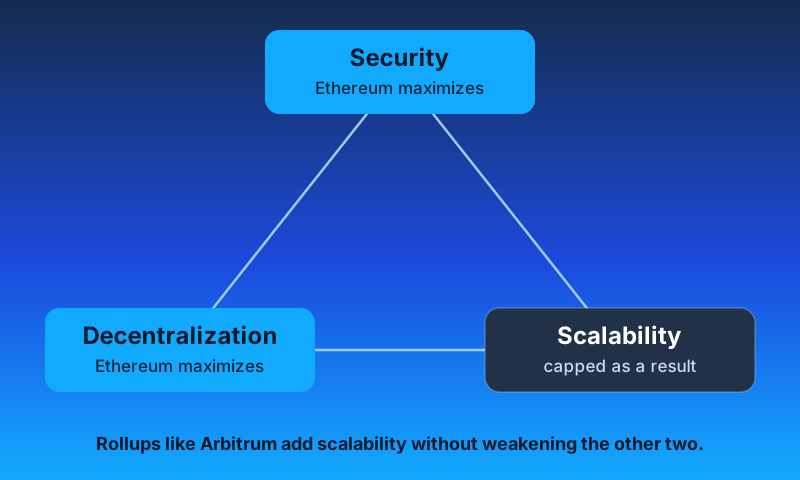
Rather than weaken security or decentralization, the Ethereum roadmap moves execution offchain to Rollups like Arbitrum. Ethereum then specializes in settlement and data availability.
A Rollup orders many transactions into a batch, executes them on its own infrastructure, and posts compressed data and a state commitment back to Ethereum. You inherit Ethereum's security, throughput rises by orders of magnitude, and fees drop.
To go deeper, read [How Arbitrum works](/how-arbitrum-works/inside-arbitrum-nitro).
## Why does Ethereum process so few transactions per second? [#why-does-ethereum-process-so-few-transactions-per-second]
Ethereum's low throughput follows from the protocol design. It is not a bug or a missing optimization.
Ethereum nodes must agree on the current state, and they reach that agreement by having every node process every transaction.
Ethereum is also an open, decentralized, peer-to-peer system, so anyone can run a node and validate the chain. Keeping that possible means keeping the work per node small.
Together, these two requirements cap transactions per second (TPS). The roadmap answers this by having child chains like Arbitrum carry the throughput.
## How does Arbitrum solve this? [#how-does-arbitrum-solve-this]
Arbitrum does not make Ethereum faster. It lets you transact at much higher throughput while you still inherit Ethereum's security.
Ethereum's bottleneck is that every node re-executes every transaction. Arbitrum separates two jobs that Ethereum combines:
- **Execution.** Running transactions and updating state.
- **Settlement and data availability.** Agreeing on the canonical result and keeping the data publicly retrievable.
Arbitrum executes offchain and uses Ethereum for settlement and data availability. Ethereum nodes do not re-execute Arbitrum transactions. They store the compressed data and accept the result unless someone proves it wrong.
## How does Arbitrum prove that a result is correct? [#how-does-arbitrum-prove-that-a-result-is-correct]
When a transaction reaches Arbitrum, the sequencer puts it in order. Arbitrum compresses that order and posts it to Ethereum. The posted order is the evidence of which transactions run, and that is where the name "Rollup" comes from.
As long as Ethereum stays secure, anyone can read those transactions. If a result differs from the posted order, a validator can challenge it.
Billions of dollars have moved through Arbitrum, and no fraudulent result has ever been confirmed.
To learn how the dispute protocol works, read the [BoLD gentle introduction](/how-arbitrum-works/bold/gentle-introduction).
## Who validates the chain and raises challenges? [#who-validates-the-chain-and-raises-challenges]
Anyone can validate Arbitrum's chain state. Whoever does so is a validator. Most people do not run one, in the same way that most people do not run an Ethereum staking node.
The fraud proof system needs only one honest validator to keep the chain secure, and that single validator can catch several malicious actors. This is what makes the system trustless: your funds do not depend on any one designated party.
To learn about the validator types, read [Run a validator node](/run-a-node/more-types/run-validator-node).
## How does a fraud proof work? [#how-does-a-fraud-proof-work]
**In short:** two validators disagree about an executed transaction. Ethereum holds the posted data, so only one of them can be telling the truth.
Re-executing every transaction on Ethereum would cost too much. Instead, each party bisects its history of commitments until both arrive at the single instruction they disagree about.
Ethereum then acts as the arbiter and declares a winner. The batches that Arbitrum posts to Ethereum are the source of truth, and the challenge process, called BoLD, proves which validator is right.
For the full protocol, read the [BoLD gentle introduction](/how-arbitrum-works/bold/gentle-introduction).
## Does the challenge period delay my transactions? [#does-the-challenge-period-delay-my-transactions]
There is a delay, but it applies to one action, not to everyday activity.
| Action | Delay |
| ---------------------------------------- | ---------------------------------------------------------- |
| Withdraw funds from Arbitrum to Ethereum | Yes, typically 6.4 days |
| Use a third-party fast bridge | No, for a fee |
| Deposit funds from Ethereum to Arbitrum | No |
The challenge period delays withdrawals back to Ethereum because that is the point where you cross a trust boundary. It does not affect the transactions you send inside Arbitrum.
To learn how bridging works, read [Token bridging](/how-arbitrum-works/deep-dives/token-bridging). To move tokens yourself, follow the [Arbitrum bridge quickstart](/arbitrum-bridge/quickstart).
## Why are fees on Arbitrum lower? [#why-are-fees-on-arbitrum-lower]
The word "optimistic" describes how Arbitrum verifies state: it treats an assertion as valid unless someone challenges it through BoLD. That design buys security and correctness rather than cost savings.
The low fees come from five other things:
1. **Amortized Ethereum costs.** Arbitrum posts transactions in batches. A batch of 500 transactions spreads one posting cost across all 500.
2. **Compression.** Arbitrum compresses the data it posts, so each batch costs less.
3. **Blobs.** [EIP-4844](https://eips.ethereum.org/EIPS/eip-4844) gives Ethereum a separate data lane, priced independently of regular gas, that makes posting batch data cheaper.
4. **No global re-execution.** Ethereum nodes do not re-execute Arbitrum transactions.
5. **Single-sequencer execution.** One sequencer is active at a time, so computation runs on one machine instead of thousands.
To go deeper, read [How Arbitrum works](/how-arbitrum-works/inside-arbitrum-nitro).
## Is using Arbitrum the same as using Ethereum? [#is-using-arbitrum-the-same-as-using-ethereum]
**In short:** yes, at lower cost and higher speed. You bridge funds in, use applications, and bridge funds out. Your wallets, applications, and addresses all work.
Layer 2 protocols optimize for different goals. Arbitrum put Ethereum compatibility first, so you can use your existing Ethereum wallets, and you can build and deploy contracts with your existing Ethereum libraries and tooling.
Arbitrum reaches that compatibility by running a fork of [Geth](/how-arbitrum-works/reference/geth), the most widely used Ethereum implementation, modified to work as a trustless child chain. Most of the code that runs on Arbitrum is the same code that runs on Ethereum. Offchain Labs calls this approach Nitro, and you can read the [Nitro codebase](https://github.com/OffchainLabs/nitro).
For the differences that remain, read the [Comparison overview](/arbitrum-essentials/arbitrum-vs-ethereum/comparison-overview).
## What can you build on Arbitrum that you cannot build on Ethereum? [#what-can-you-build-on-arbitrum-that-you-cannot-build-on-ethereum]
Stylus keeps Nitro's Ethereum compatibility and adds a second virtual machine alongside the Ethereum Virtual Machine (EVM). You can write contracts in Rust, C, and C++, and they interoperate with your Solidity contracts. Stylus shipped in [ArbOS 32](/run-a-node/arbos-releases/arbos32) and runs on Arbitrum One, Arbitrum Nova, and Arbitrum chains. To try it, follow the [Stylus quickstart](/stylus/quickstart).
You can also launch your own Arbitrum chain with a custom gas token. For example, your chain can charge gas in USDC. The gas token is one of many settings you control. To see the full list, read the [Arbitrum chain introduction](/launch-arbitrum-chain/overview/introduction).
## Does Arbitrum Rollup fit every use case? [#does-arbitrum-rollup-fit-every-use-case]
Arbitrum Rollup avoids centralization and extra trust assumptions, which makes it a strong default and a net gain for the Ethereum ecosystem.
That decentralization has a price, and not every application needs to pay it. When your security requirements differ, another tool in the Arbitrum suite may fit better, for example an Arbitrum AnyTrust chain.
## What is AnyTrust? [#what-is-anytrust]
AnyTrust is a different data availability option. It works like an Arbitrum Rollup, which posts data in batches to Ethereum, with one change: a small committee keeps the data available instead. Everything else stays the same.
Because the data stays offchain in the normal case, an AnyTrust chain charges much lower fees. In exchange, AnyTrust does not offer the same decentralization, trustlessness, and permissionless security guarantees as a Rollup.
If someone raises a challenge, the AnyTrust chain reverts to Rollup mode. The security assumption is that at least two committee members are honest and will provide the data when it is needed.
AnyTrust suits applications that need high throughput and do not need the full decentralization of a Rollup.
To learn more, read the [AnyTrust protocol](/how-arbitrum-works/deep-dives/anytrust-protocol).
## How many Arbitrum chains are there? [#how-many-arbitrum-chains-are-there]
Many. Running multiple chains in parallel is a core advantage of offchain scaling.
Here is a snapshot of the chains running today:
- On Ethereum, as layer 2:
- [Arbitrum One](https://portal.arbitrum.io/), an Arbitrum Rollup chain that the [Arbitrum Foundation](https://arbitrum.foundation) operates
- [Arbitrum Nova](https://nova.arbitrum.io/), an AnyTrust chain that the [Arbitrum Foundation](https://arbitrum.foundation) operates
- Arbitrum chains that developers launch and operate themselves
- On an EVM layer 2, as layer 3:
- Arbitrum chains on Arbitrum One and Arbitrum Nova
- Arbitrum chains on other EVM layer 2 chains
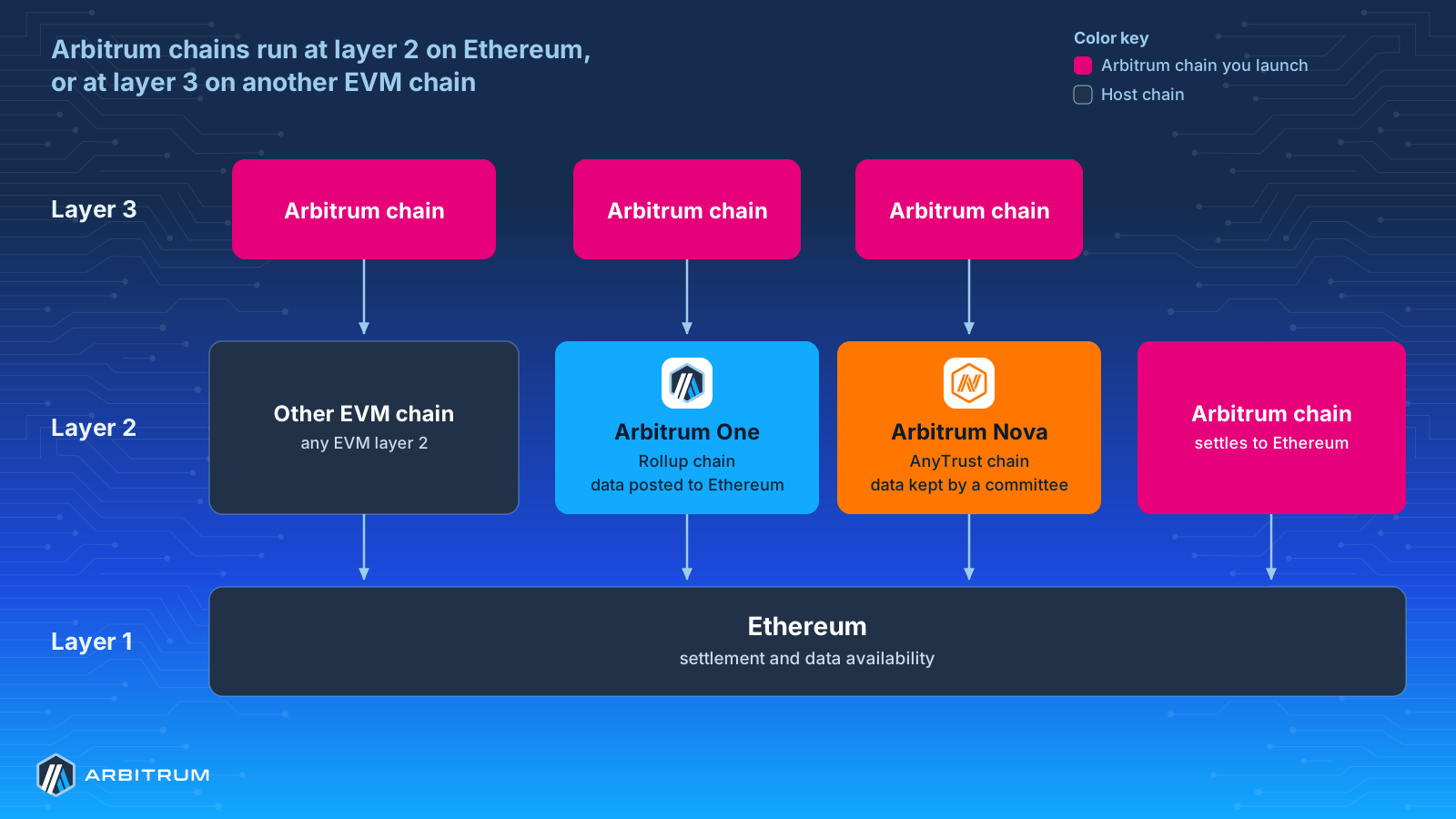
You can launch your own Arbitrum chain as a layer 2 on Ethereum, or as a layer 3 on an EVM layer 2 chain. For a full list of the chains running today, see the [Arbitrum Portal](https://portal.arbitrum.io/orbit/ecosystem).
Pick the chain that matches your security and cost requirements. To launch your own, read the [Arbitrum chain introduction](/launch-arbitrum-chain/overview/introduction).
## Who decides the future of Arbitrum? [#who-decides-the-future-of-arbitrum]
The Arbitrum governance system owns the Arbitrum chains. To learn how it works, read the [Arbitrum governance documentation](https://docs.arbitrum.foundation/).
# Arbitrum FAQ (/get-started/faq)
### Why do I need ETH to use the Arbitrum network? [#why-do-i-need-eth-to-use-the-arbitrum-network]
**ETH** is the currency used to pay gas fees on Arbitrum, and it powers all transactions on Arbitrum. You can bridge **ETH** (and other tokens) from Ethereum to Arbitrum through [Arbitrum's bridge](https://bridge.arbitrum.io/).
### Do I need to pay a tip or priority fee for my Arbitrum transactions? [#do-i-need-to-pay-a-tip-or-priority-fee-for-my-arbitrum-transactions]
Transaction processing occurs in the order that the Sequencer receives them; no priority fee is necessary for Arbitrum transactions. If a transaction includes a priority fee, the origin address of the transaction will be refunded at the end of execution.
### How can I see the balance of ETH and other tokens in my wallet on Arbitrum? [#how-can-i-see-the-balance-of-eth-and-other-tokens-in-my-wallet-on-arbitrum]
Most wallets are "connected" to one given network at a time. To view your **ETH** or token balances, ensure that you have an established connection to the appropriate Arbitrum chain. In MetaMask and OKX Wallet, you can switch networks via the **Networks** drop-down. In this drop-down, please select the desired network (either Arbitrum One or Arbitrum Nova for our mainnet networks). If your preferred network hasn't been added to your wallet yet, you can add it via the [Arbitrum Bridge](https://bridge.arbitrum.io/).
### What happens if I send my funds to an exchange that doesn’t support Arbitrum? [#what-happens-if-i-send-my-funds-to-an-exchange-that-doesnt-support-arbitrum]
If you send the funds and the receiving wallet/exchange doesn't support the Arbitrum network you are sending funds through, unfortunately, there is nothing we can do to recover your funds. You would need to contact the wallet/exchange support and see if they can assist you in retrieving the funds.
### Does Arbitrum have a mempool? [#does-arbitrum-have-a-mempool]
The Arbitrum Sequencer orders transactions on a first-come, first-served basis. The Sequencer inserts transactions into a queue based on the order in which they are received and executes them accordingly, which eliminates the need for a mempool. The Sequencer's queue has no space limit; transactions on the queue will eventually timeout and get discarded if not executed within a reasonable timeframe. Under normal conditions, the queue is empty, as transaction execution occurs nearly instantaneously.
### What's the difference between Arbitrum Rollup and Arbitrum AnyTrust? [#whats-the-difference-between-arbitrum-rollup-and-arbitrum-anytrust]
Arbitrum Rollup is an Optimistic Rollup protocol; it is trustless and permissionless. Part of how these properties are achieved is by requiring all chain data to be posted on layer 1. This means the availability of this data follows directly from the security properties of Ethereum itself, and, in turn, that any party can participate in validating the chain and ensuring its safety. For more information, see [Inside Arbitrum Nitro](/how-arbitrum-works/inside-arbitrum-nitro).
By contrast, Arbitrum AnyTrust introduces a trust assumption in exchange for lower fees; data availability is managed by a Data Availability Committee (DAC), a fixed, permissioned set of entities. We introduce some threshold, `K`, with the assumption that at least `K` members of the committee are honest. For simplicity, we'll hereby assume a committee of size 20 and a `K` value of 2:
If 19 out of the 20 committee members _and_ the Sequencer are malicious and colluding together, they can break the chain's safety (and, e.g., steal users' funds); this is the new trust assumption.
If anywhere between 2 and 18 of the committee members are well behaved, the AnyTrust chain operates in "Rollup mode"; i.e., data gets posted on L1.
In what should be the common and happy case, however, in which at least 19 of the 20 committee members are well behaved, the system operates without posting the L2 chain's data on L1, and thus, users pay significantly lower fees. This is the core upside of AnyTrust chains over rollups.
Variants of the AnyTrust model in which the new trust assumption is minimized are under consideration; stay tuned.
For more, see [Inside AnyTrust](https://developer.arbitrum.io/inside-anytrust).
### How can I check the status of my cross chain message? [#how-can-i-check-the-status-of-my-cross-chain-message]
To check the status of a deposit or withdrawal, search for its transaction hash in the [bridge transaction history](https://portal.arbitrum.io/bridge?tab=tx_history), where you can also claim withdrawals. For any other retryable ticket, or to redeem one manually, use the [Retryable Tickets tool](https://portal.arbitrum.io/build/retryables).
You'll need the transaction hash of the "initiating transaction": the L1 transaction hash for an L1-to-L2 message (e.g., a deposit), or the L2 transaction hash for an L2-to-L1 message (e.g., a withdrawal).
If you cross-chain message was initiated from [https://bridge.arbitrum.io/](https://bridge.arbitrum.io/), you can also check its status / execute it at that site in the transaction history tab.
### If there is a dispute, can my L2 transaction get reorged / thrown out / "yeeted"? [#if-there-is-a-dispute-can-my-l2-transaction-get-reorged--thrown-out--yeeted]
Nope; once an Arbitrum transaction is included on L1, there is no way it can be reorged (unless the L1 itself reorgs, of course). A "dispute" involves Validators disagreeing over execution, i.e., the outputted state of a chain. The inputs, however, can't be disputed; they are determined by the Inbox on L1. (See [Transaction Lifecycle](https://developer.arbitrum.io/tx-lifecycle))
### ...okay but if there's a dispute, will my transaction get delayed? [#okay-but-if-theres-a-dispute-will-my-transaction-get-delayed]
The only thing that a dispute can add delay to is the confirmation of L2-to-L1 messages. All other transactions continue to be processed, even while a dispute is still ongoing. (Additionally, in practice, most L2-to-L1 messages represent withdrawals of fungible assets; these can be trustlessly completed _even during a dispute_ via trustless fast "liquidity exit" applications. See [L2-to-L1 Messages](https://developer.arbitrum.io/arbos/l2-to-l1-messaging)).
### Are “Sequencers” the same entities as “Validators”? Can a centralized Sequencer act maliciously (e.g., steal all my money)? [#are-sequencers-the-same-entities-as-validators-can-a-centralized-sequencer-act-maliciously-eg-steal-all-my-money]
No and no!
An Arbitrum Chain's Sequencer(s) and Validators and completely distinct entities, with their own distinct roles.
The [Sequencer](https://developer.arbitrum.io/sequencer) is the entity granted specific privileges over ordering transactions; once the Sequencer commits to an ordering (by posting a batch on Ethereum), it has no say over what happens next (i.e., execution). A malicious/faulty Sequencer can do things like reordering transactions or _temporarily_ delaying a transaction's inclusion — things which could be, to be sure, annoying and bad — but can do nothing to compromise the chain's safety.
The _Validators_ are the ones responsible for the safety of the chain; i.e., making bonded claims about the chain state, disputing each other, etc.
Currently, on Arbitrum One, the Sequencer is a centralized entity maintained by Offchain Labs. Eventually, we expect the single Sequencer to be replaced by a distributed committee of Sequencers who come to consensus on transaction ordering. This upgrade will be an improvement; we don't want you to have to trust us not to reorder your transactions. However, it also isn't _strictly_ necessary for Arbitrum One to achieve its most fundamental properties.
In other words: **_An Arbitrum Rollup chain with a centralized Sequencer could theoretically still be trustless!_**
Which is to say — the more important thing than decentralizing the Sequencer, i.e., the thing you ought to care more about — is decentralizing the _Validators_.
Arbitrum One's validator set is currently allowlisted; over time, we expect [governance](https://docs.arbitrum.foundation/) to expand the allowlist and eventually be removed entirely.
For more info see ["State of Progressive Decentralization"](https://docs.arbitrum.foundation/state-of-progressive-decentralization).
### Why was “one week” chosen for Arbitrum One’s dispute window? [#why-was-one-week-chosen-for-arbitrum-ones-dispute-window]
The expectation is that one week should be sufficient for validators to conduct an interactive dispute, provided they do not face challenges in getting their transactions included on Layer 1. The one-week decision occurred following a consensus among the Ethereum research community and other Layer 2 projects. The intention is to allow the community sufficient time to coordinate socially in the event of a coordinated Ethereum bonder censorship attack.
### What’s the state of Arbitrum One’s decentralization? [#whats-the-state-of-arbitrum-ones-decentralization]
See [**"State of Progressive Decentralization"**](https://docs.arbitrum.foundation/state-of-progressive-decentralization), or check out the work of our friends at [**L2BEAT**](https://l2beat.com/scaling/risk/)**.**
### Are there any Fiat on-ramps that support Arbitrum? [#are-there-any-fiat-on-ramps-that-support-arbitrum]
Yes, you can find a list of Fiat on-ramps that support Arbitrum [on our portal](https://portal.arbitrum.io/one?categories=fiat-on-ramp).
### How many blocks are needed for a transaction to be confirmed/finalized in Arbitrum? [#how-many-blocks-are-needed-for-a-transaction-to-be-confirmedfinalized-in-arbitrum]
There are two levels of finality in a [transaction lifecycle](https://developer.arbitrum.io/tx-lifecycle):
- **Soft finality**: Once the Sequencer receives and processes a transaction, it emits a receipt through the Sequencer's feed. At this point, if the Sequencer is trusted, the transaction will not undergo reordering, and after processing, the chain state can be determined.
- **Hard finality**: At this stage, assuming there's at least one well-behaved active Arbitrum validator, the client can treat their transaction's finality as equivalent to that of an ordinary Ethereum transaction.
### Where can I find stats for Arbitrum? [#where-can-i-find-stats-for-arbitrum]
Although we currently don't maintain any stats dashboard for Arbitrum, you can find many [community created dashboards](https://dune.com/browse/dashboards?q=arbitrum) in Dune.
### Will transactions with a higher “gas price bid” be confirmed first? [#will-transactions-with-a-higher-gas-price-bid-be-confirmed-first]
There is no notion of a mempool on Arbitrum; transactions are processed on a first-come, first-served basis by the Sequencer. Thus, the gas price bid parameter does not affect the order in which transactions get processed.
### Where can I find the current Data Availability Committee members? [#where-can-i-find-the-current-data-availability-committee-members]
The Arbitrum Nova chain has a 7-party DAC, whose members can be seen in the [Arbitrum Foundation's state of progressive decentralization status document](https://docs.arbitrum.foundation/state-of-progressive-decentralization#data-availability-committee-members). Governance has the ability to remove or add members to the committee.
### Can I withdraw my funds from Arbitrum back to Ethereum without going through the Sequencer? What about funds that are in a contract? [#can-i-withdraw-my-funds-from-arbitrum-back-to-ethereum-without-going-through-the-sequencer-what-about-funds-that-are-in-a-contract]
Yes, it is possible to send a message from Ethereum to be executed on Arbitrum permissionlessly, while bypassing the Sequencer. You can achieve this by using the `DelayedInbox` contract and forcing the inclusion of the message after a certain amount of time has passed (currently \~24 hours). For more information about this behavior, refer to [How Arbitrum Works](/how-arbitrum-works/deep-dives/sequencer#censorship-timeout).
Keep in mind that you can execute any message in this way, be it a withdrawal of funds back to Ethereum or a call to a contract.
You can also find an example of force-inclusion in [this tutorial](https://github.com/OffchainLabs/arbitrum-tutorials/tree/master/packages/delayedInbox-l2msg).
### Are there any plans to reduce the time a transaction needs to wait before being able to be force-included from Ethereum into the Arbitrum chain, bypassing the sequencer? (Currently 24 hours) [#are-there-any-plans-to-reduce-the-time-a-transaction-needs-to-wait-before-being-able-to-be-force-included-from-ethereum-into-the-arbitrum-chain-bypassing-the-sequencer-currently-24-hours]
The mechanism that allows force-including transactions from Ethereum (bypassing the sequencer) is intended to be used in very rare cases, especially when it is expected that the sequencer will not be operational again, so that users have a way of interacting with Arbitrum in a trustless way.
When using this mechanism, if the sequencer is down for longer than the time window for force-including transactions from Ethereum, the moment it is online again, it can lead to a reorganization of blocks in Arbitrum (it would have received transactions timestamped before the force-included one).
24 hours was chosen because it provides a comfortable period of time for the team running the sequencer infrastructure to fix any bugs that may cause the sequencer to not work. While there aren't any active initiatives to lower that time, the decision ultimately falls in the hands of the Arbitrum DAO, who has discussed the topic in their governance forum ([see here for more information](https://forum.arbitrum.foundation/t/proposal-decrease-censorship-delay-from-24-hours-to-4-hours/13047)).
In any case, we could also analyze why would someone use this mechanism having an honest and functional sequencer. For instance, if the reason is a distrust of the sequencer, a centralised agent as of now, one potential solution could be to [decentralize the sequencer](https://medium.com/@espressosys/offchain-labs-partnership-improving-transaction-ordering-for-arbitrum-technology-chains-beyond-de2b6018acb2) instead of reducing the force-inclusion delay time.
### What is the difference between an child chain block and an assertion? [#what-is-the-difference-between-an-child-chain-block-and-an-assertion]
A child chain block is very similar to the concept of an parent chain block. These blocks are generated by validator nodes of Arbitrum by executing the state transition function on sequenced transactions. The structure of a child chain block is similar to that of an Ethereum block, with a few differences that you can [see here](/arbitrum-essentials/arbitrum-vs-ethereum/rpc-methods#blocks).
On the other hand, an assertion is a distinctive block that is transmitted back to the parent chain to serve as a fingerprint of the most recent state of the Arbitrum chain. It comprises an assertion of the present state root of the Arbitrum chain and other essential information pertaining to withdrawals and challenges. The structure of assertions can be viewed [here](https://github.com/OffchainLabs/nitro/blob/2436da3fbf339ce72b02f761254aff5b86efafac/contracts/src/rollup/Node.sol#L7).
These assertions are also generated by validators, but they are appended to the parent chain. Other validators can [challenge them](/how-arbitrum-works/inside-arbitrum-nitro#resolving-disputes-using-interactive-fraud-proofs) during a specific time frame of approximately one week if they discover that the current state hash of the chain varies from the one that was initially claimed. Once the challenge period elapses, the assertion is confirmed on the parent chain.
### Why do Arbitrum chains enforce a target (for pricing)? Isn't it better that the target grows without limits? [#why-do-arbitrum-chains-enforce-a-target-for-pricing-isnt-it-better-that-the-target-grows-without-limits]
The transaction lifecycle sets a target that we have to take into account: validators have to execute each transaction, get the status of the chain, and post an assertion to Ethereum every certain amount of time. If the target of the chain increases too much, there is a risk that validators won't have enough computation power to process all transactions in a timely manner, and will fall behind on validating them, which would cause the chain to delay confirmations of its state.
# Get started with Arbitrum (/get-started)
Arbitrum is the finance-native platform providing infrastructure for applications, tokenization, and dedicated chains. These docs explain the protocols, chains, services, and SDKs developers use to build on the Arbitrum platform.
In the programmable economy, markets, transactions, and business processes run in software. Arbitrum provides the infrastructure for those systems to execute with configurable rules and Ethereum settlement.
If you're ready to start building, try the [Solidity quickstart](/build-decentralized-apps/quickstart-solidity-remix) or [Stylus quickstart](/stylus/quickstart).
## Understand Arbitrum [#understand-arbitrum]
Learn how Arbitrum scales Ethereum.
* [Arbitrum introduction](/get-started/arbitrum-introduction): A FAQ-style overview of Arbitrum's finance-native platform.
* [Inside Nitro](/how-arbitrum-works/inside-arbitrum-nitro): A technical deep dive into Nitro's architecture.
* [Inside AnyTrust](/how-arbitrum-works/deep-dives/anytrust-protocol): A technical deep dive into the AnyTrust protocol.
* [Nitro whitepaper](/nitro-whitepaper.pdf): The original whitepaper that introduced Nitro.
* [DAO governance](https://docs.arbitrum.foundation/gentle-intro-dao-governance): Docs for members of the Arbitrum DAO.
## Build decentralized apps [#build-decentralized-apps]
Deploy smart contracts to Arbitrum One, Arbitrum Nova, or any Arbitrum chain.
* [Quickstart (Solidity)](/build-decentralized-apps/quickstart-solidity-remix): Deploy your first Solidity smart contract to Arbitrum using Remix.
* [Quickstart (Rust)](/stylus/quickstart): Deploy your first Rust smart contract using Arbitrum Stylus.
* [Explore Stylus](/stylus/gentle-introduction): Write EVM-compatible smart contracts in Rust, C, and other languages that compile to Wasm.
* [Chain info](/chain-info): Chain IDs, RPC endpoints, and network parameters.
## Launch your own chain [#launch-your-own-chain]
Launch a dedicated chain using the Arbitrum platform. Configure execution, gas tokens, data availability, governance, and validation for your product's requirements.
* [A gentle introduction](/launch-arbitrum-chain/overview/introduction): Understand Arbitrum chains' value proposition and use cases.
* [Deploy a chain](/launch-arbitrum-chain/quickstart/sdk-introduction): Use the Arbitrum chain SDK to configure and deploy your chain's core contracts.
* [Configure your chain](/launch-arbitrum-chain/chain-config/additional-configuration-parameters): Set up throughput, gas tokens, data availability, governance, and more.
* [Migrate from another stack](/launch-arbitrum-chain/migrate/from-another-stack): Move an existing chain to Arbitrum technology.
## Run a node [#run-a-node]
Run the machines that power the Arbitrum ecosystem.
* [Run a full node](/run-a-node/run-full-node): Access Arbitrum chains without connecting to a third-party node.
* [Run an archive node](/run-a-node/more-types/run-archive-node): Access extensive historical data for advanced analytical purposes.
* [Run a feed relay](/run-a-node/run-feed-relay): Distribute the sequencer feed across multiple nodes.
* [Configure a DAC](/launch-arbitrum-chain/chain-config/data-availability/dac-get-started): Run a Data Availability Server for AnyTrust chains.
## Bridge tokens [#bridge-tokens]
Move **ETH** and **ERC-20** tokens between Ethereum and Arbitrum chains.
* [Quickstart (bridge)](/arbitrum-bridge/quickstart): Step-by-step instructions for first-time bridge users.
* [Arbitrum bridge](https://bridge.arbitrum.io/): Transfer tokens between Ethereum, Arbitrum One, Arbitrum Nova, and other Arbitrum chains.
* [Arbitrum Portal](https://portal.arbitrum.io/): Discover dApps deployed on Arbitrum.
# How Arbitrum works (/how-arbitrum-works)
A technical look at how Arbitrum works: the Nitro architecture, the protocols that settle transactions on Ethereum, the BoLD dispute protocol, and Priority Gas Auction (PGA) transaction ordering.
* [Inside Arbitrum Nitro](/how-arbitrum-works/inside-arbitrum-nitro): A technical deep dive into Nitro's architecture.
* [Deep dives](/how-arbitrum-works/deep-dives): AnyTrust, ArbOS, assertions, messaging, gas and fees, and the transaction lifecycle.
* [Reference](/how-arbitrum-works/reference): The sequencer and Arbitrum's Geth fork.
* [The BoLD dispute protocol](/how-arbitrum-works/bold): How BoLD resolves disputes over chain state.
* [PGA and fast feed](/how-arbitrum-works/priority-gas-auction): How the priority gas auction and fast feed work.
# Inside Arbitrum Nitro (/how-arbitrum-works/inside-arbitrum-nitro)
## Transaction processing journey on Arbitrum [#transaction-processing-journey-on-arbitrum]
This document provides a deep dive into the design and rationale of Arbitrum Nitro. This isn't API documentation, nor is it a guided tour of the code—look elsewhere for those. "Inside Arbitrum Nitro" is for people who want to understand Nitro's design.
The majority of this document describes Arbitrum Rollup, the primary use case for Nitro, which runs on the Arbitrum One chain. There is a variant use case, called AnyTrust, which is used by the Arbitrum Nova chain. AnyTrust is covered by a section at the end of this document.
Arbitrum is an L2 scaling solution for Ethereum, offering a unique combination of benefits:
- **Trustless security**: security rooted in Ethereum, with any one party able to ensure correct Layer 2 results.
- **Compatibility with Ethereum**: able to run unmodified EVM contracts and Ethereum transactions.
- **Scalability**: moving contracts' computation and storage off of the main Ethereum chain, allowing much higher throughput.
- **Minimum cost**: designed and engineered to minimize the L1 gas footprint of the system, minimizing per-transaction cost.
Nitro is a major upgrade to Arbitrum, improving over "classic" Arbitrum in several ways:
- **Advanced blob/calldata compression** further reduces transaction costs on Arbitrum by reducing the amount of data posted to L1.
- **Separate contexts for common execution and fault proving**, increasing the performance of L1 nodes, and thus offering lower fees.
- **Ethereum L1 gas compatibility**, bringing pricing and accounting for EVM operations perfectly in line with Ethereum.
- **More L1 interoperability**, including tighter synchronization with L1 block numbers, and full support for all Ethereum L1 precompiles.
- **Safe retryables** that eliminate the failure mode where a retryable ticket fails to be created.
- **Geth tracing**, for even broader debugging support.
- And many, many more changes.
## The big picture [#the-big-picture]
At the most basic level, an Arbitrum chain works like this:
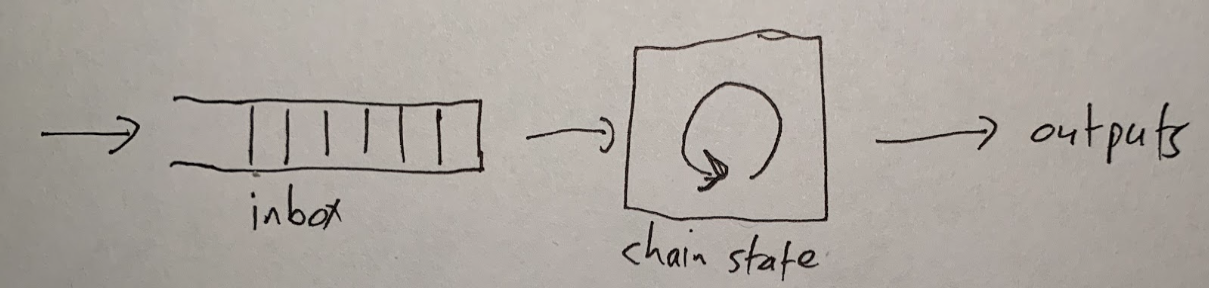
Original napkin sketch drawn by Arbitrum co-founder Ed Felten
People and contracts put messages into the inbox. The chain reads the messages one at a time and processes each one. This updates the chain's state and produces outputs.
If you want an Arbitrum chain to process a transaction for you, you need to put that transaction into the chain's inbox. Then the chain will see your transaction, execute it, and produce outputs: a transaction receipt and any withdrawals your transaction initiated.
Execution is deterministic—which means that the chain's behavior is uniquely determined by the contents of its inbox. Because of this, the result of your transaction is known as soon as it is put in the inbox. Any Arbitrum node can tell you the result. (And you can run an Arbitrum node yourself if you want.)
All the technical details in this document are related to this diagram. To get from this diagram to a full description of Arbitrum, we'll need to answer questions like these:
- Who keeps track of the inbox, chain state, and outputs?
- How does Arbitrum make sure that the chain state and outputs are correct?
- How can Ethereum users and contracts interact with Arbitrum?
- How does Arbitrum support Ethereum-compatible contracts and transactions?
- How are **ETH** and tokens transferred into and out of Arbitrum chains, and how are they managed while on the chain?
- How can I run my own Arbitrum node or validator?
For foundational concepts about the STF, see the [State Transition Function deep dive](/how-arbitrum-works/deep-dives/stf).
## Nitro's design: the four big ideas [#nitros-design-the-four-big-ideas]
The essence of Nitro, and its key innovations, lie in four big ideas. We'll list them here with a quick summary of each, then we'll unpack them in more detail in later sections.
- **Sequencing, followed by deterministic execution**: Nitro processes transactions with a two-phase strategy. First, the transactions are organized into a single ordered sequence, and Nitro commits to that sequence. Then the transactions are processed, in that sequence, by a deterministic State Transition Function.
- **Geth at the core**: Nitro supports Ethereum's data structures, formats, and virtual machine by compiling them into the core code of the popular go-ethereum ("Geth") Ethereum node software. Using Geth as a library in this way ensures a very high degree of compatibility with Ethereum.
- **Separating execution from proving**: Nitro compiles the same source code twice, once to native code for execution on a Nitro node, optimized for speed, and again to WASM for proving, optimized for portability and security.
- **Optimistic Rollup with interactive fraud proofs**: Nitro settles transactions on the Layer 1 Ethereum chain using an Optimistic Rollup protocol that includes interactive fraud proofs, pioneered by Arbitrum. The current dispute system, [BoLD](/how-arbitrum-works/bold/gentle-introduction), extends this with an all-vs-all, permissionless validation protocol that resolves disputes with a bounded delay (See "Resolving disputes using interactive fraud proofs").
## Sequencing, followed by deterministic execution [#sequencing-followed-by-deterministic-execution]
This diagram summarizes how transactions are processed in Nitro.
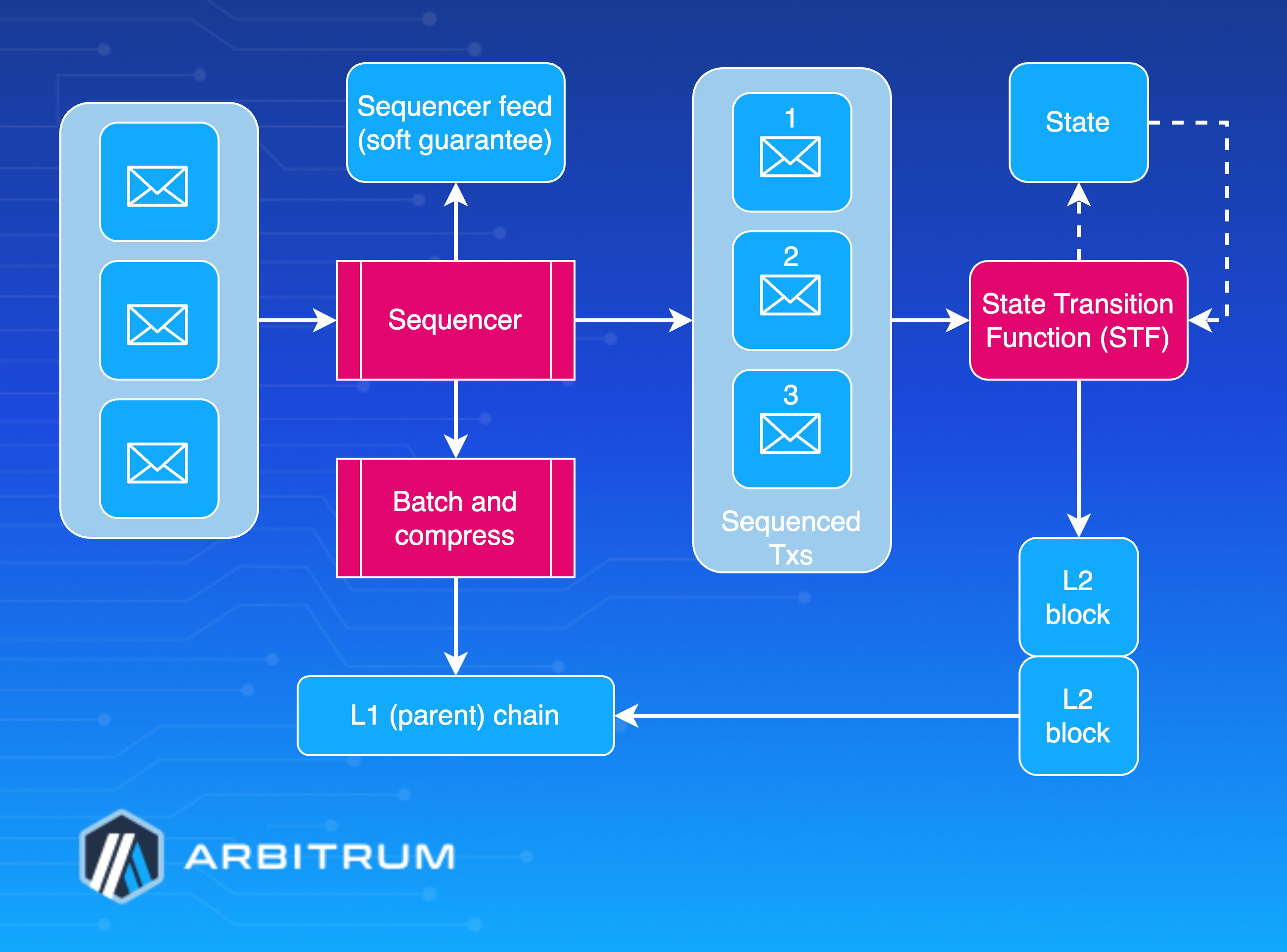
Let's [follow a user's transaction](/how-arbitrum-works/deep-dives/transaction-lifecycle) through this process.
First, the user creates a transaction, signs it with their wallet, and sends it to the Nitro chain's [Sequencer](/how-arbitrum-works/deep-dives/sequencer). The Sequencer's job, as its name implies, is to take the arriving transactions, put them into an ordered sequence, and publish that sequence.
Once the transactions are sequenced, they are run through the _state transition function_, one by one. The state transition function (STF) takes as input the current state of the chain (account balances, contract code, and so on) along with the next transaction. It updates the state and sometimes emits a new Layer 2 block on the Nitro chain.
Because the protocol doesn't trust the Sequencer not to put garbage into its sequence, the STF will detect and discard invalid (for example, improperly formed) transactions from the sequence. A well-behaved Sequencer will filter out invalid transactions so the STF never sees them—and this reduces cost and therefore keeps transaction fees low—but Nitro will still work correctly no matter what the Sequencer puts into its feed. (Transactions in the feed are signed by their senders, so the Sequencer can't create forged transactions.)
The State Transition Function is deterministic, which means that its behavior depends only on the current state and the contents of the next transaction—and nothing else. Because of this determinism, the result of a transaction `T` will depend only on the genesis state of the chain, the transactions before `T` in the sequence, and `T` itself.
It follows that anyone who knows the transaction sequence can compute the STF themselves, and all honest parties who do so will receive identical results. This is the normal way that Nitro nodes operate: get the transaction sequence and run the State Transition Function locally. No consensus mechanism is needed for this.
## How the Sequencer publishes the sequence [#how-the-sequencer-publishes-the-sequence]
So how do nodes get the sequence? The Sequencer publishes it in two ways:
- a real-time feed, and
- batches posted on L1 Ethereum
The real-time feed is published by the Sequencer, so anyone who subscribes receives instant notifications of each transaction as it is sequenced. Nitro nodes can subscribe to the feed directly from the Sequencer or via a relay that forwards it. The feed represents the Sequencer's promise to record transactions in a particular order. If the Sequencer is honest and doesn't have a long downtime, this promise will be kept. So anyone who trusts the Sequencer to keep its promises can rely on the feed to get instant information about the transaction sequence—and they can run the sequenced transactions through the State Transition Function to learn the results of each transaction immediately. This is "soft finality" for transactions; it's "soft" because it depends on the Sequencer keeping its promises.
On Arbitrum One, a second stream runs alongside the real-time feed. The [Fast Feed](/how-arbitrum-works/priority-gas-auction/fast-feed) is a paid, authenticated WebSocket stream that publishes each transaction as soon as the Sequencer orders and executes it, inside the Priority Gas Auction (PGA) round and before the block closes. The Sequencer publishes to the Fast Feed before it stores the transaction, so the block number each message carries is tentative. A Nitro node cannot follow the chain from the Fast Feed, and soft finality still comes from the real-time feed. The Fast Feed serves latency-sensitive readers, such as searchers and market makers, who want ordered transactions sooner.
The Sequencer also publishes its sequence on the L1 Ethereum chain. Periodically—perhaps every few minutes in production—the Sequencer concatenates the next group of transactions in the feed, compresses them for efficiency, and posts the results to Ethereum— as EIP-4844 blobs when the chain operator has enabled them, the parent chain supports them, and they are priced efficiently—otherwise as calldata. This is the final and official record of the transaction sequence. As soon as this Ethereum transaction reaches finality, the Layer 2 Nitro transactions it records will also have finality. These transactions are final because their positions in the sequence are final, and their outcomes are deterministic and knowable to any party. This is "hard finality."
The Sequencer's batches are compressed using the general-purpose Brotli data compression algorithm. Rather than always using the maximum compression level, the batch poster selects a Brotli level adaptively based on its backlog (the default at low backlog is the maximum level 11, dropping to faster, lower levels as the backlog grows).
## Geth at the core [#geth-at-the-core]
The second key design idea in Nitro is "Geth at the core." Here, "Geth" refers to [go-ethereum](/how-arbitrum-works/reference/geth), the most common node software for Ethereum. As its name would suggest, go-ethereum is written in the Go programming language, as is almost all of Nitro.
> **Note**
>
> In Ethereum's post-Merge architecture, Geth is an **execution client**: it runs the EVM and maintains state, working alongside a separate consensus client. Nitro doesn't run Geth as a standalone client—it compiles in Geth's execution core as a library (the "Geth sandwich" described below). Nitro also has no consensus client; the Sequencer and the Layer 1 Rollup protocol handle sequencing and finality instead.
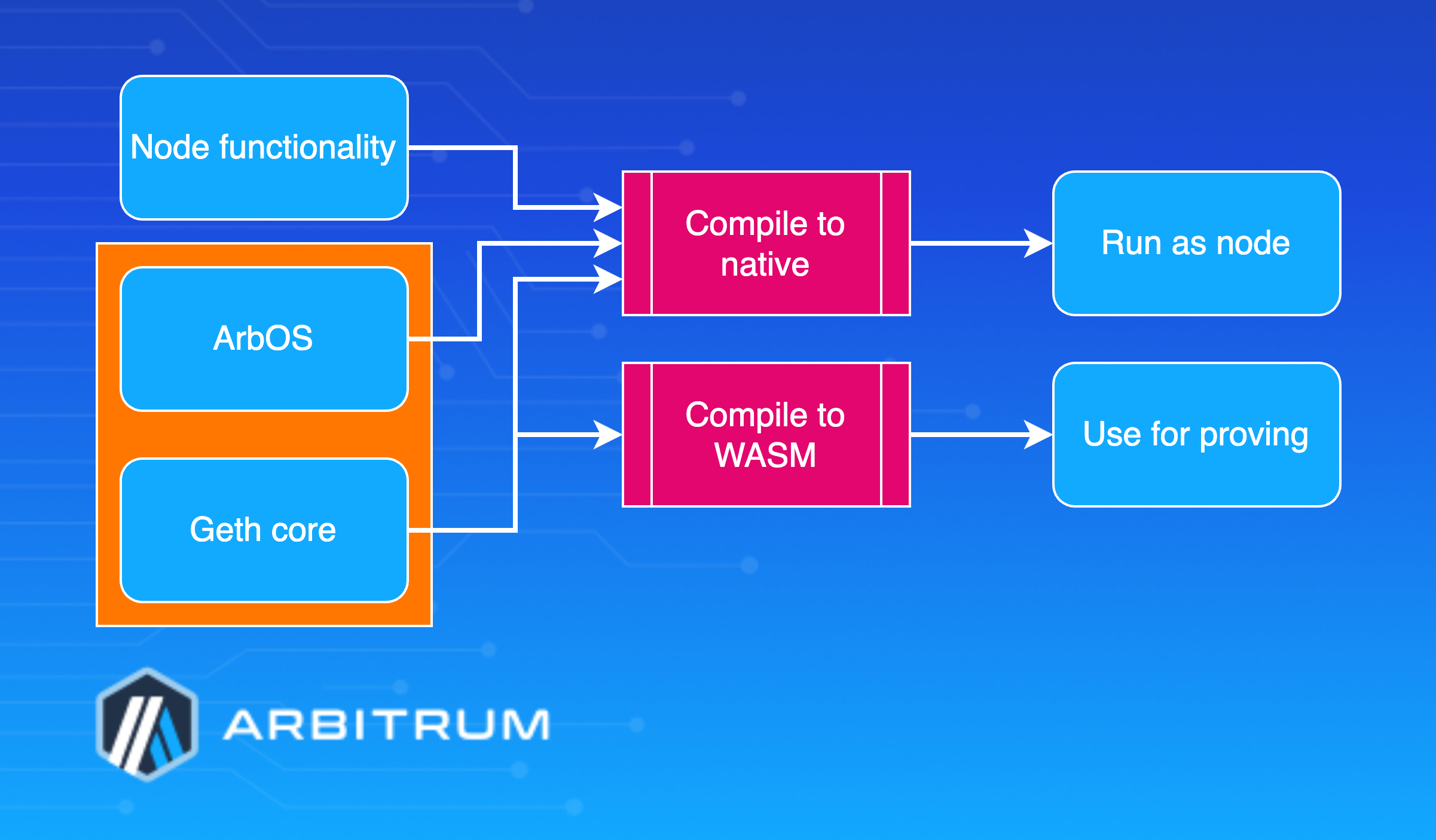
Geth sandwich
The software that makes up a Nitro node can be thought of as built in three main layers, which are shown above:
- The base layer is the core of Geth—the parts that emulate the execution of EVM contracts and maintain the data structures that comprise the Ethereum state. Nitro compiles in this code as a library, with a few minor modifications to add necessary hooks.
- The middle layer, which we call [ArbOS](/how-arbitrum-works/deep-dives/arbos), is custom software that provides additional functions associated with Layer 2 functionality, such as decompressing and parsing the Sequencer's data batches, accounting for Layer 1 gas costs and collecting fees to reimburse for them, and supporting cross-chain bridge functionalities such as deposits of Ether (**ETH**) and tokens from L1 and withdrawals of the same back to L1. We'll dig into the details of ArbOS below.
- The top layer consists of node software, mostly drawn from Geth. This handles connections and incoming RPC requests from clients and provides the other top-level functionality required to operate an Ethereum-compatible blockchain node.
Because the top and bottom layers rely heavily on code from Geth, this structure has been dubbed a "Geth sandwich." Strictly speaking, Geth plays the role of the bread in the sandwich, and ArbOS is the filling, but this sandwich is named for the bread.
The State Transition Function consists of the bottom Geth layer and a portion of the middle ArbOS layer. In particular, the STF is a designated function in the source code and implicitly includes all code that it calls. The STF takes as input the [bytes of a transaction received in the inbox](/how-arbitrum-works/reference/stf-inputs) and has access to a modifiable copy of the Ethereum state tree. Executing the STF may modify the state and, upon completion, emit the header of a new block (in Ethereum's block header format), which will be appended to the Nitro chain.
## Separating execution from proving [#separating-execution-from-proving]
One of the challenges in designing a practical rollup system is the tension between wanting the system to perform well in ordinary execution and reliably verifying its results. Nitro resolves this tension by using the same source code for both execution and proving, but compiling it to different targets for the two cases.
When compiling the Nitro node software for _execution_, the standard Go compiler produces native code for the target architecture, which will vary across node deployments. (The node software is distributed in source code form, and as a Docker image containing a compiled library.)
Separately, for proof, the State Transition Function portion of the code is compiled to WebAssembly (WASM), a typed, portable machine code format. The WASM code is then transformed into a format we call WAVM, as detailed below. If there is a dispute over the correct result of the STF computation, it is resolved to the WAVM code.
### WAVM [#wavm]
The WASM format has many features that make it a good vehicle for fraud proofs—it is portable, structured, well-specified, and has reasonably good tools and support—but it needs a few modifications to do the job completely. Nitro uses a modified version of WASM, which we call WAVM. A simple transformation stage turns the WASM code produced by the Go compiler into WAVM code suitable for proving.
WAVM differs from WASM in three main ways. First, WAVM removes some WASM features that the Go compiler does not generate; the transformation phase verifies that these features are not present.
Second, WAVM restricts a few WASM features. For example, WAVM does not contain floating-point instructions, so the transformer replaces floating-point instructions with calls to the Berkeley SoftFloat library. (We use software floating-point to reduce the risk of floating-point incompatibilities between architectures. The core Nitro functions never use floating-point, but the Go runtime does use some floating-point operations.)
WAVM does not contain nested control flow, so the transformer flattens control flow constructs, turning control flow instructions into jumps. Some WASM instructions take a variable amount of time to execute, which we avoid in WAVM by transforming them into constructs using fixed cost instructions. These transformations simplify proving.
Third, WAVM adds a few opcodes to enable interaction with the blockchain environment. For example, new instructions allow the WAVM code to read and write the chain's global state, to get the next message from the chain's inbox, or to signal a successful end to executing the State Transition Function.
### `ReadPreImage` and the hash oracle trick [#readpreimage-and-the-hash-oracle-trick]
The most interesting new instruction is `ReadPreImage`, which takes as input a hash `H` and an offset `I`, and returns the word of data at offset `I` in the preimage of `H` (and the number of bytes written, which is zero if `I` is at or after the end of the preimage). Of course, it is not feasible in general to produce a preimage from an arbitrary hash. For safety, the `ReadPreImage` instruction can only be used in a context where the preimage is publicly known, and its size is bounded. For the original Keccak-hashed uses (described below), this bound is on the order of 100 kbytes; other preimage types have their own bounds, for example, an EIP-4844 blob preimage is exactly one blob (about 128 kbytes).
(In this context, "publicly known" information is information that can be derived or recovered efficiently by any honest party, assuming that the full history of the L1 Ethereum chain is available. For convenience, a hash preimage can also be supplied by a third party, such as a public server, and the correctness of the supplied value is easily verified.)
For example, the state of a Nitro chain is maintained in Ethereum's state tree format, organized as a Merkle tree. Nodes of the tree are stored in a database, indexed by each node's Merkle hash. In Nitro, the state tree is kept outside of the State Transition Function storage, with the STF only knowing the root hash of the tree. Given the hash of a tree node, the STF can recover the tree node's contents by using `ReadPreImage`, relying on the fact that the full contents of the tree are publicly known and the nodes in the Ethereum state tree will always be smaller than the upper bound on preimage size. In this manner, the STF can arbitrarily read and write to the state tree, even though it stores only the root hash.
`ReadPreImage` is also used to fetch the contents of recent L2 block headers, given the header hash. This is safe because the block headers are publicly known and have a bounded size. Since the original design, the `ReadPreImage` hash has expanded to support multiple preimage types beyond just Keccak hashes. The prover today recognizes four: Keccak-256 (used for the state tree and block headers above), SHA-256, and Ethereum versioned hash (the KZG commitment of an EIP-4844 blob, used when batch data is posted as blobs and verified with a KZG proof), and a Data Availability Certificate hash (used by AnyTrust chains). In every case, the same safety conditions hold: the preimage is publicly recoverable and of bounded size.
The "hash oracle trick" of storing the Merkle hash of a data structure and relying on protocol participants to store the full structure to support fetch-by-hash of its contents dates back to the original Arbitrum design.
## Optimistic Rollup [#optimistic-rollup]
Arbitrum is an Optimistic Rollup. Let's unpack what that means.
#### Rollup [#rollup]
Arbitrum is a Rollup, which means that the inputs to the chain—the messages that are put into the inbox—are all recorded on the Ethereum chain as EIP-4844 blobs or as calldata if blobs are unavailable. Because of this, everyone has the information they need to determine the chain's current state—they have the full history of the inbox, and the results are uniquely determined by that history, so they can reconstruct the chain's state based on public information, if needed.
This also allows anyone to participate in the Arbitrum protocol by running an Arbitrum node or serving as a validator. Nothing about the chain's history or state is a secret.
#### Optimistic [#optimistic]
Arbitrum is optimistic, meaning that it advances the state of the chain by allowing any party (a "validator") to post an assertion on Layer 1 that the party claims is correct, and then giving everyone else a chance to challenge that claim. If the challenge period (6.4 days) passes and no one challenges the claimed assertion, Arbitrum confirms it as correct. If someone challenges the claim during the challenge period, Arbitrum uses an efficient dispute-resolution protocol (detailed below) to determine which party is lying. The liar forfeits its bond. Those bonds are sent to addresses the chain owner configures (`loserStakeEscrow` on the Rollup contract and `excessStakeReceiver` on the challenge manager; new chains default both to the chain owner).
Because a party that tries to cheat will lose a deposit, attempts to cheat should be very rare, and the normal case will be a single party posting a correct assertion, and nobody challenging it.
## Resolving disputes using interactive fraud proofs [#resolving-disputes-using-interactive-fraud-proofs]
Among optimistic rollups, the most important design decision is how to resolve disputes. Suppose Alice claims that the chain will produce a certain result, and Bob disagrees. How will the protocol decide which version to accept?
There are basically two choices: interactive proving, or re-executing transactions. Arbitrum uses interactive proving, which we believe is more efficient and more flexible. Much of Arbitrum's design follows from this fact.
### Interactive proving [#interactive-proving]
The idea of interactive proving is that Alice and Bob will engage in a back-and-forth protocol, mediated by an L1 contract, to resolve their dispute with minimal work required from the L1 contract.
Arbitrum's approach is to dissect the dispute. If Alice's claim covers `N` steps of execution, she posts two claims of size `N/2`, which combine to yield her initial `N`-step claim, then Bob picks one of Alice's `N/2`-step claims to challenge.
Now the size of the dispute has been cut in half. This process continues, cutting the dispute in half at each stage, until they are disagreeing about a single step of execution. Note that so far, the L1 mediator hasn't had to think about execution "on the merits." It is only once the dispute is narrowed down to a single step that the L1 mediator needs to resolve the dispute by looking at what the instruction actually does and whether Alice's claim about it is correct.
The key principle behind interactive proving is that, if Alice and Bob are in a dispute, they should do as much offchain work as possible to resolve it, rather than delegating it to an L1 contract.
### Re-executing transactions [#re-executing-transactions]
The alternative to interactive proving would be to have an assertion include a claimed machine-state hash after each individual transaction. Then, in case of a dispute, the L1 mediator would emulate the execution of an entire transaction to see whether the outcome matches Alice's claim.
### Why interactive proving is better [#why-interactive-proving-is-better]
We strongly believe that interactive proving is the superior approach, for the following reasons:
- **More efficient in the optimistic case**: Because interactive proving can resolve disputes that are larger than one transaction, it can allow an assertion to contain only a single claim about the end state of the chain after all of the execution covered by the assertion. By contrast, re-executing requires posting a state claim for each transaction within the assertion. With hundreds or thousands of transactions per assertion, this is a substantial difference in L1 footprint—and L1 footprint is the main component of cost.
- **More efficient in the pessimistic case**: In the case of a dispute, interactive proving requires the L1 mediator contract only to check that Alice and Bob's actions "have the right shape," for example, that Alice has divided her `N`-step claim into two claims half as large. (The mediator doesn't need to evaluate the correctness of Alice's claim—Bob does that, offchain.) Only one instruction needs to be re-executed. By contrast, re-execution requires the L1 mediator to emulate the execution of an entire transaction.
- **High per-transaction gas limit**: Interactive proving can escape from Ethereum's tight per-transaction gas limit. The gas limit isn't infinite, for practical reasons, but it can be larger than on Ethereum. As far as Ethereum is concerned, the only downside of a gas-heavy Arbitrum transaction is that it may require an interactive fraud proof with slightly more steps (and only if indeed it is fraudulent). By contrast, re-execution must impose a _lower_ gas limit than Ethereum, because it must be possible to emulate execution of the transaction (which is more expensive than executing it directly) within a single Ethereum transaction.
- **More implementation flexibility**: Interactive proving allows more flexibility in implementation. All that is necessary is the ability to verify a one-step proof on Ethereum. By contrast, re-execution approaches are constrained by the EVM's limitations.
### Interactive proving drives Arbitrum's design [#interactive-proving-drives-arbitrums-design]
Much of Arbitrum's design is driven by the opportunities enabled by interactive proving. If you're reading about some feature of Arbitrum, and you're wondering why it exists, two good questions to ask are: "How does this support interactive proving?" and "How does this take advantage of interactive proving?" The answers to most "why questions" about Arbitrum relate to interactive proving.
## Arbitrum Rollup protocol [#arbitrum-rollup-protocol]
Before diving into the rollup protocol, there are two things we need to cover.
First, _if you're an Arbitrum user or developer, you don't need to understand the rollup protocol_. You don't ever need to think about it, unless you want to. Your relationship with it can be like a train passenger's relationship with the train's engine: you know it exists, you rely on it to keep working, but you don't spend your time monitoring it or studying its internals.
You're welcome to study, observe, and even participate in the rollup protocol, but you don't need to, and most people won't. So if you're a typical train passenger who just wants to read or talk to your neighbor, you can skip right to the next section of this document. If not, read on!
The second thing to understand about the rollup protocol is that it _doesn't determine transaction results; it only confirms them_. The results are uniquely determined by the sequence of messages in the chain's inbox. So once your transaction message is in the chain's inbox, its result is knowable—and Arbitrum nodes will report that your transaction is complete. The role of the rollup protocol is to confirm transaction results that, as far as Arbitrum users are concerned, have already occurred. (This is why Arbitrum users can effectively ignore the rollup protocol.)
You might wonder why we need the rollup protocol. If everyone already knows the results of transactions, why bother confirming them? The rollup protocol exists for two reasons. First, somebody might lie about a result, and we need a definitive, trustless way to tell who is lying. Second, Ethereum doesn't know the results. The whole point of a Layer 2 scaling system is to run transactions without Ethereum needing to do all the work—and indeed, Arbitrum can go fast enough that Ethereum couldn't hope to monitor every Arbitrum transaction. But once a result is confirmed, Ethereum knows it and can rely on it, enabling operations such as processing withdrawals of funds from Nitro back to L1.
With those preliminaries behind us, let's jump into the details of the rollup protocol.
The parties that participate in the protocol are called _validators_. Some validators choose to be bonders—they place a deposit that they can recover if they're not caught cheating. In the common case, it's expected that only one validator will be bonded, since as long as it's staked on the current outcome, and there are no conflicting claims, there's no need for other parties to bond or take any action.
With the deployment of BoLD, validation is permissionless: anyone can post an assertion, bond, and defend the chain. (A chain may still keep an optional validator allowlist enabled as a safety measure during early stages; this is a toggle in the rollup contracts, not a requirement of the protocol.) "Watchtower validators," who monitor the chain but don't take any onchain actions, can be run permissionlessly (see "validators" below).
The key security property of the rollup protocol is that any one honest validator can force the correct execution of the chain to be confirmed. This means that executing an Arbitrum chain is as trustless as executing an Ethereum chain. You, and you alone (or someone you hire), can ensure your transactions are processed correctly. And this is true no matter how many malicious people are trying to stop you. Under BoLD, this guarantee comes with a [_bounded delay_](/how-arbitrum-works/bold/bold-technical-deep-dive): a single honest party can force confirmation of the correct outcome with a known, fixed amount of time, regardless of how many adversaries participate or how much they place as bond.
### The Rollup chain [#the-rollup-chain]
The rollup protocol tracks a chain of claims about the L2 state—we'll call these [assertions](/how-arbitrum-works/deep-dives/assertions). They're not the same as Layer 1 Ethereum blocks, and also not the same as Layer 2 (Nitro) blocks. You can think of these assertions as forming a tree of claims about the chain's history, which the Arbitrum Rollup Protocol manages and oversees.
Validators can propose assertions. A new assertion is initially unresolved. Eventually, every assertion will be _resolved_ by being either _confirmed_ or _rejected_. The confirmed assertions constitute the chain's confirmed history.
Each assertion contains, among other things:
- The predecessor assertion it builds on (the last assertion before this one that is claimed to be correct)
- The number of L2 blocks that have been created in the chain's history
- The number of inbox messages that have been consumed in the chain's history
- A commitment to the state and outputs produced over the chain's history
Except for its position in the tree, the contents of an assertion are all just claims by its proposer. Arbitrum doesn't know at first whether they are correct. If they are correct, the protocol should eventually confirm the assertion. If they are incorrect, the protocol should eventually reject them.
An assertion implicitly claims that its predecessor is correct, and therefore, transitively, that a complete history of the chain reaching back to its genesis is correct. It also implicitly claims that any rival assertion—a different assertion sharing the same predecessor—is incorrect.
In the normal case, only correct assertions are proposed. If an assertion has no rival and its challenge period elapses, it is confirmed. If two or more rival assertions exist, they are resolved by a challenge (described below), and the assertions descending from the losing side are rejected. The crucial property of BoLD is that this resolution completes with a bounded delay, no matter how many rival assertions a malicious party creates.
### Bonding [#bonding]
At any given time, some validators will be bonders, and some will not. To propose an assertion, a validator must put up a [bond held by the Arbitrum Layer 1 contracts](/how-arbitrum-works/bold/bold-economics-of-disputes), which will be confiscated if the assertion is proven false. The bond is denominated in an **ERC-20** token configured for the chain—on Arbitrum One, this is **WETH**—so, in practice, stakers post **ETH**-denominated value.
A validator who agrees with the current confirmed history and proposes a correct successor assertion stays bonded on it until it is confirmed, at which point the bond can be withdrawn. A validator whose assertion is rejected forfeits its bond.
When a dispute arises, the challenge game itself is played over _edges_ (see "Challenges"), and creating an edge requires posting a small additional _mini-bond_ at each level of the dispute. Because only one assertion in a set of rivals can ever be confirmed, the protocol only needs to retain a single mini-bond per level; the redundant bonds posted by rivals can be released to a designated excess-bond receiver.
Under BoLD, the bond required to propose an assertion and the mini-bonds required to participate in a challenge are fixed parameters of the chain (the per-level mini-bond amounts are configured in the challenge manager). There is no exponential escalation tied to confirmation delay, because BoLD's bounded-delay guarantee removes the delay-attack incentive that the escalation was designed to counter: an adversary can't push out confirmation by piling on false stakes, so there is no need to raise the price of doing so over time.
### Rules for confirming or rejecting [#rules-for-confirming-or-rejecting]
The rules for resolving assertions are straightforward.
An assertion can be confirmed if:
- Its predecessor is the latest confirmed assertion, and
- Its challenge period has elapsed, and
- It has no rival (no competing assertions share its predecessor), **or** the challenge among the rivals has been resolved in its favor via the edge protocol
An assertion is rejected if its predecessor is rejected, or if a rival assertion wins the challenge between them.
A consequence of these rules is that a lone, unrivaled assertion is confirmed once its time elapses—no challenge is ever needed in the common, honest case. When two or more rival assertions exist, the disagreement is settled by a challenge. It's time to look at how those work.
### Challenges [#challenges]
Suppose two (or more) rival assertions have been posted, sharing the same predecessor. They make conflicting claims about the chain's history, so at most one of them can be correct.
Whenever rival assertions exist, anyone—not just the proposers—can open a challenge. The rollup protocol records the challenge and mediates it via the **Edge Challenge Manager**, eventually confirming the correct side and allowing the losing side's bond to be confiscated.
A challenge is played over the _edges_. An edge is a claim that the machine can advance from one state to another over some range of steps. Each participant who wants to defend a position creates a _layer-zero edge_ (posting a mini-stake) and then [**bisects**](/how-arbitrum-works/bold/how-bold-bisection-works) it by posting the claimed midpoint state, splitting the edge into two half-size child edges. Rivals do the same to their own edges. Because the protocol is all-vs-all, many edges can be developed in parallel, and, crucially, the honest participant only needs to keep bisecting towards the truth—it does not need a specific opponent to "take a turn." Each edge accumulates time only while it is _unrivaled_; an edge whose unrivaled timer reaches the challenge period is confirmable. This is how BoLD bounds the total delay: an adversary can create rivals, but doing so does not buy unbounded time.
Dissection proceeds across several levels—first over Layer 2 blocks, then over progressively finer ranges of WAVM instructions (a block level, one or more big-step levels, and a small-step level)—until an edge represents a single step of execution. The final edge is confirmed by a **one-step proof**, checked onchain by the one-step proof entry contract, which determines who was telling the truth about that one instruction.
The two subsections below give the classic two-party intuition for _why_ dissection works. They describe a simplified Alice-vs-Bob game; in BoLD, the same logic applies, generalized so that any number of parties can compete and the honest party always has a winning line of play.
#### Dissection protocol: simplified version [#dissection-protocol-simplified-version]
Alice is defending the claim that, starting from the state in the predecessor assertion, the Virtual Machine can advance to the state specified in her assertion. Essentially, she is claiming that the Virtual Machine can execute `N` instructions, and that the execution will consume `M` inbox messages and transform the hash of outputs from `H'` to `H`.
Alice's first move requires her to dissect her claims about intermediate states between the beginning (0 instructions executed) and the end (`N` instructions executed). So we require Alice to divide her claim in half, and post the state at the halfway point, after `N/2` instructions have been executed.
Now Alice has effectively bisected her `N`-step assertion into two (`N/2`)-step assertions. Bob has to point to one of those two half-size assertions and claim it is wrong.
At this point, we're effectively back in the original situation: Alice having made an assertion that Bob disagrees with. But we have cut the size of the assertion in half, from `N` to `N/2`. We can apply the same method again, with Alice bisecting and Bob choosing one of the halves, to reduce the size to `N/4`. And we can continue bisecting, so that after a logarithmic number of rounds, Alice and Bob will be disagreeing about a single step of execution. That's where the dissection phase of the protocol ends, and the disputed single step is settled by a one-step proof, which is checked onchain by the one-step proof entry contract.
### Why does dissection correctly identify a cheater? [#why-does-dissection-correctly-identify-a-cheater]
Before discussing the complexities of the real challenge protocol, let's pause to understand why the simplified version is correct. Here, correctness means two things: (1) if Alice's initial claim is correct, Alice can always win the challenge, and (2) if Alice's initial claim is incorrect, Bob can always win the challenge.
To prove (1), observe that if Alice's initial claim is correct, she can offer a truthful midpoint claim, and both of the implied half-size claims will be correct. So whichever half Bob objects to, Alice will again be in the position of defending a correct claim. At each stage of the protocol, Alice will be defending a correct claim. At the end, Alice will have a correct one-step claim to prove, so that claim will be provable, and Alice can win the challenge.
(If you're a stickler for mathematical precision, it should be clear how these arguments can be turned into proofs by induction on `N`.)
#### The real decision protocol [#the-real-decision-protocol]
The real dissection protocol is conceptually similar to the simplified one described above, but with several changes that improve efficiency, enable permissionless all-vs-all play, and deal with necessary corner cases. Here is a list of the differences:
- **Dissection over L2 blocks, then over instructions**: An assertion asserts the result of creating some number of Layer 2 Nitro blocks. Dissection first occurs over these Layer 2 blocks to narrow the dispute down to a single Layer 2 Nitro block. At that point, the dispute becomes about a single execution of the State Transition Function—i.e., the execution of a sequence of WAVM instructions—and the recursive dissection sub-protocol runs again over WAVM instructions (across a block level, one or more big-step levels, and a small-step level) to narrow the dispute to a single instruction. The dispute concludes with a one-step proof of a single instruction (or a party failing to act and losing on time).
- **Binary bisection**: Each edge is split into two half-size child edges by posting a single midpoint claim. (The classic protocol generalizes this to K-way dissection; BoLD uses straightforward binary bisection).
- **All-vs-all, not turn-based**: Rather than two players alternating moves, any number of participants may create and bisect edges. Each edge accrues time only while it is _unrivaled_; as soon as a rival edge appears (one sharing the same start commitment and level—its "mutual ID"), the timer stops. The honest participant defends by continuing to bisect toward the truth; it never has to wait for a specific opponent to move. This is what lets a single honest party guarantee the correct outcome, no matter how many adversaries join, and within a bounded delay.
- **Deal with the Empty-Inbox case**: The machine can't always execute `N` steps without getting stuck. It might halt, or it might have to wait because its inbox is exhausted, so it can't go on until more messages arrive. The protocol, therefore, allows a challenger to claim that the specified amount of execution is not possible under the current conditions, rather than being forced to assert a concrete end state.
- **Time limits**: Confirmation is governed by per-edge, unrivaled timers measured against a challenge period (6.4 days), and the protocol limits the total time to confirmation. A participant who stops responding while behind will lose once the relevant time elapses.
It should be clear that these changes don't affect the basic correctness of the challenge protocol. They do, however, improve their efficiency, make validation permissionless, and bound the worst-case delay.
#### Efficiency [#efficiency]
The challenge protocol is designed so that the dispute can be resolved with a minimum of work required by the protocol (via its Layer 1 Ethereum contracts) in its role as mediator. When a participant bisects an edge, the protocol only needs to track timing and ensure the move "has the right shape"—for example, that a bisection posts a properly positioned midpoint. The protocol doesn't need to verify whether those claims are correct.
The only point where the protocol needs to evaluate a move "on the merits" is at the one-step proof, where it examines the proof and determines whether it establishes that the virtual machine moves from the before state to the claimed after state after one step of computation.
#### Validators [#validators]
Some Arbitrum nodes will choose to act as _validators_. This means they monitor the progress of the rollup protocol and participate in it to advance the chain's state securely.
Not all nodes will choose to do this. Because the rollup protocol doesn't decide what the chain will do but merely confirms the correct behavior, which is fully determined by the inbox messages, a node can ignore the rollup protocol and compute the correct behavior itself. For more on what such nodes might do, see the Full Nodes section.
Offchain Labs provides open source validator software, including a pre-built Docker image.
Every validator can choose its own approach, but we expect validators to follow three common strategies:
- The _active validator_ strategy tries to advance the state of the chain by proposing new assertions. An active validator is always staked, since creating an assertion requires staking. A chain really only needs one honest active validator; any more is an inefficient use of resources. For the Arbitrum One chain, Offchain Labs runs an active validator.
- The _defensive validator_ strategy watches the rollup protocol operate. If only correct assertions are proposed, this strategy doesn't stake. But if an incorrect assertion is proposed, this strategy intervenes by posting a correct assertion or staking on a correct assertion posted by another party. This strategy avoids staking when things are going well, but if someone is dishonest, it stakes in order to defend the correct outcome.
- The _watchtower validator_ strategy never stakes. It watches the rollup protocol and, if an incorrect assertion is proposed, raises the alarm (by whatever means it chooses) so others can intervene. This strategy assumes that other parties willing to stake will intervene to take some of the dishonest proposer's stake, and that this can occur within the challenge period. (In practice, this will allow several days for a response.)
Under normal conditions, validators using the defensive and watchtower strategies won't do anything except observe. A malicious actor considering whether to try cheating won't be able to tell how many defensive and watchtower validators are operating incognito. Perhaps some defensive validators will announce themselves, but others probably won't, so a would-be attacker will always have to worry that defenders are waiting to emerge.
With BoLD, validation is permissionless—anyone can propose an assertion, stake, and defend the correct chain. A chain may still keep an optional validator allowlist enabled for safety during the early stages, but this is a configurable toggle rather than a protocol property.
Who will be validators? Anyone can do it, but most people will choose not to. In practice, we expect people to validate a chain for several reasons.
- Validators could be paid for their work by the party that created the chain or someone else. A chain could be configured so that a portion of user transaction fees is paid directly to validators.
- Parties with significant assets at stake on a chain, such as app developers, exchanges, power users, and liquidity providers, may choose to validate to protect their investments.
- Anyone who chooses to validate can do so. Some users will probably choose to validate to protect their own interests or simply to be good citizens. But ordinary users don't need to validate, and we expect the vast majority won't.
## ArbOS [#arbos]
ArbOS is a trusted "system glue" component that runs on Layer 2 as part of the State Transition Function. ArbOS provides functions needed for a Layer 2 system, such as cross-chain communication, resource accounting, Layer 2-related fee economics, and chain management.
### Why ArbOS? [#why-arbos]
In Arbitrum, most of the work that would otherwise be done at Layer 1 is handled by ArbOS, performing these functions at the speed and low cost of Layer 2.
Supporting these functions in Layer 2 trusted software, rather than building into the L1-enforced rules of the architecture as Ethereum does, offers significant advantages in cost because these operations can benefit from the lower cost of computation and storage at Layer 2, instead of having to manage those resources as part of Layer 1 contracts. Having a trusted operating system at Layer 2 also offers significant advantages in flexibility, because Layer 2 code is easier to evolve or customize for a particular chain than a Layer-1-enforced architecture would be.
## Full nodes [#full-nodes]
As the name suggests, full nodes in Arbitrum play the same role as full nodes in Ethereum: they know the state of the chain, and provide an API that others can use to interact with.
Arbitrum full nodes normally "live at Layer 2," which means that they don't worry about the rollup protocol but simply treat their Arbitrum chain as a mechanism that feeds inbox messages to the State Transition Function to evolve the Layer 2 chain and produce outputs.
## The Sequencer [#the-sequencer]
The Sequencer is a specially designated full node granted limited power to control transaction ordering. This allows the Sequencer to guarantee the results of user transactions immediately, without waiting for anything to happen on Ethereum. So no need to wait five minutes or so for blocks—and no need to even wait 12-15 seconds for Ethereum to make a block.
Clients interact with the Sequencer exactly the same way they would with any full node, for example, by giving their wallet software a network URL that points to the Sequencer.
Currently, the Sequencer on the Arbitrum One and Arbitrum Nova chains is run by Offchain Labs.
### Instant confirmation [#instant-confirmation]
Without a Sequencer, a node can predict what the results of a client transaction will be, but the node can't be sure, because it can't know or control how the transaction it submits will be ordered in the inbox, relative to transactions submitted by other nodes.
The Sequencer is given greater control over ordering, allowing it to assign its clients' transactions positions in the inbox queue, thereby ensuring it can determine the results of those transactions immediately. The Sequencer's power to reorder has limits, set by the chain's transaction ordering policy (see "Transaction ordering" below), but it does have more power than anyone else to influence transaction ordering.
### Inboxes, fast and slow [#inboxes-fast-and-slow]
When we add a Sequencer, the inbox's operation changes.
- Only the Sequencer can put new messages directly into the inbox. The Sequencer tags the messages it is submitting with an Ethereum block number and timestamp. (ArbOS ensures that these are non-decreasing, adjusting them upward if necessary to avoid decreases.)
- Anyone else can submit a message, but messages submitted by non-Sequencer nodes will be put into the "Delayed Inbox" queue, which is managed by an L1 Ethereum contract.
- Messages in the delayed inbox queue will wait there until the Sequencer chooses to "release" them into the main inbox, where they will be added to the end of the inbox. A well-behaved Sequencer typically releases delayed messages after about 10 minutes, as explained below.
- Alternatively, if a message has been in the delayed inbox queue for longer than the maximum delay interval (currently 24 hours on Arbitrum One), anyone can force it to be promoted to the main inbox. (This ensures that the Sequencer can only delay messages but can't censor them.)
### If the Sequencer is well-behaved... [#if-the-sequencer-is-well-behaved]
A well-behaved Sequencer will accept transactions from all requesters and treat them fairly, providing each requester with the promised transaction result as quickly as possible.
It will also minimize the delay it imposes on non-Sequencer transactions by promptly releasing delayed messages, consistent with the goal of providing strong guarantees of transaction results. Specifically, if the Sequencer believes that 40 confirmation blocks are needed to have high confidence in finality on Ethereum, it will release delayed messages after 40 blocks. This is enough to ensure that the Sequencer knows exactly which transactions will precede its current transactions, because those preceding transactions have finality. There is no need for a benign Sequencer to delay non-Sequencer messages more than that, so it won't.
This means transactions that go through the delayed inbox will take longer to achieve finality. Their time to finality will roughly double, because they will have to wait one finality period for promotion, then another finality period for the Ethereum transaction that promoted them to achieve finality.
This is the basic tradeoff of having a Sequencer: if your message uses the Sequencer, finality is `C` blocks faster; but if your message doesn't use the Sequencer, finality is `C` blocks slower. This is usually a good trade-off, because most transactions will use the Sequencer, and the practical difference between instant and 10-minute finality is larger than that between 10-minute and 20-minute finality.
So a Sequencer is generally a win if it's well-behaved.
### If the Sequencer is malicious... [#if-the-sequencer-is-malicious]
A malicious Sequencer, on the other hand, could cause some pain. If it refuses to handle your transactions you're forced to go through the delayed inbox, with a longer delay. And a malicious Sequencer has great power to front-run everyone's transactions, thereby profiting greatly at users' expense.
PGA does not widen that power. The mempool stays private, and PGA gives nobody—including bidders—the right to view or reorder another user's transactions, so Arbitrum's protections against harmful MEV are unchanged.
On Arbitrum One, Offchain Labs currently runs a Sequencer, which is well-behaved—we promise! This will be useful, but it's not decentralized. Over time, we'll switch to decentralized sequencing, as described below.
Because the Sequencer will be run by a trusted party at first and later decentralized, we haven't built in a mechanism to directly punish a misbehaving Sequencer: we're asking users to trust the centralized Sequencer at first, until we switch to decentralized sequencing later.
### Transaction ordering: PGA, and the road to decentralized sequencing [#transaction-ordering-pga-and-the-road-to-decentralized-sequencing]
The Sequencer still controls transaction ordering, but the rule it follows is a configurable transaction ordering policy. Arbitrum One uses [Priority Gas Auctions (PGA)](/how-arbitrum-works/priority-gas-auction/pga): you bid for ordering by setting `maxPriorityFeePerGas` on a standard EIP-1559 transaction, and the Sequencer sorts by that priority fee in short rounds that run several times per block. On Arbitrum One, the block time is 250ms and each block holds two rounds, so a round lasts 125ms. An anti-starvation boost raises the queue position of transactions still waiting at the end of a round, so a transaction that pays no priority fee is still included within a small number of blocks. The boost changes position only, never the fee charged.
To configure PGA on your Arbitrum chain, see [PGA for Arbitrum chains](/launch-arbitrum-chain/chain-config/sequencer/pga).
An ordering policy has limits worth stating plainly. PGA allocates ordering through an open, per-transaction fee competition layered on top of the existing Sequencer. It is **not** a decentralized or "fair-ordering" Sequencer, and it does not, by itself, remove trust in the Sequencer operator. The Sequencer on Arbitrum One is still a single node run by Offchain Labs.
Truly decentralized sequencing—replacing the single Sequencer with a committee that establishes ordering as long as a supermajority is honest—remains an active research and engineering direction rather than a shipped feature. Research by a team at Cornell Tech, including Offchain Labs co-founder Steven Goldfeder, produced an early decentralized fair-ordering algorithm, and ideas in that lineage continue to inform the longer-term design. An ordering policy sits above this layer: decentralized sequencing changes who enforces the ordering rules, not the rules themselves.
## Bridging [#bridging]
We have already covered how users interact with L2 contracts—they submit transactions by putting messages into the chain's inbox, or having a full node Sequencer or aggregator do so on their behalf. Let's talk about how contracts interact between L1 and L2—how an L1 contract calls an L2 contract, and vice versa.
The L1 and L2 chains run asynchronously, so it is not possible to make a cross-chain call that produces a result within the same transaction as the caller. Instead, cross-chain calls must be asynchronous: the caller submits the call at some point, and it runs later. As a consequence, a cross-chain contract-to-contract call can never produce a result available to the calling contract (except for an acknowledgement that the call was successfully submitted for later execution).
### L1 contracts can submit L2 transactions [#l1-contracts-can-submit-l2-transactions]
An L1 contract can [submit an L2 transaction](/how-arbitrum-works/deep-dives/l1-to-l2-messaging), just like a user would, by calling the Nitro chain's inbox contract on Ethereum. This L2 transaction will run later, producing results that will not be available to the L1 caller. The transaction will execute at L2, but the L1 caller won't be able to see any results from the L2 transaction.
The advantage of this method is that it is simple and has relatively low latency. The disadvantage compared to the other method we'll describe soon is that the L2 transaction might revert if the L1 caller doesn't set the L2 gas price and max gas amount correctly. Because the L1 caller can't see the result of its transaction, it can't be absolutely sure that its L2 transaction will succeed.
This would introduce a serious problem for certain types of L1-to-L2 interactions. Consider a transaction that [deposits a token on L1](/how-arbitrum-works/deep-dives/token-bridging) and makes it available at some address on L2. If the L1 side succeeds, but the L2 side reverts, you've just sent some tokens to the inbox contract that are unrecoverable on either L2 or L1. Not good.
### L1-to-L2 message-based transactions [#l1-to-l2-message-based-transactions]
Fortunately, we have another method for L1-to-L2 calls that is more robust against gas-related failures and uses a message-based system. The idea is that an L1 contract can submit a "retryable" transaction and generate a `ticketID`. The Nitro chain will try to run that transaction. If the transaction succeeds, nothing else needs to happen. But if the transaction fails, anyone can call a special precompiled contract at L2 later, passing in the `ticketID`, to try redeeming the message and re-executing the transaction.
When saving a transaction for retry, Nitro records the sender's address, destination address, callvalue, and calldata. All of this is saved, and the callvalue is deducted from the sender's account and (logically) attached to the saved transaction.
If the redemption succeeds, the transaction is completed, a receipt is issued, and the `ticketID` is canceled and can't be used again. If the redemption fails, for example, because the packaged transaction fails, the redemption reports failure, and the `ticketID` remains available for redemption.
Normally, the original submitter tries to ensure their transaction succeeds immediately, so it never needs to be recorded or retried. For example, our "token deposit" use case above should, in the happy, common case, still require only a single user signature. If this initial execution fails, the `ticketID` will still exist as a backstop, which others can redeem later.
Submitting a transaction in this way incurs a fee in **ETH**, which the submitter must pay and varies based on the transaction's calldata size. Once submitted, the message is valid for about a week. If the message is not redeemed within that period, it is deleted.
When the message is redeemed, the pre-packaged transaction runs with sender and origin set to the L2 alias of the original submitter's L1 address, and with destination, callvalue, and calldata set to the values the submitter provided at the time of submission.
This mechanism is a bit more cumbersome than ordinary L1-to-L2 transactions, but it has the advantage that the submission cost is predictable and the message will always be available for redemption if the submission cost is paid. As long as there is a user willing to redeem the message, the L2 transaction will eventually be executed and will not be silently dropped.
### L2-to-L1 message-based calls [#l2-to-l1-message-based-calls]
Calls from L2-to-L1 operate similarly, using a message-based system. An L2 contract can call a method of the precompiled ArbSys contract to [send a transaction to L1](/how-arbitrum-works/deep-dives/l2-to-l1-messaging). When the execution of the L2 transaction containing the submission is confirmed at L1 (some days later), a message is created in the L1 outbox contract. That message can be triggered by anyone who calls a certain L1 outbox method and submits the `L2-to-L1 message proof`. The message is only marked as redeemed if the L1 transaction does not revert.
These L2-to-L1 messages have an unlimited lifetime, until they're successfully redeemed. No rent is required, as the messages (actually a Merkle hash of the messages) are stored on the Ethereum blockchain, which does not require rent. (The cost of allocating storage for the message Merkle roots is covered by L2 transaction fees.)
## Costs [#costs]
Gas is used by Arbitrum to track execution costs on a Nitro chain. It works the same as Ethereum gas: every EVM instruction costs the same amount of gas as it would on Ethereum.
### The speed limit [#the-speed-limit]
The security of Nitro chains depends on the assumption that when one validator proposes an assertion, other validators will check it and respond with a correct assertion or a challenge if it is wrong. This requires that the other validators have the time and resources to quickly check each assertion and issue a timely challenge. The Arbitrum protocol accounts for this when setting the timing of assertions' challenges.
This sets an effective speed limit on execution of a Nitro chain: in the long run, the chain cannot make progress faster than a validator can emulate its execution. The fee mechanism described below enforces this directly, by raising the L2 gas price when sustained usage exceeds the speed limit.
Setting the speed limit accurately depends on estimating the time required to validate a unit of execution with accuracy. Any uncertainty in estimating validation time will force us to set the speed limit lower, to be safe. And we do not want to lower the speed limit, so we aim to enable accurate estimation.
### Fees [#fees]
User transactions pay [fees to cover the chain's operating costs](/how-arbitrum-works/deep-dives/gas-and-fees). These fees are assessed and collected by ArbOS at the L2 level. They are denominated in **ETH**.
Fees are charged for two resources that a transaction can use:
- _L2 gas_: an Ethereum-equivalent amount of gas, as required to execute the transaction on the Nitro chain.
- _L1 data_: a fee per unit of L1 data attributable to the transaction, which is charged only if the transaction came in via the Sequencer, and is paid to the Sequencer to cover its costs.
### L2 gas fees [#l2-gas-fees]
L2 gas fees work very similarly to Ethereum's gas fees. A transaction consumes some amount of gas, which is multiplied by the current basefee to determine the L2 gas fee charged to the transaction.
The L2 basefee is set by a version of the "exponential mechanism" that has been widely discussed in the Ethereum community and shown to closely approximate Ethereum's EIP-1559 gas pricing mechanism.
The algorithm compares gas usage against a parameter called the "speed limit," which is the largest amount of gas per second that the chain can handle sustainably over time. (The speed limit on Arbitrum One was initially set to 7,000,000 gas per second; it is a parameter that can be adjusted by chain governance.) The algorithm tracks a gas backlog. Whenever a transaction consumes gas, that gas is added to the backlog. Whenever the clock ticks one second, the speed limit is subtracted from the backlog, but the backlog can never go below zero.
Intuitively, if the backlog grows, the algorithm should increase the gas price to slow gas usage, because usage is above the sustainable level. If the backlog shrinks, the price should decrease again because usage has been below the sustainable limit, so more gas usage can be welcomed.
To make this more precise, the basefee is an exponential function of the backlog, `F = exp(a(B-b))`, where `a` and `b` are suitably chosen constants: `a` controls how rapidly the price escalates with the backlog, and `b` allows a small backlog before the basefee escalation begins.
### L1 data fees [#l1-data-fees]
L1 data fees exist because the Sequencer, or the batch poster that posts the Sequencer's transaction batches on Ethereum, incurs L1 gas costs to post transactions on Ethereum, either as EIP-4844 blobs or as calldata. Funds collected in L1 data fees are credited to the batch poster to cover its costs.
Every transaction that comes in through the Sequencer will pay an L1 data fee. Transactions that come through the delayed inbox do not pay this fee because they don't add to batch posting costs—but these transactions pay gas fees to Ethereum when they are put into the delayed inbox.
The L1 pricing algorithm assigns an L1 data fee to each Sequencer transaction. First, it computes the transaction's size, an estimate of how many bytes the transaction will add to the compressed batch it is in; the formula includes an estimate of the transaction's compressibility. Second, it multiplies the computed size estimate by the current price per estimated byte to determine the transaction's L1 cost, in wei. Finally, it divides this cost by the current L2 basefee to convert the fee into L2 gas units. The result is reported as the "poster fee" for the transaction.
The price per estimated byte is set by a dynamic algorithm that compares the total L1 data fees collected to the total costs actually paid by batch posters (whether for blobs or calldata), and tries to bring the two as close to equality as possible. If batch poster costs are lower than fee receipts, the price will decrease; if they exceed fee receipts, the price will increase.
### Total fee and gas estimation [#total-fee-and-gas-estimation]
The total fee charged to a transaction is the L2 basefee, multiplied by the sum of the L2 gas used and the L1 data charge. As on Ethereum, a transaction will fail if it does not supply enough gas or specifies a basefee limit below the current basefee. Ethereum also allows a priority-fee “tip.” Historically, Nitro ignored this field and collected no tips. Under PGA, the priority fee is how you bid for ordering, so the chain collects it and uses the full gas price (basefee plus priority fee) when accounting for fees. On Arbitrum One, PGA sends 97% of the priority fees it collects to the Arbitrum DAO treasury and 3% to the Arbitrum Developer Guild.
## Inside AnyTrust [#inside-anytrust]
[AnyTrust](/how-arbitrum-works/deep-dives/anytrust-protocol) is a variant of the Arbitrum Nitro technology that reduces costs by accepting a weaker trust assumption.
The Arbitrum protocol requires that all Arbitrum nodes, including validators (nodes that verify the correctness of the chain and are prepared to stake on correct results), have access to the data of every L2 transaction in the Arbitrum chain’s inbox. An Arbitrum rollup provides data access by posting the data (in batched, compressed form) on L1 Ethereum as blobs or calldata. The Ethereum gas to pay for this is the largest component of the cost in Arbitrum.
AnyTrust relies instead on an external Data Availability Committee (hereafter, "the Committee") to store data and provide it on demand. The Committee has `N` members, of which AnyTrust assumes at least two are honest. This means that if `N-1` Committee members promise to provide access to some data, at least one of the promising parties must be honest, ensuring that the data will be available so that the rollup protocol can function correctly. (More generally, the number of signatures required is configurable: if `H` members are assumed honest, the Committee requires `K = N + 1 − H` signatures. The classic 2-of-N case—`H = 2`—gives the `N-1` figure used above.)
### Keysets [#keysets]
A Keyset specifies the public keys of Committee members and the number of signatures required for a Data Availability Certificate to be valid. Keysets enable Committee membership changes and allow Committee members to change their keys.
A Keyset contains:
- the number of Committee members, and
- for each Committee member, a BLS public key, and
- the number of Committee signatures required
Keysets are identified by their hashes.
An L1 SequencerInbox contract maintains a list of currently valid Keysets. The L2 chain’s Owner can add or remove Keysets from this list. When a Keyset becomes valid, the contract emits an L1 Ethereum event containing the Keyset’s hash and full contents. This allows the contents to be recovered later by anyone, given only the Keyset hash.
Although the API does not limit the number of Keysets that can be valid at the same time, in practice, only one Keyset is valid at a time.
### Data Availability Certificates [#data-availability-certificates]
A central concept in AnyTrust is the Data Availability Certificate (hereafter, a “DACert”). A DACert contains:
- the hash of a data block, and
- an expiration time, and
- proof that the required number of Committee members (N-1 in the classic 2-of-N case) have signed the (hash, expiration time) pair, consisting of:
- the hash of the Keyset used in signing, and
- a bitmap saying which Committee members signed, and
- a BLS aggregated signature (over the BLS12-381 curve) proving that those parties signed
Because of the 2-of-N trust assumption, a DACert constitutes proof that the block’s data (i.e., the preimage of the hash in the DACert) will be available from at least one honest Committee member, at least until the expiration time.
In ordinary (non-AnyTrust) Nitro, the Arbitrum sequencer posts data blocks on the L1 chain as blobs or calldata. The L1 inbox contract commits the hashes of the data blocks, allowing the data to be reliably read by L2 code.
AnyTrust gives the sequencer two ways to post a data block on L1: it can post the full data as above, or it can post a DACert proving the data's availability. The L1 inbox contract will reject any DACert that uses an invalid Keyset; the other aspects of DACert validity are checked by L2 code.
The L2 code that reads data from the inbox reads a full data block, as in ordinary Nitro. If it sees a DACert instead, it checks the DACert's validity, using the Keyset specified by the DACert (which is known to be valid because the L1 Inbox verified it). The L2 code verifies that:
- the number of signers is at least the number required by the Keyset, and
- the aggregated signature is valid for the claimed signers, and
- the expiration time is at least one week after the current L2 timestamp
If the DACert is invalid, the L2 code discards it and proceeds to the next data block. If the DACert is valid, the L2 code reads the data block, which is guaranteed to be available.
### Data Availability Servers [#data-availability-servers]
Committee members run the Data Availability Server (DAS) software. The DAS exposes two APIs:
- The Sequencer API, which is meant to be called only by the Arbitrum chain’s Sequencer, is a JSON-RPC interface allowing the Sequencer to submit data blocks to the DAS for storage. Deployments will typically block access to this API from callers other than the Sequencer.
- The REST API, which is meant to be available to the world, is a RESTful HTTP(S) based protocol that allows data blocks to be fetched by hash. This API is fully cacheable, and deployments may use a caching proxy or CDN to increase scale and protect against DoS attacks.
Only Committee members have reason to support the Sequencer API. We expect others to run the REST API, and that is helpful. (More on that below.)
The DAS software, based on configuration options, can store its data in local files, on Amazon S3, on Google Cloud Storage, or redundantly across multiple backing stores. The software also supports optional caching in memory (using an in-process LRU cache) or in a Redis instance.
More broadly, the data availability layer has been refactored behind a generic "DA provider" abstraction (`daprovider/`), which routes inbox data to the appropriate reader based on a header byte. This lets a chain use AnyTrust, EIP-4844 blobs, or other custom DA backends through a common interface; AnyTrust, as described here, is one such provider.
### Sequencer-Committee interaction [#sequencer-committee-interaction]
When the Arbitrum sequencer produces a data batch that it wants to post using the Committee, it sends the batch’s data, along with an expiration time (normally about two weeks, 15 days by default in the future) via RPC to all Committee members in parallel. Each Committee member stores the data in its backing store, indexed by the data’s hash. Then the member signs the (hash, expiration time) pair using its BLS key, and returns the signature with a success indicator to the sequencer.
Once the Sequencer has collected enough signatures, it can aggregate the signatures and create a valid DACert for the (hash, expiration time) pair. The Sequencer then posts that DACert to the L1 inbox contract, making it available to the AnyTrust chain software at L2.
If the Sequencer fails to collect enough signatures within a few minutes, it will abandon the attempt to use the Committee and “fall back to rollup” by posting the full data directly to the L1 chain, as it would in a non-AnyTrust chain. The L2 software can understand both data posting formats (via DACert or full data) and handle each correctly.
## Related topics [#related-topics]
In this overview, you've learned about the complete transaction journey through Arbitrum Nitro. For a deeper exploration of specific topics, refer to the resources below:
### Deep dives [#deep-dives]
- [Transaction Lifecycle](/how-arbitrum-works/deep-dives/transaction-lifecycle): Detailed transaction lifecycle from submission to finality
- [Sequencer](/how-arbitrum-works/deep-dives/sequencer): How the Sequencer orders, batches, and posts transactions
- [Finality](/how-arbitrum-works/deep-dives/finality): Soft and hard finality, trust models, and when to wait for each
- [Batch poster](/how-arbitrum-works/deep-dives/batchposter): How a sequenced batch is built, compressed, and posted to the parent chain
- [Gas and fees](/how-arbitrum-works/deep-dives/gas-and-fees): Gas pricing, fee calculations, and adaptive pricing algorithm
- [State Transition Function](/how-arbitrum-works/deep-dives/stf): Foundational concepts of the STF
- [Geth](/how-arbitrum-works/reference/geth): Geth core and EVM compatibility
- [ArbOS](/how-arbitrum-works/deep-dives/arbos): Arbitrum Operating System features and capabilities
- [State Transition Function inputs](/how-arbitrum-works/reference/stf-inputs): Message types and STF processing mechanics
- [Assertions](/how-arbitrum-works/deep-dives/assertions): Rollup assertions and validation structure
- [Parent-to-child messaging](/how-arbitrum-works/deep-dives/l1-to-l2-messaging): L1 to L2 messaging and bridging
- [Child-to-parent messaging](/how-arbitrum-works/deep-dives/l2-to-l1-messaging): L2 to L1 messaging and withdrawals
- [Token bridging](/how-arbitrum-works/deep-dives/token-bridging): Canonical bridge architecture, gateways, and routers
- [AnyTrust protocol](/how-arbitrum-works/deep-dives/anytrust-protocol): Data availability committee and cost optimization
### BoLD (Bounded Liquidity Delay) [#bold-bounded-liquidity-delay]
- [BoLD: Gentle introduction](/how-arbitrum-works/bold/gentle-introduction): Overview of permissionless validation
- [BoLD technical deep dive](/how-arbitrum-works/bold/bold-technical-deep-dive): Implementation details of the dispute protocol
- [How BoLD bisection works](/how-arbitrum-works/bold/how-bold-bisection-works): Narrowing disputes to a single execution step
- [Economics of disputes](/how-arbitrum-works/bold/bold-economics-of-disputes): Bonding, incentives, and cost considerations
### Priority Gas Auctions (PGA) [#priority-gas-auctions-pga]
- [Introduction to PGA](/how-arbitrum-works/priority-gas-auction/pga): How priority-fee ordering, rounds, and the anti-starvation boost work
- [Introduction to the Fast Feed](/how-arbitrum-works/priority-gas-auction/fast-feed): Per-round transaction stream for latency-sensitive participants
# Launch Arbitrum chain (/launch-arbitrum-chain)
Launch and operate your own Arbitrum chain. Configure execution, gas tokens, data availability, governance, and validation for your product's requirements.
* [Overview](/launch-arbitrum-chain/overview/): What is an Arbitrum chain? Why/can I create my own? What benefits are there for my use case and my users?.
* [Quickstart](/launch-arbitrum-chain/quickstart/): Create an L3 chain with default settings and custom infrastructure.
* [Configurations](/launch-arbitrum-chain/chain-config/): Check out all the configuration options for Arbitrum chains.
* [Deployment](/launch-arbitrum-chain/deploy/): Learn about the deployment options for your chain.
* [Extend the protocol](/launch-arbitrum-chain/extend-the-protocol/): Extend the functionality of your chain with advanced configuration options. Requires expertise.
* [Integrations](/launch-arbitrum-chain/integrations/): Integrate bridges, signing services, and infrastructure providers to your chain.
* [Migrate](/launch-arbitrum-chain/migrate/): Moving from another stack? This is for you.
* [Operate](/launch-arbitrum-chain/operate/): Troubleshooting, monitoring, and chain operations.
* [Run a node](/launch-arbitrum-chain/run-a-node/): Specific node running features for running a chain.
# Upgrade notice for ArbOS 51 (/notices/arbos51-upgrade-notice)
[ArbOS 51 "Dia"](/run-a-node/arbos-releases/arbos51) will be activated on the Arbitrum Sepolia, Arbitrum One, and Arbitrum Nova chains.
## Actions required for node operators [#actions-required-for-node-operators]
> **Action required**
>
> Arbitrum node operators **must upgrade** to Nitro **`v3.9.6`** ahead of ArbOS 51 activation to continue syncing the chain.
>
> - **Docker image:** `offchainlabs/nitro-node:v3.9.6-91bf578`
> - **Release notes:** https://github.com/OffchainLabs/nitro/releases/tag/v3.9.6
## Important dates [#important-dates]
The following dates are relevant for Arbitrum chain operators.
| Date | Network upgrade | Affected audience |
| ----------------------------- | ------------------------------------- | ------------------------------------ |
| `Dec 1st 2025, 17:00:00 UTC` | Arbitrum Sepolia upgrade to ArbOS 51 | Node operators for Arbitrum Sepolia |
| `Jan 8th, 2026, 17:00:00 UTC` | Arbitrum One/Nova upgrade to ArbOS 51 | Node operators for Arbitrum One/Nova |
## Context [#context]
[ArbOS 51 "Dia"](/run-a-node/arbos-releases/arbos51) builds upon [ArbOS 40 "Callisto"](/run-a-node/arbos-releases/arbos40) with support for the relevant EVM changes that are a part of Ethereum's [Fusaka upgrade](https://ethereum.org/en/roadmap/fusaka/), as well as additional improvements to the gas pricing algorithm, a change to the min L2 base fee, `MaxTxGasLimit` allowing full block utilization, changes to instrument Nitro’s State Transition Function (STF) to price gas based on specific resource usage, native token mint/burn capabilities, and a few bug fixes.
Upstream governance items ([ArbOS 50](https://snapshot.box/#/s:arbitrumfoundation.eth/proposal/0x33754da4006d0ef38666ec5d5e85fd0966a891a594ab9dc21f23beedea2d330b) + [Gas Target & Pricing Framework](https://snapshot.box/#/s:arbitrumfoundation.eth/proposal/0x4a96a91d162975de0d402b83ca8b8a24e808ca357150120fc0d44ae0bf1cc4a5)) were bundled into a single [ArbOS 51 onchain vote](https://www.tally.xyz/gov/arbitrum/proposal/53154361738756237993090798888616593723057470462495169047773178676976253908001?govId=eip155:42161:0xf07DeD9dC292157749B6Fd268E37DF6EA38395B9). Both components have passed Snapshot temperature checks, and the bundled Tally vote was passed **December 18, 2025**.
# Upgrade notice for ArbOS 61 (/notices/arbos61-upgrade-notice)
ArbOS 61 "Elara" is active on Arbitrum Sepolia, Arbitrum One, and Arbitrum Nova. It activated on Arbitrum One and Arbitrum Nova on Thursday, August 20, 2026.
> **Action required**
>
> If you run a node on these chains, you **must run** Nitro **`v3.11.3`** or higher to sync.
>
> - **Docker image:** [offchainlabs/nitro-node:v3.11.3-beb2108](https://hub.docker.com/r/offchainlabs/nitro-node/tags?name=v3.11.3-beb2108)
> - **Release notes:** https://github.com/OffchainLabs/nitro/releases/tag/v3.11.3
> - **WASM module root:** `0xc10cd7ec6acaf1c441a3f6bd0900ad20f15855ba775a96f1939118cbc629dc97` ([consensus-v61](https://github.com/OffchainLabs/nitro/releases/tag/consensus-v61))
## Actions required for node operators [#actions-required-for-node-operators]
### Sepolia network [#sepolia-network]
ArbOS 61 activated on the Arbitrum Sepolia chain on Monday, June 29, 2026, at 15:00 UTC.
### Arbitrum One and Arbitrum Nova [#arbitrum-one-and-arbitrum-nova]
The ArbitrumDAO approved [ArbOS 61](/run-a-node/arbos-releases/arbos61) for Arbitrum One and Arbitrum Nova in a Constitutional onchain vote. After the waiting periods and phases set out in the ArbitrumDAO Constitution, ArbOS 61 activated on both chains on Thursday, August 20, 2026.
The [Arbitrum DAO network upgrades table](https://docs.arbitrum.foundation/network-upgrades) records the exact activation time of each chain.
## Important dates [#important-dates]
The following dates are relevant for Arbitrum chain operators.
| Date | Network upgrade | Affected audience |
| -------------------------------------- | ------------------------------------- | ---------------------------------------- |
| Monday, June 29, 2026 at 15:00 UTC | Arbitrum Sepolia upgrade to ArbOS 61 | Node operators running Arbitrum Sepolia |
| Thursday, August 20, 2026 at 17:00 UTC | Arbitrum One/Nova upgrade to ArbOS 61 | Node operators running Arbitrum One/Nova |
## Actions for Arbitrum chain owners [#actions-for-arbitrum-chain-owners]
ArbOS 61 has run on Arbitrum One for more than 30 days. You can upgrade your Arbitrum chain now.
To upgrade, follow [How to upgrade ArbOS on your Arbitrum chain](/launch-arbitrum-chain/operate/arbos-upgrade) and the [nitro-contracts upgrade instructions](https://github.com/OffchainLabs/arbitrum-chain-actions?tab=readme-ov-file#nitro-contracts-upgrades). Use the Nitro version, Docker image, and WASM module root listed above.
ArbOS 61 lets your chain collect priority fees. Do not enable Priority Gas Auctions (PGA) or priority fee collection on your chain yet. Offchain Labs updates this notice when chain operators can enable them.
> **Do not enable multi-dimensional gas pricing**
>
> Do not call `setMultiGasPricingConstraints` on the `ArbOwner` precompile. ArbOS 61 ships multi-dimensional gas pricing in the node software, but a future Nitro version removes it. If your chain has it enabled when that version ships, your chain forks.
>
> You can now use multi-constraint pricing with a single gas dimension. To configure it, call `setGasPricingConstraints` as described in [Dynamic Pricing for Arbitrum chains](/launch-arbitrum-chain/chain-config/costs/dynamic-pricing).
## Context [#context]
ArbOS 61 "Elara" builds upon [ArbOS 51 "Dia"](/run-a-node/arbos-releases/arbos51). It makes two changes to Arbitrum One and Nova: it raises the Stylus contract code size limit to 96 KB, and it adds a `BaseFeeManager` contract that manages the minimum L2 base fee.
ArbOS 61 also ships three optional features. A chain owner must enable each one explicitly:
- **Alternative Data Availability (AltDA) Layer API.** Disabled on Arbitrum One and Nova. It requires [nitro-contracts v3.2.0](https://github.com/OffchainLabs/nitro-contracts/releases/tag/v3.2.0) or higher. To learn how to build a custom DA provider against the new API, refer to [How to integrate with the DA API](/launch-arbitrum-chain/extend-the-protocol/da-api-guide).
- **Compliance transaction filtering.** Disabled on Arbitrum One and Nova. On a live chain, filtering takes effect seven days after the chain owner enables it. To learn how transaction filtering works, refer to [Compliance filtering](/launch-arbitrum-chain/chain-config/sequencer/compliance-filtering).
- **Priority fee collection.** Enabled on Arbitrum One since September 23, 2026, together with PGA. Disabled on Nova. To learn how to enable it, refer to [Priority fee collection](/launch-arbitrum-chain/chain-config/costs/priority-fees).
ArbOS 61 corrects two interacting bugs in the gas refund logic that were found while testing ArbOS 60 on Arbitrum Sepolia. The fixes change the State Transition Function (STF), so they required a new ArbOS version. ArbOS 60 never activated on Arbitrum One or Nova, so neither chain was affected.
ArbOS 61 passed a Snapshot temperature check and then a Constitutional onchain vote, which ran from July 16 to July 30, 2026. To learn more about the proposal, refer to the [ArbOS 61 Elara AIP](https://forum.arbitrum.foundation/t/constitutional-aip-arbos-61-elara/30601).
# Fusaka Compatibility Notice (/notices/fusaka-upgrade-notice)
> **🛑 IMPORTANT 🛑**
>
> Arbitrum chain operators must ensure that their nodes are properly configured before or shortly after the parent chain upgrades to Fusaka or the child chain upgrades to [ArbOS 51](/run-a-node/arbos-releases/arbos51).
This document explains what you need to do if you operate a chain that settles on a Fusaka-enabled parent chain. This includes actions for Arbitrum chains as well as actions for Arbitrum One and Arbitrum Nova node operators.
## What's included in Fusaka [#whats-included-in-fusaka]
The Fusaka upgrade introduces several breaking changes. Review [EIP-7607](https://eips.ethereum.org/EIPS/eip-7607) for detailed information about the EIPs included in the Fusaka hard fork.
## Important dates [#important-dates]
The following dates are relevant for Arbitrum chain operators.
| Date | Network upgrade | Affected audience |
| ----------------------------- | --------------------------------------------------------------------------- | ------------------------------------------------------------------------------------------------- |
| `Nov 20th 2025, 17:00:00 UTC` | Arbitrum Sepolia upgrade to ArbOS 50 | Node operators for Arbitrum Sepolia |
| `Dec 1st 2025, 17:00:00 UTC` | Arbitrum Sepolia upgrade to [ArbOS 51](/run-a-node/arbos-releases/arbos51) | Node operators for Arbitrum Sepolia |
| `Jan 8th, 2026, 17:00:00 UTC` | Arbitrum One/Nova upgrade to [ArbOS 51](/run-a-node/arbos-releases/arbos51) | Node operators for Arbitrum One/Nova |
| `Oct 14th 2025, 07:36:00 UTC` | Ethereum Sepolia Fusaka hard fork | Node operators for Arbitrum chains settling on Ethereum Sepolia (Arbitrum L2s, Arbitrum Sepolia) |
| `Dec 3rd 2025, 21:49:11 UTC` | Ethereum Mainnet Fusaka hard fork | Node operators for Arbitrum chains settling on Ethereum Mainnet (Arbitrum L2s, Arbitrum One/Nova) |
## For node operators [#for-node-operators]
Outlined below are different types of Arbitrum chains, along with node software required for operators of chains in those configurations.
| Layer | Data Availability | Fallback to blobs enabled? | Required Nitro node version | Configurations for the Ethereum Consensus Layer client |
| ------ | -------------------- | -------------------------- | ----------------------------------------------------------------------------------------------------------------------------------------------------------------------------------------------------------------------------------------------------------- | ----------------------------------------------------------------------------------------------------------------------------------- |
| **L2** | **Rollup** | N/A | Update to [`3.9.6`](https://github.com/OffchainLabs/nitro/releases/tag/v3.9.6) (ArbOS 51); [`3.8.0`](https://github.com/OffchainLabs/nitro/releases/tag/v3.8.0) or [`3.7.6`](https://github.com/OffchainLabs/nitro/releases/tag/v3.7.6) (ArbOS 40 or older) | Requires all [historical blob data](#how-to-ensure-your-node-has-access-to-all-historical-blob-data-and-blob-data-from-all-subnets) |
| **L2** | **AnyTrust / AltDA** | Enabled | Update to [`3.9.6`](https://github.com/OffchainLabs/nitro/releases/tag/v3.9.6) (ArbOS 51); [`3.8.0`](https://github.com/OffchainLabs/nitro/releases/tag/v3.8.0) or [`3.7.6`](https://github.com/OffchainLabs/nitro/releases/tag/v3.7.6) (ArbOS 40 or older) | Requires all [historical blob data](#how-to-ensure-your-node-has-access-to-all-historical-blob-data-and-blob-data-from-all-subnets) |
| **L2** | **AnyTrust / AltDA** | Disabled | No nitro update required | Doesn't require historical blob data |
| **L3** | **Rollup** | N/A | No nitro update required | Doesn't require historical blob data |
| **L3** | **AnyTrust / AltDA** | Enabled or Disabled | No nitro update required | Doesn't require historical blob data |
> **Exceptions**
>
> For batch posters settling to mainnet Ethereum, Nitro >=3.8.0 is required.
### How to ensure your node has access to all historical blob data and blob data from all subnets [#how-to-ensure-your-node-has-access-to-all-historical-blob-data-and-blob-data-from-all-subnets]
#### If you run a Nitro node and use an external L1 Ethereum beacon chain RPC: [#if-you-run-a-nitro-node-and-use-an-external-l1-ethereum-beacon-chain-rpc]
Confirm that your external L1 beacon chain RPC provider has configured their L1 beacon chain node to subscribe to all subnets before the Ethereum Fusaka hard fork and have all historical blob data to ensure your Nitro node can sync from periods beyond the blob retention period (or that your RPC provider has backfilled the blob data properly).
#### If you run a Nitro node and operate your own L1 Ethereum beacon chain node: [#if-you-run-a-nitro-node-and-operate-your-own-l1-ethereum-beacon-chain-node]
Ensure that your consensus layer client & Nitro node is configured as per the table below.
| Client | Compatible with Nitro | Required Nitro Flag | Required flag for subscribing to all subnets | Required flag to serve historical blobs |
| -------------------- | --------------------- | ------------------- | --------------------------------------------- | ---------------------------------------------------------------- |
| Prysm 7.1.0 or newer | ✅ | None | | `--blob-retention-epochs` `--semi-supernode` `--enable-backfill` |
| Lighthouse | ✅ | None | `--supernode` | `--prune-blobs false` or `--blob-prune-margin-epochs` |
| Teku | ✅ | None | `--p2p-subscribe-all-custody-subnets-enabled` | None exists |
| Lodestar | ✅ | None | `--supernode` | `--chain.archiveDataEpochs` |
For additional information regarding specific client flags visit their docs: [Prysm](https://prysm.offchainlabs.com/docs/learn/concepts/blobs), [Lighthouse](https://lighthouse-book.sigmaprime.io/advanced_blobs.html), [Teku](https://docs.teku.consensys.io/concepts/proto-danksharding#what-are-blobs), and [Lodestar](https://chainsafe.github.io/lodestar/run/beacon-management/beacon-cli/).
We recommend using Prysm 7.1.0 or newer with the flags `--semi-supernode`, `--enable-backfill`, and removing `--subscribe-all-data-subnets`.
To read more about Fusaka PeerDAS changes and why Layer 2 network operators must connect to an Ethereum beacon chain node with historical blob data, see the [historical blobs docs](/run-a-node/beacon-nodes-historical-blobs).
# Notices (/notices)
Upgrade notices for Arbitrum chains and node operators, including ArbOS upgrades and network transitions.
* [Transaction submission changes](/notices/transaction-submission-changes-notice): Upcoming changes to eth_sendRawTransaction and eth_sendRawTransactionSync.
* [Stylus activation pause](/notices/stylus-activation-pause-notice): Temporary pause on new Stylus activations on Arbitrum One and Arbitrum Nova.
* [Fusaka compatibility](/notices/fusaka-upgrade-notice): What the transition to Fusaka requires.
* [ArbOS 61](/notices/arbos61-upgrade-notice): Activation on Arbitrum One, Nova, and Sepolia.
* [ArbOS 51](/notices/arbos51-upgrade-notice): Activation on Arbitrum One, Nova, and Sepolia.
# Temporary pause on new Stylus activations (/notices/stylus-activation-pause-notice)
The [Arbitrum Security Council](https://docs.arbitrum.foundation/concepts/security-council) has temporarily paused new Stylus contract activations on Arbitrum One and Arbitrum Nova as a security measure. To date, all Stylus findings from contracts that have been reviewed have only posed a denial-of-service risk to chain liveness and no user funds have been at risk.
> **What this means for you**
>
> - You cannot activate new or expired Stylus contracts on Arbitrum One or Arbitrum Nova while the pause is in effect.
> - Already activated Stylus contracts keep running until they [expire](/stylus/concepts/activation#programtimeleft). Calling them remains permissionless.
> - You can renew an active Stylus contract before it expires with the [keepalive mechanism](/stylus/concepts/activation#expiration-and-keepalive).
> - Solidity and EVM contract deployment and execution are unaffected.
To learn why the Security Council took this action, read the forum post [Security Council Emergency Action – 2/10/2026](https://forum.arbitrum.foundation/t/security-council-emergency-action-2-10-2026/31530).
## What is paused [#what-is-paused]
The pause applies to the activation step only. Activation is the step that makes a Stylus contract callable. To learn how deployment and activation work, refer to [Activation](/stylus/concepts/activation).
- You cannot activate a new Stylus contract. You also cannot reactivate a Stylus contract that has expired.
- Stylus contracts that are active keep running until they expire. An activation lasts 365 days by default. To read the time left, call [`programTimeLeft`](/stylus/concepts/activation#programtimeleft).
- You can renew an active Stylus contract before it expires. Call [`codehashKeepalive`](/stylus/concepts/activation#codehashkeepalive). By default, the contract must be at least 31 days old.
## What comes next [#what-comes-next]
We remain confident in Stylus, which lets chain owners customize their networks and developers optimize key contracts. The Arbitrum Foundation will work with the ArbitrumDAO on next steps for reopening activations in a way that preserves these uses while restricting hand-crafted WASM programs.
# Upcoming changes to transaction submission (/notices/transaction-submission-changes-notice)
We are changing how two transaction submission methods respond on Arbitrum chains. After the change, `eth_sendRawTransaction` and `eth_sendRawTransactionSync` will both return sooner than they do today. The changes are not live yet. We are posting this notice now so you have time to prepare. At this time, the precise latency gains/wins are unavailable; as soon as development and testing is complete, this page will be updated with this information.
> **What this means for you**
>
> - If you treat an `eth_sendRawTransaction` response as “**received**” and confirm the result later, you don’t need to change anything. You will get the transaction hash sooner.
> - If you treat an `eth_sendRawTransaction` response as “**included**,” or you retry based on the errors it returns, switch to `eth_sendRawTransactionSync`.
> - `eth_sendRawTransactionSync` will return sooner than it does today, but will no longer return the `blockHash` in the receipt (it will be `0x000...000` instead). If you need the `blockHash` in a receipt, continue polling `eth_getTransactionReceipt` from your own node or from a third-party RPC provider.
> - The node you send transactions to using `eth_sendRawTransactionSync` must run an upgraded Nitro version (version TBD). This applies to your own nodes and to third-party RPC providers.
>
> We will also be coordinating the change and neccesary upgrade with major RPC providers.
## Why this is happening [#why-this-is-happening]
These changes are part of our work to optimize Arbitrum chains for decentralized finance (DeFi). These changes are aimed at reducing the round-trip time to learn about when the sequencer receives or executes your transaction.
These updates will help teams who rely on speed, like traders, DeFi app developers, market makers, arbitrageurs, and solvers. By letting you know your transaction status faster, you can act faster, whether that means making your next trade or filling an order sooner. Ultimately, this should help you use your capital more efficiently, reduce trade time, and create better pricing for everyone.
## What’s changing [#whats-changing]
| Method | Returns today | Returns after the change |
| ---------------------------- | ------------------------------------------------------------------------------------------ | -------------------------------------------------------------------------------------------------------------------------------- |
| `eth_sendRawTransaction` | The transaction hash when the block is sealed, pre-check errors, or block inclusion errors | The transaction hash when it enters the sequencer's queue or pre-check errors. Inclusion errors will no longer be returned. |
| `eth_sendRawTransactionSync` | A full receipt when a block is sealed, pre-check errors, or block inclusion errors | A partial receipt (`blockHash` set to `0x000…000`) when the transaction is executed, pre-check errors, or block inclusion errors |
### `eth_sendRawTransaction` returns on admission to the queue [#eth_sendrawtransaction-returns-on-admission-to-the-queue]
`eth_sendRawTransaction` returns a response when the transaction enters the sequencer’s queue. It no longer waits for the sequencer to execute the transaction and include it in a block. This matches how the method behaves on other EVM chains, such as Ethereum, Base, Monad, and Polygon.
The sequencer will complete prechecks before admitting a transaction. These errors still return synchronously:
- Nonce already used
- Insufficient funds
- Fee cap
- Queue full
> **Some failed transactions no longer return an error**
>
> A transaction can pass the prechecks but still fail at block time. Examples are a nonce gap, a fee cap below the base fee, or a queue timeout. After the change, `eth_sendRawTransaction` no longer returns an error for these errors. Transactions that get dropped will not produce a receipt (unchanged from today's behavior).
>
> If your path depends on these inclusion-time errors, use `eth_sendRawTransactionSync` instead.
### `eth_sendRawTransactionSync` returns the receipt after execution [#eth_sendrawtransactionsync-returns-the-receipt-after-execution]
`eth_sendRawTransactionSync` will return the transaction receipt as soon as the sequencer finishes executing the transaction. It no longer waits for the block to finish building. It returns sooner than `eth_sendRawTransactionSync` and `eth_sendRawTransaction` does today.
> **Rare cases to be aware of**
>
> These could occur in a very small window between transaction execution and the block being sealed. If you have concerns about these rare cases, it may be best not to rely on this method and instead use polling.
>
> - Similar to the fast feed, a receipt can be retracted. A block can still fail after the sequencer executes a transaction, for example because of a disk write error or a sequencer crash. To avoid these cases, or to get the `blockHash`, poll `eth_getTransactionReceipt` for the canonical receipt.
## Who benefits [#who-benefits]
| If you currently… | After the change… | Action required to get the benefit |
| --------------------------------------------------------------------------------------------------------------------------------------------------------------- | --------------------------------------------------------------------------------------------------------------------------------------------------------------------------- | ------------------------------------------------------------------------- |
| Treat an `eth_sendRawTransaction` response as "received," then confirm through a receipt, the sequencer feed, or a nonce check | You benefit! You will get the transaction hash sooner compared to today | None |
| Poll `eth_getTransactionReceipt` and don't need the `blockHash` | You benefit! The `eth_sendRawTransactionSync` method returns the status and logs in one call sooner than it does today & sooner than it would take if you continued to poll | Switch to `eth_sendRawTransactionSync` |
| Submit user operations through the ZeroDev UltraRelay bundler | You benefit! You will get user operation receipts sooner than before | None |
| Run custom logic or infrastructure to serve `eth_sendRawTransactionSync` calls | You benefit! The Nitro node serves these calls natively, removing the need to maintain and build custom logic for this method | Upgrade Nitro to 3.14.x (not yet released), then retire your custom setup |
| Treat an `eth_sendRawTransaction` response as "included," or retry based on its errors | You can no longer rely on `eth_sendRawTransaction` to report inclusion-time errors | Switch to `eth_sendRawTransactionSync` |
| Need the canonical receipt with the `blockHash` | You will no longer get the `blockHash` in the receipt from `eth_sendRawTransactionSync` | Keep polling `eth_getTransactionReceipt` |
> **Chains with more than one PGA round per block**
>
> The latency gain is larger on a chain that runs more than one Priority Gas Auction (PGA) round per block. Today, `eth_sendRawTransactionSync` waits for every round in the block to finish before it returns the receipt. After the change, it returns as soon as the sequencer executes your transaction, however many rounds remain.
> **If you run custom logic or infrastructure serving eth_sendRawTransactionSync**
>
> If you take no action, you can still serve `eth_sendRawTransactionSync` calls but they will not benefit from being faster or match the expected behaviors above.
## Actions required for node operators [#actions-required-for-node-operators]
The `eth_sendRawTransactionSync` change takes effect only on nodes that run the upgraded Nitro version (3.14.x). The required version is not released yet. We will update this notice with the version, Docker image, and release notes.
- If you run your own node, upgrade it to the required Nitro version when it ships.
- If you use a third-party RPC provider, such as Alchemy, confirm that your provider has upgraded using the `web3_clientVersion` RPC method. Offchain is working with major RPC providers to upgrade their nodes and update their documentation.
## Rollout [#rollout]
The following table shows the rollout plan. We will add dates as each stage is scheduled.
| Stage | What happens |
| ----- | --------------------------------------------------------------------------------------------------- |
| Now | We publish this notice. The team implements and tests the changes. |
| Next | We update the documentation, send announcements, and roll out to testnets such as Arbitrum Sepolia. |
| Later | We roll out to mainnets, including Arbitrum One. |
# Oracles (/oracles)
Integrate oracle price feeds and VRF from providers on Arbitrum.
* [How oracles work](/oracles/overview-oracles): Overview of blockchain oracles on Arbitrum: external data providers that supply offchain data to smart contracts. Covers oracle types, push and pull mechanics, trust models, and use cases.
* [API3](/oracles/api3/api3): Learn how to query a price feed for your smart contract.
* [Chainlink](/oracles/chainlink/chainlink): Learn how to integrate oracles into your Arbitrum app
* [Chronicle](/oracles/chronicle/chronicle): Learn how to integrate oracles into your Arbitrum app
* [DIA](/oracles/DIA/dia): Learn how to integrate DIA oracles into your Arbitrum app
* [ORA](/oracles/ora/ora): Learn how to use ORA Onchain AI Oracle
* [Supra, price feed oracle](/oracles/supra/use-supras-price-feed-oracle): Learn how to use Supra price feed oracle
* [Supra, VRF](/oracles/supra/use-supras-vrf): Learn how to use Supra VRF
* [Trellor](/oracles/trellor/trellor): Learn how to integrate oracles into your Arbitrum app
# Oracles (/oracles/overview-oracles)
> **Note**
>
> This is a conceptual overview of oracles. For more detailed information on how to use oracles in your applications, check out our [third-party oracles documentation](/oracles).
In this conceptual overview, we'll explore oracles, how they work, and some general applications. This overview will provide a foundational understanding and set expectations for developers who want to integrate oracles into their applications.
## What are oracles? [#what-are-oracles]
Oracles are third-party services that provide smart contracts with external information. They act as a bridge between blockchains and the outside world, which expands their functionality by enabling smart contracts to access data beyond their native networks.
## Types of oracles [#types-of-oracles]
Oracles can be classified based on their source, direction of information, trust, and how they provide information to smart contracts. Some common types of oracles include:
- **Inbound and Outbound oracles**: Inbound oracles share information from external sources to smart contracts, while outbound oracles send information from smart contracts to the external world.
- **Centralized and Decentralized oracles**: A centralized oracle is a single entity and sole data provider for a smart contract. Decentralized oracles increase reliability by relying on multiple sources of truth and distributing trust among participants.
- **Push and Pull oracles**: Push oracles proactively provide data to smart contracts without being explicitly requested. They push data to the smart contract when a specified event or condition occurs. On the other hand, pull oracles require smart contracts to request data explicitly. They pull data from external sources in response to a query from the smart contract.
- **Software oracles**: These oracles interact with online sources of information, such as databases, servers, or websites, and transmit the data to the blockchain. They often provide real-time information like exchange rates or digital asset prices.
- **Hardware oracles**: These oracles obtain information from the physical world using electronic sensors, barcode scanners, or other reading devices. They "translate" real-world events into digital values that smart contracts can understand.
## How do push oracles work? [#how-do-push-oracles-work]
Push oracles proactively provide data to smart contracts without being explicitly requested. When a specified event or condition occurs, the push oracle triggers the smart contract with the relevant data. For example, a push oracle might send weather data to a smart contract once the temperature reaches a certain threshold.
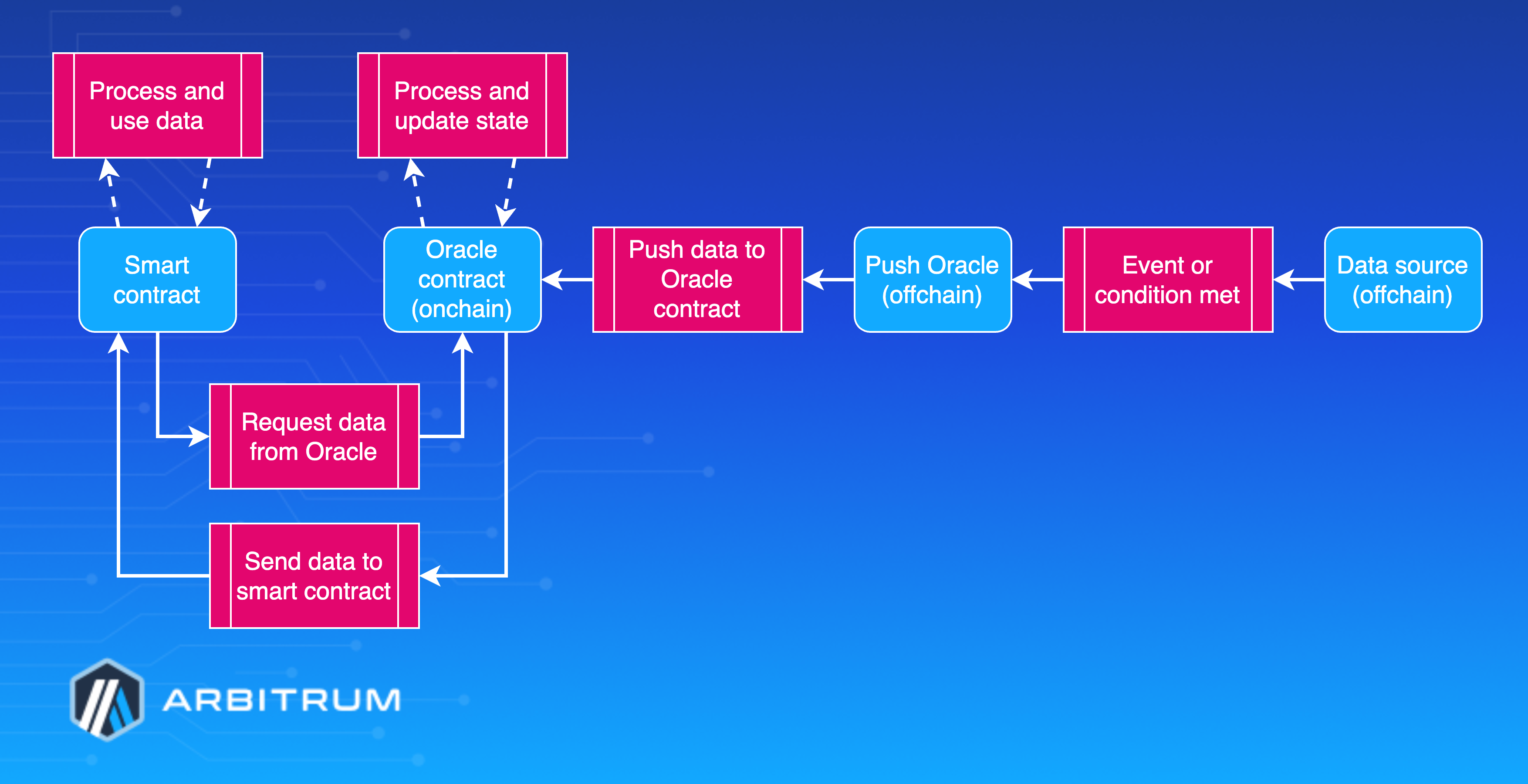
## How do pull oracles work? [#how-do-pull-oracles-work]
Pull oracles require smart contracts to request data explicitly. A smart contract sends a query to the oracle, retrieving and relaying the requested information to the contract. For example, a smart contract might request the current price of a specific digital asset from a pull oracle.
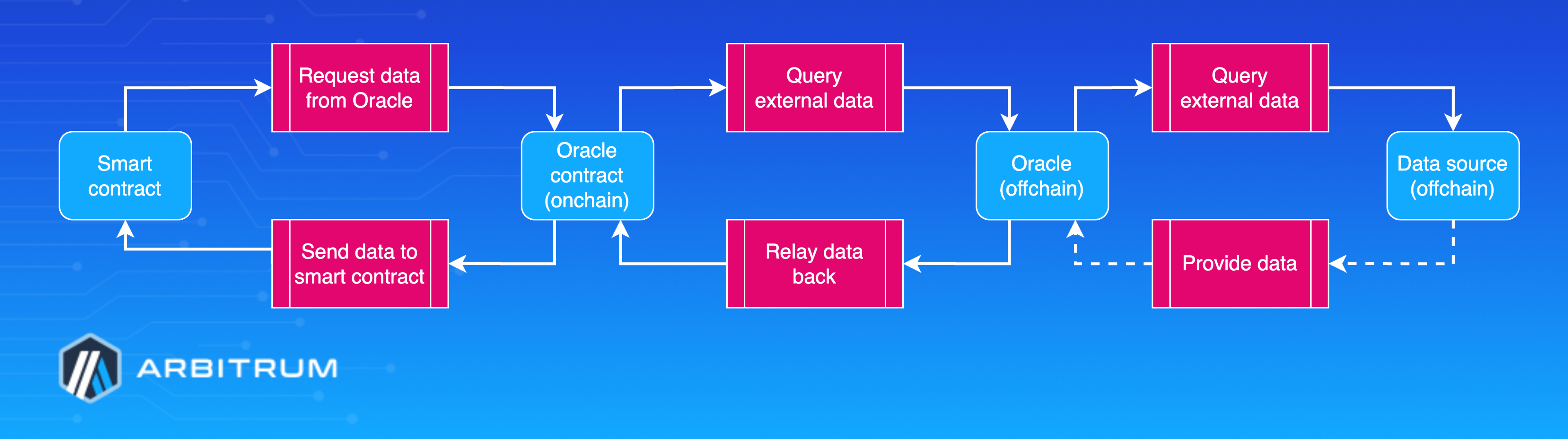
## Use cases for oracles [#use-cases-for-oracles]
Oracles serve a purpose in various applications across industries. Some general use cases include:
- **Prediction markets**: Oracles provide real-world data to prediction market platforms, allowing users to bet on future events or outcomes.
- **Supply chain management**: Hardware oracles can track the location and status of goods throughout the supply chain, enabling smart contracts to automate various processes and improve efficiency.
- **Insurance**: Oracles can supply data about events such as natural disasters, accidents, or price fluctuations, allowing smart contracts to automate claims processing and payouts.
- **Decentralized finance (DeFi)**: Oracles provide critical price and market data to DeFi applications, enabling them to operate efficiently and securely.
In summary, oracles are a crucial component of the blockchain ecosystem, bridging the gap between onchain and offchain data sources. They enhance the functionality of smart contracts and enable a wide range of applications across various industries. As blockchain technology continues to evolve, developing secure and reliable oracles will remain essential in unlocking the full potential of smart contracts and decentralized applications.
## Resources [#resources]
You can learn more about oracles in our [third-party oracles documentation](/oracles).
# How to assign roles to a Nitro node (/run-a-node/assign-node-roles)
A Nitro node's _role_ is not a separate piece of software. Every role in this article runs the same `nitro` binary; what makes a node a sequencer, a batch poster, a validator, or a plain RPC node is the set of configuration flags you pass at startup. The exceptions are the feed relay — a small standalone `relay` binary shipped inside the same Docker image—and the optional split-validation setup, which moves block validation into a separate `nitro-val` binary; both are built from the same repository.
Because roles are just configuration, you assign or change a role by editing flags and restarting. This page explains what each role's defining flags are, what else each role needs to operate (a funded parent-chain wallet, a bond, feed connectivity, a parent-chain connection), and how to convert a node from one role to another safely.
If you already know which role you want, go straight to its guide—each one is linked from the table below. Read this page when you're deciding which role to run, want to see how the roles relate to each other, or need to convert an existing node from one role to another.
Flags can be passed on the command line or collected in a JSON configuration file loaded with `--conf.file`. For how flag names, defaults, and the config file relate to each other, see [Nitro configuration system](/run-a-node/nitro/configuration-system). This article covers only the flags that define and support each role; for the complete flag list, see the [CLI flags reference](/run-a-node/nitro/cli-flags-reference).
Roles can combine on a single node (a sequencer can also post batches, for example), but this article describes them separately so that each role's requirements are clear.
## Roles at a glance [#roles-at-a-glance]
| Role | Defining flags | Wallet and bond | Runs how many? | Full guide |
| ------------------------------------ | ------------------------------------------------------------------------------- | --------------------------------------------------------- | ----------------------------------------- | ------------------------------------------------------------------------------------ |
| RPC node (full node) | none (the default) | No wallet, no bond | Many (horizontal scaling) | [Run a full node](/run-a-node/run-full-node) |
| Archive node | `--execution.caching.archive` | No wallet, no bond | Many (same as RPC nodes) | [Run an archive node](/run-a-node/more-types/run-archive-node) |
| Sequencer | `--node.sequencer` + `--execution.sequencer.enable` | No wallet, no bond | One per chain (or one coordinator set) | [Run a sequencer node](/run-a-node/sequencer/run-sequencer-node) |
| Batch poster | `--node.batch-poster.enable` | Funded parent-chain wallet; no bond | One active (Redis lock coordinates a set) | [Run a batch poster](/launch-arbitrum-chain/run-a-node/batch-poster) |
| Validator (staker) | `--node.staker.strategy` set to an active value | Funded wallet and bond for active strategies only | One active per wallet | [Run a validator](/run-a-node/more-types/run-validator-node) |
| Validation server (split validation) | `nitro-val` binary + `--node.block-validator.validation-server.url` on the node | No wallet, no bond (all onchain action stays on the node) | Many (one node can use several) | [Run a split validator node](/launch-arbitrum-chain/run-a-node/split-validator-node) |
| Feed relay | `relay` binary + `--node.feed.input.url` + `--chain.id` | No wallet, no bond, no parent-chain connection | Many (stateless fan-out) | [Run a feed relay](/run-a-node/run-feed-relay) |
Every role except the feed relay and the split-validation server needs a parent-chain connection through `--parent-chain.connection.url`. Nodes whose parent chain is Ethereum L1 also need `--parent-chain.blob-client.beacon-url` to read batches posted as EIP-4844 blobs. For well-known chains, setting `--chain.id` or `--chain.name` auto-fills defaults such as `--execution.forwarding-target` and `--node.feed.input.url` from the chain info embedded in the binary (the forwarding target is only auto-filled when the sequencer is disabled).
## RPC node (full node) [#rpc-node-full-node]
An RPC node—often just called a full node—is the default role: it follows the chain and serves JSON-RPC, but it does not sequence, post batches, or actively validate. None of the role-defining flags are enabled by default.
| Flag | Default | Description |
| ------------------------------- | ------- | ---------------------------------------------------------------------------------------------- |
| `--node.sequencer` | false | Consensus-side sequencer switch; off, so the node does not order transactions |
| `--execution.sequencer.enable` | false | Execution-side sequencer switch; off, so the node does not build blocks itself |
| `--node.batch-poster.enable` | false | Off, so the node never posts batches to the parent chain |
| `--node.staker.enable` | true | Staker module on, but with the default watchtower strategy it only observes (see admonition) |
| `--execution.forwarding-target` | `""` | Where the node forwards `eth_sendRawTransaction`; auto-filled from chain info for known chains |
Beyond those defaults, a full node needs only the shared basics — `--parent-chain.connection.url` and `--chain.id` (or `--chain.name`) — plus `--http.addr` or `--ws.addr` to expose JSON-RPC; the servers stay off until an address is set.
Operationally, a full node needs a parent-chain connection but no funded wallet and no bond. Feed connectivity is strongly recommended for low latency but is not required: a node with no feed input still syncs by reading batches from the parent chain, just with higher latency. You can run as many RPC nodes as you like; they share no state and need no coordination.
> **Note**
>
> `--node.staker.enable` defaults to `true`, so a default full node is technically a watchtower validator: it watches onchain assertions and logs when one disagrees with its locally computed state. With the default watchtower strategy it loads no wallet and posts no bond, so it takes no onchain action. This is why "converting to a validator" is mostly a matter of changing the strategy and providing a wallet and bond, rather than enabling a module. To silence the watchtower entirely, set `--node.staker.enable=false`.
For the full setup, including snapshots, pruning, and Docker details, see [How to run a full node](/run-a-node/run-full-node).
## Archive node [#archive-node]
An archive node is an RPC node that retains every historical state instead of garbage-collecting old ones, so it can serve `eth_call`, balance, and trace queries at arbitrary past blocks. It is a storage variant of the full node, not a different protocol role: same binary, one extra caching flag.
| Flag | Default | Description |
| ---------------------------------- | ------- | -------------------------------------------------------------------------------------------------------------------------------------- |
| `--execution.caching.archive` | false | Retains past block state on disk instead of pruning it |
| `--execution.caching.state-scheme` | hash | State storage scheme (`hash` or `path`); `path` produces a much smaller archive but cannot be used on a node that must validate |
| `--execution.rpc.classic-redirect` | `""` | Arbitrum One only: URL of an Arbitrum Classic node that serves queries for pre-Nitro blocks |
| `--init.latest` | `""` | Set to `archive` to bootstrap from the latest archive snapshot (`hash` scheme only; see the archive guide for `path`-scheme snapshots) |
An archive node needs no wallet and no bond, and you can run as many as you like. The cost is disk: an Arbitrum One archive database is measured in terabytes (see the archive guide for current figures). Enabling archive also makes the node keep everything else—Nitro automatically disables the consensus message pruner and retains the full transaction-hash lookup index.
Arbitrum One is the only chain with pre-Nitro (Classic) history, so only Arbitrum One archive nodes need `--execution.rpc.classic-redirect` pointed at an [Arbitrum Classic node](/run-a-node/more-types/run-classic-node); every other chain launched directly on Nitro.
For snapshots, hardware sizing, and the full setup, see [How to run an archive node](/run-a-node/more-types/run-archive-node).
## Sequencer [#sequencer]
The sequencer orders incoming transactions, produces blocks, and publishes the sequencer feed. Enabling it requires two flags that must agree with each other.
| Flag | Default | Description |
| ------------------------------ | ------- | -------------------------------------------------------------------------------- |
| `--execution.sequencer.enable` | false | Execution-layer sequencer: the node orders queued transactions and builds blocks |
| `--node.sequencer` | false | Consensus-layer counterpart; must agree with `--execution.sequencer.enable` |
Nitro does not stop you if the two flags disagree—it logs an error and keeps running in a broken half-configuration—so always change them together.
A sequencer must also declare how it coordinates with other sequencer instances, or it refuses to start. Enable the Redis-backed coordinator, or explicitly opt out with the dangerous single-sequencer flag.
| Flag | Default | Description |
| ------------------------------------------- | ------- | ----------------------------------------------------------------------------------------------- |
| `--node.seq-coordinator.enable` | false | Enables the Redis-based coordinator for a redundant sequencer set |
| `--node.dangerous.no-sequencer-coordinator` | false | **Dangerous**: allows sequencing without a coordinator (single-sequencer or development setups) |
| `--execution.forwarding-target` | `""` | Must stay empty on a sequencer; setting it with the sequencer enabled is a hard error |
| `--node.feed.output.enable` | false | Starts the broadcaster that publishes the sequencer feed |
| `--node.delayed-sequencer.enable` | false | Includes parent-chain (delayed inbox) messages once their block is safe (default) or final |
The coordinator's Redis URLs, the feed server's address and port, and feed signing are setup details covered in the sequencer guide.
A sequencer needs a parent-chain connection (`--parent-chain.connection.url`), which the coordinator hard-requires. It needs no funded wallet and no bond; sequencing posts nothing onchain. The only case where a pure sequencer loads a key is `--node.feed.output.signed=true`, and even then the key is used to sign feed messages, not to fund transactions. Batch posting and bonding are separate roles.
For the complete sequencer setup and the coordinator design, see [How to run a sequencer node](/run-a-node/sequencer/run-sequencer-node) and [How to run a Sequencer Coordination Manager (SQM)](/run-a-node/sequencer/run-sequencer-coordination-manager).
## Batch poster [#batch-poster]
The batch poster compresses queued sequencer messages into batches and posts them to the parent chain's Sequencer Inbox. It does not need to be the sequencer; a separate node can post batches from the messages it receives over the feed.
| Flag | Default | Description |
| ---------------------------- | ------- | --------------------------------------------------- |
| `--node.batch-poster.enable` | false | Master switch: enables building and posting batches |
The batch poster needs a signer for its parent-chain transactions (a local wallet or an external signer) and, for a redundant set, a Redis lock.
| Flag | Default | Description |
| ----------------------------------------------------- | ------- | ----------------------------------------------------------------------------------------- |
| `--node.batch-poster.parent-chain-wallet.*` | — | The funded parent-chain account (keystore or private key) that signs and pays for batches |
| `--node.batch-poster.data-poster.external-signer.url` | `""` | External signer RPC; replaces the local wallet for signing batch transactions |
| `--node.batch-poster.redis-url` | `""` | Redis URL for the leader lock that keeps only one poster active in a redundant set |
A batch poster requires a **funded parent-chain wallet**: it pays parent-chain gas for every batch it posts. Fund the account with enough native currency of the parent chain, and make sure the poster's address is allowlisted as a batch poster on the chain's Sequencer Inbox contract, or its transactions revert. It posts no bond. On AnyTrust chains, the node still requires the local batch-poster key even when an external signer submits the batch transactions; the key signs the data availability store requests.
The address the batch poster uses must not be the same address as the staker when the staker is active (a non-watchtower validator); the node rejects a shared address in that case.
For chain-owner configuration, blob posting, and troubleshooting, see [Run a batch poster](/launch-arbitrum-chain/run-a-node/batch-poster).
## Validator (staker) [#validator-staker]
A validator watches the chain's onchain assertions and, depending on its strategy, participates in BoLD and legacy disputes. The behavior is set by the strategy, not by a separate enable switch.
| Flag | Default | Description |
| ------------------------------- | ---------- | ------------------------------------------------------------------------------------------ |
| `--node.staker.enable` | true | Enables the staker module (passive by default because of the watchtower strategy) |
| `--node.staker.strategy` | Watchtower | Selects behavior: `watchtower`, `defensive`, `stakeLatest`, `resolveNodes`, or `makeNodes` |
| `--node.block-validator.enable` | false | Block-by-block validation; force-enabled for any non-watchtower (active) strategy |
With the default `watchtower` strategy the validator is observe-only: it loads no wallet and posts no bond, and it merely logs if an assertion disagrees with its local state. Any other strategy is _active_ and needs a funded wallet and a bond.
| Flag | Default | Description |
| ----------------------------------------------- | ------- | --------------------------------------------------------------------------------------- |
| `--node.staker.parent-chain-wallet.*` | — | The funded parent-chain wallet (keystore or private key) an active validator acts from |
| `--node.staker.data-poster.external-signer.url` | `""` | External signer RPC; an alternative to a local key |
| `--node.staker.redis-url` | `""` | Redis URL backing the staker's transaction queue (queue persistence, not a leader lock) |
An active validator needs a funded parent-chain wallet for gas and posts a **bond** when it acts. Under BoLD, the node reads the required bond size from the chain's contracts (it is an onchain chain parameter, not a node flag), and with `--node.bold.auto-deposit` and `--node.bold.auto-increase-allowance` enabled by default, it deposits and approves the stake token automatically when entering a bond. Active strategies also require block validation, which the node force-enables. On chains where the validator allowlist is active, the wallet address must also be allowlisted; the allowlist is enforced by the chain's contracts, so transactions from a non-allowlisted validator revert.
There is no leader-election or Redis-lock mechanism for the validator, unlike the batch poster or the sequencer coordinator. `--node.staker.redis-url` only moves the pending-transaction queue into Redis for failover of a single logical staker; it is not a lock. You must ensure only one active staker runs per wallet.
For the strategy comparison table, wallet setup, and BoLD details, see [How to run a validator](/run-a-node/more-types/run-validator-node).
### Split validation [#split-validation]
Block validation — re-executing blocks against the chain's WASM machines — is the CPU-heavy part of validating. By default this work stays inside the node: with block validation on, the default `--node.block-validator.validation-server.url` value of `self-auth` starts an internal validation server reached over the node's own authenticated websocket loopback. Split validation moves that work to a separate machine running the `nitro-val` binary, while the wallet, the bond, and the record of validation progress all stay on the main node.
On the validation server (`nitro-val` binary):
| Flag | Default | Description |
| ----------------------------- | ----------- | -------------------------------------------------------------------------------------------------- |
| `--auth.addr` | `127.0.0.1` | Interface the JWT-authenticated validation API listens on; set it to an address the node can reach |
| `--auth.port` | `8549` | Port for the validation API |
| `--auth.jwtsecret` | `""` | Path to the shared 32-byte hex JWT secret file; auto-generated if unset |
| `--validation.wasm.root-path` | `""` | Path to the folders holding the validation machines (one per WASM module root) |
On the main node (`nitro` binary):
| Flag | Default | Description |
| ------------------------------------------------------- | --------- | --------------------------------------------------------------------------------- |
| `--node.block-validator.validation-server.url` | self-auth | Where validation work goes; set to the `ws://host:port` of the `nitro-val` server |
| `--node.block-validator.validation-server.jwtsecret` | `""` | Path to the same JWT secret file the server uses |
| `--node.block-validator.validation-server-configs-list` | default | JSON array of server configs; lets one node fan validation out to several servers |
The validation server holds no wallet and posts no bond, and it is stateless — it runs with an ephemeral data directory, so you can replace a server in place, or add servers with a node restart, without losing any validation progress. The `--auth.*` flags exist on both binaries with the same defaults; on the main node they back the default `self-auth` loopback. Switching between in-process and split validation is a configuration change plus a restart; no database migration is involved.
For Docker images, Helm charts, and the full setup, see [Run a split validator node](/launch-arbitrum-chain/run-a-node/split-validator-node) and [Docker images and CLI binaries](/run-a-node/nitro/docker-and-cli-binaries).
## Feed relay [#feed-relay]
The feed relay is not a mode of the `nitro` binary. It is a separate `relay` binary built from the same repository and shipped in the same Docker image; you run it by overriding the container entrypoint to `relay`. The relay subscribes to a sequencer feed and re-broadcasts it to downstream nodes. It is stateless fan-out: no parent-chain connection, no wallet, no bond, and no database.
| Flag | Default | Description |
| --------------------------------- | ------- | -------------------------------------------------------------------------------- |
| `--node.feed.input.url` | `[]` | Sequencer feed source(s) the relay subscribes to; the relay will not start empty |
| `--chain.id` | 0 | Chain ID; required, and embedded in the feed handshake for downstream clients |
| `--node.feed.output.addr` | `""` | Address to bind the relay's feed output to (empty binds all interfaces) |
| `--node.feed.output.port` | `9642` | Port the relay's feed output listens on |
| `--node.feed.input.secondary-url` | `[]` | Failover feed source(s), started in order when the primary feeds fail |
Downstream nodes then point their own `--node.feed.input.url` at the relay. You can run as many relays as you like: each one independently subscribes upstream and serves its downstream clients, and relays can even be chained. A node connected to multiple feeds or relays deduplicates messages by sequence number, so redundant feed sources are safe.
For setup, Docker commands, and Kubernetes charts, see [How to run a feed relay](/run-a-node/run-feed-relay).
## Converting between roles [#converting-between-roles]
Converting a node from one role to another means changing its flags and restarting, plus arranging whatever the target role needs operationally (funding a wallet, arranging a bond and allowlisting, provisioning Redis, or opening a feed port). Before changing any role, read the safety rules below.
> **Warning**
>
> Some roles must not be duplicated for the same chain:
>
> - **Never run two sequencers for the same chain** unless they are in one coordinator (SQM) set. Two uncoordinated sequencers fork the feed and double-order transactions; only the ordering that reaches the parent-chain inbox survives, and nodes that followed the other ordering must reorg or halt.
> - **Never run two batch posters for the same chain outside the Redis lock.** They race on nonces and batch positions, and the loser's parent-chain transaction reverts, burning gas. The node-side protections are the Redis lock and revert polling.
> - **Never run two active stakers with the same wallet.** There is no built-in staker leader election, so they conflict on nonces and stall each other.
> - **Safe to run many:** RPC nodes, archive nodes, feed relays, and validation servers. They share no protocol state and need no coordination.
Role-specific conversion notes:
- **RPC node to sequencer:** set both `--node.sequencer=true` and `--execution.sequencer.enable=true` (they must agree), clear `--execution.forwarding-target` (setting it with the sequencer enabled is a hard error), publish the feed with `--node.feed.output.enable=true`, enable `--node.delayed-sequencer.enable=true`, and decide on coordination — either the Redis coordinator or `--node.dangerous.no-sequencer-coordinator=true`.
- **Sequencer to RPC node:** set both sequencer flags to false, re-set `--execution.forwarding-target` to the chain's sequencer endpoint (or `null`, or rely on the chain-info default), disable `--node.delayed-sequencer.enable` and `--node.seq-coordinator.enable`, and re-add `--node.feed.input.url`.
- **Enabling the batch poster:** fund the parent-chain wallet and get its address allowlisted on the Sequencer Inbox before you start posting; provide a signer and, for a redundant set, a shared Redis URL.
- **Watchtower to active validator:** set `--node.staker.strategy` to an active value, provide and fund a wallet, arrange the bond, and let block validation come on automatically. This adds substantial CPU, memory, and disk needs.
- **Full node to archive node:** flipping `--execution.caching.archive=true` on an existing database only archives state from that point forward; history the node already pruned is not backfilled. For full history, re-initialize from an archive snapshot (`--init.latest archive`) or — on a `hash`-scheme database that still holds an early state — rebuild missing states by re-execution with `--init.recreate-missing-state-from` (very slow, and not supported with the `path` state scheme). No wallet or funding is involved.
- **Moving validation to a separate machine (split validation):** start `nitro-val` on the new machine with the validation machine folders and a reachable `--auth.addr`, share the JWT secret file between the two processes, and point the node's `--node.block-validator.validation-server.url` and `.jwtsecret` at the server (the full guide uses the equivalent `--node.block-validator.validation-server-configs-list` JSON form, which is also how you configure multiple servers). Validation progress stays in the node's database, so this is a flags-and-restart change in both directions.
- **Decommissioning an active validator:** do not simply kill the node. On pre-BoLD chains, a staker that keeps running with its wallet and an active strategy (`defensive` keeps the wallet loaded without seeking new bonds) automatically returns its old deposit and withdraws the funds once the assertion it bonded on is confirmed; only then switch to `watchtower` or disable the staker and shut down. Switching to `watchtower` too early doesn't work: it loads no wallet, so nothing can withdraw. On BoLD chains, withdrawing the bond is a manual onchain operation. Either way, stopping the node early leaves the bond locked onchain until you withdraw it.
For background on how nodes fit together, see the [Nodes overview](/run-a-node/overview) and, for the data flow between the sequencer, feed, and full nodes, [Data availability](/run-a-node/data-availability#how-full-nodes-sync-the-data-from-the-sequencer-feed).
# Beacon Nodes: Historical Blobs (/run-a-node/beacon-nodes-historical-blobs)
Layer 2 network operators must connect to an Ethereum beacon chain node with historical blob data to ensure proper functioning of the Nitro node software, or risk failure in fetching blob data.
If you don't run your own beacon node, see [Ethereum beacon chain RPC providers](/run-a-node/l1-ethereum-beacon-chain-rpc-providers) for a curated list of third-party providers and their historical-blob support status.
## Impacted audiences [#impacted-audiences]
Required action will be required from: RPC nodes, Arbitrum One/Nova node operators, Arbitrum chain node operators
#### If you run a Nitro node and use an external L1 Ethereum beacon chain RPC URL [#if-you-run-a-nitro-node-and-use-an-external-l1-ethereum-beacon-chain-rpc-url]
- Confirm that your external L1 beacon chain RPC provider has configured their L1 beacon chain node to subscribe to all subnets.
#### If your external L1 beacon chain RPC doesn't subscribe to all subnets: [#if-your-external-l1-beacon-chain-rpc-doesnt-subscribe-to-all-subnets]
- Switch to a provider that does.
#### If you run a Nitro node and operate your own L1 Ethereum beacon chain node: [#if-you-run-a-nitro-node-and-operate-your-own-l1-ethereum-beacon-chain-node]
- Add the new flag (refer to [specific client flags](#specific-client-flags)) to your beacon node's configuration.
> **Note**
>
> Ensure that the external L1 beacon chain RPC provider you're using subscribes to all subnets.
## L1 beacon chain node flags [#l1-beacon-chain-node-flags]
### Prysm Consensus Layer clients [#prysm-consensus-layer-clients]
Prysm nodes have a new beacon node flag `--subscribe-all-data-subnets` that needs to be added to P2P options. Refer to the [Prysm command-line options documentation](https://prysm.offchainlabs.com/docs/configure-prysm/parameters/) for configuration details.
This flag is available as of Prysm v6.1.0. We recommend upgrading to the [latest stable Prysm releases](https://github.com/OffchainLabs/prysm/releases) to ensure you have the most recent features and security updates.
### Other Consensus Layer clients [#other-consensus-layer-clients]
Other Consensus Layer nodes also have flags to ensure they sync data from across all subnets.
> **Verification**
>
> The Offchain Labs team hasn't verified the accuracy of the flags below, including the corresponding versions that support these flags. Consult the respective release notes and documentation for non-Prysm consensus layer clients to ensure you're adding the correct flags.
### Specific client flags [#specific-client-flags]
> **Sepolia only**
>
> Currently, the following clients are supported for Sepolia only.
| Client | Compatible with Nitro | Required Nitro Flag | Required flag for subscribing to all subnets | Required flag to serve historical blobs |
| -------------------- | --------------------- | ------------------- | --------------------------------------------- | ---------------------------------------------------------------- |
| Prysm 7.1.0 or newer | ✅ | None | | `--blob-retention-epochs` `--semi-supernode` `--enable-backfill` |
| Lighthouse | ✅ | None | `--supernode` | `--prune-blobs false` or `--blob-prune-margin-epochs` |
| Teku | ✅ | None | `--p2p-subscribe-all-custody-subnets-enabled` | None exists |
| Lodestar | ✅ | None | `--supernode` | `--chain.archiveDataEpochs` |
For additional information regarding specific client flags visit their docs: [Prysm](https://prysm.offchainlabs.com/docs/learn/concepts/blobs), [Lighthouse](https://lighthouse-book.sigmaprime.io/advanced_blobs.html), [Teku](https://docs.teku.consensys.io/concepts/proto-danksharding#what-are-blobs), and [Lodestar](https://chainsafe.github.io/lodestar/run/beacon-management/beacon-cli/).
We recommend using Prysm 7.1.0 or newer with the flags `--semi-supernode`, `--enable-backfill`, and removing `--subscribe-all-data-subnets`.
## Checklist [#checklist]
To maintain uninterrupted node operation and blob availability:
- Add the appropriate flag for your consensus layer client.
- Verify your Sepolia beacon endpoint’s configuration.
- Verify your Mainnet beacon endpoint’s configuration.
# Data Availability (/run-a-node/data-availability)
## How Arbitrum data availability works [#how-arbitrum-data-availability-works]
## What is the general view of Arbitrum data flow? [#what-is-the-general-view-of-arbitrum-data-flow]
Arbitrum currently supports two primary data availability mechanisms:
### Rollup mode [#rollup-mode]
In this mode, all transaction data is included in either the calldata or blobs of transactions submitted to the parent chain (e.g., Ethereum mainnet for Arbitrum One). This inclusion ensures that all data is readily available onchain for anyone to download and verify.
### AnyTrust mode [#anytrust-mode]
In AnyTrust mode, transaction data initially gets submitted to a group of nodes known as the Data Availability Committee (DAC). The DAC stores and distributes the data. Instead of including the entire dataset onchain, only a cryptographic proof that the data has been stored by the DAC (Data Availability Certificate, or DACert) is submitted to the parent chain. This proof significantly reduces the amount of data stored onchain, reducing costs.
Because of those data availability mechanisms, Arbitrum Nitro nodes synchronize their data differently than Ethereum nodes or other layer-one network nodes. While Go-Ethereum nodes utilize a sophisticated P2P network to synchronize with the Ethereum blockchain by discovering other nodes, exchanging data, and participating in the consensus mechanism, Arbitrum nodes diverge from this traditional approach and use a trustless process.
Here's how Arbitrum data flow works:
1. Batching and submission:
1. The sequencer queues transactions and batches them together.
2. These batches get submitted to the parent chain:
1. In Rollup mode, the sequencer submits the batch of transactions directly to the sequencer inbox contract on the parent chain. (Blobs or calldata directly)
2. In AnyTrust mode, the sequencer sends the batch to the Data Availability Committee (DAC) and then submits the Data Availability Certificate (DACert) which is returned and generated by the Data Availability Server (DAS) to the parent chain.
2. Node synchronization:
1. Upon joining the network, a full node:
1. In Rollup mode, data is read directly from the parent chain calldata or blobs (depending on how the sequencer posts the data).
2. In AnyTrust mode, it checks the DACert to verify data availability and queries the data from the DAC.
2. The node continues to follow this process to catch up with the latest chain height.
3. Once caught up, the node receives updates on new sequencer-queued messages directly from the sequencer feed (we will provide details of this process in the last section).
3. Catching up:
1. If a node falls behind the chain, it reverts to the process described in Step 2 to resynchronize with the latest state.
In essence, Arbitrum nodes prioritize data retrieval from the parent chain and rely on the sequencer for real-time updates, deviating from the traditional P2P synchronization approach used by Ethereum nodes.
For operational guides that build on these concepts, see [How to run a sequencer node](/run-a-node/sequencer/run-sequencer-node) and [How to run a validator](/run-a-node/more-types/run-validator-node).
## How full nodes decode the data from the parent chain [#how-full-nodes-decode-the-data-from-the-parent-chain]
Arbitrum full nodes decode data received from the parent chain (and, in the case of AnyTrust chains, the DAC) to update their local state. This process involves monitoring events, parsing data, and processing messages.
1. Event querying:
1. Full nodes subscribe to the `SequencerBatchDelivered` event emitted by the inbox contract on the parent chain. This event signifies the arrival of a new batch of transactions.
2. Event parsing:
1. Upon receiving the `SequencerBatchDelivered` event, the node parses the event data into a `SequencerInboxBatch` struct. This struct typically includes:
1. `BlockHash`: The hash of the parent chain block containing the batch.
2. `ParentChainBlockNumber`: The block number of the parent chain block.
3. `SequenceNumber`: The sequence number of the batch.
4. `TimeBounds`: Time constraints for the batch.
5. `AfterDelayedAcc`: Accumulator hash after processing delayed messages.
6. `AfterDelayedCount`: Count of delayed messages.
7. `rawLog`: The raw event log data.
3. Data serialization:
1. The `SequencerInboxBatch` struct serializes into a byte array.
2. The serialized data adheres to a specific format:
1. `TimeBounds.MinTimestamp` (8 bytes)
2. `TimeBounds.MaxTimestamp` (8 bytes)
3. `TimeBounds.MinBlockNumber` (8 bytes)
4. `TimeBounds.MaxBlockNumber` (8 bytes)
5. `AfterDelayedCount` (8 bytes)
6. `payload` (variable length)
1. The `payload` field further contains the following:
1. **Type:** Indicates the header of payload (e.g., DACert, blob message).
2. **Content:** The actual data associated with the payload header (e.g., DACert, `BlobHashes`, Brotli compressed data).
4. Data decoding and retrieval:
1. Based on the `payload` header:
1. **DAS Message header:** The node queries the Data Availability Servers to retrieve the raw data.
2. **Blob message header:** The node decodes the blob message to obtain the raw data.
3. **Brotli Message header:** No extra steps are needed here; continue to the next step.
2. Data decompression: If the raw data is Brotli-compressed, the node decompresses it. It's worth noting that the raw data we get from above i and ii might also be Brotli-compressed data.
5. Message processing:
1. After decoding and decompressing the data, the node obtains a series of batch segment messages.
1. Message Types:
| Batch Segment Message type | What is the usage of this message |
| -------------------------------------- | -------------------------------------------------------------------------------------------------------- |
| `BatchSegmentKindL2Message` | This message will contain raw data on a series of transactions. Usually, this is a single block. |
| `BatchSegmentKindL2MessageBrotli` | The message is the same as the above one, but this is brotli compressed data. |
| `BatchSegmentKindDelayedMessages` | This message contains a new delayed message read from the parent chain Delayed Inbox. |
| `BatchSegmentKindAdvanceTimestamp` | This message will notify the State Transition Function (STF) to advance a second of the timestamp state. |
| `BatchSegmentKindAdvanceL1BlockNumber` | This message will notify STF to advance a new parent chain block number. |
2. State transition: finally, the State Transition Function (STF) processes these messages, and the STF will follow the rules to execute and update the Arbitrum node's local state.
## How full nodes sync the data from the sequencer feed [#how-full-nodes-sync-the-data-from-the-sequencer-feed]
Once Arbitrum full nodes have caught up with the chain, they switch from initial synchronization to a real-time update mode. This switch involves receiving data from the sequencer feed, which continuously broadcasts updates about newly queued transactions.
1. Data acquisition:
1. Full nodes maintain a connection to the sequencer feed or your private feed. For how to run a private feed, please refer to [**How to run a feed relay**](/run-a-node/run-feed-relay)
2. The sequencer feed transmits data packets containing information about the latest queued transactions.
2. Data decoding:
1. Full nodes decode the received data packets using the methods described in [How to read the sequencer feed](/run-a-node/sequencer/read-sequencer-feed).
3. Message processing:
1. After successful decoding, the full nodes obtain the same type of data as outlined in the previous section's Step 5.
2. Send the message to the State Transition Function (STF) and execute.
(This step is the same as the previous section's Step 5)
# Frequently asked questions: Run a node (/run-a-node/faq)
### How do I run a node? [#how-do-i-run-a-node]
See instructions [in our guide about running a full node](https://developer.arbitrum.io/node-running/how-tos/running-a-full-node)!
### How to verify the integrity of the Nitro database I currently have? [#how-to-verify-the-integrity-of-the-nitro-database-i-currently-have]
We use an accumulator hash for all messages, ensuring that a new message doesn't get added to the database without the preceding message being valid.
To verify that everything is functioning correctly, you can check if it is [syncing](/run-a-node/faq#how-can-i-verify-that-my-node-is-fully-synced) and confirm that the latest block is consistent with other Arbitrum nodes. For instance, you might compare it with information on [Arbiscan](https://arbiscan.io/) (please note that the search function on Arbiscan does not support searches by block hash).
### How can I check if the node is running properly and diagnose the issue if it is not? [#how-can-i-check-if-the-node-is-running-properly-and-diagnose-the-issue-if-it-is-not]
We have trace-level logging RPC request implemented on our node. You could use it to log all requests and responses at the trace level. (The performance impact of this should be negligible compared to the network overhead of an RPC request in the first place, especially considering that the request/response will only be serialized for logging if that log level is enabled.)
### Why do I need an L1 node to run an Arbitrum node? [#why-do-i-need-an-l1-node-to-run-an-arbitrum-node]
During the node syncing stage, Arbitrum nodes read transactions from batches that have already been posted and executed on Layer 1. They connect to the Sequencer feed to receive new incoming batched transactions that have not been posted to L1 yet.
When fully synced, the Arbitrum node uses the State Transition Function (STF) to consume transactions from the Sequencer feed and update the state accordingly. It also waits for the L1 batch to post. If the finalized L1 batch differs from what the Sequencer published, the node will update its state based on the L1 batched transactions.
### Can I run an Arbitrum node in p2p mode? [#can-i-run-an-arbitrum-node-in-p2p-mode]
Arbitrum doesn't have a consensus mechanism, so "p2p mode" doesn't apply. For nodes to sync to the latest chain state, they connect to an L1 node to sync the chain's history that's been posted in calldata and connect to the Sequencer feed for the transactions that have yet to be posted in batches. In no case do nodes need to peer up and sync with each other.
### How do I read messages from the Sequencer feed? [#how-do-i-read-messages-from-the-sequencer-feed]
Running an Arbitrum relay locally as a [Feed Relay](/run-a-node/run-feed-relay) lets you subscribe to the Sequencer feed for real-time data as the Sequencer accepts and orders transactions offchain. Refer to [How to read the sequencer feed](/run-a-node/sequencer/read-sequencer-feed) for a detailed guide.
### How do I run a node locally for development? [#how-do-i-run-a-node-locally-for-development]
See instructions in our [our guide about running a local devnet node](https://developer.arbitrum.io/node-running/how-tos/local-dev-node).
We recommend running Nitro nodes via Docker; to compile directly / run without Docker, you can follow the steps in [How to build Nitro locally](/run-a-node/nitro/build-nitro-locally).
### Is there any way to retrieve pre-Nitro archive data from a Nitro node? [#is-there-any-way-to-retrieve-pre-nitro-archive-data-from-a-nitro-node]
The pre-Nitro stack is also called the "classic" stack. Full Nitro nodes start with a database that contains the information from the "classic" era.
However, a Nitro node can't query archive information contained in "classic" blocks right away. To do that, you also need to run a classic node ([instructions in our guide about running a classic node](https://developer.arbitrum.io/node-running/how-tos/running-a-classic-node)) and set the parameter `—node.rpc.classic-redirect=your-classic-node-RPC`.
Please note that this information only applies to Arbitrum One nodes. Arbitrum Nova and Sepolia nodes started with a Nitro stack, so they don't have "classic" data.
### How can I verify that my node is syncing at a desirable speed? [#how-can-i-verify-that-my-node-is-syncing-at-a-desirable-speed]
Syncing speed can vary depending on multiple factors. You can find the minimum hardware requirements to run your node [on this page](https://developer.arbitrum.io/node-running/how-tos/running-a-full-node#minimum-hardware-configuration). You should also verify your network and disk speeds and ensure that the L1 node is running correctly.
### How can I verify that my node is fully synced? [#how-can-i-verify-that-my-node-is-fully-synced]
You can make an `eth_syncing` RPC call to your node. Once a Nitro node is fully synced, `eth_syncing` returns the value `false` (just like a normal Geth node).
When a Nitro node is still syncing, `eth_syncing` returns a map of values to help understand why the node is not syncing. Nitro execution and bottlenecks differ from those of a normal Geth node, so the `eth_syncing` output is unique to Nitro.
You can find information to understand the output of `eth_syncing` in the [RPC methods](/arbitrum-essentials/arbitrum-vs-ethereum/rpc-methods#eth_syncing) page.
### Is there an alternative to Docker when running a node? [#is-there-an-alternative-to-docker-when-running-a-node]
We recommend running Nitro nodes using Docker, following [the guide](/run-a-node/run-full-node) provided in our documentation. However, you can compile the code directly by following the steps described in [this guide](https://developer.arbitrum.io/node-running/how-tos/build-nitro-locally).
### What are the minimum hardware requirements to run a full node? [#what-are-the-minimum-hardware-requirements-to-run-a-full-node]
The minimum hardware requirements are available [in this section](https://developer.arbitrum.io/node-running/how-tos/running-a-full-node#minimum-hardware-configuration).
### How can I migrate the date of one synced node to a new one? [#how-can-i-migrate-the-date-of-one-synced-node-to-a-new-one]
From a fully synced node, you can copy its database (the `.arbitrum` directory in a default setup) to the same database folder of the new node, and it will start from the same state.
Keep in mind that this must be done after a clean shutdown, while the node is not running.
### When querying Classic transactions from a Nitro node, I sometimes get incorrect data, like the zero address as the sender. Why is that? [#when-querying-classic-transactions-from-a-nitro-node-i-sometimes-get-incorrect-data-like-the-zero-address-as-the-sender-why-is-that]
Some old Nitro genesis database snapshots didn't properly set the retry sender for Classic blocks and contained this error. If you need to access that information, you can either resync your Nitro node with one of the [current snapshots](https://snapshot.arbitrum.foundation/index.html) or [run a Classic node](/run-a-node/more-types/run-classic-node) alongside your Nitro node and configure a redirection for requests to Classic blocks. Please note that this only happens on Arbitrum One.
# Arbitrum node runners (/run-a-node)
* [Arbitrum nodes: an overview](/run-a-node/overview): Learn more about what types of Arbitrum nodes are available to run.
* [Nitro support policy](/run-a-node/nitro-support-policy): Learn the details of the support policy for Nitro.
* [Prepare to run a node](/run-a-node/start-here): Learn the prerequisites for running an Arbitrum node on your local machine
* [How to run a full node for an Arbitrum chain](/run-a-node/run-full-node): Learn how to run an Arbitrum node on your local machine
* [How to assign roles to a Nitro node](/run-a-node/assign-node-roles): Understand how a Nitro node's role (RPC node, archive node, sequencer, batch poster, validator — optionally with split validation — or feed relay) is set by configuration flags, and how to convert a node from one role to another.
* [How to run a local full chain simulation](/run-a-node/run-local-full-chain-simulation): This page provides instructions for setting up a complete local development environment for testing Arbitrum contracts in a fully simulated environment.
* [How to run a local Nitro dev node](/run-a-node/run-nitro-dev-node): This page provides instructions for setting up and running a local Nitro dev node for contract testing and development.
* [Ethereum beacon chain RPC providers](/run-a-node/l1-ethereum-beacon-chain-rpc-providers): A reference list of Ethereum beacon chain RPC providers that Arbitrum node operators can use to access blob data after the Dencun upgrade.
* [Data Availability](/run-a-node/data-availability): Learn how data availability works in arbitrum
* [How to run a feed relay](/run-a-node/run-feed-relay): Learn how to run an Arbitrum feed relay, and how to architect relays and nodes for reliable feed consumption at fleet scale.
* [Beacon Nodes: Historical Blobs](/run-a-node/beacon-nodes-historical-blobs): Learn more about the impacts of the Fusaka upgrade when running a beacon node.
* [Arbos releases](/run-a-node/arbos-releases)
* [More types](/run-a-node/more-types)
* [Sequencer](/run-a-node/sequencer)
* [Nitro](/run-a-node/nitro)
* [Troubleshooting: Run a node](/run-a-node/troubleshooting): Troubleshoot common issues when running an Arbitrum node, with configuration-specific guidance and a report generator for getting help.
* [Frequently asked questions: Run a node](/run-a-node/faq): List of questions and answers frequently asked by node runners
# Ethereum beacon chain RPC providers (/run-a-node/l1-ethereum-beacon-chain-rpc-providers)
Following [Ethereum's Dencun upgrade in March 2024](https://eips.ethereum.org/EIPS/eip-7569), child chains like Arbitrum will be able to rollup and post batches of transaction data on Ethereum in the form of a new transaction format called a Blob. This Blob data will be part of the beacon chain and is fully downloadable by all consensus nodes. This means that data stored in blobs are inaccessible by the EVM, unlike calldata.
## What does this mean for node operators? [#what-does-this-mean-for-node-operators]
To run a node for an Arbitrum child chain (i.e., Arbitrum One, Arbitrum Nova, and L3 Arbitrum chains), your node will need access to blob data to sync up to the latest state of your Arbitrum child chain. Blob data on Ethereum is stored on the beacon chain and is inaccessible to the EVM, hence why dedicated RPC endpoints for the beacon chain will be required after the Dencun upgrade. You can find more details on node requirements in the [Run a full node guide](/run-a-node/run-full-node).
Furthermore, new node operators joining a network or node operators who come online following an extended period of offline time will require access to _historical_ blob data to sync up to the latest state of their Arbitrum chain. If you run your own beacon node, see [Beacon nodes: historical blobs](/run-a-node/beacon-nodes-historical-blobs) for the client flags needed to retain and serve historical blob data through the Fusaka upgrade.
## List of Ethereum beacon chain RPC providers [#list-of-ethereum-beacon-chain-rpc-providers]
The list curated here is **not comprehensive and in no way does Offchain Labs endorse or benefit from your use of any of these providers.**
| Provider | Mainnet Beacon chain APIs? | Mainnet Historical blob data? | Sepolia Beacon chain APIs? |
| --------------------------------------------------------------------------- | -------------------------- | ----------------------------- | -------------------------- |
| [Ankr](https://www.ankr.com/docs/rpc-service/chains/chains-api/eth-beacon/) | ✅ | ✅ | ✅ |
| [Chainbase](https://chainbase.com/) | ✅ | | |
| [Chainstack](https://docs.chainstack.com/reference/beacon-chain) | ✅ | ✅ | ✅ |
| [Conduit](https://conduit.xyz/)\* | ✅ | ✅ | |
| [BlastAPI](https://blastapi.io/public-api/ethereum) | | | |
| [Nirvana Labs](https://nirvanalabs.io) | ✅ | ✅ | |
| [NodeReal](https://nodereal.io/) | ✅ | | |
| [QuickNode](https://www.quicknode.com/docs/ethereum) | ✅ | ✅ | ✅ |
| [dRPC](https://drpc.org/chainlist/eth-beacon-chain) | ✅ | ✅ | ✅ |
Please reach out to these teams individually if you need assistance with setting up your validator with any of the above providers.
# Nitro support policy (/run-a-node/nitro-support-policy)
## Nitro support [#nitro-support]
This policy defines which versions of Nitro the Offchain Labs team actively supports—and what "support" actually means. It exists so node operators, chain operators, and integrators know what to run, when to upgrade, and what kind of help to expect when they don't upgrade.
### Currently supported Nitro versions [#currently-supported-nitro-versions]
| Currently supported | Supported until | Supported deployment |
| -------------------------------------------------------------------------- | ------------------------------------------ | -------------------- |
| [Nitro 3.12.x](https://github.com/OffchainLabs/nitro/releases/tag/v3.12.1) | 30 calendar days after 3.12.x is released. | Docker |
| [Nitro 3.11.5](https://github.com/OffchainLabs/nitro/releases/tag/v3.11.5) | October 28, 2026 | Docker |
### Special note about ArbOS and Arbitrum Classic [#special-note-about-arbos-and-arbitrum-classic]
- **Only the ArbOS release that is activated on mainnet Arbitrum One** will receive security updates and urgent vulnerability patches. We strongly recommend that you stay up to date with the latest ArbOS, as only the latest version receives security updates. The activation timestamps for ArbOS upgrades on Arbitrum One are available on the **[Arbitrum Foundation network upgrades page](https://docs.arbitrum.foundation/network-upgrades),** with the most recent entry corresponding to the ArbOS version currently in use on Arbitrum One.
- Alternatively, you can verify the ArbOS version on Arbitrum One using the `arbOSVersion()` method on the `ArbSys` precompile at `0x000....64`. The result will be offset by 55 as the first version of Nitro is known as version 56 (for example, a response of 106 indicates that the ArbOS version is 51).
- Arbitrum Classic will also continue to be supported.
### Our support windows, explained [#our-support-windows-explained]
We will always support the current minor release of Nitro. The previous minor release will be supported for 30 calendar days after a newer minor release becomes available. In other words, support for a Nitro minor release stops once a minor release of the Nitro node software is made available for 30 calendar days.
This means that we will effectively support at most two minor releases for a maximum of 30 calendar days.
> **Warning**
>
> In exceptional cases, such as for stability or security fixes, we may cut a new minor Nitro release within 30 days of a previous minor release and immediately drop support for that release. When this happens, we may ask teams to upgrade sooner to the new release for security and stability reasons.
Below is an illustrative example of how these windows overlap over the course of a year, along with several placeholder versions. Note that this is an example.
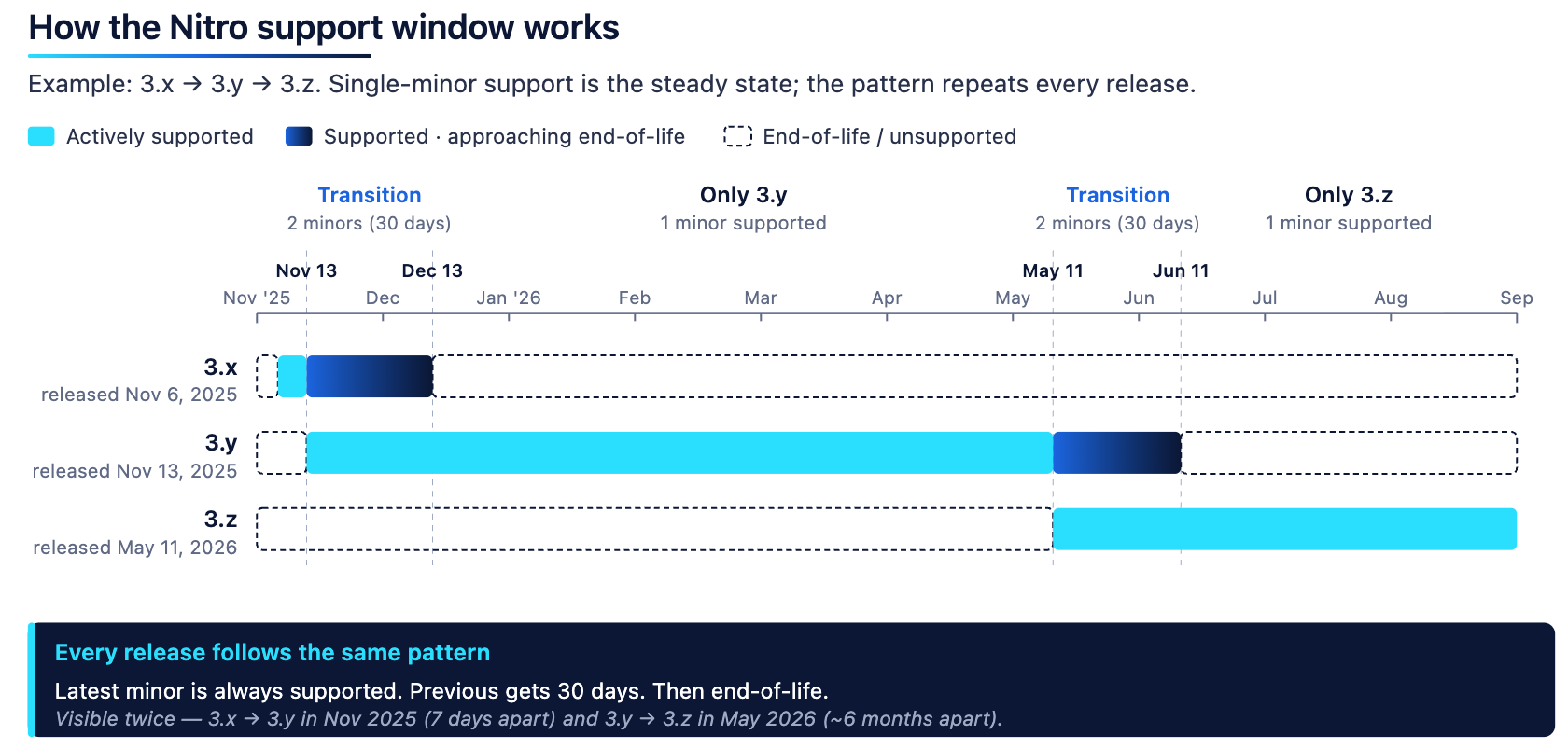
Nitro support windows
The currently supported versions can be found on the [Nitro start here](/run-a-node/start-here#recommended-nitro-version) page.
### What "supported" means [#what-supported-means]
If you are running a supported Nitro version, we will work to:
- Respond to bug reports (Slack, Telegram, etc.) and ship fixes and security patches against it
- Work with you to help debug operational issues you uncover
- Treat the release as a valid baseline for compatibility testing
If you are running an unsupported Nitro version:
- We may decline to investigate issues and will recommend upgrading first before investigating
- We will not back-port non-critical fixes or features
- You assume responsibility for any operational, consensus, or security risk
You are free to run any version of our software. This policy describes where we will spend our time, not what we will permit.
### Carve-out: ArbOS upgrades on older Nitro versions [#carve-out-arbos-upgrades-on-older-nitro-versions]
If we determine an ArbOS upgrade is required—including for security—we do **not** commit to porting those ArbOS changes back to any version. Operators on unsupported Nitro must first upgrade Nitro to receive the ArbOS change. This is intentional: backporting state-transition logic into stale node code is high-risk, and a guarantee here would dilute the upgrade pressure that keeps the network on supportable client versions.
### Security fixes [#security-fixes]
Security fixes are handled inside the supported window:
1. Private disclosure to chain operators when actionable
2. Coordinated release across all in-window versions (current minor + still-in-window prior minor)
3. Public disclosure after operators have had time to upgrade
A client version exception does not retroactively extend support for older versions. If you are out of support when a fix lands, the path forward is to upgrade.
## Out of scope [#out-of-scope]
This policy covers the upstream release of Nitro by Offchain.
It does not cover:
- Forks or custom builds maintained by third parties
- Builds compiled from non-release commits
- Configurations or patches not present in the upstream release
We will help where we can, but we cannot commit to a support level on builds other than official releases.
## Staying up to date [#staying-up-to-date]
- Subscribe to the [Nitro GitHub repository](https://github.com/OffchainLabs/nitro) for GitHub notifications on new releases.
- Follow our [X handle](https://x.com/ArbitrumDevs) for all things geared towards developers building with and on Arbitrum.
- The [Arbitrum Discord server](https://discord.com/invite/arbitrum) for all announcements and discussions
- Telegram channels:
- `@arbitrumnodeupgrade` for important updates about Arbitrum node software upgrade notices and announcements
- `@arbitrum` for general announcements about things happening in the Arbitrum ecosystem
- `@OffchainLabsannouncements` for Offchain-specific announcements or notices!
# Arbitrum nodes: an overview (/run-a-node/overview)
> **Note**
>
> There is no protocol-level incentive to run an Arbitum full node. If you’re interested in accessing an Arbitrum chain but don’t want to set up a node locally, see our [RPC endpoints and providers](/arbitrum-essentials/reference/node-providers) to get RPC access to fully managed nodes hosted by a third-party provider.
> **API security disclaimer**
>
> When exposing API endpoints to the Internet or any untrusted/hostile network, the following risks may arise:
>
> - **Increased risk of crashes due to Out-of-Memory (OOM)**:
> Exposing endpoints increases the risk of OOM crashes.
> - **Increased risk of not keeping up with chain progression**:
> Resource starvation (IO or CPU) may occur, leading to an inability to keep up with chain progression.
>
> We strongly advise against exposing API endpoints publicly. Users considering such exposure should exercise caution and implement the right measures to enhance resilience.
To be able to _interact with_ or _build applications on_ any Arbitrum chain, you will need to access the corresponding Arbitrum node. Options are:
- [Third party node providers](/arbitrum-essentials/reference/node-providers) to get RPC access to fully-managed nodes
- Run your own Arbitrum node, especially if you want always to know the state of the Arbitrum chain
The rest of this series focuses on the second approach: running your own Arbitrum node.
When interacting with the Arbitrum network, users have the option to run either a full node or an archive node. There are distinct advantages to running an Arbitrum full node. In this quick start, we will explore the reasons why a user may prefer to run a full node instead of an archive node. By understanding the benefits and trade-offs of each node type, users can make an informed decision based on their specific requirements and objectives.
Beyond full and archive nodes, a Nitro node can take on other roles — sequencer, batch poster, validator, or feed relay—purely through configuration. For the flags that define each role and how to convert a node between roles, see [How to assign roles to a Nitro node](/run-a-node/assign-node-roles).
## Considerations for running an Arbitrum full node [#considerations-for-running-an-arbitrum-full-node]
- **Transaction validation and security**: Running a full node allows you to independently validate transactions and verify the state of the Arbitrum blockchain. You can have complete confidence in the authenticity and integrity of the transactions you interact with.
- **Reduced trust requirements**: By running a full node, you can interact with the Arbitrum network without relying on third-party services or infrastructure. This independence reduces the need to trust external entities and mitigates the risk of potential centralized failures or vulnerabilities.
- **Lower resource requirements**: Compared to archive nodes, full nodes generally require fewer resources such as storage and computational power. These requirements make it more accessible with limited hardware capabilities or those operating in resource-constrained environments.
For detailed instructions, read [how to run an Arbitrum full node](/run-a-node/run-full-node).
## Considerations for running an Arbitrum archive node [#considerations-for-running-an-arbitrum-archive-node]
While full nodes offer numerous advantages, there are situations where running an archive node may be more appropriate. Archive nodes store the complete history of the Arbitrum network, making them suitable to access extensive historical data or advanced analytical purposes. However, it's important to note that archive nodes are more resource-intensive, requiring significant storage capacity and computational power.
For detailed instructions, read [how to run an Arbitrum archive node](/run-a-node/more-types/run-archive-node).
## Considerations for running an Arbitrum classic node [#considerations-for-running-an-arbitrum-classic-node]
The significance of running an Arbitrum classic node is mainly applicable to individuals with specific needs for an archive node and access to classic-related commands.
For detailed instructions, read [how to run an Arbitrum classic node](/run-a-node/more-types/run-classic-node).
## Considerations for running a feed relay [#considerations-for-running-a-feed-relay]
If you are running a single node, there is no requirement to set up a feed relay. However, if you have multiple nodes, it is highly recommended to have a single feed relay per data center. This setup offers several advantages, including reducing ingress fees and enhancing network stability.
Soon, feed endpoints will mandate compression using a custom dictionary. Therefore, if you plan to connect to a feed using anything other than a standard node, it is strongly advised to run a local feed relay. This local feed relay will ensure that you have access to an uncompressed feed by default, maintaining optimal performance and compatibility.
For detailed instructions, read [how to run an Arbitrum feed relay](/run-a-node/run-feed-relay).
## Support policy [#support-policy]
To view the short and long term support policy, visit the [Nitro support policy](/run-a-node/nitro-support-policy) page.
# How to run a feed relay (/run-a-node/run-feed-relay)
> **Warning**
>
> If running a single node, there is no need to run a feed relay. When running more than one node, it is strongly recommended to run a single feed relay per data center, which will reduce ingress fees and improve stability.
>
> Feed endpoints will soon require compression with a custom dictionary, so if connecting to a feed with anything other than a standard node, it is strongly suggested to run a local feed relay, which will provide an uncompressed feed by default.
For context on where the feed relay fits into Arbitrum's overall data flow, see [Data availability](/run-a-node/data-availability#how-full-nodes-sync-the-data-from-the-sequencer-feed). For the wire format the feed delivers, see [How to read the sequencer feed](/run-a-node/sequencer/read-sequencer-feed). For how the feed relay compares to the other Nitro node roles, see [How to assign roles to a Nitro node](/run-a-node/assign-node-roles).
The feed relay is in the same Docker image as the Nitro node.
- Here is an example of how to run the feed relay for Arbitrum One:
```shell
docker run --rm -it -p 0.0.0.0:9642:9642 --entrypoint relay offchainlabs/nitro-node:v3.12.1-70fa99a --node.feed.output.addr=0.0.0.0 --node.feed.input.url=wss://arb1-feed.arbitrum.io/feed --chain.id=42161
```
- Here is an example of how to run `nitro-node` for Arbitrum One with a custom relay:
```shell
docker run --rm -it -v /some/local/dir/arbitrum:/home/user/.arbitrum -p 0.0.0.0:8547:8547 -p 0.0.0.0:8548:8548 offchainlabs/nitro-node:v3.12.1-70fa99a --parent-chain.connection.url=https://l1-mainnet-node:8545 --chain.id=42161 --http.api=net,web3,eth --http.corsdomain=* --http.addr=0.0.0.0 --http.vhosts=* --node.feed.input.url=ws://local-relay-address:9642
```
Note that Arbitrum Classic does not communicate with Nitro sequencer, so classic relay is no longer used.
## Helm charts (Kubernetes) [#helm-charts-kubernetes]
If you are using [Kubernetes](https://kubernetes.io/) to run your feed relay, a Helm chart is available at [ArtifactHUB](https://artifacthub.io/packages/helm/offchainlabshelm/relay). It supports running a Nitro relay by providing the feed input URL. Find more information in the [OCL community Helm charts repository](https://github.com/OffchainLabs/community-helm-charts/tree/main/charts/relay).
## Feed connection behavior [#feed-connection-behavior]
The sequencer feed is a long-lived WebSocket. Long-lived connections get terminated in normal operation by every layer they cross:
- **Edge and CDN infrastructure.** Public feed endpoints are typically served through CDN or edge proxy layers. Edge providers routinely restart servers as they roll out code across their networks, which drops the WebSocket connections those servers carry. Cloudflare, for example, documents this in its [WebSockets technical note](https://developers.cloudflare.com/network/websockets/#technical-note).
- **Load balancing and capacity changes.** When feed capacity scales up or down (for example, to absorb a traffic burst), connections are redistributed across instances. Every redistribution is a disconnect/reconnect for the affected clients.
- **Ordinary transit events.** Route changes, edge maintenance, and idle and lifetime limits along the path.
A healthy client logs a transient connection error at warning level (an EOF, a read timeout, a connection reset; the exact message varies by failure mode and client version), reconnects, and reports the feed connected again within seconds. Occurring a few times per day per connection, this is normal operation.
Two properties of the system bound the impact of any feed interruption:
- **The feed is a latency optimization, not the source of truth.** Every message is also posted to the parent chain in batches. A node that misses feed messages backfills them from the parent chain automatically. Feed loss can add seconds to minutes of head latency; it cannot cause data loss or an incorrect chain.
- **Messages carry monotonic sequence numbers**, so clients holding multiple simultaneous feed connections remove duplicates by sequence number.
## What happens on reconnect (and why gaps appear) [#what-happens-on-reconnect-and-why-gaps-appear]
On reconnect, a client asks the server to resume from a requested sequence number. A feed instance can only replay what is in its own catchup buffer. After a capacity change, a reconnecting client may land on a fresh instance that does not hold the earlier history, and gets resumed at that instance's current position instead; the client logs a warning that the incoming sequence number is greater than the one it expected. The node fills that gap from the parent chain. This is safe, and it is the event that multi-primary redundancy eliminates: with two or more simultaneous primaries, the other connection has been streaming the whole time and there is no gap to fill.
In summary: **redundancy must live on the client side, as multiple simultaneous connections.** Server-side resume semantics cannot guarantee gapless delivery across a single connection's lifecycle.
## Reference architecture for node providers [#reference-architecture-for-node-providers]
If you run a fleet of nodes on behalf of customers (RPC provider, explorer, indexer), architect your relays and nodes for redundancy:
1. **Run your own feed relays.** At least two, in different geographic regions, with distinct egress IPs.
2. **Each relay maintains at least two primary upstream connections** to the upstream feed endpoint.
3. **Each node connects to at least two of your relays as primary feeds** (a list of primary URLs), and at least one of them must be in a different region than the node. Do not use the secondary/fallback mechanism for redundancy.
4. **Never point a node fleet directly at the public feed.** The relay layer collapses your fleet's footprint to a handful of upstream connections.
5. **Do not treat individual reconnects as incidents.** Alert on sustained absence of feed data and on sustained head lag, not on individual transient connection errors.
If you follow 1-3, a disconnect on any single connection, relay, or region is invisible to your nodes. A single node run for your own use needs none of this: it will see periodic reconnects, briefly trail the chain head during them, and always converge via parent chain batches.
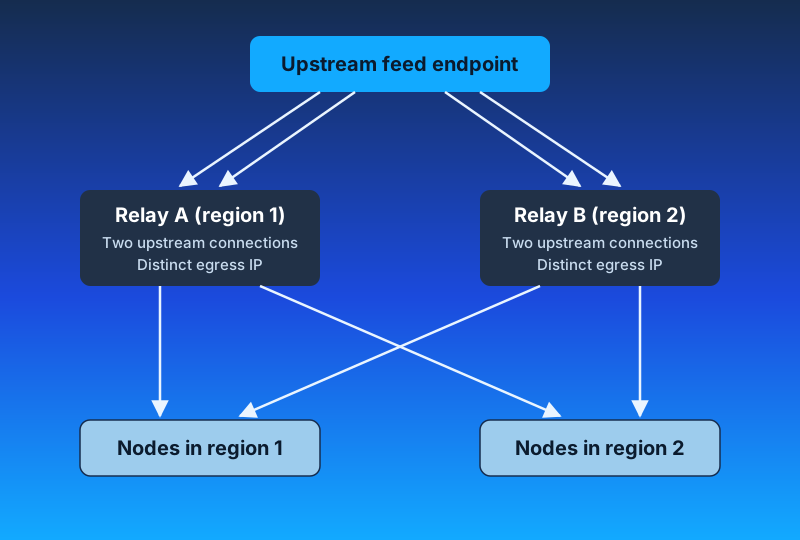
### Layer 1: your relays [#layer-1-your-relays]
- **At least two relays, geographically distributed.** Edge and transit problems are usually regional (a single CDN point of presence, one provider's backbone). Two relays entering the network from different regions reduces those failures.
- **Distinct egress IPs.** Feed load balancers commonly route connections to backends by client source IP (session affinity), so all connections from one egress IP tend to land on the same backend and stay there. Assume your effective upstream redundancy is bounded by **how many distinct egress IPs you use**, not by how many relay pods or connections you run. Ten relays behind one NAT IP is one unit of redundancy.
- **At least two primary upstream connections per relay:**
```shell
relay \
--chain.id=42161 \
--node.feed.input.url=wss://arb1-feed.arbitrum.io/feed,wss://arb1-delayed-feed.arbitrum.io/feed \
--node.feed.output.addr=0.0.0.0 \
--node.feed.output.port=9642
```
The feed input accepts a comma-separated list of URLs. All of them are connected simultaneously and deduplicated by sequence number. Where a chain publishes only one public feed hostname, two connections to the same hostname from distinct egress IPs still provide meaningful redundancy (session affinity will generally pin them to different backends). Do not exceed two upstream connections per endpoint: each one doubles bandwidth, and excessive connections may be rate-limited at the edge.
Some chains publish more than one feed endpoint. Arbitrum One, for example, also publishes a delayed feed that intentionally lags the real-time sequencer feed. Adding an endpoint like this as an extra primary upstream broadens a relay's redundancy: under sequence number duplication removal it contributes nothing while a real-time connection is ahead, and it keeps messages flowing, at its own intentional delay, if the real-time connections are interrupted. Check the chain's documentation for the endpoints it publishes.
### Layer 2: your nodes [#layer-2-your-nodes]
Every node lists **at least two of your relays as primary feeds**, and the set must span regions: the relay local to the node plus at least one relay in another region:
```shell
nitro \
--node.feed.input.url=ws://relay-region1.internal:9642,ws://relay-region2.internal:9642 \
...
```
Nitro connects to every URL in the primary list at the same time and removes duplication by sequence number. A reconnect, restart, or regional problem on one relay is invisible: the other connection never stopped streaming.
Two relays in the same region share edge and transit fate: a regional event (a degraded CDN point of presence, a transit problem, a datacenter issue) interrupts both primaries at once. The relay in the other region keeps the node streaming through it. The cross-region hop adds a small amount of latency on that connection; sequence number deduplication means the node always advances at the pace of whichever connection is ahead, so the local relay still sets your steady-state latency.
### Multiple primaries vs `secondary-url` fallback [#multiple-primaries-vs-secondary-url-fallback]
Nitro has two distinct mechanisms for listing more than one feed source, and they behave very differently.
**Multiple primaries** (`--node.feed.input.url` with a list): every URL is connected **simultaneously and permanently**. Messages have duplicates removed by sequence number, and the node advances at the pace of whichever connection is ahead. Failover is instant and gapless because there is nothing to fail over: the other stream never stopped. The cost is bandwidth, since each connection carries the full feed.
**Fallback** (`--node.feed.input.secondary-url`): a standby list. In steady state, a secondary is **not connected at all**. The client opens a secondary connection only after the primaries have delivered no messages for a short inactivity window (on the order of seconds), brings secondaries up one at a time, and tears them back down once a primary has been delivering continuously again for a sustained period (on the order of minutes). Three consequences follow:
- It is **inactivity-triggered, not lag-triggered**. A primary that is behind but still streaming never trips it, so it provides no protection against a lagging upstream.
- Activation is **not gapless**: by the time it fires, the node has already been silent for the length of the inactivity window, and normal reconnect and catchup dynamics apply on the new connection.
- When active, it is **additive**: the secondary runs alongside the primary rather than replacing it.
**When a fallback is appropriate:**
- As a **break-glass input of a different class than your primaries**, on a limited subset of nodes. For example: primaries on your two relays and a secondary pointing at the public feed, so that a total failure of your own relay layer still self-heals. Keep this to a small subset of nodes: applied fleet-wide, it creates a large direct public feed footprint when activated (every node opens its own secondary), subject to per-IP affinity and edge rate limiting.
- When bandwidth genuinely rules out a second always-on stream for a given node.
A fallback is not a redundancy mechanism between equivalent sources. If two feed sources are both acceptable to consume continuously, list them both as primaries and let sequence number deduplication do the work. Avoid the inverted arrangement (your own relay as the only primary, with the public feed as a fleet-wide secondary): it provides no protection against a lagging relay and produces a fleet-wide public feed footprint whenever it activates.
### Never point the fleet directly at the public feed [#never-point-the-fleet-directly-at-the-public-feed]
Nitro's reconnect loop retries roughly every 15 seconds, per node, indefinitely. A fleet of direct clients aggregates into a per-IP connection pattern that edge protections rate limit, and a rate-limited client can stay banned because it keeps retrying. Two relays collapse an arbitrarily large fleet into a handful of upstream connections.
### Operational guidance for your fleet [#operational-guidance-for-your-fleet]
- **Health checks:** do not mark a node unhealthy because it logged a feed reconnect. Gate on sustained head lag, with tolerance for brief catch-up bursts after a reconnect, where messages per second spike while the node drains the backlog.
- **Alert on state, not events:**
- `arb_feed_sources_connected == 0` sustained for more than a minute (the node has no feed input at all)
- head lag versus a reference RPC sustained beyond your latency SLO
- relay upstream disconnect rate materially above its own baseline
# How to run a full node for an Arbitrum chain (/run-a-node/run-full-node)
> **Prerequisites**
>
> This page assumes that you've completed the steps from the [Start here](/run-a-node/start-here) page. If you haven't, you'll need to do so, as it gathers RPC endpoints, Nitro version, database snapshots, and other information required to run the node.
>
> To view the short and long term support policy, visit the [Nitro support policy](/run-a-node/nitro-support-policy) page.
>
> If you're looking to run a node with a different role — sequencer, batch poster, validator, archive node, or feed relay—see [How to assign roles to a Nitro node](/run-a-node/assign-node-roles) for the flags that define each role.
> **Running on Kubernetes or want a more reliable setup?**
>
> This page covers running a node with Docker. If you want to deploy on Kubernetes, or you want a more production-ready setup with monitoring, log signals, and network egress guidance, follow [How to run a full node with Helm on Kubernetes](/launch-arbitrum-chain/run-a-node/run-full-node-with-helm) instead.
## Choose a state scheme [#choose-a-state-scheme]
Nitro stores its state trie using one of two schemes: **HashDB** (the default) or **PathDB**. Choose before you initialize the database. You cannot switch an existing database—moving between schemes means re-initializing from a snapshot built with the scheme you want.
| Property | HashDB (default) | PathDB |
| :---------------------------- | :--------------------------------------- | :----------------------------------------- |
| Flag | None; Nitro uses HashDB by default | `--execution.caching.state-scheme=path` |
| State trie pruning | Manual and offline, via `--init.prune` | Automatic and online |
| Block validation | Supported | Not supported |
| Full node snapshot | `pruned`, all three DAO-governed chains | `full-path`, all three DAO-governed chains |
| Archive snapshot | `archive`, all three DAO-governed chains | `archive-path`, Arbitrum One and Sepolia |
| Download with `--init.latest` | Supported | Not supported; use `--init.url` |
| Minimum Nitro version | Any | v3.9.x |
Both schemes have a published full node snapshot, so either one can initialize without syncing from genesis. At comparable dates the two are close in size: on Arbitrum One, the `pruned` HashDB snapshot is about 2.3 TB and the `full-path` PathDB snapshot is about 2.4 TB.
Pick based on how you want to handle pruning and whether you need block validation:
- **Choose HashDB** if your node runs the block validator, or if you want the simplest initialization. `--init.latest pruned` downloads and verifies the snapshot for you. You then prune manually, and your node is offline while it does.
- **Choose PathDB** if you want to avoid manual prune cycles. Nitro prunes online, so the node keeps serving RPC and disk use stays within the window you set with `--execution.caching.state-history`. Initialization takes more work: you pass the snapshot URL to `--init.url` yourself.
On **archive** nodes the case for PathDB is stronger, because it cuts disk use substantially. See [How to run an archive node](/run-a-node/more-types/run-archive-node).
> **PathDB and block validation**
>
> PathDB cannot validate blocks. If a node requires the block validator, Nitro exits at startup with `path cannot be used as execution.caching.state-scheme when validator is required`.
>
> A default full node is unaffected: it runs the watchtower strategy, which does not require the block validator. Nitro rejects `path` when you set `--node.block-validator.enable=true`, choose a staker strategy other than `Watchtower`, or enable fast confirmation.
## Putting it into practice: run a node [#putting-it-into-practice-run-a-node]
> **Caution**
>
> If you are running more than one node, you should [run a feed relay](/run-a-node/run-feed-relay).
> **PathDB and --init.latest**
>
> `--init.latest` accepts only `archive`, `pruned`, and `genesis`, and every snapshot it resolves for those kinds uses HashDB. Adding `--execution.caching.state-scheme=path` to the examples below fails, because the downloaded snapshot's scheme won't match.
>
> PathDB snapshots are published under the separate `full-path` and `archive-path` kinds, which `--init.latest` does not accept. To initialize a PathDB database, pass the snapshot URL to `--init.url` instead. See [PathDB snapshots](/run-a-node/nitro/nitro-database-snapshots#pathdb-snapshots).
> **Docker volume mount**
>
> To ensure the database persists across restarts, mount an external volume to **`/home/user/.arbitrum`** inside the Docker container. Make sure to:
>
> - Create the host directory **before** running Docker (e.g., `mkdir -p /some/local/dir/arbitrum`), otherwise Docker may create it as `root`, and the container (which runs as UID 1000) won't be able to write to it.
> - If you encounter permission errors on Linux or macOS, run `chmod -fR 777 /some/local/dir/arbitrum` on the host directory.
> **Node config file**
>
> If using a `node-config.json` file with Docker to mount, use the following command:
>
> ```
> docker run --rm -it -v /Path/to/mount/arbitrum:/home/user/.arbitrum -v /Path/to/node-config.json:/home/user/.arbitrum/node-config.json -p 0.0.0.0:8450:8450 offchainlabs/nitro-node:v3.12.1-70fa99a --conf.file /home/user/.arbitrum/node-config.json
> ```
- Here is an example of how to run `nitro-node`:
#### Arbitrum One, Nova, Sepolia
```shell
docker run --rm -it -v /some/local/dir/arbitrum:/home/user/.arbitrum -p 0.0.0.0:8547:8547 -p 0.0.0.0:8548:8548 offchainlabs/nitro-node:v3.12.1-70fa99a --parent-chain.connection.url= --parent-chain.blob-client.beacon-url= --chain.id= --init.latest=pruned --http.api=net,web3,eth --http.corsdomain=* --http.addr=0.0.0.0 --http.vhosts=*
```
#### Arbitrum chains
```shell
docker run --rm -it -v /some/local/dir/arbitrum:/home/user/.arbitrum -p 0.0.0.0:8547:8547 -p 0.0.0.0:8548:8548 offchainlabs/nitro-node:v3.12.1-70fa99a --parent-chain.connection.url= --chain.info-json= --chain.name= --node.feed.input.url= --execution.forwarding-target= --http.api=net,web3,eth --http.corsdomain=* --http.addr=0.0.0.0 --http.vhosts=*
```
- You can see an example of `--chain.info-json` in the section above.
- Note that it is important that `/some/local/dir/arbitrum` already exists; otherwise, the directory might be created with `root` as owner, and the Docker container won't be able to write to it.
- Note that if you are running a node for the parent chain (e.g., Ethereum for Arbitrum One or Nova) on localhost, you may need to add `--network host` right after `docker run` to use Docker host-based networking
- When shutting down the Docker image, it is important to allow a graceful shutdown to save the current state to disk. Here is an example of how to do a graceful shutdown of all Docker images currently running
```shell
docker stop --time=1800 $(docker ps -aq)
```
### Important ports [#important-ports]
| Protocol | Default port |
| :---------------- | :----------- |
| `RPC`/`http` | `8547` |
| `RPC`/`websocket` | `8548` |
| `Sequencer Feed` | `9642` |
- Please note: the `RPC`/`websocket` protocol requires some ports to be enabled, you can use the following flags:
- `--ws.port=8548`
- `--ws.addr=0.0.0.0`
- `--ws.origins=\*`
### Note on permissions [#note-on-permissions]
- The Docker image is configured to run as non-root UID 1000. This configuration means if you are running in Linux or OSX and you are getting permission errors when trying to run the Docker image, run this command to allow all users to update the persistent folders:
```shell
mkdir /data/arbitrum
chmod -fR 777 /data/arbitrum
```
### Watchtower mode [#watchtower-mode]
- By default, the full node runs in Watchtower mode, meaning that it watches the onchain assertions and, if it disagrees with them, logs an error containing the string `found incorrect assertion in watchtower mode`. For a BoLD-enabled chain like Arbitrum One or Arbitrum Nova if you are running Nitro before v3.6.0, the `--node.bold.enable=true` flag should be set to ensure your node can monitor for onchain assertions properly.
- Setting this flag is not required as your node will continue to operate correctly, validate the Arbitrum One/Nova chain, and serve RPC requests as usual, regardless of this flag.
- Note that watchtower mode adds a small amount of execution and memory overhead. You can deactivate this mode using the parameter `--node.staker.enable=false`.
- For details on watchtower mode alongside the other validator strategies (`defensive`, `stakeLatest`, `resolveNodes`, `makeNodes`), see [How to run a validator](/run-a-node/more-types/run-validator-node).
### Pruning [#pruning]
Pruning removes older, unnecessary state from the local copy of the chain your node maintains. It saves disk space and slightly improves the node's efficiency. How you prune depends on the [state scheme](#choose-a-state-scheme) you chose.
On **HashDB**, the default, pruning is a _manual, opt-in_ operation. It removes all states from blocks older than the latest 128. You decide when to run it, and the node stops serving RPC requests until it finishes. On a chain the size of Arbitrum One, that can take days.
On **PathDB**, pruning is automatic and runs online. Nitro discards state older than the `--execution.caching.state-history` window as it goes, so you never schedule a prune and the node never goes offline to run one. Disk use stays within that window instead of growing between manual prunes.
When you leave `--execution.caching.state-history` unset, Nitro chooses the default at startup:
| Node type | Default `state-history` |
| :------------------------------------------------ | :----------------------------------------------------------------------------------- |
| Full node (`--execution.caching.archive=false`) | 345,600 blocks — 24 hours at the default 250 ms block speed |
| Archive node (`--execution.caching.archive=true`) | `0`, meaning the entire chain |
From v3.10.0, Nitro derives this default from the archive flag. On earlier versions the default was always 24 hours' worth of blocks, so an archive node needs an explicit `--execution.caching.state-history=0`.
> **Note**
>
> The pruning process occurs when the node starts (upon initialization) and will not serve RPC requests during pruning.
If you are using the default storage scheme (HashDB), then you can activate pruning by using the parameter:
- `--init.prune `, where `` can be one of:
- `minimal`: The most aggressive prune and retains only the genesis state and the head state (at the latest snapshot). Takes the least amount of time to complete. Duration depends on the chain and database size (several hours for smaller chains; potentially days for large chains like Arbitrum One).
- `full` : Mostly intended for full nodes serving RPC requests, this mode retains the genesis state, the state of the latest confirmed block, and the head state (at the latest snapshot). Will not work if the node is in `validator` mode. Duration varies significantly by chain and database size—for Arbitrum One, this may take multiple days on NVMe SSDs. For smaller chains, it will be much faster. If pruning takes too long, consider downloading a fresh pruned snapshot with `--init.latest pruned` instead.
- `validator`: Meant to be used by validator nodes and requires an RPC URL for L1 Ethereum. This mode retains the genesis state, the state of the latest confirmed block, the latest confirmed assertion root (obtained from L1), the last locally validated block root, and the head state (at the latest snapshot). This mode is expected to take longer than `full` pruning mode. For validator-specific setup details, see [How to run a validator](/run-a-node/more-types/run-validator-node).
### Memory management [#memory-management]
Under heavy RPC load or during operations such as large `debug_traceBlockByNumber` calls, Nitro nodes can consume significant memory. To prevent out-of-memory (OOM) crashes, consider configuring the following:
- `--node.resource-mgmt.mem-free-limit`: Declines incoming RPC requests when free system memory drops below the specified threshold (e.g., `--node.resource-mgmt.mem-free-limit=4GiB`). This helps protect the node from OOM under high request load.
- `GOMEMLIMIT` environment variable: Sets a soft memory limit for the Go runtime garbage collector (e.g., `GOMEMLIMIT=48GiB` for a 64 GB machine), helping reduce memory spikes.
For an in-depth breakdown of Nitro's memory allocators, cache tuning, and OOM mitigations, see [node tuning and monitoring](/run-a-node/nitro/node-tuning-and-monitoring).
> **Tip**
>
> For Docker deployments, you can set these in your `docker run` command:
>
> ```shell
> docker run ... -e GOMEMLIMIT=48GiB ... offchainlabs/nitro-node:... --node.resource-mgmt.mem-free-limit=4GiB ...
> ```
### Transaction prechecker [#transaction-prechecker]
- Enabling the transaction prechecker will add extra checks before your node forwards `eth_sendRawTransaction` to the Sequencer endpoint.
- Below, we list the flags to set up the prechecker:
| Flag | Description |
| ------------------------------------------------------ | ------------------------------------------------------------------------------------------------------------------------------------------------------------------------------------------------------------------------------------------------------------------------------- |
| `--execution.tx-pre-checker.strictness` | How strict to be when checking transactions before forwarding them. 0 = accept anything, 10 = should never reject anything that'd succeed, 20 = likely won't reject anything that'd succeed, 30 = full validation which may reject transactions that would succeed (default 20) |
| `--execution.tx-pre-checker.required-state-age` | How long ago should the storage conditions from `eth_SendRawTransactionConditional` be true, 0 = don't check old state (default 2) |
| `--execution.tx-pre-checker.required-state-max-blocks` | Maximum number of blocks to look back while looking for the `` seconds old state, 0 = don't limit the search (default 4) |
### Optional parameters [#optional-parameters]
Below, we listed the most commonly used parameters when running a node. You can also use the flag `--help` for a comprehensive list of the available parameters.
| Flag | Description |
| -------------------------------------------- | ------------------------------------------------------------------------------------------------------------------------------------------------------------------------------------------------------------------------------------------------------------------------------------------------------------------------------------------------------------------------------------------------------------------------------------------------------------------------------ |
| `--http.api` | Offers APIs over the HTTP-RPC interface. Default: `net,web3,eth,arb`. Add `debug` for tracing. |
| `--http.corsdomain` | Accepts cross-origin requests from these comma-separated domains (browser enforced). |
| `--http.vhosts` | Accepts requests from these comma-separated virtual hostnames (server enforced). Default: `localhost`. Accepts `*`. |
| `--http.addr` | Sets the address to bind RPC to. May require `0.0.0.0` for Docker networking. |
| `--execution.caching.archive` | Retains past block state. For archive nodes. |
| `--execution.caching.state-scheme` | Default: `hash`. Sets the scheme Nitro uses to store its state trie, inherited from Geth. Set it to `path` to enable PathDB, which prunes automatically while the node keeps running. PathDB cannot validate blocks, and `--init.latest` cannot download its snapshots — use `--init.url`. See [Choose a state scheme](/run-a-node/run-full-node#choose-a-state-scheme). |
| `--execution.caching.state-history` | PathDB only. Number of recent blocks of state history to retain on disk. Set to `0` to retain the entire chain. When unset, Nitro defaults to 345,600 blocks (24 hours at the default 250 ms block speed) on a full node, or `0` on an archive node. |
| `--execution.caching.pathdb-max-diff-layers` | Default: 128 layers. Maximum number of diff layers kept in the node's memory before flushing to disk. Increasing the number of diff layers may cause the node to fall behind the chain head during busy periods since doing so slows down block processing speed and reduces sync speed. This configuration is primarily used to improve performance of shallow re-orgs (which are a concern on Ethereum but not on Arbitrum chains) and for efficient access to recent state. |
| `--node.feed.input.url=` | Sets the sequencer feed address to this URL. Default: `wss://.arbitrum.io/feed`. ⚠️ One feed relay per datacenter is advised. See [feed relay guide](/run-a-node/run-feed-relay). |
| `--execution.forwarding-target=` | Sets the sequencer endpoint to forward requests to. |
| `--execution.rpc.evm-timeout` | Default: `5s`. Timeout for `eth_call`. (0 == no timeout). |
| `--execution.rpc.gas-cap` | Default: `50000000`. Gas cap for `eth_call`/`estimateGas`. (0 = no cap). |
| `--execution.rpc.tx-fee-cap` | Default: `1`. Transaction fee cap (in ether) for RPC APIs. (0 = no cap). |
| `--execution.tx-lookup-limit` | Default: `126230400`, ~1 year worth of blocks at 250ms/block. Maximum number of blocks from head whose transaction indices are reserved (for example, `eth_getTransactionReceipt` and `eth_getTransactionByHash` only return results for indexed transactions). Set to 0 to index transactions for all blocks. Changing this parameter reindexes all missing transactions without the need to resync the chain. |
| `--execution.rpc.classic-redirect=` | (Arbitrum One only) Redirects archive requests for pre-nitro blocks to this RPC of an Arbitrum Classic node with archive database. |
| `--node.resource-mgmt.mem-free-limit` | Declines incoming RPC requests when free system memory (excluding page cache) drops below this threshold. Accepts values with suffixes like `4GiB`, `512MiB`. Helps prevent OOM crashes under heavy load. |
| `--ipc.path` | Filename for IPC socket/pipe within datadir. 🔉 Not supported on macOS. The path is within the Docker container. |
| `--init.prune` | Prunes the database before starting the node. Can be "full" or "validator". |
| `--init.url=""` | (Required for Arbitrum One) URL to download the genesis database from. Only required for Arbitrum One nodes, when running them for the first time. See the [Nitro database snapshots guide](/run-a-node/nitro/nitro-database-snapshots) for more information. |
| `--init.download-path="/path/to/dir"` | Temporarily saves the downloaded database snapshot. Defaults to `/tmp/`. Used with `--init.url`. |
| `--init.latest` | Searches for the latest snapshot of the given kind (accepted values: `archive`, `pruned`, `genesis`) |
| `--init.latest-base` | Base URL used when searching for the latest snapshot. Example value used for Arb1: `https://snapshot.arbitrum.foundation/`. Different chains will have different Base URLs, but only if they provide snapshots. Talk to chain owner for value to use. |
| `--init.then-quit` | Allows any `--init.*` parameters to complete, and then the node automatically quits. It doesn't initiate pruning by itself but works in conjunction with other `--init.*` parameters, making it easier to script tasks like database backups after initialization processes finish. |
# How to run a local full chain simulation (/run-a-node/run-local-full-chain-simulation)
## Overview [#overview]
A local full-chain simulation allows you to deploy and test smart contracts in a fully controlled environment. This how-to walks you through the process of setting up and running a complete development environment on your local machine, including a Nitro node, a dev-mode Geth parent chain, and multiple instances with different roles.
Note that the node is now Stylus-enabled by default, and the setup instructions remain the same as for running a Stylus dev node.
## Step 1. Install prerequisites [#step-1-install-prerequisites]
You'll need [Docker](https://docs.docker.com/get-docker/) and [docker compose](https://docs.docker.com/compose/) to run your node. Follow the instructions on their site to install them.
## Step 2. Clone the nitro-testnode repo [#step-2-clone-the-nitro-testnode-repo]
You'll need the `release` branch of the [nitro-testnode](https://github.com/OffchainLabs/nitro-testnode) repo.
```bash
`git clone -b release --recurse-submodules https://github.com/OffchainLabs/nitro-testnode.git && cd nitro-testnode`
```
## Step 3. Run your node [#step-3-run-your-node]
```bash
./test-node.bash --init
```
## Step 4. Successive runs [#step-4-successive-runs]
To relaunch the node after the first installation, run the following command.
```bash
./test-node.bash
```
> **Clear local data**
>
> Running the --init flag will clear all chain data and redeploy!
## Rollup contract addresses and chain configuration [#rollup-contract-addresses-and-chain-configuration]
You can obtain the rollup chain configuration by running the following command. The chain configuration also includes the addresses of the core contracts.
```bash
docker exec nitro-testnode-sequencer-1 cat /config/l2_chain_info.json
```
You can find other available configuration files by running:
```bash
docker exec nitro-testnode-sequencer-1 ls /config
```
## Token bridge [#token-bridge]
An parent-child chain token bridge can be deployed by using the parameter `--tokenbridge`. The list of contracts can be found by running:
```bash
docker compose run --entrypoint sh tokenbridge -c "cat l1l2_network.json"
```
## Running an L3 chain [#running-an-l3-chain]
An L3 chain can be deployed on top of the child chain (L2), by using the parameter `--l3node`. Its chain configuration can be found by running:
```bash
docker exec nitro-testnode-sequencer-1 cat /config/l3_chain_info.json
```
When deploying an L3 chain, the following parameters are also available:
`--l3-fee-token`: Uses a custom gas token for the L3 (symbol $APP), deployed on L2 at address `0x9b7c0fcc305ca36412f87fd6bd08c194909a7d4e`
`--l3-token-bridge`: Deploys an L2-L3 token bridge. The list of contracts can be found by running `docker compose run --entrypoint sh tokenbridge -c "cat l2l3_network.json"`.
## Additional arguments [#additional-arguments]
You can find a list of additional arguments to use with `test-node.bash` by using `--help`.
```bash
./test-node.bash --help
```
## Helper scripts [#helper-scripts]
The repository includes a set of helper scripts for basic actions like funding accounts or bridging funds. You can see a list of the available scripts by running:
```bash
./test-node.bash script --help
```
If you want to see information of a particular script, you can add the name of the script to the help command.
```bash
./test-node.bash script send-l1 --help
```
Here's an example of how to run the script that funds an address on L2. Replace `0x11223344556677889900` with the address you want to fund.
```bash
./test-node.bash script send-l2 --to address_0x11223344556677889900 --ethamount 5
```
## Blockscout [#blockscout]
Nitro comes with a local [Blockscout](https://www.blockscout.com/) block explorer. To access it, add the param `--blockscout` when running your node.
```bash
./test-node.bash --blockscout
```
The block explorer will be available at `http://localhost:4000`
## Default endpoints and addresses [#default-endpoints-and-addresses]
Node RPC endpoints are available at:
| Node | Chain id | RPC endpoint |
| --------------------- | -------- | ------------------------------------------------- |
| L1 geth devnet | 1337 | `http://localhost:8545` |
| L2 nitro devnet | 412346 | `http://localhost:8547` and `ws://localhost:8548` |
| L3 nitro (if enabled) | 333333 | `http://localhost:3347` |
Some important addresses:
| Role | Public address | Private key |
| ---------------------------------------------------- | -------------------------------------------- | -------------------------------------------------------------------- |
| Sequencer | `0xe2148eE53c0755215Df69b2616E552154EdC584f` | `0xcb5790da63720727af975f42c79f69918580209889225fa7128c92402a6d3a65` |
| Validator | `0x6A568afe0f82d34759347bb36F14A6bB171d2CBe` | `0x182fecf15bdf909556a0f617a63e05ab22f1493d25a9f1e27c228266c772a890` |
| L2 rollup owner | `0x5E1497dD1f08C87b2d8FE23e9AAB6c1De833D927` | `0xdc04c5399f82306ec4b4d654a342f40e2e0620fe39950d967e1e574b32d4dd36` |
| L3 rollup owner (if enabled) | `0x863c904166E801527125D8672442D736194A3362` | `0xecdf21cb41c65afb51f91df408b7656e2c8739a5877f2814add0afd780cc210e` |
| L3 sequencer (if enabled) | `0x3E6134aAD4C4d422FF2A4391Dc315c4DDf98D1a5` | `0x90f899754eb42949567d3576224bf533a20857bf0a60318507b75fcb3edc6f5f` |
| Dev account (prefunded with **ETH** in all networks) | `0x3f1Eae7D46d88F08fc2F8ed27FCb2AB183EB2d0E` | `0xb6b15c8cb491557369f3c7d2c287b053eb229daa9c22138887752191c9520659` |
You can fund other addresses by using the scripts `send-l1` and `send-l2` as explained [here](#helper-scripts).
> **Private keys publicly known**
>
> Do not use any of these addresses in a production environment.
## Optional parameters [#optional-parameters]
Here, We show a list of the parameters that might be useful when running a local devnode. You can also use the flag `./test-node.bash --help` to get them.
| Flag | Description |
| ------------------------- | ------------------------------------------------------------------------------------------------------- |
| `--init` | Removes all the data, rebuilds, and deploys a new rollup |
| `--pos` | L1 is a proof-of-stake chain (using Prysm for consensus) |
| `--validate` | Validates all blocks in WASM, heavy computation |
| `--l3node` | Deploys an L3 node on top of the L2 |
| `--l3-fee-token` | Sets up the L3 chain to use a custom fee token. Only valid if `--l3node` flag is provided |
| `--l3-fee-token-decimals` | Number of decimals to use for a custom fee token. Only valid if `--l3-fee-token` flag is provided |
| `--l3-token-bridge` | Deploys an L2-L3 token bridge. Only valid if `--l3node` flag is provided |
| `--batchposters` | Batch posters [0-3] |
| `--redundantsequencers` | Redundant sequencers [0-3] |
| `--detach` | Detaches from nodes after running them |
| `--blockscout` | Builds or launches the Blockscout |
| `--simple` | Runs a simple configuration: one node as a sequencer/batch-poster/bonder (default unless using `--dev`) |
| `--tokenbridge` | Deploy an L1-L2 token bridge |
| `--no-tokenbridge` | Opt out of building or launching the token bridge |
| `--no-run` | Does not launch nodes (useful with build or init) |
| `--no-simple` | Runs a full configuration with separate sequencer/batch-poster/validator/relayer |
# How to run a local Nitro dev node (/run-a-node/run-nitro-dev-node)
## Overview [#overview]
This page provides step-by-step instructions for setting up and running a local Nitro node in `--dev` mode. This mode is ideal for developers who want to quickly test contracts using a single node, as it offers a simpler and faster setup compared to more complex environments.
While some teams use `nitro-testnode` for testing cross-layer messaging, which involves launching both Geth as parent chain and Nitro as child chain, this setup can be more complex and time-consuming. If your primary goal is to test contracts on a local node without needing cross-layer interactions, Nitro's `--dev` mode offers a lightweight and efficient alternative.
However, if you need more advanced functionality—such as cross-layer messaging, working with both the parent and child chains, or testing interactions between different layers—`nitro-testnode` is the preferred option. The testnode setup allows you to simulate a full parent-child chain environment, which is critical for those scenarios. See [How to run a local full chain simulation](/run-a-node/run-local-full-chain-simulation) for instructions.
> **Stylus contract testing**
>
> Nitro `--dev` mode is ideal for Stylus contract testing, as it is much lighter and faster to set up than the full `nitro-testnode` environment.
## Prerequisites [#prerequisites]
Before beginning, ensure the following is installed and running on your machine:
- **Docker**: Required to run the Nitro dev node in a container. Install Docker by following [the official installation guide](https://docs.docker.com/get-started/get-docker/) for your operating system.
- `cast`: A command-line tool from Foundry for interacting with Ethereum smart contracts. You can install it via Foundry by following [the installation instructions](https://book.getfoundry.sh/getting-started/installation).
- **jq**: A lightweight JSON parsing tool used to extract contract addresses from the script output. Install jq by following [the official installation guide](https://jqlang.github.io/jq/download/) for your operating system.
## Clone the nitro-devnode repository [#clone-the-nitro-devnode-repository]
Use the following command to clone the [nitro-devnode](https://github.com/OffchainLabs/nitro-devnode) repository:
```shell
git clone https://github.com/OffchainLabs/nitro-devnode.git
cd nitro-devnode
```
## Run the dev node script: [#run-the-dev-node-script]
Run the script to start the Nitro dev node, deploy the Stylus `Cache Manager` contract, and register it as a WASM cache manager using the default development account:
```shell
./run-dev-node.sh
```
The script will:
- Start the Nitro dev node in the background using Docker.
- Deploy the Stylus `Cache Manager` contract on the local Nitro network.
- Register the `Cache Manager` contract as a WASM cache manager.
## Development account (used by default) [#development-account-used-by-default]
In `--dev` mode, the script uses a pre-funded development account by default. This account is pre-funded with **ETH** in all networks and is used to deploy contracts, interact with the chain, and assume chain ownership.
- Address: `0x3f1Eae7D46d88F08fc2F8ed27FCb2AB183EB2d0E`
- Private key: `0xb6b15c8cb491557369f3c7d2c287b053eb229daa9c22138887752191c9520659`
You don’t need to set up a private key manually unless you prefer using your own key.
## Chain ownership in `--dev` mode [#chain-ownership-in---dev-mode]
In Nitro `--dev` mode, the default chain owner is set to `0x0000000000000000000000000000000000000000`. However, you can use the `ArbDebug` precompile to set the chain owner. This precompile includes the `becomeChainOwner()` function, which can be called to assume ownership of the chain.
Chain ownership is important because it allows the owner to perform certain critical functions within the Arbitrum environment, such as:
- Adding or removing other chain owners
- Setting the parent and child chain base fees directly
- Adjusting the gas pricing inertia and backlog tolerance
- Modifying the computational gas target and transaction gas limits
- Managing network and infrastructure fee accounts
The script automatically sets the chain owner to the pre-funded dev account before registering the `Cache Manager` contract. Here’s how the `becomeChainOwner()` function is called within the script:
```shell
cast send 0x00000000000000000000000000000000000000FF "becomeChainOwner()" --private-key 0xb6b15c8cb491557369f3c7d2c287b053eb229daa9c22138887752191c9520659 --rpc-url http://127.0.0.1:8547
```
This step ensures that the dev account has ownership of the chain, which is necessary to register the `Cache Manager` as a WASM cache manager.
At the end of the process, you'll have the Nitro `dev` mode running with the necessary components deployed. This environment is ready for testing and interacting with your contracts, including those written in Stylus, using the deployed `Cache Manager` to support enhanced functionality for Stylus-based smart contracts.
# Prepare to run a node (/run-a-node/start-here)
> **Note**
>
> If you’re interested in accessing an Arbitrum chain but don’t want to set up your own node, see our [Node Providers](/arbitrum-essentials/reference/node-providers) to get RPC access to fully managed nodes hosted by a third-party provider.
This how-to provides step-by-step instructions for preparing the information you will need to run a full node for Arbitrum on your local machine.
## Prerequisites [#prerequisites]
In addition to the hardware requirements, the following prerequisites will be necessary when initially setting up your node. **It is essential not to skip over these items**. You would benefit by copying and pasting them into a notepad or text editor, as you will need to combine them with other commands and configuration/parameter options when you initially run your Arbitrum node.
### Minimum hardware configuration [#minimum-hardware-configuration]
The following are the minimum hardware requirements to set up a Nitro full node (not archival):
| Resource | Minimum requirements | Recommended |
| :----------- | :--------------------------------------------------------------------------------- | -------------------------------------------------------------- |
| RAM (DDR5) | 64 GB | 128 GB or more |
| CPU | 8 core 3rd generation CPUs (for AWS, a `i4i.2xlarge` instance) | 16 core CPU or higher and more recent/newer generation of CPUs |
| Storage type | NVMe SSD drives with locally attached drives strongly recommended | Same |
| Storage size | Depends on the chain and its traffic over time, but ideally several terabytes (TB) | Same, but higher if possible |
Please note that:
- The minimum requirements for RAM and CPU listed here are recommended for nodes that handle a limited number of RPC requests. For nodes that need to process multiple simultaneous requests, both the RAM size and the number of CPU cores should be increased to accommodate higher levels of traffic.
- Single core performance is important. If the node is falling behind and a single core is 100% busy, the recommendation is to upgrade to a faster processor.
- The minimum storage requirements will change over time as the chain grows. Using more than the minimum requirements to run a robust full node is recommended. Note that snapshot extraction requires approximately 2x the snapshot size in temporary disk space, so plan accordingly during initial setup.
- Nitro stores its state trie using either HashDB (the default) or PathDB. The choice affects which snapshot you can use, so make it before you initialize the database. Both schemes have published full node snapshots; PathDB prunes automatically but cannot validate blocks. See [Choose a state scheme](/run-a-node/run-full-node#choose-a-state-scheme).
### Parent chain (L1) client [#parent-chain-l1-client]
Your Arbitrum node requires a connection to a parent chain RPC endpoint (e.g., an Ethereum execution client for Arbitrum One or Nova). Keep your parent chain client up to date—incompatible L1 client versions can cause your Arbitrum node to crash or fail to sync. When upgrading your L1 client, check the [Nitro release notes](https://github.com/OffchainLabs/nitro/releases) for any noted compatibility requirements.
### Recommended Nitro version [#recommended-nitro-version]
> **Warning**
>
> Although there are beta and release candidate versions of the Arbitrum Nitro software, use only the release version when running your node. Running beta or RC versions is not supported and might lead to unexpected behaviors and/or database corruption.
Latest [Docker image](https://hub.docker.com/r/offchainlabs/nitro-node/tags): offchainlabs/nitro-node:v3.12.2-5f02f3f
### Database snapshots [#database-snapshots]
> **Snapshots availability**
>
> Database snapshots for Arbitrum One, Arbitrum Nova, and Arbitrum Sepolia are available in the [snapshot explorer](https://snapshot-explorer.arbitrum.io/).
>
> Snapshots are published per state scheme, and a snapshot only works with a node using the same scheme:
>
> | Snapshot kind | Node type | State scheme | Available for |
> | :------------- | :-------- | :----------- | :-------------------------- |
> | `pruned` | Full node | HashDB | Arbitrum One, Nova, Sepolia |
> | `full-path` | Full node | PathDB | Arbitrum One, Nova, Sepolia |
> | `archive` | Archive | HashDB | Arbitrum One, Nova, Sepolia |
> | `archive-path` | Archive | PathDB | Arbitrum One, Sepolia |
>
> Only the HashDB kinds distinguish pruned from unpruned. PathDB prunes as it runs, so every PathDB snapshot is already pruned to its state-history window—there is no separate unpruned variant to publish. The `pruned` kind exists because a HashDB database is pruned manually, and the published HashDB full node snapshots happen to be pruned ones.
>
> `--init.latest` cannot download the PathDB kinds. See [PathDB snapshots](/run-a-node/nitro/nitro-database-snapshots#pathdb-snapshots).
>
> Database snapshots for other Arbitrum chains may be available at the discretion of the chain's team. Get in touch with them if you're interested in using a database snapshot for their chains.
Supplying a database snapshot when starting your node for the first time is required for Arbitrum One (to provide information from the Classic era) but is optional for other chains. Supplying a database snapshot on the first run will provide the state and data for that chain up to a specific block, allowing the node to sync faster to the head of the chain.
We provide a summary of the available parameters here, but it is recommended to read the [complete guide](/run-a-node/nitro/nitro-database-snapshots) if you plan to use snapshots.
- Use the parameter `--init.latest ` (accepted values: `archive`, `pruned`, `genesis`) to instruct your node to download the corresponding snapshot from the configured URL
- Optionally, use the parameter `--init.latest-base` to set the base URL when searching for the latest snapshot
- Note that these parameters get ignored if a database already exists
- When running more than one node, it's easier to manually download the different parts of the snapshot, join them into a single archive, and host it locally for your nodes. Please see [Downloading the snapshot manually](/run-a-node/nitro/nitro-database-snapshots#downloading-the-snapshot-manually) for instructions on how to do that.
- Only snapshots formatted with your node's specified state scheme are compatible. In other words, a PathDB snapshot won't work for a node using HashDB, and vice versa. Each snapshot directory publishes a `metadata.json` file naming its `state_scheme`; check it before downloading.
> **Which initialization mode should I use?**
>
> | Scenario | Recommended Parameter |
> | :---------------------------------------------- | :---------------------------------------------------------------------------------------------------------------------------------------------------------------------------------- |
> | Setting up a new **full node** on **HashDB** | `--init.latest pruned` |
> | Setting up a new **full node** on **PathDB** | The `full-path` snapshot with `--init.url`. `--init.latest` does not accept this kind. |
> | Setting up a new **archive** node on **HashDB** | `--init.latest archive` (note: the publicly hosted `archive` snapshot is outdated on Arbitrum One and Sepolia) |
> | Setting up a new **archive** node on **PathDB** | The `archive-path` snapshot with `--init.url`, on Arbitrum One and Sepolia. It is smaller and more current than the HashDB `archive` snapshot. Nova has no `archive-path` snapshot. |
> | Reducing disk usage on an **existing** node | `--init.prune full` (or `minimal`) — only applicable to HashDB; PathDB handles state trie pruning automatically |
> | Hosting one snapshot for **multiple nodes** | Download manually, then use `--init.url file:///path/to/archive.tar` on each node |
> | Using a **custom snapshot URL** | `--init.url https://your-snapshot-url/archive.tar` |
>
> For more details on snapshot downloading and initialization, see the [complete snapshot guide](/run-a-node/nitro/nitro-database-snapshots).
> **Fusaka upgrade: historical blobs**
>
> If you're running a beacon node, historical data will now be in blobs. To make this transition to using historical blobs, refer to the [Historical Blobs for Beacon Nodes](/run-a-node/beacon-nodes-historical-blobs) guide.
### Required parameters [#required-parameters]
The following list contains all the parameters needed to configure your node. Select the appropriate option depending on the chain you want to run your node for.
#### Arbitrum One, Nova, Sepolia
#### 1. Parent chain (Ethereum) parameters [#1-parent-chain-ethereum-parameters]
The `--parent-chain.connection.url` parameter needs to provide a standard RPC endpoint for an Ethereum node, whether self-hosted or obtained from a node service provider:
```shell
--parent-chain.connection.url=
```
Additionally, use the parameter `--parent-chain.blob-client.beacon-url` to provide a beacon chain RPC endpoint:
```shell
--parent-chain.blob-client.beacon-url=
```
> **Self-hosting the Ethereum node**
>
> If you self-host the Ethereum node, you need both an execution layer client and a consensus layer client. For the consensus layer, the [Prysm client software](https://www.offchainlabs.com/prysm/docs) is a great choice. It's straightforward, efficient, and effective—ensuring your setup runs smoothly!
You can also consult our [list of Ethereum beacon chain RPC providers](/run-a-node/l1-ethereum-beacon-chain-rpc-providers). Note that historical blob data is required for these chains to properly sync up if they are new or have been offline for more than 18 days. The beacon chain RPC endpoint you use may also need to provide historical blob data. Please see [Special notes on ArbOS 20: Atlas support for EIP-4844](/run-a-node/arbos-releases/arbos20#special-notes-on-arbos-20-atlas-support-for-eip-4844) for more details.
#### 2. Arbitrum chain parameters [#2-arbitrum-chain-parameters]
Use the parameter `--chain.id` to specify the chain you're running this node for. See [RPC endpoints and providers](/arbitrum-essentials/reference/node-providers) to find the IDs of these chains.
```shell
--chain.id=
```
Alternatively, you can use the parameter `--chain.name` to specify the chain you're running this node for. Use `arb1` for Arbitrum One, `nova` for Arbitrum Nova, or `sepolia-rollup` for Arbitrum Sepolia.
```shell
--chain.name=
```
#### Arbitrum chains
#### 1. Parent chain parameters [#1-parent-chain-parameters]
The `--parent-chain.connection.url` parameter needs to provide a standard RPC endpoint for an EVM node, whether self-hosted or obtained from a node service provider:
```shell
--parent-chain.connection.url=
```
Additionally, if the chain is a Layer-2 (L2) chain on top of Ethereum and uses blobs to post calldata, use the parameter `--parent-chain.blob-client.beacon-url` to provide a beacon chain RPC endpoint:
```shell
--parent-chain.blob-client.beacon-url=
```
> **Self-hosting the Ethereum node**
>
> If you self-host the Ethereum node, you need both an execution layer client and a consensus layer client. For the consensus layer, the [Prysm client software](https://www.offchainlabs.com/prysm/docs) is a great choice. It's straightforward, efficient, and effective—ensuring your setup runs smoothly!
> **Public Arbitrum RPC endpoints**
>
> [Public Arbitrum RPC endpoints](/arbitrum-essentials/reference/node-providers#arbitrum-public-rpc-endpoints) rate-limit connections. To avoid hitting a bottleneck, you can run a local node for the parent chain or rely on third-party RPC providers.
You can find beacon providers in our [list of Ethereum beacon chain RPC providers](/run-a-node/l1-ethereum-beacon-chain-rpc-providers). Note that historical blob data is required for these chains to properly sync up if they are new or have been offline for more than 18 days. This means that the beacon chain RPC endpoint you use may also need to provide historical blob data. Please see [Special notes on ArbOS 20: Atlas support for EIP-4844](/run-a-node/arbos-releases/arbos20#special-notes-on-arbos-20-atlas-support-for-eip-4844) for more details.
#### 2. Child chain parameters [#2-child-chain-parameters]
The parameter `--chain.info-json` specifies a JSON string that contains the information about the Arbitrum chain required by the node.
```shell
--chain.info-json=
```
This information should be provided by the chain owner and will look something like the following:
```shell
--chain.info-json="[{\"chain-id\":94692861356,\"parent-chain-id\":421614,\"chain-name\":\"My Arbitrum L3 Chain\",\"chain-config\":{\"chainId\":94692861356,\"homesteadBlock\":0,\"daoForkBlock\":null,\"daoForkSupport\":true,\"eip150Block\":0,\"eip150Hash\":\"0x0000000000000000000000000000000000000000000000000000000000000000\",\"eip155Block\":0,\"eip158Block\":0,\"byzantiumBlock\":0,\"constantinopleBlock\":0,\"petersburgBlock\":0,\"istanbulBlock\":0,\"muirGlacierBlock\":0,\"berlinBlock\":0,\"londonBlock\":0,\"clique\":{\"period\":0,\"epoch\":0},\"arbitrum\":{\"EnableArbOS\":true,\"AllowDebugPrecompiles\":false,\"DataAvailabilityCommittee\":false,\"InitialArbOSVersion\":10,\"InitialChainOwner\":\"0xAde4000C87923244f0e95b41f0e45aa3C02f1Bb2\",\"GenesisBlockNum\":0}},\"rollup\":{\"bridge\":\"0xde835286442c6446E36992c036EFe261AcD87F6d\",\"inbox\":\"0x0592d3861Ea929B5d108d915c36f64EE69418049\",\"sequencer-inbox\":\"0xf9d77199288f00440Ed0f494Adc0005f362c17b1\",\"rollup\":\"0xF5A42aDA664E7c2dFE9DDa4459B927261BF90E09\",\"validator-utils\":\"0xB11EB62DD2B352886A4530A9106fE427844D515f\",\"validator-wallet-creator\":\"0xEb9885B6c0e117D339F47585cC06a2765AaE2E0b\",\"deployed-at\":1764099}}]"
```
Use the parameter `--chain.name` to specify the chain you're running this node for. The name of the chain should match the name used in the JSON string used in `--chain.info-json`:
```shell
--chain.name=
```
#### 3. Parameters to connect to the sequencer [#3-parameters-to-connect-to-the-sequencer]
Use the parameter `--node.feed.input.url` to point at the sequencer feed endpoint, which should be provided by the chain owner.
```shell
--node.feed.input.url=
```
Use the parameter `--execution.forwarding-target` to point at the sequencer node of the Arbitrum chain, which should also be provided by the chain owner.
```shell
--execution.forwarding-target=
```
#### 3. Additional parameters for AnyTrust chains [#3-additional-parameters-for-anytrust-chains]
If you're running a node for an AnyTrust chain, you need to specify information about the Data Availability Committee (DAC) in the configuration of your node.
First, enable AnyTrust data availability using the following parameters (prior to Nitro v3.10.0, these lived under the now-deprecated `--node.data-availability.*` namespace):
```shell
--node.da.anytrust.enable
--node.da.anytrust.rest-aggregator.enable
```
Then, choose one of these methods to specify the DAS REST endpoints that your node will read the information from. These endpoints should also be provided by the chain owner.
1. Set the DAS REST endpoints directly:
```shell
--node.da.anytrust.rest-aggregator.urls=
```
2. Set a URL that returns a list of the DAS REST endpoints:
```shell
--node.da.anytrust.rest-aggregator.online-url-list=
```
> **Setting a DAS (for chain owners)**
>
> If you are a chain owner, please refer to the [DAC setup guide](/launch-arbitrum-chain/chain-config/data-availability/dac-get-started#if-you-are-a-chain-owner) to set it up.
>
> Additionally, for your batch poster to post data to the DAS, follow [Step 3 of How to configure a DAC](/launch-arbitrum-chain/chain-config/data-availability/configure-dac#step-3-craft-the-new-configuration-for-the-batch-poster) to configure your batch poster node.
## Run a full node [#run-a-full-node]
Now that you have all the prerequisite information prepared—it's time to run your node. Follow the instructions on the [Run a full node](/run-a-node/run-full-node) page.
# Troubleshooting: Run a node (/run-a-node/troubleshooting)
The guidance displayed on this page will change based on your selected configuration:
> **Thank you!**
>
> At the end of this troubleshooting guide, you'll find a **Generate troubleshooting report** button. Clicking this button will generate a report that includes your selected configuration. You can include this report when asking for help.
>
> **Using this page to generate a troubleshooting report is helpful** because it gathers the information that we need in order to resolve your issue.
## Step 1: Try the troubleshooting checklist [#step-1-try-the-troubleshooting-checklist]
If you're running into unexpected outputs or errors, the following checklist may help you independently resolve your issue.
The guidance displayed on this page will change based on your selected configuration.
Answers to frequently asked questions can be found in [Frequently asked questions: Run a node](/run-a-node/faq).
## Step 2: Look for your scenario [#step-2-look-for-your-scenario]
Common troubleshooting scenarios and solutions are detailed below.
You can check logs by different log types: info, warn, and error.
#### Info
Scenario
Solution
You see Unindex transactions.
This is expected behavior. You'll see this when your node removes old txlookup indices. This is emitted from the base Geth node, so you'd see the same output from a mainnet Geth node.
You see Head state missing, repairing.
This is usually because your node shuts down ungracefully. In most cases, it will recover in a few minutes, but if it not, you may have to re-sync your node. Remember to shut down your node gracefully with the following command: docker stop —time=1800 $(docker ps -aq).
Your local machine is running out of memory
Nitro (and Geth) can consume a lot of memory depending on the request load. It's possible that your machine may run out of memory when receiving tons of requests.
Your Arbitrum node can’t connect to your parent chain node on localhost:8545
This is often because of a Docker port configuration issue. See https://stackoverflow.com/questions/43884981/unable-to-connect-localhost-in-docker.
You specified your snapshot file path via the --init.url parameter, but the snapshot file isn't found.
This is usually because the snapshot file isn't mounted to your Docker container. Mount it and change the file path to your Docker container’s mount point.
You get 403 errors from the feed URL.
This often happens when Cloudflare attempts to block botnets and other malicious actors but accidentally blocks node runners.
You see latest assertion not yet in our node
This usually because your node hasn’t synced to the latest state, it’s a normal behavior.
You see "Post "xxx_url": context deadline exceeded"
Please check your parent chain endpoint because there is something going wrong on that endpoint; you can check it.
You see Resuming state snapshot generation
This is a normal behavior while the node is catching up to the tip of the chain; once a node has been fully synced, "Resuming state snapshot generation" shouldn't be logged unless it falls behind again.
You see track-block-metadata-from is set but blockMetadata fetcher is not enabled.
You started the node with --node.transaction-streamer.track-block-metadata-from set to a non-zero block but did not enable the blockMetadata fetcher. The node will still run, but blockMetadata won't be backfilled. Either remove the flag, or enable the fetcher with --node.block-metadata-fetcher.enable—and when enabling the fetcher you'll typically also need to set --node.block-metadata-fetcher.source.url to point at a node that serves block metadata.
#### Warn
Scenario
Solution
You see `error reading inbox` err="sequencer batches out of order; after batch A got batch B”
This is because you get two discontinuous batches; this might be because of your parent chain endpoint issues. You can change to another endpoint and set nitro ` --init.reorg-to-batch A`
You see `error reading inbox` err="failed to get previous message for pos `x`: leveldb: not found”
This is because your node db crashed and lost some messages. You can try to set `--init.reorg-to-message-batch x-1`
You see `Failed to load snapshot` err="head doesn't match snapshot: have a, want b”
This is usually because an ungraceful shutdown caused a corrupted database; try restarting the node without a prune flag, and after your node goes back to normal, then graceful shut it down and restart to prune it.
You see failed to get blobs: expected at least six blobs for slot `[slot_number]` but only got 0
This often happens when you connect to a beacon chain endpoint while the blob you are querying is expired. To resolve this error, connect to a beacon endpoint that supports historical blob data (see List of Ethereum beacon chain RPC providers
).
You see P2P server will be useless, neither dialing nor listening
Arbitrum Nitro doesn’t need P2P mode, so you can ignore this log.
You see Getting file info dir=<path>/machines error="stat <path>/machines: no such file or directory".
Nitro is checking one of the expected locations for WASM machine artifacts, but that particular machines/ directory does not exist. This warning can be harmless if Nitro finds the required machine artifacts in another location. If it is followed by validation or WASM module-root errors, make sure you're running a supported/current Nitro image for your chain, and that the image or mounted machines/ directory contains artifacts matching the chain's onchain WASM module root. If you're using an older Docker image, upgrade to a newer Nitro release; if you're building or running from source, mount or download the matching machine artifacts for that Nitro version/module root.
You see broadcaster queue jumped positions queuedMessages=N expectedNextIdx=M.
The feed delivered messages out of the expected order; the node skipped ahead in its broadcast queue. This typically self-heals as later messages arrive. If it persists, check your feed URL connectivity or try a fallback feed via --node.feed.input.url.
You see Compression was not negotiated when connecting to feed server, non-critical: node will continue without compression.
The feed server didn't agree to compression during the WebSocket handshake. This is informational—the node continues without compression and your sync is unaffected. You can ignore this warning.
You see readData returned EOF url=wss://...feed... opcode=0.
The feed server closed the WebSocket connection. The broadcast client will automatically reconnect; no operator action is needed unless EOF repeats continuously. Persistent EOFs suggest a network/firewall issue or that all configured feeds are unreachable.
You see `error reading inbox` err="previous delayed accumulator mismatch for message N".
The delayed-inbox accumulator your node computed doesn't match the onchain one at message N—typically caused by a parent-chain endpoint serving inconsistent data or by a reorg. Switch to a different parent-chain RPC and restart; if it persists, re-sync from a recent snapshot.
You see `error reading inbox` err="unexpected delayed sequence number N, expected M".
The delayed inbox produced a sequence number that is not the next expected one—usually a parent-chain RPC inconsistency or a reorg on the parent chain. Switch to a different parent-chain RPC; if the gap persists, re-sync the node.
You see Trie prefetcher failed opening storage trie root=... err="missing trie node ...".
Your local state database is inconsistent—typically caused by an ungraceful shutdown or by enabling --init.recreate-missing-state-from on a non-archive node. Restart without pruning; if the node still can't recover, re-sync from a recent official snapshot.
You see `error reading inbox` err="...pebble: not found" (same root cause as the leveldb: not found case above; different database backend).
Same root cause as the leveldb: not found case above: your local DB is missing a message it expected to have. Use --init.reorg-to-message-batch x-1 to roll back to before the missing index, or re-sync from a snapshot.
#### Error
Scenario
Solution
You see no contract code at given address
Your parent chain node might not sync to the latest state, please wait after it finishes syncing.
You see `staker: error checking latest staked` err="latest assertion of x: globalstate not in chain: count a hash b expected c, sendroot d expected f"
Once it catches up, the node will check the state against the latest confirmed assertion bonded onchain; if it doesn’t match, it will log this error. Usually, this is because of db corruption, so you might need to re-sync the blockchain; using a snapshot might help: https://snapshot-explorer.arbitrum.io/
You see disabling L1 bound as batch posting message is close to the maximum delay `blockNumber`
or batch is within reorg resistance margin from layer 1 minimum block or timestamp bounds
It indicates that there has been an issue with batch posting on the network. This could occur if your batch poster didn't post a batch for an extended period. Common reasons include the node being shut down inadvertently or the batch poster running out of funds, leading to no new blocks being produced or posted by the batch poster.
To resolve this, If re-org doesn’t matter, you can just start the batch poster with `--node.batch-poster.reorg-resistance-margin=0` and `node.batch-poster.l1-block-bound` to ignore, If it does, you'd want to modify the time bounds on the sequencer inbox to allow the sequencer to post a batch containing the transactions with the old timestamp
You see on-chain WASM module root did not match with any of the allowed WASM module roots
Usually, because you are running on an old node version, try to upgrade your node. Also, you modify your node’s code; please refer to the continue set.
You see error acting as staker
In most cases, this error is caused by your parent chain endpoint's rate limit or other issues, you can check your parent chain endpoint. If the error still persists, please ask in our discord node-running [channel](https://discord.gg/arbitrum).
You see wrong msgIdx got X expected Y.
The transaction streamer received a message whose index doesn't match the next expected one—your node's local DB is behind or ahead of the sequencer feed. Restart the node; if the gap persists, re-sync from a snapshot or use --init.reorg-to-message-batch to roll back to a known-good index.
You see `error reading inbox` err="...header not found" or header for hash not found.
The parent-chain RPC returned a block header your node expected to exist—usually your parent-chain endpoint hasn't synced to the height nitro asked for, or the endpoint serves a different chain history. Wait for the parent-chain node to finish syncing, or switch to a fully-synced parent-chain RPC.
You see accumulator not found or delayed accumulator not found for index N.
Nitro tried to read an inbox accumulator or sequencer-batch metadata entry that is not yet present in the local consensus database. This can happen transiently while the inbox reader or message extractor is still catching up, and batch-posting paths intentionally treat this as an ephemeral error for the first few minutes. If the error keeps repeating, make sure the node has caught up, your parent-chain RPC can serve the relevant SequencerInbox / delayed inbox logs, and the local database or snapshot is not missing historical inbox data. Try restarting with a healthy parent-chain RPC; if the same index remains missing, re-sync from a recent snapshot.
You see error initializing database err="found N unexpected files in database directory, including: ...".
The data directory you pointed nitro at already contains files that don't belong to a fresh DB. Either empty the directory before init, or point --persistent.chain at a fresh path and extract your snapshot there.
You see error validating feed signature error="signature not verified: signer ..." sequence number=N.
A feed message was signed by an address that is not in your allowed signer list. Check that --node.feed.input.verify.allowed-addresses includes the expected sequencer feed signer for your chain; for Arbitrum One/Sepolia this should be the official feed signer published in the docs.
You see no connected feed or no connected feed on startup.
The broadcast client failed to connect to any feed URL you configured. Check network/firewall rules for outbound WebSocket connections, verify the feed URLs in --node.feed.input.url are reachable, and confirm you can curl them from the node host.
## Step 3: Generate a troubleshooting report [#step-3-generate-a-troubleshooting-report]
1. Complete the above troubleshooting checklist.
2. Fill in the below form.
3. Click **Generate troubleshooting report**.
4. Copy and paste the **generated report text** when asking for support on [Discord](https://discord.gg/ZpZuw7p) or any other support channel.
# A gentle introduction to Stylus (/stylus/gentle-introduction)
> **New Stylus activations are paused**
>
> The Arbitrum Security Council has temporarily paused new Stylus contract activations on Arbitrum One and Arbitrum Nova. Stylus contracts that are already activated keep running until they expire. To learn what this means for you, read [Temporary pause on new Stylus activations](/notices/stylus-activation-pause-notice).
## In a nutshell: [#in-a-nutshell]
- Stylus lets you write smart contracts in programming languages that compile to WASM, such as Rust, C, C++, and others, allowing you to use their ecosystem of libraries and tools. Language and tooling support exists for Rust. You can try the SDK and CLI with the [quickstart](/stylus/quickstart).
- Solidity contracts and Stylus contracts are interoperable. In Solidity, you can call a Rust program and vice versa, thanks to a second, coequal WASM virtual machine.
- Stylus contracts offer reduced gas costs for memory and compute-intensive operations because WASM programs execute more efficiently than EVM bytecode for these workloads.
## What's Stylus? [#whats-stylus]
Stylus is an upgrade to Arbitrum Nitro [(ArbOS 32)](/run-a-node/arbos-releases/arbos32), the tech stack powering Arbitrum One, Arbitrum Nova, and Arbitrum chains. This upgrade adds a second, coequal virtual machine to the EVM, where EVM contracts continue to behave exactly as they would in Ethereum. This paradigm is called MultiVM because it is additive to existing functionality.
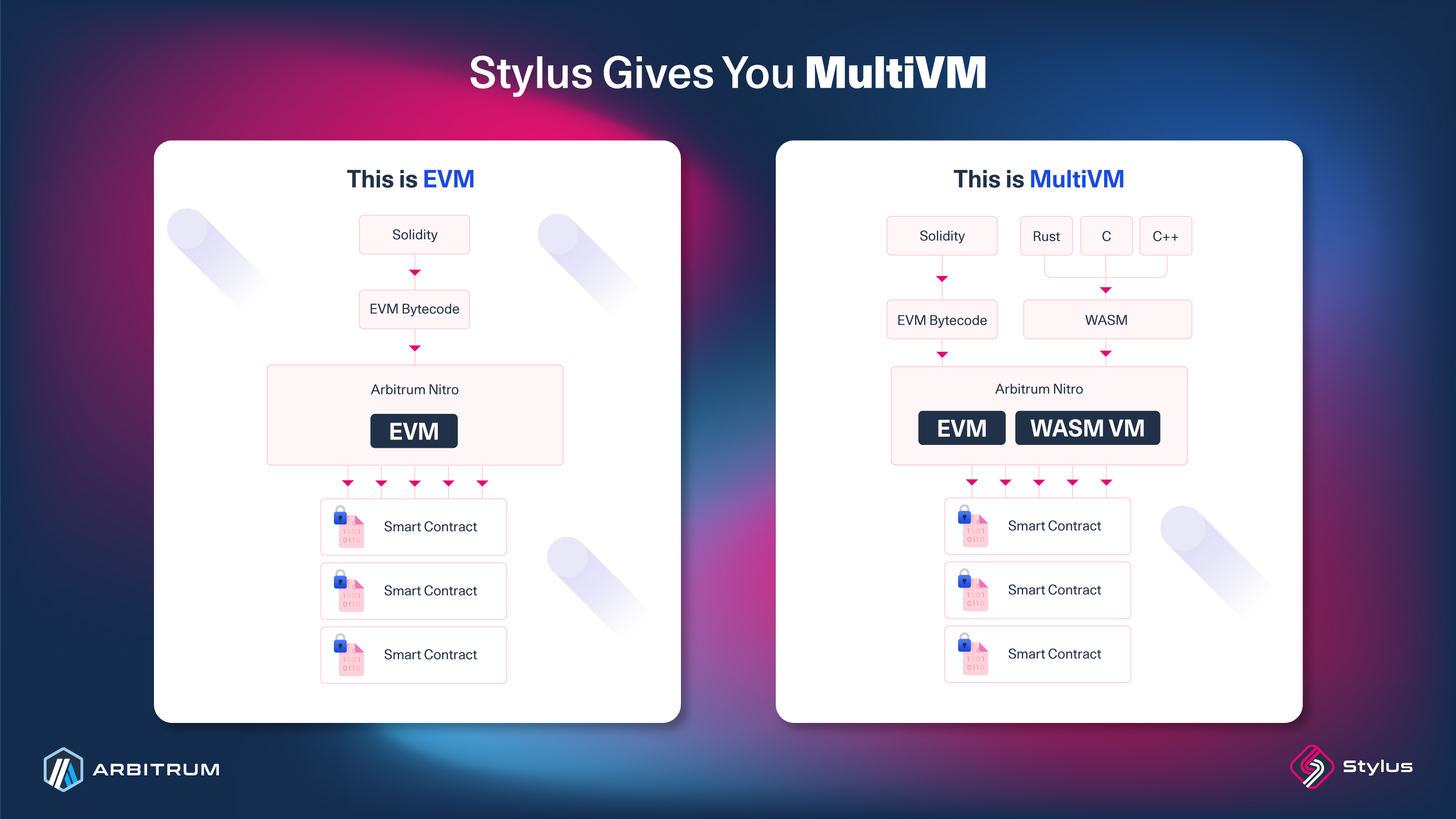
This second virtual machine executes WebAssembly (WASM) rather than EVM bytecode. WASM is a binary format used in web standards and browsers for efficient computation. Its design is to be portable and human-readable, with sandboxed execution environments for security. Working with WASM is nothing new for Arbitrum chains. Ever since the [Nitro upgrade](https://medium.com/offchainlabs/arbitrum-nitro-one-small-step-for-l2-one-giant-leap-for-ethereum-bc9108047450), WASM has been a fundamental component of Arbitrum's fraud proofs.
With a WASM VM, any programming language compilable to WASM is within Stylus's scope. In practice, some compilers are better suited to smart contract development than others. Rust has the first-class, fully supported SDK, and C and C++ are also supported. Any other language that compiles to WASM is theoretically possible, but support for those is experimental rather than officially maintained. Languages that include their own runtimes, like Python and JavaScript, are more complex for Stylus to support, although not impossible. WASM programs tend to be more efficient than EVM bytecode for memory-intensive applications. This efficiency comes from mature compiler toolchains for languages like Rust and C, which have benefited from decades of optimization work. The WASM runtime also executes faster than the EVM interpreter. Third-party contributions in the form of libraries for new and existing languages are welcome.
## How Stylus works [#how-stylus-works]
Bringing a Stylus program to life involves four stages: coding, activation, execution, and proving. The following sections describe each step.
### Coding [#coding]
You write your smart contract in any programming language that compiles to WASM. Rust has the most developed support with an open-source SDK for smart contract development. C and C++ are also supported, so that you can deploy existing contracts in those languages onchain with minimal modifications.
The [Stylus SDK for Rust](/stylus/reference/rust-sdk-guide) provides the development framework and language features for smart contract development. It also provides access to EVM-specific functionality used by smart contract developers.
### Activation [#activation]
Once you've written your contract, compile it to WASM using the Stylus CLI (or another compiler, like Clang for C/C++). Then you post the compiled WASM onchain.
To make your contract callable, it must undergo an [activation process](/stylus/concepts/activation). During activation, the WASM compiles down to a node's native machine code (e.g., ARM or x86). This step also includes safety checks, such as [gas metering](/stylus/concepts/gas-metering), depth-checking, and memory charging, to ensure your program runs safely and can be fraud-proven.
Stylus measures computational costs using ink instead of gas. Ink works like gas but is thousands of times smaller. WASM executes faster than the EVM, so a single EVM operation takes as long as thousands of WASM operations. A finer-grained unit makes pricing more precise.
> **Note**
>
> Contract size: As of ArbOS 61, Stylus contracts are not bound by the 24 KB EVM contract code limit. The maximum size of a Stylus contract is 96 KB — four times the limit for Solidity contracts on the EVM. This is enabled by a fragment-based deployment model; see [Deploying contracts larger than 24 KB](/stylus/cli-tools/overview#deploying-contracts-larger-than-24-kb).
>
> Stylus contracts need to be reactivated once per year (365 days) or after any Stylus upgrade. You can do this using [`cargo-stylus`](/stylus/cli-tools/commands-reference) or the [ArbWasm precompile](/arbitrum-essentials/precompiles/reference#common-precompiles). If a contract isn't reactivated, it becomes uncallable. The 365-day expiry and a minimum age of about 31 days before a contract can be kept alive are both configurable chain parameters; these are the current defaults.
### Execution [#execution]
When your Stylus program runs, it executes in a fork of [Wasmer](https://wasmer.io/), a [WebAssembly runtime](/stylus/concepts/webassembly). Because Wasmer compiles to native machine code, it executes faster than Geth's EVM bytecode interpreter. This performance difference reduces gas costs for compute-intensive operations.
EVM contracts continue to work exactly as before. When a contract is called, the system checks whether it's an EVM contract or a WASM program and routes it to the appropriate runtime. Solidity and WASM contracts can call each other, so the language a contract was written in doesn't affect interoperability.
### Proving [#proving]
Stylus builds on Nitro's fraud-proving technology. In normal operation, execution compiles to native code for speed. But if there's a dispute, the execution history compiles to WASM so validators can run interactive fraud proofs on Ethereum.
What makes Stylus possible: Nitro can already replay and verify disputes using WASM. Stylus extends this capability to verify not just execution history, but also the WASM programs you deploy. The result is a system where any program compiled to WASM can be deterministically fraud-proven. For more details, see the [Nitro architecture documentation](/how-arbitrum-works/inside-arbitrum-nitro).
## Use cases [#use-cases]
Stylus can integrate into existing Solidity projects by calling a Stylus contract to optimize specific parts of your app, or you can build an entire app with Stylus. Developers can also port existing applications written in Rust, C, or C++ to run onchain with minimal modifications. Here are some use cases where Stylus may be a good fit:
- Onchain verification with zero-knowledge proofs: Reduce gas costs for onchain verification using zero-knowledge proving systems. See [case study](https://blog.arbitrum.io/renegade-stylus-case-study/) for an example implementation.
- DeFi instruments: Implement custom pricing curves for AMMs, synthetic assets, options, and futures with onchain computation. You can extend existing protocols (such as Uniswap V4 hooks) or build your own.
- Memory and compute-intensive applications: Build onchain games, generative art, or other applications that benefit from reduced memory costs — Stylus programs can use up to 8 MB of memory, and costs grow near-linearly with the size of the workload. You can write the entire application in Stylus or optimize specific parts of existing Solidity contracts.
- Cryptographic applications: Implement applications that require advanced cryptography or other compute-heavy operations that would be cost-prohibitive in Solidity.
## When Stylus saves gas (and when it doesn't) [#when-stylus-saves-gas-and-when-it-doesnt]
Stylus's gas advantage is concentrated in **computation**. Storage operations cost roughly the same as in the EVM, so storage-heavy contracts gain little by porting.
> **Quick rule of thumb**
>
> - **Use Stylus** for compute-heavy logic: cryptography, math-heavy DeFi, ZK verification, in-memory algorithms, ports of existing Rust/C/C++ libraries.
> - **Stick with Solidity** when the contract mostly reads and writes storage with little computation in between — you won't see a meaningful gas reduction.
> - **Hybrid approach**: keep your storage layout in Solidity and call out to a Stylus contract for the compute-heavy hot paths.
## Getting started [#getting-started]
1. Follow the [quickstart](/stylus/quickstart) to deploy your first Stylus contract, and explore the [Rust SDK](/stylus/reference/overview) documentation.
2. Join the Stylus Developer [Telegram](https://t.me/arbitrum_stylus) group and [Arbitrum Discord](https://discord.gg/arbitrum) for community support.
3. Browse the [Awesome Stylus](https://github.com/OffchainLabs/awesome-stylus) repository for community-contributed projects, examples, and tools.
4. Subscribe to the [Stylus Saturdays](https://stylus-saturdays.com/) newsletter for tutorials and technical content.
# Build apps with Stylus (/stylus)
Build decentralized apps with Stylus, Arbitrum's smart contract platform for languages that compile to WebAssembly, including Rust, C, and C++. Stylus contracts run alongside EVM contracts and interoperate with them.
* [A gentle introduction](/stylus/gentle-introduction): Understand what Stylus is and when to use it.
* [Quickstart](/stylus/quickstart): Write, deploy, and call your first Stylus contract.
* [FAQ](/stylus/troubleshooting-building-stylus): Answers to common questions about building with Stylus.
# Quickstart: write a smart contract in Rust using Stylus (/stylus/quickstart)
> **New Stylus activations are paused**
>
> The Arbitrum Security Council has temporarily paused new Stylus contract activations on Arbitrum One and Arbitrum Nova. Stylus contracts that are already activated keep running until they expire. To learn what this means for you, read [Temporary pause on new Stylus activations](/notices/stylus-activation-pause-notice).
This guide will get you started with Stylus' basics. We'll
cover the following steps:
1. [Setting up your development environment](/stylus/quickstart#setting-up-your-development-environment)
2. [Creating a Stylus project with cargo stylus](/stylus/quickstart#creating-a-stylus-project-with-cargo-stylus)
3. [Checking the validity of your contract](/stylus/quickstart#checking-if-your-stylus-project-is-valid)
4. [Deploying your contract](/stylus/quickstart#deploying-your-contract)
5. [Exporting your contract's ABIs](#exporting-the-solidity-abi-interface)
6. [Calling your contract](/stylus/quickstart#calling-your-contract)
7. [Sending a transaction to your contract](/stylus/quickstart#sending-a-transaction-to-your-contract)
## Setting up your development environment [#setting-up-your-development-environment]
### Prerequisites [#prerequisites]
#### Rust toolchain
Follow the instructions on [Rust Lang's installation page](https://www.rust-lang.org/tools/install) to install a complete Rust toolchain (v1.91 or newer) on your system. After installation, ensure you can access the programs `rustup`, `rustc`, and `cargo` from your preferred terminal application.
#### VS Code
We recommend [VSCode](https://code.visualstudio.com/) as the IDE of choice for its excellent Rust support, but feel free to use another text editor or IDE if you're comfortable with those.
Some helpful VS Code extensions for Rust development:
- [rust-analyzer](https://marketplace.visualstudio.com/items?itemName=rust-lang.rust-analyzer): Provides advanced features like smart code completion and on-the-fly error checks
- [Error Lens](https://marketplace.visualstudio.com/items?itemName=usernamehw.errorlens): Immediately highlights errors and warnings in your code
- [Even Better TOML](https://marketplace.visualstudio.com/items?itemName=tamasfe.even-better-toml): Improves syntax highlighting and other features for TOML files, often used in Rust projects
- [Dependi](https://marketplace.visualstudio.com/items?itemName=fill-labs.dependi): Helps manage Rust crate versions directly from the editor
#### Docker
The testnode we will use as well as some `cargo stylus` commands require Docker to operate.
You can download Docker from [Docker's website](https://www.docker.com/products/docker-desktop).
#### Foundry's Cast
Foundry's Cast is a command-line tool that allows you to interact with your EVM contracts. You need to [install the Foundry CLI](https://getfoundry.sh) to use Cast.
#### Nitro devnode
Stylus is available on Arbitrum Sepolia, but we'll use nitro devnode which has a pre-funded wallet saving us the effort of wallet provisioning or running out of tokens to send transactions.
```shell title="Install your devnode"
git clone https://github.com/OffchainLabs/nitro-devnode.git
cd nitro-devnode
```
```shell title="Launch your devnode"
./run-dev-node.sh
```
## Creating a Stylus project with cargo stylus [#creating-a-stylus-project-with-cargo-stylus]
[cargo stylus](https://github.com/OffchainLabs/stylus-sdk-rs/tree/main/cargo-stylus) is a CLI toolkit built to facilitate the development of Stylus contracts. For a full list of commands and options, see the [`cargo stylus` commands reference](/stylus/cli-tools/commands-reference).
It is available as a plugin to the standard cargo tool used for developing Rust programs.
### Installing cargo stylus [#installing-cargo-stylus]
In your terminal, run:
```shell
cargo install --force cargo-stylus
```
You can verify that cargo stylus is installed by running `cargo stylus --help` in your terminal, which will return a list of helpful commands; we will use some of them in this guide:
```shell title="cargo stylus --help returns:"
Cargo command for developing Stylus projects
Usage: cargo stylus
Commands:
new Create a new Stylus project
init Initializes a Stylus project in the current directory
export-abi Export a Solidity ABI
activate Activate an already deployed contract [aliases: a]
cache Cache a contract using the Stylus CacheManager for Arbitrum chains
check Check a contract [aliases: c]
deploy Deploy a contract [aliases: d]
verify Verify the deployment of a Stylus contract [aliases: v]
cgen Generate c code bindings for a Stylus contract
replay Replay a transaction in gdb [aliases: r]
trace Trace a transaction [aliases: t]
help Print this message or the help of the given command(s)
Options:
-h, --help Print help
-V, --version Print version
```
### Creating a project [#creating-a-project]
Let's create our first Stylus project by running:
```shell
cargo stylus new
cd
```
`cargo stylus new` generates a starter template that implements a Rust version of the Solidity `Counter` smart contract example:
```solidity
// SPDX-License-Identifier: MIT
pragma solidity >=0.4.22 <0.9.0;
contract Counter {
uint count;
function setCount() public {
count = count + 1;
}
function getCount() view public returns(uint) {
return count;
}
}
```
At this point, you can move on to the next step of this guide or develop your first Rust smart contract. Feel free to use the [Stylus Rust SDK reference section](/stylus/reference/overview) as a starting point; it offers many examples to help you quickly familiarize yourself with Stylus.
## Checking if your Stylus project is valid [#checking-if-your-stylus-project-is-valid]
By running `cargo stylus check` against your first contract, you can check if your program can be successfully **deployed and activated** onchain.
> **Important**
>
> Ensure your Docker service runs so this command works correctly.
```shell
cargo stylus check
```
`cargo stylus check` executes a dry run on your project by compiling your contract to WASM and verifying if it can be deployed and activated onchain.
If the command above fails, you'll see detailed information about why your contract would be rejected:
```shell
Reading WASM file at bad-export.wat
Compressed WASM size: 55 B
Stylus checks failed: program pre-deployment check failed when checking against
ARB_WASM_ADDRESS 0x0000…0071: (code: -32000, message: program activation failed: failed to parse program)
Caused by:
binary exports reserved symbol stylus_ink_left
Location:
prover/src/binary.rs:493:9, data: None
```
The contract can fail the check for various reasons (on compile, deployment, etc...). Reading the [Invalid Stylus WASM Contracts explainer](https://github.com/OffchainLabs/stylus-sdk-rs/blob/main/cargo-stylus/VALID_WASM.md) can help you understand what makes a WASM contract valid or not. For other deployment and activation errors (e.g., `program activation failed`), see [common issues](/stylus/troubleshooting/common-issues).
If your contract succeeds, you'll see something like this:
```shell
Finished release [optimized] target(s) in 1.88s
Reading WASM file at hello-stylus/target/wasm32-unknown-unknown/release/hello-stylus.wasm
Compressed WASM size: 3 KB
Program succeeded Stylus onchain activation checks with Stylus version: 1
```
Note that running `cargo stylus check` may take a few minutes, especially if you're verifying a contract for the first time.
See `cargo stylus check --help` for more options.
## Deploying your contract [#deploying-your-contract]
Once you're ready to deploy your contract onchain, `cargo stylus deploy` will help you with the deployment and its gas estimation.
> **Note**
>
> As of ArbOS 61, Stylus contracts can be up to 96 KB. If your compressed WASM exceeds 24 KB, cargo stylus deploy automatically splits the binary into fragments and deploys a collection contract that references them. You don't need to do anything different — the resulting contract address (the collection) is what callers use, and it behaves like any other Stylus contract. Read more in [Deploying contracts larger than 24 KB](/stylus/cli-tools/overview#deploying-contracts-larger-than-24-kb).
### Estimating gas [#estimating-gas]
Note: For every transaction, we'll use the testnode pre-funded wallet, you can use `0xb6b15c8cb491557369f3c7d2c287b053eb229daa9c22138887752191c9520659` as your private key.
You can estimate the gas required to deploy your contract by running:
```shell
cargo stylus deploy \
--endpoint='http://localhost:8547' \
--private-key="0xb6b15c8cb491557369f3c7d2c287b053eb229daa9c22138887752191c9520659" \
--estimate-gas
```
The command should return something like this:
```shell
deployment tx gas: 7123737
gas price: "0.100000000" gwei
deployment tx total cost: "0.000712373700000000" ETH
```
### Deployment [#deployment]
Let's move on to the contract's actual deployment. Two transactions will be sent onchain: the contract deployment and its activation.
```shell
cargo stylus deploy \
--endpoint='http://localhost:8547' \
--private-key="0xb6b15c8cb491557369f3c7d2c287b053eb229daa9c22138887752191c9520659"
```
Once the deployment and activations are successful, you'll see an output similar to this:
```shell
deployed code at address: 0x33f54de59419570a9442e788f5dd5cf635b3c7ac
deployment tx hash: 0xa55efc05c45efc63647dff5cc37ad328a47ba5555009d92ad4e297bf4864de36
wasm already activated!
```
Make sure to save the contract's deployment address for future interactions!
More options are available for sending and outputting your transaction data. See `cargo stylus deploy --help` for more details.
## Exporting the Solidity ABI interface [#exporting-the-solidity-abi-interface]
The cargo stylus tool makes it easy to export your contract's ABI using `cargo stylus export-abi`.
This command returns the Solidity ABI interface of your smart contract. If you have been running `cargo stylus new` without modifying the output, `cargo stylus export-abi` will return:
```shell
/**
* This file was automatically generated by Stylus and represents a Rust program.
* For more information, please see [The Stylus SDK](https://github.com/OffchainLabs/stylus-sdk-rs).
*/
// SPDX-License-Identifier: MIT-OR-APACHE-2.0
pragma solidity ^0.8.23;
interface ICounter {
function number() external view returns (uint256);
function setNumber(uint256 new_number) external;
function mulNumber(uint256 new_number) external;
function addNumber(uint256 new_number) external;
function increment() external;
function addFromMsgValue() external payable;
}
```
Ensure you save the console output to a file that you'll be able to use with your decentralized app.
## Interacting with your Stylus contract [#interacting-with-your-stylus-contract]
Stylus contracts are EVM-compatible, you can interact with them with your tool of choice, such as [Hardhat](https://hardhat.org/), [Foundry's Cast](https://book.getfoundry.sh/cast/), or any other Ethereum-compatible tool.
In this example, we'll use Foundry's Cast to send a call and then a transaction to our contract.
### Calling your contract [#calling-your-contract]
Our contract is a counter; in its initial state, it should store a counter value of `0`.
You can call your contract so it returns its current counter value by sending it the following command:
```shell title="Call to the function: number()(uint256)"
cast call --rpc-url 'http://localhost:8547' \
[deployed-contract-address] "number()(uint256)"
```
Let's break down the command:
- `cast call` command sends a read-only call to your contract (no transaction is sent, so no private key is needed)
- The `--rpc-url` option is the `RPC URL` endpoint of our testnode: http://localhost:8547
- The [deployed-contract-address] is the address we want to interact with, it's the address that was returned by `cargo stylus deploy`
- `number()(uint256)` is the function we want to call in Solidity-style signature. The function returns the counter's current value
```shell title="Calling 'number()(uint256)' returns:"
0
```
The `number()(uint256)` function returns a value of `0`, the contract's initial state.
### Sending a transaction to your contract [#sending-a-transaction-to-your-contract]
Let's increment the counter by sending a transaction to your contract's `increment()` function.
We'll use Cast's `send` command to send our transaction.
```shell title="Sending a transaction to the function: increment()"
cast send --rpc-url 'http://localhost:8547' --private-key 0xb6b15c8cb491557369f3c7d2c287b053eb229daa9c22138887752191c9520659 \
[deployed-contract-address] "increment()"
```
```shell title="Transaction returns:"
blockHash 0xfaa2cce3b9995f3f2e2a2f192dc50829784da9ca4b7a1ad21665a25b3b161f7c
blockNumber 20
contractAddress
cumulativeGasUsed 97334
effectiveGasPrice 100000000
from 0x3f1Eae7D46d88F08fc2F8ed27FCb2AB183EB2d0E
gasUsed 97334
logs []
logsBloom 0x00000000000000000000000000000000000000000000000000000000000000000000000000000000000000000000000000000000000000000000000000000000000000000000000000000000000000000000000000000000000000000000000000000000000000000000000000000000000000000000000000000000000000000000000000000000000000000000000000000000000000000000000000000000000000000000000000000000000000000000000000000000000000000000000000000000000000000000000000000000000000000000000000000000000000000000000000000000000000000000000000000000000000000000000000000000
root
status 1 (success)
transactionHash 0x28c6ba8a0b9915ed3acc449cf6c645ecc406a4b19278ec1eb67f5a7091d18f6b
transactionIndex 1
type 2
blobGasPrice
blobGasUsed
authorizationList
to 0x11B57FE348584f042E436c6Bf7c3c3deF171de49
gasUsedForL1 "0x0"
l1BlockNumber "0x1223"
```
Our transactions returned a status of `1`, indicating success, and the counter has been incremented (you can verify this by calling your contract's `number()(uint256)` function again).
## Testing your contract [#testing-your-contract]
The Stylus testing framework includes `TestVM`, a simulation of the Stylus execution environment that enables you to test your contracts without deploying them. Here's a simple example of how
to test the counter contract:
```rust
#[cfg(test)]
mod test {
use super::*;
use stylus_sdk::testing::*;
#[test]
fn test_counter_operations() {
// Set up the test VM and instantiate the contract
let vm = TestVM::default();
let mut contract = Counter::from(&vm);
// Initial state: the counter starts at zero
assert_eq!(contract.number(), U256::ZERO);
// increment() updates storage
contract.increment();
assert_eq!(contract.number(), U256::from(1));
// set_number() overwrites the stored value
contract.set_number(U256::from(5));
assert_eq!(contract.number(), U256::from(5));
}
}
```
To enable testing, you'll need to add the following to your `Cargo.toml`:
```toml
[dev-dependencies]
stylus-sdk = { version = "0.10.7", features = ["stylus-test"] }
```
### Running your tests [#running-your-tests]
You can run your tests using the standard Rust test command:
```shell
cargo test
```
The testing framework allows you to:
- Simulate transaction context and block information
- Test contract storage operations
- Verify state transitions
- Mock contract-to-contract interactions
- Test various scenarios without deployment costs
For more advanced testing techniques and best practices, see the [Testing contracts with Stylus guide](/stylus/fundamentals/testing-contracts).
## Conclusion [#conclusion]
Congratulations! You've successfully initialized, deployed, and interacted with your first contract using Stylus and Rust.
Feel free to explore the [Stylus Rust SDK reference](/stylus/reference/overview) for more information on using Stylus in your Arbitrum projects.
# Troubleshooting Stylus (/stylus/troubleshooting-building-stylus)
### How does Stylus manage security issues in smart contracts when interacting with so many different languages? [#how-does-stylus-manage-security-issues-in-smart-contracts-when-interacting-with-so-many-different-languages]
All languages are compiled to WASM for them to be able to work with Stylus. So it just needs to verify that the produced WASM programs behave as they should inside the new virtual machine.
### Is there any analogue of the fallback function from Solidity in the Rust Stylus SDK? [#is-there-any-analogue-of-the-fallback-function-from-solidity-in-the-rust-stylus-sdk]
Yes, starting with SDK version 0.7.0, the Router trait supports both `fallback` and `receive` methods, similar to their Solidity counterparts. The `fallback` method is called when a transaction has calldata
that doesn't match any defined function, while the `receive` method is called when a transaction has empty calldata. You can find more information in [Fallback and receive
functions](/stylus/reference/rust-sdk-guide#fallback-and-receive-functions).
For older SDK versions (pre-0.7.0), you can use a minimal entrypoint and perform raw delegate calls, forwarding your calldata. You can find more information in [Bytes-in, bytes-out
programming](/stylus/stylus-by-example/basic_examples/bytes_in_bytes_out) and [call, static_call and
delegate_call](/stylus/reference/rust-sdk-guide#call-static_call-and-delegate_call).
### Is it possible to verify Stylus contracts on the block explorer? [#is-it-possible-to-verify-stylus-contracts-on-the-block-explorer]
Currently it is not possible to verify contracts compiled to WASM on the block explorer, but we are actively working with providers to have the verification process ready for when Stylus reaches mainnet-ready status.
### Do Stylus contracts compile down to EVM bytecode like prior other attempts? [#do-stylus-contracts-compile-down-to-evm-bytecode-like-prior-other-attempts]
No. Stylus contracts are compiled down to WASM. The user writes a program in Rust / C / C++ which is then compiled down to WebAssembly.
### How is a Stylus contract deployed? [#how-is-a-stylus-contract-deployed]
Stylus contracts are deployed onchain as a blob of bytes, just like EVM ones. The only difference is that when the contract executes, instead of invoking the EVM, we invoke a separate WASM runtime. Note that a special EOF-inspired prefix distinguishes Stylus contracts from traditional EVM contracts: when a contract's bytecode starts with the magic `0xEFF00000` prefix, it's a Stylus WASM contract.
### Is there a new transaction type to deploy Stylus contracts? [#is-there-a-new-transaction-type-to-deploy-stylus-contracts]
You deploy a Stylus contract the same way that Solidity contracts are deployed. There are no special transaction types. As a UX note: a WASM will revert until a special instrumentation operation is performed by a call to the new `ArbWasm` precompile, which readies the program for calls onchain.
You can find instructions for deploying a Stylus contract in our [Quickstart](/stylus/quickstart#checking-if-your-stylus-project-is-valid).
### Do Stylus contracts use a different type of ABI? [#do-stylus-contracts-use-a-different-type-of-abi]
Stylus contracts use solidity ABIs. Methods, signatures, logs, calls, etc. work exactly as in the EVM. From a user's / explorer's perspective, it all just looks and behaves like Solidity.
### Does the Stylus SDK for Rust support custom data structures? [#does-the-stylus-sdk-for-rust-support-custom-data-structures]
For in-memory usage, you should be able to use any implementation of custom data structures without problems.
For storage usage, it may be more complicated. Stylus uses the EVM storage system, so you'll need to define the data structure on top of it. However, in the SDK, there's a storage trait that custom types can implement to back their collections with the EVM state trie. The SDK macros are also compatible with them, although it's still fundamentally a global key-value system.
You can read more about it in the [Stylus Rust SDK page](/stylus/reference/rust-sdk-guide#storage).
As an alternative solution, you can use [entrypoint-style contracts](/stylus/stylus-by-example/basic_examples/bytes_in_bytes_out) for your custom data structures.
### Why do I get an error “no library targets found in package” when trying to compile and old example? [#why-do-i-get-an-error-no-library-targets-found-in-package-when-trying-to-compile-and-old-example]
Some of the first Stylus examples were built and deployed using a previous version of [cargo-stylus](https://github.com/OffchainLabs/cargo-stylus) (`0.1.x`). In that version, Stylus projects were structured as regular Rust binaries.
Since [cargo-stylus v0.2.1](https://github.com/OffchainLabs/cargo-stylus/releases/tag/v0.2.1), Stylus projects are structured as libraries, so when trying to compile old projects you might get an error `no library targets found in package`.
To solve this, it's usually enough to rename the `main.rs` file to a `lib.rs` file.
### How can I generate the ABI of my Stylus contract? [#how-can-i-generate-the-abi-of-my-stylus-contract]
The
has a command that allows you to export the ABI of your Stylus contract: `cargo stylus export-abi`.
If you're using the Stylus Rust SDK, you'll need to enable the `export-abi` feature in your `Cargo.toml` file like so:
```rust
[features]
export-abi = ["stylus-sdk/export-abi"]
```
You'll also need to have a `main.rs` file that selects that feature.
This is an example of a `main.rs` file that allows you to export the ABI of the [stylus-hello-world](https://github.com/OffchainLabs/stylus-hello-world) example project:
```rust
#![cfg_attr(not(feature = "export-abi"), no_main)]
#[cfg(feature = "export-abi")]
fn main() {
stylus_hello_world::main();
}
```
### How can I find out if the smart contract bytecode is from a Stylus contract or Solidity contract? [#how-can-i-find-out-if-the-smart-contract-bytecode-is-from-a-stylus-contract-or-solidity-contract]
You can check the first three bytes of the code at the contract address. If they read `0xEFF000`, it's a Stylus program. Otherwise, it will be from a Solidity contract.
### I’m trying to work with cargo stylus on Windows and got error: failed to resolve: could not find unix in os [#im-trying-to-work-with-cargo-stylus-on-windows-and-got-error-failed-to-resolve-could-not-find-unix-in-os]
Cargo Stylus is just compatible with Unix operating systems and not Windows. You should install `WSL` (Windows Subsystem for Linux) before using that and then use `WSL terminal` to install and use cargo stylus.
### How can I return a struct from a function? [#how-can-i-return-a-struct-from-a-function]
Currently, the SDK doesn't support external structs directly, but support is in progress. For now, you can use tuples as output instead of structs.
Keep in mind that structs are mapped to tuples by the Solidity ABI. You can read more about this mapping here: [Solidity ABI Specification](https://docs.soliditylang.org/en/v0.8.19/abi-spec.html#mapping-solidity-to-abi-types).
Since the current SDK macro doesn't automatically handle struct-to-tuple conversions, you'll need to manually convert your struct into a tuple in the return type.
### How can I get the WASM opcodes of the compiled Stylus contracts? [#how-can-i-get-the-wasm-opcodes-of-the-compiled-stylus-contracts]
To view the WASM opcodes, you can convert the WebAssembly binary (WASM) to WebAssembly Text (WAT). This conversion is possible using the WebAssembly Binary Toolkit (wabt). An easy way to do this is to use the online tool [Wasm-to-Wat converter](https://webassembly.github.io/wabt/demo/wasm2wat/), which is part of wabt.
For more information or if you'd like to use the toolkit locally, you can find wabt on [GitHub](https://github.com/WebAssembly/wabt).
### What is the difference between .set and .setter? [#what-is-the-difference-between-set-and-setter]
---
- `.set`**:** This method is used directly to set a value in storage. It's a straightforward way to assign a value if you only need to perform a one-time set operation.
- `.setter`**:** This method provides a handle to a storage slot. It allows you to both `set` and `get` the value of the storage slot, making it more versatile if you need to access the current value and also update it.
If you plan to both retrieve and modify a value frequently, it's more efficient to use `.setter`, assign it to a variable, and then use the `.get` and `.set` methods on that variable. However, if you only need to set a value, you can use `.set` directly.
# Contribute third-party docs (/third-party-docs/contribute)
Third-party docs are articles that help readers of Arbitrum docs use other products, services, and protocols (like the ones listed in the [Arbitrum portal](https://portal.arbitrum.io/)).
These documents are usually authored by partner teams, but can be authored by anyone. They follow the same general process that [core docs](/contribute#add-a-new-core-document) follow, in addition to the following guidelines:
For the repository workflow (branching, frontmatter, the sidebar, and the checks a pull request must pass), see the [workflow guide](https://github.com/OffchainLabs/arbitrum-docs/blob/master/CONTRIBUTE.md).
## 1. Eligibility [#1-eligibility]
- Third-party docs are intended to support products listed in the [Arbitrum portal](https://portal.arbitrum.io/), or infrastructure and services that those products use.
- To submit your project to the Arbitrum portal, [apply using this Google form](https://docs.google.com/forms/d/e/1FAIpQLSc_v8j7sc4ffE6U-lJJyLMdBoIubf7OIhGtCqvK3cGPGoLr7w/viewform).
## 2. Purpose [#2-purpose]
- The purpose of our `Third-party docs` sections is to meet Arbitrum developer (or user) demand for guidance that helps them use non-Arbitrum products with Arbitrum products.
- It's _not_ meant to drive traffic to your product (although that may happen); it's meant to solve problems that our readers are actually facing, which are directly related to Arbitrum products.
## 3. Maintenance expectations [#3-maintenance-expectations]
- Offchain Labs can't commit to maintaining third-party docs, but we make it easy for you to maintain them.
- Set the `third_party_content_owner` field in your document's frontmatter to the GitHub username of the designated maintainer. This person will be assigned to your document's issues and PRs, and will be expected to resolve them in a timely manner.
## 4. Organization [#4-organization]
- Third-party docs live in the `Third-party docs` section of the sidebar. Add your document at `content/docs/third-party-docs//.mdx`.
- This section's content is grouped by third-party product. If/when this becomes unwieldy, we'll begin grouping products by [portal](https://portal.arbitrum.io/) category.
## 5. Limited document types [#5-limited-document-types]
- To manage our team's limited capacity, third-party documents must be either _Quickstarts_, _How-tos_, or _Concepts_. See [document types](/contribute#document-type-conventions).
## 6. Incremental contributions: One document at a time, procedures first [#6-incremental-contributions-one-document-at-a-time-procedures-first]
- Third-party document PRs should contain at most one new document.
- Any given product's first docs contribution should be a _Quickstart_ or _How-to_.
- Additional documents will be merged only if we can verify that our readers are deriving value from your initial contribution.
- The way that we verify this isn't yet formally established, and it isn't publicly disclosed. Our current approach combines a number of objective and subjective measures.
## 7. Policy acknowledgment [#7-policy-acknowledgment]
- Before merging third-party documentation PRs, we ask contributors to acknowledge that they've read, understood, and agree with the following policies:
### 1. Content ownership [#1-content-ownership]
As the author, you retain ownership of and responsibility for the content you contribute. You're free to use your content in any way you see fit outside of Arbitrum's docs. Remember that when contributing content to our documentation, you must ensure you have the necessary rights to do so, and that the content doesn't infringe on the intellectual property rights of others.
### 2. License for use [#2-license-for-use]
By contributing your content to our documentation, you grant Offchain Labs a non-exclusive, royalty-free license to use, reproduce, adapt, translate, distribute, and display the content in our documentation. This allows us to integrate your content into our docs and make it available to all users.
### 3. Right to modify or remove [#3-right-to-modify-or-remove]
Offchain Labs reserves the right to modify or remove third-party content from our documentation at any time. This might be necessary due to a range of reasons, such as content becoming outdated, receiving very low page views over an extended period, or misalignment with our guidelines or goals.
# Third-party docs (/third-party-docs)
Guides for integrating third-party tools and services with Arbitrum.
* [Circle Paymaster quickstart](/third-party-docs/Circle/usdc-paymaster-quickstart): Learn how to integrate with Circle paymaster.
* [Codex Quickstart - DeFi Data API for Arbitrum](/third-party-docs/Codex/codex): Learn how to use the Codex GraphQL API to access real-time and historical DeFi data on Arbitrum, including token prices, DEX trades, liquidity pools, and wallet analytics.
* [Contribute third-party docs](/third-party-docs/contribute): Discover how to contribute third-party resources to Arbitrum's documentation. Share your expertise and help expand the largest Ethereum Layer 2 developer ecosystem.
* [Quickstart - Covalent Indexing and Querying API](/third-party-docs/Covalent/covalent): Learn how to use the Covalent APIs to access Arbitrum One, Nova and Arbitrum chain data including balances, transactions, NFTs, DEX and core blockchain data.
* [How to deploy an NFT smart contract and enable credit card and cross-chain payments with no-code](/third-party-docs/Crossmint/crossmint): Learn how to use Crossmint to create and deploy NFT contracts and enable credit card and cross-chain payments for your customers and users.
* [Quickstart: Blazing-fast indexing and data analytics using Envio](/third-party-docs/Envio/envio): Learn how to create an API for your smart contracts in less than 3 minutes and index Arbitrum data 100x faster than RPC
* [Quickstart: Indexing Arbitrum custom data via Flair](/third-party-docs/Flair/flair): Real-time and historical custom data indexing for any evm chain.
* [Getting Started with Gelato VRF](/third-party-docs/Gelato/gelato-vrf): Learn how to use Gelato VRF
* [LayerZero](/third-party-docs/LayerZero/layerzero): Omnichain interoperability protocol enabling secure cross-chain communication for Arbitrum applications. Connect to 100+ blockchains, send messages, and deploy omnichain tokens.
* [MetaMask Smart Accounts](/third-party-docs/MetaMask/metamask): Learn about MetaMask Smart Accounts and how to use them with Arbitrum
* [Moralis Quickstart - Crypto Data APIs for Arbitrum](/third-party-docs/Moralis/moralis): Learn how to use Moralis APIs to get data about wallets, tokens, NFTs, prices and more on Arbitrum.
* [OKX - Crypto exchange, app, and wallet](/third-party-docs/OKX/okx): Learn how to use OKX.
* [How to onboard users and make a sponsored transaction](/third-party-docs/Openfort/openfort): Learn how to use Openfort to integrate wallets into your project on Arbitrum
* [How to make your Arbitrum dApp chain-agnostic with Universal Accounts](/third-party-docs/Particle/particle): Guide covering the process of leveraging Particle Network's Universal Accounts SDK to accept deposits from any chain and interact cross-chain.
* [QuickNode Backfill Templates](/third-party-docs/QuickNode/backfill-templates): Learn about QuickNode's Backfill Templates, a tool that simplifies the process of retrieving historical blockchain data.
* [Reactive Network](/third-party-docs/Reactive/reactive): Learn how to use the Reactive Network to create reactive dApps
* [Reown (prev. known as WalletConnect)](/third-party-docs/Reown/reown): Reown gives developers the tools to build user experiences that make digital ownership effortless, intuitive, and secure.
* [The Graph: index and query Arbitrum data](/third-party-docs/TheGraph/thegraph): Learn how to use The Graph to index and query smart contract data on Arbitrum using subgraphs and GraphQL.
* [Venly Tools <> Arbitrum](/third-party-docs/Venly/venly): Venly Tools stand on three pillars: Digital Wallets, Digital Assets, and Payments
* [What is the Webacy Risk Data Network?](/third-party-docs/Webacy/webacy): Learn about the Webacy Risk Data Network, and how you can use it in your products.
* [Quickstart - Zerion API for Arbitrum](/third-party-docs/Zerion/zerion): Learn how to use the Zerion API to access wallet portfolios, token balances, DeFi positions, transactions, and NFT data on Arbitrum.
* [ZeroDev Smart Account Integration Guide for Arbitrum](/third-party-docs/ZeroDev/zero-dev): Learn about integrating smart accounts for Arbitrum and account abstraction.
# Block gas limit, numbers and time (/arbitrum-essentials/arbitrum-vs-ethereum/block-numbers-and-time)
> **block number vs block.number**
>
> Throughout this and other pages, we note that the block number of a chain does not match the value obtained from `block.number`. When using `block.number` in a smart contract, the value obtained will be the block of the first non-Arbitrum ancestor chain. That is:
>
> - Ethereum, if the chain is a Layer 2 (L2) chain on top of Ethereum, or a Layer 3 (L3) chain on top of an Arbitrum chain
> - The parent chain, if it's not Ethereum or an Arbitrum chain (for example, a chain that settles to Base)
As with Ethereum, Arbitrum clients submit transactions, and the system executes them later. In Arbitrum, clients submit transactions by posting messages to the Ethereum chain, either [through the Sequencer](/how-arbitrum-works/deep-dives/sequencer) or via the chain's [Delayed Inbox](/how-arbitrum-works/deep-dives/sequencer).
Once in the chain's core inbox contract, transaction processing occurs in order. Generally, some time will elapse between when a message is put into the inbox (and timestamped) and when the contract processes the message and carries out the transaction requested by the message.
Additionally, since the calldata/blobs of Arbitrum transactions (or the DAC certificate on AnyTrustchains) is posted to Ethereum, the gas paid when executing them includes a component for the parent chain to cover the costs of the batch poster.
This page explains the implications of this mechanism for the block gas limit, block numbers, and the time assumptions associated with transactions submitted to Arbitrum.
## Block gas limit [#block-gas-limit]
When submitting a transaction to Arbitrum, users incur fees for both the execution cost on Arbitrum and the cost of posting its calldata to Ethereum. Managing the dual cost structure involves adjusting the transaction's gas limit to reflect these two dimensions, resulting in a higher gas limit value than would be seen for pure execution.
The gas limit of an Arbitrum block is set to the sum of all transaction gas limits, including the costs associated with posting parent chain data. To accommodate potential variations in parent chain costs, Arbitrum assigns an artificially large gas limit (`1,125,899,906,842,624`) for each block. However, the effective execution gas limit has a cap of 32 million. This cap means that, although the visible gas limit may appear very high, the actual execution costs are constrained within this limit. Understanding this distinction helps clarify why querying a block might show an inflated gas limit that doesn't match the effective execution costs.
For a more detailed breakdown of the gas model, refer to [this article on Arbitrum's 2-dimensional fee structure](https://medium.com/offchainlabs/understanding-arbitrum-2-dimensional-fees-fd1d582596c9).
## Block numbers: Arbitrum vs. Ethereum [#block-numbers-arbitrum-vs-ethereum]
Arbitrum blocks are assigned their own child chain block numbers, distinct from Ethereum's block numbers.
A single Ethereum block can include multiple Arbitrum blocks; however, an Arbitrum block cannot span across multiple Ethereum blocks. Thus, any given Arbitrum transaction is associated with exactly one Ethereum block and one Arbitrum block.
### Ethereum (or parent chain) block numbers within Arbitrum [#ethereum-or-parent-chain-block-numbers-within-arbitrum]
Accessing block numbers within an Arbitrum smart contract (i.e., `block.number` in Solidity) will return a value _close to_ (but not necessarily exactly) the block number of the first non-Arbitrum ancestor chain where the sequencer received the transaction.
The "first non-Arbitrum ancestor chain" is:
- Ethereum, if the chain is an L2 chain on top of Ethereum, or an L3 chain on top of an Arbitrum chain
- The parent chain, if it's not Ethereum or an Arbitrum chain (for example, a chain that settles to Base)
```solidity
// some Arbitrum contract:
block.number // => returns the approximate block number of the first non-Arbitrum ancestor chain
```
As a general rule, any timing assumptions a contract makes about block numbers and timestamps should be considered generally reliable in the longer term (i.e., on the order of at least several hours) but unreliable in the shorter term (minutes). (These are generally the same assumptions one should operate under when using block numbers directly on Ethereum!) For how this affects specific Solidity operations like `block.number` and `block.timestamp`, see [Solidity support](/arbitrum-essentials/arbitrum-vs-ethereum/solidity-support).
> **EIP-2935 difference**
>
> [EIP-2935](https://eips.ethereum.org/EIPS/eip-2935) adds another way to retrieve block hashes by making a call to a contract. The contract is at the same address and has the same interface as the original. It was modified to have a larger buffer and different code, but it remains usable in the same way to retrieve past L2 block hashes.
### Arbitrum block numbers [#arbitrum-block-numbers]
Arbitrum blocks have their own block numbers, starting at `0` at the Arbitrum genesis block and updating sequentially.
ArbOS and the sequencer are responsible for delineating when one Arbitrum block ends and the next one begins. However, block creation depends entirely on chain usage, meaning that block production only occurs when there are transactions to sequence. In active chains, one can expect to see Arbitrum blocks produced at a relatively steady rate. In less active chains, block production might be sporadic depending on the rate at which transactions are received.
A client that queries an Arbitrum node's RPC interface (e.g., transaction receipts) will receive the transaction's Arbitrum block number as the standard block number field. The block number of the first non-Arbitrum ancestor chain will also be included in the added `l1BlockNumber` field.
```typescript
const txnReceipt = await arbitrumProvider.getTransactionReceipt('0x...');
/**
txnReceipt.l1BlockNumber => Approximate block number of the first non-Arbitrum ancestor chain
*/
```
The Arbitrum block number can also be retrieved within an Arbitrum contract via the [ArbSys](/arbitrum-essentials/precompiles/reference#arbsys) precompile:
```solidity
ArbSys(100).arbBlockNumber() // returns Arbitrum block number
```
### Example [#example]
The following example illustrates timings on a chain that settles to Ethereum (similar to Arbitrum One), although it also applies to L3 chains that settle to an Arbitrum chain.
| Wall clock time | 12:00 am | 12:00:15 am | 12:00:30 am | 12:00:45 am | 12:01 am | 12:01:15 am |
| ------------------------------------- | -------- | ----------- | ----------- | ----------- | -------- | ----------- |
| Ethereum `block.number` | 1000 | 1001 | 1002 | 1003 | 1004 | 1005 |
| Chain's `block.number` \* | 1000 | 1000 | 1000 | 1000 | 1004 | 1004 |
| Chain's block number (from RPCs) \*\* | 370000 | 370005 | 370006 | 370008 | 370012 | 370015 |
> **Note**
>
> txnReceipt.blockNumber => Arbitrum block number
>
> \_\* **The chain's `block.number`:** updated to sync with Ethereum's `block.number` every 13 to 15 seconds (occasionally longer).
_\*\* **Chain's block number from RPCs:** note that this can be updated multiple times per Ethereum block (this lets the sequencer give sub-Ethereum-block-time transaction receipts.)_
### Case study: the Multicall contract [#case-study-the-multicall-contract]
The Multicall contract provides a valuable case study for the differences between various block numbers.
The [canonical implementation](https://github.com/makerdao/multicall/) of Multicall returns the value of `block.number`. When used out of the box, some applications may exhibit unintended behavior.
You can find a version of the adapted `Multicall2` deployed on Arbitrum One at [0x842eC2c7D803033Edf55E478F461FC547Bc54EB2](https://arbiscan.io/address/0x842eC2c7D803033Edf55E478F461FC547Bc54EB2#code).
By default, the `getBlockNumber`, `tryBlockAndAggregate`, and `aggregate` functions return the child chain block number. This function allows you to use this value to compare your state against the tip of the chain.
The `getL1BlockNumber` function is queriable if applications need to surface the block number of the first non-Arbitrum ancestor chain.
## Block timestamps: Arbitrum vs. Ethereum [#block-timestamps-arbitrum-vs-ethereum]
Block timestamps on Arbitrum are not linked to the timestamp of the parent chain block. They are updated every child chain block based on the sequencer's clock. These timestamps must follow these two rules:
1. Must always be equal to or greater than the previous child chain block timestamp
2. Must fall within the established boundaries (24 hours earlier than the current time or one hour in the future). More on this below.
Furthermore, for transactions that are force-included from the parent chain (bypassing the Sequencer), the block timestamp will be equal to either the parent chain timestamp when the transaction was put in the Delayed Inbox on the parent chain (not when it was force-included), or the child chain timestamp of the previous child chain block, whichever of the two timestamps is greater.
### Timestamp boundaries of the sequencer [#timestamp-boundaries-of-the-sequencer]
As mentioned, block timestamps are usually set based on the sequencer's clock. Because there's a possibility that the Sequencer fails to post batches on the parent chain (i.e., Ethereum) for a period of time, it should have the ability to slightly adjust the timestamp of the block to account for those delays and prevent any potential reorganizations of the chain. To limit the degree to which the Sequencer can adjust timestamps, some boundaries are set, currently to 24 hours earlier than the current time, and one hour in the future.
# Differences between Arbitrum and Ethereum: Overview (/arbitrum-essentials/arbitrum-vs-ethereum/comparison-overview)
Arbitrum's design is to be as compatible and consistent with Ethereum as possible, from its high-level RPCs to its low-level bytecode and everything in between. Decentralized app developers with experience building on Ethereum will likely find that little to no new specific knowledge is required to build on Arbitrum.
This article outlines the key differences, benefits, and potential pitfalls that devs should be aware of when working with Arbitrum. This first page serves as an outline, with links to the relevant pages.
## STF in Ethereum [#stf-in-ethereum]
In Ethereum, the STF receives transactions as inputs, processes them via the EVM, and produces the final state as output.
The Ethereum state is a vast data structure represented by a modified Merkle Patricia Trie. This structure holds all accounts, linking them via hashes and reducing the entire state to a single root hash stored on the blockchain.
The Ethereum Virtual Machine (EVM) operates similarly to a mathematical function: given an input, it produces a deterministic output. Ethereum's STF encapsulates this behavior:
$$
Y(S, T) = S'
$$
Here, `S` represents the current state, `T` denotes the transaction, and `S'` is the new state resulting from the execution of `T`.
The EVM operates as a stack machine with a maximum depth of 1024 items. Each item is a 256-bit word, chosen for compatibility with 256-bit cryptography (e.g., Keccak-256 hashes and secp256k1 signatures).
During execution, the EVM uses transient _memory_ (a word-addresses byte array) that only persists for the duration of a transaction. In contrast, each contract maintains a persistent Merkle Patricia _storage_ trie–a word-addressable word array–that forms part of the global state.
smart contract bytecode compiles into a series of EVM opcodes that perform standard stack operations (such as `XOR`, `AND`, `ADD`, `SUB`) and blockchain-specific operations (such as `ADDRESS`, `BALANCE`, `BLOCKHASH`).
Geth (go-Ethereum) is one of the primary client implementations of Ethereum, serving as the practical embodiment of both the STF and the EVM execution engine. It processes transactions by executing the smart contract's bytecode and updating the global state, ensuring that every state change is deterministic and secure.
In essence, Geth converts transaction inputs into precise computational steps within the EVM, maintaining the intricate data structures that underpin Ethereum's blockchain. Its robust design not only powers the core operations of Ethereum but also provides the foundation for advanced modifications in platforms like the Arbitrum Nitro stack.
## STF on Arbitrum [#stf-on-arbitrum]
The Arbitrum Nitro stack implements a modified version of Ethereum's STF. While it retains the core principles of Ethereum, several Arbitrum-specific features and processes distinguish it from Ethereum's implementation. Key differences include:
### Block numbers and time [#block-numbers-and-time]
Time in Arbitrum chains is tricky. The timing assumptions that apply to Ethereum blocks don't exactly carry over to Arbitrum blocks. See [Block numbers and time](/arbitrum-essentials/arbitrum-vs-ethereum/block-numbers-and-time) for details about how block numbers and time work in Arbitrum.
### RPC methods [#rpc-methods]
Although the majority of RPC methods follow the same behavior as Ethereum, some methods may produce a different result or add additional information when used on an Arbitrum chain. For more details, see [RPC methods](/arbitrum-essentials/arbitrum-vs-ethereum/rpc-methods).
### Solidity support [#solidity-support]
You can deploy Solidity contracts onto Arbitrum just like you do on Ethereum. There are only a few minor functional differences. For more information, refer to [Solidity support](/arbitrum-essentials/arbitrum-vs-ethereum/solidity-support).
### Gas accounting [#gas-accounting]
The fees for executing an Arbitrum transaction function similarly to gas fees on Ethereum. However, Arbitrum transactions must also pay a fee component to cover the cost of posting their calldata to the parent chain (for example, calldata on Arbitrum One, a child chain, is posted to Ethereum, a parent chain). Find more information about the two components of gas fees in [Gas and fees](/how-arbitrum-works/deep-dives/gas-and-fees) and parent chain pricing.
### Cross-chain messaging [#cross-chain-messaging]
Arbitrum chains support arbitrary message passing from a parent chain (for example, Ethereum) to a child chain (for example, Arbitrum One or Arbitrum Nova). These are commonly known as "parent chain to child chain messages". Developers using this functionality should familiarize themselves with how they work. For more information, refer to [Parent chain to child chain messaging](/how-arbitrum-works/deep-dives/l1-to-l2-messaging).
Similarly, Arbitrum chains can also send messages to the parent chain. Find more information about them in [Child chain to parent chain messaging and the outbox](/how-arbitrum-works/deep-dives/l2-to-l1-messaging).
### Precompiles [#precompiles]
Besides supporting all precompiles available in Ethereum, Arbitrum provides child chain-specific precompiles with methods that smart contracts can call in the same way as Solidity functions. For a full reference, see the [Precompiles](/arbitrum-essentials/precompiles/overview) page.
### NodeInterface [#nodeinterface]
The Arbitrum Nitro software includes a special `NodeInterface` contract, available at address `0xc8`, that is only accessible via RPCs (deployed offchain, making it inaccessible to smart contracts). For more details, see [NodeInterface](/arbitrum-essentials/nodeinterface/overview).
# Arbitrum vs Ethereum (/arbitrum-essentials/arbitrum-vs-ethereum)
Where Arbitrum's behavior differs from Ethereum's: the block gas limit, block numbers and time, RPC methods, Solidity support, and nonce management.
* [Overview](/arbitrum-essentials/arbitrum-vs-ethereum/comparison-overview): What changes when you move an Ethereum dApp to Arbitrum.
* [Blocks, gas, and time](/arbitrum-essentials/arbitrum-vs-ethereum/block-numbers-and-time): How block numbers, gas limits, and timing differ from Ethereum.
* [RPC methods](/arbitrum-essentials/arbitrum-vs-ethereum/rpc-methods): Extra transaction types and fields returned by Arbitrum nodes.
* [Solidity support](/arbitrum-essentials/arbitrum-vs-ethereum/solidity-support): Opcode and global-variable differences that affect contracts.
* [Nonce management](/arbitrum-essentials/arbitrum-vs-ethereum/nonce-management): Why concurrent submitters must coordinate nonce allocation.
# Nonce management (/arbitrum-essentials/arbitrum-vs-ethereum/nonce-management)
Arbitrum does not maintain a long-lived "pending" mempool as an Ethereum node does. Transactions submitted to the [Sequencer](/how-arbitrum-works/deep-dives/sequencer) are ordered and executed almost immediately, so out-of-order nonces cannot wait minutes or hours for their predecessor to arrive — they are held only briefly, then rejected.
This page explains how Arbitrum's sequencer handles out-of-order nonces, the error you will see when the wait window expires, what `eth_getTransactionCount("pending")` returns, and the submission patterns that work safely under these constraints.
## How Arbitrum handles out-of-order nonces [#how-arbitrum-handles-out-of-order-nonces]
When an Ethereum execution client receives a transaction whose nonce is higher than the sender's current state nonce, it places the transaction in its pending pool and keeps it there for an extended period (typically configured in minutes-to-hours, sometimes longer) while it waits for the missing predecessor transaction(s) to arrive. Concurrent submitters routinely rely on this behavior.
Arbitrum's sequencer behaves differently. It maintains an in-memory **nonce-failure retry buffer** rather than a long-lived pending pool:
1. When a transaction reaches execution with a nonce higher than the sender's state nonce (the next nonce the account expects, one more than the last executed nonce), the sequencer does **not** reject it immediately. Instead, it places the transaction in the retry buffer and starts a short expiry timer. A transaction whose nonce equals the state nonce is in order and executes, even if an earlier one is still queued.
2. If the predecessor transaction arrives before the timer fires, the held transaction is revived and put back into the execution queue—it goes through normally, as if it had arrived in order.
3. If the timer fires first, the held transaction is dropped, and the sender receives a `nonce too high` error in response to its original `eth_sendRawTransaction` call.
The animation below shows step 2. Transactions from other senders pass through the queue in arrival order. Your transaction with nonce 8 arrives before nonce 7, so the sequencer holds it in the retry buffer and starts the timer. Nonce 7 arrives inside the window and executes, and the sequencer then revives nonce 8 and executes it next.
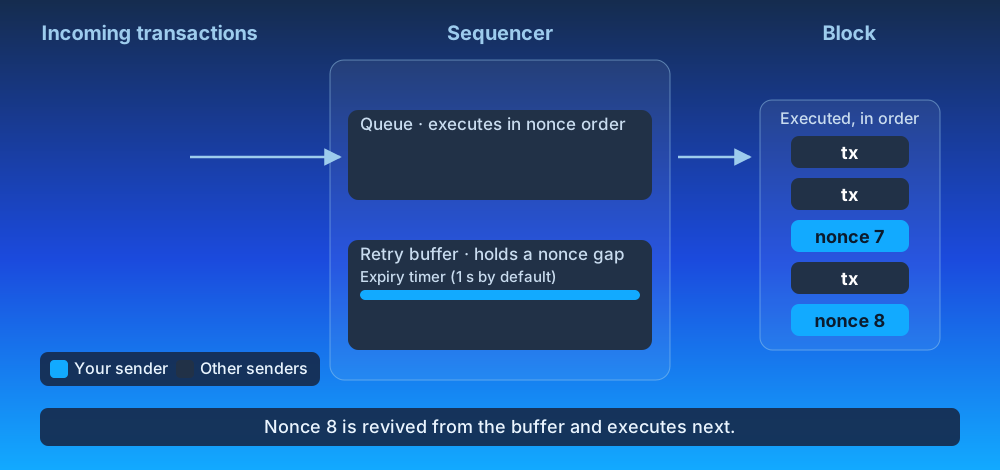
The exact wait window and buffer capacity are configured by the operator running the sequencer. On Arbitrum One, the window is on the order of **seconds**, not minutes—short enough that you should treat it as a tolerance for network jitter and tx-ordering races, not as a substitute for the Ethereum pending pool.
The practical implication is that fire-and-forget concurrent submission patterns that work on Ethereum will not work reliably on Arbitrum. If you submit transactions `N` and `N+1` from two different processes at the same time, you cannot rely on the sequencer holding `N+1` while it waits for `N` to land — the window is too short.
## The error you will see [#the-error-you-will-see]
When the retry window expires without the predecessor arriving, the call that submitted the out-of-order transaction returns the error string:
```
nonce too high
```
This is the same literal error string used by Ethereum's execution layer, but the meaning is different:
- **On Ethereum**, `nonce too high` usually means the gap between the sender’s current nonce and the pending pool's buffer is larger than the pending pool can or will buffer (often a multi-thousand-slot gap, configurable per client).
- **On Arbitrum**, `nonce too high` simply means the predecessor transaction did not reach the sequencer within the retry window.
The animation below shows step 3. Nonce 8 arrives before nonce 7 and waits in the retry buffer. The timer runs out before nonce 7 arrives, so the sequencer drops nonce 8 and returns `nonce too high` to your sender. When nonce 7 arrives late, it executes normally, because its nonce equals the state nonce. Nonce 8 is gone, so you must resend it.
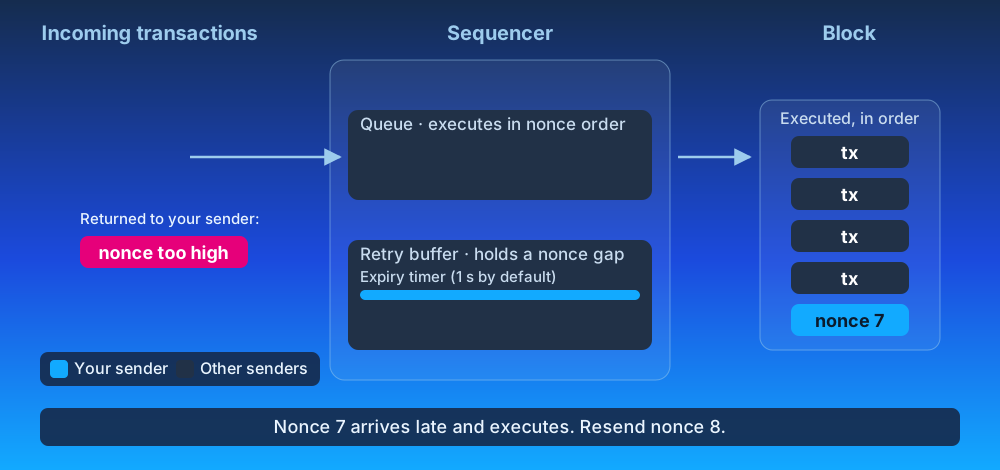
A typical log line from a real out-of-order submission looks like:
```text
reqid=… err="nonce too high"
```
If you see this in production after migrating an Ethereum-based submission pipeline to Arbitrum, the most likely cause is that two or more workers are submitting transactions for the same sender address without coordinating nonce allocation between them—not that any individual nonce is wrong.
## `eth_getTransactionCount("pending")` on Arbitrum [#eth_gettransactioncountpending-on-arbitrum]
On an Ethereum node, `eth_getTransactionCount(address, "pending")` returns a value that includes any transactions currently sitting in the pending pool waiting to be mined. Many concurrent-submission designs rely on this to allocate the next nonce.
On Arbitrum, `eth_getTransactionCount(address, "pending")` returns the same value as `eth_getTransactionCount(address, "latest")`. The sequencer's retry buffer is an internal sequencer state and is not exposed through the RPC interface, so there is no way for an external caller to observe whether a higher-nonce transaction is currently being held. Services that previously relied on `"pending"` to coordinate concurrent submitters should track outstanding nonces themselves, using receipts or `eth_getTransactionCount(address, "latest")`, rather than fetching them using `eth_getTransactionCount(address, "pending")`.
## Submitting a transaction with a nonce that is already in flight [#submitting-a-transaction-with-a-nonce-that-is-already-in-flight]
While a transaction is in flight (queued, or held for a nonce gap), the sequencer rejects a second transaction from the same sender with the same nonce at admission, with one of two errors. The one exception is a PGA chain, where a copy that raises the priority fee enough is admitted instead; the table below covers it. Both error strings are the ones Ethereum clients use, but on Arbitrum the window behind them is seconds, not hours, and there is no mempool you can query to see the first transaction.
### `already known`: the same transaction twice [#already-known-the-same-transaction-twice]
You get `already known` when the sequencer receives a transaction it already holds: same sender, same nonce, same transaction hash. As on Ethereum, the error means the transaction was received and is held, but has not executed and is not in a block.
What differs from Ethereum is the hold:
- The sequencer holds the transaction for seconds: up to `queue-timeout` if it is queued, or a short buffer on the order of seconds if it is parked behind a nonce gap. It never holds it for hours.
- There is no pending pool to query, so you cannot check whether the first copy is still in flight.
Don't treat `already known` as proof that the nonce is consumed. The receipt of the first copy is what gives you a clear signal:
- If you receive a receipt, with status `success` or `reverted`, the transaction executed and consumed the nonce. Use `N + 1` next.
- If no receipt arrives after the hold window has passed (`queue-timeout` plus the nonce-gap buffer), the sequencer dropped the transaction and the nonce is still free. Resend the same signed bytes at the same nonce.
Drops are more frequent when the chain is busy. A queued transaction that waits longer than `queue-timeout` is dropped. The base fee can also rise above the transaction's max fee per gas before it executes, which makes the transaction invalid.
Do not increment the nonce on the retry: if the first copy was dropped, nothing used the nonce, and a transaction at the next nonce is held for the nonce-gap window and then dropped with `nonce too high`.
> **How viem reports this error**
>
> viem surfaces `already known` as `NonceTooLowError`. The name is misleading here: the nonce is not consumed, and a retry at `nonce + 1` is dropped with `nonce too high` if the first copy was dropped.
### `replacement transaction underpriced`: a different transaction, same nonce [#replacement-transaction-underpriced-a-different-transaction-same-nonce]
You get `replacement transaction underpriced` when you submit a transaction that has the same sender and nonce as one in flight, but a different hash, and the sequencer rejects it. The sequencer returns the error at admission; the new transaction is rejected, and the first one still stands. On an FCFS chain every such transaction is rejected. On a PGA chain, only one whose priority fee is not high enough to compete is rejected.
What happens next depends on the chain's transaction ordering policy:
Ordering policy
What a same-nonce, different-transaction-hash resubmission does
First-come, first-served (FCFS)
Returns `replacement transaction underpriced` error while the first transaction is in flight. No fee bump will replace an alraedy queued transaction. A bump-and-retry loop, which works on Ethereum, does not succeed here.
Priority gas auction (PGA)
Replaces the first transaction only if it enters the queue before the first transaction executes and outbids the first transaction's priority fee plus the virtual boost the first transaction has accumulated while waiting by 10%. A copy that is admitted but loses in the subsequent auction because the first transaction already got executed will return `nonce too low`, not with `replacement transaction underpriced`.
On an FCFS chain, wait for the receipt of the first transaction to increment the nonce. If you want a different transaction to go through, submit it at the next nonce. On a PGA chain, wait for a receipt at that nonce, from either hash, to confirm which copy landed.
> **How ethers.js reports this error**
>
> ethers.js classifies `replacement transaction underpriced` as `REPLACEMENT_UNDERPRICED`.
### Resync your nonce [#resync-your-nonce]
After either error, take your next nonce from the chain, not from a local counter:
- When you receive the receipt for the transaction at nonce `N`, use `N + 1`, or
- Call `eth_getTransactionCount(address, "latest")`. On Arbitrum, `"pending"` returns the same value, so it adds nothing.
A locally incremented nonce drifts as soon as one in-flight transaction is dropped, and every later transaction is then held for the nonce-gap window and dropped with `nonce too high`.
## Further reading [#further-reading]
- [RPC methods](/arbitrum-essentials/arbitrum-vs-ethereum/rpc-methods) — full list of RPC method differences between Arbitrum and Ethereum.
- [The Sequencer and Censorship Resistance](/how-arbitrum-works/deep-dives/sequencer) — how the sequencer orders and processes transactions in Arbitrum.
# RPC methods (/arbitrum-essentials/arbitrum-vs-ethereum/rpc-methods)
Although the majority of RPC methods follow the same behavior as in Ethereum, some methods may produce a different result or add more information when used on an Arbitrum chain. This page covers the differences in response body fields you'll find when calling RPC methods on an Arbitrum chain vs on Ethereum.
> **Note**
>
> Comprehensive documentation on all generally available JSON-RPC methods for Ethereum can be found at [ethereum.org](https://ethereum.org/en/developers/docs/apis/json-rpc/). As Arbitrum has `go-ethereum` at its core, most of the documented methods there can be used with no modifications.
## Transactions [#transactions]
When calling [`eth_getTransactionByHash`](https://ethereum.org/en/developers/docs/apis/json-rpc/#eth_gettransactionbyhash) and other methods that return a transaction, Arbitrum includes a few additional fields and leverages some existing fields in different ways than Ethereum.
### Transaction types [#transaction-types]
In addition to the [three transaction types](https://ethereum.org/en/developers/docs/transactions/#types-of-transactions) currently supported on Ethereum, Arbitrum adds additional types listed below and [documented in full detail here](/how-arbitrum-works/reference/geth#transaction-types). Many of these types are emitted when [bridging from a parent chain](/arbitrum-essentials/bridging/cross-chain-messaging#ethereum-to-arbitrum-messaging).
On RPC calls that return transactions, the `type` field will reflect the custom codes where applicable.
| Transaction type code | Transaction type name | Description |
| --------------------- | ------------------------------- | ------------------------------------------------------------------------------------------------------------------------------------------------------------------------------ |
| `100` | `ArbitrumDepositTxType` | Used to deposit **ETH** from a parent chain to a child chain via the Arbitrum bridge |
| `101` | `ArbitrumUnsignedTxType` | Used to call a child chain contract from a parent chain, originated by a user through the Arbitrum bridge |
| `102` | `ArbitrumContractTxType` | Used to call a child chain contract from a parent chain, originated by a contract through the Arbitrum bridge |
| `104` | `ArbitrumRetryTxType` | Used to [manually redeem a retryable ticket](/how-arbitrum-works/deep-dives/l1-to-l2-messaging) on a child chain that failed to execute automatically (usually due to low gas) |
| `105` | `ArbitrumSubmitRetryableTxType` | Used to [submit a retryable ticket](/how-arbitrum-works/deep-dives/l1-to-l2-messaging#submission) via the Arbitrum bridge on the parent chain |
| `106` | `ArbitrumInternalTxType` | Internal transactions created by the ArbOS itself for certain state updates, like the parent chain base fee and the block number |
### Additional fields [#additional-fields]
On RPC calls that return transactions, the following fields are added to the returned object.
| Field name | Description |
| ----------- | -------------------------------------------------------------------------------------------------- |
| `requestId` | On parent to child chain transactions, this field is added to indicate position in the Inbox queue |
## Arbitrum specific `eth` JSON-RPC additions [#arbitrum-specific-eth-json-rpc-additions]
- `eth_sendRawTransactionConditional` submits a raw signed transaction with extra preconditions that the sequencer must verify before accepting it. If any condition fails, the transaction is rejected with JSON-RPC error -32003 (rejected).
| `ConditionalOptions` payload | Description |
| ----------------------------------- | ----------------------------------------------------------------------------------------------------------------------------------------------------------------------------------------- |
| `knownAccounts` | map of address → (storageRootHash { `slot: expectedValue` }). The transaction is rejected unless each account's storage root matches, or each listed slot still holds the expected value. |
| `blockNumberMin` / `blockNumberMax` | L1 block-number window the transaction is valid. |
| `timestampMin` / `timestampMax` | L2 timestamp window. |
- `eth_sendRawTransactionSync` submits a raw signed transaction and blocks until the node sees its receipt (or a timeout fires), returning the full receipt instead of just the tx hash.
### Existing fields with different behavior [#existing-fields-with-different-behavior]
On RPC calls that return transactions, the following fields will have different content than what's received on Ethereum.
| Field name | Description |
| ---------- | --------------------------------------------------------------------------------------------------------------------------------------------------------------------------------------------- |
| `from` | On parent to child chain transactions, this field will contain the [_aliased_ version](/how-arbitrum-works/deep-dives/l1-to-l2-messaging#address-aliasing) of the parent chain's `msg.sender` |
## Transaction receipts [#transaction-receipts]
When calling [`eth_getTransactionReceipt`](https://ethereum.org/en/developers/docs/apis/json-rpc/#eth_gettransactionreceipt), Arbitrum includes a few additional fields and leverages some existing fields in different ways than Ethereum.
### Additional fields [#additional-fields-1]
On RPC calls that return transaction receipts, the following fields are added to the returned object.
| Field name | Description |
| --------------- | ----------------------------------------------------------------------------------------------------------------------------------------------------------------------------------------------------------------- |
| `l1BlockNumber` | The block number of the first non-Arbitrum ancestor chain that is usable for `block.number` calls. More information in [Block numbers and time](/arbitrum-essentials/arbitrum-vs-ethereum/block-numbers-and-time) |
| `gasUsedForL1` | The amount of gas spent on parent chain calldata in units of child chain gas. More information in [Gas and fees](/how-arbitrum-works/deep-dives/gas-and-fees) |
## Blocks [#blocks]
When calling [`eth_getBlockByHash`](https://ethereum.org/en/developers/docs/apis/json-rpc/#eth_getblockbyhash) and other methods that return a block, Arbitrum includes a few additional fields and leverages some existing fields in different ways than Ethereum.
### Additional fields [#additional-fields-2]
On RPC calls that return a block, the following fields are added to the returned object.
| Field name | Description |
| --------------- | -------------------------------------------------------------------------------------------------------------------------------------------------------------------------------------------------------------------------------- |
| `l1BlockNumber` | An approximate block number of the first non-Arbitrum ancestor chain that occurred before this child chain block. More information in [Block numbers and time](/arbitrum-essentials/arbitrum-vs-ethereum/block-numbers-and-time) |
| `sendCount` | The number of child-to-parent chain messages since Nitro genesis |
| `sendRoot` | The Merkle root of the outbox tree state |
### Existing fields with different behavior [#existing-fields-with-different-behavior-1]
On RPC calls that return a block, the following fields will have different content than what's received on Ethereum.
| Field name | Description |
| ------------ | ---------------------------------------------------------------------------------------------------------------------------------------------------------------------------------------------------------------------------- |
| `extraData` | This field is equivalent to `sendRoot` |
| `mixHash` | First 8 bytes are equivalent to `sendCount`, second 8 bytes are equivalent to `l1BlockNumber` |
| `difficulty` | Fixed at `0x1` |
| `gasLimit` | Value is fixed at `0x4000000000000`, but it's important to note that Arbitrum One currently has a 32M gas limit per block. See [Chain params](/arbitrum-essentials/reference/chain-params) for the gas limit of other chains |
## Other methods that are slightly different [#other-methods-that-are-slightly-different]
### `eth_syncing` [#eth_syncing]
Calling `eth_syncing` returns false when the node is fully synced (just like on Ethereum). If the node is still syncing, `eth_syncing` returns an object with data about the synchronization status. Here, we provide more details.
#### Understanding messages, batches, and blocks [#understanding-messages-batches-and-blocks]
Nitro nodes receive transactions from their parent chain and the sequencer feed in the form of messages. These messages may contain multiple transactions that are executed by the node, which then produces blocks. Each message produces exactly one block. In most Nitro chains, the message number and the block number are the same. However, Arbitrum One has pre-Nitro (classic) blocks, so for that chain, message `0` produced block `22207818` (blocks before that one are 'classic' blocks). Keep in mind that the offset between the message and block number remains constant throughout the chain.
On the parent chain, messages appear in batches. The number of messages per batch changes between batches.
#### Custom `eth_syncing` fields [#custom-eth_syncing-fields]
> **Note**
>
> Note that the exact output for the `eth_syncing` RPC call of an out-of-sync Nitro node is not considered a stable API. It is still being actively developed and can be modified without notice between versions.
| Field name | Description |
| ------------------------------ | ------------------------------------------------------------------------------------------------------------------------------------------------------------------------------------------ |
| `batchSeen` | Last batch number observed on the parent chain |
| `batchProcessed` | Last batch that was processed on the parent chain. Processing means dividing the batch into messages |
| `messageOfProcessedBatch` | Last message in the last processed batch |
| `msgCount` | Number of messages known/queued by the Nitro node |
| `blockNum` | Last block created by the Nitro node (up-to-date child chain block the node is synced to) |
| `messageOfLastBlock` | Message that was used to produce the block above |
| `broadcasterQueuedMessagesPos` | If different than `0`, this is expected to be greater than `msgCount`. This field notes a message that was read from the feed but not processed because earlier messages are still missing |
| `lastL1BlockNum` | Last block number of the first non-Arbitrum ancestor chain that Nitro sees. This is for debugging the connection with the parent chain |
| `lastl1BlockHash` | Last block hash from the parent chain that Nitro sees. This is for debugging the connection with the parent chain |
> **Potential, but not expected error**
>
> If the sync process encounters an error while trying to collect the data above this error will be added to the response.
#### Understanding common scenarios [#understanding-common-scenarios]
- If `batchSeen` > `batchProcessed`, some batches have still not been processed
- If `msgCount` > `messageOfLastBlock`, some messages have been processed, but not all relevant blocks have been built (this is usually the longest stage while syncing a new node)
- If `broadcasterQueuedMessagesPos` > `msgCount`, the feed is ahead of the last message known to the node
### `debug_traceTransaction` [#debug_tracetransaction]
The Nitro node provides a native tracer for debugging Stylus contracts called `stylusTracer`, which returns a JSON array with objects containing the metadata for each executed HostIO.
HostIOs are calls the WasmVM makes to read and write data in the EVM.
With the result of this tracer and the code for the Stylus contract, you have all the data to understand what happened in a Stylus transaction.
> **Note**
>
> The `cargo-stylus` command-line tool uses the `stylusTracer` to replay transactions locally inside a debugger.
> More information can be found on [How to debug Stylus transactions using Cargo Stylus Replay](/stylus/cli-tools/debugging-tx).
The table below describes each field of the `stylusTracer` return value.
| Field Name | Description |
| ---------- | ------------------------------------------------------------- |
| `name` | Name of the executing HostIO. |
| `args` | Arguments of the HostIO encoded as hex. |
| `outs` | Outputs of the HostIO encoded as hex. |
| `startInk` | Amount of Ink before executing the HostIO. |
| `endInk` | Amount of Ink after executing the HostIO. |
| `address` | For call HostIOs, the address of the called contract. |
| `steps` | For call HostIOs, the steps performed by the called contract. |
For example, the command below illustrates how to call this tracer for a transaction:
```shell
curl -s \
-X POST \
-H "Content-Type: application/json" \
-d '{"jsonrpc":"2.0","method":"debug_traceTransaction","params":["", {"tracer": "stylusTracer"}],"id":1}' \
```
The result of this call will be something along the lines of:
```shell
{
"jsonrpc": "2.0",
"id": 1,
"result": [
{
"args": "0x00000024",
"endInk": 116090000,
"name": "user_entrypoint",
"outs": "0x",
"startInk": 116090000
},
{
"args": "0x",
"endInk": 116057558,
"name": "msg_reentrant",
"outs": "0x00000000",
"startInk": 116065958
},
{
"args": "0x",
"endInk": 115937952,
"name": "read_args",
"outs": "0x6c5283490000000000000000000000003bdff922e18bc03f1cf7b2a8b65a070cbec944f2",
"startInk": 115951512
},
...
]
}
```
### `txpool` methods [#txpool-methods]
Nitro's default HTTP API namespaces are `net`, `web3`, `eth`, and `arb`. The `txpool` namespace is **not** among them, so `txpool_content`, `txpool_contentFrom`, `txpool_status`, and `txpool_inspect` return a method-not-found error on a default node.
Enabling the namespace (by adding `txpool` to the node's `--http.api` list) changes less than you might expect, because Arbitrum has no transaction pool at all — the concept does not exist in Nitro's architecture. On Ethereum, the pool holds transactions waiting to be picked up by whichever validator builds the next block. An Arbitrum chain has no equivalent: the sequencer receives transactions and orders them directly through its internal queue, other nodes simply forward transactions to it, and no node ever holds a pool of pending transactions. Nitro ships only a compatibility stub for tooling that probes this namespace: with it enabled, `txpool_content` responds but always returns empty `pending` and `queued` sets, and `txpool_contentFrom`, `txpool_status`, and `txpool_inspect` remain unavailable. Do not build tooling that expects these methods to show the sequencer's intake. Nonce handling differs for the same reason — to learn more, see [Nonce management](/arbitrum-essentials/arbitrum-vs-ethereum/nonce-management), including what `already known` and `replacement transaction underpriced` mean when you [resubmit a nonce that is already in flight](/arbitrum-essentials/arbitrum-vs-ethereum/nonce-management#submitting-a-transaction-with-a-nonce-that-is-already-in-flight).
### `eth_getLogs` block ranges [#eth_getlogs-block-ranges]
Nitro imposes no block-range limit on `eth_getLogs`. A range limit you encounter in practice comes from the RPC provider in front of the node, not from Nitro, so the ceiling depends on whose endpoint you are querying. Check your provider's documentation rather than assuming a protocol-level value.
For a sense of what ranges are widely tolerated, Nitro chunks its own parent chain log queries conservatively: message extraction prefetches 499 blocks at a time, and the BoLD validator reads in chunks of 5,000 via `--node.bold.max-get-log-blocks`. Those are Nitro acting as a client against someone else's endpoint, not limits it enforces on yours.
If you are running your own node and querying it directly, large ranges are bounded by memory and response time rather than by a configured cap. Paginate wide historical queries regardless.
# Solidity support (/arbitrum-essentials/arbitrum-vs-ethereum/solidity-support)
Arbitrum chains are Ethereum-compatible and, therefore, allow you to trustlessly deploy Solidity smart contracts, as well as contracts written in Vyper or any other language that compiles to EVM bytecode. However, when calling certain properties and functions on a Solidity smart contract, there are some differences between the result you'd obtain if that contract were on Ethereum and the result on Arbitrum.
This page compiles a list of functions and properties that return a different result when called in Arbitrum.
## Differences from Solidity on Ethereum [#differences-from-solidity-on-ethereum]
Although Arbitrum supports Solidity code, there are differences in the effects of a few operations, including language features that don't make sense in the child chain context.
| Operation | Description |
| ------------------ | ------------------------------------------------------------------------------------------------------------------------------------------------------------------------------------------------------------------------------------------------------------------------------------------------------------------------------------------------------------------------------------------------------------------------------------------------------------------------------------------------------------------------------------------------------------- |
| `blockhash(x)` | Returns a cryptographically insecure, pseudo-random hash for `x` within the range `block.number - 256 <= x < block.number`. If `x` is outside of this range, `blockhash(x)` will return `0`. This hash includes `blockhash(block.number)`, which always returns `0` just like on Ethereum. The returned hashes do not come from the parent chain. ⚠️ Arbitrum's child chain block hashes should not be relied on as a secure source of randomness. |
| `block.coinbase` | Returns the designated internal address `0xA4b000000000000000000073657175656e636572` if a sequencer posted the message. If it's a delayed message, it returns the address of the delayed message's poster (**Note**: the handling of delayed message's `block.coinbase` will likely be changed in a future ArbOS version). |
| `block.difficulty` | Returns the constant 1. |
| `block.prevrandao` | Returns the constant 1. |
| `block.number` | Returns an "estimate" of the block number of the first non-Arbitrum ancestor chain at which the sequencer received the transaction. For more information, see [Block numbers and time](/arbitrum-essentials/arbitrum-vs-ethereum/block-numbers-and-time). |
| `msg.sender` | Works the same way it does on Ethereum for regular child chain to child chain transactions. For transactions submitted via the delayed inbox, it will return the child chain address alias of the parent chain contract that triggered the message. For more information, see [address aliasing](/how-arbitrum-works/deep-dives/l1-to-l2-messaging#address-aliasing). The aliased value also appears in the `from` field on RPC responses — see [RPC methods](/arbitrum-essentials/arbitrum-vs-ethereum/rpc-methods#existing-fields-with-different-behavior). |
| OPCODE `PUSH0` | This OPCODE was added as part of ArbOS 11 and is now supported. |
# Cross-chain messaging (/arbitrum-essentials/bridging/cross-chain-messaging)
The Arbitrum protocol and related tooling make it easy for developers to build cross-chain applications; i.e., applications that involve sending messages from Ethereum to an Arbitrum chain, and/or from an Arbitrum chain to Ethereum.
> **Arbitrum SDK**
>
> The [`@arbitrum/sdk`](https://www.npmjs.com/package/@arbitrum/sdk) is a TypeScript library for bridging tokens and passing messages between parent and child Arbitrum chains. It provides a typed interface to the underlying bridge and messaging smart contracts.
>
> **Links**: [GitHub](https://github.com/OffchainLabs/arbitrum-sdk) | [npm](https://www.npmjs.com/package/@arbitrum/sdk) | [Tutorials](https://github.com/OffchainLabs/arbitrum-tutorials)
>
> **Install**: `npm install @arbitrum/sdk`
## Ethereum-to-Arbitrum messaging [#ethereum-to-arbitrum-messaging]
Creating an arbitrary parent-to-child chain contract call occurs via the Inbox's `createRetryableTicket` method. Upon publishing the parent chain transaction, the child chain side will typically be included within minutes. Commonly, the child chain execution will automatically succeed, but if it reverts, it can be re-executed via a call to the `redeem` method of the [`ArbRetryableTx`](/arbitrum-essentials/precompiles/reference#arbretryabletx) precompile.
- **How-to guide**: [How to bridge from the parent chain to the child chain](/arbitrum-essentials/bridging/deposit/eth-and-messages)
- **Protocol details**: [Parent to child chain messaging](/how-arbitrum-works/deep-dives/l1-to-l2-messaging)
## Arbitrum-to-Ethereum messaging [#arbitrum-to-ethereum-messaging]
Similarly, child chain contracts can send arbitrary messages for execution on the parent chain. These are initiated via calls to the [`ArbSys`](/arbitrum-essentials/precompiles/reference#arbsys) precompile contract's `sendTxToL1` method. Upon confirmation (about one week later), you can execute them by retrieving the relevant data via a call to the `NodeInterface` contract's `constructOutboxProof` method, and then calling the `Outbox`'s `executeTransaction` method.
- **How-to guide**: [How to bridge to parent chain from child chain](/arbitrum-essentials/bridging/withdraw/eth-and-messages)
- **Protocol details**: [Child to parent chain messaging](/how-arbitrum-works/deep-dives/l2-to-l1-messaging)
## Tutorial: cross-chain Greeter [#tutorial-cross-chain-greeter]
This walkthrough demonstrates both messaging directions with a simple Greeter contract that can update its greeting from the other chain.
### The contracts [#the-contracts]
**Base Greeter** — a simple contract deployed on both chains:
```solidity
// SPDX-License-Identifier: Apache-2.0
pragma solidity >=0.6.11;
contract Greeter {
string public greeting;
function greet() public view returns (string memory) {
return greeting;
}
function setGreeting(string memory _greeting) public virtual {
greeting = _greeting;
}
}
```
**Parent chain Greeter** — extends the base with a method that sends a greeting to the child chain via a retryable ticket:
```solidity
// SPDX-License-Identifier: Apache-2.0
pragma solidity >=0.6.11;
import "./Greeter.sol";
import "@arbitrum/nitro-contracts/src/bridge/IInbox.sol";
import "@arbitrum/nitro-contracts/src/bridge/IERC20Inbox.sol";
contract GreeterParent is Greeter {
address public childTarget;
IInbox public inbox;
event RetryableTicketCreated(uint256 indexed ticketId);
constructor(string memory _greeting, address _childTarget, address _inbox) {
greeting = _greeting;
childTarget = _childTarget;
inbox = IInbox(_inbox);
}
function setGreetingInChild(
string memory _greeting,
uint256 maxSubmissionCost,
uint256 maxGas,
uint256 gasPriceBid
) public payable returns (uint256) {
bytes memory data = abi.encodeWithSelector(Greeter.setGreeting.selector, _greeting);
uint256 ticketID = inbox.createRetryableTicket{value: msg.value}(
childTarget,
0,
maxSubmissionCost,
msg.sender,
msg.sender,
maxGas,
gasPriceBid,
data
);
emit RetryableTicketCreated(ticketID);
return ticketID;
}
}
```
**Child chain Greeter** — extends the base with a method that sends a greeting back to the parent chain via `ArbSys`:
```solidity
// SPDX-License-Identifier: Apache-2.0
pragma solidity >=0.6.11;
import "./Greeter.sol";
import "@arbitrum/nitro-contracts/src/precompiles/ArbSys.sol";
import "@arbitrum/nitro-contracts/src/libraries/AddressAliasHelper.sol";
contract GreeterChild is Greeter {
address public parentTarget;
event ChildToParentTxCreated(uint256 indexed withdrawalId);
constructor(string memory _greeting, address _parentTarget) {
greeting = _greeting;
parentTarget = _parentTarget;
}
function setGreetingInParent(string memory _greeting) public returns (uint256) {
bytes memory data = abi.encodeWithSelector(Greeter.setGreeting.selector, _greeting);
uint256 withdrawalId = ArbSys(address(100)).sendTxToL1(parentTarget, data);
emit ChildToParentTxCreated(withdrawalId);
return withdrawalId;
}
/// Only accept messages from the parent chain Greeter (via address aliasing)
function setGreeting(string memory _greeting) public override {
require(
msg.sender == AddressAliasHelper.applyL1ToL2Alias(parentTarget),
"Only callable by parent chain Greeter (aliased)"
);
Greeter.setGreeting(_greeting);
}
}
```
### Sending a message from parent to child chain [#sending-a-message-from-parent-to-child-chain]
The script below deploys both contracts and sends a greeting from the parent chain to the child chain using `ParentToChildMessageGasEstimator` to compute retryable ticket parameters:
```javascript
import { providers, Wallet } from 'ethers';
import {
ParentToChildMessageGasEstimator,
ParentToChildMessageStatus,
ParentTransactionReceipt,
} from '@arbitrum/sdk';
import { getBaseFee } from '@arbitrum/sdk/dist/lib/utils/lib';
// Set up wallets
const parentWallet = new Wallet(
process.env.PRIVATE_KEY,
new providers.JsonRpcProvider(process.env.PARENT_CHAIN_RPC),
);
const childProvider = new providers.JsonRpcProvider(process.env.CHAIN_RPC);
// After deploying GreeterParent and GreeterChild (via Hardhat or your preferred tool):
const greeterParent = /* deployed GreeterParent contract instance */;
const greeterChild = /* deployed GreeterChild contract instance */;
// Encode the greeting message
const newGreeting = 'Greeting from the parent chain';
const greetingData = greeterChild.interface.encodeFunctionData('setGreeting', [newGreeting]);
// Estimate gas parameters for the retryable ticket
const gasEstimator = new ParentToChildMessageGasEstimator(childProvider);
const baseFee = await getBaseFee(parentWallet.provider);
const gasParams = await gasEstimator.estimateAll(
{
from: greeterParent.address,
to: greeterChild.address,
l2CallValue: 0,
excessFeeRefundAddress: parentWallet.address,
callValueRefundAddress: parentWallet.address,
data: greetingData,
},
baseFee,
parentWallet.provider,
);
// Send the greeting via retryable ticket
const tx = await greeterParent.setGreetingInChild(
newGreeting,
gasParams.maxSubmissionCost,
gasParams.gasLimit,
gasParams.maxFeePerGas,
{ value: gasParams.deposit },
);
const receipt = await tx.wait();
console.log(`Parent chain tx: ${receipt.transactionHash}`);
// Wait for the child chain to execute the retryable
const parentToChildReceipt = new ParentTransactionReceipt(receipt);
const childTxReceipt = await parentToChildReceipt.waitForChildTransactionReceipt(childProvider);
if (childTxReceipt.status === ParentToChildMessageStatus.REDEEMED) {
const updatedGreeting = await greeterChild.greet();
console.log(`Child chain greeting updated to: ${updatedGreeting}`);
}
```
### Key concepts [#key-concepts]
**Address aliasing**: When a parent chain contract sends a message to the child chain, the `msg.sender` on the child chain is not the original contract address. Instead, it is _aliased_ by adding `0x1111000000000000000000000000000000001111` to the address. The `AddressAliasHelper` library handles this — see the `setGreeting` override in `GreeterChild` above.
**Gas estimation**: The `ParentToChildMessageGasEstimator` calculates three values: `maxSubmissionCost` (data posting cost), `gasLimit` (child chain execution gas), and `maxFeePerGas` (child chain gas price). Together they determine the `value` (`ETH`) you must attach to the parent chain transaction.
**Retryable tickets**: If the child chain execution runs out of gas, the ticket enters a "retry" state. It can be redeemed by anyone within its lifetime (default: 7 days) by calling `ArbRetryableTx.redeem()`. See the [redeem-pending-retryable tutorial](https://github.com/OffchainLabs/arbitrum-tutorials/tree/master/packages/redeem-pending-retryable) for a worked example.
## Resources [#resources]
- [Greeter tutorial source code](https://github.com/OffchainLabs/arbitrum-tutorials/tree/master/packages/greeter)
- [Outbox execution source code](https://github.com/OffchainLabs/arbitrum-tutorials/tree/master/packages/outbox-execute)
- [Arbitrum SDK](https://github.com/OffchainLabs/arbitrum-sdk)
- [Retryable ticket lifecycle](/how-arbitrum-works/deep-dives/l1-to-l2-messaging)
- [Child to parent messaging protocol](/how-arbitrum-works/deep-dives/l2-to-l1-messaging)
# SDK support for custom gas token Arbitrum chains (/arbitrum-essentials/bridging/custom-gas-token-chains)
Arbitrum SDK is a TypeScript library for Client-side interactions with Arbitrum. It provides common helper functionality as well as access to the underlying smart contract interfaces.
## Custom gas token APIs [#custom-gas-token-apis]
Custom gas token support in the Arbitrum SDK introduces a suite of APIs designed for the specific purpose of facilitating **bridging** operations. These APIs are tailored for use cases where there is a need to transfer a native token or an **ERC-20** token from the parent chain to an Arbitrum chain utilizing a `custom gas token`. The process involves an initial step of authorizing the native token on the parent chain. To streamline this, our APIs provide functionalities for token approval and offer a mechanism to verify the current status of this approval. Detailed below is a guide to how each of these APIs can be effectively utilized for distinct purposes:
1. **`EthBridger` Context:**
- **APIs:** `getApproveGasTokenRequest` and `approveGasToken`.
- **Purpose:** These APIs are essential for the bridging of native tokens to the Arbitrum chain. They facilitate the necessary approval for native tokens, allowing contracts to manage fund movements. This process includes escrowing a specified amount of the native token on the parent chain and subsequently bridging it to the Arbitrum chain.
> **Note**
>
> You should use `EthBridger` when bridging the native token between the parent chain and the Arbitrum chain.
2. **`Erc20Bridger` Context:**
- **APIs:** `getApproveGasTokenRequest` and `approveGasToken`.
- **Purpose:** In the scenario of bridging **ERC-20** assets to an Arbitrum chain, these APIs play a crucial role. Token Bridging on Arbitrum Nitro stack uses retryable tickets and needs a specific fee to be paid for the creation and redemption of the ticket. For more information about retryable tickets, please take a look at [our chapter about retryable tickets](/how-arbitrum-works/deep-dives/l1-to-l2-messaging#retryable-tickets) part of our docs. The Arbitrum chain operates as a custom gas token network, necessitating the payment of fees in native tokens for the creation of retryable tickets and their redemption on the Arbitrum chain. To cover the submission and execution fees associated with retryable tickets on the Arbitrum chain, an adequate number of native tokens must be approved and allocated to the parent chain to cover the fees.
> **Important Notes**
>
> - You should use `Erc20Bridger` when bridging an **ERC-20** token between the parent chain and the Arbitrum chain.
> - These APIs are only needed for [`custom gas token`](/launch-arbitrum-chain/chain-config/costs/custom-gas-token-rollup) Arbitrum Chains. For **ETH**-powered rollup and AnyTrust Arbitrum chains, you don't need to use them.
> - When native tokens are transferred to the custom gas token Arbitrum chain, they function equivalently to **ETH** on EVM chains. This means these tokens will exhibit behavior identical to that of **ETH**, the native currency on EVM chains. This similarity in functionality is a key feature to consider in transactions and operations within the Arbitrum chain.
> - Everything else is handled under the hood, and the custom gas token code paths will be executed only if the `ArbitrumNetwork` object config has a `nativeToken` field.
## Registering a custom token in the Token Bridge [#registering-a-custom-token-in-the-token-bridge]
When [registering a custom token in the Token Bridge](/how-arbitrum-works/deep-dives/token-bridging#setting-up-your-token-with-the-generic-custom-gateway) of a custom-gas-token Arbitrum chain, there's an additional step to perform before calling `registerTokenToL2`.
Since the Token Bridge [router](https://github.com/OffchainLabs/token-bridge-contracts/blob/main/contracts/tokenbridge/ethereum/gateway/L1OrbitGatewayRouter.sol#L142-L144) and the [generic-custom gateway](https://github.com/OffchainLabs/token-bridge-contracts/blob/main/contracts/tokenbridge/ethereum/gateway/L1OrbitCustomGateway.sol#L203-L210) expect to have allowance to transfer the native token from the `msg.sender()` to the inbox contract, it's usually the token in the parent chain who handles those approvals. In the [TestCustomTokenL1](https://github.com/OffchainLabs/token-bridge-contracts/blob/main/contracts/tokenbridge/test/TestCustomTokenL1.sol#L158-L168), we offer as an example of implementation. We see that the contract transfers the native tokens to itself and then approves the router and gateway contracts. If we follow that implementation, we only need to send an approval transaction to the native token to allow the `TestCustomTokenL1` to transfer the native token from the caller of the `registerTokenToL2` function to itself.
You can find a [tutorial that deploys two tokens and registers them in the Token Bridge of a custom-gas-token-based chain](https://github.com/OffchainLabs/arbitrum-tutorials/tree/master/packages/custom-token-bridging).
# Bridging (/arbitrum-essentials/bridging)
How assets and messages move between a parent chain and a child Arbitrum chain: deposits, withdrawals, cross-chain messaging, and token gateway configuration.
* [Overview](/arbitrum-essentials/bridging/overview): Choose the right approach for bridging assets and messages.
* [Deposit ETH](/arbitrum-essentials/bridging/deposit/eth-and-messages): Send ETH and messages from a parent chain to a child chain.
* [Deposit tokens](/arbitrum-essentials/bridging/deposit/tokens): Move ERC-20 tokens from a parent chain to a child chain.
* [Withdraw ETH](/arbitrum-essentials/bridging/withdraw/eth-and-messages): Send ETH and messages from a child chain back to the parent chain.
* [Withdraw tokens](/arbitrum-essentials/bridging/withdraw/tokens): Move ERC-20 tokens back to the parent chain.
* [Cross-chain messaging](/arbitrum-essentials/bridging/cross-chain-messaging): Retryable tickets, ArbSys, and the Outbox, with a worked example.
* [Standard gateway](/arbitrum-essentials/bridging/configure-token-gateway/standard): Bridge an ERC-20 with no custom configuration.
* [Generic-custom gateway](/arbitrum-essentials/bridging/configure-token-gateway/generic-custom): Add custom child-chain token behavior on the built-in bridge.
* [Custom gateway](/arbitrum-essentials/bridging/configure-token-gateway/custom): Build a gateway for cases the standard gateways don't cover.
* [Custom gas token chains](/arbitrum-essentials/bridging/custom-gas-token-chains): SDK support for chains that use a gas token other than ETH.
* [L1 to L3 teleportation](/arbitrum-essentials/bridging/l1-l3-teleportation): Bridge from Ethereum to an Arbitrum L3 in a single transaction.
# Bridge tokens from L1 to an Arbitrum L3 (/arbitrum-essentials/bridging/l1-l3-teleportation)
Arbitrum chains can be deployed as Layer 3 (L3) on top of an existing Arbitrum Layer 2. When users need to move assets from Ethereum (L1) to an L3, they would normally bridge L1 to L2 first, then L2 to L3—two separate transactions with separate wait times.
The **teleport** feature in the Arbitrum SDK solves this by letting users bridge tokens from L1 directly to L3 in a single transaction. Under the hood, the SDK coordinates the intermediate bridging steps automatically.
## How teleportation works [#how-teleportation-works]
A teleport deposit creates a chain of [retryable tickets](/arbitrum-essentials/bridging/cross-chain-messaging) that propagate your tokens through each layer:
1. **L1 transaction**: Your tokens are deposited into the L1-to-L2 token bridge
2. **L2 retryable**: The L2 bridge receives the tokens and forwards them to the L2-to-L3 bridge
3. **L3 retryable**: The L3 bridge mints or releases tokens to the destination address
For `ETH` bridging, the flow uses a "double retryable"—a retryable ticket on L2 that creates another retryable ticket targeting L3.
### Fee payment [#fee-payment]
Each retryable in the chain requires gas fees on its destination chain:
- **L1-to-L2 retryable**: Paid in `ETH` on L1 (or the L2 native token if using a custom gas token chain)
- **L2-to-L3 retryable**: Paid in the L3 native token, forwarded through the bridge
The SDK calculates and bundles all required fees into a single L1 transaction.
## Prerequisites [#prerequisites]
- An Arbitrum L3 chain accessible via RPC
- A funded wallet on L1 (`ETH` for gas and any tokens you want to bridge)
- The L3 chain must use Arbitrum's canonical token bridge
- Node.js and the Arbitrum SDK installed:
```shell
npm install @arbitrum/sdk ethers@^5
```
## Bridge `ERC-20` tokens from L1 to L3 [#bridge-erc-20-tokens-from-l1-to-l3]
### Step 1: Set up providers and the bridger [#step-1-set-up-providers-and-the-bridger]
```javascript
import { providers, Wallet } from 'ethers';
import { Erc20L1L3Bridger, getArbitrumNetwork } from '@arbitrum/sdk';
// Connect to all three chains
const l1Provider = new providers.JsonRpcProvider(process.env.L1_RPC);
const l2Provider = new providers.JsonRpcProvider(process.env.PARENT_CHAIN_RPC);
const l3Provider = new providers.JsonRpcProvider(process.env.CHAIN_RPC);
const l1Wallet = new Wallet(process.env.PRIVATE_KEY, l1Provider);
// Initialize the L1-to-L3 ERC-20 bridger
const l3Network = await getArbitrumNetwork(l3Provider);
const bridger = new Erc20L1L3Bridger(l3Network);
```
### Step 2: Approve token and gas token transfers [#step-2-approve-token-and-gas-token-transfers]
The bridger needs approval to transfer your `ERC-20` tokens. If the L3 uses a custom gas token, you also need to approve that token for fee payment:
```javascript
import { utils } from 'ethers';
const l1TokenAddress = '0x...'; // Your ERC-20 token address on L1
const amount = utils.parseUnits('100', 18);
// If L3 uses a custom gas token, approve it first
if (l3Network.nativeToken) {
const gasTokenApproval = await bridger.approveGasToken({
l1Signer: l1Wallet,
l2Provider,
});
await gasTokenApproval.wait();
console.log('Gas token approved');
}
// Approve the ERC-20 token
const tokenApproval = await bridger.approveToken({
erc20L1Address: l1TokenAddress,
l1Signer: l1Wallet,
});
await tokenApproval.wait();
console.log('Token approved');
```
### Step 3: Execute the deposit [#step-3-execute-the-deposit]
```javascript
// Deposit tokens — a single L1 transaction handles the full L1 → L2 → L3 flow
const depositTx = await bridger.deposit({
erc20L1Address: l1TokenAddress,
amount,
l1Signer: l1Wallet,
l2Provider,
l3Provider,
});
const depositReceipt = await depositTx.wait();
console.log(`Deposit initiated on L1: ${depositReceipt.transactionHash}`);
```
### Step 4: Monitor the deposit status [#step-4-monitor-the-deposit-status]
The deposit progresses through multiple retryable tickets. You can monitor each one:
```javascript
// Using the bridger instance from Step 1
// Check the status of all retryables in the teleport chain
const depositStatus = await bridger.getDepositStatus({
txHash: depositReceipt.transactionHash,
l1Provider,
l2Provider,
l3Provider,
});
// Each field shows the status of one leg of the journey:
// - l1l2GasTokenBridgeRetryable (if custom gas token)
// - l1l2TokenBridgeRetryable
// - l2ForwarderFactoryRetryable
// - l2l3TokenBridgeRetryable
console.log('Deposit status:', depositStatus);
```
Status values: `REDEEMED` (success), `CREATION_FAILED`, `EXPIRED`, `FUNDS_DEPOSITED_ON_L2`, `NOT_YET_CREATED`.
## Bridge `ETH` from L1 to L3 [#bridge-eth-from-l1-to-l3]
`ETH` teleportation uses a "double retryable" pattern—simpler than `ERC-20` because no token approvals are needed.
```javascript
import { EthL1L3Bridger, getArbitrumNetwork } from '@arbitrum/sdk';
import { providers, Wallet, utils } from 'ethers';
const l1Provider = new providers.JsonRpcProvider(process.env.L1_RPC);
const l2Provider = new providers.JsonRpcProvider(process.env.PARENT_CHAIN_RPC);
const l3Provider = new providers.JsonRpcProvider(process.env.CHAIN_RPC);
const l1Wallet = new Wallet(process.env.PRIVATE_KEY, l1Provider);
// Initialize the ETH bridger
const l3Network = await getArbitrumNetwork(l3Provider);
const ethBridger = new EthL1L3Bridger(l3Network);
// Deposit ETH from L1 to L3
const depositTx = await ethBridger.deposit({
amount: utils.parseEther('0.01'),
l1Signer: l1Wallet,
l2Provider,
l3Provider,
});
const depositReceipt = await depositTx.wait();
console.log(`ETH deposit initiated on L1: ${depositReceipt.transactionHash}`);
// Monitor status
const status = await ethBridger.getDepositStatus({
txHash: depositReceipt.transactionHash,
l1Provider,
l2Provider,
l3Provider,
});
console.log('ETH deposit status:', status);
```
## Troubleshooting [#troubleshooting]
### Retryable stuck at `FUNDS_DEPOSITED_ON_L2` [#retryable-stuck-at-funds_deposited_on_l2]
This means the L1-to-L2 leg completed but the L2-to-L3 retryable has not yet been created or executed. Possible causes:
- The L2-to-L3 retryable is waiting for the L2 sequencer to process it (wait a few more minutes)
- Insufficient gas was provided for the L2-to-L3 leg—the SDK should handle this automatically, but network conditions may have changed
### Retryable shows `EXPIRED` [#retryable-shows-expired]
Retryable tickets expire after their lifetime (default: 7 days). If a retryable expired, the tokens are sitting on L2 rather than L3. You can manually bridge them from L2 to L3 using the standard [deposit flow](/arbitrum-essentials/bridging/deposit/tokens).
### Custom gas token approval failed [#custom-gas-token-approval-failed]
If the L3 chain uses a custom gas token (not `ETH`), you must approve the gas token before depositing. The `approveGasToken` step handles this—make sure your wallet holds enough of the gas token on L1.
## Next steps [#next-steps]
- [Deposit tokens (L1 to L2)](/arbitrum-essentials/bridging/deposit/tokens)
- [Withdraw tokens (L2 to L1)](/arbitrum-essentials/bridging/withdraw/tokens)
- [Cross-chain messaging overview](/arbitrum-essentials/bridging/cross-chain-messaging)
- [Source code: L1-L3 teleport tutorial](https://github.com/OffchainLabs/arbitrum-tutorials/tree/master/packages/l1-l3-teleport)
## Resources [#resources]
- [Arbitrum SDK](https://github.com/OffchainLabs/arbitrum-sdk)
- [Token bridge architecture](/how-arbitrum-works/deep-dives/token-bridging)
- [Parent-to-child messaging details](/how-arbitrum-works/deep-dives/l1-to-l2-messaging)
# Bridging overview (/arbitrum-essentials/bridging/overview)
Token bridging and cross-chain messaging are fundamental aspects of building on Arbitrum. This page helps you find the right guide for your use case.
## Move **ETH** between chains [#move-eth-between-chains]
- **[Deposit ETH to Arbitrum](/arbitrum-essentials/bridging/deposit/eth-and-messages#bridging-eth-to-a-child-chain)**: Bridge **ETH** from the parent chain to a child chain using the Inbox contract
- **[Withdraw **ETH** to Ethereum](/arbitrum-essentials/bridging/withdraw/eth-and-messages#withdrawing-eth)**: Withdraw **ETH** from a child chain back to the parent chain via ArbSys
## Move ERC-20 tokens between chains [#move-erc-20-tokens-between-chains]
- **[Deposit tokens to Arbitrum](/arbitrum-essentials/bridging/deposit/tokens)**: Move **ERC-20** tokens from the parent chain to the child chain
- **[Withdraw tokens to Ethereum](/arbitrum-essentials/bridging/withdraw/tokens)**: Move **ERC-20** tokens from the child chain back to the parent chain
## Make my token bridgeable [#make-my-token-bridgeable]
Choose a gateway based on your token's requirements:
- **[Standard gateway](/arbitrum-essentials/bridging/configure-token-gateway/standard)** (recommended): Automatic deployment of a standard **ERC-20** on Arbitrum, no configuration required
- **[Generic-custom gateway](/arbitrum-essentials/bridging/configure-token-gateway/generic-custom)**: Custom functionality in your child chain token while using Arbitrum's built-in gateway
- **[Custom gateway](/arbitrum-essentials/bridging/configure-token-gateway/custom)**: Specialized gateway logic for advanced use cases
## Send arbitrary cross-chain messages [#send-arbitrary-cross-chain-messages]
- **[Parent → child messaging](/arbitrum-essentials/bridging/deposit/eth-and-messages#creating-retryable-tickets)**: Send messages from Ethereum to Arbitrum using retryable tickets
- **[Child → parent messaging](/arbitrum-essentials/bridging/withdraw/eth-and-messages#sending-a-message-from-the-child-to-the-parent-chain)**: Send messages from Arbitrum to Ethereum via ArbSys and the Outbox
## Build on a custom gas token chain [#build-on-a-custom-gas-token-chain]
If you're working with an Arbitrum chain that uses a non-**ETH** gas token, see [Custom gas token chain bridging](/arbitrum-essentials/bridging/custom-gas-token-chains) for SDK APIs and workflows.
## Example code [#example-code]
- [Token deposits (parent → child)](https://github.com/OffchainLabs/arbitrum-tutorials/tree/master/packages/token-deposit)
- [Token withdrawals (child → parent)](https://github.com/OffchainLabs/arbitrum-tutorials/tree/master/packages/token-withdraw)
- [Custom token bridging setup](https://github.com/OffchainLabs/arbitrum-tutorials/tree/master/packages/custom-token-bridging)
## Learn more [#learn-more]
- [Cross-chain messaging concepts](/arbitrum-essentials/bridging/cross-chain-messaging)
- [Token bridge architecture](/how-arbitrum-works/deep-dives/token-bridging)
- [Arbitrum SDK](https://github.com/OffchainLabs/arbitrum-sdk)
# NodeInterface (/arbitrum-essentials/nodeinterface)
The NodeInterface is a virtual contract that exposes gas estimation and chain data that has no Ethereum equivalent.
* [Overview](/arbitrum-essentials/nodeinterface/overview): The virtual contract at 0xc8, reachable only over RPC.
* [Reference](/arbitrum-essentials/nodeinterface/reference): Every method, including gas estimation and proof construction.
# NodeInterface overview (/arbitrum-essentials/nodeinterface/overview)
The Arbitrum Nitro software includes a special `NodeInterface` contract available at address `0xc8` that is only accessible via [RPCs](/arbitrum-essentials/arbitrum-vs-ethereum/rpc-methods) (it's not actually deployed onchain and thus can't be called by smart contracts). The way it works is that the node uses Geth's [`InterceptRPCMessage`](https://github.com/OffchainLabs/go-ethereum/blob/30456d24d3cff444d3b0f246e9c7609477c7d4a1/internal/ethapi/api.go) hook to detect messages sent to the address `0xc8`, and swaps out the message it's handling before deriving a transaction from it.
The [reference page](/arbitrum-essentials/nodeinterface/reference) contains information about all methods available in the `NodeInterface`.
# NodeInterface reference (/arbitrum-essentials/nodeinterface/reference)
The Arbitrum Nitro software includes a special `NodeInterface` contract available at address `0xc8` that is only accessible via RPCs (it's not actually deployed onchain, and thus can't be called by smart contracts). This reference page documents the specific calls available in the `NodeInterface`. For a more conceptual description of what it is and how it works, please refer to the [`NodeInterface` conceptual page](/arbitrum-essentials/nodeinterface/overview).
## NodeInterface methods [#nodeinterface-methods]
Finds the L2 block number range that has the given L1 block number
# Precompiles (/arbitrum-essentials/precompiles)
Arbitrum exposes chain functionality through precompiled contracts. This section covers what the precompiles do and how to call them.
* [Overview](/arbitrum-essentials/precompiles/overview): What precompiles are and how the client runs them natively.
* [Reference](/arbitrum-essentials/precompiles/reference): ArbSys, ArbGasInfo, ArbRetryableTx, and the rest, with addresses.
# Precompiles overview (/arbitrum-essentials/precompiles/overview)
Precompiles are predefined smart contracts that have special addresses and provide specific functionality which is executed not at the EVM bytecode level, but natively by the Arbitrum client itself. Precompiles are primarily used to introduce specific functions that would be computationally expensive if executed in EVM bytecode, and functions that facilitate the interaction between the parent chain and the child chain. By having them natively in the Arbitrum client, they can be optimized for performance.
Besides supporting all precompiles available in Ethereum, Arbitrum provides child chain-specific precompiles with methods smart contracts can call the same way they can solidity functions. For more details on the addresses these precompiles live, and the specific methods available, please refer to the [methods documentation](/arbitrum-essentials/precompiles/reference).
# Precompiles reference (/arbitrum-essentials/precompiles/reference)
ArbOS provides child chain-specific precompiles with methods smart contracts can call the same way they can solidity functions. This reference page exhaustively documents the specific calls ArbOS makes available through precompiles. For a more conceptual description of what precompiles are and how they work, please refer to the [precompiles conceptual page](/arbitrum-essentials/precompiles/overview).
This reference page is divided into two sections. The first one lists all precompiles in a summary table with links to the reference of the specific precompile, along with the address where they live, their purpose and links to the go implementation and solidity interface. The second one details the methods available in each precompile with links to the specific implementation.
## General information of precompiles [#general-information-of-precompiles]
This section is divided into two tables. We first list precompiles we expect users to most often use, and then the rest of precompiles. However, both tables display the same information: name and purpose of the precompile, address, and links to the solidity interface and the go implementation.
### Common precompiles [#common-precompiles]
| Precompile | Address | Solidity interface | Go implementation | Purpose |
| --------------------------------- | ------- | -------------------------------------------------------------------------------------------------------------------------------------- | ----------------------------------------------------------------------------------------------------------------------------------------------------- | ----------------------------------- |
| [ArbAggregator](#arbaggregator) | `0x6d` | [Interface](https://github.com/OffchainLabs/nitro-precompile-interfaces/blob/7e88c8cc53c2e96201a23c638f1536557b9cb68b/ArbAggregator.sol) | [Implementation](https://github.com/OffchainLabs/nitro/blob/v3.12.2/precompiles/ArbAggregator.go) | Configuring transaction aggregation |
| [ArbGasInfo](#arbgasinfo) | `0x6c` | [Interface](https://github.com/OffchainLabs/nitro-precompile-interfaces/blob/7e88c8cc53c2e96201a23c638f1536557b9cb68b/ArbGasInfo.sol) | [Implementation](https://github.com/OffchainLabs/nitro/blob/v3.12.2/precompiles/ArbGasInfo.go) | Info about gas pricing |
| [ArbRetryableTx](#arbretryabletx) | `0x6e` | [Interface](https://github.com/OffchainLabs/nitro-precompile-interfaces/blob/7e88c8cc53c2e96201a23c638f1536557b9cb68b/ArbRetryableTx.sol) | [Implementation](https://github.com/OffchainLabs/nitro/blob/v3.12.2/precompiles/ArbRetryableTx.go) | Managing retryables |
| [ArbSys](#arbsys) | `0x64` | [Interface](https://github.com/OffchainLabs/nitro-precompile-interfaces/blob/7e88c8cc53c2e96201a23c638f1536557b9cb68b/ArbSys.sol) | [Implementation](https://github.com/OffchainLabs/nitro/blob/v3.12.2/precompiles/ArbSys.go) | System-level functionality |
| [ArbWasm](#arbwasm) | `0x71` | [Interface](https://github.com/OffchainLabs/nitro-precompile-interfaces/blob/7e88c8cc53c2e96201a23c638f1536557b9cb68b/ArbWasm.sol) | [Implementation](https://github.com/OffchainLabs/nitro/blob/v3.12.2/precompiles/ArbWasm.go) | Manages Stylus contracts |
| [ArbWasmCache](#arbwasmcache) | `0x72` | [Interface](https://github.com/OffchainLabs/nitro-precompile-interfaces/blob/7e88c8cc53c2e96201a23c638f1536557b9cb68b/ArbWasmCache.sol) | [Implementation](https://github.com/OffchainLabs/nitro/blob/v3.12.2/precompiles/ArbWasmCache.go) | Manages Stylus cache |
### Other precompiles [#other-precompiles]
| Precompile | Address | Solidity interface | Go implementation | Purpose |
| ------------------------------------- | ------- | ---------------------------------------------------------------------------------------------------------------------------------------- | ------------------------------------------------------------------------------------------------------------------------------------------------------- | -------------------------------------------------- |
| [ArbAddressTable](#arbaddresstable) | `0x66` | [Interface](https://github.com/OffchainLabs/nitro-precompile-interfaces/blob/7e88c8cc53c2e96201a23c638f1536557b9cb68b/ArbAddressTable.sol) | [Implementation](https://github.com/OffchainLabs/nitro/blob/v3.12.2/precompiles/ArbAddressTable.go) | Supporting compression of addresses |
| ArbBLS | - | - | - | **Disabled** (Former registry of BLS public keys) |
| [ArbDebug](#arbdebug) | `0xff` | [Interface](https://github.com/OffchainLabs/nitro-precompile-interfaces/blob/7e88c8cc53c2e96201a23c638f1536557b9cb68b/ArbDebug.sol) | [Implementation](https://github.com/OffchainLabs/nitro/blob/v3.12.2/precompiles/ArbDebug.go) | Testing tools |
| [ArbFunctionTable](#arbfunctiontable) | `0x68` | [Interface](https://github.com/OffchainLabs/nitro-precompile-interfaces/blob/7e88c8cc53c2e96201a23c638f1536557b9cb68b/ArbFunctionTable.sol) | [Implementation](https://github.com/OffchainLabs/nitro/blob/v3.12.2/precompiles/ArbFunctionTable.go) | No longer used |
| [ArbInfo](#arbinfo) | `0x65` | [Interface](https://github.com/OffchainLabs/nitro-precompile-interfaces/blob/7e88c8cc53c2e96201a23c638f1536557b9cb68b/ArbInfo.sol) | [Implementation](https://github.com/OffchainLabs/nitro/blob/v3.12.2/precompiles/ArbInfo.go) | Info about accounts |
| [ArbOwner](#arbowner) | `0x70` | [Interface](https://github.com/OffchainLabs/nitro-precompile-interfaces/blob/7e88c8cc53c2e96201a23c638f1536557b9cb68b/ArbOwner.sol) | [Implementation](https://github.com/OffchainLabs/nitro/blob/v3.12.2/precompiles/ArbOwner.go) | Chain administration, callable only by chain owner |
| [ArbOwnerPublic](#arbownerpublic) | `0x6b` | [Interface](https://github.com/OffchainLabs/nitro-precompile-interfaces/blob/7e88c8cc53c2e96201a23c638f1536557b9cb68b/ArbOwnerPublic.sol) | [Implementation](https://github.com/OffchainLabs/nitro/blob/v3.12.2/precompiles/ArbOwnerPublic.go) | Info about chain owners |
| [ArbosTest](#arbostest) | `0x69` | [Interface](https://github.com/OffchainLabs/nitro-precompile-interfaces/blob/7e88c8cc53c2e96201a23c638f1536557b9cb68b/ArbosTest.sol) | [Implementation](https://github.com/OffchainLabs/nitro/blob/v3.12.2/precompiles/ArbosTest.go) | No longer used |
| [ArbStatistics](#arbstatistics) | `0x6f` | [Interface](https://github.com/OffchainLabs/nitro-precompile-interfaces/blob/7e88c8cc53c2e96201a23c638f1536557b9cb68b/ArbStatistics.sol) | [Implementation](https://github.com/OffchainLabs/nitro/blob/v3.12.2/precompiles/ArbStatistics.go) | Info about the pre-Nitro state |
## Precompiles reference [#precompiles-reference]
### `ArbAddressTable` [#arbaddresstable]
ArbAddressTable ([Interface](https://github.com/OffchainLabs/nitro-precompile-interfaces/blob/7e88c8cc53c2e96201a23c638f1536557b9cb68b/ArbAddressTable.sol) | [Implementation](https://github.com/OffchainLabs/nitro/blob/v3.12.2/precompiles/ArbAddressTable.go)) provides the ability to create short-hands for commonly used accounts.
For a working example of using `ArbAddressTable` to register addresses and retrieve their indices, see the [address-table tutorial](https://github.com/OffchainLabs/arbitrum-tutorials/tree/master/packages/address-table).
Precompile address: `0x0000000000000000000000000000000000000066`
### `ArbAggregator` [#arbaggregator]
ArbAggregator ([Interface](https://github.com/OffchainLabs/nitro-precompile-interfaces/blob/7e88c8cc53c2e96201a23c638f1536557b9cb68b/ArbAggregator.sol) | [Implementation](https://github.com/OffchainLabs/nitro/blob/v3.12.2/precompiles/ArbAggregator.go)) provides aggregators and their users methods for configuring how they participate in parent chain aggregation. Arbitrum One's default aggregator is the Sequencer, which a user will prefer unless `SetPreferredAggregator` is invoked to change it.
Compression ratios are measured in basis points. Methods that are checkmarked are access-controlled and will revert if not called by the aggregator, its fee collector, or a chain owner.
Precompile address: `0x000000000000000000000000000000000000006D`
SetTxBaseFee sets an aggregator's fixed fee (caller must be the aggregator, its fee collector, or an owner) Deprecated: no-op
Note: methods marked with ⚠️ are deprecated and their use is not supported.
### `ArbBLS` [#arbbls]
> **Disabled**
>
> This precompile has been disabled. It previously provided a registry of BLS public keys for accounts.
### `ArbDebug` [#arbdebug]
ArbDebug ([Interface](https://github.com/OffchainLabs/nitro-precompile-interfaces/blob/7e88c8cc53c2e96201a23c638f1536557b9cb68b/ArbDebug.sol) | [Implementation](https://github.com/OffchainLabs/nitro/blob/v3.12.2/precompiles/ArbDebug.go)) provides mechanisms useful for testing. The methods of `ArbDebug` are only available for chains with the `AllowDebugPrecompiles` chain parameter set. Otherwise, calls to this precompile will revert.
Precompile address: `0x00000000000000000000000000000000000000ff`
### `ArbFunctionTable` [#arbfunctiontable]
ArbFunctionTable ([Interface](https://github.com/OffchainLabs/nitro-precompile-interfaces/blob/7e88c8cc53c2e96201a23c638f1536557b9cb68b/ArbFunctionTable.sol) | [Implementation](https://github.com/OffchainLabs/nitro/blob/v3.12.2/precompiles/ArbFunctionTable.go)) provides aggregators the ability to manage function tables, to enable one form of transaction compression. The Nitro aggregator implementation does not use these, so these methods have been stubbed and their effects disabled. They are kept for backwards compatibility.
Precompile address: `0x0000000000000000000000000000000000000068`
### `ArbGasInfo` [#arbgasinfo]
ArbGasInfo ([Interface](https://github.com/OffchainLabs/nitro-precompile-interfaces/blob/7e88c8cc53c2e96201a23c638f1536557b9cb68b/ArbGasInfo.sol) | [Implementation](https://github.com/OffchainLabs/nitro/blob/v3.12.2/precompiles/ArbGasInfo.go)) provides insight into the cost of using the chain. These methods have been adjusted to account for Nitro's heavy use of calldata compression. Of note to end-users, we no longer make a distinction between non-zero and zero-valued calldata bytes. For a practical guide on using these methods alongside `NodeInterface` to estimate transaction costs, see [How to estimate gas](/arbitrum-essentials/how-to-estimate-gas).
Precompile address: `0x000000000000000000000000000000000000006C`
GetMultiGasBaseFee gets the current base fee for each resource type used by the Multi-Constraint Pricer
### `ArbInfo` [#arbinfo]
ArbInfo ([Interface](https://github.com/OffchainLabs/nitro-precompile-interfaces/blob/7e88c8cc53c2e96201a23c638f1536557b9cb68b/ArbInfo.sol) | [Implementation](https://github.com/OffchainLabs/nitro/blob/v3.12.2/precompiles/ArbInfo.go)) provides the ability to lookup basic info about accounts and contracts.
Precompile address: `0x0000000000000000000000000000000000000065`
### `ArbNativeTokenManager` [#arbnativetokenmanager]
ArbNativeTokenManager ([Interface](https://github.com/OffchainLabs/nitro-precompile-interfaces/blob/7e88c8cc53c2e96201a23c638f1536557b9cb68b/ArbNativeTokenManager.sol) | [Implementation](https://github.com/OffchainLabs/nitro/blob/v3.12.2/precompiles/ArbNativeTokenManager.go)) enables minting and burning of the chain's native gas token by callers authorized through the `ArbOwner` precompile. Available since ArbOS 41.
Precompile address: `0x0000000000000000000000000000000000000073`
Emitted when native gas token is burned from a NativeTokenOwner
### `ArbosTest` [#arbostest]
ArbosTest ([Interface](https://github.com/OffchainLabs/nitro-precompile-interfaces/blob/7e88c8cc53c2e96201a23c638f1536557b9cb68b/ArbosTest.sol) | [Implementation](https://github.com/OffchainLabs/nitro/blob/v3.12.2/precompiles/ArbosTest.go)) provides a method of burning arbitrary amounts of gas, which exists for historical reasons. In Classic, `ArbosTest` had additional methods only the zero address could call. These have been removed since users don't use them and calls to missing methods revert.
Precompile address: `0x0000000000000000000000000000000000000069`
BurnArbGas unproductively burns the amount of L2 ArbGas
### `ArbOwner` [#arbowner]
ArbOwner ([Interface](https://github.com/OffchainLabs/nitro-precompile-interfaces/blob/7e88c8cc53c2e96201a23c638f1536557b9cb68b/ArbOwner.sol) | [Implementation](https://github.com/OffchainLabs/nitro/blob/v3.12.2/precompiles/ArbOwner.go)) provides owners with tools for managing the rollup. Calls by non-owners will always revert.
Most of Arbitrum Classic's owner methods have been removed since they no longer make sense in Nitro:
- What were once chain parameters are now parts of ArbOS's state, and those that remain are set at genesis.
- ArbOS upgrades happen with the rest of the system rather than being independent
- Exemptions to address aliasing are no longer offered. Exemptions were intended to support backward compatibility for contracts deployed before aliasing was introduced, but no exemptions were ever requested.
Precompile address: `0x0000000000000000000000000000000000000070`
SetFilteredFundsRecipient sets the address that receives funds redirected from filtered transactions. Set to address(0) to use the networkFeeAccount as fallback.
GetFilteredFundsRecipient gets the address that receives funds redirected from filtered transactions. Returns address(0) if not explicitly set (networkFeeAccount is used as fallback at runtime).
SetCollectTips enables or disables tip collection. When enabled, transaction tips are collected by the network fee account. When disabled (default), tips are dropped.
Sets the constant gas charge applied before each stylus contract activation. Defaults to zero. Can be raised to deter DOS via activations, or set to a value exceeding the block gas limit to block all activations entirely.
Emitted when a successful call is made to this precompile
### `ArbOwnerPublic` [#arbownerpublic]
ArbOwnerPublic ([Interface](https://github.com/OffchainLabs/nitro-precompile-interfaces/blob/7e88c8cc53c2e96201a23c638f1536557b9cb68b/ArbOwnerPublic.sol) | [Implementation](https://github.com/OffchainLabs/nitro/blob/v3.12.2/precompiles/ArbOwnerPublic.go)) provides non-owners with info about the current chain owners.
Precompile address: `0x000000000000000000000000000000000000006b`
GetFilteredFundsRecipient gets the address that receives funds redirected from filtered transactions. Returns address(0) if not explicitly set (networkFeeAccount is used as fallback at runtime).
### `ArbRetryableTx` [#arbretryabletx]
ArbRetryableTx ([Interface](https://github.com/OffchainLabs/nitro-precompile-interfaces/blob/7e88c8cc53c2e96201a23c638f1536557b9cb68b/ArbRetryableTx.sol) | [Implementation](https://github.com/OffchainLabs/nitro/blob/v3.12.2/precompiles/ArbRetryableTx.go)) provides methods for managing retryables. The model has been adjusted for Nitro, most notably in terms of how retry transactions are scheduled. For more information on retryables, please see [the retryable documentation](/how-arbitrum-works/deep-dives/l1-to-l2-messaging#retryable-tickets). For a worked example of creating and redeeming retryables from application code, see [How to bridge from the parent chain](/arbitrum-essentials/bridging/cross-chain-messaging#ethereum-to-arbitrum-messaging).
Precompile address: `0x000000000000000000000000000000000000006E`
DEPRECATED in favour of new RedeemScheduled event after the nitro upgrade.
### `ArbStatistics` [#arbstatistics]
ArbStatistics ([Interface](https://github.com/OffchainLabs/nitro-precompile-interfaces/blob/7e88c8cc53c2e96201a23c638f1536557b9cb68b/ArbStatistics.sol) | [Implementation](https://github.com/OffchainLabs/nitro/blob/v3.12.2/precompiles/ArbStatistics.go)) provides statistics about the chain as of just before the Nitro upgrade. In Arbitrum Classic, this was how a user would get info such as the total number of accounts, but there are better ways to get that info in Nitro.
Precompile address: `0x000000000000000000000000000000000000006F`
GetStats returns the current block number and some statistics about the rollup's pre-Nitro state
### `ArbSys` [#arbsys]
ArbSys ([Interface](https://github.com/OffchainLabs/nitro-precompile-interfaces/blob/7e88c8cc53c2e96201a23c638f1536557b9cb68b/ArbSys.sol) | [Implementation](https://github.com/OffchainLabs/nitro/blob/v3.12.2/precompiles/ArbSys.go)) provides system-level functionality for interacting with the parent chain and understanding the call stack.
Precompile address: `0x0000000000000000000000000000000000000064`
# Chain parameters (/arbitrum-essentials/reference/chain-params)
## Chain parameters [#chain-parameters]
| Parameter | Description | Arbitrum One | Arbitrum Nova | Arbitrum Sepolia |
| ------------------------ | ------------------------------------------------------------------------------------------------------------------------------------------------ | --------------------------------------------------------------------------------------------------------- | ----------------------------------------------------------------------------------------------------- | ----------------------------------------------------------------------------------------------------------- |
| **Dispute window** | Period in which a validator can challenge an assertion before the assertion is confirmed | 45818 blocks (about 6.4 days) | 45818 blocks (about 6.4 days) | 20 blocks (about 4.0 minutes) |
| **Minimum bond amount** | Funds that a proposer must bond to propose an assertion on the parent chain | 3600 ETH | 1 ETH | 1 Sepolia ETH |
| **Force-include period** | Time after which a delayed message can enter the inbox without the sequencer | 7200 blocks / 24 hours | 7200 blocks / 24 hours | 5760 blocks / 24 hours |
| **Gas target** | Gas per second above which the congestion mechanism starts | [See child chain gas fees](/how-arbitrum-works/deep-dives/gas-and-fees#child-chain-gas-fees) | [See child chain gas fees](/how-arbitrum-works/deep-dives/gas-and-fees#child-chain-gas-fees) | [See child chain gas fees](/how-arbitrum-works/deep-dives/gas-and-fees#child-chain-gas-fees) |
| **Gas price floor** | Minimum gas price | 0.02 gwei | 0.02 gwei | 0.2 gwei |
| **Block gas limit** | Maximum total gas that the transactions in one block can use | 32,000,000 | 32,000,000 | 32,000,000 |
## Current gas targets [#current-gas-targets]
### Arbitrum One [#arbitrum-one]
| Gas target (Mgas/s) | Adjustment window (seconds) |
| ------------------- | --------------------------- |
| **60** | 9 |
| **41** | 52 |
| **29** | 329 |
| **20** | 2,105 |
| **14** | 13,485 |
| **10** | 86,400 |
### Arbitrum Nova [#arbitrum-nova]
Arbitrum Nova uses a single gas target of 7,000,000 gas/s (7 Mgas/s) and no adjustment windows.
### Arbitrum Sepolia [#arbitrum-sepolia]
| Gas target (Mgas/s) | Adjustment window (seconds) |
| ------------------- | --------------------------- |
| **60** | 9 |
| **41** | 52 |
| **29** | 329 |
| **20** | 2,105 |
| **14** | 13,485 |
| **10** | 86,400 |
For more about the gas target, see [Gas and fees deep dive](/how-arbitrum-works/deep-dives/gas-and-fees#the-gas-target).
To configure the gas target for your Arbitrum chain, see [Dynamic pricing for Arbitrum chains](/launch-arbitrum-chain/chain-config/costs/dynamic-pricing). To calculate the values, see [How to calculate the values for your chain](/launch-arbitrum-chain/chain-config/costs/dynamic-pricing#how-to-calculate-the-values-for-your-chain).
# Smart contract addresses (/arbitrum-essentials/reference/contract-addresses)
The following information may be useful to those building on Arbitrum. We list the addresses of the smart contracts related to the protocol, the token bridge and precompiles of the different Arbitrum chains.
## Protocol smart contracts [#protocol-smart-contracts]
### Core contracts [#core-contracts]
The following contracts are deployed on Ethereum (L1)
| | Arbitrum One | Arbitrum Nova | Arbitrum Sepolia |
| ------------------- | ---------------------------------------------------------------------------------------------- | ---------------------------------------------------------------------------------------------- | ----------------------------------------------------------------------------------------------------- |
| **Rollup** | [0x4DCeB440657f21083db8aDd07665f8ddBe1DCfc0](https://etherscan.io/address/0x4DCeB440657f21083db8aDd07665f8ddBe1DCfc0) | [0xE7E8cCC7c381809BDC4b213CE44016300707B7Bd](https://etherscan.io/address/0xE7E8cCC7c381809BDC4b213CE44016300707B7Bd) | [0xd80810638dbDF9081b72C1B33c65375e807281C8](https://sepolia.etherscan.io/address/0xd80810638dbDF9081b72C1B33c65375e807281C8) |
| **Sequencer Inbox** | [0x1c479675ad559DC151F6Ec7ed3FbF8ceE79582B6](https://etherscan.io/address/0x1c479675ad559DC151F6Ec7ed3FbF8ceE79582B6) | [0x211E1c4c7f1bF5351Ac850Ed10FD68CFfCF6c21b](https://etherscan.io/address/0x211E1c4c7f1bF5351Ac850Ed10FD68CFfCF6c21b) | [0x6c97864CE4bEf387dE0b3310A44230f7E3F1be0D](https://sepolia.etherscan.io/address/0x6c97864CE4bEf387dE0b3310A44230f7E3F1be0D) |
| **CoreProxyAdmin** | [0x554723262467F125Ac9e1cDFa9Ce15cc53822dbD](https://etherscan.io/address/0x554723262467F125Ac9e1cDFa9Ce15cc53822dbD) | [0x71D78dC7cCC0e037e12de1E50f5470903ce37148](https://etherscan.io/address/0x71D78dC7cCC0e037e12de1E50f5470903ce37148) | [0x1ed74a4e4F4C42b86A7002e9951e98DBcC890686](https://sepolia.etherscan.io/address/0x1ed74a4e4F4C42b86A7002e9951e98DBcC890686) |
### Cross-chain messaging contracts [#cross-chain-messaging-contracts]
The following contracts are deployed on Ethereum (L1)
| | Arbitrum One | Arbitrum Nova | Arbitrum Sepolia |
| ------------------------ | ---------------------------------------------------------------------------------------------------------------------------------------------------------------------------------------------------- | ---------------------------------------------------------------------------------------------- | ----------------------------------------------------------------------------------------------------- |
| **Delayed Inbox** | [0x4Dbd4fc535Ac27206064B68FfCf827b0A60BAB3f](https://etherscan.io/address/0x4Dbd4fc535Ac27206064B68FfCf827b0A60BAB3f) | [0xc4448b71118c9071Bcb9734A0EAc55D18A153949](https://etherscan.io/address/0xc4448b71118c9071Bcb9734A0EAc55D18A153949) | [0xaAe29B0366299461418F5324a79Afc425BE5ae21](https://sepolia.etherscan.io/address/0xaAe29B0366299461418F5324a79Afc425BE5ae21) |
| **Bridge** | [0x8315177aB297bA92A06054cE80a67Ed4DBd7ed3a](https://etherscan.io/address/0x8315177aB297bA92A06054cE80a67Ed4DBd7ed3a) | [0xC1Ebd02f738644983b6C4B2d440b8e77DdE276Bd](https://etherscan.io/address/0xC1Ebd02f738644983b6C4B2d440b8e77DdE276Bd) | [0x38f918D0E9F1b721EDaA41302E399fa1B79333a9](https://sepolia.etherscan.io/address/0x38f918D0E9F1b721EDaA41302E399fa1B79333a9) |
| **Outbox** | [0x0B9857ae2D4A3DBe74ffE1d7DF045bb7F96E4840](https://etherscan.io/address/0x0B9857ae2D4A3DBe74ffE1d7DF045bb7F96E4840) | [0xD4B80C3D7240325D18E645B49e6535A3Bf95cc58](https://etherscan.io/address/0xD4B80C3D7240325D18E645B49e6535A3Bf95cc58) | [0x65f07C7D521164a4d5DaC6eB8Fac8DA067A3B78F](https://sepolia.etherscan.io/address/0x65f07C7D521164a4d5DaC6eB8Fac8DA067A3B78F) |
| **Classic Outbox\*\*\*** | [0x760723CD2e632826c38Fef8CD438A4CC7E7E1A40](https://etherscan.io/address/0x760723CD2e632826c38Fef8CD438A4CC7E7E1A40) [0x667e23ABd27E623c11d4CC00ca3EC4d0bD63337a](https://etherscan.io/address/0x667e23ABd27E623c11d4CC00ca3EC4d0bD63337a) | | |
\*\*\*Migrated Network Only
### Fraud proof contracts [#fraud-proof-contracts]
The following contracts are deployed on Ethereum (L1)
| | Arbitrum One | Arbitrum Nova | Arbitrum Sepolia |
| ----------------------- | ---------------------------------------------------------------------------------------------- | ---------------------------------------------------------------------------------------------- | ----------------------------------------------------------------------------------------------------- |
| **ChallengeManager** | [0xA5565d266c3c3Ee90B16Be8A5b13d587ef559fB0](https://etherscan.io/address/0xA5565d266c3c3Ee90B16Be8A5b13d587ef559fB0) | [0xFE66b18Ef1B943F8594A2710376Af4B01AcfA688](https://etherscan.io/address/0xFE66b18Ef1B943F8594A2710376Af4B01AcfA688) | [0xC60b56Ff6aAb3FE8B9Bd70040Fe9E95A26258B4C](https://sepolia.etherscan.io/address/0xC60b56Ff6aAb3FE8B9Bd70040Fe9E95A26258B4C) |
| **OneStepProver0** | [0x35FBC5F03d86E88973B06Fb9C5a913D54AbdF731](https://etherscan.io/address/0x35FBC5F03d86E88973B06Fb9C5a913D54AbdF731) | [0x35FBC5F03d86E88973B06Fb9C5a913D54AbdF731](https://etherscan.io/address/0x35FBC5F03d86E88973B06Fb9C5a913D54AbdF731) | [0x3Fe73F959C44e04d660dBFBbeffd51FD2c091377](https://sepolia.etherscan.io/address/0x3Fe73F959C44e04d660dBFBbeffd51FD2c091377) |
| **OneStepProverMemory** | [0xe0ba77e0E24de5369e3B268Ea79fDe716e2EC48b](https://etherscan.io/address/0xe0ba77e0E24de5369e3B268Ea79fDe716e2EC48b) | [0xe0ba77e0E24de5369e3B268Ea79fDe716e2EC48b](https://etherscan.io/address/0xe0ba77e0E24de5369e3B268Ea79fDe716e2EC48b) | [0x6268Fc8dB1b5083b405b2C51808Df3619783ec2d](https://sepolia.etherscan.io/address/0x6268Fc8dB1b5083b405b2C51808Df3619783ec2d) |
| **OneStepProverMath** | [0xaB9596a0aaF28bc798c453434EC2DC0F8F0bF921](https://etherscan.io/address/0xaB9596a0aaF28bc798c453434EC2DC0F8F0bF921) | [0xaB9596a0aaF28bc798c453434EC2DC0F8F0bF921](https://etherscan.io/address/0xaB9596a0aaF28bc798c453434EC2DC0F8F0bF921) | [0x42f58c90583eC3fA0E0b724dEDF755AE1068e8Fa](https://sepolia.etherscan.io/address/0x42f58c90583eC3fA0E0b724dEDF755AE1068e8Fa) |
| **OneStepProverHostIo** | [0xa07cD154340CC74EcF156FFB9fb378Ee29Ca71Cf](https://etherscan.io/address/0xa07cD154340CC74EcF156FFB9fb378Ee29Ca71Cf) | [0xa07cD154340CC74EcF156FFB9fb378Ee29Ca71Cf](https://etherscan.io/address/0xa07cD154340CC74EcF156FFB9fb378Ee29Ca71Cf) | [0xdB2c541e20Bd1830c8a050341Fca0Af51489C165](https://sepolia.etherscan.io/address/0xdB2c541e20Bd1830c8a050341Fca0Af51489C165) |
| **OneStepProofEntry** | [0x4397fE1E959Ba81B9D5f1A9679Ddd891955A42d6](https://etherscan.io/address/0x4397fE1E959Ba81B9D5f1A9679Ddd891955A42d6) | [0x4397fE1E959Ba81B9D5f1A9679Ddd891955A42d6](https://etherscan.io/address/0x4397fE1E959Ba81B9D5f1A9679Ddd891955A42d6) | [0xB9cf664A1beD8F74f4B893a18c86eCe876CdAE80](https://sepolia.etherscan.io/address/0xB9cf664A1beD8F74f4B893a18c86eCe876CdAE80) |
## Token bridge smart contracts [#token-bridge-smart-contracts]
### Core contracts [#core-contracts-1]
The following contracts are deployed on Ethereum (L1)
| | Arbitrum One | Arbitrum Nova | Arbitrum Sepolia |
| ------------------------- | ---------------------------------------------------------------------------------------------- | ---------------------------------------------------------------------------------------------- | ----------------------------------------------------------------------------------------------------- |
| **L1 Gateway Router** | [0x72Ce9c846789fdB6fC1f34aC4AD25Dd9ef7031ef](https://etherscan.io/address/0x72Ce9c846789fdB6fC1f34aC4AD25Dd9ef7031ef) | [0xC840838Bc438d73C16c2f8b22D2Ce3669963cD48](https://etherscan.io/address/0xC840838Bc438d73C16c2f8b22D2Ce3669963cD48) | [0xcE18836b233C83325Cc8848CA4487e94C6288264](https://sepolia.etherscan.io/address/0xcE18836b233C83325Cc8848CA4487e94C6288264) |
| **L1 ERC20 Gateway** | [0xa3A7B6F88361F48403514059F1F16C8E78d60EeC](https://etherscan.io/address/0xa3A7B6F88361F48403514059F1F16C8E78d60EeC) | [0xB2535b988dcE19f9D71dfB22dB6da744aCac21bf](https://etherscan.io/address/0xB2535b988dcE19f9D71dfB22dB6da744aCac21bf) | [0x902b3E5f8F19571859F4AB1003B960a5dF693aFF](https://sepolia.etherscan.io/address/0x902b3E5f8F19571859F4AB1003B960a5dF693aFF) |
| **L1 Arb-Custom Gateway** | [0xcEe284F754E854890e311e3280b767F80797180d](https://etherscan.io/address/0xcEe284F754E854890e311e3280b767F80797180d) | [0x23122da8C581AA7E0d07A36Ff1f16F799650232f](https://etherscan.io/address/0x23122da8C581AA7E0d07A36Ff1f16F799650232f) | [0xba2F7B6eAe1F9d174199C5E4867b563E0eaC40F3](https://sepolia.etherscan.io/address/0xba2F7B6eAe1F9d174199C5E4867b563E0eaC40F3) |
| **L1 Weth Gateway** | [0xd92023E9d9911199a6711321D1277285e6d4e2db](https://etherscan.io/address/0xd92023E9d9911199a6711321D1277285e6d4e2db) | [0xE4E2121b479017955Be0b175305B35f312330BaE](https://etherscan.io/address/0xE4E2121b479017955Be0b175305B35f312330BaE) | [0xA8aD8d7e13cbf556eE75CB0324c13535d8100e1E](https://sepolia.etherscan.io/address/0xA8aD8d7e13cbf556eE75CB0324c13535d8100e1E) |
| **L1 Weth** | [0xC02aaA39b223FE8D0A0e5C4F27eAD9083C756Cc2](https://etherscan.io/address/0xC02aaA39b223FE8D0A0e5C4F27eAD9083C756Cc2) | [0xC02aaA39b223FE8D0A0e5C4F27eAD9083C756Cc2](https://etherscan.io/address/0xC02aaA39b223FE8D0A0e5C4F27eAD9083C756Cc2) | [0x7b79995e5f793A07Bc00c21412e50Ecae098E7f9](https://sepolia.etherscan.io/address/0x7b79995e5f793A07Bc00c21412e50Ecae098E7f9) |
| **L1 Proxy Admin** | [0x9aD46fac0Cf7f790E5be05A0F15223935A0c0aDa](https://etherscan.io/address/0x9aD46fac0Cf7f790E5be05A0F15223935A0c0aDa) | [0xa8f7DdEd54a726eB873E98bFF2C95ABF2d03e560](https://etherscan.io/address/0xa8f7DdEd54a726eB873E98bFF2C95ABF2d03e560) | [0xDBFC2FfB44A5D841aB42b0882711ed6e5A9244b0](https://sepolia.etherscan.io/address/0xDBFC2FfB44A5D841aB42b0882711ed6e5A9244b0) |
The following contracts are deployed on the corresponding L2 chain
| | Arbitrum One | Arbitrum Nova | Arbitrum Sepolia |
| ------------------------- | -------------------------------------------------------------------------------------------------- | -------------------------------------------------------------------------------------------------- | --------------------------------------------------------------------------------------------------- |
| **L2 Gateway Router** | [0x5288c571Fd7aD117beA99bF60FE0846C4E84F933](https://arbiscan.io/address/0x5288c571Fd7aD117beA99bF60FE0846C4E84F933) | [0x21903d3F8176b1a0c17E953Cd896610Be9fFDFa8](https://nova.arbiscan.io/address/0x21903d3F8176b1a0c17E953Cd896610Be9fFDFa8) | [0x9fDD1C4E4AA24EEc1d913FABea925594a20d43C7](https://sepolia.arbiscan.io/address/0x9fDD1C4E4AA24EEc1d913FABea925594a20d43C7) |
| **L2 ERC20 Gateway** | [0x09e9222E96E7B4AE2a407B98d48e330053351EEe](https://arbiscan.io/address/0x09e9222E96E7B4AE2a407B98d48e330053351EEe) | [0xcF9bAb7e53DDe48A6DC4f286CB14e05298799257](https://nova.arbiscan.io/address/0xcF9bAb7e53DDe48A6DC4f286CB14e05298799257) | [0x6e244cD02BBB8a6dbd7F626f05B2ef82151Ab502](https://sepolia.arbiscan.io/address/0x6e244cD02BBB8a6dbd7F626f05B2ef82151Ab502) |
| **L2 Arb-Custom Gateway** | [0x096760F208390250649E3e8763348E783AEF5562](https://arbiscan.io/address/0x096760F208390250649E3e8763348E783AEF5562) | [0xbf544970E6BD77b21C6492C281AB60d0770451F4](https://nova.arbiscan.io/address/0xbf544970E6BD77b21C6492C281AB60d0770451F4) | [0x8Ca1e1AC0f260BC4dA7Dd60aCA6CA66208E642C5](https://sepolia.arbiscan.io/address/0x8Ca1e1AC0f260BC4dA7Dd60aCA6CA66208E642C5) |
| **L2 Weth Gateway** | [0x6c411aD3E74De3E7Bd422b94A27770f5B86C623B](https://arbiscan.io/address/0x6c411aD3E74De3E7Bd422b94A27770f5B86C623B) | [0x7626841cB6113412F9c88D3ADC720C9FAC88D9eD](https://nova.arbiscan.io/address/0x7626841cB6113412F9c88D3ADC720C9FAC88D9eD) | [0xCFB1f08A4852699a979909e22c30263ca249556D](https://sepolia.arbiscan.io/address/0xCFB1f08A4852699a979909e22c30263ca249556D) |
| **L2 Weth** | [0x82aF49447D8a07e3bd95BD0d56f35241523fBab1](https://arbiscan.io/address/0x82aF49447D8a07e3bd95BD0d56f35241523fBab1) | [0x722E8BdD2ce80A4422E880164f2079488e115365](https://nova.arbiscan.io/address/0x722E8BdD2ce80A4422E880164f2079488e115365) | [0x980B62Da83eFf3D4576C647993b0c1D7faf17c73](https://sepolia.arbiscan.io/address/0x980B62Da83eFf3D4576C647993b0c1D7faf17c73) |
| **L2 Proxy Admin** | [0xd570aCE65C43af47101fC6250FD6fC63D1c22a86](https://arbiscan.io/address/0xd570aCE65C43af47101fC6250FD6fC63D1c22a86) | [0xada790b026097BfB36a5ed696859b97a96CEd92C](https://nova.arbiscan.io/address/0xada790b026097BfB36a5ed696859b97a96CEd92C) | [0x715D99480b77A8d9D603638e593a539E21345FdF](https://sepolia.arbiscan.io/address/0x715D99480b77A8d9D603638e593a539E21345FdF) |
## Precompiles [#precompiles]
The following precompiles are deployed on every L2 chain and always have the same address
| | Arbitrum One | Arbitrum Nova | Arbitrum Sepolia |
| -------------------- | -------------------------------------------------------------------------------------------------- | -------------------------------------------------------------------------------------------------- | --------------------------------------------------------------------------------------------------- |
| **ArbAddressTable** | [0x0000000000000000000000000000000000000066](https://arbiscan.io/address/0x0000000000000000000000000000000000000066) | [0x0000000000000000000000000000000000000066](https://nova.arbiscan.io/address/0x0000000000000000000000000000000000000066) | [0x0000000000000000000000000000000000000066](https://sepolia.arbiscan.io/address/0x0000000000000000000000000000000000000066) |
| **ArbAggregator** | [0x000000000000000000000000000000000000006D](https://arbiscan.io/address/0x000000000000000000000000000000000000006D) | [0x000000000000000000000000000000000000006D](https://nova.arbiscan.io/address/0x000000000000000000000000000000000000006D) | [0x000000000000000000000000000000000000006D](https://sepolia.arbiscan.io/address/0x000000000000000000000000000000000000006D) |
| **ArbFunctionTable** | [0x0000000000000000000000000000000000000068](https://arbiscan.io/address/0x0000000000000000000000000000000000000068) | [0x0000000000000000000000000000000000000068](https://nova.arbiscan.io/address/0x0000000000000000000000000000000000000068) | [0x0000000000000000000000000000000000000068](https://sepolia.arbiscan.io/address/0x0000000000000000000000000000000000000068) |
| **ArbGasInfo** | [0x000000000000000000000000000000000000006C](https://arbiscan.io/address/0x000000000000000000000000000000000000006C) | [0x000000000000000000000000000000000000006C](https://nova.arbiscan.io/address/0x000000000000000000000000000000000000006C) | [0x000000000000000000000000000000000000006C](https://sepolia.arbiscan.io/address/0x000000000000000000000000000000000000006C) |
| **ArbInfo** | [0x0000000000000000000000000000000000000065](https://arbiscan.io/address/0x0000000000000000000000000000000000000065) | [0x0000000000000000000000000000000000000065](https://nova.arbiscan.io/address/0x0000000000000000000000000000000000000065) | [0x0000000000000000000000000000000000000065](https://sepolia.arbiscan.io/address/0x0000000000000000000000000000000000000065) |
| **ArbOwner** | [0x0000000000000000000000000000000000000070](https://arbiscan.io/address/0x0000000000000000000000000000000000000070) | [0x0000000000000000000000000000000000000070](https://nova.arbiscan.io/address/0x0000000000000000000000000000000000000070) | [0x0000000000000000000000000000000000000070](https://sepolia.arbiscan.io/address/0x0000000000000000000000000000000000000070) |
| **ArbOwnerPublic** | [0x000000000000000000000000000000000000006b](https://arbiscan.io/address/0x000000000000000000000000000000000000006b) | [0x000000000000000000000000000000000000006b](https://nova.arbiscan.io/address/0x000000000000000000000000000000000000006b) | [0x000000000000000000000000000000000000006b](https://sepolia.arbiscan.io/address/0x000000000000000000000000000000000000006b) |
| **ArbRetryableTx** | [0x000000000000000000000000000000000000006E](https://arbiscan.io/address/0x000000000000000000000000000000000000006E) | [0x000000000000000000000000000000000000006E](https://nova.arbiscan.io/address/0x000000000000000000000000000000000000006E) | [0x000000000000000000000000000000000000006E](https://sepolia.arbiscan.io/address/0x000000000000000000000000000000000000006E) |
| **ArbStatistics** | [0x000000000000000000000000000000000000006F](https://arbiscan.io/address/0x000000000000000000000000000000000000006F) | [0x000000000000000000000000000000000000006F](https://nova.arbiscan.io/address/0x000000000000000000000000000000000000006F) | [0x000000000000000000000000000000000000006F](https://sepolia.arbiscan.io/address/0x000000000000000000000000000000000000006F) |
| **ArbSys** | [0x0000000000000000000000000000000000000064](https://arbiscan.io/address/0x0000000000000000000000000000000000000064) | [0x0000000000000000000000000000000000000064](https://nova.arbiscan.io/address/0x0000000000000000000000000000000000000064) | [0x0000000000000000000000000000000000000064](https://sepolia.arbiscan.io/address/0x0000000000000000000000000000000000000064) |
| **ArbWasm** | [0x0000000000000000000000000000000000000071](https://arbiscan.io/address/0x0000000000000000000000000000000000000071) | [0x0000000000000000000000000000000000000071](https://nova.arbiscan.io/address/0x0000000000000000000000000000000000000071) | [0x0000000000000000000000000000000000000071](https://sepolia.arbiscan.io/address/0x0000000000000000000000000000000000000071) |
| **ArbWasmCache** | [0x0000000000000000000000000000000000000072](https://arbiscan.io/address/0x0000000000000000000000000000000000000072) | [0x0000000000000000000000000000000000000072](https://nova.arbiscan.io/address/0x0000000000000000000000000000000000000072) | [0x0000000000000000000000000000000000000072](https://sepolia.arbiscan.io/address/0x0000000000000000000000000000000000000072) |
| **NodeInterface** | [0x00000000000000000000000000000000000000C8](https://arbiscan.io/address/0x00000000000000000000000000000000000000C8) | [0x00000000000000000000000000000000000000C8](https://nova.arbiscan.io/address/0x00000000000000000000000000000000000000C8) | [0x00000000000000000000000000000000000000C8](https://sepolia.arbiscan.io/address/0x00000000000000000000000000000000000000C8) |
## Misc [#misc]
The following contracts are deployed on the corresponding L2 chain
| Function | Arbitrum One | Arbitrum Nova | Arbitrum Sepolia |
| ------------------------------- | -------------------------------------------------------------------------------------------------- | -------------------------------------------------------------------------------------------------- | --------------------------------------------------------------------------------------------------- |
| **L2 Multicall** | [0x842eC2c7D803033Edf55E478F461FC547Bc54EB2](https://arbiscan.io/address/0x842eC2c7D803033Edf55E478F461FC547Bc54EB2) | [0x5e1eE626420A354BbC9a95FeA1BAd4492e3bcB86](https://nova.arbiscan.io/address/0x5e1eE626420A354BbC9a95FeA1BAd4492e3bcB86) | [0xA115146782b7143fAdB3065D86eACB54c169d092](https://sepolia.arbiscan.io/address/0xA115146782b7143fAdB3065D86eACB54c169d092) |
| **`ResourceConstraintManager`** | [0x8F59C7A53b883563B34cbBb6fF021B03973e823a](https://arbiscan.io/address/0x8F59C7A53b883563B34cbBb6fF021B03973e823a) | [0x653e31e11769a9c6feE825E4BC822753DE2286B7](https://nova.arbiscan.io/address/0x653e31e11769a9c6feE825E4BC822753DE2286B7) | |
## Canonical factory contracts [#canonical-factory-contracts]
The following factory contracts are deployed on the corresponding chain and are used to deploy new Arbitrum chains (`RollupCreator`) and their token bridges (`TokenBridgeCreator`). For factory contracts on additional chains (Ethereum, Base, and testnets) and deployment instructions, see [Canonical factory contracts](/launch-arbitrum-chain/deploy/canonical-factory-contracts).
| | Arbitrum One | Arbitrum Nova | Arbitrum Sepolia |
| ------------------------ | -------------------------------------------------------------------------------------------------- | -------------------------------------------------------------------------------------------------- | --------------------------------------------------------------------------------------------------- |
| **`RollupCreator`** | [0xB90e53fd945Cd28Ec4728cBfB566981dD571eB8b](https://arbiscan.io/address/0xB90e53fd945Cd28Ec4728cBfB566981dD571eB8b) | [0xF916Bfe431B7A7AaE083273F5b862e00a15d60F4](https://nova.arbiscan.io/address/0xF916Bfe431B7A7AaE083273F5b862e00a15d60F4) | [0x5F45675AC8DDF7d45713b2c7D191B287475C16cF](https://sepolia.arbiscan.io/address/0x5F45675AC8DDF7d45713b2c7D191B287475C16cF) |
| **`TokenBridgeCreator`** | [0x2f5624dc8800dfA0A82AC03509Ef8bb8E7Ac000e](https://arbiscan.io/address/0x2f5624dc8800dfA0A82AC03509Ef8bb8E7Ac000e) | [0x8B9D9490a68B1F16ac8A21DdAE5Fd7aB9d708c14](https://nova.arbiscan.io/address/0x8B9D9490a68B1F16ac8A21DdAE5Fd7aB9d708c14) | [0x56C486D3786fA26cc61473C499A36Eb9CC1FbD8E](https://sepolia.arbiscan.io/address/0x56C486D3786fA26cc61473C499A36Eb9CC1FbD8E) |
# Debugging tools (/arbitrum-essentials/reference/debugging-tools)
> **KNOW MORE TOOLS?**
>
> See something missing? Let us know on the [Arbitrum Discord](https://discord.gg/arbitrum) or by [opening an issue on GitHub](https://github.com/OffchainLabs/arbitrum-docs/issues/new).
The following tools will help you debug your decentralized apps (dApps):
## Tenderly [#tenderly]
[Tenderly](https://tenderly.co/) is an all-in-one Web3 development platform that empowers developers to build, test, monitor, and operate smart contracts from inception to mass adoption. Tenderly's debugging options focus on providing developers with efficient and user-friendly tools to identify and fix smart contract bugs and production issues. The Debugger enables developers to inspect smart contracts by analyzing precise lines of code in a human-readable format. With Tenderly's Simulator, developers can play out specific historical transactions and current transaction outcomes before sending them onchain, allowing them to change relevant parameters and source code to test and debug contracts. The platform streamlines the debugging process, saving time and resources while improving smart contract reliability.
Although Tenderly provides great debugging options, there are certain limitations when debugging [parent-to-child chain messages](/how-arbitrum-works/deep-dives/l1-to-l2-messaging) (also known as [Retryable Tickets](/arbitrum-essentials/bridging/cross-chain-messaging#ethereum-to-arbitrum-messaging)), due to the utilization of custom Geth errors. For further information on this constraint, please refer to the following [resource](/build-decentralized-apps/troubleshooting-building#i-tried-to-create-a-retryable-ticket-but-the-transaction-reverted-on-l1-how-can-i-debug-the-issue).
## Arbiscan [#arbiscan]
[Arbiscan](https://arbiscan.io/) is a prominent blockchain explorer and analytics platform that allows users to access and analyze public data on the Arbitrum network, such as transactions, wallet addresses, and smart contracts. Arbiscan offers VMTrace and Debug tools to aid developers and users in understanding the execution of transactions on the Ethereum network. VMTrace provides a step-by-step visualization of the EVM execution, enabling developers to trace transaction processing and identify potential issues. Debug tools offer additional information such as input data, logs, and events emitted by the smart contract during execution.
# Development frameworks (/arbitrum-essentials/reference/development-frameworks)
> **KNOW MORE TOOLS?**
>
> See something missing? Let us know on the [Arbitrum Discord](https://discord.gg/arbitrum) or by [opening an issue on GitHub](https://github.com/OffchainLabs/arbitrum-docs/issues/new).
The following tools will help you develop and test your decentralized apps (dApps):
## Hardhat [#hardhat]
[Hardhat](https://hardhat.org/) is a comprehensive development environment designed specifically for Ethereum, Arbitrum and, in general, EVM developers. It streamlines the process of creating, compiling, deploying, testing, and debugging smart contracts. By providing a robust and customizable framework, Hardhat makes it easy to manage complex projects and integrate with other tools in the ecosystem. Its features include a built-in console, advanced debugging capabilities, and support for extending functionality through plugins, allowing developers to create efficient and secure decentralized applications.
## Foundry [#foundry]
[Foundry](https://github.com/foundry-rs/foundry) is a high-performance, portable, and modular toolkit designed for EVM application development, leveraging the Rust programming language. It offers a comprehensive suite of tools to streamline the process of creating, testing, and deploying smart contracts on the Ethereum, Arbitrum and, in general, any EVM network. Foundry facilitates interactions with EVM smart contracts, transactions, and chain data, while also providing a local node and a user-friendly Solidity REPL environment for efficient development. For a walkthrough that uses Foundry on Arbitrum, see [Create a token using Foundry](/build-decentralized-apps/quickstart-create-a-token).
## thirdweb [#thirdweb]
[thirdweb SDK](https://portal.thirdweb.com/sdk) covers all aspects of the Web3 development stack, including connecting to user’s wallets, interacting with the blockchain and smart contracts, decentralized storage, authentication, and more; enabling you to build scalable and performant Web3 applications on any EVM-compatible blockchain. Out of the box, infrastructure is provided for everything required to create decentralized applications, including connection to the blockchain (RPC), decentralized storage (IPFS + pinning services), and tools to create powerful user experiences; such as gasless transactions, wallet connection components, FIAT on-ramps, data APIs, and more.
## Brownie [#brownie]
[Brownie](https://github.com/eth-brownie/brownie) is a Python-based framework designed for developing and testing smart contracts on the Ethereum Virtual Machine. It offers full support for Solidity and Vyper programming languages and utilizes pytest for contract testing. Brownie also incorporates trace-based coverage evaluation, property-based and stateful testing with Hypothesis, and powerful debugging tools, including Python-style tracebacks and custom error strings.
# Reference (/arbitrum-essentials/reference)
Reference material for building on Arbitrum: chain parameters, contract addresses, RPC endpoints and providers, monitoring tools, block explorers, and web3 libraries.
* [Chain parameters](/arbitrum-essentials/reference/chain-params): Chain IDs, block times, and gas settings for One and Nova.
* [Contract addresses](/arbitrum-essentials/reference/contract-addresses): Deployed protocol, token bridge, and governance contracts.
* [RPC endpoints](/arbitrum-essentials/reference/node-providers): Public and premium endpoints, and third-party node providers.
* [Development frameworks](/arbitrum-essentials/reference/development-frameworks): Hardhat, Foundry, and other build and test tooling.
* [Web3 libraries](/arbitrum-essentials/reference/web3-libraries-tools): ethers.js, viem, web3.js, and other client libraries.
* [Explorers and monitoring](/arbitrum-essentials/reference/monitoring-tools-block-explorers): Arbiscan, Dune, and other tools for tracking activity.
* [Debugging tools](/arbitrum-essentials/reference/debugging-tools): Tenderly and other platforms for simulation and tracing.
* [Understanding the risks](/arbitrum-essentials/reference/mainnet-risks): Trust assumptions and upgrade mechanisms on mainnet.
# Arbitrum: Understanding the risks (/arbitrum-essentials/reference/mainnet-risks)
Arbitrum One is the first permissionless Ethereum parent chain rollup with full Ethereum smart contract functionality, and is [live on mainnet](https://offchain.medium.com/mainnet-for-everyone-27ce0f67c85e) — as is [Nova](https://medium.com/offchainlabs/its-time-for-a-new-dawn-nova-is-open-to-the-public-a081df1e4ad2), our first [AnyTrust chain](/how-arbitrum-works/deep-dives/anytrust-protocol); We're sure you're (almost) as excited as we are!
Here are some risks you should know about before using the system:
## State Of progressive decentralization [#state-of-progressive-decentralization]
The Arbitrum DAO system is the owner of both the Arbitrum One and Arbitrum AnyTrust chains; see [“State of Progressive Decentralization”](https://docs.arbitrum.foundation/state-of-progressive-decentralization) for more.
## General words of caution: Software bugs [#general-words-of-caution-software-bugs]
Offchain Labs’ [implementation](https://github.com/OffchainLabs/nitro) of the Arbitrum protocol has been carefully constructed, is perpetually being audited by several independent firms, and is continuously reviewed and tested following best engineering practices.
That said, there remains a non-zero chance that our codebase contains some undiscovered vulnerabilities that put user funds at risk. Users should carefully factor this risk into their decision to use Arbitrum One and/or Arbitrum Nova, and in deciding how much of their value to entrust into the system. Note that Offchain Labs also sponsors a [multi-million dollar bug bounty program](https://immunefi.com/bounty/arbitrum/) to incentivize any party who finds such a critical bug to disclose it responsibly.
## General words of caution: Scams [#general-words-of-caution-scams]
Arbitrum, like Ethereum, is permissionless; on both platforms, anybody can deploy any smart contract code they want. Users should treat interacting with contracts on Arbitrum exactly as they do with Ethereum, i.e., they should only do so if they have good reason to trust that the application is secure.
# Monitoring tools and block explorers (/arbitrum-essentials/reference/monitoring-tools-block-explorers)
### Block explorers [#block-explorers]
Look up any transaction, address, or contract on Arbitrum.
| Tool | Arbitrum One | Arbitrum Nova | Arbitrum Sepolia |
| ---------- | ----------------------------------------------------------- | --------------------------------------------------------------------- | --------------------------------------------------------------------------- |
| Arbiscan | [arbiscan.io](https://arbiscan.io/) | [nova.arbiscan.io](https://nova.arbiscan.io/) | [sepolia.arbiscan.io](https://sepolia.arbiscan.io) |
| Blockscout | [arbitrum.blockscout.com](https://arbitrum.blockscout.com/) | [arbitrum-nova.blockscout.com](https://arbitrum-nova.blockscout.com/) | [arbitrum-sepolia.blockscout.com](https://arbitrum-sepolia.blockscout.com/) |
| Codex Scan | [scan.codex.io/arb](https://scan.codex.io/arb) | — | — |
| DexGuru | [arbitrum.dex.guru](https://arbitrum.dex.guru/) | [nova.dex.guru](https://nova.dex.guru/) | — |
| OKLINK | [oklink.com/arbitrum](https://www.oklink.com/arbitrum) | — | — |
### Data and analytics [#data-and-analytics]
Query, index, and visualize onchain data.
| Tool | Description | Link |
| --------- | ------------------------------------------------------------ | -------------------------------------------------------------------------------------------------------------- |
| Chainbase | Index, transform, and use onchain data at scale | [chainbase.com](https://chainbase.com/) |
| Dune | Visualize and analyze Arbitrum network data with SQL queries | [dune.com](https://dune.com/) · [Arbitrum community dashboards](https://dune.com/browse/dashboards?q=arbitrum) |
### Next steps [#next-steps]
Build on Arbitrum or dive deeper into the network.
- [Contract addresses](/arbitrum-essentials/reference/contract-addresses) — key Arbitrum contract addresses
- [Chain info and RPC endpoints](/chain-info) — chain IDs, RPC URLs, and network parameters
- [How to estimate gas](/arbitrum-essentials/how-to-estimate-gas) — understand gas costs on Arbitrum
- [Quickstart: Build a dApp](/build-decentralized-apps/quickstart-solidity-remix) — deploy your first contract on Arbitrum
- [Run a full node](/run-a-node/run-full-node) — run your own Arbitrum node
> **KNOW MORE TOOLS?**
>
> See something missing? Let us know on the [Arbitrum Discord](https://discord.gg/arbitrum) or by [opening an issue on GitHub](https://github.com/OffchainLabs/arbitrum-docs/issues/new).
# RPC endpoints and providers (/arbitrum-essentials/reference/node-providers)
## Arbitrum public RPC endpoints [#arbitrum-public-rpc-endpoints]
Use these public RPC endpoints to connect to Arbitrum One, Arbitrum Nova, and Arbitrum Sepolia.
> **Warning**
>
> - Unlike the RPC URLs, the sequencer endpoints support only `eth_sendRawTransaction` and `eth_sendRawTransactionConditional` calls.
> - The Arbitrum public RPC endpoints do not support WebSocket.
> - The Arbitrum public RPC endpoints do not support IPv6.
| Name | RPC URL | Chain ID | Block explorer | Underlying chain | Tech stack | Sequencer feed URL | Sequencer endpoint |
| ------------------------------ | ---------------------------------------- | -------- | ------------------------------------------------------------------------------------------------ | ---------------- | ---------------- | --------------------------------------- | -------------------------------------------------- |
| **Arbitrum One** | `https://arb1.arbitrum.io/rpc` | 42161 | [Arbiscan](https://arbiscan.io/), [Blockscout](https://arbitrum.blockscout.com/) | Ethereum | Nitro (Rollup) | `wss://arb1-feed.arbitrum.io/feed` | `https://arb1-sequencer.arbitrum.io/rpc` |
| **Arbitrum Nova** | `https://nova.arbitrum.io/rpc` | 42170 | [Blockscout](https://arbitrum-nova.blockscout.com/) | Ethereum | Nitro (AnyTrust) | `wss://nova-feed.arbitrum.io/feed` | `https://nova-sequencer.arbitrum.io/rpc` |
| **Arbitrum Sepolia (Testnet)** | `https://sepolia-rollup.arbitrum.io/rpc` | 421614 | [Arbiscan](https://sepolia.arbiscan.io/), [Blockscout](https://arbitrum-sepolia.blockscout.com/) | Sepolia | Nitro (Rollup) | `wss://sepolia-rollup.arbitrum.io/feed` | `https://sepolia-rollup-sequencer.arbitrum.io/rpc` |
> **More RPC endpoints**
>
> Chain Connect lists more RPC endpoints for [Arbitrum One](https://www.alchemy.com/chain-connect/chain/arbitrum-one) and [Arbitrum Nova](https://www.alchemy.com/chain-connect/chain/arbitrum-nova).
## Third-party RPC providers [#third-party-rpc-providers]
You can also connect to public Arbitrum chains through many of the node providers that you use on Ethereum.
> **Add your project to this list**
>
> To add your project to this list and to the [Arbitrum portal](https://portal.arbitrum.one/), complete the [portal application form](https://docs.google.com/forms/d/e/1FAIpQLSc_v8j7sc4ffE6U-lJJyLMdBoIubf7OIhGtCqvK3cGPGoLr7w/viewform).
> **Get support for Nova third-party tools**
>
> To request support for a Nova third-party tool, complete the [Nova support form](https://docs.google.com/forms/d/e/1FAIpQLSfL1SlycJDyeRQJg-izdFZgN0eqLLAuzHkOr4TIEAZlcuBfSg/viewform).
| Provider | Arbitrum One | Arbitrum Nova | Arbitrum Sepolia | WebSocket | Stylus tracing |
| ------------------------------------------------------------------------------------------ | ------------ | ------------- | ---------------- | --------- | ------------------------------ |
| **[1RPC](https://docs.1rpc.io/overview/supported-networks#arbitrum)** | ✅ | | | | |
| **[Alchemy](https://dashboard.alchemy.com/?utm_source=chain_partner&utm_medium=referral)** | ✅ | | ✅ | ✅ | Available on paid plans |
| **[Allnodes](https://arbitrum.publicnode.com)** | ✅ | ✅ | | ✅ | |
| **[All That Node](https://allthatnode.com)** | ✅ | | ✅ | ✅ | |
| **[Ankr](https://www.ankr.com/docs/rpc-service/chains/chains-list/#arbitrum)** | ✅ | | | ✅ | Available on paid plans |
| **[BlockPi](https://docs.blockpi.io/build/api-reference/arbitrum)** | ✅ | ✅ | | | |
| **[Chainbase](https://docs.chainbase.com/introduction/about)** | ✅ | | | ✅ | |
| **[Chainnodes](https://www.chainnodes.org/chains/arbitrum)** | ✅ | | | | |
| **[Chainstack](https://chainstack.com/build-better-with-arbitrum/)** | ✅ | | | ✅ | Available on paid plans |
| **[dRPC](https://drpc.org/public-endpoints/arbitrum)** | ✅ | ✅ | ✅ | ✅ | |
| **[Dwellir](https://www.dwellir.com/networks/arbitrum)** | ✅ | | ✅ | ✅ | |
| **[GetBlock](https://getblock.io/nodes/arb/)** | ✅ | | | ✅ | |
| **[Infura](https://www.infura.io/networks/ethereum/arbitrum)** | ✅ | | ✅ | ✅ | Enabled on request |
| **[Lava](https://docs.lavanet.xyz/iprpc#arbitrum)** | ✅ | ✅ | | | |
| **[Moralis](https://docs.moralis.io/reference/introduction)** | ✅ | | | | |
| **[Nirvana Labs](https://nirvanalabs.io)** | ✅ | ✅ | ✅ | ✅ | |
| **[NodeReal](https://nodereal.io/meganode/api-marketplace/arbitrum-nitro-rpc)** | ✅ | ✅ | | | |
| **[NOWNodes](https://nownodes.io/nodes/arbitrum-arb)** | ✅ | | | | |
| **[Pocket Network](https://docs.pocket.network/)** | ✅ | | | | |
| **[PublicNode](https://arbitrum.publicnode.com/)** | ✅ | ✅ | ✅ | | |
| **[Quicknode](https://www.quicknode.com/chains/arb)** | ✅ | ✅ | ✅ | ✅ | Testnet supported in free tier |
| **[SwiftNodes](https://swiftnodes.io/arbitrum-rpc)** | ✅ | | | ✅ | |
| **[Tenderly](https://tenderly.co/)** | ✅ | | ✅ | ✅ | Testnet supported in free tier |
| **[Unifra](https://unifra.io/)** | ✅ | | | | |
| **[Validation Cloud](https://www.validationcloud.io/arbitrum)** | ✅ | | ✅ | ✅ | Testnet supported in free tier |
### Compare provider latency [#compare-provider-latency]
To compare the live latency of the public Arbitrum endpoints that need no API key, use the [OpenChainBench Arbitrum RPC benchmark](https://openchainbench.com/benchmarks/arbitrum-rpc). OpenChainBench probes each endpoint every minute from three regions. It publishes the p50, p95, and p99 latency under an open methodology and the CC BY 4.0 license.
## Sequencer endpoint behavior [#sequencer-endpoint-behavior]
Arbitrum One has two public endpoints with different roles. The public RPC URL is for general use. The direct sequencer endpoint accepts only `eth_sendRawTransaction` and `eth_sendRawTransactionConditional`. The table compares their purpose and operational guarantees.
### The two endpoints at a glance [#the-two-endpoints-at-a-glance]
| Endpoint | Purpose | Operational guarantees |
| ----------------------------------------------------------------- | ------------------------------------------------------------------------------------------------------------------------------------------------- | ---------------------------------------------------------------------------------------------------------------------------------------------------------- |
| **`https://arb1.arbitrum.io/rpc` (public RPC URL)** | General-purpose read/write endpoint, useful for development and low-volume reads. | **No uptime, latency, or rate-limit guarantees.** If your decentralized app depends on availability, use a third-party node provider or run your own node. |
| **`https://arb1-sequencer.arbitrum.io/rpc` (sequencer endpoint)** | Direct submission path to the chain's sequencer for write traffic. Accepts only `eth_sendRawTransaction` and `eth_sendRawTransactionConditional`. | Has the queueing and timeout behavior described below. It is still a best-effort public endpoint with no formal service-level agreement (SLA). |
### Latency and timeout behavior [#latency-and-timeout-behavior]
Under normal load, the sequencer endpoint accepts a transaction in less than a second. The sequencer puts each submission in a bounded in-memory queue. By default, the queue holds 1,024 transactions.
The queue timeout is 12 seconds by default. It limits how long a transaction can wait in the queue before the sequencer picks it up or rejects it. The timeout is **not** an end-to-end inclusion latency guarantee. If the sequencer does not pick up the transaction before the timeout, `eth_sendRawTransaction` returns `context deadline exceeded`. In that case, the sequencer did **not** accept the transaction, and you can safely retry it.
### Recommended fallback patterns [#recommended-fallback-patterns]
- Use a third-party node provider as your primary endpoint, or as a fallback when a direct sequencer submission fails.
- Retry only on transient errors. You can safely retry `context deadline exceeded` and network or connection errors with backoff. Do not retry terminal errors, such as `nonce too low` or contract reverts.
### Monitoring and alerting [#monitoring-and-alerting]
A successful `eth_sendRawTransaction` response means that the sequencer has already put your transaction in an L2 block. The call returns only after the sequencer creates the block, not when it adds the transaction to the queue. Treat this response as the sequencer's soft confirmation: the sequencer has ordered and executed your transaction.
The response does **not** mean that the transaction is posted in a batch to the parent chain, or final there. If your app needs parent-chain finality, track it separately. For monitoring, alert on submission calls that return errors or take longer than your latency limit. Do not assume a pending-but-unconfirmed state.
# Solidity references (/arbitrum-essentials/reference/solidity-references)
Solidity is the dominant high-level, statically typed, object-oriented language for writing smart contracts that run on the Ethereum Virtual Machine (EVM) and EVM-compatible chains (including Layer 2s like Arbitrum). It powers the vast majority of DeFi, NFTs, DAOs, and other onchain applications.
## Official documentation [#official-documentation]
These are the authoritative, always-current references.
- [Solidity documentation](https://docs.soliditylang.org/): The single most important resource. Two sections are must-reads:
- Solidity by Example
- Security Considerations
- [Solidity Language Portal](https://www.soliditylang.org/): Overview, translations, links to the compiler/repo.
- [Ethereum.org developer docs](https://ethereum.org/developers/docs/): Smart contracts, EVM, testing, compiling, security, and the full stack. Excellent companion to the Solidity docs.
- [Official GitHub repository](https://github.com/ethereum/solidity): Compiler source, issues, releases, and vulnerability reporting.
## Learning paths and courses [#learning-paths-and-courses]
The ecosystem moves fast; high-quality, free project-based courses outperform most books (which are slow to market).
- [Cyfrin Updraft (Patrick Collins)](https://updraft.cyfrin.io/): Beginner-to-advanced, heavily project-based, uses Foundry from the start. Includes security/auditing tracks.
- [RareSkills Ultimate Solidity Course](https://rareskills.io/learn-solidity): In-depth, trusted by security experts and auditors. Strong on real-world patterns and protocol walkthroughs.
- [CryptoZombies](https://cryptozombies.io/): Classic interactive game-based introduction. A little outdated, but still excellent for absolute beginners to learn syntax and basic patterns quickly.
- [Alchemy University](https://www.alchemy.com/university/courses/solidity): Online education platform for blockchain and Web3 development courses.
- [Risein](https://www.risein.com/#open-programs): Online education for blockchain and Web3 development courses.
- [HackQuest](https://www.hackquest.io/learning-track/Ethereum): Ethereum development.
- [Stylus course](https://www.hackquest.io/learning-track/Arbitrum)
- [LearnWeb3](https://learnweb3.io/degrees/ethereum-developer-degree/): Ethereum-specific developer learning.
- [Stylus course](https://learnweb3.io/courses/arbitrum-stylus-course/)
- [Ethernaut](https://ethernaut.openzeppelin.com/): Interactive smart contract hacking game.
**Paid courses**
- [Metana](https://metana.io/web3-solidity-bootcamp-ethereum-blockchain/)
## Development frameworks and tooling [#development-frameworks-and-tooling]
- [Foundry (Rust-based)](https://getfoundry.sh/): Excellent fuzzing, mainnet forking, and cheat codes. Preferred by security researchers and DeFi protocols.
- [Hardhat](https://hardhat.org/): JavaScript/TypeScript-first. Hardhat 3 brings a Rust-powered runtime for big performance gains. Outstanding stack traces, `console.log` in Solidity, vast plugin ecosystem (verification, gas reporter, etc.). Great for teams with frontend/web devs.
- [Remix IDE (browser-based)](https://remix.ethereum.org/): Zero-setup prototyping, debugging, and deployment. Perfect for quickstarts and learning.
**Other tools**: VS Code + Solidity extensions, Slither (static analysis, integrates with Foundry), Etherscan/Blockscout for verification.
## Security best practices and auditing [#security-best-practices-and-auditing]
Security is non-negotiable—most exploits stem from reentrancy, access control, integer issues, oracle problems, or upgrade logic.
### Core resources [#core-resources]
- [Solidity Docs](https://docs.soliditylang.org/) → Security Considerations section.
- [ConsenSys Diligence Smart Contract Best Practices](https://consensysdiligence.github.io/smart-contract-best-practices/)
- [OWASP Smart Contract Top 10](https://owasp.org/www-project-smart-contract-top-10/)
- [OpenZeppelin Ethernaut](https://ethernaut.openzeppelin.com/)
- [Trail of Bits “Building Secure Contracts” GitHub repo](https://github.com/crytic/building-secure-contracts)
- [Cyfrin Updraft Security & Auditing track](https://updraft.cyfrin.io/courses/security)
### Libraries and standards [#libraries-and-standards]
- [OpenZeppelin Contracts](https://docs.openzeppelin.com/contracts/5.x/): The gold standard for ERC-20/ERC-721/ERC-1155, access control (Ownable, Roles), upgradeable proxies (UUPS/Transparent), pausability, etc. Always audit your usage and prefer their implementations over custom code. [OpenZeppelin GitHub repo](https://github.com/OpenZeppelin/openzeppelin-contracts).
## Community, forums, ongoing learning [#community-forums-ongoing-learning]
- [Ethereum Stack Exchange](https://ethereum.stackexchange.com/): Best for technical Q&A.
- [awesome-solidity GitHub repo](https://github.com/bkrem/awesome-solidity): Curated list of repos, tools, and examples.
## GitHub repositories worth studying [#github-repositories-worth-studying]
- [Official compiler](https://github.com/argotorg/solidity) and [examples](https://github.com/ethereum/solidity-examples)
- [OpenZeppelin](https://github.com/OpenZeppelin)/[openzeppelin-contracts](https://github.com/OpenZeppelin/openzeppelin-contracts) (read every line eventually).
- [foundry-rs](https://github.com/foundry-rs/foundry)/[forge-std](https://github.com/foundry-rs/forge-std)
- [NomicFoundation/hardhat](https://github.com/NomicFoundation/hardhat)
- [ethereum/EIPs](https://github.com/ethereum/EIPs) (track changes affecting the EVM/Solidity).
- Protocol repos (Uniswap, Aave, etc.) for real-world patterns.
# Web3 libraries and tools (/arbitrum-essentials/reference/web3-libraries-tools)
> **KNOW MORE TOOLS?**
>
> See something missing? Let us know on the [Arbitrum Discord](https://discord.gg/arbitrum) or by [opening an issue on GitHub](https://github.com/OffchainLabs/arbitrum-docs/issues/new).
The following frameworks will help you build your decentralized apps. For practical end-to-end examples that use `ethers.js` against Arbitrum, see [How to bridge from the parent chain](/arbitrum-essentials/bridging/cross-chain-messaging#ethereum-to-arbitrum-messaging) and [Deposit tokens](/arbitrum-essentials/bridging/deposit/tokens).
| Name | Language | Description | Documentation |
| ------------ | ---------- | -------------------------------------------------------------------------------------------------------------------------------------------------------------------------------------------------------------------------------------------------------------------------------------------- | ------------------------------------------------------ |
| Ethers.js | TypeScript | Ethers.js is a lightweight library for Ethereum and EVM-compatible blockchains. It offers secure key management, node compatibility, ENS integration and supports JSON wallets, mnemonic phrases, and HD wallets. The library is TypeScript-ready and well-documented under the MIT License. | [Ethers.js Documentation](https://docs.ethers.org/) |
| alloy | Rust | Alloy is a collection of utilities and crates for Ethereum development in Rust. It helps create and manage Rust prototypes that support Ethereum-like smart contract execution. Alloy focuses on interoperability and cross-chain communication.. | [alloy Documentation](https://alloy.rs/) |
| thirdweb SDK | TypeScript | thirdweb SDK offers a comprehensive suite for Web3 development on EVM-compatible blockchains. It includes wallet connectivity, blockchain interaction, decentralized storage, and authentication. Gasless transactions, wallet components, FIAT on-ramps, and data APIs are key features. | [thirdweb SDK Portal](https://portal.thirdweb.com/sdk) |
| Viem | TypeScript | Viem is a modular tool for Ethereum and EVM-compatible blockchain development. It provides performance-optimized APIs, JSON-RPC API abstractions, and smart contract interaction tools, and it supports environments like Anvil, Hardhat, and Ganache. | [Viem](https://viem.sh/) |
| Web3.js | JavaScript | Web3.js is a JavaScript library for Ethereum and EVM-compatible node interaction. It enables transactions via HTTP, IPC, or WebSocket. Compatible with web browsers, Node.js, and Electron, it's commonly used with MetaMask. | [Web3.js GitHub](https://github.com/web3/web3.js/) |
| Web3.py | Python | Web3.py is a Python library for interacting with Ethereum and EVM-compatible blockchains. It facilitates transactions, smart contract operations, and blockchain data access. Tailored for Python developers, it's a versatile tool for Ethereum-based applications. | [Web3.py GitHub](https://github.com/ethereum/web3.py/) |
# Economics of Disputes in Arbitrum BoLD (/how-arbitrum-works/bold/bold-economics-of-disputes)
The following document explains the economics and denial-of-service protection mechanisms built into Arbitrum BoLD. It covers the trade-offs Arbitrum must make to enable permissionless validation, explaining the key problems in an accessible way. For a higher-level introduction to BoLD, see the [BoLD gentle introduction](/how-arbitrum-works/bold/gentle-introduction).
## Settling Arbitrum states to Ethereum [#settling-arbitrum-states-to-ethereum]
We often say that "Arbitrum chains settle their states to a parent chain." All Arbitrum One transactions can be recreated by reading data from the parent chain (Ethereum), as compressed batches of child-chain transactions are frequently posted to Ethereum. Once a batched transaction gets included in a finalized block on Ethereum, its history will likely never revert on Arbitrum One. However, when Ethereum receives a batch of transactions, it does not know what the correct result of executing those transactions is. To verify the correct result, a separate process confirms batch correctness on Ethereum, known as the "assertion."
For Arbitrum One specifically, about every hour, entities known as validators check batch correctness by following the Arbitrum chain. Validators can choose to become proposers and create an "assertion," which attests to the validity of a batch, stating, "I have verified this batch." Because Ethereum does not verify the correctness of Arbitrum One, it allows about seven days for anyone to dispute an assertion.
Before the deployment of BoLD, a permissioned list of proposers existed who could post assertions and challenge assertions for all Arbitrum chains. Arbitrum BoLD enables any chain owner, such as the ArbitrumDAO, to remove this permissioned list. Note that validators who opt to post assertions are otherwise known as "assertion proposers."
### Withdrawing assets back to Ethereum from Arbitrum [#withdrawing-assets-back-to-ethereum-from-arbitrum]
Users of Arbitrum One who have bridged assets from Ethereum can initiate withdrawals at any time. However, for this [withdrawal](/how-arbitrum-works/deep-dives/l2-to-l1-messaging#asset-withdrawals) to fully execute, its corresponding claim must match a confirmed assertion on Ethereum. For instance, if Alice starts a withdrawal transaction on Arbitrum One, it gets posted in a batch on Ethereum. Then, a validator will post an assertion about that batch on Ethereum an hour later.
The assertion has a seven-day window in which anyone can dispute it. After that window passes, the protocol confirms the assertion, and Alice will receive her withdrawn assets on Ethereum, which she is free to use as she pleases.
"Settling states" and a seven-day dispute window are crucial to ensuring safe asset withdrawals. Allowing anyone to dispute invalid claims and win keeps withdrawals protected by strong security guarantees without requiring trust in a group of validators. This "permissionless validation" distinguishes optimistic Rollups from sidechains.
### The dispute period [#the-dispute-period]
The dispute window exists because Ethereum **has no knowledge of what is correct** on Arbitrum One. The two blockchains are different domains with different states. Ethereum, however, can be used as a neutral referee for parties to dispute claims about Arbitrum One. The dispute period is seven days because it is seen as the maximum period of time an adversary could delay Ethereum before social intervention, originally proposed by Vitalik Buterin. This window gives parties enough time to catch invalid claims and challenge them accordingly.
### Dispute resolution times [#dispute-resolution-times]
An actual dispute occurs if an honest party disagrees with an assertion on Ethereum and posts an assertion they know to be correct as a counter-claim, or if a dishonest party decides to post to Ethereum a spurious assertion they know to be wrong, after another assertion has already been posted. This second claim creates a "fork" in the chain of assertions, requiring a resolution process. We'll get into the high-level details of how disputes are resolved later in this document.
Once an actual dispute is ongoing, it will also take time to resolve, as Ethereum does not know the correctness of Arbitrum One's states. Ethereum must then give enough time for parties to submit their proofs and declare a winner. The new Arbitrum BoLD protocol **guarantees a resolution to a dispute within seven days**, as long as an honest party or parties are present to defend against invalid claims and have access to enough resources to pay the costs of participating in the protocol—for more details, see the [Preventing Spam](#preventing-spam) section below.
Because assertions have a seven-day dispute window, and disputes require an additional seven days to resolve, a last-second dispute would **delay assertion confirmation by up to 14 days**. BoLD is the only dispute protocol we are aware of that guarantees this bound.
### The cost of delaying withdrawals [#the-cost-of-delaying-withdrawals]
Delaying withdrawals creates opportunity costs and harms the user experience for those who want to withdraw their assets. In the best case, with no disputes, withdrawals already have a built-in seven-day delay. A dispute adds seven days to that delay. The problem is that disputes delay _all_ pending withdrawals from Arbitrum One back to Ethereum, not just a single claim. As such, **disputing a claim must cost the initiator** in a way proportional to the opportunity cost it imposes on Arbitrum users.
#### Requiring a bond to validate [#requiring-a-bond-to-validate]
By default, all Arbitrum nodes act as validators, monitoring the chain to verify assertions posted to the parent chain and flagging any invalid assertions. On Arbitrum One, running a validator, known as a [“watchtower” node](/run-a-node/more-types/run-validator-node#validation-strategies), is permissionless and incurs no additional cost beyond the infrastructure required for the node.
Another type of validator, called a "proposer," performs more tasks beyond its regular duties. Proposers compute Arbitrum states and propose assertions to the parent chain. To prevent abuse and delays in withdrawals, proposers must make a security deposit or "bond" to gain the privilege of proposing assertions. This bond can be withdrawn once their latest assertion is confirmed, ending their responsibilities as a proposer.
Arbitrum BoLD allows validators to become proposers and challengers without permission. Proposers must bond **ETH** to propose state assertions to the parent chain. Only one proposer is needed for chain progress, allowing most validators to verify assertions. In the event of disputes over state assertions, BoLD allows anyone to post a "challenge bond" of **ETH** to dispute invalid assertions, acting as a challenger in defense of the Arbitrum chain.
For more details on different strategies validators can use, refer to [How to run a validator](/run-a-node/more-types/run-validator-node).
#### Pricing bonds [#pricing-bonds]
Ensuring assertions are frequently posted is a requirement for Arbitrum; however, it should not be a privilege easily obtained, which is why the pricing of this "security deposit" is based on opportunity cost.
To be highly conservative, we want to account for a "bank run"-like scenario, in which everyone wants to withdraw their assets from Arbitrum One at the same time. The [Arbitrum One bridge](https://etherscan.io/address/0x8315177ab297ba92a06054ce80a67ed4dbd7ed3a) contains about \$3.4B USD worth of assets at the time of writing on Oct 23, 2024. Assuming funds could earn a 5% APY if invested elsewhere, the opportunity cost of one extra week of delay in withdrawing them from Arbitrum One is about \$3.27M USD. Given this scenario, we recommend a bond for assertion posters to be greater than \$3.7M USD.
Honest proposers can always withdraw their bond once their assertions are confirmed. However, adversaries stand to lose the entirety of their bond if they propose invalid assertions. A large bond size significantly enhances the system's economic security along these two axes by increasing the cost of proposing and ensuring that malicious actors forfeit their entire bond if the protocol proves them wrong.
Given that participation in BoLD is permissionless, we recommend that the required bond size be high enough to disincentivize malicious actors from attacking Arbitrum One and to mitigate spam (which would otherwise delay confirmations by up to one challenge period). High bonding values do not harm decentralization because (1) trustless bonding pools can be deployed permissionlessly to open challenges and post assertions, and (2) any number of honest parties of unknown identities can emerge to bond their funds to the correct assertion and participate in the defense of Arbitrum at any time within a challenge. As with the current dispute resolution protocol, there are no protocol-level incentives for parties who opt-in to validate Arbitrum One with BoLD.
While both of these bonds can be any **ERC-20** token and configured to any size, we recommend the use of the **WETH ERC-20** token and the following bond sizes for Arbitrum One:
- **Assertion bonds**: Validators must bond 3600 **ETH** to an assertion in the hope that the Rollup protocol will confirm it. This requirement is a one-time bond to start posting assertions. The bond is available for withdrawal once a validator's assertion is confirmed and can also accumulate through a trustless bonding pool.
- **Challenge-bonds, per level**: 555 **WETH** at the "big-step" level; 79 **WETH** at the "small-step" level—required from validators to open challenges against an assertion observed on the parent chain (Ethereum, in the case of Arbitrum One), for each level. Note that "level" corresponds to the level of granularity over which the [interactive bisection game](/how-arbitrum-works/bold/how-bold-bisection-works) gets played, starting at the block level, moving on to a range of WASM execution steps, and then finally to the level of a single execution step. For more details on the concept of "levels" in BoLD challenges, see the [Challenge resolution](/how-arbitrum-works/bold/bold-technical-deep-dive#challenge-resolution) section in the Technical deep dive.
We calculated these values carefully to optimize for the resource ratio (explained later) and gas costs in the event of an attack, as described in the [BoLD whitepaper](https://arxiv.org/abs/2404.10491). This means an entity that has already posted a bond to propose an assertion does not need to post a separate assertion bond to challenge an invalid state assertion they observe. To be clear, the validator would still require 555 **ETH** and 79 **ETH** for ongoing challenges. These more challenge bond amounts are required to participate in the interactive dispute game and narrow down the disagreement to a single step of execution that can be proven on Ethereum. The 555 **ETH** and 79 **ETH** challenge bonds can accumulate via a trustless bonding pool, and do not all have to be provided by the validator that initiated the challenge. These bonds are refundable at the end of a challenge and can also be assembled by the community using a trustless bonding pool.
#### Centralization concerns [#centralization-concerns]
Requiring a high bond to post assertions about Arbitrum seems centralizing, as it replaces an allowlist of validators with a system that requires substantial funds to participate. However, BoLD ships with a [trustless bonding pool](/how-arbitrum-works/bold/bold-technical-deep-dive#trustless-bonding-pools) for assertion posting. That is, any group of honest parties can pool funds into a simple contract that will post an assertion to Ethereum without needing to trust each other. Making it easy to pool funds to become a validator without needing trust to dispute invalid claims does not affect BoLD's safety or decentralization.
Optimizing for the unhappy case is more important than optimizing for the happy case. Since only one honest assertion poster is needed, the chain's security budget can set a high bond fee to become a proposer. It should be expensive to delay Arbitrum One withdrawals, and it should also have a high barrier to entry for performing this key responsibility. As long as disputes are trustless, and trustless pools are available in production, we claim the security properties of assertion posting hold equally.
## Resolving disputes [#resolving-disputes]
One of the core properties BoLD achieves is providing a fixed upper bound for dispute resolution times. This section will discuss the constraints required to achieve this from first principles.
### Dispute game overview [#dispute-game-overview]
Every game between adversarial parties needs a referee: a neutral party that can enforce the rules to declare a fair winner. Arbitrum BoLD relies on Ethereum as its referee because it is the most decentralized censorship-resistant smart contract chain in the world.
When a dispute arises over Arbitrum One assertions on Ethereum, a protocol resolves it. At its core, a dispute regards the blockhash of an Arbitrum One block at a specific height. Ethereum does not know which claim is correct and instead relies on a dispute resolution mechanism to be played. The game involves different parties asserting claims with supporting evidence to [narrow down their disagreement to a single step of execution](/how-arbitrum-works/bold/how-bold-bisection-works) within a block, known as a one-step proof (OSP). Ethereum can then verify this OSP by itself and, as the neutral referee, declare a winner.
The "rules" of the dispute involve parties making claims with proof to reach a single point of disagreement. Parties "narrow down" their claims via moves called bisections. After a party has made a bisection, there is nothing else left to do until another party comes in and counters it. The core of the system is that an honest party winning a one-step proof leaves the malicious party with no other moves. Once the honest party has accumulated enough time without being countered, it is declared the winner.
Compared to other dispute protocols, however, BoLD is **not** a dispute between two specific Ethereum addresses, such as Alice and Bob. Instead, it is a dispute between an absolute, correct history vs. an incorrect one. Claims in BoLD are not attached to a particular address or validator but instead to Merkle commitments of an Arbitrum chain's history. If Alice and Charlie are both honest, and Bob is malicious, Alice and Charlie can play the game as part of a single "team." If Alice goes offline in the middle of a dispute game, Charlie can continue resolving the game on behalf of the honest team because Charlie and Alice claim and make moves on the correct history. This distinction between correct and incorrect history is why we say BoLD enables "trustless cooperation," since honest parties need no communication. We believe that committing a set of chain history hashes, rather than a specific hash at a given moment, is crucial for securing dispute protocols.
For more technical details on the BoLD dispute protocol, see the [Technical deep dive](/how-arbitrum-works/bold/bold-technical-deep-dive) or the [BoLD research whitepaper](https://arxiv.org/abs/2404.10491).
### Spamming the dispute game [#spamming-the-dispute-game]
BoLD is a dispute game in which the assertion that has accumulated seven days "not-countered" wins. That is, parties have incentives to counter any new claims as soon as they appear to "block" their rivals from increasing their timers. For honest parties, responding to claims may sometimes require offchain computational work and, therefore, resources such as CPUs. However, malicious parties can make unfounded claims while honest parties do the actual work.
Because malicious parties can submit incorrect claims that force honest parties to do work, moves in the dispute game must have an economic cost. Said differently, we need a way to prevent **spam attacks** in dispute games.
#### The cost of moves [#the-cost-of-moves]
When pricing the bonds required to make claims within disputes, we consider the marginal costs that the honest party incurs for each claim a malicious party makes. The BoLD research paper includes information such as the number of adversary moves multiplied by the gas cost of making bisections and claims, along with estimates of the offchain computational costs. We take this as the **marginal cost** to a party in a dispute.
With BoLD, the space of disagreements between parties has a maximum size of `2^69`. As such, the dispute game must be played at different levels of granularity to remain computationally feasible.
Let's use an analogy: say we have two one-meter sticks that seem identical, and we want to determine where they differ. They appear identical at the centimeter level, so we need to go down to the millimeter level, then the micrometer level, and then figure out where they differ at the nanometer level.
This is what BoLD does across disputes. Parties play the same game at different levels of granularity. At the centimeter level, each centimeter could trigger a millimeter dispute, and each millimeter dispute could have many micrometer disputes, etc. Spam can abuse this dispute pattern unless it is discouraged.
#### Preventing spam [#preventing-spam]
Since Ethereum knows nothing about which claims are honest or malicious until a one-step proof is provided, how can the protocol detect and discourage spam? A key insight is that honest parties only need to make one honest claim. Honest parties will never spam and create thousands of conflicting claims with themselves. Given this, we can put a price tag on making moves by looking at something called the "resource ratio" between honest and malicious parties, as defined in the BoLD research paper.
This ratio is the sum of the gas plus the bonding marginal costs incurred by the adversary for the honest party. This calculation means that certain values input into the equations can lead to **different ratios**. For instance, the adversary must pay **10 times** the honest party's marginal costs. However, aiming to increase this ratio significantly by plugging in different values leads to higher costs for all parties.
#### Dispute mini-bonds [#dispute-mini-bonds]
We require parties to lock up some capital called a "mini-bond" when making big claims in a dispute. These bonds aren't needed for bisection moves but are critical for posting an initial claim. Pricing these mini-bonds helps achieve a high resource ratio between dishonest and honest parties.
> **Note**
>
> "Mini-bonds" is another term for "challenge-bonds" mentioned above in [Pricing bonds](#pricing-bonds).
It is clear that if we can multiply the cost to the malicious party by some multiplier of the honest party, we will get significant security benefits. For instance, imagine that a one-billion-dollar attack can be defended by simply pooling together \$10 million. Is it possible to achieve such a ratio?
Let's explore the limitations of making the cost to malicious parties higher than that to the honest parties.
If we aim to have a constant resource ratio `> 1`, we have to do the following: if the adversary makes `N` bonds at any level, they can force the honest party to make `N` bonds at the next level down, where the adversary can choose not to place any bonds at all. To make the adversary always pay 10x in staking, we set the bond amount at one level to 10x the next (as we go "upward" from sub-challenges toward the assertion-level challenge). Because there are multiple levels, the bond-size equations include an exponential factor based on the desired constant resource ratio `> 1`.
Below, we plot the bond size vs. the resource ratio of malicious to honest costs. These equations come from the research paper and are [reflected in this calculator](https://www.desmos.com/calculator/digjlq4vly).
If we want a constant malicious-to-honest resource ratio `> 1`, the required bond size in **ETH** increases polynomially at a given challenge level.
#### Trade-offs [#trade-offs]
A 1000x resource ratio would be nice in theory, but it would, unfortunately, require a bond of 1M **ETH** (\$2.56B USD at the time of writing) to open a challenge in the first place, which is unreasonable. Instead, we can explore a more feasible ratio.
The resource ratio will drive the price of dispute claims, impacting both honest and malicious parties. However, claims can **always be made** through a **trustless pool**. Honest parties can pool together funds to participate in disputes.
#### The sweet spot [#the-sweet-spot]
Now that we've established that a higher resource ratio is better, albeit with some trade-offs, what is the optimal balance?
We propose a resource ratio of 6.46 for Arbitrum One. While odd, this resource ratio considers the initial "bond" to become a proposer (mentioned above) and a worst-case scenario of 500 gwei/gas on the parent chain for posting assertions and making sub-challenge moves (i.e., if an attack were to happen, the malicious actor could choose to perform their attack during a period of elevated gas prices). Again, the ratio of malicious to honest costs should be high enough to deter attacks. Under our current assumptions (500 gwei/gas), and proposed parameters (bond sizes, etc.), for every \$6.46 spent by malicious parties attacking, only \$1 is needed to defend it successfully in BoLD. Here's a [direct link to the calculations](https://www.desmos.com/calculator/usmdcuopme) where the X-axis is parent chain gas costs in gwei and the Y-axis is the resource ratio.
Unfortunately, there is no "one size fits all" framework for choosing the resource ratio for your chain. Therefore, we recommend teams learn and understand the benefits and trade-offs of operating BoLD in a permissionless format—including performing the same economic risk analyses we performed for Arbitrum One.
## Thinking about incentives [#thinking-about-incentives]
Although we have made claims with hard numbers about how to price disputes and withdrawal delays with Arbitrum BoLD, we also stepped back and considered the theoretical assumptions we were making. Arbitrum One is a complex protocol used by various groups with diverse incentives. The research team at Offchain Labs has devoted considerable effort to studying the game theory of validators in optimistic Rollups. Honest parties represent everyone with funds onchain, and they have a significant amount to gain by winning the challenge, as they can prevent the loss of their assets rather than losing them.
A proposed, more complex model considers all parties taking part and their associated costs: ["Incentive Schemes for Rollup Validators"](https://arxiv.org/abs/2308.02880). The paper examines the incentives needed to get parties to check whether assertions are correct. It finds that no pure-strategy Nash equilibrium exists, only a mixed equilibrium, if there is no incentive for honest validators to participate. However, the research showed that a pure-strategy equilibrium can be reached if honest parties are incentivized to **check** results. The problem of honest validators "free riding" and not checking is well documented as the [verifier's dilemma](https://www.smithandcrown.com/glossary/verifiers-dilemma). We believe future iterations of BoLD could include "attention challenges" that reward honest validators for also doing their job.
### Service fee for "Active" proposers [#service-fee-for-active-proposers]
For Arbitrum BoLD's initial launch, we believe chain owners should pay a service fee to active, top-level proposers to remove the disincentive for honest parties who bond their own capital and propose assertions for Arbitrum One. The fee should be denominated in **ETH** and should correlate to the annualized income that Ethereum mainnet validators receive, over the same time period. At the time of writing, the estimated annual income for Ethereum mainnet validators is about 3% to 4% of their bond (based on the [CoinDesk Indices Composite Ether Staking Rate (CESR benchmark)](https://www.coindesk.com/indices/ether/cesr)) and [Rated Network](https://explorer.rated.network/network?network=mainnet&timeWindow=7d&rewardsMetric=average&geoDistType=all&hostDistType=all&soloProDist=stake).
This service fee can be paid out when an active proposer's top-level assertion is confirmed on Ethereum, and it will be calculated based on the duration the protocol considers the proposers active. The procedure that calculates this will be handled offchain, using a procedure that will be published later. BoLD makes it permissionless for any validator to become a proposer and also introduces a way to pay a service fee to honest parties for locking up capital to do so. Validators are not considered active proposers until they successfully propose an assertion with a bond.
> **Note**
>
> We envision the Arbitrum Foundation (AF) running its own node as a proposer. This proposer's bonding capital will be funded by the AF and/or the DAO, and (unlike other proposers) will not earn a service fee since it is being run as a public good using the community's own money.
To become an active proposer for an Arbitrum chain post-BoLD, a validator must propose a state assertion to its parent chain. For Arbitrum One and Nova, the state assertion is posted onto the parent chain (Ethereum). If they do not have an active bond on the parent chain, they must attach a bond to their assertion to post it successfully. Subsequent assertions posted by the same address will simply move the already-supplied bond to their latest proposed assertion. Meanwhile, if an entity, say Bob, posts a successor assertion to one previously made by another entity, Alice, the protocol considers Bob the current active proposer. The protocol would no longer consider Alice the active proposer, and once Alice's assertion is confirmed, she will receive a refund of her assertion bond. There can only be one "active" proposer at any point in time.
For Arbitrum One specifically, all eligible entities that wish to be paid this service fee by the Arbitrum Foundation must undergo the Arbitrum Foundation's KYC process, as no AIP "may be in violation of applicable laws, in particular sanctions-related regulations." This is also written in the [ArbitrumDAO's Constitution](https://docs.arbitrum.foundation/dao-constitution#section-2-dao-proposals-and-voting-procedures).
### Rewards and Reimbursements for Defenders [#rewards-and-reimbursements-for-defenders]
The service fee described above is meant to incentivize or reimburse an honest, active proposer for locking up their capital to propose assertions and advance the chain. Similarly, in the event of an attack, a bounty is proposed to be paid out to honest defenders using confiscated funds from malicious actors (in the event of a challenge).
For Arbitrum One specifically, 1% (called the "defender's bounty") of the confiscated funds from a malicious actor is to be rewarded to honest parties who deposit a challenge bond and post assertions as part of a sub-challenge, proportional to the amount that a defender has put up to defend a correct state assertion during the challenge. This bounty applies to all challenges (block challenges, sub-challenges, and one-step challenges). Note that any gas costs spent by honest parties to defend Arbitrum One during a challenge are 100% refundable by the Arbitrum Foundation. In this model, honest defenders and proposers of Arbitrum One are incentivized to participate, while malicious actors stand to lose everything they spent attacking Arbitrum One. We believe that chain owners interested in adopting BoLD for their own chain should follow a similar approach, as described above for Arbitrum One, to incentivize challenge participation (but not necessarily assertion proposing).
In this design, defenders are only eligible for the defender's bounty if they deposit a challenge bond (for Arbitrum One, this is either 555 or 79 **ETH**, depending on the level), posted to an onchain assertion as part of a sub-challenge (i.e., not the top-level assertion), and have had their onchain sub-challenge assertion confirmed by the protocol. For Arbitrum One, the calculation for the defender's bounty is conducted offchain by the Arbitrum Foundation, and payment will be made via an Arbitrum DAO governance vote (since confiscated funds go to an ArbitrumDAO-controlled address).
Honest parties are not automatically rewarded with all the funds seized from malicious actors to avoid creating a situation where honest parties waste resources competing to be the first to make each honest move in the interactive, fraud-proof game. Additionally, BoLD resolves disputes by determining which top-level assertion is correct, without necessarily classifying every move as "honest" or "malicious" as part of the interactive, fraud-proof game using offchain knowledge.
Once all of a validator's proposed assertions are confirmed, a validator can withdraw their bond in full. Additionally, the protocol will automatically refund challenge bonds to honest parties and confiscate bonds from malicious parties in the event of a challenge. In other words, bonds put up by honest parties will always be returned, and the bonds of malicious parties will always be confiscated. For Arbitrum One specifically, the Arbitrum Foundation will reimburse parent-chain gas costs for honest parties defending a challenge through a procedure to be published later. The chain owner could therefore consider the cost of incentivizing or lending assets to a single honest proposer, in the happy case, as the chain's **security budget**.
For Arbitrum One specifically, all eligible entities who wish to be paid the defender's bounty from the ArbitrumDAO must undergo the Arbitrum Foundation's KYC process, as no AIP "may be in violation of applicable laws, in particular sanctions-related regulations." This is also written in the [ArbitrumDAO's Constitution](https://docs.arbitrum.foundation/dao-constitution#section-2-dao-proposals-and-voting-procedures).
## Conclusion [#conclusion]
This page summarizes the rationale behind choosing bond sizes and the cost of spam prevention in optimistic Rollup dispute protocols. We recommend that bond sizes be high enough to discourage challenges from being opened, as malicious parties will always stand to lose when playing the game. Because Arbitrum BoLD does not tie disputes to specific addresses, honest parties can cooperate trustlessly to resolve disputes if desired. We posit that making the cost of the malicious parties 10 times that of the honest party leads to desirable economic properties that help us reason about how to price bonds.
We describe how a 6.46x ratio (which BoLD, as deployed, will achieve) represents a pragmatic point in the design space that balances concerns about staking costs and concerns about spam. Finally, we examine a high-level game theory discussion of optimistic Rollups and argue that solving the verifier's dilemma through incentives for honest validators is an important step towards this goal.
The topic of further improvements and new economic and incentive models for BoLD is valuable, and we believe it deserves the community's full focus and attention in future proposals and discussions. Details on additional or new proposed economic or incentive models for BoLD will require continued research and development. Still, deploying BoLD as-is represents a substantial improvement to Arbitrum's security, even without fully resolving all economic-related concerns.
# BoLD FAQ (/how-arbitrum-works/bold/bold-faq)
## Frequently asked questions about BoLD (FAQ) [#frequently-asked-questions-about-bold-faq]
#### Q: How does bonding work? [#q-how-does-bonding-work]
The entities responsible for posting assertions about Arbitrum state to Ethereum are called validators. If posting assertions were free, anyone could create conflicting assertions at will to delay withdrawals by 14 days instead of 7. As such, Arbitrum requires validators to put in a “security deposit”, known as a bond, to be allowed to post assertions. Validators can withdraw their bond as soon as their latest posted assertion receives confirmation, and they will then end their responsibilities. These bonds can be any **ERC-20** token. They should be set to a large enough value (for example, 200 **WETH**) to make it economically infeasible for an adversary to attack an Arbitrum chain and to mitigate against spam (that would otherwise delay confirmations). Requiring a high bond to post assertions about Arbitrum seems centralized, as we are replacing an allowlist of validators with a system that requires a large financial commitment to participate. To address this, there is a [contract](https://github.com/OffchainLabs/BoLD/blob/main/contracts/src/assertionStakingPool/AssertionStakingPoolCreator.sol) that anyone can use to deploy a bonding pool as a way of crowdsourcing funds from others who wish to help defend Arbitrum but who may not individually be able to put up the large upfront bond itself. The use of bonding pools, coupled with the fact that there can be any number of honest anonymous parties ready to defend Arbitrum, means that these high bond values do not harm decentralization.
#### Q: Why are the bond sizes so high for Arbitrum One? [#q-why-are-the-bond-sizes-so-high-for-arbitrum-one]
There are two types of “bonds” in BoLD: **assertion and challenge**. The sizes below are carefully calculated and set for Arbitrum One, using a variety of factors, including TVL, to optimize a balance between the cost for honest parties and the security of the protocol. As always, the exact bond sizes for an Arbitrum chain using BoLD are entirely up to the chain owner to decide, if they choose to adopt BoLD at all.
**Assertion bond sizes**
Assertion bond sizes are akin to a “security deposit” that an entity deposits to fulfill the role of a proposer (that is, a validator who proposes state assertions to the parent chain). The bond sizes are high because the proposer assumes significant responsibility: they must ensure the chain progresses. Accordingly, the bond also acts as a deterrent to _delay attacks_, where the attacker would sacrifice the bond to cause roughly a week of delay in a group of withdrawals. If the bond is too small or free, there may not be enough deterrence against this type of attack. Validators who choose to be proposers can withdraw their bond as soon as the protocol has confirmed their most recent posted assertion. We expect there to be very few proposers for Arbitrum One, as only one is enough for the chain's safety and full functionality.
**Challenge bond sizes**
If someone disagrees with a posted assertion from a proposer, they can pool funds together to propose their assertion that represents the correct history of the chain. Upon doing so, a challenge between the two claims will begin. Anyone can participate in the challenge, as it is permissionless. To resolve a challenge, participants will incur compute and gas costs due to the [interactive fraud proof game](/how-arbitrum-works/bold/bold-technical-deep-dive#challenge-resolution). Additionally, certain moves within a challenge require an extra bond to prevent resource exhaustion and spam from adversaries. These moves within a challenge require smaller, **challenge bonds**. The proposed challenge bonds for Arbitrum One are 1,110 **ETH** to fully resolve a dispute, which will also be reimbursed upon confirmation of the protocol's assertions.
The rationale for the specific challenge bond size is based on a concept known as a [“resource ratio,”](/how-arbitrum-works/bold/bold-economics-of-disputes#preventing-spam) defined as the cost ratio between an adversary and an honest party when participating in the interactive fraud-proof game. Selecting this value ensured that the malicious party would pay 10 times the honest party's marginal costs. This resource ratio, coupled with the fact that an honest party will always have its bonds refunded while a malicious party loses everything, helps prevent and deter attacks from the outset.
To summarize with a scenario, this effectively means that defending against a \$1B attack would require ~\$100M of bonds. The ~\$100M would be reimbursed upon winning a challenge, while the \$1B in bonds posted by an adversary would be forfeited. The proposal aims to send the confiscated funds to the treasury by setting the “excess state receiver” address to the [DAO’s treasury address](https://arbiscan.io/address/0xF3FC178157fb3c87548bAA86F9d24BA38E649B58). The trade-off is that the higher the resource ratio we want, the more expensive it is for both honest and dishonest parties to make claims in disputes.
**Bonding pools as a way to allow people to participate in assertion posting**
BoLD ships with trustless [bonding pools](/how-arbitrum-works/bold/bold-technical-deep-dive#trustless-bonding-pools) that allow any group of participants to pool their funds together to challenge a dishonest proposer, and win. That is, any group of entities can pool funds into a simple contract that will post an assertion to Ethereum without needing to trust each other. Upon observing an invalid assertion, validators have a challenge period (~6.4 days) to pool funds in the contract and respond with a counterassertion. Making it easy to pool the funds to participate in the defense of Arbitrum trustlessly improves decentralization and the safety of BoLD.
#### Q: Does the bond requirement only mean that whales can validate Arbitrum One? [#q-does-the-bond-requirement-only-mean-that-whales-can-validate-arbitrum-one]
Validating Arbitrum One is **free and accessible**. By default, all Arbitrum One nodes are watchtower validators, meaning they can detect and report invalid assertions posted to Ethereum.
However, becoming an assertion proposer requires a bond, as without it, anyone could delay all Arbitrum-bridged assets by one week. That said, BoLD allows anyone to propose assertions and also challenge invalid assertions via pool contracts, helping keep proposers accountable for their actions.
#### Q: How does BoLD disincentivize malicious actors from attacking an Arbitrum chain? [#q-how-does-bold-disincentivize-malicious-actors-from-attacking-an-arbitrum-chain]
Honest parties will always be refunded, while malicious actors will always stand to lose 100% of their bond. Malicious actors stand to lose everything at each challenge. The BoLD delay is bounded, and additional challenges would not increase the delay of a particular assertion.
#### Q: If there's a challenge, what happens to the confiscated funds from malicious actors for Arbitrum One? [#q-if-theres-a-challenge-what-happens-to-the-confiscated-funds-from-malicious-actors-for-arbitrum-one]
Recall that BoLD enables any validator to put up a bond to propose assertions about the child chain state. These assertions about the child chain state are deterministic, so an honest party who posts a bond on the correct assertion will always win in disputes. In these scenarios, the honest party will eventually have their bonds reimbursed while the malicious actor will lose all of their funds.
In BoLD, all costs spent by malicious actors are confiscated and sent to the Arbitrum DAO treasury. A small reward, called the Defender's Bounty, of 1% will go to entities who put down challenge bonds in defense of Arbitrum One. For the remaining funds, the Arbitrum DAO will have full discretion over how to use those confiscated from a malicious actor. Applications include, but are not limited to:
- Using the confiscated funds to refund the parent chain gas costs to honest parties,
- Rewarding or reimbursing the honest parties with some, or all, of the confiscated funds over the 1% Defender's Bounty,
- Burning some, or all, of the confiscated funds, or
- Keeping some, or all, of the confiscated funds within the Arbitrum DAO treasury.
As always, an Arbitrum chain can choose how it wishes to structure and manage confiscated funds from dishonest parties.
#### Q: Why are honest parties not automatically rewarded with confiscated funds from a malicious actor? [#q-why-are-honest-parties-not-automatically-rewarded-with-confiscated-funds-from-a-malicious-actor]
It’s tempting to think that rewarding the honest proposer in a dispute can only make the protocol stronger, but this turns out not to be true, because an adversary can sometimes profit by placing the honest bonds themselves.
This situation creates perverse incentives that threaten BoLD's security. Here’s an example, from Ed Felten:
That said, there’s no harm in paying the honest proposer a fair interest rate on their bond, so they don’t suffer for having helped the protocol by locking up their capital in a bond.
Therefore, the BoLD AIP proposes that honest parties be rewarded with 1% of the bonds confiscated from a dishonest party in the event of a challenge. This reward applies only to entities that deposit challenge bonds and participate in defending Arbitrum against a challenge. The exact amount rewarded to honest parties will be proportional to the amount the defender deposits into the protocol during a challenge, making bonding pool participants eligible.
#### Q: Why is **ARB** not the bonding token used for BoLD on Arbitrum One? [#q-why-is-arb-not-the-bonding-token-used-for-bold-on-arbitrum-one]
Although BoLD supports using an **ERC-20** token, Ethereum, specifically **WETH**, was chosen over **ARB** for a few reasons:
1. **Arbitrum One and Arbitrum Nova both inherit their security from Ethereum already.** Arbitrum One and Nova rely on Ethereum for both data availability and as the referee for determining winners during fraud-proof disputes. Ethereum’s value is also relatively independent of Arbitrum, especially when compared to **ARB**.
2. Adversaries might be able to exploit the potential instability of **ARB** when trying to win challenges. Suppose an adversary deposits their bond in **ARB** and can create an impression that they have a nontrivial chance of winning the challenge. This impression might drive down the value of **ARB**, which would decrease the adversary's cost to create more bonds (i.e., more spam) during the challenge, which in turn could increase the adversary's chances of winning (which would drive **ARB** lower, making the attack cheaper still for the adversary, etc.).
3. **Access to liquidity**: Ethereum has greater liquidity than **ARB**. In the event of an attack on Arbitrum, access and ease of pooling funds may become crucial.
4. **Fraud proofs are submitted to, and arbitrated on, the parent chain (Ethereum).** The bonding of capital to make assertions is done so on the parent chain (Ethereum), since Ethereum is the arbitrator of disputes. If BoLD were to use **ARB** instead of **ETH**, a large amount of **ARB** must be pre-positioned on the parent chain, which is more difficult to do when compared to pre-positioning **ETH** on the parent chain (Ethereum).
An Arbitrum chain owner may choose to use any token they wish for bonding if they adopt and use BoLD permissionless validation.
#### Q: Can the required token for the validator be set to **ARB**, and can network **ETH** revenues get distributed for validator incentives for Arbitrum One? [#q-can-the-required-token-for-the-validator-be-set-to-arb-and-can-network-eth-revenues-get-distributed-for-validator-incentives-for-arbitrum-one]
Yes. The asset a validator uses to become a proposer in BoLD can be configured to any **ERC-20** token, including **ARB**. For Arbitrum One, **ETH** is used as a bond for various reasons mentioned above. The Arbitrum DAO can change this asset type at any time via a governance proposal. Should such an economic incentive model exist, the source and denomination of funds used to incentivize validators will be at the discretion of the Arbitrum DAO. Again, though, we don't see **ARB**-based bonding as a good idea at present; see the last question.
#### Q: How are honest parties reimbursed for bonding their capital to help secure Arbitrum One? [#q-how-are-honest-parties-reimbursed-for-bonding-their-capital-to-help-secure-arbitrum-one]
The Arbitrum DAO reimburses “active” proposers with a fair interest rate, as a way of removing the disincentive to participate, by reimbursing honest parties who bond their capital and propose assertions for Arbitrum One. The interest rate should be denominated in **ETH** and should be equal to the annualized yield that Ethereum mainnet validators receive, which at the time of writing, is an APR between 3% to 4% (based on [CoinDesk Indices Composite Ether Staking Rate (CESR)](https://www.coindesk.com/indices/ether/cesr) benchmark and [_Rated.Network_](https://explorer.rated.network/network?network=mainnet&timeWindow=all&rewardsMetric=average&geoDistType=all&hostDistType=all&soloProDist=stake)). This interest is considered a reimbursement because this payment reimburses the honest party for the opportunity cost of locking up their capital and should not be perceived as a “reward”—for the same [reasons why the protocol does not reward honest parties with the funds confiscated from a malicious actor](#q-why-are-honest-parties-not-automatically-rewarded-with-confiscated-funds-from-a-malicious-actor)). These reimbursement payments can be paid out upon an active proposer’s honest assertion being confirmed on Ethereum and will be calculated and handled offchain by the Arbitrum Foundation.
BoLD makes it permissionless for any validator to become a proposer and introduces a way to pay service fees to honest parties for locking up capital to do so. Validators are not considered as active proposers until they successfully propose an assertion _with_ a bond. To become an active proposer for Arbitrum One post-BoLD, a validator must propose a child chain state assertion to Ethereum. If they do not have an active bond on the parent chain, they need to attach a bond to their assertion to post it successfully. Subsequent assertions posted by the same address will move the already-supplied bond to their latest proposed assertion.
Meanwhile, if an entity, say Bob, has posted a successor assertion to one previously made by another entity, Alice, then Bob would be considered the current active proposer by the protocol. Alice will no longer be considered the active proposer by the protocol, and once her assertion is confirmed, she will receive a refund of her assertion bond. There can only be one “active” proposer at any point in time.
The topic of economic and incentive models for BoLD on Arbitrum One is valuable. It deserves the full focus and attention of the community via a separate proposal or discussion, decoupled from this proposal to bring BoLD to mainnet. Details regarding proposed economic or incentive models for BoLD will require ongoing research and development. However, deploying BoLD as-is represents a substantial improvement to Arbitrum's security, even without addressing economic-related concerns. The DAO may, through governance, choose to fund other parties or modify this reimbursement model at any time.
For Arbitrum chains, any economic model can be configured alongside BoLD if chain owners decide to adopt BoLD.
#### Q: For Arbitrum One proposers, is the service fee applied to the amount bonded? If that’s the case, the **ETH** would be locked and thus unable to be used to generate yield elsewhere. So, which assets get used to create this yield for the service fee? Would it involve some **ETH** from the Arbitrum bridge? [#q-for-arbitrum-one-proposers-is-the-service-fee-applied-to-the-amount-bonded-if-thats-the-case-the-eth-would-be-locked-and-thus-unable-to-be-used-to-generate-yield-elsewhere-so-which-assets-get-used-to-create-this-yield-for-the-service-fee-would-it-involve-some-eth-from-the-arbitrum-bridge]
The proposed service fee should correlate to the annualized income that Ethereum mainnet validators receive over the same period. At the time of writing, the estimated annual income for Ethereum mainnet validators is about 3% to 4% of their bond (based on [CoinDesk Indices Composite Ether Staking Rate (CESR)](https://www.coindesk.com/indices/ether/cesr) benchmark and [_Rated.Network_](https://explorer.rated.network/network?network=mainnet&timeWindow=all&rewardsMetric=average&geoDistType=all&hostDistType=all&soloProDist=stake)).
The fee is applied to the total amount bonded over the duration of a proposer's activity. A validator must deposit **ETH** into the contracts on the parent chain to become a proposer. So those deposited funds will indeed be unable to be used for yield in other scenarios. The decision on the source of funds for the yield is entirely up to the Arbitrum DAO.
#### Q: For Arbitrum One, will the offchain computation costs get reimbursed? (i.e., the costs for a validator computing the hashes for a challenge) [#q-for-arbitrum-one-will-the-offchain-computation-costs-get-reimbursed-ie-the-costs-for-a-validator-computing-the-hashes-for-a-challenge]
Reimbursements will not be made for any offchain computation costs, as we view these as costs borne by all honest operators, alongside the maintenance and infrastructure costs that regularly arise from running a node.
Our testing has demonstrated that the cost of running a sub-challenge in BoLD, the most computationally-heavy step, on an AWS r5.4xlarge EC2 instance, costs around USD \$2.50 (~\$1/hour for one challenge with 2.5 hour duration) using [on-demand prices for U.S. East (N. Virginia)](https://instances.vantage.sh/aws/ec2/r5.4xlarge). Therefore, offchain compute costs are assumed to be negligible relative to the regular infra costs of operating a node.
#### Q: How will BoLD impact Arbitrum Nova? [#q-how-will-bold-impact-arbitrum-nova]
Although this AIP proposes that both Arbitrum One and Nova upgrade to use BoLD, we recommend the removal of the [allowlist of validators for Arbitrum One while keeping Nova permissioned with a DAO-controlled allowlist of entities](https://docs.arbitrum.foundation/state-of-progressive-decentralization#allowlisted-validators) - unchanged from today.
This decision comes from two reasons:
1. Arbitrum Nova’s TVL is much lower than Arbitrum One’s TVL (~\$46M vs. ~\$17B at the time of writing, from [L2Beat](https://l2beat.com/scaling/summary)). This lower TVL means that the high bond sizes necessary to prevent spam and delay attacks would comprise a significant share of Nova’s TVL, which we believe introduces a centralization risk, as very few parties would have an incentive to secure Nova. A solution here would be to lower the bond sizes.
2. Lower bond sizes reduce the cost of delay griefing attacks (where malicious actors delay the chain’s progress) and thereby undermine the chain's security.
We believe enabling permissionless validation for Nova is not worth the capital requirement trade-offs, given the unique security model of AnyTrust chains.
Notably, since Arbitrum Nova's security already depends on at least one DAC member providing honest data availability, trusting the same committee to have at least one member provide honest validation does not add a major trust assumption. This trust assumption requires all DAC members to run validators as well. If the DAC is also validating the chain, a feature the Offchain Labs team has been working on, Fast Withdrawals, would allow users to withdraw assets from Nova in ~15 minutes, or the time it takes to reach parent chain finality. This finality is made possible by the DAC, which attests to and instantly confirms an assertion. Fast Withdrawals will be the subject of a future forum post and snapshot vote.
#### Q: When it comes to viewing the upfront assertion bond (to be a proposer) as the security budget for Arbitrum One, is it possible for an attacker to go above the security budget, and if so, what happens then? [#q-when-it-comes-to-viewing-the-upfront-assertion-bond-to-be-a-proposer-as-the-security-budget-for-arbitrum-one-is-it-possible-for-an-attacker-to-go-above-the-security-budget-and-if-so-what-happens-then]
The upfront capital to post assertions (onchain action) is 3,600 **ETH**, with subsequent sub-challenge assertions requiring 555/79 **ETH** (per level). This cost applies to both honest proposers and malicious entities. A malicious entity can post multiple invalid top-level assertions and open multiple challenges. The honest entity can defend against all of them in parallel, because BoLD ties bonds to the correct history rather than to the party that posted them.
Arbitrum state transitions are entirely deterministic. An honest party bonded to the correct state assertion will receive all their costs refunded, while a malicious entity stands to lose everything. Additionally, BoLD’s design ensures that any party bonded to the correct assertion resolves every challenge within the same bounded window, so extra challenges do not extend the delay.
If a malicious entity wanted to attack Arbitrum, they would need to deposit 3,600 **ETH** to propose an invalid state assertion.
> **Node Running Info**
>
> - Anyone can run an Arbitrum node (today and post-BoLD)
> - The default mode is `watchtower`, which observes the chain. It will alert you if it detects something wrong on the chain, but it takes no action. It requires **no** funds and **doesn't** take any onchain action.
> - Other "modes" that nodes can run are: `stakeLatest`, `resolveNodes`, `makeNodes`, and `defensive`. All of these modes **require** funds and **will** take onchain action.
> - Nodes running in this mode are considered validators because they validate what they see and take onchain action.
> - A node running in `watchtower` mode is **not** a validator.
> - Proposers are in a special role; they strictly run in `makeNodes` mode. This role means a proposer is someone running an Arbitrum node in `makeNodes` mode, also making them a validator.
> - For more information about see [Running a Node](/run-a-node/overview) and [Validation strategies](/run-a-node/more-types/run-validator-node#validation-strategies).
#### Q: How do BoLD-based L3s' challenge periods operate, considering the worst-case scenario? [#q-how-do-bold-based-l3s-challenge-periods-operate-considering-the-worst-case-scenario]
To recap, both Arbitrum’s current dispute protocol and BoLD require assertions to be posted to the parent chain and employ interactive proving, which involves a back-and-forth between two entities until a single step of disagreement is reached. That single disputed step then gets submitted to contracts on the parent chain, which will eventually declare a winner. For L2s such as Arbitrum One, BoLD must be deployed on a credibly neutral, censorship-resistant backend to ensure fair dispute resolution. Ethereum is therefore the ideal candidate for deploying the BoLD protocol on L2s.
But you might now be wondering: what about L3 Arbitrum chains that don't settle to Ethereum? Unlike L2s that settle to Ethereum, assertions on an L3's state need to be posted to an L2 either via (A) the L3 Sequencer or (B) the Delayed Inbox queue managed by the L2 sequencer on L2. If the parent chain (in this case, L2) is getting repeatedly censored or if the L2 sequencer is offline, every block-level assertion and/or sub-challenge assertion would need to wait 24 hours before they can bypass the sequencer (using the `SequencerInbox`'s [`forceInclusion` method](/how-arbitrum-works/deep-dives/transaction-lifecycle#force-inclusion-after-delays)). If this were to happen, challenge resolution would get delayed by a time _t_ where _t_ = (24 hours) \* number of moves for a challenge. To illustrate with sample numbers, if a challenge takes 50 sequential moves to resolve, then the delay would be 50 days!
To mitigate the risk of this issue manifesting on Arbitrum chains, Offchain Labs has included a feature called [_Delay Buffer_](/how-arbitrum-works/deep-dives/sequencer#censorship-timeout) (also called _Censorship Timeout_) in BoLD’s 1.0.0 release. The _Delay Buffer_ feature aims to limit the negative effects of: prolonged parent chain censorship, prolonged sequencer censorship, and/or unexpected sequencer outages. This buffer is configurable by setting a time threshold that decrements when unexpected delays occur. Once that time threshold is reached, the force inclusion window is reduced, effectively allowing entities to make moves without the 24-hour delay per move.
Under reasonable parameterization, the sequencer could be offline/censoring for 24 hours twice, before the force inclusion window drops from 24 hours to a minimum inclusion time. The force inclusion window gradually (over weeks) replenishes to its original value over time as long as the sequencer is on "good behavior"—regularly sequencing messages without unexpected delays. We believe that the Delay Buffer feature provides stronger guarantees of censorship resistance for Arbitrum chains.
Recommended parameter defaults for L3 Arbitrum chains that wish to use BoLD are available in the [BoLD configuration parameters table](/launch-arbitrum-chain/chain-config/validation/bold#table-of-arbitrum-bold-parameters).
#### Q: What is the user flow for using the assertion bonding pool contract? [#q-what-is-the-user-flow-for-using-the-assertion-bonding-pool-contract]
> **Warning**
>
> The autopooling feature is not available on Arbitrum Nitro yet.
Anyone can deploy an assertion bonding pool using [`AssertionStakingPoolCreator.sol`](https://github.com/OffchainLabs/BoLD/blob/main/contracts/src/assertionStakingPool/AssertionStakingPoolCreator.sol) as a means to crowdsource funds to put up a bond for an assertion. To defend Arbitrum using a bonding pool, an entity would first deploy this pool with the assertion they believe is correct and wish to put up a bond to challenge an adversary's assertion. Then, anyone can verify that the claim is correct by running the inputs through their node's State Transition Function (STF). If other parties agree that the assertion is correct, then they can deposit their funds into the contract. When enough funds are available, anyone can permissionlessly trigger the creation of the assertion onchain to initiate the challenge. Finally, once the dispute protocol confirms the honest parties' assertion, all involved entities can receive reimbursement for their funds and withdraw. The Arbitrum Nitro node validation software also features an optional "auto pooling" option that automates the entire workflow for assertion bonding pool deployment and depositing funds into the pool. If "auto pooling" is activated and the private key controlling the validator has enough funds, a trustless pool will get deployed alongside an assertion of the available funds. If a validator with the "auto pooling" feature enabled sees an assertion onchain that it agrees with _and_ a bonding pool already exists for that assertion, the validator will automatically deposit funds into the bonding pool to "join" others backing that onchain assertion in a trustless manner.
#### Q: What type of hardware will be necessary to run a BoLD validator? [#q-what-type-of-hardware-will-be-necessary-to-run-a-bold-validator]
The minimum hardware requirements for running a BoLD validator are still being researched and finalized. The goal, however, is that regular consumer hardware (i.e., a laptop) can effectively secure an Arbitrum chain using BoLD in the average case, by any honest party.
#### Q: How do BoLD validators communicate with one another? Is it over a P2P network? [#q-how-do-bold-validators-communicate-with-one-another-is-it-over-a-p2p-network]
BoLD validators for Arbitrum chains communicate directly with smart contracts on the parent chain (Ethereum), meaning that opening challenges, submitting bisected history commitments, one-step proofs, and confirmations are all adjudicated on the Ethereum blockchain. There is no P2P between validators.
#### Q: For an L3 Arbitrum chain, secured using BoLD, that settles to Arbitrum One, does the one-step proof happen on the parent chain? [#q-for-an-l3-arbitrum-chain-secured-using-bold-that-settles-to-arbitrum-one-does-the-one-step-proof-happen-on-the-parent-chain]
Yes, it happens on Arbitrum One.
#### Q: For Arbitrum One, does implementing BoLD reduce the scope or remove the need for the Arbitrum Security Council? [#q-for-arbitrum-one-does-implementing-bold-reduce-the-scope-or-remove-the-need-for-the-arbitrum-security-council]
BoLD can limit the scope of Arbitrum One and Nova’s reliance on the Security Council as it takes Arbitrum chains one step closer to complete decentralization.
# BoLD: a technical deep dive (/how-arbitrum-works/bold/bold-technical-deep-dive)
Arbitrum's former dispute protocol involved defending against challengers individually in a 1-vs-1 tournament setting. In contrast, BoLD enables an all-vs-all battle royale between good and evil, with a single deterministic winner.
BoLD’s time-bounded, permissionless validation makes this dynamic possible through deterministic Merkle proofs and hashes. This allows any party to place a bond on the correct state and prove their claim through interactive fraud proofs, ensuring that a single honest party that bonds on the correct state will always win a dispute.
Validators on Arbitrum can post their claim on the validity of state roots, known as **assertions**. Ethereum does not know anything about the validity of these Arbitrum state roots, but it _can_ help prove their correctness. _Anyone_ can initiate a challenge against any unconfirmed assertion.
The disputed assertions concern block hashes on an Arbitrum chain at a given batch or inbox position. Because Arbitrum chains are deterministic, only one history is correct for anyone running the standard Nitro software. Using the notion of a one-step proof, Ethereum can check whether someone is making a fraudulent assertion after an interactive game narrows down a dispute to a single winner.
If a claim is honest, Ethereum can confirm it after a 6.4 day period (the DAO can change this period). If a claim is malicious, anyone who knows the correct Arbitrum state can challenge it within that 6.4-day window _and always win_ within a challenge period (plus a small delta).
The current implementation of BoLD involves both onchain and offchain components:
1. Rollup contracts deployed on Ethereum
2. New challenge management contracts deployed on Ethereum
3. [Honest validator software](https://github.com/OffchainLabs/nitro) equipped to submit assertions and perform challenges on any assertions it disagrees with.
### How BoLD leverages Ethereum [#how-bold-leverages-ethereum]
To implement the BoLD protocol, it must be deployed on a credible, neutral, censorship-resistant backend to ensure fairness for all participants. Ethereum fits the requirements, as it's currently the most decentralized, secure, smart contract-enabled blockchain to which the full protocol can be deployed, with challenge moves performed as transactions to the protocol's smart contracts.
A helpful mental model for understanding the system is: Ethereum itself is the referee for deciding assertion results. Participants in the challenge protocol can disagree over the _results of the child-chain state transitions_ and provide proofs to the protocol's smart contracts on Ethereum to determine which result is correct. Because computation is deterministic, there will always be a single correct result.

_From the **[Nitro whitepaper](https://github.com/OffchainLabs/nitro/blob/master/docs/Nitro-whitepaper.pdf)**. Parent chain blocks are “settled to the parent chain” after a 6.4 day period has elapsed and nobody has challenged their validity on Ethereum._
In effect, a miniature Arbitrum state-transition VM is [deployed as an Ethereum smart contract](https://github.com/OffchainLabs/nitro-contracts/blob/main/src/osp/OneStepProofEntry.sol) to prove which assertions are correct. However, computation on Ethereum is expensive, so this mini-VM is built to handle "one-step proofs" consisting of a single step of WebAssembly (WASM) code. The Arbitrum state transition logic, written in Golang, is also compiled to WASM and will therefore obtain the same results as the VM found in the onchain smart contract. The protocol's soundness depends on the assumption that computation is deterministic and equivalent between the onchain VM and the Golang state transition compiled to WASM.
All participants in the protocol have a local state from which they can produce valid proofs, and all honest parties will have the same local state. However, malicious entities can deviate from the honest parties in attempts to confirm invalid states through the protocol. The protocol and the honest validator client's job is to ensure honest parties always win against any number of malicious participants by always claiming the absolute truth.
## Assertions [#assertions]
A key responsibility for Arbitrum proposers is to regularly post claims about the Arbitrum chains’ state to Ethereum at certain checkpoints. These are known as assertions (called _child-chain state roots_). Assertions contain data, most critically:
1. The child chain block hash being claimed.
2. A "history commitment" combining hashes of the chain's intermediate state after every block the assertion covers. This is essentially a Merkle-like data structure, a tree from which the asserter only needs to provide the root when posting the assertion.
3. The batch number it corresponds to for the Arbitrum chain.
4. The number of messages in the Arbitrum Sequencer inbox at the time the assertion is created.
The assertion to be posted onchain must consume the specified number of inbox messages from the previous assertion. There is a required delay measured in blocks of the first non-Arbitrum ancestor chain (i.e., Ethereum blocks for L2 chains and L3 chains settling to an Arbitrum chain, and parent chain blocks for chains settling to a non-Arbitrum L2 chain) for assertion posting. Currently, this value is set to equal one hour for BoLD.
Anyone can confirm assertions after 6.4 days if they have not been challenged. In particular, assertions help with [withdrawing from Arbitrum back to Ethereum](/how-arbitrum-works/deep-dives/l2-to-l1-messaging). Arbitrum withdrawals require specifying a blockhash, which must be confirmed onchain as an assertion. This is why withdrawals have a 6.4 day delay if they are not actively challenged.
Validators must become proposers in the rollup contract before they can post assertions. For Arbitrum One and Arbitrum Nova, this involves placing a one-time bond of 3600 **WETH**, locked in the contract until they choose to withdraw. Validators can only withdraw their bond once the protocol confirms their latest bonded assertion. Posting a new assertion does not require a new bond; instead, the protocol "moves" a validator's bond to their latest posted assertion.
Assertions form a chain where there can be forks. For instance, a validator might disagree on the history commitment of block state hashes, which an assertion contains. All Arbitrum Nitro nodes are configured to warn users if they observe an assertion they disagree with posted onchain.
However, suppose a node is configured as a validator and has deposited a bond to the [`Rollup` contract](https://github.com/OffchainLabs/nitro-contracts/blob/main/src/rollup/RollupCore.sol). In that case, that validator can post the correct rival assertion to any invalid one it observes. The validator can also initiate a challenge by posting a challenge bond and other data to the `ChallengeManager`, signaling that it is disputing an assertion.
#### Overflow assertions [#overflow-assertions]
Given the mandatory delay of one hour between assertions posted onchain, and that each assertion is a claim to a specific Arbitrum batch, there could be a very large number of blocks between assertions. However, a single assertion supports at most 2^26 Arbitrum blocks since the previous assertion. If this value overflows, one or more follow-up overflow assertions need to be posted to consume the rest of the blocks above the maximum. This overflow assertion will not be subject to the mandatory one-hour delay between assertions.
#### Trustless bonding pools [#trustless-bonding-pools]
A large upfront assertion bond is critical to discourage malicious actors from attacking Arbitrum and spamming the network (e.g., delay attacks), especially because malicious actors will always lose challenges and their entire bond. On the other hand, requiring such a high upfront assertion bond may be prohibitive for a single honest entity to put up—since the cost to defend Arbitrum is proportional to the number of malicious entities and ongoing challenges at any given point in time.
To address this, a [staking (bond) pool contract](https://github.com/OffchainLabs/bold/blob/main/contracts/src/assertionStakingPool/AssertionStakingPoolCreator.sol) lets anyone deploy a trustless bonding pool to crowdsource funds from others who want to help defend Arbitrum but may not be able to post the sizable upfront bond themselves.
Anyone can deploy an assertion bonding pool using the `AssertionStakingPoolCreator.sol` contract to crowdsource bonding funds for an assertion. To defend Arbitrum using one of these pools, an entity would first deploy this pool with the assertion they believe is correct and wish to bond on to challenge an adversary's assertion. Then, anyone can verify that the claimed assertion is correct by running the inputs through their node's State Transition Function (STF).
If other parties agree that the assertion is correct, they can deposit their funds into the contract. When enough funds have been deposited, anyone can trigger the creation of the assertion onchain to start the challenge in a trustless manner. Once the dispute protocol confirms the honest parties' assertion, all participants who contributed to the bonding pool will be promptly reimbursed and able to withdraw their funds.
> **With bonding pools**
>
> There is no minimum **WETH** requirement, and once the entire bond amount is raised (either 3600, 555, or 79 **ETH** for Arbitrum One), anyone can post the assertion trustlessly. Additionally, the Nitro node validator software includes an optional feature that enables both automatic deployment of a bonding pool contract and depositing funds to challenge an observed invalid assertion.
Trustless bonding pools can also be created to open challenges and make moves on challenges without sacrificing decentralization.
### Opening challenges [#opening-challenges]
To initiate a challenge, the assertion chain must first fork within the Arbitrum Rollup contracts. However, a challenge actually starts when you create an edge claim and post it to the `ChallengeManager` contract on the parent chain.
If there is a fork in the assertion chain (a "top-level" dispute), anyone can begin a challenge by creating a challenge edge. No bond is needed: each branch of the fork has a unique assertion, with an attached bond, and that assertion contains enough information to uniquely determine its challenge edge; that is, there is no "wiggle room" that an adversary can use to create multiple challenge edges from a single assertion (if this were possible, it could lead to spam attacks on the protocol).
Anyone can open a sub-challenge on an assertion without needing to be a bonder in the Rollup contract, so long as they post a challenge bond and an edge claiming intent to start the challenge. This challenge bond is much lower than the one required to become an assertion proposer. Challenges aren't tied to specific addresses or parties; anyone can participate.
Recall that a challenge is a fundamental disagreement about an assertion posted to the Arbitrum chain. At its core, validators disagree about the blockhash at a certain block number, and the BoLD protocol lets them interactively narrow that disagreement via fraud proofs so Ethereum can be the final referee and declare a winner.
At its core, the disagreement between validators looks something like this:
- **Common parent assertion**: `batch 5, blockhash 0xabc`
- **Alice's assertion**: `batch 10, blockhash 0x123`
- **Bob's assertion**: `batch 10, blockhash 0x456`
Their disagreement is about an Arbitrum block somewhere between batch 5 and batch 10. Here’s how the actual challenge begins in this example:
Validators have to fetch all blocks between batch 5 and batch 10 and create a Merkle commitment out of them as a Merkle tree with `2^26+1` leaves. If there are fewer than 2^26 blocks between the assertions, the last block is repeated to pad the leaves of the tree to that value. Validators then create an “edge” data structure, which contains the following fields:
- **start_hash**: the start_hash of the claimed assertion and is also the end_hash of the previous assertion
- **end_hash**: the end hash of the last block in the child assertion that a validator claims is correct.
- **merkle_root**: the Merkle root that results from committing to a Merkle tree from the start block hash to the end block hash
- **inclusion_proofs**: Merkle proofs that the end hashes are indeed leaves of the Merkle tree committing to a root
The concept of a history commitment is at the core of challenges and BoLD itself.
The validators above provide a Merkle proof of their commitment to some history. In this case, all the Arbitrum block hashes from batch 5 to batch 10. Using this tree, validators can narrow their disagreement to a single block by iteratively bisecting the Merkle root and creating edges that have their own history commitments for each half of the tree.
### Challenge resolution [#challenge-resolution]
The fundamental unit in a challenge is an edge data structure.
#### Initiation [#initiation]
The first validator to create an edge initiates a challenge. The smart contracts validate the Merkle inclusion proofs and hashes provided to prove that the challenge targets a specific fork in the assertion chain in the Rollup contract.
#### Bisections [#bisections]
When an edge is created, it claims some history from point `A` to point `B`, which validators can agree or disagree on. Other validators can claim some history from point `A` to `B'`, where `B'` is a different end state. A history commitment is a Merkle commitment to a list of hashes.
To narrow down a disagreement, validators have to figure out what exact hash they disagree with. To do this, the game essentially takes turns between validators playing binary search. Each move is known as a "bisection" because it splits a history commitment in half. For an interactive walkthrough that replays real onchain bisections, see [How BoLD bisection works](/how-arbitrum-works/bold/how-bold-bisection-works).
For instance:
- Alice commits to 33 hashes with `start = A`, `end = B`
- Bob commits to 33 hashes with `start = A`, `end = B'`
Either of them can perform a "bisection" move on their edge. For instance, if Alice "bisects" her edge `E`, the bisection transaction will produce two children, `E_1` and `E_2`. `E_1` commits to 17 hashes from height `A` to `B/2`, and `E_2` commits to 17 hashes from height `B/2` to `B`.
A validator can make a bisection move on an edge as long as that edge is "rivaled," meaning that there is another edge with a conflicting claim.
#### Sub-challenges [#sub-challenges]
The number of execution steps at which validators could disagree within a single Arbitrum block has a max of `2^42`. Playing a game of bisections on this number of hashes would be unreasonable from a space requirement standpoint, as each history commitment would require 4.35TB worth of hashes. Instead, BoLD plays the bisection game over different levels of granularity within this space of `2^42` hashes, which we call sub-challenges and can view as recursive execution of the dispute resolution process.
As a reminder, the bisection game is an iterative and interactive process. The first sub-challenge is at the block level, where validators disagree over Arbitrum blocks between two assertions. The disagreeing validators create "edges" containing history commitments to all the blocks in between those two assertions, which is a maximum of `2^26` child chain blocks, and start the bisection game. As they progressively narrow down to a single block of disagreement, the validators begin the next phase of the challenge process by opening a sub-challenge over up to `2^19` **BigSteps**, each representing `2^23` steps of WASM execution. Once they reach a single disagreement at the BigStep level, they open a final sub-challenge over up to `2^23` SmallSteps, each a single step of WASM execution. The bisection game is the same at each sub-challenge level, and opening a sub-challenge requires placing another "challenge bond." Challenge bond magnitudes differ at each sub-challenge level. See [How BoLD bisection works](/how-arbitrum-works/bold/how-bold-bisection-works) for a visual replay of these levels in action.
#### One step proof [#one-step-proof]
Once validators reach a single step of disagreement at the deepest sub-challenge level, they need to provide something called a One Step Proof, or OSP. This proof shows WASM execution and demonstrates that running the Arbitrum State Transition Function (STF) at machine hash `A` leads to machine hash `B`. The parent chain, like Ethereum for Arbitrum One, then runs a WASM emulator using a smart contract for this step and declares a winner. An evil party cannot forge a one-step proof, and unless there is a critical bug in the smart contract, the honest party will always win.
At this stage, the honest party's one-step proven edge is confirmed, leaving the dishonest party with no further actions to take. Next, the honest party's "branch" of edges, from the top to the one-step proven edge, will have an ever-increasing timer until the top edge is confirmed by time.
#### Timers [#timers]
Once a validator creates an edge, if no rival edge contests it, that edge gets a timer that ticks up called its **unrivaled timer**. Time in the protocol is measured in blocks of the first non-Arbitrum ancestor chain (that is, Ethereum blocks for L2 chains and L3 chains settling to an Arbitrum chain, and parent chain blocks for chains settling to a non-Arbitrum L2 chain), and block numbers are used. An edge's timer stops ticking when a rival edge is created onchain.
Edges also have an **inherited timer**, which is the sum of its unrivaled timer + the minimum inherited timer of an edge's children (recursive definition). Once one of the top-level edges that initiated a challenge has achieved an inherited `timer >= a CHALLENGE_PERIOD`, it can be confirmed. At this point, its assertion can also be confirmed, as its associated challenge has completed. A minor but important detail is that edges also inherit the time their claimed assertion was unrivaled.
Feel free to read the [BoLD whitepaper](https://arxiv.org/abs/2404.10491) for more details around how timers are tracked.
#### Cached timer updates [#cached-timer-updates]
An edge's "inherited timer" value exists onchain and can be updated via a transaction. **Given it is a recursive definition, it can be updated via multiple transactions**. First, the lowermost edges have their timers updated, then their parents, etc., up to the top. Validators can track information locally to avoid sending wasteful transactions and only propagate updates once they are confident their edge is confirmable by time.
#### Confirmation [#confirmation]
Once an edge has a total onchain timer greater than or equal to a challenge period, it can be confirmed via a transaction. Not all edges need to be confirmed onchain; the top-level block challenge edge is enough to confirm the claimed assertion and resolve a dispute. A challenge is not complete with a one-step proof alone. It is only complete once the claimed assertion is confirmed by time.
### Bonding in challenges [#bonding-in-challenges]
To create a challenge, there must be a fork in the Arbitrum assertion chain smart contract. A validator that wishes to initiate a challenge must then post an "edge" claiming a history of block hashes from the previous assertion to the claimed assertion they believe is correct. To do so, they must post a value called a "challenge bond." Note that to open a new assertion-level challenge, no challenge bond needs to be posted. This is because top-level assertions already contain enough information to uniquely determine their corresponding challenge edge (which contains a hash of this history), and have already been bonded on.
Challenge bonds are named as such because they are required to open challenges. The mechanism of how challenge bond economics are decided is contained in the [Economics of Disputes](/how-arbitrum-works/bold/bold-economics-of-disputes), which also explains the cost profile and spam prevention in BoLD. In short, the actual cost of a bond encompasses many costs associated with participating in the dispute game. For further details on bond sizes and their calculation methods, refer to the aforementioned document.
Each sub-challenge requires a challenge bond deposit. For Arbitrum One, the first unrivaled edge's bond is held in the challenge manager contract on Ethereum, while subsequent rival bonds are held in an excess bond receiver address. Once a challenge is complete, all bonds for an honest party are automatically refunded in-protocol, while all confiscated bonds are sent to the ArbitrumDAO treasury. It is important not to offer the majority of the bonds confiscated from dishonest parties to honest parties to avoid perverse incentives, such as griefing attacks in self-challenges, or to discourage needless competition between honest parties.
### Reimbursements of bonds [#reimbursements-of-bonds]
The reimbursement of assertion bonds and challenge bonds for honest parties will be handled “in-band” by the protocol. Please see [Economics of Disputes](/how-arbitrum-works/bold/bold-economics-of-disputes) for more information about this topic.
### Upgrade mechanism [#upgrade-mechanism]
To deploy BoLD on an Arbitrum chain, an upgrade admin action must be taken using an `UpgradeExecutor` pattern. This smart contract acts on behalf of the rollup owner. During the upgrade, `RollupCore.sol` was updated to the new BoLD version, and any additional contracts required for BoLD challenges—such as `EdgeChallengeManager.sol`—will also be deployed on the parent chain.
Afterward, assertions will be posted to the new Rollup contract. During the upgrade period, it's possible for a substantial volume of blocks to accumulate in Arbitrum batches. For this reason, BoLD assertions support the concept of an **overflow**, allowing us to handle this situation effectively.
> **Withdrawals leading up to a BoLD upgrade**
>
> The confirmation timing for any withdrawal in flight when the BoLD upgrade is activated will be delayed until the first BoLD assertion is confirmed. When any Arbitrum chain upgrades to BoLD—including Arbitrum One and Arbitrum Nova—any pending withdrawal to Ethereum initiated before the upgrade will be delayed by one additional challenge period, plus however much time passed between the withdrawal initiation and the BoLD upgrade. This is because the upgrade effectively "resets" the challenge period for those that are not yet finalized.
>
> For example, if the upgrade happens at time `t`, then a withdrawal initiated at time `t-2` days will need to wait an additional 6.4 days for its withdrawal to be finalized, totaling 8.4 days of maximum delay. Withdrawals that finalize before the upgrade takes place at time `t` will be unaffected. In other words, the maximum delay a withdrawal will experience leading up to the upgrade is 12.8 days (two challenge periods).
The upgrade pattern for an existing Arbitrum Rollup to a BoLD-enabled one is tested extensively and run as part of each of our pull requests in the BoLD repository [upgrade workflow on GitHub](https://github.com/OffchainLabs/bold/blob/c4e068b568ff662f49ed191c5c3188ea7b6138b2/.github/workflows/go.yml#L209).
# Overview of BoLD (/how-arbitrum-works/bold/gentle-introduction)
BoLD is a new dispute protocol for optimistic Rollups that enables permissionless validation for Arbitrum chains. BoLD stands for Bounded Liquidity Delay and is active on Arbitrum One, Arbitrum Nova, and Arbitrum Sepolia.
## What exactly is BoLD? [#what-exactly-is-bold]
The previous dispute protocol used fraud proofs for challenges and was limited to a set of allowlisted validators.
When BoLD upgraded Arbitrum's previous dispute protocol, it changed some of the rules used by validators to open and resolve disputes about Arbitrum's state, ensuring only valid states receive confirmation on an Arbitrum chain's parent chain (Ethereum). It also allows anyone to participate in validating chain state (including challenges) and enhances security around child-to-parent chain messaging (including withdrawals).
Under BoLD, a bonded validator's responsibilities are to:
- Post claims about an Arbitrum chain state to its parent chain (i.e., Ethereum)
- Open challenges to dispute invalid claims made by other validators, and
- Confirm valid claims by participating in and winning challenges
BoLD ensures that disputes are resolved within a fixed period (currently equivalent to two challenge periods, plus a two-day grace period for the Security Council to intervene if necessary, and a small delta for computation), effectively removing the risk of delay attacks and making withdrawals to a parent chain more secure.
BoLD uniquely offers time-bound, permissionless validation because a correct state assertion isn't tied to the validator that bonds their capital to a claim. This feature, coupled with the fact that the child chain states are entirely deterministic, can be proven on Ethereum, meaning that any number of honest parties can rely on BoLD to prove that their claim is correct. Lastly, BoLD does not change the fact that only a single honest party is required to defend Arbitrum.
## BoLD enables Arbitrum to become a Stage 2 Rollup [#bold-enables-arbitrum-to-become-a-stage-2-rollup]
Inspired by [Vitalik’s proposed milestones](https://ethereum-magicians.org/t/proposed-milestones-for-rollups-taking-off-training-wheels/11571), the team over at L2BEAT has assembled a widely recognized framework for evaluating the development of Ethereum Rollups. Both Vitalik and the [L2BEAT framework](https://medium.com/l2beat/introducing-stages-a-framework-to-evaluate-rollups-maturity-d290bb22befe) refer to the final stage of Rollup development as “**Stage 2: No Training Wheels**”. A critical criterion for being considered a Stage 2 Rollup is the ability to allow anyone to validate the child chain state and post fraud proofs to Ethereum without restrictions. This step is a key requirement for Stage 2 because it ensures [“that a limited set of entities does not control the system and instead is subject to the collective scrutiny of the entire community”](https://medium.com/l2beat/introducing-stages-a-framework-to-evaluate-rollups-maturity-d290bb22befe).
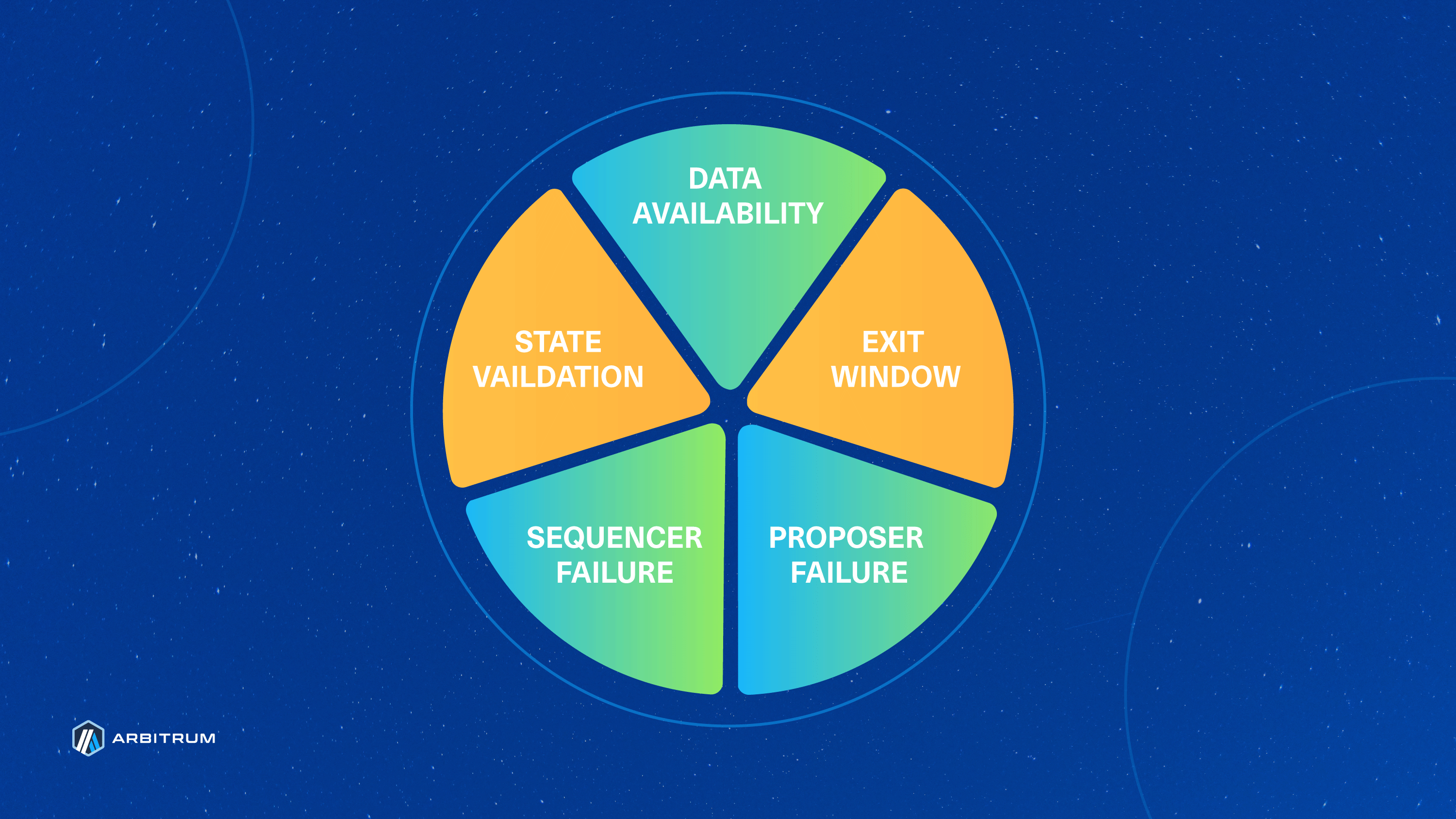
With BoLD at its core, Arbitrum charts a course toward Stage 2 Rollup recognition by addressing the currently yellow (above) State Validation wedge in [L2BEAT's risk analysis pie chart](https://l2beat.com/scaling/summary). BoLD contributes to a more permissionless, efficient, and robust rollup ecosystem.
## BoLD makes withdrawals safer to the parent chain [#bold-makes-withdrawals-safer-to-the-parent-chain]
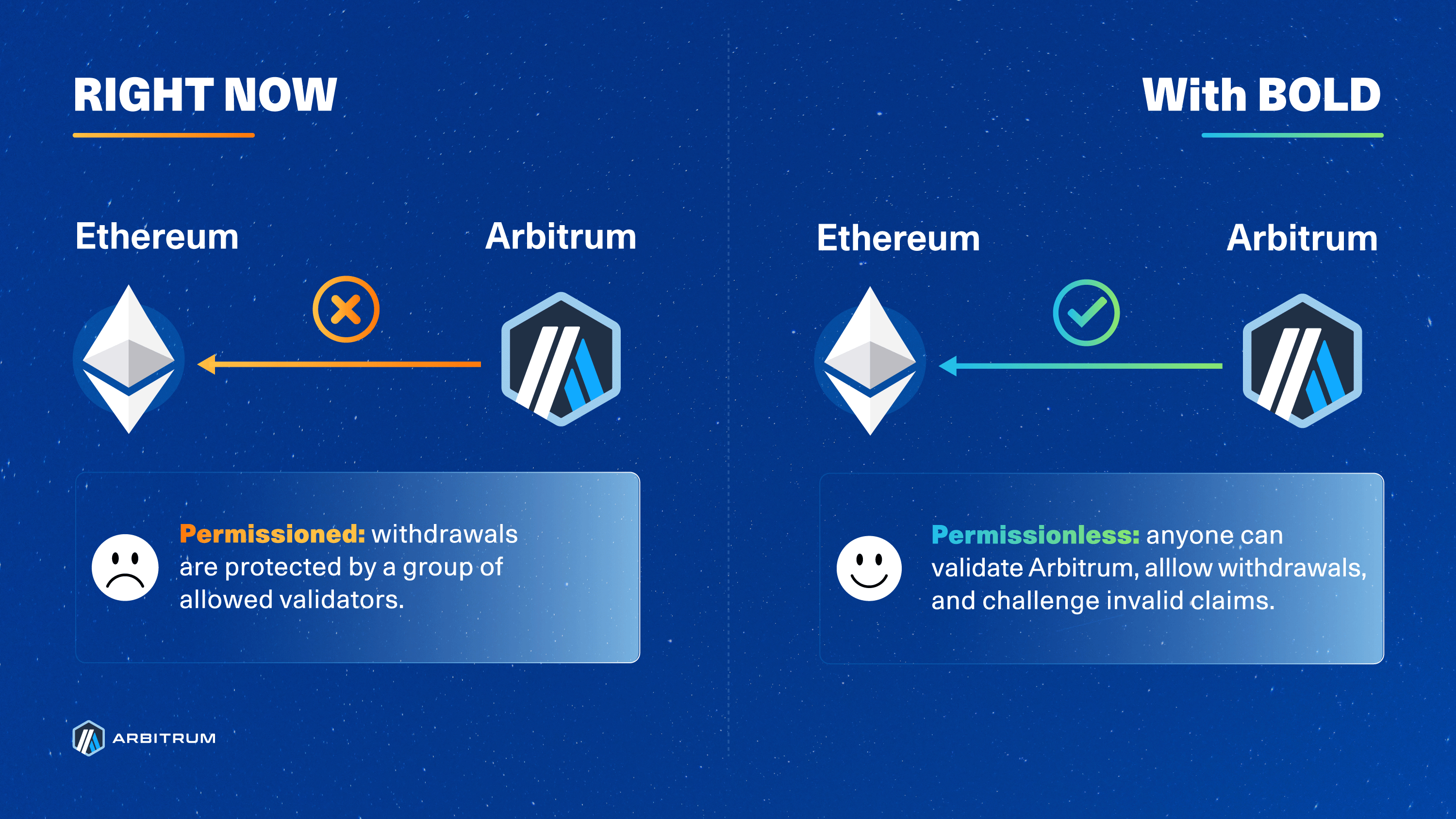
BoLD introduces a time limit on the existing Rollup protocol for resolving disputes, effectively ensuring that challenges conclude within a 6.4-day window (the DAO can change this window for Arbitrum One and Nova). This conclusion is possible due to two reasons:
1. BoLD’s design allows for challenges between the honest party and any number of malicious adversaries to happen in parallel, and
2. The use of a time limit that will automatically confirm the honest party’s claims if the challenger fails to respond.
To summarize with an analogy and the diagram below: Arbitrum’s former dispute protocol assumed that any assertion that gets challenged must be defended against each unique challenger sequentially, like in a “_1v1 tournament_”. BoLD, on the other hand, enabled any single honest party to defend the correct state and guarantee a win, similar to an “_all-vs-all battle royale_” in which there must and will always be a single winner.
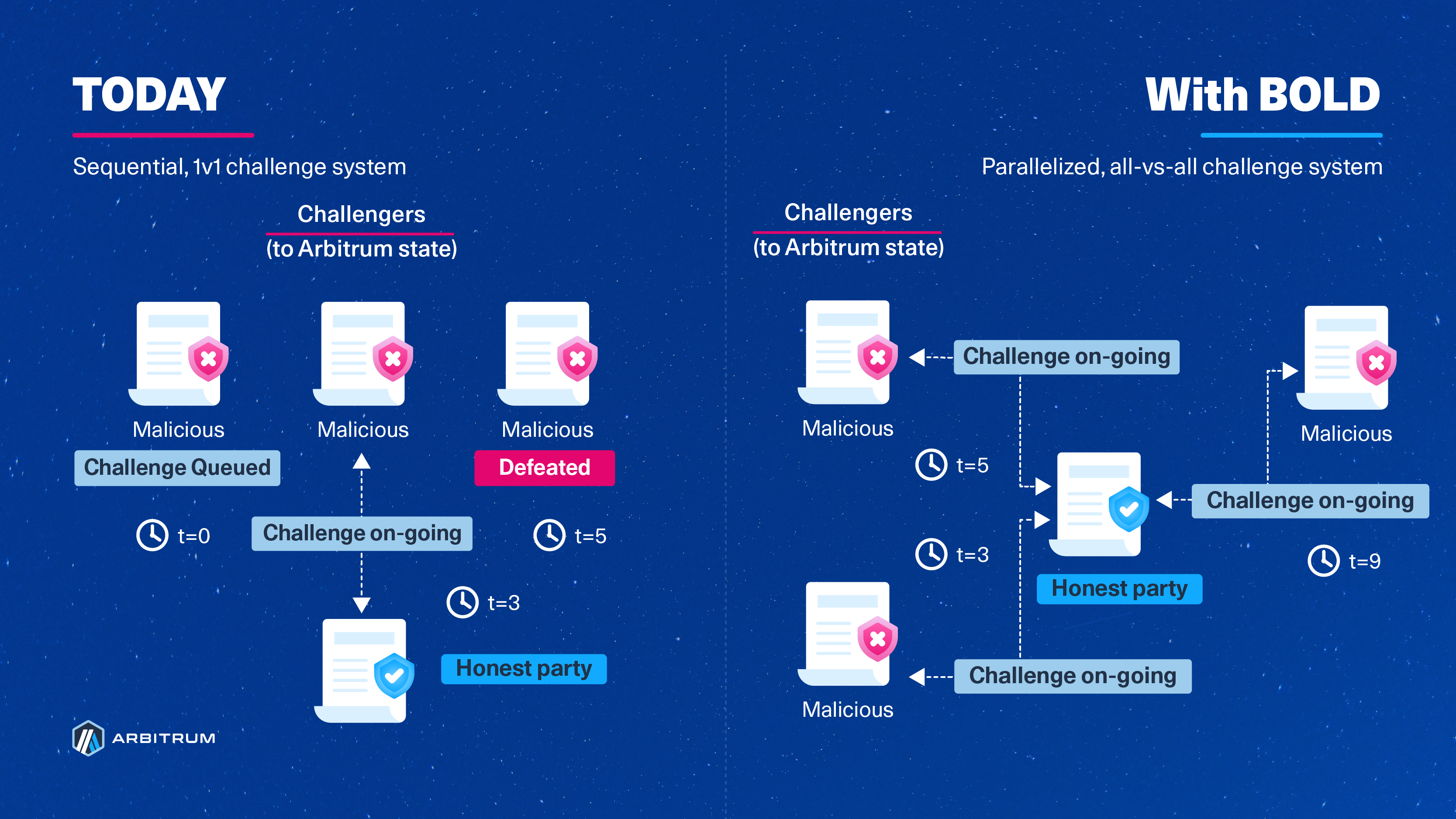
> **Note**
>
> The timer/clocks above are arbitrary and instead represent the duration of challenges and the sequential nature of challenges today, but they can take place in parallel with BoLD. The durations of the challenges are independent of one another.
## How does it work? [#how-does-it-work]
The BoLD protocol provides the guardrails and rules for how validators challenge claims about the state of an Arbitrum chain. Since Arbitrum’s state is deterministic, there will always be only one correct state for a given input of onchain operations and transactions.
The beauty of BoLD’s design ensures that disputes are resolved within a fixed time window, eliminating the risk of delay attacks and ultimately enabling anyone to bond their funds to and successfully defend the singular correct state of Arbitrum.
Let’s dive into an overview of how BoLD actually works.
1. **An assertion is made:** Validators begin by taking the most recent confirmed [assertion](/how-arbitrum-works/deep-dives/assertions), called `Block A`, and assert that some number of transactions afterward, using Nitro's deterministic [State Transition Function (STF)](/how-arbitrum-works/reference/stf-inputs), will result in an end state, `Block Z`. If a validator claims that the end state represented by `Block Z` is correct, they will place their bond on `Block Z` and propose that state to its parent chain. (For more details on how bonding works, see [BoLD technical deep dive](/how-arbitrum-works/bold/bold-technical-deep-dive)). If no one disagrees after a certain period, known as the challenge period, then the state represented by the assertion `Block Z` is confirmed as the correct state of an Arbitrum chain. However, if someone disagrees with the end state `Block Z`, they can submit a challenge.
2. **A challenge is opened:** When another validator observes and disagrees with the end state represented by `Block Z`, they can open a challenge by asserting and bonding capital to a claim on a different end state, represented by an assertion `Block Y`. At this point, there are now two asserted states: `Block A → Block Z` and `Block A → Block Y`. Each of these asserted states, at this point, is referred to as an edge, while a Merkle tree of asserted states from some start to endpoint (e.g., `Block A → Block Z`) is more formally known as a _history commitment_. It is important to note that Ethereum at this point has no notion of which edge(s) are correct or incorrect—edges are simply a portion of a claim made by a validator about the history of the chain from some end state all the way back to some initial state. Also note that because a bond posted by a validator is for an assertion rather than for the party that posted it, there can be any number of honest, anonymous parties who can open challenges to incorrect claims. It is important to note that bonds posted to open challenges get held in the Rollup contract. There is a prescribed procedure outlining the Arbitrum Foundation's expectations regarding the use of these funds; see Step 5 below for a summary.
3. **Multi-level, interactive dissection begins:** To resolve the dispute, the disagreeing entities will need to agree on what the _actual, correct_ asserted state should be. It would be tremendously expensive to re-execute and compare everything from `Block A → Block Z` and `Block A → Block Y`, especially since there could be potentially millions of transactions in between `A`, `Z`, and `Y`. Instead, entities take turns [bisecting their respective history commitments](/how-arbitrum-works/bold/how-bold-bisection-works) until they arrive at a single step of instruction, where an arbiter, such as Ethereum, can declare a winner. Note that this system is very similar to how challenges worked previously—BoLD only changes some minor, but important, details in the [resolution process](/how-arbitrum-works/bold/bold-technical-deep-dive#challenge-resolution). Let’s dive into what happens next:
- **Block challenges**: When a challenge gets opened, edges are referred to as level-zero edges since they are at the granularity of Arbitrum blocks. The disputing parties take turns bisecting their historical commitments until they identify the specific block on which they disagree.
- **Big-step challenge:** Now that the parties have narrowed down their dispute to a single block, the back-and-forth bisection exercise continues within that block. Note that this block is agreed upon by all parties to be a state that follows the initial state but precedes the final state. This time, however, the parties will narrow down on a specific range of instructions for the State Transition Function within the block—essentially working towards identifying a set of instructions within which their disagreement lies. Currently, this range is 2^23 steps of `WASM` instructions, which is the assembly of choice for validating Arbitrum chains.
- **One-step challenge:** Within that range of 2^23 instructions, the back-and-forth bisecting continues until all parties arrive at a single step of instruction that they disagree on. At this point, the parties agree on the initial state of Arbitrum before the step, but disagree on the end state immediately after. Remember that since Arbitrum’s state is entirely deterministic, there is only one correct end state.
4. **One-step proof:** Once a challenge is isolated down to a dispute about a single step, both parties run that step to produce, and then submit, a one-step proof to the `OneStepProof` smart contract on the parent chain (e.g., Ethereum). A one-step proof is a proof that a single step of computation results in a particular state. The smart contract on the parent chain will execute the disputed step to validate the correctness of the submitted proof from both parties. It is at this point that the honest party's proof will be deemed valid and its tree of edges will be confirmed by time, whereas the dishonest party's edges will be rejected due to a timeout.
5. **Confirmation:** Once the honest one-step edge is confirmed, the protocol will work on confirming or rejecting the parent edges until it reaches the level-zero edge of the honest party. With the honest party’s level-zero edge now confirmed, their assertion bond is refundable. Meanwhile, the dishonest party has its bonds removed to ensure that dishonesty is always punished.
- There is another way that a level-zero edge can get confirmed: time. At each of the mini-stages of the challenge (block challenge, big-step challenge, one-step challenge), a timer increments upwards towards some challenge period, `T`, defined by BoLD. This timer begins ticking for a party when they submit their bisected history commitment, and it continues until their challenger submits their bisected history commitment in response. An edge is automatically confirmed if the timer reaches `T`.
6. Reimbursements for the honest party's parent chain gas costs and mini-bonds made at the other challenge levels are handled by the Arbitrum Foundation.
That’s it! We’ve now walked through each step that validators will take to dispute challenges under the BoLD protocol. One final note is that each of the steps explained above can run concurrently, which is one of the reasons why BoLD can guarantee a resolution to disputes within a fixed time frame.
## Related reading [#related-reading]
- [BoLD Whitepaper](https://arxiv.org/abs/2404.10491)
- [BoLD: a technical deep dive](/how-arbitrum-works/bold/bold-technical-deep-dive): Implementation details of the dispute protocol, including assertions, edges, sub-challenges, and the one-step proof.
- [How BoLD bisection works](/how-arbitrum-works/bold/how-bold-bisection-works): Interactive visualization that replays real onchain bisections across the block, bigstep, and smallstep levels.
- [Economics of disputes](/how-arbitrum-works/bold/bold-economics-of-disputes): Bond sizes, the resource ratio, and spam prevention in BoLD.
- [Assertions deep dive](/how-arbitrum-works/deep-dives/assertions): How assertions structure validation and disputes in the Rollup contracts.
- [How to run a validator](/run-a-node/more-types/run-validator-node): Validation strategies (watchtower, defensive, makeNodes, etc.) for participating in BoLD.
- [BoLD specification](https://github.com/OffchainLabs/bold)
# How BoLD bisection works (/how-arbitrum-works/bold/how-bold-bisection-works)
The [BoLD (Bounded Liquidity Delay) dispute protocol](/how-arbitrum-works/bold/gentle-introduction) resolves disagreements between validators through a process called [**bisection**](/how-arbitrum-works/bold/bold-technical-deep-dive#bisections). When two or more validators disagree about the state of the chain, they narrow down the exact point of disagreement by repeatedly splitting (bisecting) their claims until the dispute is reduced to a single step of execution, which can then be verified with a [**one-step proof**](/how-arbitrum-works/bold/bold-technical-deep-dive#one-step-proof) (OSP).
The interactive visualization below replays real onchain events from a [ChallengeManager](/how-arbitrum-works/bold/bold-technical-deep-dive#challenge-resolution) contract on Arbitrum Sepolia, showing how edges are created, bisected across multiple [levels (block, bigstep, smallstep)](/how-arbitrum-works/bold/bold-technical-deep-dive#sub-challenges), and eventually resolved.
# The BoLD dispute protocol (/how-arbitrum-works/bold)
BoLD (Bounded Liquidity Delay) is Arbitrum's dispute protocol for permissionless validation. This section explains how BoLD resolves disputes over chain state.
* [Overview of BoLD](/how-arbitrum-works/bold/gentle-introduction): A high-level introduction to permissionless validation.
* [Economics of disputes](/how-arbitrum-works/bold/bold-economics-of-disputes): The stakes, costs, and incentives behind a challenge.
* [How bisection works](/how-arbitrum-works/bold/how-bold-bisection-works): An interactive replay of a real onchain edge challenge.
* [Technical deep dive](/how-arbitrum-works/bold/bold-technical-deep-dive): The BoLD protocol in full detail.
# How to consume the Fast Feed (/how-arbitrum-works/priority-gas-auction/consume-fast-feed)
This guide shows you how to connect to the Fast Feed on Arbitrum One and read the messages it publishes. To buy the ticket that admits your connection, follow [how to buy Fast Feed access](/how-arbitrum-works/priority-gas-auction/use-fast-feed) first.
## Prerequisites [#prerequisites]
- An API key bound to an active ticket. [How to buy Fast Feed access](/how-arbitrum-works/priority-gas-auction/use-fast-feed) shows how to generate the key and buy the ticket.
- The Fast Feed endpoint for your network, from [addresses and endpoints](/how-arbitrum-works/priority-gas-auction/use-fast-feed#addresses-and-endpoints). The examples read it from `$FEED_URL` and the raw key from `$API_KEY`.
- A WebSocket client. The examples use [wscat](https://github.com/websockets/wscat) or [websocat](https://github.com/vi/websocat) on the command line, the `ws` package for Node.js, and the `websockets` package for Python.
## Connect [#connect]
Once the round in which you bought has ended, open a WebSocket to the Fast Feed endpoint and send your raw API key, not its hash, as a bearer token in the `Authorization` header of the upgrade request:
```text
Authorization: Bearer
```
The endpoint hashes the key with Keccak-256, compares it against the active tickets, and only then completes the upgrade. Messages start flowing at once. You open one connection per ticket, and each connection receives the full feed. Three rules apply to every client:
- Complete the upgrade within 5 seconds, or the endpoint drops the socket.
- Send only ping and pong frames.
- Read as fast as the feed arrives. The endpoint drops a client that lags behind, so parse and process off the read loop.
Every frame is a binary WebSocket frame that carries one JSON object with one transaction. The [what the Fast Feed publishes](#what-the-fast-feed-publishes) section lists every field.
#### Command line
```shell
wscat -c "$FEED_URL" -H "Authorization: Bearer $API_KEY"
```
#### Node.js
```typescript
import WebSocket from 'ws';
const ws = new WebSocket(process.env.FEED_URL, {
headers: { Authorization: `Bearer ${process.env.API_KEY}` },
});
ws.on('unexpected-response', (req, res) => {
// 401: unknown key or no active ticket. 429: every ticket already has a connection.
console.error(`Rejected: HTTP ${res.statusCode}`);
req.destroy(); // with a listener attached, ws leaves the request open
});
ws.on('message', (data) => {
const msg = JSON.parse(data.toString());
// msg.pga_round, msg.transaction.tx_hash, msg.transaction.receipt, ...
});
ws.on('close', (code, reason) => {
console.log('closed', code, reason.toString());
});
```
#### Python
```python
import asyncio
import json
import os
import websockets
async def main():
headers = {"Authorization": f"Bearer {os.environ['API_KEY']}"}
try:
async with websockets.connect(os.environ["FEED_URL"], additional_headers=headers) as ws:
async for frame in ws:
msg = json.loads(frame)
# msg["pga_round"], msg["transaction"]["tx_hash"], msg["transaction"]["receipt"], ...
except websockets.InvalidStatus as e:
# 401: unknown key or no active ticket. 429: every ticket already has a connection.
print(f"Rejected: HTTP {e.response.status_code}")
except websockets.ConnectionClosed as e:
print(f"closed {e.rcvd.code} {e.rcvd.reason}")
asyncio.run(main())
```
This example needs `websockets` 14 or later. Older versions use `extra_headers=` instead of `additional_headers=`.
## What the Fast Feed publishes [#what-the-fast-feed-publishes]
Each message is a `FeedMessage` envelope that carries one transaction plus the metadata that you need to place it in time and in order. The Sequencer sends each message as a JSON object inside a binary WebSocket frame, so byte fields arrive as hex-encoded strings.
| Field | Type | Description |
| -------------- | ---------------- | -------------------------------------------------------------------------- |
| `version` | number | Protocol version, for forward compatibility (currently `1`) |
| `timestamp_ms` | number | Unix time in milliseconds when the Sequencer created the message |
| `pga_round` | number, optional | The PGA round this transaction belongs to, within the block, starting at 1 |
| `transaction` | object | The transaction data and its partial receipt |
The `transaction` object carries the transaction itself:
| Field | Type | Description |
| -------------- | ------ | -------------------------------------------------- |
| `block_number` | number | Tentative block number, not guaranteed to be final |
| `tx_index` | number | Position within the block so far |
| `raw_tx` | string | Hex-encoded, RLP-encoded signed transaction |
| `tx_hash` | string | Hex-encoded transaction hash |
| `receipt` | object | Execution result |
What the receipt reports:
- `status`
- `gas_used`
- `gas_used_for_l1`
- `cumulative_gas_used`
- `effective_gas_price`
- `base_fee`
- Any `contract_address` the transaction created
- The event `logs` emitted by the transaction
Each entry in `logs` carries three fields:
- `address`: the hex-encoded address of the contract that emitted the event
- `topics`: the hex-encoded topics of the event, in order
- `data`: the hex-encoded event data
## Reconnect after a drop [#reconnect-after-a-drop]
If your connection closes, reconnect and continue from the current head. The Fast Feed keeps no history, so the messages sent while you were away are gone.
To keep a connection open from one round to the next, buy a ticket for every round, as described in [keep the connection across rounds](/how-arbitrum-works/priority-gas-auction/use-fast-feed#step-5-keep-the-connection-across-rounds).
## Troubleshoot [#troubleshoot]
### Connection rejected or closed [#connection-rejected-or-closed]
| Response | Cause | Fix |
| ----------------------------------------- | ------------------------------------------------------------------------------ | --------------------------------------------------------------------------------------- |
| `HTTP 401 Unauthorized` | The `Authorization` header is missing, or the key's hash has no active ticket. | Check the raw key and its hash. Tickets bought this round activate at `roundEnd`. |
| `HTTP 429 Too Many Requests` | The key already has as many open connections as it has active tickets. | Close a connection, or buy more tickets for the next round. |
| `HTTP 426 Upgrade Required` | The request was not a WebSocket upgrade, for example a plain HTTPS `GET`. | Use a WebSocket client. |
| Close `1008`, `authentication expired` | The round ended and your key holds no ticket in the new round. | Buy before `roundEnd` each round, then reconnect. |
| Close `1013`, `client lagged` | Your client fell more than 2048 messages behind. | Drain the socket faster. Move parsing and processing off the read loop, then reconnect. |
| Close `1003`, `unexpected client message` | Your client sent a data frame. | Send only ping and pong frames. |
| Close `1011`, `server shutting down` | The endpoint restarted. | Reconnect with a short backoff. |
## FAQ [#faq]
**Do I need a Nitro node?**
No. The Fast Feed is a stream for your own client. To follow the chain, use the free [sequencer feed](/run-a-node/sequencer/read-sequencer-feed) instead.
# Introduction to the Fast Feed (/how-arbitrum-works/priority-gas-auction/fast-feed)
The Fast Feed is a paid, authenticated WebSocket stream that publishes each transaction as soon as the Sequencer has ordered and executed it, before the block that contains it reaches the standard sequencer feed.
On Arbitrum One, Priority Gas Auction (PGA) rounds run every 125ms inside a 250ms block. The Fast Feed publishes within those rounds, so you see ordered transactions without waiting for the block to close.
PGA rounds set the cadence of the Fast Feed. To understand the rounds themselves, read the [introduction to PGA](/how-arbitrum-works/priority-gas-auction/pga) first.
## What the Fast Feed does not do [#what-the-fast-feed-does-not-do]
- **It does not give you a view into the mempool.** The Fast Feed publishes a transaction only after the Sequencer has ordered and executed it. Nobody can influence or change that order afterward, so the Fast Feed does not enable frontrunning or sandwich attacks. The Sequencer's mempool stays private.
- **It does not publish state.** You receive a list of transactions and a partial receipt for each one. You do not receive state changes or partial blocks.
- **It does not let you follow the chain.** A Nitro node cannot consume the Fast Feed, and the Fast Feed gives you no way to track chain state. Subscribers write their own client. To follow the chain, use the standard sequencer feed instead.
## Who is the Fast Feed for [#who-is-the-fast-feed-for]
Any application or user that is latency sensitive gains from reading ordered transactions sooner. The following groups benefit most from subscribing:
- **Searchers** react to ordered transactions sooner, whether they run arbitrage between a centralized and a decentralized exchange, liquidations, or back-running strategies.
- **propAMMs** confirm faster whether their most recent price updates have landed.
- **Market makers** update pricing models earlier in the round.
If you send ordinary transactions through a wallet or an app, the Fast Feed does not affect you. It doesn't change the ordering, the inclusion guarantee, or the fee that anyone pays.
## What the Fast Feed publishes [#what-the-fast-feed-publishes]
Each message is a `FeedMessage` envelope that carries one transaction plus the metadata you need to place it in time and in order. It holds a timestamp, the PGA round, a tentative block number and position, the signed transaction and its hash, and a partial receipt. The [message reference](/how-arbitrum-works/priority-gas-auction/consume-fast-feed#what-the-fast-feed-publishes) lists every field.
## Limits to design for [#limits-to-design-for]
The Fast Feed trades guarantees for speed. Three consequences shape how you write a client.
**Inclusion is not guaranteed.** The `block_number` you receive is tentative. The Sequencer publishes a transaction to the Fast Feed before it stores that transaction, which is part of what makes the feed fast. If the Sequencer fails partway through a block, the transactions it already published are lost, and another Sequencer starts a new block from scratch. The Sequencer almost never fails this way, so a PGA round rarely loses or reorders the transactions it published.
**Receipts are partial.** A receipt omits `block_hash`, because the block is not final when the Sequencer publishes it.
**There is no replay.** The Fast Feed caches nothing. You subscribe at the head and receive only the messages sent from that point onward. If your connection drops, the messages sent while you were away are gone.
> **Note**
>
> Treat the Fast Feed as an early signal, not as a record. Confirm final state against a node or the standard sequencer feed.
## How subscription access works [#how-subscription-access-works]
Access runs on tickets sold by the `Tickets` contract, an audited contract on Arbitrum One that the AIP and the audit call the Fast Feed Payment Contract. You prove your subscription with an API key that never appears onchain.
1. **Generate an API key.** Keep the key itself private.
2. **Buy a ticket.** Send a payment transaction to the `Tickets` contract that includes the Keccak-256 hash of your key. The contract records that hash as your Subscription Credential.
3. **Connect.** Present your raw API key to the Fast Feed endpoint. The endpoint hashes it with Keccak-256 and compares the result against the recorded credential to admit or deny the connection.
Your access starts at the end of the round in which you buy the ticket. You can rotate your credential only when you buy a ticket for a new round.
For the contract calls, the reference purchase bot, and purchase errors, see [how to buy Fast Feed access](/how-arbitrum-works/priority-gas-auction/use-fast-feed). For the WebSocket handshake, the message format, and connection errors, see [how to consume the Fast Feed](/how-arbitrum-works/priority-gas-auction/consume-fast-feed).
### Rounds and pricing [#rounds-and-pricing]
The contract sells tickets in fixed rounds and prices them with the mechanism defined in EIP-4844. Every ticket in a round costs the same. Demand in one round sets the price for the next: sales above the target push the price up, sales below it push the price down, and the price never falls below the floor.
| Parameter | Value |
| --------------------------- | -------------------- |
| Round duration | 24 hours |
| Target tickets per round | 100 |
| Maximum tickets per round | 200 |
| Minimum price | 17 USD |
| Price update fraction | 144 |
| Grandfather period fraction | About half the round |
These are the values the `Tickets` contract on Arbitrum One returns at the time of writing. A price update fraction of 144 means the next round can cost at most about twice the current price, and at least about half of it.
Each round opens with a grandfather period that covers about half its length. During that period, only subscribers from the previous round can buy, up to the number of tickets they held. Sales then open to everyone until the round hits its maximum.
> **Note**
>
> The Arbitrum DAO controls these parameters and can change any of them. A change takes effect at the next round, so it can wait up to 24 hours.
## Where the revenue goes [#where-the-revenue-goes]
The contract accepts payment in USDG, an ERC-20, USD-backed stablecoin. It sends proceeds to a dedicated RewardDistributor contract, which routes 97% to the Arbitrum DAO Treasury and 3% to the Arbitrum Developer Guild. Every subscription payment and every distribution emits an onchain event, so anyone can audit the flow.
This split matches the one PGA uses, which keeps Arbitrum's ordering-related revenue products aligned.
> **Note**
>
> The Arbitrum Treasury Management (ATM) Council and OAT selected USDG as the stablecoin. The `Tickets` and USDG addresses are listed in [how to buy Fast Feed access](/how-arbitrum-works/priority-gas-auction/use-fast-feed#addresses-and-endpoints).
Trail of Bits audited both contracts before deployment. The `Tickets` contract is audited under the name "Sequencer Feed Ticketing", so read the [Sequencer Feed Ticketing report](/audit-reports/2026_07_31_sequencer_feed_ticketing_summary_report.pdf) for that contract, and the [Reward Distributor Fixes report](/audit-reports/2026_06_16_trail_of_bits_security_audit_reward_distributor_fixes_summary_report.pdf) for the RewardDistributor. The [security audit reports page](/audit-reports) lists every Arbitrum audit.
## Fast Feed compared with the sequencer feed [#fast-feed-compared-with-the-sequencer-feed]
The two feeds serve different jobs. Running one does not replace the other.
| Property | Sequencer feed | Fast Feed |
| --------------- | ------------------------------------------------------ | ------------------------------------- |
| Cost | Free | Paid subscription |
| Authentication | None | API key against an onchain credential |
| Granularity | Per block | Per transaction, within a PGA round |
| Client | Nitro node or [feed relay](/run-a-node/run-feed-relay) | Your own client |
| Follows a chain | Yes | No |
| Availability | Every Arbitrum chain | Arbitrum One |
To work with the standard feed, see [how to read the sequencer feed](/run-a-node/sequencer/read-sequencer-feed).
# PGA and Fast feed (/how-arbitrum-works/priority-gas-auction)
Detailed explanations of PGA and fast feed.
* [Fast Feed](/how-arbitrum-works/priority-gas-auction/fast-feed): How the fast feed works.
* [Buy Fast Feed access](/how-arbitrum-works/priority-gas-auction/use-fast-feed): How to buy Fast Feed tickets.
* [Consume the Fast Feed](/how-arbitrum-works/priority-gas-auction/consume-fast-feed): How to connect to the Fast Feed and read its messages.
* [PGA](/how-arbitrum-works/priority-gas-auction/pga): How PGA works.
# Introduction to PGA (Priority Gas Auctions) (/how-arbitrum-works/priority-gas-auction/pga)
PGA is an ordering policy in which users bid for ordering by attaching a priority fee to each transaction. Ordering becomes a continuous, permissionless, per-transaction competition.
PGA is available for activation on supported Arbitrum chains with priority fee collection and a PGA-capable Sequencer build.
### Why sunset Timeboost? [#why-sunset-timeboost]
Arbitrum One has used Timeboost since April 2025. Timeboost auctions off a 60-second "express lane" in a sealed-bid, second-price auction and falls back to first-come, first-served (FCFS) ordering for everything else. This policy served to reduce latency-race spam and create the first sequencing revenue stream for the
Arbitrum DAO.
However, some design limitations became clear:
**The barrier to entry is high**: Participating in an ahead-of-time auction requires building custom tooling and forecasting MEV for an entire upcoming round.
**It does not serve latency-sensitive applications well**: Emerging DeFi primitives such as proprietary AMMs (propAMMs) need cheap, frequent, priority-ordered inclusion to keep onchain parameters fresh. An express lane held by a single controller for 60 seconds at a time is incompatible with these new AMMs.
### What are PGA’s benefits? [#what-are-pgas-benefits]
#### Familiar mechanics and a low barrier to entry [#familiar-mechanics-and-a-low-barrier-to-entry]
Participants bid by setting `maxPriorityFeePerGas` on a standard EIP-1559 type 2 transaction. There is no auction to register for and no custom tooling to build. Anyone who already runs a searcher on another EVM chain can participate on day one.
#### Near-zero operational cost [#near-zero-operational-cost]
PGA adds no infrastructure to run. PGA is a Sequencer flag plus a round-count parameter.
#### Faster blocks under load [#faster-blocks-under-load]
The Sequencer issues each block as soon as it fills, rather than idling for the remainder of the block window. On a chain with `B=250ms` and `K=2`, this yields between 4 and 8 blocks per second: a minimum of `1/B` and a maximum of `K/B`. Under heavy load, your chain confirms faster than its nominal block time.
#### PGA preserves the great UX that Arbitrum chains are known for [#pga-preserves-the-great-ux-that-arbitrum-chains-are-known-for]
The default block time for Arbitrum chains continues to be industry-leading at 250ms, and response times can be further reduced by adding 125ms PGA rounds.
#### PGA preserves Arbitrum's fast block times [#pga-preserves-arbitrums-fast-block-times]
The nominal block time on Arbitrum One remains 250ms, with PGA rounds added at 125ms increments. Arbitrum chains can select the number of rounds based on their needs. On Arbitrum One, there are only 2 PGA rounds, which means that under heavy load, blocks that fill early are issued immediately so that the chain can produce up to 8 blocks per second.
#### PGA allows more participants to order competition [#pga-allows-more-participants-to-order-competition]
Bidding happens per transaction, just-in-time, using a standard EIP-1559 field. There is no separate auction to register for, no ahead-of-time forecast to make. Searchers and applications can participate through tips.
#### PGA protects low-fee transactions from starvation [#pga-protects-low-fee-transactions-from-starvation]
On Ethereum, a transaction that pays no priority fee has no guarantee of inclusion and can wait for as long as congestion lasts. Under PGA, an anti-starvation boost raises the effective ordering position of transactions left waiting after each round, so these transactions are included within a small number of blocks. The boost changes position in the queue, never the fee actually charged.
#### PGA maintains a value accrual path for chain owners [#pga-maintains-a-value-accrual-path-for-chain-owners]
Chain owners may use PGA to capture a portion of the available MEV on their chain that would have otherwise gone entirely to searchers. Priority fees are collected by the chain owner rather than accruing entirely to whoever captures MEV.
### How PGA works [#how-pga-works]
PGA is a **transaction ordering policy**: a set of rules the [Sequencer](/how-arbitrum-works/deep-dives/sequencer) is trusted to follow when ordering transactions submitted by users.
As with FCFS and Timeboost, the Sequencer's job is unchanged:
1. Accept valid transactions
2. Place them in an order dictated by the policy
3. Publish the resulting sequence to a feed
4. Publish transactions in compressed batches to the chain's data availability layer
With PGA, the priority fee determines transactions' order, evaluated in short ordering rounds that run multiple times per block. This ordering model should be familiar to users of other EVM chains (Base, OP Mainnet, and Unichain).
PGA uses three components that work together:
- **A two-stage mempool:** an unordered waiting list that includes arriving transactions, and a priority queue keyed on each transaction's priority fee.
- **PGA rounds:** short, fixed-length ordering rounds that can run multiple times per block. Each round promotes the waiting list into the priority queue and transfers the queue into the block being built.
- **An anti-starvation priority boost:** a position increase applied at the end of each round to transactions that are still waiting, so low-fee and zero-fee transactions rise over time.
On Arbitrum One, the block time `B` is 250ms and the proposed number of rounds per block `K` is 2, giving a nominal round length of **125ms**. Let's look at each component.
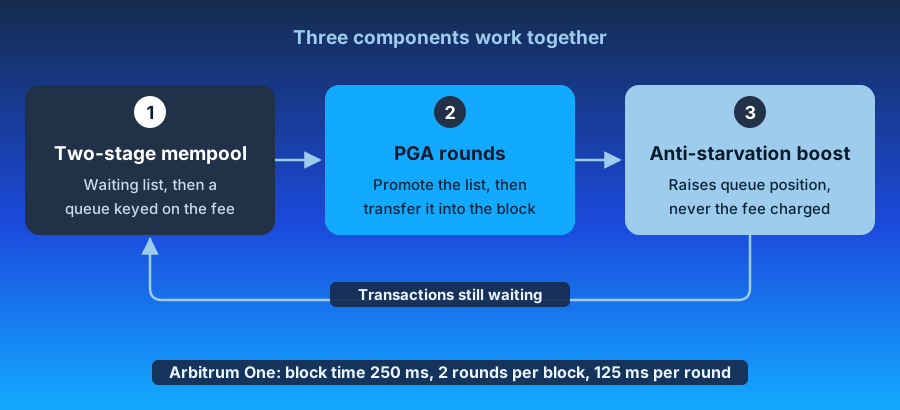
### The two-stage mempool [#the-two-stage-mempool]
Transactions arriving at the Sequencer land first in an **unordered waiting list**. Intake runs continuously and independently of any ordering work.
At the start of each PGA round, the entire waiting list is transferred to the second stage: a **priority queue** keyed on the transaction's priority fee, computed per EIP-1559 as:
```shell
priority_fee_per_gas = min(
transaction.max_priority_fee_per_gas,
transaction.max_fee_per_gas - block.base_fee_per_gas
)
```
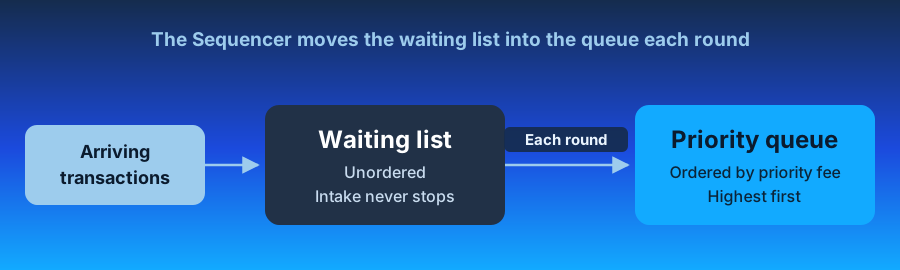
Ties are broken by the arrival timestamp recorded when the transaction first reached the Sequencer, not when it entered the queue.
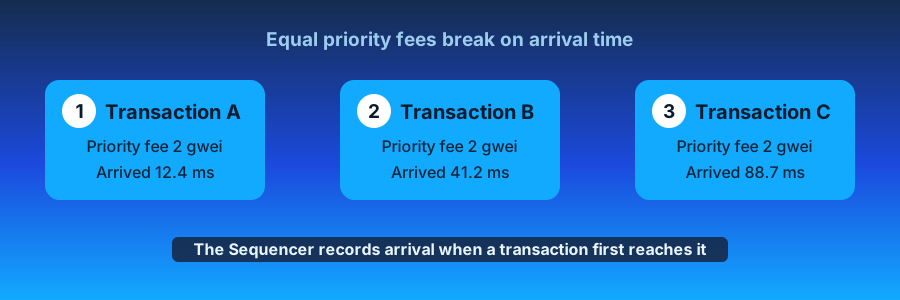
The queue is re-keyed against the new base fee at the start of every block because the priority fee depends on the base fee, which changes between blocks.
Transactions remain subject to the prevailing base fee, and the mempool remains private. PGA does not grant anyone the right to view or reorder other users' transactions, so the protections against harmful MEV that Arbitrum users rely on are unchanged.
### PGA rounds [#pga-rounds]
The following parameters define PGA rounds:
- the block time `B`
- the proposed number of rounds per block `K`
A new round begins every `B/K`. In Arbitrum One, block time `B` is 250ms, and the number of rounds `K` is 2, meaning rounds are 125ms.
`K` remains adjustable for two years after PGA activates, to any value from 1 to 10 inclusively. That gives round lengths from 250ms down to 25ms.
Each round has two phases:
- The **intake phase** runs for the full round window, absorbing new arrivals into the waiting list. It overlaps with the previous round's execute phase.
- The **execute phase** begins as soon as intake closes. The waiting list moves into the priority queue, and the Sequencer transfers the queue into the block, highest priority first.
The transfer loop ends when the queue is empty, the block is full, or the round's time is up. Anything still queued waits for the next round.
Blocks fill until they reach one of the following:
- The **32 Mgas gas limit target**
- The **95,000-byte calldata limit**
- The end of the round.
The block hard limit is 64 Mgas, and an individual transaction is capped at 32 Mgas.
If a block fills before its last round, the Sequencer finalizes it immediately and starts the first round of the next block rather than idling for the remainder of the window. This is what allows the chain to exceed its nominal block rate under load. Block production is capped at 8 blocks per second; keeping the spacing between rounds consistent makes the anti-starvation policy behave predictably, since building faster would give older transactions an unfair advantage over newer ones.
### The anti-starvation priority boost [#the-anti-starvation-priority-boost]
At the end of every round in which the priority queue is not empty, each transaction still waiting receives a priority boost of `p / (2K)`, where `p` is the priority of the last transaction included in the previous round (or zero if that round included none). `K` is the number of rounds per block.
Two properties are worth emphasizing:
- **The boost shifts a transaction's position in the queue and nothing else.** The fee charged on inclusion is unaffected.
- **It compounds across rounds.** A transaction paying no priority fee accumulates boost each round until it outranks the marginal paying transaction, which is what bounds its wait to a small number of blocks. The exact wait depends on the round parameters and on the priority fee the transaction expressed.
## What changes when PGA activates [#what-changes-when-pga-activates]
PGA activates on Arbitrum One some time after the onchain vote passes. On the same day, Timeboost's express lane and its delay logic will be decommissioned:
- The Timeboost autonomous auctioneer stops accepting new bids.
- The express lane endpoint shuts down.
- The Sequencer stops enforcing the 200ms delay on transactions outside the express lane. That delay only applied while an express lane controller held the round.
- You can withdraw funds you still have locked in the Timeboost auction contract at any time.
On Arbitrum One, PGA sends 97% of the priority fees it collects to the Arbitrum DAO treasury and 3% to the Arbitrum Developer Guild. The DAO accounts for these proceeds periodically and distributes them through a separate vote every six months.
# How to buy Fast Feed access (/how-arbitrum-works/priority-gas-auction/use-fast-feed)
This guide is for searchers, propAMM operators, market makers, and anyone else who wants to read onchain data faster. It shows you how to subscribe to the Fast Feed on Arbitrum One and keep your access across rounds.
It covers the full purchase path: hash your API key, deposit USDG, read the round state, call `purchaseTickets`, and automate the purchase with the reference bot. To open the connection and read the messages, see [how to consume the Fast Feed](/how-arbitrum-works/priority-gas-auction/consume-fast-feed).
> **If you don't know what the Fast Feed is**
>
> The Fast Feed is a paid WebSocket stream that publishes each transaction as soon as the Sequencer executes it, before its block reaches the free sequencer feed. The [introduction to the Fast Feed](/how-arbitrum-works/priority-gas-auction/fast-feed) explains what it publishes, who it serves, and how rounds and prices work.
The Fast Feed admits one WebSocket connection per ticket, and a ticket is valid for one round. To keep a connection open, you buy a new ticket every round from the `Tickets` contract on Arbitrum One.
## Prerequisites [#prerequisites]
- You know how Fast Feed rounds and prices work. If not, read the [introduction to the Fast Feed](/how-arbitrum-works/priority-gas-auction/fast-feed#rounds-and-pricing) and the [introduction to PGA](/how-arbitrum-works/priority-gas-auction/pga), which sets the round cadence.
- An account on Arbitrum One that holds USDG to pay for tickets and ETH to pay for gas.
- An Arbitrum One JSON-RPC endpoint.
- [Foundry's `cast`](https://getfoundry.sh/), or any EVM client, to send transactions. The examples use `cast` and leave out `--rpc-url $RPC_URL --private-key $PRIVATE_KEY` to stay short.
## Addresses and endpoints [#addresses-and-endpoints]
| Item | Arbitrum One | Arbitrum Sepolia |
| ------------------ | ---------------------------------------------------------------------------------- | ----------------------------------------------------------------------------------------------- |
| Fast Feed endpoint | `wss://arb1-txfeed.arbitrum.io/` | `wss://sepolia-rollup-txfeed.arbitrum.io` |
| `Tickets` (proxy) | [0x451DD62C26b753d07d6104aaC6865AaE73a6A598](https://arbiscan.io/address/0x451DD62C26b753d07d6104aaC6865AaE73a6A598) | [0x6f940179448e0a1C7BD8cfCB787555eb85cFC879](https://sepolia.arbiscan.io/address/0x6f940179448e0a1C7BD8cfCB787555eb85cFC879) |
| Payment token | USDG: [0x004B506865409877C9fA29bfb1ebA929984B9bbC](https://arbiscan.io/address/0x004B506865409877C9fA29bfb1ebA929984B9bbC) | TestToken (TEST): [0xca202b90454Db321256Cd84531Dd4929561d1e00](https://sepolia.arbiscan.io/address/0xca202b90454Db321256Cd84531Dd4929561d1e00) |
USDG has 6 decimals, so the 17 USD minimum price is `17000000` in the token's smallest unit. The first round started on September 23, 2026 at 17:00 UTC.
The examples below use `$FEED_URL`, `$TICKETS`, and `$USDG` for these values:
```shell
export FEED_URL=wss://arb1-txfeed.arbitrum.io/
export TICKETS=0x451DD62C26b753d07d6104aaC6865AaE73a6A598
export USDG=0x004B506865409877C9fA29bfb1ebA929984B9bbC
```
To test on Arbitrum Sepolia, export the Sepolia values instead. `$USDG` then holds the TestToken (TEST) address, so the commands in this guide work without changes:
```shell
export FEED_URL=wss://sepolia-rollup-txfeed.arbitrum.io
export TICKETS=0x6f940179448e0a1C7BD8cfCB787555eb85cFC879
export USDG=0xca202b90454Db321256Cd84531Dd4929561d1e00
```
On Arbitrum Sepolia, a round lasts 10 minutes. TEST has 6 decimals and the minimum price is `17000000`, as on Arbitrum One. Only Offchain Labs can mint TEST. To get some, post your Arbitrum Sepolia address in the [Arbitrum Discord](https://discord.gg/arbitrum).
## Step 1: Generate an API key and its hash [#step-1-generate-an-api-key-and-its-hash]
Your API key never goes onchain. You register its Keccak-256 hash with the ticket purchase, and you present the raw key when you connect to the Fast Feed. Anyone who holds the key can use your tickets, so treat it like a password.
1. Generate a random key and keep it private:
```shell
openssl rand -hex 32
```
2. Hash it:
```shell
cast keccak ""
```
Save the 32-byte output. You pass it as `apiKeyHash` in every purchase.
The hash covers the UTF-8 bytes of the key string exactly as you send it in the `Authorization` header when you [connect](/how-arbitrum-works/priority-gas-auction/consume-fast-feed#connect). Hash the exact string you send, with no `0x` prefix and no surrounding whitespace.
You can bind several tickets to one key, in the same round or across rounds. The Fast Feed allows as many open connections per key as that key has active tickets.
## Step 2: Deposit USDG [#step-2-deposit-usdg]
The contract debits ticket purchases from an internal balance, not from your wallet. Fund that balance before you buy.
1. Approve the contract to pull USDG. `amount` is in the token's smallest unit, so 100 USDG is `100000000`, enough for five tickets at the 17 USDG minimum price:
```shell
cast send $USDG "approve(address,uint256)" $TICKETS
```
2. Move the tokens into your internal balance:
```shell
cast send $TICKETS "depositToken(uint256)"
```
3. Confirm the balance:
```shell
cast call $TICKETS "tokenBalance(address)(uint256)"
```
Deposit enough for several rounds. The price can rise by up to about two times between rounds, as the [rounds and pricing](/how-arbitrum-works/priority-gas-auction/fast-feed#rounds-and-pricing) section explains. You can withdraw an unused balance at any time with `withdrawToken(amount)`.
## Step 3: Read the round state [#step-3-read-the-round-state]
A purchase must name the round and the price you expect. The contract reverts if either value has changed, so you never pay a new round's higher price by accident. Read the live values right before you buy:
```shell
cast call $TICKETS "roundNumber()(uint256)"
cast call $TICKETS "currentPrice()(uint256)"
cast call $TICKETS "roundEnd()(uint256)"
cast call $TICKETS "grandfatherPeriodEnd()(uint256)"
cast call $TICKETS "grandfatherCount(address)(uint256)"
```
| View | What it tells you |
| ---------------------- | ------------------------------------------------------------------------------------------------------------------------------------------- |
| `roundNumber` | The current round. Pass it as `expectedRound`. |
| `currentPrice` | The price of every ticket in this round. Pass it as `expectedPrice`. |
| `roundEnd` | Unix time when the round ends and the tickets you buy now become active. |
| `grandfatherPeriodEnd` | Unix time when the grandfather period ends. Before it, only buyers from the previous round can buy. |
| `grandfatherCount` | How many tickets you can still buy during the grandfather period. It equals the tickets you held last round, minus those bought this round. |
| `ticketsSoldThisRound` | Tickets sold so far. Compare it with `maxTicketsPerRound` to see how much room is left. |
Round state updates lazily: the first state-changing call in a new round rolls it forward. View functions compute the rolled-forward values on the fly, so the values you read are current.
## Step 4: Buy tickets [#step-4-buy-tickets]
Call `purchaseTickets` with the values from step 3:
```shell
cast send $TICKETS \
"purchaseTickets(uint256,uint256,uint256,bytes32)" \
```
The contract fills up to `numTicketsDesired`, capped by the room left in the round, and debits `expectedPrice × filled` from your internal balance. If the round is close to its cap, you receive and pay for fewer tickets than you asked for. The call reverts only if the round is already sold out.
Each purchase emits a `TicketsPurchased(buyer, round, apiKeyHash, price, numTickets, numTicketsDesired)` event. Read `numTickets` from the receipt to learn how many tickets you got.
Your tickets become active when the round ends. Until then, tickets from the previous round stay active. If you hold tickets in both rounds under the same key, your connection stays open across the round boundary.
## Step 5: Keep the connection across rounds [#step-5-keep-the-connection-across-rounds]
Tickets bought in round N are active for round N+1 only, so an uninterrupted connection needs a purchase in every round:
1. Buy the next round's ticket before `roundEnd`, with the same `apiKeyHash`. During the grandfather period you can renew up to the number of tickets you held.
2. Shortly after a round ends, the endpoint closes every connection whose key holds no ticket in the new round. A key with a ticket in both rounds keeps its connection.
If your connection closes, [reconnect and continue from the current head](/how-arbitrum-works/priority-gas-auction/consume-fast-feed#reconnect-after-a-drop).
To make the purchase step automatic, run the reference bot described in the next section.
## Automate the purchase with the reference bot [#automate-the-purchase-with-the-reference-bot]
Buying by hand every round does not scale. Offchain Labs publishes a TypeScript [purchase bot](https://github.com/OffchainLabs/feed-ticket-contracts/tree/main/bot) in the `feed-ticket-contracts` repository. Each round, the bot:
1. Reads the price, round boundaries, and your grandfather count.
2. Skips the round if the price exceeds `MAX_PRICE_PER_TICKET`.
3. Buys up to your grandfather count during the grandfather period, then buys the rest after the period ends.
4. Before each transaction, estimates gas and waits until `gas × maxFeePerGas` fits within `MAX_TRANSACTION_FEE`.
5. Sleeps past the round boundary, with random jitter so that bots do not all act at once.
Configure it with environment variables:
| Variable | Required | Description |
| ------------------------ | -------- | ------------------------------------------------------------------------------------------------------ |
| `RPC_URL` | Yes | Arbitrum One JSON-RPC endpoint. |
| `PRIVATE_KEY` | Yes | `0x`-prefixed private key of the account that deposited USDG. |
| `TICKETS_ADDRESS` | Yes | `Tickets` contract address. |
| `TICKETS_PER_ROUND` | Yes | Number of tickets to buy each round. |
| `MAX_PRICE_PER_TICKET` | Yes | Highest price per ticket you accept, in the token's smallest unit. |
| `MAX_TRANSACTION_FEE` | Yes | Highest total gas fee per purchase, in wei. |
| `API_KEY_HASH` | Yes | Keccak-256 hash of your API key, from step 1. |
| `MAX_SCHEDULE_JITTER_MS` | No | Upper bound of the random delay added at round boundaries. Default `30000`. |
| `GAS_POLL_INTERVAL_MS` | No | How often to re-check gas while waiting for it to fit the budget. Default `10000`. |
| `BOUNDARY_BUFFER_MS` | No | Delay after a round or grandfather boundary before acting, so the chain has passed it. Default `2000`. |
| `PRIORITY_FEE_PER_GAS` | No | EIP-1559 priority fee per gas, in wei. Default `0`. |
| `BASE_FEE_BOOST_PERCENT` | No | Percentage added to the latest base fee when computing `maxFeePerGas`. Default `20`. |
Run it with Docker:
```shell
git clone https://github.com/OffchainLabs/feed-ticket-contracts.git
cd feed-ticket-contracts/bot
docker build -t purchase-bot .
docker run --rm \
-e RPC_URL=$RPC_URL \
-e PRIVATE_KEY=$PRIVATE_KEY \
-e TICKETS_ADDRESS=$TICKETS \
-e TICKETS_PER_ROUND=1 \
-e MAX_PRICE_PER_TICKET= \
-e MAX_TRANSACTION_FEE= \
-e API_KEY_HASH= \
purchase-bot
```
Two behaviors to plan for:
- **The bot does not deposit funds.** Keep the internal balance topped up with `depositToken`, as in step 2. A purchase that finds an empty balance reverts, and the bot skips that round.
- **The bot exits on RPC or network errors.** It treats a contract revert as a skipped round and continues, but any transport failure ends the process. Run it under a supervisor that restarts it, such as Docker `--restart=always`, Kubernetes, or systemd.
## Troubleshoot [#troubleshoot]
### Purchase reverts [#purchase-reverts]
| Revert | Cause | Fix |
| ------------------------------------------------ | ------------------------------------------------------------------------------------- | ---------------------------------------------------------------------------------------------------------------- |
| `RoundNumberMismatch(expected, actual)` | The round advanced between your read and your transaction. | Re-read `roundNumber` and `currentPrice`, then retry. |
| `IncorrectTicketPrice(expected, actual)` | The price changed, which happens at a round boundary. | Re-read `currentPrice` and decide whether the new price fits your budget. |
| `MaxTicketsSold()` | The round is sold out. | Wait for the next round. Buy earlier in the round, or hold tickets so you can buy during the grandfather period. |
| `InsufficientTokenBalance(balance, required)` | Your internal balance is below `expectedPrice × numTicketsDesired`. | Deposit more USDG with `depositToken`. |
| `NotEnoughGrandfatheredTickets(held, requested)` | You asked for more tickets than your grandfather count during the grandfather period. | Request at most `grandfatherCount`, or wait until `grandfatherPeriodEnd`. |
| `BeforeFirstRoundStart()` | The first round has not started. | Wait for the configured first round start. |
| `ZeroTicketsRequested()` | `numTicketsDesired` was `0`. | Request at least one ticket. |
## FAQ [#faq]
**Which token pays for tickets?**
USDG on Arbitrum One. The token is fixed when the contract is deployed and cannot change. On Arbitrum Sepolia, tickets cost TEST, a test token that only Offchain Labs can mint. Ask for it in the [Arbitrum Discord](https://discord.gg/arbitrum).
**When does my ticket start working?**
At the end of the round in which you buy it. It stays active until the end of the next round.
**What happens to money I do not spend?**
It stays in your internal balance. Withdraw it at any time with `withdrawToken(amount)`.
## Next step [#next-step]
Once your ticket is active, [consume the Fast Feed](/how-arbitrum-works/priority-gas-auction/consume-fast-feed): open the WebSocket connection, read each message, and handle rejected or closed connections.
# AnyTrust Protocol (/how-arbitrum-works/deep-dives/anytrust-protocol)
AnyTrust is a variant of the [Arbitrum Nitro technology](/how-arbitrum-works/inside-arbitrum-nitro) that lowers costs by accepting a mild trust assumption.
The Arbitrum protocol requires that all Arbitrum nodes, including [validators](/how-arbitrum-works/deep-dives/assertions) (nodes that verify the correctness of the chain and place bonds on correct results), have access to the data of every child chain transaction in the Arbitrum chain’s inbox. An Arbitrum Rollup provides data access by [posting the data (in batched, compressed form) on the parent chain](/how-arbitrum-works/deep-dives/batchposter), Ethereum, as blobs or calldata. The Ethereum gas used to pay for this is the largest component of the cost of using Arbitrum.
AnyTrust relies instead on an external Data Availability Committee (DAC) to store data and provide it on demand. The DAC has N members, of which AnyTrust assumes at least two are honest. This means that if `N - 1` DAC members promise to provide access to some data, at least one of them must be honest. Since there are two honest members and only one failed to keep the promise, it follows that at least one of the promisers must be honest, and that honest member will provide data when needed to ensure the chain can properly function.
## Keysets [#keysets]
A Keyset specifies the [Boneh–Lynn–Shacham (BLS)](https://en.wikipedia.org/wiki/BLS_digital_signature) public keys of DAC members and the number of signatures required for a Data Availability Certificate (DACert) to be valid. Keysets enable DAC membership changes and allow DAC members to change their keys.
A Keyset contains:
- The number of DAC members, and
- For each DAC member, a BLS public key, and
- The number of DAC signatures required.
Keysets are identified by their hashes. A parent chain `KeysetManager` contract maintains a list of currently valid Keysets. The child chain’s `Owner` can add or remove Keysets from this list. When a Keyset becomes valid, the `KeysetManager` contract emits a parent-chain Ethereum event that includes the Keyset’s hash and full contents. This allows the contents to be recovered later by anyone, given only the Keyset hash.
Although the API does not limit the number of Keysets that can be valid simultaneously, only one Keyset is normally valid.
## Data Availability Certificates (DACert) [#data-availability-certificates-dacert]
A central concept in AnyTrust is the Data Availability Certificate (hereafter, a "DACert"). A DACert contains:
- The hash of a data block
- An expiration time
- Proof that the `N - 1` DAC members have signed the pair (hash, expiration time), consisting of:
- The hash of the Keyset used in signing
- A bitmap showing which DAC members signed
- A BLS aggregated signature (over the BLS12-381 curve) proving that those parties signed.
Because of the `2-of-N` trust assumption, a DACert constitutes proof that the block’s data (i.e., the preimage of the hash in the DACert) will be available from at least one honest DAC member, at least until the expiration time expires.
In regular Arbitrum Nitro, the Arbitrum [Sequencer](/how-arbitrum-works/deep-dives/sequencer) posts data blocks on the parent chain as [blobs or calldata](/how-arbitrum-works/deep-dives/batchposter). The hashes of the data blocks are committed to the parent chain Inbox contract, allowing the data to be reliably read by the child chain code.
AnyTrust gives the Sequencer two ways to post a data block on the parent chain: it can post the full data as above, or it can post a DACert proving availability of the data. The parent chain Inbox contract will reject any DACert that uses an invalid Keyset; the other aspects of DACert validity are checked by the child chain code.
The child chain code that reads data from the inbox reads a full-data block as in ordinary Arbitrum Nitro. If it sees a DACert instead, it checks the DACert's validity, using the Keyset specified by the DACert (which is known to be valid because the parent chain inbox verified it). The child chain code verifies that:
- The number of signers is equal to or greater than the number required by the Keyset
- The aggregated signature is valid for the claimed signers
- The expiration time is at least two weeks after the current child chain timestamp
If the DACert is invalid, the child chain code discards it and proceeds to the next data block. If the DACert is valid, the child chain code reads the data block, which is guaranteed to be available because the DACert is valid.
## Data Availability Servers (DAS) [#data-availability-servers-das]
DAC members run the Data Availability Server (DAS) software. The DAS exposes two APIs:
- The Sequencer API, intended only for the Arbitrum chain’s Sequencer, is a JSON-RPC interface that enables the Sequencer to submit data blocks to the DAS for storage. Production deployments will typically block access to this API from callers other than the Sequencer.
- The REST API, intended to be available to the world, is a RESTful HTTP(s)-based protocol that allows data blocks to be fetched by hash. This API is fully cacheable, and deployments may use a caching proxy or CDN to increase scale and protect against DoS attacks.
Only DAC members have a reason to support the Sequencer API. We expect others to run the REST API, which is helpful (discussed below).
The DAS software, based on configuration options, can store its data in local files, in a BadgerDB database, on Amazon S3, or redundantly across multiple backing data stores. The software also supports optional caching in memory (using Bigcache) or in a Redis instance.
## Sequencer-DAC interaction [#sequencer-dac-interaction]
When the Arbitrum Sequencer produces a data batch that it wants to post using the DAC, it sends the batch's data, along with the expiration time (normally, three weeks in the future) via RPC to all DAC members in parallel. Each DAC member stores the data in its backing store, indexed by the data's hash. Then the member signs the pair (hash, expiration time) using its BLS key, and returns the signature with a success indicator to the Sequencer.
Once the Sequencer has collected enough signatures, it can aggregate the signatures and create a valid DACert for the pair (hash, expiration time). The Sequencer then posts that DACert to the parent chain Inbox contract, making it available to the AnyTrust chain software on the child chain.
The [batch poster](/how-arbitrum-works/deep-dives/batchposter#4-the-data-is-routed-to-storage-da-handoff) is the Sequencer component that drives this exchange. It hands the sealed batch to the DAC through a single storage interface, so the same code path serves a DAC, a custom backend, or Ethereum itself.
If the Sequencer fails to collect enough signatures within a few minutes, it will abandon the attempt to use the DAC and will "[fall back to Rollup mode](/how-arbitrum-works/deep-dives/assertions)" by posting the full data directly to the parent chain, as it would do in a non-AnyTrust chain. The child chain software can understand both data posting formats (via DACert or full data) and will handle each one correctly.
# ArbOS (/how-arbitrum-works/deep-dives/arbos)
ArbOS is the child-EVM virtual machine monitor (VMM) for Arbitrum Nitro. It's a trusted system component that lives inside the [State Transition Function (STF)](/how-arbitrum-works/deep-dives/stf) and provides the execution environment for the chain. Unlike a conventional operating system, ArbOS is not a process running beside the chain—it's ordinary Go code compiled into the STF, so every node (and fraud prover) can replay it deterministically.
## Core responsibilities [#core-responsibilities]
1. **Network resource management**: Allocating and tracking the required resources to execute child-chain transactions and pricing them.
2. **Block production**: Turning [Sequencer](/how-arbitrum-works/deep-dives/sequencer)-delivered messages into child-chain blocks with correct state updates.
3. **Cross-chain messaging**: Enabling cross-chain communication between parent and child chains for deposits, withdrawals, and retryable tickets.
4. **Enhanced EVM execution**: Running instrumented Geth to execute smart contracts with child-chain specific logic.
5. **Stylus support**: Managing host I/O, memory, and execution context for WASM-based contracts.
## Architecture: the Geth "sandwich" [#architecture-the-geth-sandwich]
Rather than implementing the EVM, Arbitrum embeds it. The core of execution is still Geth, modified only in minor ways—the same engine that defines the Ethereum standard. ArbOS wraps Geth on both sides, an arrangement we call the sandwich.
- **Top slice** (pre-processing): Before the EVM runs, ArbOS injects a system "start block" transaction, fixes the parent-chain context (block number, timestamp, base fee), prices incoming data, and applies any transaction filtering.
- **Filling** (Geth core): Geth executes EVM transactions.
- **Bottom slice** (post-processing): After the EVM runs, ArbOS settles fees, records cross-chain messages, and finalizes the block.
## Messages and blocks [#messages-and-blocks]
Sequencer inputs arrive as `L1IncomingMessage` objects. ArbOS turns each message into exactly one child-chain block—a bijective relationship:
For every `L1IncomingMessage`, there is a child-chain block with a unique block hash, and for every child-chain block after chain initialization, there is an `L1IncomingMessage` that produced it.
`ProduceBlock` consumes one message and emits one block. After genesis, each block always begins with an injected `ArbitrumInternalTx` "start block" transaction that stamps in the parent-chain block number, and L1 base fee. Because every value the EVM can observe as "now" is frozen into that opening system transaction, two nodes replaying the same message cannot disagree about the result—determinism is structural, not bolted on. ArbOS may include more system transactions during processing, for example batch-posting reports.
## ArbOS state [#arbos-state]
ArbOS keeps its books in the same Geth state trie that holds account balances, under a reserved system address. The `ArbosState` object is a typed overlay on that raw key-value store. It is partitioned into subspaces, each identified by a one-byte prefix, and a set of fixed-scalar slots ("offsets") at the root.
Most of this state is reachable from contracts through precompiles. Two components deserve special mention because they back headline features:
- `sendMerkle` is the accumulator that records every L2 → L1 message; its root is what the parent-chain Outbox verifies against when a withdrawal is finalized. See [child-to-parent messaging](/how-arbitrum-works/deep-dives/l2-to-l1-messaging) for how a withdrawal proves against that root.
- `programs` hold Stylus activation state, which is why WASM contracts can be priced and executed deterministically.
For the subspace-by-subspace breakdown, including `blockhashes`, `l1PricingState`, and `l2PricingState`, see the [ArbOS state reference](/how-arbitrum-works/reference/arbos-reference#arbos-state).
## Gas and fees [#gas-and-fees]
An Arbitrum transaction has a cost structure on L1: the chain must pay Ethereum to store its data and spend compute to execute it. ArbOS meters both, so every transaction pays two parties:
- Child-chain execution is priced by `l2PricingState`, which runs a dynamic base-fee mechanism. A gas pool tracks demand across a time window, pushing that base fee up under load and down when idle, smoothing spikes while preserving capacity.
- Parent-chain data is tracked by `l1PricingState`, which records what the [batch poster](/how-arbitrum-works/deep-dives/batchposter) spent posting compressed data to Ethereum and reimburses the batch poster from user fees.
Fees are routed to the configured network and infrastructure fee accounts.
For the complete breakdown, including the pricing formulas and the per-block gas limit, see [Gas and fees](/how-arbitrum-works/deep-dives/gas-and-fees). For how ArbOS meters calldata and reimburses the batch poster, see [parent chain gas pricing](/how-arbitrum-works/deep-dives/gas-and-fees#parent-chain-gas-pricing).
## Precompiles [#precompiles]
ArbOS exposes system functionality to contracts through precompiles—addresses that look like ordinary contracts to Solidity but are implemented in Go. The binding works through runtime reflection:
- A Solidity interface defines the ABI.
- A Go backend implements the methods.
- At startup, ArbOS uses reflection to verify that the Go implementation matches the generated ABI exactly and to route incoming calls to the right method.
This lets an EVM CALL reach native operating-system code without breaking the EVM’s type and ABI guarantees. Some precompiles (or specific methods) are gated to a minimum ArbOS version.
For the reflection and dispatch mechanics, see the [precompile architecture reference](/how-arbitrum-works/reference/arbos-reference#how-precompiles-work). For every precompile, its address, and its methods, see the [precompiles reference](/arbitrum-essentials/precompiles/reference).
## Retryables [#retryables]
Retryable tickets are a special message type that enables atomic parent-to-child messaging: a ticket is created on the parent chain and redeemed on the child chain, with funds and execution handled together. Retryable state lives in the `retryables` subspace. See the [parent-to-child messaging](/how-arbitrum-works/deep-dives/l1-to-l2-messaging) documentation for the full lifecycle.
ArbOS manages child chain gas pricing and fee collection for both child chain execution costs and parent chain data posting costs. The child chain uses a dynamic basefee mechanism with multiple gas targets over different time windows to handle demand spikes while maintaining long-term chain capacity. Transactions pay fees to both the [batch poster](/how-arbitrum-works/deep-dives/batchposter) (for parent chain data costs) and the network (for child chain execution).
## ArbOS versions and upgrades [#arbos-versions-and-upgrades]
Because the STF must stay deterministic across every node and across every historical replay, ArbOS cannot change behavior simply by shipping a new binary—old blocks must still reproduce exactly. Upgrades are therefore scheduled as onchain events.
- ArbOS stores its current version, the `upgradeVersion` it plans to move to, and the `upgradeTimestamp` at which to switch (offsets 0-2 of state).
- At the appointed time, the storage format and execution semantics roll forward identically across all nodes.
This is how the chain has evolved over time—for example, Stylus activated at ArbOS version 30—without ever replacing the operating system out from under its own history. Each version bump is gated behind a named constant in the chain parameters, so behavioral changes are tied to a specific, agreed-upon version rather than wall-clock client releases.
## Stylus-specific differences [#stylus-specific-differences]
Stylus extends ArbOS to support WASM-based smart contracts alongside the EVM. When a transaction targets a Stylus contract, ArbOS routes execution to the WASM runtime, which uses host I/O calls for blockchain state access instead of EVM opcodes. Stylus contracts use a multi-dimensional gas model based on Ink units, with LRU caching to minimize execution overhead.
For the full technical details of Stylus execution flow, caching, gas pricing, and Go-WASI integration, see the [ArbOS technical reference](/how-arbitrum-works/reference/arbos-reference#stylus-specific-differences).
# Assertions (/how-arbitrum-works/deep-dives/assertions)
## The Rollup chain assertions vs. child chain blocks [#the-rollup-chain-assertions-vs-child-chain-blocks]
The Rollup chain consists of assertions, which serve as checkpoints summarizing multiple child chain blocks. Assertions are what give Arbitrum its hard finality guarantee — for the broader soft- vs. hard-finality picture, see [Finality](/how-arbitrum-works/deep-dives/finality).
- Child chain blocks contain individual transaction data
- Assertions provide state summaries recorded on Ethereum
- Each assertion may represent multiple child chain blocks, optimizing gas costs and reducing Ethereum storage usage.
Validators submit assertions by calling `createNewAssertion` in the Rollup contract. Assertions contain structured data known as `AssertionInputs`, which capture the before-state and after-state of execution for future validation.
## Contents of an assertion [#contents-of-an-assertion]
Each assertion consists of:
- **Assertion number**: A unique identifier
- **Predecessor assertion**: The last confirmed assertion
- **Number of child chain blocks**: The total child chain blocks included
- **Number of inbox messages**: Messages consumed during execution
- **Output hash**: A cryptographic commitment to the resulting state
Arbitrum ensures assertions are automatically confirmed or rejected based on protocol rules:
1. An assertion is confirmed if:
- Its predecessor is the latest confirmed assertion
- The dispute window has passed without challenges
2. An assertion is rejected if:
- Its predecessor assertion is invalid
- A conflicting assertion has been confirmed
For more details on how the Rollup chain works under BoLD, the [gentle introduction](/how-arbitrum-works/bold/gentle-introduction) provides an overview that touches on the Rollup chain.
> **Validators and proposers serve different roles**
>
> Validators validate transactions by computing the next chain state using the chain's [STF](/how-arbitrum-works/deep-dives/stf), whereas proposers can also assert and challenge the chain state on the parent chain.
Except for the assertion number, the assertion's contents are merely claims by its proposer. Arbitrum doesn't know at first whether any of these fields are correct. The protocol should eventually confirm the assertion if all of these fields are correct. The protocol should eventually reject the assertion if any of these fields are incorrect.
An assertion implicitly claims that its predecessor is correct, meaning it also asserts the correctness of the entire chain's history: a sequence of ancestor assertions that reaches back to the chain's genesis.
An assertion also implicitly claims that its older siblings (other assertions with the same predecessor) are incorrect, if any exist. If two assertions are siblings, and the older sibling is correct, then the younger sibling is considered incorrect, even if everything else in the younger sibling is true.
The assertion is assigned a deadline, which indicates how much time other validators have to respond to it. For an assertion `R` with no older siblings, the deadline will equal the time when the assertion posts, plus an interval of time known as the challenge period; subsequent younger siblings will have the same deadline as their oldest sibling (`R`). You don't need to do anything if you're a validator and agree that an assertion is correct. If you disagree with an assertion, you can post another assertion with a different result, and you'll probably end up in a challenge against the party that proposed the first assertion (or another party acting in support of that assertion). For the bisection protocol used to resolve such challenges, see [How BoLD bisection works](/how-arbitrum-works/bold/how-bold-bisection-works).
## Delays [#delays]
Even if the Assertion Tree has multiple conflicting assertions and multiple disputes are in progress, validators can continue making new assertions. Honest validators will build on one valid assertion (intuitively, an assertion is also an implicit claim of the validity of all its parent assertions). Likewise, users can continue transacting on the child chain, as transactions will still post to the chain’s inbox.
The only delay users experience during a dispute is in their [child-to-parent chain messages](/how-arbitrum-works/deep-dives/l2-to-l1-messaging) (i.e., withdrawals). A key property of BoLD is that, in the common case, their withdrawals (messages) will only experience a delay of one challenge period. In the event of a dispute, withdrawals (messages) will be delayed by no more than two challenge periods, regardless of the adversaries’ behavior during the challenge.
## Staking and validator incentives [#staking-and-validator-incentives]
Arbitrum requires validators to bond **ETH** as a security deposit to ensure honest participation and prevent malicious behavior. This mechanism enforces economic accountability (for a deeper analysis of bond sizing and dispute incentives, see [The economics of disputes in BoLD](/how-arbitrum-works/bold/bold-economics-of-disputes)):
- **Proposers** (validators submitting assertions) must bond **ETH** to support their claims.
- **Challenges** against incorrect assertions result in bond forfeiture for dishonest validators.
- **Successful challengers** receive a portion of the dishonest validator's bond as a reward.
Validators can adopt different roles:
1. **Active validators**: Regularly propose new assertions.
2. **Defensive validators**: Monitor the network and challenge incorrect assertions.
3. **Watchtower validators**: Passively observe and raise alarms when fraud is detected.
The protocol design requires only one honest validator to secure the system, making Arbitrum trustless and resistant to Sybil attacks.
## Staking mechanism [#staking-mechanism]
Some validators will act as bonders at any given time, while others remain passive. Bonders deposit **ETH** bonds into Arbitrum's smart contracts, which are forfeited if they lose a challenge.
> **Note**
>
> Arbitrum Nitro chains accept **ETH** as the only collateral for staking.
A single bond can secure a sequence of assertions, meaning a validator's bond applies to multiple checkpoints of the chain's history. This checkpoint allows efficient resource use while maintaining security.
A validator must be bonded to its predecessor to create a new assertion. The bond ensures that validators have economic risk in any assertion they make.
## Handling disputes and delays [#handling-disputes-and-delays]
Multiple disputes may be active simultaneously if conflicting assertions arise in the Assertion Tree. However, Arbitrum's protocol ensures that:
- **Honest validators can continue asserting**, building on the last correct assertion.
- **Users can keep transacting** on the child chain without disruption.
- **Child-to-parent chain withdrawals** may experience delays; typically, withdrawals experience a single challenge period (6.4 days). A key property of BoLD is that, in the common case, withdrawals (messages) will experience only a one-challenge-period delay. In the event of a dispute, withdrawals will be delayed by no more than two challenge periods, regardless of the adversaries' behavior during the challenge.
Despite these delays, Arbitrum guarantees that honest assertions always succeed, maintaining Ethereum-level security.
## Verifying a child chain block in a confirmed assertion [#verifying-a-child-chain-block-in-a-confirmed-assertion]
You can programmatically check whether a specific child chain block has been included in a confirmed assertion by querying the Rollup contract on the parent chain. This is useful for applications that need to verify finality beyond soft confirmation.
The Rollup contract lives on the parent chain, but its address is exposed via the child chain's network metadata. The example below uses the child chain to look the address up, then attaches it to the parent provider for reads.
```ts
import { Contract } from 'ethers';
import { getArbitrumNetwork } from '@arbitrum/sdk';
import { BoldRollupUserLogic__factory } from '@arbitrum/sdk/dist/lib/abi-bold/factories/BoldRollupUserLogic__factory';
// Look up the child chain's network metadata to find the Rollup address.
const childNetwork = await getArbitrumNetwork(childProvider);
// The Rollup contract is deployed on the parent chain, so attach it to parentProvider.
const rollup = new Contract(childNetwork.ethBridge.rollup, BoldRollupUserLogic__factory.abi, parentProvider);
// Get the latest confirmed assertion hash.
const assertionHash = await rollup.latestConfirmed();
```
To resolve `assertionHash` to a specific child chain block, query the Rollup's `AssertionCreated` events for that hash and decode the `afterState` — it contains the last processed `GlobalState` (block number and send count). See the [block-verification tutorial](https://github.com/OffchainLabs/arbitrum-tutorials/tree/master/packages/block-verification-in-parent-chain-assertion) for a complete working example.
# The batch poster (/how-arbitrum-works/deep-dives/batchposter)
Batch posting is a fundamental process for the Sequencer's operation in Arbitrum. It involves collecting multiple child chain transactions, organizing them into batches, compressing the data to reduce size, and sending these batches to the Sequencer Inbox contract on the parent chain. This mechanism securely records transactions on the parent chain while optimizing for costs and performance.
## How it works [#how-it-works]
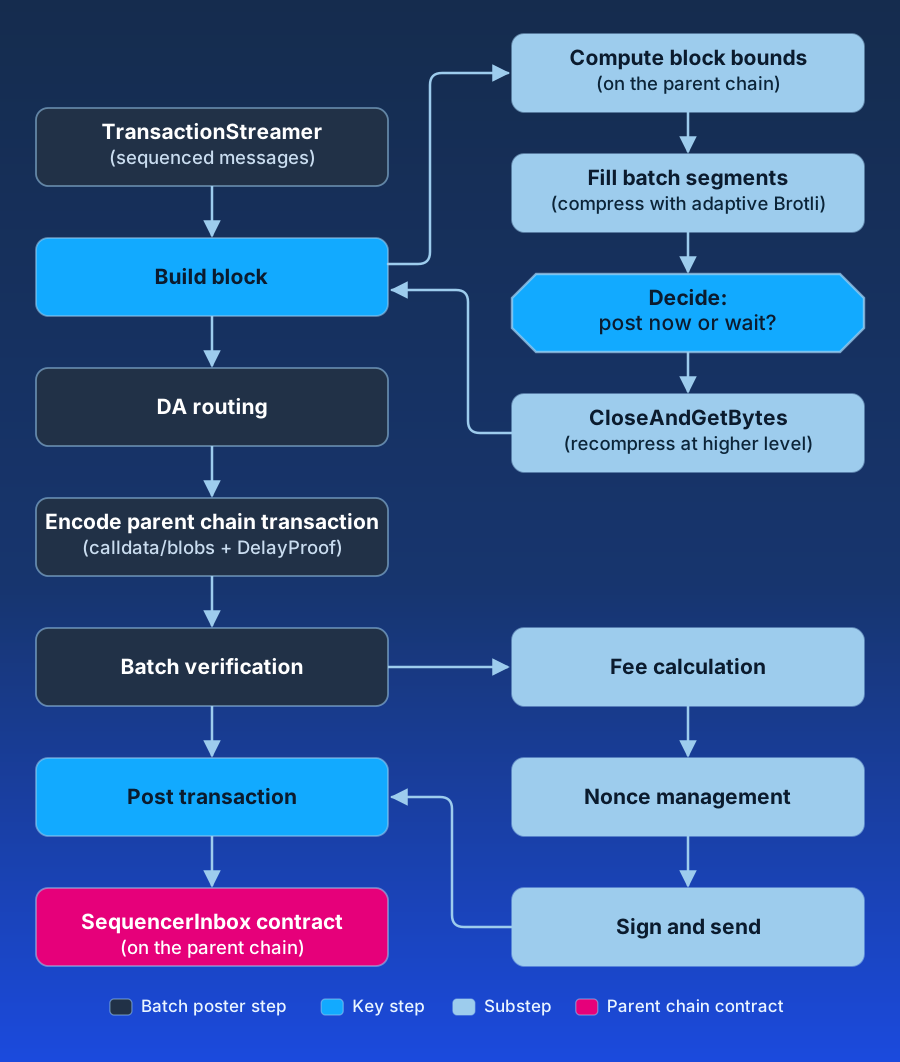
#### 1. Messages arrive (upstream handoff) [#1-messages-arrive-upstream-handoff]
A transaction’s journey into the batch poster begins after it’s already been [sequenced](/how-arbitrum-works/deep-dives/sequencer). The poster pulls ordered child chain messages from the `TransactionStreamer`—that’s a handoff into the batch poster; sequencing, [execution](/how-arbitrum-works/deep-dives/stf), and [soft finality](/how-arbitrum-works/reference/finality-and-reorgs#the-three-confirmation-levels) all happened before this point and live outside of the batch poster.
#### 2. The poster decides where it stands [#2-the-poster-decides-where-it-stands]
The main loop (`MaybePostSequencerBatch`) first does a safety check (refuse to post if a prior batch reverted), then asks “what batch number and parent chain nonce am I on?” and establishes the parent chain time/block window the batch will use. That window comes from reading the parent chain SequencerInbox contract’s `MaxTimeVariation`—a read-only handoff out to the parent chain.
#### 3. Messages become a compressed batch [#3-messages-become-a-compressed-batch]
The poster receives messages in order, turning each into typed segments (the transaction itself, plus small bookkeeping notes for delayed-message markers and time/block advances) and streaming them through Brotli. It watches size and segment-count caps, and adapts compression effort to how far behind it is—more compression when calm, less when backlogged. When it decides the batch is ready (full enough, old enough, or a delayed message is about to expire), it seals and recompresses it. This is the core work done inside the batch poster.
#### 4. The data is routed to storage (DA handoff) [#4-the-data-is-routed-to-storage-da-handoff]
The sealed bytes are handed to a data availability (DA) provider—an offchain AnyTrust/DAS committee or a custom backend—via the small Writer.Store interface, with a fallback to putting data directly on Ethereum (calldata or blobs). What comes back is either a certificate (offchain) or the raw data (EthDA). The committee aggregation, BLS signing, and blob KZG cryptography all happen behind that interface—handoffs that the batch poster isn’t involved in.
#### 5. The batch is wrapped for the parent chain and self-checked [#5-the-batch-is-wrapped-for-the-parent-chain-and-self-checked]
The poster builds calldata for the right `SequencerInbox` method (calldata vs. blobs, with or without a delay proof) and—as a correctness gate—replays the whole batch through the `InboxMultiplexer` (the same read/decode machinery used to consume batches) to confirm it decodes back to the exact original messages before anything is sent.
#### 6. The transaction is shipped to the parent chain (`DataPoster` handoff) [#6-the-transaction-is-shipped-to-the-parent-chain-dataposter-handoff]
The batch poster hands the calldata, blobs, and gas estimate to the `DataPoster`—the “shipping department.” From here, nonce selection, fee bidding, signing, queue persistence, and replace-by-fee-if-stuck are the `DataPoster`’s job, deliberately kept separate so the batch poster never has to deal with Ethereum gas mechanics. The `DataPoster` ultimately submits the transaction to the parent chain `SequencerInbox` contract.
#### 7. Finality and feedback [#7-finality-and-feedback]
Once the parent chain transaction confirms, the transactions cross from the Sequencer’s soft finality into [hard finality](/how-arbitrum-works/reference/finality-and-reorgs) anchored on the parent chain. The poster updates its backlog estimate (feeding back into compression effort and fee urgency), and a background revert watcher monitors the parent chain—if a posted batch ever fails onchain, it halts all posting for operator intervention.
## Related resources [#related-resources]
- [The Sequencer and censorship resistance](/how-arbitrum-works/deep-dives/sequencer#posting-to-the-parent-chain): batching, compression, and the Sequencer Inbox methods.
- [Sequencer transaction flow](/how-arbitrum-works/deep-dives/sequencer-transaction-flow): what happens before the handoff, from the queue to block creation.
- [Gas and fees](/how-arbitrum-works/deep-dives/gas-and-fees#parent-chain-gas-pricing): how the parent chain pricer reimburses batch posting costs.
- [Finality and reorgs](/how-arbitrum-works/reference/finality-and-reorgs): what parent chain finality guarantees, and the failure modes around posting.
- [AnyTrust protocol](/how-arbitrum-works/deep-dives/anytrust-protocol): what the DAC does with the data behind the DA handoff.
- [Run a batch poster](/launch-arbitrum-chain/run-a-node/batch-poster) and [Batch poster troubleshooting](/launch-arbitrum-chain/operate/batch-poster-troubleshooting): the operator view.
# Finality (/how-arbitrum-works/deep-dives/finality)
Finality in blockchain systems refers to the point at which a transaction becomes irreversible and is permanently included in the blockchain’s ledger. In Arbitrum’s Nitro architecture, understanding finality is crucial for developers and users to make informed decisions about transaction confirmations, security guarantees, and application design.
## Levels of finality [#levels-of-finality]
1. **Soft finality**: Provided by the Sequencer’s real-time feed, offering immediate but provisional transaction confirmations.
2. **Hard finality**: Occurs when transactions are included in batches posted to and finalized on the parent chain, providing strong security assurances. Final settlement on the parent chain happens via assertions confirmed by the Rollup protocol.
This section explores the concepts of soft and hard finality, their implications, trust considerations, and guidance for using them effectively within the Arbitrum network.
## Authority and finality [#authority-and-finality]
- **Exclusive access**: Only authorized [batch posters](/how-arbitrum-works/deep-dives/batchposter) can call these batch-submission methods on the Sequencer Inbox contract (access is gated by the contract’s `isBatchPoster` mapping, a role distinct from the sequencer, though the two are typically operated by the same party). This exclusivity ensures that no other party can include messages directly.
- **Soft-confirmation receipts**: The Sequencer’s unique ability to immediately process and include transactions allows it to provide users with instant, “soft-confirmation” receipts.
- **Parent chain finality**: Once batches post, the transactions achieve parent-chain-level finality, secured by the parent chain’s consensus mechanism.
By efficiently sending compressed transaction batches to the Sequencer Inbox contract using the most cost-effective method available, the Sequencer ensures transactions are securely recorded on the parent chain. This process maintains the integrity and reliability of the network, enabling users to perform fast, secure transactions.
## Finality at a glance [#finality-at-a-glance]
The following table summarizes the approximate latency and guarantee at each stage. Figures are indicative for an Ethereum parent chain and depend on configuration and network conditions.
| Stage | Guarantee | Approximate latency |
| ---------------------------------------------------------------------------------- | --------------------------------------------------------------------------------------- | -------------------------------------------------------------------------------------------------------------------------------- |
| Soft finality (Sequencer feed) | Provisional ordering by the Sequencer | Sub-second |
| Parent-chain data finality (batch posted and finalized on L1) | Transaction data is durably recorded and inherits the parent chain's consensus security | ~2 epochs, roughly 12–15 minutes (the batch poster defaults to referencing the L1 `safe` block) |
| Full settlement (assertion confirmed) | L2 state is finalized and L2→L1 withdrawals can be executed | A bounded challenge period under BoLD, on the order of days on mainnet |
> **The Fast Feed publishes all transactions in a PGA round**
>
> On Arbitrum One, the [Fast Feed](/how-arbitrum-works/priority-gas-auction/fast-feed) publishes all transactions within a the Priority Gas Auction (PGA) round, before the block closes and before the Sequencer feed carries it. It is faster than soft finality and guarantees less: the block number it reports is tentative, it carries no block hash, and inclusion is not guaranteed. It is not a finality stage. Read it as an early signal, then confirm against the Sequencer feed or a node.
## Soft finality [#soft-finality]
Soft finality refers to the preliminary confirmation of transactions based on the [Sequencer’s](/how-arbitrum-works/deep-dives/sequencer) real-time feed. Key characteristics include:
- **Immediate confirmation**: Transactions are confirmed almost instantly as they are accepted and ordered by the Sequencer.
- **Provisional assurance**: The confirmations are provisional and rely on the Sequencer’s integrity and availability.
- **High performance**: Enables applications to offer rapid responses and real-time interactions, enhancing user experience.
### Advantages of soft finality [#advantages-of-soft-finality]
- **Low latency**: Users receive immediate feedback on transaction status.
- **Optimized for speed**: Ideal for applications where responsiveness is critical.
- **Improved user experience**: Reduces waiting times and uncertainty.
### Limitations of soft finality [#limitations-of-soft-finality]
- **Trust dependency**: Relies on the Sequencer’s honesty and ability to maintain uptime.
- **Potential for reordering**: In rare cases, if the Sequencer acts maliciously or encounters issues, the provisional ordering could change.
- **Not suitable for high-value transactions**: For transactions requiring strong security guarantees, soft finality may not suffice.
## Censorship resistance and force inclusion [#censorship-resistance-and-force-inclusion]
The soft-finality trust dependency on the Sequencer is bounded rather than open-ended. A user can submit a transaction directly to the parent chain through the delayed inbox. If the Sequencer refuses to include it, the user can call `forceInclusion` on the Sequencer Inbox contract once the Sequencer’s exclusive window has elapsed, pushing the message into the chain without the Sequencer’s cooperation (see [censorship resistance and the Censorship Timeout](/how-arbitrum-works/deep-dives/sequencer#censorship-timeout)). By default this window is roughly 24 hours (configured as `delayBlocks`/`delaySeconds`, defaulting to about 5,760 blocks or 86,400 seconds).
The practical consequence is that the Sequencer can _delay_ a transaction but cannot _permanently_ censor it. Delayed-inbox messages are only sequenced after they reach parent-chain finality — the delayed sequencer waits for the parent chain’s `safe` (or, if configured, `finalized`) head before including them — so force-included transactions inherit parent-chain finality guarantees.
## Hard finality [#hard-finality]
Hard finality occurs when batched transactions are posted to the parent chain and the corresponding assertions are confirmed by the Rollup protocol. Posting a batch to the parent chain is not itself final settlement: the transaction data becomes available and inherits the parent chain’s data-layer security, but final settlement of the resulting L2 state occurs once assertions are confirmed (see "Final settlement" above). Key characteristics include:
- **Strong security guarantees**: When included in blocks on the parent chain, transactions inherit the parent chain’s security assurances.
- **Irreversibility**: Once finalized, transactions are immutable and cannot be altered or reversed.
- **Data availability**: In the default [Rollup mode](/run-a-node/data-availability#rollup-mode), all transaction data is recorded onchain (via calldata or blobs), ensuring transparency and verifiability. On AnyTrust chains, batch data is instead kept offchain by a Data Availability Committee (DAC), and only a data availability certificate is posted onchain — trading full onchain data availability for lower cost.
### Advantages of hard finality [#advantages-of-hard-finality]
- **Maximum security**: Protected by the robustness of the parent chain’s consensus mechanism.
- **Trust minimization**: This does not require trust in the Sequencer; the underlying blockchain provides security.
- **Suitable for high-value transactions**: Ideal for scenarios where security and immutability are paramount.
### Limitations of hard finality [#limitations-of-hard-finality]
- **High latency**: Achieving hard finality takes longer because the parent chain must process and finalize batches. The challenge protocol that backs this guarantee is described in BoLD.
## Trust considerations [#trust-considerations]
Understanding the trust assumptions associated with each level of finality is essential:
### Soft finality trust model [#soft-finality-trust-model]
- **Reliance on the Sequencer**: Users must trust that the Sequencer operates honestly, sequences transactions correctly, and remains available.
- **Risk of misbehavior**: If the Sequencer acts maliciously, it could reorder or censor certain transactions before they achieve hard finality.
### Hard finality trust model [#hard-finality-trust-model]
- **Reliance on the parent chain**: Security is based on the consensus and integrity of the parent chain.
- **Reduced trust in the Sequencer**: Even if the Sequencer misbehaves, transactions included in posted batches are secured once finalized on the parent chain.
## Application implications [#application-implications]
Developers and users should consider the appropriate level of finality based on their specific use cases:
### When to rely on soft finality [#when-to-rely-on-soft-finality]
- **Low-risk transactions**: For transactions where the potential impact of reordering or delays is minimal.
- **User experience priority**: Applications where responsiveness and immediacy enhance user engagement, such as gaming or social platforms.
- **Frequent transactions**: Scenarios involving a high volume of small transactions where waiting for hard finality is impractical.
### When to require hard finality [#when-to-require-hard-finality]
- **High-value transactions**: Financial transfers, large trades, or any transaction where security is critical.
- **Regulatory compliance**: Situations requiring strict adherence to security standards and auditable records.
- **Centralized exchanges** (CEXs): For deposit and withdrawal operations where certainty of transaction finality is mandatory. These two operations rely on different guarantees. Crediting a deposit can rely on parent-chain data finality (batches posted and finalized on L1, on the order of minutes). Releasing an L2→L1 withdrawal, however, requires the corresponding assertion to be confirmed by the Rollup protocol, which only completes after the BoLD challenge period (on the order of days). Batch posting alone does not make funds withdrawable to the parent chain.
## Related resources [#related-resources]
- [Finality and chain reorganizations](/how-arbitrum-works/reference/finality-and-reorgs) — the `latest`, `safe`, and `finalized` block tags, reorg depth, and which tag an indexer should wait on.
- [The Sequencer and censorship resistance](/how-arbitrum-works/deep-dives/sequencer) — the real-time feed, batch posting, and the delayed inbox escape hatch.
- [Assertions](/how-arbitrum-works/deep-dives/assertions) — how the Rollup protocol confirms child chain state and completes final settlement.
- [BoLD: a gentle introduction](/how-arbitrum-works/bold/gentle-introduction) — the dispute protocol that bounds the challenge period.
- [AnyTrust protocol](/how-arbitrum-works/deep-dives/anytrust-protocol) — how a DAC and data availability certificates change the data availability guarantee.
- [Child to parent chain messaging](/how-arbitrum-works/deep-dives/l2-to-l1-messaging) — the outbox and why withdrawals wait for assertion confirmation.
# Forced transactions (/how-arbitrum-works/deep-dives/forced-transactions)
A forced transaction is a message to the child chain that you send through the Delayed Inbox on the parent chain instead of to the sequencer. The message can be a signed transaction, an ETH deposit, a retryable ticket, or an unsigned message. If the sequencer is offline or ignores your message, you can still get it included. After a wait called the force-inclusion window, anyone can move it into the Sequencer Inbox without the sequencer's help.
## Why forced transactions matter [#why-forced-transactions-matter]
The sequencer orders child-chain transactions, so it can delay them. It cannot block them for good. Force inclusion gives every user a path onto the chain that depends only on the parent chain. The one exception is the chain owner, who can [allowlist or pause the Inbox](#things-to-consider).
- **Censorship resistance.** If the sequencer refuses your transaction, you can still get it included.
- **Liveness.** If the sequencer is offline, transactions still reach the chain.
- **A way out.** You can force-include a withdrawal, so you can move funds back to the parent chain without the sequencer. See [Withdraw ETH while the sequencer is down](#withdraw-eth-while-the-sequencer-is-down).
- **Timely disputes on an L3.** On an L3, BoLD assertions and challenge moves go to the parent chain, which is an Arbitrum chain with its own sequencer. If that sequencer censors them, each move waits for force inclusion. The [Censorship Timeout](/how-arbitrum-works/deep-dives/sequencer#censorship-timeout) shortens that wait, so a challenge does not stall for days.
## Key terms [#key-terms]
| Term | Meaning |
| --------------------------------------------------------------------------------- | ----------------------------------------------------------------------------------------------------------------------------------------------------------------------------------------------------------------------------------------------------------------------------------------------------------------------------------------- |
| Delayed Inbox | The parent-chain Inbox contract that accepts messages for the child chain, together with the Bridge contract that records them. Any account can send to it unless the chain owner turns on the Inbox allowlist. Messages wait until the sequencer or a force-inclusion call moves them into the Sequencer Inbox. |
| Sequencer Inbox | The parent-chain contract that holds the canonical, ordered list of child-chain messages. Every child-chain node reads from it. |
| Force inclusion | Calling `forceInclusion` on the Sequencer Inbox to move waiting Delayed Inbox messages into the Sequencer Inbox. Anyone can call it once the force-inclusion window has passed. |
| Force-inclusion window | How long a Delayed Inbox message must wait before anyone can force-include it. It is the smaller of `delayBlocks` and the delay buffer. |
| `delayBlocks` | The longest force-inclusion window, in Ethereum blocks. It is one field of the Sequencer Inbox's `maxTimeVariation` setting. |
| [Censorship Timeout](/how-arbitrum-works/deep-dives/sequencer#censorship-timeout) | A Sequencer Inbox feature, also called the delay buffer, that shortens the force-inclusion window after the sequencer has delayed messages for a long time. |
| Sequencer feed | The stream the sequencer uses to send new blocks to nodes before it posts them to the parent chain. |
## How a forced transaction works [#how-a-forced-transaction-works]
A forced transaction takes the same path as any other Delayed Inbox message. Only the last step differs.
1. **You send a message to the Delayed Inbox on the parent chain.** Each [message type](#what-you-can-force-include) has its own Inbox function. The parent chain records the message and the block it arrived in.
2. **The sequencer picks it up, or the window runs out.** If the sequencer adds the message, the next batch the batch poster posts to the Sequencer Inbox marks it as read. If the sequencer ignores the message until the force-inclusion window ends, anyone can call `forceInclusion`. It posts an empty batch to the Sequencer Inbox that marks the message as read.
3. **Every child-chain node executes it.** Nodes see the message marked as read in the Sequencer Inbox, take its contents from the Delayed Inbox, and execute it in order.
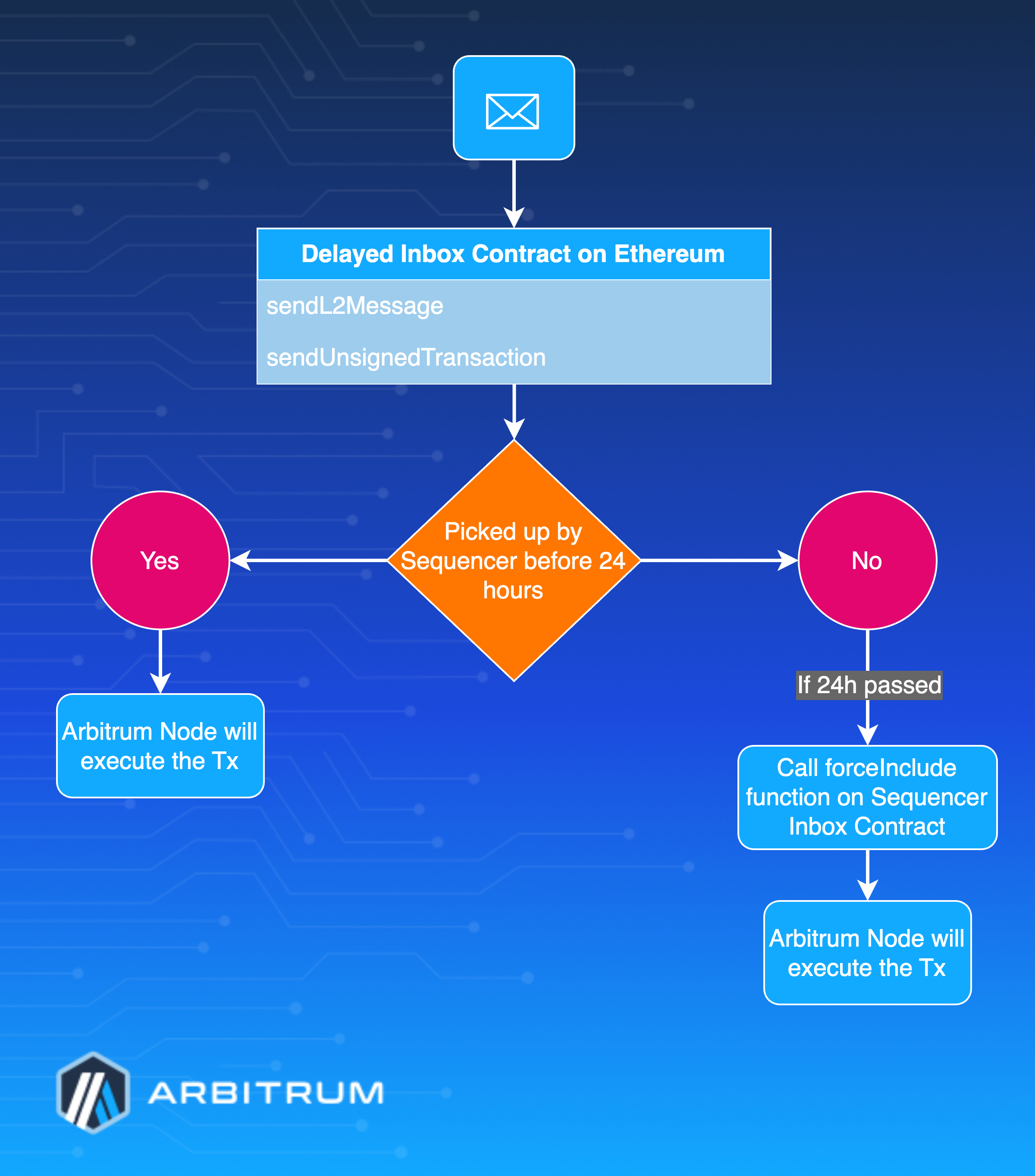
### When the sequencer is running [#when-the-sequencer-is-running]
When the sequencer is running, you do not need force inclusion. Most transactions go straight to the sequencer through an RPC endpoint. A message you send to the Delayed Inbox also reaches the chain: the sequencer adds it to a child-chain block, and the batch poster later posts that block to the parent chain.
The sequencer's delayed sequencer waits before it adds your message. Sequencer operators turn this component on. By default, it waits until the parent-chain block that holds your message is marked safe. Three [settings](https://github.com/OffchainLabs/nitro/blob/ccc5c828d9ea22f161efc784bac4d4a6559b7e59/arbnode/delayed_sequencer.go#L66-L72) change that wait:
- `node.delayed-sequencer.require-full-finality=true` makes it wait for a finalized block instead of a safe one.
- `node.delayed-sequencer.use-merge-finality=false` makes it wait a fixed number of blocks instead.
- `node.delayed-sequencer.finalize-distance` sets that number of blocks, 20 by default. The sequencer also uses this setting if the parent chain does not report safe and finalized blocks.
## What you can force-include [#what-you-can-force-include]
`forceInclusion` works on every Delayed Inbox message, whatever its type. The message type decides which Inbox function you call and what the child chain does with the message.
| Message | Inbox function | What the child chain does with it |
| ------------------------------------------------------------------------------------------ | ---------------------------------------------------------------------------------- | ----------------------------------------------------------------------------------------------------------------------------------------------------------------------------------------------------------------------------------------------------------------------------------------------------------------------------------------------------------------------- |
| A signed child-chain transaction | `sendL2Message` or `sendL2MessageFromOrigin` | Executes it from your own address, with no aliasing. ArbOS drops blob (EIP-4844) transactions. Use this to call any contract or to [withdraw ETH](#withdraw-eth-while-the-sequencer-is-down). The [SDK steps](#force-include-a-signed-transaction-with-the-arbitrum-sdk) use this message type. |
| An ETH deposit | `depositEth` | Credits the ETH to the sender's address on the child chain. If a contract sent the deposit, the ETH goes to the contract's aliased address. The [`force-inclusion` example](#runnable-examples) force-includes a deposit. |
| A retryable ticket | `createRetryableTicket` | Creates the ticket. ArbOS schedules an automatic redemption only if the gas limit is at least 21,000, the fee cap covers the child chain's base fee when the message executes, and the sender's balance covers both. Otherwise, the ticket waits for a manual redemption. See [Retryable tickets](/how-arbitrum-works/deep-dives/l1-to-l2-messaging#retryable-tickets). |
| An [unsigned message](/how-arbitrum-works/deep-dives/l1-to-l2-messaging#unsigned-messages) | `sendUnsignedTransaction`, `sendContractTransaction`, or their `L1Funded` variants | Executes it from the sender's [aliased address](/how-arbitrum-works/deep-dives/l1-to-l2-messaging#address-aliasing). |
For each function's parameters, see [Sending transactions via the Delayed Inbox](/arbitrum-essentials/bridging/deposit/eth-and-messages#sending-transactions-via-the-delayed-inbox).
## The force-inclusion timeline [#the-force-inclusion-timeline]
How your message reaches the chain depends on how long the sequencer stays offline or keeps ignoring it.
| How long the sequencer is offline or ignores your message | What happens to your message |
| --------------------------------------------------------- | ------------------------------------------------------------------------------------------------------------------------------------------- |
| Not at all | The sequencer adds it once the parent-chain block is safe, by default. See [When the sequencer is running](#when-the-sequencer-is-running). |
| Less than the force-inclusion window | It waits in the Delayed Inbox. When the sequencer returns, it adds the message in order. Nobody can force-include it yet. |
| Longer than the force-inclusion window | Anyone can call `forceInclusion`. The message enters the Sequencer Inbox, and every child-chain node processes it. |
### Before the window ends [#before-the-window-ends]
Your message is safe in the Delayed Inbox, but only the sequencer can move it. The Sequencer Inbox reverts any `forceInclusion` call for this message with `ForceIncludeBlockTooSoon`. If the sequencer or someone else already included the message, the call reverts earlier, with `DelayedBackwards`.
The sequencer cannot skip or reorder Delayed Inbox messages. It must process them in the order they arrived.
### After the window ends [#after-the-window-ends]
The [`forceInclusion`](https://github.com/OffchainLabs/nitro-contracts/blob/4341b132cfbdcc980ead03765ca5224ff6cb5d97/src/bridge/SequencerInbox.sol#L273-L330) function succeeds once the current parent-chain block number exceeds your message's block number plus the force-inclusion window.
One call includes your message and every earlier message still waiting in the Delayed Inbox. If someone else force-includes a later message, your message is included too.
> **The contract counts blocks, not seconds**
>
> `forceInclusion` checks only parent-chain block numbers. `delayBlocks` is 7200 Ethereum blocks on Arbitrum One and 7200 on Arbitrum Nova. At 12 seconds per block, that is 24 hours and 24 hours.
>
> If the parent chain is itself an Arbitrum chain, as it is for an L3, `block.number` returns the parent chain's estimate of the Ethereum block number. The parent chain's sequencer sets that value, and it stays close to the real Ethereum block number. The window is counted in these Ethereum block numbers. See [Block numbers and time](/arbitrum-essentials/arbitrum-vs-ethereum/block-numbers-and-time#ethereum-or-parent-chain-block-numbers-within-arbitrum).
>
> The parent chain's `block.number` advances only when the parent chain produces blocks. If the parent chain's own sequencer is also down, the L3's window stops advancing until the parent chain produces blocks again.
### When a force inclusion reorders the chain [#when-a-force-inclusion-reorders-the-chain]
A force inclusion can cause a reorg on the child chain. This happens when the sequencer produced blocks it never posted to the parent chain. Those blocks were soft-confirmed through the sequencer feed, but the force-included messages now come before them in the Sequencer Inbox.
Every node that follows the sequencer feed reorgs as soon as it reads the empty batch that `forceInclusion` posts to the Sequencer Inbox. It drops the unposted blocks. Soft-confirmed transactions in those blocks can be lost for good:
- **Only an active sequencer re-sequences.** If the sequencer isn't active when the reorg happens, it doesn't re-sequence the dropped messages.
- **Re-sequencing has a depth limit.** The sequencer re-sequences up to 1,024 dropped messages by default (`node.transaction-streamer.max-reorg-resequence-depth`). It removes any messages beyond that limit.
- **Re-sequencing is best effort.** The sequencer skips any message it fails to re-sequence and moves on to the next one.
- **Re-sequenced transactions can fail.** The chain state changes underneath them, so some revert or are dropped.
> **A reorg happens on each node, not on the whole chain**
>
> Only nodes that follow the sequencer feed see the unposted blocks, so only they reorg. A node that reads only from the parent chain builds blocks from posted batches, already in canonical order. It never reorgs because of a force inclusion. It can still follow a parent-chain reorg unless you set `node.inbox-reader.read-mode` to `safe` or `finalized`, which also turns off the feed. In exchange, it sees transactions only after they're posted, not when they're soft-confirmed.
### How the Censorship Timeout shortens the window [#how-the-censorship-timeout-shortens-the-window]
The force-inclusion window is the smaller of `delayBlocks` and the delay buffer. Arbitrum One and Arbitrum Nova both have the delay buffer enabled.
- **The buffer starts full.** The maximum is 14,400 Ethereum blocks (48 hours). While the buffer is at least `delayBlocks`, the window is `delayBlocks`: 24 hours on Arbitrum One and 24 hours on Arbitrum Nova.
- **Long delays drain the buffer.** If the sequencer delays a Delayed Inbox message past a `threshold`, the extra delay comes out of the buffer. The `threshold` is 150 blocks (30 minutes) on Arbitrum One and 300 blocks (1 hour) on Arbitrum Nova.
- **Draining is capped and applied later.** The contract records a delay when it updates the buffer and deducts it at the next update. Each deduction is at most the number of blocks between the two updates.
- **The buffer never drops below the threshold.** So the shortest possible window is 30 minutes on Arbitrum One and 1 hour on Arbitrum Nova.
- **The buffer refills slowly.** At each update, the contract adds 5% of the blocks elapsed since the last update, then deducts any recorded delay. That is about one day of buffer for every 20 days without long delays.
The first force-included message of an outage gets the full `delayBlocks` window, as long as the buffer holds at least `delayBlocks` when the outage starts. That force inclusion records a delay of about `delayBlocks` blocks. Later messages in the same long outage pay for it, so their windows get shorter. Repeated outages drain the buffer the same way. For the full math, see the [`DelayBuffer` library](https://github.com/OffchainLabs/nitro-contracts/blob/4341b132cfbdcc980ead03765ca5224ff6cb5d97/src/bridge/DelayBuffer.sol) and the [Censorship Timeout](/how-arbitrum-works/deep-dives/sequencer#censorship-timeout) section.
### Window settings on Arbitrum One and Arbitrum Nova [#window-settings-on-arbitrum-one-and-arbitrum-nova]
Block counts are Ethereum blocks, at 12 seconds per block.
| Setting | Arbitrum One | Arbitrum Nova |
| ------------------------------------- | --------------------------------------------------------------------------------------------------------- | ----------------------------------------------------------------------------------------------------- |
| `delayBlocks`, the longest window | 7200 blocks (24 hours) | 7200 blocks (24 hours) |
| Largest delay buffer | 14,400 blocks (48 hours) | 14,400 blocks (48 hours) |
| `threshold`, also the shortest window | 150 blocks (30 minutes) | 300 blocks (1 hour) |
| Buffer refill rate | 5% of elapsed blocks | 5% of elapsed blocks |
To get the deadline for a message, call [`forceInclusionDeadline(blockNumber)`](https://github.com/OffchainLabs/nitro-contracts/blob/4341b132cfbdcc980ead03765ca5224ff6cb5d97/src/bridge/SequencerInbox.sol#L755-L764) on the Sequencer Inbox. It applies the buffer's pending changes for you. You can force-include from the block after the deadline it returns.
The deadline can move. A sequencer batch or another force inclusion updates the buffer, which changes the result. Call `forceInclusionDeadline` again right before you call `forceInclusion`.
## Force-include a signed transaction with the Arbitrum SDK [#force-include-a-signed-transaction-with-the-arbitrum-sdk]
These steps send a signed child-chain transaction with `sendL2Message` and force-include it. To force-include another message type, replace steps 2 and 3 with that type's [Inbox function](#what-you-can-force-include). Steps 4 and 5 work the same for every type. Step 6 finds the result by the signed transaction's hash, so it applies only to signed transactions.
The steps use the [`InboxTools`](https://github.com/OffchainLabs/arbitrum-sdk/blob/cbb96c6f7f84d71bdef65d0fd9d3d7275a236711/packages/sdk/src/lib/inbox/inbox.ts#L64) class from `@arbitrum/sdk` v4 with ethers v5.
You need:
- An account with ETH on the parent chain to pay for the parent-chain transactions.
- The same account with enough funds on the child chain to pay for the child-chain transaction.
- An RPC endpoint for the parent chain.
- An RPC endpoint for a child-chain node that reads from the parent chain. A full node works. It doesn't need the sequencer or the sequencer feed.
### 1. Set up the SDK [#1-set-up-the-sdk]
```ts
import { providers, Wallet, Contract, utils } from 'ethers';
import { getArbitrumNetwork, InboxTools } from '@arbitrum/sdk';
const parentProvider = new providers.JsonRpcProvider(process.env.PARENT_CHAIN_RPC);
const childProvider = new providers.JsonRpcProvider(process.env.CHAIN_RPC);
const parentWallet = new Wallet(process.env.PRIVATE_KEY, parentProvider);
const childWallet = new Wallet(process.env.PRIVATE_KEY, childProvider);
const childNetwork = await getArbitrumNetwork(childProvider);
const inboxTools = new InboxTools(parentWallet, childNetwork);
```
`getArbitrumNetwork` knows Arbitrum One, Arbitrum Nova, and Arbitrum Sepolia out of the box. If your chain is not one of them, call `registerCustomArbitrumNetwork` with your chain's details first. Otherwise, `getArbitrumNetwork` throws `Unrecognized network`.
### 2. Sign the child-chain transaction [#2-sign-the-child-chain-transaction]
`signChildTx` fills in the nonce and fees from the child-chain node if you leave them out. It always sets the gas limit to the node's current estimate, with no margin. Then it signs the transaction with your child-chain wallet.
```ts
const feeData = await childProvider.getFeeData();
const signedTx = await inboxTools.signChildTx(
{
to: '0xRecipientAddress',
value: utils.parseEther('0.01'),
data: '0x',
// Leave room for the base fee to rise before the transaction executes
maxFeePerGas: feeData.maxFeePerGas.mul(3),
maxPriorityFeePerGas: 0,
},
childWallet,
);
// Save this hash to find the transaction on the child chain later
const childTxHash = utils.parseTransaction(signedTx).hash;
```
The fee cap and gas limit are fixed once you sign. Your transaction might execute a day or more later, so set `maxFeePerGas` well above today's base fee. If the transaction's gas use depends on chain state that can change, sign it with ethers directly and set a higher gas limit yourself.
### 3. Send it to the Delayed Inbox [#3-send-it-to-the-delayed-inbox]
`sendChildSignedTx` calls `sendL2Message` on the Delayed Inbox. Because the message is signed, the child chain executes it from your own address, with no [address aliasing](/how-arbitrum-works/deep-dives/l1-to-l2-messaging#address-aliasing).
```ts
const parentTx = await inboxTools.sendChildSignedTx(signedTx);
const parentReceipt = await parentTx.wait();
```
If the sequencer is running, it adds your transaction without force inclusion. Skip to step 6.
### 4. Wait for the force-inclusion deadline [#4-wait-for-the-force-inclusion-deadline]
Ask the Sequencer Inbox for your message's deadline. The result includes pending changes in the delay buffer.
```ts
const sequencerInbox = new Contract(childNetwork.ethBridge.sequencerInbox, ['function forceInclusionDeadline(uint64 blockNumber) view returns (uint64)'], parentProvider);
const deadline = await sequencerInbox.forceInclusionDeadline(parentReceipt.blockNumber);
console.log(`Force inclusion opens after parent-chain block ${deadline}`);
```
Wait until the parent chain's block number is greater than `deadline`. Then check the deadline again, because a later batch can move it.
If your parent chain is an Arbitrum chain, both numbers are Ethereum block numbers, not the parent chain's own block numbers. The plain ethers receipt doesn't include the Ethereum block number. Read both numbers through the SDK's `ArbitrumProvider` instead:
```ts
import { ArbitrumProvider } from '@arbitrum/sdk';
const arbParentProvider = new ArbitrumProvider(parentProvider);
// The Ethereum block number your message was recorded at
const messageReceipt = await arbParentProvider.getTransactionReceipt(parentReceipt.transactionHash);
const l3Deadline = await sequencerInbox.forceInclusionDeadline(messageReceipt.l1BlockNumber);
// Compare against this, not against parentProvider.getBlockNumber()
const currentBlock = await arbParentProvider.getBlock('latest');
const isOpen = currentBlock.l1BlockNumber > l3Deadline.toNumber();
```
### 5. Force-include the message [#5-force-include-the-message]
Pass your own message to `forceInclude`. Take the `MessageDelivered` event from your step 3 receipt, and read the message's accumulator from the Bridge contract.
```ts
import { ParentTransactionReceipt } from '@arbitrum/sdk';
const bridge = new Contract(childNetwork.ethBridge.bridge, ['function delayedInboxAccs(uint256 index) view returns (bytes32)'], parentProvider);
// The MessageDelivered event your step 3 transaction emitted
const [delivered] = new ParentTransactionReceipt(parentReceipt).getMessageDeliveredEvents();
const forceTx = await inboxTools.forceInclude({
event: delivered,
blockNumber: parentReceipt.blockNumber,
blockHash: parentReceipt.blockHash,
delayedAcc: await bridge.delayedInboxAccs(delivered.messageIndex),
} as any); // forceInclude reads only these fields
await forceTx.wait();
```
The call includes your message and every earlier message still waiting. If your parent chain is an Arbitrum chain, `forceInclude` converts the block number to an Ethereum block number for you. If the sequencer or someone else already included your message, the call reverts with `DelayedBackwards`.
> **Calling forceInclude() with no arguments can miss your message**
>
> With no arguments, `forceInclude` searches the parent chain for the newest eligible message. The search is stricter than the contract:
>
> - It treats a message as eligible only after both `delayBlocks` and `delaySeconds` have passed.
> - It ignores the delay buffer. If the buffer has shortened the window, it misses messages the contract already accepts.
> - It searches back at most 19,635 blocks (`3 * 6545`, about three days) from the newest eligible block. It misses older messages.
>
> In these cases it returns `null`, even though your window is open. Use the no-argument form only when you don't have your message's receipt.
### 6. Confirm the transaction on the child chain [#6-confirm-the-transaction-on-the-child-chain]
The child-chain node reads the force-included message from the Sequencer Inbox and processes it. Wait with a timeout, because an invalid transaction never gets a receipt.
```ts
// Wait up to 30 minutes for one confirmation
const childReceipt = await childProvider.waitForTransaction(childTxHash, 1, 30 * 60 * 1000).catch(() => null);
if (childReceipt === null) {
console.log('No receipt. ArbOS may have dropped the transaction; see "When a signed transaction has no receipt".');
} else {
console.log(`Child-chain status: ${childReceipt.status === 1 ? 'success' : 'reverted'}`);
}
```
For other message types, start from the same step 3 receipt. Wrap it with `new ParentTransactionReceipt(parentReceipt)`, then:
- **ETH deposit.** Call `getEthDeposits(childProvider)`, then `wait()` on the result.
- **Retryable ticket.** Call `getParentToChildMessages(childProvider)`, then `waitForStatus()` on the result.
### Withdraw ETH while the sequencer is down [#withdraw-eth-while-the-sequencer-is-down]
To move ETH back to the parent chain without the sequencer, force-include a call to the `ArbSys` precompile's `withdrawEth` method. [`ArbSys`](/arbitrum-essentials/precompiles/reference#arbsys) lives at address `0x0000000000000000000000000000000000000064`.
In step 2, sign this transaction instead:
```ts
const arbSys = new utils.Interface(['function withdrawEth(address destination) payable returns (uint256)']);
const signedTx = await inboxTools.signChildTx(
{
to: '0x0000000000000000000000000000000000000064',
// The ETH to withdraw from your child-chain balance
value: utils.parseEther('0.1'),
// The parent-chain address that receives the ETH
data: arbSys.encodeFunctionData('withdrawEth', [parentWallet.address]),
maxFeePerGas: feeData.maxFeePerGas.mul(3),
maxPriorityFeePerGas: 0,
},
childWallet,
);
```
Then follow steps 3 through 6. When the transaction lands, the child chain burns your ETH and creates a child-to-parent message. Claim the ETH on the parent chain after the challenge period: 6.4 days on Arbitrum One and 6.4 days on Arbitrum Nova. See [Withdrawing ETH](/arbitrum-essentials/bridging/withdraw/eth-and-messages#withdrawing-eth) for the claim steps.
### Runnable examples [#runnable-examples]
- [`delayedInbox-l2msg`](https://github.com/OffchainLabs/arbitrum-tutorials/tree/master/packages/delayedInbox-l2msg) sends a signed transaction through the Delayed Inbox while the sequencer is running.
- [`force-inclusion`](https://github.com/OffchainLabs/arbitrum-tutorials/tree/master/packages/force-inclusion) deploys a test chain with a 90-second window, deposits ETH, and force-includes the deposit with no sequencer.
## When a signed transaction has no receipt [#when-a-signed-transaction-has-no-receipt]
Force inclusion guarantees that every child-chain node processes your message. It does not guarantee that a signed transaction executes. ArbOS checks a signed transaction before it executes it. If a check fails, ArbOS drops the transaction, and the transaction hash never gets a receipt.
| What went wrong | Result |
| --------------------------------------------------------------------------------------------- | --------------------------------- |
| The nonce no longer matches, because you sent another transaction from the same account first | Dropped, no receipt |
| The child chain's base fee rose above your `maxFeePerGas` | Dropped, no receipt |
| Your child-chain balance cannot cover the gas limit times the fee, plus the value | Dropped, no receipt |
| The signature or chain ID is wrong, or the message cannot be parsed | Dropped, no receipt |
| The transaction passes these checks but runs out of gas or reverts | Included, receipt with `status` 0 |
If you get no receipt, check the account's current nonce and balance on the child chain. Compare the current base fee with the fee cap you signed. Then sign a new transaction and resend it. ArbOS records the reason only in the node's log, at debug level, or at warn level on a chain in debug mode.
## Things to consider [#things-to-consider]
- **A signed transaction's nonce is fixed when you sign.** Wait until the forced transaction lands before you send another child-chain transaction from the same account.
- **A signed transaction's fee cap and gas limit are fixed when you sign.** Set both with room to spare, as described in step 2.
- **You pay parent-chain gas twice.** You pay once to send the message and again for `forceInclusion`. Signed transactions, unsigned messages, and retryable tickets also pay child-chain gas.
- **An Inbox allowlist limits who can send.** A chain owner can turn on the Inbox allowlist with `setAllowListEnabled`. The Inbox then checks the account that signed the parent-chain transaction (`tx.origin`), so only allowlisted accounts can send messages to the Delayed Inbox. Other accounts cannot start a forced transaction.
- **A paused Inbox accepts no messages.** The chain owner can pause the Inbox, and every send function reverts while it is paused. Messages already in the Delayed Inbox can still be force-included, because `forceInclusion` is on the Sequencer Inbox. See [Ownership and access](/launch-arbitrum-chain/operate/ownership-and-access#inbox-delayed-inbox).
- **Each chain sets its own window.** The numbers on this page are for Arbitrum One and Arbitrum Nova. If you run your own Arbitrum chain, it can use different values. See [Sequencer timing adjustments](/launch-arbitrum-chain/chain-config/sequencer/sequencer-timing-adjustments).
## Example scenario [#example-scenario]
Suppose the Arbitrum One sequencer goes offline while its delay buffer is full.
1. **Monday, 12:00 UTC.** You send a signed transaction to the Delayed Inbox. The parent chain records it in Ethereum block `N`.
2. **Monday, 18:00 UTC.** The sequencer is still offline. A call to `forceInclusion` reverts with `ForceIncludeBlockTooSoon`.
3. **Tuesday, about 12:00 UTC.** Ethereum reaches the block after `N` + 7200. You call `forceInclusion`, and your message enters the Sequencer Inbox.
4. **Tuesday, a few minutes later.** Child-chain full nodes read the new inbox entry and process your transaction. If it passes the ArbOS checks, your receipt appears on the child chain.
5. **Later.** The sequencer comes back online. It continues from the force-included messages. Every node that follows the sequencer feed has already dropped the blocks the sequencer produced but never posted, and the sequencer tries to re-sequence them.
If the sequencer had come back on Monday evening, it would have included your message, and you wouldn't have needed step 3.
## Related pages [#related-pages]
- [Transaction lifecycle: bypassing the sequencer](/how-arbitrum-works/deep-dives/transaction-lifecycle#bypassing-the-sequencer)
- [Parent to child chain messaging: transacting via the Delayed Inbox](/how-arbitrum-works/deep-dives/l1-to-l2-messaging#transacting-via-the-delayed-inbox)
- [The sequencer and censorship resistance](/how-arbitrum-works/deep-dives/sequencer)
- [Sequencer timing adjustments](/launch-arbitrum-chain/chain-config/sequencer/sequencer-timing-adjustments)
- [How to bridge from child chain to parent chain](/arbitrum-essentials/bridging/withdraw/eth-and-messages)
# Gas and fees (/how-arbitrum-works/deep-dives/gas-and-fees)
Arbitrum uses gas to track the execution cost on an Arbitrum Nitro chain. It works the same as Ethereum gas, in the sense that every EVM instruction costs the same amount of gas as it would on Ethereum.
There are two parties a user pays when submitting a transaction:
- **Poster**: If reimbursable, covers the parent chain resources such as the parent chain calldata needed to post the transaction.
- **Network fee account**: Covers the child chain's resources, including computation, storage, and other burdens that child chain nodes must bear to service transactions.
The parent chain component is the product of the transaction's estimated contribution to its batch's size—computed using [Brotli](/how-arbitrum-works/deep-dives/batchposter) on the transaction alone—and the child chain's view of the parent chain data price. This value dynamically adjusts over time to ensure the batch poster is ultimately fairly compensated.
The child chain component consists of the traditional fees Geth would pay to bonders in a vanilla parent chain, such as the computation and storage charges that apply to the [State Transition Function (STF)](/how-arbitrum-works/deep-dives/stf). [ArbOS](/how-arbitrum-works/deep-dives/arbos) charges additional fees for executing its child-chain-specific [precompiles](/arbitrum-essentials/precompiles/overview), whose fees are dynamically priced based on the resources used during execution.
The following sections detail how parent and child chain fees are calculated. For a practical guide on estimating gas for your transactions, see [How to estimate gas in Arbitrum](/arbitrum-essentials/how-to-estimate-gas).
## Parent chain gas pricing [#parent-chain-gas-pricing]
[ArbOS](/how-arbitrum-works/deep-dives/arbos) dynamically prices the parent chain gas, with the price adjusting to ensure that the amount collected in the parent chain gas fees is as close as possible to the costs that must be covered, over time.
### Challenges in pricing parent chain resources [#challenges-in-pricing-parent-chain-resources]
There are two main challenges in accurately pricing parent chain resources:
#### 1. Apportioning batch costs among transactions [#1-apportioning-batch-costs-among-transactions]
- **Compression complexity**: The data posted to the parent chain is compressed using a general-purpose compression algorithm ([Brotli](/how-arbitrum-works/deep-dives/batchposter)). The effectiveness of compression depends on shared patterns among transactions in a batch.
- **Contribution estimation**: It's difficult to determine how much a specific transaction contributes to the batch's overall compressibility.
- **Ideal vs. practical**: Ideally, transactions that enhance compressibility would get charged less, but there's no efficient way to calculate this precisely within the constraints of the STF.
#### 2. Assessing parent chain fees at sequencing time [#2-assessing-parent-chain-fees-at-sequencing-time]
- **Determinism requirement**: The parent chain fee for a transaction must be known when the transaction is sequenced to maintain the STF's determinism.
- **Future uncertainty**: At sequencing time, the actual cost of the batch is unknown because it depends on the parent chain base fee at the future time of batch posting and the remaining contents of the batch (which affect its size and compressibility).
- **Impossibility of exact charges**: Charging based on future information is not feasible, so the system must rely on estimations.
### Nitro's approach [#nitros-approach]
To overcome these challenges, Arbitrum Nitro implements a two-fold strategy:
1. **Estimated relative footprint**: An estimated size is calculated for each transaction, measured in data units, to approximate its impact on batch size.
2. **Adaptive fee per data unit**: A dynamic fee per data unit adjusts over time to align collected fees with actual costs.
### Parent chain costs [#parent-chain-costs]
There are two types of parent chain costs: batch posting costs and rewards.
Batch posting costs reflect the actual cost a [batch poster](/how-arbitrum-works/deep-dives/batchposter) pays to post batch data on the parent chain. Whenever a batch is posted, the parent chain contract that records it will send a special "batch posting report" message to the child chain ArbOS, reporting who paid for the batch and the parent chain basefee at the time. This message is placed in the chain's [delayed inbox](/how-arbitrum-works/deep-dives/l1-to-l2-messaging#transacting-via-the-delayed-inbox) so that it will be delivered to the child chain ArbOS after some delay.
When a batch posting report message arrives at the child chain, ArbOS computes the cost of the referenced batch by multiplying the reported basefee by the batch's data cost. (ArbOS retrieves the batch's data from its inbox state and computes the parent chain gas the batch would have used by counting the number of zero bytes and non-zero bytes in the batch.) The pricer records the resulting cost as funds due to the party who is reported to have submitted the batch.
The second type of parent chain cost is an optional (per chain) per-unit reward for handling transaction calldata. In general, the reward might be paid to the [Sequencer](/how-arbitrum-works/deep-dives/sequencer), or to members of the Data Availability Committee in an [AnyTrust chain](/how-arbitrum-works/deep-dives/anytrust-protocol), or to anyone else who incurs per-calldata-byte costs on behalf of the chain. The reward is a fixed number of wei per data unit, and is paid to a single address.
The parent chain pricer keeps track of funds due to the reward address based on the number of data units processed so far. This amount is updated whenever a batch posting report arrives at the child chain.
### Apportioning costs among transactions [#apportioning-costs-among-transactions]
To approximate each transaction's contribution to parent chain costs:
- Each transaction is individually compressed using the Brotli compressor at its lowest compression level (fastest setting). This reduces computational overhead within the STF.
- The size of the compressed transaction is multiplied by 16 (since Ethereum charges 16 gas per non-zero byte). This product represents the transaction's estimated footprint in data units.
- While not exact, this method approximates the transaction's size after full batch compression and is computationally efficient for real-time processing.
### Parent chain calldata fees [#parent-chain-calldata-fees]
The parent chain calldata fees exist because the Sequencer, or the batch poster that posts the Sequencer's transaction batches on Ethereum, incurs parent chain gas costs to post transactions on Ethereum as calldata. Funds collected in the parent chain calldata fees are credited to the batch poster to cover its costs.
Every transaction that comes in through the Sequencer will pay a parent chain calldata fee. Transactions that come in through the delayed inbox do not pay this fee because they don't add to batch posting costs—but these transactions pay gas fees to Ethereum when they are put into the delayed inbox.
The parent chain pricing algorithm assigns a parent chain calldata fee to each Sequencer transaction. First, it computes the transaction's size, an estimate of how many bytes the transaction will add to the compressed batch it is in; the formula includes an estimate of the transaction's compressibility.
Second, it multiplies the computed size estimate by the current price per estimated byte to determine the transaction's parent chain calldata cost in `wei`. Finally, it divides this cost by the current child chain basefee to convert the fee into child chain gas units. The result is reported as the "poster fee" for the transaction.
The price per estimated byte is set by a dynamic algorithm that compares the total parent-chain calldata fees collected to the total fees actually paid by batch posters and tries to bring the two as close to equality as possible. If batch poster costs are less than fee receipts, the price will increase; if they exceed fee receipts, the price will decrease.
### Adaptive pricing algorithm [#adaptive-pricing-algorithm]
To align collected fees with actual costs, Arbitrum uses an adaptive algorithm with two primary goals:
1. **Cost alignment**: Minimize the long-term difference between collected fees and the Sequencer's parent chain costs.
2. **Stability**: Avoid sudden fluctuations in the data price, ensuring a stable fee environment.
#### Pricer components [#pricer-components]
The pricer module within ArbOS tracks:
- **Amount owed to the Sequencer**: The cumulative parent chain costs incurred by the Sequencer for batch posting.
- **Reimbursement fund**: Collects all funds charged to transactions for parent chain fees. Acts as a pool to reimburse the Sequencer.
- **Data unit count**: The total number of recent data units processed, which increases with each transaction's estimated data units.
- **Current parent chain data unit price**: The adaptive fee per data unit expressed in `wei`.
#### Algorithm for price adjustment [#algorithm-for-price-adjustment]
When the Sequencer posts a batch to the parent chain inbox:
1. **Batch posting report generation**: The parent chain inbox inserts a "batch posting report" transaction into the chain's Delayed Inbox. After a delay, this report is processed by ArbOS's pricer module.
2. **Processing the batch posting report**:
- **Compute batch cost**: ArbOS calculates the actual cost of posting the batch by retrieving the batch data from the inbox state and counting zero and non-zero bytes to determine parent chain gas usage. The cost is added to the amount owed to the Sequencer.
- **Update data units**: Calculate the data units assigned to this update $(U_{\text{upd}})$:
$$
U_{\text{upd}} = U \times \frac{T_{\text{upd}} - T_{\text{prev}}}{T - T_{\text{prev}}}
$$
Where $U$ is total recent data units, $T$ is the current time, $T_{\text{upd}}$ is the time when the update occurred, and $T_{\text{prev}}$ is the time of the previous update. Subtract $U_{\text{upd}}$ from the total $U$.
- **Reimburse the Sequencer**: Pay the Sequencer from the reimbursement fund. The amount paid is the lesser of the amount owed or the fund balance. Deduct the paid amount from both the reimbursement fund and the amount owed.
- **Compute surplus and derivative**:
Surplus ($S$):
$$
S = \text{Reimbursement Fund Balance} - \text{Amount Owed}
$$
Derivative of surplus ($D$):
$D = \frac{S - S_{\text{prev}}}{U_{\text{upd}}}$ where $S_{\text{prev}}$ is the surplus at the previous update.
- **Compute derivative goal ($D'$)**: Establish a target derivative to eliminate surplus over time:
$D' = -\frac{S}{E}$ where $E$ is the equilibration constant (time horizon for balancing surplus).
- **Adjust price ($\Delta P$)**: Calculate the change in the data unit price:
$$
\Delta P = \frac{(D' - D) \times U_{\text{upd}}}{\alpha + U_{\text{upd}}}
$$
Where $\alpha$ is a smoothing parameter to prevent abrupt changes.
Update the price:
$$
P = \max(0, P_{\text{prev}} + \Delta P)
$$
- **Outcome**: The adaptive algorithm adjusts the parent chain data unit price to align collected fees with actual costs, ensuring that the Sequencer gets fairly reimbursed while avoiding surpluses or deficits.
#### Compression levels [#compression-levels]
For an operational overview of how the Sequencer applies these levels, see [Compression](/how-arbitrum-works/deep-dives/batchposter). Dynamic adjustments of compression levels are based on backlog size ($B$):
- **Compression level ($CL$)** (where $UC$ is the user-configured compression level):
- For $B \leq 20$: $CL = \min(6, UC)$
- For $20 < B < 60$: $CL = UC$
- For $B > 60$: $CL = \min(4, UC)$
- **Recompression level ($RL$)**:
- For $B < 40$: $RL = UC$
- For $B \geq 40$: $RL = \min(6, UC)$
Recompression of existing batch segments may occur if the batch exceeds maximum size limits or hasn't been properly closed.
### Parent chain fee collection [#parent-chain-fee-collection]
A transaction is charged for the parent chain gas if and only if it arrived as part of a sequencer batch. This means that someone would have paid for the parent chain gas to post the transaction on the parent chain.
The estimated cost of posting a transaction on the parent chain is the product of the transaction's estimated size and the current parent chain gas basefee. This estimated cost is divided by the current child-chain gas used for the parent-chain operation (see [Understanding Arbitrum 2-dimensional fees](https://medium.com/offchainlabs/understanding-arbitrum-2-dimensional-fees-fd1d582596c9) for more information).
The estimated size is measured in the parent chain gas. It is calculated as follows: first, compress the transaction's data using the Brotli-zero algorithm, then multiply the size of the result by 16 (because the parent chain charges 16 gas per byte—the parent chain charges less for bytes that are zero, but that doesn't apply here).
Brotli-zero is used to reward users for posting compressible transactions. Ideally, we would like to reward for posting transactions that contribute to the compressibility (using the Brotli compressor) of the entire batch, but that is a difficult notion to define and, in any case, would be too expensive to compute at the child chain. Brotli-zero is an approximation that is cheap to compute.
Parent chain gas fee funds collected from transactions are transferred to a special [`L1PricerFundsPool`](https://github.com/OffchainLabs/nitro/blob/3f4939df1990320310e7f39e8abb32d5c4d8045f/arbos/l1pricing/l1pricing.go#L46) account, so that account's balance represents the funds collected and available to pay for costs.
The parent chain pricer also records the total number of "data units" (the sum of the estimated sizes, multiplied by 16) received.
## Child chain gas pricing [#child-chain-gas-pricing]
The child chain gas price on a given Arbitrum chain has a set floor, which can be queried via [`ArbGasInfo`](/arbitrum-essentials/precompiles/reference#arbgasinfo)'s `getMinimumGasPrice` method.
### Estimating child chain gas [#estimating-child-chain-gas]
Calling the Arbitrum Node's `eth_estimateGas` RPC returns a value sufficient to cover the full transaction fee at the given child chain gas price; i.e., the value returned from `eth_estimateGas` multiplied by the child chain gas price tells you how much total **ETH** is required for the transaction to succeed.
This means that, for a given operation, the value returned by `eth_estimateGas` will change over time (as the parent chain's calldata price fluctuates). (See [2-dimensional fees](https://medium.com/offchainlabs/understanding-arbitrum-2-dimensional-fees-fd1d582596c9) and [How to estimate gas in Arbitrum](/arbitrum-essentials/how-to-estimate-gas) for more.)
### Child chain gas fees [#child-chain-gas-fees]
Child chain gas fees work similarly to Ethereum: a transaction consumes gas, which is multiplied by the current basefee per gas to determine the child chain transaction fee (denominated in gwei).
The basefee is set by a pricing algorithm that governs fees across multiple adjustment windows. This algorithm uses several gas targets, each paired with its own adjustment window. Higher targets with shorter windows (for example, 60 Mgas/s over nine seconds) absorb transient demand spikes without triggering aggressive fee increases. Lower targets with longer windows address slower traffic, with the lowest target measured over 86,400 seconds (one day), establishing the chain's long-term capacity.
From the users' perspective, this means that the network will charge an increasing amount for each additional amount of gas consumed above the target. For example, a 10% fee is levied for going 1% over the target. The fee rises to 15% if you go to 2% over the target, and so on.
The algorithm tracks a gas backlog for each target. Whenever a transaction consumes gas, that gas is added to the backlog. Each second, the corresponding gas target is subtracted from its backlog (the backlog cannot go below zero). If the backlog grows, the basefee increases exponentially to discourage usage; if the backlog shrinks, the basefee decreases to incentivize more demand. This behavior is intended to bring the chain's usage to an equilibrium defined by the long-term gas target.
This layered structure creates a dampening effect: overlapping windows smooth volatility at their respective timescales, reducing peak gas prices during congestion while preserving responsiveness to genuine capacity constraints.
For more details on how gas targets affect chain security and validator assumptions, see [the gas target](#the-gas-target) section below.
### Child chain tips [#child-chain-tips]
Whether a tip does anything depends on the chain's transaction ordering policy and on whether the chain collects tips at all. Today, the only ordering policy that uses tips to define order is PGA. Two settings control this, and a chain needs both before a tip changes anything:
1. **Tip collection.** ArbOS 61 added `setCollectTips` on the [`ArbOwner` precompile](/arbitrum-essentials/precompiles/reference#arbowner). It ships disabled. Until a chain owner enables it, the chain ignores the tip and the sender pays the basefee alone.
2. **Ordering that reads the tip.** The sequencer must run an ordering policy that sorts on the `PriorityFee` field.
That gives three outcomes:
| Chain configuration | What a tip does |
| ---------------------------------------------------------------------- | ---------------------------------------------------------------------- |
| FCFS, tips not collected | Nothing. Arrival time sets the order, and the sender pays the basefee. |
| [PGA](/how-arbitrum-works/priority-gas-auction/pga), tips collected | The tip sets the ordering position and the chain collects it. |
Under PGA, the sequencer keys its priority queue on the priority fee, computed per EIP-1559 as `min(max_priority_fee_per_gas, max_fee_per_gas - base_fee_per_gas)`. Paying more moves a transaction up the queue; it never lowers the basefee the transaction owes. A transaction that pays no tip still gets included, because the anti-starvation boost raises its position each round.
Arbitrum One runs PGA and collects tips, sending 97% of the proceeds to the Arbitrum DAO treasury and 3% to the Arbitrum Developer Guild. To turn either setting on for your own chain, see [Priority fees collection](/launch-arbitrum-chain/chain-config/costs/priority-fees) and [PGA for Arbitrum chains](/launch-arbitrum-chain/chain-config/sequencer/pga).
### Gas estimating retryables [#gas-estimating-retryables]
When a transaction schedules another, the cost of the subsequent transaction's execution [will be included](https://github.com/OffchainLabs/go-ethereum/blob/d52739e6d54f2ea06146fdc44947af3488b89082/internal/ethapi/api.go#L999) in the gas estimation via the node's RPC. A transaction's gas estimate can only be found if all the transactions succeed at a given gas limit. This is especially important when working with retryables and scheduling redeem attempts.
Because a call to [`redeem`](/arbitrum-essentials/precompiles/reference#arbretryabletx) donates all of the call's gas, doing multiple calls requires limiting the amount of gas provided to each subcall. Otherwise, the first will take all the gas and force the second to fail, irrespective of the estimation's gas limit.
Gas estimation for retryable submissions is possible via the [`NodeInterface`](/arbitrum-essentials/nodeinterface/reference) and similarly requires the auto-redeem attempt to succeed.
### The gas target [#the-gas-target]
The security of Arbitrum Nitro chains depends on the assumption that when one [validator](/how-arbitrum-works/deep-dives/assertions) creates an [assertion](/how-arbitrum-works/deep-dives/assertions), other validators check it and respond with a correct assertion or a [challenge](/how-arbitrum-works/bold/gentle-introduction) if it's wrong.
This requires that the other validators have the time and resources to check each assertion quickly enough to issue a timely challenge. The Arbitrum protocol takes this into account when setting deadlines for assertions.
This sets an effective gas target for executing an Arbitrum Nitro chain: in the long run, the chain cannot make progress faster than a validator can emulate its execution. If assertions are published faster than the gas target, their deadlines will get farther and farther into the future. Due to the limit enforced by the Rollup protocol contracts on how far in the future a deadline can be, this will eventually slow down new assertions, thereby enforcing the effective gas target.
Setting the gas target accurately depends on estimating the time required to validate an assertion with some accuracy. Any uncertainty in estimating validation time will force us to set the gas target lower, to be safe. And we do not want to set the gas target lower, so we try to enable accurate estimation.
## Total fee and gas estimation [#total-fee-and-gas-estimation]
The total fee charged to a transaction is the child chain basefee multiplied by the sum of the child chain gas used and the parent chain calldata charge.
As on Ethereum, a transaction fails if it does not supply enough gas or specifies a basefee limit below the current basefee. Ethereum also allows a "tip." A Nitro chain ignores that field unless the chain owner enables tip collection, and the tip changes the ordering only under PGA. See [Child chain tips](#child-chain-tips).
### Allocating funds and paying what is owed [#allocating-funds-and-paying-what-is-owed]
When a batch posting report is processed in the child chain, the pricer allocates some of the collected funds to cover costs incurred. To allocate funds, the pricer considers three timestamps:
- `currentTime` is the current time, when the batch posting report message arrives at the child chain
- `updateTime` is the time at which the reported batch was submitted (which will typically be around 20 minutes before `currentTime`)
- `lastUpdateTime` is the time of submission for the previous reported batch
The pricer computes an allocation fraction `F = (updateTime-lastUpdateTime) / (currentTime-lastUpdateTime)` and allocates a fraction `F` of funds in the `L1PricerFundsPool` to the current report. The intuition is that the pricer knows how many funds have been collected between `lastUpdateTime` and `currentTime`, and we want to figure out how many of those funds to allocate to the interval between `lastUpdateTime` and `updateTime`. The given formula is correct if we assume that funds arrived at a uniform rate over the interval between `lastUpdateTime` and `currentTime`. The pricer similarly allocates a portion of the total data units to the current report.
Now the pricer pays out the allocated funds to cover the rewards due and the amounts due to batch posters, thereby reducing the balance due to each party. If the allocated funds aren't sufficient to cover everything that is due, some amount will remain due. If the amount due is covered with the allocated funds, any remaining funds are returned to the `L1PricerFundsPool`.
### Getting parent chain fee info [#getting-parent-chain-fee-info]
The parent chain gas basefee can be queried via [`ArbGasInfo.getL1BaseFeeEstimate`](/arbitrum-essentials/precompiles/reference#arbgasinfo). To estimate the parent chain fee a transaction will use, call [`NodeInterface.gasEstimateComponents()`](/arbitrum-essentials/nodeinterface/reference) or [`NodeInterface.gasEstimateL1Component()`](/arbitrum-essentials/nodeinterface/reference).
Arbitrum transaction receipts include a `gasUsedForL1` field that shows the amount of gas used on the parent chain, in units of the child chain's gas.
### Adjusting the parent chain gas basefee [#adjusting-the-parent-chain-gas-basefee]
After allocating funds and paying what is owed, the parent chain pricer adjusts the parent chain gas basefee. The goal of this process is to find a value that, over time, causes the amount collected to equal the amount owed.
The algorithm first computes the surplus (funds in the `L1PricerFundsPool`, minus total funds due), which might be negative. If the surplus is positive, the parent chain gas basefee is reduced so that exactly the surplus will reduce the amount collected over a fixed future interval. If the surplus is negative, the basefee is increased so that the shortfall is eliminated over the same fixed future interval.
A second term is added to the parent chain gas basefee, based on the derivative of the surplus (surplus at present, minus the surplus after the previous batch posting report was processed). This term, which is multiplied by a smoothing factor to reduce fluctuations, will reduce the basefee if the surplus is increasing, and increase the basefee if the surplus is shrinking.
## Effective block gas limit [#effective-block-gas-limit]
Post-Fusaka, the block gas limit and transaction filtering have changed. Instead of using a hard limit of 32M (Arbitrum One), a new "Effective Block Gas Limit" has been introduced. For the underlying gas-pool and per-block-limit mechanics in ArbOS, see the [ArbOS technical reference](/how-arbitrum-works/reference/arbos-reference#arbos-state).
### Filtering [#filtering]
ArbOS 51 also introduces a `MaxTxGasLimit`. The State Transition Function (STF) will be relaxed to allow the final transaction in a block to use up to the `MaxTxGasLimit` even if it would cause the block to exceed the `MaxBlockGasLimit`.
> **Note**
>
> The `MaxTxGasLimit` is set by implementing [EIP-7825](https://eips.ethereum.org/EIPS/eip-7825) from the Fusaka hard fork.
This means that the "Effective Block Gas Limit" is really `MaxBlockGasLimit` + `MaxTxGasLimit` (64M for Arbitrum One). In previous versions of ArbOS, the STF would skip transactions from the sequencer feed if the transaction's `GasLimit` (set by the user) minus the L1 data posting gas exceeded the gas remaining in the block (without executing the transaction to see how much L2 gas it actually used).
The new algorithm is more efficient because the STF doesn't need to continually search the transaction queue for one that fits in the remaining block gas, and can just keep adding transactions until the unused block gas is `0`.
> **Note**
>
> This change does not affect the `GasTarget`, and therefore does not affect how much overall gas per second the chain will use—only how transactions using that gas could be divided between different blocks.
### How a block closes under PGA [#how-a-block-closes-under-pga]
On a chain running PGA, the gas limits above are one of three conditions that close a block. The sequencer seals a block when it reaches the first of:
- The 32 Mgas gas target, with the 64 Mgas effective limit described above and a 32 Mgas cap on any single transaction.
- A calldata limit of 95,000 bytes.
- The end of the block's last ordering round.
A block that fills before its last round is finalized right away rather than idling, so a chain under load produces blocks faster than its nominal block time. On Arbitrum One that means 4 to 8 blocks per second. This changes how gas is divided between blocks, not how much gas per second the chain spends: the gas target still governs that. [Block creation under PGA](/how-arbitrum-works/deep-dives/sequencer-transaction-flow#block-creation-under-pga) covers the round mechanics.
# Deep dives (/how-arbitrum-works/deep-dives)
Detailed explanations of the mechanisms behind Arbitrum: AnyTrust, ArbOS, assertions, parent-to-child and child-to-parent messaging, the transaction lifecycle, and gas and fees.
* [Transaction lifecycle](/how-arbitrum-works/deep-dives/transaction-lifecycle): How a transaction is submitted and processed end to end.
* [The Sequencer](/how-arbitrum-works/deep-dives/sequencer): How transactions are ordered, and what censorship resistance means.
* [Sequencer transaction flow](/how-arbitrum-works/deep-dives/sequencer-transaction-flow): The queue, block timing, and the sequencer feed.
* [The batch poster](/how-arbitrum-works/deep-dives/batchposter): How batched transactions reach the parent chain.
* [Assertions](/how-arbitrum-works/deep-dives/assertions): What an assertion claims, and how one is made.
* [Finality](/how-arbitrum-works/deep-dives/finality): When a transaction becomes irreversible.
* [State Transition Function](/how-arbitrum-works/deep-dives/stf): The function that advances Nitro's chain state.
* [ArbOS](/how-arbitrum-works/deep-dives/arbos): The child chain hypervisor: resources, blocks, and execution.
* [Gas and fees](/how-arbitrum-works/deep-dives/gas-and-fees): Parent chain pricing formulas and child chain gas mechanics.
* [Parent to child messaging](/how-arbitrum-works/deep-dives/l1-to-l2-messaging): How messages travel down to a child chain.
* [Child to parent messaging](/how-arbitrum-works/deep-dives/l2-to-l1-messaging): How messages travel back up to the parent chain.
* [Token bridging](/how-arbitrum-works/deep-dives/token-bridging): The architecture behind the token bridge.
* [AnyTrust protocol](/how-arbitrum-works/deep-dives/anytrust-protocol): How AnyTrust cuts costs with a data availability committee.
* [Forced transactions](/how-arbitrum-works/deep-dives/forced-transactions): How to get a transaction included without the sequencer.
# Bridging from a parent chain to a child chain (/how-arbitrum-works/deep-dives/l1-to-l2-messaging)
> **Looking for implementation guides?**
>
> This document explains the protocol-level concepts of parent-to-child messaging. For practical, step-by-step instructions on implementing bridging and messaging, see [How to bridge from parent chain to child chain](/arbitrum-essentials/bridging/deposit/eth-and-messages).
In the [Bypassing the Sequencer](/how-arbitrum-works/deep-dives/transaction-lifecycle#bypassing-the-sequencer) section, we introduced an alternative way for users to submit transactions to a child chain by going through the parent chain's Delayed Inbox contract instead of sending them directly to the [Sequencer](/how-arbitrum-works/deep-dives/sequencer). This approach is one example of a parent-to-child messaging path. More broadly, parent-to-child chain messaging covers all ways to:
- Submit a child chain bound transaction from a parent chain
- Deposit **ETH** or native tokens from a parent chain to a child chain
- Send arbitrary data or instructions from a parent chain to a child chain
We generally categorize these parent-to-child chain messaging methods as follows:
1. **Native token bridging**: Refers to depositing a child chain's native token from the parent chain to the child chain. Depending on the type of Arbitrum chain, this can include:
- **ETH Bridging**: For Arbitrum chains that use **ETH** as their gas token, users can deposit **ETH** onto a child chain via the Delayed Inbox.
- **Custom gas token bridging**: For Arbitrum chains that use a custom gas token, users can deposit that chain's native token to a child chain using the same mechanism.
2. **Transaction via the Delayed Inbox**: As described in the [Bypassing the Sequencer](/how-arbitrum-works/deep-dives/transaction-lifecycle#bypassing-the-sequencer) section, this method allows users to send transactions through the parent chain. It includes two sub-types of messages:
- **Unsigned messages**: General arbitrary data or function calls
- **Signed messages**: Messages that include a signature, enabling certain authenticated actions
3. **Retryable tickets** are Arbitrum's canonical mechanism for creating parent-to-child messages–transactions initiated on a parent chain that trigger execution on a child chain. This method contains the following functionality:
- **General retryable messaging**: For sending arbitrary data or calls from a parent-to-child chain.
- **Customized feature messaging** (e.g., token bridging): Leveraging retryable tickets (and other messaging constructs) for specialized actions, such as bridging tokens from a parent-to-child chain.
This section will explore these categories in detail and explain how they work. The diagram below illustrates the various paths available for parent-to-child chain communication and asset transfers.
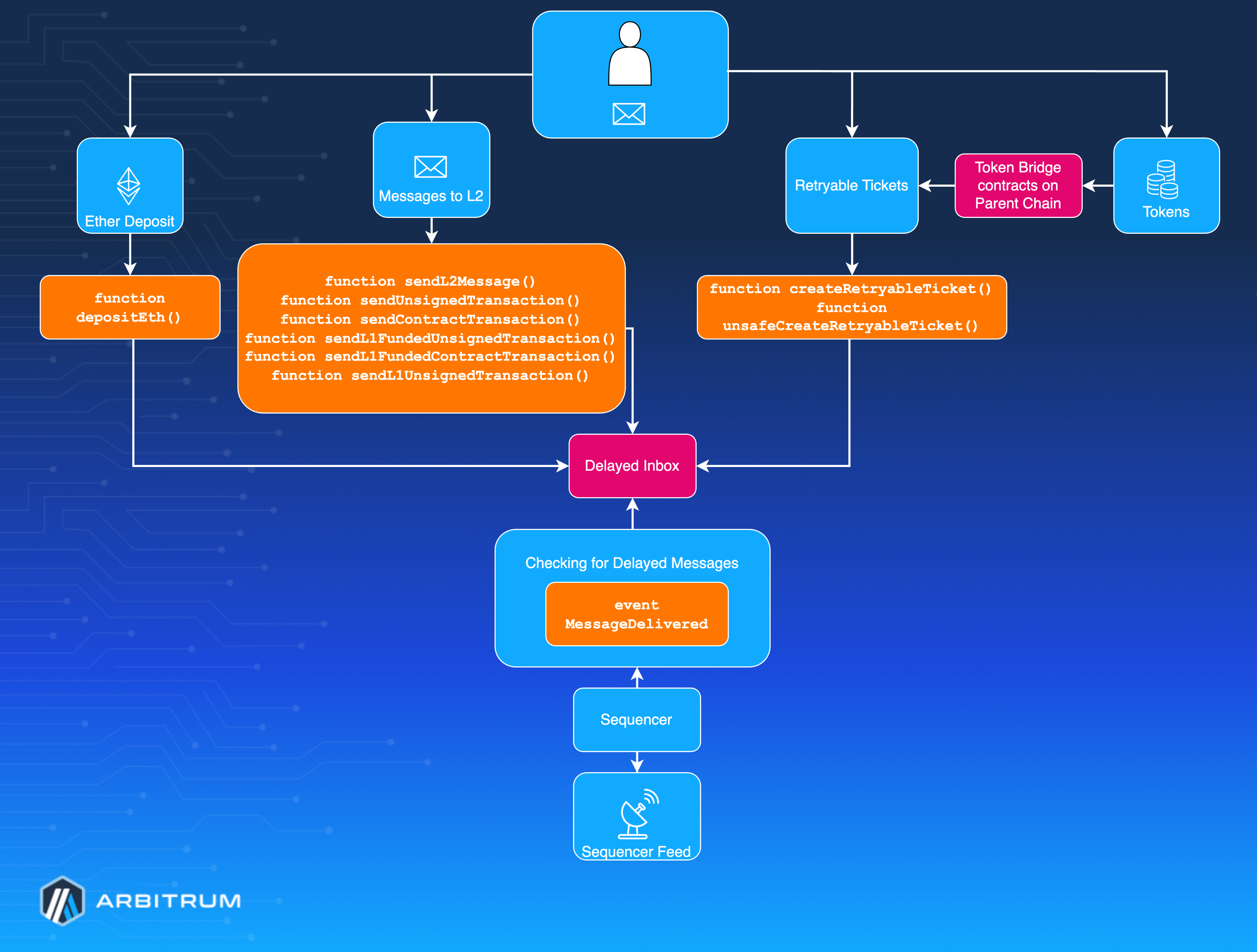
## Native token bridging [#native-token-bridging]
Native token bridging refers to depositing a chain's native currency (the token used to pay gas fees) from the parent chain to the child chain. This follows a different, simpler process than **ERC-20** token bridging through the canonical token bridge.
Arbitrum chains can use **ETH** or any other **ERC-20** tokens as their gas fee currency. Arbitrum One and Nova use **ETH** as their native token, while some Arbitrum chains opt for a custom gas token. For more details about chains that use custom gas tokens, refer to the [Custom gas token SDK](/arbitrum-essentials/bridging/configure-token-gateway/custom).
Whether a chain uses **ETH** or a custom gas token, users can deposit tokens from a parent chain (for Arbitrum One, Ethereum) into a child chain. Below, we describe how to deposit **ETH** on chains that use **ETH** as the native gas token. The process for depositing custom gas tokens follows the same steps, except it uses the chain’s Delayed Inbox contract.
### Depositing native tokens [#depositing-native-tokens]
A special message type exists for simple native token deposits from parent-to-child chains. The `Inbox` contract's `depositEth` method provides this functionality for chains using **ETH**, while custom gas token chains use similar mechanisms through their Delayed Inbox contract.
For step-by-step instructions on depositing native tokens, see [How to bridge from parent chain](/arbitrum-essentials/bridging/deposit/eth-and-messages#bridging-eth-to-a-child-chain).
#### How deposits work [#how-deposits-work]
When you call `Inbox.depositEth`, the **ETH** is sent to the bridge contract on the parent chain. The bridge then "credits" the deposited amount to the designated address on the child chain. From the L1 perspective, the funds are held in Arbitrum’s bridge contract on your behalf.
A diagram illustrating this deposit process is below:
Note on caller type and aliasing:
- **If the parent chain caller is an Externally Owned Account (EOA)**:
- The deposited **ETH** will appear in the same EOA address on the child chain.
- **If the parent chain caller is a contract**:
- The **ETH** will get deposited into the contract's aliased address on the child chain. In the next section, we will cover [Address aliasing](#address-aliasing).
- **If the caller is a `7702-enabled account` (EOA with temporary contract code)**:
- The **ETH** goes to the aliased address, similar to contracts. This is due to the presence of runtime code during execution, and ensures consistent aliasing behavior post-EIP-7702.
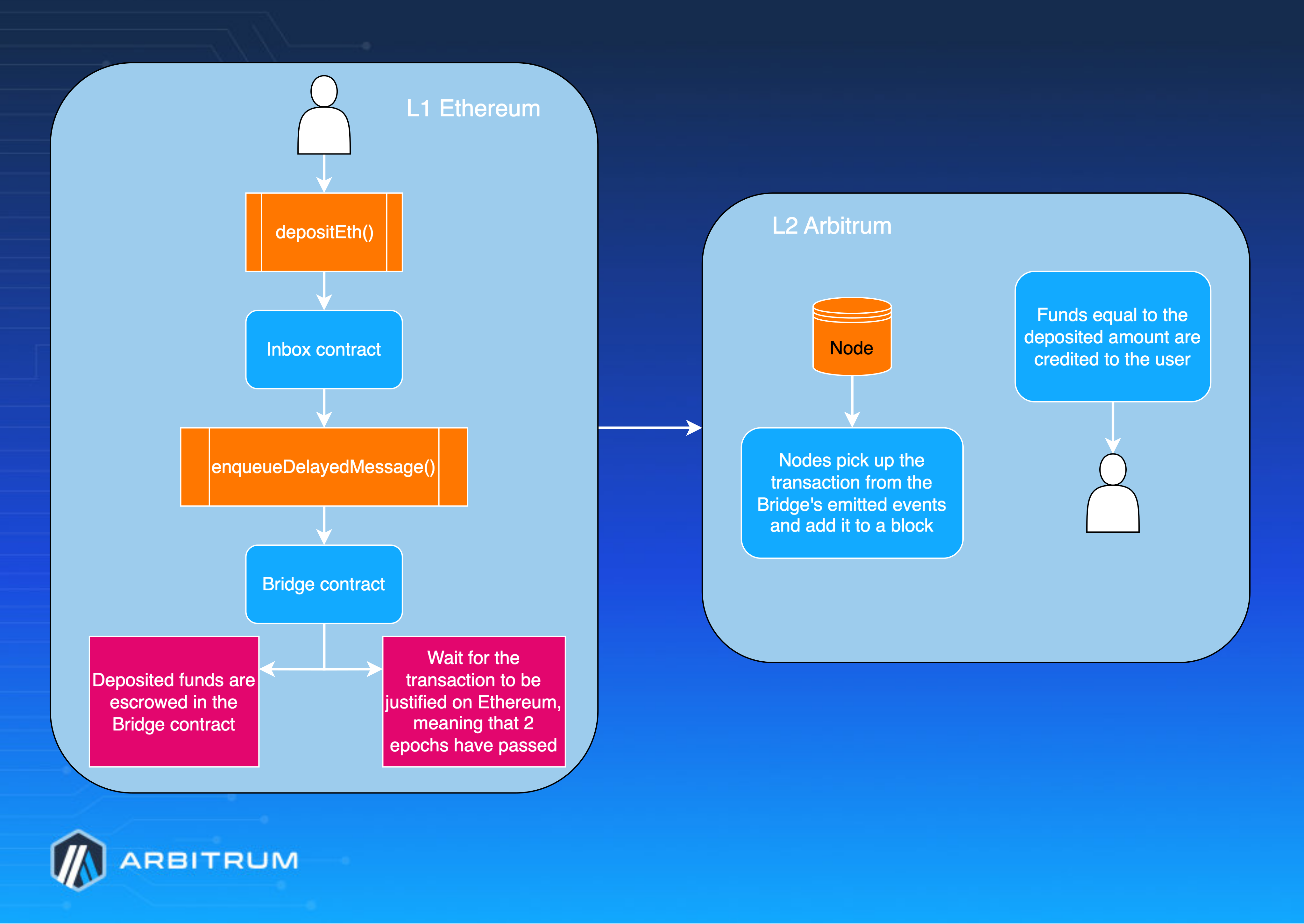
### Address aliasing [#address-aliasing]
All unsigned messages submitted through the Delayed Inbox have their sender addresses "aliased" when executed on the child chain. Instead of returning the parent chain sender's address as `msg.sender`, the child chain sees the "child alias" of that address. Formally, the child alias calculation is:
```solidity
Child_Alias = Parent_Contract_Address + 0x1111000000000000000000000000000000001111
```
#### Why aliasing? [#why-aliasing]
Address aliasing in Arbitrum is a security measure that prevents cross-chain exploits. Without it, a malicious actor could impersonate a contract on a child chain by simply sending a message from that contract's parent chain address.
By introducing an offset, Arbitrum ensures that child-chain contracts can distinguish between parent-chain contract calls and those from child-chain native addresses.
#### Computing the original parent chain address [#computing-the-original-parent-chain-address]
If you need to recover the original parent chain address from an aliased child chain address onchain, you can use Arbitrum's `AddressAliasHelper` library. This library allows you to translate between the aliased child address and the original parent address in your contract logic.
```solidity
modifier onlyFromMyL1Contract() override {
require(AddressAliasHelper.undoL1ToL2Alias(msg.sender) == myL1ContractAddress, "ONLY_COUNTERPART_CONTRACT");
_;
}
```
## Transacting via the Delayed Inbox [#transacting-via-the-delayed-inbox]
Arbitrum provides a _Delayed Inbox_ contract on the parent chain that can deliver arbitrary messages to the child chain. This functionality is important for two reasons:
1. **General cross-chain messaging**: Allows a parent-chain EOA or contract to send messages or transactions to a child chain. This functionality is critical for bridging assets (other than the chain's native token) and performing cross-chain operations.
2. **Censorship resistance**: It ensures the Arbitrum chain remains censorship-resistant, even if the Sequencer misbehaves or excludes certain transactions; refer to [Bypassing the Sequencer](/how-arbitrum-works/deep-dives/transaction-lifecycle#bypassing-the-sequencer) for more details.
Users can send child chain transactions through the Delayed Inbox in two primary ways:
1. [General child chain messaging](#general-child-chain-messaging)
2. [Retryable tickets](#retryable-tickets)
### General child chain messaging [#general-child-chain-messaging]
Any message sent via the Delayed Inbox can ultimately produce a transaction on the child chain. These messages may or may not include a signature.
- **Signed messages**: Signed by an EOA on the parent chain. This signature proves the sender is an EOA rather than a contract, preventing certain cross-chain exploits and bypassing the need for aliasing.
- **Unsigned messages**: These do not include an EOA's signature. For security reasons, the sender’s address on the child chain must be _aliased_ when the message gets executed; see the [Address aliasing](#address-aliasing) section for details.
Below, we describe the Delayed Inbox methods for each scenario.
### Signed messages [#signed-messages]
Signed messages let a parent chain EOA prove ownership of an address, ensuring the child chain transaction executes with `msg.sender` set to the _signer's_ address on the child chain (rather than an alias). This mechanism is beneficial for bypassing the Sequencer if:
- You want to force-include a transaction on a child chain in case of Sequencer downtime or censorship.
- You need an operation on a child chain that explicitly requires EOA authorization (e.g., a withdrawal).
When submitting through the Delayed Inbox, a child chain transaction signature gets included in the message's calldata. Because it matches the EOA's signature, the child chain can safely treat the signer's address as the sender.
The Delayed Inbox provides two methods for signed messages: `sendL2Message` (more flexible, can be called by EOAs or contracts) and `sendL2MessageFromOrigin` (cheaper gas costs, EOA-only). For implementation details, see [Sending signed messages](/arbitrum-essentials/bridging/deposit/eth-and-messages#sending-signed-messages).
### Unsigned messages [#unsigned-messages]
Unsigned messages allow a parent chain sender to specify transaction parameters without an EOA signature. Because there is no signature, **the sender's address must be aliased on the child chain** (see the [Address aliasing](#address-aliasing) section for the rationale).
The Delayed Inbox provides methods for unsigned messages from both EOAs and contracts, with variants for whether funds are transferred from the parent chain or drawn from the child chain balance. For implementation details and method signatures, see [Sending unsigned messages](/arbitrum-essentials/bridging/deposit/eth-and-messages#sending-unsigned-messages).
### Message types [#message-types]
[Arbitrum Nitro](/how-arbitrum-works/inside-arbitrum-nitro) defines various **message types** to distinguish between the categories described above (signed vs. unsigned, EOAs vs. contracts, etc.). These message types help the protocol route and process each incoming message securely.
For the full list of message-type identifiers used by ArbOS, see [`L1IncomingMessage`](https://github.com/OffchainLabs/nitro/blob/4ac7e9268e9885a025e0060c9ec30f9612f9e651/arbos/incomingmessage.go#L54) and the [ArbOS messages section](/how-arbitrum-works/deep-dives/arbos#messages-and-blocks).
> **Note**
>
> Refer to the [Address aliasing](#address-aliasing) discussion for more background. This mechanism ensures that a parent chain contract can't impersonate a child chain address unless it provides a valid signature as an EOA.
## Retryable tickets [#retryable-tickets]
Retryable tickets are Arbitrum's canonical method for creating parent-to-child chain messages—parent-chain transactions that initiate a message to be executed on a child chain. A retryable is submittable for a fixed cost (dependent only on its calldata size) paid at the parent chain. Critically, the ticket's _submission_ on the parent chain is separable and asynchronous from its _execution_ on the child chain. This design provides atomicity for cross-chain operations: if the parent chain transaction to request submission succeeds (doesn't revert), then the execution of the retryable on the child chain has a strong guarantee to eventually succeed.
For step-by-step instructions on creating retryable tickets, including parameter estimation and SDK usage, see [Creating retryable tickets](/arbitrum-essentials/bridging/deposit/eth-and-messages#creating-retryable-tickets).
### Retryable ticket lifecycle [#retryable-ticket-lifecycle]
The lifecycle of a retryable ticket involves three stages: submission, automatic redemption, and manual redemption.
#### Submission [#submission]
Creating a retryable ticket is initiated with a call to the `createRetryableTicket` function of the inbox contract. Key parameters include the destination address, call value, gas limits, refund addresses, and calldata. The ticket requires sufficient funds to cover both submission costs and gas for child chain execution. Upon successful submission, a unique `TicketID` is created and the [`ArbRetryableTx`](/arbitrum-essentials/precompiles/reference#arbretryabletx) precompile emits a `TicketCreated` event.
#### Automatic redemption [#automatic-redemption]
Upon successful ticket creation, the system checks if conditions are met for automatic redemption: the user's child chain balance must cover the gas costs, and the provided `maxFeePerGas` must meet or exceed the child chain base fee. If these conditions are met, the system automatically attempts to execute the ticket (auto-redeem).
If auto-redemption succeeds, the ticket executes immediately with the original parameters, and excess fees are refunded. If auto-redemption fails (for example, due to insufficient gas or an increase in gas prices), the ticket remains in the retryable buffer for up to one week, allowing for manual redemption.
#### Manual redemption [#manual-redemption]
If automatic redemption fails, anyone can manually redeem the ticket by calling the [`ArbRetryableTx`](/arbitrum-essentials/precompiles/reference#arbretryabletx) precompile's `redeem` method. The manual redemption attempt donates its call gas to the execution, and the gas limit is not constrained by the original ticket parameters. This allows tickets to be retried with different gas conditions.
Tickets remain in the retryable buffer for one week. If not successfully redeemed within this period, the ticket expires and is automatically discarded. However, tickets can be kept alive indefinitely by paying a fee to extend the lifetime for another full period before expiration.
If a ticket expires without successful redemption, the escrowed `callValue` is refunded to the `callValueRefundAddress` specified during submission. This protects user funds even if execution never succeeds.
#### Receipt types [#receipt-types]
Retryable tickets produce two types of receipts:
- **Ticket creation receipt**: Confirms successful ticket creation and includes a `TicketCreated` event with the `ticketId`
- **Redeem attempt receipt**: Records each redemption attempt and includes a `RedeemScheduled` event
Only one successful redemption can occur per ticket. Multiple failed redemption attempts each produce a receipt until one succeeds.
## Token bridging [#token-bridging]
Retryable tickets power Arbitrum's canonical token bridge. For the full token bridge architecture, including how **ETH** and **ERC-20** tokens are bridged between layers, see the [Token bridging overview](/how-arbitrum-works/deep-dives/token-bridging).
# Child to parent chain messaging (/how-arbitrum-works/deep-dives/l2-to-l1-messaging)
> **Looking for implementation guides?**
>
> This document explains the protocol-level concepts of child-to-parent messaging. For practical, step-by-step instructions on implementing withdrawals and messaging, see [How to bridge to parent chain from child chain](/arbitrum-essentials/bridging/withdraw/eth-and-messages).
Arbitrum's outbox system allows arbitrary child-to-parent chain contract calls, i.e., messages initiated from the child chain that will eventually resolve through execution on the parent chain.
Child-to-parent chain messages (i.e., outgoing messages) bear some things in common with Arbitrum’s [parent chain to child chain messages](/how-arbitrum-works/deep-dives/l1-to-l2-messaging), which are “in reverse” with differences, which we’ll explore in this section.
Executing one of these messages on the parent chain requires the containing assertion to be confirmed, which is a stronger guarantee than a batch reaching the parent chain. [Finality](/how-arbitrum-works/deep-dives/finality) explains why posting a batch does not make funds withdrawable.
## Protocol flow [#protocol-flow]
Messages from child to parent chains are included in Arbitrum’s Rollup state and finalized through the Rollup protocol. The process follows these steps:
1. **Message creation on child chain**:
- To initiate a child-to-parent chain message, a user or contract calls the `sendTxToL1` method on the [`ArbSys`](/arbitrum-essentials/precompiles/reference#arbsys) precompile.
2. **Message inclusion in an assertion**:
- The message is batched with other transactions and included in a [Rollup assertion](/how-arbitrum-works/deep-dives/assertions).
- Assertions are submitted to the Rollup contract on the parent chain and enter the [dispute window](/how-arbitrum-works/deep-dives/assertions) (6.4 days).
3. **Assertion confirmation**:
- If the assertion remains unchallenged after the dispute window, the Rollup contract finalizes the assertion.
- The assertion's Merkle root gets posted to the outbox contract on the parent chain.
4. **Execution on the parent chain**:
- Once the assertion is confirmed, anyone can execute the message on the parent chain by proving its inclusion.
- Execution is possible via `Outbox.executeTransaction`, which accepts a Merkle proof that the message exists in the finalized assertion.
## Sending and executing messages [#sending-and-executing-messages]
Child-to-parent messages are sent via the [`ArbSys`](/arbitrum-essentials/precompiles/reference#arbsys) precompile's `sendTxToL1` method. After the approximately 7-day challenge period, messages can be executed on the parent chain using the `Outbox.executeTransaction` method with a Merkle proof obtained from the [`NodeInterface`](/arbitrum-essentials/nodeinterface/reference) contract.
For step-by-step implementation instructions, see [How to bridge to parent chain](/arbitrum-essentials/bridging/withdraw/eth-and-messages).
## Protocol design details [#protocol-design-details]
### Constant overhead for node confirmation [#constant-overhead-for-node-confirmation]
- Calling `confirmNode` on the Rollup contract has constant gas overhead, regardless of the number of messages in the assertion.
- This confirmation ensures malicious actors cannot grief the network by submitting assertions with many outgoing messages.
### Why child to parent chain messages require manual execution [#why-child-to-parent-chain-messages-require-manual-execution]
Unlike [retryable tickets](/how-arbitrum-works/deep-dives/l1-to-l2-messaging), which can execute automatically with pre-funded gas, child-to-parent chain messages must be executed manually because Ethereum (i.e., the parent chain) does not support scheduled execution.
However, applications can implement execution markets that allow third parties to execute messages for a fee.
### Persistence and expiry [#persistence-and-expiry]
- **Child-to-parent chain messages**: Persist indefinitely on the parent chain once included in the outbox.
## Parent-to-child chain message lifecycle [#parent-to-child-chain-message-lifecycle]
Each message progresses through three primary states:
| Stage | Description |
| ------------------------ | ----------- |
| Posted on child chain | The message is sent via `ArbSys.sendTxToL1`. |
| Waiting for finalization | The assertion containing the message is in the [challenge period](/how-arbitrum-works/deep-dives/assertions) (~6.4 days) |
| Confirmed and executable on the parent chain | If no [fraud proof](/how-arbitrum-works/bold/gentle-introduction) is submitted, the assertion is confirmed, and the message is available for execution in the outbox. |
## Asset withdrawals [#asset-withdrawals]
### **ETH** withdrawals [#eth-withdrawals]
Arbitrum has a canonical bridge design and architecture, which we explain in detail in the [Token bridging](/how-arbitrum-works/deep-dives/l1-to-l2-messaging#token-bridging) section of the **Bridging from a parent chain to a child chain** article. This section explains how the Arbitrum canonical bridge works for child-to-parent chain token bridging.
The [`ArbSys`](/arbitrum-essentials/precompiles/reference#arbsys) precompile provides a `withdrawEth` convenience method for withdrawing **ETH** from the child chain. This method burns the **ETH** on the child chain and creates a child-to-parent message. Like all child-to-parent messages, it requires execution on the parent chain after the challenge period via `Outbox.executeTransaction`.
For implementation details, see [Withdrawing **ETH**](/arbitrum-essentials/bridging/withdraw/tokens).
### **ERC-20** token withdrawals [#erc-20-token-withdrawals]
Token withdrawals use Arbitrum's canonical bridge architecture, detailed in the [Token bridging overview](/how-arbitrum-works/deep-dives/token-bridging). The process flows through the [`L2GatewayRouter`](/how-arbitrum-works/deep-dives/token-bridging#canonical-token-bridge-implementation) to the appropriate gateway contract (`L2ArbitrumGateway`), which burns the child chain tokens and creates a message to the parent chain gateway. After the challenge period, the message can be executed on the parent chain to release tokens from escrow.
For implementation details, see [Withdrawing **ERC-20** tokens](/arbitrum-essentials/bridging/withdraw/tokens).
# Sequencer architecture and transaction flow (/how-arbitrum-works/deep-dives/sequencer-transaction-flow)
This deep dive follows a transaction through a single Sequencer instance: how it arrives, how it waits in the transaction queue, how blocks get created, and how the result reaches the rest of the network. It is aimed at chain operators and integration partners who need to reason about queueing, timeouts, and block timing.
Two companion pages cover the surrounding context, and this page assumes you have read them:
- [The Sequencer and censorship resistance](/how-arbitrum-works/deep-dives/sequencer) explains the Sequencer's role, the real-time feed, batch posting, and finality.
- [Transaction lifecycle](/how-arbitrum-works/deep-dives/transaction-lifecycle) explains the different ways to submit a transaction, including bypassing the Sequencer entirely.
> **Scope of this page**
>
> This page describes the internals of a single Sequencer instance. For the behavior of Arbitrum One's public sequencer endpoint (latency expectations, retries, and fallback patterns), see [RPC endpoints and providers](/arbitrum-essentials/reference/node-providers). For running multiple redundant Sequencers with Redis-based coordination, see [How to set up a high-availability sequencer](/launch-arbitrum-chain/run-a-node/high-availability-sequencer) and [How to run a Sequencer Coordinator Manager](/run-a-node/sequencer/run-sequencer-coordination-manager).
All code references below point to [Nitro `v3.11.0`](https://github.com/OffchainLabs/nitro/tree/a618155919315241665356fe60f3cd00d66d5e46).
## Transaction flow at a glance [#transaction-flow-at-a-glance]
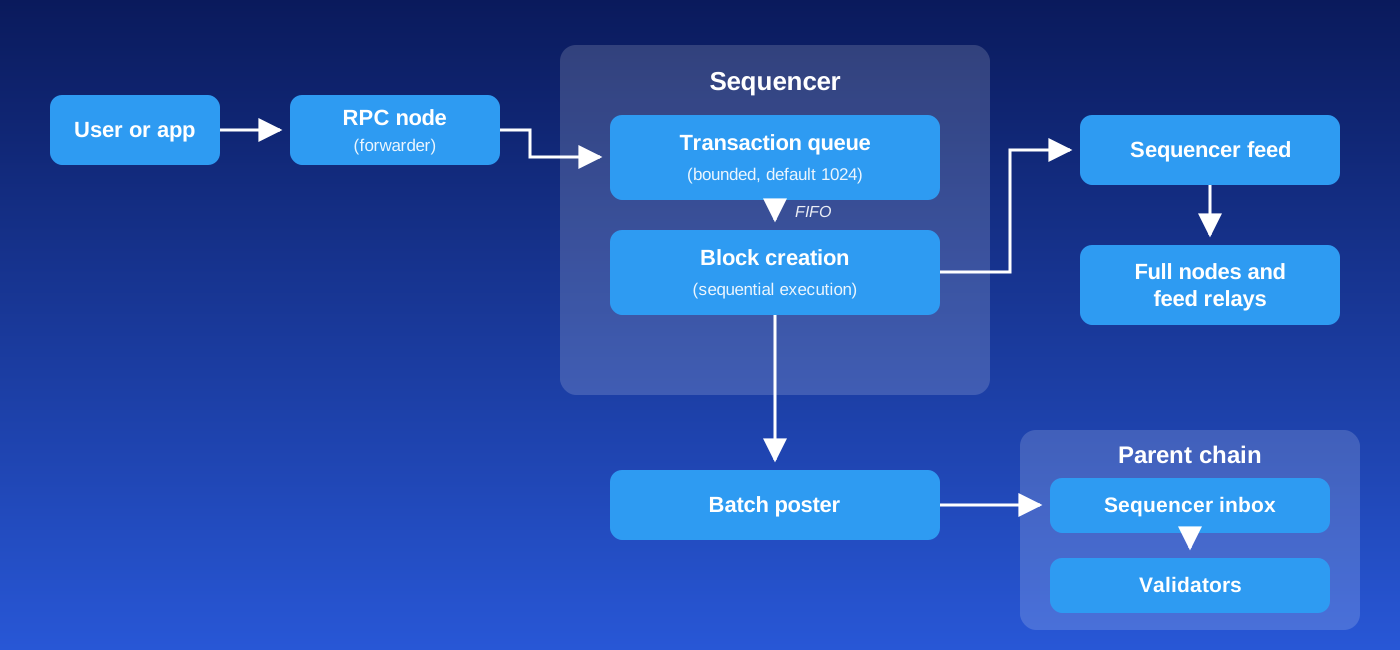
1. A user submits a signed transaction to any RPC node on the chain.
2. The RPC node does not execute or pool the transaction; it forwards it to the Sequencer.
3. The Sequencer places the transaction in a bounded, in-memory queue.
4. The block creation loop drains the queue in the order the chain's ordering policy dictates, and executes transactions one at a time to build a block.
5. The new block is published on the Sequencer Feed for real-time consumers, and the batch poster later posts the compressed sequence to the sequencer inbox on the parent chain.
6. Validators re-execute the sequence posted on the parent chain to verify and assert the chain's state.
> **Validators do not accept user transactions**
>
> Validators only read the ordered transactions from the parent chain and re-execute them locally to compute the chain's state. They have no transaction queue and no way to accept, order, or process a user transaction directly. The only ingestion point for user transactions is the Sequencer, and RPC nodes exist to forward transactions to it. (The one exception, submitting through the delayed inbox on the parent chain, is covered in [Transaction lifecycle](/how-arbitrum-works/deep-dives/transaction-lifecycle).)
## How transactions reach the Sequencer [#how-transactions-reach-the-sequencer]
Only one node on the chain actively sequences transactions at any given time (in a high-availability setup, several sequencer-capable nodes may run behind a coordinator, which picks the active one; see the scope note above). Every other node runs a forwarder: when it receives a transaction over RPC, it immediately relays the raw transaction to the Sequencer's endpoint instead of processing it locally ([`forwarder.go`](https://github.com/OffchainLabs/nitro/blob/a618155919315241665356fe60f3cd00d66d5e46/execution/gethexec/forwarder.go#L126)). The target is configured with `--execution.forwarding-target`; for known chains, Nitro fills it in automatically from the chain's configuration when the node is not a sequencer. A non-sequencer node with no forwarding target (explicitly set to `"null"`) simply drops incoming transactions.
Unlike Ethereum, there is **no public mempool**. Transactions are not gossiped between nodes and never sit in a public pending pool. The Sequencer receives them directly into its own in-memory structures, which stay private no matter which ordering policy the chain runs.
### Ordering policies [#ordering-policies]
What the Sequencer does with a queued transaction depends on the chain's transaction ordering policy. Two exist, and a chain runs exactly one:
| Policy | What decides the order | Where it runs |
| ---------------------------------------------------------------------------- | --------------------------------------------------------------------- | ------------------------------------ |
| First-come, first-serve (FCFS) | Arrival time at the Sequencer | The default for a new Arbitrum chain |
| [Priority Gas Auctions (PGA)](/how-arbitrum-works/priority-gas-auction/pga) | The priority fee each transaction pays | Arbitrum One |
The FIFO behavior this page describes assumes FCFS. PGA changes the order, not the intake path: the queue, the deadlines, and the `context deadline exceeded` behavior below apply the same way under both.
Under PGA, the queue described in the next section is the first stage of a two-stage mempool. Each ordering round moves the whole queue into a priority queue keyed on the priority fee, which EIP-1559 computes as `min(max_priority_fee_per_gas, max_fee_per_gas - base_fee_per_gas)`. Ties break on arrival time, and a transaction left waiting gains an anti-starvation boost each round, so a zero-fee transaction still lands within a small number of blocks. [Introduction to PGA](/how-arbitrum-works/priority-gas-auction/pga) covers the rounds and the boost.
> **Arbitrum One runs PGA**
>
> Arbitrum One used Timeboost from April 2025 until PGA activated. PGA removes the 200ms delay that Timeboost applied to transactions outside the express lane, so no transaction waits on another's lane.
## The transaction queue [#the-transaction-queue]
The heart of the intake path is a bounded, in-memory queue, sized by `--execution.sequencer.queue-size` (default `1024`) ([`sequencer.go#L461`](https://github.com/OffchainLabs/nitro/blob/a618155919315241665356fe60f3cd00d66d5e46/execution/gethexec/sequencer.go#L461)). Its behavior has three distinct zones:
- **Inside the queue**: under FCFS, transactions are ordered strictly **FIFO**, so whatever enters the queue first gets sequenced first. Under PGA, the queue is an unordered waiting list, and the priority fee decides the order when a round promotes it.
- **At the queue boundary, when the queue is full**: a transaction has "reached the Sequencer but is not yet queued." The Sequencer holds the submission open and waits for a slot to free up ([`sequencer.go#L731-L735`](https://github.com/OffchainLabs/nitro/blob/a618155919315241665356fe60f3cd00d66d5e46/execution/gethexec/sequencer.go#L731-L735)). Ordering among these waiting transactions is **not guaranteed**: when a slot frees up, which waiting transaction claims it depends on runtime scheduling, not arrival order.
- **Rejected**: if a transaction cannot be queued and sequenced before its deadline (see below), it is rejected and never executes.
### Queue timeout and `context deadline exceeded` [#queue-timeout-and-context-deadline-exceeded]
Every transaction receives a deadline when it arrives, set by `--execution.sequencer.queue-timeout` (default `12s`) ([`sequencer.go#L557-L560`](https://github.com/OffchainLabs/nitro/blob/a618155919315241665356fe60f3cd00d66d5e46/execution/gethexec/sequencer.go#L557-L560)). The deadline is enforced at two points:
1. **While waiting to enter a full queue**: if no slot frees up before the deadline, the submission fails immediately.
2. **Again at dequeue time**: when the block creation loop pops a transaction from the queue, it first checks whether the transaction's deadline already expired while it sat in the queue, and rejects it if so ([`sequencer.go#L1360-L1364`](https://github.com/OffchainLabs/nitro/blob/a618155919315241665356fe60f3cd00d66d5e46/execution/gethexec/sequencer.go#L1360-L1364)).
In both cases, the caller receives an error containing the string `context deadline exceeded`. This error means exactly one thing: the chain could not sequence the transaction within `queue-timeout`, and the transaction **was not executed**. For a user or integration partner, the correct response is:
- Treat it as backpressure, not as a permanent failure. It is safe to resubmit the same signed transaction (same nonce) with a backoff.
- Make sure your client-side HTTP timeout is longer than the chain's `queue-timeout`; otherwise your client gives up before the Sequencer reports the outcome. If your client gave up early, the transaction can still be in flight, and resending the same bytes returns `already known`; see [Submitting a transaction with a nonce that is already in flight](/arbitrum-essentials/arbitrum-vs-ethereum/nonce-management#submitting-a-transaction-with-a-nonce-that-is-already-in-flight).
- If you see this error persistently rather than in bursts, the chain's intake is saturated: see [Tuning guidance for chain operators](#tuning-guidance-for-chain-operators) below.
## Block creation and timing [#block-creation-and-timing]
The Sequencer produces blocks from a single loop: attempt to create a block; if a block was produced, wait until `max-block-speed` has elapsed since the attempt started before trying again; if not, retry immediately ([`sequencer.go#L1773-L1781`](https://github.com/OffchainLabs/nitro/blob/a618155919315241665356fe60f3cd00d66d5e46/execution/gethexec/sequencer.go#L1773-L1781)).
`--execution.sequencer.max-block-speed` (default 250ms) is therefore the **minimum delay between blocks**, which caps block production at four blocks per second under FCFS. It is not a block time:
- **When the queue is empty**, the block creation routine simply blocks waiting for the next transaction to arrive ([`sequencer.go#L1314-L1341`](https://github.com/OffchainLabs/nitro/blob/a618155919315241665356fe60f3cd00d66d5e46/execution/gethexec/sequencer.go#L1314-L1341)). No transactions means no blocks: the Sequencer does not produce empty blocks, and `createBlock` reports that no block was made unless at least one transaction was successfully sequenced.
- **When blocks are heavy**, the actual interval stretches beyond `max-block-speed`, because execution itself takes time and the timer only sets a floor.
In short, **there is no fixed block time on the child chain**. Block timestamps and block numbers advance with demand, which is why time-based logic in contracts should never assume a constant block interval.
Within one block creation pass, the Sequencer pulls the first transaction (waiting for it if necessary), then keeps draining additional queued transactions for a short window (`--execution.sequencer.read-from-tx-queue-timeout`, default `10ms`) before sealing the set into a block. Transactions that don't fit in the block's gas limit are pushed to an internal retry queue and get first priority in the next block.
### Block creation under PGA [#block-creation-under-pga]
PGA replaces that single drain window with fixed ordering rounds. A new round starts every `B/K`, where `B` is the block time and `K` is the number of rounds per block. On Arbitrum One, `B` is 250ms and `K` is 2, so rounds last 125ms. Each round takes in new arrivals for its full window, then promotes the waiting list into the priority queue and transfers that queue into the block, highest priority fee first.
A block closes when it reaches the first of these limits:
- A gas target of 32 Mgas. The hard limit is 64 Mgas, and a single transaction can use at most 32 Mgas.
- A calldata limit of 95,000 bytes.
- The end of its last round.
If a block fills before its last round, the Sequencer finalizes it right away and starts the next block rather than idling for the rest of the window. Under load, the chain then produces blocks faster than its nominal block time: between `1/B` and `K/B`, or 4 to 8 blocks per second on Arbitrum One. That upper cap keeps the spacing between rounds consistent, which the anti-starvation boost depends on.
`K` stays adjustable for two years after PGA activates, to any value from 1 to 10. That gives round lengths from 250ms down to 25ms.
### Execution is strictly sequential [#execution-is-strictly-sequential]
When building a block, transactions are executed **one at a time** through the state transition function ([`block_processor.go#L372-L407`](https://github.com/OffchainLabs/nitro/blob/a618155919315241665356fe60f3cd00d66d5e46/arbos/block_processor.go#L372-L407)), under a lock that ensures only one block is ever being built at once. There is no parallel execution: total throughput is bounded by single-threaded EVM execution speed and the per-block gas limit, not by how fast transactions can be queued.
## What happens during a surge [#what-happens-during-a-surge]
Suppose 100,000 transactions arrive at effectively the same moment, with default settings:
1. The first `1024` transactions occupy the queue. The rest wait at the queue boundary, each holding its own 12-second deadline, with no ordering guarantee among them.
2. Every 250ms or more, the Sequencer drains a batch of queued transactions into a block, executing them sequentially. Freed slots are claimed by waiting transactions.
3. Any transaction that cannot make it through the queue and into a block within its 12-second deadline fails with `context deadline exceeded`.
Under PGA, the same backpressure applies, but the priority fee decides who gets through it. Each round promotes whatever is waiting and drains the highest-paying transactions first, so a surge raises the fee needed to land early rather than stretching one arrival queue. The anti-starvation boost still bounds the wait for low-fee transactions, and any transaction that cannot reach a block within its 12-second deadline fails the same way.
The queue is deliberately a short buffer, not a mempool: with default settings it never holds more than about 12 seconds' worth of work. Everything beyond what the chain can execute in that window is shed back to the submitter, who is expected to retry. This keeps latency bounded and predictable for the transactions that do get in, at the cost of pushing burst-absorption out to the edges (RPC clients, or an operator-run relayer, described below).
## From block to the rest of the network [#from-block-to-the-rest-of-the-network]
As soon as a block is created, the transaction streamer hands the new message to the broadcaster, which publishes it over WebSocket on the sequencer feed ([`transaction_streamer.go#L1307`](https://github.com/OffchainLabs/nitro/blob/a618155919315241665356fe60f3cd00d66d5e46/arbnode/transaction_streamer.go#L1307)). Full nodes and [feed relays](/run-a-node/run-feed-relay) consume the feed to give sub-second soft confirmations; see [How to read the sequencer feed](/run-a-node/sequencer/read-sequencer-feed).
On Arbitrum One, the [Fast Feed](/how-arbitrum-works/priority-gas-auction/fast-feed) publishes each transaction inside its PGA round, before the block closes and before the standard feed carries it. It is a paid, authenticated stream aimed at latency-sensitive readers, and a Nitro node cannot consume it. Soft confirmation still comes from the standard feed.
Independently, the [batch poster](/how-arbitrum-works/deep-dives/batchposter) compresses the sequenced transactions and posts them to the sequencer inbox on the parent chain, at which point they inherit the parent chain's finality. Validators then re-execute the posted sequence and assert the resulting state. [The Sequencer and censorship resistance](/how-arbitrum-works/deep-dives/sequencer#persistence-and-broadcast) covers the feed, batch posting, and the finality trade-offs in detail, and [Assertions](/how-arbitrum-works/deep-dives/assertions) covers validation.
## Tuning guidance for chain operators [#tuning-guidance-for-chain-operators]
For chains with different traffic profiles than Arbitrum One, the queue parameters are the primary tuning surface:
- `--execution.sequencer.queue-size` (default `1024`): raising it lets the Sequencer absorb larger instantaneous bursts without making submitters wait at the queue boundary. The limit to keep in mind: the queue-timeout deadline keeps counting while a transaction sits in the queue, so a queue deeper than what the chain can execute within `queue-timeout` only moves rejections from enqueue time to dequeue time. Size the queue to roughly what your chain can drain in one timeout window.
- `--execution.sequencer.queue-timeout` (default `12s`): raising it lets transactions ride out longer spikes at the cost of slower failure feedback and longer-held connections; lowering it makes overload fail fast. Whatever you choose, communicate it to integration partners so their client timeouts and retry logic stay consistent with it.
- `--execution.sequencer.max-block-speed` (default 250ms): lowering it raises the block production cap and reduces best-case latency; it does not increase execution throughput, which stays bounded by sequential execution and the per-block gas limit.
If you run PGA, the rounds-per-block count `K` is a fourth tuning surface. Raising `K` shortens each round, which lowers the latency between a transaction arriving and a round promoting it, and raises the ceiling on blocks per second under load. It also makes the anti-starvation boost smaller per round, because the boost is `p / (2K)`. See [PGA for Arbitrum chains](/launch-arbitrum-chain/chain-config/sequencer/pga) for the configuration steps.
### Operator-run relayer cache [#operator-run-relayer-cache]
If your workload has sustained bursts that no reasonable `queue-size`/`queue-timeout` setting absorbs (for example, game events or airdrops that generate far more than one timeout window's worth of transactions at once), the standard pattern is a **relayer cache in front of the Sequencer**: an operator-run service that accepts transactions immediately, holds them durably, and submits them to the Sequencer at the rate the queue drains, retrying on `context deadline exceeded`.
This pattern complements rather than replaces queue tuning: `queue-size` and `queue-timeout` define how much burst the Sequencer itself absorbs, while the relayer holds everything beyond that and controls its own submission order and retry policy. The trade-off is that transactions waiting in the relayer have no onchain ordering guarantee until they actually enter the Sequencer's queue, so the relayer becomes a trusted component of your chain's ingestion path.
## Related resources [#related-resources]
- [The Sequencer and censorship resistance](/how-arbitrum-works/deep-dives/sequencer): feed, batch posting, finality, and the delayed inbox escape hatch
- [Introduction to PGA](/how-arbitrum-works/priority-gas-auction/pga): the two-stage mempool, ordering rounds, and the anti-starvation boost
- [Introduction to the Fast Feed](/how-arbitrum-works/priority-gas-auction/fast-feed): the paid per-transaction stream that publishes inside a PGA round
- [Finality](/how-arbitrum-works/deep-dives/finality): what soft and hard finality guarantee, and which one to wait for
- [The batch poster](/how-arbitrum-works/deep-dives/batchposter): what happens after sequencing, from segment building to the parent chain transaction
- [Transaction lifecycle](/how-arbitrum-works/deep-dives/transaction-lifecycle): all submission pathways, including bypassing the Sequencer
- [RPC endpoints and providers](/arbitrum-essentials/reference/node-providers): public endpoint behavior, retries, and fallback patterns
- [How to set up a high-availability sequencer](/launch-arbitrum-chain/run-a-node/high-availability-sequencer): redundant Sequencers with Redis-based coordination
- [How to run a Sequencer Coordinator Manager](/run-a-node/sequencer/run-sequencer-coordination-manager): managing the sequencer priority list
- [How to read the sequencer feed](/run-a-node/sequencer/read-sequencer-feed) and [How to run a feed relay](/run-a-node/run-feed-relay)
# The Sequencer and censorship resistance (/how-arbitrum-works/deep-dives/sequencer)
The Sequencer’s job is to receive, admit, and order transactions and then publish and post the resulting blocks. The moment ordered transactions are handed to the execution engine, responsibility shifts to the State Transition Function (STF) and ArbOS, where transactions are executed against the chain state, gas is metered, and the new state root is computed. Throughout this section, we flag those handoff points and point to the relevant pages rather than duplicating them.
## A transaction’s path through the Sequencer [#a-transactions-path-through-the-sequencer]

#### 1. Receipt and admission [#receipt-and-admission]
A user transaction arrives over JSON-RPC. Before it is allowed anywhere near a block, it passes a series of admission checks: if this node is not the active Sequencer, the transaction is forwarded to the active one; optional sender allowlists and parent chain fee-surplus thresholds can reject it; and internal Arbitrum transaction types and blob transactions are filtered out. Admitted transactions land in an unordered waiting list, the first stage of the Sequencer’s two-stage mempool. What happens next depends on the chain’s transaction ordering policy. Under first-come, first-serve (FCFS), arrival time sets the order. Under [Priority Gas Auctions (PGA)](/how-arbitrum-works/priority-gas-auction/pga), each ordering round moves the whole waiting list into a priority queue keyed on the priority fee each transaction pays.
#### 2. Block creation loop [#block-creation-loop]
The Sequencer runs a tight loop that drains its queues and groups transactions into a block. It services a retry queue ahead of the regular queue. Under PGA, the loop runs in fixed ordering rounds: each round moves the waiting list into the priority queue, then transfers that queue into the block under construction, highest priority fee first. [PGA ordering](#pga-ordering) covers the rounds in detail. Lightweight pre-checks happen here: per-transaction data-size limits, a base-fee check, and a nonce cache that parks too-high nonces and revives them once their predecessor succeeds. The loop also confirms that the parent-chain block number and timestamp are within an acceptable range before producing a block.
A block closes when it reaches the first of these limits:
- A gas target of 32 Mgas. The hard limit is 64 Mgas, and a single transaction can use at most 32 Mgas.
- A calldata limit of 95,000 bytes.
- The end of its last round.
If a block fills before its last round, the Sequencer finalizes it right away and starts the next block rather than idling for the rest of the window. Under load, the chain then produces blocks faster than its nominal block time, up to a cap of 8 blocks per second. That cap keeps the spacing between rounds consistent, which the anti-starvation boost depends on.
#### 3. Handoff to ArbOS and the STF [#handoff-to-arbos-and-the-stf]
Once the Sequencer has a finalized ordering, it calls the ExecutionEngine, which in turn invokes ArbOS to produce the block.
> **Handoff: execution belongs to ArbOS and the STF**
>
> Everything from this point of execution—iterating the ordered transactions, applying pre- and post-execution filters, running each transaction against chain state, metering child- and parent-chain gas, and computing the resulting state—is the job of the [State Transition Function](/how-arbitrum-works/deep-dives/stf) and [ArbOS](/how-arbitrum-works/deep-dives/arbos). The Sequencer supplies the ordered input and receives a produced block in return; it does not decide execution outcomes.
#### 4. Persistence and broadcast [#persistence-and-broadcast]
The produced block comes back to the Sequencer as a sequenced message. The TransactionStreamer persists it to the local database and, if a coordinator is configured, replicates it to Redis for high availability. It then hands the message to the Broadcaster, which pushes it to subscribers over the real-time feed. This is the moment users get [soft finality](/how-arbitrum-works/reference/finality-and-reorgs#the-three-confirmation-levels): a sub-second provisional confirmation that depends on the Sequencer behaving honestly.
On Arbitrum One, a second stream runs alongside the standard feed. The [Fast Feed](/how-arbitrum-works/priority-gas-auction/fast-feed) is a paid, authenticated WebSocket stream that publishes each transaction as soon as the Sequencer orders and executes it, inside the PGA round and before the block closes. The Sequencer publishes to the Fast Feed before it stores the transaction, so the block number each message carries is tentative. Soft finality still comes from the standard feed.
#### 5. Posting to the parent chain [#posting-to-the-parent-chain]
Independent of the loop above, the batch poster reads sequenced messages from the TransactionStreamer, Brotli-compresses them with adaptive [compression levels](/how-arbitrum-works/deep-dives/gas-and-fees#compression-levels), and posts them to the Sequencer Inbox using either calldata or EIP-4844 blobs. To configure this component, see [Run a batch poster](/launch-arbitrum-chain/run-a-node/batch-poster). Once those batches are finalized on the parent chain, the transactions reach [hard finality](/how-arbitrum-works/reference/finality-and-reorgs#the-three-confirmation-levels).
## High availability: the Sequencer coordinator [#high-availability-the-sequencer-coordinator]
In production, several Sequencer nodes run under a single logical Sequencer, with the SeqCoordinator electing a single active leader via Redis. A chosen-sequencer key records the current leader, which holds a short, time-limited lockout (roughly one minute by default) that it must continually refresh. The active node writes signed messages to Redis; standby nodes follow along so that, if the leader fails or steps down, another can take over with minimal disruption. Activation clears any forwarders and resumes block production; deactivation sets up forwarding to the new leader and pauses local production.
## Delayed messages from the parent chain [#delayed-messages-from-the-parent-chain]
Not every transaction originates with a direct RPC submission. Deposits and retryable tickets enter through the parent chain’s delayed inbox. The DelayedSequencer waits until the parent-chain block that holds each message is safe, or finalized if the operator sets `node.delayed-sequencer.require-full-finality`. Then it sequences them into the child chain so they appear in the ordering and on the feed alongside ordinary transactions. As with execution generally, the act of applying a delayed message is ArbOS/STF territory; the DelayedSequencer’s role is to decide when it enters the order.
## PGA ordering [#pga-ordering]
PGA orders transactions by the priority fee each one pays, rather than by the moment each one arrives. The Sequencer evaluates that order in short rounds that run several times per block. Three parts work together.
### The two-stage mempool [#the-two-stage-mempool]
Arriving transactions land in an unordered waiting list. Intake runs continuously, independent of any ordering work. At the start of each round, the whole list moves into a priority queue keyed on the priority fee, which EIP-1559 computes as `min(max_priority_fee_per_gas, max_fee_per_gas - base_fee_per_gas)`.
Ties break on the arrival timestamp the Sequencer recorded when the transaction first reached it, not on when it entered the queue. Because the priority fee depends on the base fee, the Sequencer re-keys the queue against the new base fee at the start of every block.
The mempool stays private. PGA does not give anyone the right to see or reorder another user’s transactions, so Arbitrum’s protections against harmful MEV are unchanged.
### Ordering rounds [#ordering-rounds]
A new round starts every `B/K`, where `B` is the block time and `K` is the number of rounds per block. On Arbitrum One, `B` is 250ms and `K` is 2, so each round lasts 125ms. Each round runs two phases:
- **Intake** covers the full round window and absorbs new arrivals into the waiting list. It overlaps with the previous round’s execute phase.
- **Execute** starts as soon as intake closes. The waiting list moves into the priority queue, and the Sequencer transfers the queue into the block, highest priority first.
The transfer ends when the queue empties, the block fills, or the round runs out of time. Anything still queued waits for the next round.
### The anti-starvation boost [#the-anti-starvation-boost]
At the end of every round in which the priority queue holds transactions, each transaction still waiting gains a priority boost of `p / (2K)`. Here `p` is the priority of the last transaction the previous round included, or zero if that round included none.
Two properties matter:
- The boost moves a transaction’s position in the queue and nothing else. It never changes the fee the transaction pays.
- The boost compounds across rounds. A transaction that pays no priority fee climbs until it outranks the marginal paying transaction, which bounds its wait to a small number of blocks.
> **PGA replaces Timeboost on Arbitrum One**
>
> Timeboost auctioned a 60-second express lane to one express lane controller per round and delayed every other transaction by 200ms. PGA removes that delay: no transaction waits for the 200ms anymore. See [PGA for Arbitrum chains](/launch-arbitrum-chain/chain-config/sequencer/pga).
## Censorship Timeout [#censorship-timeout]
As mentioned in the original [Arbitrum BoLD forum post](https://forum.arbitrum.foundation/t/aip-bold-permissionless-validation-for-arbitrum/23232/70?), the initial release of [Arbitrum BoLD](/how-arbitrum-works/bold/gentle-introduction) includes a feature called Censorship Timeout (formerly known as Delay Buffer).
Censorship Timeout aims to limit the negative effects of:
- Prolonged Sequencer censorship, or
- Unexpected Sequencer outages
## How the Censorship Timeout works [#how-the-censorship-timeout-works]
To explain how this feature improves the security of chains settling to Arbitrum One, consider a scenario where an L3’s parent chain Sequencer (the L2 Sequencer) is censoring or offline. In such a case, every assertion and/or sub-challenge move would need to wait 24 hours before bypassing the L2 Sequencer (using the Sequencer Inbox’s `forceInclusion` method). In this scenario, a challenge resolution would be delayed by a time t where t = (24 hours) \* number of moves for a challenge. To illustrate with sample numbers, if a challenge takes 50 sequential moves to resolve, then the delay would be 50 days.
The Censorship Timeout feature mitigates this by lowering the force inclusion threshold when unexpected delays in message inclusion occur due to one (or all) of the above-mentioned cases of censorship or a sequencer outage, enabling entities to make moves without the 24-hour delay-per-move.
The force inclusion window is the lesser of `delayBuffer` and `delayBlocks`, where `delayBlocks` is a constant currently set to 7200 blocks (24 hours), and `delayBuffer` ranges from 30 minutes to 48 hours.
The `delayBuffer` value “grows and shrinks” depending on how long the Sequencer is offline or censoring transactions. As a way to measure this behavior, the `delayBuffer` is decremented by the difference between a delayed message’s delay beyond the `threshold` and how long it has been delayed (that is, when some delayed messages are delayed by more than the `threshold`, the difference between the messages’ delay and the `threshold` is removed from the buffer). For example, if the threshold is 30 minutes and a message was delayed by 32 minutes, the `delayBuffer` is decremented by 2 minutes. The contract records a delay when it updates the buffer and deducts it at the next update. Each deduction is at most the number of blocks between the two updates. The `threshold` is set to 30 minutes on Arbitrum One and 1 hour on Arbitrum Nova.
The `delayBuffer` replenishes each time the contract updates it. The contract adds 5% of the parent-chain blocks elapsed since the last update, then deducts any recorded delay beyond the `threshold`. When no messages are delayed beyond the `threshold`, the buffer grows by one minute for every 20 minutes.
Below are the initial, proposed parameter values for the Censorship Timeout feature for Arbitrum One and Nova:
- `delayBuffer` = 14400 parent chain (Ethereum) blocks (2 days)
- `threshold` = 150 L1 Ethereum blocks (30 minutes) for Arbitrum One and 300 parent chain (Ethereum) blocks (one hour) for Arbitrum Nova
- `replenish rate` = 5% (meaning one day is replenished every 20 days or roughly a 95% uptime)
We believe that the Censorship Timeout feature provides stronger guarantees of censorship resistance for Arbitrum chains—especially those that settle to Arbitrum One or Arbitrum Nova. As always, chain owners can decide whether to use this feature for their chain and can also change the default parameters as they see fit for their use case.
## Decentralized fair sequencing [#decentralized-fair-sequencing]
Arbitrum’s long-term vision includes transitioning from a centralized Sequencer to a decentralized, fair sequencing model. In this framework, a committee of servers (or validators) collectively determines transaction ordering, ensuring fairness, reducing the influence of any single party, and making it more resistant to manipulation. By requiring a supermajority, this approach distributes sequencing power among multiple honest participants, mitigates the risks of front-running or censorship, and aligns with broader blockchain principles of enhanced security, transparency, and decentralization. A transaction ordering policy sits above this layer. Decentralized sequencing changes who enforces the ordering rules, not the rules themselves.
# State Transition Function (/how-arbitrum-works/deep-dives/stf)
An Arbitrum node is a deterministic machine: feed it the same ordered inputs, and it will always produce the same outputs. The job of everything before the State Transition Function (STF) is to agree on exactly which inputs those are and in what order they should be.
## How it works [#how-it-works]
#### 1. Two doors, one source of truth [#1-two-doors-one-source-of-truth]
Inputs reach a node through two doors. The fast door is the [Sequencer feed](/how-arbitrum-works/deep-dives/sequencer)—a real-time broadcast of newly ordered messages, so nodes feel the chain advance within milliseconds. The slow, trustworthy door is Ethereum itself: the Sequencer periodically posts compressed batches to the parent-chain inbox, emitting a `SequencerBatchDelivered` event. When the two disagree, the feed yields—the parent chain is the canonical record (Ethereum for Arbitrum), and a node will reorg its optimistic feed-derived state to match what was actually settled on Ethereum.
#### 2. The envelope (`L1IncomingMessage`) [#2-the-envelope-l1incomingmessage]
Whatever the door, every input lands as one `L1IncomingMessage`: a header plus an opaque L2msg payload. The header is the input surface the STF reads: message type, sender, `BlockNumber` and `Timestamp`, the ordering/identity handle, and `L1BaseFee` (the parent-chain gas price used). Determinism comes from this: the STF never asks the outside world for the time or the gas price; it only reads what is in the header.
#### 3. One byte decides the path [#3-one-byte-decides-the-path]
The header’s `Kind` routes the message. A handful of kinds are system messages that the protocol mints: `Initialize` (kind 11) is the genesis message that sets the chain ID and base fee, `EthDeposit` (kind 12) bridges the native token, `SubmitRetryable` (kind 9) carries the retryable-ticket mechanism behind robust parent-to-child chain messaging, and `BatchPostingReport` (kind 13) lets the STF charge the batch poster for the parent-chain data it consumes. The workhorse, though, is `L2Message` (kind 3)—the envelope for ordinary user activity. For every kind, its value, and the name the bridge contracts use for it, see the [message type reference](/how-arbitrum-works/reference/stf-inputs#message-types).
#### 4. The envelope inside the envelope [#4-the-envelope-inside-the-envelope]
Open an `L2Message`, and you’ll find a second type byte—the `L2MessageKind`. The type byte can be a single signed transaction (`SignedTx`), an unsigned EOA or contract call (`UnsignedUserTx`, `ContractTx`), or—most importantly—a Batch, which is simply a list of more L2 messages. This nesting is why the type space looks deceptively flat in summaries but is really two layers: an outer parent-chain framing and an inner transaction framing.
#### 5. From batch to messages [#5-from-batch-to-messages]
A batch posted to L1 isn’t a list of transactions; it can be either a Brotli-compressed blob or some calldata. The inbox multiplexer inspects the leading header byte, decompresses, and pops out individual `L1IncomingMessage`s one at a time—the same shape the feed delivers. By the time anything reaches the STF, both doors have converged on the identical stream of envelopes.
#### 6. The unwrap [#6-the-unwrap]
Finally, `ParseL2Transactions` turns each envelope into the EVM transactions Geth will run: deposits become `ArbitrumDepositTx`, retryables become their submission transaction, batches recurse, and bookkeeping kinds like `RollupEvent` are acknowledged and skipped. What flows out is an ordered list of transactions. That ordered list is derived deterministically from headers that no node can fabricate; it is the true input to Arbitrum’s State Transition Function.
## Stylus-specific transaction processing [#stylus-specific-transaction-processing]
A modified version of Geth that recognizes and processes Stylus transactions, ensuring proper inclusion in state transitions.
## Execution in a WASM runtime [#execution-in-a-wasm-runtime]
Stylus transactions execute in [ArbOS](/how-arbitrum-works/deep-dives/arbos)'s WASM runtime instead of the EVM, enabling faster execution and more efficient computation.
## Stylus gas accounting and pricing [#stylus-gas-accounting-and-pricing]
Unlike standard EVM transactions, Stylus transactions introduce new gas pricing models that account for factors such as opcode pricing, host I/O operations, and Ink usage costs.
## Interoperability with the EVM [#interoperability-with-the-evm]
Stylus contracts can interact with Solidity contracts, enabling hybrid applications that leverage EVM and WASM execution environments.
These Stylus-related changes aim to maintain compatibility with Ethereum’s execution model while introducing a more efficient, flexible, and scalable alternative for smart contract development.
The following sections cover [STF inputs](/how-arbitrum-works/reference/stf-inputs), node processing, and implementation rules, highlighting [differences between Ethereum and Arbitrum](/arbitrum-essentials/arbitrum-vs-ethereum/comparison-overview), and Stylus execution environments. [Stylus-specific execution tasks handled within ArbOS](/how-arbitrum-works/deep-dives/arbos) will be covered separately, focusing on host I/O operations, caching, and WASM memory management.
# Token bridging (/how-arbitrum-works/deep-dives/token-bridging)
The Arbitrum protocol itself has no notion of token standards and gives no built-in advantage or special recognition to any particular token bridge. In this article, we describe the "canonical bridge," which was implemented by Offchain Labs, and should be the primary bridge most users and applications use; it is (effectively) a decentralized app with contracts on both Ethereum (parent chain) and Arbitrum (child chain) that leverages Arbitrum's [cross-chain messaging protocol](/arbitrum-essentials/bridging/cross-chain-messaging) to achieve basic desired token-bridging functionality. We recommend that you use it! For the protocol-level mechanics this bridge sits on top of, see [Bridging from a parent chain to a child chain](/how-arbitrum-works/deep-dives/l1-to-l2-messaging) and [Child to parent chain messaging](/how-arbitrum-works/deep-dives/l2-to-l1-messaging).
## Design rationale [#design-rationale]
In our token bridge design, we use the term "gateway" as per [this proposal](https://ethereum-magicians.org/t/outlining-a-standard-interface-for-cross-domain-erc20-transfers/6151); i.e., one of a pair of contracts on two different domains (i.e., Ethereum and an Arbitrum chain), used to facilitate cross-domain asset transfers.
We now describe some core goals that motivated the design of our bridging system.
### Custom gateway functionality [#custom-gateway-functionality]
For many **ERC-20** tokens, "standard" bridging functionality is sufficient, which entails the following: a token contract on Ethereum is associated with a "paired" token contract on Arbitrum.
Depositing a token involves escrowing a certain amount of the token in a parent chain bridge contract, and minting the same amount at the paired token contract on a child chain. Then, on the child chain, the paired contract behaves much like a normal **ERC-20** token contract. Withdrawing entails burning a specific amount of the token in the child chain contract, which can be claimed later from the parent chain bridge contract.
Many tokens, however, require custom gateway systems, the possibilities of which are hard to generalize, e.g.,:
- Tokens which accrue interest to their holders need to ensure that the interest is dispersed properly across layers, and doesn't simply accrue to the bridge contracts
- Our cross-domain **WETH** implementations require tokens to be wrapped and unwrapped as they move across layers.
Thus, our bridge architecture must allow not just the standard deposit and withdrawal functionalities, but also for new, custom gateways to be dynamically added over time.
### Canonical child chain representation per parent chain token contract [#canonical-child-chain-representation-per-parent-chain-token-contract]
Having multiple custom gateways is beneficial, but we also want to avoid a situation in which a single parent chain token that utilizes our bridging system can be represented at multiple addresses/contracts on the child chain, as this adds significant friction and confusion for users and developers. Thus, we need a way to track which parent chain token uses which gateway, and in turn, to have a canonical address oracle that maps the tokens' addresses across the Ethereum and Arbitrum domains.
## Canonical token bridge implementation [#canonical-token-bridge-implementation]
With this in mind, we provide an overview of our token bridging architecture.
Our architecture consists of three types of contracts:
1. **Asset contracts**: These are the token contracts themselves, i.e., an **ERC-20** on the parent chain and its counterpart on Arbitrum.
2. **Gateways**: Pairs of contracts (one on the parent chain, one on the child chain) that implement a particular type of cross-chain asset bridging.
3. **Routers**: Exactly two contracts (one on the parent chain, one on the child chain) that route each asset to its designated gateway.
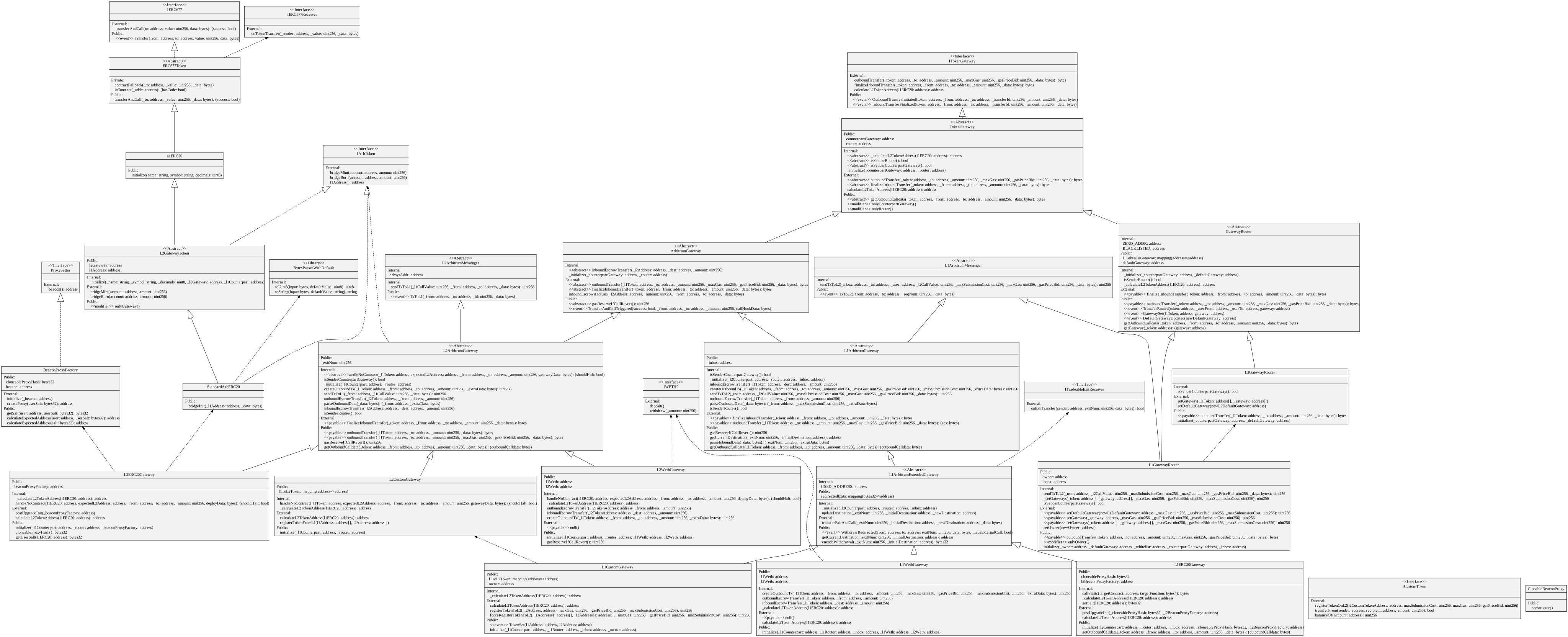
All Ethereum-to-Arbitrum token transfers are initiated via the router contract on the parent chain, specifically the `L1GatewayRouter` contract. `L1GatewayRouter` forwards the token's deposit call to the appropriate gateway contract on the parent chain, the `L1ArbitrumGateway` contract. `L1GatewayRouter` is responsible for mapping the parent chain token addresses to L1Gateway contracts, thus acting as a parent/child chain address oracle and ensuring each token corresponds to only one gateway. The `L1ArbitrumGateway` then communicates to its counterpart gateway contract on the child chain, the `L2ArbitrumGateway` contract (typically/expectedly via [retryable tickets](/how-arbitrum-works/deep-dives/l1-to-l2-messaging)).
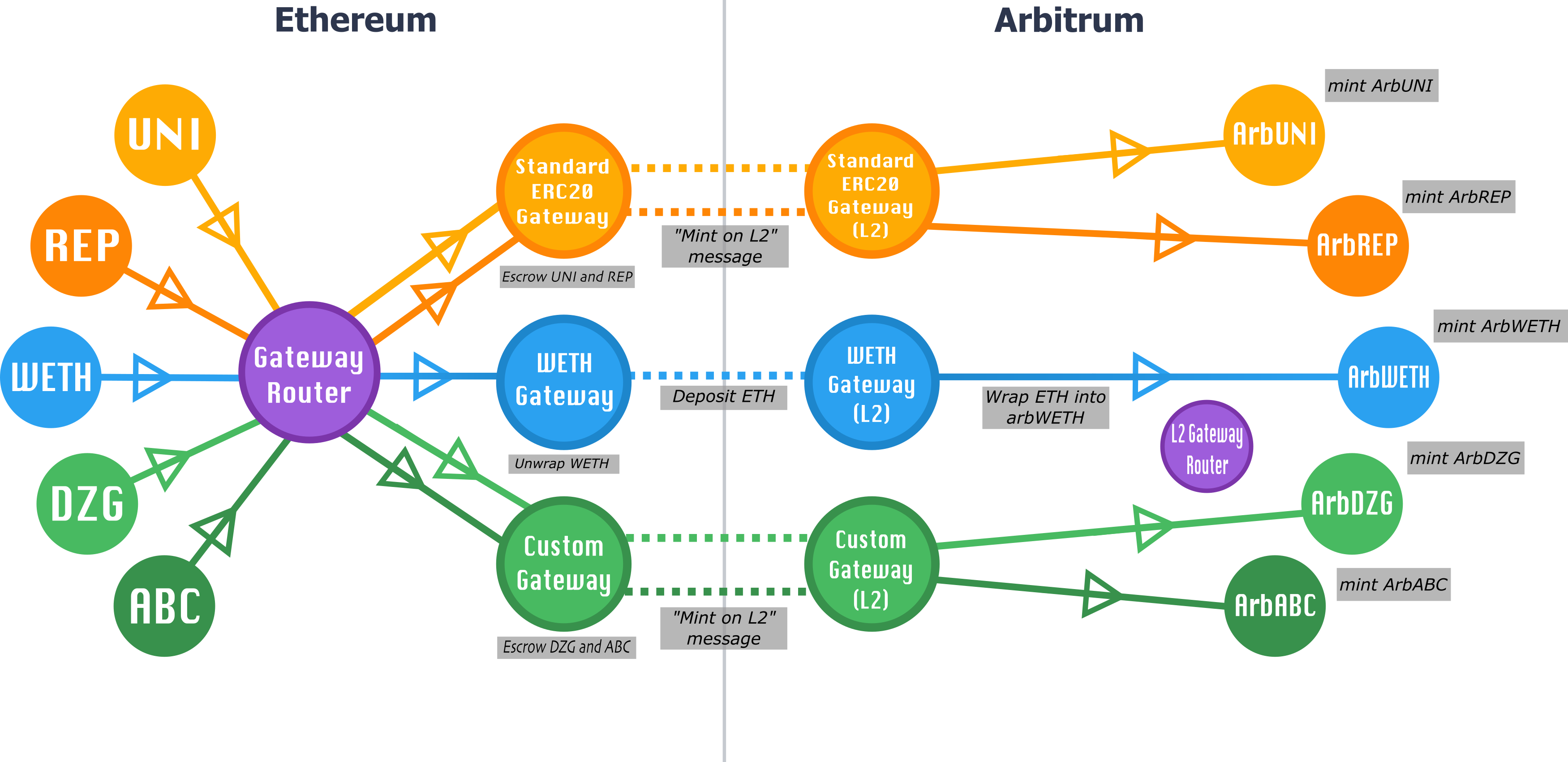
Similarly, Arbitrum-to-Ethereum transfers initiate via the router contract on the child chain, specifically the `L2GatewayRouter` contract, which in turn calls the token's gateway contract on the child chain. This `L2ArbitrumGateway` contract in turn communicates to its corresponding gateway contract on the parent chain, the `L1ArbitrumGateway` contract (typically/expectedly via [sending child-to-parent messages to the outbox](/how-arbitrum-works/deep-dives/l2-to-l1-messaging)).
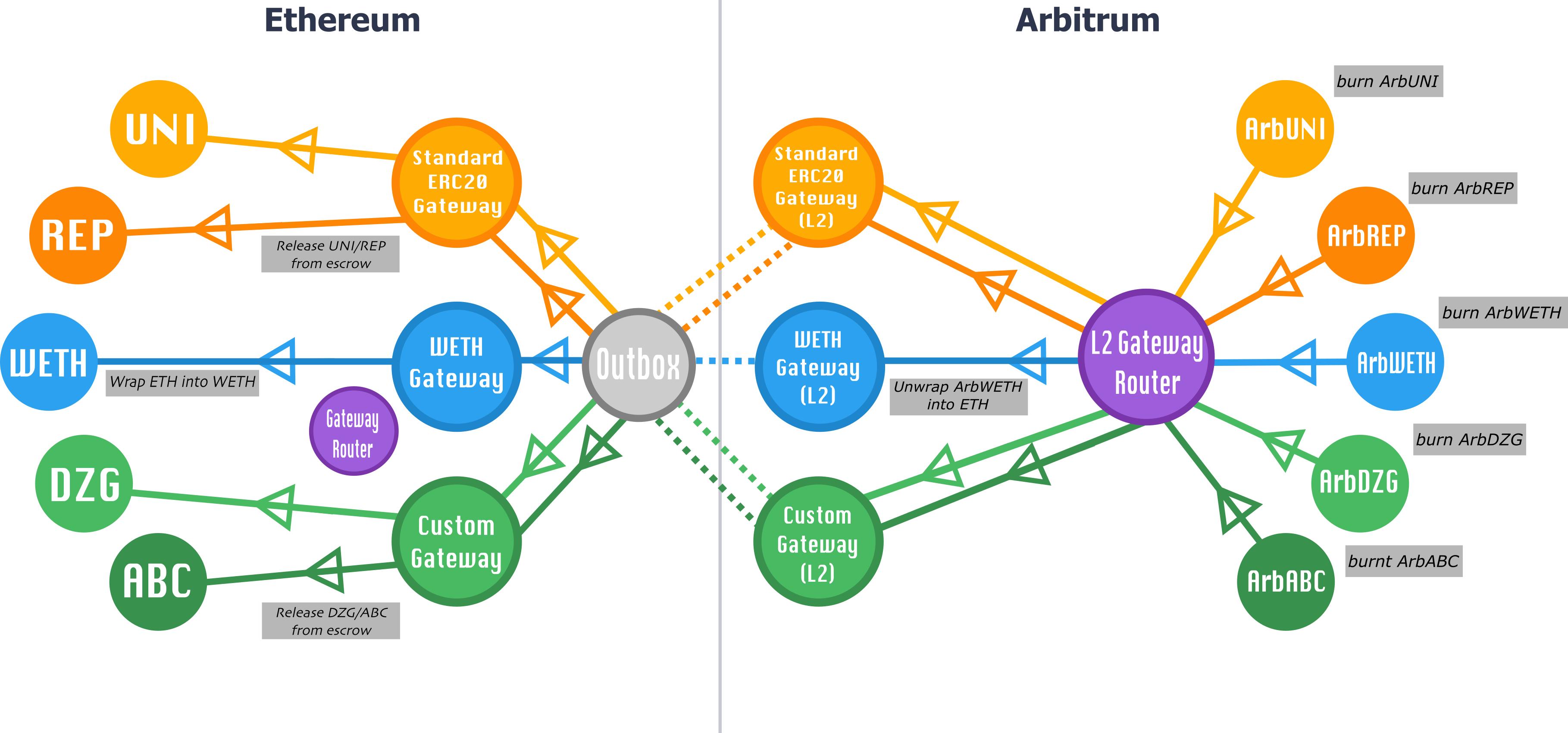
For any given gateway pairing, we require that calls initiate through the corresponding router (`L1GatewayRouter` or `L2GatewayRouter`), and that the gateways conform to the [`TokenGateway`](https://github.com/OffchainLabs/token-bridge-contracts/blob/main/contracts/tokenbridge/libraries/gateway/TokenGateway.sol) interfaces; the `TokenGateway` interfaces should be flexible and extensible enough to support any bridging functionality a particular token may require.
## The standard **ERC-20** gateway [#default-standard-bridging]
By default, any **ERC-20** token on a parent chain that isn't registered to a gateway can be bridged permissionlessly through the `StandardERC20Gateway`.
You can use the [bridge UI](https://bridge.arbitrum.io/) or follow the instructions in [How to bridge tokens via Arbitrum’s standard **ERC-20** gateway](/arbitrum-essentials/bridging/deposit/eth-and-messages) to bridge a token to a child chain via this gateway.
### Example: Standard `Arb-ERC-20` deposit and withdraw [#example-standard-arb-erc-20-deposit-and-withdraw]
To help illustrate what this all looks like in practice, let's go through the steps of what depositing and withdrawing `SomeERC20Token` via our standard **ERC-20** gateway looks like. Here, we're assuming that `SomeERC20Token` has already been registered in the `L1GatewayRouter` to use the standard **ERC-20** gateway.
#### Deposits [#deposits]
1. A user calls `L1GatewayRouter.outboundTransferCustomRefund` **[1]** (with `SomeERC20Token`'s parent chain address as an argument).
2. `L1GatewayRouter` looks up `SomeERC20Token`'s gateway, and finds that it's the standard **ERC-20** gateway (the `L1ERC20Gateway` contract).
3. `L1GatewayRouter` calls `L1ERC20Gateway.outboundTransferCustomRefund`, forwarding the appropriate parameters.
4. `L1ERC20Gateway` escrows the tokens sent and creates a retryable ticket to trigger `L2ERC20Gateway`'s `finalizeInboundTransfer` method on the child chain.
5. `L2ERC20Gateway.finalizeInboundTransfer` mints the appropriate amount of tokens at the `arbSomeERC20Token` contract on the child chain.
❗️ _[1] Please keep in mind that some older custom gateways might not have `outboundTransferCustomRefund` implemented, and `L1GatewayRouter.outboundTransferCustomRefund` does not fallback to `outboundTransfer`. In those cases, please use the function `L1GatewayRouter.outboundTransfer`._
> **Note**
>
> `arbSomeERC20Token` is an instance of [`StandardArbERC20`](https://github.com/OffchainLabs/token-bridge-contracts/blob/main/contracts/tokenbridge/arbitrum/StandardArbERC20.sol), which includes `bridgeMint` and `bridgeBurn` methods only callable by the `L2ERC20Gateway`.
#### Withdrawals [#withdrawals]
1. On Arbitrum, a user calls `L2GatewayRouter.outBoundTransfer`, which in turn calls `outBoundTransfer` on arbSomeERC20Token's gateway (i.e., `L2ERC20Gateway`).
2. This burns `arbSomeERC20Token` tokens, and calls `ArbSys` with an encoded message to `L1ERC20Gateway.finalizeInboundTransfer`, which will eventually execute on the parent chain.
3. After the dispute window expires and the assertion with the user's transaction is confirmed, a user can call `Outbox.executeTransaction`, which in turn calls the encoded `L1ERC20Gateway.finalizeInboundTransfer` message, releasing the user's tokens from the `L1ERC20Gateway` contract's escrow.
## The Arbitrum generic-custom gateway [#the-arbitrum-generic-custom-gateway]
Just because a token has requirements beyond the offerings of the standard **ERC-20** gateway, that doesn't necessarily mean that a unique gateway needs to be tailor-made for the token in question. Our generic-custom gateway is flexible enough to be suitable for most (but not necessarily all) custom fungible token needs. As a general rule:
**If your custom token can increase its supply (i.e., mint) directly on the child chain, and you want the child chain-minted tokens to be withdrawable back to the parent chain and recognized by the parent chain contract, it will probably require its own special gateway. Otherwise, the generic-custom gateway is likely the right solution for you!**
Some examples of token features suitable for the generic-custom gateway:
- A child chain token contract upgradable via a proxy
- A child chain token contract that includes address allowlisting/denylisting
- The deployer determines the address of the child chain token contract
### Setting up your token with the generic-custom gateway [#setting-up-your-token-with-the-generic-custom-gateway]
Follow the steps below to set up your token for use with the generic-custom gateway. You can also find more detailed instructions on the page [How to bridge tokens via Arbitrum’s generic-custom gateway](/arbitrum-essentials/bridging/overview).
**0. Have a parent chain token**
Your token on the parent chain should conform to the [ICustomToken](https://github.com/OffchainLabs/token-bridge-contracts/blob/main/contracts/tokenbridge/ethereum/ICustomToken.sol) interface (see [`TestCustomTokenL1`](https://github.com/OffchainLabs/token-bridge-contracts/blob/main/contracts/tokenbridge/test/TestCustomTokenL1.sol) for an example implementation). Crucially, it must have an `isArbitrumEnabled` method in its interface.
**1. Deploy your token on Arbitrum**
Your token should conform to the minimum [`IArbToken`](https://github.com/OffchainLabs/token-bridge-contracts/blob/main/contracts/tokenbridge/arbitrum/IArbToken.sol) interface; i.e., it should have `bridgeMint` and `bridgeBurn` methods only callable by the `L2CustomGateway` contract, and the address of its corresponding Ethereum token accessible via `l1Address`. For an example implementation, see [`L2GatewayToken`](https://github.com/OffchainLabs/token-bridge-contracts/blob/main/contracts/tokenbridge/libraries/L2GatewayToken.sol).
> **Token compatibility with available tooling**
>
> If you want your token to be compatible out of the box with all the tooling available (e.g., the [Arbitrum bridge](https://bridge.arbitrum.io/)), we recommend that you keep the implementation of the `IArbToken` interface as close as possible to the [L2GatewayToken](https://github.com/OffchainLabs/token-bridge-contracts/blob/main/contracts/tokenbridge/libraries/L2GatewayToken.sol) implementation example.
>
> For example, if an allowance check is added to the `bridgeBurn()` function, the token will not be easily withdrawable through the Arbitrum bridge UI, as the UI does not prompt an approval transaction of tokens by default (it expects the tokens to follow the recommended `L2GatewayToken` implementation).
**2. Register your token on the parent chain to your token on the child chain via the `L1CustomGateway` contract**
Have your parent chain token's contract make an external call to `L1CustomGateway.registerTokenToL2`. Performing the registration can be completed as a chain-owner registration via an [Arbitrum DAO](https://forum.arbitrum.foundation) proposal.
**3. Register your token on the parent chain to the `L1GatewayRouter`**
After your token's registration to the generic-custom gateway is complete, have your parent chain token's contract make an external call to `L1GatewayRouter.setGateway`; performing the registration can also be completed as a chain-owner registration via an [Arbitrum DAO](https://forum.arbitrum.foundation) proposal.
> **We are here to help**
>
> If you have questions about your custom token needs, please feel free to reach out to us on our [Discord server](https://discord.gg/arbitrum).
## Other flavors of gateways [#other-flavors-of-gateways]
Note that in the system described above, one pair of gateway contracts handles the bridging of many **ERC-20**'s; i.e., many **ERC-20**'s on the parent chain are each paired with their own **ERC-20**'s on Arbitrum via a single gateway contract pairing. Other gateways may have different relationships with the contracts that they bridge.
Take our wrapped Ether implementation for example: here, a single **WETH** contract on the parent chain is connected to a single **WETH** contract on the child chain. When transferring **WETH** from one domain to another, the parent/child chain gateway architecture is used to unwrap the **WETH** on domain A, transfer the now-unwrapped Ether, and then re-wrap it on domain B. This process ensures that **WETH** can behave on Arbitrum in the same way users are accustomed to it behaving on Ethereum, while ensuring that all **WETH** tokens are always fully collateralized on the layer on which they reside.
Regardless of a token's complexity in bridging needs, it is possible to create a gateway to accommodate it within our canonical bridging system.
You can find an example of implementation of a custom gateway in the page [How to bridge tokens via a custom gateway](/arbitrum-essentials/bridging/overview).
## Demos [#demos]
Our [How to bridge tokens](/arbitrum-essentials/bridging/overview) section provides an example of interacting with Arbitrum's token bridge via the [Arbitrum SDK](https://github.com/OffchainLabs/arbitrum-sdk).
## A word of caution on bridges (aka, "I've got a bridge to sell you") [#a-word-of-caution-on-bridges-aka-ive-got-a-bridge-to-sell-you]
Cross-chain bridging is an exciting design space; alternative bridge designs can potentially offer faster withdrawals, interoperability with other chains, and different trust assumptions with their own potentially valuable UX tradeoffs, etc. They can also potentially be completely insecure and/or outright scams. Users should treat other, non-canonical bridge applications the same way they treat any application running on Arbitrum, and exercise caution and due diligence before entrusting them with their value.
# Transaction lifecycle on Arbitrum (/how-arbitrum-works/deep-dives/transaction-lifecycle)
You can submit transactions to Arbitrum through two main pathways:
1. **Through the [Sequencer](/how-arbitrum-works/deep-dives/sequencer)**: The standard method for most transactions.
2. **Bypassing the Sequencer**: Using the [Delayed Inbox](/how-arbitrum-works/deep-dives/l1-to-l2-messaging#transacting-via-the-delayed-inbox) contract on the parent chain.
This guide explains both methods, when to use each, and how they flow through Arbitrum’s transaction lifecycle.
## Transaction submission methods [#transaction-submission-methods]
### Sequencer pathways [#sequencer-pathways]
You can send transactions to the Sequencer through four methods:
- Public RPC endpoints
- Third-party RPC providers
- Self-hosted Arbitrum nodes
- Direct Sequencer endpoint
The first three options route through a load balancer, while the Sequencer endpoint connects directly.
Which pathway you pick affects how fast a transaction reaches the Sequencer, not where it lands in the block. The chain's transaction ordering policy decides that. On Arbitrum One, [Priority Gas Auctions (PGA)](/how-arbitrum-works/priority-gas-auction/pga) order transactions by the priority fee each one pays, so the fee you attach matters more than the route you choose. Other chains may run first-come, first-serve (FCFS) instead.
### Non-sequencer pathway [#non-sequencer-pathway]
You can also submit transactions directly to the Delayed Inbox contract on the parent chain. This method works even when the Sequencer is unavailable, providing an additional layer of censorship resistance.
The following diagram shows the different ways you can submit transactions to Arbitrum:
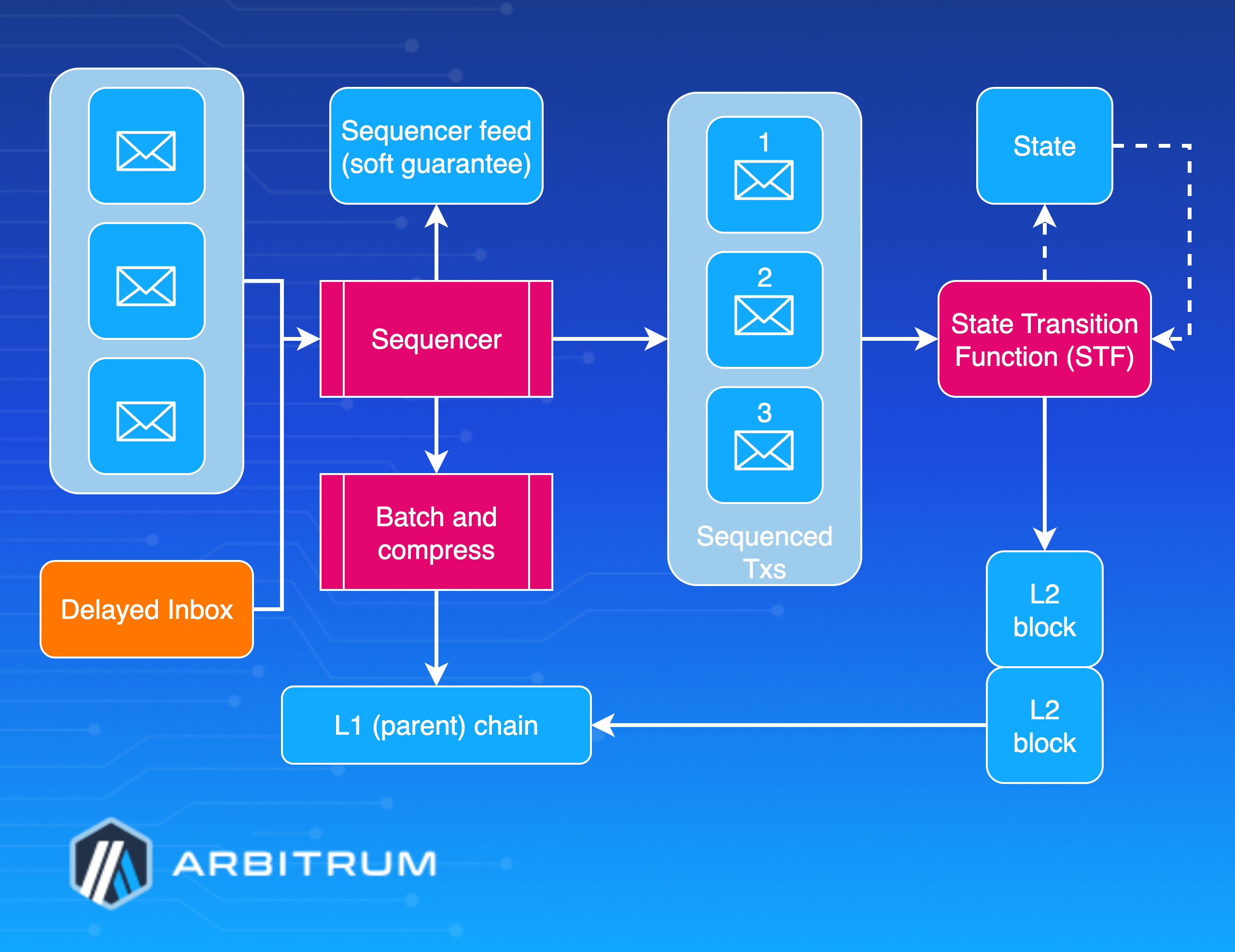
## Submitting transactions to the Sequencer [#submitting-transactions-to-the-sequencer]
The Sequencer processes most transactions on Arbitrum. You have four options for sending transactions to the Sequencer, each with different benefits depending on your needs.
### Public RPC [#public-rpc]
Arbitrum provides public RPC endpoints for Arbitrum One, Arbitrum Nova, and Arbitrum Sepolia. These endpoints are rate-limited, making them best for:
- Testing and development
- Light usage and general interactions
- Applications with low transaction volume
For more details on the specific RPC endpoints for each chain, please see [this section](/arbitrum-essentials/reference/node-providers#arbitrum-public-rpc-endpoints) of the documentation.
### Third-party RPC [#third-party-rpc]
Third-party node providers offer enhanced performance and higher rate limits. Many providers that support Ethereum also support Arbitrum chains. Use third-party RPCs when you need:
- Higher throughput
- Better performance
- More reliable uptime
- Advanced features like analytics
You can find a list of supported third-party providers [here](/arbitrum-essentials/reference/node-providers#third-party-rpc-providers).
### Arbitrum nodes [#arbitrum-nodes]
Running your own Arbitrum node provides maximum control and privacy. Your transactions connect to the Sequencer through the [Sequencer Feed](/how-arbitrum-works/deep-dives/sequencer#persistence-and-broadcast). Consider this option if you need:
- Complete control over transaction handling
- Maximum privacy
- Custom node configurations
Please see the [Arbitrum Node](/run-a-node/overview) documentation to learn more about setting up and running a node.
### Sequencer endpoint [#sequencer-endpoint]
The Sequencer endpoint provides the fastest path to transaction submission by bypassing the load balancer. This endpoint only supports:
- `eth_sendRawTransaction`
- `eth_sendRawTransactionConditional`
Use this method when you need the lowest possible latency for time-sensitive transactions.
The following diagram shows the four methods for submitting transactions to the Sequencer:
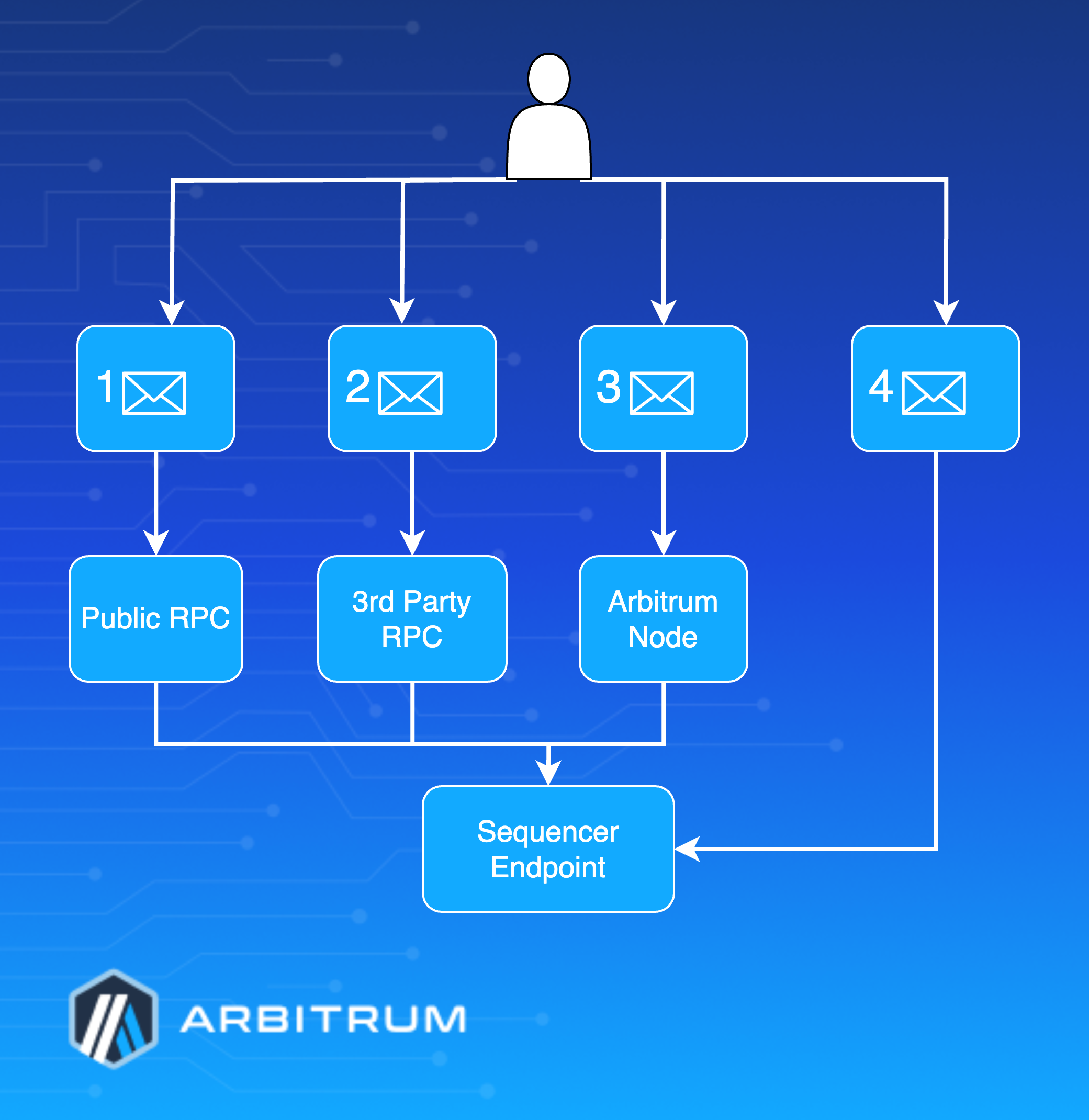
## Bypassing the Sequencer [#bypassing-the-sequencer]
You can submit transactions directly to the [Delayed Inbox](/how-arbitrum-works/deep-dives/l1-to-l2-messaging#transacting-via-the-delayed-inbox) contract on the parent chain without using the Sequencer. This method provides:
- **Censorship resistance**: Transaction inclusion even if the Sequencer refuses to process it
- **Availability guarantee**: Transactions work even when the Sequencer is offline
- **Decentralization**: Reduces dependency on the Sequencer
There are two paths your transaction can take through the Delayed Inbox.
When you submit a transaction to the Delayed Inbox, two things can happen:
1. **Automatic processing**: The Sequencer picks up your transaction and includes it in the normal transaction flow
2. **Force inclusion**: If 24 hours pass without processing, you can call the `forceInclude` function on the `SequencerInbox` contract to guarantee inclusion. The [Censorship Timeout](/how-arbitrum-works/deep-dives/sequencer#censorship-timeout) feature can shorten this window when the Sequencer is offline or censoring.
This two-path system ensures your transaction will always be processed, even if the Sequencer is unresponsive or censoring transactions.
For the full force-inclusion timeline and a step-by-step SDK example, see [Forced transactions](/how-arbitrum-works/deep-dives/forced-transactions).

### Using the Delayed Inbox [#using-the-delayed-inbox]
To submit a transaction through the Delayed Inbox:
1. **Construct your transaction** and serialize it
2. **Call [`sendL2Message`](https://github.com/OffchainLabs/nitro-contracts/blob/fbbcef09c95f69decabaced3da683f987902f3e2/src/bridge/AbsInbox.sol#L150)** with your serialized transaction data. For the difference between signed and unsigned message variants, see [Signed messages](/how-arbitrum-works/deep-dives/l1-to-l2-messaging#signed-messages) and [Unsigned messages](/how-arbitrum-works/deep-dives/l1-to-l2-messaging#unsigned-messages).
3. **Wait for processing** or force inclusion after 24 hours
### Force inclusion after delays [#force-inclusion-after-delays]
If your transaction doesn't get processed within 24 hours, call the [`forceInclusion`](https://github.com/OffchainLabs/nitro-contracts/blob/fbbcef09c95f69decabaced3da683f987902f3e2/src/bridge/SequencerInbox.sol#L284) function on the `SequencerInbox` contract. This function ensures that transactions get included regardless of the Sequencer's status.
### Using the Arbitrum SDK [#using-the-arbitrum-sdk]
The Arbitrum SDK simplifies Delayed Inbox interactions through the [`InboxTools`](https://github.com/OffchainLabs/arbitrum-sdk/blob/792a7ee3ccf09842653bc49b771671706894cbb4/src/lib/inbox/inbox.ts#L64C14-L64C24) class:
| Method | Purpose |
| -------------------------------------------------------------------------------------------------------------------------------------------------------- | ------------------------------------------------------------------------------------ |
| [`sendChildSignedTx`](https://github.com/OffchainLabs/arbitrum-sdk/blob/792a7ee3ccf09842653bc49b771671706894cbb4/src/lib/inbox/inbox.ts#L401C16-L401C33) | Submit transaction to Delayed Inbox |
| [`forceInclude`](https://github.com/OffchainLabs/arbitrum-sdk/blob/792a7ee3ccf09842653bc49b771671706894cbb4/src/lib/inbox/inbox.ts#L367) | Force transaction inclusion after 24 hours |
| [`signChildTx`](https://github.com/OffchainLabs/arbitrum-sdk/blob/792a7ee3ccf09842653bc49b771671706894cbb4/src/lib/inbox/inbox.ts#L429) | Helper for transaction signing |
# ArbOS technical reference (/how-arbitrum-works/reference/arbos-reference)
This page provides a technical reference for ArbOS internals. For a conceptual overview of ArbOS and its role in the Arbitrum stack, see [ArbOS](/how-arbitrum-works/deep-dives/arbos).
## How precompiles work [#how-precompiles-work]
A precompile consists of a Solidity interface in `contracts/src/precompiles/` and a corresponding Golang implementation in `precompiles/`. Using Geth's ABI generator, `solgen/gen.go` generates `solgen/go/precompilesgen/precompilesgen.go`, which collects the ABI data of the precompiles. The [runtime installer](https://github.com/OffchainLabs/nitro/blob/bc6b52daf7232af2ca2fec3f54a5b546f1196c45/precompiles/precompile.go#L379) uses this generated file to check the type safety of each precompile's implementer.
[The installer](https://github.com/OffchainLabs/nitro/blob/bc6b52daf7232af2ca2fec3f54a5b546f1196c45/precompiles/precompile.go#L379) uses runtime reflection to ensure each implementer has all the right methods and signatures. This reflection includes restricting access to stateful objects, such as the EVM and `statedb`, based on their declared purity. Additionally, the installer verifies and populates event function pointers, enabling each precompile to emit logs and determine its gas cost. You can add additional configurations, such as restricting a precompile's methods to be callable only by the chain owner, by adding precompile wrappers like `ownerOnly` and `debugOnly` to their [installation entry](https://github.com/OffchainLabs/nitro/blob/bc6b52daf7232af2ca2fec3f54a5b546f1196c45/precompiles/precompile.go#L403).
Precompile methods are called, dispatched, and recorded via runtime reflection, which avoids any human error that manually parsing and writing bytes could introduce, and uses Geth's stable APIs for [packing and unpacking](https://github.com/OffchainLabs/nitro/blob/bc6b52daf7232af2ca2fec3f54a5b546f1196c45/precompiles/precompile.go#L438) values.
Each time a transaction calls a method of a child chain-specific precompile, ArbOS creates a [`call context`](https://github.com/OffchainLabs/nitro/blob/f11ba39cf91ee2cbf07d67d0e6c38015d94e704/precompiles/context.go#L26) to track and record the gas burned. For convenience, it also provides access to the public fields of the underlying [`TxProcessor`](https://github.com/OffchainLabs/nitro/blob/8e786ec6d1ac3862be85e0c9b5ac79cbd883791c/arbos/tx_processor.go#L38). For how the `TxProcessor` carries Arbitrum-specific hooks through the EVM lifecycle, see the [Geth reference](/how-arbitrum-works/reference/geth#hooks). Because sub-transactions could revert without updates to this struct, the `TxProcessor` only makes public what is safe, such as the amount of parent chain calldata paid by the top-level transaction.
For a complete list of precompiles, refer to the [precompile references](/arbitrum-essentials/precompiles/reference).
## ArbOS state [#arbos-state]
ArbOS's state is viewed and modified via [`ArbosState`](https://github.com/OffchainLabs/nitro/blob/fa36a0f138b8a7e684194f9840315d80c390f324/arbos/arbosState/arbosstate.go#L36) objects, which provide convenient abstractions for working with the underlying data of its [`backingStorage`](https://github.com/OffchainLabs/nitro/blob/fa36a0f138b8a7e684194f9840315d80c390f324/arbos/storage/storage.go#L51). The backing storage's [keyed subspace strategy](https://github.com/OffchainLabs/nitro/blob/fa36a0f138b8a7e684194f9840315d80c390f324/arbos/storage/storage.go#L21) makes [`ArbosState`](https://github.com/OffchainLabs/nitro/blob/fa36a0f138b8a7e684194f9840315d80c390f324/arbos/arbosState/arbosstate.go#L36)'s convenient getters and setters possible, minimizing the need to work directly with the specific keys and values of the underlying storage's [`stateDB`](https://github.com/OffchainLabs/go-ethereum/blob/0ba62aab54fd7d6f1570a235f4e3a877db9b2bd0/core/state/statedb.go#L66).
Because two [`ArbosState`](https://github.com/OffchainLabs/nitro/blob/fa36a0f138b8a7e684194f9840315d80c390f324/arbos/arbosState/arbosstate.go#L36) objects with the same [`backingStorage`](https://github.com/OffchainLabs/nitro/blob/fa36a0f138b8a7e684194f9840315d80c390f324/arbos/storage/storage.go#L51) contain and mutate the same underlying state, different `ArbosState` objects can provide different views of ArbOS's contents. [`Burner`](https://github.com/OffchainLabs/nitro/blob/fa36a0f138b8a7e684194f9840315d80c390f324/arbos/burn/burn.go#L11) objects, which track gas usage while working with the `ArbosState`, provide the internal mechanism. Some are read-only, causing transactions to revert with `vm.ErrWriteProtection` when they receive a mutating request. Others demand that the caller have elevated privileges. Meanwhile, others dynamically charge users when doing stateful work. [`OpenArbosState()`](https://github.com/OffchainLabs/nitro/blob/fa36a0f138b8a7e684194f9840315d80c390f324/arbos/arbosState/arbosstate.go#L57) chooses this view for safety when it creates the object, and the view can't change afterward.
[`arbosVersion`](https://github.com/OffchainLabs/nitro/blob/fa36a0f138b8a7e684194f9840315d80c390f324/arbos/arbosState/arbosstate.go#L37), [`upgradeVersion`](https://github.com/OffchainLabs/nitro/blob/fa36a0f138b8a7e684194f9840315d80c390f324/arbos/arbosState/arbosstate.go#L38) and [`upgradeTimestamp`](https://github.com/OffchainLabs/nitro/blob/fa36a0f138b8a7e684194f9840315d80c390f324/arbos/arbosState/arbosstate.go#L39)
ArbOS upgrades are scheduled to happen [when finalizing the first block](https://github.com/OffchainLabs/nitro/blob/fa36a0f138b8a7e684194f9840315d80c390f324/arbos/block_processor.go#L350) after the `upgradeTimestamp`.
Most of ArbOS's state exists to facilitate its [precompiles](/arbitrum-essentials/precompiles/reference). The remaining parts are detailed below.
### `blockhashes` [#blockhashes]
Source: [nitro/arbos/blockhash/blockhash.go#L15](https://github.com/OffchainLabs/nitro/blob/fa36a0f138b8a7e684194f9840315d80c390f324/arbos/blockhash/blockhash.go#L15)
This component maintains the last 256 parent chain block hashes in a circular buffer. This component allows the [`TxProcessor`](https://github.com/OffchainLabs/nitro/blob/8e786ec6d1ac3862be85e0c9b5ac79cbd883791c/arbos/tx_processor.go#L38) to implement the `BLOCKHASH` and `NUMBER` opcodes and supports the precompile methods that involve the [Outbox](/how-arbitrum-works/deep-dives/l2-to-l1-messaging). To avoid changing the ArbOS state outside of a transaction, blocks made from messages with a new parent chain block number update this info during an [`InternalTxUpdateL1BlockNumber`](https://github.com/OffchainLabs/nitro/blob/fa36a0f138b8a7e684194f9840315d80c390f324/arbos/internal_tx.go#L24) [`ArbitrumInternalTx`](https://github.com/OffchainLabs/nitro/blob/8e786ec6d1ac3862be85e0c9b5ac79cbd883791c/arbos/internal_tx.go) included as the first transaction of the block.
### `l1PricingState` [#l1pricingstate]
Source: [nitro/arbos/l1pricing/l1pricing.go#L16](https://github.com/OffchainLabs/nitro/blob/fa36a0f138b8a7e684194f9840315d80c390f324/arbos/l1pricing/l1pricing.go#L16)
In addition to supporting the [`ArbAggregator precompile`](/arbitrum-essentials/precompiles/reference#arbaggregator), the parent chain pricing state provides tools for determining the parent chain component of a transaction's gas costs. This part of the state tracks the total amount of funds collected from transactions in parent chain gas fees and the funds spent by batch posters to post data batches on the parent chain.
Based on this information, ArbOS maintains a parent chain data fee, which is also tracked in this state and determines how much the parent chain fee will cost. ArbOS dynamically adjusts this value so that fees collected are approximately equal to batch posting costs.
For more details about parent chain pricing, see [Gas and fees](/how-arbitrum-works/deep-dives/gas-and-fees#parent-chain-gas-pricing).
### `l2PricingState` [#l2pricingstate]
Source: [nitro/arbos/l2pricing/l2pricing.go#L14](https://github.com/OffchainLabs/nitro/blob/fa36a0f138b8a7e684194f9840315d80c390f324/arbos/l2pricing/l2pricing.go#L14)
The child chain pricing state tracks child chain resource usage to determine a reasonable child chain gas price. This process considers various factors, including user demand, the state of Geth, and the computational gas target. The primary mechanism for doing so consists of a pair of pools, one larger than the other, that drain as child chain-specific resources are consumed and filled as time passes. Parent chain-specific resources, such as parent chain `calldata`, aren't accounted for in the pools since they don't directly impact the computational workload of network actors. Instead, the design of the gas target mechanism regulates execution resources to ensure consistent system performance and synchronization.
While much of this state is accessible through the [`ArbGasInfo`](/arbitrum-essentials/precompiles/reference#arbgasinfo) and [`ArbOwner`](/arbitrum-essentials/precompiles/reference#arbowner) precompiles, most changes are automatic and happen during [block production](https://github.com/OffchainLabs/nitro/blob/fa36a0f138b8a7e684194f9840315d80c390f324/arbos/block_processor.go#L77) and the [transaction hooks](/how-arbitrum-works/reference/geth#hooks). Each transaction in an incoming message removes the parent chain component of the gas it consumes from the pool. Afterward, the message's timestamp [informs the pricing mechanism](https://github.com/OffchainLabs/nitro/blob/fa36a0f138b8a7e684194f9840315d80c390f324/arbos/block_processor.go#L336) of the time passed as ArbOS [finalizes the block](https://github.com/OffchainLabs/nitro/blob/fa36a0f138b8a7e684194f9840315d80c390f324/arbos/block_processor.go#L350).
ArbOS's larger gas pool [determines](https://github.com/OffchainLabs/nitro/blob/2ba6d1aa45abcc46c28f3d4f560691ce5a396af8/arbos/l2pricing/pools.go#L98) the per-block gas limit, setting a dynamic [upper limit](https://github.com/OffchainLabs/nitro/blob/2ba6d1aa45abcc46c28f3d4f560691ce5a396af8/arbos/block_processor.go#L146) on the amount of compute gas a child chain block may have. This limit is always enforced, though it's done in the [`GasChargingHook`](/how-arbitrum-works/reference/geth#gascharginghook) for the first transaction to avoid sharp decreases in the parent chain gas price from over-inflating the compute component purchased to above the gas limit. Enforcing this improves UX by allowing the first transaction to succeed rather than requiring a resubmission. Because the first transaction reduces the space left in the block, subsequent transactions don't use this strategy and may fail due to compute-component inflation. This space is acceptable because such transactions occur only when the system is under heavy load. The result is that the user's transaction is dropped without charges since the state transition fails early. Those trusting the Sequencer can rely on the automatic resubmission of a transaction in such a scenario.
A per-block gas limit is necessary because arbitrator WAVM execution is much slower than native transaction execution. This limit means there can only be so much gas, roughly translating to wall-clock time, in a child chain block. It also allows ArbOS to limit the size of blocks should demand continue to surge even as prices rise.
ArbOS's per-block gas limit is distinct from Geth's block limit, which ArbOS [sets sufficiently high](https://github.com/OffchainLabs/nitro/blob/2ba6d1aa45abcc46c28f3d4f560691ce5a396af8/arbos/block_processor.go#L166) never to run out. This approach is safe since Geth's block limit exists to constrain the work done per block, which ArbOS already does via its own per-block gas limit. Though it won't ever run out, a block's transactions use the [same Geth gas pool](https://github.com/OffchainLabs/nitro/blob/2ba6d1aa45abcc46c28f3d4f560691ce5a396af8/arbos/block_processor.go#L199) to maintain the invariant that the pool decreases monotonically after each transaction. Block headers [use the Geth block limit](https://github.com/OffchainLabs/nitro/blob/2ba6d1aa45abcc46c28f3d4f560691ce5a396af8/arbos/block_processor.go#L67) for internal consistency and to ensure gas estimation works. They are distinct from the [`gasLeft`](https://github.com/OffchainLabs/nitro/blob/2ba6d1aa45abcc46c28f3d4f560691ce5a396af8/arbos/block_processor.go#L146) variable, which ephemerally exists outside of the global state to keep child chain blocks from exceeding ArbOS's per-block gas limit and to deduct space where the state transition failed or [used negligible amounts](https://github.com/OffchainLabs/nitro/blob/faf55a1da8afcabb1f3c406b291e721bfde71a05/arbos/block_processor.go#L328) of compute gas. ArbOS doesn't need to persist `gasLeft` because its pool induces a revert, and transactions use the Geth block limit during EVM execution.
## Stylus-specific differences [#stylus-specific-differences]
This section details how [Stylus](/stylus/gentle-introduction) integrates into the [State Transition Function (STF)](/how-arbitrum-works/deep-dives/stf), covering execution flow, message handling, caching, and interactions with [ArbOS](/how-arbitrum-works/deep-dives/arbos) and [Geth](/how-arbitrum-works/reference/geth).
### Execution flow of a Stylus transaction [#execution-flow-of-a-stylus-transaction]
When a transaction interacts with a Stylus contract, its execution follows a distinct path compared to EVM transactions:
- **Transaction submission and routing**
- The transaction is included in a child chain block by the [Sequencer](/how-arbitrum-works/deep-dives/sequencer).
- Geth processes the transaction and determines its target contract.
- If the target is a Stylus contract, ArbOS routes execution to the WASM runtime instead of the EVM.
- **Stylus execution within ArbOS**
- ArbOS retrieves the Stylus program from its cache (`stylus/src/cache.rs`) or loads it from storage if not cached.
- The WebAssembly System Interface (Go-WASI) initializes a secure execution environment.
- The WASM module executes within ArbOS, processing instructions efficiently and calling host I/O functions.
- **Host I/O operations for chain state access**
- Stylus contracts do not use EVM opcodes. Instead, they interact with the blockchain through host I/O calls handled by ArbOS.
- These include storage access (`TLOAD` `TSTORE`), arithmetic operations (`MULMOD`, `ADDMOD`), and context retrieval (`GETCALLER`, `GETCALLVALUE`).
- ArbOS ensures these operations are efficient and compatible with Ethereum's state model.
- **State commitment and finalization**
- Once execution is complete, ArbOS finalizes storage changes and updates logs and receipts.
- Geth processes the final transaction result and commits it to the state tree.
This process bypasses the EVM interpreter entirely, allowing Stylus contracts to execute significantly faster than their Solidity counterparts.
### Stylus caching and gas pricing [#stylus-caching-and-gas-pricing]
- **Stylus gas pricing model**
Unlike standard EVM gas pricing, Stylus pricing follows a multi-dimensional cost model, incorporating:
- **Ink cost (memory and execution cost)**
- Measured in `Ink` units (Stylus's equivalent of computational gas).
- `Ink` pricing varies based on execution complexity, memory usage, and computation steps.
- Complex WASM operations consume more `Ink`, directly impacting execution costs.
- **Opcode pricing**
- WASM instructions are assigned individual execution costs similar to EVM opcodes.
- Heavy computation opcodes are priced higher.
- Cheap opcodes (e.g., simple arithmetic, bitwise operations) have minimal costs.
- **Host I/O pricing**
- Stylus introduces fine-grained pricing for different I/O calls:
- **Storage read/writes**: Priced based on access pattern and data size.
- **Precompile calls**: Stylus-specific precompiles have fixed execution costs.
- **External calls to EVM contracts**: Encapsulated within ArbOS transaction handling, with additional gas considerations.
#### Stylus caching [#stylus-caching]
Stylus contracts leverage an advanced caching system to minimize execution overhead within ArbOS:
- **LRU (Least Recently Used) caching**: Keeps the most recently accessed Stylus contracts in memory for fast execution.
- **Persistent long-term caching**: Caching for selected contracts may occur across blocks based on an economic auction model.
- **Init costs and execution pricing**: Instead of a flat gas cost, Stylus contracts have dynamic execution costs based on WASM complexity. ArbOS maintains pricing parameters (`initCost`, `cachedCost`) that are adjusted based on future WASM execution optimizations.
### Interaction with ArbOS and Geth [#interaction-with-arbos-and-geth]
| Execution Stage | Handled By |
| ---------------------- | --------------------------------------------------------- |
| Transaction submission | **Geth** (identifies target contract) |
| Stylus execution | **ArbOS** (switches to WASM runtime) |
| Host I/O calls | **ArbOS** (handles storage, call data, context retrieval) |
| State commitment | **Geth and ArbOS** (finalizes updates, commits to state) |
### Go-WASI and co-threads in Stylus execution [#go-wasi-and-co-threads-in-stylus-execution]
ArbOS executes Stylus contracts using Go-WASI, a WASM-compatible runtime with custom optimizations for Arbitrum. Key features include:
- **Memory management**: WASM modules execute in a sandboxed environment with strict memory allocation policies.
- **Co-threads for efficient execution**: Instead of traditional synchronous execution, Stylus employs co-threading, enabling lightweight task switching and parallelism where possible.
- **Deterministic execution**: Ensures that Stylus contracts remain fully deterministic and compatible with Ethereum's consensus model.
These optimizations make Stylus an extremely efficient execution environment, capable of outperforming the EVM while maintaining security and compatibility with Ethereum's state model.
# Finality and chain reorganizations (/how-arbitrum-works/reference/finality-and-reorgs)
This reference explains how finality works on Arbitrum chains, why and when a chain can reorganize (reorg), how deep a reorg can go, and which confirmation level an indexer should wait for before treating data as irreversible.
This is intended for developers building indexers, block explorers, bridges, and custodial integrations, and it applies to Arbitrum One, Nova, and Dedicated Blockchains (Arbitrum chains)—including AnyTrust chains that settle to another Arbitrum chain.
For a step-by-step deposit and withdrawal detection procedure, see the [Exchange integration checklist](/launch-arbitrum-chain/integrations/exchange-integration-checklist). This page provides the finality and reorg model that the checklist builds on.
## The three confirmation levels [#the-three-confirmation-levels]
An Arbitrum node exposes three levels of confirmation, surfaced as the standard Ethereum JSON-RPC block tags. Each maps to a different point in the transaction lifecycle and carries a different reversibility guarantee.
| Level | Block tag | What it means | Can it be reverted? |
| ----------------------------------------------------- | ----------- | ---------------------------------------------------------------------------------------------------------------------------------------------------------------------- | ------------------------------------------------------------------------------------------------- |
| Soft confirmation | `latest` | The Sequencer has ordered and executed the transaction and emitted it on the Sequencer feed. | Yes—this is a promise from the Sequencer, not yet backed by the parent chain. |
| Parent-chain safe | `safe` | The batch containing the block has been posted to the parent chain and reached the parent chain's `safe` block. | Only by a deep parent-chain reorg. |
| Parent-chain final | `finalized` | The batch containing the block has been posted to the parent chain and reached the parent chain's `finalized` block. | Only if the parent chain itself reverts a finalized block (on Ethereum, economically infeasible). |
> **The load-bearing rule**
>
> An Arbitrum block is only as final as the parent-chain block that carries its batch. Soft confirmation is fast (sub-second) but reversible. Hard finality—the `safe` and `finalized` tags—is inherited from the parent chain and is what makes a block reorg-proof.
### The Fast Feed is not a fourth level [#the-fast-feed-is-not-a-fourth-level]
On Arbitrum One, the [Fast Feed](/how-arbitrum-works/priority-gas-auction/fast-feed) publishes all transaction within the PGA round, as soon as they are ordered and executed, and before the block closes. That is earlier than `latest`, so it is tempting to treat it as the first confirmation level. Do not index against it.
A Fast Feed message carries weaker guarantees than a soft confirmation:
| Property | Fast Feed message | Soft confirmation (`latest`) |
| ------------ | -------------------------------------------------------------------------------- | -------------------------------- |
| Block number | Tentative, not guaranteed to be final | Final for the block as sequenced |
| Block hash | Absent—the block is not built yet | Present |
| Inclusion | Not guaranteed; a Sequencer failure mid-block discards what it already published | The block exists and is stored |
| Replay | None. You receive only messages sent after you subscribe. | Available from a node or relay |
Treat the Fast Feed as an early signal for latency-sensitive logic, and confirm every record against a node or the standard Sequencer feed. The three levels in the table above are the only ones your index should write against.
### What "seconds to finality" really means [#what-seconds-to-finality-really-means]
On an AnyTrust chain it is common to assume finality is achieved in seconds, as soon as the Data Availability Committee (DAC) signs the block's data. That describes **soft confirmation and data availability**, not hard finality:
- The Sequencer executes and broadcasts the queued transactions immediately—this is your sub-second soft confirmation.
- The DAC signing a Data Availability Certificate (DACert) guarantees the data _is retrievable_, so the batch can be posted compactly. It does not settle the block against the parent chain.
- Hard finality still requires the batch (or DACert) to be posted to the parent chain's Sequencer Inbox and for that parent-chain block to finalize.
So on your chain, "seconds" is the soft-confirmation latency; the reorg-proof guarantee tracks your parent chain's finality, which in turn tracks Ethereum finality.
## How the node derives `safe` and `finalized` [#how-the-node-derives-safe-and-finalized]
A Nitro node is split into a consensus side (reads the parent chain) and an execution side (runs the EVM and serves RPC). Finality flows from the parent chain into the child chain's `safe`/`finalized` heads:
1. The node reads the parent chain's own `safe` and `finalized` blocks over RPC. It does not compute parent-chain finality itself—it defers to the parent chain's block tags. (Finality data is only used when the parent chain serves those tags—for example Ethereum proof-of-stake, another Arbitrum chain, or a chain built on another stack that exposes them—and when the node is configured to read them, via `node.parent-chain-reader.use-finality-data`, which defaults to `true`.)
2. For each parent-chain `safe`/`finalized` block, the node finds the newest sequencer batch that was posted **at or before** that parent-chain block.
3. The last child-chain block in that batch becomes the child chain's `safe` (or `finalized`) head, which is what the child-chain RPC serves for those tags.
In other words, a child-chain block is `finalized` when the parent-chain block that carries its batch is itself `finalized`. Optionally, a chain can be configured to further hold `safe`/`finalized` back until a local validator has validated the block.
> **Block-tag availability on Dedicated Blockchains**
>
> The `safe` and `finalized` tags are always available on Arbitrum One and Nova. On a self-managed chain, they are available only when your parent chain exposes finality data and your node is configured to track it. Confirm the behavior on your own chain before relying on `finalized`, and document the expected confirmation latency for your integrators.
## Per-chain-type guarantees [#per-chain-type-guarantees]
The confirmation _model_ is identical across chains; what differs is which parent chain finality is inherited from, and therefore the latency.
| Chain type | Parent chain | `finalized` inherits from | Approximate hard-finality latency |
| -------------------------------------------- | ------------------ | -------------------------------------------------- | ----------------------------------------------------------------------- |
| Arbitrum One / Nova | Ethereum | Ethereum `finalized` (~2 epochs, ~13 min) | Time to post the batch, plus Ethereum finality. |
| Arbitrum chain atop Ethereum (L2) | Ethereum | Ethereum `finalized` | Same as above. |
| Arbitrum chain atop an L2 (L3, e.g. on Base) | The L2 (e.g. Base) | The L2's `finalized`, which itself tracks Ethereum | The L2's finality latency, which is bounded below by Ethereum finality. |
For an L3 on Base, `finalized` on your chain cannot be more final than Base's `finalized`, and Base's `finalized` ultimately tracks Ethereum. The DAC does not shorten this—it only affects how data is made available, not how the parent chain finalizes.
### Parent chains outside the Ethereum and Arbitrum stacks [#parent-chains-outside-the-ethereum-and-arbitrum-stacks]
A few chains settle to a parent chain that is neither Ethereum nor an Arbitrum chain; in practice this means an OP Stack chain such as Base. The confirmation model is unchanged—your node still defers to the parent chain's `safe` and `finalized` tags—but the meaning of those tags is defined by that chain's stack rather than by Ethereum consensus. On an OP Stack parent chain, `safe` means the block has been derived from batch data already posted to Ethereum, and `finalized` means that Ethereum data is itself finalized, so the chain of inheritance still terminates at Ethereum finality.
Before relying on `finalized` when your parent chain runs a different stack, confirm two things: that its RPC actually serves both tags, and what each tag guarantees on that chain. A parent chain that returns its own head for `safe` and `finalized` gives your child chain no guarantee beyond `latest`, in which case you should derive your own finality signal as described in [Recommended confirmation levels for indexers](#recommended-confirmation-levels-for-indexers).
## AnyTrust and the DAC: what changes and what doesn't [#anytrust-and-the-dac-what-changes-and-what-doesnt]
On an AnyTrust chain the batch poster asks the DAC to sign a DACert over the batch data. If enough committee members sign against the current keyset, the batch poster posts the compact DACert to the Sequencer Inbox instead of the full data. What this does and does not affect:
- **Does not change the finality model.** Finality still tracks the parent chain. A DACert reaching parent-chain finality is what makes the block final; the DAC signature by itself is a data-availability guarantee.
- **Does not change reorg behavior.** A DACert is posted to the Sequencer Inbox exactly like a full-data batch, so the reorg rules below apply unchanged.
- **Affects liveness under DAC failure.** If the [batch poster](/how-arbitrum-works/deep-dives/batchposter#4-the-data-is-routed-to-storage-da-handoff) cannot collect enough signatures within a few minutes, it falls back to posting the full batch data directly to the parent chain as calldata, and the chain keeps producing and finalizing blocks. Fallback can be disabled (`disable-dap-fallback-store-data-on-chain: true`), in which case a DAC outage halts batch posting. See [DAC and DAS operations](/launch-arbitrum-chain/chain-config/data-availability/dac-das-operations) for the full failure-mode table.
## The reorg model [#the-reorg-model]
Once a batch is posted to the Sequencer Inbox, the only thing that can reorganize an Arbitrum chain is a reorg of its underlying (parent) chain. Fraud proofs and dispute resolution never cause a reorg—a rejected assertion only prevents an invalid state from being confirmed for settlement; it never rewrites already-sequenced blocks.
When a parent-chain reorg does change the Sequencer Inbox or delayed inbox ordering, the child chain reorgs as follows:
1. The node detects that the parent-chain-derived data has changed (the delayed-message accumulator or the sequencer-batch accumulator no longer matches what it stored).
2. It walks back to the most recent block that still matches the canonical parent-chain-derived history—the common ancestor.
3. It rolls the chain back to that block. **State reverts to the state root at the common ancestor, and every transaction after that point is discarded.** Block explorers and RPC no longer return the discarded transactions.
4. It re-derives the chain forward from the parent chain. Messages that were reorged out (within the re-sequencing window) may be re-sequenced, but block hashes, block numbers, and transaction ordering after the common ancestor can all differ from before.
> **Never key an index on block number alone across a reorg**
>
> After a reorg, the same block _number_ can hold different transactions with a different block _hash_. Always store and compare block hashes and `parentHash` continuity, and rewind to the common ancestor rather than patching individual records. See [Reorg detection patterns](#reorg-detection-patterns).
## How deep can a reorg go? [#how-deep-can-a-reorg-go]
Child-chain reorg depth is bounded by parent-chain reorg depth, not by anything on the child chain and not by how often you post assertions.
A common misconception is to reason from the assertion (state-root) cadence: "we post state roots every hour, which at 250 ms blocks is ~14,400 blocks, so a reorg could be 14,400 blocks deep." That conflates two independent things:
- **Assertions / state roots** are periodic settlement checkpoints posted to the Rollup contract for the dispute protocol. They do **not** cause or bound reorgs, and their cadence is irrelevant to reorg depth.
- **Batches (data)** are posted continuously by the [batch poster](/how-arbitrum-works/deep-dives/batchposter)—not on the assertion cadence. Reorgs are driven by parent-chain reorgs of these batches, and only for the batches that are not yet final on the parent chain.
So the practical bound on a child-chain reorg is: **the child blocks whose batches were posted within the parent chain's unfinalized window.** For an indexer, this collapses to a simple rule:
- If you index at `finalized`, you will never observe a reorg, because finalized parent-chain blocks do not revert.
- If you index at `safe`, you are exposed only to a deep parent-chain reorg (rare on Ethereum-backed chains).
- If you index at `latest` (soft), you are exposed to the full unfinalized window and must handle reorgs actively.
A 14,400-block child reorg would require the parent chain to reorg its entire corresponding unfinalized range at once—which for a Base → Ethereum-backed chain does not happen under normal finality assumptions. The correct defense is not to guess a maximum depth but to gate crediting on `finalized` (or to rewind to the common ancestor for anything you display before finality).
## `ArbitrumInternalTx` behavior under a parent-chain reorg [#arbitruminternaltx-behavior-under-a-parent-chain-reorg]
Every child-chain block begins with a system transaction of type `ArbitrumInternalTx` (`0x6A`), specifically an `InternalTxStartBlock`. It is guaranteed to be the first transaction in its block, and it records the parent-chain block number and parent-chain base fee that were in effect when the block's message was read. This is the mechanism that feeds parent-chain context (for example, the value returned by `block.number` and `BLOCKHASH`) into the EVM. See [Geth at the core](/how-arbitrum-works/reference/geth#arbitruminternaltx) for details.
Because this transaction's contents are _derived from_ the parent chain, a parent-chain reorg that changes a block's parent-chain context also changes that block's `InternalTxStartBlock`. There is no special handling that keeps it stable across a reorg—the affected blocks are reorged out and re-derived through the normal path above.
Consequences for an indexer:
- The `ArbitrumInternalTx` is ArbOS bookkeeping. It never moves user value and must never be credited or treated as a user transaction.
- Do **not** assume the ordering, block number, or block hash of the surrounding transactions is preserved across a reorg. After the common ancestor, everything is recomputed: the internal tx stays first, but the transactions after it, their block assignment, and the block hashes can all change.
- The only stable anchor across a reorg is the common ancestor's block hash. Rewind to it and re-scan.
## Recommended confirmation levels for indexers [#recommended-confirmation-levels-for-indexers]
On Ethereum, indexers often wait a fixed number of confirmations (for example, 12 blocks). That model does not translate to Arbitrum: child blocks are produced far faster than the parent chain finalizes, and reorg exposure is a function of parent-chain finality, not of a child-block count. Wait on the **block tag**, not on a fixed depth.
| Use case | Wait for | Rationale |
| ------------------------------------------------------------ | ---------------------------------------------- | ------------------------------------------------------------------------------------------- |
| Crediting deposits, releasing funds, any irreversible action | `finalized` | Finalized parent-chain blocks do not revert, so a credited entry can never be reorged away. |
| Low-value or reversible UX (pending balances, activity feed) | `safe`, or `latest` with active reorg handling | Faster, but you must be able to roll back if a reorg occurs. |
| Real-time display only | `latest` | Sub-second, but explicitly provisional—label it as unconfirmed and expect it to change. |
If your chain does not expose `safe`/`finalized` (see the note above), treat the Sequencer tip as soft and derive your own finality signal from the parent chain—for example, by tracking which batches have reached the parent chain's `finalized` block.
## Reorg detection patterns [#reorg-detection-patterns]
Whichever level you index at below `finalized`, detect reorgs by tracking hash continuity and rewinding:
1. Store each scanned block's hash, keyed by height.
2. On each poll, confirm that each new block's `parentHash` matches the hash you stored for the height below it.
3. On a mismatch, walk back to the most recent height whose stored hash still matches the canonical chain—the common ancestor.
4. Discard every record and stored hash above the common ancestor, move your scan cursor back to it, and re-scan forward. Because a reorg can both remove and introduce transactions, re-checking only the records you already have is not enough.
5. You never need to rewind below the `finalized` height, because finalized blocks cannot reorganize.
The [Exchange integration checklist](/launch-arbitrum-chain/integrations/exchange-integration-checklist#step-1-stay-in-sync-with-the-chain-head) works through this algorithm in the context of a full deposit-detection pipeline.
## The `--node.bold.rpc-block-number` flag [#the---nodeboldrpc-block-number-flag]
You may encounter the node flag `--node.bold.rpc-block-number`. It is a **validator-side** setting: it selects which parent-chain block tag the BoLD validator reads onchain Rollup and assertion state from. It accepts `latest`, `safe`, or `finalized`, and defaults to `finalized`.
> **Not the tag your indexer reads**
>
> `--node.bold.rpc-block-number` controls how the BoLD validator reads the _parent chain_ during dispute-protocol operations. It does **not** configure the `latest`/`safe`/`finalized` tags your indexer requests from the child-chain RPC. Do not set it expecting to change indexer-facing finality; use the block tags on your RPC queries instead.
The `latest` / `safe` / `finalized` names come from Ethereum's proof-of-stake finality: `finalized` is roughly two epochs (~64 slots, ~13 minutes) behind the head and `safe` roughly one epoch (~32 slots) behind. Nitro does not hard-code those distances — it reads the parent chain's own `safe`/`finalized` tags — but that is the origin of the "latest-64 / latest-32" shorthand you may have seen.
## Corner cases [#corner-cases]
The scenarios below are the ones integrators most often ask about. They follow directly from the model above.
### A parent-chain reorg moves a block that held one of our state-root attestations [#a-parent-chain-reorg-moves-a-block-that-held-one-of-our-state-root-attestations]
No child-chain reorg results. State-root assertions are settlement checkpoints, not sequenced data; if the parent-chain block carrying an assertion is reorged, the node re-submits the assertion. A child-chain reorg happens only if the reorg changes the Sequencer Inbox or delayed-inbox ordering.
### A reorg on Base's parent (Ethereum) affects a block holding some of our data [#a-reorg-on-bases-parent-ethereum-affects-a-block-holding-some-of-our-data]
Handled the same way. If it changes the derived batch/delayed-message ordering, the affected _unfinalized_ child blocks are re-derived; anything already `finalized` is unaffected.
### The DAC has an outage and cannot sign attestations [#the-dac-has-an-outage-and-cannot-sign-attestations]
With fallback enabled (the default), the batch poster stops waiting after a few minutes and posts the full batch data directly to the parent chain as calldata. The Sequencer keeps producing blocks and they keep finalizing—hard finality is not blocked by the DAC outage, though batches temporarily cost more to post. Finality is only delayed if you have disabled fallback.
### The DAC is completely down and the batch poster cannot reach it [#the-dac-is-completely-down-and-the-batch-poster-cannot-reach-it]
This halts batch posting **only if fallback is disabled** (`disable-dap-fallback-store-data-on-chain: true`). With fallback enabled, the chain continues via direct calldata posting. Decide this trade-off deliberately: fallback favors liveness, disabling it favors keeping all data off the parent chain.
### The Sequencer cannot post batches (or DACerts) to the parent chain [#the-sequencer-cannot-post-batches-or-dacerts-to-the-parent-chain]
The Sequencer keeps producing soft-confirmed blocks on the feed, and the batch poster retries until it can post. Until a batch reaches parent-chain finality, those blocks are soft only—treat them as reversible for indexing purposes, even though they appear immediately on the feed.
One case does not retry: if a posted batch reverts on the parent chain, the batch poster halts all posting and waits for an operator. See [Finality and feedback](/how-arbitrum-works/deep-dives/batchposter#7-finality-and-feedback).
## Related resources [#related-resources]
- [Exchange integration checklist](/launch-arbitrum-chain/integrations/exchange-integration-checklist) — end-to-end deposit/withdrawal detection built on this model.
- [Geth at the core](/how-arbitrum-works/reference/geth) — transaction types, `ArbitrumInternalTx`, and `ReorgToOldBlock`.
- [Finality](/how-arbitrum-works/deep-dives/finality) — soft and hard finality, trust models, and which level to require per use case.
- [The Sequencer](/how-arbitrum-works/deep-dives/sequencer) — soft vs hard finality and batch posting.
- [The batch poster](/how-arbitrum-works/deep-dives/batchposter) — batch building, the DA handoff, and the revert watcher that halts posting.
- [AnyTrust protocol](/how-arbitrum-works/deep-dives/anytrust-protocol) — keysets, DACerts, and the fallback to Rollup mode.
- [DAC and DAS operations](/launch-arbitrum-chain/chain-config/data-availability/dac-das-operations) — DAC failure modes and fallback behavior.
- [Block numbers and time](/arbitrum-essentials/arbitrum-vs-ethereum/block-numbers-and-time) — parent-chain block numbers on the child chain.
# Geth at the core: modified Geth on Arbitrum Nitro (/how-arbitrum-works/reference/geth)
[Arbitrum Nitro](/how-arbitrum-works/inside-arbitrum-nitro) makes minimal modifications to Geth to avoid violating its assumptions. This section will explore the relationship between Geth and [ArbOS](/how-arbitrum-works/deep-dives/arbos), which consists of a series of hooks, interface implementations, and strategic re-appropriations of Geth’s basic types.
We store ArbOS's state at an address within a Geth `statedb` (state database). In doing so, ArbOS inherits the `statedb`'s statefulness and lifetime properties. For example, a transaction's direct state changes to ArbOS would get discarded upon a revert.
`0xA4B05FFFFFFFFFFFFFFFFFFFFFFFFFFFFFFFFFFF` is a fictional account representing ArbOS.
> **Note**
>
> Any links on this page may point to older versions of Nitro or our fork of Geth. While we try to keep this up to date, most of this should be stable. Check the latest releases of [Nitro](https://github.com/OffchainLabs/nitro/releases) and [Geth](https://github.com/OffchainLabs/go-ethereum/releases) for the most recent changes.
## Hooks [#hooks]
Arbitrum uses various hooks to modify Geth’s behavior during transaction processing. Each provides an opportunity for ArbOS to update its state and make decisions about the transaction during its lifetime. Transactions are applied using Geth's [`ApplyTransaction`](https://github.com/OffchainLabs/go-ethereum/blob/7503143fd13f73e46a966ea2c42a058af96f7fcf/core/state_processor.go#L152) function.
Below is `ApplyTransaction`'s callgraph, with additional info on where the various Arbitrum-specific hooks are. Click any to jump to their section. By default, these hooks do nothing to leave Geth's default behavior unchanged, but for chains configured with [`EnableArbOS`](#enablearbos) set to true, [`ReadyEVMForL2`](#readyevmforl2) installs the alternative child chain hooks.
- `core.ApplyTransaction` -> `core.applyTransaction` -> `core.ApplyMessage`
- `core.NewStateTransition`
- `ReadyEVMForL2`
- `core.TransitionDb`
- [`StartTxHook`](#starttxhook)
- `core.transitionDbImpl`
- if `IsArbitrum()` remove tip
- [`GasChargingHook`](#gascharginghook)
- `evm.Call`
- `core.vm.EVMInterpreter.Run`
- [`PushCaller`](#pushcaller)
- `PopCaller`
- `core.StateTransition.refundGas`
- [`ForceRefundGas`](#forcerefundgas)
- [`NonrefundableGas`](#nonrefundablegas)
- [`EndTxHook`](#endtxhook)
- added return parameter: `transactionResult`
What follows is an overview of each hook in chronological order.
### `ReadyEVMForL2` [#readyevmforl2]
Source: [nitro/arbstate/geth-hook.go#L47](https://github.com/OffchainLabs/nitro/blob/8e786ec6d1ac3862be85e0c9b5ac79cbd883791c/arbstate/geth-hook.go#L47)
A call to `ReadyEVMForL2` installs the other transaction-specific hooks into each Geth `EVM` right before it performs a state transition. Without this call, the state transition will instead use the default `DefaultTxProcessor` and get the same results as vanilla Geth. A `TxProcessor` object carries these hooks and the associated Arbitrum-specific state during the transaction's lifetime.
### `StartTxHook` [#starttxhook]
Source: [nitro/arbos/tx_processor.go#L100](https://github.com/OffchainLabs/nitro/blob/8e786ec6d1ac3862be85e0c9b5ac79cbd883791c/arbos/tx_processor.go#L100)
Geth calls the `StartTxHook` before a transaction executes, which allows ArbOS to handle two Arbitrum-specific transaction types.
If the transaction is `ArbitrumDepositTx`, ArbOS adds balance to the destination account. This approach is safe because the parent chain [bridge](/how-arbitrum-works/deep-dives/l1-to-l2-messaging) submits such a transaction only after collecting the same amount of funds on the parent chain.
If the transaction is an `ArbitrumSubmitRetryableTx`, ArbOS creates a [retryable](/how-arbitrum-works/deep-dives/l1-to-l2-messaging#retryable-tickets) based on the transaction's fields. ArbOS schedules a retry of the new retryable if the transaction includes sufficient gas.
The hook returns `true` for both transaction types, signifying that the state transition is complete.
### `GasChargingHook` [#gascharginghook]
Source: [nitro/arbos/tx_processor.go#L354](https://github.com/OffchainLabs/nitro/blob/8e786ec6d1ac3862be85e0c9b5ac79cbd883791c/arbos/tx_processor.go#L354)
This fallible hook ensures the user has enough funds to pay their poster’s parent chain calldata costs. If not, the transaction is reverted, and the EVM does not start. In the common case where the user can pay, the amount paid for calldata is set aside for later reimbursement to the poster. All other fees go to the network account, as they represent the transaction’s burden on validators and nodes more generally.
Suppose the user attempts to purchase compute gas over ArbOS's per-block gas limit. In that case, the difference is [set aside](https://github.com/OffchainLabs/nitro/blob/8e786ec6d1ac3862be85e0c9b5ac79cbd883791c/arbos/tx_processor.go#L407) and [refunded later](https://github.com/OffchainLabs/go-ethereum/blob/7503143fd13f73e46a966ea2c42a058af96f7fcf/core/state_transition.go#L419) via `ForceRefundGas`, so only the gas limit is used. Note that the limit observed may not be the same as that seen [at the start of the block](https://github.com/OffchainLabs/nitro/blob/8e786ec6d1ac3862be85e0c9b5ac79cbd883791c/arbos/block_processor.go#L176) if ArbOS's larger gas pool falls below the [`MaxPerBlockGasLimit`](https://github.com/OffchainLabs/nitro/blob/8e786ec6d1ac3862be85e0c9b5ac79cbd883791c/arbos/l2pricing/l2pricing.go#L86) while processing the block's previous transactions.
### `PushCaller` [#pushcaller]
Source: [nitro/arbos/tx_processor.go#L76](https://github.com/OffchainLabs/nitro/blob/8e786ec6d1ac3862be85e0c9b5ac79cbd883791c/arbos/tx_processor.go#L76)
These hooks track callers on the EVM call stack, pushing and popping as calls are made and completed. This hook provides [`ArbSys`](/arbitrum-essentials/precompiles/reference#arbsys) with info about the call stack, which is used to implement the methods `WasMyCallersAddressAliased` and `MyCallersAddressWithoutAliasing`.
### `L1BlockHash` [#l1blockhash]
Source: [nitro/arbos/tx_processor.go#L617](https://github.com/OffchainLabs/nitro/blob/8e786ec6d1ac3862be85e0c9b5ac79cbd883791c/arbos/tx_processor.go#L617)
In Arbitrum, the `BlockHash` and `Number` operations return data that relies on the underlying parent chain blocks rather than child chain blocks to accommodate the normal use case of these opcodes, which often assume Ethereum-like time passing between blocks. The `L1BlockHash` and `L1BlockNumber` hooks have the required data for these operations.
### `ForceRefundGas` [#forcerefundgas]
Source: [nitro/arbos/tx_processor.go#L425](https://github.com/OffchainLabs/nitro/blob/8e786ec6d1ac3862be85e0c9b5ac79cbd883791c/arbos/tx_processor.go#L425)
This hook allows ArbOS to add additional refunds to the user's transaction. The only usage of this hook is to refund any compute gas purchased in excess of ArbOS's per-block gas limit during the `GasChargingHook`.
### `NonRefundableGas` [#nonrefundablegas]
Source: [nitro/arbos/tx_processor.go#L418](https://github.com/OffchainLabs/nitro/blob/8e786ec6d1ac3862be85e0c9b5ac79cbd883791c/arbos/tx_processor.go#L418)
Because poster costs are borne by the parent chain aggregators, not the network, payments toward parent chain calldata should not be refunded. This hook provides Geth access to the equivalent amount of child chain gas that the poster's cost equals, ensuring that this amount isn't reimbursed for network-incentivized behaviors like freeing storage slots.
### `EndTxHook` [#endtxhook]
Source: [nitro/arbos/tx_processor.go#L429](https://github.com/OffchainLabs/nitro/blob/8e786ec6d1ac3862be85e0c9b5ac79cbd883791c/arbos/tx_processor.go#L429)
The `EndTxHook` is called after the `EVM` returns a transaction's result, providing one last opportunity for ArbOS to intervene before state transition finalization. Final gas amounts are known, enabling ArbOS to credit the network and poster share of the user's gas expenditures and adjust the pools. The hook returns from the [`TxProcessor`](https://github.com/OffchainLabs/nitro/blob/8e786ec6d1ac3862be85e0c9b5ac79cbd883791c/arbos/tx_processor.go#L38) for the final time, discarding its state as the system moves on to the next transaction, where its contents will be renewed.
### `RevertedTxHook` [#revertedtxhook]
Source: [nitro/arbos/tx_processor.go#L960](https://github.com/OffchainLabs/nitro/blob/a618155919315241665356fe60f3cd00d66d5e46/arbos/tx_processor.go#L960)
The `RevertedTxHook` is called during Nitro's state transition. It checks whether the transaction has been previously reverted or is part of the transaction filter. If either is true, it will not execute the transaction and will use up a predetermined amount of gas. If it was a previously reverted transaction, the sender's nonce will be increased.
## Interfaces and components [#interfaces-and-components]
### `APIBackend` [#apibackend]
Source: [go-ethereum/arbitrum/apibackend.go#L34](https://github.com/OffchainLabs/go-ethereum/blob/7503143fd13f73e46a966ea2c42a058af96f7fcf/arbitrum/apibackend.go#L34)
`APIBackend` implements the `ethapi.Backend` interface, which allows a simple integration of the Arbitrum chain to the existing Geth API. The `Backend` member answers most calls.
### `Backend` [#backend]
Source: [go-ethereum/arbitrum/backend.go#L15](https://github.com/OffchainLabs/go-ethereum/blob/7503143fd13f73e46a966ea2c42a058af96f7fcf/arbitrum/backend.go#L15)
This struct is an Arbitrum equivalent to the [`Ethereum`](https://github.com/OffchainLabs/go-ethereum/blob/7503143fd13f73e46a966ea2c42a058af96f7fcf/eth/backend.go#L68) struct. It is mostly glue logic, including a pointer to the `ArbInterface` interface.
### `ArbInterface` [#arbinterface]
Source: [go-ethereum/arbitrum/arbos_interface.go#L10](https://github.com/OffchainLabs/go-ethereum/blob/7503143fd13f73e46a966ea2c42a058af96f7fcf/arbitrum/arbos_interface.go#L10)
This interface serves as the primary interface between the geth-standard APIs and the Arbitrum chain. Geth APIs either check the status by working on the `Blockchain` struct retrieved from the `Blockchain` call or send transactions to Arbitrum using the [`PublishTransactions`](https://github.com/OffchainLabs/go-ethereum/blob/7503143fd13f73e46a966ea2c42a058af96f7fcf/arbitrum/arbos_interface.go#L11) call.
### `RecordingKV` [#recordingkv]
Source: [go-ethereum/arbitrum/recordingdb.go#L22](https://github.com/OffchainLabs/go-ethereum/blob/7503143fd13f73e46a966ea2c42a058af96f7fcf/arbitrum/recordingdb.go#L22)
`RecordingKV` is a read-only key-value store that retrieves values from an internal trie database. All values accessed by a `RecordingKV` get recorded internally. This value records all preimages accessed during block creation, which will be needed to prove the execution of this particular block. A [`RecordingChainContext`](https://github.com/OffchainLabs/go-ethereum/blob/7503143fd13f73e46a966ea2c42a058af96f7fcf/arbitrum/recordingdb.go#L123) should also be used to record which block headers the block execution reads (another option is always to assume that the last 256 block headers have been accessed). The process is simplified using two functions: [`PrepareRecording`](https://github.com/OffchainLabs/go-ethereum/blob/7503143fd13f73e46a966ea2c42a058af96f7fcf/arbitrum/recordingdb.go#L152) creates a stateDB and chain context objects, running block creation process using these objects records the required preimages, and [`PreimagesFromRecording`](https://github.com/OffchainLabs/go-ethereum/blob/7503143fd13f73e46a966ea2c42a058af96f7fcf/arbitrum/recordingdb.go#L174) function extracts the preimages recorded.
## Transaction types [#transaction-types]
Nitro Geth includes a few child chain-specific transaction types. Click any to jump to their section.
| Transaction Type | Represents | Last Hook Reached | Source |
| --------------------------------------------------------- | ------------------------------------------------------------------------------------------------------------------------------------ | ----------------------------- | ----------- |
| [`ArbitrumUnsignedTx`](#arbitrumunsignedtx) | A parent chain to child chain message | [`EndTxHook`](#endtxhook) | Bridge |
| [`ArbitrumContractTx`](#arbitrumcontracttx) | A nonce-less parent chain to child chain message | [`EndTxHook`](#endtxhook) | Bridge |
| [`ArbitrumDepositTx`](#arbitrumdeposittx) | A user deposit | [`StartTxHook`](#starttxhook) | Bridge |
| [`ArbitrumSubmitRetryableTx`](#arbitrumsubmitretryabletx) | Creating a retryable | [`StartTxHook`](#starttxhook) | Bridge |
| [`ArbitrumRetryTx`](#arbitrumretrytx) | A [retryable redeem](/how-arbitrum-works/deep-dives/l1-to-l2-messaging#retryable-tickets) attempt | [`EndTxHook`](#endtxhook) | Child chain |
| [`ArbitrumInternalTx`](#arbitruminternaltx) | ArbOS state update | [`StartTxHook`](#starttxhook) | ArbOS |
The following reference documents each type.
### `ArbitrumUnsignedTx` [#arbitrumunsignedtx]
Source: [go-ethereum/core/types/arb_types.go#L43](https://github.com/OffchainLabs/go-ethereum/blob/7503143fd13f73e46a966ea2c42a058af96f7fcf/core/types/arb_types.go#L43)
It provides a mechanism for a user on a parent chain to message a contract on a child chain. This mechanism uses the bridge for authentication rather than requiring the user's signature. Address remapping of the user's address will occur on the child chain to distinguish them from a normal child chain caller.
### `ArbitrumContractTx` [#arbitrumcontracttx]
Source: [go-ethereum/core/types/arb_types.go#L104](https://github.com/OffchainLabs/go-ethereum/blob/7503143fd13f73e46a966ea2c42a058af96f7fcf/core/types/arb_types.go#L104)
These are like [`ArbitrumUnsignedTx`](https://github.com/OffchainLabs/go-ethereum/blob/7503143fd13f73e46a966ea2c42a058af96f7fcf/core/types/arb_types.go#L43)'s but intended for smart contracts. These use the bridge's unique, sequential nonce rather than requiring the caller to specify their own. A parent chain contract may still use an `ArbitrumUnsignedTx`, but doing so may necessitate tracking the nonce in the parent chain state.
### `ArbitrumDepositTx` [#arbitrumdeposittx]
Source: [go-ethereum/core/types/arb_types.go#L338](https://github.com/OffchainLabs/go-ethereum/blob/7503143fd13f73e46a966ea2c42a058af96f7fcf/core/types/arb_types.go#L338)
It represents a user deposit from a parent chain to a child chain. This representation increases the user's balance by the amount deposited on the parent chain.
### `ArbitrumSubmitRetryableTx` [#arbitrumsubmitretryabletx]
Source: [go-ethereum/core/types/arb_types.go#L232](https://github.com/OffchainLabs/go-ethereum/blob/7503143fd13f73e46a966ea2c42a058af96f7fcf/core/types/arb_types.go#L232)
It represents a retryable submission and may schedule an [`ArbitrumRetryTx`](#arbitrumretrytx) if enough gas is available. For more info, see the [retryables documentation](/how-arbitrum-works/deep-dives/l1-to-l2-messaging#retryable-tickets).
### `ArbitrumRetryTx` [#arbitrumretrytx]
Source: [go-ethereum/core/types/arb_types.go#L161](https://github.com/OffchainLabs/go-ethereum/blob/7503143fd13f73e46a966ea2c42a058af96f7fcf/core/types/arb_types.go#L161)
These calls are scheduled using the `redeem` method of the [`ArbRetryableTx`](/arbitrum-essentials/precompiles/reference#arbretryabletx) precompile and via retryable auto-redemption. For more info, see the [retryables documentation](/how-arbitrum-works/deep-dives/l1-to-l2-messaging#retryable-tickets).
### `ArbitrumInternalTx` [#arbitruminternaltx]
Source: [nitro/arbos/internal_tx.go](https://github.com/OffchainLabs/nitro/blob/8e786ec6d1ac3862be85e0c9b5ac79cbd883791c/arbos/internal_tx.go)
Because tracing support requires state changes to occur within a transaction, ArbOS may create a transaction of this type to update its state between user-generated transactions. Such a transaction has a [`Type`](https://github.com/OffchainLabs/go-ethereum/blob/7503143fd13f73e46a966ea2c42a058af96f7fcf/core/types/arb_types.go#L387) indicating the state it will update, though currently this is just future-proofing, as there's only one value it may have. Below are the internal transaction types.
### `InternalTxStartBlock` [#internaltxstartblock]
Source: [nitro/arbos/internal_tx.go#L22](https://github.com/OffchainLabs/nitro/blob/8e786ec6d1ac3862be85e0c9b5ac79cbd883791c/arbos/internal_tx.go#L22)
It updates the parent chain block number and the parent chain base fee. This transaction [is generated](https://github.com/OffchainLabs/nitro/blob/8e786ec6d1ac3862be85e0c9b5ac79cbd883791c/arbos/block_processor.go#L181) whenever a new block gets created. They are [guaranteed to be the first](https://github.com/OffchainLabs/nitro/blob/8e786ec6d1ac3862be85e0c9b5ac79cbd883791c/arbos/block_processor.go#L182) in their child block chain.
## Transaction run modes and underlying transactions [#transaction-run-modes-and-underlying-transactions]
A [Geth message](https://github.com/OffchainLabs/go-ethereum/blob/7503143fd13f73e46a966ea2c42a058af96f7fcf/core/types/transaction.go#L634) may get processed for various purposes. For example, a message may estimate the gas of a contract call, whereas another may perform the corresponding state transition. Nitro Geth denotes the intent behind a message using [`TxRunMode`](https://github.com/OffchainLabs/go-ethereum/blob/7503143fd13f73e46a966ea2c42a058af96f7fcf/core/types/transaction.go#L701), [which it sets](https://github.com/OffchainLabs/go-ethereum/blob/7503143fd13f73e46a966ea2c42a058af96f7fcf/internal/ethapi/api.go#L955) before processing the message. ArbOS uses this info to decide the transaction that the message ultimately constructs.
A message [derived from a transaction](https://github.com/OffchainLabs/go-ethereum/blob/7503143fd13f73e46a966ea2c42a058af96f7fcf/core/types/transaction.go#L676) will carry that transaction in a field accessible via its [`UnderlyingTransaction`](https://github.com/OffchainLabs/go-ethereum/blob/7503143fd13f73e46a966ea2c42a058af96f7fcf/core/types/transaction.go#L700) method. While this relates to how a given message is used, they are not one-to-one. The table below shows the various run modes and whether each could have an underlying transaction.
| Run Mode | Scope | Carries an Underlying Transaction? |
| ------------------------------------------------------------------------------------------------------------------------------------------------------ | ---------------- | -------------------------------------------------------------------------------------------------- |
| [`MessageCommitMode`](https://github.com/OffchainLabs/go-ethereum/blob/7503143fd13f73e46a966ea2c42a058af96f7fcf/core/types/transaction.go#L654) | state transition | Always |
| [`MessageGasEstimationMode`](https://github.com/OffchainLabs/go-ethereum/blob/7503143fd13f73e46a966ea2c42a058af96f7fcf/core/types/transaction.go#L655) | gas estimation | When created via [`NodeInterface`](/arbitrum-essentials/nodeinterface/reference) or when scheduled |
| [`MessageEthcallMode`](https://github.com/OffchainLabs/go-ethereum/blob/7503143fd13f73e46a966ea2c42a058af96f7fcf/core/types/transaction.go#L656) | eth_calls | Never |
## Arbitrum chain parameters [#arbitrum-chain-parameters]
Nitro's Geth is configurable with the following [child chain-specific chain parameters](https://github.com/OffchainLabs/go-ethereum/blob/7503143fd13f73e46a966ea2c42a058af96f7fcf/params/config_arbitrum.go#L25). These allow the rollup creator to customize their rollup at genesis.
### `EnableArbos` [#enablearbos]
Introduces [ArbOS](/how-arbitrum-works/deep-dives/arbos), converting what would otherwise be a vanilla parent chain into a child chain Arbitrum rollup.
### `AllowDebugPrecompiles` [#allowdebugprecompiles]
Allows access to debug precompiles. Not enabled for Arbitrum One. When false, calls to debut precompiles will always revert.
### `DataAvailabilityCommittee` [#dataavailabilitycommittee]
Currently, it does nothing besides indicate that the rollup will access a data availability service for preimage resolution in the future. On Arbitrum One, this indication isn't present, which is a strict state function of its parent chain inbox messages.
## Miscellaneous Geth changes [#miscellaneous-geth-changes]
### ABI Gas Margin [#abi-gas-margin]
Vanilla Geth's ABI library submits transactions with the exact estimate the node returns, employing no padding. This process means a transaction may revert if another arrives just before it, even if it changes the transaction's code path by just a little. To account for this, we've added a `GasMargin` field to `bind.TransactOpts` that [pads estimates](https://github.com/OffchainLabs/go-ethereum/blob/7503143fd13f73e46a966ea2c42a058af96f7fcf/accounts/abi/bind/base.go#L355) by the number of basis points set.
### Conservation of child chain **ETH** [#conservation-of-child-chain-eth]
The total amount of the child chain ether in the system should not change except in controlled cases, such as when bridging. As a safety precaution, ArbOS checks Geth's [balance delta](https://github.com/OffchainLabs/go-ethereum/blob/7503143fd13f73e46a966ea2c42a058af96f7fcf/core/state/statedb.go#L42) each time a block is created, [alerting or panicking](https://github.com/OffchainLabs/nitro/blob/8e786ec6d1ac3862be85e0c9b5ac79cbd883791c/arbos/block_processor.go#L424) if conservation is violated.
### `MixDigest` and `ExtraData` [#mixdigest-and-extradata]
The root hash and leaf count of ArbOS's [send Merkle accumulator](https://github.com/OffchainLabs/nitro/blob/8e786ec6d1ac3862be85e0c9b5ac79cbd883791c/arbos/merkleAccumulator/merkleAccumulator.go#L13) are stored in each child chain block's `MixDigest` and `ExtraData` fields to aid with [outbox](/how-arbitrum-works/deep-dives/l2-to-l1-messaging) proof construction. The yellow paper specifies that the `ExtraData` field may be no larger than 32 bytes, so we use the first 8 bytes of the `MixDigest`, which has no meaning in a system without miners/bonders, to store the send count.
### Retryable support [#retryable-support]
ArbOS primarily implements retryables, while Geth requires some modifications to support them.
- Added `ScheduledTxes` field to `ExecutionResult`. This process lists transactions scheduled during the execution. To enable this field, we also pass the `ExecutionResult` to callers of `ApplyTransaction`.
- Added `gasEstimation` param to `DoCall`. When enabled, `DoCall` will also execute any retryables activated by the original call, allowing gas to be estimated for retryables.
### Added accessors [#added-accessors]
We added [`UnderlyingTransaction`](https://github.com/OffchainLabs/go-ethereum/blob/7503143fd13f73e46a966ea2c42a058af96f7fcf/core/state_transition.go#L69) to the Message interface, and [`GetCurrentTxLogs`](https://github.com/OffchainLabs/go-ethereum/blob/7503143fd13f73e46a966ea2c42a058af96f7fcf/core/state/statedb_arbitrum.go) to StateDB.
We created the `AdvancedPrecompile` interface, which executes and charges gas with the same function call. [Arbitrum precompiles](/arbitrum-essentials/precompiles/overview) use this interface, and it wraps Geth's standard precompiles.
### WASM build support [#wasm-build-support]
The WASM executable for Arbitrum does not support file operations. We created [`fileutil.go`](https://github.com/OffchainLabs/go-ethereum/blob/7503143fd13f73e46a966ea2c42a058af96f7fcf/core/rawdb/fileutil.go) to wrap `fileutil` calls and stub them out during WASM builds. [`fake_leveldb.go`](https://github.com/OffchainLabs/go-ethereum/blob/7503143fd13f73e46a966ea2c42a058af96f7fcf/ethdb/leveldb/fake_leveldb.go) is a similar WASM mock for `leveldb`. The WASM block-replayer does not require these.
### Types [#types]
Arbitrum introduces a new [`signer`](https://github.com/OffchainLabs/go-ethereum/blob/7503143fd13f73e46a966ea2c42a058af96f7fcf/core/types/arbitrum_signer.go) and multiple new [`transaction types`](https://github.com/OffchainLabs/go-ethereum/blob/7503143fd13f73e46a966ea2c42a058af96f7fcf/core/types/transaction.go).
### `ReorgToOldBlock` [#reorgtooldblock]
Geth natively only allows reorgs to a fork of the currently known network. In Nitro, sometimes reorgs can be detected before the forked block is computed. We added the [`ReorgToOldBlock`](https://github.com/OffchainLabs/go-ethereum/blob/7503143fd13f73e46a966ea2c42a058af96f7fcf/core/blockchain_arbitrum.go#L38) function to support re-orging to a block that's an ancestor of the current head.
### Genesis block creation [#genesis-block-creation]
The genesis block in Nitro is not necessarily block #0. Nitro supports importing blocks that take place before genesis. We split out [`WriteHeadBlock`](https://github.com/OffchainLabs/go-ethereum/blob/7503143fd13f73e46a966ea2c42a058af96f7fcf/core/genesis.go#L415) from genesis. Commit and use it to commit non-zero genesis blocks.
# Reference (/how-arbitrum-works/reference)
Reference material on Arbitrum's internals, including the sequencer and Arbitrum's fork of Geth.
* [Geth at the core](/how-arbitrum-works/reference/geth): How Nitro builds on a modified fork of Geth.
* [ArbOS reference](/how-arbitrum-works/reference/arbos-reference): Precompile architecture, state storage, and pricing state.
* [STF inputs](/how-arbitrum-works/reference/stf-inputs): The message types that feed the State Transition Function.
* [Finality and reorgs](/how-arbitrum-works/reference/finality-and-reorgs): How deep a reorg can go, and when data is safe to trust.
# Inputs to the State Transition Function (/how-arbitrum-works/reference/stf-inputs)
Arbitrum nodes receive transaction inputs through two channels:
- Nodes subscribe to the Sequencer feed and receive upcoming ordered transactions published in real time. To learn more, refer to the [real-time sequencer feed documentation](/how-arbitrum-works/deep-dives/sequencer#persistence-and-broadcast).
- Nodes also subscribe to the `SequencerBatchDelivered` event on the parent chain. This event occurs whenever a batch of transactions gets delivered to the parent chain via the [batch poster](/how-arbitrum-works/deep-dives/batchposter). Upon receiving this event, nodes verify that the transactions recorded on the parent chain match those from the [Sequencer feed](/how-arbitrum-works/deep-dives/sequencer#persistence-and-broadcast). If discrepancies arise, nodes reorganize to adopt the transactions confirmed on the parent chain, treating it as the definitive source of truth.
These two channels suit different applications. To choose between them, see [when to rely on soft finality versus hard finality](/how-arbitrum-works/deep-dives/finality#application-implications).
The [Fast Feed](/how-arbitrum-works/priority-gas-auction/fast-feed) on Arbitrum One is not a third channel. It is a read-only stream for latency-sensitive subscribers, and a Nitro node cannot consume it or follow the chain with it. It delivers no input to the STF.
These transactions serve as inputs for the [State Transition Function (STF)](/how-arbitrum-works/deep-dives/stf).
## Message types [#message-types]
Arbitrum supports multiple message types. These messages fall into two broad categories:
- Messages submitted directly to the Sequencer as child chain messages
- Messages submitted to the parent chain
For other message types, see the [parent-to-child chain messaging documentation](/how-arbitrum-works/deep-dives/l1-to-l2-messaging).
In the system, we refer to these messages as `L1IncomingMessage` (inspect the [source code reference](https://github.com/OffchainLabs/nitro/blob/4ac7e9268e9885a025e0060c9ec30f9612f9e651/arbos/incomingmessage.go#L54)).
When submitted to the Sequencer feed, messages receive unique identifiers for proper routing. Below is the list of message types, their associated constant values, and descriptions:
```solidity
uint8 constant L2_MSG = 3;
uint8 constant L1MessageType_L2FundedByL1 = 7;
uint8 constant L1MessageType_submitRetryableTx = 9;
uint8 constant L1MessageType_ethDeposit = 12;
uint8 constant L1MessageType_batchPostingReport = 13;
uint8 constant L2MessageType_unsignedEOATx = 0;
uint8 constant L2MessageType_unsignedContractTx = 1;
uint8 constant ROLLUP_PROTOCOL_EVENT_TYPE = 8;
uint8 constant INITIALIZATION_MSG_TYPE = 11;
```
| Message Type | Value | Description |
| ---------------------------------- | ----- | ------------------------------------------------------------------------------------------------------------------------------------------------------------------------------------------------------------------------------------------ |
| `L2MessageType_unsignedEOATx` | 0 | Unsigned child chain messages from EOAs submitted to the parent chain. |
| `L2MessageType_unsignedContractTx` | 1 | Unsigned child chain messages submitted to the parent chain. |
| `L2_MSG` | 3 | Child chain messages submitted directly to the Sequencer. |
| `L1MessageType_L2FundedByL1` | 7 | Child chain messages that go to the parent chain's [delayed inbox](/how-arbitrum-works/deep-dives/l1-to-l2-messaging#transacting-via-the-delayed-inbox), with funding provided on the parent chain itself. |
| `ROLLUP_PROTOCOL_EVENT_TYPE` | 8 | Arbitrum Classic used it for messages sent to bridge; Nitro does not use it. |
| `L1MessageType_submitRetryableTx` | 9 | Submitting parent chain messages to the child chain via [retryable tickets](/how-arbitrum-works/deep-dives/l1-to-l2-messaging#retryable-tickets). |
| `INITIALIZATION_MSG_TYPE` | 11 | The first message added to a new Rollup inbox. Its presence indicates proper initialization of the Rollup. |
| `L1MessageType_ethDeposit` | 12 | Child chain messages that handle deposits of native tokens (**ETH**) into the child chain. |
| `L1MessageType_batchPostingReport` | 13 | Used by the Sequencer to update the pricing model based on payment(s) by the batch poster. |
These identifiers enable nodes to route messages correctly.
# Additional configuration parameters: Arbitrum chains (/launch-arbitrum-chain/chain-config/additional-configuration-parameters)
The following configuration parameters can be used when deploying or managing your Arbitrum chain:
## Extra challenge period blocks [#extra-challenge-period-blocks]
Amount of time to wait before a challenge period expires. Like the challenge period parameter, this is measured in blocks on the underlying L1 chain, not the base (L2) chain. The default for this parameter is 200 blocks, or roughly 40 minutes.
#### How to set [#how-to-set]
Either in the `extraChallengeTimeBlocks` field in the `RollupCreator` config, or by calling `Rollup.setExtraChallengeTimeBlocks()`.
## Loser stake escrow [#loser-stake-escrow]
The address where funds bonded by a validator that has lost a challenge are sent to be escrowed. It is recommended that this be set to an address that is controlled by the chain owners or to the burn address if you want escrowed funds to be lost.
#### How to set [#how-to-set-1]
Either in the `loserStakeEscrow` field in the `RollupCreator` config, or by calling `Rollup.setLoserStakeEscrow()`.
## WASM module root [#wasm-module-root]
Hash of the WASM module root to be used when validating. The WASM module root is a 32 byte hash usually expressed in hexadecimal which is a merkelization of the replay binary, which is too large to be posted onchain. This hash is set in the L1 Rollup contract to determine the correct replay binary during fraud proofs. Unless the STF has been customized, the default WASM module root in the latest consensus release should be used.
#### How to set [#how-to-set-2]
Either in the `wasmModuleRoot` field in the `RollupCreator` config, or by calling `Rollup.setWasmModuleRoot()`.
## Gas target [#gas-target]
Target gas usage per second, over which the congestion mechanism activates. For the values set on Arbitrum One and Nova, [refer to child chain gas fees](/how-arbitrum-works/deep-dives/gas-and-fees#child-chain-gas-fees). Alterations to this should be considered carefully, as setting it too high may result in state bloat that impacts the performance of the chain.
#### How to set [#how-to-set-3]
Call `ArbOwner.setSpeedLimit()` passing in the maximum number of gas units to be executed per second for single gas target. Call `ArbOwner.setGasPricingConstraints()` with an array of gas targets to set up [dynamic pricing](/launch-arbitrum-chain/chain-config/costs/dynamic-pricing).
## Block gas limit [#block-gas-limit]
Maximum amount of gas that can be consumed by all of the transactions within a block. On Arbitrum One this is set to 30 million. It can comfortably be set higher, but may harm UX as the processing time of a block will increase correspondingly.
#### How to set [#how-to-set-4]
Call `ArbOwner.setMaxTxGasLimit()` passing in the maximum number of gas units to be executed per block and transaction.
## Gas price floor [#gas-price-floor]
Minimum gas price and is defaulted to 0.1 gwei. This can be set lower or higher as needed, and will impact the willingness of users to transact on the network.
#### How to set [#how-to-set-5]
Either in the `minL2BaseFee` field in the Arbitrum chain setup script config or by calling `ArbOwner.setMinimumL2BaseFee()` passing in the minimum base fee in wei.
## Network fee account [#network-fee-account]
Account that will receive the L2 surplus fees. It is recommended this is set to an address controlled by the chain owners, or the burn address if fees are intended to be burned. If set to zero, this defaults to the owner address.
#### How to set [#how-to-set-6]
Either in the `networkFeeReceiver` field in the Arbitrum chain setup script config or by calling `ArbOwner.setNetworkFeeAccount()`.
## Infrastructure fee account [#infrastructure-fee-account]
Account that will receive the L2 base fees. It is recommended this is set to an address controlled by the chain owners, or the burn address if fees are intended to be burned. If set to zero, this defaults to the owner address.
#### How to set [#how-to-set-7]
Either in the `infrastructureFeeCollector` field in the Arbitrum chain setup script config or by calling `ArbOwner.setInfraFeeAccount()`.
## L1 pricing reward recipient [#l1-pricing-reward-recipient]
Address that will receive the rewards from the L1 fees. It is recommended this is set to an address controlled by the chain owners, or the burn address if fees are intended to be burned. By default, this is set to the owner address.
#### How to set [#how-to-set-8]
Call `ArbOwner.setL1PricingRewardRecipient()`.
## L1 pricing reward per unit (rate) [#l1-pricing-reward-per-unit-rate]
Amount of rewards per unit to send to the L1 pricing reward recipient (multiplied by the unitsAllocated). The default for this parameter is 15 wei.
#### How to set [#how-to-set-9]
Call `ArbOwner.setL1PricingRewardRate()` passing in the amount of wei per unit to reward.
## Sequencer inbox maximum time variation [#sequencer-inbox-maximum-time-variation]
Boundaries of the sequencer to manipulate blocks and timestamps. The default values are as follows, and are set as such on Arbitrum One:
- `delayBlocks`: 5760
- `futureBlocks`: 12
- `delaySeconds`: 86400
- `futureSeconds`: 3600
#### How to set [#how-to-set-10]
Either in the `sequencerInboxMaxTimeVariation` field in the `RollupCreator` config or by calling `SequencerInbox.setMaxTimeVariation` on the parent chain.
## Force-include period [#force-include-period]
Length of the period after which a delayed message can be included into the inbox without any action from the sequencer, measured in L1 block time.
#### How to set [#how-to-set-11]
Corresponds to `delayBlocks` and `delaySeconds` in the sequencer inbox maximum time variation above.
## Batch posting minimum frequency [#batch-posting-minimum-frequency]
Maximum time to wait after a transaction is sent to post a batch containing it. Note that if no transactions are sent, no batches will be posted, regardless of this setting. The default setting is one hour, and can be set lower but may reduce efficiency in the case of low activity on the Arbitrum chain.
#### How to set [#how-to-set-12]
`--node.batch-poster.max-delay` in the batch poster config.
## Validator node (branch) creation frequency [#validator-node-branch-creation-frequency]
Minimum time to wait since the last assertion to post a new assertion, if configured to post new assertions (`MakeNodes`). This is bypassed if there is an incorrect assertion and a dispute needs to be made by making a new assertion. Note that if no new batches are posted (and no force inclusion happens), no new assertions will be posted, regardless of this setting. The default setting is 1 hour and is alterable but should always be greater than the rollup contract's `minimumAssertionPeriod`, which is measured in L1 blocks and is defaulted to 75 blocks, or roughly 15 minutes.
#### How to set [#how-to-set-13]
`--node.staker.make-assertion-interval` in the validator config.
# chainConfig reference (/launch-arbitrum-chain/chain-config/chainConfig-reference)
The full `chainConfig` contains the standard Ethereum genesis/fork fields, but the [Chain SDK](https://github.com/OffchainLabs/arbitrum-chain-sdk)'s [`prepareChainConfig()`](https://github.com/OffchainLabs/arbitrum-chain-sdk/blob/main/src/prepareChainConfig.ts) only exposes a small subset for customization. Everything else is filled from hardcoded `defaults` and should not be changed.
When you call `prepareChainConfig`, you pass a `chainId` (top-level) and an `arbitrum` object where `InitialChainOwner` is required and the fields below are optional overrides.
**Example**:
```javascript
import { prepareChainConfig } from '@arbitrum/chain-sdk';
const chainConfig = prepareChainConfig({
chainId: 123_456,
arbitrum: {
InitialChainOwner: '0xYourChainOwnerAddress', // required
// Optional overrides (defaults shown):
InitialArbOSVersion: 51,
DataAvailabilityCommittee: false,
MaxCodeSize: 24576,
MaxInitCodeSize: 49152,
},
});
```
## Customizable fields (via `prepareChainConfig`) [#customizable-fields-via-preparechainconfig]
| Field | Type | Description |
| --------------------------- | -------- | ------------------------------------------------------------------------------------------------------------------------------------ |
| `chainId` | `number` | **Required**. The unique chain ID for your chain. |
| `InitialChainOwner` | `string` | **Required**. Address that owns the chain and holds upgrade/admin privileges. |
| `InitialArbOSVersion` | `51` | The ArbOS version the chain launches with. |
| `DataAvailabilityCommittee` | `false` | `false` = Rollup (L1 data posting); `true` = AnyTrust ([DAC](/launch-arbitrum-chain/chain-config/data-availability/dac-get-started)) |
| `MaxCodeSize` | `24576` | Max deployed contract bytecode size in bytes (default matches Ethereum's EIP-170 limit). |
| `MaxInitCodeSize` | `49152` | Max init/constructor code size in bytes (default matches EIP-3860). |
## Intentionally not customizable [#intentionally-not-customizable]
`prepareChainConfig` deliberately excludes Arbitrum-specific fields so they keep their defaults:
| Field | Type | Description |
| ----------------------- | ------- | -------------------------------------- |
| `EnableArbOS` | `true` | Must stay enabled. |
| `GenesisBlockNum` | `0` | Genesis block number. |
| `AllowDebugPrecompiles` | `false` | Debug precompiles; must stay disabled. |
## Standard fields [#standard-fields]
> **For informational purposes only**
>
> The following fields are populated automatically from the SDK's hardcoded `defaults`. They are standard Ethereum genesis/fork-activation parameters and are **not** exposed for customization by `prepareChainConfig`.
>
> **Changing these fields can produce an invalid or non-functional chain configuration**.
>
> Leave them at their default values.
| Field | Default | Description |
| --------------------- | ------------- | ------------------------------------------------------ |
| `homesteadBlock` | `0` | Block at which the Homestead fork activates. |
| `daoForkBlock` | `null` | DAO fork block (disabled). |
| `daoForkSupport` | `true` | Whether the chain supports the DAO fork rules. |
| `eip150Block` | `0` | Activation block for EIP-150 (gas cost changes). |
| `eip150Hash` | `0x0000…0000` | Hash associated with the EIP-150 fork. |
| `eip155Block` | `0` | Activation block for EIP-155 (replay protection). |
| `eip158Block` | `0` | Activation block for EIP-158 (state-clearing changes). |
| `byzantiumBlock` | `0` | Activation block for the Byzantium fork. |
| `constantinopleBlock` | `0` | Activation block for the Constantinople fork. |
| `petersburgBlock` | `0` | Activation block for the Petersburg fork. |
| `istanbulBlock` | `0` | Activation block for the Istanbul fork. |
| `muirGlacierBlock` | `0` | Activation block for the Muir Glacier fork. |
| `berlinBlock` | `0` | Activation block for the Berlin fork. |
| `londonBlock` | `0` | Activation block for the London fork. |
| `clique.period` | `0` | Clique PoA block period (seconds). |
| `clique.epoch` | `0` | Clique PoA epoch length. |
# Configure your chain (/launch-arbitrum-chain/chain-config)
* [Batch poster](/launch-arbitrum-chain/chain-config/batch-poster): Configuration options for the batch poster.
* [Costs](/launch-arbitrum-chain/chain-config/costs): Costs configuration options for your chain.
* [Data availability](/launch-arbitrum-chain/chain-config/data-availability): Data availability configuration options.
* [Execution](/launch-arbitrum-chain/chain-config/execution): Execution options: smart contract size limit.
* [Sequencer](/launch-arbitrum-chain/chain-config/sequencer): Sequencer configuration options for your chain.
* [Validation](/launch-arbitrum-chain/chain-config/validation): How to configure validation for your chain.
* [Configuration parameters](/launch-arbitrum-chain/chain-config/additional-configuration-parameters): A list of configuration parameters for your chain.
* [chainConfig reference](/launch-arbitrum-chain/chain-config/chainConfig-reference): Reference list of chainConfig JSON parameters available when deploying or managing your Arbitrum chain.
# Canonical factory contracts (/launch-arbitrum-chain/deploy/canonical-factory-contracts)
Deploying new Arbitrum chains is usually done through a `RollupCreator` contract that processes the creation of the needed contracts and sends the initialization messages from the parent to the child chain. Similarly, creating a token bridge for an Arbitrum chain is usually done using a `TokenBridgeCreator` contract that creates the token bridge contracts in both the parent and child chains (this last one via [Parent-to-child messages](/how-arbitrum-works/deep-dives/l1-to-l2-messaging)).
This page describes the benefits of using these canonical factory contracts and lists their addresses in all supported chains.
> **Use the Arbitrum Chain SDK**
>
> You can use these contracts to create Arbitrum chains. However, it is strongly recommended to go through the [Chain SDK](/launch-arbitrum-chain/quickstart/sdk-introduction) to interact with them. Doing so prevents misconfiguring parameters and using appropriate defaults for most of them.
## Benefits of using the canonical factory contracts [#benefits-of-using-the-canonical-factory-contracts]
The main benefits of using the canonical factory contracts are:
- **End-to-end deployment and initialization**: The canonical contracts will create all needed contracts, initialize them, and configure them with the parameters passed. Additionally, they will send the appropriate initialization messages to the chain's Inbox contract so the sequencer can process them upon starting. This process is done atomically in a single transaction, guaranteeing a successful chain or token bridge creation.
- **Gas efficiency**: The canonical contract design is to be gas efficient. Creating and initializing all contracts for a chain or token bridge is a gas-consuming process, so special care has been taken to fit everything into one transaction.
- **Updated with the latest features**: Whenever a new version is available for the contracts of an Arbitrum chain, the canonical factory contracts get updated, so new Rollups and token bridges are created using the updated version.
## Addresses of the canonical factory contracts [#addresses-of-the-canonical-factory-contracts]
This table shows the addresses of the deployed and maintained canonical factory contracts.
| Network | Chain id | `RollupCreator` | `TokenBridgeCreator` |
| ---------------- | -------- | ------------------------------------------------------------------------------- | ------------------------------------------------------------------------------- |
| Ethereum | 1 | [0x43698080f40dB54DEE6871540037b8AB8fD0AB44](https://etherscan.io/address/0x43698080f40dB54DEE6871540037b8AB8fD0AB44) | [0x60D9A46F24D5a35b95A78Dd3E793e55D94EE0660](https://etherscan.io/address/0x60D9A46F24D5a35b95A78Dd3E793e55D94EE0660) |
| Arbitrum One | 42161 | [0xB90e53fd945Cd28Ec4728cBfB566981dD571eB8b](https://arbiscan.io/address/0xB90e53fd945Cd28Ec4728cBfB566981dD571eB8b) | [0x2f5624dc8800dfA0A82AC03509Ef8bb8E7Ac000e](https://arbiscan.io/address/0x2f5624dc8800dfA0A82AC03509Ef8bb8E7Ac000e) |
| Arbitrum Nova | 42170 | [0xF916Bfe431B7A7AaE083273F5b862e00a15d60F4](https://nova.arbiscan.io/address/0xF916Bfe431B7A7AaE083273F5b862e00a15d60F4) | [0x8B9D9490a68B1F16ac8A21DdAE5Fd7aB9d708c14](https://nova.arbiscan.io/address/0x8B9D9490a68B1F16ac8A21DdAE5Fd7aB9d708c14) |
| Base | 8453 | [0xDbe3e840569a0446CDfEbc65D7d429c5Da5537b7](https://basescan.org/address/0xDbe3e840569a0446CDfEbc65D7d429c5Da5537b7) | [0x4C240987d6fE4fa8C7a0004986e3db563150CA55](https://basescan.org/address/0x4C240987d6fE4fa8C7a0004986e3db563150CA55) |
| Sepolia | 11155111 | [0x687Bc1D23390875a868Db158DA1cDC8998E31640](https://sepolia.etherscan.io/address/0x687Bc1D23390875a868Db158DA1cDC8998E31640) | [0x7edb2dfBeEf9417e0454A80c51EE0C034e45a570](https://sepolia.etherscan.io/address/0x7edb2dfBeEf9417e0454A80c51EE0C034e45a570) |
| Arbitrum Sepolia | 421614 | [0x5F45675AC8DDF7d45713b2c7D191B287475C16cF](https://sepolia.arbiscan.io/address/0x5F45675AC8DDF7d45713b2c7D191B287475C16cF) | [0x56C486D3786fA26cc61473C499A36Eb9CC1FbD8E](https://sepolia.arbiscan.io/address/0x56C486D3786fA26cc61473C499A36Eb9CC1FbD8E) |
| Base Sepolia | 84532 | [0x70cA29dA3B116A2c4A267c549bf7947d47f41e22](https://sepolia.basescan.org/address/0x70cA29dA3B116A2c4A267c549bf7947d47f41e22) | [0xFC71d21a4FE10Cc0d34745ba9c713836f82f8DE3](https://sepolia.basescan.org/address/0xFC71d21a4FE10Cc0d34745ba9c713836f82f8DE3) |
## How to deploy new factory contracts [#how-to-deploy-new-factory-contracts]
This section describes the process of deploying a new `RollupCreator` and a new `TokenBridgeCreator` on a parent chain.
> **The use of non-canonical factory contracts is unsupported**
>
> This section describes the process of deploying new factory contracts. This can be useful when creating Arbitrum chains on a parent chain that doesn't have canonical factory contracts, or when modifying the core or token bridge contracts. However, keep in mind that using factory contracts different than the ones listed above (canonical) is not supported and might lead to unexpected issues.
### Deploying a `RollupCreator` [#deploying-a-rollupcreator]
To deploy the `RollupCreator` and the core contract templates, we'll use the [`nitro-contracts`](https://github.com/OffchainLabs/nitro-contracts) repository.
#### Step 1: Clone `nitro-contracts` repo and checkout the desired release [#step-1-clone-nitro-contracts-repo-and-checkout-the-desired-release]
```shell
git clone https://github.com/OffchainLabs/nitro-contracts.git
cd nitro-contracts
git checkout vX.Y.Z
```
#### Step 2: Install the dependencies and build the contracts [#step-2-install-the-dependencies-and-build-the-contracts]
```shell
yarn install
yarn build:all
```
#### Step 3: Create the `.env` file and set the desired env parameters [#step-3-create-the-env-file-and-set-the-desired-env-parameters]
```shell
cp .env-sample .env
```
We can use the following parameters:
- `DEVNET_PRIVKEY` or `MAINNET_PRIVKEY`: The private key of the account that will deploy the contracts. Use one or the other depending on the type of network where the contracts will be deployed: testnet or mainnet. Will be used in the `hardhat.config.ts` file.
- `DISABLE_VERIFICATION`: Whether to disable verification of contracts in the block explorer or not.
- `ETHERSCAN_API_KEY`: The key to access the API of the block explorer used. Will be used in the `hardhat.config.ts` file.
#### Step 4: Check hardhat configuration [#step-4-check-hardhat-configuration]
Now we can open the `hardhat.config.ts` file and verify that the network where the contracts are going to be deployed exists in the file. If it exists, we can verify that it's using the environment variables specified above. If it doesn't exist, we can add the network to the configuration file.
#### Step 5: Create a `config.ts` file and specify the right maxDataSize [#step-5-create-a-configts-file-and-specify-the-right-maxdatasize]
```shell
cp scripts/config.ts.example scripts/config.ts
```
Then we can modify the constant `maxDataSize` to one of the following values:
- 117964 is the parent chain is Ethereum
- 104857 if the parent chain is a Layer 2 chain
#### Step 6: Run the deployment script [#step-6-run-the-deployment-script]
```shell
yarn deploy-factory --network parentChainNetwork
```
This last step will create the template contracts and the `RollupCreator` contract, and will show all addresses in the output. It will optionally try to verify the contracts if the configuration is present.
### Deploying a `TokenBridgeCreator` [#deploying-a-tokenbridgecreator]
To deploy the `TokenBridgeCreator` and the token bridge contract templates, we'll use the [token-bridge-contracts](https://github.com/OffchainLabs/token-bridge-contracts) repository.
#### Step 1: Clone `token-bridge-contracts` repo and checkout the desired release [#step-1-clone-token-bridge-contracts-repo-and-checkout-the-desired-release]
```shell
git clone https://github.com/OffchainLabs/token-bridge-contracts.git
cd token-bridge-contracts
git checkout vX.Y.Z
```
#### Step 2: Install the dependencies and build the contracts [#step-2-install-the-dependencies-and-build-the-contracts-1]
```shell
yarn install
yarn build
```
#### Step 3: Create the .env file and set the desired env parameters [#step-3-create-the-env-file-and-set-the-desired-env-parameters-1]
```shell
cp .env-sample .env
```
We can use the following parameters:
- `BASECHAIN_RPC`: RPC of the parent chain
- `BASECHAIN_DEPLOYER_KEY`: Private key of the account that will be deploying the contracts
- `BASECHAIN_WETH`: Address of the WETH contract on the parent chain (should be the zero address for custom gas token chains)
- `GAS_LIMIT_FOR_L2_FACTORY_DEPLOYMENT`: The gas limit for deploying the child chain factory contracts. It is recommended to leave the default value `6000000`
- `ARBISCAN_API_KEY`: (Optional) The key to access the API of the block explorer used for verifying the contracts
#### Step 4: Run the deployment script [#step-4-run-the-deployment-script]
```shell
yarn deploy:token-bridge-creator
```
This step will create the template contracts and the `TokenBridgeCreator` contract, and will show all addresses in the output.
# How to configure your Arbitrum chain's node using the Chain SDK (/launch-arbitrum-chain/deploy/configure-node)
> **RaaS providers**
>
> It is highly recommended that you work with a Rollup-as-a-Service (RaaS) provider to deploy a production chain. You can find a list of [RaaS providers](/launch-arbitrum-chain/integrations/infrastructure-providers#rollup-as-a-service-raas-providers) in our integrations directory.
Once you have successfully deployed and initialized the Arbitrum chain core contracts, the next step is to configure and run an Arbitrum Nitro node for your chain. You configure a Nitro node using a `JSON` file describing all the parameters for the node, including settings for the batch poster, validator, and the chain itself. See the [Overview](/launch-arbitrum-chain/quickstart/sdk-introduction) for an introduction to creating and configuring an Arbitrum chain.
Before reading this guide, we recommend that you're familiar with the general process for creating new chains explained in the introduction and the first section of [How to deploy an Arbitrum chain](/launch-arbitrum-chain/deploy/deploy-chain).
## Structure of a Nitro node configuration JSON object [#structure-of-a-nitro-node-configuration-json-object]
When starting up the node, a Nitro node reads its configuration from a JSON object, usually provided in a file. This object has the following structure:
```typescript
{
"chain": {
"info-json": "[{...}]",
"name": "MyArbitrumChain",
},
"parent-chain": {
"connection": {
"url": "http://parentChainRpcUrl",
},
},
"http": {
"addr": "0.0.0.0",
"port": 8449,
"vhosts": "*",
"corsdomain": "*",
"api": ["eth", "net", "web3", "arb", "debug"],
},
"node": {
// Node specific settings including sequencer, batch-poster and validator
},
"execution": {
// Execution-client specific settings
}
};
```
The following table briefly describes the type of parameters that can be configured in each root property:
| Property | Description |
| :------------- | :----------------------------------------------------------------------------------- |
| `chain` | Information about the chain, including the chain ID, its name, and the chain config. |
| `parent-chain` | Information for accessing the parent chain. |
| `http` | Configuration parameters for the HTTP server. |
| `node` | Node settings, including sequencer, batch-poster and validator if enabled. |
| `execution` | Execution settings, including archive mode and block production parameters. |
### Additional configuration for Arbitrum AnyTrust chains: [#additional-configuration-for-arbitrum-anytrust-chains]
For [Arbitrum AnyTrust chains](/how-arbitrum-works/deep-dives/anytrust-protocol), the Nitro node configuration object has an additional `da.anytrust` segment under the `node` field to configure the AnyTrust-specific properties (prior to Nitro v3.10.0, this segment was named `data-availability` and also held the `sequencer-inbox-address` and `parent-chain-node-url` keys, which current versions no longer accept):
```typescript
{
...
"node": {
...
"da": {
"anytrust": {
"enable": true,
"rest-aggregator": {
"enable": true,
"urls": "http://localhost:9877",
},
"rpc-aggregator": {
"enable": true,
"assumed-honest": 3,
"backends": "[...]",
},
},
},
}
...
};
```
You can find information about what these parameters configure in [How to configure a DAC](/launch-arbitrum-chain/chain-config/data-availability/configure-dac).
## How to generate a node's configuration file using the Arbitrum Chain SDK [#how-to-generate-a-nodes-configuration-file-using-the-arbitrum-chain-sdk]
Let's look at what methods to use for generating a configuration file for the Nitro node of your Arbitrum chain, using the Chain SDK.
> **Example script**
>
> The Arbitrum Chain SDK includes an example script for generating a node configuration file. We recommend that you first understand the process described in this section and then check the [prepare-node-config](https://github.com/OffchainLabs/arbitrum-chain-sdk/blob/main/examples/prepare-node-config/index.ts) script.
### 1. Gather information from the deployed chain [#1-gather-information-from-the-deployed-chain]
To generate the configuration file for your node, you'll need the following information:
- **Core contracts**: you'll have to configure your node with all the core contracts created on deployment.
- **Chain config**: the same configuration used when deploying the chain must be passed to the node.
- Private keys of the accounts that will operate the chain, like the batch poster and the validator
- Any extra configuration desired for the sequencer, batch poster and validator, like batch posting frequency or maximum block speed.
### 2. Generate the node configuration object [#2-generate-the-node-configuration-object]
The `prepareNodeConfig` method generates a JSON object with the configuration for the node. It sets the appropriate defaults for most parameters, allowing you to override any of these defaults.
Below is an example of how to use `prepareNodeConfig` to obtain the node configuration for an Arbitrum chain deployed on transaction `txHash`
> **Note**
>
> This transaction hash is not strictly required; it's only for obtaining the core contracts and chain config to use in the node.
```typescript
import { createPublicClient, http } from 'viem';
import { createRollupPrepareTransaction, createRollupPrepareTransactionReceipt, ChainConfig, prepareNodeConfig } from '@arbitrum/chain-sdk';
const parentChainPublicClient = createPublicClient({
chain: parentChain,
transport: http(),
});
// get the transaction
const tx = createRollupPrepareTransaction(await parentChainPublicClient.getTransaction({ hash: txHash }));
// get the transaction receipt
const txReceipt = createRollupPrepareTransactionReceipt(await parentChainPublicClient.getTransactionReceipt({ hash: txHash }));
// get the chain config and core contracts
const config = tx.getInputs()[0].config;
const chainConfig: ChainConfig = JSON.parse(config.chainConfig);
const coreContracts = txReceipt.getCoreContracts();
const nodeConfig = prepareNodeConfig({
chainName: 'MyArbitrumChain',
chainConfig,
coreContracts,
batchPosterPrivateKey,
validatorPrivateKey,
stakeToken: config.stakeToken,
parentChainId: parentChain.id,
parentChainRpcUrl: parentChain.rpcUrls.default.http[0],
});
```
`prepareNodeConfig` will also generate the specific configuration for AnyTrust chains if it detects that the chain configuration includes the appropriate flag.
After generating the node configuration object, it can be saved to a file for later use by the Nitro node.
If the chain uses a custom genesis, also give the node the generated `genesis.json` on its first startup by setting `--init.genesis-json-file`. Follow [Generate a custom genesis file with the Chain SDK](/launch-arbitrum-chain/deploy/custom-genesis-state#initialize-every-nitro-node) to keep the node's file consistent with the genesis assertion committed during deployment.
### 3. Next step [#3-next-step]
You can now run the Nitro node for your Arbitrum chain with the node configuration generated. You can find instructions for running a node in [How to run a full node](/run-a-node/run-full-node).
# Customize genesis state (/launch-arbitrum-chain/deploy/custom-genesis-state)
Arbitrum chain operators increasingly want to deploy chains with pre-existing state by loading an initial state from a file such as `genesis.json`. Specifically, chain operators want to predeploy smart contracts (like Gnosis Safe) to an Arbitrum chain so they exist from genesis, before any user interaction or post-launch governance.
Initializing from a genesis state helps in the following scenarios:
1. Redeploying a new testnet with the pre-existing state if the current testnet is broken.
2. Deploying more sibling chains with pre-existing contracts.
3. Simplifying self-serve backends for Rollup-as-a-Service (RaaS) providers, so that hundreds of testnets can be deployed with similar contracts.
4. Reducing the work for third-party infrastructure teams that redeploy contracts for new chains.
## Why should I use a custom genesis state? [#why-should-i-use-a-custom-genesis-state]
A custom genesis lets you start your Arbitrum chain with a customized genesis state and network configuration:
- **Predeployed contracts**: standard chains start without any smart contracts. This feature lets you preload contract bytecode in the first block, so infrastructure is available at launch.
- **Initial account state (allocations)**: you can pre-configure the ledger—including account balances and contract storage—before the network opens for transactions.
- **Enable advanced features**: chain operators can use this feature to launch a chain with advanced customizations, such as [minting/burning gas tokens via third-party bridges](/launch-arbitrum-chain/chain-config/costs/configure-native-mint-burn) and compliance-focused transaction filtering.
> **Preallocated balances are not backed by the parent chain**
>
> Preallocating account balances in the genesis state credits **ETH** (or your custom gas token) on your Arbitrum chain **without** depositing anything into the parent-chain bridge. The protocol does **not** require the bridge to hold ETH equal to the balances you preallocate, and there is no deploy-time check.
>
> If your chain will accept user deposits, a chain whose total preallocated balances exceed the bridge's backing is **insolvent from genesis**: withdrawals can fail once the bridge is drained. Only preallocate non-zero balances if you accept responsibility for backing them—for example, a private or test chain, or one where you deposit the equivalent amount into the bridge before opening it to users.
## How to configure [#how-to-configure]
> **Prerequisites**
>
> - [Nitro contracts](https://github.com/OffchainLabs/nitro-contracts) >= v3.2
> - The first version to include full support for custom initialization in `genesis.json`.
> - [Nitro node](/run-a-node/run-full-node) >= v3.11.0 is needed to use custom-genesis.
>
> Choose **one** of these two tools:
>
> - [Chain SDK](https://github.com/OffchainLabs/arbitrum-chain-sdk) >= v0.28.0
> - The Chain SDK Docker image supports predeployed contracts and custom account allocations.
> - [genesis-file-generator tool](https://hub.docker.com/r/offchainlabs/genesis-file-generator)
>
> - Use the `genesis-file-generator` to customize the `genesis.json` file or pass accounts/custom chain config.
>
> **Note**: The chain configuration must match exactly at the string level, including field order, whitespace, and special characters in the `serializedChainConfig` string.
### Use the Chain SDK [#use-the-chain-sdk]
The Chain SDK provides a [custom genesis example](https://github.com/OffchainLabs/arbitrum-chain-sdk/tree/main/examples/generate-genesis) that shows how to configure account allocations, generate a genesis file, and use the output to deploy your chain.
The Chain SDK ships a `generateGenesis` command that you run through its Docker image. The command:
- Generates a `genesis.json` file with the predeployed contracts when `loadDefaultPredeploys` is enabled. You can also supply custom account allocations.
- Calculates the `blockHash` and `sendRoot` hash and returns them for your use.
Use that output to set up the chain. Deploying the Rollup is a separate SDK call; `generateGenesis` does not prompt you to deploy it.
#### Chain SDK execution steps [#chain-sdk-execution-steps]
##### Prerequisites [#prerequisites]
- [Docker](https://docs.docker.com/engine/install/)
- [`jq`](https://jqlang.org/download/), to separate the genesis file from the hashes returned by the SDK
The `generateGenesis` command requires Chain SDK `v0.28.0` or later. Pull and pin the corresponding image:
```shell
export CHAIN_SDK_IMAGE=offchainlabs/arbitrum-chain-sdk:v0.28.0
docker pull "$CHAIN_SDK_IMAGE"
```
Pin the same image tag or digest for every operator. Different versions of the bundled Nitro `genesis-generator` binary can produce a different genesis block hash.
##### 1. Define custom account allocations [#1-define-custom-account-allocations]
Create `custom-alloc.json` if you want to add balances, bytecode, nonces, or storage. The file must contain an object keyed by account address, in the standard Geth `alloc` format. It must not contain an outer `alloc` property. Review the solvency warning above before you set a non-zero `balance`.
```json title="custom-alloc.json"
{
"0x1111111111111111111111111111111111111111": {
"balance": "1000000000000000000"
},
"0x2222222222222222222222222222222222222222": {
"nonce": "1",
"code": "0x",
"storage": {
"0x<32-byte-slot>": "0x<32-byte-value>"
},
"balance": "0"
}
}
```
If a custom allocation uses the same address as a default predeploy, it replaces the default entry at that address.
##### 2. Configure the `generateGenesis` command [#2-configure-the-generategenesis-command]
Create `genesis-input.json` in the same directory as `custom-alloc.json`. This file supplies the arguments to the SDK's Docker-only `generateGenesis` command. The example below configures a Rollup chain, loads the SDK's default predeploys, and merges `custom-alloc.json` into the genesis allocation.
```json title="genesis-input.json"
{
"chainId": "123456",
"arbosVersion": "51",
"chainOwner": "0x3333333333333333333333333333333333333333",
"l1BaseFee": "1000000000",
"isAnyTrust": false,
"loadDefaultPredeploys": true,
"enableNativeTokenSupply": false,
"enableTransactionFiltering": false,
"customAllocAccountFile": "custom-alloc.json",
"maxCodeSize": "24576",
"maxInitCodeSize": "49152"
}
```
The generator accepts these fields:
| Field | Type | Required | Default | Description |
| ---------------------------- | --------- | -------- | ------- | ----------------------------------------------------------------------------------------------------------------------------------------------------------------------------------- |
| `chainId` | `string` | Yes | — | The unique numeric identifier for your chain. |
| `arbosVersion` | `string` | Yes | — | The version of ArbOS to use for the genesis block. |
| `chainOwner` | `string` | Yes | — | The address that has admin ownership of the deployed chain. |
| `l1BaseFee` | `string` | Yes | — | The initial L1 gas price (in wei) used to calibrate the chain creation. Use a nonzero value. |
| `isAnyTrust` | `boolean` | No | `false` | Whether the chain is an AnyTrust chain (`true`) or a Rollup chain (`false`). |
| `loadDefaultPredeploys` | `boolean` | No | `false` | Include the default contracts supplied by the genesis file generator. |
| `enableNativeTokenSupply` | `boolean` | No | `false` | Flag to launch your chain with native interop tokens as [minting/burning gas tokens via third-party bridges](/launch-arbitrum-chain/chain-config/costs/configure-native-mint-burn). |
| `enableTransactionFiltering` | `boolean` | No | `false` | Flag to launch your chain with protocol-level transaction filtering for regulatory or compliance purposes. _**Note:** This feature requires ArbOS60 and Nitro node v3.10.0._ |
| `customAllocAccountFile` | `string` | No | — | Path to the custom allocation file, relative to the container's working directory. |
| `maxCodeSize` | `string` | No | `24576` | Maximum deployed contract bytecode size in bytes. |
| `maxInitCodeSize` | `string` | No | `49152` | Maximum contract initialization bytecode size in bytes. |
The `chainId`, chain owner, ArbOS version, chain type, and code-size limits become part of `serializedChainConfig`. Keep them identical when you prepare the Rollup deployment.
##### 3. Generate the genesis file and hashes [#3-generate-the-genesis-file-and-hashes]
Run the SDK's `generateGenesis` command through the Docker image. The SDK doesn't export genesis generation as a function from its public TypeScript entry point because it depends on tools bundled only in the image.
Mount the working directory so the command can read both input files. The CLI reserves standard output for its JSON result, so redirecting it produces a valid result file.
```shell
docker run --rm \
-v "$(pwd):/work" \
-w /work \
"$CHAIN_SDK_IMAGE" \
generateGenesis @genesis-input.json > genesis-result.json
```
The result contains:
```json
{
"genesis": { "...": "generated genesis object" },
"blockHash": "0x",
"sendRoot": "0x"
}
```
Extract the file that Nitro consumes and record the two hashes:
```shell
jq '.genesis' genesis-result.json > genesis.json
jq '{blockHash, sendRoot}' genesis-result.json
```
Store `genesis-result.json` with your deployment records. It ties the exact genesis file to the values committed on the parent chain.
> **Generate the genesis before deploying the chain**
>
> The Rollup contract commits to the genesis state during deployment. If you change an allocation or any genesis parameter afterward, the resulting block hash no longer matches the onchain genesis assertion. Generate and review the final file before you call `createRollup`.
##### 4. Deploy the Rollup [#4-deploy-the-rollup]
You now have `genesis.json`, its `blockHash`, and its `sendRoot` in `genesis-result.json`. Follow the [Deploy the Rollup](#deploy-the-rollup) steps to register your chain’s core contracts on the parent chain.
##### 5. Initialize your nodes [#5-initialize-your-nodes]
With the Rollup deployed, [initialize every Nitro node](#initialize-every-nitro-node) to point to your genesis.json and start the chain.
### Use the `genesis-file-generator` tool [#use-the-genesis-file-generator-tool]
#### Environment variables reference (.env) [#environment-variables-reference-env]
These parameters define your chain's identity.
| Variable | Description | Default |
| ------------------------------ | ------------------------------------------------------------------------------------------------------------------------------------------------------------------------------------------------------------------- | --------------------- |
| `CHAIN_ID` | The unique numeric identifier for your new chain. | `31337` |
| `IS_ANYTRUST` | Whether the chain is an AnyTrust chain (`true`) or a Rollup chain (`false`). | `false` |
| `ARBOS_VERSION` | The version of ArbOS to use for the genesis block. | `51` |
| `CHAIN_OWNER` | The address that has admin ownership of the deployed chain. | -- |
| `L1_BASE_FEE` | The initial L1 gas price (in wei) used to calibrate the chain creation. | `1000000000` (1 gwei) |
| `NITRO_NODE_IMAGE` | The Nitro node Docker image used for hashing and node operations. | -- |
| `CUSTOM_ALLOC_ACCOUNT_FILE` | (optional) Path to a JSON file containing your own account balances, contract bytecode, and storage slots. The file should be in the standard Geth `alloc` format. | `" "` (empty) |
| `ENABLE_NATIVE_TOKEN_SUPPLY` | (optional) Set to `true` if you want to launch your chain with native interop tokens as [minting/burning gas tokens via third-party bridges](/launch-arbitrum-chain/chain-config/costs/configure-native-mint-burn). | `false` |
| `LOAD_DEFAULT_PREDEPLOYS` | (optional) Set to `false` if you don't want the default predeploys. | `true` |
| `ENABLE_TRANSACTION_FILTERING` | (optional) Set to `true` if you want to launch your chain with protocol-level transaction filtering for regulatory or compliance purposes. _**Note:** This feature requires ArbOS60 and Nitro node v3.10.0._ | `false` |
#### `genesis-file-generator` execution steps [#genesis-file-generator-execution-steps]
##### 1. Prepare the genesis state: [#1-prepare-the-genesis-state]
- Set up the `.env` file with the required parameters.
- Run the [`genesis-file-generator`](https://hub.docker.com/r/offchainlabs/genesis-file-generator/tags) Docker image to generate a `genesis.json` file with the required predeployed contracts and more configurations.
```shell
mkdir -p genesis
docker run --rm \
--env-file .env \
-v "$(pwd)/genesis":/app/genesis \
offchainlabs/genesis-file-generator:v0.0.5-4d999ea
```
- You can also generate your own `genesis.json` file, but carefully read [this notice about the chain configuration property](https://github.com/OffchainLabs/genesis-file-generator#exclamation-important-note-about-the-chain-config-property) before proceeding with the next steps.
- To preallocate your own accounts—balances, contract bytecode, or storage slots—create a `custom-alloc.json` file (standard Geth `alloc` format) next to your `.env`, set `CUSTOM_ALLOC_ACCOUNT_FILE=custom-alloc.json` in the `.env`, and add a read-only bind mount for it to the `docker run` command:
```shell
docker run --rm \
--env-file .env \
-v "$(pwd)/genesis":/app/genesis \
-v "$(pwd)/custom-alloc.json":/app/custom-alloc.json:ro \
offchainlabs/genesis-file-generator:v0.0.5-4d999ea
```
Example `custom-alloc.json` (preallocates 1 ETH—review the solvency warning above before setting non-zero balances):
```json
{
"0x299a89EE3Ee2BBC2cf9586ABd9AB1b57CF51B41F": { "balance": "0xde0b6b3a7640000" }
}
```
##### 2. Generate the required hashes [#2-generate-the-required-hashes]
- After the `genesis.json` file is created, run the Nitro container to compute the genesis `blockHash` with the `genesis-generator` endpoint:
```shell
source .env
docker run --rm \
-v "$(pwd)/genesis":/data/genesisDir \
--entrypoint genesis-generator \
"$NITRO_NODE_IMAGE" \
--genesis-json-file /data/genesisDir/genesis.json
```
- This bind-mounts the current directory into the container so it can read the `genesis.json` file generated in the previous step and output the genesis `blockHash` and `sendRoot` hash. The container logs both values as:
```shell
genesis-hash-calculator | BlockHash: 0xd636d2cae7a75bf41f471639f1cbf98fe2a24216147792510e664a65496f27ed, SendRoot: 0x0000000000000000000000000000000000000000000000000000000000000000, Batch: 1, PosInBatch: 0
```
##### 3. Deploy the Rollup [#3-deploy-the-rollup]
- Take the `BlockHash`, `SendRoot`, `Batch`, and `PosInBatch` values from the log line above, then follow the [deploy the Rollup](#deploy-the-rollup). The Chain SDK uses them to generate the `assertion_hash` that registers your Rollup's core smart contracts on the parent chain.
##### 4. Configure and launch your node [#4-configure-and-launch-your-node]
- Follow the instructions to [initialize every Nitro node](#initialize-every-nitro-node) to point each node at your `genesis.json` and start the chain.
### Deploy the Rollup [#deploy-the-rollup]
Both tools leave you with the same three values: the `genesis.json` file, its `blockHash`, and its `sendRoot`. The Chain SDK turns them into the genesis assertion that registers your Rollup's core contracts on the parent chain.
Map the values into `createRollupPrepareDeploymentParamsConfig`. The first global-state value is the block hash. The second is the send root. A custom genesis starts after batch `1` at position `0`.
```typescript
import { readFileSync } from 'node:fs';
import { zeroHash } from 'viem';
import { createRollupPrepareDeploymentParamsConfig } from '@arbitrum/chain-sdk';
const { genesis, blockHash, sendRoot } = JSON.parse(readFileSync('genesis-result.json', 'utf8'));
const chainConfig = JSON.parse(genesis.serializedChainConfig);
const createRollupConfig = createRollupPrepareDeploymentParamsConfig(parentChainPublicClient, {
chainId: BigInt(chainConfig.chainId),
owner: rollupOwner,
chainConfig,
dataCostEstimate: BigInt(genesis.arbOSInit.initialL1BaseFee),
genesisAssertionState: {
globalState: {
bytes32Vals: [blockHash, sendRoot],
u64Vals: [1n, 0n],
},
machineStatus: 1, // FINISHED
endHistoryRoot: zeroHash,
},
});
```
The example reads `genesis-result.json`, which the Chain SDK produces. If you used the `genesis-file-generator`, take `blockHash` and `sendRoot` from the `genesis-generator` log line instead, and read `serializedChainConfig` and `arbOSInit` from your `genesis.json`.
You still need to supply two values: `parentChainPublicClient`, a public client for the parent chain, and `rollupOwner`, the address that takes admin ownership of the chain. You also pass a funded deployer account that signs the deployment transaction.
Continue with [`createRollup` in the chain deployment guide](/launch-arbitrum-chain/deploy/deploy-chain#2-deploy-the-arbitrum-chain), passing `createRollupConfig` as `params.config`. That guide documents these inputs, along with the batch poster and validator addresses.
> **Preserve the generated chain configuration and base fee**
>
> Pass the parsed `serializedChainConfig` without changing its values. Set `dataCostEstimate` to the generated `arbOSInit.initialL1BaseFee`, and keep it non-zero. Omitting `dataCostEstimate` is a common cause of failed custom-genesis deployments. If either value differs from the genesis file, validators can fail to find the onchain genesis assertion when they stake on the first assertion.
### Initialize every Nitro node [#initialize-every-nitro-node]
Both tools produce the same `genesis.json`, and every node loads it the same way. Set up your node as usual (see the [full node guide](/run-a-node/run-full-node)), and add these flags to point it at your custom state:
- `--init.genesis-json-file=/path/to/genesis.json`: the path to your custom `genesis.json` file.
- `--init.empty=false`: **(Required)** Forces the node to load the provided genesis file instead of initializing a blank state.
> **Loading your custom genesis at start-up**
>
> Your custom genesis is loaded via the `--init.genesis-json-file` and `--init.empty=false` flags when you start the node. It is not read from `node-config.json`. If you generate your node configuration with the Chain SDK's [`prepareNodeConfig`](/launch-arbitrum-chain/deploy/configure-node#2-generate-the-node-configuration-object), it won't include these, so pass them on the command line.
Give every node the same `genesis.json` on its first startup. Keep Nitro's default genesis-assertion validation enabled. The node recalculates the genesis block hash and verifies it against the assertion posted during Rollup deployment. A mismatch means that the node received a different genesis file or deployment configuration.
Your chain now starts with the correct preloaded state.
### Predeployed contracts registry [#predeployed-contracts-registry]
The following contracts are included by default in the standard `genesis.json` file. For the authoritative, maintained list—and details on how each contract is deployed—see the [`genesis-file-generator` README](https://github.com/OffchainLabs/genesis-file-generator#pre-deployed-contracts).
| Category | Contract name | Address | Note |
| :------------------ | :----------------------------------- | :------------------------------------------- | :-------------------------------------- |
| **Factories** | Safe Singleton Factory v1.0.43 | `0x914d7Fec6aaC8cd542e72Bca78B30650d45643d7` | Deterministic Proxy (Safe Key) |
| | Create2Deployer | `0x13b0D85CcB8bf860b6b79AF3029fCA081AE9beF2` | CREATE (Deployer: `0x5542...`, Nonce 0) |
| | CreateX v1.0.0 | `0xba5Ed099633D3B313e4D5F7bdc1305d3c28ba5Ed` | Pre-signed Transaction |
| | Arachnid Proxy | `0x4e59b44847b379578588920cA78FbF26c0B4956C` | Deterministic Proxy (Arachnid) |
| | Zoltu Deployment Proxy | `0x7A0D94F55792C434d74a40883C6ed8545E406D12` | Deterministic Proxy (Zoltu) |
| | ERC-2470 Singleton Factory | `0xce0042B868300000d44A59004Da54A005ffdcf9f` | Singleton Factory (ERC-2470) |
| **Safe v1.3.0** | GnosisSafe (Canonical) | `0xd9Db270c1B5E3Bd161E8c8503c55cEABeE709552` | Via Arachnid CREATE2 Proxy |
| | GnosisSafe (EIP-155) | `0x69f4D1788e39c87893C980c06EdF4b7f686e2938` | Via Safe Singleton Factory |
| | GnosisSafeL2 (Canonical) | `0x3e5c63644e683549055b9be8653de26e0b4cd36e` | Via Arachnid CREATE2 Proxy |
| | GnosisSafeL2 (EIP-155) | `0xfb1bffC9d739B8D520DaF37dF666da4C687191EA` | Via Safe Singleton Factory |
| | SafeProxyFactory (Canonical) | `0xa6B71E26C5e0845f74c812102Ca7114b6a896AB2` | Via Arachnid CREATE2 Proxy |
| | SafeProxyFactory (EIP-155) | `0xC22834581EbC8527d974F8a1c97E1bEA4EF910BC` | Via Safe Singleton Factory |
| | MultiSend v1.3.0 (Canonical) | `0xA238CBeb142c10Ef7Ad8442C6D1f9E89e07e7761` | Via Arachnid CREATE2 Proxy |
| | MultiSend v1.3.0 (EIP-155) | `0x998739BFdAAdde7C933B942a68053933098f9EDa` | Via Safe Singleton Factory |
| | MultiSendCallOnly v1.3.0 (Canonical) | `0x40A2aCCbd92BCA938b02010E17A5b8929b49130D` | Via Arachnid CREATE2 Proxy |
| | MultiSendCallOnly v1.3.0 (EIP-155) | `0xA1dabEF33b3B82c7814B6D82A79e50F4AC44102B` | Via Safe Singleton Factory |
| **Safe v1.4.1** | Safe | `0x41675C099F32341bf84BFc5382aF534df5C7461a` | Via Safe Singleton Factory |
| | SafeL2 | `0x29fcB43b46531BcA003ddC8FCB67FFE91900C762` | Via Safe Singleton Factory |
| | SafeProxyFactory | `0x4e1DCf7AD4e460CfD30791CCC4F9c8a4f820ec67` | Via Safe Singleton Factory |
| | MultiSend v1.4.1 | `0x38869bf66a61cF6bDB996A6aE40D5853Fd43B526` | Via Safe Singleton Factory |
| | MultiSendCallOnly v1.4.1 | `0x9641d764fc13c8B624c04430C7356C1C7C8102e2` | Via Safe Singleton Factory |
| | CompatibilityFallbackHandler v1.4.1 | `0xfd0732Dc9E303f09fCEf3a7388Ad10A83459Ec99` | Via Safe Singleton Factory |
| | SafeToL2Setup v1.4.1 | `0xBD89A1CE4DDe368FFAB0eC35506eEcE0b1fFdc54` | Via Safe Singleton Factory |
| **ERC-4337 Core** | EntryPoint v0.6.0 | `0x5FF137D4b0FDCD49DcA30c7CF57E578a026d2789` | Standard v0.6 |
| | SenderCreator v0.6.0 | `0x7fc98430eAEdbb6070B35B39D798725049088348` | Created during EP v0.6.0 deploy |
| | EntryPoint v0.7.0 | `0x0000000071727De22E5E9d8BAf0edAc6f37da032` | Standard v0.7 |
| | SenderCreator v0.7.0 | `0xEFC2c1444eBCC4Db75e7613d20C6a62fF67A167C` | Created during EP v0.7.0 deploy |
| | EntryPoint v0.8.0 | `0x4337084d9e255ff0702461cf8895ce9e3b5ff108` | Standard v0.8 |
| | SenderCreator v0.8.0 | `0x449ED7C3e6Fee6a97311d4b55475DF59C44AdD33` | Created during EP v0.8.0 deploy |
| | EntryPoint v0.9.0 | `0x433709009B8330FDa32311DF1C2AFA402eD8D009` | Standard v0.9 |
| | SenderCreator v0.9.0 | `0x0A630a99Df908A81115A3022927Be82f9299987e` | Created during EP v0.9.0 deploy |
| **Account Modules** | Safe Module Setup v0.3.0 | `0x2dd68b007B46fBe91B9A7c3EDa5A7a1063cB5b47` | ERC-4337 Initializer |
| | Safe 4337 Module v0.3.0 | `0x75cf11467937ce3F2f357CE24ffc3DBF8fD5c226` | Associated with EntryPoint v0.7.0 |
| | Kernel v3.3 | `0xd6CEDDe84be40893d153Be9d467CD6aD37875b28` | Associated with EntryPoint v0.7.0 |
| | KernelFactory v3.3 | `0x2577507b78c2008Ff367261CB6285d44ba5eF2E9` | Associated with EntryPoint v0.7.0 |
| | MetaFactory v3.0 | `0xd703aaE79538628d27099B8c4f621bE4CCd142d5` | ZeroDev FactoryStaker |
| | ECDSAValidator v3.1 | `0x845ADb2C711129d4f3966735eD98a9F09fC4cE57` | Compiled from commit 8f7fd99 |
| **Infrastructure** | Multicall3 | `0xcA11bde05977b3631167028862bE2a173976CA11` | Pre-signed Transaction |
| | ERC-1820 Registry | `0x1820a4B7618BdE71Dce8cdc73aAB6C95905faD24` | Pseudo-introspection Registry |
| | Permit2 | `0x000000000022D473030F116dDEE9F6B43aC78BA3` | Uniswap Permit2 |
| | EAS v1.4.0 | `0xF4C9CCaf46A866e2c12C5Bd95A39694718044444` | Ethereum Attestation Service |
| | EAS SchemaRegistry | `0x822B0B93BE3f3B8Da35a2E90e877C01215be8506` | EAS Registry |
# How to deploy an Arbitrum chain using the Chain SDK (/launch-arbitrum-chain/deploy/deploy-chain)
> **RaaS providers**
>
> It is highly recommended that you work with a Rollup-as-a-Service (RaaS) provider to deploy a production chain. You can find a list of [RaaS providers](/launch-arbitrum-chain/integrations/infrastructure-providers#rollup-as-a-service-raas-providers) in our integrations directory.
Creating a new Arbitrum chain involves deploying a set of contracts on your chain's parent chain. These contracts are:
- **Bridge contracts**: Used to send cross-chain messages between the Arbitrum chain and its parent chain, including batches posted by the sequencer
- **Rollup contracts**: Used by validators to create and confirm [assertions](/how-arbitrum-works/deep-dives/assertions) of the current state of the Arbitrum chain
- **Challenge protocol contracts**: Used by validators to dispute current assertions of the state of the chain, and ultimately resolve those disputes
You can explore the code of these contracts in the [nitro-contracts repository](https://github.com/OffchainLabs/nitro-contracts).
Upon deployment, an Arbitrum chain can be configured as a Rollup or [AnyTrust](/how-arbitrum-works/deep-dives/anytrust-protocol) chain, and use **ETH** or any standard **ERC-20** token as its gas token.
This page explains how to deploy an Arbitrum chain using the Arbitrum Chain SDK. See the [Overview](/launch-arbitrum-chain/quickstart/sdk-introduction) for an introduction to the process of creating and configuring an Arbitrum chain.
If you want to launch with predeployed contracts, balances, or storage, first [generate a custom genesis file with the Chain SDK](/launch-arbitrum-chain/deploy/custom-genesis-state#use-the-chain-sdk). The generated block hash, send root, chain configuration, and initial L1 base fee must be included in the deployment configuration described below.
> **About custom gas token Arbitrum chains**
>
> Custom gas token Arbitrum chains let participants pay transaction fees in an **ERC-20** token instead of **ETH**. Standard **ERC-20** tokens can be used as gas tokens, while more complex tokens with additional functionality must fulfill [these requirements](/launch-arbitrum-chain/chain-config/costs/custom-gas-token-rollup#requirements-of-the-custom-gas-token) to be used as gas tokens. Remember that the **ERC-20** token to be used must be deployed on your chain's parent chain.
## Parameters used when deploying a new chain [#parameters-used-when-deploying-a-new-chain]
Before we describe the process of creating a chain using the Chain SDK, let's see what configuration options we have available when creating a chain.
Deploying a new Arbitrum chain is done through a [`RollupCreator`](/launch-arbitrum-chain/deploy/canonical-factory-contracts) contract that processes the creation of the needed contracts and sends the initialization messages from the parent chain to the newly created Arbitrum chain.
`RollupCreator` has a `createRollup` function that deploys your chain's core contracts to the parent chain. `createRollup` takes a complex struct called `RollupDeploymentParams` as its only input. This struct defines the parameters of the Arbitrum chain to be created.
```solidity
struct RollupDeploymentParams {
Config config;
address[] validators;
uint256 maxDataSize;
address nativeToken;
bool deployFactoriesToL2;
uint256 maxFeePerGasForRetryables;
address[] batchPosters;
address batchPosterManager;
}
```
The following table describes `RollupDeploymentParams`'s parameters:
| Parameter | Type | Description |
| :-------------------------- | :---------- | :-------------------------------------------------------------------------------------------------------------------------------------------------------------------------------------------------------------------------------------------------------------------------------------------------------------------------------------------- |
| `config` | Config | The chain's configuration, explained below. |
| `validators` | `address[]` | Initial set of validator addresses. Validators are responsible for validating the chain state and posting assertions (`RBlocks`) back to the parent chain. They also monitor the chain and initiate challenges against potentially faulty assertions submitted by other validators. |
| `maxDataSize` | `uint256` | Maximum message size for the Inbox contract (117964 for L2 chains, and 104857 for L3 chains). |
| `nativeToken` | `address` | Address of the token contract in the parent chain, used for paying gas fees on the Arbitrum chain. It can be set to **ETH** for regular chains or to any **ERC-20** token for custom gas token Arbitrum chains. |
| `deployFactoriesToL2` | `bool` | Whether or not to deploy several deterministic factory contracts to the Arbitrum chain. |
| `maxFeePerGasForRetryables` | `uint256` | Gas price bid to use when sending the retryable tickets. |
| `batchPosters` | `address[]` | Initial set of batch poster addresses. Batch posters batch and compress transactions on the Arbitrum chain and transmit them back to the parent chain. |
| `batchPosterManager` | `address` | Address of the account responsible for managing currently active batch posters. Not mandatory, as these actions can also be taken by the chain owner. |
The `Config` struct used in the previous configuration looks like this:
```solidity
struct Config {
uint64 confirmPeriodBlocks;
address stakeToken;
uint256 baseStake;
bytes32 wasmModuleRoot;
address owner;
address loserStakeEscrow;
uint256 chainId;
string chainConfig;
uint256 minimumAssertionPeriod;
uint64 validatorAfkBlocks;
uint256[] miniStakeValues;
ISequencerInbox.MaxTimeVariation sequencerInboxMaxTimeVariation;
uint256 layerZeroBlockEdgeHeight;
uint256 layerZeroBigStepEdgeHeight;
uint256 layerZeroSmallStepEdgeHeight;
AssertionState genesisAssertionState;
uint256 genesisInboxCount;
address anyTrustFastConfirmer;
uint8 numBigStepLevel;
uint64 challengeGracePeriodBlocks;
BufferConfig bufferConfig;
}
```
Most of these parameters don't need to be configured, since the Chain SDK will provide the right default values for them. However, the following table describes some of the parameters that you might want to configure:
| Parameter | Type | Description |
| :-------------------- | :-------- | :------------------------------------------------------------------------------------------------------------------------------------------------------------------------------------------------------------------------------------------------------------------------------------------------------------------------------ |
| `confirmPeriodBlocks` | `uint64` | Sets the challenge period in terms of blocks, which is the time allowed for validators to dispute or challenge state assertions. Learn more about it in [Customizable challenge period](/launch-arbitrum-chain/chain-config/validation/challenge-period). |
| `stakeToken` | `address` | Address of the token that validators must bond to participate in the chain's validation process. |
| `baseStake` | `uint256` | Arbitrum chain validator nodes must bond a certain amount to incentivize honest participation. This parameter specifies this amount. |
| `wasmModuleRoot` | `address` | Hash of the WASM module root to be used when validating. |
| `owner` | `address` | Account address responsible for deploying, owning, and managing your Arbitrum chain's base contracts on its parent chain. You **will** have to fund this address with enough **ETH** to cover the gas costs of deploying your core contracts to L2. |
| `loserStakeEscrow` | `address` | Address that will receive any extra bonds deposited in the same assertion (when creating disputes). |
| `chainId` | `uint256` | Your chain's unique identifier. It differentiates your chain from others in the ecosystem. Don't worry about this; it's inconsequential for devnets. In production scenarios, you'll want to use a unique integer identifier that represents your chain's network on chain indexes like [Chainlist.org](https://chainlist.org). |
| `chainConfig` | `string` | Additional chain configuration, explained below. |
| `chainName` | `string` | This name provides a way for people to distinguish your Arbitrum chain from other Arbitrum chains. You’ll want to make this a name that you can easily remember, and that your users and developers will recognize. |
The `chainConfig` parameter within the `Config` struct is a stringified `JSON` object that looks like this:
```typescript
{
chainId: number;
homesteadBlock: number;
daoForkBlock: null;
daoForkSupport: boolean;
eip150Block: number;
eip150Hash: string;
eip155Block: number;
eip158Block: number;
byzantiumBlock: number;
constantinopleBlock: number;
petersburgBlock: number;
istanbulBlock: number;
muirGlacierBlock: number;
berlinBlock: number;
londonBlock: number;
clique: {
period: number;
epoch: number;
}
arbitrum: {
EnableArbOS: boolean;
AllowDebugPrecompiles: boolean;
DataAvailabilityCommittee: boolean;
InitialArbOSVersion: number;
InitialChainOwner: Address;
GenesisBlockNum: number;
MaxCodeSize: number;
MaxInitCodeSize: number;
}
}
```
Again, most of these parameters don't need to be configured, since the Chain SDK will provide the right default values for them. However, the following table describes some of the parameters that you might want to configure:
| Parameter | Type | Description |
| :----------------------------------- | :-------- | :-------------------------------------------------------------------------------------------------------------------------------------------------------------------------------------------------------------------------------------------------------------------------- |
| `chainId` | `number` | Your chain's unique identifier. It differentiates your chain from others in the ecosystem. |
| `arbitrum.DataAvailabilityCommittee` | `bool` | Whether or not to use a Data Availability Committee (DAC) to store your chain's data (this should be `false` for Rollup chains, and `true` for AnyTrust chains). |
| `arbitrum.InitialArbOSVersion` | `number` | ArbOS version to use (it should be the latest ArbOS version available). |
| `arbitrum.InitialChainOwner` | `address` | Account address responsible for deploying, owning, and managing your Arbitrum chain's base contracts on its parent chain. |
| `arbitrum.MaxCodeSize` | `number` | Sets the maximum size for contract bytecodes on the chain (it's recommended to use the default 24Kb, and not set it higher than 96Kb). For more information, refer to [Smart contract size limit](/launch-arbitrum-chain/chain-config/execution/smart-contract-size-limit). |
| `arbitrum.MaxInitCodeSize` | `number` | Maximum initialization bytecode size allowed (usually double the amount set in `MaxCodeSize`). |
> **Note**
>
> The `chainId` and `InitialChainOwner` parameters must be equal to the `chainId` and `owner` defined in the `Config` struct.
#### `MaxCodeSize` limitations [#maxcodesize-limitations]
- Entering a contract requires reading its code from the database, which means larger code requires more work. The EVM doesn't charge differently based on code size, but the computation cost could vary. However, that doesn't seem to be a strict limit compared to the readability aspect.
- Reading code occurs via a preimage fetch (`code hash -> code`). The limit of preimage size is that a one-step proof (OSP) of a preimage must include the full preimage as part of the transaction.
#### `MaxInitCodeSize` limitations [#maxinitcodesize-limitations]
**For L2s building on top of Ethereum (parent chain):**
The effective limit on calldata seems to be 128KB:
- Some clients (Geth, AFAU) use 128KB as the limit, even though the protocol doesn't enforce it
- 128KB of calldata, with 40 gas per byte (according to [EIP-7623](https://eips.ethereum.org/EIPS/eip-7623)), would put the gas at 6M, which is within the limit for a transaction
The conclusion is that using a 96KB code size limit is conservative and safe.
**For L3s building on top of Arbitrum One:**
- The sequencer has a default limit on `TxMaxDataSize` of `95000`, so L3s should use a lower preimage limit than that, roughly 85KB.
**Other chains:**
- Should deduct limits from their prospective parent chain
**Safe values**
| Configuration | Max contract size limit | Init code size |
| ------------- | ----------------------- | -------------- |
| Config A | 24kb | 48kb |
| Config B | 48kb | 96kb |
## How to create a new Arbitrum chain using the Chain SDK [#how-to-create-a-new-arbitrum-chain-using-the-chain-sdk]
Now, let's look at the methods to use when creating a new Arbitrum chain with the Chain SDK.
> **Example script**
>
> The Chain SDK includes an example script for creating an Arbitrum chain. We recommend that you first understand the process described in this section and then check the following example scripts:
>
> - [`create-rollup-eth`](https://github.com/OffchainLabs/arbitrum-chain-sdk/blob/main/examples/create-rollup-eth/index.ts) for creating an Arbitrum AnyTrust chain with **ETH** as the gas token.
> - [`create-rollup-custom-fee-token`](https://github.com/OffchainLabs/arbitrum-chain-sdk/tree/main/examples/create-rollup-custom-fee-token) for creating an Arbitrum AnyTrust chain with an **ERC-20** as the gas token.
Here are the steps involved in the deployment process:
1. [Create the chain's configuration object](#1-create-the-chains-configuration-object)
2. [Deploy the Arbitrum chain](#2-deploy-the-arbitrum-chain)
3. [Understand the returned data](#3-understand-the-returned-data)
4. [Set the DAC keyset in the `SequencerInbox` (for AnyTrust chains)](#4-set-the-dac-keyset-in-the-sequencerinbox-for-anytrust-chains)
5. [Next step](#5-next-step)
### 1. Create the chain's configuration object [#1-create-the-chains-configuration-object]
The `prepareChainConfig` function creates a `chainConfig` structure like the one defined in the previous section. It sets the appropriate defaults for most of the parameters, allowing you to override any of these defaults. However, the `chainId` and `InitialChainOwner` parameters must be set to the desired values.
Below is an example of how to use `prepareChainConfig` to obtain the chain configuration for a Rollup chain with a specific `chainId` and `InitialChainOwner`:
```typescript
import { prepareChainConfig } from '@arbitrum/chain-sdk';
const chainConfig = prepareChainConfig({
chainId: 123_456,
arbitrum: {
InitialChainOwner: 0x123...890,
// Set the following parameter to `true` to deploy instead an AnyTrust chain
DataAvailabilityCommittee: false,
},
});
```
Once we have the `chainConfig`, we can use the function `createRollupPrepareDeploymentParamsConfig` to craft a `Config` structure like the one defined in the section above. Again, this function will set the appropriate defaults for most parameters, allowing you to override any of these defaults. However, the `chainId` and `owner` parameters must be set to the desired values. Additionally, a public client of the parent chain must be passed as an argument to the function.
Below is an example of how to use `createRollupPrepareDeploymentParamsConfig` to obtain the chain configuration for a chain with a specific `chainId` and `owner`:
```typescript
import { createPublicClient, http } from 'viem';
import { createRollupPrepareDeploymentParamsConfig } from '@arbitrum/chain-sdk';
import { arbitrumSepolia } from 'viem/chains';
const parentChain = arbitrumSepolia;
const parentChainPublicClient = createPublicClient({
chain: parentChain,
transport: http(parentChainRPC),
});
const createRollupConfig = createRollupPrepareDeploymentParamsConfig(parentChainPublicClient, {
chainId: 123_456,
owner: 0x123...890,
chainConfig: chainConfig,
});
```
> **Note**
>
> The above defaults to Arbitrum Sepolia. We've added the import `viem/chains` and the chain info to demonstrate from a popular library (`viem`) how to import the chain information already available in the Arbitrum Chain SDK.
### 2. Deploy the Arbitrum chain [#2-deploy-the-arbitrum-chain]
With the new crafted configuration, we can call the `createRollup` method which will send the transaction to the `RollupCreator` contract and wait until it is executed.
Besides the `Config` structure created in the previous step, other parameters from the `RollupDeploymentParams` structure can be passed to override the defaults set by the Chain SDK. Batch poster and validator addresses must be set to the desired values. Additionally, a public client of the parent chain and a deployer PrivateKeyAccount must be passed as arguments to the function.
> **Additional step for custom gas token chains**
>
> If you want to configure a custom gas token, the deployer needs to give allowance to the `RollupCreator` contract before starting the deployment process, so that it can spend enough tokens to send the correspondant `Parent-to-Child` messages during the deployment process. This process is handled within the `createRollup` function, but the deployer must own enough tokens to create these messages.
If you want to configure a custom gas token, you can pass the address in the parent chain of the **ERC-20** token to use in the `nativeToken` parameter of the `createRollup` function.
Below is an example of how to use `createRollup` using the `createRollupConfig` crafted in the previous step:
```typescript
import { createPublicClient, http } from 'viem';
import { privateKeyToAccount } from 'viem/accounts';
import { createRollup } from '@arbitrum/chain-sdk';
const deployer = privateKeyToAccount(deployerPrivateKey);
const parentChainPublicClient = createPublicClient({
chain: parentChain,
transport: http(),
});
const createRollupResults = await createRollup({
params: {
config: createRollupConfig,
batchPosters: [batchPoster],
validators: [validator],
// Uncomment the following line and add the address of the custom gas token
// nativeToken: '0xAddressInParentChain',
},
account: deployer,
parentChainPublicClient,
});
```
### 3. Understand the returned data [#3-understand-the-returned-data]
After calling `createRollup`, an object of type `CreateRollupResults` is returned with the following fields:
```typescript
type CreateRollupResults = {
// The transaction sent
transaction: CreateRollupTransaction;
// The transaction receipt
transactionReceipt: CreateRollupTransactionReceipt;
// An object with the addresses of the contracts created
coreContracts: CoreContracts;
};
```
### 4. Set the DAC keyset in the `SequencerInbox` (for AnyTrust chains) [#4-set-the-dac-keyset-in-the-sequencerinbox-for-anytrust-chains]
If you're creating an AnyTrust chain, the next step is to set up the keyset of your Data Availability Committee (DAC) on the `SequencerInbox` contract. This process involves setting up the Data Availability Servers (DAS) and generating the keyset with all DAS keys. See [How to configure a DAC](/launch-arbitrum-chain/chain-config/data-availability/dac-get-started) to learn more about setting up a DAC.
> **Note**
>
> The Arbitrum Chain SDK includes an example script for setting up the keyset in the `SequencerInbox`. We recommend that you first understand the process described in this section and then check the [`set-valid-keyset`](https://github.com/OffchainLabs/arbitrum-chain-sdk/blob/main/examples/set-valid-keyset/index.ts) script.
The Chain SDK includes a `setValidKeyset` function to help set the keyset in the SequencerInbox. From the last step, you can gather the `sequencerInbox` and `upgradeExecutor` addresses and pass them to the function along with the `keyset`, a public client of the parent chain, and a wallet client of an account that has executor privileges in the `UpgradeExecutor` contract (to learn more about `UpgradeExecutor`, see [Ownership structure and access control](/launch-arbitrum-chain/operate/ownership-and-access)).
Below is an example of how to use `setValidKeyset` using the parameters described above:
```typescript
import { createPublicClient, createWalletClient, http } from 'viem';
import { privateKeyToAccount } from 'viem/accounts';
import { setValidKeyset } from '@arbitrum/chain-sdk';
const deployer = privateKeyToAccount(deployerPrivateKey);
const parentChainPublicClient = createPublicClient({
chain: parentChain,
transport: http(),
});
const deployerWalletClient = createWalletClient({
account: deployer,
chain: parentChain,
transport: http(),
});
const transactionReceipt = await setValidKeyset({
coreContracts: {
upgradeExecutor: '0xUpgradeExecutor',
sequencerInbox: '0xSequencerInbox',
},
keyset: generatedKeyset,
publicClient: parentChainPublicClient,
walletClient: deployerWalletClient,
});
```
This function will send the transaction and wait for its execution, returning the transaction receipt.
### 5. Next step [#5-next-step]
Once the chain's contracts are created, you can move to the next step: [configure your Arbitrum chain's node](/launch-arbitrum-chain/deploy/configure-node).
# Deploy an arbitrum chain (/launch-arbitrum-chain/deploy)
* [How to deploy an Arbitrum chain using the Chain SDK](/launch-arbitrum-chain/deploy/deploy-chain): How to deploy an Arbitrum chain using the Chain SDK
* [Deploy a token bridge using the Chain SDK](/launch-arbitrum-chain/deploy/token-bridge): How to deploy a token bridge using the Chain SDK
* [Canonical factory contracts](/launch-arbitrum-chain/deploy/canonical-factory-contracts): Learn how to use the canonical factory contracts for deploying your Arbitrum chain
* [Run an L3 rollup from scratch](/launch-arbitrum-chain/quickstart/l3-rollup-from-scratch): A simple A-Z guide to deploy and run a default-configured L3 rollup chain on Arbitrum Sepolia.
* [Run testnet infrastructure on your first rollup (product-level testnet)](/launch-arbitrum-chain/quickstart/l3-rollup-testnet): Step-by-step guide to run your Arbitrum chain infrastructure as a production-level testnet with high availability.
# Token bridge troubleshooting (/launch-arbitrum-chain/deploy/token-bridge-troubleshooting)
This guide covers problems that operators encounter when deploying, verifying, and registering contracts for the canonical token bridge. For the deployment procedure itself, see [Deploy a token bridge using the Chain SDK](/launch-arbitrum-chain/deploy/token-bridge). To learn how the bridge is designed, see [Token bridging](/how-arbitrum-works/deep-dives/token-bridging).
Most routing problems in this guide trace back to a single behavior: the gateway router falls back to a default gateway instead of failing when a token has no registration. We’ll first cover issues related to how a gateway router chooses a specific gateway for a given token.
## Concept: How the TokenBridge router picks a gateway [#concept-how-the-tokenbridge-router-picks-a-gateway]
Each side of the bridge has a router (`L1GatewayRouter` on the parent chain, `L2GatewayRouter` on the child chain) holding an `l1TokenToGateway` mapping from a parent chain token address to the gateway that handles it.
The mapping isn't a list of every bridgeable token. It holds only the tokens that someone registered to a custom gateway, so a given **ERC-20** token may or may not have an entry. When you bridge a token, the router calls `getGateway`, which resolves in this order:
1. If `l1TokenToGateway` has an entry for the token, use that gateway.
2. If it has no entry, fall back to `defaultGateway`—the standard **ERC-20** gateway.
3. If the resolved gateway is explicitly disabled, return the zero address.
> **Unregistered tokens fail silently, not loudly**
>
> Step 2 is the reason misrouting is so hard to spot. A token you believe is registered to a custom gateway—but isn't—still bridges successfully through the standard gateway, minting a _different_ child chain token than the one you deployed. Nothing reverts and no event signals the mistake. If a bridge transfer succeeds but the tokens land at an unexpected address, suspect a missing registration before you suspect a bug.
## Bridged USDC routes to the standard gateway [#bridged-usdc-routes-to-the-standard-gateway]
You deployed a bridged **USDC** gateway following [the bridged USDC standard](/launch-arbitrum-chain/integrations/bridged-usdc), but the SDK and bridge UI keep sending **USDC** through the standard **ERC-20** gateway, producing the default bridged token rather than the Circle-standard one.
### What causes this problem [#what-causes-this-problem]
As part of the **USDC** bridge deployment script, the custom **USDC** gateway is registered in the `TokenBridge` router. If that process fails, the `TokenBridge` can't choose the right gateway for **USDC**, so it falls back to the default gateway.
### Resolution [#resolution]
1. **Query the router directly.** Call `getGateway` on `L1GatewayRouter` with your parent chain **USDC** address. If it returns the standard **ERC-20** gateway rather than your **USDC** gateway, registration never landed.
2. **Check both sides.** Registration crosses chains via a retryable ticket, so confirm the child chain router resolves correctly too. See [Registration succeeded on one chain only](#registration-succeeded-on-one-chain-only).
3. **Execute `registerUsdcGatewayTx.json`.** If your chain owner is the `UpgradeExecutor` contract, make sure an account with the `EXECUTOR` role sent the transaction to register the gateways, which should've been generated by the USDC bridge deployment script.
## Custom gateway registration fails [#custom-gateway-registration-fails]
Registering a token or gateway involves sending specific transactions to the `TokenBridge` router or gateway. This section will cover common troubleshooting, for a deeper understanding refer to the [Generic custom gateway](/arbitrum-essentials/bridging/configure-token-gateway/generic-custom) page.
### Wrong caller for the registration path [#wrong-caller-for-the-registration-path]
`registerTokenToL2` and `setGateway` are designed to be called _by the token_. They revert with `NOT_ARB_ENABLED` unless the caller implements the custom token interface and returns the expected value from `isArbitrumEnabled()`. Calling either from an externally owned account fails no matter how that account is funded or permissioned.
For a token that can't be modified, use the chain-owner-side path instead. `forceRegisterTokenToL2` takes parallel arrays and bypasses the token-side check.
Because it's `onlyOwner` and the owner is the `UpgradeExecutor` on chains deployed by the creator, the call must be routed through the executor rather than sent from the chain owner's account directly.
### Registration succeeded on one chain only [#registration-succeeded-on-one-chain-only]
Because registration is asynchronous, the parent chain transaction can succeed while the child chain retryable fails or expires unredeemed. The result is a half-applied registration: one router resolves your custom gateway, and the other falls back to its default. Deposits and withdrawals then disagree about which gateway owns the token.
After any registration, confirm `getGateway` returns the same gateway on both routers. If the child chain side is missing, locate the retryable ticket from the parent chain transaction and redeem it. To learn how redemption works, see [Parent to child chain messaging](/how-arbitrum-works/deep-dives/l1-to-l2-messaging).
### Array length and remapping errors [#array-length-and-remapping-errors]
- `NO_UPDATE_TO_DIFFERENT_ADDR` means the token already maps to a _different_ child chain address. Registration is not a general-purpose update mechanism—re-registering with the same address is accepted, but pointing an already-registered token at a new child chain address is rejected. Confirm the intended mapping before the first registration.
- `NOT_TO_CONTRACT` means the gateway address you supplied has no code.
- `TOKEN_NOT_HANDLED_BY_GATEWAY` means the gateway doesn't recognize the token you're pointing it at. This is an ordering problem: register the token with the gateway first, then register the gateway with the router.
## A WETH gateway is missing [#a-weth-gateway-is-missing]
Your chain has no WETH gateway, no child chain `aeWETH`, and no **WETH** bridging path.
If your chain uses a custom gas token, it doesn't need a WETH gateway since ETH is not the native token of the chain and doesn't require specific handling. In a custom gas token chain, WETH can be bridge through the default gateway.
On an **ETH**-based chain, the gateway is wired to the **WETH** address stored by the creator you deployed through, not to one you choose at chain creation time. To learn which creator you used, see [Canonical factory contracts](/launch-arbitrum-chain/deploy/canonical-factory-contracts).
## `network does not support ENS` when deploying the creator [#network-does-not-support-ens-when-deploying-the-creator]
Deploying the token bridge creator against a non-Ethereum parent chain fails with output like this:
```console
Deploying token bridge creator...
Error: network does not support ENS (operation="getResolver", network="unknown", code=UNSUPPORTED_OPERATION, version=providers/5.7.2)
```
### What causes this error [#what-causes-this-error]
A malformed address. The deploy script hands two configuration values to the provider as addresses, and anything that isn't valid hex gets treated as a name to look up instead. A custom parent chain has no ENS registry, so the lookup fails rather than reporting the bad value.
Check these two variables:
- `BASECHAIN_WETH`, the parent chain **WETH** address the creator stores.
- `ROLLUP_ADDRESS`, read only when you leave `GAS_LIMIT_FOR_L2_FACTORY_DEPLOYMENT` unset.
A _missing_ variable produces a clear error instead, such as `Missing BASECHAIN_WETH in env vars`. Seeing the ENS error means the variable is set but malformed.
### Resolution [#resolution-1]
Verify that each address is a bare, checksummed hex string: no quotes, no whitespace, `0x` prefixed, 42 characters. Placeholder text, a missing `0x` prefix, and a truncated address are the common defects.
## Calling `outboundTransfer` directly on the child chain gateway reverts or moves the wrong tokens [#calling-outboundtransfer-directly-on-the-child-chain-gateway-reverts-or-moves-the-wrong-tokens]
Scripts that call `outboundTransfer` directly on a child chain gateway, bypassing the router, may not work. `L2ArbitrumGateway.outboundTransfer` branches on whether the caller is the router:
```solidity
if (isRouter(msg.sender)) {
(_from, _extraData) = GatewayMessageHandler.parseFromRouterToGateway(_data);
} else {
_from = msg.sender;
_extraData = _data;
}
require(_extraData.length == 0, "EXTRA_DATA_DISABLED");
```
Direct callers take the `else` branch, which produces three distinct problems:
- Direct calls must pass empty bytes as `_data`, otherwise the call reverts with `EXTRA_DATA_DISABLED`.
- With no router, `_from` becomes `msg.sender`. A contract calling the gateway on a user's behalf has its own balance debited, not the user's.
`_l1Token` is always the **parent chain** token address, even when calling the child chain gateway. Passing the child chain token address resolves to the wrong token or no token at all.
Two further details are easy to miss:
- `_l1Token` is always the **parent chain** token address, even when calling the child chain gateway. Passing the child chain token address resolves to the wrong token or no token at all.
- `ONLY_COUNTERPART_GATEWAY` comes from `finalizeInboundTransfer`, which only accepts calls from the aliased counterpart gateway. It's not a function to call yourself.
### Resolution [#resolution-2]
The recommended path is to transfer tokens through the TokenBridge router, not the gateway directly. If you're bypassing the router because it resolves the wrong gateway, verify whether the token has been correctly registered in the router. If it is (for example, because a new gateway has been deployed for that token), follow the recommendation above to send your transaction.
# Deploy a token bridge using the Chain SDK (/launch-arbitrum-chain/deploy/token-bridge)
> **RaaS providers**
>
> It is highly recommended that you work with a Rollup-as-a-Service (RaaS) provider to deploy a production chain. You can find a list of [RaaS providers](/launch-arbitrum-chain/integrations/infrastructure-providers#rollup-as-a-service-raas-providers) in our integrations directory.
The Arbitrum stack doesn't natively support specific token bridging standards at the protocol level. Instead, Offchain Labs designed a "canonical token bridge" that ensures **ERC-20** token transfers between the parent and child chains.
The token bridge architecture includes contracts deployed on the parent and child chains. These entities communicate via the retryable ticket protocol, ensuring efficient and secure interactions.
Once you have deployed your Arbitrum chain and have a node running, you can deploy a token bridge for your chain. See the [Overview](/launch-arbitrum-chain/quickstart/sdk-introduction) for an introduction to creating and configuring an Arbitrum chain.
Before reading this guide, we recommend:
- Becoming familiar with the general process of creating new chains explained in [How to deploy an Arbitrum chain](/launch-arbitrum-chain/deploy/deploy-chain)
- Learning about the canonical token bridge in the [Token bridging](/how-arbitrum-works/deep-dives/token-bridging) section
If you hit a problem while deploying, verifying, or registering token bridge contracts, see [Token bridge troubleshooting](/launch-arbitrum-chain/deploy/token-bridge-troubleshooting).
## Parameters used when deploying a token bridge [#parameters-used-when-deploying-a-token-bridge]
Before we describe the process of deploying a token bridge using the Chain SDK, let's look at the parameters we need to pass to the token bridge creator contract.
Deploying a new token bridge for an Arbitrum chain is done through a [`TokenBridgeCreator`](/launch-arbitrum-chain/deploy/canonical-factory-contracts) contract that processes the creation of the needed contracts and sends the appropriate `ParentToChild` messages from the parent chain to the child chain so the counterpart contracts of the token bridge are created in the Arbitrum chain.
`TokenBridgeCreator` has a `createTokenBridge` function that creates the parent chain contracts of the token bridge and sends the creation message to the Arbitrum chain via retryable tickets. `createTokenBridge` takes four parameters as input:
```solidity
address inbox,
address rollupOwner,
uint256 maxGasForContracts,
uint256 gasPriceBid
```
The following table describes these parameters:
| Parameter | Type | Description |
| :------------------- | :-------- | :------------------------------------------------------------------------------------------------------------------------ |
| `inbox` | `address` | Address of the Inbox contract of the chain. This is used to uniquely identify the chain. |
| `rollupOwner` | `address` | Account address responsible for deploying, owning, and managing your Arbitrum chain's base contracts on its parent chain. |
| `maxGasForContracts` | `uint256` | Gas limit used for executing the retryable ticket on the child chain. |
| `gasPriceBid` | `uint256` | Max gas price used for executing the retryable ticket on the child chain. |
When creating the token bridge through the Chain SDK, the parameters `maxGasForContracts` and `gasPriceBid` don't need to be configured, since the SDK will calculate the right values.
## How to deploy a token bridge using the Arbitrum Chain SDK [#how-to-deploy-a-token-bridge-using-the-arbitrum-chain-sdk]
Let's look at the methods to create a token bridge using the Chain SDK.
> **Example script**
>
> The Arbitrum Chain SDK includes an example script for deploying a token bridge. We recommend that you first understand the process described in this section and then check the [create-token-bridge-eth](https://github.com/OffchainLabs/arbitrum-chain-sdk/blob/main/examples/create-token-bridge-eth/index.ts) and [create-token-bridge-custom-fee-token](https://github.com/OffchainLabs/arbitrum-chain-sdk/blob/main/examples/create-token-bridge-custom-fee-token/index.ts) scripts.
Deploying a token bridge for a chain involves the following steps:
1. [Approve the custom gas token (if configured)](#1-approve-the-custom-gas-token-if-configured)
2. [Deploy the token bridge](#2-deploy-the-token-bridge)
3. [Wait for retryable tickets to execute](#3-wait-for-retryable-tickets-to-execute)
4. [Obtain the token bridge contracts (optional)](#4-obtain-the-token-bridge-contracts-optional)
5. [Set up the WETH gateway](#5-set-up-the-weth-gateway)
### 1. Approve the custom gas token (if configured) [#1-approve-the-custom-gas-token-if-configured]
> **Note**
>
> This step is only a requirement for Arbitrum chains configured to use a custom gas token.
Because the token bridge creation involves sending a retryable ticket to the Arbitrum chain, the `TokenBridgeCreator` needs to be able to send the appropriate custom gas token amount for its execution on the child chain. That means that before calling the `TokenBridgeCreator`, we need to grant allowance to the contract to move our custom gas token. To facilitate this process, the Chain SDK provides two functions:
1. `createTokenBridgeEnoughCustomFeeTokenAllowance`: This method verifies that the `TokenBridgeCreator` contract has enough allowance to pay for the fees associated with the token bridge deployment.
2. `createTokenBridgePrepareCustomFeeTokenApprovalTransactionRequest`: This function assists in generating the raw transaction required to approve the custom gas token for the `TokenBridgeCreator` contract.
Both functions take the following parameters:
- `nativeToken`: the address of the custom gas token contract in the parent chain
- `owner`: the address of the chain owner
- `publicClient`: a viem's public client for the parent chain
The following example shows how to use these functions:
```typescript
import { createPublicClient, http } from 'viem';
import { createTokenBridgeEnoughCustomFeeTokenAllowance, createTokenBridgePrepareCustomFeeTokenApprovalTransactionRequest } from '@arbitrum/chain-sdk';
const parentChainPublicClient = createPublicClient({
chain: parentChain,
transport: http(),
});
const allowanceParams = {
nativeToken,
owner: rollupOwner.address,
publicClient: parentChainPublicClient,
};
if (!(await createTokenBridgeEnoughCustomFeeTokenAllowance(allowanceParams))) {
const approvalTxRequest = await createTokenBridgePrepareCustomFeeTokenApprovalTransactionRequest(allowanceParams);
// sign and send the transaction
const approvalTxHash = await parentChainPublicClient.sendRawTransaction({
serializedTransaction: await rollupOwner.signTransaction(approvalTxRequest),
});
// get the transaction receipt after waiting for the transaction to complete
const approvalTxReceipt = await parentChainPublicClient.waitForTransactionReceipt({
hash: approvalTxHash,
});
}
```
### 2. Deploy the token bridge [#2-deploy-the-token-bridge]
To initiate the token bridge deployment process, we can call the `createTokenBridgePrepareTransactionRequest` function, which will craft a transaction request to be signed by the chain owner and sent to the `TokenBridgeCreator` contract.
After that, we wait for the transaction to be executed and retrieve its receipt with `createTokenBridgePrepareTransactionReceipt`.
You'll notice that in this case we use the `rollup` contract instead of the `inbox` contract as input for the `createTokenBridgePrepareTransactionRequest` function. Both contracts can uniquely identify a chain, so either can be used to find the right Inbox contract, but only the latter can be sent to the `TokenBridgeCreator` contract.
Below is an example of how to use these functions:
```typescript
import { createPublicClient, http } from 'viem';
import { createTokenBridgePrepareTransactionRequest, createTokenBridgePrepareTransactionReceipt } from '@arbitrum/chain-sdk';
const parentChainPublicClient = createPublicClient({
chain: parentChain,
transport: http(),
});
const orbitChainPublicClient = createPublicClient({
chain: orbitChain,
transport: http(),
});
const txRequest = await createTokenBridgePrepareTransactionRequest({
params: {
rollup: coreContracts.rollup,
rollupOwner: rollupOwner.address,
},
parentChainPublicClient,
account: rollupOwner.address,
});
// sign and send the transaction
const txHash = await parentChainPublicClient.sendRawTransaction({
serializedTransaction: await rollupOwner.signTransaction(txRequest),
});
// get the transaction receipt after waiting for the transaction to complete
const txReceipt = createTokenBridgePrepareTransactionReceipt(await parentChainPublicClient.waitForTransactionReceipt({ hash: txHash }));
```
### 3. Wait for retryable tickets to execute [#3-wait-for-retryable-tickets-to-execute]
After the transaction executes on the parent chain, we wait for the generated retryable tickets to execute on the child chain. To do this, we use a `waitForRetryable` method available in the `txReceipt` object returned by `createTokenBridgePrepareTransactionReceipt`.
Remember that these retryable tickets intend to create the counterpart contracts of the token bridge in the child chain so that they can communicate. The first retryable ticket creates a creator contract on the child chain configured with the templates of all the token bridge contracts. The second retryable creates the actual counterpart contracts of the token bridge.
Example:
```typescript
// wait for retryables to execute
console.log(`Waiting for retryable tickets to execute on the Orbit chain...`);
const orbitChainRetryableReceipts = await txReceipt.waitForRetryables({
orbitPublicClient: orbitChainPublicClient,
});
console.log(`Retryables executed`);
console.log(`Transaction hash for first retryable is ${orbitChainRetryableReceipts[0].transactionHash}`);
console.log(`Transaction hash for second retryable is ${orbitChainRetryableReceipts[1].transactionHash}`);
if (orbitChainRetryableReceipts[0].status !== 'success') {
throw new Error(`First retryable status is not success: ${orbitChainRetryableReceipts[0].status}. Aborting...`);
}
if (orbitChainRetryableReceipts[1].status !== 'success') {
throw new Error(`Second retryable status is not success: ${orbitChainRetryableReceipts[1].status}. Aborting...`);
}
```
### 4. Obtain the token bridge contracts (optional) [#4-obtain-the-token-bridge-contracts-optional]
Once the token bridge deployment is successful, you can use the `getTokenBridgeContracts` method to retrieve all the token bridge contracts' addresses:
```typescript
const tokenBridgeContracts = await txReceipt.getTokenBridgeContracts({
parentChainPublicClient,
});
```
### 5. Set up the WETH gateway [#5-set-up-the-weth-gateway]
> **Note**
>
> That step only applies to ETH-based Arbitrum chains (i.e., not custom gas token chains). The canonical bridge design has a separate custom gateway for **WETH** to bridge it in and out of the Arbitrum chain.
>
> You can find more info about **WETH** gateways in our ["other gateways flavors" documentation](/how-arbitrum-works/deep-dives/token-bridging#other-flavors-of-gateways).
Once the token bridge deploys, if the chain uses **ETH** as the gas token, you must set a special gateway to bridge **WETH**. This gateway unwraps **WETH** to bridge it as **ETH** and wraps it back to **WETH** on the destination chain.
You can use the methods `createTokenBridgePrepareSetWethGatewayTransactionRequest` and `createTokenBridgePrepareSetWethGatewayTransactionReceipt` to set this gateway, in a similar way to what we used to send the `createTokenBridge` request earlier.
This action also sends a retryable ticket to the child chain to create and configure the **WETH** gateway, so you should wait to verify that the ticket executes successfully.
Below is an example of how to use these functions:
```typescript
import { createPublicClient, http } from 'viem';
import { createTokenBridgePrepareSetWethGatewayTransactionRequest, createTokenBridgePrepareSetWethGatewayTransactionReceipt } from '@arbitrum/chain-sdk';
const parentChainPublicClient = createPublicClient({
chain: parentChain,
transport: http(),
});
const orbitChainPublicClient = createPublicClient({
chain: orbitChain,
transport: http(),
});
const setWethGatewayTxRequest = await createTokenBridgePrepareSetWethGatewayTransactionRequest({
rollup: coreContracts.rollup,
parentChainPublicClient,
account: rollupOwner.address,
});
// sign and send the transaction
const setWethGatewayTxHash = await parentChainPublicClient.sendRawTransaction({
serializedTransaction: await rollupOwner.signTransaction(setWethGatewayTxRequest),
});
// get the transaction receipt after waiting for the transaction to complete
const setWethGatewayTxReceipt = createTokenBridgePrepareSetWethGatewayTransactionReceipt(await parentChainPublicClient.waitForTransactionReceipt({ hash: setWethGatewayTxHash }));
// Wait for retryables to execute
const orbitChainSetWethGatewayRetryableReceipt = await setWethGatewayTxReceipt.waitForRetryables({
orbitPublicClient: orbitChainPublicClient,
});
console.log(`Retryables executed`);
console.log(`Transaction hash for retryable is ${orbitChainSetWethGatewayRetryableReceipt[0].transactionHash}`);
if (orbitChainSetWethGatewayRetryableReceipt[0].status !== 'success') {
throw new Error(`Retryable status is not success: ${orbitChainSetWethGatewayRetryableReceipt[0].status}. Aborting...`);
}
```
> **You must verify Arbitrum chain contracts' source code**
>
> We have provided a script that will perform the source code verification of all the contracts deployed by the `L1AtomicTokenBridgeCreator` to the specific Arbitrum chain. The script is available in the [Token Bridge Contracts repo](https://github.com/OffchainLabs/token-bridge-contracts/blob/main/docs/deployment.md#verify-orbit-contracts-source-code-on-the-blockscout).
# Deploy a Yield Bridge for your Arbitrum chain (/launch-arbitrum-chain/deploy/yield-bridge)
> **RaaS providers**
>
> It is highly recommended that you work with a Rollup-as-a-Service (RaaS) provider to deploy a production chain. You can find a list of [RaaS providers](/launch-arbitrum-chain/integrations/infrastructure-providers#rollup-as-a-service-raas-providers) in our integrations directory.
Every token bridged into your Arbitrum chain stays escrowed on the parent chain for as long as the corresponding child chain token exists. In the [canonical token bridge](/launch-arbitrum-chain/deploy/token-bridge), that escrowed capital earns nothing.
A **Yield Bridge** is a variant of the canonical token bridge that puts the escrowed capital to work. Instead of holding the underlying asset directly, the token gateway deposits it into a `MasterVault` on the parent chain. That vault allocates a portion of the balance to an [ERC-4626](https://eips.ethereum.org/EIPS/eip-4626) sub-vault of your choosing and keeps the remainder liquid for withdrawals. The yield accrues to an address you designate, so you can fund gas subsidies, incentive programs, or chain operations from capital that would otherwise idle.
> **Get hands-on support before you deploy**
>
> A Yield Bridge is a new capability with an operational burden that a canonical token bridge does not have: the chain owner — or a curator they appoint — manages and monitors a vault, decides how much capital stays liquid, and accepts the risk that the underlying strategy loses money.
>
> If you are interested in deploying a Yield Bridge for your Arbitrum chain, [reach out to us in the Arbitrum Discord](https://discord.gg/arbitrum) for hands-on support. This page helps you evaluate the design and arrive at that conversation prepared; it is not a self-service deployment guide.
## What a Yield Bridge changes [#what-a-yield-bridge-changes]
The Yield Bridge reuses the canonical token bridge. The gateway router, the retryable ticket mechanism, and the child chain contracts are unchanged. Only the escrow behavior on the parent chain differs.
| | Canonical token bridge | Yield Bridge |
| --------------------- | ------------------------------- | ---------------------------------------------- |
| **Escrowed capital** | Sits idle in the gateway | Earns yield in a sub-vault, minus a reserve |
| **Yield** | None | Goes to an address you designate |
| **Withdrawals** | Return the asset | Return vault shares, redeemable for the asset |
| **Child chain token** | Backed one-for-one by the asset | Backed by a vault position that can lose value |
| **Availability** | Every token bridge | New token bridges only |
## Architecture [#architecture]
Three parent chain components sit between the gateway and the yield strategy.
`MasterVaultFactory` deploys and tracks one `MasterVault` per bridged token. The first time a token is bridged, the gateway calls the factory, which deploys and initializes the vault for that token. You do not need to configure anything to bridge a token, and none of your existing bridging flows change.
`MasterVault` is the escrow contract that holds an **idle balance** available for immediate withdrawals and allocates the rest to a single **sub-vault**. It is the only contract that talks to the sub-vault.
`MasterVaultRoles` is a roles registry shared across every vault the factory deploys. It lets you grant an operational role once rather than per asset.
The **sub-vault** is any ERC-4626 vault that shares the `MasterVault`'s underlying asset, such as a curated vault on a lending protocol. This is where the yield comes from, and it is the component you choose.
Choosing and monitoring that sub-vault is an ongoing responsibility, not a one-time configuration step. Strategies drift, liquidity conditions change, and the protocols underneath a vault get upgraded. We strongly recommend partnering with a professional vault manager or risk curator rather than selecting and maintaining a strategy yourself. Curators bring the underwriting frameworks, position monitoring, and incident response that bridge-scale capital warrants. Several firms offer this service across the major ERC-4626 vault protocols. We don't endorse specific firms, but evaluating candidates against your risk tolerance is part of the work we can do with you.
> **A newly deployed Yield Bridge earns nothing**
>
> Each `MasterVault` is initialized with a pass-through sub-vault that holds assets without generating yield, and with its target allocation set to `0`. Until you allowlist a real ERC-4626 vault, select it, and set a non-zero target allocation, a Yield Bridge behaves like a canonical token bridge. This is deliberate: capital is never exposed to a yield strategy you have not explicitly chosen.
## Deposit and withdrawal flow [#deposit-and-withdrawal-flow]
**Depositing from the parent chain.** The user calls the gateway router as they would for any bridged token. The gateway pulls the underlying asset from the user, deposits it into that token's `MasterVault`, and holds the shares it receives in escrow. A retryable ticket mints the child chain token to the user. The vault issues shares one-for-one with the asset, so the child chain balance matches what the user deposited. The router also exposes a deposit entrypoint that takes a minimum amount to be received on the child chain and reverts if the vault would issue fewer shares than that. This is useful when the vault may be carrying a loss.
**Withdrawing to the parent chain.** The child chain gateway burns the token and sends a child-to-parent message, as it does for a canonical bridge. When that message executes, the parent chain gateway delivers `MasterVault` shares to the recipient rather than the underlying asset. The recipient then calls `redeem` on the vault to exchange those shares for the asset, optionally specifying a minimum amount to receive. Redemption is permissionless and available at any time: the vault pays from its idle balance and withdraws from the sub-vault to cover any shortfall.
**Rebalancing.** Deposits and withdrawals do not move capital in or out of the sub-vault. Rebalancing is the operation that does. A keeper, appointed by the chain owner or a delegated vault manager, calls `rebalance` to bring the idle balance back to its target. Each call passes a minimum exchange rate, which bounds how much the sub-vault's share price may move against the vault while the transaction is in flight.
**Collecting yield.** The vault treats all appreciation above the one-for-one share peg as profit. A keeper calls `distributePerformanceFee`, which transfers that profit to the beneficiary you set, drawing from the idle balance first and withdrawing the remainder from the sub-vault. If the sub-vault cannot cover the full amount, the call distributes what it can rather than reverting.
## What you configure [#what-you-configure]
You set every parameter below after deployment, through the roles described in the next section. `MasterVault` cannot change its underlying asset, its roles registry, or its gateway router after initialization.
| Parameter | Setter | What it controls |
| ------------------------ | --------------------------- | --------------------------------------------------------------------------------------------------------------------------------------------------------------------------------------------- |
| Sub-vault allowlist | `setSubVaultWhitelist` | Which ERC-4626 vaults may ever be selected. A vault must be allowlisted before it can be selected. |
| Active sub-vault | `setSubVault` | The single vault that currently receives allocated capital. |
| Target allocation | `setTargetAllocationWad` | The share of total assets to hold in the sub-vault, expressed as a WAD fraction where `1e18` is 100%. The remainder is the idle balance available for immediate withdrawals. Defaults to `0`. |
| Minimum rebalance amount | `setMinimumRebalanceAmount` | The smallest amount a rebalance may move, so keepers do not burn gas on dust. |
| Rebalance cooldown | `setRebalanceCooldown` | The minimum interval between rebalances, in seconds. |
| Beneficiary | `setBeneficiary` | The address that receives yield. Unset by default, and yield cannot be distributed until you set it. |
| Pause state | `pause`, `unpause` | Halts deposits, redemptions, rebalancing, and yield distribution. |
Changing the active sub-vault requires a full unwind: set the target allocation to `0`, have a keeper drain the position, then select the new vault. There is no partial migration between sub-vaults, so plan a switch as a deliberate operation rather than a routine one.
The gateway separately lets you set a prefix and suffix on the name and symbol of the child chain tokens it creates, so bridged assets on your chain can carry a name that signals they are backed by a Yield Bridge rather than a raw escrow. The change applies only to tokens bridged for the first time after you set it.
## Roles [#roles]
Roles are hierarchical, which separates the authority to change risk parameters from the authority to run the vault day-to-day. Your chain's `UpgradeExecutor` holds the `ADMIN_ROLE`, so allowlisting a sub-vault follows the same governance path as any other privileged chain action.
| Role | Can do | Granted by |
| ---------------------- | ------------------------------------------------------------------------------------------------------------------------------------- | ---------------------- |
| `ADMIN_ROLE` | Allowlist and remove sub-vaults; grant `ADMIN_ROLE` and `GENERAL_MANAGER_ROLE` | `ADMIN_ROLE` |
| `GENERAL_MANAGER_ROLE` | Select the active sub-vault; set the target allocation, minimum rebalance amount, and rebalance cooldown; grant the three roles below | `ADMIN_ROLE` |
| `FEE_MANAGER_ROLE` | Set the beneficiary | `GENERAL_MANAGER_ROLE` |
| `PAUSER_ROLE` | Pause and unpause the vault | `GENERAL_MANAGER_ROLE` |
| `KEEPER_ROLE` | Rebalance and distribute yield | `GENERAL_MANAGER_ROLE` |
Granting `KEEPER_ROLE` to the zero address makes rebalancing and yield distribution permissionless. Neither action can move funds to an address the other roles have not already approved, so opening it up removes a liveness dependency on your own infrastructure without widening what a keeper can do.
## Where the yield goes [#where-the-yield-goes]
All yield accrues to the beneficiary address you set. Bridge users redeem their shares one-for-one with the underlying asset, assuming the vault is solvent, so they neither earn the yield directly nor pay a fee for the vault's existence.
That makes the beneficiary address the one decision that determines your Yield Bridge's economics. With the proceeds from the Yield Bridge, you can:
- sponsor or subsidize gas for end users on your chain
- offset the cost of posting data to the parent chain and lower fees for your users
- fund incentives for liquidity providers or market makers on your chain
- reward end users for activities aligned with your growth goals
- book the proceeds as revenue in addition to transaction fees and ordering fees
Nothing stops you from passing yield through to end users, but the bridge does not do it for you. Point the beneficiary at a distribution system of your own design — a rewards contract, a rebate program, a staking wrapper on the child chain token — and it becomes another way to spend the yield rather than a separate mode of the bridge. Keeping that logic outside the vault lets the vault's share accounting stay one-for-one, which makes the child chain token's backing simple to reason about.
## Constraints [#constraints]
Understand these before you deploy.
- **You choose a Yield Bridge when deploying a token bridge.** An existing token bridge cannot be converted, and a Yield Bridge cannot be converted back. Escrow behavior and the risk profile of child chain tokens are properties of the bridge, so changing them for users who bridged into a canonical bridge is not supported.
- **One vault per asset, with no commingling.** Each bridged token gets its own `MasterVault`, sub-vault, target allocation, and beneficiary. A loss in one asset's strategy cannot affect another.
- **One active sub-vault at a time.** You can allowlist many, but you allocate capital to only one.
- **The underlying asset must be a plain ERC-20.** Fee-on-transfer and rebasing tokens would break the vault's accounting, so the vault rejects them.
- **The sub-vault must be a well-behaved ERC-4626 vault.** It must charge no deposit or withdrawal fees, and a third party must not be able to manipulate its share price within a transaction. Vetting these properties is essential when choosing a sub-vault, and it's where a vault manager or risk curator can add the most value.
## Risks [#risks]
Allocating escrowed capital to a yield strategy introduces risks that a canonical token bridge does not carry. Each risk below comes with the control that limits it, but no control eliminates the underlying risk.
**Smart contract risk.** Allocated capital is exposed to the sub-vault and to every protocol beneath it. A compromised or buggy sub-vault can cause a total loss of the allocated balance. Trail of Bits reviewed the Yield Bridge contracts, and you can find that report alongside our other reviews on the [security audit reports](/audit-reports) page. That review covers the bridge, not whichever sub-vault you select. The allowlist is the control on the sub-vault side: only a vault the `ADMIN_ROLE` has explicitly approved can ever receive funds, and that role sits behind your chain's UpgradeExecutor. Keeping the target allocation below `1e18` caps exposure, and working with a risk curator gives you continuous assessment of the strategy rather than a point-in-time one.
**Principal risk.** If the strategy loses money, the vault's assets fall below the shares outstanding, and redemptions become pro-rata. Holders of the child chain token bear those losses, not you. Naming the child chain token so it is distinguishable from the canonical asset makes that risk legible to users rather than a surprise.
**Liquidity risk.** If the sub-vault cannot return capital on demand, redemptions are limited to the idle balance until it can. The target allocation is the primary control: the lower it is, the more capital stands ready for withdrawals, and the less yield you earn. Choosing a sub-vault whose strategies exit quickly matters as much as the ratio you pick.
**Operational risk.** Rebalancing and yield distribution depend on a keeper running. A vault that is not rebalanced drifts from its target, which either leaves capital idle or leaves too little liquid. The rebalance cooldown and minimum rebalance amount bound how often and how small those operations can be, and a permissionless keeper removes the dependency on a single operator.
The vault also carries controls that do not map to a single risk: pausing halts all deposits, redemptions, rebalancing, and distribution in an emergency; exchange-rate bounds on rebalancing and redemption protect against a share price that moves against you mid-transaction; and the vault is seeded at initialization to make first-depositor share-price manipulation uneconomical.
## Next steps [#next-steps]
A Yield Bridge inherits everything in the [canonical token bridge documentation](/launch-arbitrum-chain/deploy/token-bridge), so start there if you have not read it already. To learn the governance path behind the `ADMIN_ROLE`, review [ownership and access control](/launch-arbitrum-chain/operate/ownership-and-access).
Then [reach out to us in the Arbitrum Discord](https://discord.gg/arbitrum). We'll work through implementation details, `MasterVault` operations, and other considerations directly with your team.
# How to customize ArbOS on your Arbitrum chain (/launch-arbitrum-chain/extend-the-protocol/arbos)
> **Note**
>
> ### Customizations require expertise [#customizations-require-expertise]
>
> Customizing your chain is a core benefit of building with Arbitrum chains. We strongly recommend that teams interested in customizations work alongside a partner with ArbOS and Nitro software expertise, such as a Rollup-as-a-Service team.
>
> Working alongside an experienced Arbitrum chain operator can help your team navigate the complex tradeoff space of rollup customizations, which can include performance, security, and cost considerations. Offchain Labs is positioned to train and enable Rollup-as-a-Service in their work with clients to scale support to the Arbitrum chain ecosystem as a whole. As such, Offchain Labs does not necessarily have the capacity to review code changes made by individual Arbitrum chains.
>
> We encourage you to leverage your in-house expertise, collaborate with expert partners, and allocate appropriate resources for both an initial implementation (including an audit) and ongoing maintenance and security management of your customization.
Customizing the [ArbOS](/how-arbitrum-works/deep-dives/arbos) version involves modifying the Nitro codebase to introduce a new, version-controlled iteration of ArbOS (Arbitrum's operating system-like layer). This lets you activate custom behaviors, features, or state changes while maintaining backward compatibility and determinism for fraud proofs.
This is an advanced customization primarily for live chains, allowing developers to extend or alter the State Transition Function (STF)—the core logic for block production and state updates—while ensuring safe, non-disruptive upgrades. Unlike standard upgrades (e.g., to canonical versions like ArbOS 20 "Atlas"), customization involves creating intermediate or project-specific versions (e.g., ArbOS 32, a fork of 31). This lets you incorporate bespoke elements such as new precompiles, EVM opcodes, or state variables without conflicting with official releases.
This customization is recommended for teams with expertise or partners (e.g., Rollup-as-a-Service providers), as it requires audits, maintenance, and careful handling to avoid issues like chain re-orgs or failed fraud proofs.
## Cases where you may want to consider customizing your own ArbOS upgrade [#cases-where-you-may-want-to-consider-customizing-your-own-arbos-upgrade]
1. When you want to make changes to your Nitro code that affect the State Transition Function, or STF (you may refer to the [Customize STF docs](/launch-arbitrum-chain/extend-the-protocol/stf#introduction)), and
2. If your desired changes need to be made to a live and operational Arbitrum chain
If your changes meet both those two points, then you will need a custom ArbOS upgrade.
Also, if you made changes to a live and operational chain and want to upgrade them later in the future, then you will likely need an ArbOS upgrade to facilitate the upgrade.
## Where should I insert ArbOS Upgrade related code? [#where-should-i-insert-arbos-upgrade-related-code]
Below, you will find four examples of ArbOS-related code changes and, generally, how to make them:
### 1. Add a new method to existing precompile on a specific ArbOS version [#1-add-a-new-method-to-existing-precompile-on-a-specific-arbos-version]
After you add `sayHi()` to `ArbSys.go` according to the guide in [customize precompile Option 1](/launch-arbitrum-chain/extend-the-protocol/precompiles#option-1-add-new-methods-to-an-existing-precompile),
you need to continue to modify [precompile.go](https://github.com/OffchainLabs/nitro/blob/v3.12.2/precompiles/precompile.go).
For example, the original code is:
```go
ArbSys := insert(MakePrecompile(pgen.ArbSysMetaData, &ArbSys{Address: types.ArbSysAddress}))
arbos.ArbSysAddress = ArbSys.address
arbos.L2ToL1TransactionEventID = ArbSys.events["L2ToL1Transaction"].template.ID
arbos.L2ToL1TxEventID = ArbSys.events["L2ToL1Tx"].template.ID
```
You need to append the following code to it:
```go
ArbSys := insert(MakePrecompile(pgen.ArbSysMetaData, &ArbSys{Address: types.ArbSysAddress}))
arbos.ArbSysAddress = ArbSys.address
arbos.L2ToL1TransactionEventID = ArbSys.events["L2ToL1Transaction"].template.ID
arbos.L2ToL1TxEventID = ArbSys.events["L2ToL1Tx"].template.ID
// The arbos version control logic
ArbOwner.methodsByName["SayHi"].arbosVersion = ${The arbos version you want to activate this method}
```
In this way, this method will be executed normally and return results only after you update ArbOS to the target version.
### 2. Create a new precompile contract on a specific ArbOS version [#2-create-a-new-precompile-contract-on-a-specific-arbos-version]
After you add a new precompile named `ArbHi` according to the guide in [customize precompile Option 2](/launch-arbitrum-chain/extend-the-protocol/precompiles#option-2-create-a-new-precompile) and make changes to [`precompile.go`](https://github.com/OffchainLabs/nitro/blob/v3.12.2/precompiles/precompile.go),
you also need to make the following changes:
```go
ArbHi := insert(MakePrecompile(pgen.ArbHiMetaData, &ArbHi{Address: types.ArbHiAddress})) // types.ArbHiAddress here is an example address
// Set activate version to the precompile
ArbHi.arbosVersion = ${The arbos version you want to activate this precompile}
// Set activate version to all method
for _, method := range ArbHi.methods {
method.arbosVersion = ${The arbos version you want to activate this precompile}
}
```
In this way, `ArbHi` and all its methods will be activated after the ArbOS version you set.
### 3. Create a new ArbOS state on a specific ArbOS version [#3-create-a-new-arbos-state-on-a-specific-arbos-version]
After you add a new state `myNumber` according to the guide in [customize precompile Option 5](/launch-arbitrum-chain/extend-the-protocol/precompiles#option-5-call-and-modify-state), you also need to rewrite [`UpgradeArbosVersion`](https://github.com/OffchainLabs/nitro/blob/v3.1.0/arbos/arbos/arbosState/arbosstate.go#L253) in [`arbosstate.go`](https://github.com/OffchainLabs/nitro/blob/v3.1.0/arbos/arbosState/arbosstate.go):
Add your expected ArbOS version to the switch case statement of `nextArbosVersion`. Here we will take ArbOS V21 as an example:
```go
ensure := func(err error) {
if err != nil {
message := fmt.Sprintf(
"Failed to upgrade ArbOS version %v to version %v: %v",
state.arbosVersion, state.arbosVersion+1, err,
)
panic(message)
}
}
nextArbosVersion := state.arbosVersion + 1
switch nextArbosVersion {
case 1:
//.....
case 2:
//....
//.....
case 21:
// Set your new ArbOS state value here
ensure(state.SetNewMyNumber(${random number}))
//....
}
```
Here, we will ensure that the initial value of $(a random number) after ArbOS is upgraded to v21.
> **Warning**
>
> It should be noted that when you initialize the state (initial code is in [customize precompile Option 5](/launch-arbitrum-chain/extend-the-protocol/precompiles#option-5-call-and-modify-state)), you need to initialize it to `0` or `null` value first to avoid a potential re-org on your chain.
Also, please make sure your program cannot call the `state.SetNewMyNumber` or other functions that may change the value of `myNumber` before ArbOS v21.
To prevent this, if you are using an external call to the precompile contract to change the value, you can refer to [point 1](/launch-arbitrum-chain/extend-the-protocol/arbos#1-add-a-new-method-to-existing-precompile-on-a-specific-arbos-version) or
[point 2](/launch-arbitrum-chain/extend-the-protocol/arbos#2-create-a-new-precompile-contract-on-a-specific-arbos-version) to set the activation time of the precompile contract method.
If your nitro code needs to call this method to change the state, you can continue reading [Step 4](/launch-arbitrum-chain/extend-the-protocol/arbos#4-any-changes-in-the-stf-logic-that-will-affect-the-final-execution-result-arbos-version-control).
### 4. Any changes in the STF logic that will affect the final execution result (ArbOS version control) [#4-any-changes-in-the-stf-logic-that-will-affect-the-final-execution-result-arbos-version-control]
If you change the logic in STF, it will cause the execution result of the transaction to be different,
you need to keep the original execution logic and put the new logic into another branch.
You can use an `if else` statement to control it.
For example, we change the `SayHi` return after upgrading the ArbOS version:
```go
// The method in ArbHi precompile
func (con *ArbHi) SayHi(c ctx, evm mech) (string, error) {
if p.state.ArbOSVersion() >= ${The arbos you want to upgrade to} {
// Your new logic code
return "hi, new ArbOS version", nil
} else {
// The old logic code needs to be kept
return "hi", nil
}
}
```
In the above code, we use precompiles as an example. Some logic might also affect the STF, such as the methods in [`block_process.go`](https://github.com/OffchainLabs/nitro/blob/v3.12.2/arbos/block_processor.go), [`internal_tx.go`](https://github.com/OffchainLabs/nitro/blob/v3.12.2/arbos/internal_tx.go), [`tx_processor.go`](https://github.com/OffchainLabs/nitro/blob/v3.12.2/arbos/tx_processor.go) and so on.
The aforementioned ArbOS control methods will be needed for interacting with different versions of the STF logic.
> **Backward compatibility**
>
> Wasm module roots are backward compatible, so upgrading them before an ArbOS version upgrade will not disrupt your chain's functionality.
## Upgrade WASM Module Root on the parent chain [#upgrade-wasm-module-root-on-the-parent-chain]
After you have made your custom ArbOS changes, you will need to update the WASM Module root recorded on the parent chain. This is because an Arbitrum chain may execute the validation and fraud proofs on the parent chain.
Please continue reading [Customize STF](/launch-arbitrum-chain/extend-the-protocol/stf#step-3-run-the-node) for follow-up operations.
## Schedule ArbOS upgrade [#schedule-arbos-upgrade]
After you add ArbOS version control to the Nitro code, you can update ArbOS. You can refer to the [ArbOS upgrade](/launch-arbitrum-chain/operate/arbos-upgrade) document to upgrade. It is recommended that teams who opt to version control their custom ArbOS version choose an ArbOS version number that builds on top of the canonical releases shipped by Offchain Labs. As an example, if your team is customizing ArbOS 31, we recommend versioning your ArbOS version as ArbOS 32.
It should be noted that if you set a higher ArbOS version as the upgrade target, all the features added between the current and target versions will be activated.
For example, if your current version is ArbOS v18 and you set the target version to v25, all the features between v18 and v25 will be loaded.
# How to integrate with the DA API (/launch-arbitrum-chain/extend-the-protocol/da-api-guide)
> **Note**
>
> ### Customizations require expertise [#customizations-require-expertise]
>
> Customizing your chain is a core benefit of building with Arbitrum chains. We strongly recommend that teams interested in customizations work alongside a partner with ArbOS and Nitro software expertise, such as a Rollup-as-a-Service team.
>
> Working alongside an experienced Arbitrum chain operator can help your team navigate the complex tradeoff space of rollup customizations, which can include performance, security, and cost considerations. Offchain Labs is positioned to train and enable Rollup-as-a-Service in their work with clients to scale support to the Arbitrum chain ecosystem as a whole. As such, Offchain Labs does not necessarily have the capacity to review code changes made by individual Arbitrum chains.
>
> We encourage you to leverage your in-house expertise, collaborate with expert partners, and allocate appropriate resources for both an initial implementation (including an audit) and ongoing maintenance and security management of your customization.
This guide will help your team implement their own Data Availability (DA) provider that integrates with Arbitrum Nitro using the DA API.
**The DA API is experimental until Nitro officially announces its availability in a release.**
## 1. What is the DA API? [#1-what-is-the-da-api]
The DA API is an extensibility feature in Arbitrum Nitro that allows external data availability providers to integrate with Nitro without requiring any fork of Nitro core or contracts. This extensibility will enable your team to build and deploy custom DA solutions tailored to your specific needs while maintaining full compatibility with the Nitro stack.
### Why use the DA API? [#why-use-the-da-api]
- **No forking required**: Integrate your DA system without modifying Nitro or contracts
- **Pluggable architecture**: Define your own certificate formats and validation logic
- **Fraud-proof compatible**: Full support for [BoLD](/how-arbitrum-works/bold/gentle-introduction) challenge protocol and fraud proofs
- **Multi-provider support**: Multiple DA systems can coexist on the same chain
### Architecture overview [#architecture-overview]
The DA API has four main components:
1. **Reader RPC methods**: Recovers batch data from certificates and collects preimages for fraud proofs
2. **Writer RPC method**: Stores batch data and generates certificates
3. **Validator RPC methods**: Generates proofs for Fraud proof validation
4. **Onchain validator contract** (Solidity): Validates proofs onchain during fraud proof challenges
These components work together to enable:
- **Normal execution**: [Batch Poster](/how-arbitrum-works/deep-dives/assertions) stores data -> generates certificate -> posts to L1
- **Validation**: Node reads certificate -> recovers data -> executes
- **Fraud proofs**: Prover generates proof -> enhances with DA data -> validates onchain
### Who is this guide for? [#who-is-this-guide-for]
This guide is for development teams who want to:
- Integrate an existing DA system with Nitro's DA API
- Understand how the DA API works under the hood
**Prerequisites**: Familiarity with JSON-RPC, Solidity, Ethereum L1/L2 architecture, and Arbitrum Nitro basics. Experience with any backend programming language.
### Reference implementation [#reference-implementation]
The Nitro repository includes `ReferenceDA`, a complete working example of a DA provider:
- Go implementation: `daprovider/referenceda/`
- Solidity contract: `contracts-local/src/osp/ReferenceDAProofValidator.sol`
- Example server: `cmd/daprovider/`
Use `ReferenceDA` as a reference when building your own provider. It demonstrates all the RPC methods and patterns described in this guide.
## 2. Quickstart guide [#2-quickstart-guide]
To create a DA provider, you need to implement two components:
#### 1. JSON-RPC server (any language) [#1-json-rpc-server-any-language]
Your DA provider exposes JSON-RPC methods that Nitro nodes call to store and retrieve data. You can implement this in any language.
**Reader methods** (data retrieval):
- `daprovider_getSupportedHeaderBytes`: Returns header bytes identifying your provider
- `daprovider_recoverPayload`: Recovers batch data from certificate (normal execution)
- `daprovider_collectPreimages`: Collects preimages for validation and fraud-proof replay (validation)
- `daprovider_recoverPayloadAndPreimages`: Recovers batch data from certificate and also collects preimages for validation
**Writer methods** (for batch posting):
- `daprovider_getMaxMessageSize`: Returns your provider's current maximum batch size
- `daprovider_store`: Stores batch data and returns certificate
- `daprovider_startChunkedStore`, `daprovider_sendChunk`, `daprovider_commitChunkedStore` - Optional streaming protocol for large batches (see [Appendix A](#appendix-a-streaming-protocol))
**Validator methods** (fraud-proof generation):
- `daprovider_generateReadPreimageProof`: Generates a proof for reading preimage data
- `daprovider_generateCertificateValidityProof`: Generates proof of certificate validity
#### 2. Onchain validator contract (Solidity) [#2-onchain-validator-contract-solidity]
- Implements `ICustomDAProofValidator` interface
- `validateReadPreimage()`: Validates preimage read proofs onchain
- `validateCertificate()`: Validates certificate authenticity onchain
### Development workflow [#development-workflow]
1. **Design your certificate format** ([Section 6](#6-designing-your-certificate-format))
2. **Implement reader RPC methods** to recover data from certificates ([Section 3](#3-implementing-reader-rpc-methods))
3. **Implement writer RPC method** to generate certificates ([Section 4](#4-implementing-the-writer-rpc-methods))
4. **Implement validator RPC methods** to generate proofs ([Section 5](#5-implementing-validator-rpc-methods))
5. **Implement the onchain validator contract** for proof validation (Section 7)
6. **Create your JSON-RPC server** exposing these methods ([Section 9](#9-configuration--deployment))
7. **Test your integration** end-to-end ([Section 10](#10-testing-your-integration))
8. **Deploy** your server and configure Nitro nodes ([Section 9](#9-configuration--deployment))
### Quick reference: `ReferenceDA` example [#quick-reference-referenceda-example]
`ReferenceDA` is a complete working example you can study:
**`ReferenceDA` implementation**:
- **Certificate format**: 99 bytes (header + SHA256 + ECDSA signature), see `daprovider/referenceda/certificate.go`
- **JSON-RPC server**: Complete working server at `cmd/daprovider/daprovider.go`
- Implements all required RPC methods
- Written in Go, but you can use any language
- Shows configuration, server setup, and lifecycle management
- **Onchain contract**: `contracts-local/src/osp/ReferenceDAProofValidator.sol`
- Implements `ICustomDAProofValidator`
- Uses ECDSA signature verification with trusted signer mapping
## 3. Implementing reader RPC methods [#3-implementing-reader-rpc-methods]
Your JSON-RPC server must implement three Reader methods that Nitro nodes call to retrieve batch data. Implementation is possible in any language.
### Method 1: `daprovider_getSupportedHeaderBytes` [#method-1-daprovider_getsupportedheaderbytes]
Returns the header byte that identifies your DA provider in [Sequencer](/how-arbitrum-works/deep-dives/sequencer) messages.
**Parameters**: None
**Returns**:
```json
{
"headerBytes": "0x01" // Hex-encoded single byte
}
```
**Example**:
- External DA providers return `"0x01"` (DA API header byte)
- AnyTrust returns `"0x8088"` (two registrations: `0x80` and `0x88`)
**Purpose**: Nitro uses this to register your provider in its internal routing table. When it sees a sequencer message with this header byte, it routes the request to your server. Each byte in the returned hex string registers a separate header byte. The DA provider is responsible for any demultiplexing to different backends internally based on certificate contents.
### Method 2: `daprovider_recoverPayload` [#method-2-daprovider_recoverpayload]
Recovers the full batch payload data from a certificate. Called during normal node execution.
**Parameters**:
```json
{
"batchNum": "0x1a2b", // Batch number (hex-encoded uint64)
"batchBlockHash": "0x1234...", // Block hash when batch was posted
"sequencerMsg": "0xabcd..." // Full sequencer message including certificate
}
```
**Returns**:
```json
{
"Payload": "0x5678..." // Hex-encoded batch data
}
```
**Implementation requirements**:
1. **Extract the certificate** from `sequencerMsg`:
```shell
sequencerMsg format: [SequencerHeader(40 bytes), DACertificateFlag(0x01), Certificate(...)]
```
Skip the first 40 bytes, then extract your certificate.
2. **Validate the certificate**:
- Check certificate format/structure
- Verify signature or proof
- Confirm the certificate is authentic according to your DA system's rules
3. **Retrieve the batch data** using information in the certificate
4. **Verify data integrity**:
- Check that the data matches the commitment in the certificate
- Example: `sha256(data) == certificate.dataHash`
5. **Return the payload** or error
**Error Handling**:
Your implementation must distinguish between three scenarios:
**1. Invalid certificate -> CertificateValidationError**
- **When**: Certificate is invalid (bad format, bad signature, untrusted signer, etc.)
- **Return**: JSON-RPC error with message containing `"certificate validation failed"`
- **Nitro behavior**: Treats batch as empty (zero transactions), syncing continues
- **Example**: `"certificate validation failed: untrusted signer"`
**2. Other errors -> Syncing Stops**
- **When**: Storage failure, network error, RPC timeout, database down
- **Return**: JSON-RPC error with any other message
- **Nitro behavior**: **Stops syncing immediately**
- **Example**: `"storage unavailable: database connection lost"`
**3. Empty batch -> Valid Response**
- **When**: Certificate is valid, but batch data is actually empty
- **Return**: Successful response with `"Payload": null` or `"Payload": "0x"`
- **Nitro behavior**: Processes empty batch (zero transactions), syncing continues
- **Important**: Only return nil/empty if the batch is truly empty, not as an error signal
> **Critical rule**
>
> The DA provider is a **trusted component**. Nitro cannot validate what you return, so you must:
>
> - Return proper errors when there are errors (don't return nil payload)
> - Use CertificateValidationError for invalid certificates (allows processing to continue)
> - Use other errors for infrastructure failures (stops syncing until resolved)
**Detection mechanism**: Nitro detects CertificateValidationError by checking if the error message **contains the string** `"certificate validation failed"`. The error can include additional context after this string.
#### Success: returns data
```json
{
"jsonrpc": "2.0",
"id": 1,
"result": {
"Payload": "0x000123456789abcdef..."
}
}
```
#### Success with empty batch
```json
{
"jsonrpc": "2.0",
"id": 1,
"result": {
"Payload": "0x"
}
}
```
#### Invalid certificate
```json
{
"jsonrpc": "2.0",
"id": 1,
"error": {
"code": -32000,
"message": "certificate validation failed: untrusted signer"
}
}
```
#### Storage error: syncing stops
```json
{
"jsonrpc": "2.0",
"id": 1,
"error": {
"code": -32000,
"message": "storage unavailable: database connection timeout"
}
}
```
### Method 3: `daprovider_collectPreimages` [#method-3-daprovider_collectpreimages]
Collects preimage mappings needed for fraud-proof replay (called during validation).
**Parameters**: Same as `daprovider_recoverPayload`
```json
{
"batchNum": "0x1a2b",
"batchBlockHash": "0x1234...",
"sequencerMsg": "0xabcd..."
}
```
**Returns**:
```json
{
"Preimages": {
"0xabcd1234...": {
"Data": "0x5678...",
"Type": 3
}
}
}
```
**Implementation requirements**:
1. **Do the same work as `recoverPayload`**:
- Extract certificate
- Validate certificate
- Retrieve batch data
2. **Build the preimage mapping**:
- Compute `certHash = keccak256(certificate)`
- Map `certHash -> batch data`
- Set preimage type to `3` (DACertificatePreimageType)
**Critical**: The preimage key **must be `keccak256(certificate)`**, not your internal hash. The fraud-proof replay binary expects this specific key.
**Example response**:
```json
{
"Preimages": {
"0xabcd1234...certHash": {
"Data": "0x5678...batchData",
"Type": 3
}
}
}
```
**Error handling**:
`collectPreimages` has **identical error handling behavior** to `recoverPayload`:
- Invalid certificate -> return error containing `"certificate validation failed"` (validator continues, treating batch as empty)
- Other errors -> return other error (validator stops)
- Empty batch -> return empty preimages map (valid, validator continues)
See the [Error Handling section in `recoverPayload`](#method-2-daprovider_recoverpayload) above for complete details.
**Why two separate methods?**
- `recoverPayload`: Fast path for normal execution (just needs the data)
- `collectPreimages`: Validation path (needs data + keccak256 mapping for fraud proofs)
This separation avoids unnecessary work in each context.
### Method 4: `daprovider_recoverPayloadAndPreimages` [#method-4-daprovider_recoverpayloadandpreimages]
Recovers payload and also collects preimage mappings needed for fraud-proof replay (called during validation).
**Parameters**: Same as `daprovider_recoverPayload`
```json
{
"batchNum": "0x1a2b",
"batchBlockHash": "0x1234...",
"sequencerMsg": "0xabcd..."
}
```
**Returns**:
```json
{
"Payload": "0x5678..." // Hex-encoded batch data,
"Preimages": {
"0xabcd1234...": {
"Data": "0x5678...",
"Type": 3
}
}
}
```
**Why this method?**
- It is required to enable collection of preimages during normal execution
- This avoids duplicating of code in nitro to be able to collect preimages for validation
### Parameter encoding [#parameter-encoding]
**All `uint64` parameters must be hex-encoded strings with `0x` prefix**:
- Correct: `"0x1a2b"`, `"0x0"`, `"0xff"`
- Incorrect: `42`, `"42"`, `"0x"`
**All byte arrays use hex encoding with `0x` prefix**:
- Correct: `"0xabcdef"`, `"0x01ff"`
- Incorrect: `"abcdef"`, `[0xab, 0xcd]`
### Reference: `ReferenceDA` implementation [#reference-referenceda-implementation]
The `ReferenceDA` server (`cmd/daprovider/`) shows a complete working implementation in Go. Key logic:
**Certificate extraction**:
```go
certBytes := sequencerMsg[40:] // Skip 40-byte sequencer header
```
**Certificate validation** (calls L1 contract):
```go
validator, _ := NewReferenceDAProofValidator(validatorAddr, l1Client)
err := cert.ValidateWithContract(validator, &bind.CallOpts{})
```
**Preimage recording**:
```go
certHash := crypto.Keccak256Hash(certBytes)
preimages[certHash.Hex()] = PreimageResult{
Data: hexutil.Encode(payload),
Type: 3, // DACertificatePreimageType
}
```
While `ReferenceDA` is written in Go, you can implement these methods in any language. You need to:
- Parse hex-encoded JSON-RPC requests
- Query an Ethereum L1 node
- Query your DA system
- Store and retrieve data
- Compute keccak256 hashes
## 4. Implementing the writer RPC methods [#4-implementing-the-writer-rpc-methods]
Your JSON-RPC server implements Writer methods that the Batch Poster calls to store batch data and get a certificate.
### Method: `daprovider_getMaxMessageSize` [#method-daprovider_getmaxmessagesize]
Returns the maximum message size your DA provider will accept. The batch poster calls this before building each batch to determine the size limit.
**Parameters**: None
**Returns**:
```json
{
"maxSize": 1000000 // Maximum message size in bytes (integer)
}
```
**Implementation requirements**:
- MUST return a positive value (> 0)
- Returning 0 or negative will cause an error in the batch poster
- Value may change dynamically between calls (e.g., when your provider falls back to a backend with lower limits)
**Example response**:
```json
{
"jsonrpc": "2.0",
"id": 1,
"result": {
"maxSize": 1000000
}
}
```
### Method: `daprovider_store` [#method-daprovider_store]
Stores batch data and returns a certificate that will post to L1.
**Parameters**:
```json
{
"message": "0x1234...", // Batch data to store (hex-encoded)
"timeout": "0x67a30580" // Expiration time as Unix timestamp (hex-encoded uint64)
}
```
The `timeout` parameter specifies when the stored data should expire:
- **Unix timestamp** (seconds since January 1, 1970 UTC)
- **Minimum retention**: DA provider must retain data **at least** until this time
- **Calculated by batch poster** as: `current_time + retention_period`
**Returns**:
```json
{
"serialized-da-cert": "0x01..." // Certificate (hex-encoded)
}
```
**Implementation Requirements**:
1. **Store the batch data** in your DA system:
- Must be retrievable later using the certificate
2. **Generate a certificate**:
- Must start with bytes `0x01` (DA API header) + your optional provider type byte(s). Refer to the description in the section on `daprovider_getSupportedHeaderBytes`
- Must contain enough information to retrieve the data later
- Should include a data commitment (hash, Merkle root, etc.)
- Should include proof of authenticity (signature, BLS Signature, etc.)
3. **Return the certificate** as hex-encoded bytes
**Example Request**:
```json
{
"jsonrpc": "2.0",
"id": 1,
"method": "daprovider_store",
"params": [
{
"message": "0x00012345...",
"timeout": "0x67a30580"
}
]
}
```
**Example Response (Success)**:
```json
{
"jsonrpc": "2.0",
"id": 1,
"result": {
"serialized-da-cert": "0x011234567890abcdef..."
}
}
```
### Certificate format [#certificate-format]
Your certificate should:
- **Start with `0x01`** (DA API header byte, defined as `DACertificateMessageHeaderFlag`)
- **Optional provider type bytes**: Your provider type identifier, see description in the [section on `daprovider_getSupportedHeaderBytes`](#method-1-daprovider_getsupportedheaderbytes)
- **Contain a data commitment**: Hash, Merkle root, KZG commitment, etc.
- **Contain validity proof**: Signature, BLS signature, or other authentication
- **Be compact**: Certificates are posted to L1 as calldata
**`ReferenceDA` Example** (99 bytes total):
```shell
[0] : `0x01` (DA API header)
[1] : `0xFF` (`ReferenceDA` provider type)
[2-33] : SHA256(batch data) - 32 bytes
[34-98] : ECDSA signature (v, r, s) - 65 bytes
```
See [Section 6](#6-designing-your-certificate-format) for detailed guidance on certificate design.
### Dynamic batch resizing [#dynamic-batch-resizing]
If a batch exceeds your current size limit, you can signal this by returning an error containing:
```shell
"message too large for current DA backend"
```
When the batch poster receives this error, it will:
1. Call `daprovider_getMaxMessageSize` again (which may return a smaller value)
2. Rebuild the batch with the new size constraints
3. Retry the store with the same writer
This is useful if your provider has internal fallback scenarios. For example, if your primary backend is temporarily constrained, you can signal a smaller size limit and the batch poster will automatically adapt without falling back to a different DA provider entirely.
**Example resize response**:
```json
{
"jsonrpc": "2.0",
"id": 1,
"error": {
"code": -32000,
"message": "message too large for current DA backend: max size is 500000 bytes"
}
}
```
### Fallback mechanism [#fallback-mechanism]
The Batch Poster supports multiple DA writers in a sequential fallback chain (External DA -> AnyTrust if enabled -> EthDA). If your server wants to trigger fallback to the next writer (e.g., temporary unavailability, overload), return an error containing the string:
```shell
"DA provider requests fallback to next writer"
```
**Example fallback response**:
```json
{
"jsonrpc": "2.0",
"id": 1,
"error": {
"code": -32000,
"message": "DA provider requests fallback to next writer: storage temporarily unavailable"
}
}
```
> **Important**
>
> The fallback error and the resize error are the **only** ways to trigger automatic recovery. Any other error will **stop the batch posting entirely** without trying other writers or resizing. This design prevents expensive surprise costs from fixable infrastructure issues.
### Error handling [#error-handling]
**Return errors for**:
- Storage failures (disk full, network down)
- Invalid batch data
- Timeout exceeded
- System overload (use fallback error)
**Example error response**:
```json
{
"jsonrpc": "2.0",
"id": 1,
"error": {
"code": -32000,
"message": "storage failed: disk quota exceeded"
}
}
```
### Reference: `ReferenceDA` implementation [#reference-referenceda-implementation-1]
The `ReferenceDA` server shows a complete implementation. Key logic:
**Store batch data** (in-memory for demo, use real storage in production):
```go
storage.Store(message)
```
**Generate certificate** with SHA256 hash + ECDSA signature:
```go
dataHash := sha256.Sum256(message)
sig, _ := signer(dataHash[:])
certificate := []byte{
0x01, // DA API header
0xFF, // ReferenceDA type
}
certificate = append(certificate, dataHash[:]...) // 32 bytes
certificate = append(certificate, sig...) // 65 bytes (v, r, s)
```
**Return certificate**:
```go
return StoreResult{
SerializedDACert: hexutil.Encode(certificate),
}
```
While `ReferenceDA` uses Go, you can implement `daprovider_store` in any language. You need to be able to:
- Accept JSON-RPC requests
- Store data persistently
- Generate cryptographic signatures/commitments
- Return hex-encoded responses
### Streaming protocol methods (optional) [#streaming-protocol-methods-optional]
For large batches exceeding HTTP body limits (default: 5MB), you'll need to implement these three additional RPC methods:
- `daprovider_startChunkedStore`: Initiates chunked storage session
- `daprovider_sendChunk`: Sends individual chunks (can be sent in parallel)
- `daprovider_commitChunkedStore`: Finalizes stream and returns certificate
See [Appendix A: Streaming Protocol](#appendix-a-streaming-protocol) for complete specifications, parameter details, and implementation guidance.
## 5. Implementing validator RPC methods [#5-implementing-validator-rpc-methods]
Your JSON-RPC server implements two Validator methods that generate cryptographic proofs for fraud proof validation. These are **critical for security**—the fraud-proof system must be able to prove both valid and invalid certificates onchain.
### Method 1: `daprovider_generateReadPreimageProof` [#method-1-daprovider_generatereadpreimageproof]
Generates an **opening proof** for reading a specific **32-byte range** of the committed batch data during fraud proof validation. The `offset` parameter specifies the **32-byte-aligned** starting position (must be a multiple of 32).
**Parameters**:
```json
{
"certHash": "0xabcd...", // keccak256 hash of the certificate
"offset": "0x0", // 32-byte-aligned offset (must be multiple of 32, hex-encoded uint64)
"certificate": "0x01..." // Full certificate bytes
}
```
> **Note**
>
> The `offset` must be 32-byte aligned (0, 32, 64, 96, ...). The proof covers exactly 32 bytes starting at this offset.
**Returns**:
```json
{
"proof": "0x..." // Your DA-system-specific proof data (hex-encoded)
}
```
**Implementation approaches**:
Your implementation can use one of two approaches:
**1. Simple approach (like `ReferenceDA`)**: Include the full preimage
- Proof contains the entire batch data
- Easy to implement, returns the stored data
- **Inefficient for large batches**: 5MB batch = 5MB proof
**2. Advanced approach**: Use cryptographic opening proofs
- Proof contains only a commitment opening for the requested byte range
- **Efficient for large batches**: 5MB batch = typically \<1KB proof
- Requires a cryptographic commitment scheme (see examples below)
**Implementation steps**:
1. **Parse the certificate** to extract information about the stored data
2. **Retrieve the batch data** from your DA storage
3. **Build a proof** using one of these approaches:
**Simple (Full Preimage)**:
- Include the entire batch payload in the proof
- Format: `[version, preimageSize, preimageData]`
**Advanced (Opening Proof)**:
- Generate a cryptographic opening for the 32-byte range at `offset`
- Include only the commitment opening, not the full data
- See cryptographic scheme examples below
4. **Return the proof** as hex-encoded bytes
**Cryptographic commitment scheme examples**:
If you're implementing the advanced approach with opening proofs, here are common schemes:
**KZG polynomial commitments** (used in EIP-4844, Celestia, EigenDA):
- Commit to batch data as a polynomial
- Generate a **point evaluation proof** for the 32-byte chunk at `offset`
- Proof size: ~48 bytes (constant, regardless of batch size)
- Verification: onchain pairing check proves polynomial evaluates correctly at that position
- Example: EIP-4844 uses `POINT_EVALUATION_PRECOMPILE` for this
```shell
Proof format: [commitment (48 bytes), evaluation (32 bytes), proof (48 bytes)]
```
**Merkle tree commitments**:
- Organize batch into 32-byte chunks as tree leaves
- Generate an **inclusion proof** for the leaf at position `offset / 32`
- Proof size: ~log₂(n) \* 32 bytes (e.g., 512 bytes for 64K leaves)
- Verification: Hash authentication path to prove chunk inclusion
- Common in Bitcoin, Ethereum state trees
```shell
Proof format: [leaf_data, sibling_hash₁, sibling_hash₂, ..., sibling_hashₙ]
```
**Vector commitments**:
- Commit to batch as a vector of elements
- Generate a **position opening** for the specific index/range
- Proof size: Constant (scheme-dependent, often ~32-96 bytes)
- Verification: Algebraic check proves correct opening
- Used in some modern DA systems
```shell
Proof format: [element_value, opening_proof, auxiliary_data]
```
**Comparison**:
| Approach | Proof Size (5MB batch) | Pros | Cons |
| ---------------------- | ---------------------- | ------------------------ | ----------------------------------------------- |
| **Full Preimage** | 5MB | Simple to implement | Huge proofs, expensive L1 verification |
| **KZG Commitments** | ~128 bytes | Constant size, efficient | Requires trusted setup, pairing-friendly curves |
| **Merkle Trees** | ~512 bytes | No trusted setup, simple | Logarithmic size, multiple hashes to verify |
| **Vector Commitments** | ~64 bytes | Constant size, flexible | More complex cryptography |
**What happens next**:
- The proof enhancer prepends `[certSize(8), certificate]` to your proof
- The complete proof is sent to your onchain `validateReadPreimage()` function
- Your contract extracts up to 32 bytes starting at `offset` and returns them
**Example request**:
```json
{
"jsonrpc": "2.0",
"id": 1,
"method": "daprovider_generateReadPreimageProof",
"params": [
{
"certHash": "0xabcd1234...",
"offset": "0x0",
"certificate": "0x01..."
}
]
}
```
**Example Response**:
```json
{
"jsonrpc": "2.0",
"id": 1,
"result": {
"proof": "0x0100000000000001005678..."
}
}
```
**`ReferenceDA` proof format** (Simple Approach):
`ReferenceDA` uses the simple approach, including the full preimage in the proof:
```shell
[0] : version (`0x01`)
[1-8] : preimageSize (8 bytes, big-endian uint64)
[9...] : preimageData (full batch payload - entire 5MB for a 5MB batch!)
```
This method is easy to implement but **inefficient** for large batches. Production DA systems should consider using cryptographic commitments (e.g., KZG, Merkle, etc.) to generate compact opening proofs instead.
### Method 2: `daprovider_generateCertificateValidityProof` [#method-2-daprovider_generatecertificatevalidityproof]
Generates a proof of whether a certificate is valid or invalid according to your DA system's rules.
**Parameters**:
```json
{
"certificate": "0x01..." // Certificate to validate
}
```
**Returns**:
```json
{
"proof": "0x..." // Validity proof (hex-encoded)
}
```
> **Critical rule**
>
> Invalid certificates (bad format, bad signature, untrusted signer) must return a successful response with `claimedValid=0` in the proof. Do **not** return an error.
**Only return errors for**:
- Network failures (can't reach L1, database down)
- RPC timeouts
- Other transient issues
**Why?** The fraud-proof system needs to prove "this certificate is invalid" onchain. If you return an error, this proof becomes impossible.
**Implementation requirements**:
1. **Validate the certificate**:
- Check format/structure
- Verify signature or cryptographic proof
- Check against trusted signers (if applicable)
2. **Determine validity**:
- Valid -> `claimedValid = 1`
- Invalid (any reason) -> `claimedValid = 0`
3. **Build proof** containing:
- `claimedValid` byte (0 or 1)
- Any additional data your onchain validator needs
- For `ReferenceDA`: `[claimedValid(1 byte), version(1 byte)]`
4. **Return the proof** (**not** an error, even for invalid certs!)
**Example request**:
```json
{
"jsonrpc": "2.0",
"id": 1,
"method": "daprovider_generateCertificateValidityProof",
"params": [
{
"certificate": "0x01ff1234..."
}
]
}
```
**Example responses**
#### Valid certificate
```json
{
"jsonrpc": "2.0",
"id": 1,
"result": {
"proof": "0x0101" // claimedValid=1, version=1
}
}
```
#### invalid certificate - still success!
```json
{
"jsonrpc": "2.0",
"id": 1,
"result": {
"proof": "0x0001" // claimedValid=0, version=1
}
}
```
#### network error - only now return Error
```json
{
"jsonrpc": "2.0",
"id": 1,
"error": {
"code": -32000,
"message": "failed to query L1 contract: connection timeout"
}
}
```
**`ReferenceDA` Proof format**:
```shell
[0] : `claimedValid` (`0x00` = invalid, `0x01` = valid)
[1] : version (`0x01`)
```
### Proof flow summary [#proof-flow-summary]
**What the proof enhancer does**:
1. Receives your custom proof from the RPC method
2. Prepends standardized header: `[certSize(8 bytes), certificate, ...]`
3. Sends complete proof to your onchain validator contract
**For `generateReadPreimageProof`**:
```shell
Complete proof = [machineProof..., certSize(8), certificate, yourCustomProof]
↑
[version, size, preimageData]
```
**For `generateCertificateValidityProof`**:
```shell
Complete proof = [machineProof..., certSize(8), certificate, claimedValid(1), yourCustomProof]
↑
[0 or 1, version, ...]
```
### Reference: `ReferenceDA` implementation [#reference-referenceda-implementation-2]
The `ReferenceDA` server demonstrates the complete pattern:
**GenerateCertificateValidityProof** key logic:
```go
// Parse certificate
cert, err := Deserialize(certificate)
if err != nil {
// Invalid format -> claimedValid=0, not an error!
return proof{claimedValid: 0, version: 1}
}
// Verify signature
signer, err := cert.RecoverSigner()
if err != nil {
// Invalid signature -> claimedValid=0
return proof{claimedValid: 0, version: 1}
}
// Query L1 contract for trusted signers
isTrusted, err := l1Contract.TrustedSigners(signer)
if err != nil {
// Network error -> return actual error
return error(err)
}
// Build proof
return proof{claimedValid: boolToByte(isTrusted), version: 1}
```
**GenerateReadPreimageProof** key logic:
```go
// Parse certificate to get data hash
cert, err := Deserialize(certificate)
// Retrieve full batch data from storage
preimageData, err := storage.GetByHash(cert.DataHash)
// Build proof with full data
return proof{
version: 1,
preimageSize: len(preimageData),
preimageData: preimageData,
}
```
While `ReferenceDA` uses Go, you can implement these methods in any language.
## 6. Designing your certificate format [#6-designing-your-certificate-format]
The certificate is the core data structure in your DA system. It's posted to L1 and used to retrieve batch data.
### Header requirements [#header-requirements]
All DA API certificates must start with:
1. **Byte 0**: `0x01` (defined as `daprovider.DACertificateMessageHeaderFlag`)
2. **Bytes 1-n**: Your certificate may optionally identify itself with provider bytes, which Nitro uses for routing the request to the right provider server.
### What to include [#what-to-include]
Your certificate should contain:
1. **Data commitment**: A hash or commitment to the batch payload
- `ReferenceDA` uses the SHA256 hash of the payload
- You could use keccak256, SHA3, Merkle root, KZG commitment, etc.
2. **Validity proof**: Information that proves the certificate is authentic
- `ReferenceDA` uses ECDSA signature over the data hash
- You could use BLS signatures, Merkle proofs, aggregated signatures, etc.
3. **Any other metadata**: Whatever your onchain validator needs
- Timestamps, version numbers, provider IDs, etc.
### Size considerations [#size-considerations]
Certificates post to L1 as calldata, so **smaller is better** for gas costs.
- `ReferenceDA`: 99 bytes (header(2) + hash(32) + signature(65))
### Format flexibility [#format-flexibility]
The DA API treats certificates as **opaque blobs**. The core Nitro system only cares about:
- The initial `0x01` DACertificateMessageHeaderFlag, plus optional provider bytes for routing to the correct external DA system
- `keccak256(certificate)` as the preimage key
- The certificate is posted to L1 intact
Everything else is up to you. Your Reader, Writer, Validator, and onchain contract define the format and validation rules.
### `ReferenceDA` certificate format [#referenceda-certificate-format]
File: `daprovider/referenceda/certificate.go`
```shell
Byte Layout (99 bytes total):
[0] : `0x01` (DA API header, DACertificateMessageHeaderFlag)
[1] : `0xFF` (`ReferenceDA` provider type)
[2-33] : SHA256 hash of payload (32 bytes)
[34] : ECDSA signature `V` value (1 byte)
[35-66] : ECDSA signature `R` value (32 bytes)
[67-98] : ECDSA signature `S` value (32 bytes)
```
**Design rationale**:
`ReferenceDA` is a simple example to demonstrate basic features needed by a certificate:
- SHA256 provides data commitment
- ECDSA signature proves authenticity (verifiable onchain with `ecrecover`)
- Trusted signer mapping determines validity (configured on validator contract)
## 7. Implementing the onchain validator contract [#7-implementing-the-onchain-validator-contract]
The onchain validator contract validates proofs during fraud-proof challenges. This contract is the security-critical component that ensures only valid data is accepted.
### Interface definition [#interface-definition]
File: `contracts/src/osp/ICustomDAProofValidator.sol`
```solidity
interface ICustomDAProofValidator {
/**
* @notice Validates a proof for reading a preimage at a specific offset
* @param certHash Keccak256 hash of the certificate
* @param offset Offset in the preimage to read
* @param proof Complete proof data (format: [certSize(8), certificate, customData...])
* @return preimageChunk Up to 32 bytes of preimage data at the specified offset
*/
function validateReadPreimage(
bytes32 certHash,
uint256 offset,
bytes calldata proof
) external view returns (bytes memory preimageChunk);
/**
* @notice Validates whether a certificate is authentic
* @param proof Complete proof data (format: [certSize(8), certificate, claimedValid(1), validityProof...])
* @return isValid True if certificate is valid, false otherwise
*
* IMPORTANT: Must **not** revert for invalid certificates, will return false instead.
*/
function validateCertificate(
bytes calldata proof
) external view returns (bool isValid);
}
```
### `validateReadPreimage` implementation [#validatereadpreimage-implementation]
This function must:
1. **Extract the certificate** from the proof (first 8 bytes are certificate size, followed by certificate)
2. **Verify the certificate hash** matches `certHash` (security critical!)
3. **Extract your custom proof data** (everything after the certificate)
4. **Validate the custom proof** according to your DA system's rules
5. **Extract and return** up to 32 bytes of preimage data starting at `offset`
**Security requirements**:
- MUST verify `keccak256(certificate)` matches the provided `certHash`
- MUST validate that the preimage data matches the commitment in the certificate
- Can revert on invalid proofs (this is a read operation, not validity determination)
### `validateCertificate` implementation [#validatecertificate-implementation]
This function must:
1. **Extract the certificate** from proof
2. **Extract claimedValid** byte (at `proof[8 + certSize]`)
3. **Validate the certificate** according to your DA system's rules
4. **Return true if valid, false if invalid**
> **Critical Requirement**
>
> This function **must not revert for invalid certificates**. It should:
>
> - Return `true` for valid certificates
> - Return `false` for invalid certificates (bad format, bad signature, untrusted signer, etc.)
> - Only revert for truly unexpected conditions (e.g., internal contract errors)
**Why?** The fraud-proof system needs to be able to prove "this certificate is invalid" onchain. If the function reverts, this proof becomes impossible.
### Proof format [#proof-format]
The `OneStepProverHostIo` contract passes proofs in this format:
**For validateReadPreimage**:
```shell
[certSize(8 bytes), certificate, yourCustomProofData]
```
**For validateCertificate**:
```shell
[certSize(8 bytes), certificate, claimedValid(1 byte), yourCustomProofData]
```
Extract components like:
```solidity
// Extract certificate size
uint64 certSize = uint64(bytes8(proof[0:8]));
// Extract certificate
bytes calldata certificate = proof[8:8 + certSize];
// Extract custom proof (for validateReadPreimage)
bytes calldata customProof = proof[8 + certSize:];
// Extract claimedValid and custom proof (for validateCertificate)
uint8 claimedValid = uint8(proof[8 + certSize]);
bytes calldata customProof = proof[8 + certSize + 1:];
```
### Security checks performed by OSP [#security-checks-performed-by-osp]
The `OneStepProverHostIo` contract performs critical security checks before calling your validator:
1. **Certificate Hash Verification**: Verifies that the `keccak256(certificate) == certHash` (prevents certificate substitution)
2. **Claim Verification** (for validateCertificate): Verifies prover's `claimedValid` matches validator's return value
You don't need to implement these checks—the OSP enforces them. You only need to validate the format of your certificate and the proofs.
### Example: `ReferenceDA` validator contract [#example-referenceda-validator-contract]
File: `contracts-local/src/osp/ReferenceDAProofValidator.sol`
**Constructor and Storage**:
```solidity
mapping(address => bool) public trustedSigners;
constructor(address[] memory _trustedSigners) {
for (uint256 i = 0; i < _trustedSigners.length; i++) {
trustedSigners[_trustedSigners[i]] = true;
}
}
```
**validateCertificate**:
```solidity
function validateCertificate(
bytes calldata proof
) external view returns (bool) {
// 1. Extract certificate
uint64 certSize = uint64(bytes8(proof[0:8]));
bytes calldata certificate = proof[8:8 + certSize];
// 2. Validate certificate structure
if (certificate.length != 99) return false;
if (certificate[0] != 0x01) return false; // DA API header
if (certificate[1] != 0xFF) return false; // ReferenceDA type
// 3. Extract certificate components
bytes32 dataHash = bytes32(certificate[2:34]);
uint8 v = uint8(certificate[34]);
bytes32 r = bytes32(certificate[35:67]);
bytes32 s = bytes32(certificate[67:99]);
// 4. Recover signer using ecrecover
address signer = ecrecover(dataHash, v, r, s);
if (signer == address(0)) return false;
// 5. Check if the signer is trusted
return trustedSigners[signer];
}
```
**validateReadPreimage**:
```solidity
function validateReadPreimage(
bytes32 certHash,
uint256 offset,
bytes calldata proof
) external view returns (bytes memory) {
// 1. Extract certificate (99 bytes for ReferenceDA)
bytes calldata certificate = proof[8:8 + 99];
// 2. Extract custom proof: [version(1), preimageSize(8), preimageData]
uint8 version = uint8(proof[8 + 99]);
uint64 preimageSize = uint64(bytes8(proof[8 + 99 + 1:8 + 99 + 9]));
bytes calldata preimageData = proof[8 + 99 + 9:8 + 99 + 9 + preimageSize];
// 3. Extract the data hash from the certificate
bytes32 dataHash = bytes32(certificate[2:34]);
// 4. Verify that the preimage matches the certificate's hash
if (sha256(preimageData) != dataHash) {
revert("Preimage hash mismatch");
}
// 5. Returns up to 32 bytes at offset
if (offset >= preimageSize) {
return new bytes(0);
}
uint256 remainingBytes = preimageSize - offset;
uint256 chunkSize = remainingBytes > 32 ? 32 : remainingBytes;
bytes memory chunk = new bytes(chunkSize);
for (uint256 i = 0; i < chunkSize; i++) {
chunk[i] = preimageData[offset + i];
}
return chunk;
}
```
**Key points**:
- validateCertificate returns `false` for invalid certificates, never reverts
- Uses `ecrecover` for signature verification
- Validates that the SHA256 hash matches
- Extracts 32-byte chunks for preimage reads
## 8. Understanding proof enhancement [#8-understanding-proof-enhancement]
Proof enhancement is the bridge between the WASM execution environment (which has no network access) and onchain fraud-proof validation (which requires DA-specific data).
### The challenge [#the-challenge]
During fraud-proof challenges:
- The prover (WASM binary) runs in a fully deterministic environment **without network access**
- When it encounters DA API operations, it can't call your DA provider to get proofs
- But the onchain validator needs these proofs to verify the fraud proof
### How proof enhancement works [#how-proof-enhancement-works]
**Step 1: WASM signals enhancement needed**
When the replay binary encounters a DA API operation (reading preimage or validating certificate), it:
1. Sets the `ProofEnhancementFlag (0x80)` in the machine status byte (first byte of proof)
2. Appends marker data to the end of the proof:
- `0xDA` for preimage read operations
- `0xDB` for certificate validation operations
3. Returns the incomplete proof
**Step 2: Proof enhancer detects and routes**
The validator's proof enhancement manager (file: `validator/proofenhancement/proof_enhancer.go`):
1. Detects the enhancement flag in the proof
2. Reads the marker byte to determine operation type
3. Routes to the appropriate enhancer (`ReadPreimage` or `ValidateCertificate`)
**Step 3: Certificate retrieved from L1**
The enhancer retrieves the certificate **from L1, not from the DA provider**:
1. Finds which batch contains the message: `inboxTracker.FindInboxBatchContainingMessage(messageNum)`
2. Gets sequencer message bytes: `inboxReader.GetSequencerMessageBytes(ctx, batchNum)`
3. Extracts certificate: `certificate = sequencerMessage[40:]` (skip 40-byte header)
4. Validates certificate hash matches what the proof expects
**Step 4: Validator RPC called**
The enhancer calls your Validator interface:
- For preimage reads: `validator.GenerateReadPreimageProof(certHash, offset, certificate)`
- For certificate validation: `validator.GenerateCertificateValidityProof(certificate)`
**Step 5: Complete proof built**
The enhancer builds the complete proof:
```shell
[...originalMachineProof, certSize(8), certificate, customProof]
```
The marker data has been **removed**—its only purpose was for enhancement routing.
**Step 6: Proof submitted to OSP**
The BOLD State Provider submits the enhanced proof to the OneStepProverHostIo contract, which validates it onchain.
### Why certificates come from L1 [#why-certificates-come-from-l1]
Certificates **always** come from L1 Sequencer Inbox messages, never from external DA providers. This process ensures:
- Proofs are always verifiable without network dependencies
- No trust in the DA provider's availability during challenges
- Complete determinism and reproducibility
The sequencer message format is:
```shell
[SequencerHeader(40 bytes), DACertificateFlag(0x01), Rest of certificate(...)]
```
Certificates get included in L1 calldata and are always available.
### What your validator must provide [#what-your-validator-must-provide]
Your `Validator` interface implementation must return proofs that:
- Match the format your onchain validator contract expects
- Contain all data needed for onchain verification
- Don't require any additional network calls or external data
For `ReferenceDA`:
- `ReadPreimage` proof: `[version(1), preimageSize(8), preimageData]`
- Validity proof: `[claimedValid(1), version(1)]`
## 9. Configuration & deployment [#9-configuration--deployment]
This section covers creating the Arbitrum chain with custom DA support, configuring Nitro nodes to connect to your DA provider and deploying your DA provider server.
### Create the Arbitrum chain with custom DA support [#create-the-arbitrum-chain-with-custom-da-support]
To use a custom DA validator contract for the onchain proving process, the minimum nitro-contracts version required is v3.2, which is available in the `deploy-custom-da-val` branch on the nitro-contracts repository.
> **Note**
>
> Nitro contracts v3.2 have not been publicly released yet and is not supported in the latest version of the Arbitrum Chain SDK. The following instructions specify how to deploy a RollupCreator factory contract and create a new chain with it. However, it's recommended to use the canonical RollupCreator factory contract and the Arbitrum Chain SDK once they are available.
You can deploy a RollupCreator factory contract following the instructions in [How to deploy new factory contracts](/launch-arbitrum-chain/deploy/canonical-factory-contracts#deploying-a-rollupcreator).
Before creating the Arbitrum chain, you must have the onchain custom validator contract and the OneStepProof (OSP) contracts deployed on the parent chain. Deploy the onchain validator contract first, and then use the script available at `scripts/deployOsp.ts` to deploy the OSP contracts. Specify the address of the custom validator contract in a `CUSTOM_DA_VALIDATOR` env variable and use hardhat to run the script:
```shell
yarn run hardhat run scripts/deployOsp.ts --network parentChainNetwork
```
This will deploy all OSP contracts. Take note of the `OneStepProofEntry` contract address since we'll needed when creating the chain.
Finally, create the chain with custom DA support following the instructions in the nitro-contracts [deployment doc](https://github.com/OffchainLabs/nitro-contracts/blob/deploy-custom-da-val/docs/deployment.md#3-create-new-rollup-chains). You'll have to specify the address of the OneStepProofEntry contract in the `config` used to create the chain, [here](https://github.com/OffchainLabs/nitro-contracts/blob/deploy-custom-da-val/scripts/config.example.ts#L72).
Once the chain's contracts are deployed, you can configure your nitro node following the instructions in the next section.
### Nitro node configuration [#nitro-node-configuration]
Nitro nodes connect to DA providers via JSON-RPC. Configure your provider with these flags:
**Single Provider**:
```shell
--node.da.external-provider.enable
--node.da.external-provider.with-writer
--node.da.external-provider.rpc.url=http://your-da-provider:8547
```
**Multiple Providers**:
```shell
--node.da.external-providers='[
{"rpc":{"url":"http://provider1:8547"},"with-writer":true},
{"rpc":{"url":"http://provider2:8547"},"with-writer":true}
]'
```
**RPC Connection Options**:
```shell
--node.da.external-provider.rpc.url # RPC endpoint URL
--node.da.external-provider.rpc.timeout # Per-response timeout (0 = disabled)
--node.da.external-provider.rpc.jwtsecret # Path to JWT secret file for auth
--node.da.external-provider.rpc.connection-wait # How long to wait for initial connection
--node.da.external-provider.rpc.retries=3 # Number of retry attempts
--node.da.external-provider.rpc.retry-delay # Delay between retries
```
**Batch Poster Configuration**:
```shell
--node.batch-poster.disable-dap-fallback-store-data-onchain # Disable fallback to EthDA (calldata/blobs)
```
> **Note**
>
> The maximum batch size is determined dynamically by querying your DA provider's `daprovider_getMaxMessageSize` method before each batch is built. There is no static configuration for maximum batch size.
### JWT authentication [#jwt-authentication]
Secure communication between Nitro nodes and DA providers using JWT:
**Generate JWT Secret**:
```shell
openssl rand -hex 32 > jwt.hex
```
**Configure Nitro Node**:
```shell
--node.da.external-provider.rpc.jwtsecret=/path/to/jwt.hex
```
**Configure DA Provider Server**:
Your server implementation should validate JWT tokens in the same way.
### Creating a DA provider server [#creating-a-da-provider-server]
Your DA provider server exposes JSON-RPC methods that Nitro nodes call. You can implement this in any language as long as it speaks JSON-RPC over HTTP.
**Required RPC Methods**:
**Reader Methods**:
- `daprovider_getSupportedHeaderBytes`: Returns header byte strings
- `daprovider_recoverPayload`: Recovers batch payload
- `daprovider_collectPreimages`: Collects preimages for validation
- `daprovider_recoverPayloadAndPreimages`: Recovers batch data and also collects preimages for validation
**Writer Methods** (optional, for batch posting):
- `daprovider_getMaxMessageSize`: Returns maximum batch size
- `daprovider_store`: Stores batch and returns certificate
**Validator Methods**:
- `daprovider_generateReadPreimageProof`: Generates preimage read proof
- `daprovider_generateCertificateValidityProof`: Generates validity proof
**Example: cmd/daprovider Server (Go)**
The Nitro repository includes a complete reference implementation at `cmd/daprovider/daprovider.go` written in Go:
```go
func main() {
// 1. Parse configuration
config, err := parseDAProvider(os.Args[1:])
// 2. Create a DA provider factory based on the mode
providerFactory, err := factory.NewDAProviderFactory(
config.Mode, // "anytrust" or "referenceda"
&config.Anytrust, // AnyTrust config
&config.ReferenceDA, // ReferenceDA config
dataSigner, // Optional data signer
l1Client, // L1 client
l1Reader, // L1 reader
seqInboxAddr, // Sequencer inbox address
enableWriter, // Enable writer interface
)
// 3. Create a reader/writer/validator
reader, _, err := providerFactory.CreateReader(ctx)
writer, _, err := providerFactory.CreateWriter(ctx)
validator, _, err := providerFactory.CreateValidator(ctx)
// 4. Start JSON-RPC server
headerBytes := providerFactory.GetSupportedHeaderBytes()
providerServer, err := dapserver.NewServerWithDAPProvider(
ctx,
&config.ProviderServer,
reader,
writer,
validator,
headerBytes,
data_streaming.PayloadCommitmentVerifier(),
)
// 5. Run until interrupted
<-sigint
providerServer.Shutdown(ctx)
}
```
**Running the `ReferenceDA` example**:
```shell
./bin/daprovider \
--mode=referenceda \
--referenceda.enable \
--referenceda.signing-key.private-key= \
--referenceda.validator-address= \
--parent-chain.node-url= \
--provider-server.addr=0.0.0.0 \
--provider-server.port=8547 \
--provider-server.enable-da-writer
```
### Multi-provider registry [#multi-provider-registry]
Nitro supports multiple DA providers simultaneously using single-byte header matching:
**How it works**:
1. Each provider returns supported header bytes via `getSupportedHeaderBytes()`
2. Registry maps each header byte to a Reader/Validator pair
3. When processing a message, Nitro checks the first byte after the sequencer header and routes to the correct provider
4. Duplicate header bytes are rejected at registration
**Example**:
- AnyTrust: `0x80`, `0x88`
- External DA (including `ReferenceDA`): `0x01`
Multiple providers can coexist on the same chain. External DA providers handle any internal demultiplexing (e.g., routing to different backends) based on certificate contents after the header byte.
## 10. Testing your integration [#10-testing-your-integration]
Thorough testing is critical for DA provider integrations, as bugs can lead to data loss or fraud-proof failures.
### Unit testing [#unit-testing]
Test each component in isolation:
**Reader tests**:
- Certificate extraction from sequencer messages
- Certificate deserialization (valid and invalid formats)
- Certificate validation (valid/invalid signatures, trusted/untrusted signers)
- Data retrieval from storage
- Hash verification (data matches certificate commitment)
- Preimage recording (correct mapping from keccak256(cert) to payload)
**Writer tests**:
- Certificate generation
- Data storage
- Certificate serialization
- Signature creation
- Error handling and fallback mechanism
**Validator tests**:
- `GenerateReadPreimageProof` with various offsets
- `GenerateCertificateValidityProof` for valid certificates (returns claimedValid=1)
- `GenerateCertificateValidityProof` for invalid certificates (returns claimedValid=0, NOT error)
- Proof format correctness
**Onchain contract tests**:
- `validateCertificate` with valid certificates (returns `true`)
- `validateCertificate` with invalid certificates (returns `false`, doesn't revert!)
- `validateReadPreimage` with correct proofs
- Hash verification (rejects wrong certificate hashes)
- Chunk extraction at various offsets
### Integration testing with Nitro [#integration-testing-with-nitro]
Test your DA provider connected to a Nitro node:
**Setup**:
1. Deploy your validator contract to L1
2. Deploy Nitro contracts (SequencerInbox, OneStepProverHostIo with your validator address)
3. Start your DA provider server
4. Configure the Nitro node to use your provider
**Test Scenarios**:
- Post batches via Batch Poster (Writer interface)
- Recover batches via Reader interface
- Validate batches in the validation node
- Generate fraud proofs with proof enhancement
- Submit fraud proofs to L1 (OSP validation)
### System tests [#system-tests]
The Nitro repository includes system tests for the DA API with BoLD challenges:
**BoLD challenge protocol Tests** (file: `system_tests/bold_challenge_protocol_test.go`):
- `TestChallengeProtocolBOLDCustomDA_EvilDataGoodCert`: Corrupted data, valid certificate
- `TestChallengeProtocolBOLDCustomDA_EvilDataEvilCert`: Corrupted data, invalid certificate
- `TestChallengeProtocolBOLDCustomDA_UntrustedSignerCert`: Certificate signed by untrusted signer
- `TestChallengeProtocolBOLDCustomDA_ValidCertClaimedInvalid`: Valid certificate incorrectly claimed invalid
**Block Validator Tests**:
- `TestBlockValidatorReferenceDAWithProver`: Proof enhancement with prover
- `TestBlockValidatorReferenceDAWithJIT`: Proof enhancement with JIT
Study these tests to understand expected behavior and edge cases.
### Testing invalid certificate handling [#testing-invalid-certificate-handling]
**Critical Test**: Verify your system handles invalid certificates correctly:
**Reader Behavior**:
- Invalid certificate -> error returned
- Nitro treats the batch as empty (zero transactions)
- Chain continues processing
**Validator Behavior**:
- Invalid certificate -> returns `claimedValid=0`, **not an error**
- Proof enhancement completes successfully
- onchain validation returns `false`
**Onchain Contract Behavior**:
- Invalid certificate -> `validateCertificate` returns `false`
- **Must NOT revert** (critical requirement!)
- Fraud-proof succeeds, proving the certificate is invalid
**Test Case**:
```go
// Generate invalid certificate (bad signature, untrusted signer, etc.)
invalidCert := generateInvalidCertificate()
// Validator should return claimedValid=0, not error
result, err := validator.GenerateCertificateValidityProof(invalidCert)
assert.NoError(t, err) // No error!
assert.Equal(t, 0, result.ClaimedValid) // Claims invalid
// onchain validation should return false
isValid, err := contract.ValidateCertificate(proof)
assert.NoError(t, err) // No revert!
assert.False(t, isValid) // Returns false
```
## 11. Security considerations [#11-security-considerations]
DA API integrations have unique security requirements. Follow these guidelines to build a secure system.
### Certificate hash as only preimage key [#certificate-hash-as-only-preimage-key]
The **only** way to retrieve batch data during fraud proofs is via `keccak256(certificate)`. This hash serves as the preimage key.
**Implications**:
- Deterministic mapping: Same certificate always maps to the same data
- No certificate substitution: Can't swap a valid cert for another valid cert
- Hash collision resistance: Must use keccak256 (256-bit security)
**Your reader must**:
- Record preimages using `keccak256(certificate)` as the key
- Use `arbutil.DACertificatePreimageType` as the preimage type
- Store the full batch payload as the preimage value
### Determinism requirements [#determinism-requirements]
All components must be fully deterministic:
**Reader**:
- Same certificate -> always returns same data
- Validation rules must be deterministic (no timestamps, no randomness)
**Writer**:
- Can be non-deterministic (different nodes may generate different certificates for the same data)
- But the certificate must deterministically identify the data
**Validator**:
- Same inputs -> always returns the same proofs
- No network randomness, no timestamps in proofs
- Proofs must be verifiable onchain with only the proof data
**onchain Contract**:
- Pure deterministic validation
- No external calls (except to immutable addresses)
- No block timestamps, no randomness
### Invalid certificate handling [#invalid-certificate-handling]
**Reader Behavior** (during normal execution):
- Invalid certificate -> return error
- Nitro treats the batch as empty (zero transactions)
- Chain continues without halting
**Validator Behavior** (during fraud proofs):
- Invalid certificate -> return `claimedValid=0`, **NOT an error**
- Fraud-proof system needs to prove "this certificate is invalid"
- Errors should only be for transient failures (RPC issues)
**Onchain Contract Behavior**:
- Invalid certificate -> `validateCertificate` returns `false`
- **Must not revert** (would make proving invalidity impossible)
- Only revert for truly unexpected conditions
### No trusted external oracles [#no-trusted-external-oracles]
Fraud proofs must be verifiable onchain **without trusting external oracles**:
**What is allowed**:
- Querying L1 state (trusted signers, contract storage)
- Using L1 precompiles (ecrecover, sha256, etc.)
- Reading immutable contract addresses
**Why?** Fraud proofs must be verifiable onchain without depending on external services that could be unavailable or malicious.
### Certificate hash verification [#certificate-hash-verification]
The `OneStepProverHostIo` contract verifies that the `keccak256(certificate)` matches the hash in the machine proof. This verification prevents:
**Certificate substitution attack**:
- Attacker posts certificate A to L1
- During fraud proof, tries to use certificate B (different data)
- OSP rejects: keccak256(B) ≠ keccak256(A)
**You don't need to implement this check**—the OSP enforces it. But understand it's critical to security.
### Claim verification [#claim-verification]
For `validateCertificate`, the OSP verifies the prover's `claimedValid` byte matches the validator contract's return value. This verification prevents:
**False validity claims**:
- Prover claims an invalid certificate is valid -> OSP rejects
- Prover claims a valid certificate is invalid -> OSP rejects
This preventive measure ensures both honest and malicious provers are held accountable.
### Immutable validator address [#immutable-validator-address]
The `OneStepProverHostIo` is deployed with an immutable `customDAValidator` address. Once deployed:
- The validator address is unchangeable
- Prevents governance attacks or validator swapping
- Ensures consistent validation rules
**Implication**: Choose your validator contract carefully at deployment. If you need to update logic, you'll need to deploy a new OSP and update BoLD contracts.
### Data availability guarantees [#data-availability-guarantees]
The DA API does **not** enforce data availability—that's your responsibility:
**Your DA system must ensure**:
- Data is actually available when certificates are issued
- Data remains available for at least the requested period, but maintaining the data forever for genesis syncing is recommended.
**Nitro only ensures**:
- Invalid certificates are challengeable
- That valid certificates are verifiable (provable)
- No invalid data is executed
Data availability itself is your DA system's responsibility.
## Appendix A: Streaming protocol [#appendix-a-streaming-protocol]
### Context and protocol overview [#context-and-protocol-overview]
This section outlines the necessity, role, and activation of the Data Availability (DA) streaming subprotocol within Arbitrum Nitro.
#### Rationale and function [#rationale-and-function]
Experience with AnyTrust deployments demonstrated that the Batch Poster's "one-shot" transmission of large data batches to DA Committee Members can be susceptible to network instability, leading to submission failures or critical latency.
To address this, we introduced the Data Streaming Protocol:
- It operates as a sub-layer between the Nitro node's Batch Poster and the DA server.
- It segments large batches into a sequence of smaller, short messages, which get streamed sequentially. This strategy significantly improves the resilience and reliability of data submission—despite increasing the total message count.
#### Opt-in activation [#opt-in-activation]
This protocol is opt-in. Integrators can activate it to ensure robust data submission when handling large batches in environments with variable network quality.
To enable data streaming on your Nitro node, use the following command-line flag:
`--node.da.external-provider.use-data-streaming`
### Server-side protocol implementation (integrators) [#server-side-protocol-implementation-integrators]
When configuring the Nitro node with the streaming flag (`--node.da.external-provider.use-data-streaming`), it utilizes an internal sender implementation that relies on a server-side JSON-RPC API exposed by the DA provider. Integrators must implement the following three endpoints to enable the streaming protocol.
| `daprovider_startChunkedStore` | Initiates the streaming and allocates a batch identifier. |
| ------------------------------- | ----------------------------------------------------------- |
| `daprovider_sendChunk` | Transmits a single data segment (chunk). |
| `daprovider_commitChunkedStore` | Concludes the stream and requests the final DA Certificate. |
Integrators can customize these names using the following CLI flags on the Nitro node:
- `--node.da.external-provider.data-stream.rpc-methods.start-stream`
- `--node.da.external-provider.data-stream.rpc-methods.stream-chunk`
- `--node.da.external-provider.data-stream.rpc-methods.finalize-stream`
> **Universal Integer Encoding Standard**
>
> All `uint64` integer parameters (e.g., `timestamp`, `nChunks`, `BatchId`) must be encoded as JSON strings prefixed with `0x` (hexadecimal encoding).
#### Start stream: (`daprovider_startChunkedStore`) [#start-stream-daprovider_startchunkedstore]
**Arguments**:
- timestamp (uint64)
- nChunks (uint64)
- chunkSize (uint64)
- totalSize (uint64)
- timeout (uint64)
- signature (bytes)
**Return**:
A JSON object with `BatchId` field (uint64). This field is a unique identifier generated by the server for this specific stream instance. This `BatchId` must be used in all subsequent `StreamChunk` and `FinalizeStream` calls within this execution.
#### Stream chunk (`daprovider_sendChunk`) [#stream-chunk-daprovider_sendchunk]
**Arguments**:
- batchId (uint64): The identifier generated by the start-stream.
- chunkId (uint64): The zero-indexed position of the data segment within the full batch.
- chunk (bytes)
- signature (bytes)
**Return**:
A successful operation returns an HTTP 200 status code.
#### Finalize stream (`daprovider_commitChunkedStore`) [#finalize-stream-daprovider_commitchunkedstore]
**Arguments**:
- `batchId` (uint64): The identifier generated by the start-stream.
- `signature` (bytes)
**Return**:
A JSON object with `SerializedDACert` field (byte array). This field certifies that the batch has been successfully stored and made available by the DA layer.
### Security and configuration notes [#security-and-configuration-notes]
#### Signature handling [#signature-handling]
The current default client implementation relies on underlying transport encryption (e.g., TLS/JWT) for security. The signature parameter gets used for basic data integrity checking, not cryptographic authentication.
- **Client Behavior**: The client populates `signature` with the Keccak256 hash of all other method arguments.
- **Server Implementation**: Server integrators may recompute and verify this hash to check data integrity, but this verification is optional and not required for core protocol functionality.
#### Operational constraint: Chunk size limit [#operational-constraint-chunk-size-limit]
Integrators can limit the maximum allowed size for individual chunk transmissions to manage server load.
- **Limit Control:** Use the following flag on the Nitro node:
`--node.da.external-provider.data-stream.max-store-chunk-body-size`
- **Action:** The client will ensure that all `StreamChunk` requests, including overhead, do not exceed the size specified by this flag.
### **Go implementation helper** [#go-implementation-helper]
For integrators implementing server-side logic in Go, the recommended approach is to reuse the existing `DataStreamReceiver` component in the Nitro repository. This object handles all internal protocol-state management and logic for the receiving side.
#### Recommended module and type [#recommended-module-and-type]
- **Module:** `github.com/offchainlabs/nitro/daprovider/data_streaming`
- **Core Type:** `DataStreamReceiver`
#### Example implementation snippets [#example-implementation-snippets]
Implementing the required JSON-RPC endpoints can be reduced to simple wrappers around the `DataStreamReceiver` methods, as demonstrated below.
> **Note**
>
> We use the `hexutil` types to correctly handle the required `0x`-prefixed integer encoding specified in [3. Implementing reader RPC methods](#3-implementing-reader-rpc-methods).
```go
func (s *Server) StartChunkedStore(ctx context.Context, timestamp, nChunks, chunkSize, totalSize, timeout hexutil.Uint64, sig hexutil.Bytes) (*data_streaming.StartStreamingResult, error) {
return s.dataReceiver.StartReceiving(ctx, uint64(timestamp), uint64(nChunks), uint64(chunkSize), uint64(totalSize), uint64(timeout), sig)
}
func (s *Server) SendChunk(ctx context.Context, messageId, chunkId hexutil.Uint64, chunk hexutil.Bytes, sig hexutil.Bytes) error {
return s.dataReceiver.ReceiveChunk(ctx, data_streaming.MessageId(messageId), uint64(chunkId), chunk, sig)
}
func (s *Server) CommitChunkedStore(ctx context.Context, messageId hexutil.Uint64, sig hexutil.Bytes) (*server_api.StoreResult, error) {
message, timeout, _, err := s.dataReceiver.FinalizeReceiving(ctx, data_streaming.MessageId(messageId), sig)
if err != nil {
return nil, err
}
// do the actual full data store and generate DA certificate
return s.Store(ctx, message, hexutil.Uint64(timeout))
}
```
# Extend the protocol (/launch-arbitrum-chain/extend-the-protocol)
* [ArbOS](/launch-arbitrum-chain/extend-the-protocol/arbos): Learn how to customize your ArbOS version
* [DA API Guide](/launch-arbitrum-chain/extend-the-protocol/da-api-guide): Learn how to implement your own custom DA provider for Nitro
* [Precompiles](/launch-arbitrum-chain/extend-the-protocol/precompiles): Learn how (and when) to customize your Arbitrum chain's precompiles
* [STF](/launch-arbitrum-chain/extend-the-protocol/stf): Learn how to customize your Arbitrum chain's behavior (known as the State Transition Function or STF)
# How to customize your Arbitrum chain's precompiles (/launch-arbitrum-chain/extend-the-protocol/precompiles)
> **Note**
>
> ### Customizations require expertise [#customizations-require-expertise]
>
> Customizing your chain is a core benefit of building with Arbitrum chains. We strongly recommend that teams interested in customizations work alongside a partner with ArbOS and Nitro software expertise, such as a Rollup-as-a-Service team.
>
> Working alongside an experienced Arbitrum chain operator can help your team navigate the complex tradeoff space of rollup customizations, which can include performance, security, and cost considerations. Offchain Labs is positioned to train and enable Rollup-as-a-Service in their work with clients to scale support to the Arbitrum chain ecosystem as a whole. As such, Offchain Labs does not necessarily have the capacity to review code changes made by individual Arbitrum chains.
>
> We encourage you to leverage your in-house expertise, collaborate with expert partners, and allocate appropriate resources for both an initial implementation (including an audit) and ongoing maintenance and security management of your customization.
Customizing your chain's precompiles involves modifying or extending the built-in, system-level smart contract-like functions (precompiles) that provide efficient access to chain-specific operations. These operations include interacting with the parent chain (L1/L2), querying state, or performing computations. Precompiles are hardcoded at specific addresses (e.g., 0x64 for `ArbSys`) and executed outside the EVM bytecode level for performance. They inherit Ethereum's standard precompiles (e.g., for hashing or elliptic curves) while adding Arbitrum-specific ones (e.g., `ArbAddressTable` for address compression).
> **Warning**
>
> The guidance in this document will only work if you use `eth_call` to call the new precompiles. If you call them from other contracts or add non-view/pure methods, this approach will break the block validation.
>
> To support these additional use cases, follow the instructions described in [How to customize your Arbitrum chain's behavior](/launch-arbitrum-chain/extend-the-protocol/stf).
There are five primary ways to customize your chain's precompiles:
1. Add new methods to an existing [precompile](https://github.com/OffchainLabs/nitro/blob/v3.12.2/precompiles/) (local: `/precompiles`)
2. Create a new precompile.
3. Define a new event.
4. Customize gas usage for a specific method.
5. Call and modify state.
## Prerequisites [#prerequisites]
Clone the Nitro repository before you begin:
```shell
git clone --branch v3.12.1
cd nitro
git submodule update --init --recursive --force
```
## Option 1: Add new methods to an existing precompile [#option-1-add-new-methods-to-an-existing-precompile]
Using your favorite code editor, open an existing precompile from the [precompiles implementation](https://github.com/OffchainLabs/nitro/blob/v3.12.2/precompiles/) directory (local `/precompiles`). We'll use `ArbSys.go` as an example. Open the corresponding Go implementation file (`ArbSys.go`) and add a simple `SayHi` method:
```go
func (con *ArbSys) SayHi(c ctx, evm mech) (string, error) {
return "hi", nil
}
```
Then, open the corresponding Solidity interface file (`ArbSys.sol`) from the precompiles interface (`/contracts-local/src/precompiles`) directory, and add the required interface. Ensure that the method name on the interface matches the name of the function you introduced in the previous step, `camelCased`:
```solidity
function sayHi() external view returns(string memory);
```
Next, follow the steps in [How to customize your Arbitrum chain's behavior](/launch-arbitrum-chain/extend-the-protocol/stf#step-3-run-the-node) to build a modified Arbitrum Nitro node Docker image and run it.
Once your node is running, you can call `ArbSys.sol` either directly using `curl`, or through Foundry's `cast call`.
### Call your function directly using `curl` [#call-your-function-directly-using-curl]
```shell
curl http://localhost:8449 \
-X POST \
-H "Content-Type: application/json" \
--data '{"method":"eth_call","params":[{"from":null,"to":"0x0000000000000000000000000000000000000064","data":"0x0c49c36c"}, "latest"],"id":1,"jsonrpc":"2.0"}'
```
You should see something like this:
```
{"jsonrpc":"2.0","id":1,"result":"0x000000000000000000000000000000000000000000000000000000000000002000000000000000000000000000000000000000000000000000000000000000026869000000000000000000000000000000000000000000000000000000000000"}
```
`0x6869` is the hex-encoded UTF-8 representation of `hi`, which you'll see embedded in the `result` hex string.
### Call your function using Foundry's `cast call` [#call-your-function-using-foundrys-cast-call]
```
cast call 0x0000000000000000000000000000000000000064 "sayHi()(string)”
```
You should see something like this:
```
hi
```
## Option 2: Create a new precompile [#option-2-create-a-new-precompile]
First, navigate to the precompiles implementation directory, `/precompiles`, and create a new precompile implementation file called `ArbHi.go`. We'll define a new method, and we'll give it an address:
> **Note**
>
> When selecting an address for your custom precompile, precompile addresses must not conflicts with existing Ethereum and ArbOS precompiles and avoid using addresses in reserved ranges as defined by [EIP-7587](https://eips.ethereum.org/EIPS/eip-7587). These ranges are reserved for future Rollup Improvement Proposal (RIP) upgrades and using them may cause conflicts.
```go
package precompiles
// ArbHi provides a friendly greeting to anyone who calls it.
type ArbHi struct {
Address addr // 0x11a, for example
}
func (con *ArbHi) SayHi(c ctx, evm mech) (string, error) {
return "hi", nil
}
```
Next, navigate to [arbitrum_signer.go](https://github.com/OffchainLabs/go-ethereum/blob/v1.12.2/core/types/arbitrum_signer.go) and add the new precompile address.
```go
var ArbosAddress = common.HexToAddress("0xa4b05")
var ArbosStateAddress = common.HexToAddress("0xA4B05FFFFFFFFFFFFFFFFFFFFFFFFFFFFFFFFFFF")
var ArbSysAddress = common.HexToAddress("0x64")
var ArbInfoAddress = common.HexToAddress("0x65")
// Add your new precompile address here
var ArbHiAddress = common.HexToAddress("0x11a") // 0x011a here is an example address
```
Then, update [precompile.go](https://github.com/OffchainLabs/nitro/blob/v3.12.2/precompiles/precompile.go) to register the new precompile under the `Precompiles()` method:
```go
insert(MakePrecompile(pgen.ArbHiMetaData, &ArbHi{Address: types.ArbHiAddress})) // Set the ArbHiAddress here we just added to arbitrum_signer.go
```
Navigate to the precompiles interface directory, `/contracts-local/src/precompiles`, create `ArbHi.sol`, and add the required interface. Ensure that the method name on the interface matches the name of the function you introduced in the previous step, `camelCased`:
```solidity
pragma solidity >=0.4.21 <0.9.0;
/// @title Say hi.
/// @notice just for test
/// This custom contract will set on 0x000000000000000000000000000000000000011a since we set it in precompile.go.
interface ArbHi {
function sayHi() external view returns(string memory);
}
```
Next, follow the steps in [How to customize your Arbitrum chain's behavior](/launch-arbitrum-chain/extend-the-protocol/stf#step-3-run-the-node) to build a modified Arbitrum Nitro node Docker image and run it.
Once your node is running, you can call `ArbHi.sol` either directly using `curl`, or through Foundry's `cast call`.
### Call your function directly using `curl` [#call-your-function-directly-using-curl-1]
```shell
curl http://localhost:8449 \
-X POST \
-H "Content-Type: application/json" \
--data '{"method":"eth_call","params":[{"from":null,"to":"0x000000000000000000000000000000000000011a","data":"0x0c49c36c"}, "latest"],"id":1,"jsonrpc":"2.0"}'
```
You should see something like this:
```
{"jsonrpc":"2.0","id":1,"result":"0x000000000000000000000000000000000000000000000000000000000000002000000000000000000000000000000000000000000000000000000000000000026869000000000000000000000000000000000000000000000000000000000000"}
```
### Call your function using Foundry's `cast call` [#call-your-function-using-foundrys-cast-call-1]
```
cast call 0x000000000000000000000000000000000000011a "sayHi()(string)”
```
You should see something like this:
```
hi
```
## Option 3: Define a new event [#option-3-define-a-new-event]
We'll reuse the `Arbsys` precompile from Option 1 above to demonstrate how to emit a simple `Hi` event from the `SayHi` method in `ArbSys.sol`.
First, go to the precompiles implementation directory `/precompiles`, find `ArbSys.go`, and edit the `ArbSys` struct:
```go
// ArbSys provides system-level functionality for interacting with L1 and understanding the call stack.
type ArbSys struct {
Address addr // 0x64
L2ToL1Tx func(ctx, mech, addr, addr, huge, huge, huge, huge, huge, huge, []byte) error
L2ToL1TxGasCost func(addr, addr, huge, huge, huge, huge, huge, huge, []byte) (uint64, error)
SendMerkleUpdate func(ctx, mech, huge, bytes32, huge) error
SendMerkleUpdateGasCost func(huge, bytes32, huge) (uint64, error)
InvalidBlockNumberError func(huge, huge) error
// deprecated event
L2ToL1Transaction func(ctx, mech, addr, addr, huge, huge, huge, huge, huge, huge, huge, []byte) error
L2ToL1TransactionGasCost func(addr, addr, huge, huge, huge, huge, huge, huge, huge, []byte) (uint64, error)
// Add your customize event here:
Hi func(ctx, mech, addr) error
// This is needed and will tell you how much gas it will cost, the param is the same as your event but without the first two (ctx, mech), the return param is always (uint64, error)
HiGasCost func(addr) (uint64, error)
}
```
> **Note**
>
> Every precompile event should have a gas cost function. The name of the gas cost function should be the same as the event name, but with the word "GasCost" appended to it.
Then add the event to the `SayHi` method:
```go
func (con *ArbSys) SayHi(c ctx, evm mech) (string, error) {
err := con.Hi(c, evm, c.caller)
return "hi", err
}
```
Now navigate to the precompiles interface directory (`/contracts-local/src/precompiles`), open `Arbsys.sol`, and add the required interface. Ensure that the event name on the interface matches the name of the function you introduced in `ArbSys` struct in the previous step:
```solidity
event Hi(address caller);
```
If you want to [index the parameter](https://docs.soliditylang.org/en/latest/contracts.html#events) of the event (if you want to filter by that parameter in the future, for example), just add `indexed` to the Solidity interface:
```solidity
event Hi(address indexed caller);
```
Our function now emits an event, which means that when calling it, the state will change and a gas cost will be incurred. So we have to remove the `view` function behavior:
```solidity
function sayHi() external returns(string memory);
```
Next, build Nitro by following the instructions in [How to build Nitro locally](/run-a-node/nitro/build-nitro-locally). Note that if you've already built the Docker image, you still need run the last step to rebuild.
Run Nitro with the following command:
```shell
docker run --rm -it -v /some/local/dir/arbitrum:/home/user/.arbitrum -p 0.0.0.0:8547:8547 -p 0.0.0.0:8548:8548 offchainlabs/nitro-node:v3.12.1-70fa99a --parent-chain.connection.url= --chain.id= --http.api=net,web3,eth,debug --http.corsdomain=* --http.addr=0.0.0.0 --http.vhosts=*
```
### Send the transaction and get the transaction receipt [#send-the-transaction-and-get-the-transaction-receipt]
To send a transaction to `ArbSys`, we need to include a gas cost, because the function is no longer a `view`/`pure` function:
```
cast send 0x0000000000000000000000000000000000000064 "sayHi()(string)"
```
Call `eth_getTransactionReceipt` with the returned transaction hash result. You should see something like this:
```
{"jsonrpc":"2.0","id":1,"result":{"blockHash":"Your_blockHash","blockNumber":"Your_blockNumber","contractAddress":null,"cumulativeGasUsed":"0x680b","effectiveGasPrice":"0x5f5e100","from":"Your_address","gasUsed":"0x680b","gasUsedForL1":"0xe35","l1BlockNumber":"l1_blockNumber","logs":[{"address":"0x0000000000000000000000000000000000000064","topics":["0xa9378d5bd800fae4d5b8d4c6712b2b64e8ecc86fdc831cb51944000fc7c8ecfa","0x000000000000000000000000{Your_address}"],"data":"0x","blockNumber":"Your_blockNumber","transactionHash":"Your_txHash","transactionIndex":"0x1","blockHash":"Your_blockHash","logIndex":"0x0","removed":false}],"logsBloom":"0x00000000000000000000000000000000000000000000000000000000000000000000000000000000000000000000000000000000000000000000000000000000000000000000000000000000000008000000000000000000000000000000000000000000000100000000000000040000000000000080004000000000000000000000000000000000000000100000000000000000000000000000000000000000000000000000000000000000000000000000000000000000000000000000040000000000000000000000000000000004000000000000200000000000000000000000000000000000000000000000000000000000000000000000000000000000","status":"0x1","to":"0x0000000000000000000000000000000000000064","transactionHash":"Your_txHash","transactionIndex":"0x1","type":"0x2"}}
```
Note the `logs` field within the transaction receipt:
```
"logs":[
{
"address":"0x0000000000000000000000000000000000000064",
"topics":[
"0xa9378d5bd800fae4d5b8d4c6712b2b64e8ecc86fdc831cb51944000fc7c8ecfa",
"0x000000000000000000000000{Your_address}"
],
"data":"0x",
"blockNumber":"0x40",
"transactionHash":"{Your_txHash}",
"transactionIndex":"0x1",
"blockHash":"0x0b367d705002b3575db99354a0964c033f929f26f4442ed347e47ae43a8f28e4",
"logIndex":"0x0",
"removed":false
}
]
```
## Option 4: Customize gas usage for a specific method [#option-4-customize-gas-usage-for-a-specific-method]
The above instructions demonstrate how you can define a new precompile function. However, if this new function is simply defined without performing gas collection within the function, your precompile will be vulnerable to Denial-of-Service (DOS) attacks. These attacks exploit the function by flooding it with excessive requests without bearing the computational cost.
To deter this type of attack, you can implement a gas collection mechanism within your precompile. The event itself doesn't need to specify the gas cost; the program will calculate the gas cost when the event's execution is initially triggered.
In addition to introducing gas costs where they don't exist, you can also customize gas costs where they're already being incurred. To demonstrate, consider the `GetBalance` method in `ArbInfo.go`:
```
// GetBalance retrieves an account's balance
func (con ArbInfo) GetBalance(c ctx, evm mech, account addr) (huge, error) {
if err := c.Burn(params.BalanceGasEIP1884); err != nil {
return nil, err
}
return evm.StateDB.GetBalance(account), nil
}
```
The purpose of this method is to retrieve the balance of an address. As defined in [EIP-1884](https://eips.ethereum.org/EIPS/eip-1884), the operation code (opcode) for obtaining the address balance has an associated gas cost of 700 gas. The function accounts for this cost by deducting the specified amount of gas, indicated by the protocol constant `BalanceGasEIP1884`, which is set to `700`, through the call to `c.Burn(int64)`.
To customize the gas cost, let's implement an alternative to `GetBalance`, called `GetBalanceCustom`:
```
// GetBalance retrieves an account's balance
func (con ArbInfo) GetBalanceCustom(c ctx, evm mech, account addr) (huge, error) {
gasForBalanceCall := uint64(300)
if err := c.Burn(gasForBalanceCall); err != nil {
return evm.StateDB.GetBalance(account), err
}
return balance, nil
}
```
To register this new precompile method, refer to Option 1 above.
Next, build Nitro by following the instructions in [How to build Nitro locally](/run-a-node/nitro/build-nitro-locally). Note that if you've already built the Docker image, you still need run the last step to rebuild.
Run Nitro with the following command:
```shell
docker run --rm -it -v /some/local/dir/arbitrum:/home/user/.arbitrum -p 0.0.0.0:8547:8547 -p 0.0.0.0:8548:8548 offchainlabs/nitro-node:v3.12.1-70fa99a --parent-chain.connection.url= --chain.id= --http.api=net,web3,eth,debug --http.corsdomain=* --http.addr=0.0.0.0 --http.vhosts=*
```
### Send the transaction and get the transaction receipt [#send-the-transaction-and-get-the-transaction-receipt-1]
In order to obtain the gas used, we can use the `eth_sendRawTransaction` RPC method to test execution on the chain.
First, call:
```
cast send 0x0000000000000000000000000000000000000065 "GetBalance()({Any_Address})"
```
Then, call:
```
cast send 0x0000000000000000000000000000000000000065 "GetBalanceCustom()({Any_Address})"
```
The two responses will look like this, respectively:
#### Result 1: [#result-1]
```
{
"jsonrpc":"2.0",
"id":1,
"result":{
"blockHash":"{Your_blockHash}",
"blockNumber":"0x15",
"contractAddress":null,
"cumulativeGasUsed":"0x638f",
"effectiveGasPrice":"0x5f5e100",
"from":"{Your_address}",
"gasUsed":"0x638f",
"gasUsedForL1":"0x9f5",
"l1BlockNumber":"0x979a02",
"logs":[
],
"logsBloom":"0x00000000000000000000000000000000000000000000000000000000000000000000000000000000000000000000000000000000000000000000000000000000000000000000000000000000000000000000000000000000000000000000000000000000000000000000000000000000000000000000000000000000000000000000000000000000000000000000000000000000000000000000000000000000000000000000000000000000000000000000000000000000000000000000000000000000000000000000000000000000000000000000000000000000000000000000000000000000000000000000000000000000000000000000000000000000",
"status":"0x1",
"to":"0x0000000000000000000000000000000000000065",
"transactionHash":"{Your_txHash}",
"transactionIndex":"0x1",
"type":"0x2"
}
}
```
#### Result 2: [#result-2]
```
{
"jsonrpc":"2.0",
"id":1,
"result":{
"blockHash":"{Your_blockHash}",
"blockNumber":"0x16",
"contractAddress":null,
"cumulativeGasUsed":"0x61ff",
"effectiveGasPrice":"0x5f5e100",
"from":"{Your_address}",
"gasUsed":"0x61ff",
"gasUsedForL1":"0x9f5",
"l1BlockNumber":"0x979a08",
"logs":[
],
"logsBloom":"0x00000000000000000000000000000000000000000000000000000000000000000000000000000000000000000000000000000000000000000000000000000000000000000000000000000000000000000000000000000000000000000000000000000000000000000000000000000000000000000000000000000000000000000000000000000000000000000000000000000000000000000000000000000000000000000000000000000000000000000000000000000000000000000000000000000000000000000000000000000000000000000000000000000000000000000000000000000000000000000000000000000000000000000000000000000000",
"status":"0x1",
"to":"0x0000000000000000000000000000000000000065",
"transactionHash":"{Your_txHash}",
"transactionIndex":"0x1",
"type":"0x2"
}
}
```
Here we can see that the gas cost incurred by the execution of the first transaction is `gasUsed - gasUsedForL1 = 22938`. Similarly, the gas cost incurred by the execution of the second transaction is `22538`. If you subtract the two, the result is `400`, as expected.
To learn more about the gas cost model, see [how to estimate gas](/arbitrum-essentials/how-to-estimate-gas).
## Option 5: Call and modify state [#option-5-call-and-modify-state]
In this example, we'll demonstrate how to _read from_ and _write to_ a precompile contract's [ArbOS state](https://github.com/OffchainLabs/nitro/blob/v2.2.0/arbos/arbosState/arbosstate.go#L38).
First, open the [arbosstate.go](https://github.com/OffchainLabs/nitro/blob/v3.12.2/arbos/arbosState/arbosstate.go) file and locate the [ArbosState](https://github.com/OffchainLabs/nitro/blob/v2.2.0/arbos/arbosState/arbosstate.go#L38) structure. This is where ArbOS state is defined.
Define a state key called `myNumber` of type `storage.StorageBackedUint64`. You can find more types in [storage.go](https://github.com/OffchainLabs/nitro/blob/v3.12.2/arbos/storage/storage.go):
```
type ArbosState struct {
// Other states
infraFeeAccount storage.StorageBackedAddress
brotliCompressionLevel storage.StorageBackedUint64 // brotli compression level used for pricing
backingStorage *storage.Storage
Burner burn.Burner
myNumber storage.StorageBackedUint64 // this is what we added
}
```
Next, define the offset of your newly added state (tip: add it to the end so it won't affect other states):
```
const (
versionOffset Offset = iota
upgradeVersionOffset
upgradeTimestampOffset
networkFeeAccountOffset
chainIdOffset
genesisBlockNumOffset
infraFeeAccountOffset
brotliCompressionLevelOffset
myNumberOffset // define the offset of your new state here
)
```
Then, initialize the state under the [`OpenArbosState`](https://github.com/OffchainLabs/nitro/blob/v2.2.0/arbos/arbosState/arbosstate.go#L89) and [`InitializeArbosState`](https://github.com/OffchainLabs/nitro/blob/v2.2.0/arbos/arbosState/arbosstate.go#L212) methods:
`OpenArbosState`:
```
return &ArbosState{
// other states
backingStorage.OpenStorageBackedAddress(uint64(infraFeeAccountOffset)),
backingStorage.OpenStorageBackedUint64(uint64(brotliCompressionLevelOffset)),
backingStorage,
burner,
backingStorage.OpenStorageBackedUint64(uint64(myNumberOffset)), // define your new state here
}, nil
```
`InitializeArbosState`:
```
_ = sto.SetUint64ByUint64(uint64(versionOffset), 1) // initialize to version 1; upgrade at end of this func if needed
_ = sto.SetUint64ByUint64(uint64(upgradeVersionOffset), 0)
_ = sto.SetUint64ByUint64(uint64(upgradeTimestampOffset), 0)
_ = sto.SetUint64ByUint64(uint64(myNumberOffset), 0) // initialize your new state around here
```
Next, define your getter and setter::
```
func (state *ArbosState) SetNewMyNumber(
newNumber uint64,
) error {
return state.myNumber.Set(newNumber)
}
func (state *ArbosState) GetMyNumber() (uint64, error) {
return state.myNumber.Get()
}
```
Next, head back to the [precompiles directory](https://github.com/OffchainLabs/nitro/blob/v3.12.2/precompiles/) and create a new `ArbHi.go` (introduced in Option 2).
This time, we'll add two new methods to read and write the ArbOS state:
```
package precompiles
// ArbHi provides a friendly greeting to anyone who calls it.
type ArbHi struct {
Address addr // 0x11a, for example
}
func (con *ArbHi) SayHi(c ctx, evm mech) (string, error) {
return "hi", nil
}
func (con *ArbHi) GetNumber(c ctx, evm mech) (uint64, error) {
return c.State.GetMyNumber()
}
func (con *ArbHi) SetNumber(c ctx, evm mech, newNumber uint64) error {
return c.State.SetNewMyNumber(newNumber)
}
```
Follow the procedure detailed in Option 2 in order to add this new precompile contract, and then run your node.
Your smart contract interface should look like this:
```
pragma solidity >=0.4.21 <0.9.0;
/// @title Say hi.
/// @notice just for test
/// This custom contract will set on 0x000000000000000000000000000000000000011a since we set it in precompile.go.
interface ArbHi {
function sayHi() external view returns(string memory);
function getNumber() external view returns(uint64);
function setNumber(uint64) external;
}
```
### Send the transaction and get the transaction receipt [#send-the-transaction-and-get-the-transaction-receipt-2]
To send a transaction to `ArbSys`, we need to include a gas cost, because the function is no longer a view/pure function:
```
cast send 0x000000000000000000000000000000000000011a "setNumber()" "2"
```
### Get results from foundry cast [#get-results-from-foundry-cast]
```
cast call 0x000000000000000000000000000000000000011a "getNumber()(uint64)”
```
You should see something like this:
```
2
```
## Incorporate your changes to precompile into the ArbOS upgrade [#incorporate-your-changes-to-precompile-into-the-arbos-upgrade]
If you do not customize the precompile before launching your Arbitrum chain network, please continue to follow the instructions on [Customize ArbOS](/launch-arbitrum-chain/extend-the-protocol/arbos) to perform an ArbOS version control to avoid blockchain reorg.
# How to customize your Arbitrum chain's behavior (/launch-arbitrum-chain/extend-the-protocol/stf)
> **Note**
>
> ### Customizations require expertise [#customizations-require-expertise]
>
> Customizing your chain is a core benefit of building with Arbitrum chains. We strongly recommend that teams interested in customizations work alongside a partner with ArbOS and Nitro software expertise, such as a Rollup-as-a-Service team.
>
> Working alongside an experienced Arbitrum chain operator can help your team navigate the complex tradeoff space of rollup customizations, which can include performance, security, and cost considerations. Offchain Labs is positioned to train and enable Rollup-as-a-Service in their work with clients to scale support to the Arbitrum chain ecosystem as a whole. As such, Offchain Labs does not necessarily have the capacity to review code changes made by individual Arbitrum chains.
>
> We encourage you to leverage your in-house expertise, collaborate with expert partners, and allocate appropriate resources for both an initial implementation (including an audit) and ongoing maintenance and security management of your customization.
## Introduction [#introduction]
Before customizing your Arbitrum chain, it's important to understand what the State Transition Function (STF) is. The STF defines how new blocks are produced from input messages (i.e., transactions).
This guide is only necessary for changes that modify the STF.
To customize other node behavior, such as RPC behavior or the sequencer's ordering policy, you can simply
[build your own node](/run-a-node/nitro/build-nitro-locally) without worrying about the rest of this guide. However, changes that modify the STF require updating the fraud proving system to recognize the new behavior as correct. Otherwise, the fraud prover would side with unmodified nodes, which would win fraud proofs against your modified node.
Here's some examples of modifications that affect the STF:
- Adding a new EVM opcode or precompile:
- This modifies the STF because a node with this change would disagree about the outcome of EVM execution compared to an unmodified Nitro node when the new opcode or precompile is invoked.
- Rewarding the deployer of a smart contract with a portion of gas spent in the smart contract's execution:
- This modifies the STF because a node which has this change applied would disagree about the balance of the deployer after transactions. Such changes would lead to disagreements about block hashes compared to unmodified Nitro nodes.
Here's some examples of modifications that don't affect the STF:
- Adding a new RPC method to query an address's balance across multiple blocks:
- This doesn't modify the STF because it doesn't change onchain balances or block hashes.
- Changing the sequencer to order blocks by tip:
- The sequencer is trusted to order transactions in Arbitrum Nitro, and it can choose any ordering it wants.
- Nodes (and the fraud proofs) will simply accept the new transaction ordering as there is no single ordering they think is correct.
### Modification compatibility with Arbitrum Nitro [#modification-compatibility-with-arbitrum-nitro]
Some potential modifications are incompatible with Arbitrum Nitro and would not result in a functioning blockchain. Here are some requirements for the Arbitrum Nitro State Transition Function:
- The STF must be deterministic. For instance, if you gave an address a random balance using the Go randomness library,
- Every node would disagree on the correct amount of balance and the blockchain would not function correctly. However, it is acceptable to take a non-deterministic path to a deterministic output. For instance, if you randomly shuffled a list of addresses, and then gave them each one **ETH**, that would be fine, because no matter how the list of addresses is shuffled the result is the same and all addresses are given one **ETH**.
- The STF must not reach a new result for old blocks. For instance, if you have been running an Arbitrum Nitro chain for a while, and then you decide to modify the STF to not charge for gas, a new node that syncs the blockchain will reach a different result for historical blocks. It's also important to synchronize between nodes when an upgrade takes effect. A common mechanism for doing this is having an upgrade take effect at a certain timestamp, by which all nodes must be upgraded.
- The STF must be "pure" and not use external resources. For instance, it must not use the filesystem, make external network calls, or launch processes. That's because the fraud proving system does not (and for the most part, cannot) support these resources. For instance, it's impossible to fraud prove what the result of an external network call is, because the fraud prover smart contracts on L1 are unable to do networking.
- The STF must not carry state between blocks outside of the "global state". In practice this means persistent state must be stored within block headers or the Ethereum state trie. For instance, [ArbOS](/how-arbitrum-works/deep-dives/arbos) stores all retryables in contract storage under a special ArbOS address.
- The STF must not modify Ethereum state outside of a transaction. This is important to ensure that replaying old blocks reaches the same result, both for tracing and for validation. The ArbOS internal transaction is useful to modify state at the start of blocks.
- The STF must reach a result in under a second. This is a rough rule, but for nodes to keep in sync it's highly recommended to keep blocks quick.
- It's also important for the fraud proofs that execution reliably finishes in a relatively short amount of time.
- A block gas limit of 32 million gas should safely fit within this limit.
- The STF must not fail or panic. It's important that the STF always produces a new block, even if user input is malformed.
- For instance, if the STF receives an invalid transaction as input, it'll still produce an empty block.
## Building the modified node [#building-the-modified-node]
To modify the State Transition Function, you'll need to build a modified Arbitrum Nitro node Docker image. This guide covers how to build the node and enable fraud proofs by building a new replay binary.
### Step 1. Download the Nitro source code [#step-1-download-the-nitro-source-code]
Clone the Nitro repository before you begin:
```shell
git clone --branch v3.12.1 https://github.com/OffchainLabs/nitro.git
cd nitro
git submodule update --init --recursive --force
```
### Step 2. Apply modifications [#step-2-apply-modifications]
Next, make your changes to the State Transition Function. For example, you could [add a custom precompile](/launch-arbitrum-chain/extend-the-protocol/precompiles).
After this step, you should visit [Customize ArbOS version](/launch-arbitrum-chain/extend-the-protocol/arbos) to see if your changes need to upgrade the ArbOS version. If so, please continue to
follow that document to add an ArbOS upgrade logic to your code.
### Step 3. Run the node [#step-3-run-the-node]
To build the Arbitrum Nitro node image, you'll first need to install Docker.
You can confirm if it's already setup by running `docker version` in a terminal.
If not, try following [Docker's getting started guide](https://www.docker.com/get-started/), or if you're on Linux,
install Docker from your distribution's package manager and start the Docker service.
Once you have Docker installed, you can simply run `docker build . --tag custom-nitro-node` in the `nitro` folder to build your custom node.
> **Note**
>
> A chain running a customized State Transition Function will produce blocks that don't match the verified Nitro WASM module root on the parent chain. Coordinate with Offchain Labs before operating a customized STF against a production chain, as the validator configuration required is not covered in this guide.
You have two ways of running your node.
#### 1. Using the docker-compose file [#1-using-the-docker-compose-file]
This is the recommended way if you're running your Arbitrum chain locally through the provided [docker-compose file](https://github.com/OffchainLabs/orbit-setup-script/blob/main/docker-compose.yaml#L39). In `docker-compose.yml`, modify the Docker image used for the Nitro container:
```
...
nitro:
image: custom-nitro-node
ports:
...
```
And run `docker compose up` to run all of your containers.
#### 2. Use `docker run` to run your Nitro node only [#2-use-docker-run-to-run-your-nitro-node-only]
This method will only run the customized Nitro node (i.e., it will not run Blockscout, or the DA server if you're using an AnyTrust chain). Use the following command:
```shell
docker run --rm -it -v /path/to/your/node/dir:/home/user/.arbitrum -p 0.0.0.0:8449:8449 custom-nitro-node --conf.file /home/user/.arbitrum/nodeConfig.json
```
> **Note**
>
> The instructions provided in [How to run a full node](/run-a-node/run-full-node) **will not** work with your Arbitrum chain node. See [Optional parameters (Arbitrum chain)](/run-a-node/run-full-node#optional-parameters) for Arbitrum chain-specific CLI flags.
Once your node is running, you can try out your modifications to the State Transition Function and confirm they work as expected.
### Step 4. Enable fraud proofs [#step-4-enable-fraud-proofs]
To enable fraud proofs, you'll need to build the "replay binary", which defines the State Transition Function for the fraud prover. The replay binary (sometimes called the machine) re-executes the State Transition Function against input messages to determine the correct output block.
It has three forms:
- The `replay.wasm` binary is the Go replay binary compiled to WASM. It's used by the JIT validator to verify blocks against the fraud prover.
- The `machine.v2.wavm.br` binary is a compressed binary containing the Go replay binary and all its dependencies, compiled to WASM, then translated to the Arbitrum fraud proving variant WAVM.
- It's used by Arbitrator when actually entering a challenge and performing the fraud proofs,
and has identical behavior to `replay.wasm`.
- The WASM module root (stored in `module-root.txt`) is a 32 byte hash usually expressed in hexadecimal which is a merkelization of `machine.v2.wavm.br`.
- The replay binary is much too large to post onchain, so this hash is set in the L1 Rollup contract to determine the correct replay binary during fraud proofs.
To run a validator node with fraud proofs enabled, the validator node's Docker image will need to contain all three of these versions of the replay binary.
#### 4.1 Build a dev image [#41-build-a-dev-image]
The simplest way to build a Docker image with the new replay binary is to build a dev image.
These images contain a freshly built replay binary, but note that the replay binary and corresponding WASM module root will generally change when the code is updated,
even if the State Transition Function has equivalent behavior.
It's important that the validator's WASM module root matches the onchain WASM module root, which is why this approach is harder to maintain.
Over the longer term, you'll want to maintain a separate build of the replay binary that matches the one currently onchain, usable by any node image.
To build the dev node image and get the WASM module root, run:
```shell
docker build . --target nitro-node-dev --tag custom-nitro-node-dev
docker run --rm --entrypoint cat custom-nitro-node-dev target/machines/latest/module-root.txt
```
Once you have the WASM module root, you can put it onchain by calling `setWasmModuleRoot(newWasmModuleRoot)` through the upgradeExecutor contract's method `executeCall()` as the owner. To call this method, you need to set `target` as your Rollup contract address. Ensure that `targetCallData` starts with `0x89384960` (this is the signature of `setWasmModuleRoot(byte32)`), and that it's followed by your WASM module root.
The `upgradeExecutor` contract address and Rollup contract address can be found in the chain deployment info JSON.
You can confirm that the WASM module root was updated by calling `wasmModuleRoot()` on the Rollup contract.
Once you have set the new WASM module root onchain, the validator will recognize blocks produced by your customized STF. You can now run your node with fraud proof verification enabled.
You have two ways of running your node.
#### 1. Using the docker-compose file [#1-using-the-docker-compose-file-1]
As mentioned before, this is the recommended way if you're running your Arbitrum chain locally through the provided [docker-compose file](https://github.com/OffchainLabs/orbit-setup-script/blob/main/docker-compose.yaml#L39). In `docker-compose.yml`, modify the Docker image used for the Nitro container. Notice that we'll now use the `custom-nitro-node-dev` you just created:
```
...
nitro:
image: custom-nitro-node-dev
ports:
...
```
And run `docker compose up` to run all of your containers.
#### 2. Use `docker run` to run your Nitro node only [#2-use-docker-run-to-run-your-nitro-node-only-1]
This method will only run the customized Nitro node (i.e., it will not run Blockscout, or the DA server if you're using an AnyTrust chain). Use the following command:
```shell
docker run --rm -it -v /path/to/your/node/dir:/home/user/.arbitrum -p 0.0.0.0:8449:8449 custom-nitro-node-dev --conf.file /home/user/.arbitrum/nodeConfig.json
```
#### 4.2 Preserving the replay binary [#42-preserving-the-replay-binary]
The primary issue with simply using a nitro-node-dev build is that, whenever the code changes at all, the replay binary will also change.
If the node is missing the replay binary corresponding to the onchain WASM module root, it will be unable to act as a validator.
Therefore, when releasing new node Docker images it's important to include the currently onchain WASM module root.
To do that, you'll need to first extract the replay binary from the `nitro-node-dev` Docker image built earlier:
```shell
docker run --rm --name replay-binary-extractor --entrypoint sleep custom-nitro-node-dev infinity
docker cp replay-binary-extractor:/home/user/target/machines/latest extracted-replay-binary
docker stop replay-binary-extractor
cat extracted-replay-binary/module-root.txt
mv extracted-replay-binary "target/machines/$(cat extracted-replay-binary/module-root.txt)"
```
These commands will output the new WASM module root, and create the directory `target/machines/`.
There you'll find the three versions of the replay binary mentioned earlier:
`replay.wasm`, `machine.v2.wavm.br`, and `module-root.txt`, along with some other optional files.
Now that you've extracted the replay binary, there are two ways to add it to future Docker images,
including non-dev image builds. You can either keep it locally and copy it in, or host it on the web.
##### Option 1: Store the extracted replay binary locally [#option-1-store-the-extracted-replay-binary-locally]
Now that we've extracted the replay binary, we can modify the Docker file to copy it into new Docker builds.
Edit the `Dockerfile` file in the root of the nitro folder, and after all the `RUN ./download-machine.sh ...` lines, add:
```dockerfile
COPY target/machines/
RUN ln -sfT latest
```
Replace each `` with the WASM module root you got earlier.
##### Option 2: Host the replay binary on the web [#option-2-host-the-replay-binary-on-the-web]
To support building the Docker image on other computers without this local machine directory,
you'll need to either commit the machine to git, or preferably, host the replay binary on the web.
To host the replay binary on the web, you'll need to host the `replay.wasm` and `machine.v2.wavm.br` files somewhere.
One good option is GitHub releases, but any hosting service works.
Once you have those two files hosted, instead of the `COPY` and `RUN` command mentioned in option 1,
you'll need to add these new lines to the `Dockerfile` file in the root of the nitro folder,
after all the `RUN ./download-machine.sh ...` lines:
```dockerfile
RUN wasm_module_root="" && \
mkdir "$wasm_module_root" && \
wget -O "$wasm_module_root/replay.wasm" && \
wget -O "$wasm_module_root/machine.v2.wavm.br" && \
echo "$wasm_module_root" > "$wasm_module_root/module-root.txt" && \
ln -sfT "$wasm_module_root" latest
```
Replace the `` with the WASM module root you got earlier,
the `` with the direct link to the `replay.wasm` file (it must be a direct link to the file and not just a download site),
and the `` with the direct link to the `machine.v2.wavm.br` file.
### Step 5. Verify the fraud proofs [#step-5-verify-the-fraud-proofs]
In theory, fraud proofs should now be working with your newly built Docker images.
Make some transactions on your new blockchain, test out your modifications to the State Transition Function,
wait for a batch to be posted, and you should be seeing "validation succeeded" log lines!
If you see "Error during validation", then the replay binary is likely not up-to-date with your modifications to the State Transition Function.
Ensure that the replay binary is freshly built, not missing any modifications, and that the WASM module root set in the Rollup contract matches your replay binary.
# Batch poster: External signing (KMS) (/launch-arbitrum-chain/integrations/bp-kms-signing-services)
Nitro's batch poster (and staker) sign their parent chain transactions through the **DataPoster** component. By default, it signs locally with a private key, but it also supports **generic RPC-based external signing**: instead of holding the key, Nitro sends an unsigned transaction to a remote signer over (m)TLS, gets back a signed transaction, and independently verifies it.
> **Note**
>
> There is **no native AWS KMS integration** in the Nitro codebase. KMS support is achieved by running a _separate signer service_ that talks to KMS and exposes an Ethereum-style `eth_signTransaction` RPC endpoint. Nitro connects to that endpoint. In other words: "KMS support" = external signer pointed at a KMS-backed signing service.
## How it works internally [#how-it-works-internally]
1. **Connect**—`rpcClient()` dials the signer URL with a TLS config: optional client cert/key for mTLS (`ClientCert`/`ClientPrivateKey`), optional `RootCA` (lets you use self-signed certs), and `InsecureSkipVerify`.
2. **Sign**—`externalSigner()` returns a signer callback that:
- Converts the transaction to `apitypes.SendTxArgs` via `TxToSignTxArgs`.
- It fully supports EIP-4844 blob transactions (blobs, commitments, proofs), which the batch poster needs.
- Calls the configured RPC method: `client.CallContext(ctx, &data, opts.Method, args)`, expecting an RLP-encoded signed transaction back.
- **Verifies** the returned transaction: the hash must match the request and the recovered sender must equal the configured `Address`. This means TLS is _not_ relied on for authentication—the signature itself is checked at the application layer.
## Configuration [#configuration]
The config struct is `ExternalSignerCfg`:
| Field | koanf key | Purpose |
| -------------------- | ---------------------- | -------------------------------------------------------------------------------------------- |
| `URL` | `url` | RPC endpoint of the signer. **Setting this enables external signing** (overrides local key). |
| `Address` | `address` | Hex Ethereum address the signer controls; used to verify returned signatures. |
| `Method` | `method` | RPC method name, e.g., `eth_signTransaction`. |
| `RootCA` | `root-ca` | (Optional) CA cert to trust — enables self-signed server certs. |
| `ClientCert` | `client-cert` | (Optional) client cert for mTLS. |
| `ClientPrivateKey` | `client-private-key` | (Optional) client key for mTLS (required if `client-cert` set). |
| `InsecureSkipVerify` | `insecure-skip-verify` | Skip server TLS verification (not recommended). |
This config is nested under both the batch poster and the staker, so the full CLI flag paths are:
**Batch poster:**
```
--node.batch-poster.data-poster.external-signer.url
--node.batch-poster.data-poster.external-signer.address
--node.batch-poster.data-poster.external-signer.method
--node.batch-poster.data-poster.external-signer.root-ca
--node.batch-poster.data-poster.external-signer.client-cert
--node.batch-poster.data-poster.external-signer.client-private-key
--node.batch-poster.data-poster.external-signer.insecure-skip-verify
```
**Staker** uses the same fields under `--node.staker.data-poster.external-signer.*`.
When `external-signer.url` is empty, the batch poster requires a local key. **AnyTrust chains need a local key even when external signing is enabled**: the external signer covers the batch transactions posted to the parent chain, but the requests sent to the DA Committee are still signed with a local key. See [External signer support](/launch-arbitrum-chain/chain-config/data-availability/deploy-das#external-signer-support) for how to configure the separate key.
## What the signer service must implement [#what-the-signer-service-must-implement]
Your signer (whether KMS-backed or otherwise) must expose an HTTPS RPC server with a method matching `Method` that:
- Accepts an Ethereum transaction object (`apitypes.SendTxArgs`—the standard `eth_signTransaction` shape, including blob fields for EIP-4844),
- Returns the RLP-encoded **signed** transaction as a hex string,
- Signs with the key for the address you configured as `address`.
If you use mTLS, the server must require and verify the client cert that matches `client-cert`/`client-private-key`.
## Reference implementations [#reference-implementations]
Nitro ships two working examples you can model a KMS service on:
- **`cmd/mockexternalsigner/mockexternalsigner.go`**—a standalone signer binary. It
builds an `rpc.Server`, registers a signing method, serves over HTTPS with
`tls.RequireAndVerifyClientCert`. Swap the
local-key `txOpts.Signer` for a KMS-backed signer, and you have a KMS integration.
- **`arbnode/dataposter/externalsignertest/externalsignertest.go`**—the test harness,
showing the server side (`SignerAPI`, method registration, cert setup with
`RequireAndVerifyClientCert`). The RPC method (`externalsignertest.go:185`) takes
`*apitypes.SendTxArgs` and returns the RLP-encoded signed transaction as `hexutil.Bytes`.
# How to add your Arbitrum chain to Arbitrum's bridge. (/launch-arbitrum-chain/integrations/bridge-ui)
This how-to will walk you through the process of adding your Arbitrum chain to the [Arbitrum bridge](https://bridge.arbitrum.io/). There's one section for mainnet Arbitrum chains, and another for local testnet Arbitrum chains. You can access either section using the links on the right column.
## Request adding a mainnet Arbitrum chain to the Arbitrum bridge [#request-adding-a-mainnet-arbitrum-chain-to-the-arbitrum-bridge]
Mainnet Arbitrum chains can be added to the Arbitrum Bridge by filling out [this form](https://github.com/OffchainLabs/arbitrum-token-bridge/issues/new/choose).
Once receiving your request, our team will review and apply internal criteria to include your chain in the bridge. Here are some of the criteria that a chain must follow to be added to the bridge:
- The use case must fall within existing legal and marketing guidelines
- The core Rollup / token bridge contracts must not have been modified, except the cases where modifications have been done with a certified partnership and communicated to Offchain Labs
- The infrastructure and core contracts are hosted by one of our partnered RaaS teams
## Add a local testnet Arbitrum chain to the Arbitrum bridge [#add-a-local-testnet-arbitrum-chain-to-the-arbitrum-bridge]
To add a testnet Arbitrum chain to the Arbitrum bridge you can submit a request at the same GitHub link and indicate that it is a testnet (https://github.com/OffchainLabs/arbitrum-token-bridge/issues/new/choose).
Congratulations! Your chain should now appear in both the network dropdown in the top navigation pane, and as an option in the bridging UI directly.
# How to adopt the bridged USDC standard on your Arbitrum chain (/launch-arbitrum-chain/integrations/bridged-usdc)
Circle’s [Bridged **USDC** Standard](https://www.circle.com/blog/bridged-usdc-standard) is a specification and process for deploying a bridged form of **USDC** on EVM blockchains with optionality for Circle to upgrade to native issuance in the future.
## Why adopt the bridged **USDC** standard? [#why-adopt-the-bridged-usdc-standard]
When **USDC** is bridged into an Arbitrum chain, the default path is to use the chain’s [canonical gateway contracts for **ERC-20**'s](/how-arbitrum-works/deep-dives/token-bridging). By way of example, when a user bridges **USDC** from Arbitrum One to an Arbitrum chain, their Arbitrum One **USDC** tokens are locked into the Arbitrum chain’s parent side bridge, and a representative **USDC** token is minted to the user’s address on the Arbitrum chain, via the child side bridge.
The challenge with this user flow is two-fold:
1. **Native vs. non-Native **USDC**:** The **USDC** tokens issued by Circle (’native USDC’) are locked in the parent side bridge contract. Conversely, the **USDC** tokens on the Arbitrum chain aren’t native **USDC** but are collateralized by the locked tokens in the bridge. As such, Circle will not recognize these tokens across their product suite.
2. **Fragmented UX:** If Circle were to provide native support for **USDC** by deploying a **USDC** contract on the Arbitrum chain, there would be two forms of **USDC** on the chain (native and non-native **USDC**). This leads to a fragmented user experience, and users with non-native USDC would have to withdraw to the parent chain to be able to turn their tokens into native **USDC**.
By deploying the bridged **USDC** standard from the start, all **USDC** tokens that are bridged are locked in a gateway contract that can be adopted by Circle should a chain upgrade its **USDC** into native **USDC**. This allows **USDC** adoption on Arbitrum chains today without encountering either of the two problems above.
## How to implement the bridged **USDC** Standard [#how-to-implement-the-bridged-usdc-standard]
We provide a custom **USDC** gateway implementation (for parent and child chains) that follows the Bridged **USDC** Standard. These contracts can be used by new Arbitrum chains. This solution will **not** be used in existing Arbitrum chains that are governed by the DAO.
- On a parent chain the contract `L1USDCGateway` is used in case the child chain uses **ETH** as native currency, or `L1OrbitUSDCGateway` in case the child chain uses a custom fee token.
- On a child chain, `L2USDCGateway` is used.
- For the **USDC** token contracts, Circle's reference [implementation](https://github.com/circlefin/stablecoin-evm/blob/master/doc/bridged_USDC_standard.md) is used.
This page describes how to deploy a **USDC** bridge compatible with both the Arbitrum chain token bridge and Circle’s Bridged **USDC** Standard.
Steps for a transition to native **USDC** issuance are also provided. Note that both Circle and the Arbitrum chain owner must agree to transition to native **USDC** issuance.
## Requirements [#requirements]
- Recommended token bridge version 1.2.0
- No additional dependencies with Nitro or Nitro contract version
Other requirements:
- It is assumed there is already a **USDC** token deployed and used on the parent chain.
- Also, it is assumed that the standard Arbitrum chain ownership system is used, i.e., `UpgradeExecutor` is the owner of the `ownable` contracts, and there is an EOA or multi-sig that has the executor role on the `UpgradeExecutor`.
- Refer to the [token bridge overview page](/launch-arbitrum-chain/deploy/token-bridge) for more information about the token bridge design and operational dynamics. You can learn more in our [overview of gateway operating models](/how-arbitrum-works/deep-dives/token-bridging#other-flavors-of-gateways).
## Deployment steps [#deployment-steps]
Checkout target code, install dependencies, and build
```shell
cd token-bridge-contracts
yarn install
yarn build
```
Populate your `.env` file based on `env.example` in the project's root directory
```shell
PARENT_RPC=
PARENT_DEPLOYER_KEY=
CHILD_RPC=
CHILD_DEPLOYER_KEY=
L1_ROUTER=
L2_ROUTER=
INBOX=
L1_USDC=
## OPTIONAL arg. If set, the script will register the gateway. Otherwise, it will store the transaction's payload in a file
ROLLUP_OWNER_KEY=
```
Run the script:
```shell
yarn deploy:usdc-token-bridge
```
The script will do the following:
- Load deployer wallets for L1 and L2
- Register L1 and L2 networks in SDK
- Deploy new L1 and L2 proxy admins
- Deploy bridged (L2) **USDC** using the Circle's implementation
- Init L2 **USDC**
- Deploy L1 **USDC** gateway
- Deploy L2 **USDC** gateway
- Init both gateways
- If `ROLLUP_OWNER_KEY` is provided, register the gateway in the router through the UpgradeExecutor
- If `ROLLUP_OWNER_KEY` is not provided, prepare calldata and store it in the `registerUsdcGatewayTx.json` file
- Set minter role to L2 **USDC** gateway with max allowance
Now, new **USDC** gateways can be used to deposit/withdraw **USDC**. Everything is now in place to support transition to native **USDC** issuance if Circle and the Arbitrum chain owner agree to it.
If your deposits still route through the standard **ERC-20** gateway after the script finishes, the gateway registration never landed. See [Bridged USDC routes to the standard gateway](/launch-arbitrum-chain/deploy/token-bridge-troubleshooting#bridged-usdc-routes-to-the-standard-gateway) in the token bridge troubleshooting guide.
## Transitioning to native **USDC** [#transitioning-to-native-usdc]
Once a transition to native **USDC** is agreed upon, the following steps are required:
- L1 gateway owner pauses deposits on the parent chain by calling `pauseDeposits()`
- L2 gateway owner pauses withdrawals on the child chain by calling `pauseWithdrawals()`
- master minter removes the minter role from the child chain gateway
> **Note**
>
> There should be no in-flight deposits when the minter role is revoked. If there are any, they should be finalized first. Anyone can do that by claiming the failed retryable tickets that execute a **USDC** deposit
- L1 gateway owner sets Circle's account as burner on the parent chain gateway using `setBurner(address)`
- L1 gateway owner reads the total supply of **USDC** on the child chain and then invokes `setBurnAmount(uint256)` on the parent/child gateway where the amount matches the total supply
- **USDC** `masterMinter` gives the minter role with `0 `allowance to the L1 gateway so that the burn can be executed
- on the child chain, the L2 gateway owner calls the `setUsdcOwnershipTransferrer(address)` to set the account (provided and controlled by Circle), which will be able to transfer the bridged **USDC** ownership and proxy admin
- if not already owned by the gateway, the L2 **USDC** owner transfers ownership to the gateway, and proxy admin transfers admin rights to the gateway
- Circle uses the `usdcOwnershipTransferrer` account to trigger `transferUSDCRoles(address)`, which will set the caller as **USDC** proxy admin and will transfer **USDC** ownership to the provided address
- Circle calls `burnLockedUSDC()` on the L1 gateway using the `burner` account to burn the `burnAmount` of **USDC**
- remaining **USDC** will be cleared off when remaining in-flight **USDC** withdrawals are executed, if any
- The L1 gateway owner is trusted to not front-run this transaction to modify the burning amount
# Exchange integration checklist: deposit and withdrawal verification (/launch-arbitrum-chain/integrations/exchange-integration-checklist)
This checklist helps centralized exchanges (and other custodial integrators) detect deposits and process withdrawals reliably on Arbitrum One and Dedicated Blockchains. It also provides a repeatable procedure for re-verifying your indexing logic whenever a new Nitro release or an ArbOS upgrade reaches your chain.
The two failure modes every exchange must avoid are the same:
1. **False credits**: crediting a user for a transaction that did not actually transfer value to a platform-controlled address (a reverted transaction, a spoofed event, the wrong token, or an internal call that did not succeed).
2. **Missed deposits**: failing to credit a real transfer because it arrived through a path your indexer does not scan (**ETH** moved by an internal call, a token moved without a top-level `transfer()`, or value delivered by an Arbitrum-specific transaction type).
The detection flow below is designed to make both failure modes structurally impossible: you examine every transaction in every block, validate each one against its receipt and traces rather than its calldata, and credit only after the block is final on the parent chain.
> **Re-verify on every upgrade**
>
> ArbOS upgrades are Arbitrum's equivalent of a hard fork and can change trace output, gas accounting, and transaction-type handling. Treat the [Re-verification procedure](#re-verification-procedure) as mandatory before each upgrade activates on your chain, not as optional cleanup afterward.
## Before you start [#before-you-start]
| Requirement | Why it matters |
| ------------------------------------------------------------------------------------------------------------------------------------- | ------------------------------------------------------------------------------------------------------------------------ |
| A full node with the `debug` API enabled (`--http.api=eth,debug,net,web3`), or an RPC provider that exposes `debug_traceBlockByHash`. | Catching **ETH** delivered through internal calls requires call traces. The `eth` namespace alone is not sufficient. |
| A Nitro version greater than or equal to the release that ships the latest ArbOS used by your chain. | Nitro is backward compatible, but trace output and gas accounting are tied to the active ArbOS version. |
| The exact set of platform-controlled deposit addresses, plus supported token contract addresses with their decimals. | Every detection rule below keys off these two sets. |
| Confirmation of whether your chain supports the `finalized` and `safe` block tags. | These tags are available on Arbitrum One. On a Dedicated Blockchain, support depends on your parent-chain configuration. |
> **Run an archive or debug-capable node**
>
> `debug_traceBlockByHash` may not return traces beyond a pruned node's retention window. Index in near real time, or run an archive node when you need to backfill historical blocks.
## How deposit detection works [#how-deposit-detection-works]
Poll the chain roughly once per second and process every block exactly once, in order, with no gaps:
```text
eth_blockNumber → latest sequenced height
└─ for each unprocessed height:
eth_getBlockByNumber → block, including the ordered "transactions" array
debug_traceBlockByHash → per-transaction call traces (tracer: callTracer)
└─ for each transaction:
eth_getTransactionByHash → transaction detail (to, value, input, type)
eth_getTransactionReceipt → status, logs, gasUsed
classify → ETH | ERC-20 | internal → add to the READY list
└─ eth_getBlockByNumber("finalized") → credit READY deposits at or under the finalized height
```
Three properties make this correct. You examine every transaction in every block, plus internal calls through traces, so no value-bearing path is skipped. You credit only transactions whose receipt `status` is `0x1` and whose movement is confirmed by an event log or a trace, not solely by calldata. And you credit only after a block is finalized on the parent chain, so a parent-chain reorganization cannot reverse a credited deposit.
> **Calldata here means transaction input, not batch data availability**
>
> Throughout this guide, "calldata" means a transaction's `input` field, the per-transaction data you read over RPC and deliberately validate against receipts and traces. It is unrelated to how your chain posts batches to its parent chain, whether as EIP-4844 blobs or parent-chain calldata. That data-availability choice does not affect deposit detection: you always index transactions through the RPC methods below.
## Step 1: Stay in sync with the chain head [#step-1-stay-in-sync-with-the-chain-head]
1. Call `eth_blockNumber` to get the latest sequenced height.
2. Compare it against your last scanned height.
3. For each missing height, call `eth_getBlockByNumber(height, true)` to retrieve full transaction objects. The returned `transactions` array is ordered; use that ordering as the index for the trace output in the next step.
4. **Handle reorganizations by rewinding, not patching.** Store each scanned block's hash, keyed by height. On each poll, confirm that every new block's `parentHash` matches the hash you stored for the height below it. A mismatch means the chain reorganized — and because a reorg can both remove a deposit and introduce a new one, re-checking only the records already in `READY` is not enough. Walk back to the most recent height whose stored hash still matches the canonical chain (the common ancestor), discard every `READY` entry and stored hash above it, move your scan cursor back to that height, and re-scan forward from there. You never need to rewind below the finalized height, because finalized blocks cannot reorganize.
> **Arbitrum block timing**
>
> Arbitrum produces blocks far more frequently than Ethereum, and the Sequencer assigns their ordering. The `latest` tag is the Sequencer tip and is not yet final. Never credit a deposit based on `latest`. See [Step 4](#step-4-confirm-finality-before-crediting).
## Step 2: Pull call traces for the block [#step-2-pull-call-traces-for-the-block]
Call `debug_traceBlockByHash(blockHash, {"tracer": "callTracer"})`.
The result is an array whose entries correspond one-to-one, by index, with the block's `transactions` array: `trace[i]` is the trace for `transactions[i]`. Each entry's `result` contains the top-level call plus a nested `calls` array describing internal calls. Only `CALL` frames carry **ETH** value; `STATICCALL` and `DELEGATECALL` frames never do. This is how you detect **ETH** that moved through an internal call rather than a top-level transfer.
Attach each trace to its transaction by index before classifying, then confirm against the transaction hash.
## Step 3: Classify and validate every transaction [#step-3-classify-and-validate-every-transaction]
For each transaction, first fetch its details and receipt:
- `eth_getTransactionByHash(txHash)` returns `from`, `to`, `value`, `input`, and `type`.
- `eth_getTransactionReceipt(txHash)` returns `status`, `logs`, and `gas` or `gasUsed`.
**Gate first.** If `status` is not `0x1`, skip the transaction entirely. A reverted transaction never moves value, regardless of what its calldata claims. This single check is your primary defense against false credits.
Then apply the checks below in order, A through C.
### A. Native ETH deposit [#a-native-eth-deposit]
This applies when `to` is one of your platform deposit addresses.
Read `value`, convert it from hexadecimal to decimal, and divide by `10^18`. Record `{from, to, amount, coin: "ETH", blockNumber, blockHash, txHash}` in the `READY` list.
### B. Standard ERC-20 token deposit [#b-standard-erc-20-token-deposit]
This applies when `to` is one of your supported token contract addresses, `input` begins with `0xa9059cbb` (the `transfer(address,uint256)` selector), and `input` is 138 hexadecimal characters long (`0x` plus 8 selector characters, 64 address characters, and 64 amount characters).
Do not trust calldata alone. Confirm the transfer against the receipt:
1. `gas` is greater than or equal to `gasUsed`.
2. `logs` has at least one entry.
3. A log exists where all of the following hold:
- `log.address` equals `receipt.to` (the token contract).
- `topics[0]` equals `0xddf252ad1be2c89b69c2b068fc378daa952ba7f163c4a11628f55a4df523b3ef`, the `Transfer(address,address,uint256)` event signature.
- `0x` followed by `topics[1][26:66]` (the sender) equals the transaction `from`.
- `0x` followed by `topics[2][26:66]` (the recipient) equals `0x` followed by `input[34:74]`, and is a platform user's address.
- `data[2:66]` (the transferred amount) equals `input[74:138]`.
Credit `data[2:66]` as decimal, divided by `10^decimals` for that token. Record `{from, toAddress, amount, coin, blockNumber, blockHash, txHash}`.
### C. Internal token or ETH deposit [#c-internal-token-or-eth-deposit]
This is the catch-all reached when neither A nor B matched. Value can still have reached a platform address through an internal call. Require `gas >= gasUsed`, and, for the token sub-case, require more than one log entry.
For an internal token transfer, scan every entry in the receipt `logs`. Credit the transfer when `log.address` is one of your supported token contracts (this identifies the coin), `topics[0]` is the `Transfer` signature above, and `0x` followed by `topics[2][26:66]` is a platform user's address. Credit `data[2:66]` divided by `10^decimals`.
For an internal **ETH** transfer, recursively scan the `callTracer` frames for the transaction — the top-level call and every entry in its nested `calls` arrays. Credit a frame when `to` is a platform user's address, `value` is not `0x0`, the frame's `type` is `CALL` (only `CALL` frames carry **ETH** value), the frame has no `error`, and the frame's `gasUsed` is less than or equal to its `gas`. Credit `value` divided by `10^18`.
> **Arbitrum-specific deposits to watch**
>
> Besides ordinary externally owned account transactions, value can arrive through Arbitrum-native transaction types. When a user bridges directly to an exchange-controlled address, the credit appears as an `ArbitrumDepositTx` (type `0x64`), where ArbOS adds balance to the destination after the parent-chain bridge locks the same funds. Retryable-ticket execution (`ArbitrumRetryTx`, `0x68`, and `ArbitrumSubmitRetryableTx`, `0x69`) can also deliver value. System transactions of type `ArbitrumInternalTx` (`0x6A`) are ArbOS-generated bookkeeping and must never be credited. Classify by observed value movement, as in A through C, rather than assuming every credit is a standard transfer. See [Geth at the core](/how-arbitrum-works/reference/geth) for the full list of transaction types.
## Step 4: Confirm finality before crediting [#step-4-confirm-finality-before-crediting]
Run an asynchronous loop that calls `eth_getBlockByNumber("finalized", false)` and reads `result.number` as the finalized height. For each `READY` entry whose block height is at or below the finalized height, credit the mapped user the recorded amount and coin. Because Step 1 rewinds and re-scans whenever a block's hash stops matching the canonical chain, every `READY` entry at or below the finalized height already reflects the canonical chain, and finalized blocks can no longer reorganize — so a match on height is sufficient to credit.
The block tags carry different finality guarantees:
- `latest` is the Sequencer tip and is not yet posted to the parent chain. Never credit on `latest`.
- `safe` means the batch containing this block has been posted and reached finality on the parent chain. It is resistant to reorganizations but can still be reverted by a deep parent-chain reorganization.
- `finalized` means the batch is finalized on the parent chain, and reversal is highly improbable. Credit occurs here.
> **Finality on Dedicated Blockchains**
>
> The `safe` and `finalized` tags are available on Arbitrum One. On a self-managed Dedicated Blockchain, support for these tags depends on your parent-chain configuration and on how your node tracks parent-chain finality. Confirm the behavior on your chain before relying on `finalized`, and document the expected confirmation latency for your integrators.
## Withdrawal flow [#withdrawal-flow]
Distinguish two operations that are both casually called "withdrawals."
### Exchange to the user on the same Dedicated Blockchain [#exchange-to-the-user-on-the-same-dedicated-blockchain]
This is the common case: an ordinary transaction from your hot wallet to the user's address, either a native **ETH** transfer or a token `transfer()`. Submit the transaction and track it by hash. Mark the withdrawal complete only when `eth_getTransactionReceipt` returns a `status` of `0x1`, and apply the same finality discipline you use for deposits before treating it as irreversible. Use EIP-1559-style fee fields, and account for the parent-chain data-posting fee, which is reflected in the effective gas cost rather than in the gas units.
### Bridging value to the parent chain [#bridging-value-to-the-parent-chain]
If the user withdraws to the parent chain (for example, from Arbitrum One to Ethereum), the funds move through the bridge and outbox and are subject to the dispute window before they can be claimed. Do not treat the parent-chain side as settled until the message is confirmed and executed through the outbox. Direct integrators to the bridge documentation for the current dispute-period mechanics rather than hard-coding a duration.
## Test vectors [#test-vectors]
Maintain at least one fixture per detection path so you can assert that your indexer credits the right amount and rejects everything else. Capture each fixture from a live node (Arbitrum Sepolia is preferred because it receives ArbOS upgrades first) and pin it to the stated Nitro and ArbOS versions.
| TV # | Scenario | Expected result |
| ---- | ------------------------------------------------------------------------ | -------------------------------------------- |
| 1 | Native **ETH** transfer to a platform deposit address, `status` `0x1` | Credit **ETH** equal to `value / 10^18` |
| 2 | **ERC-20** `transfer()` to a supported token with a valid `Transfer` log | Credit token equal to `amount / 10^decimals` |
| 3 | **ERC-20** `transfer()` that reverts (`status` `0x0`) | No credit |
| 4 | Token moved through an internal call (no top-level `transfer()`) | Credit through the log scan in C |
| 5 | **ETH** moved to a user through an internal call frame | Credit through the trace scan in C |
| 6 | `ArbitrumDepositTx` (`0x64`) to a platform address | Credit **ETH** from the bridge deposit |
| 7 | `ArbitrumInternalTx` (`0x6A`) system transaction | No credit |
| 8 | `Transfer` event emitted by an unsupported or spoofed contract | No credit (address not in the set) |
Each fixture should record the block hash, the transaction hash, the raw `eth_getTransactionByHash` and `eth_getTransactionReceipt` responses, the relevant slice of `debug_traceBlockByHash`, and the expected credit or rejection.
## Version compatibility [#version-compatibility]
ArbOS upgrades can change the details this logic depends on, so confirm versions against the [ArbOS releases overview](/run-a-node/arbos-releases/overview) and the [Nitro releases page](https://github.com/OffchainLabs/nitro/releases) before each integration cycle. Three things can change across an upgrade and affect your indexer:
- **Tracer output** — the structure or completeness of `debug_traceBlockByHash` call frames.
- **Gas accounting** — how `gasUsed` is computed and how the parent-chain data fee is represented.
- **Transaction-type handling** — the addition of, or changes to, Arbitrum-native transaction types.
None of the historical upgrades that prompted partner questions changed the core detection contract (poll, fetch the block, trace, validate logs and traces, then gate on finality). Each one still has to be re-verified, because an upgrade could change the byte-level details above.
## Re-verification procedure [#re-verification-procedure]
Run this whenever a new Nitro release or ArbOS upgrade targets your chain, before activation on your production chain rather than after.
1. **Watch the upgrade channels.** Subscribe to the [Arbitrum Node Upgrade Announcement channel on Telegram](https://t.me/arbitrumnodeupgrade) and read the relevant upgrade notice.
2. **Test on Sepolia first.** Arbitrum Sepolia receives ArbOS upgrades ahead of Arbitrum One. Point a staging indexer at a Sepolia node running the new Nitro version.
3. **Replay your test vectors.** Run TV-1 through TV-8 against the upgraded node and assert identical credit and rejection outcomes.
4. **Diff the raw responses.** Compare `debug_traceBlockByHash`, `eth_getTransactionReceipt`, and `eth_getBlockByNumber` payloads before and after the upgrade for the same fixtures, and investigate any structural change.
5. **Verify the two invariants explicitly.** Confirm that no invalid or reverted transaction produces a credit, and that no valid deposit on any path is missed.
6. **Confirm the finality tags.** Check that the `finalized` height advances and that you are not crediting on `latest`.
7. **Upgrade your own node** to the required Nitro version per the [Nitro support policy](/run-a-node/nitro-support-policy), then re-run Steps 3 through 6 on your production chain shortly after activation.
8. **Record the result** — node version, ArbOS version, date, and pass or fail, so the next upgrade has a baseline to diff against.
> **For Dedicated Blockchain owners**
>
> We recommend waiting at least four weeks after an ArbOS release is live on Arbitrum One before upgrading a self-managed chain, so that any stability issues surface first.
## Related resources [#related-resources]
- [ArbOS software releases: overview](/run-a-node/arbos-releases/overview)
- [Geth at the core](/how-arbitrum-works/reference/geth)
- [RPC methods: Arbitrum compared with Ethereum](/arbitrum-essentials/arbitrum-vs-ethereum/rpc-methods)
- [Nitro support policy](/run-a-node/nitro-support-policy)
# Ecosystem support (/launch-arbitrum-chain/integrations)
* [How to add your Arbitrum chain to Arbitrum's bridge](/launch-arbitrum-chain/integrations/bridge-ui): Learn how to add your Arbitrum chain to Arbitrum's bridge.
# Third-party Arbitrum chain infrastructure providers (/launch-arbitrum-chain/integrations/infrastructure-providers)
This document provides an overview of third-party Arbitrum chain infrastructure providers that support production-grade Arbitrum chain deployments.
> **Note**
>
> This list is not exhaustive, and will be continuously updated as the Arbitrum ecosystem evolves.
## Rollup-as-a-Service (RaaS) providers [#rollup-as-a-service-raas-providers]
For most production use-cases, we encourage Arbitrum chain operators to work with one of the following RaaS (Rollup as a Service) providers. These providers manage the infrastructure required to maintain high-performance, secure Arbitrum chain deployments:
- [QuickNode](https://www.quicknode.com/)
- [Caldera](https://www.caldera.xyz/)
- [Conduit](https://conduit.xyz/)
- [AltLayer](https://altlayer.io/)
- [Gelato](https://www.gelato.network/)
- [Asphere](https://www.ankr.com/rollup-as-a-service-raas)
- [Alchemy](https://www.alchemy.com/rollups)
- [Zeeve](https://www.zeeve.io)
## Chain explorers [#chain-explorers]
Chain explorers let you view transactions, blocks, addresses, and network activity associated with your Arbitrum chain. The following explorers support Arbitrum chains, and can be used to monitor and analyze your chain's activity:
- [Blockscout](https://www.blockscout.com/)
- [Socialscan](https://socialscan.io/)
- [Lore](https://www.lorescan.com/)
- [Routescan](https://routescan.io/)
Additionally, Arbitrum chains leveraging blobs for data availability may use tools like [Blobscan](https://blobscan.com/) to see which blob/block includes a given transaction.
## Bridges [#bridges]
You can easily launch an Arbitrum chain with a canonical token bridge, which allows transfers to and from the chain via Arbitrum One, Nova, or the parent chain to which your Arbitrum chain settles transactions.
For applications that require the ability to transfer assets to chains outside of the Arbitrum ecosystem or in an expedited manner (without waiting for complete finality), the following third-party bridging providers can be used:
- [LayerZero](https://layerzero.network/)
- [Connext](https://www.connext.network/)
- [Hyperlane](https://www.hyperlane.xyz/)
- [Axelar](https://axelar.network/)
- [Across](https://across.to/)
- [Decent](https://www.decent.xyz/)
## Data availability providers for AnyTrust Chains [#data-availability-providers-for-anytrust-chains]
[AnyTrust protocol](/how-arbitrum-works/deep-dives/anytrust-protocol) offers native support data availability. If you are turning on Fast Withdrawals, we recommend having at least three members as part of your Data Availability Committee. Here are some providers we recommend:
- [Chainbase](https://chainbase.com/)
- [Ankr](https://www.ankr.com/)
- [Kiln](https://www.kiln.fi/)
- [Chainstack](https://chainstack.com/)
- [Nansen](https://www.nansen.ai/)
- [Unifra](https://unifra.io/)
- [BCW Group](https://bcw.group/)
- [Caldera](https://www.caldera.xyz/)
## Indexers [#indexers]
Indexers provide a convenient way to retrieve historic or application-specific data without having to interface with your chain through an RPC endpoint. The following third-party providers offer indexing services that can be used with Arbitrum chains:
- [Alchemy](https://www.alchemy.com/)
- [Chainstack](https://chainstack.com/)
- [Envio](https://docs.envio.dev/docs/HyperIndex/any-evm-with-rpc)
- [Goldsky](https://goldsky.com/)
- [Ormi](https://www.ormilabs.xyz/)
- [The Graph](https://thegraph.com/)
- [Traceye](https://traceye.io/)
- [QuickNode](https://www.quicknode.com/)
- [Sequence](https://sequence.xyz/indexer)
## Oracles [#oracles]
The following Oracle providers can be used to integrate offchain data with your Arbitrum chain's smart contracts:
- [Chainlink](https://chain.link/)
- [Chronicle](https://chroniclelabs.org/)
- [Pyth](https://pyth.network/)
- [Redstone](https://redstone.finance/)
- [Randomizer](https://randomizer.ai) (VRF only)
- [Supra](https://supra.com/)
- [RedStone](https://redstone.finance/)
## RPC endpoints [#rpc-endpoints]
RPC endpoints are the primary interface through which users and developers interact with any chain, whether it be for transaction submission, reading state, or indexing historical data. The following third-party providers offer RPC endpoint services compatible with Arbitrum chains:
- [Alchemy](https://www.alchemy.com/)
- [Ankr](https://www.ankr.com/)
- [Chainstack](https://chainstack.com/)
- [Grove](https://grove.city/)
- [GetBlock](https://getblock.io/)
- [QuickNode](https://www.quicknode.com)
- [Sequence](https://sequence.xyz/node-gateway)
## Alternative data availability [#alternative-data-availability]
One way to reduce transaction fees for Arbitrum chains is to configure a Data Availability (DA) solution that stores chain data offchain. Although the AnyTrust protocol offers native support for this functionality (and is configurable by default on Arbitrum AnyTrust chains), the following third-party providers give you another way to store data offchain. Note that using these services will limit your chain's ability to leverage AnyTrust protocol improvements as they relate to transaction fee and DA configurability:
- [Celestia](https://celestia.org/)
- [EigenDA](https://www.eigenlayer.xyz/)
- [AvailDA](https://www.availproject.org/)
- [EspressoDA](https://docs.espressosys.com/network#data-availability)
- [Near](https://docs.near.org/chain-abstraction/data-availability)
# Migrate between RaaSes (/launch-arbitrum-chain/migrate/between-raases)
## Overview of the provider migration process [#overview-of-the-provider-migration-process]
A migration between RaaS providers is an operational handoff, not a redeployment of the Rollup. With planning, downtime can be kept to minutes, while the total transfer spans several days for infrastructure, partners, and communications. The new operator must stand up shadow infrastructure, replicate data, and pass health checks before the DNS and Batch‑poster handover.
> **Warning**
>
> This document is provided for informational purposes only and does not constitute an end-to-end guide for executing the migration. An infrastructure migration between RaaS providers will require significant planning between the two providers. Offchain Labs is unable to support a third party in an infrastructure handoff. OCL does not have special knowledge or a private “fast path.” This document provides the extent of our guidance. All questions about handoff planning should be between the two RaaS teams. We can provide [introductions to RaaSes](/launch-arbitrum-chain/integrations/infrastructure-providers#rollup-as-a-service-raas-providers).
#### Who should read this doc? [#who-should-read-this-doc]
Chain owners and operators.
#### What are the must-transfer items? [#what-are-the-must-transfer-items]
[Sequencer](/how-arbitrum-works/deep-dives/sequencer) runtime, batch poster, bonder/validators, DAC signer set for [AnyTrust](/how-arbitrum-works/deep-dives/anytrust-protocol), RPC/explorer domains, alerting/monitoring credentials. Your RaaS may have other requirements.
#### Do chain ID or L1 contracts change? [#do-chain-id-or-l1-contracts-change]
Normally, no, the chain will stay on the same chain ID and L1 Rollup contracts.
#### Who coordinates ecosystem partners? [#who-coordinates-ecosystem-partners]
Chain Owner. Typical partners include oracles, indexers, bridges, wallets, analytics, and custody, among others.
#### How long is the downtime? [#how-long-is-the-downtime]
With planning, you can keep downtime to minutes. RPC nodes will stop serving write transactions like `eth_sendRawTransaction` a few minutes before downtime.
The full transfer (infra spin-up, partner handovers, comms) typically spans several days.
#### What should we monitor during handover? [#what-should-we-monitor-during-handover]
Retryables creation, batch posting cadence, Assertion Confirmation, base fee, sequencer health, DAC signer liveness. Please see '[Monitoring Tools and Considerations](/launch-arbitrum-chain/operate/monitoring)’ for more information.
#### What legal/administrative assets need to move? [#what-legaladministrative-assets-need-to-move]
Domains (RPC/explorer), CDN accounts, SSL certificates, and GitHub/S3 buckets that host snapshots. Your RaaS provider may have different requirements.
#### What is the process involved in migrating an existing Arbitrum chain from one RaaS operator to another? [#what-is-the-process-involved-in-migrating-an-existing-arbitrum-chain-from-one-raas-operator-to-another]
Chain migration will require close coordination between the old and new chain operators. With proper planning and coordination, a migration can result in only a few minutes of downtime, with the total transfer process occurring over several days.
An end-to-end migration will require:
1. The new operator will spin up appropriate nodes & infrastructure (e.g., validators, sequencers)
2. Ownership transfer of any onchain contracts.
3. Ownership transfer of any important community assets / URLs (e.g., RPC or explorer URLs)
4. Updating onchain parameters responsible for identifying nodes (e.g., Validator whitelist)
# Migrate from another stack to an Arbitrum chain (/launch-arbitrum-chain/migrate/from-another-stack)
## Overview of the stack migration process [#overview-of-the-stack-migration-process]
> **Warning**
>
> This document is provided for informational purposes only and does not constitute an end-to-end guide for executing the migration. Offchain Labs doesn’t have special knowledge or a private “fast path.” This document provides the extent of our guidance. Your current RaaS provider owns and executes the migration. We can provide [introductions to RaaSes](/launch-arbitrum-chain/integrations/infrastructure-providers#rollup-as-a-service-raas-providers).
### Why migrate to an Arbitrum chain? [#why-migrate-to-an-arbitrum-chain]
Teams typically migrate when they need one or more of the following:
- **Lower fees**: Arbitrum chain Rollup or [AnyTrust](/how-arbitrum-works/deep-dives/anytrust-protocol) for low transaction fees.
- **Various customization options**: Custom gas token, flexible DA, [PGA](/how-arbitrum-works/priority-gas-auction/pga), [BoLD](/how-arbitrum-works/bold/gentle-introduction), etc.
- **Mature tooling and ecosystem**: Bridges, indexers, wallets, monitoring, and partners with Arbitrum chain-ready integrations.
### Two migration paths [#two-migration-paths]
Teams coming from other stacks have two viable paths:
- **Ecosystem migration (simpler, faster)**: Launch a fresh Arbitrum chain. Users/app Bridge funds and redeploy contracts. This approach is quicker and less risky, but it puts a burden on apps and users.
- **Chain-state migration (harder, slower)**: Transplant state/history so apps keep addresses and positions. This method requires more engineering, testing, and downtime planning.
The right choice depends on your user requirements, partner dependencies, and tolerance for downtime/engineering effort. Your RaaS owns and executes the migration plan.
### Can we keep the same chain ID? [#can-we-keep-the-same-chain-id]
Teams need to decide whether to use the old chain ID or a new one.
**Why this is relevant**: Wallets, explorers, and dApps assume that a given chain ID maps to a single, consistent history.
- If you keep the same chain ID, you should also preserve historical details: Every historical block/hash and RPC response for the pre-migration range must remain consistent after migration. If not, apps and analytics will break.
- If you’re going with a new chain ID, then you don’t need to preserve historical details. But you need to redirect users via UI, domains, and documentation.
### How should canonical bridges and token addresses be handled during migration? [#how-should-canonical-bridges-and-token-addresses-be-handled-during-migration]
Teams should determine the canonical bridge for each asset and the authoritative token addresses before the handover. This decision is important because confusion here could cause liquidity fragmentation and cause users to bridge the “wrong” way.
**Recommended actions**:
- Publish an official asset list (symbols, decimals, canonical token address, and canonical bridge) before migration.
- Enforce a one-way migration from the legacy chain to the new Arbitrum chain (freeze legacy deposits while allowing Arbitrum chain deposits).
- Coordinate with third-party bridges/routers to repoint routes.
- Deprecate legacy wrappers where needed and communicate exact swap/burn/mint paths.
### How do we preserve data & historical queries? [#how-do-we-preserve-data--historical-queries]
**Problem**: After migration, historical data remains on the old stack, while new data resides on the Arbitrum chain.
**Why it matters**: Apps, analytics, and explorers often read historical events. If they must re-integrate two endpoints, things will break.
**Recommended action**: Run a dual-RPC gateway that:
- Route pre-migration block range to an archive node on the old stack, and
- Route post-migration requests to the new Arbitrum chain. Apps can continue to use a single RPC URL and don’t need to be aware of the boundary.
### How can we migrate without downtime on my chain? [#how-can-we-migrate-without-downtime-on-my-chain]
True, zero-downtime is not realistic for a Rollup stack migration; however, you can minimize downtime that impacts users.
### How long is the downtime for chain-state migration? [#how-long-is-the-downtime-for-chain-state-migration]
Expect a freeze window of hours for snapshot integrity. The full project timeline is often set aside 4-8 weeks, including partner cutovers and audits.
> **Important**
>
> Pause withdrawals earlier than the main freeze window to ensure no funds get trapped in in-flight bridges (i.e., deposits paused at the start of the freeze and withdrawals paused earlier, as per bridge requirements).
### How can we migrate without losing state? Ideally, we would like to keep the full state [#how-can-we-migrate-without-losing-state-ideally-we-would-like-to-keep-the-full-state]
You can use the chain-state migration process. The two common approaches are:
- State replay: Re-execute legacy blocks into the Arbitrum chain. This process can be heavy, but it can preserve more historical information. **Caution**: If the legacy stack has different opcode semantics, precompiles, or system contracts, replay can diverge, resulting in a different end state even with identical transactions. Validate equivalence early on a private testnet before committing.
- Genesis import: Export balances/storage and pre-seed them in the chain’s genesis. This process is lighter and can preserve the state at a chosen block.
### How can I migrate without affecting my Apps/ecosystem on my chain? [#how-can-i-migrate-without-affecting-my-appsecosystem-on-my-chain]
Minimize surface changes and abstract the rest. Keep external interfaces stable:
- Chain ID: Only if you can preserve historical details, otherwise choose a new chain ID
- A consistent RPC URL via a dual-RPC gateway
- Contract addresses via replay/genesis pre-allocation
- Canonical assets/bridges.
Coordinate early with wallets, indexers, bridges, and oracles to repoint routes and allow-lists.
### What breaks with zk-specific features? [#what-breaks-with-zk-specific-features]
Zero knowledge (zk) pre-compiles don’t carry over. Port logic to Solidity or [Stylus](/stylus/gentle-introduction) or remove/replace functionality. Please check with your RaaS regarding this matter.
#### What is the process for migrating an existing chain on a different stack to Arbitrum chain? [#what-is-the-process-for-migrating-an-existing-chain-on-a-different-stack-to-arbitrum-chain]
On a high level, there are two paths for migration:
- **Ecosystem migration:** Simplifies the chain operator experience by placing the burden on users and apps to self-migrate their assets and contracts to a new chain deployment.
- **Chain state migration:** A more complex migration where the chain state gets transplanted into the new Rollup stack/contract system, but the ecosystem and user experience may stay relatively the same.
The rest of this answer assumes that the team wants to perform the latter. For chain-state migration, the overall process for chain-state migration from another optimistic stack chain is:
#### Contracts Migration: [#contracts-migration]
1. Moving escrowed funds from the previous Rollup bridge into an Arbitrum chain bridge
#### Node Migration & Set Up: [#node-migration--set-up]
1. Freeze legacy chain writes and make RPC read-only:
1. Stop the legacy chain’s proposer/[Sequencer](/how-arbitrum-works/deep-dives/sequencer) so no new blocks or transactions get created after the chosen upgrade block.
2. Configure the legacy RPC to reject write methods (e.g., `eth_sendRawTransaction`) and only serve readable requests for historical data.
2. Ensure that you can export required state from your EVM-compatible client at the upgrade block.
3. Expect a freeze window of hours (depends on state size) for snapshot integrity.
4. Run Nitro nodes for post-migration traffic.
5. Run a legacy archive node in parallel. This archive node wouldn’t try to advance beyond the upgrade block.
6. Put a dual-RPC gateway in front that routes pre-migration ranges to the legacy archive node and post-migration ranges to Nitro, so apps keep a single RPC URL.
The only example of a chain that has done this is Powerloom, and they have also [documented this in their records](https://docs.powerloom.io/category/chain-migration/).
### Is there a checklist that we can follow? [#is-there-a-checklist-that-we-can-follow]
Here is a rough outline of the tasks you need to complete to ensure a smooth cutover, assuming you have a 30-day lead time before the chain migration. Consult your RaaS provider for the most accurate guidance, as the checklist may not cover every detail.
#### 2 months before → 4 weeks before migration: planning and thinking [#2-months-before--4-weeks-before-migration-planning-and-thinking]
- [ ] Choose migration path
- [ ] Select Arbitrum chain mode: Rollup (Ethereum DA) vs. AnyTrust (DA committee)
- [ ] Chain ID strategy: keep or change.
#### 4 weeks before → 3 weeks before migration: alignment [#4-weeks-before--3-weeks-before-migration-alignment]
- [ ] Open partner threads: Bridges, oracles, indexers, wallets, explorers, etc.
- [ ] Publish migration documents (internal/external), asking for input/comments with rationale, rough dates, and contact points.
#### 3 weeks before → 2 weeks before migration: build and test [#3-weeks-before--2-weeks-before-migration-build-and-test]
- [ ] RaaS: set up private Arbitrum chain
- [ ] Testnet deployment: Sequencer, [Batch Poster](/how-arbitrum-works/deep-dives/assertions), Bonder, DA config.
- [ ] Inventory contracts & state: Addresses, precompiles, proxies, admin keys, governance
- [ ] Stand up Dual-RPC gateway prototype: Route pre-migration range to old stack archive; post-migration to Arbitrum chain.
- [ ] Prepare official asset list: Canonical bridge(s), authoritative token addresses, symbols, decimals.
- [ ] Set up monitoring & alerts: Retryables, batches, assertions, DAC liveness.
#### 2 weeks before → 1 week before: cutover preparation [#2-weeks-before--1-week-before-cutover-preparation]
- [ ] Announce freeze windows: Date/time, what pauses, expected downtime.
- [ ] Lower DNS TTLs for RPC/explorer, provision new SSL certificates.
- [ ] Partners confirm readiness.
- [ ] Conduct a final dry run with canary transactions/batches in staging and document the process.
#### 1 day before starting new chain: [#1-day-before-starting-new-chain]
- [ ] Pause new deposits on legacy chain; keep withdrawals open if safe.
#### The day of launching the new chain: [#the-day-of-launching-the-new-chain]
- [ ] Stop old chain block/transaction production: disable proposer/sequencer, set legacy RPC to read-only, block `eth_sendRawTransaction` method, thus no new blocks or transactions.
- [ ] Take a snapshot or confirm the last block for state replay
- [ ] Bring up the new Arbitrum chain mainnet: import state or launch genesis.
- [ ] Start batch poster/bonder and verify assertions on L1.
- [ ] Flip DNS for RPC/explorer; enable dual-RPC gateway for historical queries
- [ ] Open canonical bridges and publish asset list
- [ ] Make announcements after all health checks clear and partner confirmations pass.
#### 1 day after launch → 1 week after launch: harden and handoff [#1-day-after-launch--1-week-after-launch-harden-and-handoff]
- [ ] Watch retryables/batches/assertions and base-fee curve
- [ ] Confirm indexer backfills and wallet chain-add UX
- [ ] Incentivize any remaining users/apps to move: if ecosystem path.
- [ ] Decommission legacy infrastructure after ≥ 72 hours of stable activity.
# Migrate (/launch-arbitrum-chain/migrate)
* [Migrate from another stack](/launch-arbitrum-chain/migrate/from-another-stack): Switch to the Arbitrum stack
* [Migrate from a Raas](/launch-arbitrum-chain/migrate/between-raases): Switch to your own infrastructure from a RaaS
# How to upgrade ArbOS on your Arbitrum chain (/launch-arbitrum-chain/operate/arbos-upgrade)
This how-to provides step-by-step instructions for Arbitrum chain operators who want to upgrade ArbOS on their Arbitrum chain(s). Familiarity with [ArbOS](/how-arbitrum-works/deep-dives/arbos), Arbitrum chains, and [chain ownership](/launch-arbitrum-chain/operate/ownership-and-access) is expected. Note that Arbitrum chain owners have full discretion over when and whether to upgrade their ArbOS version.
The specific upgrade requirements for each ArbOS release are located under each reference page for that specific [ArbOS release](/run-a-node/arbos-releases/overview#list-of-available-arbos-releases).
#### Step 1: Update Nitro on nodes and validators [#step-1-update-nitro-on-nodes-and-validators]
Refer to the [requirements for the targeted ArbOS release](/run-a-node/arbos-releases/overview) to identify the specific [Nitro release](https://github.com/OffchainLabs/nitro/releases/) that supports the ArbOS version you're upgrading to. For example, if your upgrade targets ArbOS 61, you'd use Nitro `v3.11.3` (Docker image: `offchainlabs/nitro-node:v3.11.3-beb2108`) or higher. This is the Nitro stack version that must run on each of your Arbitrum chain’s nodes. A list of [all Nitro releases can be found on Github](https://github.com/OffchainLabs/nitro/releases).
Begin by upgrading your validator node(s) to the specified Nitro version, then update each remaining Arbitrum chain node to match this version.
Note that upgrading your node version _must occur_ before the deadline established for the target ArbOS upgrade. Refer to the timestamp in the ArbOS upgrade schedule for a precise deadline.
#### Step 2: Upgrade the WASM module root & your chain's Nitro contracts [#step-2-upgrade-the-wasm-module-root--your-chains-nitro-contracts]
While every ArbOS upgrade will require an update to the WASM module root, not every ArbOS upgrade will require an upgrade to the chain's `nitro-contracts` version.
If necessary, as defined in the release notes for each ArbOS release ([example of ArbOS 61](/run-a-node/arbos-releases/arbos61)), you may need to deploy new versions of some (or all) of the Nitro contracts to the parent chain of your Arbitrum chain. These contracts include the rollup logic, bridging logic, fraud-proof contracts, and interfaces for interacting with Nitro precompiles. To verify the current version of your Nitro contracts, follow [these instructions](https://github.com/OffchainLabs/chain-actions/blob/main/README.md#check-version-and-upgrade-path), replacing the inbox contract address and network name with those of your Arbitrum chain. This information will allow you to find the correct upgrade path for your Nitro contracts.
To update the WASM module root and deploy your chain's Nitro contracts to the parent chain for the most recent ArbOS release, you will need the following inputs (obtained from the [requirements for the targeted ArbOS release](/run-a-node/arbos-releases/overview)):
- The WASM module root, and if necessary,
- The required `nitro-contracts` version
Once you have the WASM module root and have identified the required `nitro-contracts` version for the target ArbOS release, if any, [please follow the instructions in this guide](https://github.com/OffchainLabs/chain-actions?tab=readme-ov-file#nitro-contracts-upgrades) for specific actions based on the `nitro-contracts` version you are deploying. Note that each ArbOS release will require performing this step with a different WASM module root and may require a different version of `nitro-contracts`. The guide linked above will be kept updated with the instructions for each specific ArbOS release.
The `WASM module root` is a 32-byte hash created from the Merkelized Go replay binary and its dependencies. When ArbOS is upgraded, a new WASM module root because of changes to the State Transition Function (STF). Set the new WASM module root in the rollup contract on the parent chain. For example, the WASM module root for ArbOS 61 Elara is `0xc10cd7ec6acaf1c441a3f6bd0900ad20f15855ba775a96f1939118cbc629dc97` (consensus-v61).
To set the WASM module root manually (i.e., not using the above guide), use the `Rollup proxy` contract's [`setWasmModuleRoot`](https://github.com/OffchainLabs/nitro-contracts/blob/38a70a5e14f8b52478eb5db08e7551a82ced14fe/src/rollup/RollupAdminLogic.sol#L321) method. Note that the `upgrade executor` contract on the parent chain is the designated owner of the Rollup contract, so the **chain owner account** needs to initiate a call to the `upgrade executor` contract in order to perform the upgrade. This call should include the correct calldata for setting the new WASM module root.
> **Backward compatibility**
>
> WASM module roots are backward compatible, so upgrading them before an ArbOS version upgrade will not disrupt your chain's functionality.
#### Step 3: Schedule the ArbOS version upgrade [#step-3-schedule-the-arbos-version-upgrade]
To schedule an ArbOS version upgrade for your Arbitrum chain, [follow this guide](https://github.com/OffchainLabs/chain-actions/tree/main/scripts/foundry/arbos-upgrades/at-timestamp). In addition to the upgrade action contract address and the account address for the chain owner account, you will need the following inputs:
1. **`newVersion`**: Specify the ArbOS version you wish to upgrade to (e.g., `61`).
2. **`timestamp`**: Set the exact UNIX timestamp at which you want your Arbitrum chain (Orbit) to transition to the new ArbOS version.
If you would prefer to do this manually, simply call the [`scheduleArbOSUpgrade`](https://github.com/OffchainLabs/nitro-precompile-interfaces/blob/fe4121240ca1ee2cbf07d67d0e6c38015d94e704/ArbOwner.sol#L116) function on the `ArbOwner` [precompile](/arbitrum-essentials/precompiles/reference) of the Arbitrum chain(s) you're upgrading. Because this is an administrative action (similar to upgrading your Wasm module root), the **chain owner account** must call the target chain's `upgrade executor` contract with the appropriate calldata in order to invoke the `scheduleArbOSUpgrade` function of the ArbOwner precompile. This will schedule the ArbOS upgrade using the specified version and timestamp.
> **Immediate upgrades**
>
> To upgrade immediately (without scheduling), set the timestamp to `0`.
> **Obtaining the current ArbOS version**
>
> You can obtain the current ArbOS version of your chain by calling `ArbSys.ArbOSVersion()`. Keep in mind that this function adds `55` to the current ArbOS version. For example, if your chain is running on ArbOS 10, calling this function will return `65`.
>
> When scheduling the ArbOS upgrade through `ArbOwner.scheduleArbOSUpgrade` you must use the actual ArbOS version you're upgrading to. For example, if you're upgrading to ArbOS 61, you will pass `61` when calling this function.
#### Step 4: Enable ArbOS specific configurations or feature flags (not always required) [#step-4-enable-arbos-specific-configurations-or-feature-flags-not-always-required]
For some ArbOS upgrades, such as [ArbOS 61 Elara](/run-a-node/arbos-releases/arbos61), there may be additional requirements or steps that need to be satisfied to ensure your Arbitrum chain can use all of the new features and improvements made available in that particular ArbOS release.
If the targeted ArbOS release has additional requirements, they will be listed on the reference pages for that [the targeted ArbOS release](/run-a-node/arbos-releases/overview#list-of-available-arbos-releases). For example, you can find the additional requirements for Arbitrum Chains upgrading to ArbOS 61 [in the ArbOS 61 docs](/run-a-node/arbos-releases/arbos61).
Congratulations! You've upgraded your Arbitrum chain(s) to the specified ArbOS version.
# Batch poster troubleshooting (/launch-arbitrum-chain/operate/batch-poster-troubleshooting)
This guide covers common operational issues that batch poster operators encounter, with guidance on diagnosing root causes and resolving them. For initial setup, see [Run a batch poster](/launch-arbitrum-chain/run-a-node/batch-poster). For fee-related tuning, see [Batch poster fee tuning](/launch-arbitrum-chain/chain-config/batch-poster/fee-tuning).
## Batch poster balance management [#batch-poster-balance-management]
The [batch poster](/how-arbitrum-works/deep-dives/assertions) account is an Externally Owned Account (EOA) that pays gas fees on the parent chain to submit batch transactions. There is no automatic mechanism to keep this account funded—operators must monitor the balance and replenish it manually or through external automation.
### Symptoms of low balance [#symptoms-of-low-balance]
- Batch posting transactions fail on the parent chain due to insufficient funds
- The batch poster logs show transaction submission errors
- Unposted batches accumulate, causing a growing backlog (see [Batch posting backlog diagnosis](#batch-posting-backlog-diagnosis))
### Monitoring guidance [#monitoring-guidance]
The [Monitoring tools and considerations](/launch-arbitrum-chain/operate/monitoring) guide recommends monitoring the batch poster balance. In practice, this means:
- **Query the balance directly**: Use the parent chain RPC to check the batch poster EOA balance at regular intervals.
- **Set up alerting**: Configure external monitoring (e.g., a balance-checking script, onchain monitoring service, or infrastructure alerting tool) to notify you when the balance drops below a threshold.
> **Balance threshold guidance**
>
> There is no universally recommended balance threshold—the appropriate level depends on your parent chain's gas prices, your chain's batch posting frequency, and batch sizes. As a general approach, estimate your daily batch posting cost (number of batches per day multiplied by average gas cost per batch) and maintain a buffer of several days' worth of posting costs. Monitor actual spending over time and adjust accordingly.
### Funding strategy [#funding-strategy]
- **Keep the account overfunded**: The recommendation is to keep the batch poster account overfunded rather than maintaining a tight balance. This provides a buffer against gas price spikes.
- **Automate top-ups if possible**: Consider scripting periodic balance checks and transfers from a treasury account to the batch poster EOA.
- **Monitor alongside gas prices**: A balance that seems adequate during low gas prices may drain quickly during sustained gas spikes. Factor in parent chain gas price volatility when developing your funding strategy.
## Mempool errors [#mempool-errors]
### "Posting this transaction will exceed max mempool size" [#exceeds-max-mempool-size]
This error indicates that the parent chain node's mempool has rejected a transaction from the batch poster because it was at capacity.
### What causes this error [#what-causes-this-error]
- **Too many pending transactions**: The batch poster has submitted multiple transactions that haven't yet been included in a block, and the parent chain node's mempool has reached its limit for pending transactions from a single account or overall.
- **Gas price too low for inclusion**: If gas prices have risen since the transactions were submitted, older transactions may remain in the mempool and not be included. New submissions then push against the mempool's size limits.
- **RBF not escalating fast enough**: When using DB or Redis storage (which support RBF), the replacement fee schedule may not be aggressive enough to get transactions included during congestion, causing the mempool to fill with stale transactions.
### Resolution [#resolution]
1. **Check the parent chain's current gas prices** and compare them to your data poster's fee cap configuration. If gas prices are above your `--node.batch-poster.data-poster.target-price-gwei`, the data poster can't bid high enough to cover the fee. See [Batch poster fee tuning](/launch-arbitrum-chain/chain-config/batch-poster/fee-tuning) for guidance on adjustments.
2. **Review your queued transaction storage configuration**: If you're using DB or Redis storage, pending transactions accumulate and rely on RBF for inclusion. Consider whether your RBF schedule (`--node.batch-poster.data-poster.replacement-times` for non-blob batch poster, `--node.batch-poster.data-poster.blob-tx-replacement-times` for blob batch poster) is escalating fees quickly enough. See [Queued transaction database selection](/launch-arbitrum-chain/run-a-node/batch-poster#queued-transaction-database-selection) for storage option details.
3. **Consider Noop storage for parent chains without mempools**: If your parent chain is an Arbitrum chain or another chain without a traditional mempool, Noop storage avoids this issue entirely by waiting for each transaction receipt before submitting the next one.
> **Mempool size limits**
>
> The exact mempool weight limits depend on the parent chain node's configuration, not the batch poster itself. The batch poster does not control the parent chain node's mempool size. If you are running your own parent chain node, consult its documentation for mempool configuration. If using a third-party RPC provider, the mempool limits are determined by the provider's infrastructure.
#### `ErrExceedsMaxMempoolSize` → "error posting batch" [#err-exceeds-max-mempool-size]
- [DEBUG→WARN→ERROR over 5 min]—The next batch's nonce would exceed `unconfirmed nonce + max-mempool-transactions`, so it's held back.
- [CAUSE]—L1 is confirming the poster's transactions slowly, and the in-flight window (default: 18) is filled.
- [MEANING]—Normal back-pressure short-term; sustained means posts are stuck.
- [ACTION]—If persistent, check L1 confirmation/fees, consider raising `max-mempool-transactions`.
#### `lack of L1 balance prevents posting transaction with desired fee cap` [#lack-of-l1-balance]
- [WARN]—The poster's wallet can't cover the target max cost, so the bid is capped at the available balance.
- [CAUSE]—Low parent-chain balance and/or high L1 fees.
- [ACTION]—Fund the L1 wallet (`send-l1`); watch `arb/batchposter/wallet/eth`.
#### `a large batch posting backlog exists` [#large-backlog-exists]
- [INFO/WARN/ERROR]—Unposted messages are piling up; `INFO` if it recently hit L1 bounds, `WARN` at backlog > 10, `ERROR` at > 30.
- [CAUSE]—Posts not keeping up (fees, mempool cap, L1 congestion, or the poster is behind).
- [ACTION]—Investigate why posting is throttled; `ERROR` is an alerting threshold.
#### `error fetching batch poster wallet balance` / `...gas refunder balance` [#error-fetching-wallet-balance]
- [WARN]—Balance gauge update failed.
- [CAUSE]—L1 RPC hiccup.
- [MEANING]—Monitoring gap only, not a posting failure.
- [ACTION]—Ignore if transient.
## Batch posting backlog diagnosis [#batch-posting-backlog-diagnosis]
A batch posting backlog occurs when the sequencer continues ordering transactions, but the batch poster can't submit them to the parent chain at the same rate. This results in an accumulation of unposted messages.
### Common causes [#common-causes]
| Cause | Description |
| --------------------------------- | -------------------------------------------------------------------------------------------------------------------------------------------------------------- |
| Insufficient batch poster balance | The EOA does not have enough funds to pay parent chain gas fees |
| Gas prices exceeding fee cap | Parent chain gas prices are above `--node.batch-poster.data-poster.target-price-gwei`, causing the data poster to pause submissions |
| Parent chain congestion | Even with adequate fees, high parent chain congestion can delay transaction inclusion |
| Node sync issues | The batch poster node may have fallen behind in syncing with the parent chain, preventing accurate fee estimation or transaction submission |
| Reverted transactions (DB/Redis) | When using DB or Redis storage, a reverted batch posting transaction causes the batch poster to halt. Noop storage tolerates reverts and retries automatically |
### How to identify a backlog [#how-to-identify-a-backlog]
- **Monitor the `SequencerInbox` contract**: Track the frequency of batch submissions to the parent chain. A sudden drop or stop in batch submissions indicates an issue.
- **Check the sequencer's transaction backlog size**: As noted in the [Monitoring tools and considerations](/launch-arbitrum-chain/operate/monitoring) guide, a large and growing backlog can be a sign of network health issues.
- **Review batch poster logs**: Look for error messages related to transaction submission failures, fee estimation errors, or the data poster pausing.
> **Backlog metrics**
>
> The specific log messages and metrics that indicate a backlog depend on the Nitro node version and configuration. Operators should familiarize themselves with their node's log output during normal operation so that deviations are easier to spot. Key log prefixes to watch for include `BatchPoster:` and `DataPoster:` entries.
### Resolution approaches [#resolution-approaches]
1. **Check the batch poster balance**: ensures the EOA has sufficient funds on the parent chain.
2. **Check the parent chain gas prices**: If prices exceed your fee cap, either wait for prices to drop or increase `--node.batch-poster.data-poster.target-price-gwei` (see [Batch poster fee tuning](/launch-arbitrum-chain/chain-config/batch-poster/fee-tuning)).
3. **Verify parent chain connectivity**: Ensure the batch poster node can reach the parent chain RPC endpoint and that the parent chain node is fully synced.
4. **Check for reverted transactions**: If using DB or Redis storage, a reverted transaction halts the batch poster. Check the batch poster logs for revert errors. Restarting the batch poster or clearing the queued transaction storage (with caution) may be necessary.
5. **Review node sync status**: Confirm the batch poster node is synced with both the Arbitrum chain and the parent chain.
## Retry errors [#retry-errors]
### "Failed to re-send transaction" [#failed-to-resend-transaction]
This error appears when the data poster attempts to resubmit a batch posting transaction (typically as part of RBF), and the resubmission fails.
### What causes this error [#what-causes-this-error-1]
- **Nonce conflicts**: The original transaction may have already been included onchain, making the replacement attempt invalid because the nonce has already been consumed.
- **Storage inconsistencies**: When using DB or Redis for queued transaction tracking, mismatches between the stored transaction state and the onchain state can cause resubmission failures. This can happen after a node restart if the storage wasn't cleanly synced.
- **Parent chain rejection**: The parent chain node may reject the replacement transaction for various reasons—the replacement fee isn't high enough (must be at least 10% higher for standard RBF), the transaction format is invalid, or the parent chain node is experiencing issues.
> **Error context**
>
> The exact phrasing and context of retry errors can vary across Nitro versions. The "failed to re-send transaction" message generally indicates an RBF attempt that didn't succeed. Check the surrounding log lines for more specific error details (for example, "nonce too low", "replacement transaction underpriced", or connection errors).
### Resolution [#resolution-1]
1. **Check if the original transaction was included**: Query the parent chain for the batch poster's latest nonce and compare it to what the data poster expects. If the original transaction was already included, the retry error is benign—the data poster should recover automatically on the next cycle.
2. **Review the queued transaction storage**: If using DB or Redis, the stored transaction state may be stale. A node restart typically resolves transient storage inconsistencies.
3. **Check parent chain connectivity**: Ensure the batch poster can reliably reach the parent chain RPC. Intermittent connectivity causes retry failures.
4. **Inspect RBF fee escalation**: If the error mentions "replacement transaction underpriced", the fee increase between attempts may be insufficient. The parent chain typically requires at least a 10% fee increase for RBF. Review the `blob-tx-replacement-times` schedule—shorter intervals may not allow enough price movement between attempts.
## Reverts and halting [#reverts-and-halting]
#### `Large gap between last seen and current block number, skipping check for reverts` [#large-gap-skipping-revert-check]
- [WARN]—`pollForReverts` fell > 100 blocks behind the chain, so it skipped scanning the intervening blocks for reverted poster transactions and fast-forwarded.
- [CAUSE]—Node lag, a long pause, or a header-subscription stall.
- [MEANING]—Reverts in that skipped window won't be detected.
- [ACTION]—Usually transient; if frequent, investigate node sync/L1 RPC health.
#### `Transaction from batch poster reverted` [#poster-transaction-reverted]
- [WARN→ERROR]—A batch posting transaction got a failed receipt on L1.
- [ERROR (not WARN)]—When using persistent storage, it sets `batchReverted` and **halts** all further posting.
- [CAUSE]—Contract rejected the batch (e.g., message-count mismatch, bad sequence number, gas/blob issue).
- [ACTION]—Investigate `txErr`; restart clears the halt flag; a count mismatch after force-inclusion may need `allow-posting-first-batch-when-sequencer-message-count-mismatch`.
#### `Error checking batch reverts` [#error-checking-batch-reverts]
- [DEBUG/WARN]—Revert check failed.
- [DEBUG]—If the error contains "not found" (a benign parent-node inconsistency where one node served a header, another lacks it), else WARN.
- [ACTION]—Ignore the DEBUG case; investigate persistent WARNs.
## Nonce/sync [#noncesync]
#### `failed to update nonce with queue empty; falling back to using a recent block` [#nonce-update-queue-empty]
- [WARN]—Couldn't get the finalized nonce, so it used a recent block instead. Safe because the queue is empty.
- [CAUSE]—Finality data unavailable/RPC issue.
- [ACTION]—Benign one-off; investigate if constant.
#### `Failed to get current nonce` [#failed-current-nonce]
- [WARN]—Nonce refresh failed, but a previous nonce exists, so it's non-fatal.
- [CAUSE]—L1 RPC.
- [ACTION]—Ignore if transient.
#### `Failed to get latest nonce` [#failed-latest-nonce]
- [WARN]—Couldn't fetch the unconfirmed nonce this loop; the iteration backs off 10s (`minWait`).
- [ACTION]—Transient RPC.
#### `failed to update tx poster balance` / `failed to update tx poster nonce` [#failed-tx-poster-state]
- [WARN]—Periodic state refresh in the data-poster loop failed; on balance failure, the loop backs off 10s.
- [ACTION]—Transient RPC.
#### `DataPoster failed to send transaction` [#dataposter-send-failed]
- [WARN]—The RPC `SendTransaction` call errored.
- [CAUSE]—Mempool rejection, underpriced, RPC issue.
- [MEANING]—The transaction stays queued and is retried.
- [ACTION]—Watch for repetition.
#### `maybeLogError` family—`failed to replace-by-fee transaction` / `failed to re-send transaction` [#maybelogerror-family]
- [DEBUG/INFO → WARN/ERROR after 20 consecutive]—Per-nonce send/RBF errors that escalate if they persist. `storage.ErrStorageRace` starts `DEBUG`; `ErrFutureReplacePending`/`ErrNonceTooHigh` start `INFO`; anything else is immediate `ERROR`.
- [ACTION]—The escalated `WARN/ERROR` is the real signal—investigate then.
## Fee/pricing [#feepricing]
#### `can't meet data poster fee cap obligations with current target max cost` / `can't meet current parent chain fees with current target max cost` [#cannot-meet-fee-cap]
- [INFO]—The computed fee cap can't cover the current L1 base fee/required cost.
- [CAUSE]—L1 fees spiked above the poster's escalation target, or balanced-capped.
- [ACTION]—If posts stall, tune the fee formula (`target-price-gwei`, `urgency-gwei`, `max-fee-bid-multiple-bips`) or fund the wallet.
#### `submitting transaction with GasFeeCap less than latest basefee` / `...BlobGasFeeCap less than latest blobfee` [#gasfeecap-below-basefee]
- [INFO]—Posting anyway with a cap below the current fee, expecting it to confirm as fees drop.
- [ACTION]—Normal during fee volatility; concerning only if posts never confirm.
#### `unable to fetch suggestedTipCap from l1 client to update arb/batchposter/suggestedtipcap metric` [#suggestedtipcap-unavailable]
- [WARN]—Couldn't get a tip suggestion for the metric.
- [MEANING]—Metric gap only.
- [ACTION]—Ignore if transient.
## L1 bounds/reorg [#l1-boundsreorg]
#### `Disabling batch posting due to batch being within reorg resistance margin from layer 1 minimum block or timestamp bounds` [#reorg-resistance-margin-block]
- [ERROR]—The batch's first message is within `reorg-resistance-margin` of the L1 minimum bound, so posting is refused this round.
- [CAUSE]—The margin guard (default 10m) protects against reorgs near the lower bound.
- [ACTION]—Expected safety behavior; set margin to `0` only if you accept the reorg risk.
#### `disabling L1 bound as batch posting message is close to the maximum delay` [#l1-bound-disabled-max-delay]
- [ERROR]—Overriding the L1 block bound because messages are near `max-delay`; the `l1-block-bound-bypass` margin kicked in to avoid stalling.
- [ACTION]—Informational; means it chose to post over respecting the bounds.
#### `not posting more messages because block number or timestamp exceed L1 bounds` [#messages-exceed-l1-bounds]
- [INFO]—Stopped adding messages that fall outside the current L1 bound window.
- [ACTION]—Normal bounding behavior.
#### `error getting max time variation on L1 bound block; falling back on latest block` [#max-time-variation-fallback]
The L1 node couldn't give state at the finalized bound block, so it falls back to the latest block—usually transient.
#### `unknown L1 block bound config value; falling back on using finalized` [#unknown-l1-block-bound]
- [ERROR]—Bound resolution issues; the latter means a bad `l1-block-bound` config value.
- [ACTION]—Fix the config value for the `ERROR`.
#### `DataPoster is avoiding creating a mempool nonce gap` [#avoiding-nonce-gap]
- [INFO]—Held a transaction back rather than create a nonce gap that a reorg could expose (predecessor not yet reorg-resistant).
- [ACTION]—Normal reorg-safety; the transaction is retried.
## DA/fallback (AnyTrust/AltDA) [#dafallback-anytrustaltda]
#### `DA writer failed, operator action required` [#da-writer-failed]
- [ERROR]—A non-fallback DA writer error; posting stops.
- [ACTION]—**Investigate immediately**—this is an explicit operator-action alert.
#### `DA writer explicitly requested fallback` [#da-writer-fallback]
- [WARN]—A DA backend requested a fallback; the poster moves to the next writer/EthDA.
- [ACTION]—Check DA provider health; sustained fallback means degraded DA.
> **Related info**
>
> - `DA writer reports message too large, will rebuild batch`
> - `DA writers exhausted, will rebuild for EthDA`
> - `EthDA fallback period complete, will retry AltDA`
>
> These pair with the `da_success`/`da_failure`/`da_last_success` metrics.
## Lock/coordination and gas estimation [#lockcoordination-and-gas-estimation]
#### `Error checking if we could acquire redis lock` [#redis-lock-check-failed]
- [WARN]—Redis lock check failed; it optimistically tries anyway.
- [CAUSE]—Redis connectivity.
- [ACTION]—Check Redis if high availability matters.
#### `Not posting batches right now because another batch poster has the lock or this node is behind` [#another-poster-holds-lock]
- [DEBUG]—Normal on backup posters/when behind.
- [ACTION]—Expected; not an error.
#### `Failed to estimate gas for EIP-7623 check 1/2` [#eip-7623-gas-estimate-failed]
- [WARN]—An EIP-7623 calldata-cost estimation probe failed.
- [ACTION]—Usually transient; relevant only on EIP-7623 parent chains.
#### `error estimating gas for batch` [#error-estimating-batch-gas]
- [escalates via ephemeral handler]—Gas estimation failed (`ErrNormalGasEstimationFailed`); DEBUG→WARN→ERROR over 5 min.
- [CAUSE]—L1 state lag, reverting estimation, inbox not caught up.
- [ACTION]—Investigate if it reaches `ERROR`.
## Config/startup [#configstartup]
#### `max-size is deprecated; use max-calldata-batch-size...` [#max-size-deprecated]
- [ERROR]—Deprecated flag in use.
- [ACTION]—Migrate to `max-calldata-batch-size`.
#### `Disabling data poster storage, as parent chain appears to be an Arbitrum chain without a mempool` [#data-poster-storage-disabled]
- [INFO]—Auto-switched to no-op storage on an Arbitrum parent.
- [ACTION]—Expected for L3s.
#### `messagesPerBatch is somehow zero` [#messages-per-batch-zero]
- [WARN]—Defensive guard against a should-be-impossible state; defaults to `1`.
- [ACTION]—Benign unless recurring.
## The escalation rule to remember [#the-escalation-rule-to-remember]
Many of these (mempool size, storage race, gas estimation, nonce-too-high,
accumulator-not-found) are logged quietly at first and only escalate to `WARN/ERROR` if they persist past ~1–5 minutes, and `batchPosterFailureCounter` increments **only** at `ERROR` level. So a single `WARN` is usually noise; a _sustained_ one that reaches `ERROR` is the real signal. Pair these with the metrics: `estimated_batch_backlog`, `wallet/eth`, the `dataposter/nonce/*` gap, and `da_failure`.
## Quick reference [#quick-reference]
| Symptom | Likely cause | Resolution |
| --------------------------------------- | --------------------------------------------------------------------- | ------------------------------------------------------------------- |
| Batch posting stopped, no error in logs | Batch poster balance depleted | Fund the batch poster EOA on the parent chain |
| "Mempool weight limit exceeded" | Too many pending transactions in parent chain mempool | Review fee cap settings; check RBF escalation schedule |
| Batches not posting during gas spike | Gas prices exceed `--node.batch-poster.data-poster.target-price-gwei` | Increase fee cap or wait for prices to normalize |
| "Failed to re-send transaction" | Nonce conflict or RBF underpriced | Check if original transaction was included; review fee escalation |
| Growing sequencer backlog | Multiple possible causes | Check balance, gas prices, parent chain connectivity, and node sync |
| Batch poster halted after revert | Using DB/Redis storage with a reverted transaction | Review revert cause; restart batch poster or clear storage |
| Blob transactions pending for hours | Blob tip cap too low | Increase `max-blob-tx-tip-cap-gwei`; review replacement schedule |
# BoLD upgrade playbook for multisig and security council chains (/launch-arbitrum-chain/operate/bold-upgrade-playbook)
This guide covers the operational sequencing of a BoLD upgrade for chains where the `execute` call is performed by a multisig or a security council rather than a single chain owner key. It continues from the step-by-step upgrade in [BoLD for Arbitrum chains](/launch-arbitrum-chain/chain-config/validation/bold) and assumes you have read it. Concepts, the full parameter table, and the base upgrade steps are not repeated here.
If your chain owner is a single key that can send the upgrade transaction immediately, you do not need this guide—follow the [base guide](/launch-arbitrum-chain/chain-config/validation/bold) instead.
## The problem this guide solves [#the-problem-this-guide-solves]
The [base guide](/launch-arbitrum-chain/chain-config/validation/bold) sequence contains two steps that appear to conflict when a security council is involved:
- **Step 4** runs `bold-populate-lookup`, which reads the last confirmed assertion so the new Rollup contract can be initialized from it.
- **Step 5** executes the upgrade, and reverts if a new assertion has been confirmed since Step 4.
The [base guide](/launch-arbitrum-chain/chain-config/validation/bold) therefore recommends stopping all validators at [Step 4](/launch-arbitrum-chain/chain-config/validation/bold#step-4-gather-the-information-of-the-current-state-of-the-chain) to prevent a new confirmation from blocking [Step 5](/launch-arbitrum-chain/chain-config/validation/bold#step-5-run-the-upgrade-script).
For a production chain, Step 5 is not a transaction you can send on demand. Signers must review a simulation before signing, and collecting a security council's signatures can take days. Read literally, the base sequence implies you must keep every validator stopped for that entire period—a multi-day halt to assertion posting and confirmation on a production chain, which is unacceptable and carries its own risks.
_You do not have to do this._ The following sections explain why.
## Why the signed payload is independent of the assertion [#why-the-signed-payload-is-independent-of-the-assertion]
The upgrade action's entry point takes no assertion data:
```solidity
function perform(address[] memory validators) external
```
The genesis state for the new Rollup contract is not passed in as an argument. Instead, `perform` reads it at execution time from a separate helper contract, `StateHashPreImageLookup`:
```solidity
bytes32 latestConfirmedStateHash =
OLD_ROLLUP.getNode(OLD_ROLLUP.latestConfirmed()).stateHash;
(ExecutionState memory genesisExecState, uint256 inboxMaxCount) =
PREIMAGE_LOOKUP.get(latestConfirmedStateHash);
```
That helper stores its entries in a mapping keyed by state hash, and its setter is permissionless with no access control beyond a hash-consistency check:
```solidity
mapping(bytes32 => bytes) internal preImages;
function set(bytes32 h, ExecutionState calldata executionState, uint256 inboxMaxCount) public {
require(h == stateHash(executionState, inboxMaxCount), "Invalid hash");
preImages[h] = abi.encode(executionState, inboxMaxCount);
emit HashSet(h, executionState, inboxMaxCount);
}
```
See [`BOLDUpgradeAction.sol`](https://github.com/OffchainLabs/nitro-contracts/blob/main/src/rollup/BOLDUpgradeAction.sol) for both contracts.
Three consequences follow, and together they resolve the conflict:
1. **The calldata your signers approve never changes.** What the council signs is an upgrade executor `execute` call wrapping `perform(validators)`. Because no assertion data appears in that calldata, running `bold-populate-lookup` again does not alter the payload, and therefore does not invalidate signatures already collected.
2. **Populating the lookup is additive, not destructive.** `set` writes to a new mapping key per state hash. Repeated runs accumulate entries; they do not overwrite or clear earlier ones. A lookup entry for an assertion that has since been superseded is harmless.
3. **Anyone can populate the lookup at any time.** `set` is `public` and requires no privileged key, so refreshing the lookup is not itself a governance action and needs no signatures.
What `perform` actually requires is narrower than the [base guide](/launch-arbitrum-chain/chain-config/validation/bold) implies. Confirming another assertion after Step 4 is fine—what matters is that the lookup must contain an entry for whichever assertion is latest-confirmed **at the moment of execution**.
> **Warning**
>
> Confirm this sequence with the Offchain Labs team before executing it on a production chain. The reasoning above is drawn from the contract source, but a mainnet BoLD upgrade is a high-consequence, one-way operation, and your chain may use customized contracts for which it does not hold.
## Recommended sequence [#recommended-sequence]
This sequence keeps validators running throughout signature collection.
### Step 1: Prepare and deploy the upgrade action [#step-1-prepare-and-deploy-the-upgrade-action]
Follow Steps 0 through 3 of the [base upgrade guide](/launch-arbitrum-chain/chain-config/validation/bold#step-0-pre-requisites) without changes. Validators keep running. This deploys the action contract with your chain's configuration and fixes the address that the `execute` payload will target.
### Step 2: Populate the lookup once, to produce the payload and simulation [#step-2-populate-the-lookup-once-to-produce-the-payload-and-simulation]
Run `bold-populate-lookup` and then `bold-local-execute` with a non-owner key, which prints the payload rather than sending it:
```shell
$ L1_PRIV_KEY=xxx yarn script:bold-populate-lookup --network {mainnet|arb1|nova|base|sepolia|arbSepolia}
$ L1_PRIV_KEY=xxx yarn script:bold-local-execute --network {mainnet|arb1|nova|base|sepolia|arbSepolia}
```
Use the printed `execute(...)` calldata as the payload for your multisig transaction. Use the populated state to produce the simulation your signers will review.
### Step 3: Collect signatures with validators running [#step-3-collect-signatures-with-validators-running]
Circulate the payload and simulation. Validators continue posting and confirming assertions normally during this period. Assertions confirmed now will not match the lookup entry from Step 2, which is expected and is corrected in the next step.
> **Note**
>
> Distinguish two things that behave differently as the chain advances. A **signature** covers the transaction calldata, which is fixed, so it stays valid. A **simulation** reflects onchain state at the time it was produced, so it goes stale as new assertions confirm. If your signing process requires signers to review a fresh simulation, re-run the simulation against current state and re-populate the lookup beforehand—but you do not need to re-collect signatures that were already given for the same calldata.
### Step 4: Re-populate the lookup immediately before execution [#step-4-re-populate-the-lookup-immediately-before-execution]
Once you have the signatures and are ready to execute, run `bold-populate-lookup` again:
```shell
$ L1_PRIV_KEY=xxx yarn script:bold-populate-lookup --network {mainnet|arb1|nova|base|sepolia|arbSepolia}
```
This writes an entry for the assertion that is latest-confirmed right now. Any key can send it.
> **Note**
>
> The script finds the last confirmed assertion by searching for its `NodeCreated` event in the most recent 100,000 parent-chain blocks. If your chain confirms assertions infrequently enough that the event falls outside that window, the script cannot find it. Take this into account before pausing assertion creation for any length of time.
### Step 5: Execute the upgrade [#step-5-execute-the-upgrade]
Submit the signed multisig transaction. Then continue with Steps 6 and 7 of the [base guide](/launch-arbitrum-chain/chain-config/validation/bold) to update node configuration, restart nodes, and monitor the new Rollup contract.
## Closing the residual race [#closing-the-residual-race]
One narrow race remains: an assertion could be confirmed in the interval between your final `bold-populate-lookup` in Step 4 and your `execute` transaction landing. If that happens, `perform` looks up a state hash that has no entry and the transaction reverts with:
```shell
Hash not yet set
```
This is a benign, recoverable failure. The upgrade did not partially apply—it reverted. Choose whichever mitigation fits your operations, in rough order of preference:
- **Submit both in one bundle or block.** If your tooling can batch, sending `set` and `execute` together removes the gap entirely. This is the cleanest option and requires no validator downtime at all.
- **Retry.** Because `set` is permissionless and inexpensive, re-running Step 4 and resubmitting is often the pragmatic answer, particularly on chains that confirm assertions hours apart.
- **Freeze validators briefly, at execution time only.** Stop assertion-confirming validators shortly before you submit, rather than for the whole signature window. This is the base guide's recommendation, narrowed from days to minutes. If you choose this, read the following section first, because a freeze has a side effect on the validator allowlist.
## Keeping validation permissioned across the upgrade [#keeping-validation-permissioned-across-the-upgrade]
Two configuration parameters govern whether your chain stays permissioned. They are often assumed to compete; they do not, and setting only the first is not sufficient.
| Parameter | Role |
| --------------------------- | ------------------------------------------------------------------------------------------------------------------------------------------------------------------------------------------------ |
| `disableValidatorWhitelist` | When `false` (the recommended value), only addresses in the `validators[]` array may post assertions. |
| `validatorAfkBlocks` | A liveness escape hatch. If assertions stop being confirmed for this many parent-chain blocks, **anyone can permissionlessly disable the allowlist**, regardless of `disableValidatorWhitelist`. |
`validatorAfkBlocks` is not overridden by `disableValidatorWhitelist`. It is the mechanism that removes the allowlist, and it applies precisely when the allowlist is in force. The parameter table's note that `validatorAfkBlocks` is ignored when `disableValidatorWhitelist` is `true` is a statement that the escape hatch is redundant on a chain that is already permissionless—not that setting `disableValidatorWhitelist` to `false` protects you from it.
This matters directly to the upgrade, because **any validator freeze is a period of assertion inactivity** and counts toward the window. It is the main reason not to hold a multi-day freeze while collecting signatures.
To keep validation permissioned:
- Set `disableValidatorWhitelist` to `false` and populate `validators[]`.
- Set `validatorAfkBlocks` to `0`, which disables the escape hatch entirely. This is preferable to setting an artificially large value, which achieves the same intent less clearly and still leaves a finite window.
- If you keep the escape hatch enabled, alert on assertion inactivity well before the window elapses. See the validator section of [Monitoring tools and considerations](/launch-arbitrum-chain/operate/monitoring) for the metrics to watch.
> **Warning**
>
> Disabling the escape hatch with `validatorAfkBlocks: 0` is a deliberate trade-off. It removes the protection that lets a chain recover permissionlessly if every allowlisted validator becomes unavailable. Make this choice knowingly, and pair it with monitoring and an on-call rotation for your validator set.
To weigh permissioned against permissionless validation, see [BoLD for Arbitrum chains](/launch-arbitrum-chain/chain-config/validation/bold#caveats-that-come-with-adopting-arbitrum-bold-for-permissionless-validation). It covers bond sizing and resource exhaustion risk.
## Preparing the bond token [#preparing-the-bond-token]
BoLD changes what validators bond with. The new bond token must be in place before the upgrade, not after.
**BoLD requires an ERC-20 bond token.** In the BoLD Rollup contract, bonding runs entirely through **ERC-20** transfers:
```solidity
function newStake(uint256 tokenAmount, address _withdrawalAddress) external whenNotPaused
function receiveTokens(uint256 tokenAmount) private {
IERC20(stakeToken).safeTransferFrom(msg.sender, address(this), tokenAmount);
}
```
No bonding function in the BoLD `RollupUserLogic` is `payable`, so there is no native-currency path.
Whether this is a migration for your chain depends on which pre-BoLD variant you are upgrading from. Legacy `nitro-contracts` shipped two Rollup user logic contracts, and your chain uses exactly one of them:
| Pre-BoLD contract | Bonding | Effect of the upgrade |
| ---------------------- | ------------------------------------------------------------------------------------------------------------------- | ------------------------------------------------------------------------------------------------------------------------------------------------------------------------------------------------------------------------------------------------------------------------------------------------------------------------------------------------------------------------------------------------------------------------------------------------------------ |
| `RollupUserLogic` | Native parent chain currency, via `payable` functions calling `_newStake(msg.value)` | The bond asset changes. By default the node handles this automatically: it wraps native currency into **WETH** (`--node.bold.auto-deposit`) and approves it for bonding (`--node.bold.auto-increase-allowance`), so validator wallets only need sufficient native currency. Manual acquisition and approval are only needed if these flags are set to `false`, or if the `stakeToken` is not **WETH**-compatible (auto-deposit cannot acquire other tokens). |
| `ERC20RollupUserLogic` | An **ERC-20** token already | The bond asset does not necessarily change. Confirm whether your configured `stakeToken` is staying the same. |
Determine which one your chain runs before you prepare validators. Do not assume the native-currency case, even though it is the more common one.
> **Why operators think BoLD chains bond in ETH**
>
> On Arbitrum One and Arbitrum Nova the `stakeToken` is **WETH**, the **ERC-20** wrapper around **ETH**. Explorers and dashboards often display this as **ETH**, which makes it look as though BoLD supports native bonding. It does not—the contract holds **WETH**. If you are checking your own chain's configuration, read `stakeToken` from the Rollup contract rather than relying on a display label.
Before you execute the upgrade:
- Confirm the `stakeToken` address in your upgrade configuration is a compliant **ERC-20** on the parent chain. **WETH** is the recommended choice, and Offchain Labs does not recommend custom tokens as the bond asset.
- Ensure each validator wallet holds enough of that token to meet `stakeAmt`, in addition to parent-chain native currency for gas. With the default auto-deposit flags and a **WETH**-compatible `stakeToken`, native currency alone is enough — the node wraps and approves it automatically.
- Plan for first-time bonding on the new contract. Validators bond only once, but existing bonds do not carry over from the old Rollup contract, so every validator must bond again after the upgrade.
For guidance on choosing `stakeToken` and `stakeAmt` values, see [Bond and validator configurations](/launch-arbitrum-chain/chain-config/validation/bond-and-validator) and [Economics of disputes](/how-arbitrum-works/bold/bold-economics-of-disputes).
## After the upgrade [#after-the-upgrade]
Once the upgrade executes, watch for `AssertionCreated` and `AssertionConfirmed` events on the new Rollup contract, as described in the base guide. If assertions do not appear, or validators fail to start or bond, see [Validator troubleshooting](/launch-arbitrum-chain/operate/validator-troubleshooting).
# Batch poster recovery (/launch-arbitrum-chain/operate/bp-recovery)
This section covers how the batch poster recovers state after a crash, restart, or bad start—including DB restore from a batch-poster checkpoint, storage backends, revert and halt recovery, Redis failover, nonce sync, and reorg handling.
## The batch poster is mostly stateless—its checkpoint lives on L1 [#the-batch-poster-is-mostly-statelessits-checkpoint-lives-on-l1]
The batch poster does **not** primarily checkpoint its position in its own database. On every posting attempt it reconstructs where to resume from authoritative sources: the **SequencerInbox contract on L1** plus the local **inbox tracker DB**. Its own data-poster DB holds only the **in-flight transaction queue** (transactions sent but not yet confirmed), for replace-by-fee (RBF). This is why recovery is robust: lose the data-poster DB and the poster still knows exactly where to resume.
## Recovery state machine flow [#recovery-state-machine-flow]
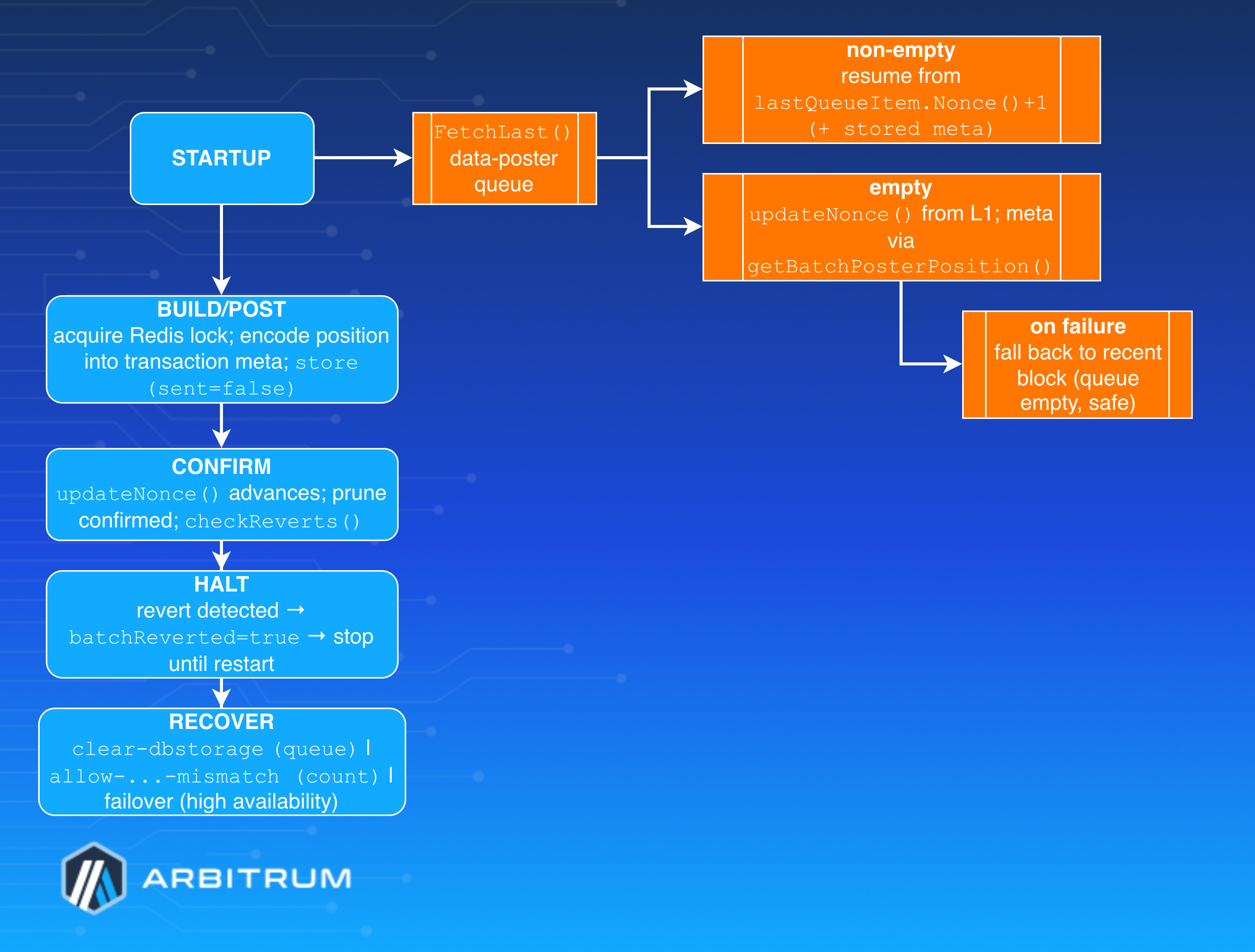
### The position "checkpoint" [#the-position-checkpoint]
This is wired as the data poster's `MetadataRetriever`. So the "checkpoint" (`batchPosterPosition`: message count, delayed count, next sequence number) is RLP-encoded into each transaction's metadata, but the **source of truth** is L1 + the inbox tracker, not a snapshot.
```go
func (b *BatchPoster) getBatchPosterPosition(ctx context.Context, blockNum *big.Int) ([]byte, error) {
bigInboxBatchCount, err := b.seqInbox.BatchCount(...) // <-- read from L1 contract
...
prevBatchMeta, err = b.batchMetaFetcher.GetBatchMetadata(inboxBatchCount - 1) // <-- inbox tracker DB
return rlp.EncodeToBytes(batchPosterPosition{
MessageCount: prevBatchMeta.MessageCount,
DelayedMessageCount: prevBatchMeta.DelayedMessageCount,
NextSeqNum: inboxBatchCount,
})
}
```
### How resume actually works on restart [#how-resume-actually-works-on-restart]
1. `FetchLast()` the data-poster queue. **If non-empty** (transactions survived restart), resume from `lastQueueItem.Nonce()+1` with its stored metadata—continues exactly where it left off, RBF-ing pending transactions.
2. **If empty**, call `updateNonce` to sync the nonce from L1, then fetch position metadata via `getBatchPosterPosition`. If `updateNonce` fails, a non-persistent queue that's still waiting for L1 finality returns an error and retries next round; otherwise the poster reads the nonce from a recent block (the "failed to update nonce with queue empty; falling back to using a recent block" warning).
In short: _queue intact → resume in-flight; queue gone → rebuild cleanly from L1_.
## Storage backends and what survives a restart [#storage-backends-and-what-survives-a-restart]
| Backend | Persists? | Recovery behavior |
| ---------------- | --------------------------------------------- | ---------------------------------------------------------------------------------- |
| **dbstorage** | Yes (consensus DB, `BatchPosterPrefix` table) | Queue rehydrated from keyed entries; `FetchContents`/`FetchLast` reload on startup |
| **redisstorage** | Yes (shared) | Sorted-set keyed by nonce; **HMAC-signed** entries; enables failover |
| **noop** | No | Stores nothing; post-and-forget; used when parent chain is Arbitrum (no mempool) |
Notably, when the parent chain itself is an Arbitrum chain, the data poster **forces no-op storage**—there's no L1 mempool to RBF into, so there's nothing to persist or recover.
## Recovery mechanism 1: `dangerous.clear-dbstorage` [#recovery-mechanism-1-dangerousclear-dbstorage]
When the persisted queue gets into a bad state, set `--node.batch-poster.data-poster.dangerous.clear-dbstorage`. At construction, with DB storage active, it calls `PruneAll` before starting:
```go
func (s *Storage) PruneAll(ctx context.Context) error {
idx, err := s.lastItemIdx(ctx) // dbstorage/storage.go:94
...
return s.Prune(ctx, until+1) // delete every entry through the last
}
```
`Prune` iterates and batch-deletes all keys below the bound and rewrites the count. After clearing, the empty-queue path above rebuilds nonce and position from L1. **Use once, then unset**—it discards in-flight transaction tracking, so clearing while transactions are genuinely pending risks nonce conflicts or double-posting. It's a no-op unless `use-db-storage` is the active backend.
## Recovery mechanism 2: revert → halt, and force-inclusion recovery [#recovery-mechanism-2-revert--halt-and-force-inclusion-recovery]
**Halt on revert**.
`pollForReverts` watches L1; `checkReverts` finds a failed receipt from the poster's sender and returns `shouldHalt := !UsingNoOpStorage()`. On a confirmed revert it sets `b.batchReverted.Store(true)`; `MaybePostSequencerBatch` then refuses to post: `"batch was reverted, not posting any more batches"`. This is deliberate—a revert means something is wrong; the poster stops rather than burn funds. Recovery requires operator investigation and a restart (which clears the in-memory `batchReverted` flag).
**Force-inclusion mismatch**
`dangerous.allow-posting-first-batch-when-sequencer-message-count-mismatch` handles the case
where the poster's DB message count drifts from the chain's `sequencerReportedSubMessageCount`. The scenario: poster down >24h, someone force-includes a delayed message via the parent contract (which doesn't bump `sequencerReportedSubMessageCount`), so on restart the inbox reader's count diverges. The fix:
```go
prevMessageCount := batchPosition.MessageCount
if b.config().Dangerous.AllowPostingFirstBatchWhenSequencerMessageCountMismatch && !b.postedFirstBatch {
...
prevMessageCount = 0 // contract skips the prevMessageCount equality check when it's 0
}
```
Setting `prevMessageCount = 0` tells the SequencerInbox to skip the equality check, so the
first post goes through and re-aligns the onchain count. It applies **only to the first
batch after startup** (`!b.postedFirstBatch`) — once posted, the mismatch resolves itself.
## Recovery mechanism 3: Redis failover (high availability) [#recovery-mechanism-3-redis-failover-high-availability]
Multiple posters coordinate via `redislock`, default `Enable: true`, `LockoutDuration: 1m`, `RefreshDuration: 10s`:
1. Primary holds the lock: the loop checks `CouldAcquireLock` and logs `"Not posting batches right now because another batch poster has the lock or this node is behind"` on backups.
2. If the primary crashes, the lock **expires after `LockoutDuration`**; a backup with `background-lock` acquires it.
3. The backup recovers shared state from **Redis queue storage**, which is **HMAC-signed** so a tampered queue is rejected. Nonce continuity comes from `updateNonce` against L1.
So failover state-sharing rides on persistent, signed Redis storage plus L1-derived nonce and position.
## Recovery mechanism 4: nonce/sync on restart [#recovery-mechanism-4-noncesync-on-restart]
`updateNonce` queries the finalized (or latest) L1 nonce; when it advances past `s.Nonce` it logs `"Data poster transactions confirmed"` and **prunes confirmed txs** from the queue (`Prune(ctx, nonce-1)`). On a failed fetch with a prior nonce it's non-fatal (`"Failed to get current nonce"` warning). `wait-for-l1-finality` (default true) governs whether it tracks finalized vs latest — trading confirmation latency for reorg safety.
## Reorg handling [#reorg-handling]
- **Parent-chain reorg, revert polling**: if the chain went backward (`nextRevertCheckBlock > blockNum`) it resets to re-check; the >100-block gap warning fast-forwards and skips.
- **Mempool nonce-gap avoidance**: before sending a transaction of a different type than its predecessor (or whose predecessor isn't yet reorg-resistant), it checks the sender nonce one block back (latest − 1) and, if the nonce exceeds the reorg-resistant count, leaves the transaction queued—`"DataPoster is avoiding creating a mempool nonce gap"`—rather than risk a gap a reorg would expose.
- **`l1-block-bound`** (`safe`/`finalized`/`latest`/`ignore`) and **`reorg-resistance-margin`** (default 10m) keep batches from referencing L1 blocks that could reorg out (see also [Batch poster troubleshooting](/launch-arbitrum-chain/operate/batch-poster-troubleshooting)).
## Where state physically lives [#where-state-physically-lives]
The data-poster DB is a table within the consensus DB: `rawdb.NewTable(consensusDB, storage.BatchPosterPrefix)`. The inbox tracker independently persists `SequencerBatchCountKey`/`DelayedMessageCountKey` (initialized to `0` if absent). A full DB restore therefore restores both the in-flight queue **and** the inbox-tracker counts—but even a wiped data-poster table self-heals from L1.
## Operator recovery cheat-sheet [#operator-recovery-cheat-sheet]
- _Corrupt or stuck queue_ → restart with `data-poster.dangerous.clear-dbstorage` (once), then
remove it.
- _Batch reverted or poster halted_ → investigate the revert, then restart to clear
`batchReverted`.
- _Message-count mismatch after force-inclusion or long downtime_ → restart with
`dangerous.allow-posting-first-batch-when-sequencer-message-count-mismatch` (first batch
only).
- _Primary died, HA configured_ → automatic failover after `lockout-duration`; backup
resumes from signed Redis state + L1 nonce.
- _Lost data-poster DB entirely_ → no manual action needed (just make sure there is no pending parent chain batch posting transaction); position rebuilds from L1 +
inbox tracker, queue starts empty.
# Common error messages (/launch-arbitrum-chain/operate/error-index)
This page indexes error and log messages emitted by Arbitrum chain infrastructure. Find your message below and follow the link for the cause and resolution.
Messages are grouped by the component that emits them. If you do not know which component produced a message, use your browser's find-in-page to search for a distinctive fragment of it.
> **This page is an index, not a guide**
>
> Each entry links to the guide that explains the message in full. This page deliberately carries no resolution steps of its own, so that it cannot fall out of step with those guides.
Log levels in the linked guides are worth reading closely. Many batch poster messages are logged quietly at first. If they persist, they escalate to `WARN` or `ERROR`. A single `WARN` is usually noise. A sustained one that reaches `ERROR` is the real signal. To learn how that escalation works, see [The escalation rule to remember](/launch-arbitrum-chain/operate/batch-poster-troubleshooting#the-escalation-rule-to-remember).
## Batch poster [#batch-poster]
### Mempool and balance [#mempool-and-balance]
| Message | Likely cause | Where to look |
| ---------------------------------------------------------------------- | ------------------------------------------------------------------------------------------------------------------------ | ----------------------------------------------------------------------------------------------------------- |
| `Posting this transaction will exceed max mempool size` | Nitro's own in-flight window (`max-mempool-transactions`) is full, usually because the parent chain is confirming slowly | [Mempool errors](/launch-arbitrum-chain/operate/batch-poster-troubleshooting#exceeds-max-mempool-size) |
| `ErrExceedsMaxMempoolSize` / `error posting batch` | In-flight transaction window full; parent chain confirming slowly | [Mempool errors](/launch-arbitrum-chain/operate/batch-poster-troubleshooting#err-exceeds-max-mempool-size) |
| `lack of L1 balance prevents posting transaction with desired fee cap` | Parent chain wallet cannot cover the target max cost | [Mempool errors](/launch-arbitrum-chain/operate/batch-poster-troubleshooting#lack-of-l1-balance) |
| `a large batch posting backlog exists` | Posting is not keeping up with sequencing | [Backlog diagnosis](/launch-arbitrum-chain/operate/batch-poster-troubleshooting#large-backlog-exists) |
| `error fetching batch poster wallet balance` | Parent chain RPC hiccup; monitoring gap only | [Mempool errors](/launch-arbitrum-chain/operate/batch-poster-troubleshooting#error-fetching-wallet-balance) |
### Retries, nonces, and sync [#retries-nonces-and-sync]
| Message | Likely cause | Where to look |
| ------------------------------------------------------------------------------- | ----------------------------------------------------------------------- | -------------------------------------------------------------------------------------------------------- |
| `Failed to re-send transaction` | Nonce already consumed, stale storage, or underpriced replacement | [Retry errors](/launch-arbitrum-chain/operate/batch-poster-troubleshooting#failed-to-resend-transaction) |
| `failed to update nonce with queue empty; falling back to using a recent block` | Finality data unavailable; safe because the queue is empty | [Nonce and sync](/launch-arbitrum-chain/operate/batch-poster-troubleshooting#nonce-update-queue-empty) |
| `Failed to get current nonce` | Parent chain RPC; non-fatal, a previous nonce exists | [Nonce and sync](/launch-arbitrum-chain/operate/batch-poster-troubleshooting#failed-current-nonce) |
| `Failed to get latest nonce` | Transient RPC; the iteration backs off | [Nonce and sync](/launch-arbitrum-chain/operate/batch-poster-troubleshooting#failed-latest-nonce) |
| `failed to update tx poster balance` / `failed to update tx poster nonce` | Periodic state refresh failed; loop backs off | [Nonce and sync](/launch-arbitrum-chain/operate/batch-poster-troubleshooting#failed-tx-poster-state) |
| `DataPoster failed to send transaction` | Mempool rejection or RPC issue; transaction stays queued | [Nonce and sync](/launch-arbitrum-chain/operate/batch-poster-troubleshooting#dataposter-send-failed) |
| `failed to replace-by-fee transaction` | Per-nonce RBF error that escalates if it persists | [Nonce and sync](/launch-arbitrum-chain/operate/batch-poster-troubleshooting#maybelogerror-family) |
| `DataPoster is avoiding creating a mempool nonce gap` | Deliberate reorg safety; transaction is retried | [Parent chain bounds](/launch-arbitrum-chain/operate/batch-poster-troubleshooting#avoiding-nonce-gap) |
### Reverts and halting [#reverts-and-halting]
| Message | Likely cause | Where to look |
| ---------------------------------------------------------------------------------- | ---------------------------------------------------------------- | ------------------------------------------------------------------------------------------------------------------ |
| `Transaction from batch poster reverted` | Contract rejected the batch; halts posting on persistent storage | [Reverts and halting](/launch-arbitrum-chain/operate/batch-poster-troubleshooting#poster-transaction-reverted) |
| `Large gap between last seen and current block number, skipping check for reverts` | Node lag; reverts in the skipped window go undetected | [Reverts and halting](/launch-arbitrum-chain/operate/batch-poster-troubleshooting#large-gap-skipping-revert-check) |
| `Error checking batch reverts` | Revert check failed; benign when it contains `not found` | [Reverts and halting](/launch-arbitrum-chain/operate/batch-poster-troubleshooting#error-checking-batch-reverts) |
### Fees and pricing [#fees-and-pricing]
| Message | Likely cause | Where to look |
| ------------------------------------------------------------------------- | ------------------------------------------------------------- | ----------------------------------------------------------------------------------------------------------- |
| `can't meet data poster fee cap obligations with current target max cost` | Parent chain fees spiked above the escalation target | [Fees and pricing](/launch-arbitrum-chain/operate/batch-poster-troubleshooting#cannot-meet-fee-cap) |
| `submitting transaction with GasFeeCap less than latest basefee` | Posting with a cap below current fees, expecting fees to fall | [Fees and pricing](/launch-arbitrum-chain/operate/batch-poster-troubleshooting#gasfeecap-below-basefee) |
| `unable to fetch suggestedTipCap from l1 client` | Metric gap only, not a posting failure | [Fees and pricing](/launch-arbitrum-chain/operate/batch-poster-troubleshooting#suggestedtipcap-unavailable) |
### Parent chain bounds and reorg [#parent-chain-bounds-and-reorg]
| Message | Likely cause | Where to look |
| ---------------------------------------------------------------------------------- | ---------------------------------------------------------- | ---------------------------------------------------------------------------------------------------------------- |
| `Disabling batch posting due to batch being within reorg resistance margin` | Expected safety guard near the lower parent chain bound | [Parent chain bounds](/launch-arbitrum-chain/operate/batch-poster-troubleshooting#reorg-resistance-margin-block) |
| `disabling L1 bound as batch posting message is close to the maximum delay` | Bound overridden to avoid stalling near `max-delay` | [Parent chain bounds](/launch-arbitrum-chain/operate/batch-poster-troubleshooting#l1-bound-disabled-max-delay) |
| `not posting more messages because block number or timestamp exceed L1 bounds` | Normal bounding behavior | [Parent chain bounds](/launch-arbitrum-chain/operate/batch-poster-troubleshooting#messages-exceed-l1-bounds) |
| `error getting max time variation on L1 bound block; falling back on latest block` | Parent chain node could not serve state at the bound block | [Parent chain bounds](/launch-arbitrum-chain/operate/batch-poster-troubleshooting#max-time-variation-fallback) |
| `unknown L1 block bound config value; falling back on using finalized` | Invalid `l1-block-bound` config value | [Parent chain bounds](/launch-arbitrum-chain/operate/batch-poster-troubleshooting#unknown-l1-block-bound) |
### Data availability [#data-availability]
| Message | Likely cause | Where to look |
| -------------------------------------------- | ---------------------------------------------------- | ------------------------------------------------------------------------------------------------------------ |
| `DA writer failed, operator action required` | Non-fallback DA writer error; posting stops | [Data availability fallback](/launch-arbitrum-chain/operate/batch-poster-troubleshooting#da-writer-failed) |
| `DA writer explicitly requested fallback` | DA backend requested fallback; check provider health | [Data availability fallback](/launch-arbitrum-chain/operate/batch-poster-troubleshooting#da-writer-fallback) |
### Coordination, gas estimation, and startup [#coordination-gas-estimation-and-startup]
| Message | Likely cause | Where to look |
| -------------------------------------------------------------------------------------------------- | ------------------------------------------------------------------------------------------ | ----------------------------------------------------------------------------------------------------------------- |
| `Error checking if we could acquire redis lock` | Redis connectivity; the poster tries anyway | [Lock and coordination](/launch-arbitrum-chain/operate/batch-poster-troubleshooting#redis-lock-check-failed) |
| `Not posting batches right now because another batch poster has the lock or this node is behind` | Normal on backup posters | [Lock and coordination](/launch-arbitrum-chain/operate/batch-poster-troubleshooting#another-poster-holds-lock) |
| `Failed to estimate gas for EIP-7623 check` | The probe Nitro uses to auto-detect EIP-7623 support failed; can occur on any parent chain | [Lock and coordination](/launch-arbitrum-chain/operate/batch-poster-troubleshooting#eip-7623-gas-estimate-failed) |
| `error estimating gas for batch` | Parent chain state lag or inbox not caught up | [Lock and coordination](/launch-arbitrum-chain/operate/batch-poster-troubleshooting#error-estimating-batch-gas) |
| `max-size is deprecated; use max-calldata-batch-size` | Deprecated flag in use | [Config and startup](/launch-arbitrum-chain/operate/batch-poster-troubleshooting#max-size-deprecated) |
| `Disabling data poster storage, as parent chain appears to be an Arbitrum chain without a mempool` | Expected when your parent chain is an Arbitrum chain | [Config and startup](/launch-arbitrum-chain/operate/batch-poster-troubleshooting#data-poster-storage-disabled) |
| `messagesPerBatch is somehow zero` | Defensive guard; benign unless recurring | [Config and startup](/launch-arbitrum-chain/operate/batch-poster-troubleshooting#messages-per-batch-zero) |
## Validator [#validator]
| Message | Likely cause | Where to look |
| ------------------------------------------------------------------------------------------------ | -------------------------------------------------------------------------------------------- | ----------------------------------------------------------------------------------------------------------- |
| `error initializing staker: could not create assertion chain: no contract code at given address` | Reading at `finalized` before the Rollup deployment is finalized, or a stale `rollup.rollup` | [Parent chain read consistency](/launch-arbitrum-chain/operate/validator-troubleshooting#no-contract-code) |
| `ASSERTION_NOT_EXIST` | Unsynced node, inconsistent parent chain RPC, or reorg exposure | [Assertion errors](/launch-arbitrum-chain/operate/validator-troubleshooting#assertion-not-exist) |
| `found incorrect assertion in watchtower mode` (legacy staker) | Local state disagrees with an onchain assertion | [Assertion errors](/launch-arbitrum-chain/operate/validator-troubleshooting#incorrect-assertion-watchtower) |
| `Detected invalid assertion, but not configured to post a rival stake` (BoLD staker) | Local state disagrees with an onchain assertion | [Assertion errors](/launch-arbitrum-chain/operate/validator-troubleshooting#incorrect-assertion-watchtower) |
## Messages not listed here [#messages-not-listed-here]
This index covers Arbitrum chain infrastructure that you operate. For errors from other areas, start with the guide for that area:
- **Stylus contracts** — build, deployment, activation, and runtime errors are covered in [Common Stylus issues](/stylus/troubleshooting/common-issues).
- **Running a node** — sync and startup questions are covered in [Node troubleshooting](/run-a-node/troubleshooting).
- **Bridging** — deposit and withdrawal issues are covered in [Bridge troubleshooting](/arbitrum-bridge/troubleshooting).
# Operate your chain (/launch-arbitrum-chain/operate)
* [Customizable challenge period](/launch-arbitrum-chain/chain-config/validation/challenge-period): Learn how to customize your Arbitrum chain's challenge period
* [Bond and validator configurations](/launch-arbitrum-chain/chain-config/validation/bond-and-validator): Learn how to configure your Arbitrum chain with a custom bond and validator configurations
* [Batch Poster](/launch-arbitrum-chain/chain-config/batch-poster/config-batch-poster): Learn how to configure the batch poster.
* [Configure assertion control](/launch-arbitrum-chain/chain-config/validation/assertion-control): Learn how to configure assertion control.
* [How to upgrade ArbOS on your Arbitrum chain](/launch-arbitrum-chain/operate/arbos-upgrade): Learn how to upgrade ArbOS on your Arbitrum chain.
* [Enabling blob transactions for Arbitrum batch poster](/launch-arbitrum-chain/chain-config/batch-poster/enable-4844-blobs): How to configure your Arbitrum node to post EIP-4844 blob transactions to the parent chain
* [How to configure Delayed Inbox finality](/launch-arbitrum-chain/chain-config/sequencer/chain-finality): Learn how to configure Delayed Inbox finality on your Arbitrum chain.
* [Batch poster fee tuning](/launch-arbitrum-chain/chain-config/batch-poster/fee-tuning): Learn how to configure and tune fee-related parameters for batch posting, including blob transaction fees and gas price spike handling.
* [BoLD for Arbitrum chains](/launch-arbitrum-chain/chain-config/validation/bold): Learn how to integrate BoLD with your Arbitrum chain
* [Configure smart contract size limit](/launch-arbitrum-chain/chain-config/execution/smart-contract-size-limit): Learn how to configure the smart contract size limits on your Arbitrum chain
# Arbitrum Node Key Rotation Guide (/launch-arbitrum-chain/operate/key-rotation)
This guide covers how to rotate keys for different roles in your Arbitrum Orbit chain: batch poster, validator/bonder, and Data Availability Servers (DAS).
> **Important Prerequisites**
>
> - **Backup**: Always back up your current configuration and private keys before starting
> - **Testing**: Test key rotation on a testnet environment first, if possible
> - **Downtime**: Plan for potential brief service interruptions during the rotation process
> - **Permissions**: Ensure you have the necessary permissions to call the required smart contract functions
## 1. Batch poster key rotation [#1-batch-poster-key-rotation]
> **Critical warning**
>
> For sequencer nodes running both the sequencer and batch poster on the same server, you **must** first split them and then configure Redis for message synchronization. Failure to do so may cause chain reorganizations. Refer to the [High Availability Sequencer documentation](/launch-arbitrum-chain/run-a-node/high-availability-sequencer) for setup instructions.
### Prerequisites [#prerequisites]
- A new batch poster account funded with sufficient **ETH** for gas fees
- Access to call functions on the `SequencerInbox` contract
- Gracefully stop the current batch poster
### Generate new batch poster keys [#generate-new-batch-poster-keys]
#### 1. Enable the new batch poster [#1-enable-the-new-batch-poster]
Call the following function on the `SequencerInbox` contract. The caller must be the **rollup owner** or the **batch poster manager**.
```solidity
setIsBatchPoster(, true)
```
If you also want to transfer the batch poster manager role to a new address, the **rollup owner** must call:
```solidity
setBatchPosterManager()
```
#### 2. Update the node configuration [#2-update-the-node-configuration]
- Update your node configuration to use the new private key
- Restart the batch poster service with the new configuration
#### 3. Verify operation [#3-verify-operation]
- Monitor logs to confirm the new batch poster is successfully submitting batches
- Check that transactions are processing normally
#### 4. Disable the old batch poster [#4-disable-the-old-batch-poster]
```solidity
setIsBatchPoster(, false)
```
## 2. Validator/bonder key rotation [#2-validatorbonder-key-rotation]
### Prerequisites [#prerequisites-1]
- A new validator account funded with sufficient **ETH**
- The required bond amount available for the new validator
- Access to call functions on the `Rollup` contract
### Activate new keys [#activate-new-keys]
#### 1. Enable new validator [#1-enable-new-validator]
Call the following function on the `RollupAdminLogic` contract. The caller must be the **rollup owner**.
Note that `setValidator` accepts arrays, allowing you to enable or disable multiple validators in a single call.
```solidity
setValidator([], [true])
```
#### 2. Update the node configuration [#2-update-the-node-configuration-1]
- Update your validator node configuration to use the new private key
- Restart the validator service
#### 3. Verify the new validator operation [#3-verify-the-new-validator-operation]
- Monitor that the new validator successfully posts bond transactions
- Confirm that assertion and confirmation transactions are submitted successfully
#### 4. Disable the old validator [#4-disable-the-old-validator]
```solidity
setValidator([], [false])
```
#### 6. Recover old validator bond (if applicable) [#6-recover-old-validator-bond-if-applicable]
- Wait for your old validator's latest bond assertion to be confirmed
- Call `reduceDeposit(0)` on the `RollupUserLogic` contract to reduce the bond to zero
- Call `withdrawStakerFunds()` on the `RollupUserLogic` contract to withdraw the released funds
## 3. AnyTrust Data Availability Committee (DAC) rotation [#3-anytrust-data-availability-committee-dac-rotation]
### Prerequisites [#prerequisites-2]
- A new DAC keyset generated
- Access to call functions on the `SequencerInbox` contract
### Generate, deploy, and verify new DAC keys [#generate-deploy-and-verify-new-dac-keys]
#### 1. Generate a new keyset [#1-generate-a-new-keyset]
- Follow the [Generate Keyset documentation](/launch-arbitrum-chain/chain-config/data-availability/configure-dac#step-1-generate-the-keyset-and-keyset-hash-with-all-the-information-from-the-servers) with your new group of DAS servers
- Ensure that all new DASs are properly configured and accessible
#### 2. Register the new keyset onchain [#2-register-the-new-keyset-onchain]
Call the following function on the `SequencerInbox` contract. The caller must be the **rollup owner**.
```solidity
setValidKeyset()
```
> **Note**
>
> The `setValidKeyset` function takes the raw keyset bytes as its only parameter. The assumed-honest count is encoded within the keyset bytes themselves during keyset generation — it is not a separate contract parameter.
#### 3. Deploy new DAS servers [#3-deploy-new-das-servers]
- Start the new DAS with the updated configuration
- Verify they are accessible and responding to health checks
#### 4. Verify integration [#4-verify-integration]
- Monitor that the batch poster can successfully write batches to the new DAS servers
- Check DAS server logs for successful data storage operations
- Confirm data availability requests are getting handled successfully
#### 5. Invalidate the old keyset (optional) [#5-invalidate-the-old-keyset-optional]
Once the new DAS servers and keyset are fully verified, you can optionally invalidate the old keyset to prevent it from being used. Call the following function on the `SequencerInbox` contract. The caller must be the **rollup owner**.
```solidity
invalidateKeysetHash()
```
> **Note**
>
> After invalidating the old keyset, you **must** stop and restart the batch poster so it picks up the new keyset. If you skip this step, the batch poster will continue attempting to use the old (now invalid) keyset and fail to submit batches.
> **Warning**
>
> - You can obtain the old keyset hash from the `SetValidKeyset` event that was emitted when the old keyset was originally registered
> - Do **not** invalidate the old keyset until the new keyset is fully verified and the batch poster is successfully posting with the new DAS servers — invalidating prematurely can disrupt data availability for your chain
> - After invalidation, the old keyset can no longer be used to certify data availability certificates
# Monitoring tools and considerations (/launch-arbitrum-chain/operate/monitoring)
When deploying and maintaining an Arbitrum chain, there are several key elements that need to be monitored. This page has two parts:
1. **Monitoring tools** — scripts and services available to chain maintainers.
2. **What to monitor, by component** — a reference of the specific metrics, onchain signals, and thresholds to watch for each part of the stack (sequencer, batch poster, validator, and chain fees), plus deployment and hardware guidance.
The metric names in this page are the internal Nitro metric paths (for example, `arb/sequencer/backlog`). On the Prometheus scrape endpoint, each `/` is replaced with `_` (so `arb/sequencer/backlog` is scraped as `arb_sequencer_backlog`). See [Enabling Nitro metrics](#enabling-nitro-metrics) for how to expose them.
## Arbitrum chain verification script [#arbitrum-chain-verification-script]
The [Arbitrum chain verification script](https://github.com/OffchainLabs/arbitrum-chain-sdk/tree/feat-add-verification-scripts/examples/verify-rollup) retrieves information from an Arbitrum chain and its parent chain to verify that all parameters are configured correctly. After gathering the data, it generates a comprehensive report and issues warnings for any discrepancies detected. This tool is particularly useful after deploying and configuring an Arbitrum chain, to make sure that the onchain information has been correctly set.
> **Note**
>
> The Arbitrum chain verification script is currently under active development and is considered a work-in-progress (WIP). Consequently, its findings should be approached with caution, as there is a potential for false positives.
## The `arbitrum-monitoring` alerting suite [#the-arbitrum-monitoring-alerting-suite]
The [`arbitrum-monitoring`](https://github.com/OffchainLabs/arbitrum-monitoring) repository provides five ready-to-run monitoring scripts that watch the critical liveness signals of an Arbitrum chain and can send alerts to Slack, with more monitors under active development. All monitors read your chain's parameters (RPC endpoints and core contract addresses) from a shared `config.json` file, and can be run once (for example, on a schedule) or continuously.
### Retryable monitor [#retryable-monitor]
[Retryable tickets](/how-arbitrum-works/deep-dives/l1-to-l2-messaging) are messages sent from a parent chain and executed on the Arbitrum chain. Due to their asynchronous nature (they are executed several minutes after being created), if insufficient funds are provided at the time of creation, they might not automatically redeem (execute) upon arrival at the Arbitrum chain. When this occurs, a manual redemption of the ticket is required.
The [retryable monitor](https://github.com/OffchainLabs/arbitrum-monitoring/tree/main/packages/retryable-monitor) tracks these tickets from creation through execution: it watches for ticket creation events on the parent chain, then checks each ticket's status on the Arbitrum chain — automatically redeemed, manually redeemed, still pending, or failed. It alerts on tickets that failed to redeem automatically and on tickets approaching their seven-day expiration window, so that no cross-chain message expires unexecuted.
### Batch poster monitor [#batch-poster-monitor]
The [batch poster monitor](https://github.com/OffchainLabs/arbitrum-monitoring/tree/main/packages/batch-poster-monitor) tracks batch posting activity and data availability. It alerts when no batches have been posted within the chain's expected time bounds while user transactions are pending, when the batch poster account balance falls below an estimate of about three days of posting costs, and when a backlog of unposted blocks accumulates. For [AnyTrust](/how-arbitrum-works/deep-dives/anytrust-protocol) chains, it also detects when the chain has fallen back to posting full calldata on the parent chain instead of DACerts, which indicates a problem with the Data Availability Committee.
### Assertion monitor [#assertion-monitor]
The [assertion monitor](https://github.com/OffchainLabs/arbitrum-monitoring/tree/main/packages/assertion-monitor) tracks the creation and confirmation of assertions on the chain's Rollup contract, supporting both [BoLD](/how-arbitrum-works/bold/gentle-introduction) and legacy (pre-BoLD) chains. It alerts when no assertions are being created despite chain activity, when assertions remain unconfirmed after the challenge period has elapsed, and on validator-related risks such as low validator participation, a base stake below the expected threshold on BoLD chains, or a disabled validator allowlist on legacy chains.
### ArbOS version monitor [#arbos-version-monitor]
The [ArbOS version monitor](https://github.com/OffchainLabs/arbitrum-monitoring/tree/main/packages/arbos-version-monitor) checks that every monitored chain is running at least a minimum ArbOS version, by querying the `ArbSys` precompile on each chain. It alerts when a chain reports a version below the configured minimum, and when the chain's RPC endpoint is unavailable or returns an invalid value, since such a chain cannot be monitored.
### Node sync monitor [#node-sync-monitor]
The [node sync monitor](https://github.com/OffchainLabs/arbitrum-monitoring/tree/main/packages/node-sync-monitor) checks the health of your operator-run nodes by comparing each node against a trusted reference RPC endpoint for the same chain, such as the chain's public gateway. A node is considered healthy when it reports fully synced and its head is within a configurable number of blocks of the reference. Comparing against an independent reference correctly handles chains that produce blocks on demand: a stuck node shows growing lag against the reference, while an idle chain stays equal. Note that the comparison is only as reliable as the reference: if the reference RPC itself fails or falls behind, the monitor's results may be inaccurate, so point it at infrastructure independent of the monitored nodes.
## Data Availability Server (DAS) health checks [#data-availability-server-das-health-checks]
If you've deployed an [AnyTrust](/how-arbitrum-works/deep-dives/anytrust-protocol) chain with a Data Availability Committee, it is recommended to actively monitor the endpoints of the different configured DA servers. The [How to deploy a DAS](/launch-arbitrum-chain/chain-config/data-availability/deploy-das) guide contains a section for testing both the RPC and REST endpoints of any given DAS, by using the `anytrusttool` available in Nitro.
## Enabling Nitro metrics [#enabling-nitro-metrics]
Most of the signals below are exposed as Prometheus-compatible metrics by the Nitro node. Start the node with the `--metrics` flag to enable the metrics server, then scrape the endpoint at `http://:/debug/metrics/prometheus` (default port `6070`):
```shell
nitro --metrics \
--metrics-server.addr 0.0.0.0 \
--metrics-server.port 6070
```
For metrics-server flags, memory-related metrics, health-check patterns, and Kubernetes `ServiceMonitor` examples, see [Node tuning and monitoring](/run-a-node/nitro/node-tuning-and-monitoring).
The signals that are not Nitro metrics — onchain events and account balances on the parent chain — are called out explicitly in each table below.
## What to monitor, by component [#what-to-monitor-by-component]
The sections below group the elements to monitor by the component they belong to. Each table lists the signal, where it comes from, what it means, and a suggested condition to alert on. Suggested alert thresholds are starting points; tune them to your chain's activity and settlement layer.
### Sequencer [#sequencer]
The sequencer accepts transactions, orders them, and produces blocks. Two different "backlogs" are often confused: the **sequencer's transaction backlog** (transactions received but not yet sequenced into blocks) and the **batcher backlog** (sequenced messages not yet posted to the parent chain). They are separate metrics and live in separate components — the batcher backlog is covered under [Batch poster](#batch-poster).
| Signal | Source | What it means | Suggested alert |
| --------------------------- | ------------------------------------------------------------------------ | -------------------------------------------------------------------------------------------------------------------------------------------------------------------------- | -------------------------------------------- |
| `arb/sequencer/backlog` | Nitro metric (sequencer) | The sequencer's transaction backlog: transactions accepted but not yet included in a block. A sign of network health. | Sustained growth over several minutes |
| `arb/sequencer/active` | Nitro metric (sequencer) | Whether this node is currently the active sequencer. Useful when running a sequencer coordinator with failover. | Value flaps, or no node reports active |
| `arb/feed/backlog/messages` | Nitro metric (nodes with feed output enabled — the sequencer or a relay) | Messages retained by the broadcast server until it sees them covered by batches on the parent chain. Growth means batches aren't landing — not that a follower is lagging. | Sustained growth |
| `eth_syncing` fields | RPC (any node) | While a node is syncing, `eth_syncing` returns fields such as `batchSeen`, `batchProcessed`, `msgCount`, and `blockNum`. See caveats below. | `batchSeen` − `batchProcessed` keeps growing |
> **Warning**
>
> `eth_syncing` returns `false` once a node is fully synced, so it is useful for tracking a node that is catching up, not for steady-state health. Its out-of-sync output is **not a stable API** and can change between Nitro versions, so do not build production alerting on the exact field shape. For a fully synced node, use the metrics above and an RPC liveness check (an `eth_chainId` call returning HTTP 200) instead. See [`eth_syncing`](/arbitrum-essentials/arbitrum-vs-ethereum/rpc-methods#eth_syncing) for the full field reference.
### Batch poster [#batch-poster]
The batch poster (the "batcher") posts sequenced transactions to the `SequencerInbox` contract on the parent chain as batches. It needs a funded account and must keep landing batches, or the chain's data stops being published to the parent chain.
| Signal | Source | What it means | Suggested alert |
| ----------------------------------------- | ------------------------------- | --------------------------------------------------------------------------------------------------------------------------------- | ---------------------------------------------- |
| `arb/batchposter/estimated_batch_backlog` | Nitro metric (batch poster) | The batcher backlog: sequenced batches waiting to be posted to the parent chain. | Sustained growth over several minutes |
| `arb/batchposter/wallet/eth` | Nitro metric (batch poster) | The batch poster account balance, in ether. Monitor fund usage directly from this metric. | Below your funding threshold |
| `arb/inbox/latest/batch` | Nitro metric (any node) | The latest batch number the node has seen in the `SequencerInbox`. Stalls if batches stop landing. | No increase while the chain has activity |
| `SequencerBatchDelivered` event | Parent chain (`SequencerInbox`) | Emitted each time a batch is delivered onchain. The onchain confirmation that batches are landing. | No event within your expected posting interval |
> **Tip**
>
> Monitor the batch poster account balance directly through `arb/batchposter/wallet/eth` (and the validator balance through `arb/staker/balance`, below) rather than estimating monthly spend from configs and gas multipliers. Direct balance monitoring reflects real usage; config-based estimation drifts from reality as parent-chain fees move. There is no automatic mechanism to refund these accounts, so keep them overfunded and alert well before they run dry.
If batches stop being posted, see [Batch poster troubleshooting](/launch-arbitrum-chain/operate/batch-poster-troubleshooting) for common causes and tuning flags.
### Validator [#validator]
Validators post and confirm assertions (historically called "RBlocks" or "nodes") of the chain's state to the Rollup contract on the parent chain. The metrics differ depending on whether your chain runs the legacy staker or the BoLD staker.
> **Note**
>
> If you are relying on `arb/staker/action/last_success` and seeing it go stale for long periods even while assertions are being created, this is expected on two counts. First, that gauge updates each time the staker successfully acts — during periods when the staker has no action to take, it stays flat even though the validator is healthy and polling. Second, it is a **legacy-staker** metric; on BoLD chains, assertion activity is tracked by the `arb/validator/poster/*` and `arb/validator/scanner/*` metrics instead. Prefer the assertion-progress and failure signals below over `last_success` as your primary health check, and corroborate with the onchain assertion events.
| Signal | Source | What it means | Suggested alert |
| --------------------------------------------------------------- | ------------------------------ | -------------------------------------------------------------------------------------------------------------- | ---------------------------------------- |
| `arb/staker/staked_node` | Nitro metric (legacy staker) | The latest assertion this validator has staked on. Should advance as the chain progresses. | No advance while the chain has activity |
| `arb/staker/confirmed_node` | Nitro metric (legacy staker) | The latest confirmed assertion this validator sees. | Stalls unexpectedly |
| `arb/staker/action/failure` | Nitro metric (legacy staker) | Counter of failed staker actions. A better failure signal than a stale `last_success` gauge. | Any sustained increase |
| `arb/staker/balance` | Nitro metric (staker) | The validator account balance, in ether. Monitor fund usage directly. | Below your funding threshold |
| `arb/validator/poster/assertion_posted` | Nitro metric (BoLD staker) | Counter of assertions posted by this validator. The primary "assertions are being made" signal on BoLD chains. | No increase while the chain has activity |
| `arb/validator/poster/error_posting_assertion` | Nitro metric (BoLD staker) | Counter of errors while posting assertions. | Any sustained increase |
| `arb/validator/scanner/latest_confirmed_assertion_block_number` | Nitro metric (BoLD staker) | Parent-chain block number of the latest confirmed assertion. | No advance over an extended period |
| `arb/validator/validations/failed` | Nitro metric (any validator) | Counter of failed block validations. | Any sustained increase |
| `NodeCreated` or `AssertionCreated` events | Parent chain (Rollup contract) | The onchain confirmation that assertions are being created. Watch alongside the metrics above. | No event over an extended period |
> **Warning**
>
> **Long periods of inactivity can disable the validator allowlist.** If the latest confirmed assertion (or its first child, once one exists) is older than `validatorAfkBlocks` parent-chain blocks, the Rollup contract's validator allowlist can be [permissionlessly disabled](https://github.com/OffchainLabs/nitro-contracts/blob/main/src/rollup/RollupUserLogic.sol#L62). `validatorAfkBlocks` is configured per chain — read it from your Rollup contract; a value of `0` disables this mechanism entirely. Alert on assertion inactivity well before this window elapses. For example, on Arbitrum One `validatorAfkBlocks` is set to `201600` (~28 days of parent-chain blocks).
>
> This applies regardless of `disableValidatorWhitelist`. Setting `disableValidatorWhitelist` to `false` keeps your chain permissioned in normal operation but does not protect the allowlist from this escape hatch. To learn how the two parameters interact, and why any deliberate validator pause counts toward this window, see [Keeping validation permissioned across the upgrade](/launch-arbitrum-chain/operate/bold-upgrade-playbook#keeping-validation-permissioned-across-the-upgrade).
If assertions stop being posted or confirmed, see [Validator troubleshooting](/launch-arbitrum-chain/operate/validator-troubleshooting) for common causes and tuning flags.
### Chain fees and load [#chain-fees-and-load]
The chain's base fee is a useful signal of sustained demand. An Arbitrum chain has a `gas target` (also called the speed limit), measured in gas per second, that acts as a threshold for pricing. When cumulative usage exceeds it, a backlog of excess gas accumulates and the `L2 base fee` rises using an approach similar to [Ethereum's EIP-1559 pricing algorithm](https://github.com/ethereum/EIPs/blob/master/EIPS/eip-1559.md). The default gas target is 7,000,000 gas per second as of ArbOS 6 (it was `1,000,000` in ArbOS 0). A sustained base-fee spike therefore indicates demand is exceeding the speed limit — as a rough guide, 7M gas per second is on the order of 330 simple transfers per second, though the exact transactions-per-second figure depends on the gas cost of the transactions being run.
| Signal | Source | What it means | Suggested alert |
| --------------------------------------- | --------------------------------------------- | -------------------------------------------------------------------------------------------------------- | ----------------------------------------- |
| `arb/block/basefee` | Nitro metric (any node) | The current L2 base fee. Spikes above the minimum indicate the chain is congested. | Sustained elevation above baseline |
| `ArbGasInfo.getGasBacklog()` | Precompile (RPC) | The backlogged amount of gas burnt in excess of the speed limit. Drives the base fee up. | Sustained growth |
| `ArbGasInfo.getGasAccountingParams()` | Precompile (RPC) | Returns the chain's speed limit, pool size, and block gas limit. Use to confirm configuration. | Values differ from expected configuration |
| `ArbGasInfo.getGasPricingConstraints()` | Precompile (RPC) | Returns the configured gas pricing constraints. An empty array means the chain uses a single gas target. | Values differ from expected configuration |
For guidance on choosing a gas target, see [Manage gas target](/launch-arbitrum-chain/chain-config/costs/gas-target). If a sustained spike means your chain has outgrown its current target, follow [how to set the gas target](/launch-arbitrum-chain/chain-config/costs/gas-target#how-to-set-the-gas-target).
## Deployment guidance [#deployment-guidance]
**Do not run the sequencer and a validator on the same node.** They have different resource profiles and different failure modes, and co-locating them means a single machine failure takes down both liveness (sequencing) and safety (validation) at once. Running them separately also keeps their funding and monitoring independent:
- The **batch poster** account (`arb/batchposter/wallet/eth`) pays to post batches to the parent chain.
- Each **validator** account (`arb/staker/balance`) pays to post and confirm assertions.
Fund and alert on each account separately, and keep each overfunded — there is no automatic top-up mechanism for either.
## Appendix: reference hardware specifications [#appendix-reference-hardware-specifications]
The following are the canonical hardware specifications used by Offchain Labs for Arbitrum One nodes. Treat them as a reference point for sizing your own chain; requirements scale with your chain's activity and history.
| Role | vCPU / cores | RAM | Storage | Reference instance |
| --------- | ------------ | ----- | ----------- | ------------------ |
| Sequencer | 10 cores | 90 GB | 6.6 TB NVMe | `i7ie.3xlarge` |
| Archive | 2 cores | 40 GB | 16 TB | — |
| Validator | 3 cores | 32 GB | 4 TB | — |
| RPC | 4 cores | 32 GB | — | — |
Fast, locally attached NVMe SSD storage is strongly recommended, especially for the sequencer and archive nodes, because disk latency directly affects performance as read volume grows. See [State growth](/launch-arbitrum-chain/operate/state-growth) for more on storage sizing over time.
# Ownership structure and access control (/launch-arbitrum-chain/operate/ownership-and-access)
A **chain owner** of an Arbitrum chain is an entity that can carry out critical upgrades to the chain's core protocol; this includes upgrading protocol contracts, setting core system parameters, and adding and removing other chain owners.
An Arbitrum chain's initial chain owner is set by the chain's creator when the chain is deployed.
The chain-ownership architecture is designed to give Arbitrum chain creators flexibility in deciding how upgrades to their chain occur.
## Architecture [#architecture]
Chain ownership affordance is handled via [**Upgrade Executor**](https://github.com/OffchainLabs/upgrade-executor) contracts.
Each Arbitrum chain is deployed with two Upgrade Executors — one on the Arbitrum chain itself, and one on its parent chain. At deployment, the chain's critical affordances are given to the Upgrade Executor contracts.
Some examples:
- The parent chain's core protocol contracts are upgradeable proxies that are controlled by a proxy admin; the proxy admin is owned by the Upgrade Executor on the parent chain.
- The core Rollup contract's admin role is given to the Upgrade Executor on the parent chain.
- The affordance to call setters on the `ArbOwner` precompile—which allows for setting system gas parameters and scheduling ArbOS upgrades (among other things)—is given to the Upgrade Executor on the Arbitrum chain.
Calls to an Upgrade Executor can only be made by chain owners; e.g., entities granted the `EXECUTOR_ROLE` affordance on the Upgrade Executor. Upgrade Executors also have the `ADMIN_ROLE` affordance granted to themselves, which lets chain owners add or remove chain owners.
With this architecture, the Upgrade Executor represents a single source of truth for affordances over critical upgradability of the chain.
> **Precompile reference**
>
> The [`ArbOwner` precompile reference](/arbitrum-essentials/precompiles/reference#arbowner) can be found on the [Precompiles reference page](/arbitrum-essentials/precompiles/reference).
## Upgrades [#upgrades]
Upgrades occur via a chain owner initiating a call to an Upgrade Executor, which in turn calls some chain-owned contract.
Chain owners can either call [`UpgradeExecutor.executeCall`](https://github.com/OffchainLabs/upgrade-executor/blob/a8d3020c2771d164ebd323b1d99249049fe749f9/src/UpgradeExecutor.sol#L73), which will in turn call the target contract directly, or [`UpgradeExecutor.execute`](https://github.com/OffchainLabs/upgrade-executor/blob/a8d3020c2771d164ebd323b1d99249049fe749f9/src/UpgradeExecutor.sol#L57), which will delegate-call to an "action contract" and use its code to call the target contract.
## Per-function permissions [#per-function-permissions]
The tables below list the privileged functions on the `SequencerInbox`, `Rollup`/`RollupAdminLogic`, and `Bridge` contracts, who is allowed to call each one, and the [Arbitrum Chain SDK](https://github.com/OffchainLabs/arbitrum-chain-sdk) (formerly the Orbit SDK) helper that performs the call (where one exists). This answers the recurring question of which calls the Rollup owner makes and which must be routed through the Upgrade Executor.
**How to read the _Required caller_ column.** The source of truth is the access-control modifier on each function in the [`nitro-contracts`](https://github.com/OffchainLabs/nitro-contracts) source:
- A function gated to the **Rollup owner or admin** — an `onlyRollupOwner`-style modifier, or any `RollupAdminLogic` admin function — is, in a standard deployment, triggered by the owner **through the Upgrade Executor**, because the Upgrade Executor contract _is_ the owner/admin of these contracts. See [Upgrades](#upgrades) above for the conceptual explanation of that flow.
- A function callable **directly** by a dedicated role (for example the batch poster manager) does **not** need to go through the Upgrade Executor; that role's address calls it directly.
The Chain SDK's `sequencerInboxPrepareTransactionRequest` and `rollupAdminLogicPrepareTransactionRequest` helpers accept an `upgradeExecutor` argument and wrap the call in `UpgradeExecutor.executeCall` automatically, so the owner path is handled for you.
### `SequencerInbox` [#sequencerinbox]
Access is enforced by the `onlyRollupOwner` and `onlyRollupOwnerOrBatchPosterManager` modifiers.
| Function | Required caller | Chain SDK helper |
| --------------------------------------- | -------------------------------------------------------------------------- | ----------------------------------------------------------------------------------- |
| `setValidKeyset(bytes)` | Rollup owner — via Upgrade Executor | `setValidKeyset` / `buildSetValidKeyset` |
| `invalidateKeysetHash(bytes32)` | Rollup owner — via Upgrade Executor | `buildInvalidateKeysetHash` |
| `setIsBatchPoster(address, bool)` | Rollup owner (via Upgrade Executor) **or** batch poster manager (directly) | `buildSetIsBatchPoster` (also `buildEnableBatchPoster` / `buildDisableBatchPoster`) |
| `setIsSequencer(address, bool)` | Rollup owner (via Upgrade Executor) **or** batch poster manager (directly) | `sequencerInboxPrepareTransactionRequest` |
| `setMaxTimeVariation(MaxTimeVariation)` | Rollup owner — via Upgrade Executor | `buildSetMaxTimeVariation` |
| `setBatchPosterManager(address)` | Rollup owner — via Upgrade Executor | `sequencerInboxPrepareTransactionRequest` |
| `setFeeTokenPricer(IFeeTokenPricer)` | Rollup owner — via Upgrade Executor | `sequencerInboxPrepareTransactionRequest` |
| `setBufferConfig(BufferConfig)` | Rollup owner — via Upgrade Executor | `sequencerInboxPrepareTransactionRequest` |
| `updateRollupAddress()` | Rollup owner (inline check) — via Upgrade Executor | `sequencerInboxPrepareTransactionRequest` |
> **Note**
>
> `setAllowListEnabled` is **not** a `SequencerInbox` function, despite being commonly asked about in that context. It lives on the `Inbox` (the delayed inbox/`AbsInbox`)—see the [Inbox](#inbox-delayed-inbox) row below.
### Rollup/`RollupAdminLogic` [#rolluprollupadminlogic]
Every function on `RollupAdminLogic` is reachable only through the Rollup proxy's admin, which in a standard deployment is the Upgrade Executor. There is no per-function modifier—the proxy routes admin calls to this logic contract only when the caller is the admin—so **all of these require the Upgrade Executor** and none have a dedicated Chain SDK helper. They are all issued through the generic `rollupAdminLogicPrepareTransactionRequest({ functionName, args, upgradeExecutor, rollup, account })` dispatcher.
| Function | Required caller | Chain SDK helper |
| -------------------------------------------------- | ----------------------------------- | ------------------------------------------- |
| `setValidator(address[], bool[])` | Rollup admin — via Upgrade Executor | `rollupAdminLogicPrepareTransactionRequest` |
| `setOwner(address)` | Rollup admin — via Upgrade Executor | `rollupAdminLogicPrepareTransactionRequest` |
| `setConfirmPeriodBlocks(uint64)` | Rollup admin — via Upgrade Executor | `rollupAdminLogicPrepareTransactionRequest` |
| `setMinimumAssertionPeriod(uint256)` | Rollup admin — via Upgrade Executor | `rollupAdminLogicPrepareTransactionRequest` |
| `setValidatorAfkBlocks(uint64)` | Rollup admin — via Upgrade Executor | `rollupAdminLogicPrepareTransactionRequest` |
| `setValidatorWhitelistDisabled(bool)` | Rollup admin — via Upgrade Executor | `rollupAdminLogicPrepareTransactionRequest` |
| `increaseBaseStake(uint256)` | Rollup admin — via Upgrade Executor | `rollupAdminLogicPrepareTransactionRequest` |
| `decreaseBaseStake(uint256, uint64)` | Rollup admin — via Upgrade Executor | `rollupAdminLogicPrepareTransactionRequest` |
| `setWasmModuleRoot(bytes32)` | Rollup admin — via Upgrade Executor | `rollupAdminLogicPrepareTransactionRequest` |
| `setLoserStakeEscrow(address)` | Rollup admin — via Upgrade Executor | `rollupAdminLogicPrepareTransactionRequest` |
| `setInbox(IInboxBase)` | Rollup admin — via Upgrade Executor | `rollupAdminLogicPrepareTransactionRequest` |
| `setSequencerInbox(address)` | Rollup admin — via Upgrade Executor | `rollupAdminLogicPrepareTransactionRequest` |
| `setDelayedInbox(address, bool)` | Rollup admin — via Upgrade Executor | `rollupAdminLogicPrepareTransactionRequest` |
| `setOutbox(IOutbox)` | Rollup admin — via Upgrade Executor | `rollupAdminLogicPrepareTransactionRequest` |
| `removeOldOutbox(address)` | Rollup admin — via Upgrade Executor | `rollupAdminLogicPrepareTransactionRequest` |
| `setAnyTrustFastConfirmer(address)` | Rollup admin — via Upgrade Executor | `rollupAdminLogicPrepareTransactionRequest` |
| `setChallengeManager(address)` | Rollup admin — via Upgrade Executor | `rollupAdminLogicPrepareTransactionRequest` |
| `pause()` | Rollup admin — via Upgrade Executor | `rollupAdminLogicPrepareTransactionRequest` |
| `resume()` | Rollup admin — via Upgrade Executor | `rollupAdminLogicPrepareTransactionRequest` |
| `forceRefundStaker(address[])` (only `whenPaused`) | Rollup admin — via Upgrade Executor | `rollupAdminLogicPrepareTransactionRequest` |
| `forceCreateAssertion(...)` (only `whenPaused`) | Rollup admin — via Upgrade Executor | `rollupAdminLogicPrepareTransactionRequest` |
| `forceConfirmAssertion(...)` (only `whenPaused`) | Rollup admin — via Upgrade Executor | `rollupAdminLogicPrepareTransactionRequest` |
> **Note**
>
> The function set above reflects the BoLD-era `RollupAdminLogic`. On pre-BoLD chains some names differ (for example, `setBaseStake` in place of `increaseBaseStake`/`decreaseBaseStake`, and `forceCreateNode`/`forceConfirmNode` in place of the `*Assertion` variants). Always confirm against the `nitro-contracts` version your chain runs.
### Bridge [#bridge]
Access is enforced by the `onlyRollupOrOwner` modifier. The caller must be the Rollup contract itself or the Rollup owner. The owner path runs through the Upgrade Executor. The Chain SDK has no dedicated Bridge helpers; these are configured during deployment or via the `Rollup` admin forwarders above.
| Function | Required caller | Chain SDK helper |
| ---------------------------------------------- | ------------------------------------------------------------------ | ---------------- |
| `setSequencerInbox(address)` | Rollup contract, or Rollup owner — owner path via Upgrade Executor | — |
| `setDelayedInbox(address, bool)` | Rollup contract, or Rollup owner — owner path via Upgrade Executor | — |
| `setOutbox(address, bool)` | Rollup contract, or Rollup owner — owner path via Upgrade Executor | — |
| `setSequencerReportedSubMessageCount(uint256)` | Rollup contract, or Rollup owner — owner path via Upgrade Executor | — |
| `updateRollupAddress(IOwnable)` | Rollup contract, or Rollup owner — owner path via Upgrade Executor | — |
### Inbox (delayed inbox) [#inbox-delayed-inbox]
`setAllowListEnabled` and the allowlist setter live on the `Inbox` (`AbsInbox`), not on `SequencerInbox`. Access is enforced by `onlyRollupOrOwner`.
| Function | Required caller | Chain SDK helper |
| --------------------------------- | ------------------------------------------------------------------ | -------------------------- |
| `setAllowListEnabled(bool)` | Rollup contract, or Rollup owner — owner path via Upgrade Executor | `buildSetAllowListEnabled` |
| `setAllowList(address[], bool[])` | Rollup contract, or Rollup owner — owner path via Upgrade Executor | `buildSetAllowList` |
## Ownership flexibility [#ownership-flexibility]
A chain owner is simply an address; it is set by the Arbitrum chain's deployer and can represent any sort of governance scheme (i.e., it could be an EOA (as is set via the [Chain SDK Rollup creation example](https://github.com/OffchainLabs/arbitrum-chain-sdk/tree/main/examples/create-rollup-eth)), a Multisig, a governance token system, etc.)
The Arbitrum DAO governed chains, while not Arbitrum chains themselves, use a similar architecture and upgrade pattern as Arbitrum chains, with both a governance token and a Multisig (aka, the "Security Council") as chain owners. For more info and best practices on action contracts, see ["DAO Governance Action Contracts"](https://github.com/ArbitrumFoundation/governance/blob/main/src/gov-action-contracts/README.md).
> **Note**
>
> The DAO-governed chains' Upgrade Executor contracts don't have the `.executeCall` method; only the `.execute` method.
# Post-launch deployment of deterministic contracts (/launch-arbitrum-chain/operate/post-launch-deployments)
Some forms of contract deployment rely on pre-made transactions with hardcoded gas limits designed for non-Arbitrum chains that only cover execution gas. Since Arbitrum also charges for data posting, these limits may be too low, causing transactions to fail. This page describes a safe, permissionless post-launch deployment method for such cases.
Using this approach, you can deploy contracts like `Multicall3`, the `EntryPoint` contract, or a `create2` factory to a live Arbitrum chain without needing to modify chain configuration. It leverages Arbitrum's cross-chain messaging infrastructure via the `Inbox.sendL2Message` function, which submits a pre-signed child chain transaction from the parent chain. Unlike retryable tickets, these messages incur parent chain data fees only at submission and aren’t subject to the 100,000 gas cap imposed on deterministic deployment flows.
## When to use this method [#when-to-use-this-method]
This approach is useful when:
- Your Arbitrum chain is already live.
- You want to deploy a contract at a specific address (e.g., using `create2`).
- The chain's genesis configuration did not include the contract.
Common examples include deployments of contracts like `Multicall3`, the `ERC-4337 EntryPoint` contract, or a `create2` factory/deterministic deployment proxy.
Note that if `deployFactoriesToL2` is set to `true` when calling `createRollup()`, the following contracts are deployed to the Arbitrum chain by default:
- [`Multicall3`](https://github.com/mds1/multicall3)
- [`DeterministicDeploymentProxy`](https://github.com/Zoltu/deterministic-deployment-proxy)
- [`ERC-4337 EntryPoint`](https://github.com/eth-infinitism/account-abstraction)
- [`CREATE3Deployer`](https://github.com/0xSequence/create3)
## Overview [#overview]
To deploy a contract post-launch:
#### 1. Fund the deployer address on the child chain: [#1-fund-the-deployer-address-on-the-child-chain]
Send **ETH** to the child chain address that will send the deployment transaction. Funding is possible using a retryable ticket or Parent-to-Child chain deposit.
#### 2. Create the signed child chain transaction: [#2-create-the-signed-child-chain-transaction]
Construct and sign a raw child chain transaction that performs the contract deployment (e.g., using `create2`). [`DeployHelper.sol`](https://github.com/OffchainLabs/nitro-contracts/blob/main/src/rollup/DeployHelper.sol) can be used as a reference for formatting the transaction.
#### 3. Send the message from the parent chain: [#3-send-the-message-from-the-parent-chain]
Call `Inbox.sendL2Message(bytes calldata message)` on the Arbitrum chain’s inbox contract. Provide the signed transaction as the input.
#### 4. Wait for the transaction to be executed on the child chain: [#4-wait-for-the-transaction-to-be-executed-on-the-child-chain]
The child chain will process and execute the message as a regular transaction. This flow does not use retryables, so if the transaction fails, it is not auto-retried and the nonce is consumed. This means the same transaction cannot be replayed, and a new transaction with a higher nonce must be created and submitted.
> **Warning**
>
> Make sure that the deployer address is sufficiently funded on the child chain before sending the transaction. If the transaction runs out of gas or fails for any reason, the associated nonce will be burned. This means that the contract cannot be deployed at the predetermined deterministic address, potentially breaking tooling and integrations that rely on that specific address.
## Advantages and considerations [#advantages-and-considerations]
This approach avoids parent chain data fees and bypasses the 100,000 gas limit associated with retryable tickets. It also requires no chain upgrade or restart and works on any standard Arbitrum or Arbitrum chain setup. However, failed transactions are not automatically retried since the flow bypasses retryable safety mechanisms. The sender must have enough **ETH** on child chain to cover gas costs, and the signed transaction must be valid and use the correct nonce.
# Sequencer troubleshooting (/launch-arbitrum-chain/operate/sequencer-troubleshooting)
This guide covers sequencer feed and block production problems. For setup, see [How to set up a high-availability sequencer](/launch-arbitrum-chain/run-a-node/high-availability-sequencer). For metric names and alert thresholds, see [Monitoring tools and considerations](/launch-arbitrum-chain/operate/monitoring). For batch posting problems, see [Batch poster troubleshooting](/launch-arbitrum-chain/operate/batch-poster-troubleshooting).
> **Defaults in this guide**
>
> Every default value and log string on this page comes from the [Nitro source](https://github.com/OffchainLabs/nitro). Defaults change between releases. Confirm them against the version you run with `--help`.
## Feed relay architecture [#feed-relay-architecture]
The sequencer feed is a WebSocket stream of transactions in the order the sequencer chose. It gives you data before batches land on the parent chain, which is why nodes use it to stay current instead of waiting for batches.
### What produces the feed [#what-produces-the-feed]
Any Nitro node with feed output enabled runs a broadcast server on port `9642` and serves the `/feed` endpoint. Two roles enable it:
| Role | What it does | Configuration |
| --------- | ------------------------------------------------------------ | -------------------------------------- |
| Sequencer | Broadcasts messages it sequences itself | `node.feed.output.enable=true` |
| Relay | Subscribes to an upstream feed and rebroadcasts it unchanged | `node.feed.input.url` plus feed output |
A relay does not sequence, validate, or execute anything. It reads an upstream feed and distributes it to more subscribers. The message content is identical either way, so a client cannot tell from the payload whether it is connected to a sequencer or a relay.
### Sequencer feed compared to relay feed [#sequencer-feed-compared-to-relay-feed]
The difference is operational, not structural:
- **Load isolation.** Every subscriber on a sequencer is a connection the sequencer maintains instead of ordering transactions. Relays absorb that load.
- **Compression.** Public feed endpoints may serve compressed messages using a custom dictionary. A local relay serves an uncompressed feed by default, so if you consume the feed with anything other than a standard Nitro node, run one.
- **Blast radius.** A relay that fails takes its subscribers offline. A sequencer that fails stops the chain.
In a high-availability deployment, feeds flow in one direction through two relay tiers:
```shell
sequencers → sequencer relays → external relays → public subscribers
```
Sequencer relays subscribe to _every_ sequencer replica, not just the active one. Non-chosen sequencers still broadcast, so aggregating all of them means no messages are lost when the chosen sequencer changes. This is why the Helm setup needs per-replica headless services—a single load-balanced address would connect to only one replica. See [How to set up a high-availability sequencer](/launch-arbitrum-chain/run-a-node/high-availability-sequencer#2-relays-setup).
For installation steps, see [How to run a feed relay](/run-a-node/run-feed-relay). For the message format, see [How to read the sequencer feed](/run-a-node/sequencer/read-sequencer-feed).
### Timeouts that govern a feed connection [#timeouts-that-govern-a-feed-connection]
Client and server apply separate timeouts. Because the server gives up before the client does, a healthy connection that goes quiet is usually dropped by the server first.
| Setting | Side | Default | What it controls |
| ------------------------------------------- | ------ | ------- | ------------------------------------------------------------- |
| `node.feed.output.ping` | Server | 5s | How often the server pings each client |
| `node.feed.output.client-timeout` | Server | 15s | How long the server waits before dropping a silent client |
| `node.feed.output.read-timeout` | Server | 1s | How long the server waits to read data (including pings) |
| `node.feed.input.timeout` | Client | 20s | How long the client waits for data before treating it as dead |
| `node.feed.input.reconnect-initial-backoff` | Client | 1s | First reconnect delay |
| `node.feed.input.reconnect-maximum-backoff` | Client | 64s | Reconnect delay ceiling; the delay doubles each attempt |
## Broadcast backlog errors [#broadcast-backlog-errors]
The broadcast server keeps recent messages in a **backlog** so a reconnecting client can catch up without a full resync. The backlog is split into segments holding `node.feed.output.backlog.segment-limit` messages each (default `240`).
### `error in backlogSegment type assertion: clearing backlog` [#error-in-backlogsegment-type-assertion-clearing-backlog]
Nitro logs this at `ERROR`. Despite the wording, it is a broadcaster-side memory structure problem, not chain data loss or corruption. Blocks the sequencer already produced are unaffected.
**What happens.** The backlog empties itself. Connected clients can no longer catch up from memory, so they resync from their configured source. Feed consumers see a gap and reconnect.
**Where it comes from.** The message appears at five places in `broadcaster/backlog/backlog.go`, and they do not all behave the same way:
- **Four sites inside `delete(confirmed)`** call `reset()` and genuinely clear the backlog. This runs when the broadcaster prunes messages it has seen confirmed on the parent chain.
- **One site inside `IsBacklogSegmentNil`** logs the identical text but clears nothing—it only reports a failed type check and returns. If you see this message and the backlog is still populated, you hit this path.
Because the text is the same in both cases, do not infer a backlog reset from the log line alone. Confirm it with `arb/feed/backlog/messages`, which drops to zero on a real reset.
One related message comes from the same code path.
#### `confirmed sequence number is past the end of stored messages` [#confirmed-sequence-number-is-past-the-end-of-stored-messages]
- [WARN]—The confirmed message number is ahead of everything the backlog holds, so it resets.
- [CAUSE]—The broadcaster fell far behind, or it restarted and received confirmations for messages it never buffered.
- [MEANING]—Expected shortly after a restart. A recurring pattern in steady state is not.
### What to do [#what-to-do]
1. **Confirm the scope.** Check whether the chain is still producing blocks. If it is, the problem is limited to the feed and no chain data is at risk.
2. **Check `arb/feed/backlog/messages`.** A drop to zero confirms a real reset. Sustained growth is a different problem—see [Feed stall diagnosis](#feed-stall-diagnosis).
3. **Treat repeats as a bug report.** A single occurrence after a restart is tolerable. A repeating pattern in steady state is worth reporting to the [Nitro repository](https://github.com/OffchainLabs/nitro/issues) with the surrounding log lines, because every code path that produces this message is an internal invariant failure rather than a configuration problem.
4. **Do not tune `segment-limit` in response.** The error is not caused by the segment size.
## Feed stall diagnosis [#feed-stall-diagnosis]
A "stalled feed" describes three different failures. They need different fixes, so identify which one you have before acting.
| What you observe | What it means | Where to look |
| ------------------------------------------ | ------------------------------------------- | ------------------------------------------- |
| No new messages arrive at your node | Connection is dead or upstream stopped | Your node and the relay chain |
| `arb/feed/backlog/messages` grows steadily | Batches are not landing on the parent chain | Batch poster |
| Your node lags but the feed is live | Your node cannot keep up executing | Your node's resources |
> **A growing feed backlog is not a lagging follower**
>
> `arb/feed/backlog/messages` counts messages the broadcast server retains until it sees them covered by batches on the parent chain. Growth means batches are not landing. It does not mean a subscriber is behind. See [Monitoring tools and considerations](/launch-arbitrum-chain/operate/monitoring#sequencer) for the full metric list.
### Detecting a stall [#detecting-a-stall]
The feed carries no _heartbeat_ at the application level, so silence is ambiguous—a chain with no traffic produces no messages. Use these signals instead:
- **Compare block height to feed activity.** If the chain advances but you receive nothing, your connection is the problem. If neither advances, see [Block production halt conditions](#block-production-halt-conditions).
- **Watch for reconnect loops.** The client gives up after `node.feed.input.timeout` (default `20s`) and reconnects with backoff that doubles from `1s` to `64s`. Repeated reconnects in the logs mean the connection is unstable, not idle.
- **Check each relay tier separately.** With sequencer relays and external relays chained, a stall at one tier looks identical from the bottom. Connect directly to each tier to find where messages stop.
### Recovering from a stall [#recovering-from-a-stall]
1. **Restart the relay.** A relay holds no state that needs preserving. Restarting reconnects it upstream and repopulates its backlog.
2. **Verify the upstream URL list.** A relay configured against a single sequencer replica goes silent whenever that replica is not chosen. Point sequencer relays at every replica.
3. **Check for rate limiting.** Public feed endpoints may throttle excessive connections. If you added redundant connections, remove them and reconnect.
4. **Fall back to the parent chain.** A node with a working parent chain connection still syncs from batches without any feed. Sync is slower but correct, so a feed outage degrades latency rather than halting your node.
> **Redundant feed connections**
>
> You can point a relay at the same endpoint twice to survive a reset without waiting for a reconnect. This doubles bandwidth and risks rate limiting. Configure it at the relay, never at individual nodes, and never use more than one redundant connection. See [How to run a feed relay](/run-a-node/run-feed-relay).
## Block production halt conditions [#block-production-halt-conditions]
Block production stops for one of four reasons: no sequencer holds the lockout, the sequencer refuses to build a block, the sequencer accepts no transactions, or execution fails. The checks below run in that order inside Nitro's block creation loop.
### 1. No sequencer is chosen [#1-no-sequencer-is-chosen]
With the coordinator enabled, exactly one sequencer holds the lockout in Redis. When none does, every node forwards transactions to a target that is not sequencing, and the chain stops.
#### `sequencer priorities unset` [#sequencer-priorities-unset]
- [ERROR]—The `coordinator.priorities` key does not exist in Redis.
- [CAUSE]—A new or wiped Redis instance, or one that was never populated.
- [ACTION]—Register your sequencers. See [Redis priority registration](/launch-arbitrum-chain/run-a-node/high-availability-sequencer#redis-priority-registration).
#### `no sequencer appears to want the lockout on redis` [#no-sequencer-appears-to-want-the-lockout-on-redis]
- [DEBUG→WARN→ERROR]—The priority list exists, but no sequencer on it has set its wants-lockout key. Nitro logs this at `DEBUG` at first, escalates to `WARN` after 10 seconds and `ERROR` after 20, and throttles it to once every 5 seconds.
- [CAUSE]—Every listed sequencer is unsynced, down, or unreachable—or the URLs in the list do not match any running sequencer's `my-url`.
- [ACTION]—Compare the `priorities` value printed in the log against each sequencer's configured `my-url`. They must match exactly.
#### `sequencer is not synced` [#sequencer-is-not-synced]
- [WARN]—The sequencer does not ask for the lockout because it has not caught up. Nitro attaches sync details to the log entry.
- [CAUSE]—The node is still replaying messages, or it cannot reach the feed or parent chain.
- [MEANING]—Expected during startup. Sustained means the node cannot catch up.
#### `myurl main sequencer, but no sequencer exists` [#myurl-main-sequencer-but-no-sequencer-exists]
- [ERROR]—The node is top of the priority list, but it has no sequencer configured.
- [CAUSE]—A node registered in `coordinator.priorities` without `node.sequencer=true`. Registering a batch poster causes exactly this.
- [ACTION]—Remove the node from the priority list, or enable sequencing on it.
### 2. The sequencer refuses to build a block [#2-the-sequencer-refuses-to-build-a-block]
#### `cannot sequence: unknown L1 block or L1 timestamp too far from local clock time` [#cannot-sequence-unknown-l1-block-or-l1-timestamp-too-far-from-local-clock-time]
- [ERROR]—The single most common cause of a silent halt on an otherwise healthy sequencer. Queued transactions are pushed back to the retry queue and the sequencer waits before trying again.
- [CAUSE]—Either the sequencer has not learned any parent chain block yet, or the newest parent chain block's timestamp differs from the local clock by more than `execution.sequencer.max-acceptable-timestamp-delta` (default `1h`).
- [MEANING]—Two very different faults share this message: a parent chain connection that is down or lagging, and a local clock that has drifted.
- [ACTION]—Check parent chain RPC reachability and freshness first, then verify NTP on the sequencer host. Raising the delta hides the symptom without fixing either cause.
> **This check only runs with a parent chain reader**
>
> The timestamp check applies only when the sequencer has a parent chain reader configured. A sequencer without one never halts for this reason, which is why local dev nodes do not reproduce it.
#### `sequencer block creation panicked` [#sequencer-block-creation-panicked]
- [ERROR]—Block creation panicked. Nitro recovers, returns an internal error to every queued transaction, and waits `max-block-speed` before retrying.
- [MEANING]—The sequencer survives, so this appears as a stall rather than a crash. A repeating panic halts the chain in practice.
- [ACTION]—Capture the attached backtrace and report it.
### 3. The sequencer accepts no transactions [#3-the-sequencer-accepts-no-transactions]
The sequencer keeps running here, but the block it builds is empty because the sequencer rejects everything before queuing it.
| Rejection message | Trigger |
| ------------------------------------------------------------------------------------ | --------------------------------------------------------------------------------------------------------- |
| `currently not accepting transactions due to expected surplus being below threshold` | Expected surplus fell below `expected-surplus-hard-threshold` |
| `transaction sender is not on the whitelist` | `sender-whitelist` is set and the sender is absent |
| `sequencer temporarily not available` | This node is forwarding rather than sequencing, and its forwarder is disabled |
For the surplus flags, see [Sequencer configuration reference](/launch-arbitrum-chain/chain-config/sequencer/sequencer-config-reference#expected-surplus-flags).
`sequencer temporarily not available` comes from the forwarder, not the sequencer. A node returns it when it is not the chosen sequencer and has no enabled target to forward to. Brief occurrences during a lockout handoff are normal. Sustained occurrences across every node mean no sequencer is chosen—see [No sequencer is chosen](#1-no-sequencer-is-chosen).
### 4. Execution problems [#4-execution-problems]
#### `took over 5 seconds to sequence a block` [#took-over-5-seconds-to-sequence-a-block]
- [WARN]—Fixed 5-second threshold, not configurable.
- [CAUSE]—Slow disk, an oversized block, or resource contention.
- [MEANING]—An early warning, not a halt. Sustained occurrences precede a growing backlog.
- [ACTION]—Check disk I/O and CPU. See [Managing state growth](/launch-arbitrum-chain/operate/state-growth).
### What does not halt block production [#what-does-not-halt-block-production]
Ruling these out saves time:
- **A batch posting backlog.** The sequencer keeps producing blocks while unposted batches accumulate. See [Batch poster troubleshooting](/launch-arbitrum-chain/operate/batch-poster-troubleshooting).
- **A feed outage.** The feed is an output. Losing it affects subscribers, not block production.
- **A validator or proposer failure.** Validation runs behind block production and does not gate it.
- **An unfunded batch poster.** Posting stops; sequencing does not.
### Diagnostic order [#diagnostic-order]
1. Is the chain producing blocks? Compare block height across two samples.
2. Does a sequencer hold the lockout? Read `coordinator.chosen` in Redis, or use the Sequencer Coordination Manager (SQM).
3. Does the chosen sequencer log `cannot sequence`? Check the parent chain connection and clock.
4. Are transactions being rejected on arrival? Check surplus thresholds and the sender allowlist.
5. Is block creation slow rather than stopped? Check `took over 5 seconds to sequence a block` and host resources.
# Managing state growth and corresponding issues (/launch-arbitrum-chain/operate/state-growth)
As the Arbitrum ecosystem grows, more and more teams are choosing to build on the Arbitrum tech stack. Arbitrum chains offer a feature-rich and scalable Rollup stack that allows teams to focus on their ecosystem growth and build great products. As a result, many Arbitrum chains are seeing usage and throughput increase rapidly, often with sustained transaction load at the chain’s throughput limit for months on end.
This page aims to educate Arbitrum chain operators and owners on safely operating a high throughput chain. Amongst all the factors, the primary consideration is **state growth rate** and **state size**. We’ll discuss how increased state size affects the performance of different components in the Arbitrum chain stack and how certain metrics can be used to indicate a need to upgrade various infrastructure components.
## Understanding state size and state growth rate [#understanding-state-size-and-state-growth-rate]
When we say ‘state size’, we mean the total amount of data recorded on the blockchain; state size is a critical metric for node performance as a larger state creates higher infrastructure requirements on nodes for storage and searching through existing states.
The state growth rate is simply the rate at which state size increases. A high state growth rate creates higher requirements for nodes to process state transitions and perform operations needed to keep up with the tip of the chain.
The critical Nitro stack parameter affecting state growth and state growth rate is the **gas target**. Offchain Labs has built an algorithm to ensuring a safe, sustained operating limit for Arbitrum chains. You can read more about the nuances of the gas target [here](/how-arbitrum-works/deep-dives/gas-and-fees#the-gas-target).
The default gas target is designed to ensure Arbitrum chains operate performantly and sustainably.
## Behaviour at ultra-high throughput [#behaviour-at-ultra-high-throughput]
At high state growth rates, especially in cases where a chain is pushing past prescribed limits, an Arbitrum chain may display certain behaviors that either indicate or result from the chain load being higher than its infrastructure can support. The following is a list of such behaviors.
### 1. Read Operation Bottleneck at High Disk Latency [#1-read-operation-bottleneck-at-high-disk-latency]
As the number of read requests on a chain grows, the impact of disk latency on performance becomes more pronounced. The performance impact can be considered the total amount of read requests made as a multiple of the disk latency. High read request volumes may necessitate switching to using low-latency local NVMe drives.
### 2. Increased single-core CPU and RAM Utilization [#2-increased-single-core-cpu-and-ram-utilization]
Observing high utilization on single-core CPU and RAM indicates that you may require more performant hardware. As this trend continues, hardware investments become prohibitively expensive for the ecosystem or require increasingly custom solutions, which decreases accessibility for node runners.
### 3. Increased Total State Database Size [#3-increased-total-state-database-size]
The accelerated state database growth rate, on the order of multiple terabytes of data per month, indicates that your chain may require increasing drive sizes. Played out over time, this may force node runners on the chain to adopt prohibitively expensive or hard-to-procure drives (e.g., those notes available on major cloud providers).
### 4. Increased Disk Write Operations per Second [#4-increased-disk-write-operations-per-second]
The number of write operations per second directly correlates to state size growth. As the state growth rate increases, ecosystem nodes that aren’t properly resourced may fall out of sync with the chain.
### 5. Sync from Genesis Time [#5-sync-from-genesis-time]
As state size increases, the time a new node needs to catch up to the chain also increases. A large state size and state growth rate can result in new nodes catching up to the chain in the worst case.
## Summary of symptoms, mitigations, risks [#summary-of-symptoms-mitigations-risks]
The general trend with any issue in the table below is as follows:
- The simple resolutions involve moving to more expensive infrastructure.
- When simple resolutions are exhausted, infrastructure becomes both expensive and bespoke (options that available cloud providers do not support)
- The long-term risk (and point of no return) is when infrastructure requirements are too expensive or too inaccessible for node runners.
| Behaviour | Risk | Mitigations & Considerations |
| ---------------------------------------------------------------------------------------------- | ---------------------------------------------------------------------------------------------------------------------------------------------------------------------------------------------------------------------------------------- | ----------------------------------------------------------------------------------------------------------------------------------------------------------------------------------------------------------------------------------------------------------------------------- |
| Performance degradation due to storage reads at high disk latency | An increase in read operations causes nodes to spend more accessing disk state. As the number of read operations increases, these delays can degrade chain performance. | Upgrade drives to local NVMe (PCIe Gen4/Gen5, not configured with RAID) with higher speeds. In the short term, NVMe usage will greatly increase the cost of node runners. In the extreme, you may run out of usable drive specifications on available infrastructure vendors. |
| Growing or constant sequencer backlog (using `arb_sequencer_backlog`) over a sustained period. | Seeing a growing or persistent backlog implies that nodes cannot keep up with the transaction load accepted by the sequencer. | |
| Large state database size and high growth rate of the state database | A large state database size will require that nodes run more expensive disks. This reduces the economic feasibility for node runners. In extreme cases, the required disk size may be unsupported by accessible cloud service providers. | The primary resolution is to upgrade the disk size requirement for nodes on your chain. |
| High utilization of single-core CPU and RAM | As with the cases above, this symptom implies a need to upgrade hardware. The main risk is the economic feasibility and long-term accessibility of new hardware options. | The only resolution is to upgrade your node’s CPU and RAM. |
# Arbitrum chain upgrade runbook (/launch-arbitrum-chain/operate/upgrade-runbook)
This runbook is the operational wrapper around an Arbitrum chain upgrade: what to validate before you start, what order to execute in, how to confirm the upgrade succeeded, and what you can undo if it doesn't.
It complements [ArbOS upgrade](/launch-arbitrum-chain/operate/arbos-upgrade), which remains the canonical reference for how each individual step works. This page does not restate those mechanics—it links to them at each step and focuses on the coordination, verification, and failure-recovery work around them.
An upgrade touches five things that must stay mutually compatible:
1. The Nitro version running on every node and validator.
2. The `nitro-contracts` deployed on the parent chain.
3. The WASM module root set in the Rollup contract.
4. The WAVM machines on each validator's disk—one per root the validator must validate (current and pending). A new Nitro version alone doesn't guarantee they are present.
5. The ArbOS version active on the child chain.
Most failed upgrades are a mismatch between two of these five, and the majority are mismatches between the onchain root (3) and the machines on validators (4). [Troubleshoot WASM module root failures](#troubleshoot-wasm-module-root-failures) covers those in detail.
> **ArbOS upgrades are one-way**
>
> Once an ArbOS upgrade activates, you cannot downgrade the ArbOS version. Plan on rolling forward, not back. Read [Rollback options](#rollback-options) **before** you schedule an upgrade, so you know which parts of the process are reversible and which aren't.
>
> **The Nitro version and the ArbOS version are independent**: Nitro is per-node software you can deploy and roll back; the ArbOS version is chain-wide state, moved only by `scheduleArbOSUpgrade`. Upgrading Nitro does not change the chain's ArbOS version.
## Record your target versions [#record-your-target-versions]
Every version-specific value comes from the reference page for the ArbOS release you're targeting. Record all five before you begin, because later steps consume them as inputs:
| Input | Where to get it |
| ------------------------- | -------------------------------------------------------------------------------------------------------------------------------------------------------------------------------------------------------------------------------- |
| Target ArbOS version | The [list of available ArbOS releases](/run-a-node/arbos-releases/overview#list-of-available-arbos-releases) |
| Minimum Nitro version | The requirements section of the targeted ArbOS release page |
| `nitro-contracts` version | The targeted ArbOS release page. Not every ArbOS upgrade requires a contracts upgrade |
| WASM module root | The targeted ArbOS release page |
| Consensus tag | The consensus version paired with that WASM module root (for example, `consensus-v51`). Cross-check the pairing against the [`Dockerfile`](https://github.com/OffchainLabs/nitro/blob/master/Dockerfile) in the Nitro repository |
> **Why the consensus tag matters**
>
> The consensus tag and the WASM module root are two names for the same artifact, and `scripts/download-machine.sh` requires **both** as arguments. Release pages sometimes reference point releases (for example, `consensus-v51.1`) that carry a different module root than the base tag. Record the exact pair you intend to run, and confirm it against the `Dockerfile` in the Nitro repository, which is the source of truth for which tag maps to which root.
## Pre-upgrade validation [#pre-upgrade-validation]
Complete every check in this section before scheduling anything onchain.
### Confirm your current ArbOS version [#confirm-your-current-arbos-version]
Call `ArbSys.ArbOSVersion()` on your chain. This function returns the ArbOS version **plus 55**—a chain running ArbOS 40 returns `95`. When you later schedule the upgrade, you pass the real version number, not the offset one. See [Obtaining the current ArbOS version](/launch-arbitrum-chain/operate/arbos-upgrade#step-3-schedule-the-arbos-version-upgrade) for details.
### Confirm your current contracts version and upgrade path [#confirm-your-current-contracts-version-and-upgrade-path]
Determine which `nitro-contracts` version your chain currently runs and whether a direct upgrade path to the target exists. Follow [Check version and upgrade path](https://github.com/OffchainLabs/chain-actions/blob/main/README.md#check-version-and-upgrade-path) in the `chain-actions` repository, substituting your chain's inbox address and network name.
Contract upgrades are not always a single hop. Confirm the full path now rather than discovering a required intermediate version mid-upgrade.
### Confirm chain owner access [#confirm-chain-owner-access]
Every administrative action in this runbook is executed by the upgrade executor contract, not directly by your chain owner account. Before you begin, verify that:
- You control an account with the executor role on the parent chain upgrade executor.
- That account is funded on the parent chain.
- You can reach the child chain upgrade executor, which owns the `ArbOwner` precompile actions.
See [Ownership and access](/launch-arbitrum-chain/operate/ownership-and-access) to confirm which account holds which role.
### Confirm the target machine is present on every validator [#confirm-the-target-machine-is-present-on-every-validator]
This is the check that most often gets skipped, and it's the one that causes the failures in [Troubleshoot WASM module root failures](#troubleshoot-wasm-module-root-failures). Verify that each validator has the machine for the **target** WASM module root on disk _before_ you set that root onchain—not after the upgrade activates.
Machines are discovered by directory layout, so inspect the directory directly:
```shell
ls -l /home/user/.arbitrum/machines/
cat /home/user/.arbitrum/machines/latest/module-root.txt
```
A correctly populated machines directory looks like this:
```text
machines/
├── latest -> 0x8a7513bf... # symlink to the newest machine directory
└── 0x8a7513bf.../ # directory name must equal the module root
├── module-root.txt # contains 0x8a7513bf...
├── machine.v2.wavm.br
└── replay.wasm # only present if the release publishes it
```
Staging the machine is only half the check. The block validator reads its machine list and resolves its pending root once, at startup, so restart each validator after staging and confirm the startup log before you set the root onchain:
```text
INFO BlockValidator initialized current=0x8a7513bf... pending=0xc2c02df5...
```
`pending` must equal your target root. If it doesn't, the validator will refuse the onchain root change in step 3. Don't defer this to [post-upgrade verification](#verify-the-wasm-module-root-matches-everywhere)—by then the root is already set.
> **WASM module roots are backward compatible**
>
> You can stage the machines on your validators and set the new WASM module root well before the ArbOS upgrade activates. Doing so does not disrupt the chain, so there's no reason to leave it until the last moment.
>
> Order matters within that window, though: stage the machine on each validator and restart it **first**, then set the root onchain. A running validator only follows an onchain root change if its pending root already resolves to the new root, and it resolves that root at startup.
## Determine whether you need `download-machine.sh` [#determine-whether-you-need-download-machinesh]
`scripts/download-machine.sh` in the Nitro repository fetches a prebuilt WAVM machine for a given consensus tag. Whether you need to run it depends entirely on how you obtain your node binary:
| Your setup | Do you need `download-machine.sh`? |
| --------------------------------------------------------------------------------------- | -------------------------------------------------------------------------------------------------------------------- |
| Official Docker image, no STF customization | **No.** Machines are already baked into the image |
| Building the Docker image from source | **Usually yes.** The `Dockerfile` only downloads the machines on its _uncommented_ `RUN ./download-machine.sh` lines |
| Custom STF build | **Yes**, and you must also rebuild the replay binary so the resulting module root matches what you set onchain |
> **The Dockerfile only downloads recent machines**
>
> In the Nitro repository's `Dockerfile`, the `RUN ./download-machine.sh` lines for older consensus versions are **commented out**—only the most recent few are active. If your chain's Rollup contract still points at an older module root, a from-source build produces an image with no machine for that root, and your validator fails to start.
>
> This is the single most common cause of the startup failures described below. Check the `Dockerfile` for a line matching your consensus version before assuming the image contains it.
To fetch a machine manually, run the script from your machines directory with both the consensus tag and its module root:
```shell
cd /home/user/.arbitrum/machines
./download-machine.sh consensus-v51.1 0xc2c02df561d4afaf9a1d6785f70098ec3874765c638e3cb6dbe8d3c83333e14c
```
The script creates a directory named after the module root, writes `module-root.txt` inside it, repoints the `latest` symlink at it, and downloads `machine.v2.wavm.br` (plus `replay.wasm`, if that release published one).
If you maintain a custom STF, downloading a published machine is not sufficient—see [Customize your chain's behavior](/launch-arbitrum-chain/extend-the-protocol/stf) to learn how to build and register your own.
## Execution order [#execution-order]
Order matters. Each step assumes the previous one completed successfully.
| Step | Action | Notes |
| ---- | --------------------------------------------------------------------------------------------------------------------------------------------------------------------------------------- | ------------------------------------------------------------------------------------------------------------------------------------------------------------- |
| 1 | [Update Nitro on nodes and validators](/launch-arbitrum-chain/operate/arbos-upgrade#step-1-update-nitro-on-nodes-and-validators) | Validators first, then remaining nodes. **Must** complete before the ArbOS upgrade deadline |
| 2 | Stage the target WAVM machine on every validator, then restart the validator | **Must** precede step 3. The block validator resolves its pending root at startup, so stage the machine before the step 1 restart and one restart covers both |
| 3 | [Set the new WASM module root](/launch-arbitrum-chain/operate/arbos-upgrade#step-2-upgrade-the-wasm-module-root--your-chains-nitro-contracts) | Safe to do early, as long as every validator has been restarted with the target machine and its startup log shows `pending=` |
| 4 | Upgrade `nitro-contracts`, if the release requires it | Follow [Nitro contracts upgrades](https://github.com/OffchainLabs/chain-actions?tab=readme-ov-file#nitro-contracts-upgrades) |
| 5 | [Schedule the ArbOS version upgrade](/launch-arbitrum-chain/operate/arbos-upgrade#step-3-schedule-the-arbos-version-upgrade) | Pass the real version number and a UNIX timestamp. A timestamp of `0` upgrades immediately |
| 6 | [Enable release-specific configuration or feature flags](/launch-arbitrum-chain/operate/arbos-upgrade#step-4-enable-arbos-specific-configurations-or-feature-flags-not-always-required) | Not always required; check the release page |
> **Stage machines and restart before you set the root onchain**
>
> A running validator adopts a new onchain root only if that root equals its **pending** root; anything else is refused with `unexpected wasmModuleRoot! cannot validate!`. The legacy staker then stops acting entirely, while BoLD only warns. Both the pending root and the machine list are read **once, at startup**, so staging a machine under a running validator does nothing—the validator must be restarted before step 3. See [Understand which roots your validator is required to have](#understand-which-roots-your-validator-is-required-to-have).
> **Upgrade nodes before the activation timestamp**
>
> A node that is too old to process the newly active ArbOS version stops with a fatal `please upgrade to the latest version of the node software` error. Because the ArbOS upgrade activates in consensus at the scheduled timestamp, every node must already be running a compatible Nitro version when that timestamp passes. Leave yourself margin.
## Post-upgrade verification [#post-upgrade-verification]
Work through all four checks. A chain can look healthy on the surface while its validator is quietly unable to bond.
### Verify the active ArbOS version [#verify-the-active-arbos-version]
Call `ArbSys.ArbOSVersion()` again and confirm it advanced to your target, remembering the +55 offset. If the scheduled timestamp has passed and the version has not changed, the upgrade did not activate—check that you scheduled the correct version and that nodes are actually producing blocks past the timestamp.
### Verify the WASM module root matches everywhere [#verify-the-wasm-module-root-matches-everywhere]
Compare the root set in the Rollup contract against the root your validator resolved. Read the onchain value from the parent chain:
```shell
cast call "wasmModuleRoot()(bytes32)" --rpc-url
```
Then confirm your validator agrees. On startup, the block validator logs both roots it will validate against:
```text
INFO BlockValidator initialized current=0x8a7513bf... pending=0x8a7513bf...
INFO validator chosen WasmModuleRoot=0x8a7513bf... chosen=jit maxWorkers=8
```
The `current` value should match the onchain `wasmModuleRoot()`. A `validator chosen` line appears for every root listed in `BlockValidator initialized`; if a machine for any root is missing, startup fails with `cannot validate WasmModuleRoot`.
### Verify the validator is bonding [#verify-the-validator-is-bonding]
Confirm the validator is still advancing assertions and posting bonds after the upgrade. A validator that started cleanly can still be unable to act if the Rollup contract's root doesn't match what the validator actually validated with—that produces the runtime mismatch described in [The validator starts but can't advance its bond](#the-validator-starts-but-cant-advance-its-bond).
If your chain has fast withdrawals enabled, re-check them specifically after the upgrade—see [Fast withdrawals](/launch-arbitrum-chain/chain-config/validation/fast-withdrawals).
### Verify the batch poster is still posting [#verify-the-batch-poster-is-still-posting]
Confirm the batch poster is submitting batches to the sequencer inbox at its usual cadence, and that no backlog is accumulating. See [Monitoring tools and considerations](/launch-arbitrum-chain/operate/monitoring) for what to watch.
> **Batch poster log noise after an upgrade**
>
> New Nitro versions probe for contract features that older `nitro-contracts` deployments don't implement, so a version-skewed window between steps 1 and 4 can produce `eth_call` errors in the batch poster log that are benign. Confirm batches are still landing onchain before treating any of them as an incident. To diagnose messages that persist after the upgrade completes, see [Batch poster troubleshooting](/launch-arbitrum-chain/operate/batch-poster-troubleshooting) and [Batch poster recovery](/launch-arbitrum-chain/operate/bp-recovery).
## Troubleshoot WASM module root failures [#troubleshoot-wasm-module-root-failures]
These failures share a single root cause—the validator does not have, or hasn't loaded, the machine for a module root it's required to handle—but they surface at three different severities: fatal at startup, non-fatal at startup, and at runtime. Identify which one you have before changing any configuration.
| Error message | Node starts? | What it means |
| --------------------------------------------------------------------------------------- | ------------ | --------------------------------------------------------------------------------------------------------------------------------------------------------------------------------------------------------------------------------------------- |
| `latestWasmModuleRoot not set` | No | No machine directory was found **at all** |
| `cannot validate WasmModuleRoot ` | No | Machines were found, but none provides this specific required root |
| `unable to find validator machine directory for the on-chain WASM module root` | Yes | Startup compatibility pre-check failed. Logged at `ERROR`, but **does not stop the node** |
| `on-chain WASM module root did not match with any of the allowed WASM module roots` | Yes | Same pre-check, when `--validation.wasm.allowed-wasm-module-roots` is set and nothing matched |
| `wasmroot doesn't match rollup : , valid: []` | Yes | Runtime mismatch. The validator runs but cannot advance its bond |
| `unexpected wasmModuleRoot! cannot validate! found , current , pending ` | Yes | The onchain root changed to a root that is neither the validator's current nor its pending root, so the validator refuses to adopt it. The legacy staker then stops acting entirely; BoLD logs a warning and continues |
Operators upgrading Nitro have reported the two fatal cases wrapped in a `failed to create node` startup error (`failed to create consensus node` on newer versions); the specific message quoted in that error tells you which one you're looking at.
### The node won't start [#the-node-wont-start]
For either fatal case, work through these in order:
1. **Check the `Dockerfile` for your consensus version.** If you built the image from source, confirm there's an _uncommented_ `RUN ./download-machine.sh` line for the consensus tag your chain needs. This is the most common cause.
2. **Run `download-machine.sh` with the correct version.** Fetch the machine for the exact consensus tag and module root pair you recorded earlier.
3. **Rebuild the replay binary.** Required if you maintain a custom STF, where no published machine will ever match your root.
Then confirm the machines directory is actually discoverable, because two layout rules are enforced silently:
- **A directory is ignored unless its name is either `latest` or exactly its own module root.** The comparison is against the lowercase, `0x`-prefixed form. A directory named with a truncated, uppercase, or otherwise reformatted root is skipped without an error, even though `module-root.txt` inside it is correct.
- **Discovery stops at the first search path that yields any machine.** One stale directory in an earlier path masks a correct one later in the search order. If `--validation.wasm.root-path` is set, it is the _only_ path searched.
When `--validation.wasm.root-path` is unset, the search order is:
1. `/target/machines` (source builds)
2. `./machines`, relative to the working directory
3. `./target/machines`
4. `machines/` in the grandparent directory of the binary—for example, `/usr/local/machines` for a binary at `/usr/local/bin/nitro`
Setting `--validation.wasm.root-path` explicitly is the reliable fix when discovery picks the wrong directory.
### Understand which roots your validator is required to have [#understand-which-roots-your-validator-is-required-to-have]
A validator must have machines for **both** roots the block validator resolves, not just the current one:
- `--node.block-validator.current-module-root` (default `current`, read from the chain)
- `--node.block-validator.pending-upgrade-module-root` (default `latest`)
When these differ, both are required, and a missing machine for **either** produces `cannot validate WasmModuleRoot`. This is why a validator that ran fine yesterday can fail to start today: the chain's root changed, and the current root—read from the chain—now names a root with no machine in the image. Pending, by contrast, is resolved from what's on disk (via the machines/latest symlink), so it can't point at a machine you don't have; a pinned pending root that's missing fails startup with the same cannot validate WasmModuleRoot error.
By default, `pending` resolves through the `machines/latest` symlink, which `download-machine.sh` repoints to whatever it fetched last. If you'd rather not depend on that, pin it: `--node.block-validator.pending-upgrade-module-root=`. Either way the machine must be on disk, or startup fails with `cannot validate WasmModuleRoot`—pinning changes which root is required, not whether one is.
> **Clearing pending-upgrade-module-root is not a fix for a Rollup mismatch**
>
> Setting `--node.block-validator.pending-upgrade-module-root=` to an empty value only shrinks the set of roots required **at startup**. It has no effect on the runtime `wasmroot doesn't match rollup` error, which compares against the Rollup contract rather than against this flag.
>
> So if your node starts but can't advance its bond, clearing this flag won't help—you need the correct machine on disk. Conversely, if you cleared it to work around a startup failure, you've disabled validation against the pending upgrade root, which means you won't discover a missing machine until the upgrade activates. Clearing it also means the validator has no pending root to match against, so it can't adopt a new onchain root at runtime either. Restore it once the correct machine is staged.
### The validator starts but can't advance its bond [#the-validator-starts-but-cant-advance-its-bond]
This error only occurs on chains still running the legacy staker—the BoLD staker doesn't perform this check. It means the node is running, but the root in the Rollup contract isn't among the roots the block validator actually validated with:
```text
error advancing stake from node 18 (hash 0x4d42...): error generating node action:
wasmroot doesn't match rollup : 0x260f5fa5..., valid: [0x8b104a2e...]
```
Read it as: **the Rollup contract expects the first root; your validator only has the second.** Both roots map to consensus versions you can look up in the Nitro repository's `Dockerfile`—which usually reveals that the expected root corresponds to a consensus version your image never downloaded.
The fix is to stage the machine for the root the Rollup contract expects, then restart the validator. Confirm success by checking that a `validator chosen` line appears for that root.
A related message, `block validation is still pending`, is not a mismatch—it means the block validator hasn't validated anything yet and has no roots to compare. Wait for validation to progress.
> **Don't suppress the mismatch check**
>
> `--node.staker.dangerous.ignore-rollup-wasm-module-root` downgrades this error to a warning and lets the validator make assertions anyway. Its own help text describes it as dangerous, and for good reason: asserting against a module root the Rollup contract doesn't recognize risks producing assertions that can be challenged. Fix the machine, don't silence the check.
>
> Likewise, `--validation.wasm.enable-wasmroots-check=false` disables only the non-fatal startup pre-check. It hides an early warning without addressing the cause.
## Rollback options [#rollback-options]
How much you can undo depends entirely on whether the ArbOS upgrade has activated. The ArbOS upgrade applies in consensus once the chain's block timestamp reaches the scheduled timestamp, and the upgrade logic only ever moves the version **upward**.
| What you changed | Reversible? |
| --------------------------------------------- | ------------------------------------------------------------------------------------------------------------------------------ |
| Scheduled ArbOS upgrade, before the timestamp | **Yes.** Call `scheduleArbOSUpgrade` again to push the timestamp out or to set a version at or below the current one |
| WASM module root | **Yes.** Call `setWasmModuleRoot` with the previous root. Roots are backward compatible |
| Nitro node version | **Partially.** You can downgrade, but not below a version that supports the chain's _active_ ArbOS version |
| `nitro-contracts` | **Difficult.** Technically possible by re-pointing implementations through the upgrade executor, but treat it as a last resort |
| Activated ArbOS version | **No.** There is no downgrade path |
### Before the activation timestamp [#before-the-activation-timestamp]
A scheduled upgrade is just two stored values—a target version and a timestamp—and the upgrade only fires when the chain's timestamp reaches the target timestamp _and_ the target version is higher than the current one. Until then, you can freely cancel or reschedule by calling `scheduleArbOSUpgrade` again through the upgrade executor. This is the safe window; if you have any doubt about validator readiness, postpone from here rather than pushing forward.
### After the activation timestamp [#after-the-activation-timestamp]
The ArbOS version cannot be lowered. Recovery means rolling forward:
1. **Restore node availability first.** If nodes are failing to start, resolve that with the WASM root troubleshooting above. Getting nodes running on the new ArbOS version is almost always faster than any attempt to unwind.
2. **Don't downgrade Nitro below the active ArbOS version.** A node too old for the active ArbOS version stops with a fatal out-of-date error, so downgrading to "get back to a working state" makes the outage worse.
3. **Escalate rather than improvise.** If the chain is producing blocks but validation is broken, the chain is still live and withdrawals are the pressure point. Contact Offchain Labs support before attempting contract-level changes.
> **Reverting contracts after assertions exist**
>
> Rolling `nitro-contracts` back is only remotely viable if no assertions have been posted that depend on the new contracts' behavior. Once they have, a revert can invalidate chain history or strand in-flight withdrawals. Treat a contracts rollback as an incident requiring support involvement, not a routine operation.
## Related documents [#related-documents]
- [ArbOS upgrade](/launch-arbitrum-chain/operate/arbos-upgrade)—step-by-step mechanics for each upgrade action
- [ArbOS releases](/run-a-node/arbos-releases/overview)—per-release requirements, WASM module roots, and Nitro versions
- [Ownership and access](/launch-arbitrum-chain/operate/ownership-and-access)—which account holds which administrative role
- [Monitoring tools and considerations](/launch-arbitrum-chain/operate/monitoring)—what to watch during and after an upgrade
- [Batch poster troubleshooting](/launch-arbitrum-chain/operate/batch-poster-troubleshooting)—diagnosing batch poster errors
- [Customize your chain's behavior](/launch-arbitrum-chain/extend-the-protocol/stf)—building a custom STF and its replay binary
- [Nitro CLI flags reference](/run-a-node/nitro/cli-flags-reference)—reference for the Nitro configuration flags named here (`dangerous` flags are not listed)
# Validator troubleshooting (/launch-arbitrum-chain/operate/validator-troubleshooting)
This guide covers operational issues that validator operators encounter after setup, with guidance on diagnosing root causes and resolving them. For initial setup, see [How to run a validator](/run-a-node/more-types/run-validator-node). For the metrics and alerts to watch, see the validator section of [Monitoring tools and considerations](/launch-arbitrum-chain/operate/monitoring). For sequencing a BoLD upgrade, see the [BoLD upgrade playbook](/launch-arbitrum-chain/operate/bold-upgrade-playbook).
Most of this guide applies to both the legacy staker and the BoLD staker. Where behavior differs, this guide calls it out.
## Validation strategies in operation [#validation-strategies-in-operation]
The [validator setup guide](/run-a-node/more-types/run-validator-node#validation-strategies) describes what each strategy does. This section covers the operational consequences that are easy to get wrong.
| Strategy | Operational notes |
| -------------- | ----------------------------------------------------------------------------------------------------------------------------------------------------------------------------------------------------------------------------------------------------------------------------------------------------------------------------------------------------------------------------------------------------- |
| `Watchtower` | Default. Takes no onchain action and needs no wallet or bond. Logs: `found incorrect assertion in watchtower mode` (legacy) or `Detected invalid assertion, but not configured to post a rival stake` (BoLD) on disagreement. |
| `Defensive` | Acts only when it finds a bad assertion: it bonds and posts the correct rival assertion. On a BoLD chain it does not open the challenge itself — that requires `ResolveNodes` or `MakeNodes`. Idle in normal operation, so an absence of onchain activity is not a fault signal. |
| `StakeLatest` | Pre-BoLD chains only. Not available on BoLD chains. |
| `ResolveNodes` | Resolves assertions **that already exist** — on legacy chains it bonds on them; on BoLD chains it confirms them and can open challenges. It does not create routine successor assertions (it still posts the correct rival when it detects a bad one), so a chain whose validators are all `ResolveNodes` will stop advancing. At least one `MakeNodes` validator is required to post new assertions. |
| `MakeNodes` | Creates assertions, resolves unconfirmed ones, and challenges bad ones. |
> **Switching strategy does not re-bond**
>
> A validator bonds once. Changing strategy—for example from `MakeNodes` to `Defensive`—does not place a new bond, and does not require one. If you are troubleshooting a validator that will not act after a strategy change, the bond is not the thing to check; look at wallet gas balance, allowlist membership, and parent-chain connectivity instead.
> **Multiple MakeNodes validators produce expected reverts**
>
> If more than one `MakeNodes` validator runs on the same chain, they may attempt to create the same assertion simultaneously. Only one succeeds; the others revert. These reverts are normal contention, not a malfunction. Do not alert on them individually—alert on assertions failing to appear at all. See [`arb/validator/poster/error_posting_assertion`](/launch-arbitrum-chain/operate/monitoring) for the counter to watch, and expect a nonzero baseline when you run redundant proposers.
## Assertion timing flags [#assertion-timing-flags]
Four flags control assertion timing, and they are frequently confused with one another. None of them takes a `-duration` suffix, despite that form circulating in support threads.
| Flag | Default | Applies to | What it controls |
| --------------------------------------------- | -------- | ------------- | -------------------------------------------------------------------------------------------------------------------------------------------------------------------- |
| `--node.bold.assertion-posting-interval` | `15m0s` | BoLD staker | How often this validator posts a new assertion. |
| `--node.staker.make-assertion-interval` | `1h0m0s` | Legacy staker | How often a `MakeNodes` validator creates assertions. Bypassed during a dispute. Has no effect on BoLD chains. |
| `--node.bold.minimum-gap-to-parent-assertion` | `1m0s` | BoLD staker | Minimum time to wait after the parent assertion was created before posting a child. A floor between consecutive assertions, distinct from the posting cadence above. |
| `--node.bold.assertion-confirming-interval` | `1m0s` | BoLD staker | How often the validator checks whether a pending assertion can be confirmed. This is a polling interval, not a delay before confirmation is permitted. |
Two rules to check when tuning these:
- **The posting interval must exceed the Rollup contract's `minimumAssertionPeriod`.** That is an onchain constraint measured in parent-chain blocks (`block.number` units — on an Arbitrum parent these track the underlying L1 block number, not the Arbitrum block height). The validator checks it before posting and waits until enough blocks have passed, so a shorter posting interval silently caps you at the onchain floor rather than causing reverted transactions. Read `minimumAssertionPeriod` from your Rollup contract rather than assuming the default.
- **Do not tune the confirming interval to make confirmations happen sooner.** Confirmation timing is governed onchain by `confirmPeriodBlocks` and, where a challenge occurred, `challengeGracePeriodBlocks`. Lowering `--node.bold.assertion-confirming-interval` only increases how often the validator checks, which adds parent-chain RPC load without advancing anything.
For the full flag list, see the [Nitro CLI flags reference](/run-a-node/nitro/cli-flags-reference). For the onchain parameters, see the parameter table in [BoLD for Arbitrum chains](/launch-arbitrum-chain/chain-config/validation/bold#table-of-arbitrum-bold-parameters).
## Parent-chain read consistency [#parent-chain-read-consistency]
`--node.bold.rpc-block-number` determines which block the BoLD staker reads onchain data from. It accepts `finalized` (the default), `safe`, or `latest`.
| Value | Trade-off |
| ----------- | ------------------------------------------------------------------------------------------------------------------------------------------------------------- |
| `finalized` | Default and safest. The validator only acts on data that cannot be reorganized, at the cost of lagging roughly two epochs behind on an Ethereum parent chain. |
| `safe` | Shorter lag, small reorg exposure. |
| `latest` | No lag, full reorg exposure. The validator may act on data that later disappears. |
### `error initializing staker: could not create assertion chain: no contract code at given address` [#no-contract-code]
This is the most common symptom of the default `finalized` setting, and it usually appears immediately after a BoLD upgrade.
**Cause:** the validator is reading at the finalized block, and the block containing the new Rollup contract deployment has not finalized yet. From the validator's point of view, no contract exists at the configured address.
**Resolution:** wait for the upgrade transactions to finalize, then start the node again. This is expected behavior and not a misconfiguration. Do not switch to `latest` to work around it. That permanently exposes the validator to acting on data that a reorg can undo, to solve a problem that resolves itself in minutes.
Check as well that `rollup.rollup` in `--chain.info-json` points at the new Rollup address, and that `rollup.stake-token` is set. A stale `rollup.rollup` produces the same error and does not resolve on its own.
## Assertion errors [#assertion-errors]
### `ASSERTION_NOT_EXIST` [#assertion-not-exist]
A revert from the Rollup contract. It originates in `requireExists`, which rejects any assertion whose status is `NoAssertion`:
```solidity
require(self.status != AssertionStatus.NoAssertion, "ASSERTION_NOT_EXIST");
```
In other words, the validator referenced an assertion hash that the Rollup contract has no record of.
**This is almost never a protocol fault.** The usual causes are environmental:
- **Unsynced node.** The validator computed state from a chain it has not fully caught up on, and referenced an assertion that does not exist onchain.
- **RPC inconsistency.** A parent-chain endpoint behind a load balancer can serve reads from nodes at different heights, so the validator sees an assertion in one request and not in the next. Point the validator at a single consistent endpoint.
- **Reorg exposure.** With `--node.bold.rpc-block-number=latest`, an assertion the validator observed may have been reorganized away.
**Resolution:** confirm the node is fully synced, verify the parent-chain endpoint returns consistent results, and confirm the Rollup address in `--chain.info-json` is correct. Move to `finalized` if you are running `latest`.
### `found incorrect assertion in watchtower mode` [#incorrect-assertion-watchtower]
The node's locally computed state disagrees with an assertion posted onchain. The legacy staker logs `found incorrect assertion in watchtower mode`; on a BoLD chain the same condition is logged as `Detected invalid assertion, but not configured to post a rival stake`. On a healthy chain this warrants immediate investigation—it is the signal watchtower mode exists to produce.
Before escalating, rule out local causes: an unsynced or partially synced node, a mismatched Nitro version, or a wrong `--chain.info-json` will all produce local state that legitimately disagrees with a correct onchain assertion. Confirm the disagreement against a second, independently operated node before treating it as a real dispute.
## Stuck validator transactions [#stuck-validator-transactions]
If a validator transaction has been pending for more than roughly 10 minutes, it is stuck rather than slow.
> **The staker queues only one transaction by default**
>
> `--node.staker.data-poster.max-mempool-transactions` defaults to **`1`**, compared to `18` for the batch poster. A single stuck transaction therefore blocks every subsequent validator action until it clears. This is the first thing to check, and the difference from batch poster behavior surprises most operators.
Work through these in order:
1. **Raise the queue depth.** Increase `--node.staker.data-poster.max-mempool-transactions` so that one pending transaction does not stall the whole validator. Increase it deliberately rather than setting `0` (unlimited), which removes the backpressure that prevents runaway submission.
2. **Check the fee cap against current parent-chain gas prices.** If parent-chain gas has risen above what the data poster will bid, the network will not include the transaction. Raise the relevant fee cap.
3. **Accelerate the transaction manually.** Resubmit at a higher gas price from the same account and nonce to replace it. Keep the nonce identical—submitting a new nonce leaves the original stuck and creates a gap.
4. **Confirm the wallet is funded.** The validator needs parent-chain native currency for gas, separately from its ERC-20 bond token. Watch `arb/staker/balance`.
## Confirming an assertion manually [#confirming-an-assertion-manually]
If assertions are pending well past the confirmation period and no validator is confirming them, a validator can call `confirmAssertion` on the Rollup contract directly:
```solidity
function confirmAssertion(
bytes32 assertionHash,
bytes32 prevAssertionHash,
AssertionState calldata confirmState,
bytes32 winningEdgeId,
ConfigData calldata prevConfig,
bytes32 inboxAcc
) external onlyValidator(msg.sender) whenNotPaused
```
Treat this as a recovery tool, not a routine operation. A healthy validator confirms assertions on its own, so needing this manually points at an underlying problem—usually a stopped validator, an unfunded wallet, or a strategy set that contains no validator willing to resolve.
Before attempting it, note the constraints:
- **It is not permissionless.** `onlyValidator` restricts the caller to the allowlist on a permissioned chain. If you misconfigured the allowlist, fix it first.
- **`prevAssertionHash` must be the current latest confirmed assertion.** Assertions confirm in order; you cannot skip ahead.
- **`confirmPeriodBlocks` must have elapsed** since the assertion was created.
- **If the parent assertion has more than one child**, a challenge occurred. The winning edge must be confirmed, and `challengeGracePeriodBlocks` must have elapsed since that edge was confirmed. The grace period exists to give the chain owner or security council a window to intervene—do not attempt to route around it.
## Related monitoring [#related-monitoring]
Assertion-progress and failure signals, including which metrics apply to the legacy staker versus the BoLD staker and the `validatorAfkBlocks` allowlist caution, are documented in the validator section of [Monitoring tools and considerations](/launch-arbitrum-chain/operate/monitoring).
# Arbitrum chain FAQ (/launch-arbitrum-chain/overview/faq)
### Can I use the Chain SDK to deploy a mainnet chain? [#can-i-use-the-chain-sdk-to-deploy-a-mainnet-chain]
Yes! The Arbitrum Chain SDK's core technology has undergone a comprehensive audit and is now capable of supporting deployments to mainnet. You can read more about it in our [preview expectations notice](/launch-arbitrum-chain/overview/public-preview#arbitrum-chains-are-mainnet-ready-but-deploy-to-testnet-first).
Learn more: [Chain SDK introduction](/launch-arbitrum-chain/quickstart/sdk-introduction).
### Do I need permission/license to launch an Arbitrum chain? [#do-i-need-permissionlicense-to-launch-an-arbitrum-chain]
You can launch any Arbitrum chain permissionlessly.
Nitro's license is under a [Business Source license](https://github.com/OffchainLabs/nitro?tab=License-1-ov-file), similar to DeFi protocols like Uniswap and Aave, among others. This license contains an Additional Use Grant that permits the permissionless deployment of Nitro software on blockchains that settle to Arbitrum One or Nova.
However, Arbitrum chains that settle to a parent chain other than Arbitrum One or Nova are subject to additional licensing guidelines under the [AEP](https://docs.arbitrum.foundation/aep/ArbitrumExpansionProgramTerms.pdf).
Learn more: [AEP license](/launch-arbitrum-chain/overview/license).
### Does Arbitrum officially deploy and/or maintain L3s for external teams? [#does-arbitrum-officially-deploy-andor-maintain-l3s-for-external-teams]
No. Teams are required to deploy and maintain their Arbitrum chains. There are, however, several RaaS (Rollup as a Service) providers that can deploy and maintain your Arbitrum chain on your behalf.
Learn more: [Third-party providers](/launch-arbitrum-chain/integrations/infrastructure-providers).
### Can I modify the underlying technology to customize my Arbitrum chain? [#can-i-modify-the-underlying-technology-to-customize-my-arbitrum-chain]
Yes, you can make any changes you require to the underlying Nitro code base.
Learn more: [Customize the State Transition Function](/launch-arbitrum-chain/extend-the-protocol/stf).
### What Data Availability (DA) solutions are currently available for Arbitrum chains? [#what-data-availability-da-solutions-are-currently-available-for-arbitrum-chains]
Arbitrum chains currently support three different DA solutions:
- Rollup, posting data to the parent chain, which ultimately posts the data to Ethereum.
- AnyTrust, posting data to a Data Availability Committee, selected by the chain owner.
- Celestia, posting data to the [Celestia network](https://blog.celestia.org/celestia-is-first-modular-data-availability-network-to-integrate-with-arbitrum-orbit/).
Note that using AnyTrust provides the chain owner with the most flexibility and the most cost-effective fees.
Learn more: [Configure data availability](/launch-arbitrum-chain/chain-config/data-availability/config-data-availability).
### What token is used to pay gas fees on Arbitrum chains? [#what-token-is-used-to-pay-gas-fees-on-arbitrum-chains]
By default, Arbitrum chains pay gas in **ETH**. However, Arbitrum chains that use AnyTrust are configurable to use any **ERC-20** token for the gas fee token of the chain.
Learn more: [Choose a custom gas token](/launch-arbitrum-chain/chain-config/costs/custom-gas-token-rollup).
### Can I use Ethereum toolkits to develop on my Arbitrum chain? [#can-i-use-ethereum-toolkits-to-develop-on-my-arbitrum-chain]
Arbitrum chains are fully EVM-compatible. Most tools that support Ethereum should be able to support an Arbitrum chain. There are, however, specific differences that developers need to consider when building on an Arbitrum chain. You can find them in our [overview of the differences between Arbitrum and Ethereum](/arbitrum-essentials/arbitrum-vs-ethereum/comparison-overview).
### Do Arbitrum chains have any built-in AA solution? [#do-arbitrum-chains-have-any-built-in-aa-solution]
No, but ZeroDev is heavily tested, easy to use and to integrate.
Learn more: [ZeroDev smart account integration](/third-party-docs/ZeroDev/zero-dev).
### Is there any cross-chain bridging solution between two Arbitrum chains? [#is-there-any-cross-chain-bridging-solution-between-two-arbitrum-chains]
There is currently no native Arbitrum-to-Arbitrum chain bridging solution, except for going through the parent chain (even if they share the same parent chain). However, many third-party bridges have expressed interest in supporting Arbitrum chains.
Learn more: [Cross-chain messaging](/arbitrum-essentials/bridging/cross-chain-messaging).
### Is there an official block explorer for Arbitrum chains? [#is-there-an-official-block-explorer-for-arbitrum-chains]
Arbitrum chains deployments usually come with an open-source Blockscout explorer by default, but there are many third-party solutions that have expressed interest in supporting Arbitrum chains.
Learn more: [Monitoring tools and block explorers](/arbitrum-essentials/reference/monitoring-tools-block-explorers).
### Is there any indexing solution that supports Arbitrum chains? [#is-there-any-indexing-solution-that-supports-arbitrum-chains]
Similar to bridges and block explorers, there are many third-party indexing solutions that have expressed interest in supporting Arbitrum chains.
Learn more: [The Graph](/third-party-docs/TheGraph/thegraph).
### Can I increase the maximum contract size for my Arbitrum chain? [#can-i-increase-the-maximum-contract-size-for-my-arbitrum-chain]
Yes, Arbitrum chains support an increased smart contract size limit of up to 96kB. You can use our [Chain SDK](https://github.com/OffchainLabs/arbitrum-orbit-sdk) and configure the parameters [`MaxCodeSize`](https://github.com/OffchainLabs/arbitrum-orbit-sdk/blob/main/src/prepareChainConfig.ts#L29)[ and ](https://github.com/OffchainLabs/arbitrum-orbit-sdk/blob/main/src/prepareChainConfig.ts#L29)[`MaxInitCodeSize`](https://github.com/OffchainLabs/arbitrum-orbit-sdk/blob/main/src/prepareChainConfig.ts#L29) when calling [`prepareNodeConfig`](https://github.com/OffchainLabs/arbitrum-orbit-sdk/blob/main/examples/prepare-node-config/index.ts#L43). Once deployed, you cannot change the parameters for the smart contract size limit through an upgrade.
For more information refer to the [Smart contract size limit page](/launch-arbitrum-chain/chain-config/execution/smart-contract-size-limit)
### How can I modify Nitro to force posting an invalid assertion and test the fraud proof mechanism? [#how-can-i-modify-nitro-to-force-posting-an-invalid-assertion-and-test-the-fraud-proof-mechanism]
Forcing an invalid assertion in the chain is not currently supported. However, if you're building Nitro locally, you can run the following test that goes through the whole rollup/challenge mechanism:
```shell
go test ./system_tests/ -tags=challengetest -run=TestChallenge
```
### What fee collectors can be configured on my chain? [#what-fee-collectors-can-be-configured-on-my-chain]
Four fee types are configurable on an Arbitrum chain:
- **L2 base fee**: L2 execution fees corresponding to the minimum base price of the chain. This fee is deposited into the `infraFeeAccount`, which can be set by calling `ArbOwner.setInfraFeeAccount().`
- **L2 surplus fee**: L2 execution fees above the minimum base price (in the case of congestion). This fee goes to the `networkFeeAccount`, which can be set by calling `ArbOwner.setNetworkFeeAccount().`
- **L1 base fee**: Relative fees for posting a transaction on the parent chain. This fee is paid ultimately to the fee collector of the active batch poster. A call to `SequencerInbox.setIsBatchPoster()` on the parent chain will set the batch poster. Delegating a different fee collector for that batch poster can be specified by calling `ArbAggregator.setFeeCollector()`.
- **L1 surplus fee**: Any extra fees rewarded to the batch poster. This is paid to a specific `L1RewardRecipient`, which can be set by calling `ArbOwner.setL1PricingRewardRecipient()`.
For more detailed information about fees, please refer to the [L1 Fees](/how-arbitrum-works/deep-dives/gas-and-fees) and [L2 Fees](/how-arbitrum-works/deep-dives/gas-and-fees) pages.
To learn more about precompiles, refer to the [Precompiles reference page](/arbitrum-essentials/precompiles/reference).
Learn more: [Fee management](/launch-arbitrum-chain/chain-config/costs/fee-management).
### What is the lowest you can set the base fee to? [#what-is-the-lowest-you-can-set-the-base-fee-to]
You can set the base fee to any amount to charge users less. You can even set it to `0` (however, this would open the chain to DOS attacks). If the Arbitrum chain base fee is `0`, users are then only paying for the cost of DA.
Learn more: [Gas and fees deep dive](/how-arbitrum-works/deep-dives/gas-and-fees).
### How does fee collection work in Nitro? [#how-does-fee-collection-work-in-nitro]
Four fee types are configurable on Nitro:
- **L2 base fee**: L2 execution fees corresponding to the minimum base price of the chain. This is paid to the `infraFeeAccount`, and you can set it by calling `ArbOwner.setInfraFeeAccount()`.
- **L2 surplus fee**: L2 execution fees above the minimum base price (in the case of congestion). This is paid to the `networkFeeAccount`, and you can set it by calling `ArbOwner.setNetworkFeeAccount()`.
- **L1 base fee**: Relative fees for posting this transaction on the parent chain. This is paid ultimately to the fee collector of the active batch poster. You can set the batch poster by calling `SequencerInbox.setIsBatchPoster()`, on the parent chain, and specify a different fee collector for that batch poster by calling `ArbAggregator.setFeeCollector()`.
- **L1 surplus fee**: Any extra fees rewarded to the batch poster. This is paid to a specific `L1RewardRecipient`, and you can set it by calling `ArbOwner.setL1PricingRewardRecipient()`
You can find more detailed information about fees in these pages:
- [L1 fees](/how-arbitrum-works/deep-dives/gas-and-fees)
- [L2 fees](/how-arbitrum-works/deep-dives/gas-and-fees)
And information about the precompiles methods in the [Precompile References](/arbitrum-essentials/precompiles/reference).
Learn more: [Gas and fees deep dive](/how-arbitrum-works/deep-dives/gas-and-fees).
### Can you upgrade the smart contract size limit once deployed? [#can-you-upgrade-the-smart-contract-size-limit-once-deployed]
No. There's no way to version it so that old blocks are executed under the past limit and new blocks are executed for the new limit.
### Can you set the block speed below 100ms? [#can-you-set-the-block-speed-below-100ms]
The implications of reducing the block speed below 100ms are that an increased block count will put more strain on third-party providers, node runners, indexers, etc.
Learn more: [Sequencer timing adjustments](/launch-arbitrum-chain/chain-config/sequencer/sequencer-timing-adjustments).
### Can I set fast deposits for an L3? [#can-i-set-fast-deposits-for-an-l3]
Yes, we have documented fast deposits in [how to configure delayed inbox finality](/launch-arbitrum-chain/chain-config/sequencer/chain-finality).
There is a flag that can be changed, which allows an Arbitrum chain to wait for finality on the parent chain before depositing a transaction.
For an L3 on Arb One, for example, we consider this a feature because they can instantly register a deposit on the child chain, as Arbitrum One has an ultra-low re-org risk (having never re-organized).
For an L2, however, we recommend waiting \~12 minutes for L1 finality, as there is a greater risk of reorganization, for example, the deposit transaction not being included immediately in the fork-choice.
### How do I increase the max transaction data size? [#how-do-i-increase-the-max-transaction-data-size]
**Warning: Always test first!!!**
Test this thoroughly on a testnet first.
1. This is a hard limit in the codebase to prevent DoS attacks. If you want to modify this, you'll need to follow this [procedure](/launch-arbitrum-chain/chain-config/sequencer/sequencer-config-reference) to create a new WASM module root with an updated max L2 message size. Other limits might also need to be updated, such as the maximum decompressed batch size. Be sure to modify everything starting with the latest version, which includes a couple of extra safety checks that may help prevent issues.
2. You could disable this limit if you were confident you would stick to AnyTrust and not need to fall back to posting data onchain.
3. Defaults are in place for non-AnyTrust batch posting, which would need to fit the L3 user's transaction into a batch posted as an L2 transaction, thus respecting L2 transaction size limits.
### What is the max theoretical TPS for an Arbitrum Chain? [#what-is-the-max-theoretical-tps-for-an-arbitrum-chain]
Max TPS is a challenging metric to measure, as it relies on network activity and the type of submitted transactions. We can, however, calculate the max throughput using default Arbitrum chain parameters.
The actual maximum throughput depends on the configurable execution parameters:
**Using standard Arbitrum chain defaults**
- Block time: 250ms
- Block gas limit: 32M L2 gas
- Max L2 gas per second: 128M gas/sec
- These parameters are entirely configurable, for example, by dropping the block time to 100ms or by increasing the block gas limit (which comes at the cost of faster state bloat).
- Dropping to 100ms and doubling the block gas limit to 64m L2 gas would achieve 640m L2 gas per second.
**The actual TPS varies depending on the gas cost per transaction:**
- A simple transfer (\~21,000 gas) could approximately achieve around 6,000 TPS.
- A more complex transaction (\~200,000 gas) would enable approximately 640 TPS.
### Why is the WETH Gateway not necessary for custom gas token chains? [#why-is-the-weth-gateway-not-necessary-for-custom-gas-token-chains]
The **WETH** gateway used in the token bridge is a special, custom gateway that unwraps the **WETH** deposits and sends them to the Arbitrum chain, then wraps them again on the Arbitrum chain. Since **ETH** is the gas token in the Arbitrum chain, there's no need to perform this operation, so you can use a standard **ERC-20** for **WETH** (this is the default case of the token bridge so that you wouldn't need a special **WETH** gateway).
If you want to enable extra custom operations with **WETH**, you can create a custom token and a custom gateway to handle this case.
Learn more: [Choose a custom gas token](/launch-arbitrum-chain/deploy/token-bridge).
### How do we verify if an ERC-20 was bridged using the native bridge? [#how-do-we-verify-if-an-erc-20-was-bridged-using-the-native-bridge]
The following applies to a parent-side bridge deployed on Arbitrum One:
If the token was bridged using the native token bridge, you can go to [parent_side_bridge_contract](https://github.com/OffchainLabs/token-bridge-contracts/blob/5bdf33259d2d9ae52ddc69bc5a9cbc558c4c40c7/contracts/tokenbridge/arbitrum/gateway/L2ERC20Gateway.sol#L47)
Call the `calculateL2TokenAddress` address with the address of the token on the parent chain.
For example, in the case of plugging in the **ERC-20** address on Arbitrum One `0xfd086bc7cd5c481dcc9c85ebe478a1c0b69fcbb9`, you get `0xB2C565cd7e807e6A1C38bFE32D8FAb9c96ffCeCa`.
### What are the estimated infrastructure costs to run the Sequencer? [#what-are-the-estimated-infrastructure-costs-to-run-the-sequencer]
The estimated cost is approximately $600 per sequencer replica per month for a low-to-medium activity chain. With networking and storage included, the estimated monthly cost would be $1,500 for the Sequencer.
### What are the different validator modes? [#what-are-the-different-validator-modes]
- **Defensive (allowlist required)**:
- Post bonds and create a challenge if local state disagrees with the onchain assertion (wallet required, will only post bonds onchain if a bad assertion is found.
- **StakeLatest (allowlist required)**:
- Stay bonded on the latest assertion and challenge any bad assertions found (wallet required, always bonded, uses some gas every time new assertion created)
- **ResolveNodes (allowlist required)**:
- Stay bonded on the latest assertion, resolve any unconfirmed assertions, and challenge any bad assertions found (wallet required, always bonded, uses some gas every time an unconfirmed assertion is resolved or a new assertion is created)
- **MakeNodes (allowlist required)**:
- Continuously create new assertions, challenging any bad assertions found (wallet required, always bonded, most expensive node to run)
- Note that if there is more than one MakeNodes validator running, they might all try to create a new assertion at the same time. In that case, only one will be successful, and the others will have still spent gas on reverted calls that did nothing.
- **Watchtower**:
- A node in Watchtower mode will immediately log an error if an onchain assertion deviates from the locally computed chain state. It doesn't require a wallet, as it never takes any action onchain. This mode is the default-enabled strategy for all nodes (full and archive).
Learn more: [Run a validator node](/run-a-node/more-types/run-validator-node).
### What are the costs to run a validator? [#what-are-the-costs-to-run-a-validator]
The estimated monthly cost for Watchtower validators will be approximately $500. All other validators will cost $800 to $900 per month.
### What is the amount of funds that a validator needs in its wallet to participate in fraud proofs? [#what-is-the-amount-of-funds-that-a-validator-needs-in-its-wallet-to-participate-in-fraud-proofs]
To participate in a fraud-proof game, your validator will need funds (can be any **ERC-20**) for two things:
1. Gas costs to post assertions
- Depends on your parent chain and is estimated to cost 163109 gas per assertion. If you assume one assertion per hour, then you can multiply your gas cost per hour to calculate the annual cost. This assumption holds under normal operation, but during a challenge, you may post more assertions (these will scale with the number of challenges), so it might be one assertion every 10 minutes, depending on how many challenges are ongoing.
2. Bonds to participate
- Depends on your config. You can set the bond amounts to be any amount you want. For Arbitrum One, this is 3600 **ETH** initially and then 555+79 **ETH** per each subsequent challenge. These amounts were carefully selected and designed, with extensive research behind them, specifically for Arbitrum One. There could be one or multiple challenges, and so there will always be a possibility where more funds are needed.
Learn more: [BoLD economics of disputes](/how-arbitrum-works/bold/bold-economics-of-disputes).
### How do I export snapshots for nitro-based chains? Is there any tooling for this? [#how-do-i-export-snapshots-for-nitro-based-chains-is-there-any-tooling-for-this]
We currently don't have any toolkits available for this. The best way to make a snapshot is to gracefully stop the node and make a copy of the database.
Learn more: [Nitro database snapshots](/run-a-node/nitro/nitro-database-snapshots).
### What happens if I don’t post an assertion for a long period of time? [#what-happens-if-i-dont-post-an-assertion-for-a-long-period-of-time]
Over time, without creating assertions, the validator whitelist in the Rollup contract can become disabled. If you look at the [`removeWhitelistAfterValidatorAfk`](https://github.com/OffchainLabs/nitro-contracts/blob/main/src/rollup/RollupUserLogic.sol#L62) method, it allows you to disable the whitelist after `confirmPeriodBlocks + VALIDATOR_AFK_BLOCKS` L1 blocks have passed since the last assertion created.
As a default, that's 7200 + 45818 blocks (a bit less than eight days). Disabling the whitelist is not a significant issue if you continue to monitor the chain and run a validator. It can be enabled using [`setValidatorWhitelistDisabled()`](https://github.com/OffchainLabs/nitro-contracts/blob/main/src/rollup/RollupAdminLogic.sol#L378) by the chain owner. But it's always better to avoid reaching that point.
### Is there a way to increase idle timeout on RPC nodes for websocket connections? [#is-there-a-way-to-increase-idle-timeout-on-rpc-nodes-for-websocket-connections]
There is no way to increase the idle timeout for WebSocket connections via configuration options (geth doesn't provide this, and neither do we). The default value in Geth for the idle timeout is, as noted in [the query](https://github.com/OffchainLabs/go-ethereum/blob/85dc1b7ed058bea72a2707e59f5878815dd00485/rpc/websocket.go#L38), 30 seconds.
### How do I run a split validator? [#how-do-i-run-a-split-validator]
Using Nitro's split validation, it can be run as a separate container using:
```plain text
node.block-validator.validation-server-configs-list
```
It's possible to run it in the same container. That is the default way, and then Nitro uses a loopback connection. You can read more about this in [running a split-validator](/launch-arbitrum-chain/run-a-node/split-validator-node).
# Concepts (/launch-arbitrum-chain/overview)
* [Introduction](/launch-arbitrum-chain/overview/introduction): Launch your own Arbitrum chain using the Arbitrum Nitro codebase. Build a completely customizable chain that fits your specific needs.
* [License](/launch-arbitrum-chain/overview/license): Learn about the Arbitrum chain license and AEP.
* [FAQ](/launch-arbitrum-chain/overview/faq): List of questions and answers frequently asked by developers launching and working on Arbitrum chains.
* [Public preview: What to expect](/launch-arbitrum-chain/overview/public-preview): Arbitrum chains are currently a public preview capability. This concept document explains what this means, and what to expect from public preview capabilities.
# Overview of Arbitrum chains (/launch-arbitrum-chain/overview/introduction)
Arbitrum chains give you flexibility and control without the constraint of running your own Layer 1 blockchain. Instead of bootstrapping and subsidizing your own validator set, your chain [anchors its security and finality to Ethereum](/how-arbitrum-works/deep-dives/transaction-lifecycle), turning security into a variable, usage-based expense.
That economic model is the core reason to choose Arbitrum: your business captures the fee revenue and priority-access value that L1s hand off to validators, because costs scale with usage ([gas targets](/launch-arbitrum-chain/chain-config/costs/dynamic-pricing#how-to-set-multiple-gas-targets)) rather than set (fixed) fees. You also control the economics directly—[custom gas tokens](/launch-arbitrum-chain/chain-config/costs/custom-gas-token-rollup), [fee policy](/launch-arbitrum-chain/chain-config/costs/fee-management), and revenue capture—while getting institution-grade settlement: sub-second soft finality for a responsive user experience, [configurable hard finality on Ethereum in minutes](/launch-arbitrum-chain/chain-config/sequencer/chain-finality), and [native withdrawals in as little as 15 minutes](/launch-arbitrum-chain/chain-config/validation/fast-withdrawals), backed by a clean, externally legible counterparty-risk story for your risk, audit, and compliance stakeholders.
Beyond economics, an Arbitrum chain lets you launch fast and customize deeply. You get day-one configuration over high, fully tunable throughput and [block times (as low as 100ms)](/launch-arbitrum-chain/chain-config/sequencer/sequencer-timing-adjustments), [data availability (Rollup, AnyTrust, or external DA)](/launch-arbitrum-chain/chain-config/data-availability/config-data-availability), [sequencing and MEV rules](/launch-arbitrum-chain/chain-config/sequencer/pga), KYC/AML and permissioning, privacy, [precompiles](/launch-arbitrum-chain/extend-the-protocol/precompiles), governance, and multi-prover settlement—and you automatically inherit every future Ethereum and Arbitrum upgrade, including [Stylus](/stylus/gentle-introduction), without custom engineering.
Critically, your chain isn't siloed: it plugs directly into Ethereum's deep liquidity and the broader Arbitrum ecosystem. And you can de-risk your go-to-market with a phased ["launch-and-migrate" path](/launch-arbitrum-chain/migrate/from-another-stack)—prove your product on the shared, liquid Arbitrum One, then graduate to your own dedicated Arbitrum chain as a seamless continuation on the same stack, not a costly replatforming.

## Customization [#customization]
### Speed and finality [#speed-and-finality]
Set confirmation speed and settlement behavior for products where timing and certainty matter—payments, trading, treasury, and internal asset movement.
#### Tune block time [#tune-block-time]
- **Your benefit**
- You own the speed-versus-cost tradeoff. Faster blocks let you position the chain as a premium, low-latency venue (trading, gaming, payments) without waiting on a third party to change infrastructure.
- **User benefit**
- Near-instant confirmations make the app feel like a familiar web experience rather than a slow onchain one, reducing the “did my transaction go through?” hesitation.
- **Guides**
- [Configure chain finality](/launch-arbitrum-chain/chain-config/sequencer/chain-finality)
- [Sequencer timing adjustments](/launch-arbitrum-chain/chain-config/sequencer/sequencer-timing-adjustments)
#### Configure deposit finality [#configure-deposit-finality]
- **Your benefit**
- You match certainty guarantees to your actual risk profile to avoid paying for stronger finality than your product needs. Adjust the time before the chain processes a deposit.
- **User benefit**
- Predictable, well-defined settlement means users know exactly when funds and actions are final—important for anyone moving real value.
- **Guide**
- [Configure chain finality](/launch-arbitrum-chain/chain-config/sequencer/chain-finality)
#### Enable fast withdrawals to reduce withdrawal finality time [#enable-fast-withdrawals-to-reduce-withdrawal-finality-time]
- **Your benefit**
- Fewer support tickets and complaints about locked-up capital, and a more competitive bridging story when users compare your chain to alternatives.
- **User benefit**
- Users get their funds in minutes instead of waiting the full challenge window, dramatically lowering the friction of exiting the chain.
- **Guide**
- [Fast withdrawals](/launch-arbitrum-chain/chain-config/validation/fast-withdrawals)
> **Note**
>
> The 100ms figure is an optional lower bound on block time, not the default. Most chains run at the 250
> ms default; 100ms is available when you opt into it. By default, fast withdrawals is not enabled—the default withdrawal time is 6.4 days.
### Transaction pricing model [#transaction-pricing-model]
Align costs with your business model, including the option to use a custom gas token that fits customer experience, treasury strategy, or internal accounting needs.
#### Use a custom ERC-20 as the native gas token [#use-a-custom-erc-20-as-the-native-gas-token]
- **Your benefit**
- You can drive utility to your own token, align fee revenue with your treasury strategy, and simplify internal accounting by denominating gas in the unit you already track.
- **User benefit**
- Users pay fees in a familiar or branded token rather than acquiring a separate asset, removing a common onboarding hurdle.
- **Guides**
- [Custom gas token (Rollup)](/launch-arbitrum-chain/chain-config/costs/custom-gas-token-rollup)
- [Custom gas token (AnyTrust)](/launch-arbitrum-chain/chain-config/costs/custom-gas-token-anytrust)
#### Manage the fee parameters that govern what users pay and fee distribution [#manage-the-fee-parameters-that-govern-what-users-pay-and-fee-distribution]
- **Your benefit**
- Direct control over cost recovery and revenue, so you can tune the chain's economics to be self-sustaining or subsidized as your business model requires.
- **User benefit**
- Transparent, deliberately set fees rather than opaque or volatile costs, which builds trust in the pricing.
- **Guide**
- [Fee management](/launch-arbitrum-chain/chain-config/costs/fee-management)
#### Configure native mint/burn behavior for the gas token [#configure-native-mintburn-behavior-for-the-gas-token]
- **Your benefit**
- You can use a cross-chain-native token (such as a stablecoin) as your gas token, so it moves in and out of your chain through canonical interop protocols instead of lock-and-mint wrappers—keeping your treasury and accounting denominated in the real asset.
- **User benefit**
- Users hold and pay fees in the canonical token rather than a wrapped derivative, so their gas balance stays fungible and redeemable across chains.
- **Guide**
- [Native mint and burn](/launch-arbitrum-chain/chain-config/costs/configure-native-mint-burn)
#### Dynamic pricing [#dynamic-pricing]
- **Your benefit**
- You smooth out pricing (gas fee) volatility by setting multiple gas targets that react to short-term spikes and long-term load separately, so brief demand bursts don't turn into severe, sustained gas-price spikes.
- **User benefit**
- More stable, predictable fees during periods of high demand instead of sudden, sharp cost increases exactly when the chain is busiest.
- **Guide**
- [Dynamic pricing](/launch-arbitrum-chain/chain-config/costs/dynamic-pricing)
### Throughput and latency [#throughput-and-latency]
Handle higher volumes and faster response times for products that cannot degrade during periods of peak demand.
#### Dedicated throughput [#dedicated-throughput]
- **Your benefit**
- Guaranteed capacity means you can make performance commitments (effectively an SLA) to partners and customers without worrying about noisy-neighbor contention for computation and storage resources.
- **User benefit**
- Consistent performance during peak events—launches, drops, market volatility—instead of degraded speed exactly when demand is highest.
- **Guide**
- [Manage gas target](/launch-arbitrum-chain/chain-config/costs/gas-target)
#### Set the gas target to match your expected load [#set-the-gas-target-to-match-your-expected-load]
- **Your benefit**
- You provision capacity to match your expected transaction volume—scaling up for high-throughput workloads or holding it lean to manage operating costs—so throughput planning becomes a controllable lever rather than a fixed constraint you inherit.
- **User benefit**
- Capacity provisioned to real demand means orders and settlements continue to clear promptly even during peak volume, rather than facing delays or failed transactions when the network is congested.
- **Guides**
- [Gas target guidance](/launch-arbitrum-chain/chain-config/costs/gas-target)
- [Gas optimization](/launch-arbitrum-chain/chain-config/costs/gas-optimization#block-gas-limit)
### Privacy and access controls [#privacy-and-access-controls]
Create participation rules and data access controls that align with regulated workflows and protect sensitive information.
#### Run permissioned validators [#run-permissioned-validators]
Vet and restrict who participates in validation—useful for enterprise or regulated environments (for example, KYC for validators).
- **Your benefit**
- You can meet regulatory and legal requirements, reduce compliance risk, and make the chain viable for enterprise and institutional partners who can't operate on a fully open infrastructure.
- **User benefit**
- Assurance that the chain operates within a vetted, accountable set of participants–a prerequisite for many regulated financial and enterprise products.
- **Guide**
- [Validation and BoLD](/launch-arbitrum-chain/chain-config/validation/bold)
#### Restrict who can read chain data [#restrict-who-can-read-chain-data]
Keep data off the public Layer 1 with an AnyTrust data availability committee.
- **Your benefit**
- You keep sensitive business and user data out of a fully public ledger, satisfying privacy obligations and protecting competitive information.
- **User benefit**
- Greater confidentiality around their activity and data than a fully public chain would offer.
- **Guide**
- [Configure data availability](/launch-arbitrum-chain/chain-config/data-availability/config-data-availability)
#### Move to permissionless validation later [#move-to-permissionless-validation-later]
- **Your benefit**
- You can launch with tight control and decentralize on your own timeline—no re-platforming required as your product and risk tolerance mature.
- **User benefit**
- A credible path to stronger trustlessness and censorship resistance over time, rather than being locked into a permissioned model forever.
- **Guide**
- [Validation and BoLD](/launch-arbitrum-chain/chain-config/validation/bold)
> **Note**
>
> These controls apply at the validator and data-availability layers—who validates the chain and who can read its data. They are not a per-user transaction allowlist; screening which end users may submit transactions is an application-layer concern, not a chain-config setting.
### Transaction sequencing [#transaction-sequencing]
Customize transaction ordering to match your product, whether the priority is wider access, lower MEV exposure, or tighter handling of transaction flow.
#### Keep the default FCFS ordering [#keep-the-default-fcfs-ordering]
For intuitive, simple first-come, first-serve (FCFS) ordering that the world's largest exchanges use for trading.
- **Your benefit**
- Fair, simple ordering keeps fast block times and avoids the reputational cost of a chain seen as hostile to ordinary users.
- **User benefit**
- Built-in protection from front-running and sandwich attacks, so users aren't quietly taxed by MEV extractors on every trade.
- **Guide**
- [How the Sequencer works](/how-arbitrum-works/deep-dives/sequencer)
### Governance and data availability [#governance-and-data-availability]
Choose how the chain is upgraded, administered, and backed by data availability based on the balance of cost, transparency, and resilience you need.
#### Chain-owner role and access controls [#chain-owner-role-and-access-controls]
Govern upgrades and administration, and plan a path toward progressive decentralization.
- **Your benefit**
- You retain the control needed for upgrades and incident response early on, then deliberately decentralize as the chain matures—balancing agility with credibility.
- **User benefit**
- Clear accountability for who can change the chain, plus a visible path toward stronger, more decentralized guarantees.
- **Guide**
- [Ownership and access control](/launch-arbitrum-chain/operate/ownership-and-access)
#### Data availability model [#data-availability-model]
Choose your data availability model—Rollup, AnyTrust, or Alt-DA—to trade off cost against transparency and resilience.
- **Your benefit**
- You dial the cost-versus-security balance directly; AnyTrust can cut data costs substantially, while Rollup maximizes security and transparency.
- **User benefit**
- Lower fees when you choose AnyTrust, or maximum security and Ethereum-grade transparency when you choose Rollup
- **Guide**
- [Configure data availability](/launch-arbitrum-chain/chain-config/data-availability/config-data-availability)
## Performance [#performance]
On an Arbitrum chain, performance isn’t a single parameter—it’s the combined result of a few independent levers. Each trades one property against another (speed vs. infrastructure load, throughput vs. node stability, settlement speed vs. security), and you tune them to fit your product’s risk tolerance and demand profile. There are four primary parameters to configure, and language support capability is automatically included (no configuration needed).
### Finality and settlement [#finality-and-settlement]
How quickly transactions become final and withdrawable. Set the **delayed inbox finality**, the **challenge period**, and **fast withdrawals** to balance settlement speed against reorg and security risk.
#### Delayed inbox, fast withdrawals, challenge period [#delayed-inbox-fast-withdrawals-challenge-period]
- **Your benefit**
- Delayed inbox finality, challenge period, and fast withdrawals—to balance settlement speed against reorg and security risk for your risk, audit, and compliance stakeholders.
- **User benefit**
- Faster, more predictable settlement: sub-second soft finality for responsiveness and quicker withdrawals back to the parent chain.
- **Guides**
- [Delayed inbox](/launch-arbitrum-chain/chain-config/sequencer/chain-finality)
- [Fast withdrawals](/launch-arbitrum-chain/chain-config/validation/fast-withdrawals)
- [Challenge period](/launch-arbitrum-chain/chain-config/validation/challenge-period)
### Cost and fee stability [#cost-and-fee-stability]
How predictable prices stay under load. Use **Dynamic Pricing**, **fee management** (base/surplus minimums), a **gas price floor**, and **batch-poster fee tuning** to smooth spikes and capture revenue.
#### Dynamic pricing, fee management, gas price floor, batch poster fee tuning [#dynamic-pricing-fee-management-gas-price-floor-batch-poster-fee-tuning]
- **Your benefit**
- Shape fee economics directly — Dynamic Pricing (multiple gas targets), base/surplus fee minimums, a gas price floor, and batch-poster fee tuning — to smooth price spikes and capture revenue while costs scale with usage.
- **User benefit**
- More stable, predictable transaction costs under load, avoiding sudden fee spikes during large payout runs or volatile periods.
- **Guides**
- [Dynamic pricing](/launch-arbitrum-chain/chain-config/costs/dynamic-pricing)
- [Fee management](/launch-arbitrum-chain/chain-config/costs/fee-management)
- [Gas optimization](/launch-arbitrum-chain/chain-config/costs/gas-optimization)
- [Batch poster fee tuning](/launch-arbitrum-chain/chain-config/batch-poster/fee-tuning)
### Language support [#language-support]
Stylus is inherited by every Arbitrum chain. It lets you develop smart contracts in languages your team may already know, instead of learning Solidity. Out of the box, it lets you write performant contracts in Rust, C, and C++ (plus community-tier AssemblyScript) alongside Solidity, reusing mature libraries while keeping full EVM compatibility.
- [Stylus gentle intro](/stylus/gentle-introduction)
- [Deploy non-Rust WASM contracts](/stylus/how-tos/deploying-non-rust-wasm-contracts)
## Compliance [#compliance]
### Sanctioned-address screening at the protocol level [#sanctioned-address-screening-at-the-protocol-level]
Protocol-level transaction filtering added to the Sequencer and State Transition Function (STF), at the chain owner's discretion.
#### Your benefit [#your-benefit]
- Enables filtering as a first-class protocol capability to opt into, rather than building and maintaining bespoke tooling, while retaining full discretion over whether to enable it.
- Can reuse an existing provider relationship and risk methodology rather than build screening in-house.
- Can tailor enforcement granularity to policy—addresses, events, or both.
- A ready-made menu of enforcement actions covering transfers, tokens, and opcodes.
- The restricted set remains up to date without manual redeployment.
#### User benefit [#user-benefit]
- Transactions are screened by the network itself, so protection doesn’t depend on any single app behaving correctly.
- Screening reflects industry-standard sanctions data rather than ad hoc lists.
- Only the activity that the policy actually targets is blocked, reducing false positives.
- Clearly scoped restrictions keep permitted activity available.
- Newly sanctioned addresses are enforced promptly, improving protection.
#### Guide [#guide]
- [Compliance filtering](/launch-arbitrum-chain/chain-config/sequencer/compliance-filtering)
### Continuous monitoring (synchronization pipeline) [#continuous-monitoring-synchronization-pipeline]
#### CLI flags [#cli-flags]
- **Your benefit**
- Can tune update frequency and storage to their operational needs.
- **User benefit**
- Timely list updates mean less exposure to recently restricted addresses.
- **Guide**
- [CLI flags reference](/run-a-node/nitro/cli-flags-reference)
## What problem do Arbitrum chains solve? [#what-problem-do-arbitrum-chains-solve]
Arbitrum chains are dedicated chains built with Arbitrum technology. Teams can configure execution, fee models, governance, data availability, validation, and other chain parameters for their application or business requirements.
The Ethereum ecosystem is supported by a **decentralized network of nodes** that each run Ethereum's Layer 1 (L1) client software. Ethereum's block space is in high demand, so users are often stuck waiting for the network to become less congested (and thus, less expensive).
Arbitrum's protocols address this challenge by offloading some of the Ethereum network's heavy lifting to **another decentralized network of nodes** that support the Arbitrum stack (Arbitrum chains).
## How do Arbitrum chains help the Ethereum ecosystem? [#how-do-arbitrum-chains-help-the-ethereum-ecosystem]
Arbitrum helps Ethereum move towards a **multi-chain future**. This is valuable for the following reasons:
- **Value: Scalability**
- Multiple chains help overcome scaling bottlenecks by dividing activity into opt-in environments with separate resource management.
- **Value: Flexible security models**
- Different chains can experiment with different security models, allowing for tradeoffs. For example: Arbitrum One and Arbitrum Nova are both L2 chains, with Arbitrum Nova giving developers the ability to optimize for lower fees. With Arbitrum chains, extending the technology and experimenting is easier than ever.
- **Value: Flexible execution environments**
- Different chains can experiment with more-or-less restrictive execution environments. For example, although Arbitrum chains are fully EVM compatible, Arbitrum chains can restrict smart contract functionality to optimize for your project's needs.
- **Value: Flexible governance**
- Arbitrum chains let you define your own governance protocols.
## Are Arbitrum chains the same thing as "app chains"? [#are-arbitrum-chains-the-same-thing-as-app-chains]
It depends on your definition of "app chain". Arbitrum chains can be used as application-specific chains (often referred to as "app chains" or "appchains"). But **they aren't just for apps**. They're for **hosting EVM-compatible smart contracts using self-managed infrastructure that isolates compute resources away from Arbitrum's public L2 chains** based on your unique needs.
- You can use your Arbitrum chain to host the smart contracts that support one decentralized app, two apps, an ecosystem of apps, or no apps at all.
- Ethereum-grade security and interoperability, so your assets, users, and builders flow to/from Ethereum seamlessly and safely.
- You can use your Arbitrum chain to host a private, centralized service.
- Your Arbitrum chain can be special-purpose, general-purpose, and everything in-between.
- Customize/tune your chain to your specific use case however you want.
- You could even build an app that uses multiple Arbitrum chains to support strange new forms of redundancy, high availability, and trustlessness.
# Arbitrum chain licensing (/launch-arbitrum-chain/overview/license)
## What do I need to know about the Arbitrum chain license? [#what-do-i-need-to-know-about-the-arbitrum-chain-license]
Nitro is currently licensed under a [Business Source License](https://github.com/OffchainLabs/nitro/blob/master/LICENSE.md), similar to DeFi protocols like Uniswap and Aave, among others, with an “Additional Use Grant” to ensure that everyone can have full comfort using and running nodes on all public Arbitrum chains.
The Additional Use Grant also permits deployment of the Nitro software in a permissionless, zero-cost fashion, as a new blockchain provided that the chain settles to either Arbitrum One or Arbitrum Nova. L3s that settle to Arbitrum One or Nova have no obligation to share revenue with the Arbitrum DAO and remain first class members of the Arbitrum ecosystem.
As an expansion of this license, the [Arbitrum Expansion Program](https://docs.arbitrum.foundation/aep/ArbitrumExpansionProgramTerms.pdf) (AEP) is a self-service licensing model that makes it easy for developers to build and customize L2s/L3s using Arbitrum’s technology alongside different parent chains.
### Benefits [#benefits]
- Leverage battle-tested technology to permissionlessly deploy L2s/L3s that settle to any supported parent chain.
- Governance freedom: Arbitrum chains are not required to be governed by the Arbitrum DAO.
- Flexible licensing allows developers to modify chain configurations. Arbitrum chains are free to modify any part of the stack, including implementation of custom gas tokens, alternative DA integrations, novel sequencing mechanisms, account abstraction, altVMs, etc.
- L3s that settle to parent chains other than Arbitrum One and Nova must contribute [net chain revenue](https://docs.arbitrum.foundation/calculate-aep-fees), where 8% flows to the DAO and 2% to the developer guild.
# Public preview: What to expect (/launch-arbitrum-chain/overview/public-preview)
Arbitrum chains are currently a **public preview** offering. This concept document explains what "public preview" means, what to expect from Arbitrum chain's public preview capabilities, and how to engage with our team as you tinker.
## Arbitrum chains are Mainnet ready, but deploy to Testnet first [#arbitrum-chains-are-mainnet-ready-but-deploy-to-testnet-first]
Arbitrum chain's core technology has undergone a comprehensive audit and is now able to support deployments to Mainnet.
It's important to note that Arbitrum chains are a new technology and as such, **there are risks involved**.
To mitigate these risks, you're strongly encouraged to **deploy your Arbitrum chain on Testnet first**. If you don't launch on Testnet first, you significantly increase risk.
Refer to the [Chain SDK Rollup creation example](https://github.com/OffchainLabs/arbitrum-chain-sdk/tree/main/examples/create-rollup-eth) for instructions that walk you through the process of deploying your Arbitrum chain to Testnet.
## How products like Arbitrum chains developed at Offchain Labs [#how-products-like-arbitrum-chains-developed-at-offchain-labs]
Offchain Labs builds products in a way that aligns loosely with the spirit of "building in public". We like to release things **early and often** so that we can capture feedback and iterate in service of your needs, as empirically as possible.
To do this, some of our product offerings are documented with **public preview** disclaimers that look like this:
This banner's purpose is to set expectations while inviting readers like you to express your needs so that we can incorporate them into the way that we iterate on product.
## What to expect when using public preview offerings [#what-to-expect-when-using-public-preview-offerings]
As you tinker and provide feedback, we'll be listening. Sometimes, we'll learn something non-obvious that will result in a significant change. More commonly, you'll experience incremental improvements to the developer experience as the offering grows out of its **public preview** status, towards **stable** status.
Public preview offerings are evolving rapidly, so don't expect the degree of release notes discipline that you'd expect from a stable offering. Keep your eyes open for notifications regarding patch, minor, and major changes, along with corresponding relnotes that highlight breaking changes and new capabilities.
## How to provide feedback [#how-to-provide-feedback]
Our product team primarily uses three feedback channels while iterating on public preview capabilities:
1. **Docs**: Click on the **Request an update** button located in the top-right corner of any document to provide feedback on the docs and/or developer experience. This will lead you to a prefilled Github issue that members of our product team periodically review.
2. **Discord**: [Join the Arbitrum Discord](https://discord.gg/arbitrum) to engage with members of the Arbitrum community and product team.
3. **Google form**: Complete [this form](https://docs.google.com/forms/d/e/1FAIpQLSe5YWxFbJ8DgWcDNbIW2YYuTRmegtx2FHObym00_sOt0kq4wA/viewform) to ask for support.
## What to expect when providing feedback [#what-to-expect-when-providing-feedback]
Our ability to respond to feedback is determined by our ever-evolving capacity and priorities. We can't guarantee responses to all feedback submissions, but our team is listening, and we'll try our best to acknowledge and respond to your feedback. No guarantees though!
> **Note**
>
> [Our team is hiring](https://jobs.lever.co/offchainlabs).
## Thank you! [#thank-you]
Thanks for helping us build things that meet your needs! We're excited to engage with OGs and newcomers alike; please don't hesitate to reach out.
# Quickstart (/launch-arbitrum-chain/quickstart)
* [Run an L3 rollup from scratch](/launch-arbitrum-chain/quickstart/l3-rollup-from-scratch): A simple A-Z guide to deploy and run a default-configured L3 rollup chain on Arbitrum Sepolia.
* [Run testnet infrastructure on your first rollup (product-level testnet)](/launch-arbitrum-chain/quickstart/l3-rollup-testnet): Step-by-step guide to run your Arbitrum chain infrastructure as a production-level testnet with high availability.
* [Deploy a production chain: an overview](/launch-arbitrum-chain/quickstart/sdk-introduction): Learn how to deploy and manage your Arbitrum chain with the Arbitrum chain SDK.
# Run an L3 rollup from scratch (/launch-arbitrum-chain/quickstart/l3-rollup-from-scratch)
> **RaaS providers**
>
> It is highly recommended that you work with a Rollup-as-a-Service (RaaS) provider to deploy a production chain. You can find a list of [RaaS providers](/launch-arbitrum-chain/integrations/infrastructure-providers#rollup-as-a-service-raas-providers) in our integrations directory.
This how-to is where you should start if you have not deployed a chain on Arbitrum before. You will walk through how to deploy a chain with the default settings—the intent is to familiarize you with the process before you begin adding modifications to a custom chain. Here we will create an Arbitrum L3 chain that settles to Arbitrum Sepolia chain.
### What you'll do [#what-youll-do]
1. **Set up**: Create a folder, add your wallet key, and install the tools
2. **Deploy**: Put your chain's contracts on Arbitrum Sepolia (costs a small amount of **ETH**)
3. **Generate config**: Create the file your node needs to run
4. **Fund wallets**: Send **ETH** to the batch poster and validator (they need it for gas)
5. **Run the node**: Start your chain (one Docker command)
6. **Deploy token bridge**: Enable bridging tokens between your chain and Arbitrum Sepolia
### Before you start [#before-you-start]
| Requirement | What you need |
| :-------------------------- | :----------------------------------------------------------------------------------------------------------------------------------------------------------- |
| **Node.js** | v20 or later. [Install Node.js](https://nodejs.org/) |
| **Docker** | [Install Docker](https://docs.docker.com/get-docker/) |
| **ETH on Arbitrum Sepolia** | Your deployer wallet needs at least ~0.1 **ETH** for gas. Use a [faucet](https://arbitrum.faucet.dev/) or [bridge from Sepolia](https://bridge.arbitrum.io/) |
| **A wallet private key** | From MetaMask or any wallet. Export it (it starts with `0x`) |
## Step 1: Set up the project [#step-1-set-up-the-project]
- Create a folder and install the packages:
```bash
mkdir my-l3-rollup && cd my-l3-rollup
npm init -y
npm install @arbitrum/chain-sdk viem dotenv
```
- Create a file named `.env` in that folder. Start with this line (replace with your real private key):
```
DEPLOYER_PRIVATE_KEY=0xYourPrivateKeyHere
```
- If you fail to add this key, or do not enter it correctly, it will fail with:
`Error: private key must be 32 bytes, hex or bigint, not string`
- You **will need this file** in future steps.
### Environment variables reference [#environment-variables-reference]
| Variable | Required? | When | Description |
| :---------------------------------- | :--------------------- | :----------- | :--------------------------------------------------------------------------------------------------------------------------------------------------------------------------------- |
| `DEPLOYER_PRIVATE_KEY` | **Yes** | Step 1 | Your wallet's private key (starts with `0x`, 66 chars). Used to deploy the chain and token bridge. Never share or commit it. |
| `PARENT_CHAIN_RPC` | Optional | Step 2, 3, 6 | Arbitrum Sepolia RPC URL. If omitted, uses the default public RPC (can be slow or time out). Use a [node provider](/arbitrum-essentials/reference/node-providers) for reliability. |
| `BATCH_POSTER_PRIVATE_KEY` | Optional | Step 2 | Private key for the batch poster. If omitted, the deploy script generates one and prints it—copy it into `.env` for the next steps. |
| `VALIDATOR_PRIVATE_KEY` | Optional | Step 2 | Private key for the validator. If omitted, the deploy script generates one and prints it—copy it into `.env` for the next steps. |
| `CHAIN_DEPLOYMENT_TRANSACTION_HASH` | **Yes** (after Step 2) | Step 3, 6 | Transaction hash from the deploy script. Copy it from Step 2's output into `.env`. |
| `CHAIN_RPC` | Optional | Step 6 | Your chain's RPC URL. Defaults to `http://localhost:8449` when running locally. Override if your node is elsewhere. |
> **Private key format**
>
> Your key must start with `0x` and be 64 hex characters long (66 characters total). **Never** share it or commit it to Git.
## Step 2: Deploy the chain [#step-2-deploy-the-chain]
In this step you will deploy your chain's contracts to Arbitrum Sepolia. It will cost a small amount of **ETH** in gas fees.
- Create a new file named `deploy.mjs` in your project folder. Then copy and paste this entire script:
#### deploy.mjs
```javascript
import { createPublicClient, http } from 'viem';
import { generatePrivateKey, privateKeyToAccount } from 'viem/accounts';
import { arbitrumSepolia } from 'viem/chains';
import { prepareChainConfig, createRollupPrepareDeploymentParamsConfig, createRollup } from '@arbitrum/chain-sdk';
import { sanitizePrivateKey, generateChainId } from '@arbitrum/chain-sdk/utils';
import { config } from 'dotenv';
config();
const batchPosterPrivateKey = process.env.BATCH_POSTER_PRIVATE_KEY || generatePrivateKey();
const validatorPrivateKey = process.env.VALIDATOR_PRIVATE_KEY || generatePrivateKey();
const batchPoster = privateKeyToAccount(batchPosterPrivateKey).address;
const validator = privateKeyToAccount(validatorPrivateKey).address;
const parentChain = arbitrumSepolia;
const parentChainPublicClient = createPublicClient({
chain: parentChain,
transport: http(process.env.PARENT_CHAIN_RPC),
});
const deployer = privateKeyToAccount(sanitizePrivateKey(process.env.DEPLOYER_PRIVATE_KEY));
async function main() {
const chainId = generateChainId();
const chainConfig = prepareChainConfig({
chainId,
arbitrum: {
InitialChainOwner: deployer.address,
DataAvailabilityCommittee: false, // Rollup (not AnyTrust)
},
});
const createRollupConfig = createRollupPrepareDeploymentParamsConfig(parentChainPublicClient, {
chainId: BigInt(chainId),
owner: deployer.address,
chainConfig,
});
const result = await createRollup({
params: {
config: createRollupConfig,
batchPosters: [batchPoster],
validators: [validator],
},
account: deployer,
parentChainPublicClient,
});
console.log('Deployment successful!');
console.log('Transaction hash:', result.transactionReceipt.transactionHash);
console.log('Save this for the next step: CHAIN_DEPLOYMENT_TRANSACTION_HASH=' + result.transactionReceipt.transactionHash);
console.log('Save these keys (they were used for batch poster and validator):');
console.log('BATCH_POSTER_PRIVATE_KEY=' + batchPosterPrivateKey);
console.log('VALIDATOR_PRIVATE_KEY=' + validatorPrivateKey);
console.log('Fund these addresses with ETH on Arbitrum Sepolia (for Step 4):');
console.log('BATCH_POSTER_ADDRESS=' + batchPoster);
console.log('VALIDATOR_ADDRESS=' + validator);
}
main().catch(console.error);
```
- Run the deployment script:
```bash
node deploy.mjs
```
- When it is completed, the script prints lines starting with `CHAIN_DEPLOYMENT_TRANSACTION_HASH=`, `BATCH_POSTER_PRIVATE_KEY=`, and `VALIDATOR_PRIVATE_KEY=`.
- **Copy those three lines into your `.env` file** (created in Step 2). Add them below `DEPLOYER_PRIVATE_KEY`.
- Your `.env` should then have four lines. The script also prints `BATCH_POSTER_ADDRESS=` and `VALIDATOR_ADDRESS=`—you will fund these in Step 4. Save the file before continuing.
## Step 3: Generate the node config [#step-3-generate-the-node-config]
In this step you will create the `node-config.json`—the file your node needs to know how to connect to your chain and Arbitrum Sepolia.
- Create a new file named `prepare-node-config.mjs`. Copy and paste this entire script:
#### prepare-node-config.mjs
```javascript
import { writeFile } from 'fs/promises';
import { createPublicClient, http } from 'viem';
import { arbitrumSepolia } from 'viem/chains';
import { createRollupPrepareTransaction, createRollupPrepareTransactionReceipt, prepareNodeConfig } from '@arbitrum/chain-sdk';
import { config } from 'dotenv';
config();
const parentChain = arbitrumSepolia;
const parentChainPublicClient = createPublicClient({
chain: parentChain,
transport: http(process.env.PARENT_CHAIN_RPC),
});
async function main() {
const txHash = process.env.CHAIN_DEPLOYMENT_TRANSACTION_HASH;
if (!txHash) throw new Error('Set CHAIN_DEPLOYMENT_TRANSACTION_HASH in .env');
const tx = createRollupPrepareTransaction(await parentChainPublicClient.getTransaction({ hash: txHash }));
const txReceipt = createRollupPrepareTransactionReceipt(await parentChainPublicClient.getTransactionReceipt({ hash: txHash }));
const config = tx.getInputs()[0].config;
const chainConfig = JSON.parse(config.chainConfig);
const coreContracts = txReceipt.getCoreContracts();
const nodeConfig = prepareNodeConfig({
chainName: 'My L3 Rollup',
chainConfig,
coreContracts,
batchPosterPrivateKey: process.env.BATCH_POSTER_PRIVATE_KEY,
validatorPrivateKey: process.env.VALIDATOR_PRIVATE_KEY,
stakeToken: config.stakeToken,
parentChainId: parentChain.id,
parentChainRpcUrl: process.env.PARENT_CHAIN_RPC || parentChain.rpcUrls.default.http[0],
});
// This quickstart doesn't require stake; if you leave it as true it will crash the node
if (nodeConfig.node?.staker) {
nodeConfig.node.staker.enable = false;
}
await writeFile('node-config.json', JSON.stringify(nodeConfig, null, 2));
console.log('Node config written to node-config.json');
main().catch(console.error);
```
- Now run the script:
```bash
node prepare-node-config.mjs
```
- You should see a confirmation in the console `Node config written to node-config.json`. That file is ready for the next step.
## Step 4: Fund the batch poster and validator [#step-4-fund-the-batch-poster-and-validator]
The batch poster and validator need **ETH** on Arbitrum Sepolia to pay for gas when posting [batches and assertions](/how-arbitrum-works/deep-dives/assertions). Send **ETH** to both addresses from your deployer wallet or a [faucet](https://arbitrum.faucet.dev/).
- Get the addresses from your Step 2 output (the lines starting with `BATCH_POSTER_ADDRESS=` and `VALIDATOR_ADDRESS=`).
- Send at least 0.01 **ETH** to each address from your deployer wallet or a [faucet](https://arbitrum.faucet.dev/).
Without this, the node will not produce blocks or finalize.
## Step 5: Run the node [#step-5-run-the-node]
In this step you will start your chain. One node runs everything: it sequences blocks, posts them to Arbitrum Sepolia, and validates. Keep this terminal open—the node runs in the foreground.
- Run these two commands:
```bash
mkdir -p ./arbitrum-data
cp node-config.json ./arbitrum-data/node-config.json
```
```bash
docker run --rm -it \
-v $(pwd)/arbitrum-data:/home/user/.arbitrum \
-p 8547:8547 -p 8548:8548 \
offchainlabs/nitro-node:v3.12.1-70fa99a \
--conf.file /home/user/.arbitrum/node-config.json
```
The node will start and begin syncing. Wait until you see it producing blocks (logs will show block numbers). Your chain's RPC is then available at `http://localhost:8449`.
## Step 6: Deploy the token bridge [#step-6-deploy-the-token-bridge]
In this step you'll enable the bridging tokens between your chain and Arbitrum Sepolia. **Your node must be running** (Step 5).
- Open a **new terminal** in the same project folder—leave the node running in the first one.
- Create a new file named `deploy-token-bridge.mjs`. Copy and paste this entire script:
#### deploy-token-bridge.mjs
```javascript
import { createPublicClient, http, defineChain } from 'viem';
import { privateKeyToAccount } from 'viem/accounts';
import { arbitrumSepolia } from 'viem/chains';
import { createRollupPrepareTransaction, createRollupPrepareTransactionReceipt, createTokenBridgePrepareTransactionRequest, createTokenBridgePrepareTransactionReceipt, createTokenBridgePrepareSetWethGatewayTransactionRequest, createTokenBridgePrepareSetWethGatewayTransactionReceipt } from '@arbitrum/chain-sdk';
import { sanitizePrivateKey } from '@arbitrum/chain-sdk/utils';
import { config } from 'dotenv';
config();
const parentChain = arbitrumSepolia;
const parentChainPublicClient = createPublicClient({
chain: parentChain,
transport: http(process.env.PARENT_CHAIN_RPC),
});
const rollupOwner = privateKeyToAccount(sanitizePrivateKey(process.env.DEPLOYER_PRIVATE_KEY));
async function main() {
const txHash = process.env.CHAIN_DEPLOYMENT_TRANSACTION_HASH;
if (!txHash) throw new Error('Set CHAIN_DEPLOYMENT_TRANSACTION_HASH in .env');
const tx = createRollupPrepareTransaction(await parentChainPublicClient.getTransaction({ hash: txHash }));
const txReceipt = createRollupPrepareTransactionReceipt(await parentChainPublicClient.getTransactionReceipt({ hash: txHash }));
const coreContracts = txReceipt.getCoreContracts();
const chainConfig = JSON.parse(tx.getInputs()[0].config.chainConfig);
const chainId = chainConfig.chainId;
const chainRpc = process.env.CHAIN_RPC || 'http://localhost:8449';
const chain = defineChain({
id: chainId,
network: 'Arbitrum chain',
name: 'arbitrum-chain',
nativeCurrency: { name: 'Ether', symbol: 'ETH', decimals: 18 },
rpcUrls: { default: { http: [chainRpc] } },
testnet: true,
});
const chainPublicClient = createPublicClient({ chain, transport: http() });
const txRequest = await createTokenBridgePrepareTransactionRequest({
params: {
rollup: coreContracts.rollup,
rollupOwner: rollupOwner.address,
},
parentChainPublicClient,
orbitChainPublicClient: chainPublicClient, // <-- ADD
account: rollupOwner.address,
});
console.log('Deploying token bridge...');
const bridgeTxHash = await parentChainPublicClient.sendRawTransaction({
serializedTransaction: await rollupOwner.signTransaction(txRequest),
});
const bridgeTxReceipt = createTokenBridgePrepareTransactionReceipt(await parentChainPublicClient.waitForTransactionReceipt({ hash: bridgeTxHash }));
console.log('Token bridge deployed on parent chain');
console.log('Waiting for retryables on your chain...');
const retryableReceipts = await bridgeTxReceipt.waitForRetryables({
orbitPublicClient: chainPublicClient,
});
if (retryableReceipts[0].status !== 'success' || retryableReceipts[1].status !== 'success') {
throw new Error('Retryables failed');
}
console.log('Token bridge contracts created on your chain');
const setWethTxRequest = await createTokenBridgePrepareSetWethGatewayTransactionRequest({
rollup: coreContracts.rollup,
parentChainPublicClient,
orbitChainPublicClient: chainPublicClient, // <-- ADD
account: rollupOwner.address,
});
const setWethTxHash = await parentChainPublicClient.sendRawTransaction({
serializedTransaction: await rollupOwner.signTransaction(setWethTxRequest),
});
const setWethTxReceipt = createTokenBridgePrepareSetWethGatewayTransactionReceipt(await parentChainPublicClient.waitForTransactionReceipt({ hash: setWethTxHash }));
const wethRetryableReceipts = await setWethTxReceipt.waitForRetryables({
orbitPublicClient: chainPublicClient,
});
try {
const wethRetryableReceipts = await setWethTxReceipt.waitForRetryables({
orbitPublicClient: chainPublicClient,
});
if (wethRetryableReceipts[0].status !== 'success') throw new Error('WETH gateway retryable failed');
console.log('WETH gateway configured. Token bridge ready.');
} catch (e) {
console.warn('WETH gateway retryable was not auto-redeemed:', e.message);
console.warn('Redeem it manually with redeem-ticket.mjs using the ticket id above (TICKET).');
}
}
main().catch(console.error);
```
- This is an optional that will redeem a retryable:
#### Optional: redeem-ticket.mjs
```javascript
import { createPublicClient, createWalletClient, http } from 'viem';
import { privateKeyToAccount } from 'viem/accounts';
import { sanitizePrivateKey } from '@arbitrum/chain-sdk/utils';
import { config } from 'dotenv';
config();
// The ticket id printed by deploy-token-bridge.mjs ("Unexpected status for retryable ticket: 0x...")
const TICKET = process.env.WETH_TICKET_ID;
const ARB_RETRYABLE_TX = '0x000000000000000000000000000000000000006E';
const L3_RPC = process.env.CHAIN_RPC || 'http://localhost:8547';
const L3_CHAIN_ID = Number(process.env.CHAIN_ID); // your chain id, e.g. 36173670529
const abi = [
{ type: 'function', name: 'getTimeout', stateMutability: 'view', inputs: [{ name: 'ticketId', type: 'bytes32' }], outputs: [{ type: 'uint256' }] },
{ type: 'function', name: 'redeem', stateMutability: 'nonpayable', inputs: [{ name: 'ticketId', type: 'bytes32' }], outputs: [{ type: 'bytes32' }] },
];
const acct = privateKeyToAccount(sanitizePrivateKey(process.env.DEPLOYER_PRIVATE_KEY));
const chain = { id: L3_CHAIN_ID, name: 'l3', nativeCurrency: { name: 'ETH', symbol: 'ETH', decimals: 18 }, rpcUrls: { default: { http: [L3_RPC] } } };
const pub = createPublicClient({ chain, transport: http() });
const wallet = createWalletClient({ account: acct, chain, transport: http() });
const hash = await wallet.writeContract({ address: ARB_RETRYABLE_TX, abi, functionName: 'redeem', args: [TICKET] });
const rec = await pub.waitForTransactionReceipt({ hash });
console.log('redeem tx', hash, 'status', rec.status);
// getTimeout reverts with NoTicketWithID once the ticket is consumed -> success
```
- Run the script (it reads from your `.env` file):
```bash
node deploy-token-bridge.mjs
```
- It will take a minute or two. When you see `Token bridge ready.`, the process is complete.
## A running chain [#a-running-chain]
Congratulations! You now have a fully running L3 chain that settles to Arbitrum Sepolia, with a sequencer, validator, and token bridge. Your chain's RPC is at `http://localhost:8449`.
#### What "done/success" looks like: [#what-donesuccess-looks-like]
```text
L3 router.getGateway(parentWETH) == L3 wethGateway -> WETH gateway registered
eth_chainId -> 0x86c1e6881 (your chain id)
eth_blockNumber advances; RPC reachable at http://localhost:8449
```
### If something failed [#if-something-failed]
| Problem | What to check |
| :---------------------------------------------------- | :---------------------------------------------------------------------------------------------------- |
| Step 2 fails with "insufficient funds" | Your deployer wallet needs **ETH** on Arbitrum Sepolia. Use a [faucet](https://arbitrum.faucet.dev/). |
| Step 2 fails with "invalid private key" | Your `DEPLOYER_PRIVATE_KEY` must start with `0x` and be 66 characters. |
| Step 3 fails with "CHAIN_DEPLOYMENT_TRANSACTION_HASH" | You didn't add the three lines from Step 2's output to `.env`. Copy them exactly. |
| Step 5: node runs but no blocks | Fund the batch poster and validator (Step 4). They need **ETH** on Arbitrum Sepolia. |
| Step 6 fails or hangs | Make sure the node from Step 5 is still running and has finished syncing. |
| Step 5: "docker: command not found" | Install [Docker](https://docs.docker.com/get-docker/) and ensure it's running. |
### Next steps [#next-steps]
- **Product-level testnet:** To run your chain with production infrastructure (HA sequencers, separate nodes, public RPC) instead of locally, complete Steps 1–4 above, then follow [Run L3 rollup infrastructure (product-level testnet)](/launch-arbitrum-chain/quickstart/l3-rollup-testnet).
- For production chains, customization, and more details, see the [full deployment guide](/launch-arbitrum-chain/deploy/deploy-chain), [node config guide](/launch-arbitrum-chain/deploy/configure-node), and [token bridge guide](/launch-arbitrum-chain/deploy/token-bridge).
# Run testnet infrastructure on your first rollup (product-level testnet) (/launch-arbitrum-chain/quickstart/l3-rollup-testnet)
> **RaaS providers**
>
> It is highly recommended that you work with a Rollup-as-a-Service (RaaS) provider to deploy a production chain. You can find a list of [RaaS providers](/launch-arbitrum-chain/integrations/infrastructure-providers#rollup-as-a-service-raas-providers) in our integrations directory.
This page provides step-by-step instructions for running your chain's full infrastructure as a production-level testnet with high availability (HA).
The setup uses multiple sequencers with automatic failover, Redis for coordination, relays for feed distribution, and separate full nodes, batch poster, and validator—the same architecture used in production.
## Steps at a glance [#steps-at-a-glance]
1. Extract chain info from `node-config.json`
2. Add Helm repo and create a namespace
3. Set up Redis
4. Deploy sequencers (3 replicas)
5. Deploy sequencer relays
6. Deploy external relays
7. Deploy full nodes
8. Deploy batch poster
9. Deploy validator
10. Set up Sequencer Coordinator Manager (optional)
11. Expose RPC
12. Verify
13. Deploy the token bridge
> **Run all steps in the same terminal**
>
> The commands use shell variables (`$CHAIN_ID`, `$PARENT_CHAIN_ID`, `$PARENT_RPC`, `$REDIS_URL`). Run Steps 1–11 in the **same terminal session** so these variables persist, or re-export them if you open a new terminal.
## Prerequisites [#prerequisites]
| Requirement | What you need |
| :--------------------- | :---------------------------------------------------------------------------------------------------------------------------------------------------------------------------------------------- |
| **Deployed chain** | Complete [Deploy your first rollup](/launch-arbitrum-chain/quickstart/l3-rollup-from-scratch), Steps 1–4 (deploy, generate config, fund batch poster and validator), **do not complete Step 5** |
| **Kubernetes cluster** | Access to a cluster with multiple availability zones (e.g., EKS, GKE, AKS) |
| **Helm** | [Install Helm](https://helm.sh/docs/intro/install/) |
| **kubectl** | Configured to access your cluster |
| **jq** | [Install jq](https://jqlang.github.io/jq/download/) for parsing `node-config.json` |
| **Go** | [Install Go](https://go.dev/dl/) (for Step 10, building SQM) |
| **Redis** | In-cluster (Step 3) or managed (e.g., AWS ElastiCache) |
## Step 1: Extract chain info from `node-config.json` [#step-1-extract-chain-info-from-node-configjson]
- On your local machine, in the folder that contains `node-config.json`, run:
#### node-config.json
```bash
# Export so variables persist for all steps below
export CHAIN_ID=$(jq -r '.chain["info-json"]' node-config.json | jq -r '.[0]["chain-id"]')
export PARENT_CHAIN_ID=$(jq -r '.chain["info-json"]' node-config.json | jq -r '.[0]["parent-chain-id"]')
export PARENT_RPC=$(jq -r '.["parent-chain"].connection.url' node-config.json)
# Save chain info to file (used by Helm --set-file)
# Save chain info to file (used by Helm --set-file)
jq -r '.chain["info-json"]' node-config.json > chain-info.json
echo "CHAIN_ID=$CHAIN_ID"
echo "PARENT_CHAIN_ID=$PARENT_CHAIN_ID"
echo "PARENT_RPC=$PARENT_RPC"
echo "chain-info.json saved"
```
- In Step 8, you will extract the batch poster private key—never commit it to Git or expose it in logs.
## Step 2: Add Helm repo and create namespace [#step-2-add-helm-repo-and-create-namespace]
- Run the following commands:
```bash
helm repo add offchainlabs https://charts.arbitrum.io
helm repo update
kubectl create namespace my-l3-chain
kubectl config set-context --current --namespace=my-l3-chain
```
- Replace `my-l3-chain` with your preferred namespace in all commands below.
## Step 3: Set up Redis [#step-3-set-up-redis]
Redis coordinates which sequencer is active and shares state between components.
#### Option A: In-cluster Redis (simplest for testnet) [#option-a-in-cluster-redis-simplest-for-testnet]
- Run the following commands:
```bash
helm repo add bitnami https://charts.bitnami.com/bitnami
helm install redis bitnami/redis \
--namespace my-l3-chain \
--set auth.enabled=false \
--set replica.replicaCount=1
export REDIS_URL="redis://redis-master.my-l3-chain.svc.cluster.local:6379"
```
#### Option B: Managed Redis (e.g., AWS ElastiCache) [#option-b-managed-redis-eg-aws-elasticache]
- Create a Redis cluster on your cloud provider. Note the endpoint, then:
```bash
export REDIS_URL="redis://YOUR_REDIS_ENDPOINT:6379"
```
- Ensure Redis is reachable from your Kubernetes cluster (in the same VPC or network).
## Step 4: Deploy sequencers [#step-4-deploy-sequencers]
- Deploy 3 sequencer replicas with the sequencer coordinator enabled. Replace placeholders with your values. Use `--set-file` for the chain info JSON to avoid shell escaping issues:
#### Deploy sequencers:
```shell \ --set configmap.data.parent-chain.id=$PARENT_CHAIN_ID \ --set
configmap.data.parent-chain.connection.url=$PARENT_RPC \ --set configmap.data.chain.id=$CHAIN_ID \
--set-file configmap.data.chain.info-json=chain-info.json \ --set
configmap.data.node.sequencer=true \ --set configmap.data.node.delayed-sequencer.enable=true \
--set configmap.data.node.seq-coordinator.enable=true \ --set
configmap.data.node.seq-coordinator.redis-url=$REDIS_URL \ --set
configmap.data.node.feed.output.enable=true \ --set configmap.data.node.feed.output.port=9642 \
--set configmap.data.execution.sequencer.enable=true \ --set configmap.data.init.empty=true \
--set perReplicaHeadlessService.enabled=true
```
- If sequencers fail to coordinate, each needs a unique URL.:
#### Create sequencer-extra-env.yaml
```yaml
extraEnv: - name: POD_NAME valueFrom: fieldRef: fieldPath: metadata.name - name:
NITRO_NODE_SEQ__COORDINATOR_MY__URL value:
'http://$(POD_NAME).sequencer-nitro-headless.my-l3-chain.svc.cluster.local:8547/rpc'
```
- Then add `-f sequencer-extra-env.yaml` to the `helm install` command above.
- Wait for the sequencer pods to be ready:
```bash
kubectl get pods -l app.kubernetes.io/name=nitro -w
```
> **Set sequencer priority after deployment**
>
> After deploying sequencers, you must set at least one sequencer in the priority list. Without this, no sequencer will be active, and your chain won’t produce blocks. Complete Step 10 to set priorities using the Sequencer Coordinator Manager, or set them directly in Redis.
## Step 5: Deploy sequencer relays [#step-5-deploy-sequencer-relays]
Sequencer relays combine feeds from all sequencer replicas. Other components connect to these relays rather than directly to the sequencers.
#### Run the following commands:
```shell
replicaCount=2 \ --set configmap.data.chain.id=$CHAIN_ID \ --set
configmap.data.node.feed.input.url=ws://sequencer-nitro-0.sequencer-nitro-headless:9642\,ws://sequencer-nitro-1.sequencer-nitro-headless:9642\,ws://sequencer-nitro-2.sequencer-nitro-headless:9642
```
- The relay service names (`sequencer-nitro-0`, etc.) depend on your Helm release name. If you used a different release name for the sequencer, adjust accordingly (format: `-nitro-.-nitro-headless`).
## Step 6: Deploy external relays [#step-6-deploy-external-relays]
External relays connect to sequencer relays and serve the public feed. They add a layer of isolation between the sequencers and public traffic.
- Run the following command:
```bash
helm install external-relay offchainlabs/relay \
--namespace my-l3-chain \
--set replicaCount=2 \
--set configmap.data.chain.id=$CHAIN_ID \
--set configmap.data.node.feed.input.url=ws://sequencer-relay:9642
```
## Step 7: Deploy full nodes [#step-7-deploy-full-nodes]
Full nodes serve RPC requests and forward transactions to the active sequencer. They use Redis to find the active sequencer automatically.
#### Run the following commands:
```shell
\ --set configmap.data.parent-chain.id=$PARENT_CHAIN_ID \ --set
configmap.data.parent-chain.connection.url=$PARENT_RPC \ --set configmap.data.chain.id=$CHAIN_ID \
--set-file configmap.data.chain.info-json=chain-info.json \ --set
configmap.data.execution.forwarder.redis-url=$REDIS_URL \ --set
configmap.data.node.feed.input.url=ws://external-relay:9642 \ --set configmap.data.init.empty=true
\ --set configmap.data.execution.forwarding-target=http://sequencer-nitro:8547
```
- If your chain already has blocks, use `--set configmap.data.init.latest=pruned` instead of `init.empty=true`.
## Step 8: Deploy batch poster [#step-8-deploy-batch-poster]
The batch poster posts transaction batches to the parent chain.
- Save the private key to a file (do not commit this file to Git):
```bash
printf '%s' "$(jq -r '.node["batch-poster"]["parent-chain-wallet"]["private-key"]' node-config.json)" > batch-poster-key.txt
```
#### Deploy the batch poster:
```shell
configmap.data.parent-chain.id=$PARENT_CHAIN_ID \ --set
configmap.data.parent-chain.connection.url=$PARENT_RPC \ --set configmap.data.chain.id=$CHAIN_ID \
--set-file configmap.data.chain.info-json=chain-info.json \ --set-string
configmap.data.execution.forwarding-target=null \ --set
configmap.data.node.seq-coordinator.enable=true \ --set
configmap.data.node.seq-coordinator.redis-url=$REDIS_URL \ --set
configmap.data.node.batch-poster.enable=true \ --set
configmap.data.node.feed.input.url=ws://sequencer-relay:9642 \ --set-file
configmap.data.node.batch-poster.parent-chain-wallet.private-key=batch-poster-key.txt
```
- Remove the key file after deployment:
```bash
rm batch-poster-key.txt
```
> **Do not add batch poster to sequencer priority**
>
> Do **not** add the batch poster to the Sequencer Coordinator Manager's sequencer priority list. Otherwise, it could become the active sequencer unintentionally.
## Step 9: Deploy validator [#step-9-deploy-validator]
The validator validates blocks and posts [assertions](/how-arbitrum-works/deep-dives/assertions) to the parent chain. It is required for chain security. The validator wallet needs **ETH** on the parent chain (Arbitrum Sepolia) for gas.
- Save the validator private key to a file (do not commit to Git):
```bash
printf '%s' "$(jq -r '.node["staker"]["parent-chain-wallet"]["private-key"]' node-config.json)" > validator-key.txt
```
#### Deploy the validator:
```bash
configmap.data.parent-chain.id=$PARENT_CHAIN_ID \ --set
configmap.data.parent-chain.connection.url=$PARENT_RPC \ --set configmap.data.chain.id=$CHAIN_ID \
--set-file configmap.data.chain.info-json=chain-info.json \ --set
configmap.data.node.sequencer=false \ --set configmap.data.node.batch-poster.enable=false \ --set
configmap.data.node.staker.enable=true \ --set configmap.data.node.staker.strategy=MakeNodes \
--set configmap.data.node.feed.input.url=ws://external-relay:9642 \ --set
configmap.data.execution.forwarding-target=http://sequencer-nitro:8547 \ --set-file
configmap.data.node.staker.parent-chain-wallet.private-key=validator-key.txt \ --set
configmap.data.init.empty=true
```
- Remove the key file after deployment:
```bash
rm validator-key.txt
```
## Step 10: Set up Sequencer Coordinator Manager and set priority [#step-10-set-up-sequencer-coordinator-manager-and-set-priority]
> **Required for sequencer activation**
>
> This step is **required**, not optional.
You **must** set sequencer priority for your chain to work. Without setting a priority, no sequencer will be active. The Sequencer Coordinator Manager (SQM) provides a UI to manage the sequencer priority list. You can also set priority directly in Redis (advanced users).
#### 1. Port-forward Redis (if using in-cluster Redis from Step 3): [#1-port-forward-redis-if-using-in-cluster-redis-from-step-3]
- Run the following:
```bash
kubectl port-forward svc/redis-master 6379:6379 -n my-l3-chain
```
- Keep this running. In a **new terminal**:
#### 2. Build and run SQM [#2-build-and-run-sqm]
Requires [Go](https://go.dev/dl/) and build tools. If the build fails, the Nitro repo may need additional dependencies—the chain runs fine without SQM.
- Run the following:
```bash
git clone --branch v3.9.4 https://github.com/OffchainLabs/nitro.git
cd nitro
make target/bin/seq-coordinator-manager
./target/bin/seq-coordinator-manager redis://127.0.0.1:6379
```
- If Redis is external (e.g., ElastiCache), use its URL instead of `redis://127.0.0.1:6379`.
#### 3. Use the SQM to add sequencers to priority list [#3-use-the-sqm-to-add-sequencers-to-priority-list]
When you first run SQM, all sequencers will be in the `--Not in priority list but online--` section. You must add at least one to the priority list:
1. **Select a sequencer** from the non-priority list using the arrow keys and press Enter
2. **Choose position 1** from the dropdown menu
3. **Click/press `Update`** to add it to the priority list at position 1
4. **Repeat** for other sequencers if you want multiple sequencers with failover (e.g., add at positions 2, 3)
5. **Press `s`** to save changes to Redis (this makes them permanent)
6. **Verify** one sequencer is marked with a `chosen` indicator (this is the active sequencer)
7. **Press `q`** to quit
> **Add all sequencers to priority list**
>
> For proper high availability with automatic failover, add all 3 sequencers to the priority list at different positions (1, 2, 3). The sequencer at position 1 becomes active. If it fails, position 2 takes over automatically.
> **Warning**
>
> Do **not** add the batch poster to the priority list. The batch poster should never become the active sequencer.
Alternatively, you can press `a` to manually add a new sequencer by entering its URL. The URL must match the `my-url` configured for each sequencer (e.g., `http://sequencer-nitro-0.sequencer-nitro-headless.my-l3-chain.svc.cluster.local:8547/rpc`).
## Step 11: Expose RPC [#step-11-expose-rpc]
Expose the full node RPC so users can connect.
#### Kubernetes LoadBalancer [#kubernetes-loadbalancer]
- Start the LoadBalancer:
```bash
kubectl patch svc fullnode-nitro -n my-l3-chain -p '{"spec": {"type": "LoadBalancer"}}'
kubectl get svc fullnode-nitro -n my-l3-chain
```
- Use the external IP as your chain RPC URL (e.g., `http://EXTERNAL_IP:8547/rpc`).
#### Optional: CDN (Cloudflare) [#optional-cdn-cloudflare]
For production, put a CDN in front:
1. Add a DNS A record pointing to your LoadBalancer IP
2. Enable Cloudflare proxy (orange cloud) for DDoS protection
3. Use the Cloudflare hostname as your RPC URL
## Step 12: Verify [#step-12-verify]
#### Option A: Port-forward (quick test before exposing) [#option-a-port-forward-quick-test-before-exposing]
- Run the following:
```bash
kubectl port-forward svc/fullnode-nitro 8547:8547 -n my-l3-chain
```
- Then in another terminal:
```bash
curl -X POST -H "Content-Type: application/json" \
--data '{"jsonrpc":"2.0","method":"eth_blockNumber","params":[],"id":1}' \
http://localhost:8547/rpc
```
#### Option B: After exposing via LoadBalancer [#option-b-after-exposing-via-loadbalancer]
- Run the following:
```bash
# Replace with your LoadBalancer IP or hostname
RPC_URL="http://YOUR_FULLNODE_IP:8547/rpc"
curl -X POST -H "Content-Type: application/json" \
--data '{"jsonrpc":"2.0","method":"eth_blockNumber","params":[],"id":1}' \
$RPC_URL
```
- You should get a JSON response with a block number (e.g., `{"jsonrpc":"2.0","id":1,"result":"0x..."}`). Wait until blocks are producing before proceeding to Step 13.
## Step 13: Deploy token bridge [#step-13-deploy-token-bridge]
This enables bridging tokens between your chain and Arbitrum Sepolia. Run this from your project folder (the one with `node-config.json` and `.env` from the from-scratch page). The chain must be producing blocks (Step 12).
- Create `deploy-token-bridge.mjs` in your project folder:
#### deploy-token-bridge.mjs
```javascript
import { createPublicClient, http, defineChain } from 'viem';
import { privateKeyToAccount } from 'viem/accounts';
import { arbitrumSepolia } from 'viem/chains';
import { createRollupPrepareTransaction, createRollupPrepareTransactionReceipt, createTokenBridgePrepareTransactionRequest, createTokenBridgePrepareTransactionReceipt, createTokenBridgePrepareSetWethGatewayTransactionRequest, createTokenBridgePrepareSetWethGatewayTransactionReceipt } from '@arbitrum/chain-sdk';
import { sanitizePrivateKey } from '@arbitrum/chain-sdk/utils';
import { config } from 'dotenv';
config();
const parentChain = arbitrumSepolia;
const parentChainPublicClient = createPublicClient({
chain: parentChain,
transport: http(process.env.PARENT_CHAIN_RPC),
});
const rollupOwner = privateKeyToAccount(sanitizePrivateKey(process.env.DEPLOYER_PRIVATE_KEY));
async function main() {
const txHash = process.env.CHAIN_DEPLOYMENT_TRANSACTION_HASH;
if (!txHash) throw new Error('Set CHAIN_DEPLOYMENT_TRANSACTION_HASH in .env');
const tx = createRollupPrepareTransaction(await parentChainPublicClient.getTransaction({ hash: txHash }));
const txReceipt = createRollupPrepareTransactionReceipt(await parentChainPublicClient.getTransactionReceipt({ hash: txHash }));
const coreContracts = txReceipt.getCoreContracts();
const chainConfig = JSON.parse(tx.getInputs()[0].config.chainConfig);
const chainId = chainConfig.chainId;
const chainRpc = process.env.CHAIN_RPC || 'http://localhost:8547';
const chain = defineChain({
id: chainId,
network: 'Arbitrum chain',
name: 'arbitrum-chain',
nativeCurrency: { name: 'Ether', symbol: 'ETH', decimals: 18 },
rpcUrls: { default: { http: [chainRpc] } },
testnet: true,
});
const chainPublicClient = createPublicClient({ chain, transport: http() });
const txRequest = await createTokenBridgePrepareTransactionRequest({
params: { rollup: coreContracts.rollup, rollupOwner: rollupOwner.address },
parentChainPublicClient,
account: rollupOwner.address,
});
console.log('Deploying token bridge...');
const bridgeTxHash = await parentChainPublicClient.sendRawTransaction({
serializedTransaction: await rollupOwner.signTransaction(txRequest),
});
const bridgeTxReceipt = createTokenBridgePrepareTransactionReceipt(await parentChainPublicClient.waitForTransactionReceipt({ hash: bridgeTxHash }));
console.log('Token bridge deployed on parent chain');
console.log('Waiting for retryables on your chain...');
const retryableReceipts = await bridgeTxReceipt.waitForRetryables({
orbitPublicClient: chainPublicClient,
});
if (retryableReceipts[0].status !== 'success' || retryableReceipts[1].status !== 'success') {
throw new Error('Retryables failed');
}
console.log('Token bridge contracts created on your chain');
const setWethTxRequest = await createTokenBridgePrepareSetWethGatewayTransactionRequest({
rollup: coreContracts.rollup,
parentChainPublicClient,
account: rollupOwner.address,
});
const setWethTxHash = await parentChainPublicClient.sendRawTransaction({
serializedTransaction: await rollupOwner.signTransaction(setWethTxRequest),
});
const setWethTxReceipt = createTokenBridgePrepareSetWethGatewayTransactionReceipt(await parentChainPublicClient.waitForTransactionReceipt({ hash: setWethTxHash }));
const wethRetryableReceipts = await setWethTxReceipt.waitForRetryables({
orbitPublicClient: chainPublicClient,
});
if (wethRetryableReceipts[0].status !== 'success') {
throw new Error('WETH gateway retryable failed');
}
console.log('WETH gateway configured. Token bridge ready.');
}
main().catch(console.error);
```
- Run it with your chain's RPC URL (the LoadBalancer IP from Step 11):
```bash
CHAIN_RPC=http://YOUR_LOADBALANCER_IP:8547/rpc node deploy-token-bridge.mjs
```
- Replace `YOUR_LOADBALANCER_IP` with your external IP. The script reads from your `.env` file. When you see `Token bridge ready.`, you now have the testnet infrastructure running.
### Troubleshooting [#troubleshooting]
- Run `kubectl get pods -n my-l3-chain` to check pod status
- Run `kubectl logs -n my-l3-chain` to inspect logs
- Run `kubectl get svc -n my-l3-chain` to verify service names (if relay connection fails, the service name may differ)
- **No blocks producing**: Ensure batch poster and validator were funded (from-scratch Step 4)
- **Token bridge retryables fail**: Wait for blocks to be producing (Step 12) before running Step 13
## Summary [#summary]
| Component | Purpose |
| :------------------- | :-------------------------------------------------------------- |
| **Sequencers (3)** | Redundant transaction queueing; one active, others standby |
| **Redis** | Coordinates active sequencer selection |
| **Sequencer relays** | Combine feeds from all sequencers |
| **External relays** | Public-facing feed endpoints |
| **Full nodes** | Serve RPC and forward transactions to active sequencer |
| **Batch poster** | Posts batches to the parent chain |
| **Validator** | Validates blocks and posts assertions to the parent chain |
| **SQM** (optional) | Manual failover and sequencer management |
| **Token bridge** | Enables bridging tokens between your chain and Arbitrum Sepolia |
Your chain RPC is at your full node URL (load balancer or CDN). Users and apps can connect from anywhere.
### Next steps [#next-steps]
For running production mainnet, consider a RaaS provider. See the [list of RaaSes on the Third-party providers page](/launch-arbitrum-chain/integrations/infrastructure-providers#rollup-as-a-service-raas-providers).
# Deploy a production chain: an overview (/launch-arbitrum-chain/quickstart/sdk-introduction)
> **RaaS providers**
>
> It is highly recommended that you work with a Rollup-as-a-Service (RaaS) provider to deploy a production chain. You can find a list of [RaaS providers](/launch-arbitrum-chain/integrations/infrastructure-providers#rollup-as-a-service-raas-providers) in our integrations directory.
Deploying new Arbitrum chains is done through a [`RollupCreator`](/launch-arbitrum-chain/deploy/canonical-factory-contracts) contract that processes the creation of the needed contracts and sends the initialization messages from the parent chain to the newly created Arbitrum chain. To assist with these operations, the Arbitrum chain SDK contains a series of tools and scripts that help create and manage your chain(s). Its capabilities include:
- Configuration and deployment of your Arbitrum chain's core contracts
- Configuration and deployment of the chain's TokenBridge contracts
- Generation of custom genesis files with predeployed contracts and account allocations
- Initialization of your chain and management of its configuration post-deployment
This overview describes the process for creating a new Arbitrum chain, with each step linking to the appropriate guide to follow. You'll find guides to use the Arbitrum chain SDK for deploying a new chain, configuring your node, initializing your chain's configuration, and creating a token bridge.
> **The Arbitrum chain SDK**
>
> It is recommended to use the Arbitrum chain SDK when deploying new chains and performing chain owner actions.
## 1. Select a chain type [#1-select-a-chain-type]
There are two main types of Arbitrum chains. Review the following options to determine which type best fits your needs:
#### Rollup [#rollup]
- **Description**
- Offers Ethereum-grade security by batching, compressing, and posting data to the parent chain, similarly to Arbitrum One.
- **Use case**
- Ideal for applications that require high security guarantees.
#### AnyTrust [#anytrust]
- **Description**
- Implements the [AnyTrust protocol](/how-arbitrum-works/deep-dives/anytrust-protocol), relying on an external Data Availability Committee (DAC) to store data and provide it on-demand, effectively using it as its Data Availability (DA) layer.
- **Use case**
- Suitable for applications that require lower transaction fees.
Additionally, Arbitrum chains can be configured to use **ETH** or any standard **ERC-20** token as the gas token. To understand the implications of using a custom gas token, see [Configure a custom gas token](/launch-arbitrum-chain/chain-config/costs/custom-gas-token-rollup).
## 2. Deploy your chain [#2-deploy-your-chain]
After selecting a chain type, follow the [chain deployment guide](/launch-arbitrum-chain/deploy/deploy-chain) to deploy your chain using the Chain SDK.
If your chain needs contracts, balances, or storage at genesis, [generate a custom genesis file](/launch-arbitrum-chain/deploy/custom-genesis-state#use-the-chain-sdk) before you deploy the chain.
## 3. Configure your Arbitrum chain's node [#3-configure-your-arbitrum-chains-node]
Once the chain is deployed, you'll need to generate the configuration to run its node. To learn how, visit [Configure your Arbitrum chain's node](/launch-arbitrum-chain/deploy/configure-node).
## 4. Deploy your Arbitrum chain's token bridge [#4-deploy-your-arbitrum-chains-token-bridge]
Your Arbitrum chain's token bridge contracts allow **ERC-20** tokens to move between your Arbitrum chain and its underlying parent chain. Read [Deploy your Arbitrum chain's token bridge](/launch-arbitrum-chain/deploy/token-bridge) to learn how to set up your bridge.
## How the two factory contracts relate [#how-the-two-factory-contracts-relate]
The four steps above run through two separate factory contracts, in order. Knowing which one does what makes the deployment sequence easier to reason about when something fails partway.
`RollupCreator` runs first. It deploys your chain's core contracts — the Rollup, the sequencer inbox, the delayed inbox, the outbox, and the bridge — and sends the initialization messages that bring the chain to life.
`TokenBridgeCreator` runs afterward. It depends on `RollupCreator` having already run: the factory contract takes your chain's `inbox` address as input (the SDK accepts your `rollup` address and resolves the inbox for you), deploys the parent chain half of the token bridge, and sends messages to the child chain to deploy the counterpart contracts there.
Two consequences follow from that ordering:
- **The token bridge cannot be deployed first, or in parallel.** It needs an inbox to send messages through, and that inbox does not exist until `RollupCreator` has run.
- **The token bridge step sends retryable tickets, so it needs gas on the child chain.** On a chain using a custom gas token, this means granting `TokenBridgeCreator` an allowance for that token before calling it, because it has to pay for execution on the far side. To learn how, see [Deploy your Arbitrum chain's token bridge](/launch-arbitrum-chain/deploy/token-bridge).
For the addresses of both factories on each supported parent chain, see [Canonical factory contracts](/launch-arbitrum-chain/deploy/canonical-factory-contracts).
# Run a batch poster (/launch-arbitrum-chain/run-a-node/batch-poster)
To learn how the batch-poster role relates to the other Nitro node roles, including its wallet requirements and the safety rules for running redundant posters, see [How to assign roles to a Nitro node](/run-a-node/assign-node-roles).
The [batch poster](/how-arbitrum-works/deep-dives/assertions) uses the following default configuration flags and values:
| Flag | Default value | Description |
| ----------------------------------------------------- | ------------- | -------------------------------------------------------------------------------------------------------------------------------------------------------------------------------------------------------------------------- |
| `--node.batch-poster.enable` | false | Enables posting batches to L1 |
| `--node.batch-poster.max-calldata-batch-size` | 100000 | Maximum calldata batch size; replaces the deprecated `--node.batch-poster.max-size`. Default value is overwritten if it's an L3 (90000). For AnyTrust batches, use `--node.da.anytrust.max-batch-size` (default 1,000,000) |
| `--node.batch-poster.poll-interval` | 10 seconds | Period to wait after no batches are ready to be posted before checking again |
| `--node.batch-poster.error-delay` | 10 seconds | Delay time after error posting batch |
| `--node.batch-poster.compression-level` | 11 | Batch compression level (Arbitrum uses Brotli compression which has compression levels from 1-11) |
| `--node.batch-poster.parent-chain-wallet.private-key` | none | Sets the private key of the parent chains wallet |
If you created an L3 Arbitrum chain and generated your node config file for a full node, the only values for the batch poster that will be set are:
- `--node.batch-poster.enable = true`
- `--node.batch-poster.max-calldata-batch-size = 90000`
- `--node.batch-poster.parent-chain-wallet.private-key = YOUR_PRIVATE_KEY`
If you're the chain owner, using the Arbitrum Chain SDK to generate your config file is the best option.
To add a new batch poster, call the `setIsBatchPoster(address,bool)` method of the `SequencerInbox` contract on the parent chain:
```shell
cast send --rpc-url $PARENT_CHAIN_RPC --private-key $OWNER_PRIVATE_KEY $SEQUENCER_INBOX_ADDRESS "setIsBatchPoster(address,bool)()" $NEW_BATCH_POSTER_ADDRESS true
```
## Queued transaction database selection [#queued-transaction-database-selection]
`queuedTxs` are transactions that the sequencer has ordered and are ready to be posted:
- **Noop**: `--node.batch-poster.data-poster.use-noop-storage`
- **Redis**: `--node.batch-poster.redis-url`
- **DB**: `--node.batch-poster.data-poster.use-db-storage`
You can use only one database at a time, so you can't have both a Redis server and a DB in use simultaneously.
> **Note**
>
> If your parent chain is an Arbitrum chain or doesn't have a mempool, you can ignore this section. Noop storage is automatically chosen because batches post sequentially -- a new batch only posts after the previous transaction goes through. No database tracking for queued transactions is required.
### Noop [#noop]
Noop storage does not store any `queuedTxs`. This is beneficial when the parent chain is an Arbitrum chain or one without a mempool, since the sequencer processes every transaction immediately and is never stuck in mempool limbo due to low gas.
When Noop is enabled, the batch poster will wait for a confirmation that the transaction has gone through. If the transaction reverts, the batch poster will try again without halting the operation.
There is no Replace By Fee (RBF) logic, since that applies only to chains that use a mempool.
### DB [#db]
DB will store data locally on the node and support persistent `queuedTxs`. Only a single batch poster can use the DB. The DB supports RBF, so transactions will not get stuck in the parent chain's mempool. If a transaction is reverted, then the batch poster must halt.
### Redis [#redis]
Redis is a fast local/external database that runs separately from the Nitro software so that node restarts preserve `queuedTxs`.
Storing transactions also enables RBF, which can prevent transactions from being stuck in the mempool due to insufficient gas. However, using Redis means the batch poster will halt if a transaction reverts.
To configure Redis, you can also specify a `redis-signer` value with the flag `--node.batch-poster.data-poster.redis-signer.signing-key`.
#### Key differences [#key-differences]
> **Note**
>
> The default values are DB on by default, and Noop on by default if and only if the parent chain does not have a mempool (any L3 whose parent is an Arbitrum chain).
| Feature | Noop | DB | Redis |
| ------------------ | ---- | ---------- | -------------- |
| Persistence | None | Local disk | External Redis |
| Survives restarts | No | Yes | Yes |
| Replace-by-fee | No | Yes | Yes |
| Tolerates reverts | Yes | No | No |
| Waits for receipts | Yes | No | No |
## Enable blob posting [#enable-blob-posting]
This section explains how to configure an Arbitrum node to post [`EIP-4844`](https://eips.ethereum.org/EIPS/eip-4844) blob transactions to the parent chain, which can significantly reduce data availability costs.
### Prerequisites [#prerequisites]
Before enabling blob transactions, verify that your setup meets these requirements:
1. Chain configuration
Your Arbitrum chain must be running in **Rollup mode**.
2. Parent chain compatibility
Your parent chain (typically Ethereum mainnet or a testnet) must support [`EIP-4844`](https://eips.ethereum.org/EIPS/eip-4844). You can verify this by checking that recent block headers contain:
- `ExcessBlobGas` field
- `BlobGasUsed` field
3. ArbOS version
- If your version is below 20, upgrade by following the [ArbOS upgrade guide](/launch-arbitrum-chain/operate/arbos-upgrade).
#### Method 1: Smart contract call [#method-1-smart-contract-call]
Call the `arbOSVersion()` function on the [`ArbSys` precompile](/arbitrum-essentials/precompiles/reference#arbsys) contract:
- **Contract address**: `0x0000000000000000000000000000000000000064`
- **Function**: `arbOSVersion()` returns `uint256`
- You can call this using any Ethereum client or block explorer on your Arbitrum chain
#### Method 2: Using `cast` (if you have Foundry installed) [#method-2-using-cast-if-you-have-foundry-installed]
```shell
cast call 0x0000000000000000000000000000000000000064 "arbOSVersion()" --rpc-url YOUR_ARBITRUM_RPC_URL
```
If your version is below ArbOS 20, upgrade by following the [ArbOS upgrade guide](/launch-arbitrum-chain/operate/arbos-upgrade).
##### Configuration [#configuration]
1. To enable blob transaction posting, add the following configuration to your node:
```json
{
"node": {
"batch-poster": {
"post-4844-blobs": true
}
},
"parent-chain": {
"blob-client": {
"beacon-url": "YOUR_BEACON_URL"
}
}
}
```
2. After updating your configuration:
- Save the configuration file.
- Restart your Arbitrum node.
- Monitor the logs to confirm blob posting is active.
##### Verification [#verification]
1. Once restarted, you can verify that blob transactions are being posted successfully by monitoring your node logs.
##### Log message to look for [#log-message-to-look-for]
1. When a blob transaction is successfully posted, you'll see a log entry similar to:
```shell
INFO [05-23|00:49:16.160] BatchPoster: batch sent sequenceNumber=6 from=24
to=28 prevDelayed=13 currentDelayed=14 totalSegments=9
numBlobs=1
```
2. **Key indicator**: The `numBlobs` field shows the number of blobs included in the transaction.
- `numBlobs=0`: Traditional calldata transaction was posted
- `numbBlobs>0`: Blob transaction was successfully posted (in the example above, a single blob was sent)
## Troubleshooting [#troubleshooting]
#### Why is my node still posting calldata instead of blobs? [#why-is-my-node-still-posting-calldata-instead-of-blobs]
1. Your node may continue using calldata in these scenarios:
- **Cost optimization**: When blob gas prices are high, calldata posting may be more economical; you can set `--node.batch-poster.ignore-blob-price` flag to `true` to force the batch poster to use blobs.
- **Batch type switching protection**: After a non-blob transaction is posted, the following 16 transactions will also use calldata to prevent frequent switching.
2. Check your node logs for blob-related error messages and verify that your parent chain is accessible and fully synced.
## Optional parameters [#optional-parameters]
1. You can also set the following optional parameters to control blob posting behavior:
| Flag | Description |
| ----------------------------------------------------------- | -------------------------------------------------------------------------------------------------------------------------------------------------------------------------------------------------------------------------- |
| `--node.batch-poster.ignore-blob-price` | Boolean. Default: `false`. If the parent chain supports `EIP-4844` blobs and `ignore-blob-price` is set to `true`, the batch poster will use `EIP-4844` blobs even if using calldata is cheaper. Can be `true` or `false`. |
| `--parent-chain.blob-client.authorization` | String. Default: `""`. Value to send with the HTTP Authorization: header for Beacon REST requests, must include both scheme and scheme parameters. |
| `--parent-chain.blob-client.secondary-beacon-url` | String. Default: `""`. A secondary Beacon REST endpoint URL to use as a fallback. |
| `--node.batch-poster.data-poster.blob-tx-replacement-times` | durationSlice. Default: `[5m0s, 10m0s, 30m0s,1h0m0s,4h0m0s,8h0m0s,16h0m0s,22h0m0s]`. Comma-separated list of durations since first posting a blob transaction to attempt a replace-by-fee. |
| `--node.batch-poster.data-poster.max-blob-tx-tip-cap-gwei` | Float. Default: `1`. The maximum tip cap to post `EIP-4844` blob-carrying transactions at. |
| `--node.batch-poster.data-poster.min-blob-tx-tip-cap-gwei` | Float. Default: `1`. The minimum tip cap to post `EIP-4844` blob-carrying transactions at. |
## Batch poster revenue config [#batch-poster-revenue-config]
To change revenue configurations for a batch poster, first check the list of current registered batch posters through the [`ArbAggregator` precompile](/arbitrum-essentials/precompiles/reference#arbaggregator) by calling `getBatchPosters()(address[])`:
```shell
cast call --rpc-url $ARB_CHAIN_RPC 0x000000000000000000000000000000000000006D "getBatchPosters() (address[])"
```
While there are other ways to get the list of batch posters for an Arbitrum chain, this method only lists batch posters who are registered by `ArbAggregator.addBatchPoster()` or have posted at least a single batch, which is better for revenue reasons.
Once you have the batch poster address, you can obtain the fee collector address for that batch poster using the `getFeeCollector(address)(address)` from the [`ArbAggregator` precompile](/arbitrum-essentials/precompiles/reference#arbaggregator).
```shell
cast call --rpc-url $ORBIT_CHAIN_RPC 0x000000000000000000000000000000000000006D "getFeeCollector(address) (address)" $BATCH_POSTER_ADDRESS
```
You can also use the Arbitrum Chain SDK:
```typescript
const orbitChainClient = createPublicClient({
chain: ,
transport: http(),
}).extend(arbAggregatorActions);
const networkFeeAccount = await orbitChainClient.arbAggregatorReadContract({
functionName: 'getFeeCollector',
args: [],
});
```
> **Note**
>
> Before setting a fee collector for a batch poster, ensure the batch poster is registered in the `BatchPostersTable`. This can be achieved by:
>
> - Manually calling `ArbAggregator.addBatchPoster()` for the address, or
> - The address has been successfully posted for at least one batch
>
> To set a new fee collector for a specific batch poster, use the method `setFeeCollector(address, address)` of the [`ArbAggregator` precompile](/arbitrum-essentials/precompiles/reference#arbaggregator):
>
> ```shell
> cast send --rpc-url $ORBIT_CHAIN_RPC --private-key $OWNER_PRIVATE_KEY 0x000000000000000000000000000000000000006D "setFeeCollector(address,address) ()" $BATCH_POSTER_ADDRESS $NEW_FEECOLLECTOR_ADDRESS
> ```
>
> You can also do this with the [Arbitrum Chain SDK](https://github.com/OffchainLabs/arbitrum-chain-sdk):
>
> ```typescript
> const owner = privateKeyToAccount();
> const orbitChainClient = createPublicClient({
> chain: ,
> transport: http(),
> }).extend(arbAggregatorActions);
>
> const transactionRequest = await orbitChainClient.arbAggregatorPrepareTransactionRequest({
> functionName: 'setFeeCollector',
> args: [, ],
> upgradeExecutor: false,
> account: owner.address,
> });
>
> await orbitChainClient.sendRawTransaction({
> serializedTransaction: await owner.signTransaction(transactionRequest),
> });
> ```
To add a new batch poster, call the `setIsBatchPoster(address,bool)` method of the [`SequencerInbox` contract](https://github.com/OffchainLabs/nitro/blob/6aa06038ef34f9838be5952f4a66fa99807a2e6e/arbnode/sequencer_inbox.go#L59) on the parent chain:
```shell
cast send --rpc-url $PARENT_CHAIN_RPC --private-key $OWNER_PRIVATE_KEY $SEQUENCER_INBOX_ADDRESS "setIsBatchPoster(address,bool) ()" $NEW_BATCH_POSTER_ADDRESS true
```
### Setting revenue values [#setting-revenue-values]
> **Note**
>
> These values are only editable by the chain owner(s).
There are onchain values in ArbOS that set how much ArbOS changes per L1 gas spent on transaction data. This can be set by communicating with the [`ArbOwner` precompile](/arbitrum-essentials/precompiles/reference#arbowner).
```shell
cast send --rpc-url $ARB_CHAIN_RPC --private-key $OWNER_PRIVATE_KEY 0x0000000000000000000000000000000000000070 "setL1PricingRewardRate(uint64) ()" NEW_L1_PRICING_REWARD
```
Along with `setPerBatchGasCharge()`, which sets the base charge (in L1 gas) attributed to each data batch in the calldata pricer. This can be called with:
```shell
cast send --rpc-url ARB_CHAIN_RPC --private-key OWNER_PRIVATE_KEY 0x0000000000000000000000000000000000000070 "setPerBatchGasCharge(int64) ()" NEW_BATCH_GAS_CHARGE
```
### Batch poster interval config [#batch-poster-interval-config]
The batch poster has a max delay, primarily set by `--node.batch-poster.max-delay` parameter in the [Nitro node configuration](https://github.com/OffchainLabs/nitro/blob/master/arbnode/batch_poster.go) (set via the JSON config file or command-line flags when deploying an Arbitrum chain). It defines the maximum amount of time the batch poster will wait after receiving a transaction before posting a batch that includes it. The default value is one hour (3600 seconds):
- **Configuration options**: In the `node.batch-poster` section of the config, e.g., `"max-delay": "30m"` for a 30-minute maximum wait. Lower values increase batch posting frequency, but at the cost of potentially smaller, less efficient batches during periods of low activity, which increases gas costs on the parent chain. If there are no transactions in a batch, then this setting does not apply.
- **Prevention of issues**: A shorter max delay reduces the opportunity for transaction reordering in the sequencer by requiring shorter waits. It also limits exposure to chain reorgs, since batches post sooner, which anchors them to the parent chain before potential fluctuations can invalidate sequencing. Extremely low posting times aren't recommended, as spamming the parent chain with batches increases costs without providing any benefit.
- **Recommended settings**: For high-throughput chains, set to 5-15 minutes to balance latency and efficiency. For low-activity chains, keep the value of one hour.
The batch poster also has a `--node.batch-poster.max-calldata-batch-size` parameter (which replaces the deprecated `--node.batch-poster.max-size`) represented in bytes. It is the maximum size a calldata batch can be. If the total queued transactions compression estimate exceeds the max size, the batch poster will post the max size of transactions to the L1. The default value is 100000 bytes. On AnyTrust chains, the maximum size of batches sent to the DAC is controlled separately by `--node.da.anytrust.max-batch-size` (default 1,000,000 bytes).
Lower values will result in increased frequency of batch posting during high activity. And because Brotli compression is lossy, smaller batch files almost always result in suboptimal compression compared to larger files. which means the gas price will be higher overall for two smaller batches than for one larger batch, assuming the two smaller batches contain the same transactions as the one larger batch. Calldata and blob posting have an upper limit, so raising this value too high can cause issues, while lowering it can lead to inefficient compression and batch spamming on high-activity chains. The recommended value is 100,000 bytes.
# How to set up a high-availability sequencer (/launch-arbitrum-chain/run-a-node/high-availability-sequencer)
> **Note**
>
> This documentation is for production sequencer deployments. If you want to set up a sequencer for testing or on a testnet, see [How to run a testnet sequencer node](/run-a-node/sequencer/run-sequencer-node).
## Introduction [#introduction]
The [sequencer](/how-arbitrum-works/deep-dives/sequencer) is a critical component of your Arbitrum chain and is responsible for queuing transactions submitted to the network. It serves as the transaction ordering engine, accepting transactions forwarded from full nodes, queuing them, and returning feed messages to those full nodes. It subsequently sends queued transactions to batch posters for data posting.
If your sequencer goes offline, the network cannot process new transactions arriving at the child chain's RPC nodes, impacting the user experience. This guide provides detailed instructions for setting up a high-availability (HA) sequencer architecture to minimize downtime and ensure your Arbitrum chain remains operational even if individual components fail.
## Prerequisites [#prerequisites]
Before you begin, ensure you have:
- Experience with Kubernetes and container orchestration
- Access to a Kubernetes cluster with multiple availability zones
- Understanding of Redis and cloud infrastructure
- A properly configured parent chain node or RPC node endpoint
- Sequencer keys and permissions
- Sufficient storage and compute resources
## High-availability sequencer architecture [#high-availability-sequencer-architecture]
A high-availability sequencer deployment consists of seven key components:
1. **CDN/Load Balancer**: Manages traffic routing and bot detection
2. **Nitro full nodes**: Process read requests and forward write transactions
3. **External Relays**: Handle public feed traffic
4. **Sequencer Relays**: Combine feeds from all sequencers
5. **Sequencers**: Multiple redundant transaction queuing machines
6. **Redis**: Coordinates active sequencer selection and sequencer-related information sharing
7. **Batch Poster**: Posts transaction batches to the parent chain
### Architecture diagrams [#architecture-diagrams]
The architecture varies slightly depending on whether your full nodes use Redis to identify the active sequencer or forward transactions to a predefined endpoint.
#### Send to active enabled [#send-to-active-enabled]
In this configuration, full nodes query Redis to determine the active sequencer and forward transactions directly to it:
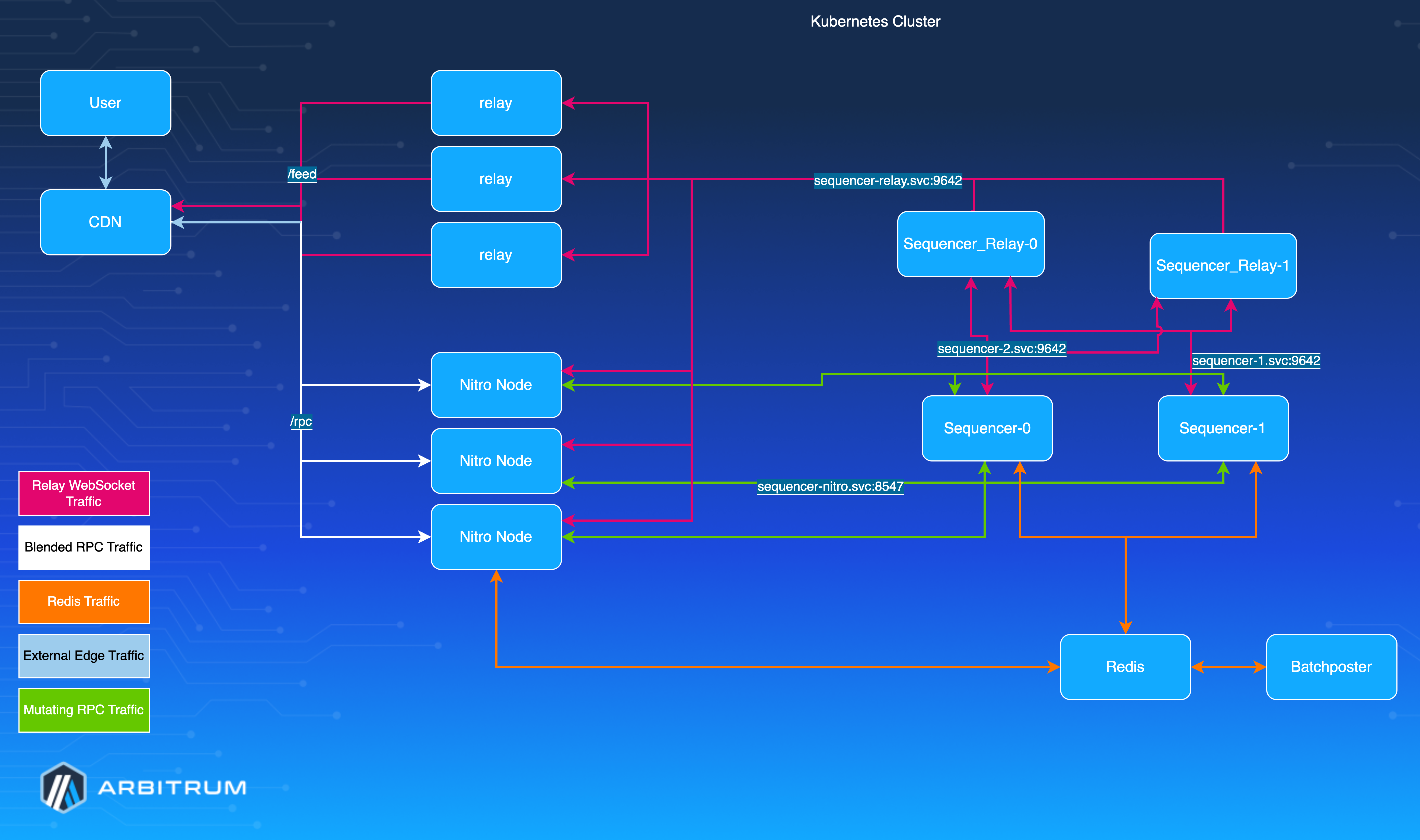
#### Send to active disabled [#send-to-active-disabled]
In this configuration, full nodes forward transactions to a predefined endpoint without checking which sequencer is active:
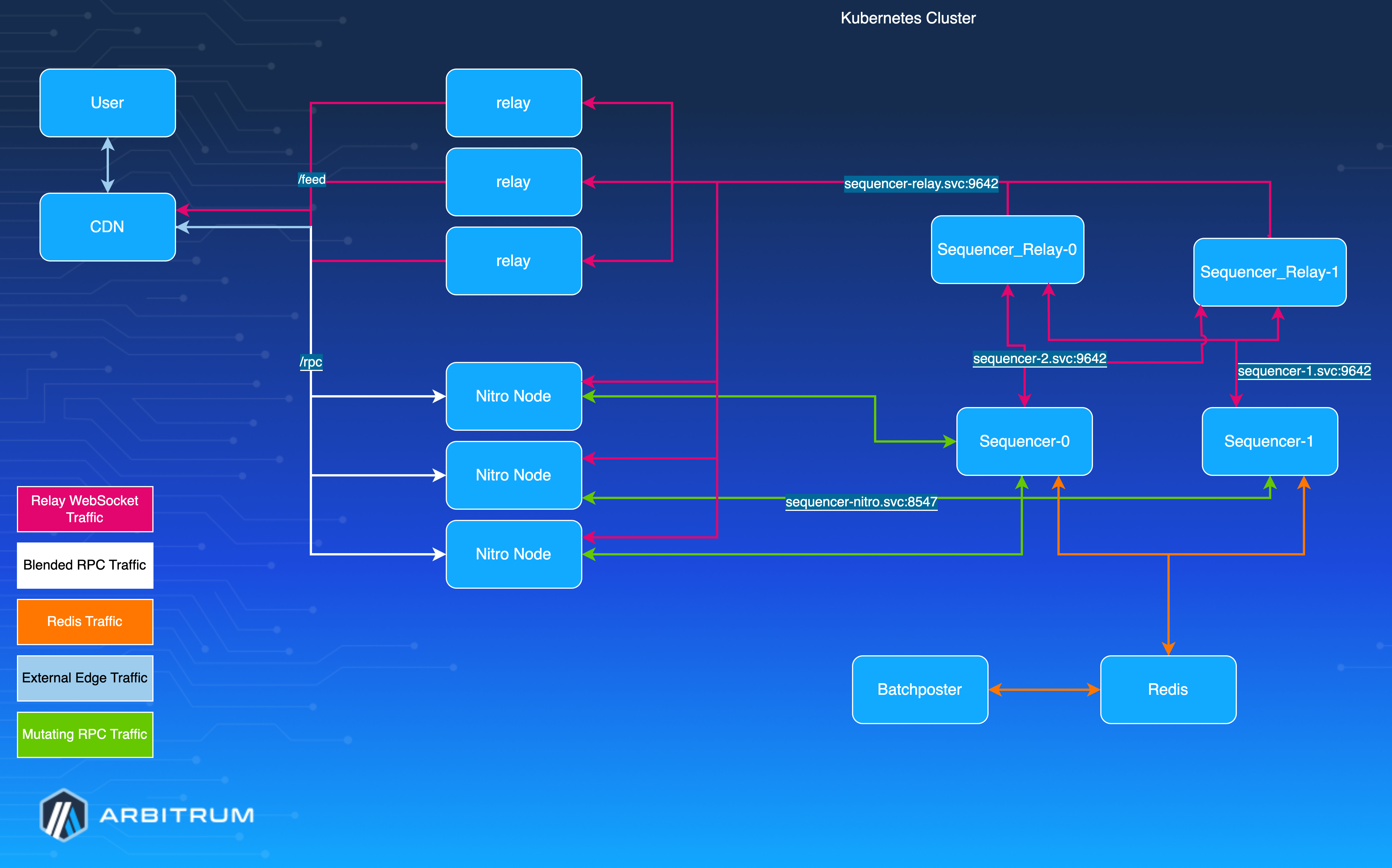
## Using Helm charts for deployment [#using-helm-charts-for-deployment]
We recommend using the [Offchain Labs community Helm charts](https://github.com/OffchainLabs/community-helm-charts) to deploy your high-availability sequencer setup. These charts provide pre-configured templates for all the necessary components and make it easier to maintain your deployment. Base configuration values are provided in the examples below. However, you should adjust them to fit your needs and use values files for production deployments.
## Detailed component setup [#detailed-component-setup]
### 1. Load balancing (CDN) [#1-load-balancing-cdn]
We strongly recommend using a CDN for managing traffic and security concerns:
- **Recommendation**: Use Cloudflare or a similar CDN service
- **Configuration**:
- Direct RPC traffic to the Nitro full node fleet
- Direct feed traffic to public-facing relays
- Implement rate limiting and bot detection as needed
- **Benefits**: Distributes load, improves security, and enhances availability
### 2. Relays setup [#2-relays-setup]
The architecture requires two types of relays:
#### Sequencer relays [#sequencer-relays]
- Deployment should have multiple replicas
- Configure to listen to feed outputs from all sequencers
- All other components connect to these relays instead of directly to the sequencers
- Minimize direct load on sequencer nodes
Deploy sequencer relays using the relay Helm chart:
```shell
helm install sequencer-relay offchainlabs/relay \
--set replicaCount=2 \
--set configmap.data.chain.id= \
--set configmap.data.node.feed.input.url=ws://sequencer-nitro-0.sequencer-nitro:9642,ws://sequencer-nitro-1.sequencer-nitro:9642,ws://sequencer-nitro-2.sequencer-nitro:9642
```
Key configuration parameters:
- `replicaCount`: Number of relay replicas to deploy (recommend at least two for high availability)
- `configmap.data.chain.id`: Your chain ID
- `configmap.data.node.feed.input.url`: Comma-separated list of WebSocket URLs for all sequencer feed outputs. This relies on the `perReplicaHeadlessService.enabled=true` parameter in the sequencer deployment to create individual services for each sequencer replica.
#### External relays [#external-relays]
- Connect to Sequencer Relays (not directly to sequencers)
- Handle all public feed requests
- Provide an additional layer of isolation for production sequencers
- Since these are public-facing, ensure they scale appropriately based on your traffic needs:
```shell
helm install external-relay offchainlabs/relay \
--set replicaCount=2 \
--set configmap.data.chain.id= \
--set configmap.data.node.feed.input.url=ws://sequencer-relay:9642
```
You can check [run a feed relay](/run-a-node/run-feed-relay) to see how to set up a relay node.
### 3. Nitro full node setup [#3-nitro-full-node-setup]
```shell
helm install fullnode offchainlabs/nitro \
--set replicaCount=2 \
--set configmap.data.parent-chain.id= \
--set configmap.data.parent-chain.connection.url= \
--set configmap.data.chain.id= \
--set configmap.data.execution.forwarding-target=http://sequencer-nitro:8547
```
#### Send to active configuration (optional) [#send-to-active-configuration-optional]
To enable Redis-based active sequencer discovery:
- Monitor Redis to identify the active sequencer
- Enable with: `-execution.forwarder.redis-url=redis://:6379`
- Ensure connectivity to individual sequencer services and Redis
- Test failover scenarios before production deployment
```shell
helm install fullnode offchainlabs/nitro \
--set replicaCount=2 \
--set configmap.data.parent-chain.id= \
--set configmap.data.parent-chain.connection.url= \
--set configmap.data.chain.id= \
--set configmap.data.execution.forwarder.redis-url=redis://:6379
```
#### Mutating-only endpoint (optional) [#mutating-only-endpoint-optional]
For high availability, we recommend routing mutating transactions to a fleet of `precheckers`, which forward them to the sequencer. To do this, set up a separate endpoint for mutating transactions and allow only calls such as `eth_sendRawTransaction` to route to the `precheckers`, which then route to the sequencer. This insulates the sequencer from unnecessary load and enables it to focus on transaction ordering. However, this configuration requires custom load-balancing logic and is out of scope for this guide.
### 4. Redis setup [#4-redis-setup]
Set up a highly available Redis cluster for sequencer coordination:
#### Deployment options [#deployment-options]
- Use a managed service like AWS ElastiCache (recommended)
- Deploy within Kubernetes using a StatefulSet with PersistentVolumeClaims
#### Requirements [#requirements]
- Minimum of three replicas across different availability zones (recommended)
- Secured access (only accessible within the Kubernetes cluster)
- Backups enabled
- **Configuration**:
- Use a Redis cluster or Redis Sentinel for high availability
- Secure the endpoint with proper network policies
- Monitor Redis health as part of your overall monitoring strategy
### 5. Sequencer setup [#5-sequencer-setup]
Deploy multiple sequencer replicas with availability zone spread using the Nitro Helm chart (availability zone spread is not demonstrated in the example below):
```shell
helm install sequencer offchainlabs/nitro \
--set replicaCount=3 \
--set configmap.data.parent-chain.id= \
--set configmap.data.parent-chain.connection.url= \
--set configmap.data.chain.id= \
--set configmap.data.node.sequencer=true \
--set configmap.data.node.delayed-sequencer.enable=true \
--set configmap.data.node.seq-coordinator.enable=true \
--set configmap.data.node.seq-coordinator.redis-url= \
--set configmap.data.node.feed.output.enable=true \
--set configmap.data.node.feed.output.port=9642 \
--set configmap.data.execution.sequencer.enable=true \
--set perReplicaHeadlessService.enabled=true
```
#### Critical sequencer coordinator parameters [#critical-sequencer-coordinator-parameters]
The sequencer coordinator is the key component for high availability. These parameters are essential:
| Parameter | Description | Recommended Value |
| -------------------------------- | ---------------------------- | -------------------- |
| `node.seq-coordinator.enable` | Enable sequencer coordinator | `true` |
| `node.seq-coordinator.redis-url` | Redis URL for coordination | Your Redis URL |
| `node.seq-coordinator.my-url` | URL for this sequencer | Unique per sequencer |
For the full set of coordinator flags and their defaults, see [Sequencer configuration reference](/launch-arbitrum-chain/chain-config/sequencer/sequencer-config-reference#sequencer-coordinator-flags).
#### Redis priority registration [#redis-priority-registration]
Configuring `redis-url` and `my-url` is not enough to make a sequencer eligible. Each sequencer must also appear in the Redis priority list, stored under the key `coordinator.priorities` as a comma-separated list of URLs in priority order.
Nitro treats this key as **read-only**. No sequencer can write itself into it. You populate it with the [Sequencer Coordination Manager (SQM)](/run-a-node/sequencer/run-sequencer-coordination-manager), which is the only component that writes the key.
A sequencer that is not in the list starts cleanly, syncs, serves RPC, and broadcasts to the feed—but never becomes the active sequencer.
How the coordinator picks the active sequencer:
1. It reads `coordinator.priorities` from Redis.
2. It goes through the list in order and takes the first sequencer that has published a liveliness key at `coordinator.liveliness.`. Each sequencer writes its own key when it is synced and ready.
3. That sequencer acquires the lockout, recorded at `coordinator.chosen`, and activates. Everything else forwards to it.
Two consequences follow from step 2:
- **Order is priority.** The first entry that is healthy and synced wins. Put your preferred sequencer first.
- **`my-url` must match its list entry exactly.** The comparison is a string match. A trailing slash, a different port form, or an IP address instead of a hostname all cause a silent mismatch.
> **Never register the batch poster**
>
> The batch poster runs with `node.seq-coordinator.enable=true` so it can follow coordination state, but it must stay out of `coordinator.priorities`. If it reaches the top of the list, it is selected as the active sequencer while having no sequencer to run, and the chain stops producing blocks. Nitro logs `myurl main sequencer, but no sequencer exists`.
##### Verifying registration [#verifying-registration]
Read the key directly:
```shell
redis-cli -u GET coordinator.priorities
```
Compare each URL against the `node.seq-coordinator.my-url` of the sequencer it should match. Then check which sequencer currently holds the lockout, and which ones report themselves ready:
```shell
redis-cli -u GET coordinator.chosen
redis-cli -u --scan --pattern 'coordinator.liveliness.*'
```
A sequencer that appears in `coordinator.priorities` but has no matching `coordinator.liveliness.` key is not eligible. It is either unsynced or its `my-url` does not match its list entry.
Two log messages tell you the priority list is the problem:
- `sequencer priorities unset` — the key does not exist. This is expected on a new Redis instance and means no sequencer can ever be chosen until you populate it.
- `no sequencer appears to want the lockout on redis` — the key exists, but nothing on it is eligible. The log includes the `priorities` value, so compare it against your running sequencers. This starts at `DEBUG`, escalates to `WARN` after 10 seconds and `ERROR` after 20.
For a full diagnostic path, see [Sequencer troubleshooting](/launch-arbitrum-chain/operate/sequencer-troubleshooting#1-no-sequencer-is-chosen).
> **Redis persistence**
>
> The priority list lives only in Redis. If you replace the Redis instance or lose its data, the key is gone and no sequencer becomes active until you repopulate it. Include `coordinator.priorities` in your backup and disaster recovery plan, and re-register after any Redis migration.
#### Setting the sequencer's self URL [#setting-the-sequencers-self-url]
A critical configuration for the sequencer coordinator is setting a unique URL for each sequencer instance. This configuration can be adjusted using Kubernetes environment variables:
```yaml
extraEnv:
- name: POD_NAME
valueFrom:
fieldRef:
fieldPath: metadata.name
- name: NITRO_NODE_SEQ__COORDINATOR_MY__URL
value: 'http://$(POD_NAME)..svc.cluster.local:8547/rpc'
```
This configuration:
1. Gets the pod name from Kubernetes metadata
2. Uses it to create a unique URL for each sequencer instance
3. Sets this URL as the `node.seq-coordinator.my-url` parameter
Adjust the domain name (`.svc.cluster.local`) to match your Kubernetes cluster's DNS configuration. This configuration requires Nitro to be configured to read environment variables beginning with `NITRO_`.
#### Individual sequencer services [#individual-sequencer-services]
You can enable the automatic creation of headless services for each sequencer replica by setting the `perReplicaHeadlessService.enabled=true` parameter in the Helm chart (as shown in the installation command above). This configuration creates individual services named `-nitro-` that allow direct access to each sequencer replica.
These individual services are critical for a proper high-availability setup because they allow components like sequencer relays to connect directly to specific sequencer instances. This direct connection is essential for:
- **Proper failover**: When the active sequencer changes, other components can address the new active sequencer directly
- **Feed aggregation**: Sequencer relays need to collect feeds from all sequencer instances to ensure no messages get lost during transitions
### 6. Sequencer Coordination Manager [#6-sequencer-coordination-manager]
To manage active sequencer selection, use the built-in sequencer coordinator UI:
- Follow detailed instructions at: [How to run a Sequencer Coordination Manager (SQM)](/run-a-node/sequencer/run-sequencer-coordination-manager)
- Use this interface to manually switch between sequencer replicas when needed
- Configure permissions and access controls appropriately
### 7. Batch poster setup [#7-batch-poster-setup]
Deploy the batch poster using the Nitro Helm chart:
```shell
helm install batchposter offchainlabs/nitro \
--set configmap.data.parent-chain.id= \
--set configmap.data.parent-chain.connection.url= \
--set configmap.data.chain.id= \
--set configmap.data.execution.forwarding-target=null \
--set configmap.data.node.seq-coordinator.enable=true \
--set configmap.data.node.seq-coordinator.redis-url= \
--set configmap.data.node.batch-poster.enable=true \
--set "configmap.data.node.batch-poster.parent-chain-wallet.private-key="
```
> **Important**
>
> Do not add the batch poster to the sequencer priority list in the Sequencer Coordination Manager (SQM) to prevent it from becoming the active sequencer unintentionally.
## Monitoring and maintenance [#monitoring-and-maintenance]
### Health checks [#health-checks]
Implement comprehensive health checks for all components:
- **Sequencer health**: Monitor the sequencer's logs and metrics
- **Redis connectivity**: Ensure all components can access Redis
- **Feed availability**: Verify feed connectivity between components
- **Transaction processing**: Monitor end-to-end transaction flow
### Troubleshooting [#troubleshooting]
If you run into any issues, visit the [node-running troubleshooting guide](/run-a-node/troubleshooting).
## References [#references]
- [How to run a full node](https://docs.arbitrum.io/node-running/how-tos/running-a-node)
- [How to run a Sequencer Coordination Manager (SQM)](/run-a-node/sequencer/run-sequencer-coordination-manager)
- [Kubernetes Documentation](https://kubernetes.io/docs/)
- [Offchain Labs Community Helm Charts](https://github.com/OffchainLabs/community-helm-charts)
# Run a node for an Arbitrum chain (/launch-arbitrum-chain/run-a-node)
* [Run a batch poster](/launch-arbitrum-chain/run-a-node/batch-poster): Learn how to run and configure a batch poster.
* [How to set up a high-availability sequencer](/launch-arbitrum-chain/run-a-node/high-availability-sequencer): Learn how to set up a high-availability sequencer for your Arbitrum chain.
* [How to run a full node with Helm on Kubernetes](/launch-arbitrum-chain/run-a-node/run-full-node-with-helm): Deploy an Arbitrum chain full node on Kubernetes with the community Helm chart.
* [Run a split validator node](/launch-arbitrum-chain/run-a-node/split-validator-node): How to run a split validator node.
# How to run a full node with Helm on Kubernetes (/launch-arbitrum-chain/run-a-node/run-full-node-with-helm)
This guide shows how to deploy a full node for an Arbitrum chain on Kubernetes using the [community Helm chart](https://github.com/OffchainLabs/community-helm-charts/tree/main/charts/nitro). It applies to any Arbitrum chain—[Arbitrum One](https://arbitrum.io), Nova, Sepolia, and your own Arbitrum chain—and covers installation, memory configuration, first sync from a snapshot, monitoring, the log signals that distinguish a healthy node from a broken one, and the outbound endpoints to allow through a firewall.
The chart's defaults target Arbitrum One, so Arbitrum One is used as the worked example throughout. Each step notes what changes for other chains.
> **Note**
>
> If you want to run a node with Docker instead of Kubernetes, see [How to run a full node for an Arbitrum chain](/run-a-node/run-full-node). This page assumes you've reviewed the [Start here](/run-a-node/start-here) page, which explains the RPC endpoints, Nitro version, and database snapshots required to run a node.
## Prerequisites [#prerequisites]
- **Parent chain access:** an execution RPC endpoint for the chain's parent. For Arbitrum One, Nova, and Sepolia, the parent is Ethereum, so you also need an **L1 beacon/blob** endpoint (see [L1 Ethereum RPC providers](/run-a-node/l1-ethereum-beacon-chain-rpc-providers)). For an Arbitrum chain whose parent is another chain, use the RPC of that parent chain; a beacon endpoint is required only when the chain posts blobs to its parent chain.
- **Cluster:** Kubernetes with Helm installed.
- **Disk:** size storage for the chain you're running. A node's database size varies widely from chain to chain and grows over time, so check the expected size with your chain operator before provisioning (for Arbitrum One, it runs to multiple TB). Raise the chart's default `persistence.size` (`500Gi`) accordingly, and allow roughly 2× the snapshot size for an additional temporary disk for extraction on the first run.
## Step 1: Deploy with Helm [#step-1-deploy-with-helm]
First, add the chart repo:
```shell
helm repo add offchainlabs https://charts.arbitrum.io
helm repo update
```
Then install, selecting the configuration for your chain:
#### Arbitrum One, Nova, Sepolia
The chart defaults to Arbitrum One (`chain.id` `42161`, `parent-chain.id` `1`), so an Arbitrum One node needs only three values:
```shell
# Arbitrum One
helm install arb1-fullnode offchainlabs/nitro \
--set configmap.data.parent-chain.connection.url= \
--set configmap.data.parent-chain.blob-client.beacon-url= \
--set configmap.data.init.latest=pruned # pruned snapshot, recommended for Arbitrum One
```
For Nova or Sepolia, override the chain and parent-chain IDs. For example, Arbitrum Sepolia:
```shell
# Arbitrum Sepolia (parent chain is Ethereum Sepolia, 11155111)
helm install arbsepolia-fullnode offchainlabs/nitro \
--set configmap.data.parent-chain.id=11155111 \
--set configmap.data.parent-chain.connection.url= \
--set configmap.data.parent-chain.blob-client.beacon-url= \
--set configmap.data.chain.id=421614
```
#### Your Arbitrum chain
A node for your own Arbitrum chain needs its chain info, sequencer endpoint, and feed URL. Because `chain.info-json` is a large JSON string, supply these through a values file rather than `--set`:
```yaml
# values-mychain.yaml
configmap:
data:
parent-chain:
id:
connection:
url:
chain:
id:
name:
info-json: ''
execution:
forwarding-target:
node:
feed:
input:
url:
```
```shell
helm install mychain-fullnode offchainlabs/nitro -f values-mychain.yaml
```
If the parent chain is Ethereum, also set `configmap.data.parent-chain.blob-client.beacon-url`. AnyTrust chains additionally need a Data Availability configuration (`node.da.anytrust.*`, including a `rest-aggregator`); see [Data Availability](/run-a-node/data-availability). The older `node.data-availability.*` flags still work but are deprecated in Nitro and will be removed in a future release.
> **Defaults that commonly trip up operators**
>
> - **Don't copy the chart README's init example verbatim.** It uses `nitro-genesis.tar`, which syncs from genesis — a huge, slow process on a chain with a long history, such as Arbitrum One. Where a pruned snapshot exists, prefer `configmap.data.init.latest=pruned` (default base `https://snapshot.arbitrum.foundation/`).
> - **The chart changes the RPC path prefix.** Defaults are `http.rpcprefix=/rpc` and `ws.rpcprefix=/ws`, so RPC is served at `http://host:8547/rpc`, not vanilla Nitro's `/`. Clients that omit `/rpc` get a 404.
> - **Metrics are off by default.** Enable `configmap.data.metrics=true` and `serviceMonitor.enabled=true` to scrape them (see [Step 4](#step-4-enable-monitoring)).
## Step 2: Configure memory management (optional) [#step-2-configure-memory-management-optional]
For a containerized node, set a memory limit so the chart can size the Go runtime. This is optional but recommended, and applies to every chain:
- **`resources.limits.memory`** set this to activate the chart's automatic `GOMEMLIMIT`. When a memory limit is present, the chart derives `GOMEMLIMIT` from it (`env.nitro.goMemLimit`, on by default—it subtracts an estimate of non-Go memory and applies a `0.9` multiplier).
- **`MALLOC_ARENA_MAX=2`** already set by the chart by default (`env.nitro.mallocArenaMax`, `enabled: true`, `value: 2`), so you don't normally need to configure it. Adjust or disable it under `env.nitro.mallocArenaMax` if needed.
- **`node.resource-mgmt.mem-free-limit`** (optional) an RPC memory throttle that's disabled by default. Recommended if you expose this node as a public RPC.
To set any other environment variable, use `extraEnv`, whose entries are spliced directly into the pod's `env`:
```yaml
extraEnv:
- name: SOME_VAR
value: 'value'
```
For the allocator details, the `GOMEMLIMIT` formula, and `MALLOC_ARENA_MAX`, see the [memory management deep-dive](/run-a-node/nitro/node-tuning-and-monitoring) and the [memory management section](/run-a-node/run-full-node#memory-management) of the Docker full-node guide.
## Step 3: First sync from a snapshot [#step-3-first-sync-from-a-snapshot]
Whether a snapshot is required depends on the chain:
- **Arbitrum One** requires a snapshot during the first run due to its Classic-era history. Use `configmap.data.init.latest=pruned`.
- **Nova and Sepolia** have published snapshots that speed up the initial sync but aren't strictly required.
- **Your Arbitrum chain** typically syncs from genesis with no snapshot, unless you provide one via `init.url`.
When using a snapshot, the default base is `https://snapshot.arbitrum.foundation/`. Initial sync takes a while. The init flag is ignored once a database already exists, so it's safe to leave it in place across restarts. Confirm the current snapshot type and download details in the [Nitro database snapshots](/run-a-node/nitro/nitro-database-snapshots) guide.
## Step 4: Enable monitoring [#step-4-enable-monitoring]
Turn on metrics and a `ServiceMonitor` so Prometheus can scrape the node:
```shell
helm upgrade offchainlabs/nitro \
--reuse-values \
--set configmap.data.metrics=true \
--set serviceMonitor.enabled=true
```
Once enabled, the node exposes Prometheus metrics at `http://:6070/debug/metrics/prometheus`—the metrics server binds to `0.0.0.0:6070` by default (`configmap.data.metrics-server.port`), and the `ServiceMonitor` scrapes that port and path (`serviceMonitor.path` defaults to `/debug/metrics/prometheus`).
### Grafana dashboard [#grafana-dashboard]
The repository’s README points to the Grafana dashboard's [Releases page](https://github.com/OffchainLabs/community-helm-charts/releases). If a release doesn't attach the dashboard JSON, pull the last published copy from the repository's git history and import it:
```shell
git clone https://github.com/OffchainLabs/community-helm-charts
git -C community-helm-charts show 430a2cc~1:operations/grafana/dashboards/overview.json > overview.json
```
Then in Grafana, go to **Dashboards → Import** and paste `overview.json`.
> **Warning**
>
> This exported dashboard has no `__inputs` datasource prompt, and its `Source` variable is hard-pinned to an internal Mimir UID. After importing, you **must** repoint the `Source` variable to your own Prometheus instance, or every panel will read "No data." Then set `nitronodejob` to this node's scrape job, and leave `sequencerjob`, `validatorjob`, and `relayjob` empty so only the full-node rows render.
### Probes [#probes]
The chart wires a built-in **startup probe** by default, but **liveness and readiness probes are off** unless you set `livenessProbe` and `readinessProbe`. The startup probe's long failure window protects the initial sync (so a slow sync won't trigger a restart), but it doesn't catch a hang after the node is up. **Configure a liveness probe yourself** for ongoing hang detection.
## Log signals to watch [#log-signals-to-watch]
The chart sets `log-type=json`. The following INFO/WARN/ERROR strings distinguish a healthy node from a broken one on any Arbitrum chain (the sequencer hostnames in the examples below are Arbitrum One's; your chain's will differ):
| Event | Healthy signal | Broken / warning signal |
| ---------------------------------- | ------------------------------------------------------------------------------------------- | ----------------------------------------------------------------------------------------------------------------------------------------------------- |
| **New block created** | `INFO created block` with `l2Block` / `l2BlockHash`, advancing continuously while producing | No advancing `created block` line → block production stalled |
| **User tx forwarded to sequencer** | Success is not logged | `WARN error forwarding transaction trying different target`; `ERROR Failed to publish transaction to any of the forwarding targets` |
| **Sequencer feed message** | `INFO Feed connected`; `DEBUG received batch item` | `WARN failed connect to sequencer broadcast, waiting and retrying`; `ERROR Server connection timed out without receiving data` |
| **Inbox messages (parent chain)** | `INFO InboxTracker` with `sequencerBatchCount` / `messageCount` / `l1Block` advancing | `WARN error reading inbox`. **Note**: `backwards reorg of delayed messages` is logged at INFO level—it's normal on parent-chain reorgs, not an alert. |
### Why a full node can't forward transactions to the sequencer [#why-a-full-node-cant-forward-transactions-to-the-sequencer]
A full node forwards user transactions to the sequencer. When forwarding fails, the cause falls into one of three buckets. Forwarding failures are **log-based, not metric-based**—the forwarder emits no metrics—so alert by grepping the log strings below.
| Cause | Signal |
| ------------------------------------------------------------------------------------------ | ---------------------------------------------------------------------------------------------------------------------------------------------- |
| **All forwarding targets unreachable** (egress blocked, or sequencer + all fallbacks down) | `ERROR Failed to publish transaction to any of the forwarding targets`, preceded by per-target `WARN` lines |
| **Sequencer returns a business error** (non-connection, e.g. `nonce too low`) | `WARN error forwarding transaction trying different target` with the sequencer's `err`—not escalated; the error is returned to the caller |
| **Memory 429 throttling** (rejected before forwarding) | The client receives `HTTP 429 Too many requests` and the metric `arb/rpc/limitcheck/failure` increments. There is **no per-request log line**. |
Representative log lines (hostnames shown are Arbitrum One's):
```text
# (a) ALL TARGETS UNREACHABLE — egress blocked, or sequencer + all fallbacks down
WARN error forwarding transaction trying different target current target=https://arb1-sequencer.arbitrum.io/rpc err="dial tcp: lookup ...: no such host"
WARN error forwarding transaction to a backup target target=https://arb1-sequencer-fallback-1.arbitrum.io/rpc pos=1 total targets=6 err="timeout exceeded"
ERROR Failed to publish transaction to any of the forwarding targets numTargets=6
# (b) SEQUENCER RETURNS A BUSINESS ERROR (non-connection) — logged once, NOT escalated, returned to caller
WARN error forwarding transaction trying different target current target=https://arb1-sequencer.arbitrum.io/rpc err="nonce too low: address 0x..., tx: 5 state: 7"
# (no "Failed to publish..." line follows — the error is handed straight back to the RPC client)
# (c) MEMORY 429 THROTTLING — rejected BEFORE it reaches the forwarder; no per-request log line.
# The signals are an HTTP 429 to the client and an increment of arb/rpc/limitcheck/failure.
INFO Cgroups v2 detected, enabling memory limit RPC throttling # startup, confirms throttling is active
ERROR Error checking memory limit err=... checker=CgroupsMemoryLimitChecker # only if the cgroup read fails
```
## Network egress allowlist [#network-egress-allowlist]
A full node reaches out to a fixed set of endpoints. If you run on a cloud provider, outbound traffic is often restricted by default, so you'll likely need to allow these destinations explicitly in your cloud security group or firewall rules (for example, AWS security groups, GCP firewall rules, or an egress `NetworkPolicy`). The specific hostnames depend on the chain: for DAO-governed networks, they come from the chain's built-in chain info, and for your own Arbitrum chain, they come from the `chain.info-json`, `execution.forwarding-target`, and feed URLs you configure. The categories are the same across chains:
| Purpose | Where the endpoint comes from | When |
| ----------------------------- | ------------------------------------------------------------------- | -------------------------------------- |
| **Sequencer** (tx forwarding) | chain info `sequencer-url` / `execution.forwarding-target` | Always—the node forwards user txs here |
| Sequencer fallbacks | chain info `secondary-forwarding-target` | Failover |
| **Sequencer feed** | chain info `feed-url` / `node.feed.input.url` | Always |
| Feed fallbacks / delayed | chain info `secondary-feed-url` / `node.feed.input.secondary-url` | Failover |
| Block metadata | chain info `block-metadata-url` | Only if tracking block metadata |
| DB snapshot | the `init` source host | Initial sync only |
| **Parent chain** | your parent-chain RPC + beacon (beacon only for an Ethereum parent) | Always |
| DA / REST endpoints | `rest-aggregator` URL list | AnyTrust chains only (e.g. Nova) |
For **Arbitrum One**, those resolve to:
| Purpose | Endpoint(s) |
| ------------------------- | ---------------------------------------------------------------------------------------------- |
| Sequencer (tx forwarding) | `https://arb1-sequencer.arbitrum.io/rpc` |
| Sequencer fallbacks | `https://arb1-sequencer-fallback-{1..5}.arbitrum.io/rpc` |
| Sequencer feed (primary) | `wss://arb1-feed.arbitrum.io/feed` |
| Feed fallbacks / delayed | `wss://arb1-delayed-feed.arbitrum.io/feed`, `wss://arb1-feed-fallback-{1..5}.arbitrum.io/feed` |
| Block metadata | `https://arb1.arbitrum.io/rpc` |
| DB snapshot | `https://snapshot.arbitrum.foundation/` |
| Parent chain | Your Ethereum L1 execution RPC + L1 beacon/blob endpoint |
> **Firewall egress**
>
> For a default Arbitrum One full node, allow `*.arbitrum.io` (443 HTTPS + WSS), `snapshot.arbitrum.foundation` (443, init only), and your own L1 RPC + beacon hosts. For other chains, allow that chain's sequencer, feed, and snapshot hosts, plus your parent-chain endpoints. **Additional outbound paths exist only if you enable them:** the version alerter (off by default, queries an operator-set endpoint), the classic redirect, or DA/REST endpoints (AnyTrust chains such as Nova).
# Run a split validator node (/launch-arbitrum-chain/run-a-node/split-validator-node)
## Running split validators for Arbitrum chains [#running-split-validators-for-arbitrum-chains]
Split validators separate the validation work to a stateless validation node, which provides several key benefits:
- **Resource management**: Easier to scale and manage compute resources independently
- **Fault isolation**: Prevents database corruption if the validation node crashes (e.g., due to OOM errors)
- **Flexibility**: Allows running multiple validation nodes for horizontal scalability
This guide explains how to set up a split validator configuration for Arbitrum chains by running a Nitro node (bonder) and a validation node separately.
Before you read this doc, please ensure you have already walked through [run a validator](/run-a-node/more-types/run-validator-node) docs to understand the basics of a validator node.
### What is AUTH-RPC and the validation API [#what-is-auth-rpc-and-the-validation-api]
Nitro nodes can expose two separate WebSocket RPC interfaces:
- **The public RPC** (configured under `--http.*` and `--ws.*`) serves the standard `eth_`, `net_`, and other namespaces that wallets and dApps use.
- **AUTH-RPC** (configured under `--auth.*`) is a second, JWT-authenticated WebSocket interface intended for trusted intra-component communication. It listens on its own address and port and by default exposes only the `validation` namespace.
The `validation_*` namespace is how the bonder delegates WASM execution to the validation node—it carries `Validate` (run the WASM machine on a prepared input and return the resulting global state) plus `CreateExecutionRun`, `GetStepAt`, and `GetProofAt` (used during challenges to fetch step hashes and one-step proofs). The full method list is in the [`validation_*` API reference](#reference-the-validation_-api) below.
The rest of this guide walks through the deployment; the API reference and the option to expose additional namespaces over AUTH-RPC are at the end.
### Prerequisites [#prerequisites]
- Docker or Kubernetes with Helm installed
- Bonder private key
- Chain information JSON for your Arbitrum chain
### Docker deployment guide [#docker-deployment-guide]
#### Step 1: Set up the validation node [#step-1-set-up-the-validation-node]
First, generate a JWT secret for secure communication:
```bash
xxd -l 32 -ps -c 40 /dev/urandom > /tmp/nitro-val.jwt
```
Start the validation node with the JWT secret:
```bash
docker run --rm -it \
--entrypoint nitro-val \
-p 0.0.0.0:5200:5200 \
offchainlabs/nitro-node:v3.12.1-70fa99a \
--auth.addr 127.0.0.1 \
--auth.origins 0.0.0.0 \
--auth.jwtsecret /tmp/nitro-val.jwt \
--auth.port 5200
--metrics \
--metrics-server.addr=0.0.0.0 \
--metrics-server.port=6070
```
The validation node will listen on port 5200, which will also enable the metrics server on port 6070.
#### Step 2: Set up the bonder node [#step-2-set-up-the-bonder-node]
Copy the JWT secret to your mount directory:
```bash
cp /tmp/nitro-val.jwt /some/local/dir/arbitrum
```
Start the bonder node with the following command, connecting it to your validation node:
```bash
docker run --rm -it \
-v /some/local/dir/arbitrum:/home/user/.arbitrum \
offchainlabs/nitro-node:v3.12.1-70fa99a \
--parent-chain.connection.url= \
--node.staker.enable=true \
--node.staker.strategy=MakeNodes \
--node.staker.parent-chain-wallet.private-key= \
--chain.info-json= \
--execution.forwarding-target= \
--node.block-validator.validation-server-configs-list="[{\"jwtsecret\":\"/home/user/.arbitrum/nitro-val.jwt\",\"url\":\"ws://Your_validation_address\"}]"
```
Replace the placeholders with your specific values:
- ``: Your parent chain RPC endpoint
- ``: Your bonder's private key
- ``: Chain information JSON
- ``: Your forwarding node URL (usually is the sequencer endpoint)
- `Your_validation_address`: Address of your validation node (including port)
### Kubernetes deployment with Helm [#kubernetes-deployment-with-helm]
Arbitrum provides a [community Helm chart](https://github.com/OffchainLabs/community-helm-charts) for Kubernetes deployment.
#### Step 1: Create validation node configuration [#step-1-create-validation-node-configuration]
Create a file named `validation_values.yaml`:
```yaml
configmap:
data:
parent-chain:
id: 1 # Use appropriate parent chain ID
connection:
url: 'https://your-parent-chain-rpc'
execution:
forwarding-target: 'https://your-forwarding-node'
node:
staker:
enable: true
strategy: 'MakeNodes'
parent-chain-wallet:
private-key: 'your-staker-private-key'
chain:
name: 'Your Chain Name'
id: 42161 # Your chain ID
info-json: '[Your chain info JSON]'
jwtSecret:
enabled: true
value: 'Your 32 bytes hex jwt'
validator:
enabled: true
splitvalidator:
deployments:
- name: 'current'
```
#### Step 2: Deploy the validation node [#step-2-deploy-the-validation-node]
```bash
helm install nitro-validator offchainlabs/nitro --values validation_values.yaml
```
### Monitoring and maintenance [#monitoring-and-maintenance]
- Monitor your bonding and validation node logs regularly:
```bash
# For Docker
docker logs -f
# For Kubernetes
kubectl logs -f
```
- Check the status of both the bond and the validation node through the Arbitrum dashboard or API
### Additional configurations for validation nodes [#additional-configurations-for-validation-nodes]
To get a full list of parameters for the validation node, you can run the following command:
```bash
docker run --rm -it --entrypoint nitro-val offchainlabs/nitro-node:v3.12.1-70fa99a --help
```
### Additional configurations for helm charts [#additional-configurations-for-helm-charts]
For more advanced helm chart configurations, please refer to the Arbitrum community Helm Chart [README](https://github.com/OffchainLabs/community-helm-charts/blob/main/charts/nitro/README.md)
### Monitoring [#monitoring]
To check if your validation node is running correctly, you can check the `rpc_duration_validation_validate_success_count` metric in your metrics server.
This metric is a counter of the number of successful validation calls; if it is increasing, it means your validation node is running correctly.
You can also check where this log (`validation node started`) appears:
- If this log appears on the validation node, it means your validation node is running correctly.
- If this log appears on the bond node, it means your bond node is still validating itself. It indicates that your bond node is not connecting to the validation node correctly; you need to double-check your configuration.
### Reference: the `validation_*` API [#reference-the-validation_-api]
When AUTH-RPC is enabled, the validation node registers the `validation` namespace, exposing the following methods (all prefixed `validation_` in RPC requests):
| Method | Purpose |
| ----------------------------------------- | -------------------------------------------------------------------- |
| `validation_name` | Returns the validation node identifier. |
| `validation_capacity` | Returns the configured concurrent-execution capacity. |
| `validation_room` | Returns the number of currently available execution slots. |
| `validation_validate` | Runs one validation against a given input and WASM module root. |
| `validation_wasmModuleRoots` | Lists the WASM module roots this node can validate. |
| `validation_stylusArchs` | Lists the Stylus target architectures the node supports. |
| `validation_createExecutionRun` | Starts a long-running execution and returns an `execid` handle. |
| `validation_getStepAt` | Returns the machine hash and global state at a given step. |
| `validation_getMachineHashesWithStepSize` | Batch step-hash lookup, used during challenge resolution. |
| `validation_getProofAt` | Returns the one-step proof at a given step. |
| `validation_prepareRange` | Pre-loads execution state for a step range. |
| `validation_execKeepAlive` | Heartbeats an execution run to extend its retention. |
| `validation_checkAlive` | Probes that an execution run is still loaded on the validation node. |
| `validation_closeExec` | Releases an execution run's resources. |
These methods are internal protocol calls between the bond and the validation node. You normally don't invoke them directly—the bonder calls them automatically when it needs validation work. This reference is most useful for reading logs or debugging connectivity between the two components.
### Advanced: exposing additional namespaces over AUTH-RPC [#advanced-exposing-additional-namespaces-over-auth-rpc]
`--auth.api` accepts a list of namespaces, not just `validation`. You can add others—for example, `eth` or `net` — if you want to grant a trusted client read access to those APIs without exposing them on the public RPC:
```
--auth.api validation,eth,net
```
Anything listed here is served on the AUTH-RPC endpoint and gated by the JWT, so the caller must hold the same JWT secret to access it. The endpoint still listens only on `--auth.addr` (default `127.0.0.1`), so keep it on loopback or a private network — JWT authentication alone is not a substitute for network isolation.
This is rarely needed for bonders; the main use case is internal services (a custom monitor, an indexer behind your own bastion) that need authenticated read access to the node.
- If this log appears on the bonder node (validator node), it means your bonder node is still validating itself. It indicates that your bonder node is not connecting to the validation node correctly; you need to double-check your configuration.
# API3 (/oracles/api3/api3)
[API3](https://api3.org/) is a collaborative project to deliver price feeds to smart contract platforms in a decentralized and trust-minimized way. The Price feeds provided by API3 allow apps to regain lost value with Oracle Extractable Value built in to the price feed allowing the ability to earn additional revenue for your app.
## Querying the price of **ARB** through API3 [#querying-the-price-of-arb-through-api3]
Here’s an example of how to use an API3 data feed to query the current price of **ARB** onchain. The [API3 market](https://market.api3.org/arbitrum) provides a list of all the dAPIs available across multiple chains including testnets. You can go forward and activate the dAPI you want to use.
API3 provides an npm package with the contracts needed to access their feeds. We first install that package in our project:
```bash
yarn add @api3/contracts
```
To use a data feed, we retrieve the information through the specific proxy address for that feed. We’ll use the IProxy interface to do so.
```solidity
import "@api3/contracts/interfaces/IApi3ReaderProxy.sol";
```
In this case, we want to obtain the current price of **ARB** in **USD** in Arbitrum One, so we need to know the proxy address that will provide that information. We will search the feed on the API3 Market and connect our wallet. We would then want to see if the feed is active, and if it is, we can check its configuration parameters, deploy the proxy contract and click on `Integrate.` You can find the proxy address of ARB/USD [here](https://market.api3.org/arbitrum?search=ARB%2FUSD).
> **Note**
>
> If a dAPI is already active, you can use the proxy address directly. If it is not active, you can activate it by clicking on **Activate** and following the instructions to deploy a proxy contract.
We can now build the function to get the latest price of **ARB**. We’ll use this example contract:
```solidity
contract ARBPriceConsumer {
/**
* Network: Arbitrum One
* Aggregator: ARB/USD
* Proxy: 0xE135626568cc83aE32De671adad0FB871B40aF8d
*/
address constant PROXY = 0xE135626568cc83aE32De671adad0FB871B40aF8d;
/**
* Returns the latest price.
*/
function getLatestPrice()
external
view
returns (int224 value, uint256 timestamp)
{
(value, timestamp) = IProxy(PROXY).read();
// If you have any assumptions about `value` and `timestamp`, make sure
// to validate them right after reading from the proxy.
}
}
```
You can adapt this contract to your needs. Just remember to use the address of the asset you want to request the price for in the appropriate network and to **deploy your contract to the same network**. Remember we have a [Quickstart](/build-decentralized-apps/quickstart-solidity-remix) available that goes through the process of compiling and deploying a contract.
## More examples [#more-examples]
Refer to [API3’s documentation](https://docs.api3.org/) for more examples of querying other data feeds and learn about Oracle Extractable Value.
You can also check out some other detailed guides:
- [Quickstart](https://docs.api3.org/dapps/quickstart/)
- [Get Paid by Using API3 Oracles](https://docs.api3.org/dapps/oev-rewards/)
# Chronicle (/oracles/chronicle/chronicle)
[Chronicle Protocol](https://chroniclelabs.org/) is a novel Oracle solution that overcomes the current limitations of transferring data onchain by developing scalable, cost-efficient, decentralized, and verifiable Oracles, rewriting the rulebook on data transparency and accessibility.
## Querying the price of **ARB** using Chronicle [#querying-the-price-of-arb-using-chronicle]
Chronicle contracts are read-protected by a whitelist, meaning you won't be able to read them onchain without your address being added to the whitelist. On the Testnet, users can add themselves to the whitelist through the `SelfKisser` contract; a process playfully referred to as "kissing" themselves. To access production Oracles on the Mainnet, please open a support ticket in [Discord](https://discord.com/invite/CjgvJ9EspJ) in the 🆘 | support channel.
For the deployment addresses, please check out the [Dashboard](https://chroniclelabs.org/dashboard/oracles).
```solidity
// SPDX-License-Identifier: MIT
pragma solidity ^0.8.16;
/**
* @title OracleReader
* @notice A simple contract to read from Chronicle oracles
* @dev To see the full repository, visit https://github.com/chronicleprotocol/OracleReader-Example.
* @dev Addresses in this contract are hardcoded for the Arbitrum Sepolia testnet.
* For other supported networks, check the https://chroniclelabs.org/dashboard/oracles.
*/
contract OracleReader {
/**
* @notice The Chronicle oracle to read from.
* Chronicle_ARB_USD_1 - 0xdD7c06561689c73f0A67F2179e273cCF45EFc964
* Network: Arbitrum Sepolia
*/
IChronicle public chronicle = IChronicle(address(0xdD7c06561689c73f0A67F2179e273cCF45EFc964));
/**
* @notice The SelfKisser granting access to Chronicle oracles.
* SelfKisser_1:0xc0fe3a070Bc98b4a45d735A52a1AFDd134E0283f
* Network: Arbitrum Sepolia
*/
ISelfKisser public selfKisser = ISelfKisser(address(0xc0fe3a070Bc98b4a45d735A52a1AFDd134E0283f));
constructor() {
// Note to add address(this) to chronicle oracle's whitelist.
// This allows the contract to read from the chronicle oracle.
selfKisser.selfKiss(address(chronicle));
}
/**
* @notice Function to read the latest data from the Chronicle oracle.
* @return val The current value returned by the oracle.
* @return age The timestamp of the last update from the oracle.
*/
function read() external view returns (uint256 val, uint256 age) {
(val, age) = chronicle.readWithAge();
}
}
// Copied from [chronicle-std](https://github.com/chronicleprotocol/chronicle-std/blob/main/src/IChronicle.sol).
interface IChronicle {
/**
* @notice Returns the oracle's current value.
* @dev Reverts if no value set.
* @return value The oracle's current value.
*/
function read() external view returns (uint256 value);
/**
* @notice Returns the oracle's current value and its age.
* @dev Reverts if no value set.
* @return value The oracle's current value using 18 decimals places.
* @return age The value's age as a Unix Timestamp .
* */
function readWithAge() external view returns (uint256 value, uint256 age);
}
// Copied from [self-kisser](https://github.com/chronicleprotocol/self-kisser/blob/main/src/ISelfKisser.sol).
interface ISelfKisser {
/// @notice Kisses caller on oracle `oracle`.
function selfKiss(address oracle) external;
}
```
## More examples [#more-examples]
For more examples of integrating Chronicle Oracles, please check the [documentation portal](https://docs.chroniclelabs.org/).
# DIA (/oracles/DIA/dia)
[DIA](https://www.diadata.org/) is a cross-chain, trustless oracle network delivering verifiable price feeds for Arbitrum. DIA sources raw trade data directly from primary markets and computes it onchain, ensuring complete transparency and data integrity.
### Querying the price of **ARB** through DIA [#querying-the-price-of-arb-through-dia]
Call the getValue(string memory key) function on the oracle contract with the Query Symbol (e.g., "ARB/USD"). The function returns the asset price with 8 decimal precision and the timestamp of the last update. We'll use this oracle contract on the Arbitrum Sepolia testnet: `0x927ccBd9107bD63F8279Af83b96E7DAF924b9a7E`.
Solidity Example:
```solidity
pragma solidity ^0.8.13;
interface IDIAOracleV2 {
function getValue(string memory) external view returns (uint128,
uint128);
}
contract DIAOracleSample {
/**
* @notice The DIA oracle to read from.
* Oracle Address: "0x927ccBd9107bD63F8279Af83b96E7DAF924b9a7E"
* Network: Arbitrum Sepolia
*/
address constant diaOracle = "0x927ccBd9107bD63F8279Af83b96E7DAF924b9a7E";
function getPrice(string memory key)
external
view
returns (
uint128 latestPrice,
uint128 timestampOfLatestPrice
) {
(latestPrice, timestampOfLatestPrice) =
IDIAOracleV2(diaOracle).getValue(key);
}
}
```
### More examples [#more-examples]
Please refer to [DIA’s documentation](https://www.diadata.org/docs) for more examples on querying data feeds and learn about DIA's verifiable oracle stack.
Additional resources:
- [How DIA oracles work on Arbitrum](https://www.diadata.org/docs/guides/chain-specific-guide/arbitrum)
- [How to request a custom oracle on Arbitrum](https://www.diadata.org/docs/guides/how-to-guides/request-a-custom-oracle)
# Chainlink (/oracles/chainlink/chainlink)
[Chainlink](https://chain.link/) is a widely-recognized Web3 services platform that specializes in decentralized oracle networks. It lets you build Ethereum and Arbitrum apps that connect to a variety of offchain data feeds and APIs, including those that provide asset prices, weather data, random number generation, and more.
## Querying the price of **ARB** through Chainlink [#querying-the-price-of-arb-through-chainlink]
Here’s an example on how to use a price feed from Chainlink to query the current price of **ARB** onchain. We’ll use an interface provided by Chainlink that can be configured with the address of the proxy that holds the information we want to request, and wrap the operation in a contract.
Chainlink provides an npm package with the contracts needed to access their feeds. We first install that package in our project:
```tsx
yarn add @chainlink/contracts
```
To use a data feed, we retrieve the information through the `AggregatorV3Interface` and the proxy address of the feed we want to query.
```solidity
import "@chainlink/contracts/src/v0.8/interfaces/AggregatorV3Interface.sol";
```
In this case, we want to obtain the current price of **ARB** in **USD** in Arbitrum One, so we need to know the address of the proxy that will provide that information. Chainlink maintains a list of price feed address [here](https://docs.chain.link/data-feeds/price-feeds/addresses?network=arbitrum). For `ARB/USD`, we’ll use the address `0xb2A824043730FE05F3DA2efaFa1CBbe83fa548D6`.
We can now build the function to get the latest price of **ARB**. We’ll use this example contract:
```solidity
contract ARBPriceConsumer {
AggregatorV3Interface internal priceFeed;
/**
* Network: Arbitrum One
* Aggregator: ARB/USD
* Address: 0xb2A824043730FE05F3DA2efaFa1CBbe83fa548D6
*/
address constant PROXY = 0xb2A824043730FE05F3DA2efaFa1CBbe83fa548D6;
constructor() {
priceFeed = AggregatorV3Interface(PROXY);
}
/**
* Returns the latest price.
*/
function getLatestPrice() public view returns (int) {
(
/* uint80 roundID */,
int price,
/*uint startedAt*/,
/*uint timeStamp*/,
/*uint80 answeredInRound*/
) = priceFeed.latestRoundData();
return price;
}
}
```
You can adapt this contract to your needs. Just remember to use the address of the asset you want to request the price for in the appropriate network, and to **deploy your contract to the same network**. Remember we have a [Quickstart](/build-decentralized-apps/quickstart-solidity-remix) available that goes through the process of compiling and deploying a contract.
## More examples [#more-examples]
Refer to [Chainlink’s documentation](https://docs.chain.link/) for more examples of querying price feeds plus other data feeds available.
# ORA (/oracles/ora/ora)
[ORA](https://ora.io) is Ethereum's Trustless AI.
As a verifiable oracle protocol, ORA brings AI and complex compute onchain.
Its main product, **Onchain AI Oracle (OAO)**, integrates AI capabilities directly onchain.
ORA breaks down the limitations of smart contracts by offering verifiable AI inference so that developers can innovate freely.
## OAO quickstart [#oao-quickstart]
This quickstart is designed to help you build a smart contract on Arbitrum able to interact with OAO. You can find more details in [our docs Quickstart](https://docs.ora.io/doc/oao-onchain-ai-oracle/develop-guide).
### Workflow [#workflow]
1. The user contract sends the AI request to OAO on Arbitrum, by calling `requestCallback` function on the OAO contract.
2. Each AI request will initiate an opML inference.
3. OAO will emit a `requestCallback` event which will be collected by opML node.
4. opML node will run the AI inference, and then upload the result on Arbitrum, waiting for the challenge period.
1. During the challenge period, the opML validators will check the result and challenge it if the submitted result is incorrect.
2. If the submitted result is successfully challenged by one of the validators, the submitted result will be updated on Arbitrum.
3. After the challenge period, the submitted result onchain is finalized.
5. When the result is uploaded or updated on Arbitrum, the provided AI inference in opML will be dispatched to the user's smart contract via its specific callback function.
## Integration [#integration]
### Overview [#overview]
To integrate with OAO, you will need to write your own contract.
To build with AI models of OAO, we provided an example of contract using OAO: [Prompt](https://arbiscan.io/address/0xC20DeDbE8642b77EfDb4372915947c87b7a526bD).
### Smart contract integration [#smart-contract-integration]
1. Inherit `AIOracleCallbackReceiver` in your contract and bind with a specific OAO address:
```jsx
constructor(IAIOracle _aiOracle) AIOracleCallbackReceiver(_aiOracle) {}
```
2. Write your callback function to handle the AI result from OAO. Note that only OAO can call this function:
```jsx
function aiOracleCallback(uint256 requestId, bytes calldata output, bytes calldata callbackData) external override onlyAIOracleCallback()
```
3. When you want to initiate an AI inference request, call OAO as follows:
```jsx
aiOracle.requestCallback(modelId, input, address(this), gas_limit, callbackData);
```
## Reference [#reference]
**4 models** are available on Arbitrum One: Stable Diffusion (ID: 50), Llama3 8B Instruct (ID: 11), OpenLM Score 7B (ID: 14) and OpenLM Chat 7B (ID: 15).
[Prompt](https://docs.ora.io/doc/oao-onchain-ai-oracle/reference) and [SimplePrompt](https://docs.ora.io/doc/oao-onchain-ai-oracle/reference) are both example smart contracts interacted with OAO.
For simpler application scenarios (e.g., Prompt Engineering based AI like GPTs), you can directly use Prompt or SimplePrompt.
SimplePrompt saves gas by only emitting the event without storing historical data.
**Arbitrum One**:
- OAO Proxy: [0x0A0f4321214BB6C7811dD8a71cF587bdaF03f0A0](https://arbiscan.io/address/0x0A0f4321214BB6C7811dD8a71cF587bdaF03f0A0)
- Prompt: [0xC20DeDbE8642b77EfDb4372915947c87b7a526bD](https://arbiscan.io/address/0xC20DeDbE8642b77EfDb4372915947c87b7a526bD)
- SimplePrompt: [0xC3287BDEF03b925A7C7f54791EDADCD88e632CcD](https://arbiscan.io/address/0xC3287BDEF03b925A7C7f54791EDADCD88e632CcD)
**Arbitrum Sepolia tesnet**:
- OAO Proxy: [0x0A0f4321214BB6C7811dD8a71cF587bdaF03f0A0](https://sepolia.arbiscan.io/address/0x0A0f4321214BB6C7811dD8a71cF587bdaF03f0A0)
- Prompt: [0xC3287BDEF03b925A7C7f54791EDADCD88e632CcD](https://sepolia.arbiscan.io/address/0xC3287BDEF03b925A7C7f54791EDADCD88e632CcD)
- SimplePrompt: [0xBC24514E541d5CBAAC1DD155187A171a593e5CF6](https://sepolia.arbiscan.io/address/0xBC24514E541d5CBAAC1DD155187A171a593e5CF6)
## Useful links: [#useful-links]
- Read [ORA documentation](https://docs.ora.io)
- [Join our Discord](https://discord.gg/ora-io) where our team can help you
- Follow us [on X](https://x.com/OraProtocol)
# Supra, price feed oracle (/oracles/supra/use-supras-price-feed-oracle)
> **Community member contribution**
>
> Shoutout to [@ksdumont](https://github.com/ksdumont) for contributing the following [third-party document](/third-party-docs/contribute)!
Supra is a novel, high-throughput Oracle & IntraLayer: A vertically integrated toolkit of cross-chain solutions (data oracles, asset bridges, automation network, and more) that interlink all blockchains, public (parent and child chains) or private (enterprises).
Integrating with Supra's price feeds is quick and easy. Supra currently supports several Solidity/EVM-based networks, like Arbitrum, and non-EVM networks like Sui, Aptos.
To see all of the networks Supra is on, please visit [Supras' Networks](https://supraoracles.com/docs/price-feeds/networks)!
To get started, you will want to visit [Supras' docs site](https://supraoracles.com/docs/price-feeds/) and review the documentation or continue to follow this guide for a quick start.
## Step 1: Create The S-Value interface [#step-1-create-the-s-value-interface]
Add the following code to the solidity smart contract that you wish to retrieve an S-Value.
```
interface ISupraSValueFeed {
function getSvalue(uint64 _pairIndex) external view returns (bytes32, bool);
function getSvalues(uint64[] memory _pairIndexes) external view returns (bytes32[] memory, bool[] memory);
}
```
This creates the interface that you will later apply in order to fetch a price from SupraOracles.
## Step 2: Configure The S-Value feed address [#step-2-configure-the-s-value-feed-address]
To fetch the S-Value from a SupraOracles smart contract, you must first find the S-Value feed address for the chain of your choice.
For Arbitrum, the address is [0x8a358F391d93f7558D5F5E61BDf533e2cc3Cf7a3](https://arbiscan.io/address/0x8a358f391d93f7558d5f5e61bdf533e2cc3cf7a3)
When you have the proper address, create an instance of the S-Value feed using the interface we previously defined for Arbitrum:
```
contract ISupraSValueFeedExample {
ISupraSValueFeed internal sValueFeed;
constructor() {
sValueFeed = ISupraSValueFeed(0x8a358F391d93f7558D5F5E61BDf533e2cc3Cf7a3);
}
}
```
## Step 3: Add unpack function to decode response for S-Value feed [#step-3-add-unpack-function-to-decode-response-for-s-value-feed]
To decode S-value response from SupraOracles smart contract, you need to add the following code in your contract.
```
// Some codefunction unpack(bytes32 data) internal pure returns(uint256[4] memory) {
uint256[4] memory info;
info[0] = bytesToUint256(abi.encodePacked(data >> 192)); // round
info[1] = bytesToUint256(abi.encodePacked(data << 64 >> 248)); // decimal
info[2] = bytesToUint256(abi.encodePacked(data << 72 >> 192)); // timestamp
info[3] = bytesToUint256(abi.encodePacked(data << 136 >> 160)); // price
return info;
}
function bytesToUint256(bytes memory _bs) internal pure returns (uint256 value) {
require(_bs.length == 32, "bytes length is not 32.");
assembly {
value := mload(add(_bs, 0x20))
}
}
```
## Step 4: Get the S-Value crypto price [#step-4-get-the-s-value-crypto-price]
Now you can simply access the S-Value crypto price of our supported market pairs. In this step, we'll get the price of single or multiple trading pairs in our smart contract.
```
function getPrice(uint64 _priceIndex) external view returns (uint256[4] memory) {
(bytes32 val,)= sValueFeed.getSvalue(_priceIndex);
uint256[4] memory decoded = unpack(val);
return decoded;
}
function getPriceForMultiplePair(uint64[] memory _pairIndexes) external view returns (uint256[4][] memory) {
(bytes32[] memory val, ) = sValueFeed.getSvalues(_pairIndexes);
uint256[4][] memory decodedArray = new uint256[4][](val.length);
for(uint i=0; i< val.length; i++){
uint256[4] memory decoded = unpack(val[i]);
decodedArray[i] = decoded;
}
return decodedArray;
}
```
Tada! You now have a method in your smart contract that you can call at any time to retrieve the price of any crypto pair!
## Going further with Supra [#going-further-with-supra]
If you want to take the next step, consider registering for the [Supra Network Activate Program (SNAP)](https://join.supraoracles.com/network-activate-program).
The Supra Network Activate Program (SNAP) offers companies discounted oracle credits, technical documentation, and customer support to embed much-needed oracles and VRF/RNG. SNAP supports Web3 scaling and growth to buffer costs which could typically inhibit a company’s success.
The SNAP program is partnered with some of Web3's most prolific names who are helping with project selection and qualification.
## Connect with us! [#connect-with-us]
Still looking for answers? We got them! Check out all the ways you can reach us:
- Visit us at [supraoracles.com](https://supraoracles.com)
- Read our [Docs](https://supraoracles.com/docs/overview)
- Chat with us on [Telegram](https://t.me/SupraOracles)
- Follow us on [Twitter](https://twitter.com/SupraOracles)
- Join our [Discord](https://discord.gg/supraoracles)
- Check us out on [Youtube](https://www.youtube.com/SupraOfficial)
# Supra, VRF (/oracles/supra/use-supras-vrf)
> **Community member contribution**
>
> Shoutout to [@ksdumont](https://github.com/ksdumont) for contributing the following [third-party document](/third-party-docs/contribute)!
Supra’s VRF can provide the exact properties required for a random number generator (RNG) to be fair with tamper-proof, unbiased, and cryptographically verifiable random numbers to be employed by smart contracts.
Integrating with Supras' VRF is quick and easy. Supra currently supports several Solidity/EVM-based networks, like Arbitrum, and non-EVM networks like Sui, Aptos.
To get started, you will want to visit [Supras' docs site](https://docs.supra.com/oracles/dvrf) and review the documentation or continue to follow this guide for a quick start.
Latest version of Supra VRF requires a customer controlled wallet address to act as the main reference for access permissions and call back (response) transaction gas fee payments. Therefore, users planning to consume Supra VRF should get in touch with our team to get your wallet registered with Supra.
Once your wallet is registered by the Supra team, you could use it to whitelist any number of VRF requester smart contracts and pre-pay/top up the deposit balance maintained with Supra in order to pay for the gas fees of callback(response) transactions.
You will be interacting with two main contracts:
- **Supra Deposit Contract:** To whitelist smart contracts under the registered wallet address, pre-pay/top up the callback gas fee deposit maintained with Supra.
- **Supra Router Contract:** To request and receive random numbers.
## Step 1: Create the Supra router contract interface [#step-1-create-the-supra-router-contract-interface]
Add the following code to the requester contract i.e., the contract which uses VRF as a service. You can also add the code in a separate interface and inherit the interface in the requester contract.
```
interface ISupraRouterContract {
function generateRequest(string memory _functionSig, uint8 _rngCount, uint256 _numConfirmations, uint256 _clientSeed, address _clientWalletAddress) external returns(uint256);
function generateRequest(string memory _functionSig, uint8 _rngCount, uint256 _numConfirmations, address _clientWalletAddress) external returns(uint256);
}
```
This interface will help the requester contract interact with the Supra router contract and through which the requester contract can use the VRF service.
## Step 2: Configure the Supra router contract address [#step-2-configure-the-supra-router-contract-address]
Contracts that need random numbers should utilize the Supra router contract. In order to do that, they need to create an interface and bind it to the onchain address of the Supra router contract.
```
contract ExampleContract {
ISupraRouter internal supraRouter;
constructor(address routerAddress) {
supraRouter = ISupraRouter(0x7d86fbfc0701d0bf273fd550eb65be1002ed304e);
}
}
```
## Step 3: Use the VRF service and request a random number [#step-3-use-the-vrf-service-and-request-a-random-number]
In this step, we will use the `generateRequest` function of the Supra Router Contract to create a request for random numbers. There are two modes for the `generateRequest` function. The only difference between them is that you can optionally provide a client-side input, which will also be part of the payload being threshold signed to provide randomness.
- `functionSig`: a string parameter, here the requester contract will have to pass the function signature which will receive the callback i.e., a random number from the Supra Router Contract. The function signature should be in the form of the function name following the parameters it accepts. We will see an example later in the document.
- `rngCount`: an integer parameter, it is for the number of random numbers a particular requester wants to generate. Currently, we can generate a maximum of 255 random numbers per request.
- `numConfirmations`: an integer parameter that specifies the number of block confirmations needed before supra VRF can generate the random number.
- `clientSeed` (optional): an optional integer parameter that could be provided by the client (defaults to 0). This is for additional unpredictability. The source of the seed can be a UUID of 256 bits. This can also be from a centralized source.
- `clientWalletAddress`: an “address” type parameter, which takes the client wallet address which is already registered with the Supra Team, as input.
Supra's VRF process requires splitting the contract logic into two functions.
- The request function: the signature of this function is up to the developer
- The callback function: the signature must be of the form “uint256 nonce, uint256[] calldata rngList”
```
function exampleRNG() external {
//Function validation and logic
// requesting 10 random numbers
uint8 rngCount = 10;
// we want to wait for 1 confirmation before the request is considered complete/final
uint256 numConfirmations = 1;
address _clientWalletAddress = //Add the whitelisted wallet address here
uint256 generated_nonce = supraRouter.generateRequest(“exampleCallback(uint256,uint256[])”, rngCount, numConfirmations, _clientWalletAddress);
// store generated_nonce if necessary (eg: in a hashmap)
// this can be used to track parameters related to the request, such as user address, nft address etc in a lookup table
// these can be accessed inside the callback since the response from supra will include the nonce
}
```
## Step 4: Add the validation in the callback function of requester contract [#step-4-add-the-validation-in-the-callback-function-of-requester-contract]
Inside the callback function where the requester contract wants the random number (in this example the callback function is `exampleCallback`), the requester contract will have to add the validation such that only the Supra router contract can call the function. The validation is necessary to protect against malicious contracts/users executing the callback with fake data. For example, if the callback function is pickWinner in the requester contract, the snippet can be as follows.
```
function exampleCallback(uint256 _nonce ,uint256[] _rngList) external {
require(msg.sender == address(SupraRouter));
// Following the required logic of the function
}
```
## Step 5: Whitelist your requester contract with Supra deposit contract and deposit funds [#step-5-whitelist-your-requester-contract-with-supra-deposit-contract-and-deposit-funds]
It is important to note that your wallet address must be registered with Supra before this step. If that is completed, then you need to whitelist your requester smart contract under your wallet address and deposit funds to be paid for your call back transactions gas fees.
The simplest way to interact with the deposit contract will be through Remix IDE.
Go to Remix IDE & create a file with name `IDepositContract.sol`
Paste the following code in the file:
```
interface IDepositUserContract {
function depositFundClient() external payable;
function addContractToWhitelist(address _contractAddress) external;
function removeContractFromWhitelist(address _contractAddress) external;
function setMinBalanceClient(uint256 _limit) external;
function withdrawFundClient(uint256 _amount) external;
function checkClientFund(address _clientAddress) external view returns (uint256);
function checkEffectiveBalance(address _clientAddress) external view returns (uint256);
function checkMinBalanceSupra() external view returns (uint256);
function checkMinBalance(address _clientAddress) external view returns(uint256);
function countTotalWhitelistedContractByClient(address _clientAddress) external view returns (uint256);
function getSubscriptionInfoByClient(address _clientAddress) external view returns (uint256, uint256, bool);
function isMinimumBalanceReached(address _clientAddress) external view returns (bool);
function listAllWhitelistedContractByClient(address _clientAddress) external view returns (address[] memory);
}
```
Navigate to the “Navigate & run Transactions” tab in remix, and paste the deposit contract address into the text box besides the “At Address” button & press the at address button. You will find the instance for the deposit contract created using which a user can interact and use the features provided by the deposit contract.
Following functions will facilitate whitelisting your requester smart contracts and fund deposits.
- `addContracttoWhitelist(address)`: The whitelisted users will have to whitelist their contract which they will be using to request for random numbers. The parameter this function takes is the User’s contract address. This function will be called after the user deploys the requester contract post development and makes it ready for interacting with the Supra Contracts.
- `depositFundClient()`: is another mandatory function for a user to use once, before the user starts requesting from that contract. This is a function which will deposit funds in the deposit contract from the users for the response/callback transaction. The funds for a specific user should remain higher than the minimum amount set by the Supra( 0.1 **ETH** for Arbitrum testnet) for the new request transactions to be accepted.
Basically the gist here is that the user will have to interact with the Deposit contract and add funds for their accounts, which will be utilized for the response transaction gas fee. There will be a script from Supra which will be monitoring the funds and will alert the user if a refill is required.
## Example implementation [#example-implementation]
```
// SPDX-License-Identifier: MIT
pragma solidity ^0.8.0;
interface ISupraRouter {
function generateRequest(string memory _functionSig , uint8 _rngCount, uint256 _numConfirmations, uint256 _clientSeed,address _clientWalletAddress) external returns(uint256);
function generateRequest(string memory _functionSig , uint8 _rngCount, uint256 _numConfirmations,address _clientWalletAddress) external returns(uint256);
}
contract Interaction {
address supraAddr;
constructor(address supraSC) {
supraAddr = supraSC;
}
mapping (uint256 => string ) result;
mapping (string => uint256[] ) rngForUser;
function getRNGForUser(uint8 rngCount, string memory username) external {
uint256 nonce = ISupraRouter(supraAddr).generateRequest("myCallbackUsername(uint256,uint256[])", rngCount, 1, 123, msg.sender);
//Can pass "msg.sender" when calling from the whitelisted wallet address
result[nonce] = username;
}
function myCallbackUsername(uint256 nonce, uint256[] calldata rngList) external {
require(msg.sender == supraAddr, "only supra router can call this function");
uint8 i = 0;
uint256[] memory x = new uint256[](rngList.length);
rngForUser[result[nonce]] = x;
for(i=0; i **Warning**
>
> Before proceeding, make sure you have successfully completed Steps 1 through 3 of the guide on [How to upgrade ArbOS on your Arbitrum chain](/launch-arbitrum-chain/operate/arbos-upgrade).
>
> To enable the posting of transaction data in Blobs to L1 Ethereum, please refer to the [Enable post-4844 blobs](/launch-arbitrum-chain/chain-config/batch-poster/enable-4844-blobs) section of the Arbitrum chain configuration guide.
## Reference links for ArbOS 20 Atlas [#reference-links-for-arbos-20-atlas]
- [Nitro v2.3.1 Release details on Github](https://github.com/OffchainLabs/nitro/releases/tag/v2.3.1)
- Original DAO proposal: [AIP: ArbOS Version 20 "Atlas"](https://forum.arbitrum.foundation/t/aip-arbos-version-20-atlas/20957)
- [AIP: ArbOS Version 20 "Atlas" Snapshot Vote](https://snapshot.org/#/arbitrumfoundation.eth/proposal/0x813a366e287a872ada13d4f8348e771c7aa2d8c3cb00b2be31539ceab5627513)
- [Formal Tally (onchain) vote for AIP: ArbOS Version 20](https://www.tally.xyz/gov/arbitrum/proposal/46905320292877192134536823079608810426433248493109520384601548724615383601450)
- [ArbOS 20 Atlas Audit Report by Trail of Bits](https://github.com/trailofbits/publications/blob/master/reviews/2024-02-offchainlabsarbos-securityreview.pdf)
# ArbOS 32 Bianca (/run-a-node/arbos-releases/arbos32)
> **Warning**
>
> Please upgrade directly to ArbOS 32 from ArbOS 20 and not to ArbOS 30 or ArbOS 31. The ArbOS 32 release builds upon ArbOS 30 and ArBbOS 31 and includes critical fixes & optimizations coming out of rigorous testing and feedback from Stylus teams. ArbOS 32 “Bianca” will be the canonical ArbOS version for the “Bianca” family of releases.
>
> Future versions of Nitro may remove support for Arbitrum chains which have historically upgraded to, and remain on, ArbOS 30 or ArbOS 31. Due to this, we highly recommend upgrading immediately and directly to ArbOS 32.
The minimum Nitro version that supports ArbOS 32 "Bianca" is [Nitro v3.3.1](https://github.com/OffchainLabs/nitro/releases/tag/v3.3.1), which is available on Docker hub with the image tag: `offchainlabs/nitro-node:v3.3.1-e326369`. This release of Nitro is a mandatory upgrade for Arbitrum One and Nova validators. For Arbitrum One and Nova, the ArbOS 32 "Bianca" upgrade required a governance vote to activate.
Please note that it is important that you only run the Nitro v3.3.1 against trusted databases. If you want to use an untrusted database, you can first remove the `wasm` directory if it exists (it might be inside the `nitro` folder). Otherwise, the database may have malicious, unvalidated code that can result in remote code execution. This is also mitigated by ensuring you run the Arbitrum Nitro node inside Docker.
The Arbitrum docs will remain the canonical home for information regarding ArbOS releases, with more details found on the [ArbOS Software Releases Overview page](/run-a-node/arbos-releases/overview).
## Requirements: [#requirements]
- [Nitro v3.3.1](https://github.com/OffchainLabs/nitro/releases/tag/v3.3.1) or higher
- [nitro-contracts v2.1.0](https://github.com/OffchainLabs/nitro-contracts/releases/tag/v2.1.0) or higher
- WASM module root: `0x184884e1eb9fefdc158f6c8ac912bb183bf3cf83f0090317e0bc4ac5860baa39`
## High-level description of ArbOS 32 changes [#high-level-description-of-arbos-32-changes]
ArbOS 32 Bianca is a major upgrade for Arbitrum chains. As a refresher, ArbOS upgrades can be treated as Arbitrum’s equivalent of a hard fork - more can be read about this subject over in [Arbitrum ArbOS upgrades](https://forum.arbitrum.foundation/t/arbitrum-arbos-upgrades/19695). Please note that ArbOS 21 Bianca is an upgrade that builds upon [ArbOS 20 Atlas](/run-a-node/arbos-releases/arbos20).
ArbOS 32 Bianca brings many features, improvements, and bug fixes to Arbitrum chains. A full list of changes can be found in the Nitro release notes for [Nitro v3.3.1](https://github.com/OffchainLabs/nitro/releases/tag/v3.3.1) or higher (as Nitro 3.3.1 is the endorsed Nitro node version for ArbOS 32 Bianca). Highlighted below are a few of the most impactful and critical features that are introduced with ArbOS 32 Bianca:
- Addition and subsequent activation of [Stylus](/stylus/gentle-introduction) on Arbitrum chains through the addition of a new WebAssembly-based (WASM) virtual machine that runs alongside the EVM. Stylus enables developers to write smart contracts in new programming languages that compile to WASM, like Rust, that are more efficient and safer than Solidity smart contracts while retaining complete interoperability.
- Adding support for [RIP-7212](https://github.com/ethereum/RIPs/blob/master/RIPS/rip-7212.md) decreases the costs of verifying the secp256r1 curve onchain [by 99% when compared to current implementations](https://www.alchemy.com/blog/what-is-rip-7212), making secp256r1 verification more feasible for everyday use and enabling application developers and protocols to offer their users improved UX on Arbitrum One and Arbitrum Nova. Without this precompile, verifying this signature onchain is extremely expensive. Passkey-based wallets offer better security than a typical externally owned account (EOA) and cross-device support. Many wallets, notably apps using embedded wallets, have been requesting this feature for over a year.
- [Only relevant to Arbitrum Nova] Updated the transaction fee router contracts on Arbitrum Nova to allow for fees collected to be automatically sent to the ArbitrumDAO Treasury on Arbitrum One. Currently, the ArbitrumDAO receives Arbitrum Nova transaction fees that are sent to an ArbitrumDAO-controlled address that requires a constitutional proposal to move, which is less efficient. This change is specific to Arbitrum Nova and is not expected to impact Arbitrum chains.
- Introduction of a new Fast Withdrawals feature for Arbitrum chains to achieve fast finality. This feature allows for transactions processed by a committee of validators to be unanimously confirmed as quickly as 15 minutes, as opposed to the default 6.4-day challenge period. While any Arbitrum chain can adopt Fast Withdrawals, we only recommend Fast Withdrawals for AnyTrust chains. Note that to enable this feature, separate steps must be followed (below).
## Additional requirement for Arbitrum chains who wish to take advantage of the Stylus Cache Manager [#additional-requirement-for-arbitrum-chains-who-wish-to-take-advantage-of-the-stylus-cache-manager]
> **Stylus Cache Manager**
>
> It is strongly recommended that teams upgrading to ArbOS 32 also spend the time following the instructions described below to deploy and enable the Stylus Cache Manager. Even if your team does not intend to build with Stylus in the immediate term, enabling the Cache Manager ensures that future usage of Arbitrum Stylus on your chain is smooth and provides a consistent UX with the developer experience of building with Arbitrum Stylus on Arbitrum One.
Specific to Stylus and ArbOS 32 "Bianca", we have developed a caching strategy that stores frequently accessed contracts in memory to reduce the costs and time associated with contract execution from repeated initializations. Check out the [Stylus caching strategy docs](/stylus/how-tos/caching-contracts) to learn more.
In order to take advantage of this caching strategy, an additional step is required to deploy and enable it's use on your Arbitrum chain.
## Additional requirement for Arbitrum chains who wish to enable Fast Withdrawals [#additional-requirement-for-arbitrum-chains-who-wish-to-enable-fast-withdrawals]
After you have upgraded your Arbitrum chain to ArbOS 32 "Bianca" (i.e., you have fully completed [Step 3 in the "How to upgrade ArbOS on your Arbitrum chain" guide](/launch-arbitrum-chain/operate/arbos-upgrade#step-3-schedule-the-arbos-version-upgrade) for your Arbitrum chain), please follow [these additional instructions](https://github.com/OffchainLabs/chain-actions/tree/main/scripts/foundry/fast-confirm) in the `chain-actions` repository to deploy the Safe contract for the fast confirmation committee and set the Safe contract to be both the validator and fast confirmer on your rollup. Note that Fast Withdrawals is disabled by default unless explicitly set up and enabled by the Arbitrum chain owner/maintainer.
## Reference links for ArbOS 32 Bianca [#reference-links-for-arbos-32-bianca]
- [Nitro v3.3.1](https://github.com/OffchainLabs/nitro/releases/tag/v3.3.1)
- [ArbOS 32 "Bianca" onchain Tally vote](https://www.tally.xyz/gov/arbitrum/proposal/108288822474129076868455956066667369439381709547570289793612729242368710728616)
- [AIP: Activate Stylus and Enable Next-Gen WebAssembly Smart Contracts (ArbOS 32)](https://forum.arbitrum.foundation/t/aip-activate-stylus-and-enable-next-gen-webassembly-smart-contracts-arbos-30/22970)
- [AIP: Support RIP-7212 for Account Abstraction Wallets (ArbOS 32)](https://forum.arbitrum.foundation/t/aip-support-rip-7212-for-account-abstraction-wallets-arbos-30/23298)
- [AIP: Nova Fee Router Proposal (ArbOS 32)](https://forum.arbitrum.foundation/t/aip-nova-fee-router-proposal-arbos-30/23310)
- [Arbitrum Stylus Audit Report by Trail of Bits](/audit-reports)
# ArbOS 40 Callisto (/run-a-node/arbos-releases/arbos40)
> **Warning**
>
> [EIP-2537](https://eips.ethereum.org/EIPS/eip-2537) is not enabled in ArbOS 40 Callisto. This means that the precompiled contracts for certain operations on the BLS12-381 elliptic curve are not supported. However, these precompiles will be proposed for inclusion in the next ArbOS release.
The minimum Nitro version that supports ArbOS 40 "Callisto" is [Nitro v3.6.5](https://github.com/OffchainLabs/nitro/releases/tag/v3.6.5), which is available on Docker Hub with the image tag `offchainlabs/nitro-node:v3.6.5-89cef87`. This release of Nitro is a mandatory upgrade for Arbitrum One and Nova validators. For Arbitrum One and Nova, the ArbOS 40 "Callisto" upgrade required a governance vote to activate.
Please note that it is important to run Nitro v3.6.5 only against trusted databases. If you want to use an untrusted database, you can first remove the `wasm` directory if it exists (potentially inside the `nitro` folder). Otherwise, the database may have malicious, unvalidated code that can result in remote code execution. Avoiding unvalidated code is also mitigated by ensuring you run the Arbitrum Nitro node inside Docker.
The Arbitrum docs will remain the canonical home for information regarding ArbOS releases, with more details found on the [ArbOS Software Releases Overview page](/run-a-node/arbos-releases/overview).
As a refresher, ArbOS upgrades get treated as Arbitrum's equivalent of a hard fork. To learn more, refer to the [Arbitrum ArbOS upgrades](https://forum.arbitrum.foundation/t/arbitrum-arbos-upgrades/19695). Please note that ArbOS 40 Callisto is an upgrade that builds upon [ArbOS 32 Bianca](/run-a-node/arbos-releases/arbos32).
## Requirements: [#requirements]
- [Nitro v3.6.5](https://github.com/OffchainLabs/nitro/releases/tag/v3.6.5) or higher
- [nitro-contracts v3.1.0](https://github.com/OffchainLabs/nitro-contracts/releases/tag/v3.1.0) or higher
- WASM module root: `0xdb698a2576298f25448bc092e52cf13b1e24141c997135d70f217d674bbeb69a`
> **Warning**
>
> If your chain is not ready to activate BoLD, please use [nitro-contracts v2.1.3](https://github.com/OffchainLabs/nitro-contracts/releases/tag/v2.1.3) instead; v3.0.0 or higher cannot be used without activating BoLD.
## High-level description of ArbOS 40 changes [#high-level-description-of-arbos-40-changes]
ArbOS 40 Callisto is an upgrade to enable Arbitrum's support for the parent chain Ethereum's [Pectra upgrade](https://ethereum.org/en/roadmap/pectra/) scheduled for [May 7, 2025 at epoch `364032`](https://blog.ethereum.org/en/2025/04/23/pectra-mainnet). As a result, the majority of the ArbOS-specific changes revolve around implementing the relevant [Prague EIPs](https://eips.ethereum.org/EIPS/eip-7600) on Arbitrum chains.
Please see below for the list of all changes included in ArbOS 40 Callisto:
### EIP-7702: Set EOA Account code [#eip-7702-set-eoa-account-code]
Source: [EIP-7702: Set EOA Account code](https://eips.ethereum.org/EIPS/eip-7702)
EIP-7702 introduces a new transaction type that allows Externally Owned Accounts (EOAs) to set executable code, adding account-abstraction functionality to EOAs such as delegation, batching, sponsorship, and privilege de-escalation. In terms of batching, multiple operations can be combined (i.e., token approval and token spend) in an atomic transaction. Transaction sponsorship or paymaster support is extendable to EOAs. Discrete permissioning is configurable using sub-keys.
### EIP-2537: Precompile for BLS12-381 curve operations [#eip-2537-precompile-for-bls12-381-curve-operations]
Source: [EIP-2537: Precompile for BLS12-381 curve operations](https://eips.ethereum.org/EIPS/eip-2537)
> **Warning**
>
> This EIP and its specified precompiles are part of ArbOS 40 Callisto but are _not_ enabled. However, these precompiles will be proposed for inclusion in the next ArbOS release.
This EIP introduces precompiles for performing cryptographic operations on the BLS12-381 curve, focusing on enhancing the efficiency and security of these operations. This cryptographic primitive provides 120+ bits of security for operations over pairing-friendly curves, compared to the existing BN254 precompile, which offers only 80 bits of security. BLS signature verification is the primary use case for this EIP, although many other applications that rely on point additions, multiplications, and pairing operations stand to benefit from this proposal; examples include zkSNARKS, cross-chain interactions, randomness beacons, and vector commitments.
### EIP-2935: Serve historical block hashes from state [#eip-2935-serve-historical-block-hashes-from-state]
Source: [EIP-2935: Serve historical block hashes from state](https://eips.ethereum.org/EIPS/eip-2935)
This EIP proposes storing a wider window of block hashes in the storage of a dedicated system contract. Bundling historical block hashes within the state enables efficient data retrieval for applications that require extended access to historical block hashes, like stateless clients. If approved, ArbOS 40 will adapt this EIP to the L2 and store the same number of L2 block hashes that are generated in the time it takes for 8192 L1 blocks to build—this is approximately 27 hours' worth of L2 block hashes.
### Minor Stylus fix to correct caching behavior for contracts that do not exist (#2998) [#minor-stylus-fix-to-correct-caching-behavior-for-contracts-that-do-not-exist-2998]
Source: [#2998](https://github.com/OffchainLabs/nitro/pull/2998)
Currently, Stylus will cache results from calling account_code and account_code_size for a contract that does not exist. We would like to propose a fix to address this so that the call returns the correct information that properly reflects the latest state of the contract’s code or code size. This change will not increment the Stylus version, so re-activation of already deployed Stylus contracts is not required.
## Pectra changes that are not included in the proposed ArbOS 40 Callisto Upgrade [#pectra-changes-that-are-not-included-in-the-proposed-arbos-40-callisto-upgrade]
Support and implementation for the following EIPs are not planned to be part of ArbOS 40 Callisto:
- All Ethereum Consensus Layer (CL) Pectra changes (EIP-6610, EIP-7002, EIP-7251, EIP-7549, EIP-7691) because Arbitrum chains do not have a beacon chain and therefore do not have a peer-to-peer layer like Ethereum does.
- [EIP-7623](https://eips.ethereum.org/EIPS/eip-7623): Increase calldata cost: because block size variance is less of a concern on Arbitrum chains. This lack of support is due to two reasons: first, Arbitrum chains do not require nodes to send blocks over the network through their peer-to-peer layer; instead, they rely on the parent chain’s RPC to retrieve block data. Secondly, because Arbitrum block sizes are already limited to ~100KB, so increasing calldata cost is not expected to reduce Arbitrum block sizes.
- [EIP-7685](https://eips.ethereum.org/EIPS/eip-7685): General purpose execution layer requests: because Arbitrum chains do not have a beacon chain and, therefore, there is nothing to request from the EL on Arbitrum chains.
- [EIP-7840](https://eips.ethereum.org/EIPS/eip-7840): Add blob schedule to EL configuration files: because Arbitrum chains do not support posting blobs on the rollup (but otherwise still does support posting blobs to Ethereum L1).
## Special note about ArbOS 40 Callisto for chains who have not yet upgraded to use Arbitrum BoLD [#special-note-about-arbos-40-callisto-for-chains-who-have-not-yet-upgraded-to-use-arbitrum-bold]
While ArbOS 40 Callisto will be compatible with both `nitro-contracts 3.1.0` and `nitro-contracts 2.1.3`, only chains that have Arbitrum BoLD enabled can use `nitro-contracts 3.x`. This requirement means that if your chain has not yet upgraded to use BoLD, please only use `nitro-contracts 2.1.3` for your ArbOS 40 Callisto upgrade.
## Reference links for ArbOS 40 Callisto [#reference-links-for-arbos-40-callisto]
- [Nitro v3.6.5](https://github.com/OffchainLabs/nitro/releases/tag/v3.6.5)
- [nitro-contracts v3.1.0](https://github.com/OffchainLabs/nitro-contracts/releases/tag/v3.1.0)
- [nitro-contracts v2.1.3](https://github.com/OffchainLabs/nitro-contracts/releases/tag/v2.1.3) (only relevant for Arbitrum chains that do not have BoLD enabled yet)
- [README for how to upgrade your rollup contracts to support ArbOS 40 on your chain](https://github.com/OffchainLabs/chain-actions?tab=readme-ov-file#nitro-contracts-upgrades)
- [AIP: ArbOS Version 40 Callisto Forum Post](https://forum.arbitrum.foundation/t/constitutional-aip-arbos-version-40-callisto/28436)
- [Temperature check vote on Snapshot for ArbOS 40 Callisto](https://snapshot.box/#/s:arbitrumfoundation.eth/proposal/0x7cc26491a070c74c1a4ec5a9892571d31eb690015936a35b52c0d3a97bd5497f)
- [ArbOS 40 Audit Report, from Trail of Bits](https://github.com/trailofbits/publications/blob/master/reviews/2025-05-offchainlabs-arbos40nitro-securityreview.pdf)
# ArbOS 51 Dia (/run-a-node/arbos-releases/arbos51)
This page is intended for all Arbitrum node operators and Arbitrum chain owners, it summarizes the changes brought by ArbOS 51 "Dia", and what you should do to ensure a seamless upgrade.
The minimum Nitro version that supports ArbOS 51 "Dia" is [Nitro v3.9.6](https://github.com/OffchainLabs/nitro/releases/tag/v3.9.6), which is available on Docker Hub with the image tag `offchainlabs/nitro-node:v3.9.6-91bf578`. This release of Nitro is a mandatory upgrade for Arbitrum One and Nova node operators. For Arbitrum One and Nova, an ArbOS upgrade requires a governance vote to activate; the vote for ArbOS 51 was [passed on December 18, 2025](https://www.tally.xyz/gov/arbitrum/proposal/53154361738756237993090798888616593723057470462495169047773178676976253908001?govId=eip155:42161:0xf07DeD9dC292157749B6Fd268E37DF6EA38395B9) and was [activated on January 8, 2026](/notices/arbos51-upgrade-notice).
As a refresher, ArbOS upgrades get treated as Arbitrum's equivalent of a hard fork. To learn more, refer to the [Arbitrum ArbOS upgrades forum post](https://forum.arbitrum.foundation/t/arbitrum-arbos-upgrades/19695). Note that ArbOS 51 Dia is an upgrade that builds upon [ArbOS 40 Callisto](/run-a-node/arbos-releases/arbos40).
## Requirements [#requirements]
- Having read and understood the [ArbOS Software Releases Overview page](/run-a-node/arbos-releases/overview).
- Following the [Guide for how to upgrade ArbOS on your Arbitrum chain](/launch-arbitrum-chain/operate/arbos-upgrade).
- Running [Nitro v3.9.6](https://github.com/OffchainLabs/nitro/releases/tag/v3.9.6) or higher, which is available on Docker Hub with the image tag `offchainlabs/nitro-node:v3.9.6-91bf578`.
- Note that it's important to run Nitro v3.9.6 only against trusted databases. If you want to use an untrusted database, you can first remove the `wasm` directory if it exists (potentially inside the `nitro` folder). Otherwise, the database may have malicious, unvalidated code that can result in remote code execution. Avoiding unvalidated code is also mitigated by ensuring you run the Arbitrum Nitro node inside Docker.
- Running [nitro-contracts v3.1.0](https://github.com/OffchainLabs/nitro-contracts/releases/tag/v3.1.0) or higher
- If your chain isn't ready to activate BoLD, use [nitro-contracts v2.1.3](https://github.com/OffchainLabs/nitro-contracts/releases/tag/v2.1.3) instead; v3.0.0 or higher can't be used without activating BoLD.
- If you want to enable [Native Token Mint/Burn capabilities](#native-token-mint-and-burn) for your chain, you must use [nitro-contracts v3.1.1](https://github.com/OffchainLabs/nitro-contracts/releases/tag/v3.1.1) or higher.
- WASM module root (consensus-v51.1): `0xc2c02df561d4afaf9a1d6785f70098ec3874765c638e3cb6dbe8d3c83333e14c`
- If the Arbitrum chain posts blobs to a Fusaka-enabled Parent chain, ensure that the consensus layer client is configured correctly as per the [Fusaka upgrade notice](/notices/fusaka-upgrade-notice).
## High-level description of ArbOS 51 changes [#high-level-description-of-arbos-51-changes]
ArbOS 51 Dia is an upgrade for Arbitrum Chains to support the relevant EVM changes that are a part of Ethereum's [Fusaka upgrade](https://ethereum.org/en/roadmap/fusaka/), as well as additional improvements to the gas pricing algorithm, `MaxTxGasLimit` allowing full block utilization, changes to instrument gas based on specific resource usage, native token mint/burn capabilities, and a few bug fixes. Ethereum's mainnet upgrade to Fusaka was completed on [December 3, 2025 at epoch `411392`](https://notes.ethereum.org/@bbusa/fusaka-bpo-timeline).
Here's the list of all changes included in ArbOS 51 Dia:
### EIP-7951: Precompile for secp256r1 curve support [#eip-7951-precompile-for-secp256r1-curve-support]
Source: [EIP-7951: Precompile for secp256r1 curve support](https://eips.ethereum.org/EIPS/eip-7951)
This EIP implements the same functionality and interface as [RIP-7212](https://github.com/ethereum/RIPs/blob/master/RIPS/rip-7212.md), which was activated as part of [ArbOS 31 Bianca](https://forum.arbitrum.foundation/t/aip-arbos-31-bianca-activation-of-arbitrum-stylus-rip-7212-support-nova-fee-router-proposal/25904). The main difference here is to add a point-at-infinity check and to update the comparison step in the signature verification algorithm. Developers should expect the same behavior as the EIP being proposed on Ethereum after Fusaka is activated.
### EIP-7825: Transaction gas limit cap [#eip-7825-transaction-gas-limit-cap]
Source: [EIP-7825: Transaction gas limit cap](https://eips.ethereum.org/EIPS/eip-7825)
This EIP introduces a gas cap for individual transactions. The goal is to ensure fairer access to block space and improve network stability. For Arbitrum One and Arbitrum Nova we're proposing a 32 million gas limit (Child chain execution gas, not including parent chain gas) per transaction, which is the same as the current block gas limit. This 32 million gas limit diverges from the EIP's proposed limit of 16 million gas per transaction for Ethereum parent chain. Arbitrum chains can customize this value according to their chains' needs.
### EIP-7642: eth/69 - history expiry and simpler receipts [#eip-7642-eth69---history-expiry-and-simpler-receipts]
Source: [EIP-7642: eth/69 - history expiry and simpler receipts](https://eips.ethereum.org/EIPS/eip-7642)
This networking upgrade removes deprecated fields used prior to Ethereum's Proof of Stake (PoS) transition. We're including this EIP as part of Geth upstream. This is a networking change that impacts mainly parent chain nodes. As Arbitrum nodes don't have a P2P layer, we don't expect this to have any impact on Arbitrum node operators.
### EIP-7939: Count leading zeros (CLZ) opcode [#eip-7939-count-leading-zeros-clz-opcode]
Source: [EIP-7939: Count leading zeros (CLZ) opcode](https://eips.ethereum.org/EIPS/eip-7939)
This EIP adds a new CLZ (Count Leading Zeros) opcode to efficiently count the number of zero bits at the start of a 256-bit number. This is a fundamental mathematical operation used in many algorithms, especially for mathematical computations, data compression, and cryptographic operations. Currently, implementing this operation in Solidity requires complex and expensive code—this opcode makes it much cheaper and faster.
### EIP-7823: Set upper bounds for ModExp [#eip-7823-set-upper-bounds-for-modexp]
Source: [EIP-7823: Set upper bounds for ModExp](https://eips.ethereum.org/EIPS/eip-7823)
This EIP introduces an 8192-bit (1024 byte) limit on each input to the ModExp cryptographic precompile. ModExp has been a source of consensus bugs due to unbounded inputs. By setting practical limits that cover real-world use cases (like RSA verification), this reduces the testing surface area and paves the way for future replacement with more efficient EVM code.
### EIP-7883: ModExp gas cost increase [#eip-7883-modexp-gas-cost-increase]
Source: [EIP-7883: ModExp gas cost increase](https://eips.ethereum.org/EIPS/eip-7883)
This EIP increases the gas cost of the ModExp cryptographic precompile to address underpriced operations. It raises the minimum cost from 200 to 500 gas and doubles the costs for large inputs over 32 bytes.
### EIP-7910: eth_config JSON-RPC method [#eip-7910-eth_config-json-rpc-method]
Source: [EIP-7910: eth_config JSON-RPC method](https://eips.ethereum.org/EIPS/eip-7910)
This EIP provides a new RPC method that allows the Arbitrum Nitro node to respond with key configuration variables, offering node operators the ability to gain greater confidence that their Nitro nodes are correctly configured and prepared for upcoming forks. In future Nitro releases, we expect to include additional fields specific to Arbitrum chains. This update is at the RPC level and may be enabled later than the ArbOS 51 Dia upgrade.
### EIP-2537: Precompile for BLS12-381 curve operations [#eip-2537-precompile-for-bls12-381-curve-operations]
Source: [EIP-2537: Precompile for BLS12-381 curve operations](https://eips.ethereum.org/EIPS/eip-2537)
As [disclosed previously](https://forum.arbitrum.foundation/t/disclosure-of-support-for-eip-2537-on-arbitrum-one-and-nova/29720), the precompiled contracts for performing various operations over the BLS12-381 elliptic curve, including BLS Signature verification, were added but not properly enabled in [ArbOS 40 Callisto](/run-a-node/arbos-releases/arbos40) as originally expected. ArbOS 51 Dia will now enable `EIP-2537`.
### ArbOS block limit change: Effective block gas limit [#arbos-block-limit-change-effective-block-gas-limit]
Since ArbOS 51 introduces a `MaxTxGasLimit`, the State Transition Function (STF) will be relaxed in ArbOS 51 to allow the final transaction in a block to use up to the `MaxTxGasLimit` even if it would cause the block to exceed `MaxBlockGasLimit`. This means that the "Effective Block Gas Limit" is really `MaxBlockGasLimit + MaxTxGasLimit`. In previous versions of ArbOS, the Sequencer would skip transactions if the transaction request's `GasLimit` minus the parent chain data posting gas exceeded the gas remaining in the block.
The new algorithm is more efficient because the sequencer doesn't need to keep searching through the queue of transactions to find one that fits in the remaining block gas, and can continue to add transactions until the unused block gas is 0.
This change doesn't affect the `GasTarget`, and therefore doesn't affect how much overall gas per second the chain will use—only how transactions using that gas could be divided between different blocks.
### Raising the gas target, increasing the min L2 base fee, & improving the pricing algorithm [#raising-the-gas-target-increasing-the-min-l2-base-fee--improving-the-pricing-algorithm]
As part of our strategy for scaling Arbitrum technology, the ArbOS 51 release includes a slight change to improve the pricing algorithm for Arbitrum One and Nova. This improvement is aimed at reducing the severity, frequency, and duration of high L2 gas prices during periods of elevated demand on the network. Concretely, the changes are to:
- Replace the current single gas target and single adjustment window, with a new model that employs multiple (higher) gas targets, measured over multiple adjustment windows.
- Increase the default minimum L2 base fee from 0.01 gwei per gas to 0.02 gwei per gas.
To read more about this change, see the [AIP for raising the gas target & improvements to the pricing algorithm](https://forum.arbitrum.foundation/t/aip-raise-the-gas-target-implement-improvements-to-the-pricing-algorithm/30182).
### A constraint-based pricing change: STF instrumentation to track multi-gas [#a-constraint-based-pricing-change-stf-instrumentation-to-track-multi-gas]
We've instrumented Arbitrum's State Transition Function (STF) to track gas usage across multiple resource types including computation, storage access, storage growth, and history growth, rather than only a single total based on opcodes. This work lays the foundation for dynamic, constraint-based pricing where gas fees can adjust based on the most constrained resource at the network level. The goal is to create more stable prices, improve responsiveness to spikes, and allow the network to safely increase throughput without overloading node hardware. In this release, none of the constraints are enabled, so there won't be any impact on current gas prices. This update simply adds the ability to measure and record per-resource usage, with actual pricing changes coming in a later version once constraints are configured, benchmarked and tested.
To read more about this feature, see the [dynamic pricing explainer](https://blog.arbitrum.io/dynamic-pricing-explainer/).
### Native token mint and burn [#native-token-mint-and-burn]
Native token mint and burn is a feature that allows Arbitrum chains to use interoperability-enabled token standards (e.g., LayerZero OFTs, xERC20s, native USDC) as native gas tokens on their chains. Currently, Arbitrum chains are designed to "lock and mint" native gas tokens on the chain's canonical Bridge. However, doing so means that these "locked and minted" native gas tokens can't interact with third-party cross-chain adapter contracts. This new feature lets an Arbitrum chain delegate minting and burning of its native gas token to a trusted bridge provider (e.g., LayerZero OFT).
Native token mint and burn is included in ArbOS 51 Dia for the benefit of Arbitrum chains (reducing the need for forks) and to streamline development and testing into a single codebase. There are no plans to enable this feature on Arbitrum One or Arbitrum Nova, consequently this feature will be explicitly left disabled for Arbitrum One and Arbitrum Nova.
To read more about this feature, see the [Native Token Mint/Burn enablement guide](/launch-arbitrum-chain/chain-config/costs/configure-native-mint-burn).
> **Warning**
>
> If you want to enable Native Token Mint/Burn capabilities for your chain, you must use [nitro-contracts v3.1.0](https://github.com/OffchainLabs/nitro-contracts/releases/tag/v3.1.0) or higher.
### A few bug fixes [#a-few-bug-fixes]
- ArbOS didn't get updated for parent chain calldata price increase
- This change standardizes the calculation of gas units for compressed Batch calldata across the codebase by replacing hard-coded values with a method call (tokenGasUnits).
- `EIP-7702` precompile delegation behavior divergence
- Previously, calls to precompiles could execute an INVALID opcode instead of succeeding with no execution. ArbOS 51 Dia will update code to align with `EIP-7702` spec to treat precompile code as empty during delegation.
- ARM and x86 divergence
- This change adds a map to store transaction hash along with its gas used to bypass transaction execution for a problematic transaction execution which diverged between ARM and x86 architectures. This was added in to hardcode one transaction that caused the divergence on Arbitrum Sepolia, as disclosed in the [security council emergency Action report](https://forum.arbitrum.foundation/t/security-council-emergency-action-10-13-2025/30093).
- The default WASM Stack Depth value in ArbOS is now set to 22,000, preventing new chains from encountering the same divergence issue.
## Fusaka EIPs that aren't proposed to be in ArbOS 51 Dia [#fusaka-eips-that-arent-proposed-to-be-in-arbos-51-dia]
Support and implementation for the following EIPs aren't planned to be part of ArbOS 51 Dia:
- [EIP-7594](https://eips.ethereum.org/EIPS/eip-7594), [EIP-7918](https://eips.ethereum.org/EIPS/eip-7918), and [EIP-7892](https://eips.ethereum.org/EIPS/eip-7892), since Arbitrum chains don't have blob data markets (though they do support posting blob data to a non-Arbitrum parent chain)
- [EIP-7917](https://eips.ethereum.org/EIPS/eip-7917), since Arbitrum chains don't have a beacon chain and therefore don't have a peer-to-peer layer like Ethereum does
- [EIP-7934](https://eips.ethereum.org/EIPS/eip-7934), this EIP is to help propagating blocks between nodes. Arbitrum doesn't do that—it sends messages (which are limited) and each node builds every block by itself
- [EIP-7907](https://eips.ethereum.org/EIPS/eip-7907), this EIP is no longer Scheduled For Inclusion (SFI) for Fusaka, as agreed upon by Client teams during [ACDE 216](https://ethereum-magicians.org/t/allcoredevs-execution-acde-216-july-17-2025/24770/2) on July 17, 2025. We're currently exploring alternative ways to increase the Smart Contract size limit that don't interfere with the ability for Arbitrum chains to support `EIP-7907` in the future. See this [forum post reply](https://forum.arbitrum.foundation/t/non-constitutional-proposal-to-direct-the-arbitrum-foundation-to-implement-an-extended-version-of-eip-7907-and-for-the-dao-to-ratify-its-deployment-on-arbitrum-one/29375/3) for more details about this.
- [EIP-7935](https://eips.ethereum.org/EIPS/eip-7935), since Arbitrum chains already have a default gas target of 28Mgas/s and we have separate, alternative plans for increasing the gas limit through other means, as mentioned in [Scaling Arbitrum everywhere](https://blog.arbitrum.io/scaling-arbitrum-everywhere/).
## Special note about ArbOS 51 Dia for chains that haven't yet upgraded to use Arbitrum BoLD [#special-note-about-arbos-51-dia-for-chains-that-havent-yet-upgraded-to-use-arbitrum-bold]
While ArbOS 51 Dia will be compatible with both `nitro-contracts 3.1.X` and `nitro-contracts 2.1.3`, only chains that have Arbitrum BoLD enabled can use `nitro-contracts 3.x`. This requirement means that if your chain hasn't yet upgraded to use BoLD, only use `nitro-contracts 2.1.3` for your ArbOS 51 Dia upgrade.
### Special note for chains posting data to EIP-7623 enabled parent chains [#special-note-for-chains-posting-data-to-eip-7623-enabled-parent-chains]
Source: [EIP-7623](https://eips.ethereum.org/EIPS/eip-7623)
ArbOS 51 introduces the `gasFloorPerToken` parameter for chains that post to [EIP-7623](https://eips.ethereum.org/EIPS/eip-7623)-enabled parent chains. This setting enforces a minimum price for data-heavy transactions to ensure that the cost of posting calldata to the parent chain is fully recovered, even when execution gas is low.
**Background on EIP-7623 support** EIP-7623 was part of the Ethereum Pectra upgrade and it was intentionally not enabled for Arbitrum chains in [ArbOS 40 Callisto](/run-a-node/arbos-releases/arbos40#pectra-changes-that-are-not-included-in-the-proposed-arbos-40-callisto-upgrade). This is because block size variance is less of a concern on Arbitrum chains. \
Hence, this setting does not apply to chains settling to Arbitrum One or Nova, but is required for chains settling to parent chains that have EIP-7623 enabled using calldata.
Refer to [gas floor per token guide](/launch-arbitrum-chain/chain-config/costs/gas-optimization#gas-floor-per-token) for detailed instructions on how to configure this value via the `ArbOwner` precompile.
### Reference links for ArbOS 51 Dia [#reference-links-for-arbos-51-dia]
- [Guide for how to upgrade ArbOS on your Arbitrum chain](/launch-arbitrum-chain/operate/arbos-upgrade)
- [README for how to upgrade your rollup contracts to support ArbOS 51 on your chain](https://github.com/OffchainLabs/chain-actions?tab=readme-ov-file#nitro-contracts-upgrades)
- [Nitro v3.9.6](https://github.com/OffchainLabs/nitro/releases/tag/v3.9.6)
- [nitro-contracts v3.1.1](https://github.com/OffchainLabs/nitro-contracts/releases/tag/v3.1.1)
- [nitro-contracts v2.1.3](https://github.com/OffchainLabs/nitro-contracts/releases/tag/v2.1.3) (only relevant for Arbitrum chains that don't have BoLD enabled yet)
- [Onchain vote to Activate ArbOS 51 (Dia) and Gas Pricing Updates](https://www.tally.xyz/gov/arbitrum/proposal/53154361738756237993090798888616593723057470462495169047773178676976253908001?govId=eip155:42161:0xf07DeD9dC292157749B6Fd268E37DF6EA38395B9)
- [Temperature check vote on Snapshot for "AIP: ArbOS Version 50 Dia"](https://snapshot.box/#/s:arbitrumfoundation.eth/proposal/0x33754da4006d0ef38666ec5d5e85fd0966a891a594ab9dc21f23beedea2d330b)
- [Temperature check vote on Snapshot for "AIP: Raising the gas target & improvements to pricing algorithm"](https://snapshot.box/#/s:arbitrumfoundation.eth/proposal/0x4a96a91d162975de0d402b83ca8b8a24e808ca357150120fc0d44ae0bf1cc4a5)
- [Forum post for "AIP: ArbOS Version 50 Dia"](https://forum.arbitrum.foundation/t/constitutional-aip-arbos-version-50-dia/)
- [Forum post for "AIP: Raising the gas target & improvements to pricing algorithm"](https://forum.arbitrum.foundation/t/aip-raise-the-gas-target-implement-improvements-to-the-pricing-algorithm/30182)
- [ArbOS 50 & ArbOS 51 Audit Report, from Trail of Bits](https://github.com/trailofbits/publications/blob/master/reviews/2025-12-offchain-arbos50-and-51-securityreview.pdf)
# ArbOS 61 Elara (/run-a-node/arbos-releases/arbos61)
## ArbOS 61 Elara [#arbos-61-elara]
This page is intended for all Arbitrum node operators and Arbitrum chain owners; it summarizes the changes brought by ArbOS 61 "Elara" and what you should do to ensure a seamless upgrade.
> **Note**
>
> The Nitro version, Docker image tag, nitro-contracts versions, and WASM module root below are final.
The minimum Nitro version that supports ArbOS 61 "Elara" is [**Nitro 3.11.3**](https://github.com/OffchainLabs/nitro/releases/tag/v3.11.3), which is available on Docker Hub with the image tag `offchainlabs/nitro-node:v3.11.3-beb2108`. This release of Nitro is a mandatory upgrade for Arbitrum One and Nova node operators. The ArbitrumDAO approved ArbOS 61 Elara for Arbitrum One and Nova in an onchain vote that ran from July 16 to July 30, 2026 ([proposal](https://alt.gov.arbitrum.foundation/proposal/7191014407719621170610709569285477750369874509305441081488686529382763374426?govId=eip155:42161:0xf07DeD9dC292157749B6Fd268E37DF6EA38395B9)), so this upgrade is confirmed for both chains. ArbOS 61 activates on Arbitrum One and Nova on **Thursday, August 20, 2026 at 17:00 UTC**.
As a refresher, ArbOS upgrades get treated as Arbitrum's equivalent of a hard fork. To learn more, refer to the [Arbitrum ArbOS upgrades forum post](https://forum.arbitrum.foundation/t/arbitrum-arbos-upgrades/19695). Note that ArbOS 61 Elara is an upgrade that builds upon [ArbOS 51 Dia](/run-a-node/arbos-releases/arbos51).
## Requirements [#requirements]
- Running [**Nitro 3.11.3**](https://github.com/OffchainLabs/nitro/releases/tag/v3.11.3) or higher, which is available on Docker Hub with the image tag **`offchainlabs/nitro-node:v3.11.3-beb2108`**.
- WASM module root ([consensus-v61](https://github.com/OffchainLabs/nitro/releases/tag/consensus-v61)): `0xc10cd7ec6acaf1c441a3f6bd0900ad20f15855ba775a96f1939118cbc629dc97`
### Additional requirements for chain owners/operators: [#additional-requirements-for-chain-ownersoperators]
- Having read and understood the [**ArbOS Software Releases Overview page**](/run-a-node/arbos-releases/overview).
- Following the [**Guide for how to upgrade ArbOS on your Arbitrum chain**](/launch-arbitrum-chain/operate/arbos-upgrade).
- ArbOS 61 Elara should technically work with all previous nitro-contract versions, but you may need specific versions if you want to enable optional features for your chain:
- To take advantage of the new AltDA API (new chains only) or the new base stake management functions for BoLD, you will need [nitro-contracts v3.2.0](https://github.com/OffchainLabs/nitro-contracts/releases/tag/v3.2.0) or higher.
- To enable [Native Token Mint/Burn capabilities](/run-a-node/arbos-releases/arbos51#native-token-mint-and-burn) for your chain, you must use [nitro-contracts v3.1.1](https://github.com/OffchainLabs/nitro-contracts/releases/tag/v3.1.1) or higher.
- To use BoLD, you'll need [nitro-contracts v3.1.0](https://github.com/OffchainLabs/nitro-contracts/releases/tag/v3.1.0) or higher.
## High-level description of ArbOS 61 changes [#high-level-description-of-arbos-61-changes]
ArbOS 61 Elara introduces several improvements and features that benefit all Arbitrum chains.
### Stylus smart contract size limit increased to 96 KB [#stylus-smart-contract-size-limit-increased-to-96-kb]
**This change is enabled on Arbitrum One and Nova.**
Stylus contracts launched with the same 24 KB code size limit as Solidity contracts, to maximize interoperability between the two and to keep the transition familiar for Solidity developers. As teams pushed further into Rust libraries through the first-party SDK and the wider Rust ecosystem, that limit became substantially more constraining for Stylus programs than it typically is for Solidity contracts, adding friction and complexity for larger applications.
ArbOS 61 raises the Stylus limit to 96 KB — a 300% increase, and 4× the code size limit for Solidity contracts on the EVM.
The increase works by changing how Stylus contracts are deployed and activated:
- When a contract larger than 24 KB is deployed, `cargo stylus deploy` splits it into the smallest number of fragments needed so each fits under the regular 24 KB contract size limit. The default `MaxFragmentCount` is 4.
- Each fragment is deployed in its own transaction. A root contract is deployed last, holding the ordered list of fragment addresses.
- On activation through `ArbWasm`, the State Transition Function reads all fragments through the root contract and concatenates their contents _before_ decompression.
- From that point, the node treats the collection of fragments as a single contract. The root contract address is the one callers use, and it behaves like any other Stylus contract.
This change is limited to Stylus. The 24 KB limit for Solidity contracts is deliberately unchanged: raising it would alter core EVM assumptions and diverge from Ethereum's contract size rules, potentially impacting node performance, developer tooling, and cross-chain compatibility.
### Minimum L2 base fee management [#minimum-l2-base-fee-management]
**This applies only to Arbitrum One and Nova. It does not affect any other Arbitrum chain: the BaseFeeManager delegation is scoped to those two chains, and chain owners elsewhere keep full control of their own minimum base fee.**
ArbOS 61 grants Offchain Labs — acting as a service provider to the Arbitrum Foundation, on behalf of and for the benefit of the ArbitrumDAO — the ability to modify the `minimumL2BaseFee` and `L2BaseFee` values on Arbitrum One and Nova to any value between 0.01 gwei and 0.10 gwei, inclusive.
The mechanism is a newly deployed `BaseFeeManager` contract containing an access list. The ArbitrumDAO uses that access list to designate Offchain Labs as the party permitted to make these calls, in the same pattern as the `ResourceConstraintManager` contract deployed alongside ArbOS 51 Dia.
Terms and safeguards:
- The privilege expires two years after mainnet activation on Arbitrum One and Nova.
- Every change is announced publicly via a forum post, so the ArbitrumDAO has full visibility into modifications.
- The ArbitrumDAO retains the right to remove the delegation at any time through the standard governance process. These revocation actions are onchain.
- No time-lock or execution delay is built into the `BaseFeeManager` contract.
- The contract was audited by an independent third party (Trail of Bits). The final report is published and linked below.
The intent of the delegation is to allow the minimum L2 base fee to be iterated on without a 30+ day Constitutional vote per change, converging over time on a stable final value. For reference, the minimum L2 base fee on Arbitrum One and Nova was set to 0.02 gwei on January 8, 2026, as part of the ArbOS 51 Dia upgrade.
### Priority fee collection [#priority-fee-collection]
**This ships in ArbOS 61 but is not switched on for Arbitrum One or Nova at activation. It is optional and available to any Arbitrum chain.**
ArbOS 61 introduces a mechanism for an Arbitrum chain to collect tips as priority fees. Users have always been able to specify a priority fee on a transaction, but no Arbitrum chain was configured to accept one, so the value was ignored.
Turning the feature on takes two steps: enabling tip collection itself, and updating the sequencer's sorting logic to take the `PriorityFee` field into account.
The ArbOS 61 AIP grants Offchain Labs the authority to toggle tip collection on Arbitrum One and Nova. That toggle is not flipped at ArbOS 61 activation — enabling it on Arbitrum One is bundled with the separate Priority Gas Auctions (PGA) and Fast Feed vote.
For configuration details, see the [Priority fees](/launch-arbitrum-chain/chain-config/costs/priority-fees) section.
### Alternative Data Availability (AltDA) Layer API [#alternative-data-availability-altda-layer-api]
**This ships in ArbOS 61 but is left intentionally disabled on Arbitrum One and Nova. It is intended for other Arbitrum chains.**
ArbOS 61 introduces a pluggable interface to the Arbitrum node software, allowing AltDA layers — such as EigenDA or Celestia — to integrate with an Arbitrum chain without forking the node software. Once a chain owner integrates it, the API also reduces the technical overhead of maintaining existing Nitro forks used to run Arbitrum chains on AltDA layers.
The interface is intended for Arbitrum chains that post data to a DA layer other than Ethereum, another Arbitrum L2, or an AnyTrust DAC. It is not intended for use by Arbitrum One or Nova, since both settle to Ethereum; it is included in ArbOS 61 to simplify the codebase and canonicalize the feature in Nitro.
For implementation details, see [How to integrate with the DA API](/launch-arbitrum-chain/extend-the-protocol/da-api-guide), which covers the JSON-RPC server methods a DA provider must expose (reading batch data by certificate, writing batch data, generating fraud-proof validation proofs) and the Solidity validator contract that validates those proofs onchain.
### Compliance transaction filtering [#compliance-transaction-filtering]
**This ships in ArbOS 61 but is left intentionally disabled on Arbitrum One and Nova. It is optional and available to any Arbitrum chain.**
ArbOS 61 includes new optional components in the sequencer and the State Transition Function that enable protocol-level transaction filtering for regulatory or compliance purposes, at the chain owner's discretion.
- The chain owner may configure an external compliance service, such as TRM or Chainalysis, to define address-level policies.
- Any transaction that originates from, targets, or otherwise involves a restricted address is filtered prior to execution, including those submitted through the Delayed Inbox.
- The feature is gated behind an `ArbOwner` call, so only the chain owner can enable it.
- A 7-day enable delay is built in: if a chain owner enables filtering on a live chain, it takes 7 days for the change to take effect.
The feature is not enabled on Arbitrum One or Nova. It is included in ArbOS 61 to simplify the codebase and canonicalize the feature in the node software, and is intended for Arbitrum chains with compliance and regulatory obligations to restrict onchain activity from sanctioned entities or actors. You can learn more in our [compliance filtering explainer](/launch-arbitrum-chain/chain-config/sequencer/compliance-filtering).
### WASM compatibility changes [#wasm-compatibility-changes]
**This applies to every chain that upgrades to ArbOS 61.**
ArbOS 61 includes several bug fixes and improvements to Stylus. It also removes support for the WebAssembly multi-value extension, which simplifies the execution model.
Contracts that rely on multi-value WASM can no longer be activated or reactivated. Chain owners and Stylus developers should confirm their contracts do not depend on the extension before upgrading.
### Gas refund logic fix — the reason for the version bump to ArbOS 61 [#gas-refund-logic-fix--the-reason-for-the-version-bump-to-arbos-61]
**This applies to every chain that upgrades to ArbOS 61.**
During testing of ArbOS 60 on Arbitrum Sepolia, an ecosystem partner reported, and Offchain Labs subsequently confirmed, that two interacting bugs in the gas refund logic caused small, unintended changes to gas refund behavior.
The required fixes modify the State Transition Function and can only be applied through a new ArbOS version. The corrected release is therefore versioned as ArbOS 61.
ArbOS 61 is otherwise identical in scope to the ArbOS 60 Elara proposal: no features, parameters, or permissions changed. Arbitrum One and Arbitrum Nova were never affected, because ArbOS 60 was not activated on either chain.
### Activation [#activation]
- **Arbitrum Sepolia** activated ArbOS 61 on Monday, June 29, 2026 at 15:00 UTC.
- **Arbitrum One and Arbitrum Nova** will activate ArbOS 61 on **Thursday, August 20, 2026 at 17:00 UTC**. Node operators must be running Nitro v3.11.3 ahead of that time to keep syncing the chain. The upgrade was approved by Constitutional AIP: the onchain vote opened on July 16, 2026, closed on July 30, 2026, and passed, followed by the timelock period set out in the ArbitrumDAO Constitution. Executed activation timestamps are recorded in the Arbitrum DAO [network upgrades table](https://docs.arbitrum.foundation/network-upgrades).
### Reference links for this revision [#reference-links-for-this-revision]
- [\[Constitutional\] AIP: ArbOS 61 Elara](https://forum.arbitrum.foundation/t/constitutional-aip-arbos-61-elara/30601) — canonical AIP thread, including the June 19, 2026 update
- [Constitutional AIP: ArbOS61 Elara Upgrade — onchain vote](https://alt.gov.arbitrum.foundation/proposal/7191014407719621170610709569285477750369874509305441081488686529382763374426?govId=eip155:42161:0xf07DeD9dC292157749B6Fd268E37DF6EA38395B9) — the executed onchain proposal; voting ran July 16 to July 30, 2026
- [Arbitrum ArbOS upgrades](https://forum.arbitrum.foundation/t/arbitrum-arbos-upgrades/19695) — background on ArbOS upgrades as hard forks
- [Arbitrum DAO network upgrades](https://docs.arbitrum.foundation/network-upgrades) — canonical table of governance approval status and per-chain activation timestamps
- [How to integrate with the DA API](/launch-arbitrum-chain/extend-the-protocol/da-api-guide) — integration guide for building a custom DA provider against the new API
- [Priority fees](/launch-arbitrum-chain/chain-config/costs/priority-fees) — how to configure priority fee collection on an Arbitrum chain
- [Deploying contracts larger than 24 KB](/stylus/cli-tools/overview#deploying-contracts-larger-than-24-kb) — fragmented deployment flow for Stylus contracts above the 24 KB limit
- [Trail of Bits ArbOS 60/61 code review, July 10, 2026](/audit-reports/2026_07_10_trail_of_bits_arbitrum_arbos_60_61_code_review_final_comprehensive_report.pdf)
- [Guide for how to upgrade ArbOS on your Arbitrum chain](/launch-arbitrum-chain/operate/arbos-upgrade)
- [README for how to upgrade your rollup contracts to support ArbOS 61 on your chain](https://github.com/OffchainLabs/orbit-actions?tab=readme-ov-file#nitro-contracts-upgrades)
- [Nitro releases](https://github.com/OffchainLabs/nitro/releases)
- [nitro-contracts releases](https://github.com/OffchainLabs/nitro-contracts/releases)
- [ArbOS 51 Dia release notes](/run-a-node/arbos-releases/arbos51)
- [Forum post for ArbOS upgrades](https://forum.arbitrum.foundation/t/arbitrum-arbos-upgrades/19695)
# Arbos releases (/run-a-node/arbos-releases)
* [ArbOS software releases: Overview](/run-a-node/arbos-releases/overview): Overview of ArbOS software releases for Arbitrum, including upgrade requirements and the relationship between Nitro and ArbOS versions.
* [ArbOS 61 Elara](/run-a-node/arbos-releases/arbos61): Learn about the ArbOS 61 Elara release and upgrade requirements for Arbitrum chain owners and node operators.
* [ArbOS 51 Dia](/run-a-node/arbos-releases/arbos51): Learn about ArbOS 51 Dia release, including Fusaka upgrade support, new EIPs, bug fixes, and upgrade requirements for Arbitrum chain owners and node operators.
* [ArbOS 40 Callisto](/run-a-node/arbos-releases/arbos40): Release notes for ArbOS 40 Callisto, shipped via Nitro v3.6.5, building upon ArbOS 32 Bianca with new features and requirements.
* [ArbOS 32 Bianca](/run-a-node/arbos-releases/arbos32): Release notes for ArbOS 32 Bianca, the canonical Bianca release shipped via Nitro v3.3.1, including Stylus fixes and optimizations.
* [ArbOS 20 Atlas](/run-a-node/arbos-releases/arbos20): Release notes for ArbOS 20 Atlas, shipped via Nitro v2.3.1, adding support for Ethereum Dencun upgrade and blob data.
* [ArbOS 11](/run-a-node/arbos-releases/arbos11): Release notes for ArbOS 11, shipped via Nitro v2.2.0, including Shanghai upgrade EVM changes and upgrade requirements.
# ArbOS software releases: Overview (/run-a-node/arbos-releases/overview)
> **Note**
>
> This document provides an overview of Nitro node software releases that upgrade ArbOS. Visit the [Nitro Github repository](https://github.com/OffchainLabs/nitro/releases) for a detailed index of Nitro releases.
Arbitrum chains are powered by Arbitrum nodes running the Nitro software stack. The Nitro software stack includes [ArbOS](https://forum.arbitrum.foundation/t/arbitrum-arbos-upgrades/19695), the child chain EVM hypervisor that facilitates the execution environment of an Arbitrum chain.
Although new Nitro releases are shipped regularly, only a subset of Nitro releases carry ArbOS upgrades. These special Nitro releases are significant because ArbOS upgrades are Arbitrum's equivalent to a ["hard fork"](https://ethereum.org/en/history/)—an upgrade that alters a node's ability to produce valid Arbitrum blocks. This is why validator nodes supporting a public Arbitrum chain (One, Nova) **must update Nitro** whenever a new ArbOS version is released and voted for adoption by the ArbitrumDAO.
> **Note**
>
> Every Nitro release is backwards compatible. In other words, the latest version of Nitro will support all previous ArbOS releases. This means that your validator's Nitro version must be greater than or equal to the version that includes the latest ArbOS upgrade.
> **How often should I be upgrading my ArbOS version?**
>
> It is strongly recommended to keep your Nitro's node software up-to-date as best you can to ensure you are benefting from the latest improvements to the Arbitrum technology stack. ArbOS version bumps are especially important because these upgrades change how Arbitrum nodes produce and validate assertions on a rollup's state.
ArbOS upgrades are carried out by the chain's owner; in the case of Arbitrum One and Nova, the owner is the Arbitrum DAO and so an upgrade will require a governance proposal and vote to pass to complete the upgrade. [This is an example of a Nitro release that contains an ArbOS version bump, specifically to ArbOS 11](https://github.com/OffchainLabs/nitro/releases/tag/v2.2.0).
Visit [How Arbitrum works](/how-arbitrum-works/inside-arbitrum-nitro) to learn more about Nitro's architecture; more information about ArbOS software releases is available on [the Arbitrum DAO forum](https://forum.arbitrum.foundation/t/arbitrum-arbos-upgrades/19695).
## List of available ArbOS releases [#list-of-available-arbos-releases]
- [Dia (ArbOS 51)](/run-a-node/arbos-releases/arbos51)
- [Callisto (ArbOS 40)](/run-a-node/arbos-releases/arbos40)
- [Bianca (ArbOS 32)](/run-a-node/arbos-releases/arbos32)
- [Atlas (ArbOS 20)](/run-a-node/arbos-releases/arbos20)
- [ArbOS 11](/run-a-node/arbos-releases/arbos11)
## Naming and numbering scheme [#naming-and-numbering-scheme]
Beginning with ArbOS 20, ArbOS releases use the name of planetary moons in our solar system, ascending in alphabetical order (i.e., the next ArbOS upgrade after ArbOS 20 "Atlas" will be a planetary moon that begins with the letter "B").
The number used to denote each upgrade will increment by 10, starting from ArbOS 20 (i.e., the next ArbOS upgrade after ArbOS 20 will be ArbOS 31). This was done because there are teams who have customized their Arbitrum chain's [behavior](/launch-arbitrum-chain/extend-the-protocol/stf) or [precompiles](/launch-arbitrum-chain/extend-the-protocol/precompiles) and who may wish to use ArbOS's naming schema between official ArbOS version bumps (e.g., ArbOS 12 could be the name of a customized version of ArbOS for a project's L3 Arbitrum chain).
Note that there may be cases where special optimizations or critical fixes are needed for a specific family of ArbOS releases that will diverge from the standard numbering scheme described above. For example, ArbOS 32 will be the canonical ArbOS version for the “Bianca” family of releases. Node operators and chain owners are expected to upgrade from ArbOS 20 directly to ArbOS 32 (instead of ArbOS 30 or ArbOS 31).
## Network status [#network-status]
To view the status and timeline of network upgrades on Arbitrum One and Nova, [please visit this page](https://docs.arbitrum.foundation/network-upgrades).
## Expectations for Arbitrum chain owners [#expectations-for-arbitrum-chain-owners]
For Arbitrum chain owners or maintainers: it is important to note that _before_ upgrading your Arbitrum chain(s) to the newest ArbOS release, we strongly encourage waiting at least four weeks after the new ArbOS release becomes active on Arbitrum One and Nova before attempting the upgrade yourself. The rationale behind this short time buffer is to allow the Offchain Labs team to address any upgrade issues or stability concerns that may arise with the initial rollout so that we can minimize the chances of your chain(s) hitting the same or similar issues and to maximize the likelihood of a smooth upgrade. Arbitrum chains, as always, can pick up new features and enable new customizations as they see fit. However, this delay ensures a consistent user experience (UX) across all Arbitrum chain owners and managers for these critical upgrades.
Enabling an ArbOS upgrade isn't as simple as bumping your chain's Nitro node version. Instead, there are other steps required that are outlined in our docs on [How to upgrade ArbOS on your Arbitrum chain](/launch-arbitrum-chain/operate/arbos-upgrade). Be sure to follow them and let us know if you encounter any issues.
## Stay up to date [#stay-up-to-date]
To stay up to date with proposals, timelines, and statuses of network upgrades to Arbitrum One and Nova:
- Subscribe to the [Arbitrum Node Upgrade Announcement channel on Telegram](https://t.me/arbitrumnodeupgrade)
- Join both the `#dev-announcements` and `#node-runners` Discord channels in the [Arbitrum Discord server](https://discord.gg/arbitrum)
- Follow the official Arbitrum ([`@Arbitrum`](https://twitter.com/arbitrum)) and Arbitrum Developers ([`@ArbitrumDevs`](https://twitter.com/ArbitrumDevs)) X accounts, formerly Twitter.
# More types (/run-a-node/more-types)
* [How to run an archive node](/run-a-node/more-types/run-archive-node): Learn how to run an Arbitrum archive node on your local machine
* [How to run a validator](/run-a-node/more-types/run-validator-node): Learn how to run an Arbitrum validator node
* [How to run a Classic node](/run-a-node/more-types/run-classic-node): Learn how to run an classic node on your local machine.
# How to run an archive node (/run-a-node/more-types/run-archive-node)
An Arbitrum **archive node** is an Arbitrum full node that maintains an archive of historical chain states. This how-to walks you through the process of configuring an archive node on your local machine so that you can query both pre-Nitro and post-Nitro state data.
For how archive mode relates to the other Nitro node roles, see [How to assign roles to a Nitro node](/run-a-node/assign-node-roles).
> **Warning**
>
> **Most users won't need to configure an archive node**. This node type is great for a small number of use cases––for example if you need to process historical data.
## Before we begin [#before-we-begin]
Before the Nitro upgrade, Arbitrum One ran on the Classic stack for a year (before block height 22207817). Although the Nitro chain uses the latest snapshot of the Classic chain's state as its genesis state, **the Nitro stack can serve all but six RPC requests for pre-Nitro blocks. Full details are outlined in [Do you need to run a Classic node?](/run-a-node/more-types/run-classic-node#do-you-need-to-run-a-classic-node).**
Running an Arbitrum One **full node** in **archive mode** lets you access both pre-Nitro and post-Nitro blocks, but it requires you to run **both Classic and Nitro nodes** together. You may not need to do this, depending on your use case:
| Use case | Required node type(s) | Docs |
| ------------------------------------------------------------------------------- | --------------------------------------------------------- | -------------------------------------------------------------------------------------- |
| Access the **Arbitrum network** without running your own node | Fully managed by third-parties, exposed via RPC endpoints | [RPC endpoints and providers](/arbitrum-essentials/reference/node-providers) |
| Run an **archive node** for **Arbitrum Sepolia (testnet)** or **Arbitrum Nova** | Full node (Nitro) | [How to run a full node (Nitro)](/run-a-node/run-full-node) |
| Send **post-Nitro** archive requests | Full node (Nitro) | [How to run a full node (Nitro)](/run-a-node/run-full-node) |
| Send **pre-Nitro** archive requests | Full node (Classic) | [How to run a full node (Classic, pre-Nitro)](/run-a-node/more-types/run-classic-node) |
| Send **post-Nitro** _and_ **pre-Nitro** archive requests | Full node (Nitro) _and_ full node (Classic) | That's what this how-to is for; you're in the right place. |
## Use PathDB for archive nodes [#use-pathdb-for-archive-nodes]
**We recommend PathDB for archive nodes on Nitro v3.9.x or later.** PathDB is a path-based state scheme. It cuts archive disk use substantially, and while syncing and serving RPC calls a PathDB archive node performs about the same as, or slightly better than, a HashDB one.
Benefits:
- **Lower disk usage.** The Arbitrum One `archive-path` snapshot is about 3.7 TB. The equivalent HashDB `archive` snapshot is considerably larger — Nova's is about 8 TB, for a chain whose full node database is a quarter the size of Arbitrum One's.
- **Automatic, online pruning.** PathDB removes old state as the node runs, without your intervention. You never schedule a prune, and the node never goes offline to run one. On HashDB you prune manually, and the node stops serving RPC requests until it finishes—days, on a chain the size of Arbitrum One. This benefit applies to full nodes on PathDB too.
- **Configurable retention.** You choose how much state history to keep with `--execution.caching.state-history`.
Limitations:
- **PathDB cannot validate blocks.** If a node requires the block validator, Nitro exits at startup with `path cannot be used as execution.caching.state-scheme when validator is required`.
- **Fast, local NVMe SSD storage is required** for reasonable sync speed.
- **`--init.latest` cannot download a PathDB snapshot.** Use `--init.url`, as described in [Initialize a PathDB archive node](#initialize-a-pathdb-archive-node).
To enable PathDB on your archive node, start it with these flags:
| Flag | Purpose |
| --------------------------------------- | ---------------------------------------------------------------------------------------------------- |
| `--execution.caching.archive` | Enables archive mode; under PathDB, builds the state-history index so RPC can serve historical state |
| `--execution.caching.state-scheme=path` | Selects PathDB instead of the default HashDB |
> **On Nitro before v3.10.0, also set --execution.caching.state-history=0**
>
> `--execution.caching.state-history` controls how many blocks of state history PathDB retains. From v3.10.0 onward, setting `--execution.caching.archive` makes it default to `0`, which keeps the entire chain, so you can leave it unset.
>
> Before v3.10.0 it defaulted to 24 hours' worth of blocks even in archive mode. Nitro logs a warning — `Path scheme archive mode enabled, but state-history is not zero`—and then silently retains only recent history, leaving you with an archive node that cannot serve older state. Pass `--execution.caching.state-history=0` explicitly on those versions.
For cache sizing and memory tuning that applies to archive nodes generally, see [node tuning and monitoring](/run-a-node/nitro/node-tuning-and-monitoring).
### Initialize a PathDB archive node [#initialize-a-pathdb-archive-node]
A snapshot only works with a node whose state scheme matches the snapshot's. `--init.latest` accepts only `archive`, `pruned`, and `genesis`, and all three resolve to HashDB snapshots, so it cannot bootstrap a PathDB node.
Instead, pass the `archive-path` snapshot URL to `--init.url`. These snapshots are published for Arbitrum One and Arbitrum Sepolia only; Arbitrum Nova has no `archive-path` snapshot.
Each chain publishes a pointer file naming its current `archive-path` snapshot directory. Read that file to find the URL:
```shell
curl https://snapshot.arbitrum.foundation/arb1/latest-archive-path.txt
```
The file contains a directory path, such as `arb1/2026-08-02-291ce8d7/`. Pass the full URL to that directory, including the trailing slash:
```shell
--init.url https://snapshot.arbitrum.foundation/arb1/2026-08-02-291ce8d7/
```
Nitro reads the `.manifest.txt` file in that directory to enumerate the snapshot parts, downloads each one, and verifies its checksum. The directory also holds a `metadata.json` naming the snapshot's `state_scheme`, `snapshot_kind`, and total size, so you can confirm you have the right snapshot before downloading terabytes.
For Arbitrum Sepolia, substitute `sepolia-rollup` for `arb1` in both URLs.
## System requirements [#system-requirements]
The minimum storage requirements will change as the Nitro chains grow (see the growth rates below). We recommend exceeding the minimum requirements as much as you can to minimize risk and maintenance overhead. The disk size for archive nodes is expected to grow over time. Carefully monitor your node's disk requirements and disk growth rates to ensure your node has adequate resources.
| Resource | Minimum requirements | Recommended |
| :----------- | :--------------------------------------------------------------------------------- | -------------------------------------------------------------- |
| RAM (DDR5) | 64 GB | 128 GB or more |
| CPU | 8 core 3rd generation CPUs (for AWS, a `i4i.2xlarge` instance) | 16 core CPU or higher and more recent/newer generation of CPUs |
| Storage type | NVMe SSD drives with locally attached drives strongly recommended | Same |
| Storage size | Depends on the chain and its traffic over time, but ideally several terabytes (TB) | Same, but higher if possible |
1. **Docker images:** We'll specify these in the below commands; you don't need to download them manually.
- Latest Docker image for **Arbitrum One Nitro**: offchainlabs/nitro-node:v3.12.2-5f02f3f
- Latest Docker image for **Arbitrum One Classic**: offchainlabs/arb-node:v1.4.6-551a39b3
2. **Database snapshots:**
- Nitro database snapshot
- Use the parameter `--init.url=` on the first startup to initialize the Nitro database (you can find a list of snapshots [here](https://snapshot-explorer.arbitrum.io/)). Example: --init.url="https://snapshot.arbitrum.foundation/arb1/nitro-archive.tar"
- Arbitrum One Classic database snapshot
- Download the latest Arbitrum One Classic database snapshot at [https://snapshot.arbitrum.foundation/arb1/classic-archive.tar](https://snapshot.arbitrum.foundation/arb1/classic-archive.tar) and place it in the mounted point directory
- Note that other chains don't have Classic blocks and thus don't require an initial genesis database.
- Snapshot Explorer
- You can find more snapshots on our [snapshot explorer](https://snapshot-explorer.arbitrum.io/)
- [Archive-Path section of the snapshot explorer](https://snapshot-explorer.arbitrum.io/?chain=arb1)
## Review and configure ports [#review-and-configure-ports]
- RPC: `8547`
- Sequencer Feed: `9642`
- WebSocket: `8548`
## Review and configure parameters [#review-and-configure-parameters]
| Arbitrum Nitro | Arbitrum Classic | Description |
| ---------------------------------------------------------- | ------------------------------------------- | ------------------------------------------------------------------------------------------------------------------------------------------------------------------------------------------------------------------------------------------------------------------------------------------------------------------------------------------------------------------------------------------------------------------------------------------------------------------------------ |
| `--parent-chain.connection.url=` | `--l1.url=` | Provide a standard L1 node RPC endpoint that you run yourself or from a third-party node provider (see [RPC endpoints and providers](/arbitrum-essentials/reference/node-providers)) |
| `--chain.id=` | `--l2.chain-id=` | See [RPC endpoints and providers](/arbitrum-essentials/reference/node-providers) for a list of Arbitrum chains and the respective child chain IDs |
| `--execution.caching.archive` | `--node.caching.archive` | Required for running an **Arbitrum One Nitro** archival node and retains past block state |
| `--execution.caching.state-scheme` | - | Default: `hash`. Sets the scheme Nitro uses to store its state trie, inherited from Geth. Set it to `path` to enable PathDB. PathDB cannot validate blocks. |
| `--execution.caching.state-history` | - | PathDB only. Number of recent blocks of state history to retain on disk. On an archive node, leave it unset: from Nitro v3.10.0 onward, `--execution.caching.archive` makes it default to `0`, which retains the entire chain. Before v3.10.0, the default was 345,600 blocks (24 hours), so set `--execution.caching.state-history=0` explicitly. |
| `--execution.caching.pathdb-max-diff-layers` | - | Default: 128 layers. Maximum number of diff layers kept in the node's memory before flushing to disk. Increasing the number of diff layers may cause the node to fall behind the chain head during busy periods since doing so slows down block processing speed and reduces sync speed. This configuration is primarily used to improve performance of shallow re-orgs (which are a concern on Ethereum but not on Arbitrum chains) and for efficient access to recent state. |
| - | `--node.cache.allow-slow-lookup` | Required for running an **Arbitrum One Classic** archival node. When this option is present, it will load old blocks from disk if not in memory cache. |
| - | `--core.checkpoint-gas-frequency=156250000` | Required for running an **Arbitrum One Classic** archival node. |
## Run the Docker image(s) [#run-the-docker-images]
When running a Docker image, an external volume should be mounted to persist the database across restarts. The mount point should be `/home/user/.arbitrum/mainnet`.
To run both Arbitrum Nitro and/or Arbitrum Classic in archive mode, follow one or more of the below examples:
- **Arbitrum One Nitro archive node**:
```shell
docker run --rm -it -v /some/local/dir/arbitrum:/home/user/.arbitrum -p 0.0.0.0:8547:8547 -p 0.0.0.0:8548:8548 offchainlabs/nitro-node:v3.12.1-70fa99a --parent-chain.connection.url https://l1-node:8545 --chain.id=42161 --http.api=net,web3,eth --http.corsdomain=* --http.addr=0.0.0.0 --http.vhosts=* --execution.caching.archive
```
- **Arbitrum One Classic archive node**:
```shell
docker run --rm -it -v /some/local/dir/arbitrum-mainnet/:/home/user/.arbitrum/mainnet -p 0.0.0.0:8547:8547 -p 0.0.0.0:8548:8548 offchainlabs/arb-node:v1.4.6-551a39b3 --l1.url=https://l1-node:8545/ --node.chain-id=42161 --l2.disable-upstream --node.cache.allow-slow-lookup --core.checkpoint-gas-frequency=156250000 --core.lazy-load-core-machine
```
- **Arbitrum One Nitro archive node with forwarding classic execution support**:
```shell
docker run --rm -it -v /some/local/dir/arbitrum:/home/user/.arbitrum -p 0.0.0.0:8547:8547 -p 0.0.0.0:8548:8548 offchainlabs/nitro-node:v3.12.1-70fa99a --parent-chain.connection.url https://l1-node:8545 --chain.id=42161 --execution.rpc.classic-redirect= --http.api=net,web3,eth --http.corsdomain=* --http.addr=0.0.0.0 --http.vhosts=* --execution.caching.archive
```
Note that the above commands both map to port `8547` on their hosts. To run both on the same host, you should edit those mapping to different ports and specify your Classic node RPC URL as `` in your Nitro start command. To verify the connection health of your node(s), see [Docker network between containers - Docker Networking Example](https://www.middlewareinventory.com/blog/docker-network-example/).
### A note on permissions [#a-note-on-permissions]
The Docker image is configured to run as non-root `UID 1000`. If you're running in Linux and you're getting permission errors when trying to run the Docker image, run this command to allow all users to update the persistent folders, replacing `arbitrum-mainnet` as needed:
```shell
mkdir /some/local/dir/arbitrum-mainnet
chmod -fR 777 /some/local/dir/arbitrum-mainnet
```
## Optional parameters [#optional-parameters]
Both Nitro and Classic have multiple other parameters that can be used to configure your node. For a full comprehensive list of the available parameters, use the flag `--help`.
## PathDB configuration reference [#pathdb-configuration-reference]
These flags apply only when you set `--execution.caching.state-scheme=path`.
### `--execution.caching.state-scheme` [#--executioncachingstate-scheme]
Selects the TrieDB implementation Nitro uses to store its state trie. Set it to `path` to enable PathDB; the default is `hash`.
The two schemes are not interchangeable. A node can only start from a snapshot created with the same state scheme, so you cannot convert an existing database. To move to PathDB, either start from a `path`-scheme snapshot or sync from genesis. On Arbitrum One, syncing from genesis also requires a [Classic state import](/run-a-node/nitro/migrate-state-and-history-from-classic#step-3-initialize-your-nitro-node-importing-the-exported-data).
### `--execution.caching.state-history` [#--executioncachingstate-history]
Sets how many blocks of state history Nitro retains, counting back from the chain head. `0` means the entire chain, and is therefore required — but not enough on its own — to run an archive node on PathDB. You also need `--execution.caching.archive`, described below.
When you leave `--execution.caching.state-history` unset, Nitro chooses the default at startup:
| Node type | Default `state-history` |
| :------------------------------------------------ | :----------------------------------------------------------------------------------- |
| Full node (`--execution.caching.archive=false`) | 345,600 blocks — 24 hours at the default 250 ms block speed |
| Archive node (`--execution.caching.archive=true`) | `0`, meaning the entire chain |
From v3.10.0, Nitro derives this default from the archive flag. On earlier versions the default was always 24 hours' worth of blocks, so an archive node needs an explicit `--execution.caching.state-history=0`.
Nitro stores state history as reverse diffs in the cold database, also called the state freezer or ancients. State history lets the node recover historical state, which should allow a reorg to a historical block. Offchain Labs has not tested that reorg path.
**State history alone does not let RPC calls read historical state.** For that, see `--execution.caching.archive` below. Here, historical state means state older than `pathdb-max-diff-layers + 1` blocks — 129 by default — from the node's current head.
### `--execution.caching.archive` [#--executioncachingarchive]
Enables archive mode. Under PathDB, archive mode also builds the state history index, an extra dataset Nitro persists in the hot database (Pebble). That index is what allows RPC calls to read state older than `pathdb-max-diff-layers + 1` blocks from the head.
### `--execution.caching.pathdb-max-diff-layers` [#--executioncachingpathdb-max-diff-layers]
Sets the maximum number of diff layers Nitro keeps in memory before flushing to disk. Default: 128.
Raising it can make the node fall behind the chain head during busy periods, because it slows block processing and reduces sync speed. It mainly improves performance for shallow reorgs, which matter on Ethereum but not on Arbitrum chains, and for efficient access to recent state.
## Troubleshooting [#troubleshooting]
If you run into any issues, visit the [node-running troubleshooting guide](/run-a-node/troubleshooting).
# How to run a Classic node (/run-a-node/more-types/run-classic-node)
## Do you need to run a Classic node? [#do-you-need-to-run-a-classic-node]
Arbitrum One has been upgraded to Nitro, the latest Arbitrum tech stack. "Arbitrum Classic" is our term for the old, pre-Nitro tech stack. The Nitro node databases have the raw data of all blocks, including pre-Nitro blocks. However, Nitro nodes cannot execute anything on pre-Nitro blocks. You need an Arbitrum Classic archive node to execute data on pre-Nitro blocks.
When querying archive blocks, the following commands can only be handled by Arbitrum Classic nodes:
- `eth_call`
- `eth_estimateGas`
- `eth_getBalance`
- `eth_getCode`
- `eth_getTransactionCount`
- `eth_getStorageAt`
> **Arbitrum Nova and Sepolia**
>
> Arbitrum Nova and Arbitrum Sepolia started as Nitro chains, so they don't have classic blocks.
## Required artifacts [#required-artifacts]
- Latest Docker Image: offchainlabs/arb-node:v1.4.6-551a39b3
- Latest classic snapshot for Arbitrum One: [https://snapshot.arbitrum.foundation/arb1/classic-archive.tar](https://snapshot.arbitrum.foundation/arb1/classic-archive.tar)
## Required parameters [#required-parameters]
- `--l1.url=`
- Must provide standard Ethereum node RPC endpoint.
- `--node.chain-id=`
- Must use `42161` for Arbitrum One
## Important ports [#important-ports]
- RPC: `8547`
- WebSocket: `8548`
## Putting it all together [#putting-it-all-together]
- When running Docker image, an external volume should be mounted to persist the database across restarts. The mount point should be `/home/user/.arbitrum/mainnet`.
- Here is an example of how to run a classic archive node for Arbitrum One (only needed for archive requests on pre-Nitro blocks, so you'll probably want to enable the archive mode in your Nitro node as well):
```shell
docker run --rm -it -v /some/local/dir/arbitrum-mainnet/:/home/user/.arbitrum/mainnet -p 0.0.0.0:8547:8547 -p 0.0.0.0:8548:8548 offchainlabs/arb-node:v1.4.6-551a39b3 --l1.url=https://l1-node:8545 --node.chain-id=42161 --l2.disable-upstream
```
## Note on permissions [#note-on-permissions]
- The Docker image is configured to run as non-root UID 1000. This means if you are running in Linux and you are getting permission errors when trying to run the Docker image, run this command to allow all users to update the persistent folders.
```shell
mkdir /some/local/dir/arbitrum-mainnet
chmod -fR 777 /some/local/dir/arbitrum-mainnet
```
## Optional parameters [#optional-parameters]
We show here a list of the parameters that are most commonly used when running a Classic node. You can also use the flag `--help` for a full comprehensive list of the available parameters.
- `--core.cache.timed-expire`
- Defaults to `20m`, or 20 minutes. Age of oldest blocks to hold in cache so that disk lookups are not required
- `--node.rpc.max-call-gas`
- Maximum amount of gas that a node will use in call, default is `5000000`
- `--core.checkpoint-gas-frequency`
- Defaults to `1000000000`. Amount of gas between saving checkpoints to disk. When making archive queries node has to load closest previous checkpoint and then execute up to the requested block. The farther apart the checkpoints, the longer potential execution required. However, saving checkpoints more often slows down the node in general.
- `--node.cache.allow-slow-lookup`
- When this option is present, will load old blocks from disk if not in memory cache
- If archive support is desired, recommend using `--node.cache.allow-slow-lookup --core.checkpoint-gas-frequency=156250000`
- `--node.rpc.tracing.enable`
- Note that you also need to have a database populated with an archive node if you want to trace previous transactions
- This option enables the ability to call a tracing API which is inspired by the parity tracing API with some differences
- Example: `curl http://arbnode -X POST -H "Content-Type: application/json" -d '{"jsonrpc":"2.0","method":"arbtrace_call","params":[{"to": "0x6b175474e89094c44da98b954eedeac495271d0f","data": "0x70a082310000000000000000000000006E0d01A76C3Cf4288372a29124A26D4353EE51BE"},["trace"], "latest"],"id":67}'`
- The `trace_*` methods are renamed to `arbtrace_*`, except `trace_rawTransaction` is not supported
- Only `trace` type is supported. `vmTrace` and `stateDiff` types are not supported
- The self-destruct opcode is not included in the trace. To get the list of self-destructed contracts, you can provide the `deletedContracts` parameter to the method
## Feed relay [#feed-relay]
- Arbitrum classic does not communicate with Nitro sequencer, so the classic relay is no longer used.
## Why classic nodes serve RPC methods so slowly? [#why-classic-nodes-serve-rpc-methods-so-slowly]
When you call RPC methods on Arbitrum Classic nodes, the request time may take a long time, because classic nodes must perform multiple sequential reads from the database to reconstruct blockchain state for state-accessing operations. Nodes need to load execution cursors from disk, rebuild the machine state from checkpoints, and execute transactions to reach the target state—all of which involve expensive disk I/O operations.
**Solutions:**
- Use sequential block access: Query consecutive blocks (`N`, `N+1`, `N+2`) instead of random blocks to benefit from caching
- Hardware optimization: Use NVMe SSDs with low latency (NVMe PCIe 4.0 or higher)
# How to run a validator (/run-a-node/more-types/run-validator-node)
Validators are nodes that choose to participate in the rollup protocol to advance the state of the chain securely. Since the activation of BoLD, chains can now choose to make validation permissionless. You can learn more in the [BoLD introduction](/how-arbitrum-works/bold/gentle-introduction).
This page describes the different strategies a validator may follow and provides instructions on how to run a validator for an Arbitrum chain.
This how-to assumes that you're familiar with the following:
- How to run a full node (see instructions [here](/run-a-node/run-full-node))
- [How the Rollup protocol works](/how-arbitrum-works/inside-arbitrum-nitro)
- [How BoLD works](/how-arbitrum-works/bold/bold-technical-deep-dive#how-bold-leverages-ethereum), if you're running a validator for a chain that has BoLD activated
- [Data availability](/run-a-node/data-availability), for how Rollup-mode and AnyTrust-mode chains differ in the data your validator must reconstruct
- [How to assign roles to a Nitro node](/run-a-node/assign-node-roles), for how the validator role relates to the other node roles and what converting a node to a validator involves
## Validation strategies [#validation-strategies]
Validators can be configured to follow a specific validation strategy. Here we describe what strategies are available in Nitro:
| Strategy | Description | Gas usage |
| ------------------ | --------------------------------------------------------------------------------------------------------------------------------------------------------------------------------------------------------------------------------------------------------------------------------------------------------------------------------------------------------------- | ------------------------------------------------------------------------------------------------------ |
| **`Defensive`** | This validator will follow the chain and if it's local state disagrees with an onchain assertion, this validator will post a bond and create a challenge to defend the chain | Only acts if a bad assertion is found |
| **`StakeLatest`** | This validator will initially bond on the latest correct assertion found, and then move the bond whenever new correct assertions are created. It will also challenge any bad assertions that it finds (this strategy is only available in pre-BoLD chains) | Gas used every time a new assertion is created |
| **`ResolveNodes`** | This validator will stay bonded on the latest assertion found, resolve any unconfirmed assertions, and it will challenge any bad assertions that it finds | Gas used every time a new assertion is created and to resolve unconfirmed assertions |
| **`MakeNodes`** | This validator continuously creates new assertions, resolves any unconfirmed assertions, and challenges bad assertions found. Note that if there is more than one `MakeNodes` validator running, they might all try to create a new assertion simultaneously. In that case, only one will be successful, while the others will have their transactions reverted | Gas used to create new assertions, move the bond to the latest one, and resolve unconfirmed assertions |
### The watchtower strategy [#the-watchtower-strategy]
One more validation strategy is available for all types of nodes: `watchtower`. This strategy is enabled by default in all nodes (full and archive)—see [Watchtower mode in the full node guide](/run-a-node/run-full-node#watchtower-mode) for the default-behavior context—and it doesn't require a wallet, as it never takes any action onchain.
A node in `watchtower` mode will immediately log an error if an onchain assertion deviates from the locally computed chain state.
```shell
found incorrect assertion in watchtower mode
```
To verify that the watchtower mode is enabled, this line should appear in the logs:
```shell
INFO [09-28|18:43:49.367] running as validator txSender=nil actingAsWallet=nil whitelisted=false strategy=Watchtower
```
Additionally, the following logs indicate whether all components are working correctly:
- The log line `validation succeeded` shows that the node is validating chain blocks successfully
- The log line `found correct assertion` shows that the node is finding assertions on the parent chain successfully
Watchtower mode adds a small amount of execution and memory overhead to your node. You can deactivate this mode using the parameter `--node.staker.enable=false`.
## How to run a validator node [#how-to-run-a-validator-node]
This section explains how to configure your node to act as a validator.
### Step 0: prerequisites [#step-0-prerequisites]
A validator node is a regular full node with validation enabled, so you'll have to know how to configure a full node. You can find instructions in the [full node setup guide](/run-a-node/start-here).
Additionally, you'll need a wallet with enough funds to perform actions onchain and enough tokens to bond. Keep in mind that:
- The token used to perform actions onchain is the native token of the parent chain (usually **ETH**)
- For chains with BoLD activated, the token used to bond depends on the chain configuration. For Arbitrum One and Arbitrum Nova, the staking token is **WETH**
- For chains that don't have BoLD activated, the token used to bond is the native token of the parent chain (usually **ETH**)
### Step 1: configure and run your validator [#step-1-configure-and-run-your-validator]
On top of the configuration of a regular full node, you'll need to configure the following parameters for it to act as a validator:
| Parameter | Value | Description |
| ----------------------------------------------- | --------------------------------------------------------------------- | --------------------------------------------------------------------------------------------------------------------------------------------------------------------- |
| `--node.staker.enable` | `true` | Enables validation |
| `--node.staker.strategy` | `Watchtower`, `Defensive`, `StakeLatest`, `ResolveNodes`, `MakeNodes` | Strategy that your node will use |
| `--node.staker.parent-chain-wallet.private-key` | 0xPrivateKey | Private key of the wallet used to perform the operations onchain. Use either `private-key` or `password` (below) |
| `--node.staker.parent-chain-wallet.password` | Password | Password of a wallet generated with nitro (see instructions [here](#use-nitro-to-create-a-wallet-for-your-validator)). Use either `private-key` (above) or `password` |
| `--node.bold.enable` | true | Enables validation with BoLD (not needed if BoLD is not activated, only needed before Nitro v3.6.0) |
Here's an example of how to run a defensive validator for Arbitrum One:
```shell
docker run --rm -it -v /some/local/dir/arbitrum:/home/user/.arbitrum offchainlabs/nitro-node:v3.12.1-70fa99a --parent-chain.connection.url=https://l1-mainnet-node:8545 --chain.id=42161 --node.staker.enable --node.staker.strategy=Defensive --node.staker.parent-chain-wallet.password="SOME SECURE PASSWORD" --node.staker.strategy=Defensive
```
### Step 2: Verify that your node is running as a validator [#step-2-verify-that-your-node-is-running-as-a-validator]
To verify that your node is acting as a validator, you can look for the following log line:
```shell
INFO [09-28|18:43:49.367] running as validator txSender=0x... actingAsWallet=0x... whitelisted=true strategy=Defensive
```
Note that `strategy` should be the configured strategy. `txSender` and `actingAsWallet` should both be present and not `nil`.
Furthermore, the following logs will indicate that all components are working as intended:
- The log line `validation succeeded` shows that the node is validating chain blocks successfully
- The log line `found correct assertion` shows that the node is finding assertions on the parent chain successfully
## Run a validator for an Arbitrum chain [#run-a-validator-for-an-arbitrum-chain]
Validation for Arbitrum chains works the same way as for DAO-governed Arbitrum chains. However, as specified in [How to run a node](/run-a-node/start-here#required-parameters), you need to include the information of the chain when configuring your node by using `--chain.info-json`.
```shell
--chain.info-json=
```
Additionally, keep in mind that some chains might not have BoLD activated yet, so BoLD-specific parameters will not be needed.
## Advanced features [#advanced-features]
### Use Nitro to create a wallet for your validator [#use-nitro-to-create-a-wallet-for-your-validator]
> **Clear passwords in the command line**
>
> This section shows how to manage a validator wallet using a password. Like any command that requires passing a password or private key, you should take extra precautions to secure your credentials. Failure to protect your password may compromise your validator wallet.
Nitro includes a tool to create a validator wallet for a specific chain automatically. You can access it by using the option `--node.staker.parent-chain-wallet.only-create-key` and setting a password for the wallet with `--node.staker.parent-chain-wallet.password`.
Here is an example of how to create a validator wallet for Arbitrum One and exit:
```shell
docker run --rm -it -v /some/local/dir/arbitrum:/home/user/.arbitrum offchainlabs/nitro-node:v3.12.1-70fa99a --parent-chain.connection.url=https://l1-mainnet-node:8545 --chain.id=42161 --node.staker.enable --node.staker.parent-chain-wallet.only-create-key --node.staker.parent-chain-wallet.password="SOME SECURE PASSWORD"
```
The wallet file will be created under the mounted directory inside the `/wallet/` directory (for example, `arb1/wallet/` for Arbitrum One, or `nova/wallet/` for Arbitrum Nova). Be sure to backup the wallet file, as it will be the only way to withdraw the bond when desired.
Once the wallet is created, you can instruct your validator to use it by adding the option `--node.staker.parent-chain-wallet.password="SOME SECURE PASSWORD"` when running your node.
> **Use environment variables**
>
> If you prefer not to include your password in the command line, you can use environment variables or a secure secrets management solution to supply the password at runtime.
### How to add new validators to the allowlist (Arbitrum chains) [#how-to-add-new-validators-to-the-allowlist-arbitrum-chains]
On permissioned validation setups, the set of validators that can act on a given chain is limited to the ones added to the allowlist of validators in the Rollup contract.
Follow these instructions to add a new validator address to the allowlist. Remember that you need to be able to perform admin actions to the chain to complete this operation.
1. Find your `upgradeExecutor` contract address
2. Call the `executeCall` method of the `upgradeExecutor` contract:
- set the `target` address to your Rollup contract's address
- set the `targetCalldata` to `0xa3ffb772{Your new allowlist validator address}` (`0xa3ffb772` is the signature of `setValidator(address[],bool[])`). For example, if you want to add the address `0x1234567890123456789012345678901234567890`, your `targetCalldata` should be `0xa3ffb7721234567890123456789012345678901234567890`.
3. Call your Rollup contract's `isValidator(address)` and check the result
After performing this operation, the new validator will be able to run a validator node to participate in the chain.
# How to build Nitro locally (Debian, Ubuntu, macOS) (/run-a-node/nitro/build-nitro-locally)
Arbitrum Nitro is the software that powers all Arbitrum chains. This how-to shows how you can build a Docker image, or binaries, directly from Nitro's source code. If you want to run a node for one of the Arbitrum chains, however, it is recommended that you use the docker image available on DockerHub, as explained in [How to run a full node](/run-a-node/run-full-node).
This how-to assumes that you're running one of the following operating systems:
- [Debian 12 (bookworm)](https://www.debian.org/releases/bookworm/)
- [Ubuntu 24.04 (amd64)](https://releases.ubuntu.com/noble/)
- [MacOS Sequoia 15](https://developer.apple.com/documentation/macos-release-notes/macos-15-release-notes).
## Build a Docker image [#build-a-docker-image]
### Step 1. Configure Docker [#step-1-configure-docker]
Install [Docker](https://docs.docker.com/engine/install) for your operating system.
#### For Debian/Ubuntu [#for-debianubuntu]
Docker publishes install guides for [Debian](https://docs.docker.com/engine/install/debian) and [Ubuntu](https://docs.docker.com/engine/install/ubuntu). To install it from the command line, run:
```shell
for pkg in docker.io docker-doc docker-compose podman-docker containerd runc; do sudo apt-get remove $pkg; done
# Add Docker's official GPG key:
sudo apt-get update
sudo apt-get install ca-certificates curl gnupg
sudo install -m 0755 -d /etc/apt/keyrings
curl -fsSL https://download.docker.com/linux/debian/gpg | sudo gpg --dearmor -o /etc/apt/keyrings/docker.gpg
sudo chmod a+r /etc/apt/keyrings/docker.gpg
# Add the repository to Apt sources:
echo \
"deb [arch="$(dpkg --print-architecture)" signed-by=/etc/apt/keyrings/docker.gpg] https://download.docker.com/linux/debian \
"$(. /etc/os-release && echo "$VERSION_CODENAME")" stable" | \
sudo tee /etc/apt/sources.list.d/docker.list > /dev/null
sudo apt-get update
sudo apt-get install docker-ce docker-ce-cli containerd.io docker-buildx-plugin docker-compose-plugin
sudo service docker start
```
> **Note**
>
> If you are running Ubuntu 22.04, you might get an `Unable to locate package docker-buildx-plugin` error. Try `sudo apt install docker-buildx` instead.
#### For MacOS [#for-macos]
Depending on whether your Mac has an Intel processor or Apple silicon, download the corresponding disk image from [Docker](https://docs.docker.com/desktop/install/mac-install/), and move it into your Applications folder.
#### [Optional] Run Docker from a different user [#optional-run-docker-from-a-different-user]
After installing Docker, you might want to be able to run it with your current user instead of root. You can run the following commands to do so.
```shell
sudo groupadd docker
sudo usermod -aG docker $USER
newgrp docker
```
For troubleshooting, check Docker's section in [their documentation](https://docs.docker.com/engine/install/linux-postinstall/#manage-docker-as-a-non-root-user)
### Step 2. Download the Nitro source code [#step-2-download-the-nitro-source-code]
```shell
git clone --branch v3.12.1 https://github.com/OffchainLabs/nitro.git
cd nitro
git submodule update --init --recursive --force
```
### Step 3. Build the Nitro node Docker image [#step-3-build-the-nitro-node-docker-image]
```shell
docker build . --tag nitro-node
```
That command will build a Docker image called `nitro-node` from the local source.
## Build Nitro's binaries natively [#build-nitros-binaries-natively]
If you want to build the node binaries natively, execute Steps 1-3 of the [Build a Docker image](#build-a-docker-image) section and continue with the steps described here. Notice that even though we are building the binaries outside of Docker, it is still used to help build some WebAssembly components.
### Step 4. Configure prerequisites [#step-4-configure-prerequisites]
#### For Debian/Ubuntu [#for-debianubuntu-1]
```shell
apt install git curl build-essential cmake npm golang clang make gotestsum wabt lld-13 python3
npm install --global yarn
ln -s /usr/bin/wasm-ld-13 /usr/local/bin/wasm-ld
```
#### For MacOS [#for-macos-1]
Install [Homebrew](https://brew.sh/) package manager and add it to your `PATH` environment variable:
```shell
/bin/bash -c "$(curl -fsSL https://raw.githubusercontent.com/Homebrew/install/HEAD/install.sh)"
echo "export PATH=/opt/homebrew/bin:$PATH" >> ~/.zprofile && source ~/.zprofile
```
> **Note**
>
> Replace `~/.zprofile` with `~/.bash_profile` if you use bash instead of zsh).
Install essentials:
```shell
brew install git curl make cmake npm wabt llvm lld libusb gotestsum
npm install --global yarn
sudo mkdir -p /usr/local/bin
echo "export PATH=/opt/homebrew/opt/llvm/bin:$PATH" >> ~/.zprofile && source ~/.zprofile
```
### Step 5. Configure node 24 [#step-5-configure-node-24]
Install Node.js 24 with [nvm](https://github.com/nvm-sh/nvm).
#### For Debian/Ubuntu [#for-debianubuntu-2]
```shell
curl -o- https://raw.githubusercontent.com/nvm-sh/nvm/v0.39.3/install.sh | bash
source "$HOME/.bashrc"
nvm install 24
nvm use 24
```
#### For MacOS [#for-macos-2]
```shell
curl -o- https://raw.githubusercontent.com/nvm-sh/nvm/v0.39.3/install.sh | bash
export NVM_DIR="$HOME/.nvm"
[ -s "$NVM_DIR/nvm.sh" ] && \. "$NVM_DIR/nvm.sh"
nvm install 24
nvm use 24
```
### Step 6. Configure Rust [#step-6-configure-rust]
Install Rust with [rustup](https://www.rust-lang.org/tools/install).
#### Note that you may also need to use `rustup toolchain remove nightly...` to remove other Rust nightly toolchains that are installed [#note-that-you-may-also-need-to-use-rustup-toolchain-remove-nightly-to-remove-other-rust-nightly-toolchains-that-are-installed]
```shell
curl --proto '=https' --tlsv1.2 -sSf https://sh.rustup.rs | sh
source "$HOME/.cargo/env"
rustup install 1.93.0
rustup default 1.93.0
rustup target add wasm32-unknown-unknown --toolchain 1.93.0
rustup target add wasm32-wasip1 --toolchain 1.93.0
cargo install cbindgen
```
### Step 7. Install Bison 3.8.2 [#step-7-install-bison-382]
Install Bison 3.8.2 from the [GNU Bison project](https://savannah.gnu.org/projects/bison/).
#### For Debian/Ubuntu [#for-debianubuntu-3]
```shell
sudo apt-get install bison
```
#### For MacOS [#for-macos-3]
```shell
brew install bison
```
### Step 8. Configure Go 1.25 [#step-8-configure-go-125]
Install Go 1.25 with [gvm](https://github.com/moovweb/gvm).
#### Install and configure Go [#install-and-configure-go]
```shell
bash < <(curl -s -S -L https://raw.githubusercontent.com/moovweb/gvm/master/binscripts/gvm-installer)
source "$HOME/.gvm/scripts/gvm"
gvm install go1.25
gvm use go1.25 --default
curl -sSfL https://raw.githubusercontent.com/golangci/golangci-lint/master/install.sh | sh -s -- -b $(go env GOPATH)/bin v1.54.2
```
> **Note**
>
> If you use zsh, replace `bash` with `zsh`.
#### Install foundry version 1.2.3 [#install-foundry-version-123]
```shell
curl -L https://foundry.paradigm.xyz | bash
foundryup -i 1.2.3
```
### Step 9. Check dependencies [#step-9-check-dependencies]
```shell
./scripts/check-build.sh
```
If this script shows any errors, fix them before proceeding to the next step.
### Step 10. Start build [#step-10-start-build]
```shell
make
```
### Step 11. Produce binaries [#step-11-produce-binaries]
```shell
make build
```
#### Warnings on MacOS [#warnings-on-macos]
In MacOS with Apple Silicon, warnings like the following might appear but they will not hinder the compilation process.
```shell
ld: warning: object file was built for newer 'macOS' version (14.4) than being linked (14.0)
```
To silence these warnings, export the following environment variables before building Nitro.
```shell
export MACOSX_DEPLOYMENT_TARGET=$(sw_vers -productVersion)
export CGO_LDFLAGS=-Wl,-no_warn_duplicate_libraries
```
### Step 12. Run your node [#step-12-run-your-node]
To run your node using the generated binaries, use the following command from the `nitro` folder, with your desired parameters
```shell
./target/bin/nitro
```
#### WASM module root error (v2.3.4 or later) [#wasm-module-root-error-v234-or-later]
Since v2.3.4, the State Transition Function (STF) contains code that is not yet activated on the current mainnet and testnet chains. Because of that, you might receive the following error when connecting your built node to those chains:
```shell
ERROR[05-21|21:59:17.415] unable to find validator machine directory for the on-chain WASM module root err="stat {WASM_MODULE_ROOT}: no such file or directory"
```
Try add flag:
```shell
--validation.wasm.allowed-wasm-module-roots={WASM_MODULE_ROOT}
```
# CLI flags reference (/run-a-node/nitro/cli-flags-reference)
> **Auto-generated reference**
>
> This page lists every CLI flag accepted by the Nitro node binary. For explanations, examples, and recommended configurations, see the curated guides:
>
> - [Configuration system](/run-a-node/nitro/configuration-system)
> - [Docker and CLI binaries](/run-a-node/nitro/docker-and-cli-binaries)
> - [Node tuning and monitoring](/run-a-node/nitro/node-tuning-and-monitoring)
> - [DA tools reference](/run-a-node/nitro/da-tools-reference)
>
> **Total flags:** 798 across 23 namespaces, read from Nitro `v3.12.2`.
Pass flags on the command line with `--` prefix:
```shell
nitro --http.addr=0.0.0.0 --http.port=8547 --node.feed.input.url=wss://arb1.arbitrum.io/feed
```
Or set them in a JSON configuration file:
```shell
nitro --conf.file=/path/to/config.json
```
## auth [#auth]
Related guide: [Configuration system](/run-a-node/nitro/configuration-system)
#### auth flags (5)
| Flag | Type | Default | Description |
| ---------------- | ------- | -------------- | ------------------------------------------ |
| `auth.addr` | string | `127.0.0.1` | AUTH-RPC server listening interface |
| `auth.api` | strings | `[validation]` | APIs offered over the AUTH-RPC interface |
| `auth.jwtsecret` | string | - | Path to file holding JWT secret (32B hex) |
| `auth.origins` | strings | `[localhost]` | Origins from which to accept AUTH requests |
| `auth.port` | int | `8549` | AUTH-RPC server listening port |
## chain [#chain]
Related guide: [Configuration system](/run-a-node/nitro/configuration-system)
#### chain flags (9)
| Flag | Type | Default | Description |
| ---------------------------------- | ------- | ------------------ | ----------------------------------------------------- |
| `chain.dev-wallet.account` | string | - | account to use (default is first account in keystore) |
| `chain.dev-wallet.only-create-key` | bool | - | if true, creates new key then exits |
| `chain.dev-wallet.password` | string | `PASSWORD_NOT_SET` | wallet passphrase |
| `chain.dev-wallet.pathname` | string | - | pathname for wallet |
| `chain.dev-wallet.private-key` | string | - | private key for wallet |
| `chain.id` | uint | - | L2 chain ID (determines Arbitrum network) |
| `chain.info-files` | strings | - | L2 chain info json files |
| `chain.info-json` | string | - | L2 chain info in json string format |
| `chain.name` | string | - | L2 chain name (determines Arbitrum network) |
## conf [#conf]
Related guide: [Configuration system](/run-a-node/nitro/configuration-system)
#### conf flags (11)
| Flag | Type | Default | Description |
| -------------------- | ------- | ------- | ---------------------------------------------------------------------------------------------------------------------------------------------------------------- |
| `conf.dump` | bool | - | print out currently active configuration file |
| `conf.env-prefix` | string | - | environment variables with given prefix will be loaded as configuration values |
| `conf.file` | strings | - | name of configuration file |
| `conf.max-version` | string | - | highest nitro version this configuration supports, as a semantic version (e.g. "v3.10.0"); a release build newer than this exits at startup (empty = no maximum) |
| `conf.min-version` | string | - | lowest nitro version this configuration supports, as a semantic version (e.g. "v3.9.0"); a release build older than this exits at startup (empty = no minimum) |
| `conf.s3.access-key` | string | - | S3 access key for fetching the node configuration file from S3 |
| `conf.s3.bucket` | string | - | S3 bucket containing the node configuration file |
| `conf.s3.object-key` | string | - | S3 object key of the node configuration file (JSON format) |
| `conf.s3.region` | string | - | S3 region of the bucket containing the node configuration file |
| `conf.s3.secret-key` | string | - | S3 secret key for fetching the node configuration file from S3 (triggers S3 config loading) |
| `conf.string` | string | - | configuration as JSON string |
## ensure-rollup-deployment [#ensure-rollup-deployment]
Related guide: [Configuration system](/run-a-node/nitro/configuration-system)
#### ensure-rollup-deployment flags (1)
| Flag | Type | Default | Description |
| -------------------------- | ---- | ------- | -------------------------------------------------------------------------------------- |
| `ensure-rollup-deployment` | bool | `true` | before starting the node, wait until the transaction that deployed rollup is finalized |
## execution [#execution]
Related guide: [Node tuning and monitoring](/run-a-node/nitro/node-tuning-and-monitoring)
#### execution flags (164)
| Flag | Type | Default | Description |
| ---------------------------------------------------------------------------------------------- | -------- | -------------------------------------------------------------------------------------------------- | ------------------------------------------------------------------------------------------------------------------------------------------------------------------------------------------------------------------------------------------------------------------------------------------------------------------------------------------------------------------------------------------------------------------------------------ |
| `execution.block-metadata-api-blocks-limit` | uint | `100` | maximum number of blocks allowed to be queried for blockMetadata per arb_getRawBlockMetadata query. Enabled by default, set 0 to disable the limit |
| `execution.block-metadata-api-cache-size` | uint | `104857600` | size (in bytes) of lru cache storing the blockMetadata to service arb_getRawBlockMetadata |
| `execution.caching.archive` | bool | - | retain past block state |
| `execution.caching.block-age` | duration | `30m0s` | minimum age of recent blocks to keep in memory |
| `execution.caching.block-count` | uint | `128` | minimum number of recent blocks to keep in memory |
| `execution.caching.database-cache` | int | `2048` | amount of memory in megabytes to cache database contents with |
| `execution.caching.disable-stylus-cache-metrics-collection` | bool | - | disable metrics collection for the stylus cache |
| `execution.caching.enable-preimages` | bool | - | enable recording of preimages |
| `execution.caching.head-rewind-blocks-limit` | uint | `2419200` | maximum number of blocks rolled back to recover chain head (0 = use geth default limit) |
| `execution.caching.max-amount-of-gas-to-skip-state-saving` | uint | - | maximum amount of gas in blocks to skip saving state to Persistent storage (archive node only) -- warning: this option seems to cause issues |
| `execution.caching.max-number-of-blocks-to-skip-state-saving` | uint32 | - | maximum number of blocks to skip state saving to persistent storage (archive node only) -- warning: this option seems to cause issues |
| `execution.caching.node-full-value-checkpoint` | uint32 | `8` | rate at which trie nodes are encoded in full-value format in trienode history (path state-scheme only) |
| `execution.caching.pathdb-max-diff-layers` | int | `128` | maximum number of diff layers to keep in pathdb (path state-scheme only) |
| `execution.caching.snapshot-cache` | int | `400` | amount of memory in megabytes to cache state snapshots with |
| `execution.caching.snapshot-restore-gas-limit` | uint | `300000000000` | maximum gas rolled back to recover snapshot |
| `execution.caching.state-history` | uint | `18446744073709551615` | number of recent blocks to retain state history for (path state-scheme only) |
| `execution.caching.state-scheme` | string | `hash` | scheme to use for state trie storage (hash, path) |
| `execution.caching.state-size-tracking` | bool | - | enable tracking of state size over time |
| `execution.caching.stylus-lru-cache-capacity` | uint32 | `256` | capacity, in megabytes, of the LRU cache that keeps initialized stylus programs |
| `execution.caching.trie-cap-batch-size` | uint32 | - | batch size in bytes used in the TrieDB Cap operation (0 = use geth default) |
| `execution.caching.trie-cap-limit` | uint32 | `100` | amount of memory in megabytes to be used in the TrieDB Cap operation during maintenance |
| `execution.caching.trie-clean-cache` | int | `600` | amount of memory in megabytes to cache unchanged state trie nodes with |
| `execution.caching.trie-commit-batch-size` | uint32 | - | batch size in bytes used in the TrieDB Commit operation (0 = use geth default) |
| `execution.caching.trie-dirty-cache` | int | `1024` | amount of memory in megabytes to cache state diffs against disk with (larger cache lowers database growth) |
| `execution.caching.trie-time-limit` | duration | `1h0m0s` | maximum block processing time before trie is written to hard-disk |
| `execution.caching.trie-time-limit-before-flush-maintenance` | duration | - | Execution will suggest that maintenance is run if the block processing time required to reach trie-time-limit is smaller or equal than trie-time-limit-before-flush-maintenance |
| `execution.caching.trie-time-limit-random-offset` | duration | - | if greater then 0, the block processing time period of each trie write to hard-disk is shortened by a random value from range [0, trie-time-limit-random-offset) |
| `execution.caching.trienode-history` | int | `-1` | number of recent blocks to retain trienode history for (path state-scheme only). 0: full chain, negative: disable |
| `execution.consensus-rpc-client.arg-log-limit` | uint | `2048` | limit size of arguments in log entries |
| `execution.consensus-rpc-client.connection-wait` | duration | - | how long to wait for initial connection |
| `execution.consensus-rpc-client.jwtsecret` | string | - | path to file with jwtsecret for validation - ignored if url is self or self-auth |
| `execution.consensus-rpc-client.retries` | uint | `3` | number of retries in case of failure(0 mean one attempt) |
| `execution.consensus-rpc-client.retry-delay` | duration | - | delay between retries |
| `execution.consensus-rpc-client.retry-errors` | string | `websocket: close.*\|dial tcp .*\|.*i/o timeout\|.*connection reset by peer\|.*connection refused` | Errors matching this regular expression are automatically retried |
| `execution.consensus-rpc-client.timeout` | duration | - | per-response timeout (0-disabled) |
| `execution.consensus-rpc-client.url` | string | - | url of server, use self for loopback websocket, self-auth for loopback with authentication |
| `execution.consensus-rpc-client.websocket-message-size-limit` | int | `268435456` | websocket message size limit used by the RPC client. 0 means no limit |
| `execution.disable-arbowner-ethcall` | bool | - | disable ArbOwner precompile calls outside on-chain execution (ethcall, gas estimation) |
| `execution.enable-prefetch-block` | bool | `true` | enable prefetching of blocks |
| `execution.forwarder.connection-timeout` | duration | `30s` | total time to wait before cancelling connection |
| `execution.forwarder.idle-connection-timeout` | duration | `15s` | time until idle connections are closed |
| `execution.forwarder.max-idle-connections` | int | `1` | maximum number of idle connections to keep open |
| `execution.forwarder.redis-url` | string | - | the Redis URL to recommend target via |
| `execution.forwarder.retry-interval` | duration | `100ms` | minimal time between update retries |
| `execution.forwarder.update-interval` | duration | `1s` | forwarding target update interval |
| `execution.forwarding-target` | string | - | transaction forwarding target URL, or "null" to disable forwarding (iff not sequencer) |
| `execution.legacy-zero-base-fee-until` | uint | - | orbit-chain compat: re-enables the pre-v3.7 behavior of treating ArbOS<=40 blocks with zero base fee as non-arbitrum, for blocks with unix timestamp strictly less than this value (0 disables; set to a timestamp past the last zero-basefee block on the chain) |
| `execution.parent-chain-reader.enable` | bool | `true` | enable reader connection |
| `execution.parent-chain-reader.old-header-timeout` | duration | `5m0s` | warns if the latest l1 block is at least this old |
| `execution.parent-chain-reader.poll-interval` | duration | `15s` | interval when polling endpoint |
| `execution.parent-chain-reader.poll-only` | bool | - | do not attempt to subscribe to header events |
| `execution.parent-chain-reader.poll-timeout` | duration | `5s` | timeout when polling endpoint |
| `execution.parent-chain-reader.subscribe-err-interval` | duration | `5m0s` | interval for subscribe error |
| `execution.parent-chain-reader.tx-timeout` | duration | `5m0s` | timeout when waiting for a transaction |
| `execution.parent-chain-reader.use-finality-data` | bool | `true` | use l1 data about finalized/safe blocks |
| `execution.recording-database.max-prepared` | int | `1000` | max references to store in the recording database |
| `execution.recording-database.mode` | string | `legacy` | block recorder mode for validation inputs (off, legacy, or chain-tip) |
| `execution.recording-database.trie-clean-cache` | int | `16` | like trie-clean-cache for the separate, recording database (used for validation) |
| `execution.recording-database.trie-dirty-cache` | int | `1024` | like trie-dirty-cache for the separate, recording database (used for validation) |
| `execution.rpc-server.authenticated` | bool | `true` | rpc is authenticated |
| `execution.rpc-server.enable` | bool | - | enable execution node to serve over rpc |
| `execution.rpc-server.public` | bool | - | rpc is public |
| `execution.rpc.allow-method` | strings | - | list of whitelisted rpc methods |
| `execution.rpc.arbdebug.block-range-bound` | uint | `256` | bounds the number of blocks arbdebug calls may return |
| `execution.rpc.arbdebug.timeout-queue-bound` | uint | `512` | bounds the length of timeout queues arbdebug calls may return |
| `execution.rpc.block-redirects-list` | string | `default` | array of node configs to redirect block requests given as a json string. time duration should be supplied in number indicating nanoseconds |
| `execution.rpc.classic-redirect` | string | - | url to redirect classic requests, use "error:[CODE:]MESSAGE" to return specified error instead of redirecting |
| `execution.rpc.classic-redirect-timeout` | duration | - | timeout for forwarded classic requests, where 0 = no timeout |
| `execution.rpc.evm-timeout` | duration | `5s` | timeout used for eth_call (0=infinite) |
| `execution.rpc.feehistory-max-block-count` | uint | `1024` | max number of blocks a fee history request may cover |
| `execution.rpc.filter-log-cache-size` | int | `32` | log filter system maximum number of cached blocks |
| `execution.rpc.filter-timeout` | duration | `5m0s` | log filter system maximum time filters stay active |
| `execution.rpc.gas-cap` | uint | `50000000` | cap on computation gas that can be used in eth_call/estimateGas (0=infinite) |
| `execution.rpc.log-export-checkpoints` | string | - | export log index checkpoints to file |
| `execution.rpc.log-history` | uint | `9400000` | maximum number of blocks from head where a log search index is maintained |
| `execution.rpc.log-no-history` | bool | - | no log search index is maintained |
| `execution.rpc.max-recreate-state-depth` | int | `-2` | maximum depth for recreating state, measured in l2 gas (0=don't recreate state, -1=infinite, -2=use default value for archive or non-archive node (whichever is configured)) |
| `execution.rpc.tx-allow-unprotected` | bool | `true` | allow transactions that aren't EIP-155 replay protected to be submitted over the RPC |
| `execution.rpc.tx-fee-cap` | float | `1` | cap on transaction fee (in ether) that can be sent via the RPC APIs (0 = no cap) |
| `execution.rpc.tx-sync-default-timeout` | duration | `20s` | default timeout for eth_sendRawTransactionSync |
| `execution.rpc.tx-sync-max-timeout` | duration | `1m0s` | maximum allowed timeout for eth_sendRawTransactionSync |
| `execution.secondary-forwarding-target` | strings | - | secondary transaction forwarding target URL |
| `execution.sequencer.enable` | bool | - | act and post to l1 as sequencer |
| `execution.sequencer.enable-profiling` | bool | - | enable CPU profiling and tracing |
| `execution.sequencer.expected-surplus-gas-price-mode` | string | `BlobPrice` | gas price setting to be used in calculating estimated surplus. Allowed values- CalldataPrice, BlobPrice and CalldataPrice7523 |
| `execution.sequencer.expected-surplus-hard-threshold` | string | `default` | if expected surplus is lower than this value, new incoming transactions will be denied |
| `execution.sequencer.expected-surplus-soft-threshold` | string | `default` | if expected surplus is lower than this value, warnings are posted |
| `execution.sequencer.filter-set-reporting-interval` | duration | `1m0s` | interval at which the active sequencer reports its current address-filter set ids to the filtering-report service |
| `execution.sequencer.forwarder.connection-timeout` | duration | `30s` | total time to wait before cancelling connection |
| `execution.sequencer.forwarder.idle-connection-timeout` | duration | `1m0s` | time until idle connections are closed |
| `execution.sequencer.forwarder.max-idle-connections` | int | `100` | maximum number of idle connections to keep open |
| `execution.sequencer.forwarder.redis-url` | string | - | the Redis URL to recommend target via |
| `execution.sequencer.forwarder.retry-interval` | duration | `100ms` | minimal time between update retries |
| `execution.sequencer.forwarder.update-interval` | duration | `1s` | forwarding target update interval |
| `execution.sequencer.max-acceptable-timestamp-delta` | duration | `1h0m0s` | maximum acceptable time difference between the local time and the latest L1 block's timestamp |
| `execution.sequencer.max-block-speed` | duration | `250ms` | minimum delay between blocks (sets a maximum speed of block production) |
| `execution.sequencer.max-block-tx-candidates` | int | `3000` | maximum number of queued transactions considered for a block at the same time (e.g., during a single PGA round) |
| `execution.sequencer.max-revert-gas-reject` | uint | - | maximum gas executed in a revert for the sequencer to reject the transaction instead of posting it (anti-DOS) |
| `execution.sequencer.max-tx-data-size` | int | `95000` | maximum transaction size the sequencer will accept |
| `execution.sequencer.nonce-cache-size` | int | `1024` | size of the tx sender nonce cache |
| `execution.sequencer.nonce-failure-cache-expiry` | duration | `1s` | maximum amount of time to wait for a predecessor before rejecting a tx with nonce too high |
| `execution.sequencer.nonce-failure-cache-size` | int | `1024` | number of transactions with too high of a nonce to keep in memory while waiting for their predecessor |
| `execution.sequencer.pga.dangerous-force-fifo` | bool | - | force FIFO transaction ordering even when the chain collects tips, disabling the priority gas auction (PGA) |
| `execution.sequencer.pga.rounds-per-block` | uint | `1` | number of PGA rounds per block; the round length is max-block-speed divided by this value |
| `execution.sequencer.poll-interval` | duration | `10ms` | interval the sequencer waits before re-checking for pending work when idle |
| `execution.sequencer.queue-size` | int | `1024` | size of the pending tx queue |
| `execution.sequencer.queue-timeout` | duration | `12s` | maximum amount of time transaction can wait in queue |
| `execution.sequencer.sender-whitelist` | strings | - | comma separated whitelist of authorized senders (if empty, everyone is allowed) |
| `execution.stylus-target.allow-fallback` | bool | `true` | if true, fall back to an alternative compiler when compilation of a Stylus program fails |
| `execution.stylus-target.allow-offchain-activation` | bool | - | if true, serve Stylus activations requested by calls not executed onchain, such as eth_call and eth_estimateGas; onchain activation is always served |
| `execution.stylus-target.amd64` | string | `x86_64-linux-unknown+sse4.2+lzcnt+bmi` | stylus programs compilation target for amd64 linux |
| `execution.stylus-target.arm64` | string | `arm64-linux-unknown+neon` | stylus programs compilation target for arm64 linux |
| `execution.stylus-target.extra-archs` | strings | `[wavm]` | Comma separated list of extra architectures to cross-compile stylus program to and cache in wasm store (additionally to local target). Currently must include at least wavm. (supported targets: wavm, arm64, amd64, host) |
| `execution.stylus-target.host` | string | - | stylus programs compilation target for system other than 64-bit ARM or 64-bit x86 |
| `execution.stylus-target.max-open-pages` | uint16 | `128` | max open WASM pages per tx; exceeding the limit rejects non-on-chain calls and filters sequencer-committed txs (delayed inbox is exempt); 0 disables the limit |
| `execution.stylus-target.max-singlepass-output-size` | uint | `10485760` | maximum Singlepass compiler output size in bytes per Stylus module (0 disables the limit) |
| `execution.stylus-target.max-storage-cache-slots` | uint32 | - | maximum storage slots cached by one Stylus call frame. Exceeding the limit rejects calls not executed onchain and filters directly sequenced transactions. Chain following and delayed inbox processing are exempt. A value of 0 disables the limit |
| `execution.stylus-target.max-stylus-call-depth` | uint16 | - | max number of Stylus frames simultaneously on the call stack (counts only Stylus frames; EVM frames between two Stylus frames do not decrement it); exceeding the limit rejects non-on-chain calls; 0 disables the limit |
| `execution.stylus-target.native-stack-size` | uint | - | initial native stack size in bytes for Wasmer coroutines used by Stylus execution (0 = default 1MB) |
| `execution.sync-monitor.finalized-block-wait-for-block-validator` | bool | - | wait for block validator to complete before returning finalized block number |
| `execution.sync-monitor.msg-lag` | duration | `1s` | allowed message lag while still considered in sync |
| `execution.sync-monitor.safe-block-wait-for-block-validator` | bool | - | wait for block validator to complete before returning safe block number |
| `execution.transaction-feed.addr` | string | - | address to bind the transaction feed server |
| `execution.transaction-feed.broadcast-buf` | int | `4096` | broadcast channel buffer size |
| `execution.transaction-feed.client-buf` | int | `256` | per-client send buffer size |
| `execution.transaction-feed.enable` | bool | - | enable transaction feed server |
| `execution.transaction-feed.handshake-timeout` | duration | `5s` | websocket handshake timeout |
| `execution.transaction-feed.ping-interval` | duration | `30s` | websocket ping interval |
| `execution.transaction-feed.port` | string | `9646` | port for transaction feed server |
| `execution.transaction-feed.write-timeout` | duration | `2s` | write timeout per client |
| `execution.transaction-filtering.address-filter.address-checker-queue-size` | int | `8192` | work queue size for address checker |
| `execution.transaction-filtering.address-filter.address-checker-worker-count` | int | `4` | number of workers for address checker |
| `execution.transaction-filtering.address-filter.cache-size` | int | `10000` | LRU cache size for address lookup results |
| `execution.transaction-filtering.address-filter.static-list` | string | - | hash-list JSON document given inline as a json string, with the same schema as the S3 hash-list files, e.g. \{"id":"<uuid>","salt":"<uuid>","hashing_scheme":"sha256-stringinput\|sha256-rawbytesinput\|plaintext","hashes":["0x...."]\}; applied in addition to any S3 files (an address is filtered if it appears in any list) and fixed for the lifetime of the node; when set, configuring S3 files becomes optional |
| `execution.transaction-filtering.disable-delayed-sequencing-filter` | bool | - | disable delayed sequencing filter |
| `execution.transaction-filtering.enable` | bool | - | enable transaction filtering |
| `execution.transaction-filtering.enable-ethcall-filter` | bool | - | enable address filtering for eth_estimateGas and eth_call |
| `execution.transaction-filtering.event-filter.path` | string | - | path to JSON file containing event filter rules |
| `execution.transaction-filtering.filtered-tx-full-retry-interval` | duration | `30s` | how often to do a full re-execution when halted on a filtered delayed message |
| `execution.transaction-filtering.filtering-report-rpc-client.arg-log-limit` | uint | `2048` | limit size of arguments in log entries |
| `execution.transaction-filtering.filtering-report-rpc-client.connection-wait` | duration | - | how long to wait for initial connection |
| `execution.transaction-filtering.filtering-report-rpc-client.jwtsecret` | string | - | path to file with jwtsecret for validation - ignored if url is self or self-auth |
| `execution.transaction-filtering.filtering-report-rpc-client.retries` | uint | `3` | number of retries in case of failure(0 mean one attempt) |
| `execution.transaction-filtering.filtering-report-rpc-client.retry-delay` | duration | - | delay between retries |
| `execution.transaction-filtering.filtering-report-rpc-client.retry-errors` | string | `websocket: close.*\|dial tcp .*\|.*i/o timeout\|.*connection reset by peer\|.*connection refused` | Errors matching this regular expression are automatically retried |
| `execution.transaction-filtering.filtering-report-rpc-client.timeout` | duration | - | per-response timeout (0-disabled) |
| `execution.transaction-filtering.filtering-report-rpc-client.url` | string | - | url of server, use self for loopback websocket, self-auth for loopback with authentication |
| `execution.transaction-filtering.filtering-report-rpc-client.websocket-message-size-limit` | int | `268435456` | websocket message size limit used by the RPC client. 0 means no limit |
| `execution.transaction-filtering.transaction-filterer-rpc-client.arg-log-limit` | uint | `2048` | limit size of arguments in log entries |
| `execution.transaction-filtering.transaction-filterer-rpc-client.connection-wait` | duration | - | how long to wait for initial connection |
| `execution.transaction-filtering.transaction-filterer-rpc-client.jwtsecret` | string | - | path to file with jwtsecret for validation - ignored if url is self or self-auth |
| `execution.transaction-filtering.transaction-filterer-rpc-client.retries` | uint | `3` | number of retries in case of failure(0 mean one attempt) |
| `execution.transaction-filtering.transaction-filterer-rpc-client.retry-delay` | duration | - | delay between retries |
| `execution.transaction-filtering.transaction-filterer-rpc-client.retry-errors` | string | `websocket: close.*\|dial tcp .*\|.*i/o timeout\|.*connection reset by peer\|.*connection refused` | Errors matching this regular expression are automatically retried |
| `execution.transaction-filtering.transaction-filterer-rpc-client.timeout` | duration | - | per-response timeout (0-disabled) |
| `execution.transaction-filtering.transaction-filterer-rpc-client.url` | string | - | url of server, use self for loopback websocket, self-auth for loopback with authentication |
| `execution.transaction-filtering.transaction-filterer-rpc-client.websocket-message-size-limit` | int | `268435456` | websocket message size limit used by the RPC client. 0 means no limit |
| `execution.tx-indexer.enable` | bool | `true` | enables transaction indexer |
| `execution.tx-indexer.min-batch-delay` | duration | `1s` | minimum delay between transaction indexing/unindexing batches; the bigger the delay, the more blocks can be included in each batch |
| `execution.tx-indexer.threads` | int | `GOMAXPROCS` | number of threads used to RLP decode blocks during indexing/unindexing of historical transactions |
| `execution.tx-indexer.tx-lookup-limit` | uint | `126230400` | retain the ability to lookup transactions by hash for the past N blocks (0 = all blocks) |
| `execution.tx-pre-checker.required-state-age` | int | `2` | how long ago should the storage conditions from eth_SendRawTransactionConditional be true, 0 = don't check old state |
| `execution.tx-pre-checker.required-state-max-blocks` | uint | `4` | maximum number of blocks to look back while looking for the <required-state-age> seconds old state, 0 = don't limit the search |
| `execution.tx-pre-checker.strictness` | uint | `20` | how strict to be when checking txs before forwarding them. 0 = accept anything, 10 = should never reject anything that'd succeed, 20 = likely won't reject anything that'd succeed, 30 = full validation which may reject txs that would succeed |
## file-logging [#file-logging]
Related guide: [Node tuning and monitoring](/run-a-node/nitro/node-tuning-and-monitoring)
#### file-logging flags (8)
| Flag | Type | Default | Description |
| -------------------------- | ------ | ----------- | -------------------------------------------------------------------------------------------------------------- |
| `file-logging.buf-size` | int | `512` | size of intermediate log records buffer |
| `file-logging.compress` | bool | `true` | enable compression of old log files |
| `file-logging.enable` | bool | `true` | enable logging to file |
| `file-logging.file` | string | `nitro.log` | path to log file |
| `file-logging.local-time` | bool | - | if true: local time will be used in old log filename timestamps |
| `file-logging.max-age` | int | - | maximum number of days to retain old log files based on the timestamp encoded in their filename (0 = no limit) |
| `file-logging.max-backups` | int | `40` | maximum number of old log files to retain (0 = no limit) |
| `file-logging.max-size` | int | `5` | log file size in Mb that will trigger log file rotation (0 = trigger disabled) |
## graphql [#graphql]
Related guide: [Configuration system](/run-a-node/nitro/configuration-system)
#### graphql flags (3)
| Flag | Type | Default | Description |
| -------------------- | ------- | ------------- | ---------------------------------------------------------------------------------------------------------------- |
| `graphql.corsdomain` | strings | - | Comma separated list of domains from which to accept cross origin requests (browser enforced) |
| `graphql.enable` | bool | - | Enable graphql endpoint on the rpc endpoint |
| `graphql.vhosts` | strings | `[localhost]` | Comma separated list of virtual hostnames from which to accept requests (server enforced). Accepts '\*' wildcard |
## http [#http]
Related guide: [Configuration system](/run-a-node/nitro/configuration-system)
#### http flags (10)
| Flag | Type | Default | Description |
| ------------------------------------------ | -------- | -------------------- | ---------------------------------------------------------------------------------------------------------------- |
| `http.addr` | string | - | HTTP-RPC server listening interface |
| `http.api` | strings | `[net,web3,eth,arb]` | APIs offered over the HTTP-RPC interface |
| `http.corsdomain` | strings | - | Comma separated list of domains from which to accept cross origin requests (browser enforced) |
| `http.port` | int | `8547` | HTTP-RPC server listening port |
| `http.rpcprefix` | string | - | HTTP path path prefix on which JSON-RPC is served. Use '/' to serve on all paths |
| `http.server-timeouts.idle-timeout` | duration | `2m0s` | the maximum amount of time to wait for the next request when keep-alives are enabled (http.Server.IdleTimeout) |
| `http.server-timeouts.read-header-timeout` | duration | `30s` | the amount of time allowed to read the request headers (http.Server.ReadHeaderTimeout) |
| `http.server-timeouts.read-timeout` | duration | `30s` | the maximum duration for reading the entire request (http.Server.ReadTimeout) |
| `http.server-timeouts.write-timeout` | duration | `30s` | the maximum duration before timing out writes of the response (http.Server.WriteTimeout) |
| `http.vhosts` | strings | `[localhost]` | Comma separated list of virtual hostnames from which to accept requests (server enforced). Accepts '\*' wildcard |
## init [#init]
Related guide: [Docker and CLI binaries](/run-a-node/nitro/docker-and-cli-binaries)
#### init flags (31)
| Flag | Type | Default | Description |
| --------------------------------------- | -------- | --------------------------------------- | ------------------------------------------------------------------------------------------------------------------------------------------------------------------------------------------------------------------------------------------------------------------------------------------------------------------------------------------------------------------------------------ |
| `init.accounts-per-sync` | uint | `100000` | during init - sync database every X accounts. Lower value for low-memory systems. 0 disables. |
| `init.dev-init` | bool | - | init with dev data (1 account with balance) instead of file import |
| `init.dev-init-address` | string | - | Address of dev-account. Leave empty to use the dev-wallet. |
| `init.dev-init-blocknum` | uint | - | Number of preinit blocks. Must exist in ancient database. |
| `init.dev-max-code-size` | uint | - | Max code size for dev accounts |
| `init.download-path` | string | - | path to save temp downloaded file |
| `init.download-poll` | duration | `1m0s` | how long to wait between polling attempts |
| `init.empty` | bool | - | init with empty state |
| `init.force` | bool | - | if true: in case database exists init code will be reexecuted and genesis block compared to database |
| `init.genesis-json` | string | - | genesis document identical in format to a genesis json file; in a config file it may be a nested json object; quote large numbers as hex strings |
| `init.genesis-json-file` | string | - | path for genesis json file |
| `init.genesis-json-file-directory` | string | - | directory path for genesis json files - will search for a file named by the chain ID |
| `init.genesis-mode` | string | - | genesis source to use: "inline" (init.genesis-json), "file" (init.genesis-json-file) or "directory" (init.genesis-json-file-directory); empty selects the first configured of those, in that order |
| `init.import-file` | string | - | path for json data to import |
| `init.import-wasm` | bool | - | if set, import the wasm directory when downloading a database (contains executable code - only use with highly trusted source) |
| `init.latest` | string | - | if set, searches for the latest snapshot of the given kind (accepted values: "archive" \| "pruned" \| "genesis") |
| `init.latest-base` | string | `https://snapshot.arbitrum.foundation/` | base url used when searching for the latest |
| `init.prune` | string | - | pruning for a given use: "full" for full nodes serving RPC requests, or "validator" for validators |
| `init.prune-bloom-size` | uint | `2048` | the amount of memory in megabytes to use for the pruning bloom filter (higher values prune better) |
| `init.prune-parallel-storage-traversal` | bool | - | if true: use parallel pruning per account |
| `init.prune-threads` | int | `GOMAXPROCS` | the number of threads to use when pruning |
| `init.prune-trie-clean-cache` | int | `600` | amount of memory in megabytes to cache unchanged state trie nodes with when traversing state database during pruning |
| `init.rebuild-local-wasm` | string | `auto` | rebuild local wasm database on boot if needed (otherwise-will be done lazily). Three modes are supported "auto"- (enabled by default) if any previous rebuilding attempt was successful then rebuilding is disabled else continues to rebuild, "force"- force rebuilding which would commence rebuilding despite the status of previous attempts, "false"- do not rebuild on startup |
| `init.recreate-missing-state-from` | uint | - | block number to start recreating missing states from (0 = disabled) |
| `init.reorg-to-batch` | int | `-1` | rolls back the blockchain to a specified batch number |
| `init.reorg-to-block-batch` | int | `-1` | rolls back the blockchain to the first batch at or before a given block number |
| `init.reorg-to-message-batch` | int | `-1` | rolls back the blockchain to the first batch at or before a given message index |
| `init.then-quit` | bool | - | quit after init is done |
| `init.url` | string | - | url to download initialization data - will poll if download fails |
| `init.validate-checksum` | bool | `true` | if true: validate the checksum after downloading the snapshot |
| `init.validate-genesis-assertion` | bool | `true` | tests genesis assertion posted on parent chain against the genesis block created on init |
## ipc [#ipc]
Related guide: [Configuration system](/run-a-node/nitro/configuration-system)
#### ipc flags (1)
| Flag | Type | Default | Description |
| ---------- | ------ | ------- | ------------------------------------------------------------------------- |
| `ipc.path` | string | - | Requested location to place the IPC endpoint. An empty path disables IPC. |
## log-level [#log-level]
Related guide: [Configuration system](/run-a-node/nitro/configuration-system)
#### log-level flags (1)
| Flag | Type | Default | Description |
| ----------- | ------ | ------- | ----------------------------------------------------------------- |
| `log-level` | string | `INFO` | log level, valid values are CRIT, ERROR, WARN, INFO, DEBUG, TRACE |
## log-type [#log-type]
Related guide: [Configuration system](/run-a-node/nitro/configuration-system)
#### log-type flags (1)
| Flag | Type | Default | Description |
| ---------- | ------ | ----------- | ---------------------------- |
| `log-type` | string | `plaintext` | log type (plaintext or json) |
## metrics [#metrics]
Related guide: [Node tuning and monitoring](/run-a-node/nitro/node-tuning-and-monitoring)
#### metrics flags (1)
| Flag | Type | Default | Description |
| --------- | ---- | ------- | -------------- |
| `metrics` | bool | - | enable metrics |
## metrics-server [#metrics-server]
Related guide: [Node tuning and monitoring](/run-a-node/nitro/node-tuning-and-monitoring)
#### metrics-server flags (3)
| Flag | Type | Default | Description |
| -------------------------------- | -------- | ----------- | ------------------------------ |
| `metrics-server.addr` | string | `127.0.0.1` | metrics server address |
| `metrics-server.port` | int | `6070` | metrics server port |
| `metrics-server.update-interval` | duration | `3s` | metrics server update interval |
## node [#node]
Related guide: [Node tuning and monitoring](/run-a-node/nitro/node-tuning-and-monitoring)
#### node flags (478)
| Flag | Type | Default | Description |
| ------------------------------------------------------------------------------------------- | ------------------------ | -------------------------------------------------------------------------------------------------------------------------- | -------------------------------------------------------------------------------------------------------------------------------------------------------------------------------------------------------------------------------------------------------------------------------------------------------------------------------------------------------------------------------------------------------------------------------- |
| `node.batch-poster.anytrust-retention-period` | duration | `360h0m0s` | In AnyTrust mode, the period which AnyTrust nodes are requested to retain the stored batches. |
| `node.batch-poster.check-batch-correctness` | bool | `true` | setting this to true will run the batch against an inbox multiplexer and verifies that it produces the correct set of messages |
| `node.batch-poster.compression-level` | int | - | DEPRECATED: use compression-levels instead. batch compression level |
| `node.batch-poster.compression-levels` | CompressionLevelStepList | `[{"backlog":0,"level":11,"recompression-level":11}]` | JSON array of compression level steps. Format: [\{"backlog":<int>,"level":<int>,"recompression-level":<int>\},...]. First entry must have backlog:0. Both Level and recomp-level must be 0-11, weakly descending. Example: [\{"backlog":0,"level":11,"recompression-level":11\},\{"backlog":21,"level":6,"recompression-level":11\}] |
| `node.batch-poster.data-poster.allocate-mempool-balance` | bool | `true` | if true, don't put transactions in the mempool that spend a total greater than the batch poster's balance |
| `node.batch-poster.data-poster.blob-tx-replacement-times` | durationSlice | `[5m0s,10m0s,15m0s,20m0s,25m0s,30m0s,35m0s,40m0s,45m0s,50m0s,55m0s,1h0m0s,2h0m0s,4h0m0s,8h0m0s,16h0m0s]` | comma-separated list of durations since first posting a blob transaction to attempt a replace-by-fee |
| `node.batch-poster.data-poster.disable-new-tx` | bool | - | disable posting new transactions, data poster will still keep confirming existing batches |
| `node.batch-poster.data-poster.elapsed-time-base` | duration | `10m0s` | unit to measure the time elapsed since creation of transaction used for maximum fee cap calculation |
| `node.batch-poster.data-poster.elapsed-time-importance` | float | `10` | weight given to the units of time elapsed used for maximum fee cap calculation |
| `node.batch-poster.data-poster.external-signer.address` | string | - | external signer address |
| `node.batch-poster.data-poster.external-signer.client-cert` | string | - | rpc client cert |
| `node.batch-poster.data-poster.external-signer.client-private-key` | string | - | rpc client private key |
| `node.batch-poster.data-poster.external-signer.insecure-skip-verify` | bool | - | skip TLS certificate verification |
| `node.batch-poster.data-poster.external-signer.method` | string | `eth_signTransaction` | external signer method |
| `node.batch-poster.data-poster.external-signer.root-ca` | string | - | external signer root CA |
| `node.batch-poster.data-poster.external-signer.url` | string | - | external signer url |
| `node.batch-poster.data-poster.legacy-storage-encoding` | bool | - | encodes items in a legacy way (as it was before dropping generics) |
| `node.batch-poster.data-poster.max-blob-tx-tip-cap-gwei` | float | `1` | the maximum tip cap to post EIP-4844 blob carrying transactions at |
| `node.batch-poster.data-poster.max-fee-bid-multiple-bips` | uint | `100000` | the maximum multiple of the current price to bid for a transaction's fees (may be exceeded due to min rbf increase, 0 = unlimited) |
| `node.batch-poster.data-poster.max-fee-cap-formula` | string | `((BacklogOfBatches * UrgencyGWei) ** 2) + ((ElapsedTime/ElapsedTimeBase) ** 2) * ElapsedTimeImportance + TargetPriceGWei` | mathematical formula to calculate maximum fee cap gwei the result of which would be float64. This expression is expected to be evaluated please refer https://github.com/Knetic/govaluate/blob/master/MANUAL.md to find all available mathematical operators. Currently available variables to construct the formula are BacklogOfBatches, UrgencyGWei, ElapsedTime, ElapsedTimeBase, ElapsedTimeImportance, and TargetPriceGWei |
| `node.batch-poster.data-poster.max-mempool-transactions` | uint | `18` | the maximum number of transactions to have queued in the mempool at once (0 = unlimited) |
| `node.batch-poster.data-poster.max-mempool-weight` | uint | `18` | the maximum number of weight (weight = min(1, tx.blobs)) to have queued in the mempool at once (0 = unlimited) |
| `node.batch-poster.data-poster.max-queued-transactions` | int | - | the maximum number of unconfirmed transactions to track at once (0 = unlimited) |
| `node.batch-poster.data-poster.max-tip-cap-gwei` | float | `1.2` | the maximum tip cap to post transactions at |
| `node.batch-poster.data-poster.min-blob-tx-tip-cap-gwei` | float | `0.001` | the minimum tip cap to post EIP-4844 blob carrying transactions at |
| `node.batch-poster.data-poster.min-tip-cap-gwei` | float | `0.05` | the minimum tip cap to post transactions at |
| `node.batch-poster.data-poster.nonce-rbf-soft-confs` | uint | `1` | the maximum probable reorg depth, used to determine when a transaction will no longer likely need replaced-by-fee |
| `node.batch-poster.data-poster.redis-signer.fallback-verification-key` | string | - | a fallback key used for message verification |
| `node.batch-poster.data-poster.redis-signer.signing-key` | string | - | a 32-byte (64-character) hex string used to sign messages, or a path to a file containing it |
| `node.batch-poster.data-poster.replacement-times` | durationSlice | `[5m0s,10m0s,20m0s,30m0s,1h0m0s,2h0m0s,4h0m0s,6h0m0s,8h0m0s,12h0m0s,16h0m0s,18h0m0s,20h0m0s,22h0m0s]` | comma-separated list of durations since first posting to attempt a replace-by-fee |
| `node.batch-poster.data-poster.target-price-gwei` | float | `60` | the target price to use for maximum fee cap calculation |
| `node.batch-poster.data-poster.urgency-gwei` | float | `2` | the urgency to use for maximum fee cap calculation |
| `node.batch-poster.data-poster.use-db-storage` | bool | `true` | uses database storage when enabled |
| `node.batch-poster.data-poster.use-noop-storage` | bool | - | uses noop storage, it doesn't store anything |
| `node.batch-poster.data-poster.wait-for-l1-finality` | bool | `true` | only treat a transaction as confirmed after L1 finality has been achieved (recommended) |
| `node.batch-poster.delay-buffer-always-updatable` | bool | `true` | always treat delay buffer as updatable |
| `node.batch-poster.delay-buffer-threshold-margin` | uint | `25` | the number of blocks to post the batch before reaching the delay buffer threshold |
| `node.batch-poster.disable-dap-fallback-store-data-on-chain` | bool | - | If unable to batch to DA provider, disable fallback storing data on chain |
| `node.batch-poster.enable` | bool | - | enable posting batches to l1 |
| `node.batch-poster.error-delay` | duration | `10s` | how long to delay after error posting batch |
| `node.batch-poster.ethda-fallback-batch-count` | int | `10` | number of batches to post to EthDA before retrying AltDA after a fallback |
| `node.batch-poster.extra-batch-gas` | uint | `50000` | use this much more gas than estimation says is necessary to post batches |
| `node.batch-poster.gas-estimate-base-fee-multiple-bips` | uint | `15000` | for gas estimation, use this multiple of the basefee (measured in basis points) as the max fee per gas |
| `node.batch-poster.gas-refunder-address` | string | - | The gas refunder contract address (optional) |
| `node.batch-poster.ignore-blob-price` | bool | `true` | if the parent chain supports 4844 blobs and ignore-blob-price is true, post 4844 blobs even if it's not price efficient |
| `node.batch-poster.l1-block-bound` | string | - | only post messages to batches when they're within the max future block/timestamp as of this L1 block tag ("safe", "finalized", "latest", or "ignore" to ignore this check) |
| `node.batch-poster.l1-block-bound-bypass` | duration | `1h0m0s` | post batches even if not within the layer 1 future bounds if we're within this margin of the max delay |
| `node.batch-poster.max-4844-batch-size` | int | - | maximum estimated compressed 4844 blob enabled batch size |
| `node.batch-poster.max-calldata-batch-size` | int | `100000` | maximum estimated compressed calldata batch size |
| `node.batch-poster.max-delay` | duration | `1h0m0s` | maximum batch posting delay |
| `node.batch-poster.max-empty-batch-delay` | duration | `72h0m0s` | maximum empty batch posting delay, batch poster will only be able to post an empty batch if this time period building a batch has passed; if 0, disable automatic empty batch posting |
| `node.batch-poster.max-size` | int | - | DEPRECATED: use node.batch-poster.max-calldata-batch-size instead |
| `node.batch-poster.parent-chain-eip7623` | string | `auto` | DEPRECATED: if parent chain uses EIP7623 ("yes", "no", "auto"); the dynamic price comparison this feeds is deprecated, use ignore-blob-price instead |
| `node.batch-poster.parent-chain-wallet.account` | string | - | account to use (default is first account in keystore) |
| `node.batch-poster.parent-chain-wallet.only-create-key` | bool | - | if true, creates new key then exits |
| `node.batch-poster.parent-chain-wallet.password` | string | `PASSWORD_NOT_SET` | wallet passphrase |
| `node.batch-poster.parent-chain-wallet.pathname` | string | `batch-poster-wallet` | pathname for wallet |
| `node.batch-poster.parent-chain-wallet.private-key` | string | - | private key for wallet |
| `node.batch-poster.poll-interval` | duration | `10s` | how long to wait after no batches are ready to be posted before checking again |
| `node.batch-poster.post-4844-blobs` | bool | - | if the parent chain supports 4844 blobs and they're well priced, post EIP-4844 blobs |
| `node.batch-poster.redis-lock.background-lock` | bool | - | should node always try grabbing lock in background |
| `node.batch-poster.redis-lock.enable` | bool | `true` | if false, always treat this as locked and don't write the lock to redis |
| `node.batch-poster.redis-lock.key` | string | - | key for lock |
| `node.batch-poster.redis-lock.lockout-duration` | duration | `1m0s` | how long lock is held |
| `node.batch-poster.redis-lock.my-id` | string | - | this node's id prefix when acquiring the lock (optional) |
| `node.batch-poster.redis-lock.refresh-duration` | duration | `10s` | how long between consecutive calls to redis |
| `node.batch-poster.redis-url` | string | - | if non-empty, the Redis URL to store queued transactions in |
| `node.batch-poster.reorg-resistance-margin` | duration | `10m0s` | do not post batch if its within this duration from layer 1 minimum bounds. Requires l1-block-bound option not be set to "ignore" |
| `node.batch-poster.use-access-lists` | bool | `true` | post batches with access lists to reduce gas usage (disabled for L3s) |
| `node.batch-poster.wait-for-max-delay` | bool | - | wait for the max batch delay, even if the batch is full |
| `node.block-metadata-fetcher.api-blocks-limit` | uint | `100` | maximum number of blocks per arb_getRawBlockMetadata query |
| `node.block-metadata-fetcher.enable` | bool | - | enable syncing blockMetadata using a bulk blockMetadata api |
| `node.block-metadata-fetcher.max-sync-interval` | duration | `32m0s` | maximum time between blockMetadata requests |
| `node.block-metadata-fetcher.source.arg-log-limit` | uint | `2048` | limit size of arguments in log entries |
| `node.block-metadata-fetcher.source.connection-wait` | duration | - | how long to wait for initial connection |
| `node.block-metadata-fetcher.source.jwtsecret` | string | - | path to file with jwtsecret for validation - ignored if url is self or self-auth |
| `node.block-metadata-fetcher.source.retries` | uint | `3` | number of retries in case of failure(0 mean one attempt) |
| `node.block-metadata-fetcher.source.retry-delay` | duration | - | delay between retries |
| `node.block-metadata-fetcher.source.retry-errors` | string | `websocket: close.*\|dial tcp .*\|.*i/o timeout\|.*connection reset by peer\|.*connection refused` | Errors matching this regular expression are automatically retried |
| `node.block-metadata-fetcher.source.timeout` | duration | `10s` | per-response timeout (0-disabled) |
| `node.block-metadata-fetcher.source.url` | string | `self-auth` | url of server, use self for loopback websocket, self-auth for loopback with authentication |
| `node.block-metadata-fetcher.source.websocket-message-size-limit` | int | `268435456` | websocket message size limit used by the RPC client. 0 means no limit |
| `node.block-metadata-fetcher.sync-interval` | duration | `1m0s` | minimum time between blockMetadata requests |
| `node.block-recordings-pruner.enable` | bool | `true` | enable pruning of chain-tip block recordings below the latest confirmed message |
| `node.block-recordings-pruner.min-prune-interval` | duration | `1m0s` | minimum time between runs of the block recordings pruner |
| `node.block-validator.batch-cache-limit` | uint32 | `20` | limit number of old batches to keep in block-validator |
| `node.block-validator.block-inputs-file-path` | string | `./target/validation_inputs` | directory to write block validation inputs files |
| `node.block-validator.current-module-root` | string | `current` | current wasm module root ('current' read from chain, 'latest' from machines/latest dir, or provide hash) |
| `node.block-validator.enable` | bool | - | enable block-by-block validation |
| `node.block-validator.failure-is-fatal` | bool | `true` | failing a validation is treated as a fatal error |
| `node.block-validator.forward-blocks` | uint | `128` | prepare entries for up to that many blocks ahead of validation (stores batch-copy per block) |
| `node.block-validator.memory-free-limit` | string | `default` | minimum free-memory limit after reaching which the blockvalidator pauses validation. Enabled by default as 1GB, to disable provide empty string |
| `node.block-validator.pending-upgrade-module-root` | string | `latest` | pending upgrade wasm module root to additionally validate (hash, 'latest' or empty) |
| `node.block-validator.prerecorded-blocks` | uint | `2 x GOMAXPROCS` | record that many blocks ahead of validation (larger footprint) |
| `node.block-validator.recording-iter-limit` | uint | `20` | limit on block recordings sent per iteration |
| `node.block-validator.redis-validation-client-config.create-streams` | bool | `true` | create redis streams if it does not exist |
| `node.block-validator.redis-validation-client-config.name` | string | `redis validation client` | validation client name |
| `node.block-validator.redis-validation-client-config.producer-config.check-result-interval` | duration | `5s` | interval in which producer checks pending messages whether consumer processing them is inactive |
| `node.block-validator.redis-validation-client-config.producer-config.request-timeout` | duration | `3h0m0s` | timeout after which the message in redis stream is considered as errored, this prevents workers from working on wrong requests indefinitely |
| `node.block-validator.redis-validation-client-config.redis-url` | string | - | redis url |
| `node.block-validator.redis-validation-client-config.room` | int32 | `2` | validation client room |
| `node.block-validator.redis-validation-client-config.stream-prefix` | string | - | prefix for stream name |
| `node.block-validator.redis-validation-client-config.stylus-archs` | strings | `[wavm]` | archs required for stylus workers |
| `node.block-validator.validation-poll` | duration | `1s` | poll time to check validations |
| `node.block-validator.validation-sent-limit` | uint | `1024` | limit on block validations to keep in validation sent state |
| `node.block-validator.validation-server-configs-list` | string | `default` | array of execution rpc configs given as a json string. time duration should be supplied in number indicating nanoseconds |
| `node.block-validator.validation-server.arg-log-limit` | uint | `2048` | limit size of arguments in log entries |
| `node.block-validator.validation-server.connection-wait` | duration | - | how long to wait for initial connection |
| `node.block-validator.validation-server.jwtsecret` | string | - | path to file with jwtsecret for validation - ignored if url is self or self-auth |
| `node.block-validator.validation-server.retries` | uint | `3` | number of retries in case of failure(0 mean one attempt) |
| `node.block-validator.validation-server.retry-delay` | duration | - | delay between retries |
| `node.block-validator.validation-server.retry-errors` | string | `websocket: close.*\|dial tcp .*\|.*i/o timeout\|.*connection reset by peer\|.*connection refused` | Errors matching this regular expression are automatically retried |
| `node.block-validator.validation-server.timeout` | duration | `10s` | per-response timeout (0-disabled) |
| `node.block-validator.validation-server.url` | string | `self-auth` | url of server, use self for loopback websocket, self-auth for loopback with authentication |
| `node.block-validator.validation-server.websocket-message-size-limit` | int | `268435456` | websocket message size limit used by the RPC client. 0 means no limit |
| `node.block-validator.validation-spawning-allowed-attempts` | uint | `1` | number of attempts allowed when trying to spawn a validation before erroring out |
| `node.block-validator.validation-spawning-allowed-timeouts` | uint | `3` | number of timeout errors allowed per validation attempt before treating it as a fatal error (separate from allowed-attempts) |
| `node.bold.api` | bool | - | enable api |
| `node.bold.api-db-path` | string | `bold-api-db` | bold api db path |
| `node.bold.api-host` | string | `127.0.0.1` | bold api host |
| `node.bold.api-port` | uint16 | `9393` | bold api port |
| `node.bold.assertion-confirming-interval` | duration | `1m0s` | confirm assertion interval |
| `node.bold.assertion-posting-interval` | duration | `15m0s` | assertion posting interval |
| `node.bold.assertion-scanning-interval` | duration | `1m0s` | scan assertion interval |
| `node.bold.auto-deposit` | bool | `true` | auto-deposit stake token whenever making a move in BoLD that does not have enough stake token balance |
| `node.bold.auto-increase-allowance` | bool | `true` | auto-increase spending allowance of the stake token by the rollup and challenge manager contracts |
| `node.bold.check-staker-switch-interval` | duration | `1m0s` | how often to check if staker can switch to bold |
| `node.bold.delegated-staking.custom-withdrawal-address` | string | - | enable a custom withdrawal address for staking on the rollup contract, useful for delegated stakers |
| `node.bold.delegated-staking.enable` | bool | - | enable delegated staking by having the validator call newStake on startup |
| `node.bold.enable-fast-confirmation` | bool | - | enable fast confirmation |
| `node.bold.max-get-log-blocks` | int | `5000` | maximum size for chunk of blocks when using get logs rpc |
| `node.bold.minimum-gap-to-parent-assertion` | duration | `1m0s` | minimum duration to wait since the parent assertion was created to post a new assertion |
| `node.bold.parent-chain-block-time` | duration | `12s` | the average block time of the parent chain where assertions are posted |
| `node.bold.rpc-block-number` | string | `finalized` | define the block number to use for reading data onchain, either latest, safe, or finalized |
| `node.bold.start-validation-from-staked` | bool | `true` | assume staked nodes are valid |
| `node.bold.state-provider-config.check-batch-finality` | bool | `true` | check batch finality |
| `node.bold.state-provider-config.machine-leaves-cache-path` | string | `machine-hashes-cache` | path to machine cache |
| `node.bold.state-provider-config.validator-name` | string | `default-validator` | name identifier for cosmetic purposes |
| `node.bold.track-challenge-parent-assertion-hashes` | strings | - | only track challenges/edges with these parent assertion hashes |
| `node.consensus-execution-syncer.sync-interval` | duration | `300ms` | Interval in which finality and sync data is pushed from consensus to execution |
| `node.da.anytrust.disable-signature-checking` | bool | - | disables signature checking on Data Availability Store requests (DANGEROUS, FOR TESTING ONLY) |
| `node.da.anytrust.enable` | bool | - | enable Anytrust Data Availability mode |
| `node.da.anytrust.extra-signature-checking-public-key` | string | - | public key to use to validate Data Availability Store requests in addition to the Sequencer's public key determined using sequencer-inbox-address, can be a file or the hex-encoded public key beginning with 0x; useful for testing |
| `node.da.anytrust.google-cloud-storage.access-token` | string | - | Google Cloud Storage access token (JSON string) |
| `node.da.anytrust.google-cloud-storage.access-token-file` | string | - | Google Cloud Storage access token (JSON file path) |
| `node.da.anytrust.google-cloud-storage.bucket` | string | - | Google Cloud Storage bucket |
| `node.da.anytrust.google-cloud-storage.discard-after-timeout` | bool | - | discard data after its expiry timeout |
| `node.da.anytrust.google-cloud-storage.object-prefix` | string | - | prefix to add to Google Cloud Storage objects |
| `node.da.anytrust.key.key-dir` | string | - | the directory to read the bls keypair ('das_bls.pub' and 'das_bls') from; if using any of the AnyTrust storage types exactly one of key-dir or priv-key must be specified |
| `node.da.anytrust.key.priv-key` | string | - | the base64 BLS private key to use for signing AnyTrust certificates; if using any of the AnyTrust storage types exactly one of key-dir or priv-key must be specified |
| `node.da.anytrust.local-cache.capacity` | int | `20000` | Maximum number of entries (up to 64KB each) to store in the cache. |
| `node.da.anytrust.local-cache.enable` | bool | - | Enable local in-memory caching of sequencer batch data |
| `node.da.anytrust.local-file-storage.data-dir` | string | - | local data directory |
| `node.da.anytrust.local-file-storage.enable` | bool | - | enable storage/retrieval of sequencer batch data from a directory of files, one per batch |
| `node.da.anytrust.local-file-storage.enable-expiry` | bool | - | enable expiry of batches |
| `node.da.anytrust.local-file-storage.max-retention` | duration | `504h0m0s` | store requests with expiry times farther in the future than max-retention will be rejected |
| `node.da.anytrust.max-batch-size` | int | `1000000` | maximum batch size for AnyTrust DA (compressed) |
| `node.da.anytrust.panic-on-error` | bool | - | whether the Data Availability Service should fail immediately on errors (not recommended) |
| `node.da.anytrust.redis-cache.enable` | bool | - | enable Redis caching of sequencer batch data |
| `node.da.anytrust.redis-cache.expiration` | duration | `1h0m0s` | Redis expiration |
| `node.da.anytrust.redis-cache.key-config` | string | - | hex-encoded 32-byte signing key used to authenticate cached Redis entries |
| `node.da.anytrust.redis-cache.url` | string | - | Redis url |
| `node.da.anytrust.request-timeout` | duration | `5s` | Data Availability Service timeout duration for Store requests |
| `node.da.anytrust.rest-aggregator.connection-wait` | duration | `1s` | how long to wait for initial connection |
| `node.da.anytrust.rest-aggregator.enable` | bool | - | enable retrieval of sequencer batch data from a list of remote REST endpoints; if other AnyTrust storage types are enabled, this mode is used as a fallback |
| `node.da.anytrust.rest-aggregator.max-per-endpoint-stats` | int | `20` | number of stats entries (latency and success rate) to keep for each REST endpoint; controls whether strategy is faster or slower to respond to changing conditions |
| `node.da.anytrust.rest-aggregator.online-url-list` | string | - | a URL to a list of URLs of REST AnyTrust endpoints that is checked at startup; additive with the url option |
| `node.da.anytrust.rest-aggregator.online-url-list-fetch-interval` | duration | `1h0m0s` | time interval to periodically fetch url list from online-url-list |
| `node.da.anytrust.rest-aggregator.simple-explore-exploit-strategy.exploit-iterations` | uint32 | `1000` | number of consecutive GetByHash calls to the aggregator where each call will cause it to select from REST endpoints in order of best latency and success rate, before switching to explore mode |
| `node.da.anytrust.rest-aggregator.simple-explore-exploit-strategy.explore-iterations` | uint32 | `20` | number of consecutive GetByHash calls to the aggregator where each call will cause it to randomly select from REST endpoints until one returns successfully, before switching to exploit mode |
| `node.da.anytrust.rest-aggregator.strategy` | string | `simple-explore-exploit` | strategy to use to determine order and parallelism of calling REST endpoint URLs; valid options are 'simple-explore-exploit' |
| `node.da.anytrust.rest-aggregator.strategy-update-interval` | duration | `10s` | how frequently to update the strategy with endpoint latency and error rate data |
| `node.da.anytrust.rest-aggregator.sync-to-storage.delay-on-error` | duration | `1s` | time to wait if encountered an error before retrying |
| `node.da.anytrust.rest-aggregator.sync-to-storage.eager` | bool | - | eagerly sync batch data to this AnyTrust server's storage from the rest endpoints, using L1 as the index of batch data hashes; otherwise only sync lazily |
| `node.da.anytrust.rest-aggregator.sync-to-storage.eager-lower-bound-block` | uint | - | when eagerly syncing, start indexing forward from this L1 block. Only used if there is no sync state |
| `node.da.anytrust.rest-aggregator.sync-to-storage.ignore-write-errors` | bool | `true` | log only on failures to write when syncing; otherwise treat it as an error |
| `node.da.anytrust.rest-aggregator.sync-to-storage.parent-chain-blocks-per-read` | uint | `100` | when eagerly syncing, max l1 blocks to read per poll |
| `node.da.anytrust.rest-aggregator.sync-to-storage.retention-period` | duration | `360h0m0s` | period to request storage to retain synced data |
| `node.da.anytrust.rest-aggregator.sync-to-storage.state-dir` | string | - | directory to store the sync state in, ie the block number currently synced up to, so that we don't sync from scratch each time |
| `node.da.anytrust.rest-aggregator.sync-to-storage.sync-expired-data` | bool | `true` | sync even data that is expired; needed for mirror configuration |
| `node.da.anytrust.rest-aggregator.urls` | strings | - | list of URLs including 'http://' or 'https://' prefixes and port numbers to REST AnyTrust endpoints; additive with the online-url-list option |
| `node.da.anytrust.rest-aggregator.wait-before-try-next` | duration | `2s` | time to wait until trying the next set of REST endpoints while waiting for a response; the next set of REST endpoints is determined by the strategy selected |
| `node.da.anytrust.rpc-aggregator.assumed-honest` | int | - | Number of assumed honest backends (H). If there are N backends, K=N+1-H valid responses are required to consider an Store request to be successful. |
| `node.da.anytrust.rpc-aggregator.backends` | backendConfigList | `null` | JSON RPC backend configuration. This can be specified on the command line as a JSON array, eg: [\{"url": "...", "pubkey": "..."\},...], or as a JSON array in the config file. |
| `node.da.anytrust.rpc-aggregator.enable` | bool | - | enable storage of sequencer batch data from a list of RPC endpoints; this should only be used by the batch poster and not in combination with other AnyTrust storage types |
| `node.da.anytrust.rpc-aggregator.rpc-client.data-stream.max-store-chunk-body-size` | int | `5242880` | maximum HTTP body size for chunked store requests |
| `node.da.anytrust.rpc-aggregator.rpc-client.data-stream.rpc-methods.finalize-stream` | string | `das_commitChunkedStore` | name of the RPC method to finalize a chunked data stream |
| `node.da.anytrust.rpc-aggregator.rpc-client.data-stream.rpc-methods.start-stream` | string | `das_startChunkedStore` | name of the RPC method to start a chunked data stream |
| `node.da.anytrust.rpc-aggregator.rpc-client.data-stream.rpc-methods.stream-chunk` | string | `das_sendChunk` | name of the RPC method to send a chunk of data |
| `node.da.anytrust.rpc-aggregator.rpc-client.enable-chunked-store` | bool | `true` | enable data to be sent to AnyTrust in chunks instead of all at once |
| `node.da.anytrust.rpc-aggregator.rpc-client.rpc.arg-log-limit` | uint | `2048` | limit size of arguments in log entries |
| `node.da.anytrust.rpc-aggregator.rpc-client.rpc.connection-wait` | duration | - | how long to wait for initial connection |
| `node.da.anytrust.rpc-aggregator.rpc-client.rpc.jwtsecret` | string | - | path to file with jwtsecret for validation - ignored if url is self or self-auth |
| `node.da.anytrust.rpc-aggregator.rpc-client.rpc.retries` | uint | `3` | number of retries in case of failure(0 mean one attempt) |
| `node.da.anytrust.rpc-aggregator.rpc-client.rpc.retry-delay` | duration | - | delay between retries |
| `node.da.anytrust.rpc-aggregator.rpc-client.rpc.retry-errors` | string | `websocket: close.*\|dial tcp .*\|.*i/o timeout\|.*connection reset by peer\|.*connection refused` | Errors matching this regular expression are automatically retried |
| `node.da.anytrust.rpc-aggregator.rpc-client.rpc.timeout` | duration | `10s` | per-response timeout (0-disabled) |
| `node.da.anytrust.rpc-aggregator.rpc-client.rpc.url` | string | `self-auth` | url of server, use self for loopback websocket, self-auth for loopback with authentication |
| `node.da.anytrust.rpc-aggregator.rpc-client.rpc.websocket-message-size-limit` | int | `268435456` | websocket message size limit used by the RPC client. 0 means no limit |
| `node.da.anytrust.s3-storage.access-key` | string | - | S3 access key |
| `node.da.anytrust.s3-storage.bucket` | string | - | S3 bucket |
| `node.da.anytrust.s3-storage.discard-after-timeout` | bool | - | this config option is deprecated |
| `node.da.anytrust.s3-storage.enable` | bool | - | enable storage/retrieval of sequencer batch data from an AWS S3 bucket |
| `node.da.anytrust.s3-storage.endpoint` | string | - | custom S3 endpoint URL (for MinIO, localstack, or other S3-compatible services) |
| `node.da.anytrust.s3-storage.object-prefix` | string | - | prefix to add to S3 objects |
| `node.da.anytrust.s3-storage.region` | string | - | S3 region |
| `node.da.anytrust.s3-storage.secret-key` | string | - | S3 secret key |
| `node.da.external-provider.data-stream.max-store-chunk-body-size` | int | `5242880` | maximum HTTP body size for chunked store requests |
| `node.da.external-provider.data-stream.rpc-methods.finalize-stream` | string | `daprovider_commitChunkedStore` | name of the RPC method to finalize a chunked data stream |
| `node.da.external-provider.data-stream.rpc-methods.start-stream` | string | `daprovider_startChunkedStore` | name of the RPC method to start a chunked data stream |
| `node.da.external-provider.data-stream.rpc-methods.stream-chunk` | string | `daprovider_sendChunk` | name of the RPC method to send a chunk of data |
| `node.da.external-provider.enable` | bool | - | enable daprovider client |
| `node.da.external-provider.rpc.arg-log-limit` | uint | `2048` | limit size of arguments in log entries |
| `node.da.external-provider.rpc.connection-wait` | duration | - | how long to wait for initial connection |
| `node.da.external-provider.rpc.jwtsecret` | string | - | path to file with jwtsecret for validation - ignored if url is self or self-auth |
| `node.da.external-provider.rpc.retries` | uint | `3` | number of retries in case of failure(0 mean one attempt) |
| `node.da.external-provider.rpc.retry-delay` | duration | - | delay between retries |
| `node.da.external-provider.rpc.retry-errors` | string | `websocket: close.*\|dial tcp .*\|.*i/o timeout\|.*connection reset by peer\|.*connection refused` | Errors matching this regular expression are automatically retried |
| `node.da.external-provider.rpc.timeout` | duration | - | per-response timeout (0-disabled) |
| `node.da.external-provider.rpc.url` | string | - | url of server, use self for loopback websocket, self-auth for loopback with authentication |
| `node.da.external-provider.rpc.websocket-message-size-limit` | int | `268435456` | websocket message size limit used by the RPC client. 0 means no limit |
| `node.da.external-provider.store-rpc-method` | string | `daprovider_store` | name of the store rpc method on the daprovider server (used when data streaming is disabled) |
| `node.da.external-provider.use-data-streaming` | bool | - | use data streaming protocol for storing large payloads |
| `node.da.external-provider.with-writer` | bool | - | implies if the daprovider rpc server supports writer interface |
| `node.data-availability.disable-signature-checking` | bool | - | disables signature checking on Data Availability Store requests (DANGEROUS, FOR TESTING ONLY) |
| `node.data-availability.enable` | bool | - | enable Anytrust Data Availability mode |
| `node.data-availability.extra-signature-checking-public-key` | string | - | public key to use to validate Data Availability Store requests in addition to the Sequencer's public key determined using sequencer-inbox-address, can be a file or the hex-encoded public key beginning with 0x; useful for testing |
| `node.data-availability.google-cloud-storage.access-token` | string | - | Google Cloud Storage access token (JSON string) |
| `node.data-availability.google-cloud-storage.access-token-file` | string | - | Google Cloud Storage access token (JSON file path) |
| `node.data-availability.google-cloud-storage.bucket` | string | - | Google Cloud Storage bucket |
| `node.data-availability.google-cloud-storage.discard-after-timeout` | bool | - | discard data after its expiry timeout |
| `node.data-availability.google-cloud-storage.object-prefix` | string | - | prefix to add to Google Cloud Storage objects |
| `node.data-availability.key.key-dir` | string | - | the directory to read the bls keypair ('das_bls.pub' and 'das_bls') from; if using any of the AnyTrust storage types exactly one of key-dir or priv-key must be specified |
| `node.data-availability.key.priv-key` | string | - | the base64 BLS private key to use for signing AnyTrust certificates; if using any of the AnyTrust storage types exactly one of key-dir or priv-key must be specified |
| `node.data-availability.local-cache.capacity` | int | `20000` | Maximum number of entries (up to 64KB each) to store in the cache. |
| `node.data-availability.local-cache.enable` | bool | - | Enable local in-memory caching of sequencer batch data |
| `node.data-availability.local-file-storage.data-dir` | string | - | local data directory |
| `node.data-availability.local-file-storage.enable` | bool | - | enable storage/retrieval of sequencer batch data from a directory of files, one per batch |
| `node.data-availability.local-file-storage.enable-expiry` | bool | - | enable expiry of batches |
| `node.data-availability.local-file-storage.max-retention` | duration | `504h0m0s` | store requests with expiry times farther in the future than max-retention will be rejected |
| `node.data-availability.max-batch-size` | int | `1000000` | maximum batch size for AnyTrust DA (compressed) |
| `node.data-availability.panic-on-error` | bool | - | whether the Data Availability Service should fail immediately on errors (not recommended) |
| `node.data-availability.redis-cache.enable` | bool | - | enable Redis caching of sequencer batch data |
| `node.data-availability.redis-cache.expiration` | duration | `1h0m0s` | Redis expiration |
| `node.data-availability.redis-cache.key-config` | string | - | hex-encoded 32-byte signing key used to authenticate cached Redis entries |
| `node.data-availability.redis-cache.url` | string | - | Redis url |
| `node.data-availability.request-timeout` | duration | `5s` | Data Availability Service timeout duration for Store requests |
| `node.data-availability.rest-aggregator.connection-wait` | duration | `1s` | how long to wait for initial connection |
| `node.data-availability.rest-aggregator.enable` | bool | - | enable retrieval of sequencer batch data from a list of remote REST endpoints; if other AnyTrust storage types are enabled, this mode is used as a fallback |
| `node.data-availability.rest-aggregator.max-per-endpoint-stats` | int | `20` | number of stats entries (latency and success rate) to keep for each REST endpoint; controls whether strategy is faster or slower to respond to changing conditions |
| `node.data-availability.rest-aggregator.online-url-list` | string | - | a URL to a list of URLs of REST AnyTrust endpoints that is checked at startup; additive with the url option |
| `node.data-availability.rest-aggregator.online-url-list-fetch-interval` | duration | `1h0m0s` | time interval to periodically fetch url list from online-url-list |
| `node.data-availability.rest-aggregator.simple-explore-exploit-strategy.exploit-iterations` | uint32 | `1000` | number of consecutive GetByHash calls to the aggregator where each call will cause it to select from REST endpoints in order of best latency and success rate, before switching to explore mode |
| `node.data-availability.rest-aggregator.simple-explore-exploit-strategy.explore-iterations` | uint32 | `20` | number of consecutive GetByHash calls to the aggregator where each call will cause it to randomly select from REST endpoints until one returns successfully, before switching to exploit mode |
| `node.data-availability.rest-aggregator.strategy` | string | `simple-explore-exploit` | strategy to use to determine order and parallelism of calling REST endpoint URLs; valid options are 'simple-explore-exploit' |
| `node.data-availability.rest-aggregator.strategy-update-interval` | duration | `10s` | how frequently to update the strategy with endpoint latency and error rate data |
| `node.data-availability.rest-aggregator.sync-to-storage.delay-on-error` | duration | `1s` | time to wait if encountered an error before retrying |
| `node.data-availability.rest-aggregator.sync-to-storage.eager` | bool | - | eagerly sync batch data to this AnyTrust server's storage from the rest endpoints, using L1 as the index of batch data hashes; otherwise only sync lazily |
| `node.data-availability.rest-aggregator.sync-to-storage.eager-lower-bound-block` | uint | - | when eagerly syncing, start indexing forward from this L1 block. Only used if there is no sync state |
| `node.data-availability.rest-aggregator.sync-to-storage.ignore-write-errors` | bool | `true` | log only on failures to write when syncing; otherwise treat it as an error |
| `node.data-availability.rest-aggregator.sync-to-storage.parent-chain-blocks-per-read` | uint | `100` | when eagerly syncing, max l1 blocks to read per poll |
| `node.data-availability.rest-aggregator.sync-to-storage.retention-period` | duration | `360h0m0s` | period to request storage to retain synced data |
| `node.data-availability.rest-aggregator.sync-to-storage.state-dir` | string | - | directory to store the sync state in, ie the block number currently synced up to, so that we don't sync from scratch each time |
| `node.data-availability.rest-aggregator.sync-to-storage.sync-expired-data` | bool | `true` | sync even data that is expired; needed for mirror configuration |
| `node.data-availability.rest-aggregator.urls` | strings | - | list of URLs including 'http://' or 'https://' prefixes and port numbers to REST AnyTrust endpoints; additive with the online-url-list option |
| `node.data-availability.rest-aggregator.wait-before-try-next` | duration | `2s` | time to wait until trying the next set of REST endpoints while waiting for a response; the next set of REST endpoints is determined by the strategy selected |
| `node.data-availability.rpc-aggregator.assumed-honest` | int | - | Number of assumed honest backends (H). If there are N backends, K=N+1-H valid responses are required to consider an Store request to be successful. |
| `node.data-availability.rpc-aggregator.backends` | backendConfigList | `null` | JSON RPC backend configuration. This can be specified on the command line as a JSON array, eg: [\{"url": "...", "pubkey": "..."\},...], or as a JSON array in the config file. |
| `node.data-availability.rpc-aggregator.enable` | bool | - | enable storage of sequencer batch data from a list of RPC endpoints; this should only be used by the batch poster and not in combination with other AnyTrust storage types |
| `node.data-availability.rpc-aggregator.rpc-client.data-stream.max-store-chunk-body-size` | int | `5242880` | maximum HTTP body size for chunked store requests |
| `node.data-availability.rpc-aggregator.rpc-client.data-stream.rpc-methods.finalize-stream` | string | `das_commitChunkedStore` | name of the RPC method to finalize a chunked data stream |
| `node.data-availability.rpc-aggregator.rpc-client.data-stream.rpc-methods.start-stream` | string | `das_startChunkedStore` | name of the RPC method to start a chunked data stream |
| `node.data-availability.rpc-aggregator.rpc-client.data-stream.rpc-methods.stream-chunk` | string | `das_sendChunk` | name of the RPC method to send a chunk of data |
| `node.data-availability.rpc-aggregator.rpc-client.enable-chunked-store` | bool | `true` | enable data to be sent to AnyTrust in chunks instead of all at once |
| `node.data-availability.rpc-aggregator.rpc-client.rpc.arg-log-limit` | uint | `2048` | limit size of arguments in log entries |
| `node.data-availability.rpc-aggregator.rpc-client.rpc.connection-wait` | duration | - | how long to wait for initial connection |
| `node.data-availability.rpc-aggregator.rpc-client.rpc.jwtsecret` | string | - | path to file with jwtsecret for validation - ignored if url is self or self-auth |
| `node.data-availability.rpc-aggregator.rpc-client.rpc.retries` | uint | `3` | number of retries in case of failure(0 mean one attempt) |
| `node.data-availability.rpc-aggregator.rpc-client.rpc.retry-delay` | duration | - | delay between retries |
| `node.data-availability.rpc-aggregator.rpc-client.rpc.retry-errors` | string | `websocket: close.*\|dial tcp .*\|.*i/o timeout\|.*connection reset by peer\|.*connection refused` | Errors matching this regular expression are automatically retried |
| `node.data-availability.rpc-aggregator.rpc-client.rpc.timeout` | duration | `10s` | per-response timeout (0-disabled) |
| `node.data-availability.rpc-aggregator.rpc-client.rpc.url` | string | `self-auth` | url of server, use self for loopback websocket, self-auth for loopback with authentication |
| `node.data-availability.rpc-aggregator.rpc-client.rpc.websocket-message-size-limit` | int | `268435456` | websocket message size limit used by the RPC client. 0 means no limit |
| `node.data-availability.s3-storage.access-key` | string | - | S3 access key |
| `node.data-availability.s3-storage.bucket` | string | - | S3 bucket |
| `node.data-availability.s3-storage.discard-after-timeout` | bool | - | this config option is deprecated |
| `node.data-availability.s3-storage.enable` | bool | - | enable storage/retrieval of sequencer batch data from an AWS S3 bucket |
| `node.data-availability.s3-storage.endpoint` | string | - | custom S3 endpoint URL (for MinIO, localstack, or other S3-compatible services) |
| `node.data-availability.s3-storage.object-prefix` | string | - | prefix to add to S3 objects |
| `node.data-availability.s3-storage.region` | string | - | S3 region |
| `node.data-availability.s3-storage.secret-key` | string | - | S3 secret key |
| `node.delayed-sequencer.enable` | bool | - | enable delayed sequencer |
| `node.delayed-sequencer.finalize-distance` | int | `20` | how many blocks in the past L1 block is considered final (ignored when using Merge finality) |
| `node.delayed-sequencer.require-full-finality` | bool | - | whether to wait for full finality before sequencing delayed messages |
| `node.delayed-sequencer.rescan-interval` | duration | `1s` | frequency to rescan for new delayed messages (the parent chain reader's poll-interval config is more important than this) |
| `node.delayed-sequencer.use-merge-finality` | bool | `true` | whether to use The Merge's notion of finality before sequencing delayed messages |
| `node.execution-rpc-client.arg-log-limit` | uint | `2048` | limit size of arguments in log entries |
| `node.execution-rpc-client.connection-wait` | duration | - | how long to wait for initial connection |
| `node.execution-rpc-client.jwtsecret` | string | - | path to file with jwtsecret for validation - ignored if url is self or self-auth |
| `node.execution-rpc-client.retries` | uint | `3` | number of retries in case of failure(0 mean one attempt) |
| `node.execution-rpc-client.retry-delay` | duration | - | delay between retries |
| `node.execution-rpc-client.retry-errors` | string | `websocket: close.*\|dial tcp .*\|.*i/o timeout\|.*connection reset by peer\|.*connection refused` | Errors matching this regular expression are automatically retried |
| `node.execution-rpc-client.timeout` | duration | - | per-response timeout (0-disabled) |
| `node.execution-rpc-client.url` | string | - | url of server, use self for loopback websocket, self-auth for loopback with authentication |
| `node.execution-rpc-client.websocket-message-size-limit` | int | `268435456` | websocket message size limit used by the RPC client. 0 means no limit |
| `node.feed.input.enable-compression` | bool | `true` | enable per message deflate compression support |
| `node.feed.input.reconnect-initial-backoff` | duration | `1s` | initial duration to wait before reconnect |
| `node.feed.input.reconnect-maximum-backoff` | duration | `1m4s` | maximum duration to wait before reconnect |
| `node.feed.input.require-chain-id` | bool | - | require chain id to be present on connect |
| `node.feed.input.require-feed-version` | bool | - | require feed version to be present on connect |
| `node.feed.input.rest.enable` | bool | - | backfill feed gaps from the feed's REST chunk API, and advertise that capability when connecting to the feed |
| `node.feed.input.rest.timeout` | duration | `10s` | per-request timeout for feed backfill requests |
| `node.feed.input.rest.url` | string | - | base URL of the REST API serving the feed backlog, e.g. https://archive.example:9642; defaults to the host of the first feed url |
| `node.feed.input.secondary-url` | strings | - | list of secondary URLs of sequencer feed source. Would be started in the order they appear in the list when primary feeds fails |
| `node.feed.input.timeout` | duration | `20s` | duration to wait before timing out connection to sequencer feed |
| `node.feed.input.url` | strings | - | list of primary URLs of sequencer feed source |
| `node.feed.input.verify.accept-sequencer` | bool | `true` | accept verified message from sequencer |
| `node.feed.input.verify.allowed-addresses` | strings | - | a list of allowed addresses |
| `node.feed.output.addr` | string | - | address to bind the relay feed output to |
| `node.feed.output.backlog.enable-backlog-deep-copy` | bool | - | enable deep copying of L2 messages for memory profiling (debug only) |
| `node.feed.output.backlog.segment-limit` | int | `240` | the maximum number of messages each segment within the backlog can contain |
| `node.feed.output.client-delay` | duration | - | delay the first messages sent to each client by this amount |
| `node.feed.output.client-timeout` | duration | `15s` | duration to wait before timing out connections to client |
| `node.feed.output.connection-limits.enable` | bool | - | enable broadcaster per-client connection limiting |
| `node.feed.output.connection-limits.per-ip-limit` | int | `5` | limit clients, as identified by IPv4/v6 address, to this many connections to this relay |
| `node.feed.output.connection-limits.per-ipv6-cidr-48-limit` | int | `20` | limit ipv6 clients, as identified by IPv6 address masked with /48, to this many connections to this relay |
| `node.feed.output.connection-limits.per-ipv6-cidr-64-limit` | int | `10` | limit ipv6 clients, as identified by IPv6 address masked with /64, to this many connections to this relay |
| `node.feed.output.connection-limits.reconnect-cooldown-period` | duration | - | time to wait after a relay client disconnects before the disconnect is registered with respect to the limit for this client |
| `node.feed.output.enable` | bool | - | enable broadcaster |
| `node.feed.output.enable-compression` | bool | - | enable per message deflate compression support |
| `node.feed.output.handshake-timeout` | duration | `1s` | duration to wait before timing out HTTP to WS upgrade |
| `node.feed.output.limit-catchup` | bool | - | only supply catchup buffer if requested sequence number is reasonable |
| `node.feed.output.log-connect` | bool | - | log every client connect |
| `node.feed.output.log-disconnect` | bool | - | log every client disconnect |
| `node.feed.output.max-catchup` | int | `-1` | the maximum size of the catchup buffer (-1 means unlimited) |
| `node.feed.output.max-send-queue` | int | `4096` | maximum number of messages allowed to accumulate before client is disconnected |
| `node.feed.output.ping` | duration | `5s` | duration for ping interval |
| `node.feed.output.port` | string | `9642` | port to bind the relay feed output to |
| `node.feed.output.queue` | int | `100` | queue size for HTTP to WS upgrade |
| `node.feed.output.read-timeout` | duration | `1s` | duration to wait before timing out reading data (i.e. pings) from clients |
| `node.feed.output.require-compression` | bool | - | require clients to use compression |
| `node.feed.output.require-version` | bool | - | don't connect if client version not present |
| `node.feed.output.signed` | bool | - | sign broadcast messages with the batch poster wallet |
| `node.feed.output.workers` | int | `100` | number of threads to reserve for HTTP to WS upgrade |
| `node.feed.output.write-timeout` | duration | `2s` | duration to wait before timing out writing data to clients |
| `node.inbox-reader.check-delay` | duration | `1m0s` | the maximum time to wait between inbox checks (if not enough new blocks are found) |
| `node.inbox-reader.default-blocks-to-read` | uint | `100` | the default number of blocks to read at once (will vary based on traffic by default) |
| `node.inbox-reader.delay-blocks` | uint | - | number of latest blocks to ignore to reduce reorgs |
| `node.inbox-reader.max-blocks-to-read` | uint | `2000` | if adjust-blocks-to-read is enabled, the maximum number of blocks to read at once |
| `node.inbox-reader.min-blocks-to-read` | uint | `1` | the minimum number of blocks to read at once (when caught up lowers load on L1) |
| `node.inbox-reader.read-mode` | string | `latest` | mode to only read latest or safe or finalized L1 blocks. Enabling safe or finalized disables feed input and output. Defaults to latest. Takes string input, valid strings- latest, safe, finalized |
| `node.inbox-reader.target-messages-read` | uint | `500` | if adjust-blocks-to-read is enabled, the target number of messages to read at once |
| `node.maintenance.check-interval` | duration | `1m0s` | how often to check if maintenance should be run |
| `node.maintenance.enable` | bool | - | enable maintenance runner |
| `node.maintenance.lock.background-lock` | bool | - | should node always try grabbing lock in background |
| `node.maintenance.lock.enable` | bool | `true` | if false, always treat this as locked and don't write the lock to redis |
| `node.maintenance.lock.key` | string | - | key for lock |
| `node.maintenance.lock.lockout-duration` | duration | `1m0s` | how long lock is held |
| `node.maintenance.lock.my-id` | string | - | this node's id prefix when acquiring the lock (optional) |
| `node.maintenance.lock.refresh-duration` | duration | `10s` | how long between consecutive calls to redis |
| `node.mel-rpc-client.arg-log-limit` | uint | `2048` | limit size of arguments in log entries |
| `node.mel-rpc-client.connection-wait` | duration | - | how long to wait for initial connection |
| `node.mel-rpc-client.jwtsecret` | string | - | path to file with jwtsecret for validation - ignored if url is self or self-auth |
| `node.mel-rpc-client.retries` | uint | `3` | number of retries in case of failure(0 mean one attempt) |
| `node.mel-rpc-client.retry-delay` | duration | - | delay between retries |
| `node.mel-rpc-client.retry-errors` | string | `websocket: close.*\|dial tcp .*\|.*i/o timeout\|.*connection reset by peer\|.*connection refused` | Errors matching this regular expression are automatically retried |
| `node.mel-rpc-client.timeout` | duration | - | per-response timeout (0-disabled) |
| `node.mel-rpc-client.url` | string | - | url of server, use self for loopback websocket, self-auth for loopback with authentication |
| `node.mel-rpc-client.websocket-message-size-limit` | int | `268435456` | websocket message size limit used by the RPC client. 0 means no limit |
| `node.message-extraction.blocks-to-prefetch` | uint | `499` | the number of blocks to prefetch relevant logs from. Recommend using max allowed range for eth_getLogs rpc query |
| `node.message-extraction.enable` | bool | - | enable message extraction service |
| `node.message-extraction.log-extraction-status-frequency-blocks` | uint | `100` | frequency of logging message extraction status in terms of number of blocks processed |
| `node.message-extraction.read-mode` | string | `latest` | mode to only read latest or safe or finalized L1 blocks. Enabling safe or finalized disables feed input and output. Defaults to latest. Takes string input, valid strings- latest, safe, finalized |
| `node.message-extraction.retry-interval` | duration | `500ms` | wait time before retring upon a failure |
| `node.message-extraction.stall-tolerance` | uint | `10` | max times the MEL fsm is allowed to be stuck without logging error |
| `node.message-pruner.enable` | bool | `true` | enable message pruning |
| `node.message-pruner.min-batches-left` | uint | `1000` | min number of batches not pruned |
| `node.message-pruner.prune-interval` | duration | `1m0s` | interval for running message pruner |
| `node.parent-chain-reader.enable` | bool | `true` | enable reader connection |
| `node.parent-chain-reader.old-header-timeout` | duration | `5m0s` | warns if the latest l1 block is at least this old |
| `node.parent-chain-reader.poll-interval` | duration | `15s` | interval when polling endpoint |
| `node.parent-chain-reader.poll-only` | bool | - | do not attempt to subscribe to header events |
| `node.parent-chain-reader.poll-timeout` | duration | `5s` | timeout when polling endpoint |
| `node.parent-chain-reader.subscribe-err-interval` | duration | `5m0s` | interval for subscribe error |
| `node.parent-chain-reader.tx-timeout` | duration | `5m0s` | timeout when waiting for a transaction |
| `node.parent-chain-reader.use-finality-data` | bool | `true` | use l1 data about finalized/safe blocks |
| `node.resource-mgmt.mem-free-limit` | string | - | Decline RPC calls if free memory excluding the page cache is below this amount |
| `node.rpc-server.authenticated` | bool | `true` | rpc is authenticated |
| `node.rpc-server.enable` | bool | - | enable consensus node to serve over rpc |
| `node.rpc-server.public` | bool | - | rpc is public |
| `node.seq-coordinator.block-metadata-duration` | duration | `240h0m0s` | expiration duration for block metadata keys in Redis |
| `node.seq-coordinator.chosen-healthcheck-addr` | string | - | if non-empty, launch an HTTP service binding to this address that returns status code 200 when chosen and 503 otherwise |
| `node.seq-coordinator.delete-finalized-msgs` | bool | `true` | enable deleting of finalized messages from redis |
| `node.seq-coordinator.enable` | bool | - | enable sequence coordinator |
| `node.seq-coordinator.handoff-timeout` | duration | `30s` | the maximum amount of time to spend waiting for another sequencer to accept the lockout when handing it off on shutdown or db compaction |
| `node.seq-coordinator.lockout-duration` | duration | `1m0s` | duration to hold the sequencer lockout after acquiring it |
| `node.seq-coordinator.lockout-spare` | duration | `30s` | time to subtract from lockout duration to ensure timely renewal |
| `node.seq-coordinator.msg-per-poll` | uint | `2000` | will only be marked as wanting the lockout if not too far behind |
| `node.seq-coordinator.my-url` | string | `` | url for this sequencer if it is the chosen |
| `node.seq-coordinator.new-redis-url` | string | - | switch to the new Redis URL to coordinate via |
| `node.seq-coordinator.redis-quorum-size` | uint | `1` | the quorum size needed to qualify a redis GET as valid |
| `node.seq-coordinator.redis-url` | string | - | the Redis URL to coordinate via |
| `node.seq-coordinator.release-retries` | int | `4` | the number of times to retry releasing the wants lockout and chosen one status on shutdown |
| `node.seq-coordinator.retry-interval` | duration | `50ms` | interval to wait before retrying after an error |
| `node.seq-coordinator.safe-shutdown-delay` | duration | `5s` | if non-zero will add delay after transferring control |
| `node.seq-coordinator.seq-num-duration` | duration | `240h0m0s` | expiration duration for message count keys in Redis |
| `node.seq-coordinator.signer.ecdsa.accept-sequencer` | bool | `true` | accept verified message from sequencer |
| `node.seq-coordinator.signer.ecdsa.allowed-addresses` | strings | - | a list of allowed addresses |
| `node.seq-coordinator.signer.symmetric-fallback` | bool | - | if to fall back to symmetric hmac |
| `node.seq-coordinator.signer.symmetric-sign` | bool | - | if to sign with symmetric hmac |
| `node.seq-coordinator.signer.symmetric.fallback-verification-key` | string | - | a fallback key used for message verification |
| `node.seq-coordinator.signer.symmetric.signing-key` | string | - | a 32-byte (64-character) hex string used to sign messages, or a path to a file containing it |
| `node.seq-coordinator.update-interval` | duration | `250ms` | interval between sequencer coordinator update attempts |
| `node.sequencer` | bool | - | enable sequencer |
| `node.staker.confirmation-blocks` | int | `12` | confirmation blocks |
| `node.staker.contract-wallet-address` | string | - | validator smart contract wallet public address |
| `node.staker.data-poster.allocate-mempool-balance` | bool | `true` | if true, don't put transactions in the mempool that spend a total greater than the batch poster's balance |
| `node.staker.data-poster.blob-tx-replacement-times` | durationSlice | - | comma-separated list of durations since first posting a blob transaction to attempt a replace-by-fee |
| `node.staker.data-poster.disable-new-tx` | bool | - | disable posting new transactions, data poster will still keep confirming existing batches |
| `node.staker.data-poster.elapsed-time-base` | duration | `10m0s` | unit to measure the time elapsed since creation of transaction used for maximum fee cap calculation |
| `node.staker.data-poster.elapsed-time-importance` | float | `10` | weight given to the units of time elapsed used for maximum fee cap calculation |
| `node.staker.data-poster.external-signer.address` | string | - | external signer address |
| `node.staker.data-poster.external-signer.client-cert` | string | - | rpc client cert |
| `node.staker.data-poster.external-signer.client-private-key` | string | - | rpc client private key |
| `node.staker.data-poster.external-signer.insecure-skip-verify` | bool | - | skip TLS certificate verification |
| `node.staker.data-poster.external-signer.method` | string | `eth_signTransaction` | external signer method |
| `node.staker.data-poster.external-signer.root-ca` | string | - | external signer root CA |
| `node.staker.data-poster.external-signer.url` | string | - | external signer url |
| `node.staker.data-poster.legacy-storage-encoding` | bool | - | encodes items in a legacy way (as it was before dropping generics) |
| `node.staker.data-poster.max-blob-tx-tip-cap-gwei` | float | - | the maximum tip cap to post EIP-4844 blob carrying transactions at |
| `node.staker.data-poster.max-fee-bid-multiple-bips` | uint | `100000` | the maximum multiple of the current price to bid for a transaction's fees (may be exceeded due to min rbf increase, 0 = unlimited) |
| `node.staker.data-poster.max-fee-cap-formula` | string | `((BacklogOfBatches * UrgencyGWei) ** 2) + ((ElapsedTime/ElapsedTimeBase) ** 2) * ElapsedTimeImportance + TargetPriceGWei` | mathematical formula to calculate maximum fee cap gwei the result of which would be float64. This expression is expected to be evaluated please refer https://github.com/Knetic/govaluate/blob/master/MANUAL.md to find all available mathematical operators. Currently available variables to construct the formula are BacklogOfBatches, UrgencyGWei, ElapsedTime, ElapsedTimeBase, ElapsedTimeImportance, and TargetPriceGWei |
| `node.staker.data-poster.max-mempool-transactions` | uint | `1` | the maximum number of transactions to have queued in the mempool at once (0 = unlimited) |
| `node.staker.data-poster.max-mempool-weight` | uint | `1` | the maximum number of weight (weight = min(1, tx.blobs)) to have queued in the mempool at once (0 = unlimited) |
| `node.staker.data-poster.max-queued-transactions` | int | - | the maximum number of unconfirmed transactions to track at once (0 = unlimited) |
| `node.staker.data-poster.max-tip-cap-gwei` | float | `1.2` | the maximum tip cap to post transactions at |
| `node.staker.data-poster.min-blob-tx-tip-cap-gwei` | float | - | the minimum tip cap to post EIP-4844 blob carrying transactions at |
| `node.staker.data-poster.min-tip-cap-gwei` | float | `0.05` | the minimum tip cap to post transactions at |
| `node.staker.data-poster.nonce-rbf-soft-confs` | uint | `1` | the maximum probable reorg depth, used to determine when a transaction will no longer likely need replaced-by-fee |
| `node.staker.data-poster.redis-signer.fallback-verification-key` | string | - | a fallback key used for message verification |
| `node.staker.data-poster.redis-signer.signing-key` | string | - | a 32-byte (64-character) hex string used to sign messages, or a path to a file containing it |
| `node.staker.data-poster.replacement-times` | durationSlice | `[5m0s,10m0s,20m0s,30m0s,1h0m0s,2h0m0s,4h0m0s,6h0m0s,8h0m0s,12h0m0s,16h0m0s,18h0m0s,20h0m0s,22h0m0s]` | comma-separated list of durations since first posting to attempt a replace-by-fee |
| `node.staker.data-poster.target-price-gwei` | float | `60` | the target price to use for maximum fee cap calculation |
| `node.staker.data-poster.urgency-gwei` | float | `2` | the urgency to use for maximum fee cap calculation |
| `node.staker.data-poster.use-db-storage` | bool | `true` | uses database storage when enabled |
| `node.staker.data-poster.use-noop-storage` | bool | - | uses noop storage, it doesn't store anything |
| `node.staker.data-poster.wait-for-l1-finality` | bool | `true` | only treat a transaction as confirmed after L1 finality has been achieved (recommended) |
| `node.staker.disable-challenge` | bool | - | disable validator challenge |
| `node.staker.enable` | bool | `true` | enable validator |
| `node.staker.enable-fast-confirmation` | bool | - | enable fast confirmation |
| `node.staker.extra-gas` | uint | `50000` | use this much more gas than estimation says is necessary to post transactions |
| `node.staker.gas-refunder-address` | string | - | The gas refunder contract address (optional) |
| `node.staker.log-query-batch-size` | uint | - | range ro query from eth_getLogs |
| `node.staker.make-assertion-interval` | duration | `1h0m0s` | if configured with the makeNodes strategy, how often to create new assertions (bypassed in case of a dispute) |
| `node.staker.only-create-wallet-contract` | bool | - | only create smart wallet contract and exit |
| `node.staker.parent-chain-wallet.account` | string | - | account to use (default is first account in keystore) |
| `node.staker.parent-chain-wallet.only-create-key` | bool | - | if true, creates new key then exits |
| `node.staker.parent-chain-wallet.password` | string | `PASSWORD_NOT_SET` | wallet passphrase |
| `node.staker.parent-chain-wallet.pathname` | string | `validator-wallet` | pathname for wallet |
| `node.staker.parent-chain-wallet.private-key` | string | - | private key for wallet |
| `node.staker.posting-strategy.high-gas-delay-blocks` | int | - | high gas delay blocks |
| `node.staker.posting-strategy.high-gas-threshold` | float | - | high gas threshold |
| `node.staker.redis-url` | string | - | redis url for L1 validator |
| `node.staker.staker-interval` | duration | `1m0s` | how often the L1 validator should check the status of the L1 rollup and maybe take action with its stake |
| `node.staker.start-validation-from-staked` | bool | `true` | assume staked nodes are valid |
| `node.staker.strategy` | string | `Watchtower` | L1 validator strategy, either watchtower, defensive, stakeLatest, or makeNodes |
| `node.staker.use-smart-contract-wallet` | bool | - | use a smart contract wallet instead of an EOA address |
| `node.sync-monitor.msg-lag` | duration | `1s` | allowed msg lag while still considered in sync |
| `node.transaction-streamer.execute-message-loop-delay` | duration | `100ms` | delay when polling calls to execute messages |
| `node.transaction-streamer.max-broadcaster-queue-size` | int | `50000` | maximum cache of pending broadcaster messages |
| `node.transaction-streamer.max-reorg-resequence-depth` | int | `1024` | maximum number of messages to attempt to resequence on reorg (0 = never resequence, -1 = always resequence) |
| `node.transaction-streamer.shutdown-on-blockhash-mismatch` | bool | `true` | when true (default), on a feed-vs-local block hash mismatch the node refuses to process further messages and shuts down gracefully; set to false only if you trust local execution over the feed and want to keep processing |
| `node.transaction-streamer.sync-till-block` | uint | - | node will not sync past this block |
| `node.transaction-streamer.track-block-metadata-from` | uint | - | block number to start saving blockmetadata, 0 to disable |
| `node.version-alerter-server.enable` | bool | - | enable arb_getMinRequiredNitroVersion endpoint that returns minimum required version of the nitro node software |
| `node.version-alerter-server.min-required-nitro-by-date` | string | - | minimum required version of the nitro node software by date. Second string in the result of querying arb_getMinRequiredNitroVersion endpoint |
| `node.version-alerter-server.min-required-nitro-by-version` | string | - | minimum required version of the nitro node software. First string in the result of querying arb_getMinRequiredNitroVersion endpoint |
| `node.version-alerter-server.upgrade-deadline` | string | - | deadline to upgrade the nitro node software. Third string in the result of querying arb_getMinRequiredNitroVersion endpoint |
## parent-chain [#parent-chain]
Related guide: [Configuration system](/run-a-node/nitro/configuration-system)
#### parent-chain flags (14)
| Flag | Type | Default | Description |
| ------------------------------------------------------ | -------- | ----------- | -------------------------------------------------------------------------------------------------------------------------- |
| `parent-chain.blob-client.authorization` | string | - | Value to send with the HTTP Authorization: header for Beacon REST requests, must include both scheme and scheme parameters |
| `parent-chain.blob-client.beacon-url` | string | - | Beacon Chain RPC URL to use for fetching blobs (normally on port 3500) |
| `parent-chain.blob-client.blob-directory` | string | - | Full path of the directory to save fetched blobs |
| `parent-chain.blob-client.secondary-beacon-url` | string | - | Backup beacon Chain RPC URL to use for fetching blobs (normally on port 3500) when unable to fetch from primary |
| `parent-chain.connection.arg-log-limit` | uint | `2048` | limit size of arguments in log entries |
| `parent-chain.connection.connection-wait` | duration | `1m0s` | how long to wait for initial connection |
| `parent-chain.connection.jwtsecret` | string | - | path to file with jwtsecret for validation - ignored if url is self or self-auth |
| `parent-chain.connection.retries` | uint | `2` | number of retries in case of failure(0 mean one attempt) |
| `parent-chain.connection.retry-delay` | duration | - | delay between retries |
| `parent-chain.connection.retry-errors` | string | - | Errors matching this regular expression are automatically retried |
| `parent-chain.connection.timeout` | duration | `1m0s` | per-response timeout (0-disabled) |
| `parent-chain.connection.url` | string | - | url of server, use self for loopback websocket, self-auth for loopback with authentication |
| `parent-chain.connection.websocket-message-size-limit` | int | `268435456` | websocket message size limit used by the RPC client. 0 means no limit |
| `parent-chain.id` | uint | - | if set other than 0, will be used to validate database and L1 connection |
## persistent [#persistent]
Related guide: [Docker and CLI binaries](/run-a-node/nitro/docker-and-cli-binaries)
#### persistent flags (8)
| Flag | Type | Default | Description |
| ---------------------------------------------- | ------ | ------------ | ---------------------------------------------------------------------------------------------------------------------------------------------------------------------------------------------------------------------------------------- |
| `persistent.ancient` | string | - | directory of ancient where the chain freezer can be opened |
| `persistent.chain` | string | - | directory to store chain state |
| `persistent.db-engine` | string | - | backing database implementation to use. If set to empty string the database type will be autodetected and if no pre-existing database is found it will default to creating new pebble database ('leveldb', 'pebble' or '' = auto-detect) |
| `persistent.global-config` | string | `.arbitrum` | directory to store global config |
| `persistent.handles` | int | `512` | number of file descriptor handles to use for the database |
| `persistent.log-dir` | string | - | directory to store log file |
| `persistent.pebble.max-concurrent-compactions` | int | `GOMAXPROCS` | maximum number of concurrent compactions |
| `persistent.pebble.sync-mode` | bool | - | if true sync mode is used (data needs to be written to WAL before the write is marked as completed) |
## pprof [#pprof]
Related guide: [Node tuning and monitoring](/run-a-node/nitro/node-tuning-and-monitoring)
#### pprof flags (1)
| Flag | Type | Default | Description |
| ------- | ---- | ------- | ------------ |
| `pprof` | bool | - | enable pprof |
## pprof-cfg [#pprof-cfg]
Related guide: [Node tuning and monitoring](/run-a-node/nitro/node-tuning-and-monitoring)
#### pprof-cfg flags (2)
| Flag | Type | Default | Description |
| ---------------- | ------ | ----------- | -------------------- |
| `pprof-cfg.addr` | string | `127.0.0.1` | pprof server address |
| `pprof-cfg.port` | int | `6071` | pprof server port |
## rpc [#rpc]
Related guide: [Configuration system](/run-a-node/nitro/configuration-system)
#### rpc flags (2)
| Flag | Type | Default | Description |
| ----------------------------- | ---- | ---------- | ------------------------------------------------------------------------------------- |
| `rpc.batch-request-limit` | int | `1000` | the maximum number of requests in a batch (0 means no limit) |
| `rpc.max-batch-response-size` | int | `10000000` | the maximum response size for a JSON-RPC request measured in bytes (0 means no limit) |
## validation [#validation]
Related guide: [Node tuning and monitoring](/run-a-node/nitro/node-tuning-and-monitoring)
#### validation flags (26)
| Flag | Type | Default | Description |
| --------------------------------------------------------------------------------------------- | -------- | ----------------- | ------------------------------------------------------------------------------------------------------------------------------------------------------------------------------------------------------------------------------------------------------------------- |
| `validation.api-auth` | bool | `true` | validate is an authenticated API |
| `validation.api-public` | bool | - | validate is a public API |
| `validation.arbitrator.execution-run-timeout` | duration | `15m0s` | timeout before discarding execution run |
| `validation.arbitrator.execution.cached-challenge-machines` | uint | `4` | how many machines to store in cache while working on a challenge (should be even) |
| `validation.arbitrator.execution.initial-steps` | uint | `100000` | initial steps between machines |
| `validation.arbitrator.output-path` | string | `./target/output` | path to write machines to |
| `validation.arbitrator.redis-validation-server-config.buffer-reads` | bool | `true` | buffer reads (read next while working) |
| `validation.arbitrator.redis-validation-server-config.consumer-config.idletime-to-autoclaim` | duration | `5m0s` | After a message spends this amount of time in PEL (Pending Entries List i.e claimed by another consumer but not Acknowledged) it will be allowed to be autoclaimed by other consumers. This option should be set to the same value for all consumers and producers. |
| `validation.arbitrator.redis-validation-server-config.consumer-config.max-retry-count` | int | `-1` | number of message retries after which this consumer will set an error response and Acknowledge the message (-1 = no limit) |
| `validation.arbitrator.redis-validation-server-config.consumer-config.response-entry-timeout` | duration | `1h0m0s` | timeout for response entry |
| `validation.arbitrator.redis-validation-server-config.consumer-config.retry` | bool | `true` | enables autoclaim for this consumer, if set to false this consumer will not check messages from PEL (Pending Entries List) |
| `validation.arbitrator.redis-validation-server-config.module-roots` | strings | - | Supported module root hashes |
| `validation.arbitrator.redis-validation-server-config.redis-url` | string | - | url of redis server |
| `validation.arbitrator.redis-validation-server-config.stream-prefix` | string | - | prefix for stream name |
| `validation.arbitrator.redis-validation-server-config.stream-timeout` | duration | `10m0s` | Timeout on polling for existence of redis streams |
| `validation.arbitrator.redis-validation-server-config.workers` | int | - | number of validation threads (0 to use number of CPUs) |
| `validation.arbitrator.workers` | int | - | number of concurrent validation threads |
| `validation.jit.cranelift` | bool | `true` | use Cranelift instead of LLVM when validating blocks using the jit-accelerated block validator |
| `validation.jit.jit-path` | string | - | path to jit executable, if empty, attempts to find jit executable relative to nitro binary or in PATH |
| `validation.jit.max-execution-time` | duration | `10m0s` | if execution time used by a jit wasm exceeds this limit, a rpc error is returned |
| `validation.jit.wasm-memory-usage-limit` | int | `4294967296` | if memory used by a jit wasm exceeds this limit, a warning is logged |
| `validation.jit.workers` | int | - | number of concurrent validation threads |
| `validation.use-jit` | bool | `true` | use jit for validation |
| `validation.wasm.allowed-wasm-module-roots` | strings | - | list of WASM module roots or machine base paths to match against on-chain WasmModuleRoot |
| `validation.wasm.enable-wasmroots-check` | bool | `true` | enable check for compatibility of on-chain WASM module root with node |
| `validation.wasm.root-path` | string | - | path to machine folders, each containing wasm files (machine.v2.wavm.br, replay.wasm) |
## version-alerter [#version-alerter]
Related guide: [Configuration system](/run-a-node/nitro/configuration-system)
#### version-alerter flags (12)
| Flag | Type | Default | Description |
| --------------------------------------------------------- | -------- | -------------------------------------------------------------------------------------------------- | --------------------------------------------------------------------------------------------------------------------------------------------------------------------- |
| `version-alerter.connection.arg-log-limit` | uint | `2048` | limit size of arguments in log entries |
| `version-alerter.connection.connection-wait` | duration | - | how long to wait for initial connection |
| `version-alerter.connection.jwtsecret` | string | - | path to file with jwtsecret for validation - ignored if url is self or self-auth |
| `version-alerter.connection.retries` | uint | `3` | number of retries in case of failure(0 mean one attempt) |
| `version-alerter.connection.retry-delay` | duration | - | delay between retries |
| `version-alerter.connection.retry-errors` | string | `websocket: close.*\|dial tcp .*\|.*i/o timeout\|.*connection reset by peer\|.*connection refused` | Errors matching this regular expression are automatically retried |
| `version-alerter.connection.timeout` | duration | `10s` | per-response timeout (0-disabled) |
| `version-alerter.connection.url` | string | `self-auth` | url of server, use self for loopback websocket, self-auth for loopback with authentication |
| `version-alerter.connection.websocket-message-size-limit` | int | `268435456` | websocket message size limit used by the RPC client. 0 means no limit |
| `version-alerter.enable` | bool | - | enable querying arb_getMinRequiredNitroVersion endpoint in regular intervals and firing alerts if the node software is below the required version |
| `version-alerter.ping-interval` | duration | `5m0s` | how often the nitro version alerter should ping arb_getMinRequiredNitroVersion for data |
| `version-alerter.upgrade-grace-period` | duration | - | represents grace period up until the upgrade deadline received from arb_getMinRequiredNitroVersion, determines escalation of messages regarding node software upgrade |
## ws [#ws]
Related guide: [Configuration system](/run-a-node/nitro/configuration-system)
#### ws flags (6)
| Flag | Type | Default | Description |
| --------------- | ------- | -------------------- | ------------------------------------------------------------------------------ |
| `ws.addr` | string | - | WS-RPC server listening interface |
| `ws.api` | strings | `[net,web3,eth,arb]` | APIs offered over the WS-RPC interface |
| `ws.expose-all` | bool | - | expose private api via websocket |
| `ws.origins` | strings | - | Origins from which to accept websockets requests |
| `ws.port` | int | `8548` | WS-RPC server listening port |
| `ws.rpcprefix` | string | - | WS path path prefix on which JSON-RPC is served. Use '/' to serve on all paths |
# Nitro configuration system (/run-a-node/nitro/configuration-system)
Nitro nodes accept configuration from multiple sources. When the same setting appears in more than one source, Nitro applies a deterministic precedence order so you always know which value wins. This guide explains each configuration source, how they interact, and how to inspect the merged result.
## Config sources and precedence [#config-sources-and-precedence]
Nitro loads configuration in the following order. Each source overrides values set by sources listed before it:
1. **Hardcoded defaults** — built into the Nitro binary. Every flag has a default value defined in the Go source code.
2. **S3 config** (`--conf.s3.*`) — a JSON config file fetched from an Amazon S3 bucket at startup.
3. **Config files** (`--conf.file`) — one or more local JSON files. If you pass multiple `--conf.file` flags, later files override earlier ones.
4. **Config string** (`--conf.string`) — an inline JSON string passed directly on the command line.
5. **CLI flags** — individual flags like `--http.port 8547`. CLI flags are re-applied after each config source loads, so they override config files and config strings.
6. **Environment variables** — variables matching the configured prefix (see [Environment variables](#environment-variables)). These are applied last and override everything else, including CLI flags.
> **Tip**
>
> Because environment variables have the highest precedence, they are the safest way to inject secrets or per-environment overrides without modifying config files.
## Config file format [#config-file-format]
Nitro config files use **JSON format only** (not YAML or TOML). Keys use flat dot-separated names that match the corresponding CLI flag names. Nitro uses the [koanf](https://github.com/knadh/koanf) library with its JSON parser to load config files.
Here is an example `node-config.json` for a full node on Arbitrum One:
```json
{
"parent-chain": {
"connection": {
"url": "https://your-parent-chain-rpc.example.com"
}
},
"chain": {
"id": 42161
},
"http": {
"addr": "0.0.0.0",
"port": 8547,
"vhosts": ["*"],
"corsdomain": ["*"],
"api": ["net", "web3", "eth", "arb"]
},
"node": {
"feed": {
"input": {
"url": ["wss://arb1.arbitrum.io/feed"]
}
}
},
"persistent": {
"chain": "/home/user/data/"
},
"init": {
"url": "https://snapshot.arbitrum.foundation/arb1/nitro-pruned.tar"
},
"log-level": "INFO",
"metrics": false
}
```
Pass the file to Nitro with the `--conf.file` flag:
```shell
nitro --conf.file /path/to/node-config.json
```
You can pass multiple config files. Later files override values from earlier ones:
```shell
nitro --conf.file /path/to/base.json --conf.file /path/to/overrides.json
```
## Environment variables [#environment-variables]
Set the `--conf.env-prefix` flag to tell Nitro which environment variables to read. For example, `--conf.env-prefix NITRO` causes Nitro to load any environment variable starting with `NITRO_`.
Nitro transforms environment variable names into config keys using these rules (applied in order):
1. Strip the prefix and its trailing underscore (e.g., `NITRO_`).
2. Convert all characters to **lowercase**.
3. Replace every `__` (double underscore) with `-` (dash).
4. Replace every `_` (single underscore) with `.` (dot).
The following table shows how environment variable names map to CLI flags:
| Environment variable | Equivalent CLI flag |
| ------------------------------------------------ | ------------------------------------------- |
| `NITRO_PARENT__CHAIN_CONNECTION_URL=http://...` | `--parent-chain.connection.url=http://...` |
| `NITRO_HTTP_PORT=8547` | `--http.port=8547` |
| `NITRO_NODE_FEED_INPUT_URL=wss://feed.example` | `--node.feed.input.url=wss://feed.example` |
| `NITRO_NODE_BATCH__POSTER_ENABLE=true` | `--node.batch-poster.enable=true` |
| `NITRO_LOG__LEVEL=DEBUG` | `--log-level=DEBUG` |
| `NITRO_EXECUTION_FORWARDING__TARGET=https://...` | `--execution.forwarding-target=https://...` |
| `NITRO_PERSISTENT_CHAIN=/data` | `--persistent.chain=/data` |
### Comma-separated list values [#comma-separated-list-values]
Certain config keys accept lists. When you set these through environment variables, Nitro automatically splits the value on commas. The full list of comma-split fields:
| Config key | Description |
| ------------------------------------------------------------------- | ----------------------------- |
| `auth.api` | Auth RPC API namespaces |
| `auth.origins` | Auth allowed origins |
| `chain.info-files` | Chain info file paths |
| `conf.file` | Config file paths |
| `execution.secondary-forwarding-target` | Secondary forwarding targets |
| `execution.sequencer.sender-whitelist` | Allowed sender addresses |
| `graphql.corsdomain` | GraphQL CORS domains |
| `graphql.vhosts` | GraphQL virtual hosts |
| `http.api` | HTTP RPC API namespaces |
| `http.corsdomain` | HTTP CORS domains |
| `http.vhosts` | HTTP virtual hosts |
| `node.da.anytrust.rest-aggregator.urls` | DA REST aggregator URLs |
| `node.feed.input.secondary-url` | Secondary feed URLs |
| `node.feed.input.url` | Feed input URLs |
| `node.feed.input.verify.allowed-addresses` | Feed signature addresses |
| `node.seq-coordinator.signer.ecdsa.allowed-addresses` | Sequencer coordinator signers |
| `p2p.bootnodes` | P2P bootstrap nodes |
| `p2p.bootnodes-v5` | P2P v5 bootstrap nodes |
| `validation.api-auth` | Validation API auth |
| `validation.arbitrator.redis-validation-server-config.module-roots` | Arbitrator WASM module roots |
| `validation.wasm.allowed-wasm-module-roots` | Allowed WASM module roots |
| `ws.api` | WebSocket API namespaces |
| `ws.origins` | WebSocket allowed origins |
For example, to enable multiple HTTP API namespaces:
```shell
export NITRO_HTTP_API=net,web3,eth,arb
```
## Mounting config in Docker [#mounting-config-in-docker]
When running Nitro in Docker, mount your config file into the container and reference it with `--conf.file`:
```shell
docker run --rm -it -v /path/to/local/node-config.json:/home/user/node-config.json \
-p 8547:8547 -p 8548:8548 \
offchainlabs/nitro-node:v3.12.1-70fa99a \
--conf.file /home/user/node-config.json
```
Mount to `/home/user/` because Nitro runs as a non-root user inside the container with that home directory. The `-v` flag maps your local file path to the container path.
## Dumping running config [#dumping-running-config]
Use the `--conf.dump` flag to inspect the fully merged configuration. Nitro loads all config sources (defaults, S3, files, config string, CLI flags, environment variables), scrubs sensitive fields, prints the merged result as JSON to `stdout`, and then exits immediately:
```shell
docker run --rm offchainlabs/nitro-node:v3.12.1-70fa99a \
--conf.dump \
--conf.file /path/to/node-config.json
```
To save the output to a file:
```shell
docker run --rm offchainlabs/nitro-node:v3.12.1-70fa99a \
--conf.dump \
--conf.file /path/to/node-config.json > merged-config.json
```
### Scrubbed fields [#scrubbed-fields]
For security, `--conf.dump` replaces the following fields with empty strings in the output:
| Scrubbed field |
| --------------------------------------------------- |
| `node.batch-poster.parent-chain-wallet.password` |
| `node.batch-poster.parent-chain-wallet.private-key` |
| `node.staker.parent-chain-wallet.password` |
| `node.staker.parent-chain-wallet.private-key` |
| `chain.dev-wallet.password` |
| `chain.dev-wallet.private-key` |
If you need to verify that secrets are being picked up correctly, check that the node starts successfully rather than relying on `--conf.dump` output.
## S3 config loading [#s3-config-loading]
Nitro can fetch a base configuration file from Amazon S3 at startup. This is useful for managing fleet-wide configuration where many nodes share the same base settings stored in a central S3 bucket.
Configure S3 loading with the following flags:
| Flag | Description |
| ---------------------- | ---------------------------------------- |
| `--conf.s3.access-key` | AWS access key ID |
| `--conf.s3.secret-key` | AWS secret access key |
| `--conf.s3.region` | S3 bucket region |
| `--conf.s3.bucket` | S3 bucket name |
| `--conf.s3.object-key` | Object key (file path within the bucket) |
The S3 config file must be in JSON format. It is loaded early in the precedence chain, so local config files, CLI flags, and environment variables all override S3 values:
```shell
nitro --conf.s3.access-key AKIAIOSFODNN7EXAMPLE \
--conf.s3.secret-key wJalrXUtnFEMI/K7MDENG/bPxRfiCYEXAMPLEKEY \
--conf.s3.region us-east-1 \
--conf.s3.bucket my-nitro-configs \
--conf.s3.object-key production/node-config.json \
--conf.file /path/to/local-overrides.json
```
In this example, the S3 config provides the base settings and the local file provides environment-specific overrides.
# Data availability tools reference (/run-a-node/nitro/da-tools-reference)
Nitro ships three binaries for operating [AnyTrust](/how-arbitrum-works/deep-dives/anytrust-protocol) data availability (DA) infrastructure: `anytrusttool` for key management and testing, `anytrustserver` for running a DA committee member, and `daprovider` for running a DA provider server that exposes a unified JSON-RPC interface over different DA backends.
## anytrusttool [#anytrusttool]
`anytrusttool` is a command-line utility for generating cryptographic keys, computing keyset hashes, and interacting with DA committee members through RPC and REST endpoints. It has four subcommands:
```
anytrusttool [keygen | dumpkeyset | client | generatehash] ...
```
> **Deprecation notice**
>
> The `datool` binary name is deprecated, and current Docker images (v3.11.2 and later) no longer include it. Update your scripts to use `anytrusttool`.
### `keygen` [#keygen]
Generate BLS or ECDSA keys for a Data Availability Server (DAS).
#### Flags [#flags]
| Flag | Type | Default | Description |
| ---------- | -------- | ---------- | ---------------------------------------------------------------- |
| `--dir` | `string` | (required) | Directory to write generated key files into |
| `--ecdsa` | `bool` | `false` | Generate an ECDSA keypair instead of BLS |
| `--wallet` | `bool` | `false` | Generate the ECDSA keypair in a wallet file (requires `--ecdsa`) |
#### Generate BLS keys [#generate-bls-keys]
BLS keys are the default. The DAS uses BLS keys to sign data availability certificates.
```shell
anytrusttool keygen --dir /path/to/keys
```
This creates two files in the target directory:
- `das_bls.pub` — base64-encoded BLS public key
- `das_bls` — base64-encoded BLS private key
#### Generate ECDSA keys [#generate-ecdsa-keys]
ECDSA keys are used for signing store requests when interacting with a DA committee.
```shell
anytrusttool keygen --dir /path/to/keys --ecdsa
```
This creates two files:
- `ecdsa.pub` — hex-encoded ECDSA public key
- `ecdsa` — hex-encoded ECDSA private key
#### Generate ECDSA wallet [#generate-ecdsa-wallet]
To store the ECDSA key in an encrypted wallet file instead of a plaintext file:
```shell
anytrusttool keygen --dir /path/to/keystore --ecdsa --wallet
```
You are prompted to enter a password to encrypt the wallet.
#### Docker example [#docker-example]
```shell
docker run --rm \
--entrypoint anytrusttool \
-v "$(pwd)/keys:/data/keys" \
offchainlabs/nitro-node:latest \
keygen --dir /data/keys
```
### dumpkeyset [#dumpkeyset]
Compute the keyset bytes and keyset hash from a DA committee backend configuration. You need the keyset hash when configuring the `SequencerInbox` contract on the parent chain.
#### Usage [#usage]
`dumpkeyset` reads its configuration from a JSON file passed with `--conf.file`. The JSON file specifies the committee members and the assumed-honest count:
```json
{
"keyset": {
"assumed-honest": 1,
"backends": [
{
"url": "https://das-member-1.example.com:9876",
"pubkey": "BASE64_BLS_PUBLIC_KEY_1"
},
{
"url": "https://das-member-2.example.com:9876",
"pubkey": "BASE64_BLS_PUBLIC_KEY_2"
},
{
"url": "https://das-member-3.example.com:9876",
"pubkey": "BASE64_BLS_PUBLIC_KEY_3"
}
]
}
}
```
The `assumed-honest` field (H) defines the trust assumption for the committee. With `N` backends, `K = N + 1 - H` valid responses are required for a store request to succeed. In the example above, `H = 1 and N = 3`, so `K = 3` valid signatures are required.
#### Running dumpkeyset [#running-dumpkeyset]
```shell
anytrusttool dumpkeyset --conf.file /path/to/keyset-config.json
```
Expected output:
```
Keyset: 0x00000003...
KeysetHash: 0xabcdef12...
```
The `Keyset` value is the hex-encoded keyset bytes. The `KeysetHash` value is the hash you set in the `SequencerInbox` contract.
#### Docker example [#docker-example-1]
```shell
docker run --rm \
--entrypoint anytrusttool \
-v "$(pwd)/config:/config" \
offchainlabs/nitro-node:latest \
dumpkeyset --conf.file /config/keyset-config.json
```
### client [#client]
Interact with DA committee members through RPC (store data) or REST (retrieve data).
#### client rpc store [#client-rpc-store]
Store a message on the DA committee through an RPC endpoint.
##### Flags [#flags-1]
| Flag | Type | Default | Description |
| ----------------------------- | ---------- | -------- | ---------------------------------------------------------------------------------------------------------------------------------------------------------------- |
| `--message` | `string` | `""` | Message to store. Either `--message` or `--random-message-size` is required. |
| `--random-message-size` | `int` | `0` | Store a message of the specified number of random bytes |
| `--signing-key` | `string` | `""` | ECDSA private key to sign the message with. Treated as hex if prefixed with `0x`, otherwise treated as a file path. If not specified, the message is not signed. |
| `--signing-wallet` | `string` | `""` | Path to a wallet file containing the ECDSA signing key |
| `--signing-wallet-password` | `string` | (prompt) | Password to unlock the wallet. If not specified, you are prompted interactively. |
| `--anytrust-retention-period` | `duration` | `24h` | Period that AnyTrust nodes are requested to retain the stored batch |
| `--rpc-client.rpc.url` | `string` | `""` | URL of the AnyTrust RPC endpoint |
##### Example [#example]
```shell
anytrusttool client rpc store \
--message "Hello, AnyTrust" \
--rpc-client.rpc.url http://localhost:9876 \
--signing-key 0xYOUR_PRIVATE_KEY_HEX
```
Expected output:
```
Hex Encoded Cert: 0x...
Hex Encoded Data Hash: 0x...
```
#### client rest getbyhash [#client-rest-getbyhash]
Retrieve a message from a DA server by its data hash through a REST endpoint.
##### Flags [#flags-2]
| Flag | Type | Default | Description |
| ------------- | -------- | ----------------------- | ------------------------------------------------------------------------------------------------ |
| `--url` | `string` | `http://localhost:9877` | URL of the AnyTrust REST server |
| `--data-hash` | `string` | `""` | Hash of the message to retrieve. Treated as hex if prefixed with `0x`, otherwise base64-encoded. |
##### Example [#example-1]
```shell
anytrusttool client rest getbyhash \
--url http://localhost:9877 \
--data-hash 0xYOUR_DATA_HASH
```
Expected output:
```
Message:
```
### generatehash [#generatehash]
Compute the data hash of a message string. This is the same hash used by the DA committee to identify stored data.
```shell
anytrusttool generatehash "Hello, AnyTrust"
```
Expected output:
```
Hex Encoded Data Hash: 0x...
```
The argument is a positional parameter (not a flag).
## anytrustserver [#anytrustserver]
`anytrustserver` runs a DA committee member server that stores and serves batch data. It exposes RPC and REST interfaces for clients to store and retrieve data.
> **Deprecation notice**
>
> The `daserver` binary name is deprecated, and current Docker images (v3.11.2 and later) no longer include it. Update your scripts to use `anytrustserver`.
### Key flags [#key-flags]
| Flag | Type | Default | Description |
| ---------------------------------------- | -------- | ----------- | --------------------------------------------------------------------------------- |
| `--enable-rpc` | `bool` | `false` | Enable the HTTP-RPC server |
| `--rpc-addr` | `string` | `localhost` | HTTP-RPC server listening interface |
| `--rpc-port` | `uint` | `9876` | HTTP-RPC server listening port |
| `--rpc-server-body-limit` | `int` | `0` | Maximum request body size in bytes (0 uses geth's 5 MB limit) |
| `--enable-rest` | `bool` | `false` | Enable the REST server |
| `--rest-addr` | `string` | `localhost` | REST server listening interface |
| `--rest-port` | `uint` | `9877` | REST server listening port |
| `--parent-chain.node-url` | `string` | `""` | URL of the parent chain node |
| `--parent-chain.connection-attempts` | `int` | `15` | Parent chain RPC connection attempts (0 retries infinitely) |
| `--parent-chain.sequencer-inbox-address` | `string` | `""` | Parent chain address of the `SequencerInbox` contract. Set to `none` for testing. |
| `--log-level` | `string` | `INFO` | Log level: `CRIT`, `ERROR`, `WARN`, `INFO`, `DEBUG`, `TRACE` |
| `--log-type` | `string` | `plaintext` | Log format: `plaintext` or `json` |
| `--metrics` | `bool` | `false` | Enable Prometheus metrics |
| `--pprof` | `bool` | `false` | Enable pprof profiling endpoint |
At least one of `--enable-rpc` or `--enable-rest` is required.
The `--data-availability.*` flags configure the server's storage backend, BLS key, and caching. Run `anytrustserver --help` for the full list of data availability options.
### Example [#example-2]
```shell
anytrustserver \
--enable-rpc \
--rpc-addr 0.0.0.0 \
--rpc-port 9876 \
--enable-rest \
--rest-addr 0.0.0.0 \
--rest-port 9877 \
--parent-chain.node-url https://your-parent-chain-rpc.example.com \
--parent-chain.sequencer-inbox-address 0xYOUR_SEQUENCER_INBOX_ADDRESS \
--data-availability.key.key-dir /path/to/bls-keys \
--data-availability.local-file-storage.enable \
--data-availability.local-file-storage.data-dir /path/to/das-data \
--conf.file /path/to/das-config.json
```
### Docker example [#docker-example-2]
```shell
docker run --rm \
-v "$(pwd)/das-data:/data" \
-v "$(pwd)/keys:/keys" \
-p 9876:9876 \
-p 9877:9877 \
--entrypoint anytrustserver \
offchainlabs/nitro-node:latest \
--enable-rpc \
--rpc-addr 0.0.0.0 \
--enable-rest \
--rest-addr 0.0.0.0 \
--parent-chain.node-url https://your-parent-chain-rpc.example.com \
--parent-chain.sequencer-inbox-address 0xYOUR_SEQUENCER_INBOX_ADDRESS \
--data-availability.key.key-dir /keys \
--data-availability.local-file-storage.enable \
--data-availability.local-file-storage.data-dir /data
```
## daprovider [#daprovider]
`daprovider` runs a DA provider server that implements a unified JSON-RPC interface on top of a specific DA backend. It supports two modes: `anytrust` (for AnyTrust DA committees) and `referenceda` (for a reference DA implementation).
### Key flags [#key-flags-1]
| Flag | Type | Default | Description |
| ----------------------------------------- | -------- | ----------- | -------------------------------------------------------------------------------------- |
| `--mode` | `string` | (required) | DA provider mode: `anytrust` or `referenceda` |
| `--provider-server.addr` | `string` | `localhost` | JSON-RPC server listening interface |
| `--provider-server.port` | `uint` | `9880` | JSON-RPC server listening port |
| `--provider-server.jwtsecret` | `string` | `""` | Path to file containing a JWT secret for request validation |
| `--provider-server.enable-da-writer` | `bool` | `false` | Enable the DA writer interface for store requests |
| `--provider-server.rpc-server-body-limit` | `int` | `0` | Maximum request body size in bytes (0 uses geth's 5 MB limit) |
| `--with-data-signer` | `bool` | `false` | Enable data signing for store requests. Requires `--data-signer-wallet` configuration. |
| `--parent-chain.node-url` | `string` | `""` | URL of the parent chain node |
| `--parent-chain.connection-attempts` | `int` | `15` | Parent chain RPC connection attempts (0 retries infinitely) |
| `--parent-chain.sequencer-inbox-address` | `string` | `""` | Parent chain address of the `SequencerInbox` contract |
| `--log-level` | `string` | `INFO` | Log level: `CRIT`, `ERROR`, `WARN`, `INFO`, `DEBUG`, `TRACE` |
| `--log-type` | `string` | `plaintext` | Log format: `plaintext` or `json` |
| `--metrics` | `bool` | `false` | Enable Prometheus metrics |
| `--pprof` | `bool` | `false` | Enable pprof profiling endpoint |
Mode-specific flags are prefixed with `--anytrust.*` or `--referenceda.*`. Run `daprovider --help` for the full list.
### AnyTrust mode example [#anytrust-mode-example]
```shell
daprovider \
--mode anytrust \
--provider-server.addr 0.0.0.0 \
--provider-server.port 9880 \
--parent-chain.node-url https://your-parent-chain-rpc.example.com \
--parent-chain.sequencer-inbox-address 0xYOUR_SEQUENCER_INBOX_ADDRESS \
--anytrust.enable \
--anytrust.key.key-dir /path/to/bls-keys \
--anytrust.local-file-storage.enable \
--anytrust.local-file-storage.data-dir /path/to/das-data
```
### ReferenceDA mode example [#referenceda-mode-example]
```shell
daprovider \
--mode referenceda \
--provider-server.addr 0.0.0.0 \
--provider-server.port 9880 \
--referenceda.enable \
--parent-chain.node-url https://your-parent-chain-rpc.example.com
```
### When to use daprovider versus anytrustserver [#when-to-use-daprovider-versus-anytrustserver]
`anytrustserver` is the standalone DA server binary that exposes native RPC and REST interfaces for a single AnyTrust committee member. `daprovider` is a newer binary that wraps DA backends behind a unified JSON-RPC interface, supports multiple DA modes (including `referenceda`), and is designed for integration with external systems that consume the provider API. Use `anytrustserver` when running a traditional AnyTrust DA committee member. Use `daprovider` when you need a standardized provider interface or are using a non-AnyTrust DA backend.
# Docker images and CLI binaries (/run-a-node/nitro/docker-and-cli-binaries)
The Nitro Docker images bundle multiple CLI binaries that serve different roles in the Arbitrum ecosystem. This page documents the image variants, the binaries they contain, and how to override entrypoints to run specific tools.
## Docker image variants [#docker-image-variants]
Nitro is published as several Docker image targets, each building on the previous one and adding more functionality:
| Image target | Repository tag | Entrypoint | Description |
| ---------------------- | ------------------------------------- | ------------------------------------------------------------------------------------------------------------------------------ | ------------------------------------------------------------------------------------------------------------------------------------------------------------------------------------------- |
| `nitro-node-slim` | `offchainlabs/nitro-node:*-slim` | `/usr/local/bin/nitro` | Minimal node image with `nitro`, `relay`, `nitro-val`, `seq-coordinator-manager`, `prover`, and `dbconv`. No legacy WASM module roots for validation. |
| `nitro-node` | `offchainlabs/nitro-node:*` | `/usr/local/bin/nitro --validation.wasm.allowed-wasm-module-roots /home/user/nitro-legacy/machines,/home/user/target/machines` | Full node image with DA tools and both legacy and current WASM module roots for validation. |
| `nitro-node-validator` | `offchainlabs/nitro-node:*-validator` | `/usr/local/bin/split-val-entry.sh` | Runs a single split validation server (`nitro-val`) alongside the main `nitro` process via `split-val-entry.sh`. |
| `nitro-node-dev` | `offchainlabs/nitro-node:*-dev` | `/usr/local/bin/split-val-entry.sh` | Extends `nitro-node-validator` with `deploy`, `seq-coordinator-invalidate`, `mockexternalsigner`, and the latest locally-built WASM module root. Intended for development and testing only. |
All images run as a non-root `user` account by default. The working directory is `/home/user/`.
## Default entrypoint and flags [#default-entrypoint-and-flags]
The `nitro-node` image (the standard production image) uses this entrypoint:
```shell
/usr/local/bin/nitro --validation.wasm.allowed-wasm-module-roots /home/user/nitro-legacy/machines,/home/user/target/machines
```
The `--validation.wasm.allowed-wasm-module-roots` flag tells the node which WASM module roots are valid for block validation. The comma-separated value includes:
- `/home/user/nitro-legacy/machines` — WASM roots from earlier Nitro versions, needed to validate historical blocks.
- `/home/user/target/machines` — Current WASM roots shipped with this image version.
> **Warning**
>
> If you override the entrypoint (for example, `--entrypoint relay`), the default flags are **not** applied. You must pass `--validation.wasm.allowed-wasm-module-roots` manually if the binary you are running requires validation support.
### The split validator entrypoint [#the-split-validator-entrypoint]
The `nitro-node-validator` image uses `split-val-entry.sh` as its entrypoint. This script:
1. Generates a shared JWT secret for authentication between the node and its validation servers.
2. Launches a `nitro-val` instance on loopback addresses:
- Port `52000` — current validator using `/home/user/target/machines`.
3. Waits for the validation server to become available.
4. Launches the main `nitro` process with `--node.block-validator.validation-server-configs-list` pointing to that validator.
You can pass validator-specific flags using the `--val-options` and `--val-options-latest` prefixes, separated by `--`. The legacy validator was removed upstream, so passing `--val-options-legacy` now causes the container to exit immediately.
```shell
docker run offchainlabs/nitro-node:v3.12.1-70fa99a-validator \
--val-options-latest --validation.api-auth=false -- \
--node.block-validator.enable
```
## Binary catalog [#binary-catalog]
### Core node [#core-node]
| Binary | Description |
| ----------- | ----------------------------------------------------------------------------------------------------------------- |
| `nitro` | Main Arbitrum Nitro node. Runs as sequencer, full node, archive node, or batch poster depending on configuration. |
| `nitro-val` | Standalone validation server. Validates state transitions using WASM fraud proofs. |
| `relay` | Sequencer feed relay. Receives the transaction feed from a sequencer and redistributes it to downstream nodes. |
| `deploy` | Deploys Arbitrum Rollup contracts to the parent chain. Used when launching new Arbitrum chains. Dev image only. |
| `prover` | WASM prover binary for generating and verifying fraud proofs. |
| `jit` | Just-in-time (JIT) WASM execution machine. Faster alternative to the interpreted prover, used during validation. |
### Data availability [#data-availability]
| Binary | Description |
| ---------------- | --------------------------------------------------------------------------------------------------------------------------------------------------------------------------------------------------------------------------------------------------------- |
| `anytrustserver` | AnyTrust Data Availability Committee (DAC) server. Stores and serves batch data for AnyTrust chains. Formerly named `daserver`; renamed in [nitro#4142](https://github.com/OffchainLabs/nitro/pull/4142). The old name is no longer present in the image. |
| `anytrusttool` | CLI tool for AnyTrust key generation, keyset management, and certificate inspection. Formerly named `datool`; renamed in [nitro#4142](https://github.com/OffchainLabs/nitro/pull/4142). The old name is no longer present in the image. |
| `daprovider` | Unified data availability provider. Serves data from multiple backends (AnyTrust, blobs, or other DA layers). |
### Sequencer coordination [#sequencer-coordination]
| Binary | Description |
| ---------------------------- | ------------------------------------------------------------------------------------------------------------------------------------------------- |
| `seq-coordinator-manager` | Interactive terminal interface (TUI) for managing sequencer coordination via Redis. Displays and controls active sequencer selection. |
| `seq-coordinator-invalidate` | Invalidates a sequencer coordination message in Redis. Usage: `seq-coordinator-invalidate [redis url] [signing key] [msg index]`. Dev image only. |
### Utilities [#utilities]
| Binary | Description |
| ---------------------- | ------------------------------------------------------------------------------------------------------------------------- |
| `dbconv` | Converts node databases between storage backends (for example, LevelDB to Pebble). |
| `genesis-generator` | Generates genesis state and initialization data for new Arbitrum chains. |
| `transaction-filterer` | Filters transactions based on configurable rules before they reach the sequencer. Exposes a `/liveness` health endpoint. |
| `mockexternalsigner` | Mock external transaction signer for testing. Accepts a private key and exposes an RPC signing interface. Dev image only. |
### Image availability [#image-availability]
Not all binaries are present in every image. The following table shows which image targets include each binary. The images also bundle some additional internal utility binaries not listed in this reference (for example, `blobtool`, `filtering-report`, and `validator` in `nitro-node`, and `stylus-raw-deploycode` in `nitro-node-dev`).
| Binary | `nitro-node:*-slim` | `nitro-node` | `nitro-node-validator` | `nitro-node-dev` |
| ---------------------------- | :-----------------: | :----------: | :--------------------: | :--------------: |
| `nitro` | Yes | Yes | Yes | Yes |
| `relay` | Yes | Yes | Yes | Yes |
| `nitro-val` | Yes | Yes | Yes | Yes |
| `prover` | Yes | Yes | Yes | Yes |
| `dbconv` | Yes | Yes | Yes | Yes |
| `seq-coordinator-manager` | Yes | Yes | Yes | Yes |
| `jit` | No | Yes | Yes | Yes |
| `anytrustserver` | No | Yes | Yes | Yes |
| `anytrusttool` | No | Yes | Yes | Yes |
| `daprovider` | No | Yes | Yes | Yes |
| `genesis-generator` | No | Yes | Yes | Yes |
| `transaction-filterer` | No | Yes | Yes | Yes |
| `deploy` | No | No | No | Yes |
| `seq-coordinator-invalidate` | No | No | No | Yes |
| `mockexternalsigner` | No | No | No | Yes |
## Overriding entrypoints [#overriding-entrypoints]
Use `--entrypoint` to run a different binary from the same Docker image. The examples below use the `nitro-node` image.
### Feed relay [#feed-relay]
```shell
docker run --rm \
--entrypoint relay \
offchainlabs/nitro-node:v3.12.1-70fa99a \
--node.feed.input.url wss://arb1.arbitrum.io/feed \
--chain.id 42161
```
### Validation node [#validation-node]
```shell
docker run --rm \
--entrypoint nitro-val \
offchainlabs/nitro-node:v3.12.1-70fa99a \
--help
```
### DA keyset dump [#da-keyset-dump]
```shell
docker run --rm \
--entrypoint anytrusttool \
offchainlabs/nitro-node:v3.12.1-70fa99a \
dumpkeyset --url https://your-dac-url
```
### DA key generation [#da-key-generation]
```shell
docker run --rm \
-v /path/to/keys:/data/keys \
--entrypoint anytrusttool \
offchainlabs/nitro-node:v3.12.1-70fa99a \
keygen --dir /data/keys
```
## Docker Compose example [#docker-compose-example]
The following `docker-compose.yml` runs an Arbitrum One full node. Replace the placeholder URLs with your actual parent chain and beacon endpoints.
```yaml
# Arbitrum One full node — Docker Compose
# Requires: parent chain RPC endpoint and beacon chain endpoint
version: '3.8'
services:
nitro:
image: offchainlabs/nitro-node:v3.12.1-70fa99a
restart: unless-stopped
ports:
# HTTP JSON-RPC endpoint
- '8547:8547'
# WebSocket JSON-RPC endpoint
- '8548:8548'
volumes:
# Persistent data directory for the node database
- nitro-data:/home/user/.arbitrum
command:
# Structured JSON logging. Nitro reads this from the --log-type flag,
# not an environment variable (NITRO_LOG_TYPE has no effect).
- --log-type=json
# Parent chain connection (Ethereum mainnet RPC)
- --parent-chain.connection.url=https://your-parent-chain-rpc-url
# Beacon chain endpoint for EIP-4844 blob retrieval
- --parent-chain.blob-client.beacon-url=https://your-beacon-chain-url
# Chain ID for Arbitrum One
- --chain.id=42161
# Initialize from the latest pruned snapshot to avoid syncing from genesis.
# --init.latest accepts: archive | pruned | genesis. A full node uses the pruned snapshot.
# To pin a specific snapshot instead, use --init.url=.
- --init.latest=pruned
# Enable HTTP RPC on all interfaces so the port mapping works
- --http.addr=0.0.0.0
- --http.port=8547
- --http.vhosts=*
- --http.corsdomain=*
- --http.api=net,web3,eth,arb
# Enable WebSocket RPC
- --ws.addr=0.0.0.0
- --ws.port=8548
- --ws.origins=*
- --ws.api=net,web3,eth,arb
volumes:
nitro-data:
driver: local
```
To start the node:
```shell
docker compose up -d
```
To follow the logs:
```shell
docker compose logs -f nitro
```
## Ports and endpoints [#ports-and-endpoints]
| Port | Protocol | Service | Notes |
| ---- | --------- | -------------- | ----------------------------------------------------------------------------------------------------------------------------------------------------------------------------------------------- |
| 8547 | HTTP | JSON-RPC | Main RPC endpoint for `eth_`, `net_`, `web3_`, and `arb_` namespaces. |
| 8548 | WebSocket | JSON-RPC | WebSocket RPC endpoint. Supports subscriptions (`eth_subscribe`). |
| 8549 | HTTP | Auth RPC | Default JWT-authenticated RPC (the `--auth.*` engine API), bound to loopback (`127.0.0.1`) by default. The split validator reaches its `nitro-val` over `ws://127.0.0.10:52000`, not this port. |
| 9642 | WebSocket | Sequencer feed | Outbound transaction feed. Downstream nodes and relays connect here to receive new transactions. |
| 6070 | HTTP | Metrics server | Prometheus metrics endpoint at `/debug/metrics/prometheus`. |
### Health check endpoints [#health-check-endpoints]
The main `nitro` binary does not expose a dedicated health check endpoint. Health is typically inferred by checking RPC availability (for example, calling `eth_chainId` on port 8547).
Other binaries provide explicit health endpoints:
- `transaction-filterer` exposes `/liveness` for health monitoring.
- `anytrustserver` (DA server) exposes `/health` for readiness checks.
# How to convert databases from leveldb to pebble (/run-a-node/nitro/how-to-convert-databases-from-leveldb-to-pebble)
Switching from LevelDB to Pebble in Ethereum's Geth client provides several advantages, particularly in terms of resilience to data corruption during unexpected shutdowns, which helps maintain the integrity of your Ethereum node's database.
While Pebble provides better resilience and potentially improved performance, deciding to switch should consider your specific needs and the possible effects of a full resync on your operations.
For background on how the database backend interacts with Nitro's caches and memory usage, see [node tuning and monitoring](/run-a-node/nitro/node-tuning-and-monitoring).
> **Note**
>
> It's important to understand that transitioning to Pebble may necessitate a complete resynchronization of your Ethereum node. This process can take many days/weeks and could lead to downtime. If you are not facing significant issues with LevelDB and do not need Pebble's specific advantages, there may not be a strong reason to make the switch at this time.
## convert-databases.bash script [#convert-databasesbash-script]
The script can be found in the [Nitro Docker image](https://github.com/OffchainLabs/nitro/blob/7fdc5681c410bf283029e62bde4a1367b32f647d/Dockerfile#L283).
```shell
Usage: convert-databases.bash [OPTIONS..]
OPTIONS:
--dbconv dbconv binary path (default: "/usr/local/bin/dbconv")
--src directory containing source databases (default: "/home/user/.arbitrum/arb1/nitro")
--dst destination directory
--force remove destination directory if it exists
--skip-existing skip convertion of databases which directories already exist in the destination directory
--clean sets what should be removed in case of error, possible values:
"failed" - remove database which conversion failed (default)
"none" - remove nothing, leave unfinished and potentially corrupted databases
"all" - remove whole destination directory
```
Upon successful completion, the script prints out:
```shell
== Conversion status:
l2chaindata database: converted
l2chaindata database freezer (ancient): copied
arbitrumdata database: converted
wasm database: converted
classic-msg database: converted
```
### Running the conversion script in Docker [#running-the-conversion-script-in-docker]
```shell
docker run \
--detach \
--rm \
--name convert_db \
-v /path/to/src/data/arbitrum:/home/user/.arbitrum \
-v /path/to/dst/data/arbitrum:/home/user/dst \
-it \
--entrypoint /bin/bash \
nitro-node \
-c "convert-databases.bash --dst /home/user/dst/arb1/nitro"
```
## dbconv tool [#dbconv-tool]
`dbconv` tool can be used to:
- Convert single database: copy all entries from a single source database to the destination database that may use a different database engine (`leveldb` or `pebble`)
- Compact single database: run compaction on the destination database
- Verify database contents: check if all keys (and optionally values) from the source database are present in the destination database
Selected command arguments:
```shell
--dst.data string destination directory of stored chain state
--dst.db-engine string backing database implementation to use ('leveldb' or 'pebble') (default "pebble")
--src.data string source directory of stored chain state
--src.db-engine string backing database implementation to use ('leveldb' or 'pebble') (default "leveldb")
--convert enables conversion step
--compact enables compaction step
--verify string enables verification step ("" = disabled, "keys" = only keys, "full" = keys and values)
```
To see all possible configuration options, run: `dbconv --help`
### example usage [#example-usage]
- Converting the `leveldb` database to `pebble` and compacting the resulting database.
```shell
./target/bin/dbconv --src.data /path/to/source/database/ --src.db-engine leveldb --dst.data /path/to/destination/database/ --dst.db-engine "pebble" --convert --compact
```
- Verifying that all source DB entries are in the destination DB (checking only if keys exist)
```shell
./target/bin/dbconv --src.data /path/to/source/database/ --src.db-engine leveldb --dst.data /path/to/destination/database/ --dst.db-engine "pebble" --verify "keys"
```
- Converting the `leveldb` database to `pebble`, compacting the resulting database, and then verifying that all keys from the source database exist in the destination database
```shell
./target/bin/dbconv --src.data /path/to/source/database/ --src.db-engine leveldb --dst.data /path/to/destination/database/ --dst.db-engine "pebble" --convert --compact --verify "keys"
```
# Nitro (/run-a-node/nitro)
* [How to build Nitro locally (Debian, Ubuntu, macOS)](/run-a-node/nitro/build-nitro-locally): This how-to provides step-by-step instructions for building Nitro locally using Docker on Debian, Ubuntu, or macOS.
* [How to migrate state and history from a classic (pre-Nitro) node to a Nitro node](/run-a-node/nitro/migrate-state-and-history-from-classic): This how-to provides step-by-step instructions for migrating the state and history from a classic (pre-Nitro) node to a Nitro node
* [Nitro database snapshots](/run-a-node/nitro/nitro-database-snapshots): This page explains how to supply a snapshot to Nitro and how to create a new snapshot
* [How to convert databases from leveldb to pebble](/run-a-node/nitro/how-to-convert-databases-from-leveldb-to-pebble): Learn how convert your node database from leveldb to pebble
* [Node tuning and monitoring](/run-a-node/nitro/node-tuning-and-monitoring): Memory management, cache configuration, validator tuning, metrics endpoints, and monitoring setup for Nitro nodes
* [Nitro configuration system](/run-a-node/nitro/configuration-system): How Nitro loads configuration from files, environment variables, CLI flags, and S3 — including precedence rules and how to dump running config
* [Data availability tools reference](/run-a-node/nitro/da-tools-reference): Reference for anytrusttool (keygen, dumpkeyset, client), anytrustserver, and daprovider CLI tools
* [CLI flags reference](/run-a-node/nitro/cli-flags-reference): Complete reference of all Nitro node command-line flags with types, defaults, and descriptions
* [Docker images and CLI binaries](/run-a-node/nitro/docker-and-cli-binaries): Nitro Docker image variants, available CLI binaries, entrypoint usage, and Docker Compose examples
# How to migrate state and history from a classic (pre-Nitro) node to a Nitro node (/run-a-node/nitro/migrate-state-and-history-from-classic)
When running a Nitro node for the first time on a chain that produced [classic blocks](/arbitrum-essentials/public-chains#classic-deprecated) in the past (like Arbitrum One), you need to initialize its database to, at least, the state of the chain after executing the last classic block. The common, and recommended, way of doing that is to provide a database snapshot using the `--init.url` option (as mentioned in [How to run a full node (Nitro)](/run-a-node/run-full-node)). In this how-to we show you an alternative way for doing that, migrating the state and history of the chain from a fully synced classic node.
> **Is this How-to for you?**
>
> As mentioned, the recommended way of initializing a Nitro node is by using a pre-initialized database snapshot with the `--init.url` option. This guide is for those that are interested in re-creating the full state of the chain from the genesis block using their own classic node.
>
> Keep in mind that this process only applies to Arbitrum One. Other Arbitrum chains didn't produce classic blocks in the past, they started as Nitro chains.
## Prerequisites [#prerequisites]
To successfully migrate the state and history of the chain from a classic (pre-Nitro) node to a Nitro node, you'll need:
- A fully synced classic node: you can find instructions on how to run a classic node in [this page](/run-a-node/more-types/run-classic-node).
- A clean, uninitialized Nitro node: you can find instructions on how to set up a Nitro node in [this page](/run-a-node/run-full-node).
## Step 1: Enable export options in your classic node [#step-1-enable-export-options-in-your-classic-node]
Launch your classic node with the option `--node.rpc.nitroexport.enable=true`. All exported data will be written to directory "nitroexport" under the classic instance directory (e.g., `${HOME}/.arbitrum/mainnet/nitroexport`). Make sure the classic node has read the entire rollup state.
> **Caution**
>
> Enabling the export options is only recommended for nodes with no public/external interfaces.
> **Exported file contents are not deterministic**
>
> Exporting the state of your own classic node should produce the same state as using files supplied by the Arbitrum Foundation (i.e., the same genesis blockhash). However, multiple exports of the same state will not necessarily create identical intermediate files. For example, state export is done in parallel, so the order of entries in the file is not deterministic.
## Step 2: Export information from your classic node [#step-2-export-information-from-your-classic-node]
### Block and transaction history [#block-and-transaction-history]
These are block headers, transactions and receipts executed in the classic node. Nitro node uses the history to be able to answer simple requests, like `eth_getTransactionReceipt`, from the classic history. The last block in the chain is the only one that affects the genesis block: timestamp is copied from the last block, and `parentHash` is taken from the last block's `blockHash`.
- Call the RPC method `arb_exportHistory` with parameter `"latest"` to initiate history export. It will return immediately.
- Calling `arb_exportHistoryStatus` will return the latest block exported, or an error if the export failed.
- Data will be stored in the directory `nitroexport/nitro/l2chaindata/ancient`.
### Rollup state [#rollup-state]
The rollup state is exported as a series of JSON files. State read from these JSON files will be added to Nitro's genesis block.
- Call the RPC method `arb_exportState` with parameter `latest` to initiate state export. Unless disconnected, this will only return after the state export is done.
- Data will be stored in the directory `nitroexport/state//`.
### Outbox messages (optional) [#outbox-messages-optional]
This data does not impact consensus and is optional. It allows a Nitro node to provide the information required when executing a withdrawal made on the classic rollup.
- Call the RPC method `arb_exportOutbox` with parameter `"0xffffffffffffffff"` to initiate outbox export. It will return immediately.
- Calling `arb_exportOutboxStatus` will return the latest outbox batch exported, or an error if the export failed.
- Data will be stored in the directory `nitroexport/nitro/classic-msg`.
## Step 3: Initialize your Nitro node importing the exported data [#step-3-initialize-your-nitro-node-importing-the-exported-data]
- Place the `l2chaindata` and `classic-msg` (if exported) directories in Nitro's instance directory (e.g., `${HOME}/.arbitrum/arb1-nitro/`).
- Launch the Nitro node with the argument `--init.import-file=/path/to/state/index.json`
> **Caution**
>
> This state import operation requires more resources than a regular run of a Nitro node.
### Other useful Nitro options [#other-useful-nitro-options]
| Flag | Description |
| -------------------------- | --------------------------------------------------------------------------------------------------------------------------------------------------------------------------------------------------------------------------------------------------------------------------------- |
| `--init.accounts-per-sync` | Allows the node to make partial database writes to hard-disk during initialization, allowing memory to be freed. This should be used if memory load is very high. A reasonable initial value to try would be 100000. Systems with constrained memory might require a lower value. |
| `--init.then-quit` | Causes the node to quit after initialization is done. |
| `--init.force` | For an already-initialized node, forces the node to recalculate Nitro's genesis block. If the genesis blockhash doesn't match what's in the database, the node will panic. |
## See also [#see-also]
- [How to run a full node (Nitro)](/run-a-node/run-full-node)
- [How to run a full node (Classic, pre-Nitro)](/run-a-node/more-types/run-classic-node)
# Nitro database snapshots (/run-a-node/nitro/nitro-database-snapshots)
Nitro stores the chain state and data in a database in the local filesystem. When starting Nitro for the first time, it will initialize an empty database by default and start processing transactions from Genesis. It takes a long time for the node to sync from Genesis, so starting from a database snapshot is advisable instead. Moreover, for the Arbitrum One chain, you must start from a snapshot because Nitro cannot process transactions from the Classic Arbitrum node.
For an overview of snapshots in the context of initial node setup, see the [Database snapshots section of Prepare to run a node](/run-a-node/start-here#database-snapshots).
## Supply the snapshot URL to Nitro [#supply-the-snapshot-url-to-nitro]
There are multiple ways to supply Nitro with the database snapshot. The most straightforward way is to provide the configuration, so Nitro downloads the snapshot by itself. It is also possible to download the database manually and supply it to Nitro.
## Downloading the latest snapshot [#downloading-the-latest-snapshot]
Nitro has a CLI configuration for downloading the latest snapshot from a remote server. Set the flag `--init.latest` to either `archive`, `pruned`, or `genesis`, and Nitro will download the preferred snapshot. Nitro rejects any other value. You may also change the `--init.latest-base` flag to set the base URL when searching for the latest snapshot.
> **Note**
>
> All three kinds that `--init.latest` accepts resolve to HashDB snapshots, so `--init.latest` cannot bootstrap a PathDB node. See [PathDB snapshots](#pathdb-snapshots).
### How it works [#how-it-works]
When searching for the latest snapshot, Nitro uses the chain name provided in `--chain.name`. Make sure to set it correctly; otherwise, Nitro might be unable to find the snapshot. Nitro will look for a remote file in `//latest-.txt`, where `` is the option supplied to `--init.latest`. This file should contain either the path or the full URL to the snapshot; if it only contains the path, Nitro will use the `` as the base URL.
After finding the latest snapshot URL, Nitro will download the archive and temporarily store it in the directory specified in `--init.download-path`. Nitro looks for a SHA256 checksum on the remote server and verifies the checksum of the snapshot after finishing the download. (It is possible to disable this feature by setting `--init.validate-checksum` to false.)
The snapshot can be a single archive file or a series of parts. Nitro first tries to download the snapshot as a single archive. In this case, Nitro will look for a checksum file in `.sha256`. If the remote server returns not found (404 status code), Nitro will proceed to download the snapshot in parts. When downloading in parts, Nitro will look for a manifest file in `.manifest.txt` containing each part's name and checksum. In this case, Nitro will download each part in the manifest file and concatenate them into a single archive.
Finally, Nitro decompresses and extracts the snapshot archive, placing it in the database directory. Nitro will delete the archive after extracting it, so if you need to set up multiple nodes with the same snapshot, consider downloading it manually, as explained below.
## Downloading the snapshot from a URL [#downloading-the-snapshot-from-a-url]
Instead of letting Nitro search for the latest snapshot, you can provide a specific URL to download by setting the flag `--init.url` with the snapshot URL. If the URL points to a remote server, it should start with the `https://` protocol definition. Given the URL, Nitro will download the snapshot as described in the "Downloading the Latest Snapshot" section.
Nitro also supports importing files from the local file system. In this case, you should provide the file path to `--init.url` starting with the prefix `file://` followed by the file path. Beware that when running Nitro inside a Docker container, you must mount a volume containing the provided snapshot using the docker flag `-v` (see [Docker documentation](https://docs.docker.com/reference/cli/docker/container/run/#volume)). Otherwise, the Nitro container running inside Docker won’t be able to find the snapshot in your local filesystem.
## PathDB snapshots [#pathdb-snapshots]
A snapshot only works with a node whose state scheme matches the snapshot's. A PathDB snapshot won't initialize a HashDB node, and the reverse also fails.
`--init.latest` can't help you here: it accepts only `archive`, `pruned`, and `genesis`, and all three resolve to HashDB snapshots. Snapshots built with the `path` scheme are published under two separate kinds that `--init.latest` doesn't accept:
| Kind | Node type | Available for |
| :------------- | :-------- | :-------------------------- |
| `full-path` | Full node | Arbitrum One, Nova, Sepolia |
| `archive-path` | Archive | Arbitrum One, Sepolia |
Every PathDB snapshot is pruned to its state-history window, because PathDB prunes as the node runs. There is no unpruned `path` variant to publish.
### Initialize a PathDB node [#initialize-a-pathdb-node]
Each chain publishes a pointer file naming the current snapshot directory for each kind. Read it to find the URL:
```shell
curl https://snapshot.arbitrum.foundation/arb1/latest-full-path.txt
```
Use `latest-archive-path.txt` for an archive node. For Arbitrum Sepolia, substitute `sepolia-rollup` for `arb1`.
The file contains a directory path, such as `arb1/2026-08-01-a78755ba/`. Pass the full URL to that directory, including the trailing slash:
```shell
--init.url https://snapshot.arbitrum.foundation/arb1/2026-08-01-a78755ba/
```
Nitro reads the `.manifest.txt` file in that directory to enumerate the snapshot parts, downloads each part, and verifies its checksum.
Before downloading terabytes, confirm you have the right snapshot. Each directory publishes a `metadata.json` naming its `state_scheme`, `snapshot_kind`, and total size:
```shell
curl https://snapshot.arbitrum.foundation/arb1/2026-08-01-a78755ba/metadata.json
```
Your node's `--execution.caching.state-scheme` must match the snapshot's `state_scheme`. See [Choose a state scheme](/run-a-node/run-full-node#choose-a-state-scheme).
## Downloading the snapshot manually [#downloading-the-snapshot-manually]
> **For most users, automatic download is recommended**
>
> Use `--init.latest pruned` (or `archive`) to enable Nitro's automatic handling of multi-part downloads, checksum verification, and extraction. In contrast, manual downloading is preferable only when you need to host a single snapshot locally for multiple nodes, offering direct control but requiring additional effort.
It is possible to download the snapshot manually and supply the archive instead of having Nitro download it.
The first step is downloading the snapshot. The command below illustrates how to do that on the command line using wget. The `-c` flag tells the wget to continue the download from where it left off, which is helpful because snapshots can be huge files, and the download can fail mid-way. The `-P` flag tells wget to place the snapshot on the temporary dir.
```shell
wget -c -P /tmp "$SNAPSHOT_URL"
```
After downloading the snapshot, make sure to verify whether the checksum matches the one provided by the remote server. To fetch the checksum, you may run the command below.
```shell
wget -q -O - "$SNAPSHOT_URL".sha256
```
Once you know the expected snapshot checksum, run the command below to compute the checksum of the downloaded snapshot. Then, compare both and see if they are the same. If they are not the same, consider redownloading the snapshot. You must provide a valid snapshot to Nitro; otherwise, it won’t work properly.
```shell
sha256sum $PATH_TO_SNAPSHOT
```
Finally, you can provide a path to the downloaded snapshot archive to Nitro using the `--init.url` flag, as described in the "Download the Snapshot from a URL" section.
### Downloading snapshot parts [#downloading-snapshot-parts]
If the snapshot is divided into parts, you should first download the manifest file in `.manifest.txt`. This manifest contains the names and checksums of each part. For instance, the snippet below shows how the manifest file should look. You may use the commands described previously to download each part of the snapshot and verify their checksums.
> **Note**
>
> For directory-style snapshot URLs, the manifest is the `.manifest.txt` file inside the directory. For example, `https://snapshot.arbitrum.foundation/arb1/2026-08-01-a78755ba/.manifest.txt`. Its part names include the directory prefix, so resolve them against the parent of the snapshot URL.
>
> The same directory also holds a `metadata.json` giving each part's filename, size, and both SHA-256 and xxHash checksums. Either file works for a manual download; Nitro itself reads `.manifest.txt`.
```shell
a938e029605b81e03cd4b9a916c52d96d74c985ac264e2f298b90495c619af74 archive.tar.part0
9e095ce82e70fa62bb6e7b4421e7f2c04b2cd9e21d2bc62cbbaaeb877408357b archive.tar.part1
e92172d6eaf770a76c7477e6768f742fc51555a5050de606bd0f837e59c7a61d archive.tar.part2
d1b6fb9aeeb23903cdbb2a7cca8e6909bff4ee8e51c8a5acac2a142b3e3a5437 archive.tar.part3
f37e4552453202f2044e58b307bab7e466205bd280426abbc84f8646c6430cfa archive.tar.part4
972c5f513faca6ac4fadd22c70bea97707c6d38e9a646432bc311f0ca10497ed archive.tar.part5
```
After downloading all the parts and verifying their checksums, you may use the command below to join them into a single archive.
```shell
cat archive.tar.part* > archive.tar
```
## Extracting the snapshot manually [#extracting-the-snapshot-manually]
It is also possible to extract the snapshot archive and place the files manually. First, you need to download the snapshot archive as described in "Manually Downloading the Snapshot". Then, create the directory where Nitro will look for its database. By default, Nitro stores the database on `$HOME/.arbitrum/$CHAIN/nitro`. Move the archive to this directory and extract it. The commands below exemplify this process for the Arbitrum Sepolia chain.
```shell
export CHAIN=sepolia-rollup
export ARCHIVE_PATH=/tmp/archive.tar.gz
mkdir -p $HOME/.arbitrum/$CHAIN/nitro
cd $HOME/.arbitrum/$CHAIN/nitro
tar zxfv $ARCHIVE_PATH
```
You should see the following subdirectories in this directory after extracting the archive.
```shell
arbitrumdata
l2chaindata
nodes
```
---
## Creating a snapshot [#creating-a-snapshot]
To generate a snapshot for the Nitro database, you first need to stop the process gracefully. You must not generate the snapshot while Nitro runs because the database might be in an intermediary state. Nitro should print logs like the ones described below when stopping.
```shell
^CINFO [08-22|18:10:55.015] shutting down because of sigint
INFO [08-22|18:10:55.016] delayed sequencer: context done err="context canceled"
INFO [08-22|18:10:55.016] rpc response method=eth_getBlockByNumber logId=123 err="context canceled" result=null attempt=0 args="[\"0x405661\", false]"
INFO [08-22|18:10:55.293] Writing cached state to disk block=39988 hash=8bebf3..939ab2 root=4f7a22..00c334
INFO [08-22|18:10:55.297] Persisted trie from memory database nodes=643 size=156.31KiB time=3.673459ms gcnodes=329 gcsize=102.61KiB gctime="248.708µs" livenodes=2448 livesize=806.00KiB
INFO [08-22|18:10:55.297] Writing cached state to disk block=39987 hash=ddcd60..fe0fc3 root=d6973e..7b9265
INFO [08-22|18:10:55.298] Persisted trie from memory database nodes=34 size=11.19KiB time="283.875µs" gcnodes=0 gcsize=0.00B gctime=0s livenodes=2414 livesize=794.81KiB
INFO [08-22|18:10:55.298] Writing cached state to disk block=39861 hash=2a9dd3..f00ff0 root=139d5a..d6bf21
INFO [08-22|18:10:55.298] Persisted trie from memory database nodes=73 size=24.88KiB time="502.916µs" gcnodes=0 gcsize=0.00B gctime=0s livenodes=2341 livesize=769.93KiB
INFO [08-22|18:10:55.299] Writing cached state to disk block=39861 hash=2a9dd3..f00ff0 root=139d5a..d6bf21
INFO [08-22|18:10:55.299] Persisted trie from memory database nodes=0 size=0.00B time="1.417µs" gcnodes=0 gcsize=0.00B gctime=0s livenodes=2341 livesize=769.93KiB
INFO [08-22|18:10:55.299] Writing snapshot state to disk root=bd18ce..3b0763
INFO [08-22|18:10:55.299] Persisted trie from memory database nodes=0 size=0.00B time="1.125µs" gcnodes=0 gcsize=0.00B gctime=0s livenodes=2341 livesize=769.93KiB
INFO [08-22|18:10:55.304] Blockchain stopped
```
After Nitro stops, go to the database directory and generate an archive file for the directories `arbitrumdata`, `l2chaindata`, and `nodes`. By default, the database directory for Nitro is `$HOME/.arbitrum/$CHAIN/nitro`. The commands below exemplify how to generate the snapshot for Nitro.
```shell
export CHAIN=sepolia-rollup
export ARCHIVE_PATH=/tmp/archive.tar.gz
cd $HOME/.arbitrum/$CHAIN/nitro
tar zcfv $ARCHIVE_PATH arbitrumdata l2chaindata nodes
```
This command purposely omits the `wasm` directory from the snapshot archive. The `wasm` contains native-code executables, so it might be a security concern for users downloading the snapshot. If the user downloading the snapshot trusts you, or if you are storing it for your own use, you may include the `wasm` directory in it.
### Optional: divide it into parts [#optional-divide-it-into-parts]
It is possible to divide the snapshot into smaller parts to facilitate its download. This is particularly useful for archive snapshots of heavily used chains, such as Arbitrum One. These kinds of snapshots can reach terabytes, so dividing them into smaller parts is helpful. The snippet below illustrates how to divide the snapshot into parts using the split command. The `-b` argument tells the split to divide the snapshot into 100 GB parts. The `-d` argument tells split to enumerate the parts using a numeric suffix instead of an alphabetic one.
```shell
split -b 100g -d archive.tar.gz archive.tar.gz.part
```
After dividing it into parts, you should generate the manifest file containing the parts' names and checksums. Nitro will use these files to know how many parts there are and to validate their checksum. The command below exemplifies how to do that.
# Node tuning and monitoring (/run-a-node/nitro/node-tuning-and-monitoring)
Although Nitro is a Go application, it can use significantly more memory than Go's runtime reports. Nitro relies on multiple allocators: the Go garbage-collected heap, CGO (Go's mechanism for calling C code) allocations via `calloc`, and direct `mmap` system calls, each with its own accounting. Understanding where memory lives, which configuration knobs control it, how to tune validators, and how to monitor node health is essential for stable operation.
## Memory allocators in Nitro [#memory-allocators-in-nitro]
Nitro's total resident memory (RSS) is the sum of four distinct categories:
| Allocator | What uses it | Visible in Go `memstats`? | Controlled by |
| ----------------------- | -------------------------------------------------------------------------------------- | ------------------------- | --------------------------------------------- |
| **Go heap** | State trie (dirty), transaction processing, goroutine stacks, general application data | Yes | `GOMEMLIMIT`, `trie-dirty-cache` |
| **calloc** | Pebble block cache, Pebble memtables, Stylus WASM cache | No | `database-cache`, `stylus-lru-cache-capacity` |
| **mmap** | fastcache (trie-clean and snapshot caches) | No | `trie-clean-cache`, `snapshot-cache` |
| **glibc malloc arenas** | Per-thread arena overhead for CGO allocations | No | `MALLOC_ARENA_MAX` |
Only the Go heap is subject to Go's garbage collector and `GOMEMLIMIT`. The CGO and `mmap` allocations are invisible to Go's runtime. They don't appear in `runtime.MemStats` or standard Go memory profiles, but they still consume container memory and count toward your memory limit.
### Go heap [#go-heap]
The Go runtime manages its own heap for all pure-Go allocations. Key consumers include:
- **Dirty trie cache** (`trie-dirty-cache`): Modified state trie nodes held in memory before being flushed to disk. Defaults to 1024 MB and is one of the largest bounded caches on the Go heap.
- **Contract code cache**: An LRU cache of contract bytecode, hardcoded at 256 MB. Isn't configurable.
- **Activated WASM cache**: Compiled Stylus WASM modules cached on the Go heap, hardcoded at 64 MB.
- **fastcache index maps**: Although fastcache stores its data via `mmap`, each instance maintains a Go-side index (bucket maps of `uint64` to `uint64`). With two large fastcache instances (trie-clean and snapshot), this index metadata can consume hundreds of MB on the Go heap.
- **Snapshot diff layers**: Up to 128 diff layers can accumulate, each holding Go maps of modified accounts and storage slots.
- **Goroutine stacks, block/receipt caches, and GC overhead**: Goroutine stacks, recently accessed blocks/receipts, and Go's own GC metadata collectively add further pressure.
Go reports its total memory usage via `runtime.MemStats.Sys`, which includes the heap, stack space, and GC metadata. This is the portion of memory that `GOMEMLIMIT` governs.
### CGO allocations (Pebble and Stylus) [#cgo-allocations-pebble-and-stylus]
Nitro's on-disk database, Pebble, allocates its block cache and memtables through CGO `calloc()` calls (see `pebble/internal/manual/manual.go` in the source). These allocations go through the C memory allocator and are out of scope for Go's memory tracking.
**Pebble block cache** is the largest CGO consumer. It caches frequently read database blocks in memory to avoid disk I/O. Its size is set directly by the `database-cache` configuration parameter.
**Pebble memtables** buffer recent writes before they are flushed to disk. Nitro configures four memtables, each sized at `database-cache / 8`, for a combined maximum of `database-cache / 2`. For the default `database-cache` of 2048 MB, this means up to 1024 MB of memtable space (four memtables of 256 MB each).
**Stylus WASM cache** stores compiled WebAssembly modules for Stylus smart contracts. Rust allocates this cache (invoked through CGO), and `stylus-lru-cache-capacity` bounds its size.
### Raw `mmap` allocations (fastcache) [#raw-mmap-allocations-fastcache]
Two caches use [fastcache](https://github.com/VictoriaMetrics/fastcache), a library that allocates memory via direct `mmap` system calls, bypassing both Go's allocator and CGO:
- **Trie-clean cache** (`trie-clean-cache`): Caches unchanged state trie nodes. Default: 600 MB.
- **Snapshot cache** (`snapshot-cache`): Caches state snapshot data for fast reads. Default: 400 MB.
Because fastcache uses raw `mmap`, this memory doesn't appear in Go's `memstats` or standard profiling tools. You can only see it by inspecting `/proc//smaps` at the OS level. Each fastcache instance allocates memory in 64 MB chunks, making these regions identifiable when analyzing process memory maps.
### glibc malloc arenas [#glibc-malloc-arenas]
When Nitro makes CGO calls (for Pebble, Stylus, etc.), the resulting C-side allocations go through the system's default C memory allocator: glibc `malloc`. Unlike Go's garbage-collected heap, `malloc` manages memory by requesting large regions from the OS and subdividing them to satisfy individual allocation requests. Freed memory is returned to the allocator's internal free lists rather than immediately back to the OS, so the process's RSS can remain elevated even after allocations are freed.
To handle concurrent allocations efficiently, glibc `malloc` uses arenas, which are independent memory pools, each with its own lock. When a thread allocates memory, it picks an arena, reducing contention compared to a single global lock. By default, glibc creates up to `8 x CPU_count` arenas, each reserving a 64 MB region. The worst-case overhead for arenas is:
```shell
Arena overhead = 8 x CPU_count x 64 MB
```
In containerized environments, glibc detects the underlying host CPU count (not the container's CPU requests), which often results in far more arenas than needed. As the process runs and more threads make CGO calls, glibc creates and retains new arenas, causing RSS to drift upward over days or weeks even though no individual allocation is leaking.
This can be controlled with the `MALLOC_ARENA_MAX` environment variable:
```shell
MALLOC_ARENA_MAX=2
```
Setting `MALLOC_ARENA_MAX=2` caps glibc to two arenas, reducing worst-case arena overhead from gigabytes to ~128 MB. In testing, this eliminated the slow memory growth with no measurable performance impact on RPC throughput.
> **Warning**
>
> Without `MALLOC_ARENA_MAX`, a Nitro node on a large host can accumulate gigabytes of arena overhead that appears as a "memory leak" because RSS grows steadily while Go reports stable usage. This is the most common cause of unexplained memory growth in long-running Nitro nodes.
### Thread stacks [#thread-stacks]
Nitro spawns native threads for CGO operations (Pebble, compression libraries) and Stylus execution.
## Cache configuration reference [#cache-configuration-reference]
All cache sizes are configured under `execution.caching`:
| Parameter | Default | Allocator | Description |
| --------------------------- | ------- | ------------------ | -------------------------------------------------------- |
| `database-cache` | 2048 MB | CGO (`calloc`) | Pebble block cache size. Also determines memtable sizes. |
| `trie-dirty-cache` | 1024 MB | Go heap | Modified trie nodes awaiting flush to disk. |
| `trie-clean-cache` | 600 MB | `mmap` (fastcache) | Unchanged trie nodes cached for read performance. |
| `snapshot-cache` | 400 MB | `mmap` (fastcache) | State snapshot data for fast lookups. |
| `stylus-lru-cache-capacity` | 256 MB | Rust (via CGO) | Compiled Stylus WASM modules. |
> **Tip**
>
> All of these caches are bounded by configuration and won't grow beyond their configured limits. This means total non-Go memory is predictable and can be calculated from your configuration.
## Calculating `GOMEMLIMIT` [#calculating-gomemlimit]
`GOMEMLIMIT` is an environment variable that sets a soft memory limit for the Go runtime. When set, Go's garbage collector (GC) runs more aggressively as heap usage approaches the limit, helping to keep total Go memory usage below the target. Without it, the GC relies solely on the `GOGC` environment variable (which defaults to 100, meaning the GC triggers when the heap doubles in size since the last collection) and has no awareness of an absolute memory ceiling.
For `GOMEMLIMIT` to work correctly in a containerized environment, you must reserve enough headroom for all the non-Go memory that competes for the container's memory limit.
### Non-Go memory budget [#non-go-memory-budget]
Sum all memory that lives outside the Go heap:
```shell
Non-Go Memory =
database-cache # Pebble block cache (CGO)
+ (database-cache / 2) # Pebble memtables, max (CGO)
+ trie-clean-cache # fastcache (mmap)
+ snapshot-cache # fastcache (mmap)
+ stylus-lru-cache-capacity # Stylus WASM (Rust)
+ malloc arena overhead # glibc arenas
+ ~300 MB # Thread stacks (varies by workload)
```
With `MALLOC_ARENA_MAX=2`, arena overhead is ~128 MB. Without it, arena overhead can grow to several gigabytes depending on host CPU count. See [glibc malloc arenas](#glibc-malloc-arenas) above.
### Formula [#formula]
```shell
GOMEMLIMIT = Container_Memory_Limit - Non_Go_Memory - Safety_Margin
```
You should use a safety margin of 300-500 MB to account for allocator overhead, transient allocations, and kernel page cache.
### Example: 16 GB container with defaults [#example-16-gb-container-with-defaults]
| Component | Size | Source |
| ---------------------- | ------------ | ---------------------------------- |
| Pebble block cache | 2,048 MB | `database-cache` (CGO) |
| Pebble memtables (max) | 1,024 MB | `database-cache / 2` (CGO) |
| Trie-clean cache | 600 MB | `trie-clean-cache` (fastcache) |
| Snapshot cache | 400 MB | `snapshot-cache` (fastcache) |
| Stylus WASM cache | 256 MB | `stylus-lru-cache-capacity` (Rust) |
| Malloc arenas | 128 MB | `MALLOC_ARENA_MAX=2` |
| Thread stacks | 300 MB\* | ~2 MB per thread |
| **Total non-Go** | **4,756 MB** | |
\*Thread stack usage depends on the number of active threads, which varies by workload.
```shell
GOMEMLIMIT = 16,384 MB - 4,756 MB - 400 MB safety = ~11,228 MB ≈ 11 GB
```
> **Warning**
>
> If
>
> `GOMEMLIMIT`
>
> is set too high (not accounting for non-Go memory), the Go garbage collector defers collection, expecting more room than actually exists. The OS then OOM-kills the process when total RSS (Go heap plus all non-Go allocations) exceeds the container limit.
### Helm chart shortcut [#helm-chart-shortcut]
The community Helm chart calculates `GOMEMLIMIT` automatically using a multiplier of `0.9` against the container memory limit. It subtracts non-Go memory defaults (database-cache 2048, trie-clean-cache 600, snapshot-cache 400, stylus-lru-cache 256, malloc arena size 64) before applying the multiplier. If you use the Helm chart with default values, `GOMEMLIMIT` is set for you.
## Validator tuning [#validator-tuning]
Validators perform CPU-intensive WASM execution to verify blocks. Their memory and CPU profiles differ from the main Nitro node.
### GOMEMLIMIT for validators [#gomemlimit-for-validators]
Validators use a lower `GOMEMLIMIT` multiplier of `0.75` (compared to `0.9` for the main node) because WASM execution creates more transient Go heap allocations that need GC headroom. For a 16 GB validator container:
```shell
GOMEMLIMIT ≈ 16,384 MB × 0.75 = ~12,288 MB ≈ 12 GB
```
### Memory free limits [#memory-free-limits]
Nitro can throttle RPC and pause block validation when system free memory drops below a configurable threshold. This protection is **disabled by default in Nitro** — it only kicks in once you set the corresponding flags. The [community Helm chart](https://github.com/OffchainLabs/community-helm-charts/tree/main/charts/nitro) enables these limits with the following multipliers against the container memory limit:
- **`resourceMgmtMemFreeLimit`**: Multiplier `0.05` (5% of container memory). When free memory drops below this threshold, the node throttles incoming RPC requests to prevent OOM conditions.
- **`blockValidatorMemFreeLimit`**: Multiplier `0.05` (5% of container memory). When free memory drops below this threshold, the validator pauses block validation until memory is reclaimed.
> **Note**
>
> The `0.05` multipliers above come from the community Helm chart's defaults, not from Nitro itself. If you're not running the Helm chart, set the equivalent Nitro flags explicitly to enable this protection.
### GOMAXPROCS [#gomaxprocs]
`GOMAXPROCS` controls how many OS threads Go uses for goroutine scheduling. For validators, the Helm chart defaults to a multiplier of `2` against the container CPU limit (for example, 4 CPUs yields `GOMAXPROCS=8`). This higher-than-usual setting helps because validators frequently block on CGO calls during WASM execution, and additional Go threads keep non-CGO goroutines progressing.
For the main Nitro node, the Helm chart does not override `GOMAXPROCS`, letting Go's runtime auto-detect from the container CPU limit.
## Metrics and monitoring [#metrics-and-monitoring]
Nitro exposes Prometheus-compatible metrics through a dedicated metrics server.
### Enable the metrics server [#enable-the-metrics-server]
Pass the `--metrics` flag when starting the node. Configure the server with these flags:
| Flag | Default | Description |
| ---------------------------------- | ----------- | ---------------------------------------- |
| `--metrics-server.addr` | `127.0.0.1` | Listen address for the metrics server |
| `--metrics-server.port` | `6070` | Listen port for the metrics server |
| `--metrics-server.update-interval` | `3s` | How often internal metrics are refreshed |
Example:
```shell
nitro --metrics \
--metrics-server.addr 0.0.0.0 \
--metrics-server.port 6070
```
### Prometheus scrape endpoint [#prometheus-scrape-endpoint]
Once metrics are enabled, Nitro exposes a Prometheus-compatible endpoint at:
```shell
http://:/debug/metrics/prometheus
```
`pprof` runs as a separate server at `/debug/pprof/` for CPU and memory profiling, enabled with --pprof and configured via --pprof-cfg.addr / --pprof-cfg.port (default 127.0.0.1:6071). It is not served on the metrics port.
### Key metrics to monitor [#key-metrics-to-monitor]
| Metric | What it tells you |
| --------------------------- | ------------------------------------------------------------------------------------------------------------------ |
| `container_memory_rss` | Actual RSS of the container. Compare against Go-reported heap to understand non-Go memory usage. |
| `arb_feed_backlog_messages` | Number of messages in the feed backlog. A growing backlog indicates the node is falling behind the sequencer feed. |
| Batch poster backlog | For batch poster nodes, tracks how many batches are pending submission to the parent chain. |
> **Tip**
>
> Always alert on `container_memory_rss`, not Go heap metrics. As described in [Memory allocators in Nitro](#memory-allocators-in-nitro), most of Nitro's memory is invisible to Go's runtime.
### Kubernetes ServiceMonitor [#kubernetes-servicemonitor]
If you run Nitro on Kubernetes with the Prometheus Operator, configure a `ServiceMonitor` to scrape the metrics endpoint:
```yaml
apiVersion: monitoring.coreos.com/v1
kind: ServiceMonitor
metadata:
name: nitro
spec:
selector:
matchLabels:
app: nitro
endpoints:
- port: metrics
path: /debug/metrics/prometheus
interval: 5s
```
## Health check patterns [#health-check-patterns]
Nitro components expose health information through different mechanisms depending on the binary.
### Main Nitro node [#main-nitro-node]
The main `nitro` binary does not expose a dedicated `/health` endpoint. Node health is inferred from RPC availability: if the HTTP RPC port (default `8547`) responds with HTTP 200 to a valid JSON-RPC request, the node is healthy.
Example liveness check:
```shell
curl -sf -X POST http://localhost:8547 \
-H "Content-Type: application/json" \
-d '{"jsonrpc":"2.0","method":"eth_chainId","params":[],"id":1}'
```
### Auxiliary components [#auxiliary-components]
- **Transaction filterer**: Exposes a `/liveness` endpoint for health checks.
- **DA server**: Exposes a `/health` endpoint.
### Kubernetes probe strategy [#kubernetes-probe-strategy]
Initial sync can take days or weeks depending on chain history. The community Helm chart uses an aggressive startup probe to allow time for initial sync without marking the pod as failed:
```yaml
startupProbe:
httpGet:
path: /
port: 8547
failureThreshold: 2419200
periodSeconds: 1
```
This configuration allows up to 28 days (2,419,200 seconds) for the node to become responsive. Once the startup probe succeeds, standard liveness and readiness probes take over.
## Tuning recommendations [#tuning-recommendations]
### General rules [#general-rules]
1. **Set `MALLOC_ARENA_MAX=2`**: This is the single most impactful change for containerized nodes. Without it, glibc can waste gigabytes on arena overhead, causing RSS to drift upward over days. Set this environment variable on every Nitro container.
2. **Start from the formula**: Calculate `GOMEMLIMIT` using the [formula above](#formula) with your actual cache configuration values. Do not set it to the container memory limit.
3. **Monitor RSS, not just Go heap**: Set container memory alerts based on actual RSS (`container_memory_rss` in Prometheus / cAdvisor), not Go-reported memory.
4. **All caches are bounded**: Unlike memory leaks, all non-Go memory in Nitro is bounded by configuration. With `MALLOC_ARENA_MAX` set, if RSS is stable and predictable, the node is behaving correctly. The memory is simply allocated outside Go's visibility.
### Example configurations [#example-configurations]
#### Full node with 32 GB RAM [#full-node-with-32-gb-ram]
Use default cache sizes. Calculate `GOMEMLIMIT` from the non-Go budget:
```shell
# Non-Go: 2048 + 1024 + 600 + 400 + 256 + 128 + 300 = 4,756 MB
# GOMEMLIMIT = 32,768 - 4,756 - 500 safety ≈ 27,512 MB ≈ 27 GB
MALLOC_ARENA_MAX=2 \
GOMEMLIMIT=27512MiB \
nitro \
--metrics \
--metrics-server.addr 0.0.0.0
```
#### Archive node with 128 GB RAM [#archive-node-with-128-gb-ram]
Archive nodes benefit from larger caches to reduce disk I/O for historical queries:
```shell
# Non-Go: 4096 + 2048 + 1200 + 800 + 256 + 128 + 300 = 8,828 MB
# GOMEMLIMIT = 131,072 - 8,828 - 500 safety ≈ 121,744 MB ≈ 119 GB
MALLOC_ARENA_MAX=2
GOMEMLIMIT=121744MiB
nitro \
--execution.caching.database-cache 4096 \
--execution.caching.trie-dirty-cache 2048 \
--execution.caching.trie-clean-cache 1200 \
--execution.caching.snapshot-cache 800 \
--metrics \
--metrics-server.addr 0.0.0.0
```
#### Validator with 16 GB RAM [#validator-with-16-gb-ram]
Validators need less cache but more CPU headroom. Use reduced cache sizes and the lower `GOMEMLIMIT` multiplier:
```shell
# Non-Go: 1024 + 512 + 300 + 200 + 256 + 128 + 300 = 2,720 MB
# GOMEMLIMIT = 16,384 × 0.75 ≈ 12,288 MB
# Alternatively: 16,384 - 2,720 - 500 = 13,164 MB (use the lower value)
MALLOC_ARENA_MAX=2
GOMEMLIMIT=12288MiB
GOMAXPROCS=4
nitro \
--metrics \
--metrics-server.addr 0.0.0.0
```
# Sequencer (/run-a-node/sequencer)
* [How to run a normal sequencer node for an Arbitrum chain](/run-a-node/sequencer/run-sequencer-node): Learn how to run an normal Arbitrum chain sequencer node on your local machine
* [How to read the sequencer feed](/run-a-node/sequencer/read-sequencer-feed): Learn how to read the sequencer feed
* [How to run a Sequencer Coordinator Manager (SQM)](/run-a-node/sequencer/run-sequencer-coordination-manager): Learn how to run a Sequencer Coordinator Manager terminal UI tool on your local machine.
# How to read the sequencer feed (/run-a-node/sequencer/read-sequencer-feed)
[Running an Arbitrum relay locally as a feed relay](/run-a-node/run-feed-relay) lets you subscribe to an uncompressed sequencer feed for real-time data as the sequencer accepts and orders transactions offchain.
This page covers the standard sequencer feed, which publishes complete blocks and is free to consume. Arbitrum One also offers the Fast Feed, a paid stream that publishes individual transactions before their block closes. See the [introduction to the Fast Feed](/how-arbitrum-works/priority-gas-auction/fast-feed) to compare the two.
When connected to websocket port `9642` of the local relay, you'll receive a data feed that looks something like this:
```json
{
"version": 1,
"messages": [
{
"sequenceNumber": 25757171,
"message": {
"message": {
"header": {
"kind": 3,
"sender": "0xa4b000000000000000000073657175656e636572",
"blockNumber": 16238523,
"timestamp": 1671691403,
"requestId": null,
"baseFeeL1": null
},
"l2Msg": "BAL40oKksUiElQL5AISg7rsAgxb6o5SZbYNoIF2DTixsqDpD2xII9GJLG4C4ZAhh6N0AAAAAAAAAAAAAAAC7EQiq1R1VYgL3/oXgvD921hYRyAAAAAAAAAAAAAAAAAAAAAAAAAAAAAAAAAAAAAAAAAABAAAAAAAAAAAAAAAAAAAAAAAAAAAAAAAAAAAAAAAAAArAAaAkebuEnSAUvrWVBGTxA7W+ZMNn5uyLlbOH7Nrs0bYOv6AOxQPqAo2UB0Z7vqlugjn+BUl0drDcWejBfDiPEC6jQA=="
},
"delayedMessagesRead": 354560
},
"signature": null
}
]
}
```
Breaking this feed down a bit: the top-level data structure is defined by the [`BroadcastMessage struct`](https://github.com/OffchainLabs/nitro/blob/9b1e622102fa2bebfd7dffd327be19f8881f1467/broadcaster/broadcaster.go#L42):
```go
type BroadcastMessage struct {
Version int `json:"version"`
// Note: the "Messages" object naming is slightly ambiguous: since there are different types of messages
Messages []*BroadcastFeedMessage `json:"messages,omitempty"`
ConfirmedSequenceNumberMessage *ConfirmedSequenceNumberMessage `json:"confirmedSequenceNumberMessage,omitempty"`
}
```
The `messages` field is the [`BroadcastFeedMessage struct`](https://github.com/OffchainLabs/nitro/blob/9b1e622102fa2bebfd7dffd327be19f8881f1467/broadcaster/broadcaster.go#L49):
```go
type BroadcastFeedMessage struct {
SequenceNumber arbutil.MessageIndex `json:"sequenceNumber"`
Message arbstate.MessageWithMetadata `json:"message"`
Signature []byte `json:"signature"`
BlockMetadata arbostypes.BlockMetadata `json:"blockMetadata"`
}
```
Each `message` conforms to [`arbstate.MessageWithMetadata`](https://github.com/OffchainLabs/nitro/blob/a05f768d774f60468a58a6a94fcc1be18e4d8fae/arbstate/inbox.go#L42):
```
type MessageWithMetadata struct {
Message *arbos.L1IncomingMessage `json:"message"`
DelayedMessagesRead uint64 `json:"delayedMessagesRead"`
}
```
Finally, we get the transaction's information in the `message` subfield as an [`L1IncomingMessage`](https://github.com/OffchainLabs/nitro/blob/9b1e622102fa2bebfd7dffd327be19f8881f1467/arbos/incomingmessage.go#L61):
```go
type L1IncomingMessage struct {
Header *L1IncomingMessageHeader `json:"header"`
L2msg []byte `json:"l2Msg"`
// Only used for `L1MessageType_BatchPostingReport`
BatchGasCost *uint64 `json:"batchGasCost,omitempty" rlp:"optional"`
}
```
You can use the [`ParseL2Transactions`](https://github.com/OffchainLabs/nitro/blob/9b1e622102fa2bebfd7dffd327be19f8881f1467/arbos/incomingmessage.go#L227) function to decode the message.
Using the feed relay, you can also retrieve the `L2 block number` of a message:
- On Arbitrum One, this can be done by adding the Arbitrum One genesis block number (22207817) to the sequence number of the feed message.
- Note that in the case of Arbitrum Nova, the Nitro genesis number is `0`, so it doesn't need to be included when adding to the feed message's sequence number.
> **Note**
>
> The `messages[0].message.message.header.blockNumber` is `L1 block number` instead of `L2 block number`
# How to run a Sequencer Coordinator Manager (SQM) (/run-a-node/sequencer/run-sequencer-coordination-manager)
The Sequencer Coordinator Manager (SQM) is a command-line tool that allows you to manage the priority list of sequencers, update their positions, add new sequencers to the list, and refresh the lists from the Redis server.
The tool offers keyboard-only support. Any changes you make are stored locally until you choose to save and push them to the Redis server.
- Clone and enter nitro repository:
```shell
git clone --branch v3.12.1 https://github.com/OffchainLabs/nitro.git
cd nitro
```
- Before starting the Sequencer Coordinator Manager, please read and follow the commands in Step 4 - Step 7 of [Build Nitro's binaries natively](/run-a-node/nitro/build-nitro-locally#build-nitros-binaries-natively) to install the necessary dependencies.
- Here is an example of how to start the Sequencer Coordinator Manager and connect to a local Redis server:
```shell
# In nitro directory
make target/bin/seq-coordinator-manager
./target/bin/seq-coordinator-manager redis://127.0.0.1:6379
```
If mouse support is enabled, you can use your mouse to explore the tool. Otherwise, use your keyboard to explore the UI. The `enter` key selects options; `c` switches focus between lists.
When you bring up any form, you can navigate within the form's options using the `Tab` key and use the up/down arrow keys to select options from the dropdown menu.
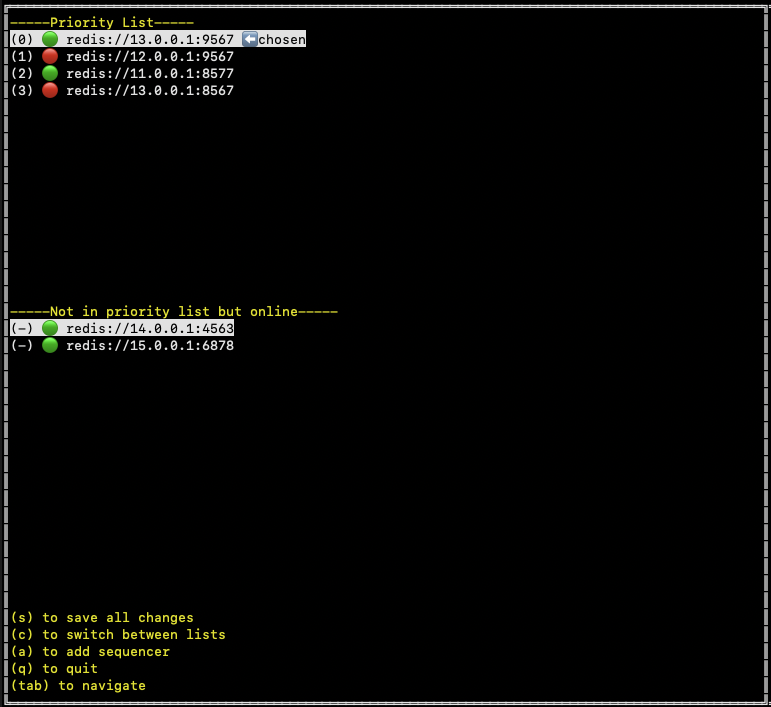
> **Note**
>
> One of the sequencers is marked with a `chosen` indicator. This visual cue helps you identify the current chosen sequencer.
You can click/enter on any sequencer element in the priority list to bring up a form for updating its position. Within this form, you have the options to make changes via a dropdown menu and then either click `Update` to see the change locally, `Cancel` to cancel the operation, or `Remove` to remove the sequencer from the priority list.
When a sequencer is removed, it is automatically added to the `--Not in priority list but online--` list if it is online. Please remember that all changes made using this method are local and need to be saved to the Redis server by pressing `s` from the keyboard shortcuts to make them permanent.
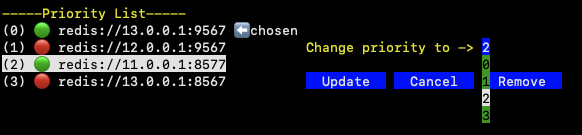
After selecting a sequencer from the non-priority list, you are given the option to add the selected sequencer to the priority list at any position of your choice. You can specify the position via a dropdown menu that lists all possible positions. Clicking `Update` will then display the updated priority list with the newly added sequencer in the chosen position.
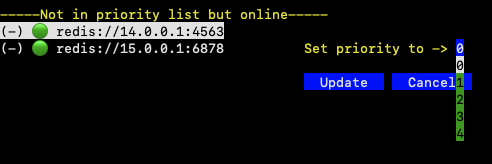
You can also add a new sequencer to the priority list by pressing `a` from the keyboard shortcuts. This action will bring up a form to enter the sequencer details. After adding the sequencer URL, you can click `Add` to see the changes or `Cancel` to abort the operation.
There is a flag in the sequencer's config, `--node.seq-coordinator.my-url`, which needs to be set to your sequencer's endpoint URL. Ensure that the URL of your sequencer added to the sequencer coordinator manager matches this flag.

To exit the tool, press `q` from the keyboard shortcuts.
# How to run a normal sequencer node for an Arbitrum chain (/run-a-node/sequencer/run-sequencer-node)
> **Warning**
>
> The following instructions are meant for Arbitrum chains only. This article only applies to test environments. If you need support spinning up a production Arbitrum chain, we recommend contacting a [provider](/launch-arbitrum-chain/integrations/infrastructure-providers#rollup-as-a-service-raas-providers).
>
> We also provide a [guide for running a high-availability sequencer node for an Arbitrum chain](/launch-arbitrum-chain/run-a-node/high-availability-sequencer).
This how-to provides step-by-step instructions for running a sequencer node on your local machine.
For background on how sequencers fit into Arbitrum's data flow (batch posting, the sequencer feed, and how full nodes consume sequencer output), see [Data availability](/run-a-node/data-availability). For how the sequencer role relates to the other Nitro node roles and the flags that define them, see [How to assign roles to a Nitro node](/run-a-node/assign-node-roles).
## Minimum hardware configuration [#minimum-hardware-configuration]
The following are the minimum hardware configurations required to set up a Nitro full node (not archival):
| Resource | Minimum requirements | Recommended |
| :----------- | :--------------------------------------------------------------------------------- | -------------------------------------------------------------- |
| RAM (DDR5) | 64 GB | 128 GB or more |
| CPU | 8 core 3rd generation CPUs (for AWS, a `i4i.2xlarge` instance) | 16 core CPU or higher and more recent/newer generation of CPUs |
| Storage type | NVMe SSD drives with locally attached drives strongly recommended | Same |
| Storage size | Depends on the chain and its traffic over time, but ideally several terabytes (TB) | Same, but higher if possible |
Please note that:
- These minimum requirements for RAM and CPU are recommended for nodes that process a small amount of RPC requests. For nodes that require processing multiple simultaneous requests, both RAM and the number of CPU cores will need to scale with the amount of traffic served.
- Single core performance is important. If the node is falling behind and a single core is 100% busy, it is recommended to update to a faster processor
- The minimum storage requirements will change over time as the chain grows. Using more than the minimum requirements to run a robust full node is recommended.
## Recommended Nitro version [#recommended-nitro-version]
> **Warning**
>
> Even though there are alpha and beta versions of the Arbitrum Nitro software, only use release versions when running your node. Running alpha or beta versions is unsupported and might lead to unexpected behaviors.
Latest Docker image: offchainlabs/nitro-node:v3.12.1-70fa99a
## Required parameters [#required-parameters]
### 1. Sequencer node parameters [#1-sequencer-node-parameters]
The following parameters are required to run a sequencer node:
#### 1. Enable sequencer [#1-enable-sequencer]
Enable the sequencer mode:
```shell
--node.sequencer=true
```
#### 2. Make the node act as a sequencer and post to L1 [#2-make-the-node-act-as-a-sequencer-and-post-to-l1]
Enable the sequencer execution:
```shell
--execution.sequencer.enable=true
--execution.sequencer.max-tx-data-size=85000
```
#### 3. Enable delayed sequencer [#3-enable-delayed-sequencer]
Enable your node to read and include transactions from the parent chain delayed inbox.
```shell
--node.delayed-sequencer.enable=true
--node.delayed-sequencer.use-merge-finality=false
--node.delayed-sequencer.finalize-distance=1
```
#### 4. Enable batch poster [#4-enable-batch-poster]
Enable your node to send batches to the parent chain:
```shell
--node.batch-poster.enable=true
--node.batch-poster.max-calldata-batch-size=90000
--node.batch-poster.parent-chain-wallet.private-key=
```
`--node.batch-poster.max-calldata-batch-size` replaces the deprecated `--node.batch-poster.max-size`, which previously also capped AnyTrust batches. On AnyTrust chains, set the AnyTrust batch limit separately with `--node.da.anytrust.max-batch-size` (see the next section).
#### 4. Disable transaction forwarding [#4-disable-transaction-forwarding]
Disable your sequencer's forwarding transactions, as the node will queue the transaction directly:
```shell
--execution.forwarding-target=""
```
#### 5. Enable feed-out queued transactions [#5-enable-feed-out-queued-transactions]
Enable your node to feed out transactions so full node can receive queued transactions. For the wire format consumers will see on this port, see [How to read the sequencer feed](/run-a-node/sequencer/read-sequencer-feed).
```shell
--node.feed.output.enable=true
--node.feed.output.addr=0.0.0.0
--node.feed.output.port=
```
#### 5. Connect the node to data availability servers [#5-connect-the-node-to-data-availability-servers]
> **Note**
>
> This step is only required in Anytrust mode. For an explanation of AnyTrust mode and the role of the Data Availability Committee (DAC), see [AnyTrust Mode](/run-a-node/data-availability#anytrust-mode).
>
> As of Nitro v3.10.0, these settings live under `--node.da.anytrust.*` (the previous `--node.data-availability.*` namespace is deprecated), and the node no longer takes `sequencer-inbox-address` or `parent-chain-node-url` in this section — it uses the chain info and the `--parent-chain.connection.url` configuration instead.
Enable your node to send batches to a DAS and get DACerts from them.
```shell
--node.da.anytrust.enable=true
--node.da.anytrust.max-batch-size=90000
--node.da.anytrust.rest-aggregator.enable=true
--node.da.anytrust.rest-aggregator.urls=
--node.da.anytrust.rpc-aggregator.enable=true
--node.da.anytrust.rpc-aggregator.assumed-honest=1
--node.da.anytrust.rpc-aggregator.backends=
```
### 2. Putting it all together [#2-putting-it-all-together]
- When running a Docker image, an external volume should be mounted to persist the database across restarts. The mount point inside the Docker image should be `/home/user/.arbitrum`
- Example:
```shell wordWrap=true
docker run --rm -it -v /some/local/dir/arbitrum:/home/user/.arbitrum -p 0.0.0.0:8547:8547 -p 0.0.0.0:8548:8548 offchainlabs/nitro-node:v3.12.1-70fa99a --node.sequencer=true --node.delayed-sequencer.enable=true --node.delayed-sequencer.use-merge-finality=false --node.delayed-sequencer.finalize-distance=1 --node.batch-poster.enable=true --node.batch-poster.max-calldata-batch-size=90000 --node.batch-poster.parent-chain-wallet.private-key= --node.staker.enable=true --node.staker.strategy=MakeNodes --node.staker.parent-chain-wallet.private-key= --node.da.anytrust.enable=true --node.da.anytrust.max-batch-size=90000 --node.da.anytrust.rest-aggregator.enable=true --node.da.anytrust.rest-aggregator.urls= --node.da.anytrust.rpc-aggregator.enable=true --node.da.anytrust.rpc-aggregator.assumed-honest=1 --node.da.anytrust.rpc-aggregator.backends= --execution.sequencer.enable=true --execution.sequencer.max-tx-data-size=85000
```
- Ensure that `/some/local/dir/arbitrum` already exists; otherwise, the directory might be created with `root` as owner, and the Docker container won't be able to write to it.
- Json Example:
```json
{
"node": {
"sequencer": true,
"delayed-sequencer": {
"enable": true,
"use-merge-finality": false,
"finalize-distance": 1
},
"batch-poster": {
"max-calldata-batch-size": 90000,
"enable": true,
"parent-chain-wallet": {
"private-key": ""
}
},
"feed": {
"output": {
"enable": true,
"addr": "0.0.0.0",
"port": ""
}
},
"da": {
"anytrust": {
"enable": true,
"max-batch-size": 90000,
"rest-aggregator": {
"enable": true,
"urls": ["http://das-server:9877"]
},
"rpc-aggregator": {
"enable": true,
"assumed-honest": 1,
"backends": "[{\"url\":\"http://das-server:9876\",\"pubkey\":\"YAAAAAAAAAAAAAAAAAAAAAAAAAAAAAAAAAAAAAAAAAAAAAAAAAAAAAAAAAAAAAAAAAAAAAAAAAAAAAAAAAAAAAAAAAAAAAAAAAAAAAAAAAAAAAAAAAAAAAAAAAAAAAAAAAAAAAAAAAAAAAAAAAAAAAAAAAAAAAAAAAAAAAAAAAAAAAAAAAAAAAAAAAAAAAAAAAAAAAAAAAAAAAAAAAAAAAAAAAAAAAAAAAAAAAAAAAAAAAAAAAAAAAAAAAAAAAAAAAAAAAAAAAAAAAAAAAAAAAAAAAAAAAAAAAAAAAAAAAAAAAAAAAAAAAAAAAAAAAAAAAAAAAAAAAAAAAAAAAAAAAAAAAAAAAAAAAAAAAAAAAAAAAAAAAAAAAAAAAAAAAAAAAA==\"}]"
}
}
}
},
"execution": {
"forwarding-target": "",
"sequencer": {
"enable": true,
"max-tx-data-size": 85000
}
}
}
```
### Note on permissions [#note-on-permissions]
- The Docker image is configured to run as non-root `UID 1000`. If you are running Linux or macOS and you are getting permission errors when trying to run the Docker image, run this command to allow all users to update the persistent folders:
```shell
mkdir /data/arbitrum
chmod -fR 777 /data/arbitrum
```
## Optional parameters [#optional-parameters]
Here's a list of the parameters that are most commonly used when running your Arbitrum chain sequencer node. You can also use the flag `--help` for a comprehensive list of available parameters.
| Flag | Description |
| --------------------------------------------------------- | ------------------------------------------------------------------------------------------------------------------------------------------------------------------------------------------------------------------------------------------------------------------------------------------------------------- |
| `--execution.rpc.classic-redirect=` | Redirects archive requests for pre-nitro blocks to this RPC of an Arbitrum Classic node with an archive database, **only for Arbitrum One**. |
| `--execution.rpc.classic-redirect=` | Redirects archive requests for pre-nitro blocks to this RPC from an Arbitrum Classic node with an archive database, **only for Arbitrum One**. |
| `--http.api` | Which APIs need to be opened over the HTTP-RPC interface. Default: `net,web3,eth,arb`. Add `debug` for tracing. |
| `--http.corsdomain` | Accepts cross origin requests from these comma-separated domains (browser enforced). |
| `--http.vhosts` | Accepts requests from these comma-separated virtual hostnames (server enforced). Default: `localhost`. Accepts `*`. |
| `--http.addr` | Address to bind RPC to. May require `0.0.0.0` for Docker networking. |
| `--execution.caching.archive` | Will retain past block state. **For archive nodes**. |
| `--node.feed.input.url=` | Default: `wss://.arbitrum.io/feed`. ⚠️ One feed relay per datacenter is advised. See [feed relay guide](/run-a-node/run-feed-relay). |
| `--execution.rpc.evm-timeout` | Default: `5s`. Timeout for `eth_call`. (`0` == no timeout). |
| `--execution.rpc.gas-cap` | Default: `50000000`. Gas cap for `eth_call`/`estimateGas`. (`0` = no cap). |
| `--execution.rpc.tx-fee-cap` | Default: `1`. Transaction fee cap (in **ETH**) for RPC APIs. (`0` = no cap). |
| `--ipc.path` | Filename for IPC socket/pipe within `datadir`. Not supported on macOS. **Note**: The path is within the Docker container. |
| `--init.prune` | Prunes database before starting the node. It can be used for **full** or **validator** nodes. |
| `--init.url=""` | **Non-Arbitrum chain Nitro nodes only**: URL from which to download the genesis database. Required only for the first startup of an Arbitrum One node. Reference to [snapshots](https://snapshot.arbitrum.foundation/index.html) and [archive node guide](/run-a-node/more-types/run-archive-node). |
| `--init.download-path="/path/to/dir"` | **Non-Arbitrum chain Nitro nodes only**: Temporarily saves the downloaded database snapshot. Defaults to `/tmp/`. Used with `--init.url`. |
| `--node.batch-poster.post-4844-blobs` | Boolean. Default: `false`. Used to enable or disable the posting of transaction data using Blobs to Ethereum mainnet. If using calldata is more expensive and the parent chain supports `EIP4844` blobs, the batch poster will use blobs when this flag is set to `true`. It can be set to `true` or `false`. |
| `--node.batch-poster.ignore-blob-price` | Boolean. Default: `false`. If the parent chain supports `EIP4844` blobs and `ignore-blob-price` is set to `true`, the batch poster will use `EIP4844` blobs even if using calldata is cheaper. It can be set to `true` or `false`. |
| `--execution.sequencer.enable` | Act as sequencer and post to L1. |
| `--execution.sequencer.enable-profiling` | Enable CPU profiling and tracing. |
| `--execution.sequencer.expected-surplus-hard-threshold` | If the expected surplus is lower than this value, new incoming transactions will be denied (default "default"). |
| `--execution.sequencer.expected-surplus-soft-threshold` | Warnings are posted if the expected surplus is lower than this value (default "default"). |
| `--execution.sequencer.forwarder.connection-timeout` | Total time to wait before canceling connection (default 30s). |
| `--execution.sequencer.forwarder.idle-connection-timeout` | Time until idle connections are closed (default 1m0s). |
| `--execution.sequencer.forwarder.max-idle-connections` | Maximum number of idle connections to keep open (default `100`). |
| `--execution.sequencer.forwarder.redis-url` | The recommended Redis URL to use as target. |
| `--execution.sequencer.forwarder.retry-interval` | Minimal time between update retries (default 100ms). |
| `--execution.sequencer.forwarder.update-interval` | Forwarding target update interval (default 1s). |
| `--execution.sequencer.max-acceptable-timestamp-delta` | Maximum acceptable time difference between the local time and the latest L1 block's timestamp (default 1h0m0s). |
| `--execution.sequencer.max-block-speed` | Minimum delay between blocks (sets a maximum speed of block production) (default 250ms). |
| `--execution.sequencer.max-revert-gas-reject` | Maximum gas executed in a revert for the sequencer to reject the transaction instead of posting it (anti-DOS). |
| `--execution.sequencer.max-tx-data-size` | Maximum transaction size the sequencer will accept (default `95000`). |
| `--execution.sequencer.nonce-cache-size` | Size of the transaction sender nonce cache (default `1024`). |
| `--execution.sequencer.nonce-failure-cache-expiry` | Maximum time to wait for a predecessor before rejecting a transaction whose nonce is too high (default 1s). |
| `--execution.sequencer.nonce-failure-cache-size` | Number of transactions whose nonce is too high to keep in memory while waiting for their predecessor (default `1024`). |
| `--execution.sequencer.queue-size` | Size of the pending transaction queue (default `1024`). |
| `--execution.sequencer.queue-timeout` | Maximum time a transaction can wait in a queue (default 12s). |
| `--execution.sequencer.sender-whitelist` | Comma-separated allowlist of authorized senders (if empty, every sender is allowed). |
| `--node.delayed-sequencer.finalize-distance` | Number of blocks in the past L1 block for the transaction to be considered final. This value is ignored when using merge finality. Default: `20`. |
| `--node.delayed-sequencer.require-full-finality` | Whether to wait for full finality before sequencing delayed messages. |
| `--node.delayed-sequencer.use-merge-finality` | Whether to use The Merge's notion of finality before sequencing delayed messages (default to `true`). |
# Hostio exports (/stylus/advanced/hostio-exports)
Hostio (Host I/O) exports are low-level functions that provide direct access to the Stylus VM runtime. These functions are WebAssembly imports that allow Stylus programs to interact with the blockchain environment, similar to how EVM opcodes do in Solidity.
## Overview [#overview]
Hostio functions are the foundational layer that powers all Stylus smart contract operations. While most developers will use the higher-level SDK abstractions, understanding hostio functions is valuable for:
- Performance optimization through direct VM access
- Implementing custom low-level operations
- Understanding gas costs and execution flow
- Debugging and troubleshooting contract behavior
> **Note**
>
> Most developers should use the high-level SDK wrappers instead of calling hostio functions directly. The SDK provides safe, ergonomic interfaces that handle memory management and error checking automatically.
## How hostio works [#how-hostio-works]
Hostio functions are WebAssembly imports defined in the `vm_hooks` module. When a Stylus program is compiled to WASM, these functions are linked at runtime by the Arbitrum VM:
```rust
#[link(wasm_import_module = "vm_hooks")]
extern "C" {
pub fn msg_sender(sender: *mut u8);
pub fn block_number() -> u64;
// ... more functions
}
```
During execution, the Stylus VM intercepts calls to these functions and implements the actual functionality using the underlying ArbOS infrastructure.
## Function categories [#function-categories]
Hostio functions are organized into several categories based on their purpose.
### Account operations [#account-operations]
Query information about accounts on the blockchain.
#### `account_balance` [#account_balance]
Gets the **ETH** balance of an account in wei. Equivalent to EVM's `BALANCE` opcode.
```rust
pub fn account_balance(address: *const u8, dest: *mut u8);
```
**Parameters:**
- `address`: Pointer to the 20-byte address
- `dest`: Pointer to write the 32-byte balance value
**Usage:**
```rust
use stylus_sdk::alloy_primitives::{Address, U256};
unsafe {
let addr = Address::from([0x11; 20]);
let mut balance_bytes = [0u8; 32];
hostio::account_balance(addr.as_ptr(), balance_bytes.as_mut_ptr());
let balance = U256::from_be_bytes(balance_bytes);
}
```
#### `account_code` [#account_code]
Gets a subset of code from an account. Equivalent to EVM's `EXTCODECOPY` opcode.
```rust
pub fn account_code(
address: *const u8,
offset: usize,
size: usize,
dest: *mut u8
) -> usize;
```
**Returns:** Number of bytes actually written
#### `account_code_size` [#account_code_size]
Gets the size of code at an address. Equivalent to EVM's `EXTCODESIZE` opcode.
```rust
pub fn account_code_size(address: *const u8) -> usize;
```
#### `account_codehash` [#account_codehash]
Gets the code hash of an account. Equivalent to EVM's `EXTCODEHASH` opcode.
```rust
pub fn account_codehash(address: *const u8, dest: *mut u8);
```
> **Note**
>
> Empty accounts return the keccak256 hash of empty bytes: `c5d2460186f7233c927e7db2dcc703c0e500b653ca82273b7bfad8045d85a470`
### Storage operations [#storage-operations]
Interact with persistent contract storage.
#### `storage_load_bytes32` [#storage_load_bytes32]
Reads a 32-byte value from storage. Equivalent to EVM's `SLOAD` opcode.
```rust
pub fn storage_load_bytes32(key: *const u8, dest: *mut u8);
```
**Parameters:**
- `key`: Pointer to the 32-byte storage key
- `dest`: Pointer to write the 32-byte value
#### `storage_cache_bytes32` [#storage_cache_bytes32]
Writes a 32-byte value to the storage cache. Equivalent to EVM's `SSTORE` opcode.
```rust
pub fn storage_cache_bytes32(key: *const u8, value: *const u8);
```
> **Warning**
>
> Values are cached and must be persisted using `storage_flush_cache` before they're permanently written to storage.
#### `storage_flush_cache` [#storage_flush_cache]
Persists cached storage values to the EVM state trie. Equivalent to multiple `SSTORE` operations.
```rust
pub fn storage_flush_cache(clear: bool);
```
**Parameters:**
- `clear`: Whether to drop the cache entirely after flushing
**Storage caching benefits:**
The Stylus VM implements storage caching for improved performance:
- Repeated reads of the same key cost less gas
- Writes are batched for efficiency
- The SDK manages the cache automatically
### Block information [#block-information]
Access information about the current block.
#### `block_basefee` [#block_basefee]
Gets the basefee of the current block. Equivalent to EVM's `BASEFEE` opcode.
```rust
pub fn block_basefee(basefee: *mut u8);
```
#### `block_chainid` [#block_chainid]
Gets the chain identifier. Equivalent to EVM's `CHAINID` opcode.
```rust
pub fn chainid() -> u64;
```
#### `block_coinbase` [#block_coinbase]
Gets the coinbase (block producer address). On Arbitrum, this is the L1 batch poster's address.
```rust
pub fn block_coinbase(coinbase: *mut u8);
```
#### `block_gas_limit` [#block_gas_limit]
Gets the gas limit of the current block. Equivalent to EVM's `GASLIMIT` opcode.
```rust
pub fn block_gas_limit() -> u64;
```
#### `block_number` [#block_number]
Gets a bounded estimate of the L1 block number when the transaction was sequenced.
```rust
pub fn block_number() -> u64;
```
> **Note**
>
> See [Arbitrum block numbers and time](/arbitrum-essentials/arbitrum-vs-ethereum/block-numbers-and-time) for more information on how block numbers work on Arbitrum chains.
#### `block_timestamp` [#block_timestamp]
Gets a bounded estimate of the Unix timestamp when the transaction was sequenced.
```rust
pub fn block_timestamp() -> u64;
```
### Transaction and message context [#transaction-and-message-context]
Access information about the current transaction and call context.
#### `msg_sender` [#msg_sender]
Gets the address of the caller. Equivalent to EVM's `CALLER` opcode.
```rust
pub fn msg_sender(sender: *mut u8);
```
**Parameters:**
- `sender`: Pointer to write the 20-byte address
> **Note**
>
> For L1-to-L2 retryable ticket transactions, addresses are aliased. See [address aliasing documentation](/how-arbitrum-works/deep-dives/l1-to-l2-messaging#address-aliasing).
#### `msg_value` [#msg_value]
Gets the **ETH** value sent with the call in wei. Equivalent to EVM's `CALLVALUE` opcode.
```rust
pub fn msg_value(value: *mut u8);
```
#### `msg_reentrant` [#msg_reentrant]
Checks if the current call is reentrant.
```rust
pub fn msg_reentrant() -> bool;
```
#### `tx_gas_price` [#tx_gas_price]
Gets the gas price in wei per gas. On Arbitrum, this equals the basefee. Equivalent to EVM's `GASPRICE` opcode.
```rust
pub fn tx_gas_price(gas_price: *mut u8);
```
#### `tx_origin` [#tx_origin]
Gets the top-level sender of the transaction. Equivalent to EVM's `ORIGIN` opcode.
```rust
pub fn tx_origin(origin: *mut u8);
```
#### `tx_ink_price` [#tx_ink_price]
Gets the price of ink on the EVM gas basis in gas basis points. See [Ink and Gas](/stylus/concepts/gas-metering) for more information.
```rust
pub fn tx_ink_price() -> u32;
```
### Contract calls [#contract-calls]
Make calls to other contracts.
#### `call_contract` [#call_contract]
Calls another contract with an optional value and gas limit. Equivalent to EVM's `CALL` opcode.
```rust
pub fn call_contract(
contract: *const u8,
calldata: *const u8,
calldata_len: usize,
value: *const u8,
gas: u64,
return_data_len: *mut usize
) -> u8;
```
**Parameters:**
- `contract`: Pointer to 20-byte contract address
- `calldata`: Pointer to calldata bytes
- `calldata_len`: Length of calldata
- `value`: Pointer to 32-byte value in wei (use 0 for no value)
- `gas`: Gas to supply (use `u64::MAX` for all available gas)
- `return_data_len`: Pointer to store the length of the return data
**Returns:** `0` on success, non-zero on failure
**Gas rules:**
- Follows the 63/64 rule (at most 63/64 of available gas is forwarded)
- Includes callvalue stipend when value is sent
**Usage:**
```rust
use stylus_sdk::call::RawCall;
unsafe {
let result = RawCall::new(self.vm())
.gas(100_000)
.value(U256::from(1_000_000))
.call(contract_address, &calldata)?;
}
```
#### `delegate_call_contract` [#delegate_call_contract]
Delegate calls another contract. Equivalent to EVM's `DELEGATECALL` opcode.
```rust
pub fn delegate_call_contract(
contract: *const u8,
calldata: *const u8,
calldata_len: usize,
gas: u64,
return_data_len: *mut usize
) -> u8;
```
> **Warning**
>
> Delegate calls execute code in the context of the current contract. Be extremely careful when delegate calling to untrusted contracts, as they have full access to your storage.
#### `static_call_contract` [#static_call_contract]
Static calls another contract (read-only). Equivalent to EVM's `STATICCALL` opcode.
```rust
pub fn static_call_contract(
contract: *const u8,
calldata: *const u8,
calldata_len: usize,
gas: u64,
return_data_len: *mut usize
) -> u8;
```
### Contract deployment [#contract-deployment]
Deploy new contracts.
#### `create1` [#create1]
Deploys a contract using CREATE. Equivalent to EVM's `CREATE` opcode.
```rust
pub fn create1(
code: *const u8,
code_len: usize,
endowment: *const u8,
contract: *mut u8,
revert_data_len: *mut usize
);
```
**Parameters:**
- `code`: Pointer to initialization code (EVM bytecode)
- `code_len`: Length of initialization code
- `endowment`: Pointer to 32-byte value to send
- `contract`: Pointer to write the deployed contract address (20 bytes)
- `revert_data_len`: Pointer to store revert data length on failure
**Deployment rules:**
- Init code must be EVM bytecode
- Deployed code can be Stylus (WASM) if it starts with `0xEFF000` header
- The address is determined by the sender and the nonce
- On failure, the address will be zero
#### `create2` [#create2]
Deploys a contract using CREATE2. Equivalent to EVM's `CREATE2` opcode.
```rust
pub fn create2(
code: *const u8,
code_len: usize,
endowment: *const u8,
salt: *const u8,
contract: *mut u8,
revert_data_len: *mut usize
);
```
**Parameters:**
- `salt`: Pointer to 32-byte salt value
**Address calculation:**
- Address is deterministic based on sender, salt, and init code hash
- Allows for pre-computed addresses
### Events and logging [#events-and-logging]
Emit events to the blockchain.
#### `emit_log` [#emit_log]
Emits an EVM log with topics and data. Equivalent to EVM's `LOG0`-`LOG4` opcodes.
```rust
pub fn emit_log(data: *const u8, len: usize, topics: usize);
```
**Parameters:**
- `data`: Pointer to event data (first bytes should be 32-byte aligned topics)
- `len`: Total length of data, including topics
- `topics`: Number of topics (0-4)
> **Warning**
>
> Requesting more than 4 topics will cause a revert.
**Higher-level usage:**
```rust
sol! {
event Transfer(address indexed from, address indexed to, uint256 value);
}
// Emit using the SDK
self.vm().log(Transfer {
from: sender,
to: recipient,
value: amount,
});
```
### Gas and ink metering [#gas-and-ink-metering]
Monitor execution costs.
#### `evm_gas_left` [#evm_gas_left]
Gets the amount of gas remaining. Equivalent to EVM's `GAS` opcode.
```rust
pub fn evm_gas_left() -> u64;
```
#### `evm_ink_left` [#evm_ink_left]
Gets the amount of ink remaining—a Stylus-specific metering unit.
```rust
pub fn evm_ink_left() -> u64;
```
> **Note**
>
> Ink is Stylus's compute pricing unit. See [Ink and Gas](/stylus/concepts/gas-metering) for conversion between ink and gas.
#### `pay_for_memory_grow` [#pay_for_memory_grow]
Pays for WASM memory growth. Automatically called when allocating new pages.
```rust
pub fn pay_for_memory_grow(pages: u16);
```
> **Note**
>
> The `entrypoint!` macro handles importing this hostio. Manual calls will unproductively consume gas.
### Cryptography [#cryptography]
Cryptographic operations.
#### `native_keccak256` [#native_keccak256]
Efficiently computes the Keccak256 hash. Equivalent to EVM's `SHA3` opcode.
```rust
pub fn native_keccak256(bytes: *const u8, len: usize, output: *mut u8);
```
**Parameters:**
- `bytes`: Pointer to input data
- `len`: Length of input data
- `output`: Pointer to write 32-byte hash
**Higher-level usage:**
```rust
use stylus_sdk::crypto::keccak;
let hash = keccak(b"hello world");
```
### Calldata operations [#calldata-operations]
Read and write calldata and return data.
#### `read_args` [#read_args]
Reads the program calldata. Equivalent to EVM's `CALLDATACOPY` opcode.
```rust
pub fn read_args(dest: *mut u8);
```
> **Note**
>
> This reads all of the calldata of the call.
#### `read_return_data` [#read_return_data]
Copies bytes from the last call or deployment return result. Equivalent to EVM's `RETURNDATACOPY` opcode.
```rust
pub fn read_return_data(dest: *mut u8, offset: usize, size: usize) -> usize;
```
**Parameters:**
- `dest`: Destination buffer
- `offset`: Offset in return data to start copying from
- `size`: Number of bytes to copy
**Returns:** Number of bytes actually written
**Behavior:**
- Does not revert if out of bounds
- Copies the overlapping portion only
#### `return_data_size` [#return_data_size]
Gets the length of the last return result. Equivalent to EVM's `RETURNDATASIZE` opcode.
```rust
pub fn return_data_size() -> usize;
```
#### `write_result` [#write_result]
Writes the final return data for the current call.
```rust
pub fn write_result(data: *const u8, len: usize);
```
**Behavior:**
- Does not cause the program to exit
- If not called, the return data will be empty
- The program exits naturally when the entrypoint returns
#### `contract_address` [#contract_address]
Gets the address of the current program. Equivalent to EVM's `ADDRESS` opcode.
```rust
pub fn contract_address(address: *mut u8);
```
### Debug and console [#debug-and-console]
Debug-only functions for development.
#### `log_txt` [#log_txt]
Prints UTF-8 text to the console. Only available in debug mode.
```rust
pub fn log_txt(text: *const u8, len: usize);
```
#### `log_i32` / `log_i64` [#log_i32--log_i64]
Prints integers to the console. Only available in debug mode.
```rust
pub fn log_i32(value: i32);
pub fn log_i64(value: i64);
```
#### `log_f32` / `log_f64` [#log_f32--log_f64]
Prints floating-point numbers to the console. Only available in debug mode with floating point enabled.
```rust
pub fn log_f32(value: f32);
pub fn log_f64(value: f64);
```
**Higher-level usage:**
```rust
use stylus_sdk::console;
console!("Value: {}", value); // Prints in debug mode, no-op in production
```
## Safety considerations [#safety-considerations]
All hostio functions are marked `unsafe` because they:
1. **Operate on raw pointers**: Require correct memory management
2. **Lack of bounds checking**: Can cause undefined behavior if pointers are invalid
3. **Have side effects**: Can modify contract state or make external calls
4. **May revert**: Some operations can cause the transaction to revert
### Safe usage patterns [#safe-usage-patterns]
**Always validate inputs:**
```rust
// Bad: unchecked pointer usage
unsafe {
hostio::msg_sender(ptr); // ptr might be invalid
}
// Good: use safe wrappers
let sender = self.vm().msg_sender();
```
**Use SDK wrappers:**
```rust
// Bad: direct hostio call
unsafe {
let mut balance = [0u8; 32];
hostio::account_balance(addr.as_ptr(), balance.as_mut_ptr());
}
// Good: use SDK wrapper
use stylus_sdk::evm;
let balance = evm::balance(addr);
```
**Handle return values:**
```rust
// Check return status from calls
let status = unsafe {
hostio::call_contract(
contract.as_ptr(),
calldata.as_ptr(),
calldata.len(),
value.as_ptr(),
gas,
&mut return_len,
)
};
if status != 0 {
// Handle call failure
}
```
## Higher-level wrappers [#higher-level-wrappers]
The Stylus SDK provides safe, ergonomic wrappers around hostio functions:
### Storage operations [#storage-operations-1]
```rust
// Instead of direct hostio:
unsafe {
hostio::storage_load_bytes32(key.as_ptr(), dest.as_mut_ptr());
}
// Use storage types:
use stylus_sdk::storage::StorageU256;
#[storage]
pub struct Contract {
value: StorageU256,
}
let value = self.value.get(); // Safe, ergonomic
```
### Contract calls [#contract-calls-1]
```rust
// Instead of direct hostio:
unsafe {
hostio::call_contract(/* many parameters */);
}
// Use RawCall or typed interfaces:
use stylus_sdk::call::RawCall;
let result = unsafe {
RawCall::new(self.vm())
.gas(100_000)
.call(contract, &calldata)?
};
```
### VM context [#vm-context]
```rust
// Instead of direct hostio:
unsafe {
let mut sender = [0u8; 20];
hostio::msg_sender(sender.as_mut_ptr());
}
// Use VM accessor:
let sender = self.vm().msg_sender();
let value = self.vm().msg_value();
let timestamp = self.vm().block_timestamp();
```
## Feature flags [#feature-flags]
Hostio behavior changes based on feature flags:
### `export-abi` [#export-abi]
When enabled, hostio functions are stubbed and return `unimplemented!()`—which is used for ABI generation.
### `stylus-test` [#stylus-test]
When enabled, hostio functions panic with an error message. Use `TestVM` for testing instead.
### `debug` [#debug]
When enabled, console logging functions become available. In production, console functions are no-ops.
## Performance considerations [#performance-considerations]
### Direct hostio vs SDK wrappers [#direct-hostio-vs-sdk-wrappers]
- **Direct hostio**: Slightly lower overhead, requires manual memory management
- **SDK wrappers**: Minimal overhead (often zero-cost abstractions), much safer
**Recommendation:** Use SDK wrappers unless profiling shows a specific performance bottleneck.
### Storage caching [#storage-caching]
The Stylus VM automatically caches storage operations:
```rust
// First read: full SLOAD cost
let value1 = storage.value.get();
// Subsequent reads: reduced cost from cache
let value2 = storage.value.get();
// Writes are cached until flush
storage.value.set(new_value); // Cached
// Cache is flushed automatically at call boundaries
```
### Gas vs ink [#gas-vs-ink]
Stylus uses "ink" for fine-grained gas metering:
- **Ink**: WASM execution cost in Stylus-specific units
- **Gas**: Standard EVM gas units
- Conversion happens automatically
Most developers don't need to think about ink vs gas distinction.
## Common patterns [#common-patterns]
### Check-effects-interactions pattern [#check-effects-interactions-pattern]
```rust
#[public]
impl MyContract {
pub fn transfer(&mut self, to: Address, amount: U256) -> Result<(), Vec> {
// Checks
let sender = self.vm().msg_sender();
let balance = self.balances.get(sender);
if balance < amount {
return Err(b"Insufficient balance".to_vec());
}
// Effects
self.balances.setter(sender).set(balance - amount);
self.balances.setter(to).set(self.balances.get(to) + amount);
// Interactions (if any)
Ok(())
}
}
```
### Efficient event logging [#efficient-event-logging]
```rust
sol! {
event DataUpdated(bytes32 indexed key, uint256 value);
}
// SDK handles hostio::emit_log internally
self.vm().log(DataUpdated {
key: key_hash,
value: new_value,
});
```
### Gas-limited external calls [#gas-limited-external-calls]
```rust
use stylus_sdk::call::RawCall;
// Limit gas to prevent griefing
let result = unsafe {
RawCall::new(self.vm())
.gas(50_000) // Fixed gas limit
.call(untrusted_contract, &calldata)
};
match result {
Ok(data) => { /* process return data */ },
Err(_) => { /* handle failure gracefully */ },
}
```
## Testing with hostio [#testing-with-hostio]
Hostio functions are not available in the test environment. Use `TestVM` instead:
```rust
#[cfg(test)]
mod tests {
use super::*;
use stylus_sdk::testing::*;
#[test]
fn test_function() {
let vm = TestVM::default();
let mut contract = MyContract::from(&vm);
// VM functions work in tests
let sender = vm.msg_sender(); // Works
// Direct hostio would panic
// unsafe { hostio::msg_sender(...) } // Would panic
}
}
```
## Resources [#resources]
- [Stylus VM specification](https://github.com/OffchainLabs/stylus)
- [EVM opcodes reference](https://www.evm.codes/)
- [Arbitrum block numbers and time](/arbitrum-essentials/arbitrum-vs-ethereum/block-numbers-and-time)
- [Ink and gas metering](/stylus/concepts/gas-metering)
- [stylus-sdk-rs source](https://github.com/OffchainLabs/stylus-sdk-rs/blob/main/stylus-sdk/src/hostio.rs)
## Best practices [#best-practices]
1. **Use SDK wrappers**: Prefer high-level abstractions over direct hostio calls
2. **Validate inputs**: Always check pointers and sizes before unsafe operations
3. **Handle errors**: Check return values from call operations
4. **Test thoroughly**: Use `TestVM` for comprehensive testing
5. **Profile first**: Only optimize to direct hostio if profiling shows it's necessary
6. **Document unsafe code**: Always document why `unsafe` is necessary
7. **Minimize unsafe blocks**: Keep `unsafe` blocks as small as possible
# Minimal entrypoint contracts (/stylus/advanced/minimal-entrypoint-contracts)
This guide explains the low-level mechanics of Stylus contract entrypoints, helping you understand what happens behind the `#[entrypoint]` and `#[public]` macros. This knowledge is useful for advanced use cases, debugging, and building custom contract frameworks.
## Overview [#overview]
A Stylus contract at its core consists of:
1. **`user_entrypoint` function**: The WASM export that Stylus calls
2. **Router implementation**: Routes function selectors to method implementations
3. **TopLevelStorage trait**: Marks the contract's root storage type
4. **ArbResult type**: Represents success/failure with encoded return data
## Understanding `ArbResult` [#understanding-arbresult]
`ArbResult` is the fundamental return type for Stylus contract methods:
```rust
pub type ArbResult = Result, Vec>;
```
- `Ok(Vec)` - Success with ABI-encoded return data
- `Err(Vec)` - Revert with ABI-encoded error data
**Example:**
```rust
use stylus_sdk::ArbResult;
// Success with no return data
fn no_return() -> ArbResult {
Ok(Vec::new())
}
// Success with encoded data
fn return_value() -> ArbResult {
let value: u32 = 42;
Ok(value.to_le_bytes().to_vec())
}
// Revert with error data
fn revert_with_error() -> ArbResult {
Err(b"InsufficientBalance".to_vec())
}
```
## The `user_entrypoint` function [#the-user_entrypoint-function]
The `user_entrypoint` function is the WASM export that Stylus calls when a transaction invokes the contract. The `#[entrypoint]` macro generates this function automatically.
### Generated structure [#generated-structure]
When you use `#[entrypoint]`, the macro generates:
```rust
#[no_mangle]
pub extern "C" fn user_entrypoint(len: usize) -> usize {
let host = stylus_sdk::host::VM {
host: stylus_sdk::host::WasmVM{}
};
// Reentrancy check (unless reentrant feature enabled)
if host.msg_reentrant() {
return 1; // revert
}
// Ensure pay_for_memory_grow is referenced
// (costs 8700 ink, less than 1 gas)
host.pay_for_memory_grow(0);
// Read calldata
let input = host.read_args(len);
// Call the router
let (data, status) = match router_entrypoint::(input, host.clone()) {
Ok(data) => (data, 0), // Success
Err(data) => (data, 1), // Revert
};
// Persist storage changes
host.flush_cache(false);
// Write return data
host.write_result(&data);
status
}
```
### Key points [#key-points]
- **Signature**: `extern "C" fn user_entrypoint(len: usize) -> usize`
- **Input**: `len` is the length of calldata to read
- **Output**: `0` for success, `1` for revert
- **Side effects**: Reads calldata, writes return data, flushes storage cache
## The `Router` trait [#the-router-trait]
The `Router` trait defines how function calls are dispatched to method implementations.
### Trait definition [#trait-definition]
```rust
pub trait Router
where
S: TopLevelStorage + BorrowMut + ValueDenier,
I: ?Sized,
{
type Storage;
/// Route a function call by selector
fn route(storage: &mut S, selector: u32, input: &[u8]) -> Option;
/// Handle receive (plain ETH transfers, no calldata)
fn receive(storage: &mut S) -> Option>>;
/// Handle fallback (unknown selectors or no receive)
fn fallback(storage: &mut S, calldata: &[u8]) -> Option;
/// Handle constructor
fn constructor(storage: &mut S, calldata: &[u8]) -> Option;
}
```
### Routing logic [#routing-logic]
The `router_entrypoint` function implements the routing logic:
```rust
pub fn router_entrypoint(input: Vec, host: VM) -> ArbResult
where
R: Router,
S: StorageType + TopLevelStorage + BorrowMut + ValueDenier,
{
let mut storage = unsafe { S::new(U256::ZERO, 0, host) };
// No calldata - try receive, then fallback
if input.is_empty() {
if let Some(res) = R::receive(&mut storage) {
return res.map(|_| Vec::new());
}
if let Some(res) = R::fallback(&mut storage, &[]) {
return res;
}
return Err(Vec::new()); // No receive or fallback
}
// Extract selector (first 4 bytes)
if input.len() >= 4 {
let selector = u32::from_be_bytes(input[..4].try_into().unwrap());
// Check for constructor
if selector == CONSTRUCTOR_SELECTOR {
if let Some(res) = R::constructor(&mut storage, &input[4..]) {
return res;
}
}
// Try to route to a method
else if let Some(res) = R::route(&mut storage, selector, &input[4..]) {
return res;
}
}
// Try fallback
if let Some(res) = R::fallback(&mut storage, &input) {
return res;
}
Err(Vec::new()) // Unknown selector and no fallback
}
```
## The `TopLevelStorage` trait [#the-toplevelstorage-trait]
The `TopLevelStorage` trait marks types that represent the contract's root storage.
### Trait definition [#trait-definition-1]
```rust
pub unsafe trait TopLevelStorage {}
```
### Purpose [#purpose]
- Prevents storage aliasing during reentrancy
- Lifetime tracks all EVM state changes during contract invocation
- Must hold a reference when making external calls
- Automatically implemented by `#[entrypoint]`
### Safety [#safety]
The trait is `unsafe` because:
- Type must truly be top-level to prevent storage aliasing
- Incorrectly implementing this trait can lead to undefined behavior
## Building a minimal contract [#building-a-minimal-contract]
Here's a minimal contract without using the high-level macros:
### Step 1: Define `Storage` [#step-1-define-storage]
```rust
#![cfg_attr(not(any(test, feature = "export-abi")), no_main)]
extern crate alloc;
use alloc::vec::Vec;
use stylus_sdk::{
abi::{Router, ArbResult},
storage::StorageType,
host::VM,
alloy_primitives::U256,
};
// Mark as top-level storage (normally done by #[entrypoint])
pub struct MyContract;
unsafe impl stylus_core::storage::TopLevelStorage for MyContract {}
impl StorageType for MyContract {
type Wraps<'a> = &'a Self where Self: 'a;
type WrapsMut<'a> = &'a mut Self where Self: 'a;
unsafe fn new(_slot: U256, _offset: u8, _host: VM) -> Self {
MyContract
}
fn load<'s>(self) -> Self::Wraps<'s> {
&self
}
fn load_mut<'s>(self) -> Self::WrapsMut<'s> {
&mut self
}
}
```
### Step 2: Implement `Router` [#step-2-implement-router]
```rust
impl Router for MyContract {
type Storage = MyContract;
fn route(_storage: &mut MyContract, selector: u32, _input: &[u8]) -> Option {
// Simple example: one method with selector 0x12345678
match selector {
0x12345678 => Some(Ok(Vec::new())),
_ => None, // Unknown selector
}
}
fn receive(_storage: &mut MyContract) -> Option>> {
None // No receive function
}
fn fallback(_storage: &mut MyContract, _calldata: &[u8]) -> Option {
None // No fallback function
}
fn constructor(_storage: &mut MyContract, _calldata: &[u8]) -> Option {
None // No constructor
}
}
```
### Step 3: Define entrypoint [#step-3-define-entrypoint]
```rust
#[no_mangle]
pub extern "C" fn user_entrypoint(len: usize) -> usize {
let host = VM { host: stylus_sdk::host::WasmVM{} };
// Reentrancy check
if host.msg_reentrant() {
return 1;
}
// Reference pay_for_memory_grow
host.pay_for_memory_grow(0);
// Read input
let input = host.read_args(len);
// Route the call
let (data, status) = match stylus_sdk::abi::router_entrypoint::(input, host.clone()) {
Ok(data) => (data, 0),
Err(data) => (data, 1),
};
// Flush storage
host.flush_cache(false);
// Write result
host.write_result(&data);
status
}
```
## Function selectors [#function-selectors]
Function selectors are 4-byte identifiers computed from the function signature.
### Computing selectors [#computing-selectors]
```rust
use stylus_sdk::function_selector;
// Manual computation
const MY_FUNCTION: [u8; 4] = function_selector!("myFunction");
// With parameters
const TRANSFER: [u8; 4] = function_selector!("transfer", Address, U256);
// Constructor selector
const CONSTRUCTOR_SELECTOR: u32 =
u32::from_be_bytes(function_selector!("constructor"));
```
### Using in `Router` [#using-in-router]
```rust
impl Router for MyContract {
type Storage = MyContract;
fn route(_storage: &mut MyContract, selector: u32, input: &[u8]) -> Option {
const GET_VALUE: u32 = u32::from_be_bytes(function_selector!("getValue"));
const SET_VALUE: u32 = u32::from_be_bytes(function_selector!("setValue", U256));
match selector {
GET_VALUE => {
// Return encoded U256 value
let value = U256::from(42);
Some(Ok(value.to_be_bytes::<32>().to_vec()))
}
SET_VALUE => {
// Decode input and set value
if input.len() >= 32 {
// Process set_value logic
Some(Ok(Vec::new()))
} else {
Some(Err(Vec::new()))
}
}
_ => None,
}
}
fn receive(_storage: &mut MyContract) -> Option>> {
None
}
fn fallback(_storage: &mut MyContract, _calldata: &[u8]) -> Option {
None
}
fn constructor(_storage: &mut MyContract, _calldata: &[u8]) -> Option {
None
}
}
```
## Implementing special functions [#implementing-special-functions]
### Receive function [#receive-function]
Handles plain ETH transfers (no calldata):
```rust
fn receive(storage: &mut MyContract) -> Option>> {
// Access msg_value via storage.vm().msg_value()
// Must return Ok(()) for success
Some(Ok(()))
}
```
### Fallback function [#fallback-function]
Handles unknown selectors or when no receive is defined:
```rust
fn fallback(storage: &mut MyContract, calldata: &[u8]) -> Option {
// Can access full calldata
// Return Some to handle, None to revert
Some(Ok(Vec::new()))
}
```
### Constructor [#constructor]
Called once during deployment with `CONSTRUCTOR_SELECTOR`:
```rust
fn constructor(storage: &mut MyContract, calldata: &[u8]) -> Option {
// Initialize contract state
// calldata contains constructor parameters
Some(Ok(Vec::new()))
}
```
## Complete minimal example [#complete-minimal-example]
Here's a complete working minimal contract:
```rust
#![cfg_attr(not(any(test, feature = "export-abi")), no_main)]
extern crate alloc;
use alloc::vec::Vec;
use core::borrow::BorrowMut;
use stylus_sdk::{
abi::Router,
alloy_primitives::U256,
host::VM,
storage::StorageType,
ArbResult,
function_selector,
};
use stylus_core::{storage::TopLevelStorage, ValueDenier};
// Contract storage
pub struct MinimalContract;
// Mark as top-level storage
unsafe impl TopLevelStorage for MinimalContract {}
// Implement StorageType
impl StorageType for MinimalContract {
type Wraps<'a> = &'a Self where Self: 'a;
type WrapsMut<'a> = &'a mut Self where Self: 'a;
unsafe fn new(_slot: U256, _offset: u8, _host: VM) -> Self {
MinimalContract
}
fn load<'s>(self) -> Self::Wraps<'s> {
&self
}
fn load_mut<'s>(self) -> Self::WrapsMut<'s> {
&mut self
}
}
// Implement ValueDenier (for non-payable check)
impl ValueDenier for MinimalContract {
fn deny_value(&self, _method_name: &str) -> Result<(), Vec> {
Ok(()) // Allow all for simplicity
}
}
// Implement BorrowMut
impl BorrowMut for MinimalContract {
fn borrow_mut(&mut self) -> &mut MinimalContract {
self
}
}
// Implement Router
impl Router for MinimalContract {
type Storage = MinimalContract;
fn route(_storage: &mut MinimalContract, selector: u32, _input: &[u8]) -> Option {
const HELLO: u32 = u32::from_be_bytes(function_selector!("hello"));
match selector {
HELLO => Some(Ok(Vec::new())),
_ => None,
}
}
fn receive(_storage: &mut MinimalContract) -> Option>> {
None
}
fn fallback(_storage: &mut MinimalContract, _calldata: &[u8]) -> Option {
Some(Ok(Vec::new())) // Accept all unknown calls
}
fn constructor(_storage: &mut MinimalContract, _calldata: &[u8]) -> Option {
Some(Ok(Vec::new()))
}
}
// Define user_entrypoint
#[no_mangle]
pub extern "C" fn user_entrypoint(len: usize) -> usize {
let host = VM { host: stylus_sdk::host::WasmVM{} };
if host.msg_reentrant() {
return 1;
}
host.pay_for_memory_grow(0);
let input = host.read_args(len);
let (data, status) = match stylus_sdk::abi::router_entrypoint::(input, host.clone()) {
Ok(data) => (data, 0),
Err(data) => (data, 1),
};
host.flush_cache(false);
host.write_result(&data);
status
}
```
## Why use high-level macros? [#why-use-high-level-macros]
While minimal contracts are educational, the `#[entrypoint]` and `#[public]` macros provide:
1. **Automatic selector generation** from method names
2. **Type-safe parameter encoding/decoding** using Alloy types
3. **Solidity ABI export** for interoperability
4. **Storage trait implementations** with caching
5. **Error handling** with `Result` types
6. **Payable checks** for ETH-receiving functions
7. **Reentrancy protection** by default
**Recommended approach:**
```rust
// Use macros for production contracts
#[storage]
#[entrypoint]
pub struct MyContract {
value: StorageU256,
}
#[public]
impl MyContract {
pub fn get_value(&self) -> U256 {
self.value.get()
}
pub fn set_value(&mut self, value: U256) {
self.value.set(value);
}
}
```
This generates all the low-level code automatically while providing a clean, type-safe interface.
## Advanced use cases [#advanced-use-cases]
### Custom routing logic [#custom-routing-logic]
Implement custom routing for multi-contract systems:
```rust
impl Router for MultiContract {
type Storage = MultiContract;
fn route(storage: &mut MultiContract, selector: u32, input: &[u8]) -> Option {
// Route to different modules based on selector range
match selector {
0x00000000..=0x0fffffff => ModuleA::route(storage, selector, input),
0x10000000..=0x1fffffff => ModuleB::route(storage, selector, input),
_ => None,
}
}
// ... other methods
}
```
### Custom entrypoint logic [#custom-entrypoint-logic]
Add custom logic before/after routing:
```rust
#[no_mangle]
pub extern "C" fn user_entrypoint(len: usize) -> usize {
let host = VM { host: stylus_sdk::host::WasmVM{} };
// Custom pre-processing
let start_gas = host.evm_gas_left();
// Standard entrypoint logic
if host.msg_reentrant() {
return 1;
}
host.pay_for_memory_grow(0);
let input = host.read_args(len);
let (data, status) = match stylus_sdk::abi::router_entrypoint::(input, host.clone()) {
Ok(data) => (data, 0),
Err(data) => (data, 1),
};
// Custom post-processing
let gas_used = start_gas - host.evm_gas_left();
// Log or handle gas usage
host.flush_cache(false);
host.write_result(&data);
status
}
```
## Debugging tips [#debugging-tips]
### Enable debug mode [#enable-debug-mode]
```rust
#[cfg(feature = "debug")]
use stylus_sdk::console;
fn route(storage: &mut MyContract, selector: u32, input: &[u8]) -> Option {
#[cfg(feature = "debug")]
console!("Selector: {:08x}", selector);
// Routing logic...
}
```
### Check selector computation [#check-selector-computation]
```rust
#[test]
fn test_selectors() {
use stylus_sdk::function_selector;
let hello = u32::from_be_bytes(function_selector!("hello"));
assert_eq!(hello, 0x19ff1d21);
// Compare with Solidity: bytes4(keccak256("hello()"))
}
```
## See also [#see-also]
- [Contracts](/stylus/fundamentals/contracts): High-level contract development
- [Global Variables](/stylus/fundamentals/global-variables-and-functions): VM context methods
- [Storage Types](/stylus/fundamentals/data-types/storage): Persistent storage
# Recommended libraries (Rust crates) (/stylus/advanced/recommended-libraries)
## Using public Rust crates [#using-public-rust-crates]
Rust provides a package registry at [crates.io](https://crates.io/), which lets developers conveniently access a plethora of open source libraries to utilize as dependencies in their code. Stylus Rust contracts can take advantage of these crates to simplify their development workflow.
While **crates.io** is a fantastic resource, many of these libraries were not designed with the constraints of a blockchain environment in mind. Some produce large binaries that exceed the decompressed WASM size limit (`MaxWasmSize`) for Stylus programs on Arbitrum — a chain-configurable ArbOS parameter that defaults to 128 KB, raised to 256 KB at ArbOS61 and later. Many also take advantage of unsupported features such as:
- Random numbers
- Multi threading
- Floating point numbers and operations
Using the standard Rust library often bloats contract sizes beyond the maximum size. For this reason, libraries designated as `no_std` are typically much stronger candidates for usage as a smart contract dependency. **crates.io** has a special tag for marking crates as `no_std`; however, it's not universally used. Still, it can be a good starting point for locating supported libraries. See ["No standard library"](https://crates.io/categories/no-std) crates for more details.
> **Library compatibility checklist**
>
> A Rust library is compatible with Stylus if it meets all of the following:
>
> - **Single-threaded**: no `async`/`await`, no thread spawning, no concurrent execution primitives.
> - **No floating-point**: `f32` and `f64` are not supported by the Stylus VM.
> - **No randomness**: no entropy is available onchain; libraries that depend on `rand` or system entropy will not work.
> - **`no_std`-friendly**: prefer crates that compile without the standard library; the `std` lib pulls in OS-level features that are unavailable and inflates the binary.
> - **WASM-compatible target**: must build for `wasm32-unknown-unknown`.
## Curated crates [#curated-crates]
To save developers time on smart contract development for common dependencies, we've curated a list of crates and utilities that we found helpful. Keep in mind that we have not audited this code, and you should always be mindful about pulling dependencies into your codebase, whether they've been audited or not. We provide this list for you to use at your discretion and risk.
- [`alloy-primitives`](https://crates.io/crates/alloy-primitives): Core Ethereum primitive types (`U256`, `Address`, `B256`, and more). Re-exported by the Stylus SDK, which currently pins the 1.x line (`1.5.7`), and the foundation for nearly every Stylus contract
- [`alloy-sol-types`](https://crates.io/crates/alloy-sol-types): Solidity type and ABI encoding/decoding via the `sol!` macro. Used by the Stylus SDK (same 1.x line) for typed calls, events, and errors
- [`rust_decimal`](https://crates.io/crates/rust_decimal): Decimal number implementation written in pure Rust. Suitable for financial and fixed-precision calculations
- [`special`](https://crates.io/crates/special): The package provides special functions, which are mathematical functions with special names due to their common usage, such as `sin`, `ln`, `tan`, etc.
- [`hashbrown`](https://crates.io/crates/hashbrown): Rust port of Google's SwissTable hash map
- [`time`](https://crates.io/crates/time): Date and time library
- [`hex`](https://crates.io/crates/hex): Encoding and decoding data into/from hexadecimal representation
We'll be adding more libraries to this list as we find them. Feel free to suggest an edit if you know of any great crates that would be generally useful here.
# Rust to Solidity differences (/stylus/advanced/rust-to-solidity-differences)
Stylus introduces a new paradigm for writing smart contracts on Arbitrum using Rust and other WebAssembly-compatible languages. While Stylus contracts maintain full interoperability with Solidity contracts, there are important differences in how you structure and write code. This guide helps Solidity developers understand these differences.
## Language and syntax [#language-and-syntax]
### Contract structure [#contract-structure]
**Solidity:**
```solidity
contract MyContract {
uint256 private value;
address public owner;
constructor(uint256 initialValue) {
value = initialValue;
owner = msg.sender;
}
function setValue(uint256 newValue) public {
value = newValue;
}
}
```
**Stylus (Rust):**
```rust
use stylus_sdk::prelude::*;
use stylus_sdk::alloy_primitives::{Address, U256};
#[storage]
#[entrypoint]
pub struct MyContract {
value: StorageU256,
owner: StorageAddress,
}
#[public]
impl MyContract {
#[constructor]
pub fn constructor(&mut self, initial_value: U256) {
self.value.set(initial_value);
self.owner.set(self.vm().msg_sender());
}
pub fn set_value(&mut self, new_value: U256) {
self.value.set(new_value);
}
}
```
### Key structural differences [#key-structural-differences]
1. **Attributes over keywords**: Stylus uses Rust attributes (`#[storage]`, `#[entrypoint]`, `#[public]`) instead of Solidity keywords
2. **Explicit storage types**: Storage variables use special types like `StorageU256`, `StorageAddress`
3. **Getter/setter pattern**: Storage access requires explicit `.get()` and `.set()` calls
4. **Module system**: Rust uses `mod` and `use` for imports instead of `import`
## Function visibility and state mutability [#function-visibility-and-state-mutability]
### Visibility [#visibility]
**Solidity:**
```solidity
function publicFunc() public {}
function externalFunc() external {}
function internalFunc() internal {}
function privateFunc() private {}
```
**Stylus:**
```rust
#[public]
impl MyContract {
// Public external functions
pub fn public_func(&self) {}
// Internal functions (not in #[public] block)
fn internal_func(&self) {}
// Private functions
fn private_func(&self) {}
}
```
In Stylus:
- Functions in `#[public]` blocks are externally callable
- Regular `pub fn` outside `#[public]` blocks are internal
- Non-pub functions are private to the module
### State mutability [#state-mutability]
**Solidity:**
```solidity
function viewFunc() public view returns (uint256) {}
function pureFunc() public pure returns (uint256) {}
function payableFunc() public payable {}
```
**Stylus:**
```rust
#[public]
impl MyContract {
// View function (immutable reference)
pub fn view_func(&self) -> U256 {
self.value.get()
}
// Pure function (no self reference)
pub fn pure_func(a: U256, b: U256) -> U256 {
a + b
}
// Payable function
#[payable]
pub fn payable_func(&mut self) {
// Can receive Ether
}
// Write function (mutable reference)
pub fn write_func(&mut self) {
self.value.set(U256::from(42));
}
}
```
State mutability in Stylus is determined by:
- `&self` → View (read-only)
- `&mut self` → Write (can modify storage)
- No `self` → Pure (no storage access)
- `#[payable]` → Can receive Ether
## Constructors [#constructors]
**Solidity:**
```solidity
constructor(uint256 initialValue) {
value = initialValue;
}
```
**Stylus:**
```rust
#[public]
impl MyContract {
#[constructor]
pub fn constructor(&mut self, initial_value: U256) {
self.value.set(initial_value);
}
}
```
Key differences:
- Use `#[constructor]` attribute
- Constructor name is always `constructor`
- Can be marked `#[payable]` if needed
- Called only once during deployment
- Each contract struct can have only one constructor
## Modifiers [#modifiers]
Solidity modifiers don't exist in Stylus. Instead, use regular Rust patterns.
**Solidity:**
```solidity
modifier onlyOwner() {
require(msg.sender == owner, "Not owner");
_;
}
function sensitiveFunction() public onlyOwner {
// Function logic
}
```
**Stylus:**
```rust
impl MyContract {
fn only_owner(&self) -> Result<(), Vec> {
if self.owner.get() != self.vm().msg_sender() {
return Err(b"Not owner".to_vec());
}
Ok(())
}
}
#[public]
impl MyContract {
pub fn sensitive_function(&mut self) -> Result<(), Vec> {
self.only_owner()?;
// Function logic
Ok(())
}
}
```
Or using custom errors:
```rust
sol! {
error Unauthorized();
}
#[derive(SolidityError)]
pub enum MyErrors {
Unauthorized(Unauthorized),
}
impl MyContract {
fn only_owner(&self) -> Result<(), MyErrors> {
if self.owner.get() != self.vm().msg_sender() {
return Err(MyErrors::Unauthorized(Unauthorized {}));
}
Ok(())
}
}
```
## Fallback and receive functions [#fallback-and-receive-functions]
**Solidity:**
```solidity
receive() external payable {
// Handle plain Ether transfers
}
fallback() external payable {
// Handle unmatched calls
}
```
**Stylus:**
```rust
#[public]
impl MyContract {
#[receive]
#[payable]
pub fn receive(&mut self) -> Result<(), Vec> {
// Handle plain Ether transfers
Ok(())
}
#[fallback]
#[payable]
pub fn fallback(&mut self, calldata: &[u8]) -> ArbResult {
// Handle unmatched calls
Ok(Vec::new())
}
}
```
Key differences:
- Use `#[receive]` and `#[fallback]` attributes
- Receive function takes no parameters
- Fallback function receives calldata as a parameter
- Both return `Result` types
## Events [#events]
**Solidity:**
```solidity
event Transfer(address indexed from, address indexed to, uint256 value);
function transfer() public {
emit Transfer(msg.sender, recipient, amount);
}
```
**Stylus:**
```rust
sol! {
event Transfer(address indexed from, address indexed to, uint256 value);
}
#[public]
impl MyContract {
pub fn transfer(&mut self, recipient: Address, amount: U256) {
self.vm().log(Transfer {
from: self.vm().msg_sender(),
to: recipient,
value: amount,
});
}
}
```
Key differences:
- Define events in `sol!` macro
- Emit using `self.vm().log()`
- Up to 3 parameters can be indexed
- Can also use `raw_log()` for custom logging
## Error handling [#error-handling]
**Solidity:**
```solidity
error InsufficientBalance(uint256 requested, uint256 available);
function withdraw(uint256 amount) public {
if (balance < amount) {
revert InsufficientBalance(amount, balance);
}
}
```
**Stylus:**
```rust
sol! {
error InsufficientBalance(uint256 requested, uint256 available);
}
#[derive(SolidityError)]
pub enum MyErrors {
InsufficientBalance(InsufficientBalance),
}
#[public]
impl MyContract {
pub fn withdraw(&mut self, amount: U256) -> Result<(), MyErrors> {
let balance = self.balance.get();
if balance < amount {
return Err(MyErrors::InsufficientBalance(InsufficientBalance {
requested: amount,
available: balance,
}));
}
Ok(())
}
}
```
Key differences:
- Define errors in `sol!` macro
- Create error enum with `#[derive(SolidityError)]`
- Return `Result`
- Use Rust's `?` operator for error propagation
## Inheritance [#inheritance]
**Solidity:**
```solidity
contract Base {
function baseFoo() public virtual {}
}
contract Derived is Base {
function baseFoo() public override {}
}
```
**Stylus:**
```rust
#[public]
trait IBase {
fn base_foo(&self);
}
#[storage]
struct Base {}
#[public]
impl IBase for Base {
fn base_foo(&self) {
// Implementation
}
}
#[storage]
#[entrypoint]
struct Derived {
base: Base,
}
#[public]
#[implements(IBase)]
impl Derived {}
#[public]
impl IBase for Derived {
fn base_foo(&self) {
// Override implementation
}
}
```
Key differences:
- Use Rust traits for interfaces
- Composition through storage fields
- Use `#[implements()]` to expose inherited interfaces
- No `virtual` or `override` keywords
## Storage [#storage]
### Storage slots [#storage-slots]
**Solidity:**
```solidity
uint256 public value;
mapping(address => uint256) public balances;
uint256[] public items;
```
**Stylus:**
```rust
#[storage]
pub struct MyContract {
value: StorageU256,
balances: StorageMap,
items: StorageVec,
}
```
### Storage access [#storage-access]
**Solidity:**
```solidity
value = 42;
uint256 x = value;
balances[user] = 100;
```
**Stylus:**
```rust
self.value.set(U256::from(42));
let x = self.value.get();
self.balances.setter(user).set(U256::from(100));
```
Key differences:
- Explicit storage types (`Storage*`)
- Must use `.get()` and `.set()`
- Maps use `.setter()` for write access
- Storage layout is compatible with Solidity
## Constants and immutables [#constants-and-immutables]
**Solidity:**
```solidity
uint256 public constant MAX_SUPPLY = 1000000;
address public immutable OWNER;
constructor() {
OWNER = msg.sender;
}
```
**Stylus:**
```rust
const MAX_SUPPLY: u64 = 1000000;
#[storage]
#[entrypoint]
pub struct MyContract {
owner: StorageAddress, // Set in constructor
}
#[public]
impl MyContract {
#[constructor]
pub fn constructor(&mut self) {
self.owner.set(self.vm().msg_sender());
}
}
```
Key differences:
- Use Rust `const` for constants
- No direct equivalent to `immutable` (use storage set once in constructor)
- Constants can be defined outside structs
## Type system [#type-system]
### Integer types [#integer-types]
| Solidity | Stylus (Rust) | Notes |
| -------------------- | ---------------------- | ------------------------------------- |
| `uint8` to `uint256` | `u8` to `u128`, `U256` | Native Rust types or Alloy primitives |
| `int8` to `int256` | `i8` to `i128`, `I256` | Signed integers |
| `address` | `Address` | 20-byte addresses |
| `bytes` | `Bytes` | Dynamic bytes |
| `bytesN` | `FixedBytes` | Fixed-size bytes |
| `string` | `String` | UTF-8 strings |
### Arrays and mappings [#arrays-and-mappings]
| Solidity | Stylus (Rust) | Notes |
| ----------------------------- | ------------------------------------------------------------ | -------------- |
| `uint256[]` | `Vec` (memory) `StorageVec` (storage) | Dynamic arrays |
| `uint256[5]` | `[U256; 5]` | Fixed arrays |
| `mapping(address => uint256)` | `StorageMap` | Key-value maps |
## Global variables and functions [#global-variables-and-functions]
### Block and transaction properties [#block-and-transaction-properties]
| Solidity | Stylus (Rust) |
| ----------------- | ----------------------------- |
| `msg.sender` | `self.vm().msg_sender()` |
| `msg.value` | `self.vm().msg_value()` |
| `msg.data` | Access through calldata |
| `tx.origin` | `self.vm().tx_origin()` |
| `tx.gasprice` | `self.vm().tx_gas_price()` |
| `block.number` | `self.vm().block_number()` |
| `block.timestamp` | `self.vm().block_timestamp()` |
| `block.basefee` | `self.vm().block_basefee()` |
| `block.coinbase` | `self.vm().block_coinbase()` |
### Cryptographic functions [#cryptographic-functions]
| Solidity | Stylus (Rust) |
| ----------------- | ---------------------------------- |
| `keccak256(data)` | `self.vm().native_keccak256(data)` |
| `sha256(data)` | Use external crate |
| `ecrecover(...)` | Use `crypto::recover()` |
## External calls [#external-calls]
**Solidity:**
```solidity
(bool success, bytes memory data) = address.call{value: amount}(data);
```
**Stylus:**
```rust
use stylus_sdk::call::RawCall;
let result = unsafe {
RawCall::new(self.vm())
.value(amount)
.call(address, &data)
};
```
Key differences:
- Use `RawCall` for raw calls
- Calls are `unsafe` in Rust
- Use type-safe interfaces when possible via `sol_interface!`
## Contract deployment [#contract-deployment]
**Solidity:**
```solidity
new MyContract{value: amount}(arg1, arg2);
```
**Stylus:**
```rust
use stylus_sdk::deploy::RawDeploy;
let contract_address = unsafe {
RawDeploy::new()
.salt(salt)
.deploy(self.vm(), &bytecode, amount)?
};
```
## Assembly [#assembly]
**Solidity:**
```solidity
assembly {
let x := mload(0x40)
sstore(0, x)
}
```
**Stylus:**
Stylus does not support inline assembly. Instead:
- Use hostio functions for low-level operations
- Use Rust's `unsafe` blocks when necessary
- Direct memory manipulation through safe Rust APIs
## Features not in Stylus [#features-not-in-stylus]
1. **No inline assembly**: Use hostio or safe Rust instead
2. **No `selfdestruct`**: Deprecated in Ethereum, not available in Stylus
3. **No `delegatecall` from storage**: Available but requires careful use
4. **No modifier syntax**: Use regular functions
5. **No multiple inheritance complexity**: Use trait-based composition
## Features unique to Stylus [#features-unique-to-stylus]
1. **Rust's type system**: Strong compile-time guarantees
2. **Zero-cost abstractions**: No overhead for safe code patterns
3. **Cargo ecosystem**: Access to thousands of Rust crates
4. **Memory safety**: Rust's borrow checker prevents common bugs
5. **Better performance**: Wasm execution can be more efficient
6. **Testing framework**: Use Rust's built-in testing with `TestVM`
## Memory and gas costs [#memory-and-gas-costs]
### Memory management [#memory-management]
- **Solidity**: Automatic memory management with gas costs for allocation
- **Stylus**: Manual control with Rust's ownership system, more efficient memory usage
### Gas efficiency [#gas-efficiency]
Stylus programs typically use less gas than equivalent Solidity:
- More efficient Wasm execution
- Better compiler optimizations
- Fine-grained control over allocations
## Development workflow [#development-workflow]
### Compilation [#compilation]
**Solidity:**
```shell
solc --bin --abi MyContract.sol
```
**Stylus:**
```shell
cargo stylus build
```
### Testing [#testing]
**Solidity:**
```javascript
// Hardhat or Foundry tests
```
**Stylus:**
```rust
#[cfg(test)]
mod tests {
use super::*;
use stylus_sdk::testing::*;
#[test]
fn test_function() {
let vm = TestVM::default();
let mut contract = MyContract::from(&vm);
// Test logic
}
}
```
### Deployment [#deployment]
Both use similar deployment processes but Stylus requires an [activation step](/stylus/concepts/activation) for new programs.
## Interoperability [#interoperability]
Stylus and Solidity contracts can fully interact:
- Stylus can call Solidity contracts
- Solidity can call Stylus contracts
- Same ABI encoding/decoding
- Share storage layout compatibility
Example calling Solidity from Stylus:
```rust
sol_interface! {
interface IToken {
function transfer(address to, uint256 amount) external returns (bool);
}
}
#[public]
impl MyContract {
pub fn call_token(&self, token: Address, recipient: Address, amount: U256) -> Result> {
let token_contract = IToken::new(token);
let result = token_contract.transfer(self.vm(), recipient, amount)?;
Ok(result)
}
}
```
## Best practices for transitioning [#best-practices-for-transitioning]
1. **Think in Rust patterns**: Don't translate Solidity directly, use idiomatic Rust
2. **Leverage the type system**: Use Rust's types to prevent bugs at compile time
3. **Use composition over inheritance**: Prefer traits and composition
4. **Handle errors explicitly**: Use `Result` types and the `?` operator
5. **Write tests in Rust**: Take advantage of `TestVM` for unit testing
6. **Read existing examples**: Study the stylus-sdk-rs examples directory
7. **Start small**: Convert simple contracts first to learn the patterns
## Resources [#resources]
- [Stylus SDK Documentation](/stylus/reference/rust-sdk-guide)
- [stylus-sdk-rs Repository](https://github.com/OffchainLabs/stylus-sdk-rs)
- [Example Contracts](https://github.com/OffchainLabs/stylus-sdk-rs/tree/main/examples)
- [Rust Book](https://doc.rust-lang.org/book/) for learning Rust
# Gas optimization best practices (/stylus/best-practices/gas-optimization)
Stylus contracts can offer significant gas savings compared to Solidity for compute-heavy operations, and following the optimization best practices below can reduce costs even further. Exact savings depend on the workload, so benchmark your own contract.
## Why Stylus is cheaper [#why-stylus-is-cheaper]
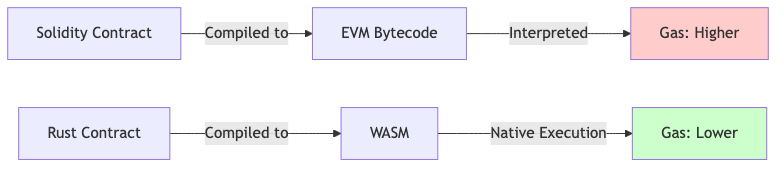
_Figure: Stylus WASM executes natively, avoiding EVM interpretation overhead._
### Performance comparison [#performance-comparison]
| Operation | Solidity (EVM) | Stylus (WASM) | Relative savings |
| ------------------------------------- | ----------------------- | ---------------------- | ----------------------- |
| Compute-heavy loops | High | Very low | ~50–100x |
| Signature verification (`ecrecover`) | ~3,000 gas (precompile) | ~300 gas | ~10x |
| Memory operations (`MLOAD`/`MSTORE`) | ~3 gas/word | ~0.3 gas/word | ~10x |
| Keccak256 hashing | 30 gas + 6 gas/word | native `keccak` hostio | Varies (small per byte) |
| Storage operations (`SLOAD`/`SSTORE`) | EVM cost | Same EVM cost | None (1x) |
The EVM-side costs are fixed protocol prices: `ecrecover` = 3,000 gas, `MLOAD`/`MSTORE` = 3 gas/word, and `KECCAK256` = 30 gas + 6 gas per 32-byte word. The Stylus-side figures and the multipliers are directional — drawn from Offchain Labs' Stylus benchmarks — and vary with workload, input size, and ArbOS version. Benchmark your own contract to get numbers you can rely on. Note that Keccak256 is already cheap per byte on the EVM, so hashing is not a headline saving; Stylus' large wins come from compute-heavy logic, memory, and native cryptography.
**Key insight**: [Storage operations](/stylus/advanced/hostio-exports#storage-operations) map to the same underlying EVM `SLOAD`/`SSTORE` costs in Stylus as in Solidity, so they are not where Stylus saves gas. Optimize by reducing storage access and maximizing compute efficiency.
## Storage optimization [#storage-optimization]
### 1. Minimize storage reads [#1-minimize-storage-reads]
```rust
// ❌ Bad: Multiple storage reads
pub fn calculate_bad(&self, iterations: u32) -> U256 {
let mut result = U256::ZERO;
for i in 0..iterations {
// Reads from storage every iteration!
result += self.multiplier.get();
}
result
}
// ✅ Good: Cache storage value
pub fn calculate_good(&self, iterations: u32) -> U256 {
// Read once, use many times
let multiplier = self.multiplier.get();
let mut result = U256::ZERO;
for i in 0..iterations {
result += multiplier;
}
result
}
```
**Gas impact**: Storage reads map to EVM `SLOAD` costs, where a cold slot (first access in a transaction, per EIP-2929) is far more expensive than a warm one. The SDK also caches storage, so repeated reads of the same slot within a single call are cheap. Caching the value in a local variable, as shown above, avoids repeated `SLOAD` work and can save significant gas in large loops.
### 2. Batch storage writes [#2-batch-storage-writes]
```rust
// ❌ Bad: Multiple separate writes
pub fn update_user_bad(&mut self, addr: Address, amount: U256, active: bool) {
self.balances.setter(addr).set(amount);
self.last_update.setter(addr).set(U256::from(self.vm().block_timestamp()));
self.is_active.setter(addr).set(active);
}
// ✅ Good: Combine into struct
sol_storage! {
pub struct UserData {
uint256 balance;
uint256 last_update;
bool is_active;
}
pub struct OptimizedContract {
mapping(address => UserData) users;
}
}
pub fn update_user_good(&mut self, addr: Address, amount: U256, active: bool) {
// Read host state before taking the storage setter to avoid borrowing
// `self` both mutably (the setter) and immutably (`self.vm()`).
let timestamp = U256::from(self.vm().block_timestamp());
let mut user = self.users.setter(addr);
user.balance.set(amount);
user.last_update.set(timestamp);
user.is_active.set(active);
// Grouped fields share contiguous slots instead of three unrelated slots
}
```
### 3. Use appropriate data types [#3-use-appropriate-data-types]
```rust
// ❌ Bad: Oversized types
sol_storage! {
pub struct Wasteful {
StorageU256 tiny_counter; // Only needs u8
StorageU256 timestamp; // Only needs u64
StorageU256 percentage; // Only needs u16
}
}
// ✅ Good: Right-sized types
sol_storage! {
pub struct Efficient {
StorageU8 tiny_counter; // Saves 31 bytes
StorageU64 timestamp; // Saves 24 bytes
StorageU16 percentage; // Saves 30 bytes
}
}
```
**Note**: While smaller types save storage space, they don't reduce gas for individual storage operations. The benefit comes from packing multiple small values in one slot (if your storage layout supports it).
### 4. Delete unused storage [#4-delete-unused-storage]
```rust
pub fn cleanup(&mut self, addr: Address) -> Result<(), Vec> {
let balance = self.balances.get(addr);
if balance != U256::ZERO {
return Err(b"Balance not zero".to_vec());
}
// ✅ Deleting storage refunds gas
self.balances.delete(addr);
self.metadata.delete(addr);
Ok(())
}
```
**Gas refund**: Clearing a storage slot (setting it back to zero) triggers an `SSTORE` refund. Since EIP-3529 this refund is capped at 4,800 gas per cleared slot, and the total refund for a transaction cannot exceed one fifth (20%) of the gas the transaction used.
## Memory optimization [#memory-optimization]
### 1. Avoid unnecessary clones [#1-avoid-unnecessary-clones]
```rust
use alloy_primitives::Bytes;
// ❌ Bad: Unnecessary cloning
pub fn process_data_bad(&self, data: Bytes) -> Bytes {
let copy = data.clone(); // Expensive memory allocation
copy
}
// ✅ Good: Use references
pub fn process_data_good(&self, data: &Bytes) -> &Bytes {
data // No clone needed
}
// ✅ Good: Move when possible
pub fn consume_data(mut data: Bytes) -> Bytes {
data.extend_from_slice(&[1, 2, 3]);
data // Ownership moved, no clone
}
```
### 2. Use iterators efficiently [#2-use-iterators-efficiently]
```rust
// ❌ Bad: Collect into vector unnecessarily
pub fn sum_bad(&self, values: Vec) -> U256 {
let filtered: Vec = values
.iter()
.filter(|v| **v > U256::ZERO)
.copied()
.collect(); // Allocates new vector
filtered.iter().sum()
}
// ✅ Good: Chain iterators
pub fn sum_good(&self, values: Vec) -> U256 {
values
.iter()
.filter(|v| **v > U256::ZERO)
.sum() // No intermediate allocation
}
```
### 3. Reuse allocations [#3-reuse-allocations]
```rust
// ✅ Reuse buffers for repeated operations
pub fn process_batch(&mut self, items: Vec) -> Vec {
let mut buffer = Vec::with_capacity(items.len());
for item in items {
buffer.clear(); // Reuse allocation
buffer.extend_from_slice(&item);
// Process buffer...
}
buffer
}
```
## Computation optimization [#computation-optimization]
### 1. Use Stylus for compute-heavy operations [#1-use-stylus-for-compute-heavy-operations]
```rust
// ✅ Stylus excels at complex computation
pub fn verify_merkle_proof(
&self,
leaf: [u8; 32],
proof: Vec<[u8; 32]>,
root: [u8; 32]
) -> bool {
let mut computed_hash = leaf;
// This loop is typically much cheaper in Stylus than Solidity
for proof_element in proof {
// keccak256 returns a B256; `.0` extracts the [u8; 32] array
computed_hash = if computed_hash <= proof_element {
keccak256([computed_hash, proof_element].concat()).0
} else {
keccak256([proof_element, computed_hash].concat()).0
};
}
computed_hash == root
}
```
**Why it's faster**: Native WASM execution avoids EVM interpretation overhead, which makes compute-heavy loops cheaper. Benchmark to quantify the savings for your specific workload.
### 2. Optimize hot paths [#2-optimize-hot-paths]
```rust
// ✅ Hint the compiler to inline small, frequently-called helpers.
// `#[inline(always)]` is a hint, not a guarantee; measure before relying on it.
#[inline(always)]
pub fn is_valid_amount(&self, amount: U256) -> bool {
amount > U256::ZERO && amount <= self.max_amount.get()
}
// Use in hot path
pub fn transfer(&mut self, to: Address, amount: U256) -> Result<(), Vec> {
if !self.is_valid_amount(amount) {
return Err(b"Invalid amount".to_vec());
}
// Transfer logic...
Ok(())
}
```
### 3. Avoid redundant checks [#3-avoid-redundant-checks]
```rust
// ❌ Bad: Redundant zero check
pub fn add_to_balance_bad(&mut self, addr: Address, amount: U256) -> Result<(), Vec> {
if amount == U256::ZERO {
return Err(b"Amount must be positive".to_vec());
}
let current = self.balances.get(addr);
if current + amount <= current {
// Redundant if amount > 0
return Err(b"Overflow".to_vec());
}
self.balances.setter(addr).set(current + amount);
Ok(())
}
// ✅ Good: Single overflow check covers both
pub fn add_to_balance_good(&mut self, addr: Address, amount: U256) -> Result<(), Vec> {
let current = self.balances.get(addr);
let new_balance = current
.checked_add(amount)
.ok_or(b"Overflow or invalid amount".to_vec())?;
self.balances.setter(addr).set(new_balance);
Ok(())
}
```
## Function call optimization [#function-call-optimization]
### 1. Minimize cross-contract calls [#1-minimize-cross-contract-calls]
```rust
// The interface is declared with sol_interface!:
// sol_interface! {
// interface IOracle {
// function getPrice(address token) external view returns (uint256);
// function getDecimals(address token) external view returns (uint256);
// function getTimestamp(address token) external view returns (uint256);
// function getPriceData(address token)
// external view returns (uint256, uint256, uint256);
// }
// }
// ❌ Bad: Multiple external calls
pub fn get_price_bad(&self, token: Address) -> Result> {
let oracle = IOracle::new(self.oracle_address.get());
let price = oracle.get_price(self.vm(), Call::new(), token)?;
let _decimals = oracle.get_decimals(self.vm(), Call::new(), token)?; // Second call
let _timestamp = oracle.get_timestamp(self.vm(), Call::new(), token)?; // Third call
Ok(price)
}
// ✅ Good: Batch external calls
pub fn get_price_good(&self, token: Address) -> Result<(U256, U256, U256), Vec> {
let oracle = IOracle::new(self.oracle_address.get());
// Single call returns all data
Ok(oracle.get_price_data(self.vm(), Call::new(), token)?)
}
```
**Gas impact**: Each external call has overhead. Batching reduces cost significantly.
### 2. Use internal functions [#2-use-internal-functions]
```rust
// ✅ Extract common logic to internal functions
impl MyContract {
// Internal helper (no ABI encoding overhead)
fn internal_validate(&self, addr: Address, amount: U256) -> Result<(), Vec> {
if addr.is_zero() {
return Err(b"Invalid address".to_vec());
}
if amount == U256::ZERO {
return Err(b"Invalid amount".to_vec());
}
Ok(())
}
}
#[public]
impl MyContract {
// Public functions use internal helper
pub fn deposit(&mut self, amount: U256) -> Result<(), Vec> {
self.internal_validate(self.vm().msg_sender(), amount)?;
// Deposit logic...
Ok(())
}
pub fn withdraw(&mut self, amount: U256) -> Result<(), Vec> {
self.internal_validate(self.vm().msg_sender(), amount)?;
// Withdraw logic...
Ok(())
}
}
```
## Event optimization [#event-optimization]
### 1. Use indexed parameters wisely [#1-use-indexed-parameters-wisely]
```rust
sol! {
// ✅ Index frequently-queried fields (max 3 indexed)
event Transfer(
address indexed from,
address indexed to,
uint256 value // Not indexed - saves gas
);
// ❌ Bad: Too many indexed parameters
event TooManyIndexed(
address indexed from,
address indexed to,
uint256 indexed amount, // Expensive to index
uint256 indexed timestamp // 4th indexed param - not allowed!
);
}
```
**Gas impact**: Each additional log topic (indexed parameter) adds to the cost of emitting the event, so only index fields you will actually filter by. The exact per-topic cost is set by EVM `LOG` opcode pricing; verify against current gas-schedule values if you need a precise figure.
### 2. Batch events when possible [#2-batch-events-when-possible]
```rust
// ✅ Emit single event for batch operation
sol! {
event BatchTransfer(
address indexed from,
address[] to,
uint256[] amounts
);
}
pub fn batch_transfer(
&mut self,
recipients: Vec,
amounts: Vec
) -> Result<(), Vec> {
// Process transfers...
// Single event instead of N events
self.vm().log(BatchTransfer {
from: self.vm().msg_sender(),
to: recipients,
amounts,
});
Ok(())
}
```
## Binary size optimization [#binary-size-optimization]
Smaller WASM binaries cost less to deploy and activate.
### 1. Optimize compilation flags [#1-optimize-compilation-flags]
```toml
# Cargo.toml
[profile.release]
opt-level = "z" # Optimize for size
lto = true # Link-time optimization
codegen-units = 1 # Better optimization
strip = true # Remove debug symbols
panic = "abort" # Smaller panic handling
```
### 2. Avoid large dependencies [#2-avoid-large-dependencies]
```rust
// ❌ Bad: Heavy dependency for simple task
use fancy_math_library::complex_sqrt; // Adds 50KB to binary
pub fn calculate(&self, value: U256) -> U256 {
complex_sqrt(value) // Using 1% of library
}
// ✅ Good: Implement simple operations yourself (sketch)
pub fn simple_sqrt(&self, value: U256) -> U256 {
// Custom implementation adds minimal binary size.
// Provide a real algorithm (Newton's method or similar) here.
unimplemented!("integer square root")
}
```
### 3. Check binary size and optimize the build [#3-check-binary-size-and-optimize-the-build]
```shell
# Compile and report the activated contract size
cargo stylus check
```
`cargo stylus` does not expose `--optimize` flags. Control binary size through your
Cargo release profile (see "Optimize compilation flags" above) and, if you need
further shrinking, by running `wasm-opt` from [Binaryen](https://github.com/WebAssembly/binaryen)
on the compiled `.wasm`. See [optimizing binaries](/stylus/how-tos/optimizing-binaries) for details.
## Gas measurement [#gas-measurement]
### 1. Test behavior with the unit-test VM [#1-test-behavior-with-the-unit-test-vm]
The `TestVM` from `stylus_sdk::testing` runs your contract logic off-chain so you
can assert behavior quickly. It does not expose a gas meter (there is no
`gas_left()` getter on `TestVM`), so use it to verify correctness, not to measure gas.
```rust
#[cfg(test)]
mod gas_tests {
use super::*;
use stylus_sdk::testing::*;
#[test]
fn update_user_persists() {
let vm = TestVM::default();
let mut contract = OptimizedContract::from(&vm);
let user = Address::from([0x11; 20]);
contract.update_user_good(user, U256::from(100), true);
let stored = contract.users.get(user);
assert_eq!(stored.balance.get(), U256::from(100));
assert!(stored.is_active.get());
}
}
```
### 2. Measure gas on a live endpoint [#2-measure-gas-on-a-live-endpoint]
To compare the gas cost of two implementations, deploy each to a Stylus dev node
and measure the gas used by real transactions (for example with `cast estimate`
or by reading the gas used from the transaction receipt). On-chain measurement is
the reliable way to compare optimization patterns; the unit-test VM cannot report gas.
## Optimization checklist [#optimization-checklist]
Before deploying, verify you've:
- [ ] Minimized storage reads and writes
- [ ] Cached frequently-accessed storage values
- [ ] Used appropriate data types
- [ ] Deleted unused storage for gas refunds
- [ ] Avoided unnecessary clones and allocations
- [ ] Optimized hot code paths
- [ ] Minimized cross-contract calls
- [ ] Used indexed events sparingly
- [ ] Optimized WASM binary size
- [ ] Profiled gas usage for critical functions
- [ ] Compared against Solidity baseline (if porting)
## Common optimizations summary [#common-optimizations-summary]
| Pattern | Gas savings | Complexity |
| ------------------------- | ----------------------------------- | ---------- |
| Cache storage reads | High (avoids repeated `SLOAD`) | Low |
| Delete unused storage | Medium (≤4,800 gas refund per slot) | Low |
| Batch storage writes | Medium (varies) | Medium |
| Use iterators vs. collect | Low-Medium | Low |
| Minimize external calls | High | Medium |
| Optimize binary size | High (deployment only) | Medium |
| Right-size data types | Low-Medium | Low |
## Advanced optimization [#advanced-optimization]
### Custom memory allocators [#custom-memory-allocators]
The Stylus SDK ships with `mini-alloc` enabled by default (the `mini-alloc`
feature in the generated `Cargo.toml`), a small WASM-oriented allocator that is
already a good fit for most contracts. Reach for a custom `#[global_allocator]`
only if profiling shows allocation is a bottleneck.
Note that `wee_alloc`, once a common choice for size-constrained WASM, is
unmaintained (archived upstream) and is not recommended for new contracts. Prefer
the SDK default unless you have a specific, measured reason to change it.
### Assembly optimization [#assembly-optimization]
For critical paths, advanced developers can reach for WASM intrinsics from
`core::arch::wasm32`. The following is pseudocode showing where such an
optimization would live; the body is intentionally omitted because a real
implementation depends on the specific operation you are optimizing:
```rust
use core::arch::wasm32::*;
// ✅ Advanced: use WASM intrinsics for critical operations.
// Pseudocode — fill in a complete, measured implementation before using.
pub fn optimized_hash(&self, data: &[u8]) -> [u8; 32] {
// WASM-optimized hashing goes here.
unimplemented!("provide a real implementation")
}
```
## Next steps [#next-steps]
- Apply [security best practices](/stylus/best-practices/security)
- Study [deployment optimization](/stylus/how-tos/optimizing-binaries)
- Learn about [caching strategies](/stylus/how-tos/caching-contracts)
- Review [debugging techniques](/stylus/cli-tools/debugging-tx)
# Security best practices (/stylus/best-practices/security)
Writing secure smart contracts is critical - vulnerabilities can lead to loss of funds and user trust. This guide covers essential security patterns for Stylus development.
> **Compile-time determinism**
>
> Compiling Rust to WebAssembly is not guaranteed to be deterministic on its own — non-determinism comes from OS-level features (system clock, file system, networking). The Stylus VM does not expose these features at runtime, so they cannot affect contract execution. To keep **builds** reproducible, avoid build scripts and dependencies that read from the system clock or query the network at compile time, and pin your toolchain via `rust-toolchain.toml`.
## Core security principles [#core-security-principles]
### 1. Input validation [#1-input-validation]
Always validate external inputs before using them in your contract logic.
```rust
use stylus_sdk::{
alloy_primitives::{Address, U256},
prelude::*,
storage::{StorageMap, StorageU256},
};
#[storage]
#[entrypoint]
pub struct MyContract {
balances: StorageMap,
}
#[public]
impl MyContract {
// ❌ Bad: No validation
pub fn transfer_bad(&mut self, recipient: Address, amount: U256) -> Result<(), Vec> {
let sender = self.vm().msg_sender();
let sender_balance = self.balances.get(sender);
let recipient_balance = self.balances.get(recipient);
self.balances.setter(sender).set(sender_balance - amount);
self.balances.setter(recipient).set(recipient_balance + amount);
Ok(())
}
// ✅ Good: Proper validation
pub fn transfer_good(&mut self, recipient: Address, amount: U256) -> Result<(), Vec